
Introduction to Microprocessor Systems ECE 511 Microprocessor Digital


- Slides: 67
Introduction to Microprocessor Systems ECE 511: Microprocessor & Digital System
What we are going to learn in this session: n n n What is a microprocessor system. History of microprocessors. Components inside the microprocessor system: ¨ Component description. ¨ Function. ¨ Arrangement. n The CPU execution cycle. ¨ What is it. ¨ How the cycle works.
Introduction n µP is a complex, powerful device: ¨ Able to process huge amounts of data. ¨ Built using transistors on silicon die. ¨ Needs external components to support operation. n Used in wide variety of applications. ¨ Take n advantage of processing power. Microcomputer system – support µP operations.
History of Computers
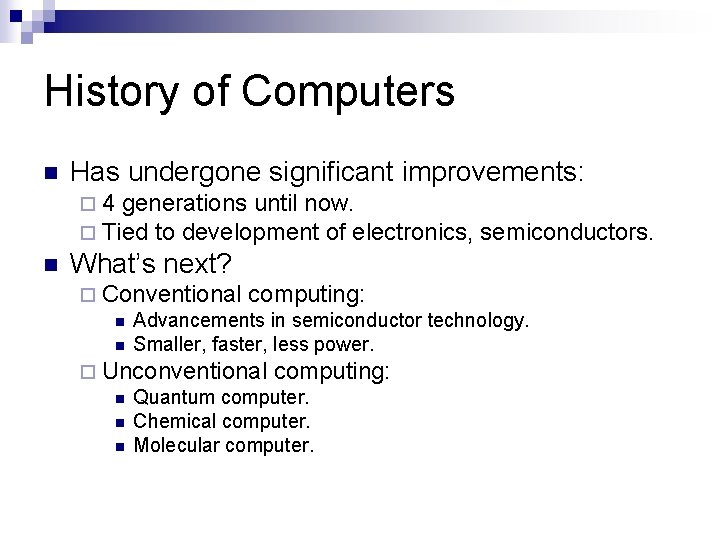
History of Computers n Has undergone significant improvements: ¨ 4 generations until now. ¨ Tied to development of electronics, n semiconductors. What’s next? ¨ Conventional computing: n Advancements in semiconductor technology. n Smaller, faster, less power. ¨ Unconventional computing: n Quantum computer. n Chemical computer. n Molecular computer.
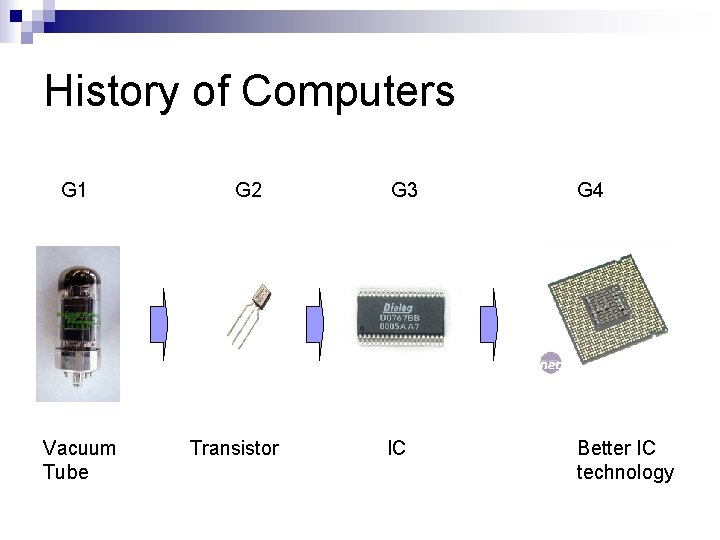
History of Computers G 1 Vacuum Tube G 2 Transistor G 3 G 4 IC Better IC technology
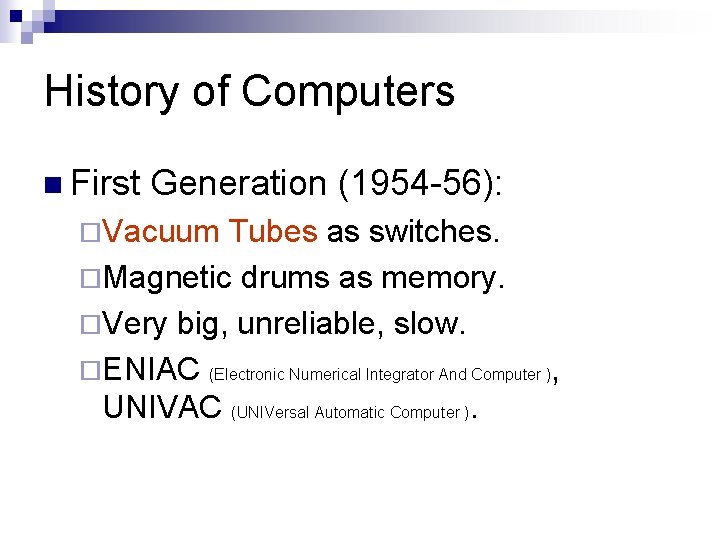
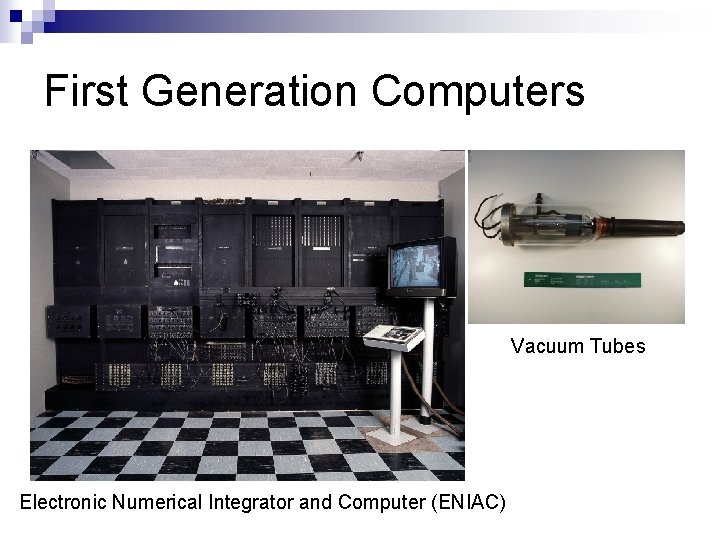
History of Computers n First Generation (1954 -56): ¨Vacuum Tubes as switches. ¨Magnetic drums as memory. ¨Very big, unreliable, slow. ¨ENIAC (Electronic Numerical Integrator And Computer ), UNIVAC (UNIVersal Automatic Computer ).
First Generation Computers Vacuum Tubes Electronic Numerical Integrator and Computer (ENIAC)
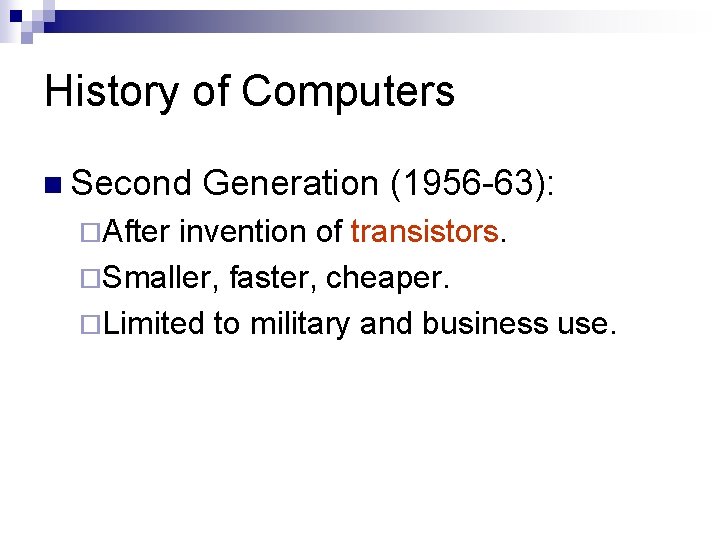
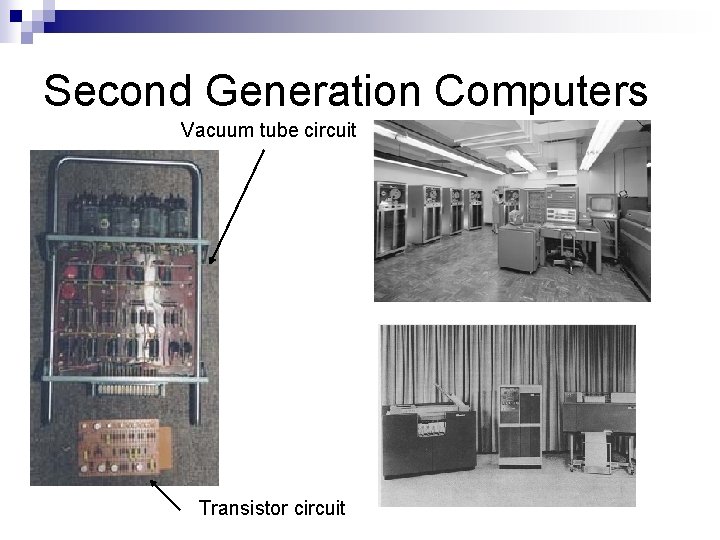
History of Computers n Second ¨After Generation (1956 -63): invention of transistors. ¨Smaller, faster, cheaper. ¨Limited to military and business use.
Second Generation Computers Vacuum tube circuit Transistor circuit
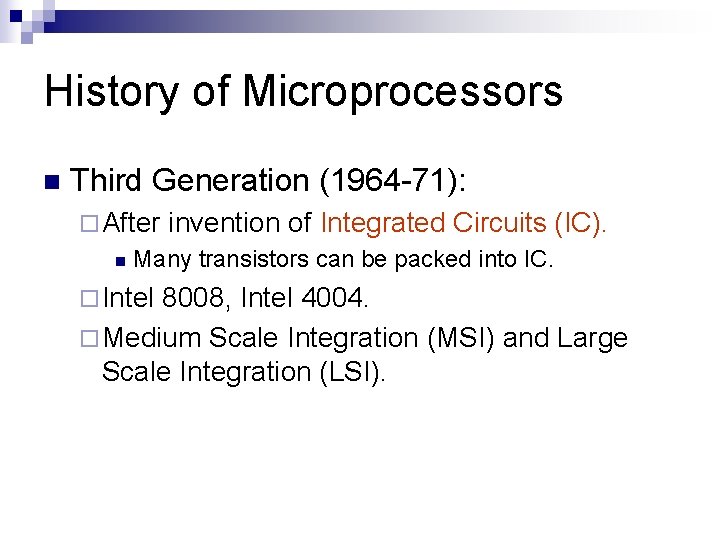
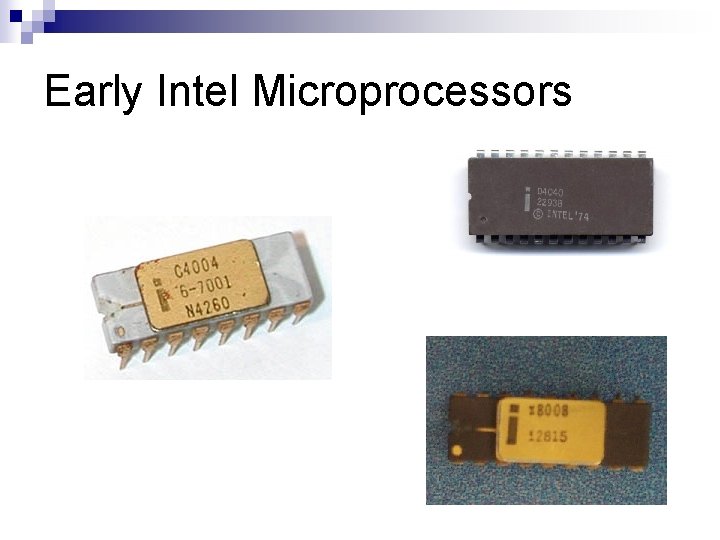
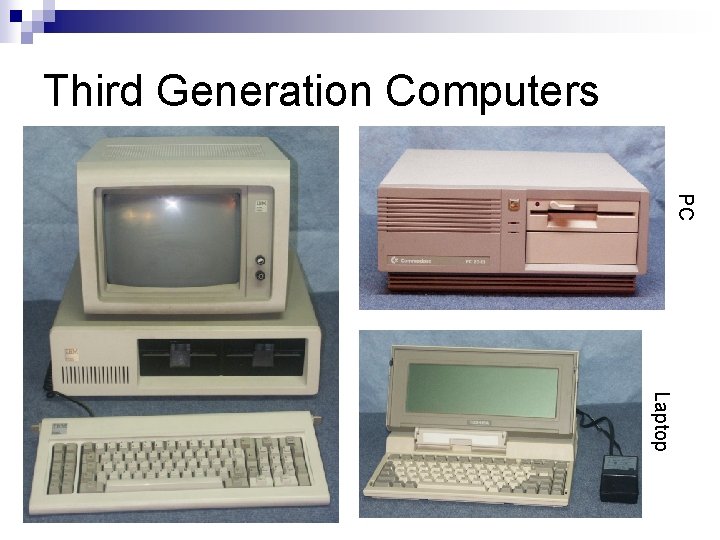
History of Microprocessors n Third Generation (1964 -71): ¨ After n invention of Integrated Circuits (IC). Many transistors can be packed into IC. ¨ Intel 8008, Intel 4004. ¨ Medium Scale Integration (MSI) and Large Scale Integration (LSI).
Early Intel Microprocessors
Third Generation Computers PC Laptop
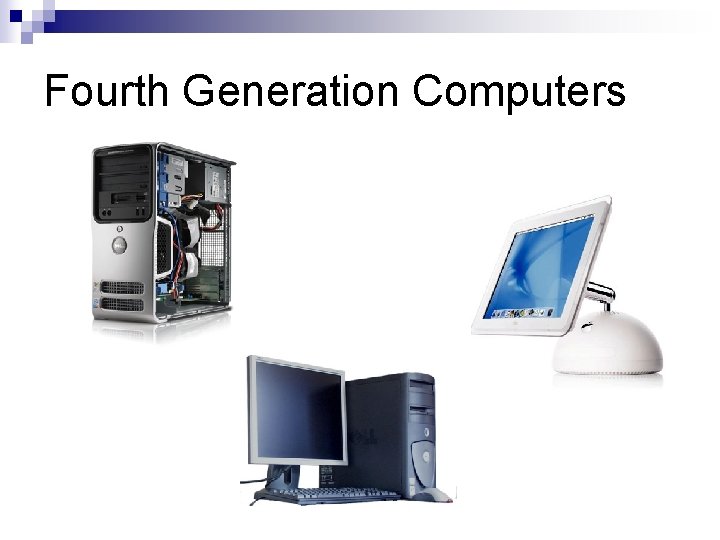
History of Computers n Fourth Generation (1971 -now): ¨ Improvements in IC technology, µP design. ¨ More transistors more processing power. ¨ Very Large Scale Integration (VLSI). n Intel Montecito Itanium: 1 bln. transistors. ¨ Reduced Instruction Set Computers (RISC). ¨ 64 -Bit microprocessors.
Fourth Generation Computers
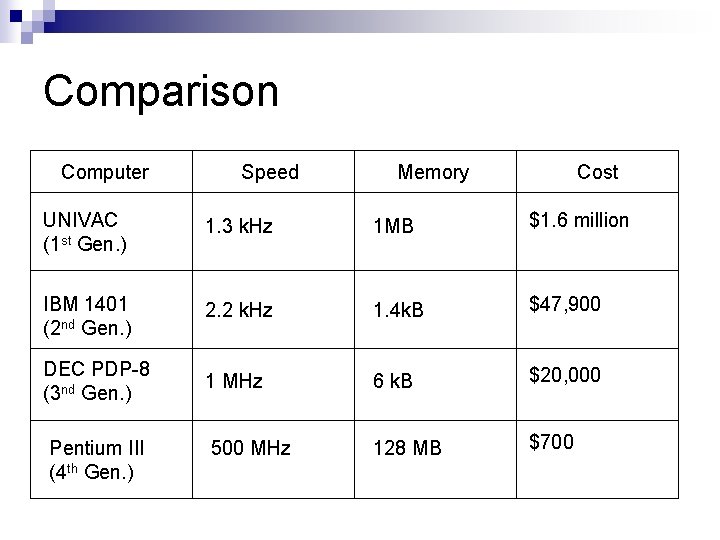
Comparison Computer Speed Memory Cost UNIVAC (1 st Gen. ) 1. 3 k. Hz 1 MB $1. 6 million IBM 1401 (2 nd Gen. ) 2. 2 k. Hz 1. 4 k. B $47, 900 DEC PDP-8 (3 nd Gen. ) 1 MHz 6 k. B $20, 000 500 MHz 128 MB $700 Pentium III (4 th Gen. )
Microprocessor Systems
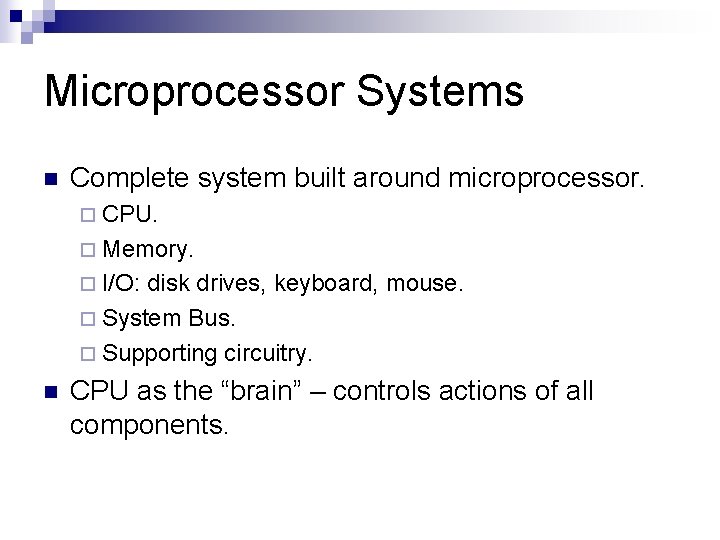
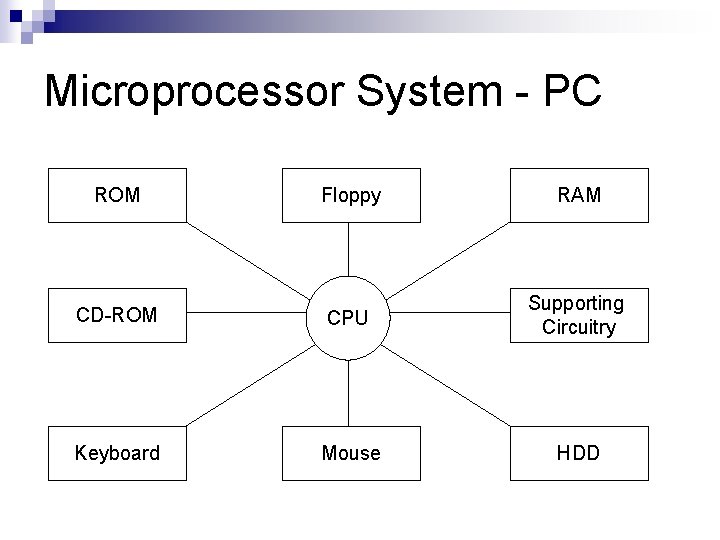
Microprocessor Systems n Complete system built around microprocessor. ¨ CPU. ¨ Memory. ¨ I/O: disk drives, keyboard, mouse. ¨ System Bus. ¨ Supporting circuitry. n CPU as the “brain” – controls actions of all components.
Microprocessor System - PC ROM Floppy RAM CD-ROM CPU Supporting Circuitry Keyboard Mouse HDD
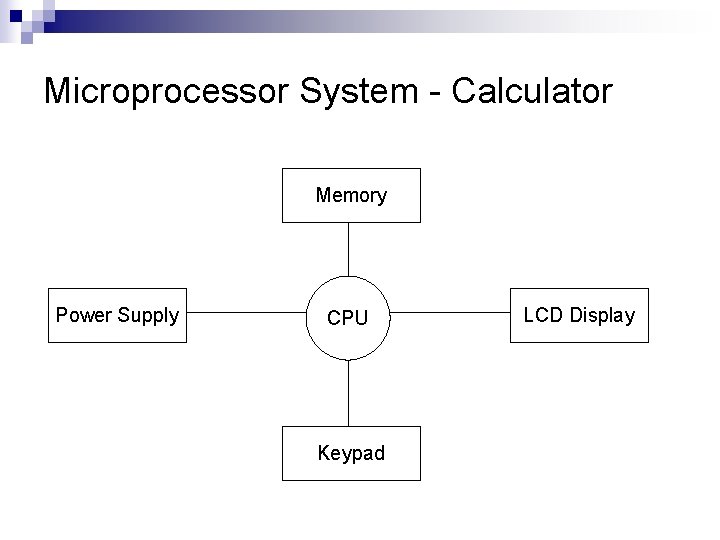
Microprocessor System - Calculator Memory Power Supply CPU Keypad LCD Display
Computer Interface
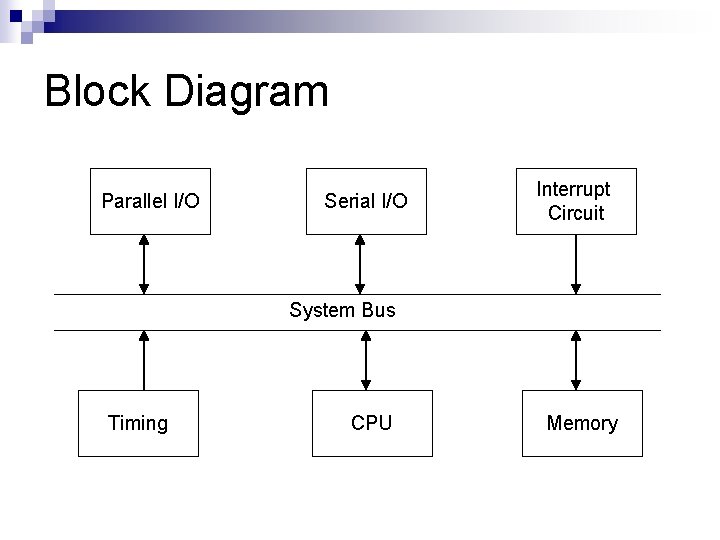
Computer Interface n A µP-based system consists of many components: ¨ CPU. ¨ Memory. ¨ I/O: disk drives, keyboard, mouse. ¨ System Bus. ¨ Supporting circuitry. n All components communicate using System Bus.
Block Diagram Parallel I/O Serial I/O Interrupt Circuit System Bus Timing CPU Memory
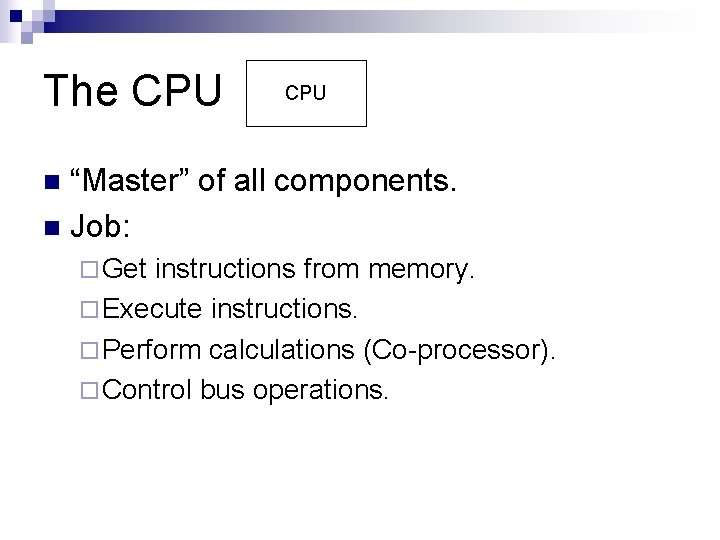
The CPU “Master” of all components. n Job: n ¨ Get instructions from memory. ¨ Execute instructions. ¨ Perform calculations (Co-processor). ¨ Control bus operations.
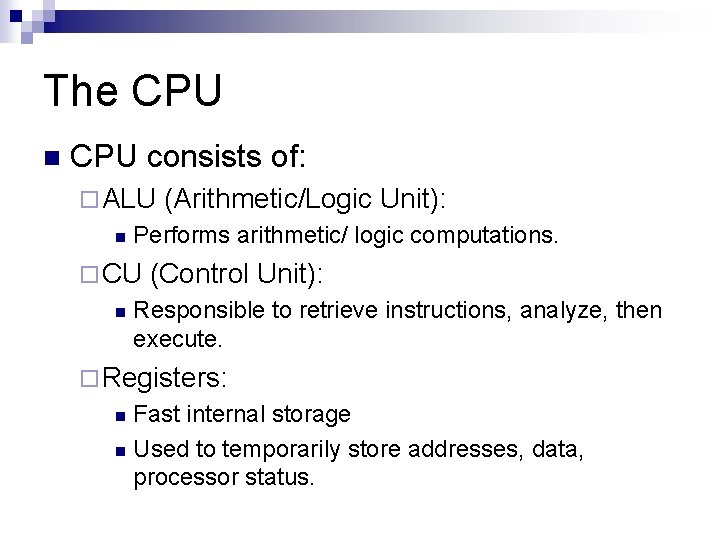
The CPU n CPU consists of: ¨ ALU n Performs arithmetic/ logic computations. ¨ CU n (Arithmetic/Logic Unit): (Control Unit): Responsible to retrieve instructions, analyze, then execute. ¨ Registers: Fast internal storage n Used to temporarily store addresses, data, processor status. n
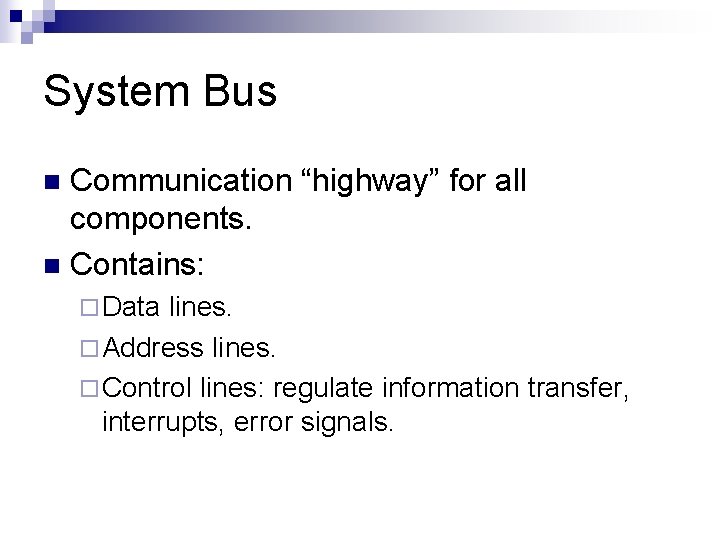
System Bus Communication “highway” for all components. n Contains: n ¨ Data lines. ¨ Address lines. ¨ Control lines: regulate information transfer, interrupts, error signals.
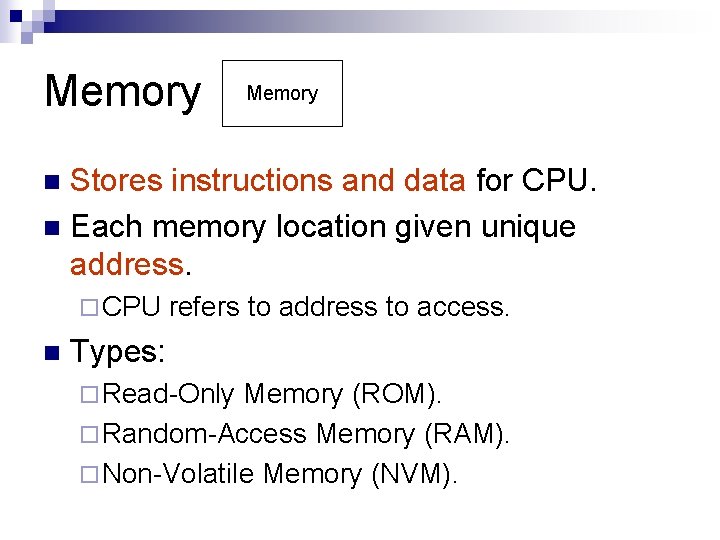
Memory Stores instructions and data for CPU. n Each memory location given unique address. n ¨ CPU n refers to address to access. Types: ¨ Read-Only Memory (ROM). ¨ Random-Access Memory (RAM). ¨ Non-Volatile Memory (NVM).
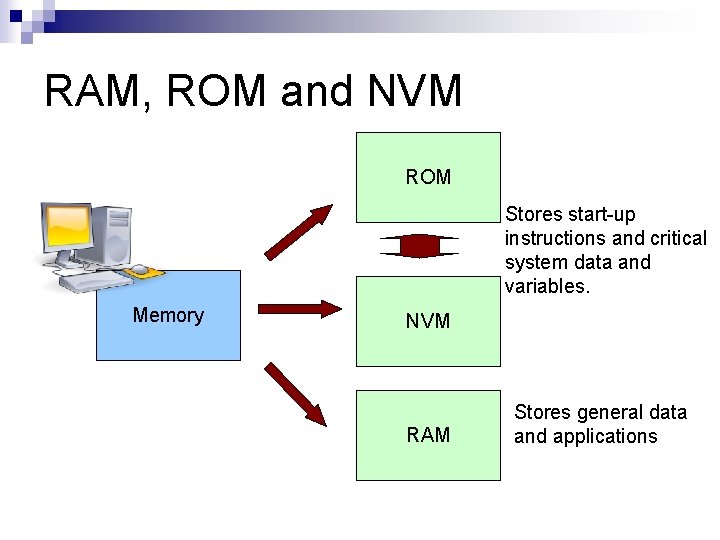
RAM, ROM and NVM ROM Stores start-up instructions and critical system data and variables. Memory NVM RAM Stores general data and applications
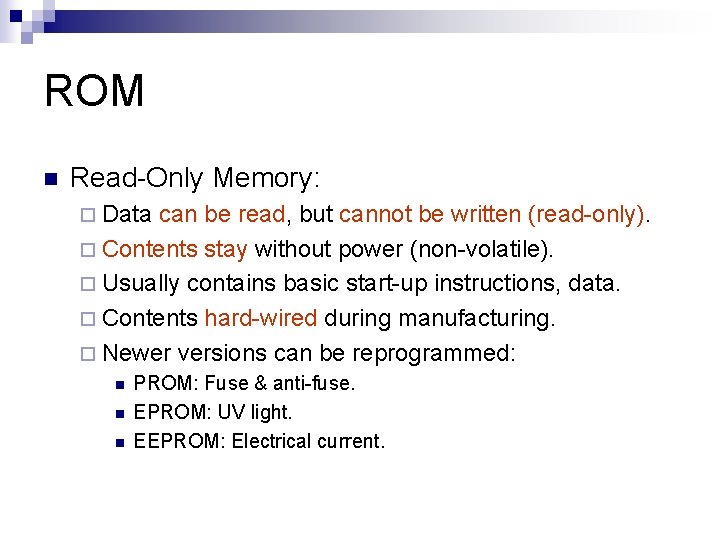
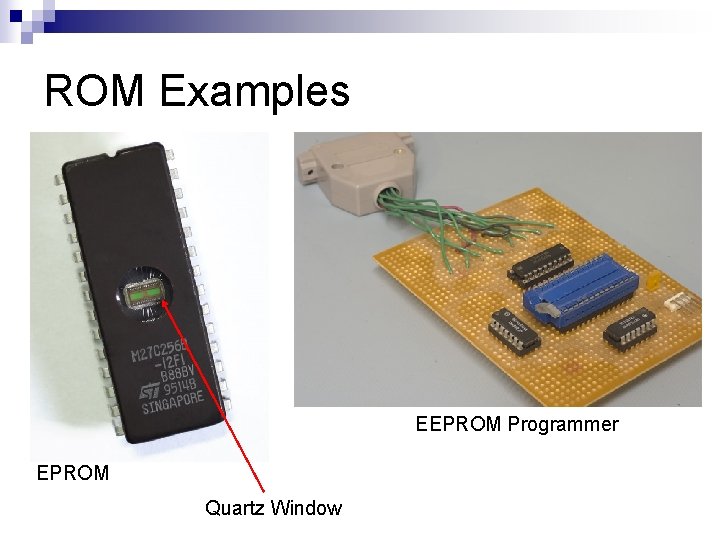
ROM n Read-Only Memory: ¨ Data can be read, but cannot be written (read-only). ¨ Contents stay without power (non-volatile). ¨ Usually contains basic start-up instructions, data. ¨ Contents hard-wired during manufacturing. ¨ Newer versions can be reprogrammed: n n n PROM: Fuse & anti-fuse. EPROM: UV light. EEPROM: Electrical current.
ROM Examples EEPROM Programmer EPROM Quartz Window
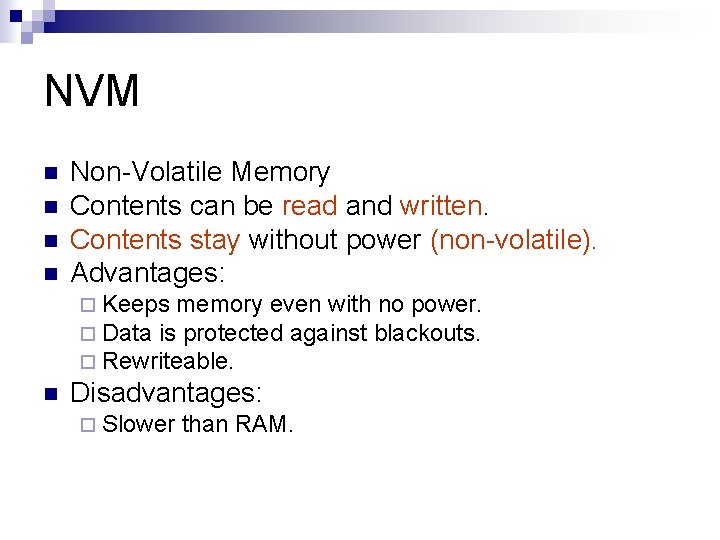
NVM n n Non-Volatile Memory Contents can be read and written. Contents stay without power (non-volatile). Advantages: ¨ Keeps memory even with no power. ¨ Data is protected against blackouts. ¨ Rewriteable. n Disadvantages: ¨ Slower than RAM.
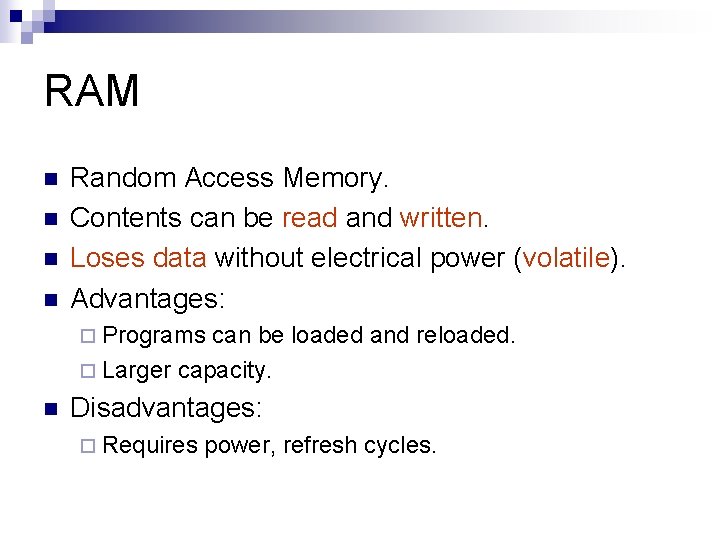
RAM n n Random Access Memory. Contents can be read and written. Loses data without electrical power (volatile). Advantages: ¨ Programs can be loaded and reloaded. ¨ Larger capacity. n Disadvantages: ¨ Requires power, refresh cycles.
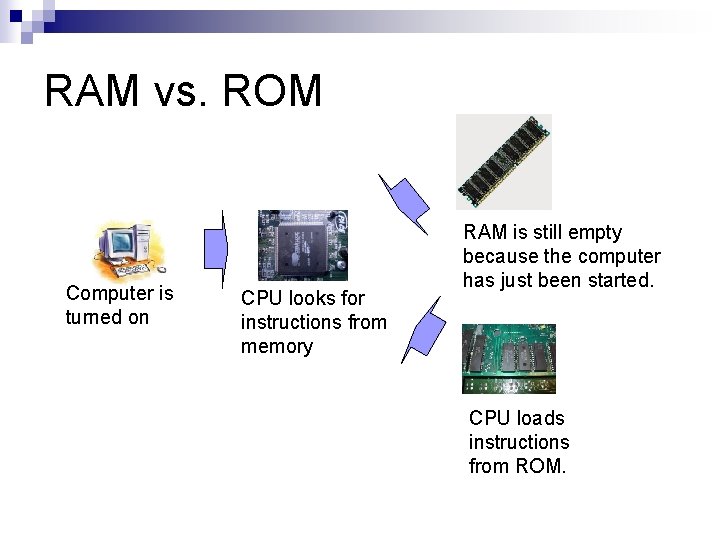
RAM vs. ROM Computer is turned on CPU looks for instructions from memory RAM is still empty because the computer has just been started. CPU loads instructions from ROM.
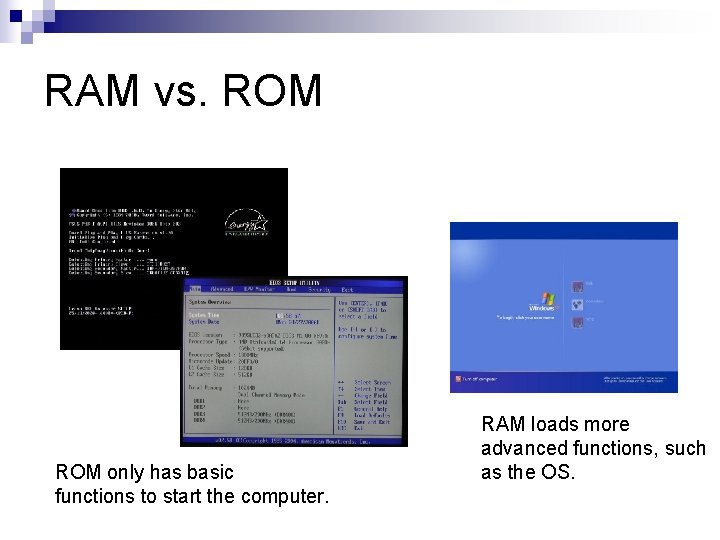
RAM vs. ROM only has basic functions to start the computer. RAM loads more advanced functions, such as the OS.
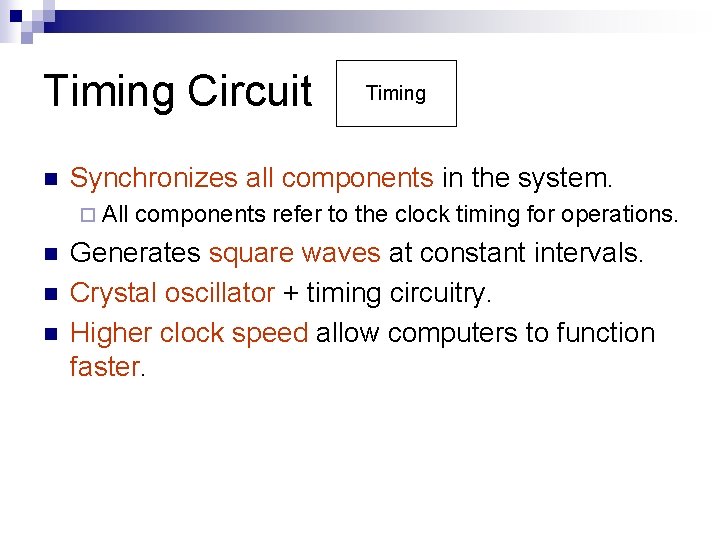
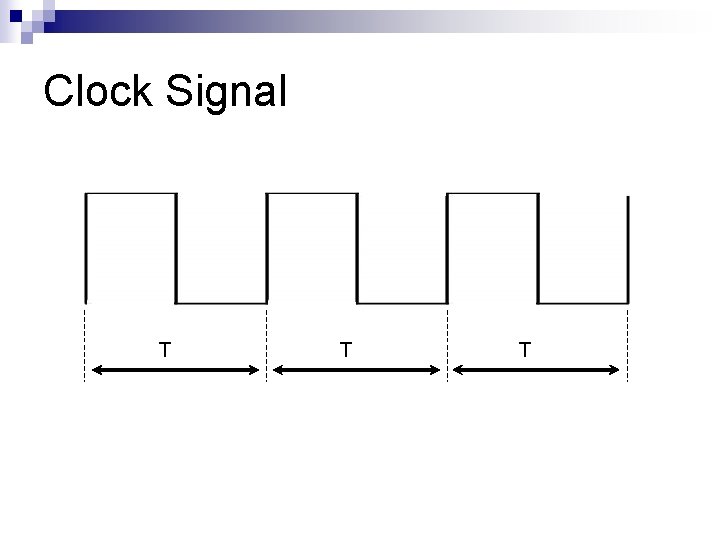
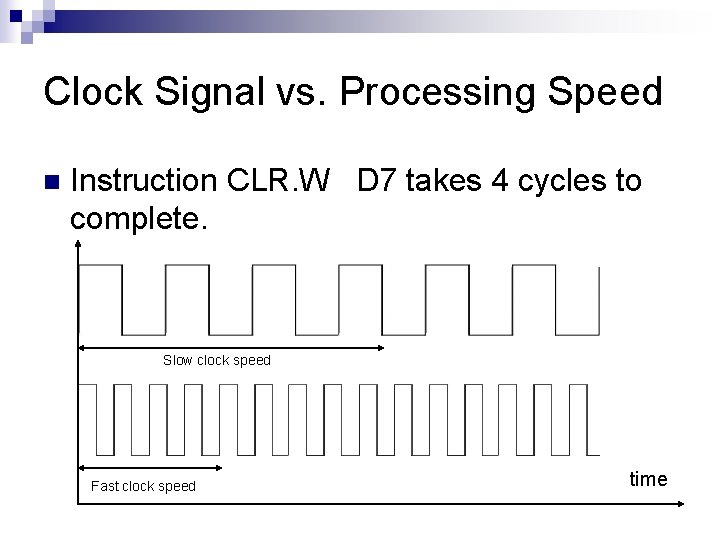
Timing Circuit n Synchronizes all components in the system. ¨ All n n n Timing components refer to the clock timing for operations. Generates square waves at constant intervals. Crystal oscillator + timing circuitry. Higher clock speed allow computers to function faster.
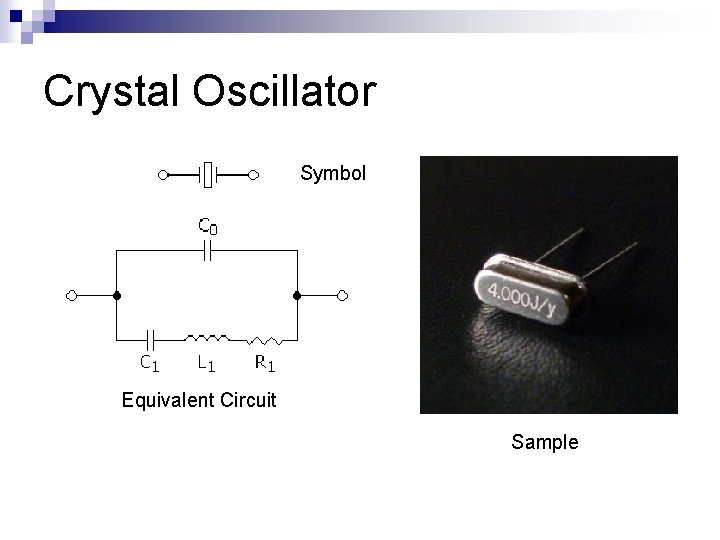
Crystal Oscillator Symbol Equivalent Circuit Sample
Clock Signal T T T
Clock Signal vs. Processing Speed n Instruction CLR. W D 7 takes 4 cycles to complete. Slow clock speed Fast clock speed time
I/O n n Input/Output. Connects µP with external devices: ¨ Add n n functionality to µP. Interfaces with µP using ports. Examples: ¨ Keyboard. ¨ Mouse. ¨ Display monitor.
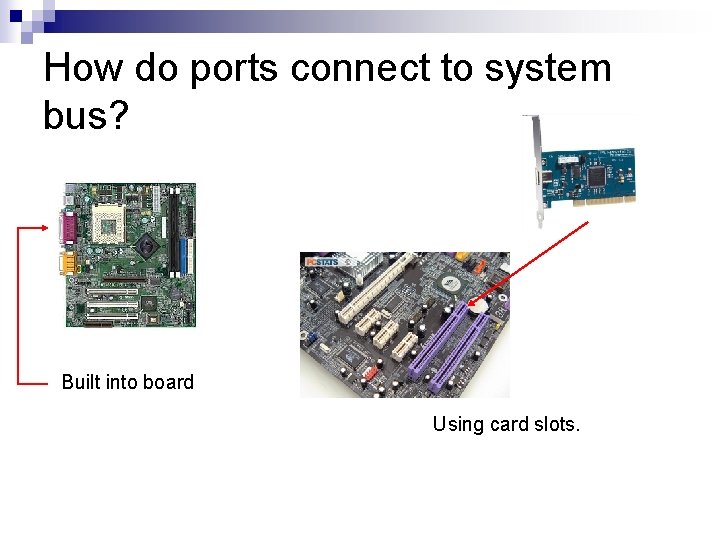
How do ports connect to system bus? Built into board Using card slots.
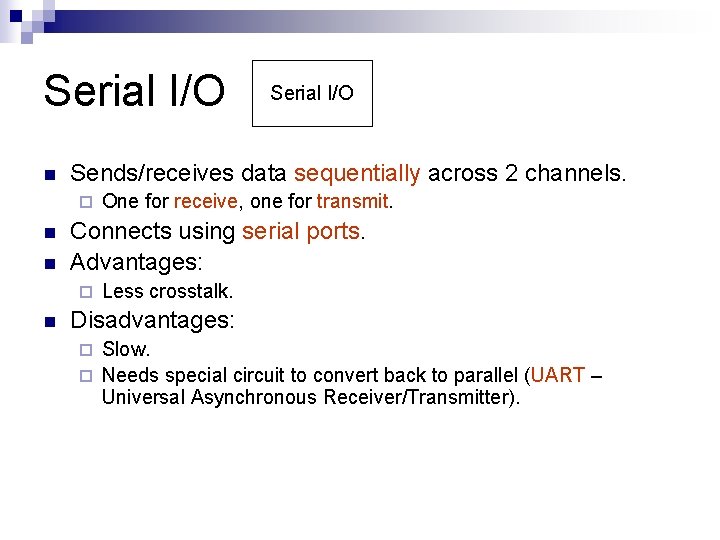
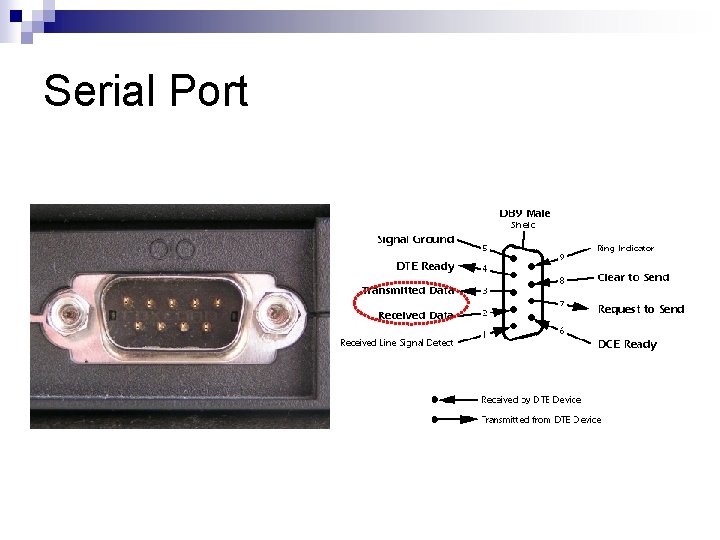
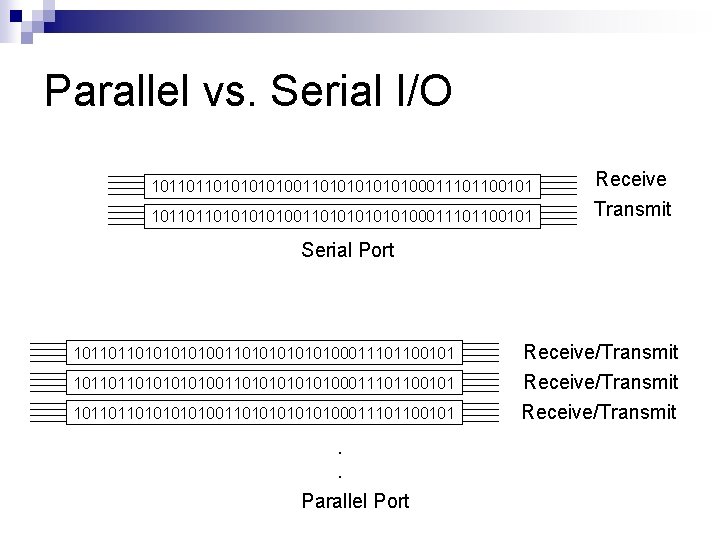
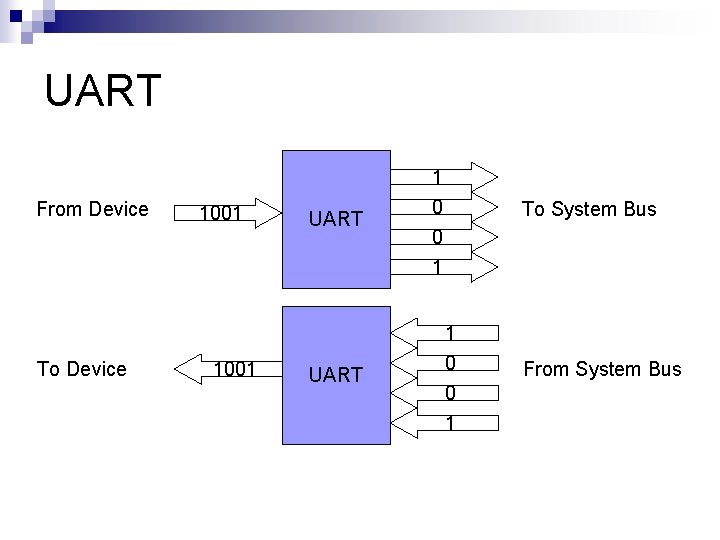
Serial I/O n Sends/receives data sequentially across 2 channels. ¨ n n One for receive, one for transmit. Connects using serial ports. Advantages: ¨ n Serial I/O Less crosstalk. Disadvantages: Slow. ¨ Needs special circuit to convert back to parallel (UART – Universal Asynchronous Receiver/Transmitter). ¨
Serial Port
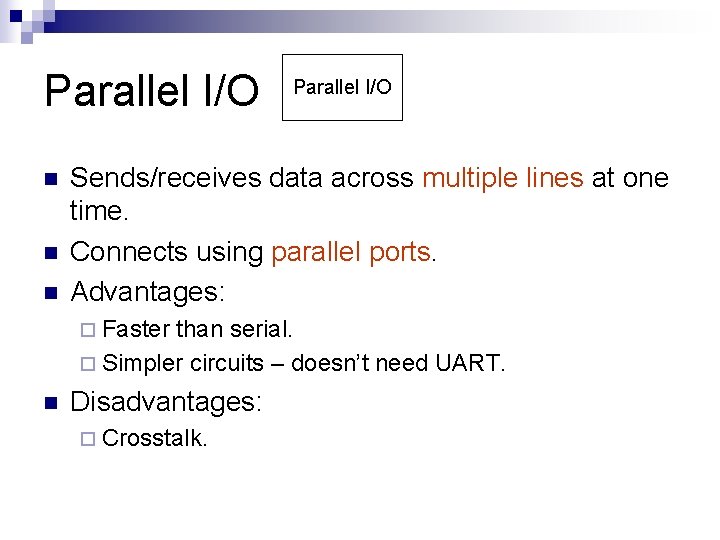
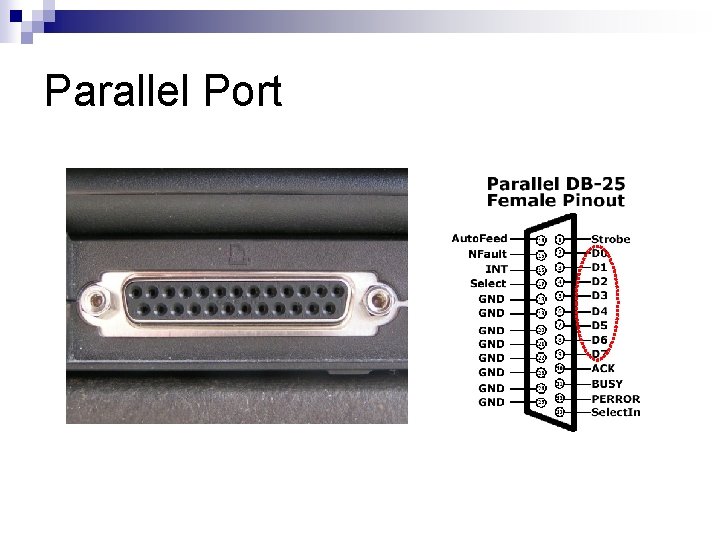
Parallel I/O n n n Parallel I/O Sends/receives data across multiple lines at one time. Connects using parallel ports. Advantages: ¨ Faster than serial. ¨ Simpler circuits – doesn’t need UART. n Disadvantages: ¨ Crosstalk.
Parallel Port
Parallel vs. Serial I/O 1011011010101010011010101010100011101100101 Receive Transmit Serial Port 1011011010101010011010101010100011101100101 1011011010101010100011101100101 . . Parallel Port Receive/Transmit
UART From Device 1001 UART 1 0 0 To System Bus 1 To Device 1001 UART 1 0 0 1 From System Bus
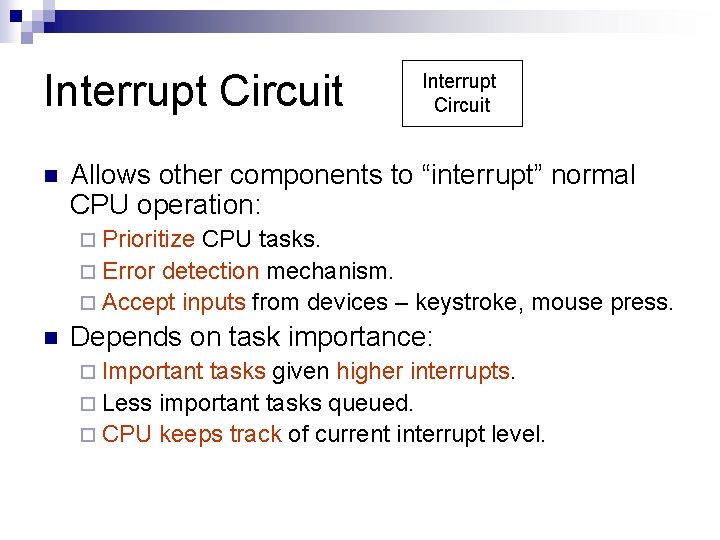
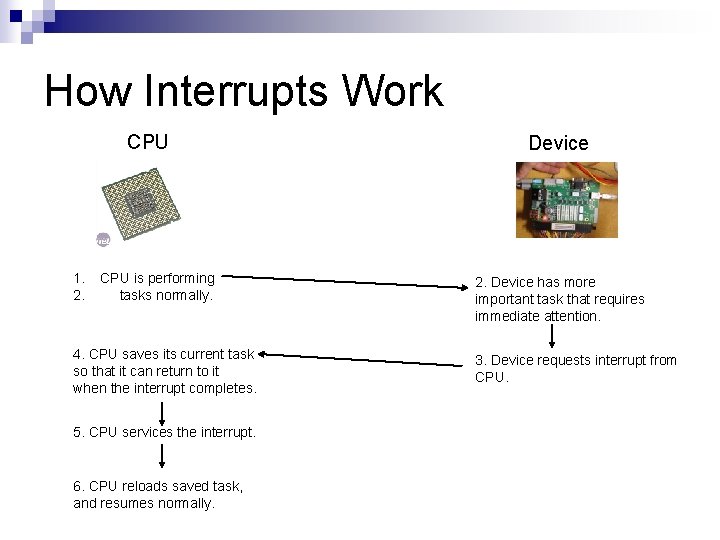
Interrupt Circuit n Interrupt Circuit Allows other components to “interrupt” normal CPU operation: ¨ Prioritize CPU tasks. ¨ Error detection mechanism. ¨ Accept inputs from devices – keystroke, mouse press. n Depends on task importance: ¨ Important tasks given higher interrupts. ¨ Less important tasks queued. ¨ CPU keeps track of current interrupt level.
How Interrupts Work CPU 1. 2. CPU is performing tasks normally. 4. CPU saves its current task so that it can return to it when the interrupt completes. 5. CPU services the interrupt. 6. CPU reloads saved task, and resumes normally. Device 2. Device has more important task that requires immediate attention. 3. Device requests interrupt from CPU.
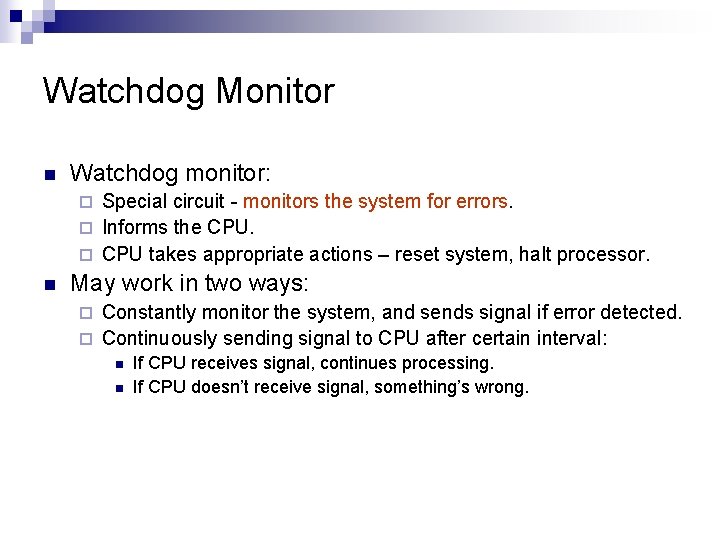
Watchdog Monitor n Watchdog monitor: Special circuit - monitors the system for errors. ¨ Informs the CPU. ¨ CPU takes appropriate actions – reset system, halt processor. ¨ n May work in two ways: Constantly monitor the system, and sends signal if error detected. ¨ Continuously sending signal to CPU after certain interval: ¨ n n If CPU receives signal, continues processing. If CPU doesn’t receive signal, something’s wrong.
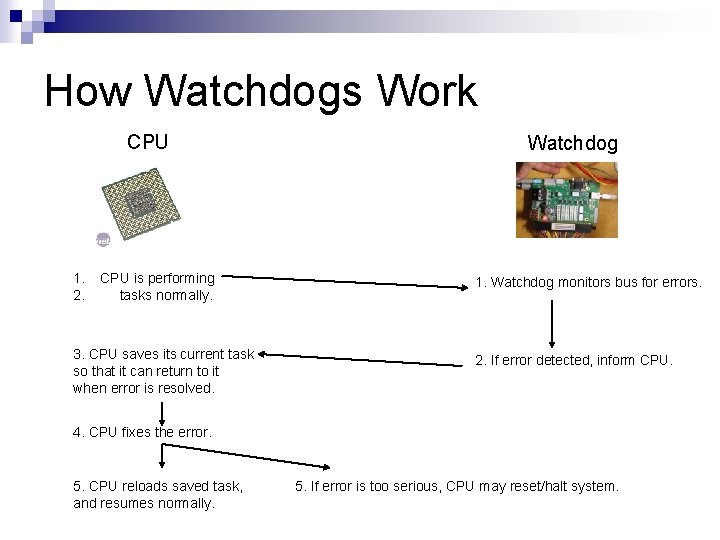
How Watchdogs Work CPU 1. 2. CPU is performing tasks normally. 3. CPU saves its current task so that it can return to it when error is resolved. Watchdog 1. Watchdog monitors bus for errors. 2. If error detected, inform CPU. 4. CPU fixes the error. 5. CPU reloads saved task, and resumes normally. 5. If error is too serious, CPU may reset/halt system.
CPU Execution Cycle
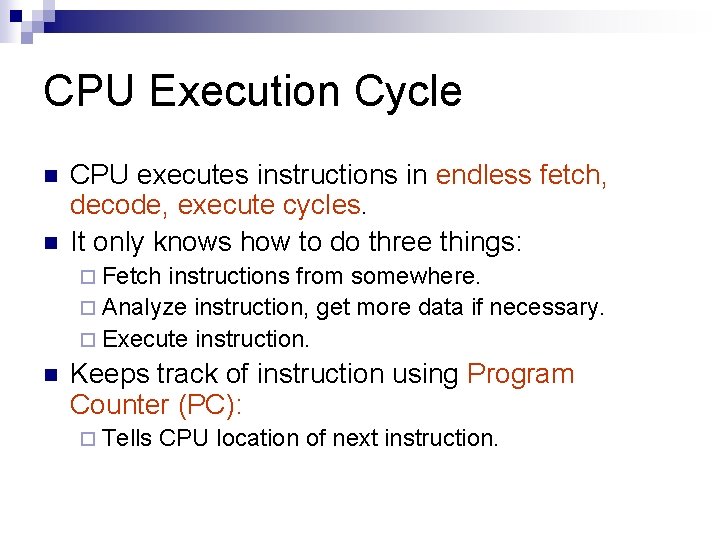
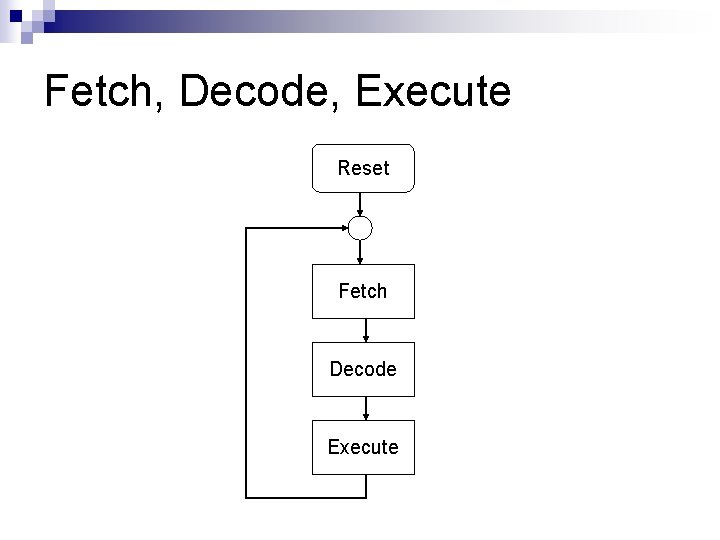
CPU Execution Cycle n n CPU executes instructions in endless fetch, decode, execute cycles. It only knows how to do three things: ¨ Fetch instructions from somewhere. ¨ Analyze instruction, get more data if necessary. ¨ Execute instruction. n Keeps track of instruction using Program Counter (PC): ¨ Tells CPU location of next instruction.
Fetch, Decode, Execute Reset Fetch Decode Execute
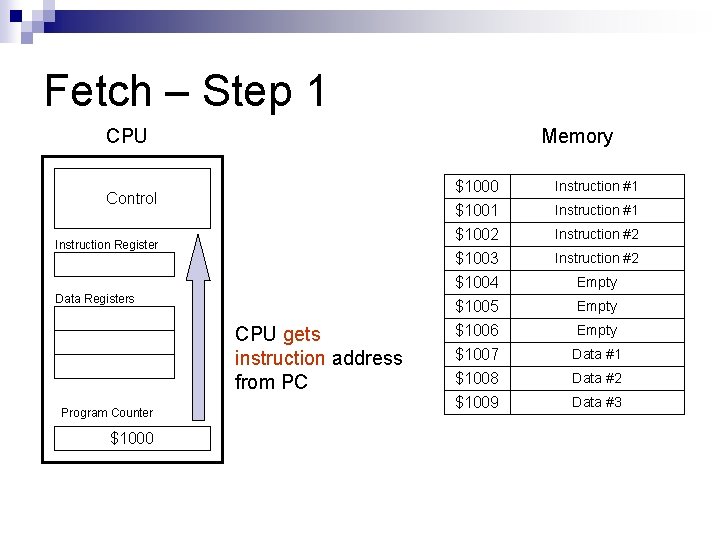
Fetch – Step 1 CPU Memory Control Instruction Register Data Registers CPU gets instruction address from PC Program Counter $1000 $1001 $1002 Instruction #1 $1003 $1004 $1005 $1006 $1007 $1008 $1009 Instruction #2 Instruction #1 Instruction #2 Empty Data #1 Data #2 Data #3
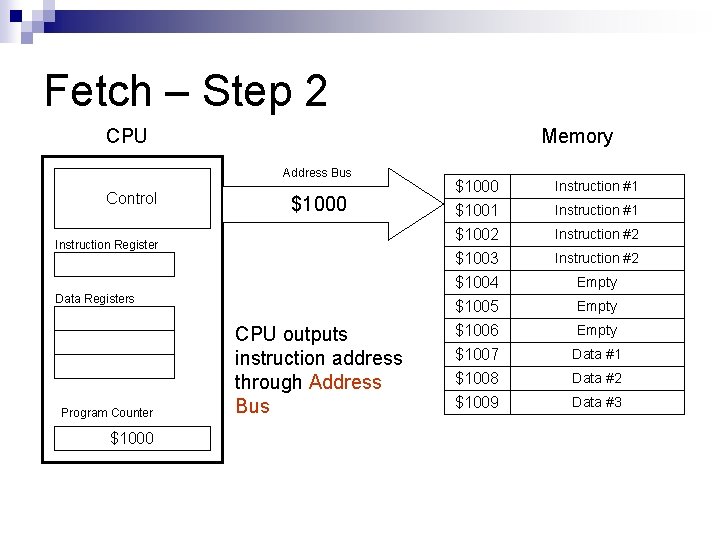
Fetch – Step 2 CPU Memory Address Bus Control $1000 Instruction Register Data Registers Program Counter $1000 CPU outputs instruction address through Address Bus $1000 $1001 $1002 Instruction #1 $1003 $1004 $1005 $1006 $1007 $1008 $1009 Instruction #2 Instruction #1 Instruction #2 Empty Data #1 Data #2 Data #3
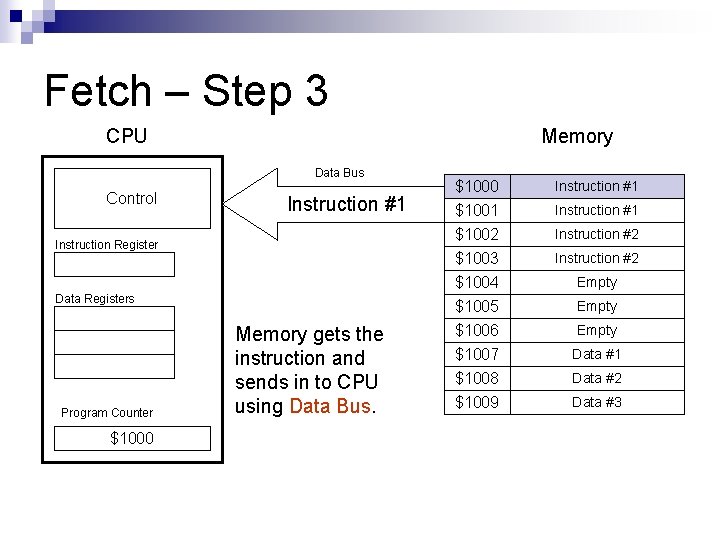
Fetch – Step 3 CPU Memory Data Bus Control Instruction #1 Instruction Register Data Registers Program Counter $1000 Memory gets the instruction and sends in to CPU using Data Bus. $1000 $1001 $1002 Instruction #1 $1003 $1004 $1005 $1006 $1007 $1008 $1009 Instruction #2 Instruction #1 Instruction #2 Empty Data #1 Data #2 Data #3
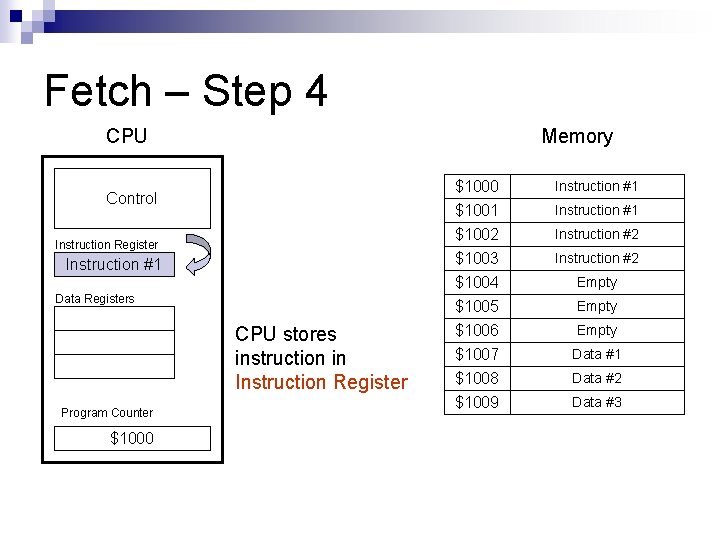
Fetch – Step 4 CPU Memory Control Instruction Register Instruction #1 Data Registers CPU stores instruction in Instruction Register Program Counter $1000 $1001 $1002 Instruction #1 $1003 $1004 $1005 $1006 $1007 $1008 $1009 Instruction #2 Instruction #1 Instruction #2 Empty Data #1 Data #2 Data #3
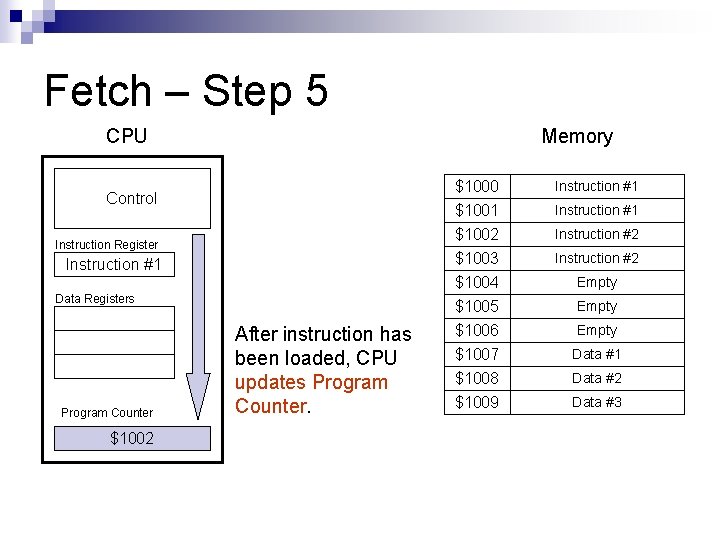
Fetch – Step 5 CPU Memory Control Instruction Register Instruction #1 Data Registers Program Counter $1002 After instruction has been loaded, CPU updates Program Counter. $1000 $1001 $1002 Instruction #1 $1003 $1004 $1005 $1006 $1007 $1008 $1009 Instruction #2 Instruction #1 Instruction #2 Empty Data #1 Data #2 Data #3
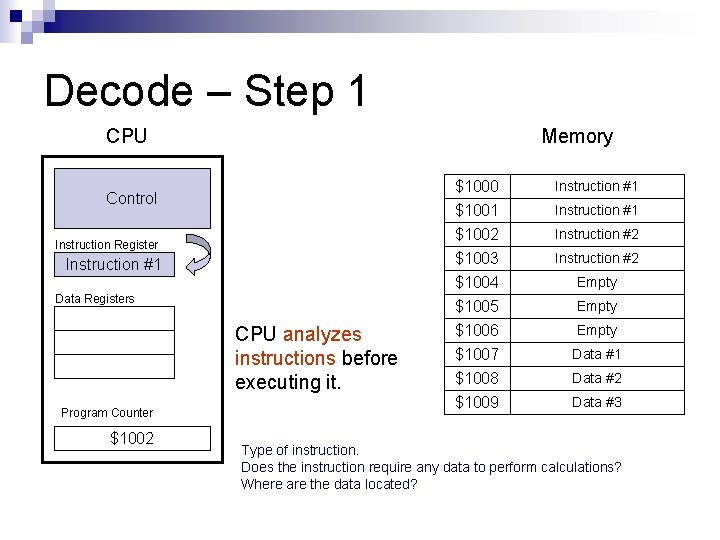
Decode – Step 1 CPU Memory Control Instruction Register Instruction #1 Data Registers CPU analyzes instructions before executing it. Program Counter $1002 $1000 $1001 $1002 Instruction #1 $1003 $1004 $1005 $1006 $1007 $1008 $1009 Instruction #2 Instruction #1 Instruction #2 Empty Data #1 Data #2 Data #3 Type of instruction. Does the instruction require any data to perform calculations? Where are the data located?
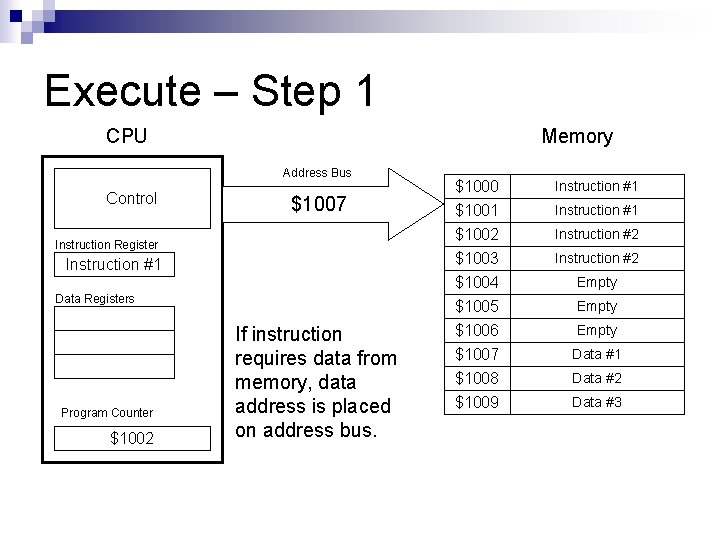
Execute – Step 1 CPU Memory Address Bus Control $1007 Instruction Register Instruction #1 Data Registers Program Counter $1002 If instruction requires data from memory, data address is placed on address bus. $1000 $1001 $1002 Instruction #1 $1003 $1004 $1005 $1006 $1007 $1008 $1009 Instruction #2 Instruction #1 Instruction #2 Empty Data #1 Data #2 Data #3
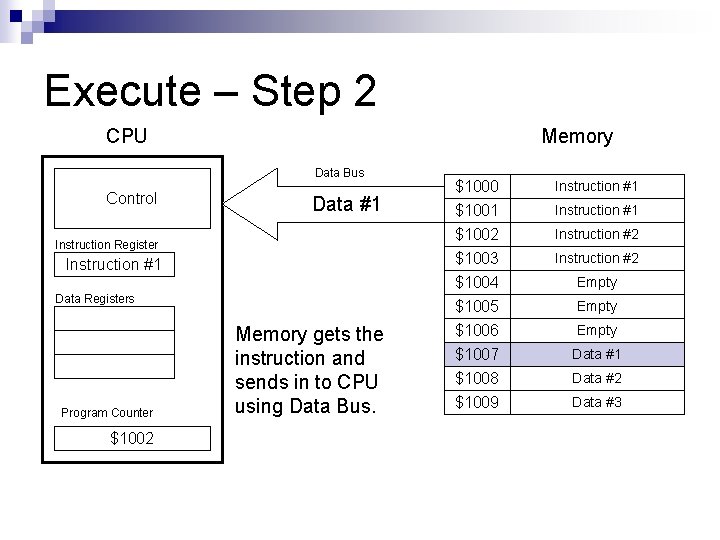
Execute – Step 2 CPU Memory Data Bus Control Data #1 Instruction Register Instruction #1 Data Registers Program Counter $1002 Memory gets the instruction and sends in to CPU using Data Bus. $1000 $1001 $1002 Instruction #1 $1003 $1004 $1005 $1006 $1007 $1008 $1009 Instruction #2 Instruction #1 Instruction #2 Empty Data #1 Data #2 Data #3
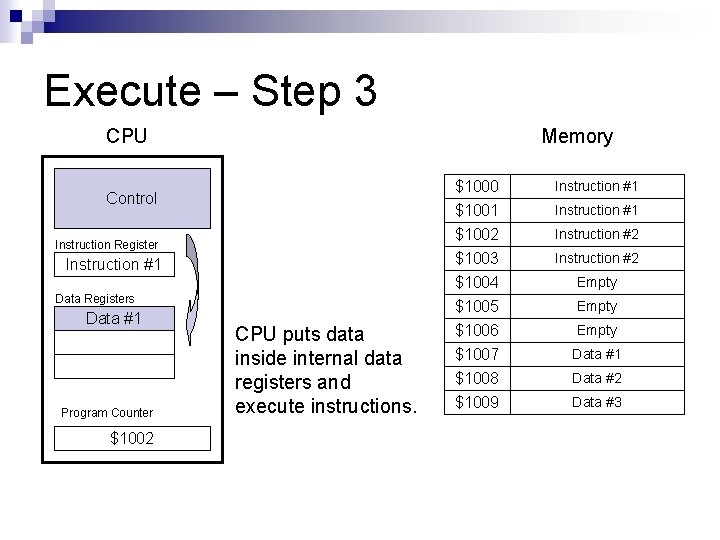
Execute – Step 3 CPU Memory Control Instruction Register Instruction #1 Data Registers Data #1 Program Counter $1002 CPU puts data inside internal data registers and execute instructions. $1000 $1001 $1002 Instruction #1 $1003 $1004 $1005 $1006 $1007 $1008 $1009 Instruction #2 Instruction #1 Instruction #2 Empty Data #1 Data #2 Data #3
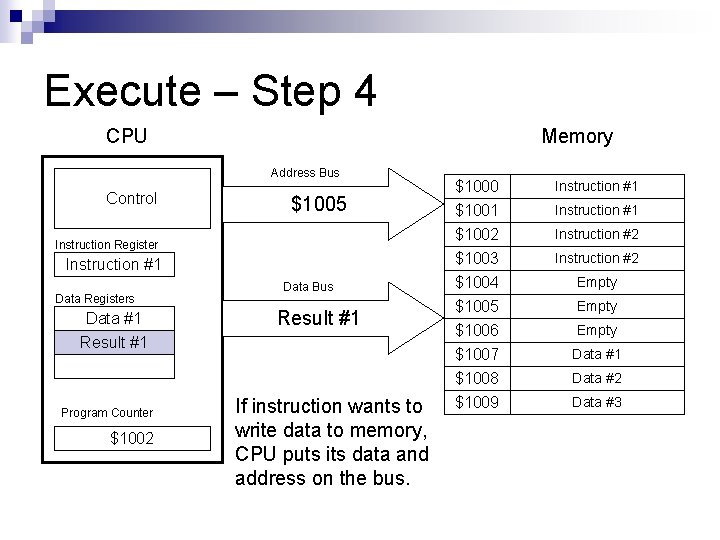
Execute – Step 4 CPU Memory Address Bus Control $1005 Instruction Register Instruction #1 Data Registers Data #1 Result #1 Program Counter $1002 Data Bus Result #1 If instruction wants to write data to memory, CPU puts its data and address on the bus. $1000 $1001 $1002 Instruction #1 $1003 $1004 $1005 $1006 $1007 $1008 $1009 Instruction #2 Instruction #1 Instruction #2 Empty Data #1 Data #2 Data #3
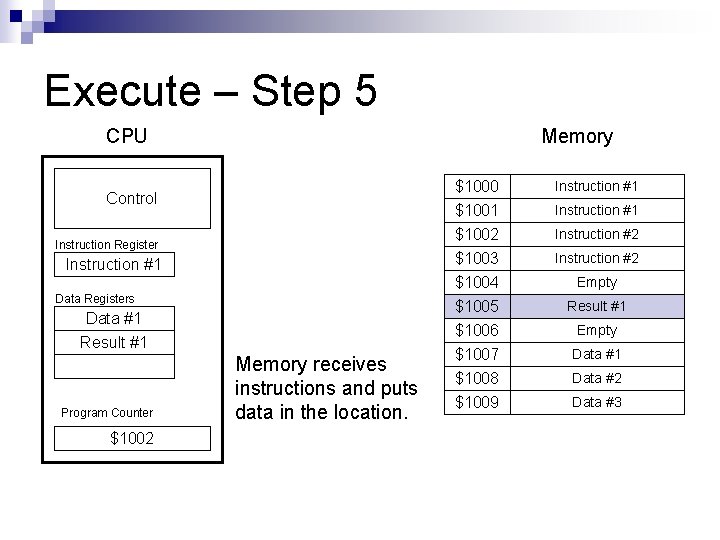
Execute – Step 5 CPU Memory Control Instruction Register Instruction #1 Data Registers Data #1 Result #1 Program Counter $1002 Memory receives instructions and puts data in the location. $1000 $1001 $1002 Instruction #1 $1003 $1004 $1005 $1006 $1007 $1008 $1009 Instruction #2 Instruction #1 Instruction #2 Empty Result #1 Empty Data #1 Data #2 Data #3
Conclusion
Conclusion n µP is a complex, powerful device: ¨ Able n n n to process huge amounts of data. µP-based systems provide supporting circuitry to support µP functions. Long history, advancements along with technology. Executes instructions from memory in endless loop.
The End Please read: Antonakos, pg. 2 – 10. Gilmore, pg. 1 – 5.