
Introduction to Micro Controllers Embedded System Design Assembly

Introduction to Micro Controllers & Embedded System Design Assembly Language Programming Department of Electrical & Computer Engineering Missouri University of Science & Technology hurson@mst. edu A. R. Hurson 1
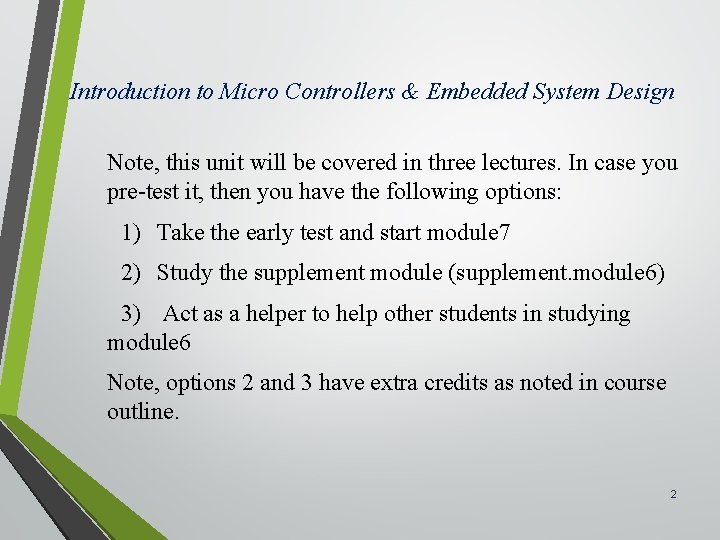
Introduction to Micro Controllers & Embedded System Design Note, this unit will be covered in three lectures. In case you pre-test it, then you have the following options: 1) Take the early test and start module 7 2) Study the supplement module (supplement. module 6) 3) Act as a helper to help other students in studying module 6 Note, options 2 and 3 have extra credits as noted in course outline. 2
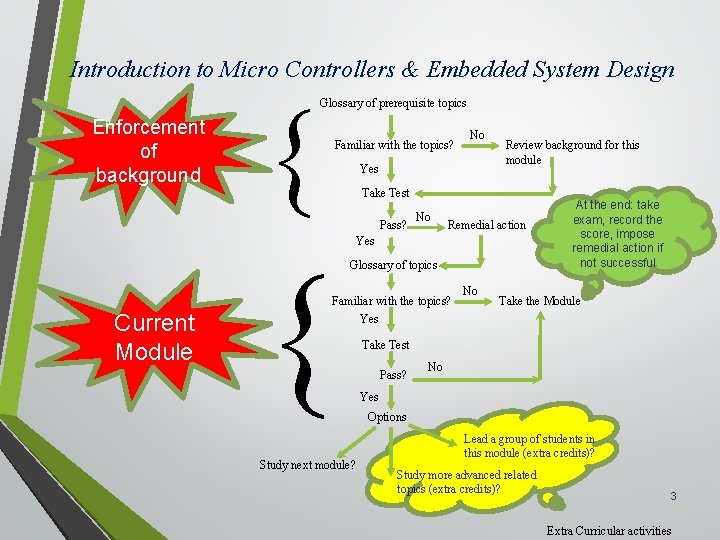
Introduction to Micro Controllers & Embedded System Design Glossary of prerequisite topics Enforcement of background Familiar with the topics? Yes Review background for this module Take Test Pass? No Remedial action Yes Glossary of topics Familiar with the topics? Current Module No Study next module? No At the end: take exam, record the score, impose remedial action if not successful Take the Module Yes Take Test Pass? No Yes Options Lead a group of students in this module (extra credits)? Study more advanced related topics (extra credits)? 3 Extra Curricular activities
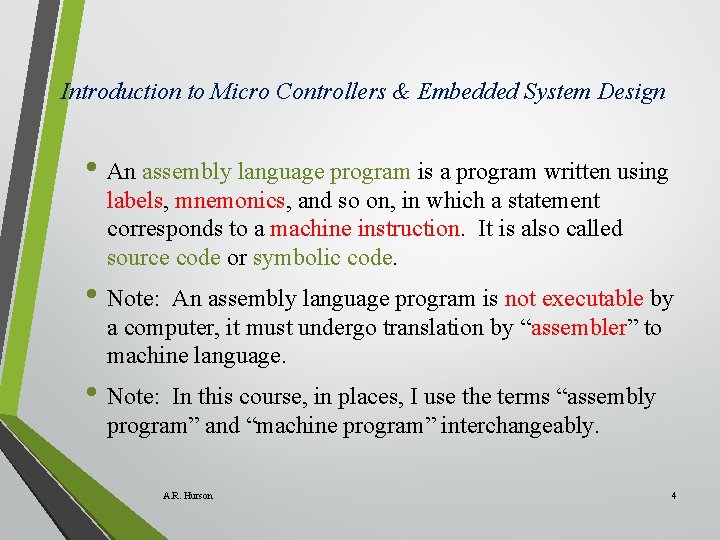
Introduction to Micro Controllers & Embedded System Design • An assembly language program is a program written using labels, mnemonics, and so on, in which a statement corresponds to a machine instruction. It is also called source code or symbolic code. • Note: An assembly language program is not executable by a computer, it must undergo translation by “assembler” to machine language. • Note: In this course, in places, I use the terms “assembly program” and “machine program” interchangeably. A. R. Hurson 4
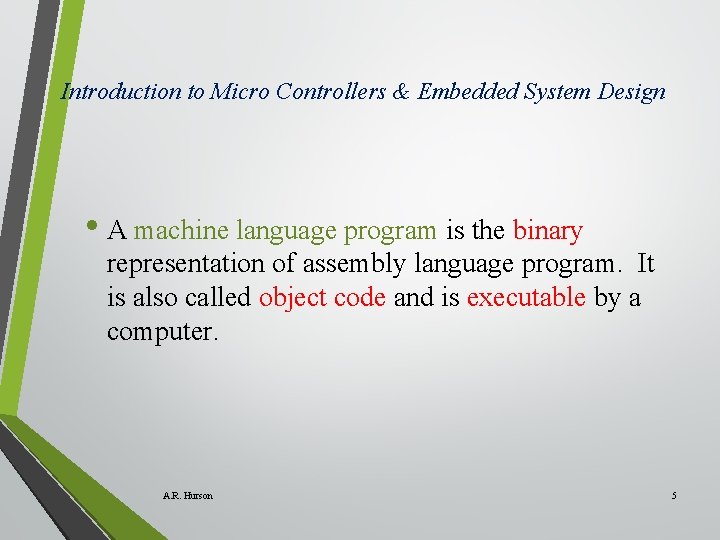
Introduction to Micro Controllers & Embedded System Design • A machine language program is the binary representation of assembly language program. It is also called object code and is executable by a computer. A. R. Hurson 5
Introduction to Micro Controllers & Embedded System Design • An assembler is a compiler that translates assembly language program to an equivalent machine language program. • Machine program may be in “absolute form” or “relocatable form”. In the latter case, “linking” is required to set the absolute addresses for execution. A. R. Hurson 6
Introduction to Micro Controllers & Embedded System Design • A linker is a program that combines and converts relocatable object program forms into an absolute form. A. R. Hurson 7
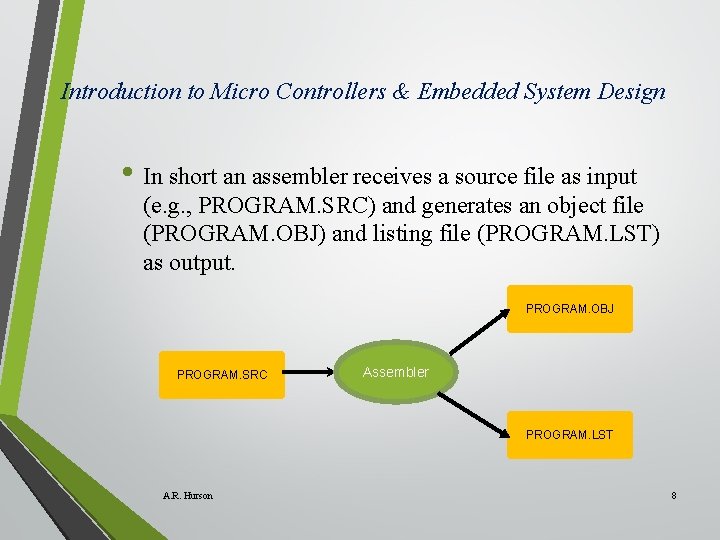
Introduction to Micro Controllers & Embedded System Design • In short an assembler receives a source file as input (e. g. , PROGRAM. SRC) and generates an object file (PROGRAM. OBJ) and listing file (PROGRAM. LST) as output. PROGRAM. OBJ PROGRAM. SRC Assembler PROGRAM. LST A. R. Hurson 8
Introduction to Micro Controllers & Embedded System Design • Aforementioned translation usually takes place in two passes: • In pass 1 source file is scanned and a “symbol table” is generated. • In pass, symbol table generated in phase 1 is used to generate the object file and the listing file. A. R. Hurson 9
Introduction to Micro Controllers & Embedded System Design • Pass 1 – creation of Symbol table • The location counter defaults to 0 or set by the ORG directive is initialized. • As the source file is scanned, the location counter is incremented by the length of each instruction, length of defined data directives (DB or DW), and length of reserved memory directives (DS). • Each time a label is detected, it is placed in the symbol table along with the content of the location counter. • Symbols defined by equate directives (EQU) are also placed in the symbol table along with the equated value. A. R. Hurson 10
Introduction to Micro Controllers & Embedded System Design • Pass 2 – creation of Object and listing files • To create the object file: • • Mnemonics are converted to op. codes. Symbols appear in the operand field are replaced with their values retrieved from the symbol table and correct data and addresses are calculated. • The listing file consist of ASCII text for both the source program and the machine language program is generated. A. R. Hurson 11

Introduction to Micro Controllers & Embedded System Design • Assembly Language Program Format • An assembly language program is a collection of assembly language instructions and contains the following: • • • Machine instructions Assembler directives Assembler controls, and Comments An assembly instruction has the following general format: [label: ] A. R. Hurson Mnemonic [operand][, operand]…. [: comment] 12
Introduction to Micro Controllers & Embedded System Design • Assembly instructions are mnemonics of executable instructions ( e. g. , INC DPTR) • Assembler directives are instructions to the assembler that define program structure: symbols, data, constants, and soon (e. g. , ORG). Note that no machine instruction will be generated for directives. • Assembler controls set assembler modes and direct assembly flow (e. g. , $TITLE). • Comments enhance readability of the program. A. R. Hurson 13
Introduction to Micro Controllers & Embedded System Design • A Label represents the address of the instruction that follows. Label must be terminated with a colon (: ). • In a more general term we can talk about symbols where label is a type of symbol with the requirements that it must terminate with a colon. • Symbols are assigned values or attributes using directives such as EQU, SEGMENT, BIT, DATA, … • Symbols may be addresses, data constants, names of segments, or other constructs conceived by the programmer. A. R. Hurson 14
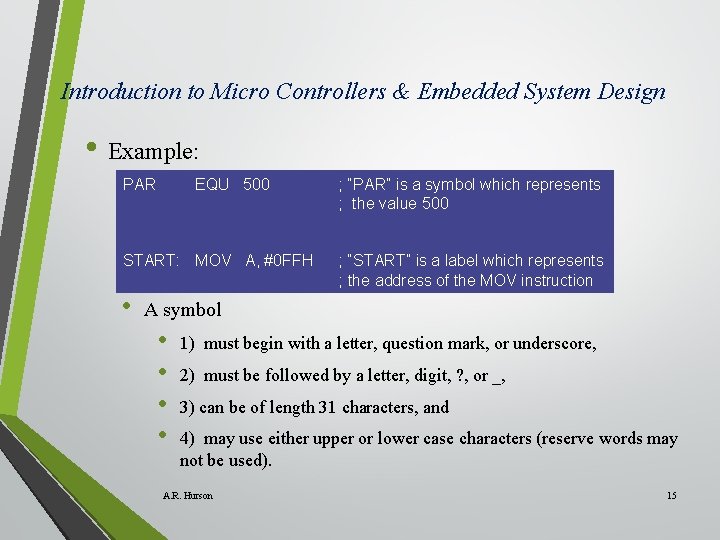
Introduction to Micro Controllers & Embedded System Design • Example: PAR EQU 500 START: MOV A, #0 FFH • ; “PAR” is a symbol which represents ; the value 500 ; “START” is a label which represents ; the address of the MOV instruction A symbol • • 1) must begin with a letter, question mark, or underscore, 2) must be followed by a letter, digit, ? , or _, 3) can be of length 31 characters, and 4) may use either upper or lower case characters (reserve words may not be used). A. R. Hurson 15
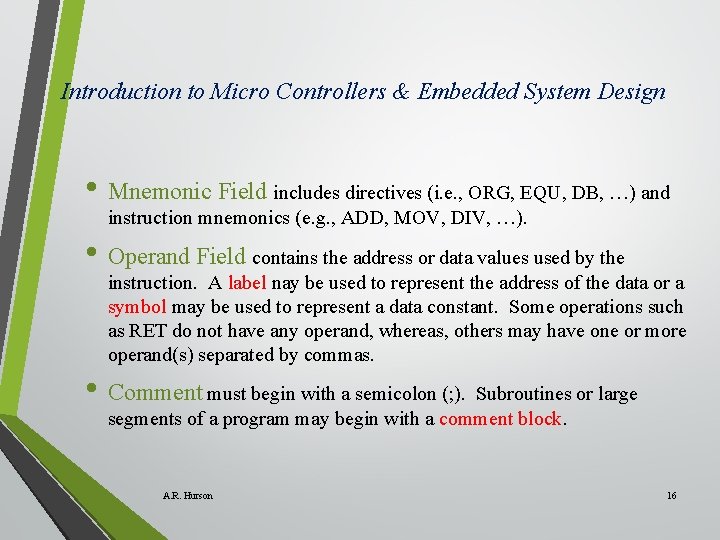
Introduction to Micro Controllers & Embedded System Design • Mnemonic Field includes directives (i. e. , ORG, EQU, DB, …) and instruction mnemonics (e. g. , ADD, MOV, DIV, …). • Operand Field contains the address or data values used by the instruction. A label nay be used to represent the address of the data or a symbol may be used to represent a data constant. Some operations such as RET do not have any operand, whereas, others may have one or more operand(s) separated by commas. • Comment must begin with a semicolon (; ). Subroutines or large segments of a program may begin with a comment block. A. R. Hurson 16
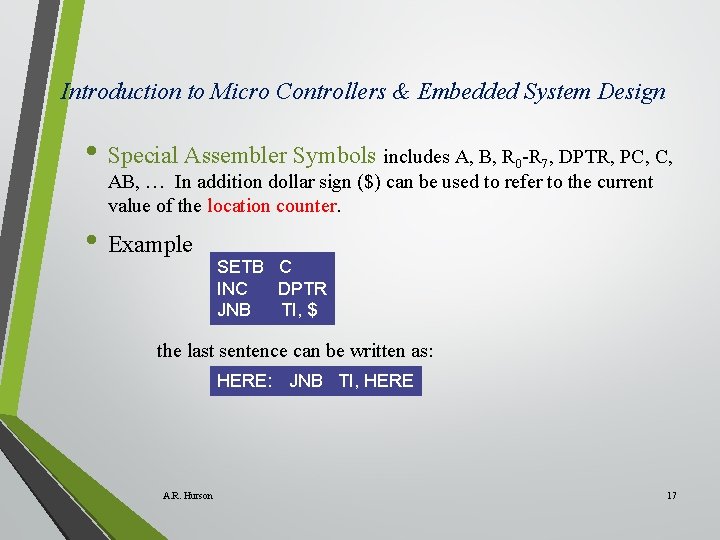
Introduction to Micro Controllers & Embedded System Design • Special Assembler Symbols includes A, B, R -R , DPTR, PC, C, 0 7 AB, … In addition dollar sign ($) can be used to refer to the current value of the location counter. • Example SETB C INC DPTR JNB TI, $ the last sentence can be written as: HERE: JNB TI, HERE A. R. Hurson 17
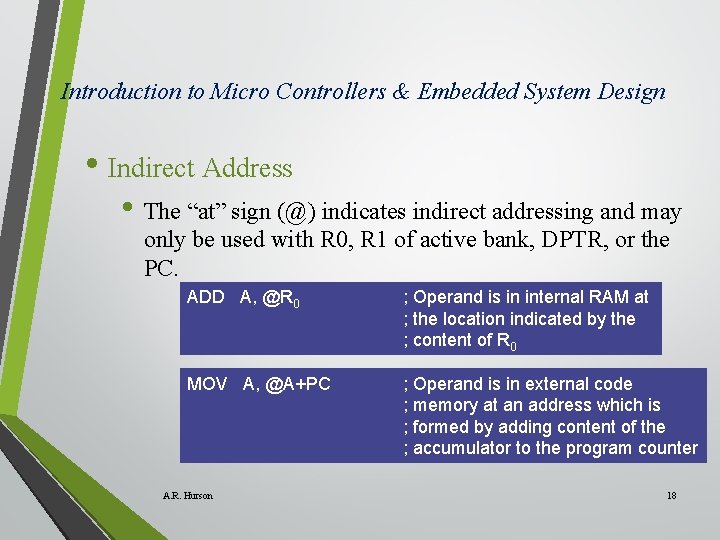
Introduction to Micro Controllers & Embedded System Design • Indirect Address • The “at” sign (@) indicates indirect addressing and may only be used with R 0, R 1 of active bank, DPTR, or the PC. ADD A, @R 0 ; Operand is in internal RAM at ; the location indicated by the ; content of R 0 MOV A, @A+PC ; Operand is in external code ; memory at an address which is ; formed by adding content of the ; accumulator to the program counter A. R. Hurson 18
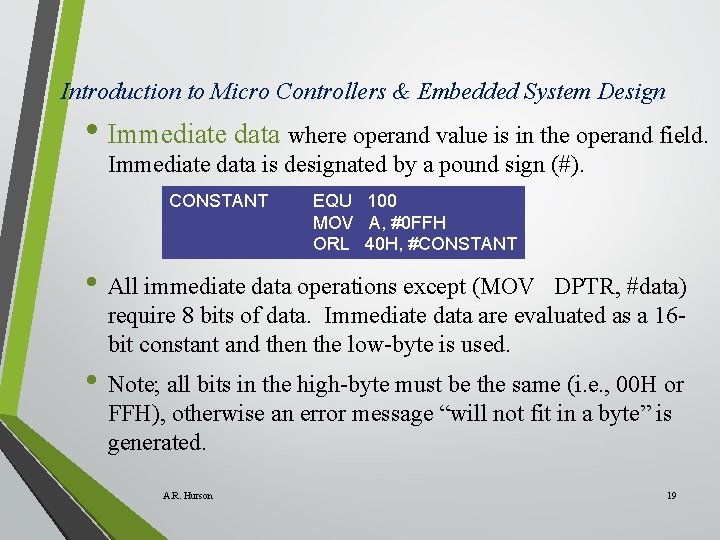
Introduction to Micro Controllers & Embedded System Design • Immediate data where operand value is in the operand field. Immediate data is designated by a pound sign (#). CONSTANT EQU 100 MOV A, #0 FFH ORL 40 H, #CONSTANT • All immediate data operations except (MOV DPTR, #data) require 8 bits of data. Immediate data are evaluated as a 16 bit constant and then the low-byte is used. • Note; all bits in the high-byte must be the same (i. e. , 00 H or FFH), otherwise an error message “will not fit in a byte” is generated. A. R. Hurson 19
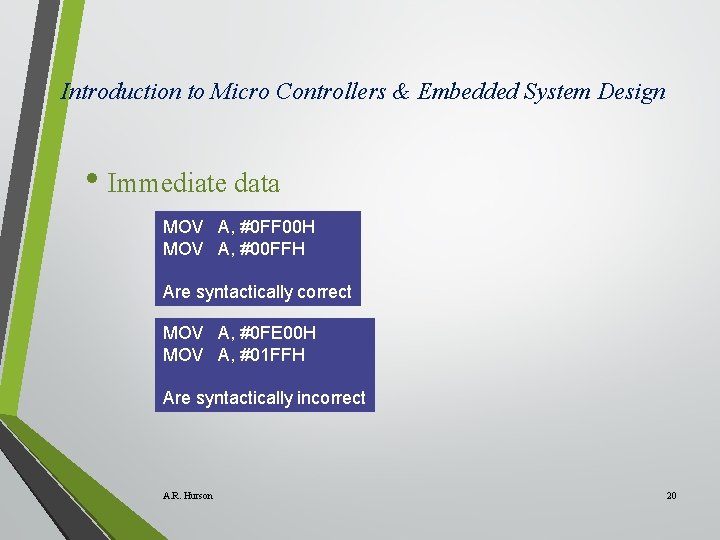
Introduction to Micro Controllers & Embedded System Design • Immediate data MOV A, #0 FF 00 H MOV A, #00 FFH Are syntactically correct MOV A, #0 FE 00 H MOV A, #01 FFH Are syntactically incorrect A. R. Hurson 20
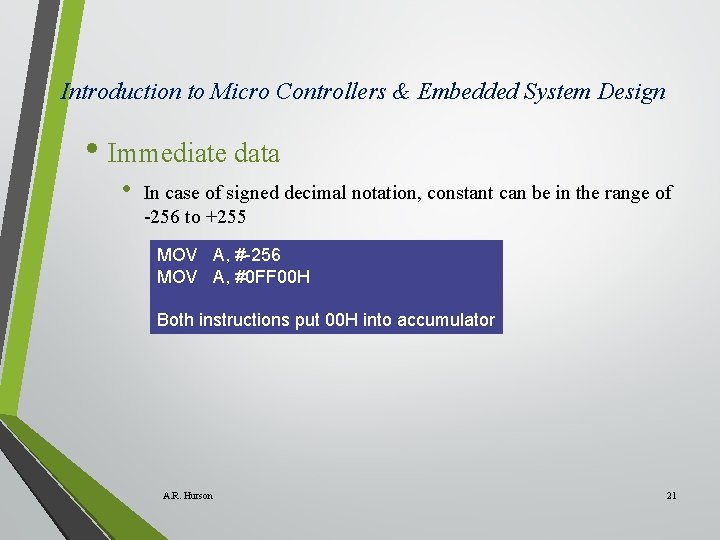
Introduction to Micro Controllers & Embedded System Design • Immediate data • In case of signed decimal notation, constant can be in the range of -256 to +255 MOV A, #-256 MOV A, #0 FF 00 H Both instructions put 00 H into accumulator A. R. Hurson 21
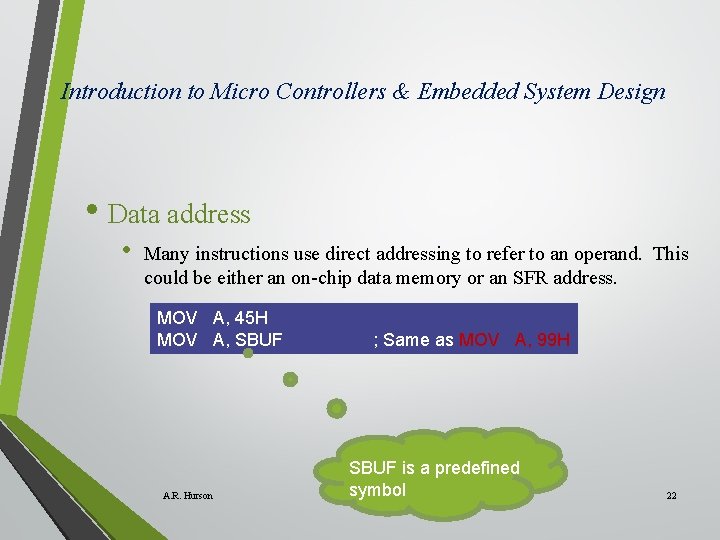
Introduction to Micro Controllers & Embedded System Design • Data address • Many instructions use direct addressing to refer to an operand. This could be either an on-chip data memory or an SFR address. MOV A, 45 H MOV A, SBUF A. R. Hurson ; Same as MOV A, 99 H SBUF is a predefined symbol 22
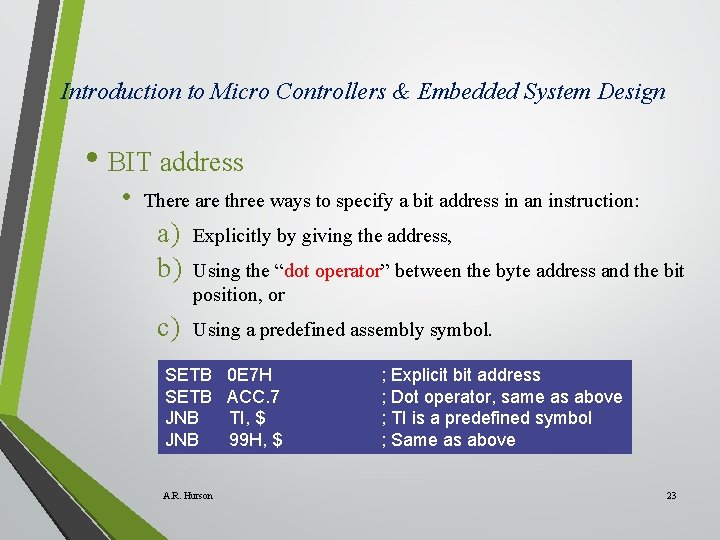
Introduction to Micro Controllers & Embedded System Design • BIT address • There are three ways to specify a bit address in an instruction: a) b) Explicitly by giving the address, c) Using a predefined assembly symbol. Using the “dot operator” between the byte address and the bit position, or SETB JNB A. R. Hurson 0 E 7 H ACC. 7 TI, $ 99 H, $ ; Explicit bit address ; Dot operator, same as above ; TI is a predefined symbol ; Same as above 23
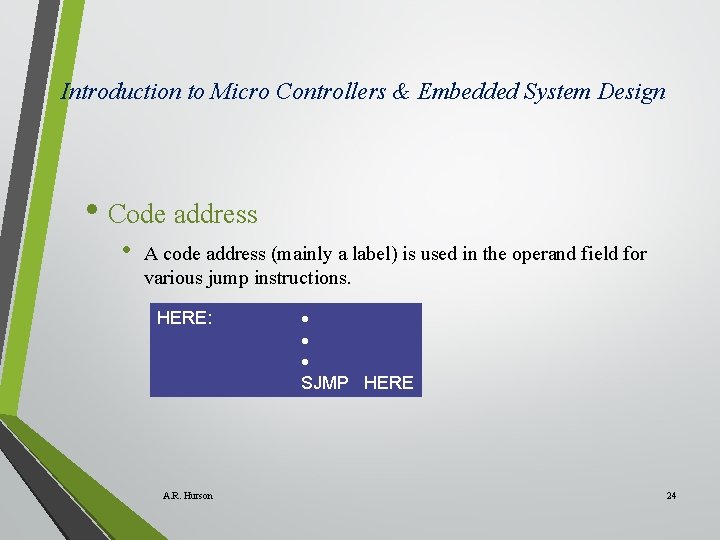
Introduction to Micro Controllers & Embedded System Design • Code address • A code address (mainly a label) is used in the operand field for various jump instructions. HERE: A. R. Hurson SJMP HERE 24
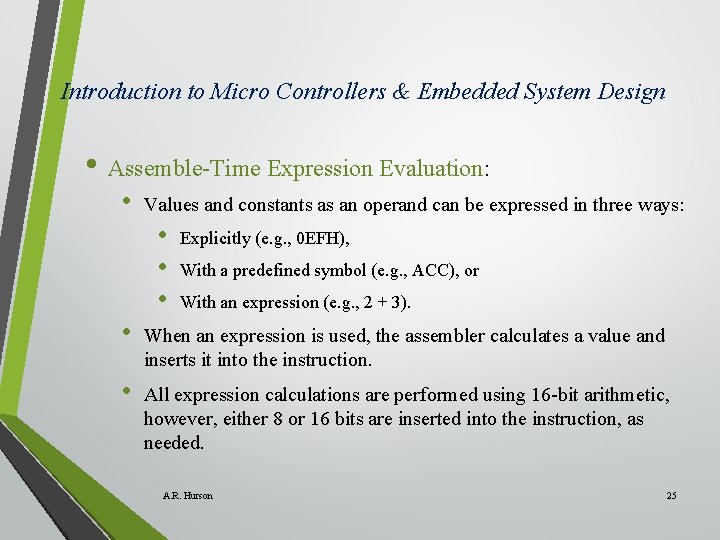
Introduction to Micro Controllers & Embedded System Design • Assemble-Time Expression Evaluation: • Values and constants as an operand can be expressed in three ways: • • • Explicitly (e. g. , 0 EFH), With a predefined symbol (e. g. , ACC), or With an expression (e. g. , 2 + 3). • When an expression is used, the assembler calculates a value and inserts it into the instruction. • All expression calculations are performed using 16 -bit arithmetic, however, either 8 or 16 bits are inserted into the instruction, as needed. A. R. Hurson 25
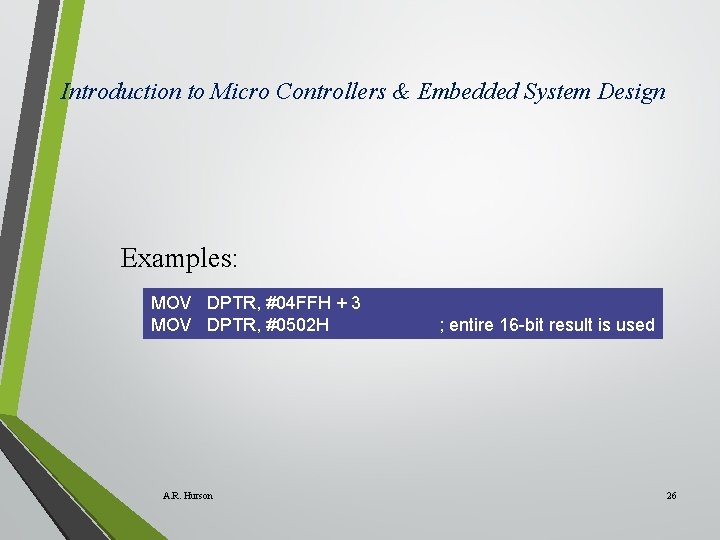
Introduction to Micro Controllers & Embedded System Design Examples: MOV DPTR, #04 FFH + 3 MOV DPTR, #0502 H A. R. Hurson ; entire 16 -bit result is used 26
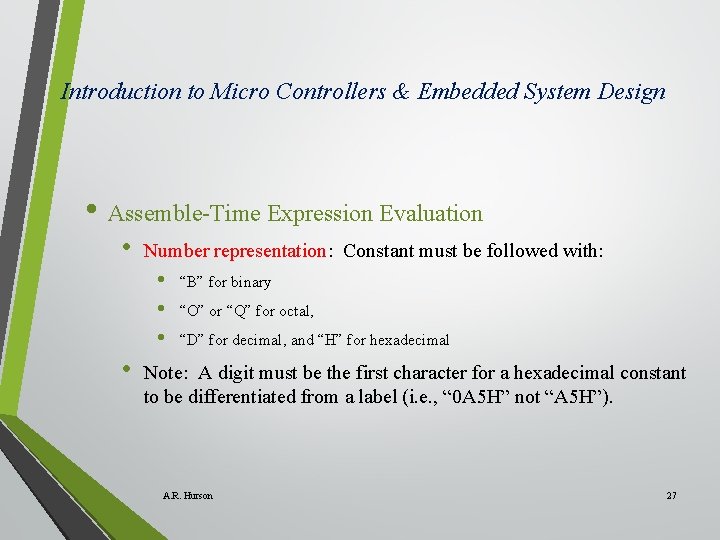
Introduction to Micro Controllers & Embedded System Design • Assemble-Time Expression Evaluation • Number representation: Constant must be followed with: • • “B” for binary “O” or “Q” for octal, “D” for decimal, and “H” for hexadecimal Note: A digit must be the first character for a hexadecimal constant to be differentiated from a label (i. e. , “ 0 A 5 H” not “A 5 H”). A. R. Hurson 27
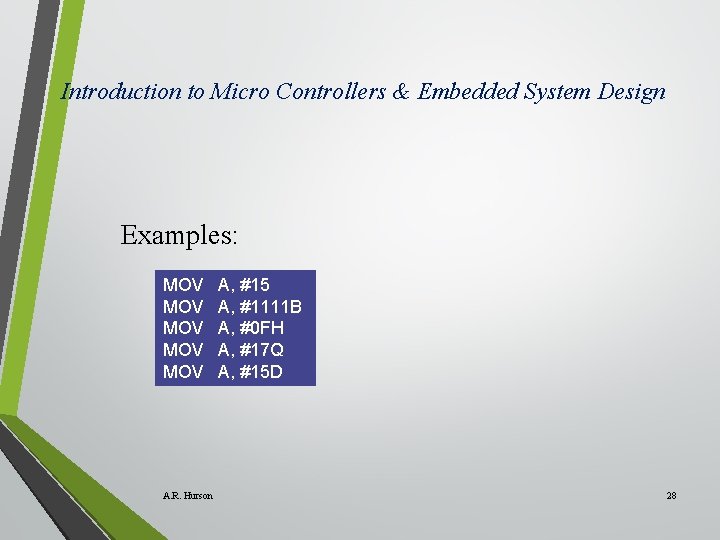
Introduction to Micro Controllers & Embedded System Design Examples: MOV MOV MOV A. R. Hurson A, #15 A, #1111 B A, #0 FH A, #17 Q A, #15 D 28
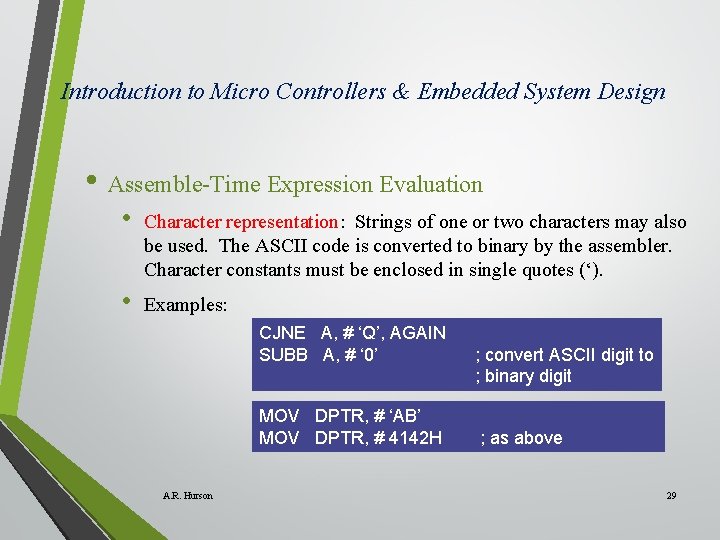
Introduction to Micro Controllers & Embedded System Design • Assemble-Time Expression Evaluation • Character representation: Strings of one or two characters may also be used. The ASCII code is converted to binary by the assembler. Character constants must be enclosed in single quotes (‘). • Examples: CJNE A, # ‘Q’, AGAIN SUBB A, # ‘ 0’ MOV DPTR, # ‘AB’ MOV DPTR, # 4142 H A. R. Hurson ; convert ASCII digit to ; binary digit ; as above 29
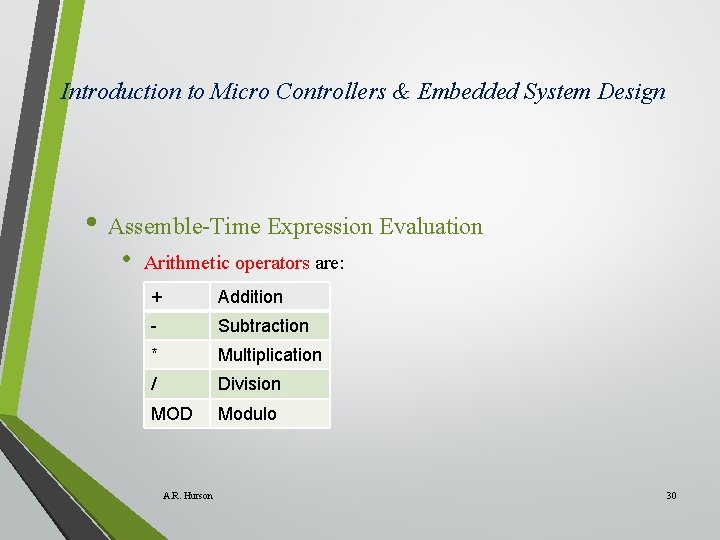
Introduction to Micro Controllers & Embedded System Design • Assemble-Time Expression Evaluation • Arithmetic operators are: + Addition - Subtraction * Multiplication / Division MOD Modulo A. R. Hurson 30
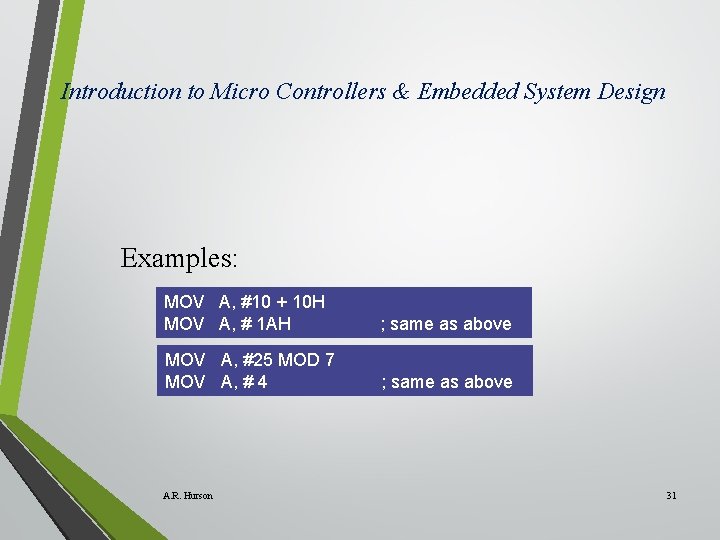
Introduction to Micro Controllers & Embedded System Design Examples: MOV A, #10 + 10 H MOV A, # 1 AH ; same as above MOV A, #25 MOD 7 MOV A, # 4 ; same as above A. R. Hurson 31
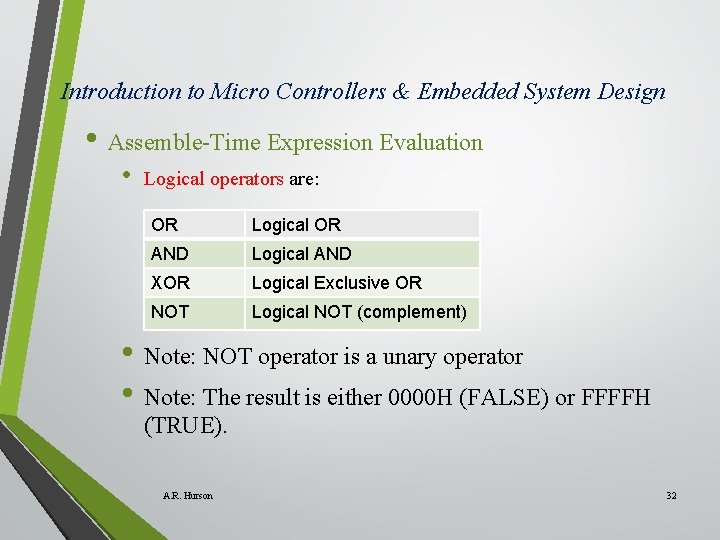
Introduction to Micro Controllers & Embedded System Design • Assemble-Time Expression Evaluation • Logical operators are: OR Logical OR AND Logical AND XOR Logical Exclusive OR NOT Logical NOT (complement) • Note: NOT operator is a unary operator • Note: The result is either 0000 H (FALSE) or FFFFH (TRUE). A. R. Hurson 32
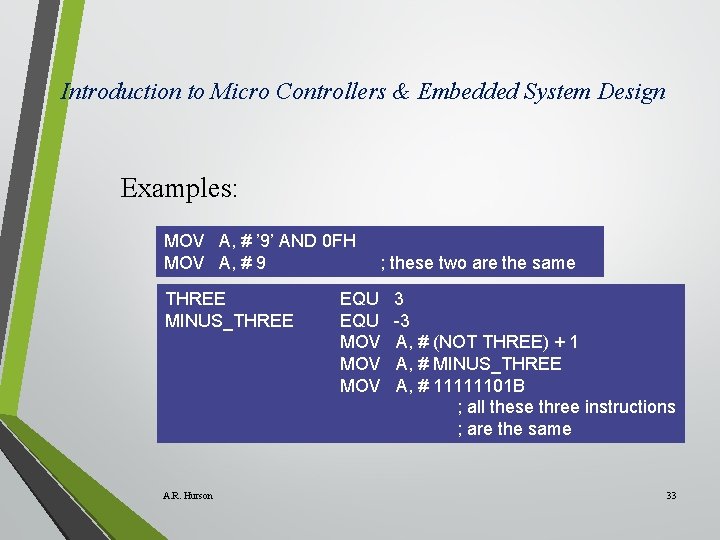
Introduction to Micro Controllers & Embedded System Design Examples: MOV A, # ’ 9’ AND 0 FH MOV A, # 9 THREE MINUS_THREE A. R. Hurson ; these two are the same EQU MOV MOV 3 -3 A, # (NOT THREE) + 1 A, # MINUS_THREE A, # 11111101 B ; all these three instructions ; are the same 33
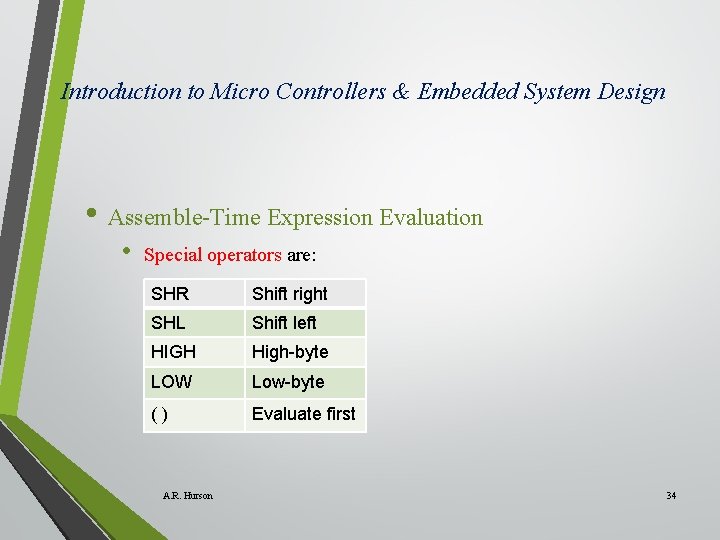
Introduction to Micro Controllers & Embedded System Design • Assemble-Time Expression Evaluation • Special operators are: SHR Shift right SHL Shift left HIGH High-byte LOW Low-byte () Evaluate first A. R. Hurson 34
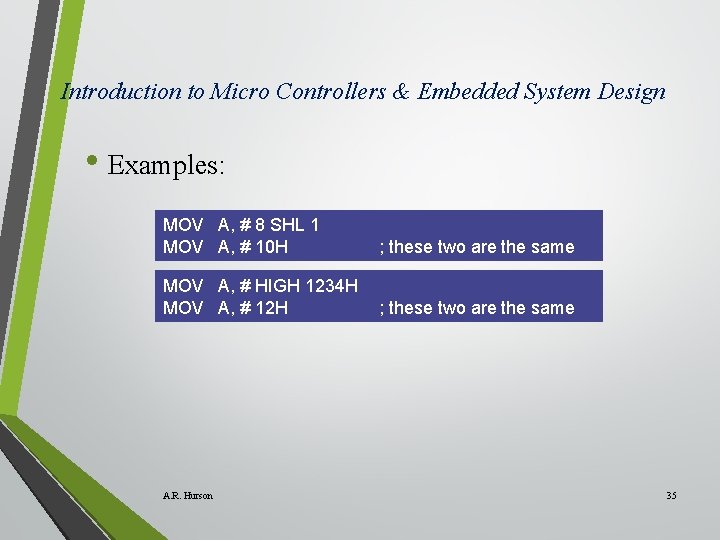
Introduction to Micro Controllers & Embedded System Design • Examples: MOV A, # 8 SHL 1 MOV A, # 10 H ; these two are the same MOV A, # HIGH 1234 H MOV A, # 12 H ; these two are the same A. R. Hurson 35
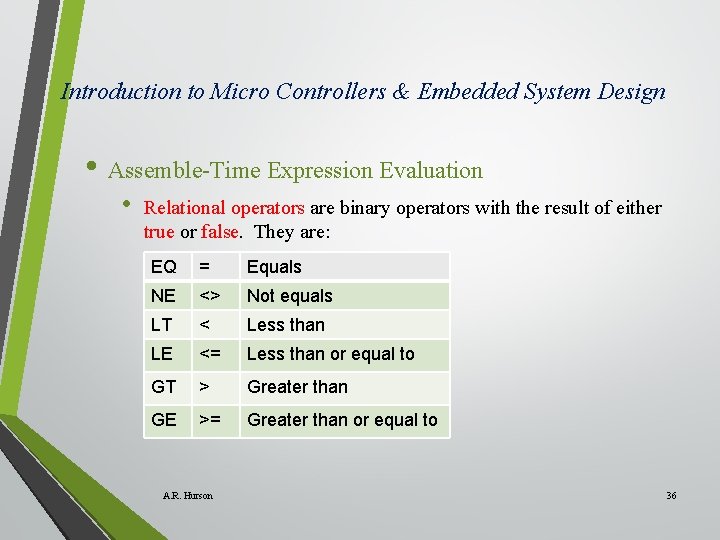
Introduction to Micro Controllers & Embedded System Design • Assemble-Time Expression Evaluation • Relational operators are binary operators with the result of either true or false. They are: EQ = Equals NE <> Not equals LT < Less than LE <= Less than or equal to GT > Greater than GE >= Greater than or equal to A. R. Hurson 36
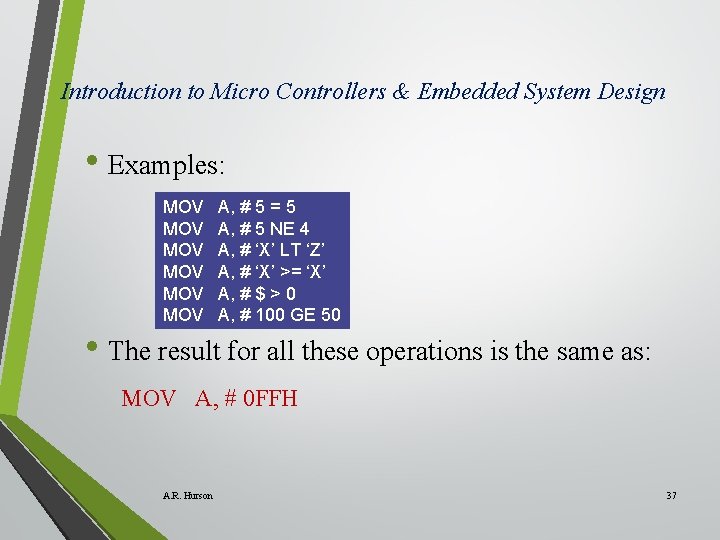
Introduction to Micro Controllers & Embedded System Design • Examples: MOV MOV MOV A, # 5 = 5 A, # 5 NE 4 A, # ‘X’ LT ‘Z’ A, # ‘X’ >= ‘X’ A, # $ > 0 A, # 100 GE 50 • The result for all these operations is the same as: MOV A, # 0 FFH A. R. Hurson 37
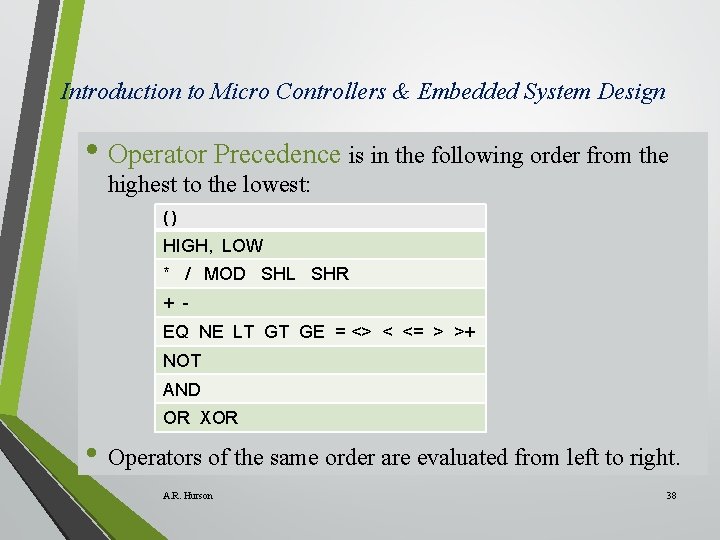
Introduction to Micro Controllers & Embedded System Design • Operator Precedence is in the following order from the highest to the lowest: () HIGH, LOW * / MOD SHL SHR + EQ NE LT GT GE = <> < <= > >+ NOT AND OR XOR • Operators of the same order are evaluated from left to right. A. R. Hurson 38
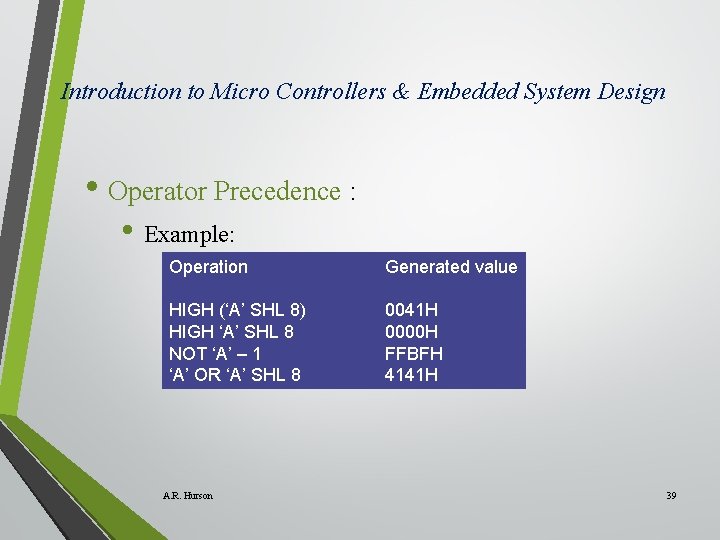
Introduction to Micro Controllers & Embedded System Design • Operator Precedence : • Example: Operation Generated value HIGH (‘A’ SHL 8) HIGH ‘A’ SHL 8 NOT ‘A’ – 1 ‘A’ OR ‘A’ SHL 8 0041 H 0000 H FFBFH 4141 H A. R. Hurson 39
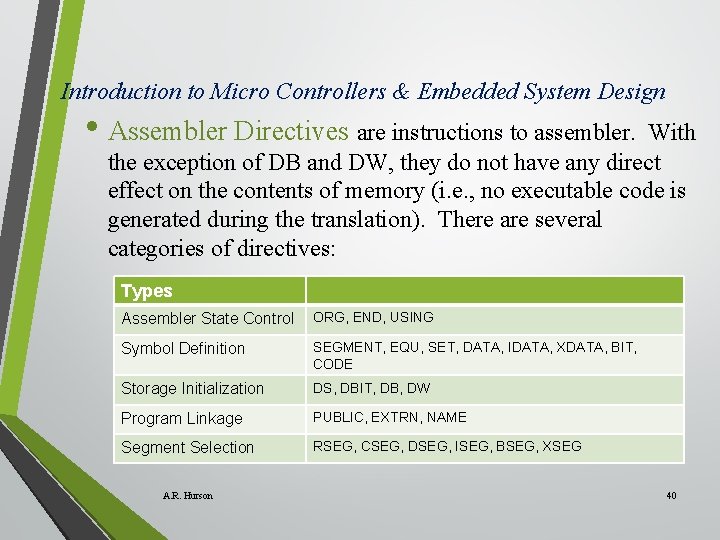
Introduction to Micro Controllers & Embedded System Design • Assembler Directives are instructions to assembler. With the exception of DB and DW, they do not have any direct effect on the contents of memory (i. e. , no executable code is generated during the translation). There are several categories of directives: Types Assembler State Control ORG, END, USING Symbol Definition SEGMENT, EQU, SET, DATA, IDATA, XDATA, BIT, CODE Storage Initialization DS, DBIT, DB, DW Program Linkage PUBLIC, EXTRN, NAME Segment Selection RSEG, CSEG, DSEG, ISEG, BSEG, XSEG A. R. Hurson 40
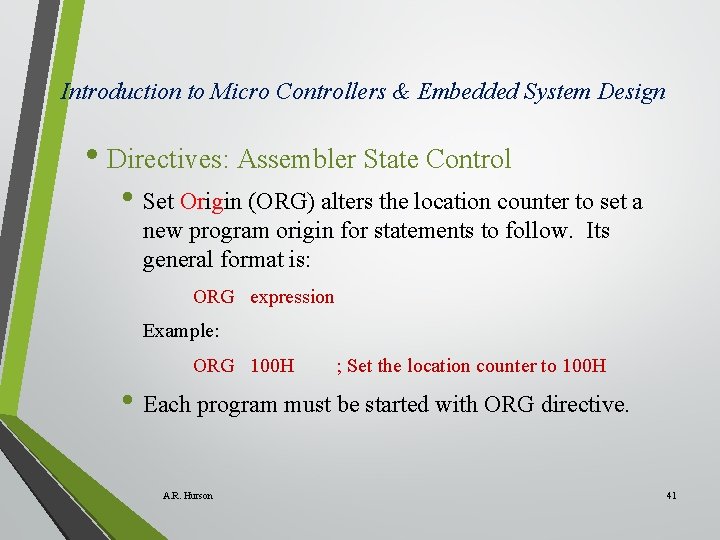
Introduction to Micro Controllers & Embedded System Design • Directives: Assembler State Control • Set Origin (ORG) alters the location counter to set a new program origin for statements to follow. Its general format is: ORG expression Example: ORG 100 H ; Set the location counter to 100 H • Each program must be started with ORG directive. A. R. Hurson 41
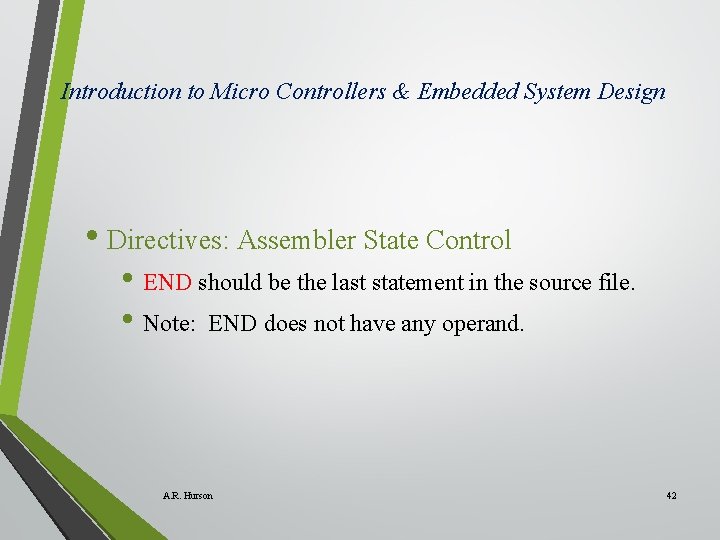
Introduction to Micro Controllers & Embedded System Design • Directives: Assembler State Control • END should be the last statement in the source file. • Note: END does not have any operand. A. R. Hurson 42
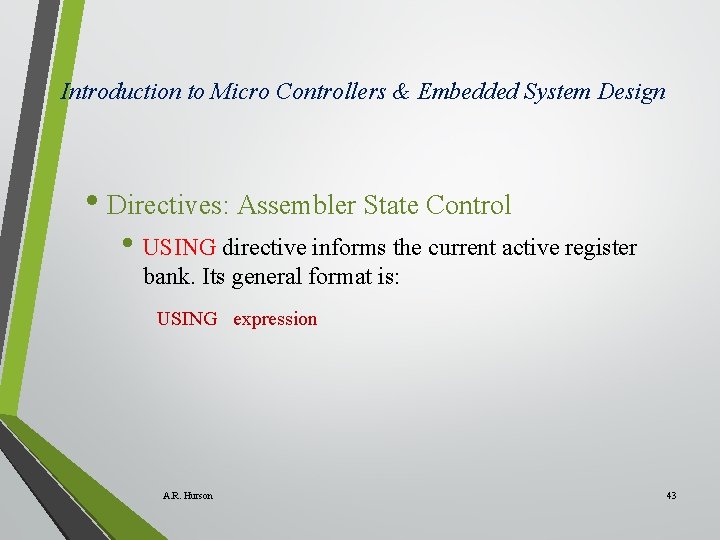
Introduction to Micro Controllers & Embedded System Design • Directives: Assembler State Control • USING directive informs the current active register bank. Its general format is: USING expression A. R. Hurson 43
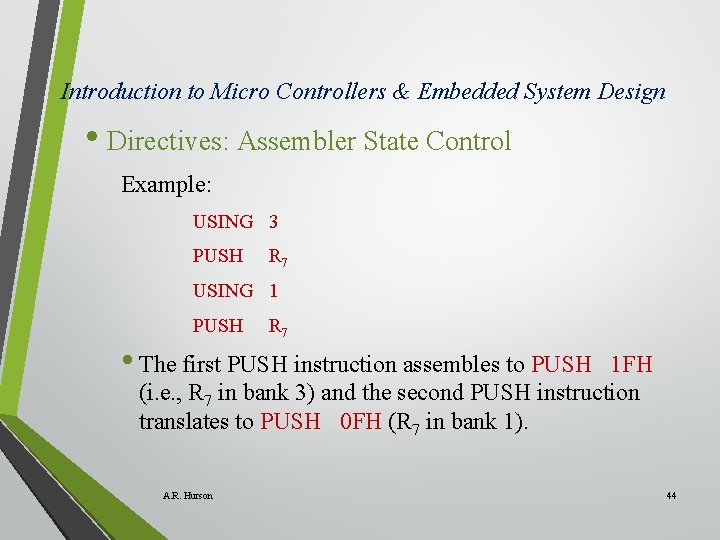
Introduction to Micro Controllers & Embedded System Design • Directives: Assembler State Control Example: USING 3 PUSH R 7 USING 1 PUSH R 7 • The first PUSH instruction assembles to PUSH 1 FH (i. e. , R 7 in bank 3) and the second PUSH instruction translates to PUSH 0 FH (R 7 in bank 1). A. R. Hurson 44
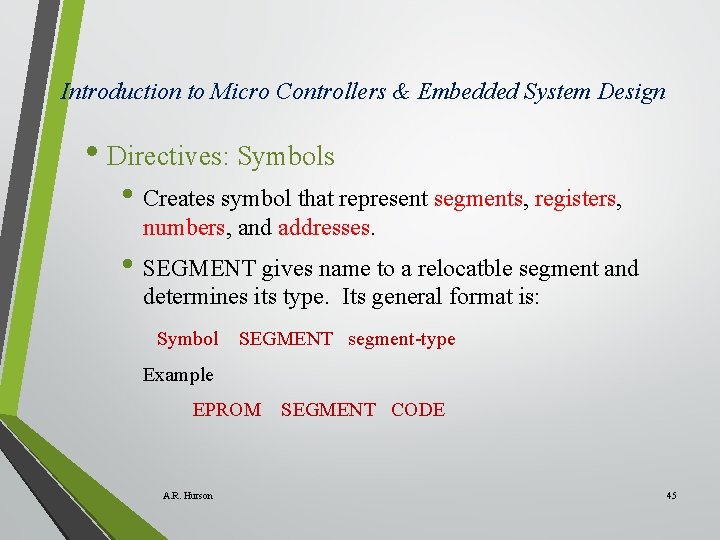
Introduction to Micro Controllers & Embedded System Design • Directives: Symbols • Creates symbol that represent segments, registers, numbers, and addresses. • SEGMENT gives name to a relocatble segment and determines its type. Its general format is: Symbol SEGMENT segment-type Example EPROM A. R. Hurson SEGMENT CODE 45
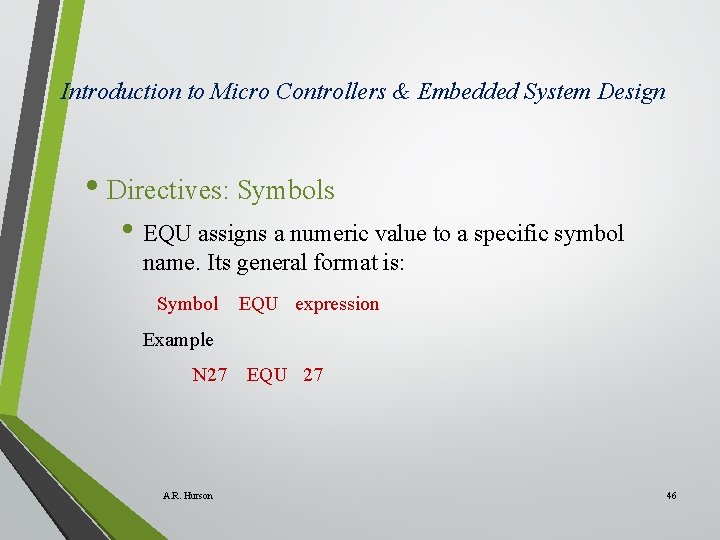
Introduction to Micro Controllers & Embedded System Design • Directives: Symbols • EQU assigns a numeric value to a specific symbol name. Its general format is: Symbol EQU expression Example N 27 A. R. Hurson EQU 27 46
Introduction to Micro Controllers & Embedded System Design • Directives: Storage initialization/reservation • These directives initialize and reserve space in either word, byte, or bit units. The space reserved starts at the location indicated by the current value of the location counter in the currently active segment. A. R. Hurson 47
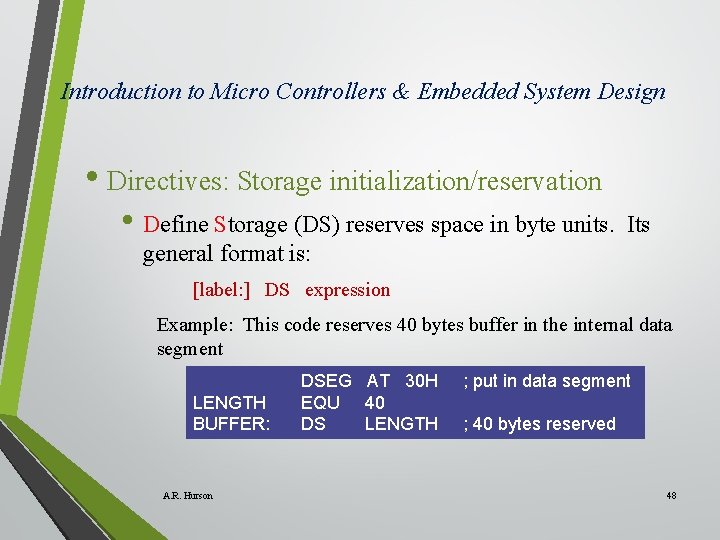
Introduction to Micro Controllers & Embedded System Design • Directives: Storage initialization/reservation • Define Storage (DS) reserves space in byte units. Its general format is: [label: ] DS expression Example: This code reserves 40 bytes buffer in the internal data segment LENGTH BUFFER: A. R. Hurson DSEG AT 30 H EQU 40 DS LENGTH ; put in data segment ; 40 bytes reserved 48
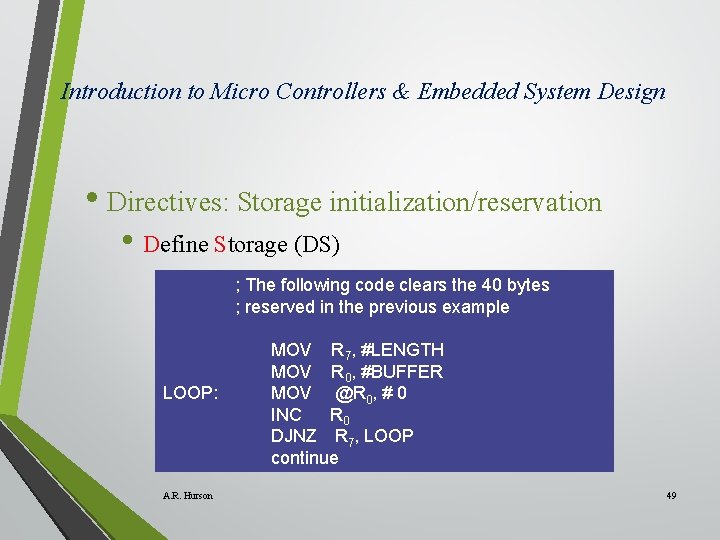
Introduction to Micro Controllers & Embedded System Design • Directives: Storage initialization/reservation • Define Storage (DS) ; The following code clears the 40 bytes ; reserved in the previous example LOOP: A. R. Hurson MOV R 7, #LENGTH MOV R 0, #BUFFER MOV @R 0, # 0 INC R 0 DJNZ R 7, LOOP continue 49
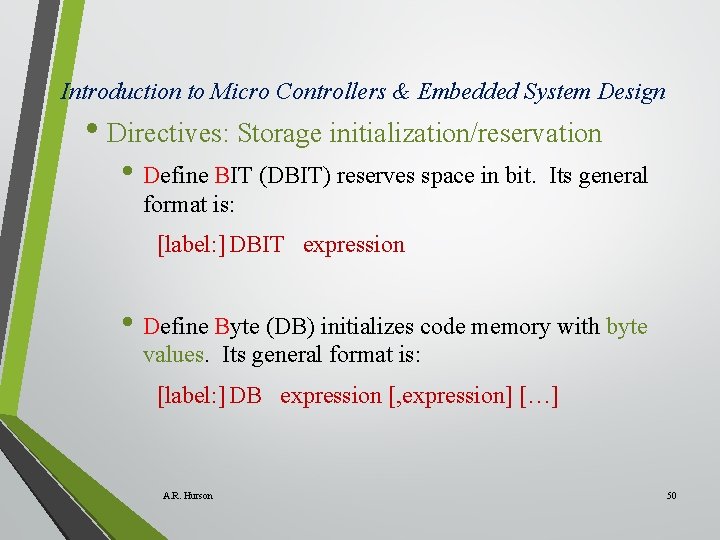
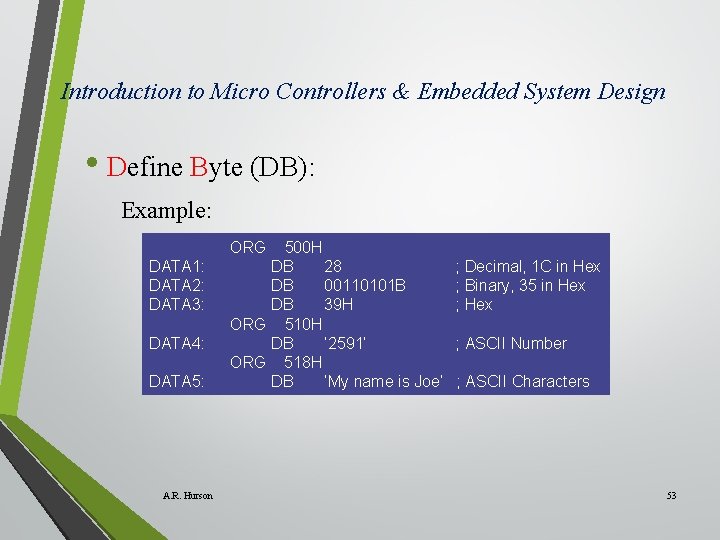
Introduction to Micro Controllers & Embedded System Design • Directives: Storage initialization/reservation • Define BIT (DBIT) reserves space in bit. Its general format is: [label: ] DBIT expression • Define Byte (DB) initializes code memory with byte values. Its general format is: [label: ] DB expression [, expression] […] A. R. Hurson 50
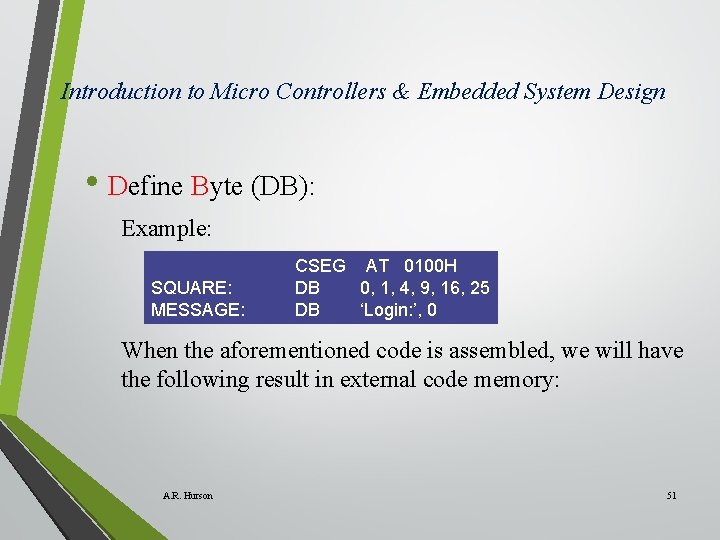
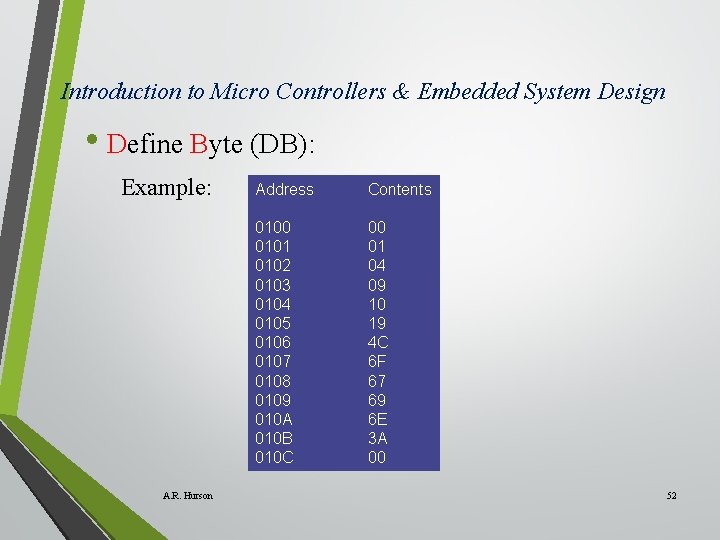
Introduction to Micro Controllers & Embedded System Design • Define Byte (DB): Example: SQUARE: MESSAGE: CSEG AT 0100 H DB 0, 1, 4, 9, 16, 25 DB ‘Login: ’, 0 When the aforementioned code is assembled, we will have the following result in external code memory: A. R. Hurson 51
Introduction to Micro Controllers & Embedded System Design • Define Byte (DB): Example: A. R. Hurson Address Contents 0100 0101 0102 0103 0104 0105 0106 0107 0108 0109 010 A 010 B 010 C 00 01 04 09 10 19 4 C 6 F 67 69 6 E 3 A 00 52
Introduction to Micro Controllers & Embedded System Design • Define Byte (DB): Example: ORG DATA 1: DATA 2: DATA 3: DATA 4: DATA 5: A. R. Hurson 500 H DB 28 DB 00110101 B DB 39 H ORG 510 H DB ‘ 2591’ ORG 518 H DB ‘My name is Joe’ ; Decimal, 1 C in Hex ; Binary, 35 in Hex ; ASCII Number ; ASCII Characters 53
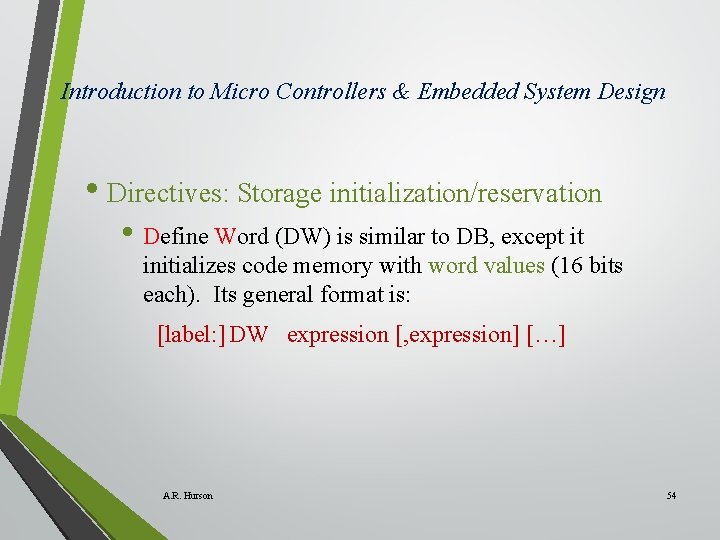
Introduction to Micro Controllers & Embedded System Design • Directives: Storage initialization/reservation • Define Word (DW) is similar to DB, except it initializes code memory with word values (16 bits each). Its general format is: [label: ] DW expression [, expression] […] A. R. Hurson 54
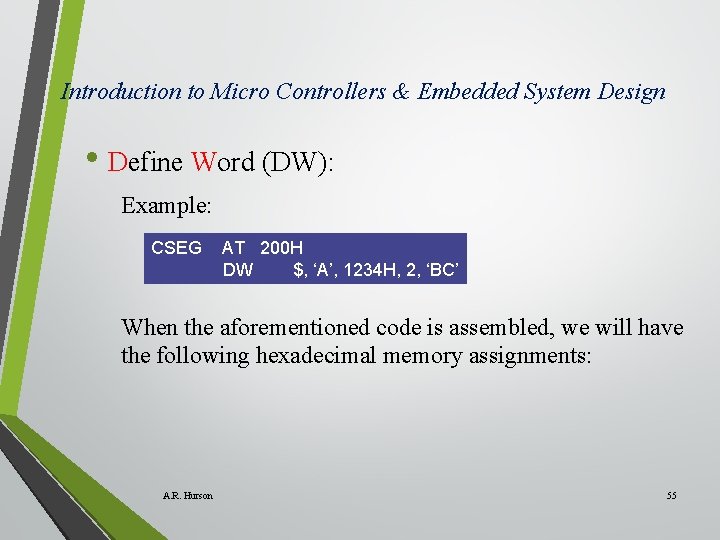
Introduction to Micro Controllers & Embedded System Design • Define Word (DW): Example: CSEG AT 200 H DW $, ‘A’, 1234 H, 2, ‘BC’ When the aforementioned code is assembled, we will have the following hexadecimal memory assignments: A. R. Hurson 55
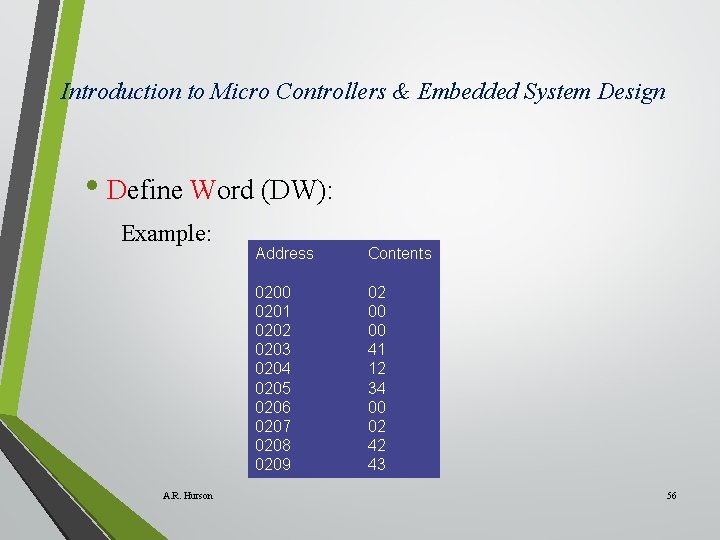
Introduction to Micro Controllers & Embedded System Design • Define Word (DW): Example: A. R. Hurson Address Contents 0200 0201 0202 0203 0204 0205 0206 0207 0208 0209 02 00 00 41 12 34 00 02 42 43 56
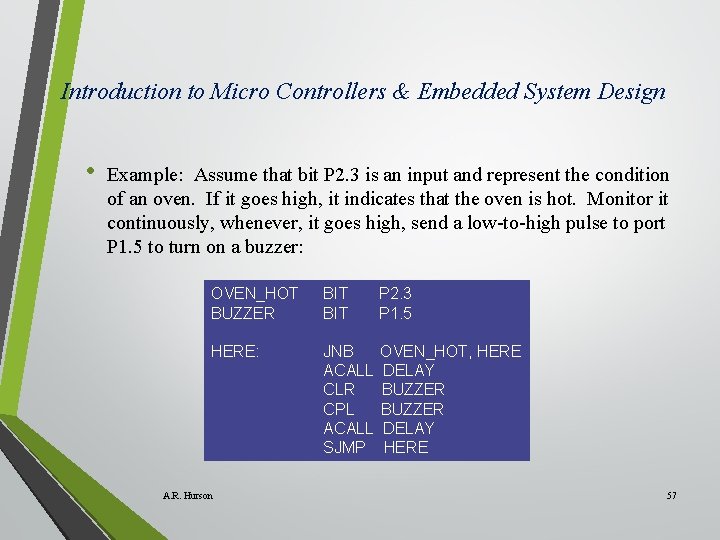
Introduction to Micro Controllers & Embedded System Design • Example: Assume that bit P 2. 3 is an input and represent the condition of an oven. If it goes high, it indicates that the oven is hot. Monitor it continuously, whenever, it goes high, send a low-to-high pulse to port P 1. 5 to turn on a buzzer: OVEN_HOT BUZZER BIT P 2. 3 P 1. 5 HERE: JNB ACALL CLR CPL ACALL SJMP OVEN_HOT, HERE DELAY BUZZER DELAY HERE A. R. Hurson 57
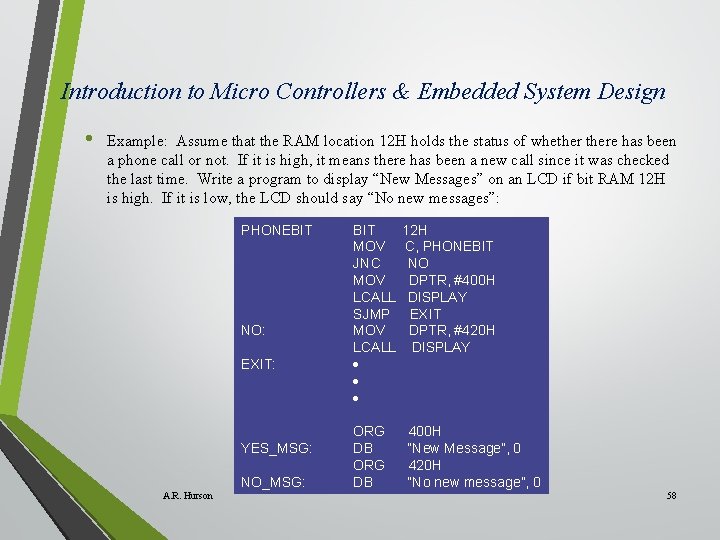
Introduction to Micro Controllers & Embedded System Design • Example: Assume that the RAM location 12 H holds the status of whethere has been a phone call or not. If it is high, it means there has been a new call since it was checked the last time. Write a program to display “New Messages” on an LCD if bit RAM 12 H is high. If it is low, the LCD should say “No new messages”: PHONEBIT NO: EXIT: YES_MSG: NO_MSG: A. R. Hurson BIT MOV JNC MOV LCALL SJMP MOV LCALL ORG DB 12 H C, PHONEBIT NO DPTR, #400 H DISPLAY EXIT DPTR, #420 H DISPLAY 400 H “New Message”, 0 420 H “No new message”, 0 58
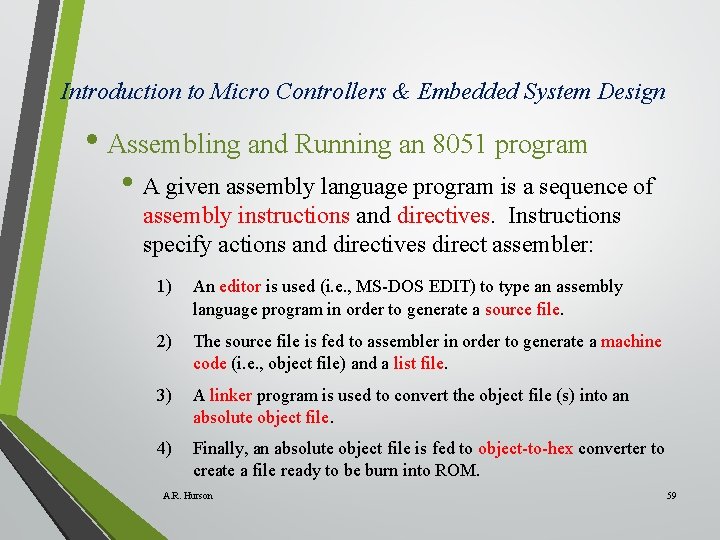
Introduction to Micro Controllers & Embedded System Design • Assembling and Running an 8051 program • A given assembly language program is a sequence of assembly instructions and directives. Instructions specify actions and directives direct assembler: 1) An editor is used (i. e. , MS-DOS EDIT) to type an assembly language program in order to generate a source file. 2) The source file is fed to assembler in order to generate a machine code (i. e. , object file) and a list file. 3) A linker program is used to convert the object file (s) into an absolute object file. 4) Finally, an absolute object file is fed to object-to-hex converter to create a file ready to be burn into ROM. A. R. Hurson 59
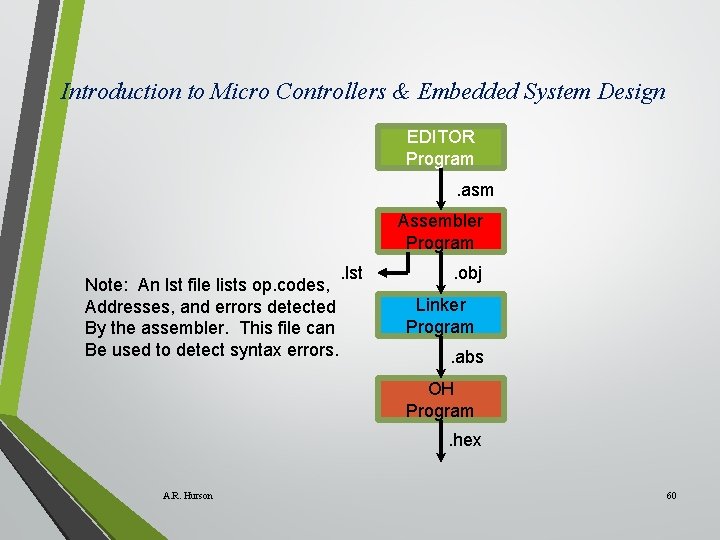
Introduction to Micro Controllers & Embedded System Design EDITOR Program. asm Assembler Program Note: An lst file lists op. codes, Addresses, and errors detected By the assembler. This file can Be used to detect syntax errors. . lst . obj Linker Program. abs OH Program. hex A. R. Hurson 60
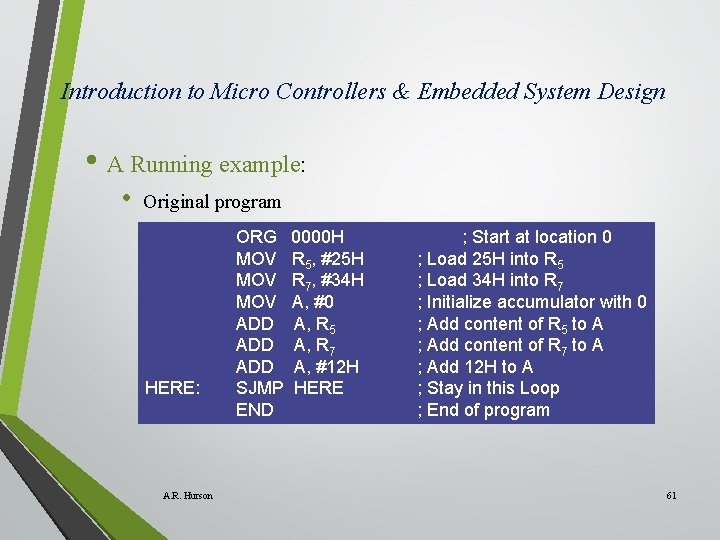
Introduction to Micro Controllers & Embedded System Design • A Running example: • Original program HERE: A. R. Hurson ORG MOV MOV ADD ADD SJMP END 0000 H R 5, #25 H R 7, #34 H A, #0 A, R 5 A, R 7 A, #12 H HERE ; Start at location 0 ; Load 25 H into R 5 ; Load 34 H into R 7 ; Initialize accumulator with 0 ; Add content of R 5 to A ; Add content of R 7 to A ; Add 12 H to A ; Stay in this Loop ; End of program 61
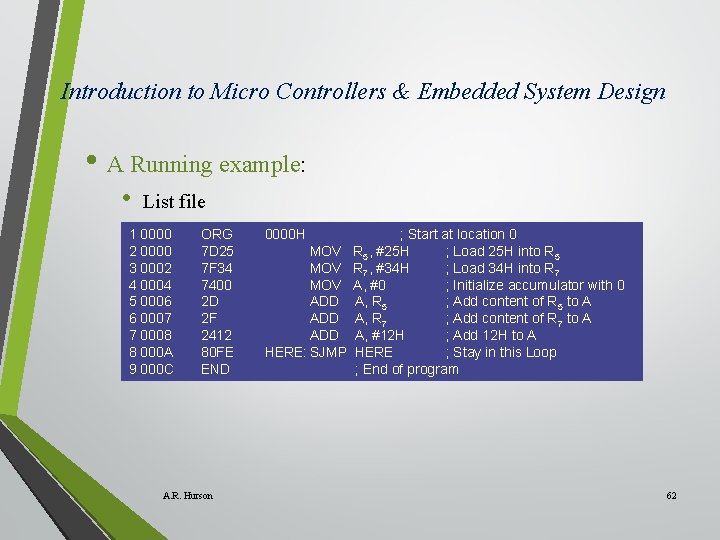
Introduction to Micro Controllers & Embedded System Design • A Running example: • List file 1 0000 2 0000 3 0002 4 0004 5 0006 6 0007 7 0008 8 000 A 9 000 C ORG 7 D 25 7 F 34 7400 2 D 2 F 2412 80 FE END A. R. Hurson 0000 H MOV MOV ADD ADD HERE: SJMP ; Start at location 0 R 5, #25 H ; Load 25 H into R 5 R 7, #34 H ; Load 34 H into R 7 A, #0 ; Initialize accumulator with 0 A, R 5 ; Add content of R 5 to A A, R 7 ; Add content of R 7 to A A, #12 H ; Add 12 H to A HERE ; Stay in this Loop ; End of program 62
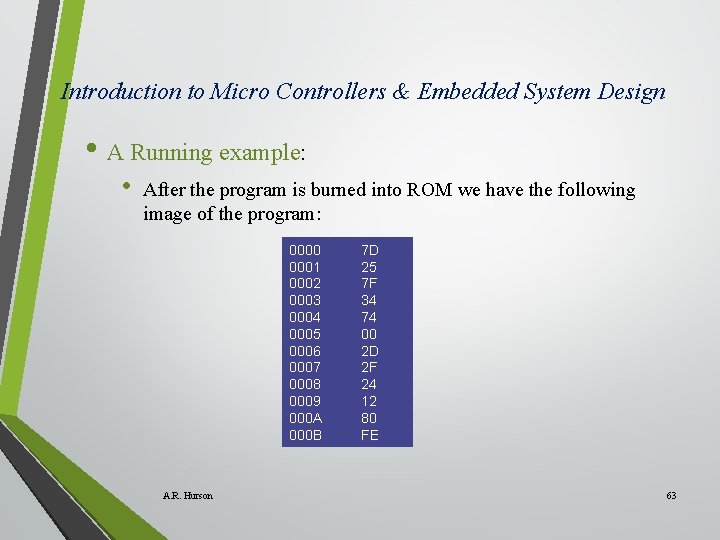
Introduction to Micro Controllers & Embedded System Design • A Running example: • After the program is burned into ROM we have the following image of the program: 0000 0001 0002 0003 0004 0005 0006 0007 0008 0009 000 A 000 B A. R. Hurson 7 D 25 7 F 34 74 00 2 D 2 F 24 12 80 FE 63
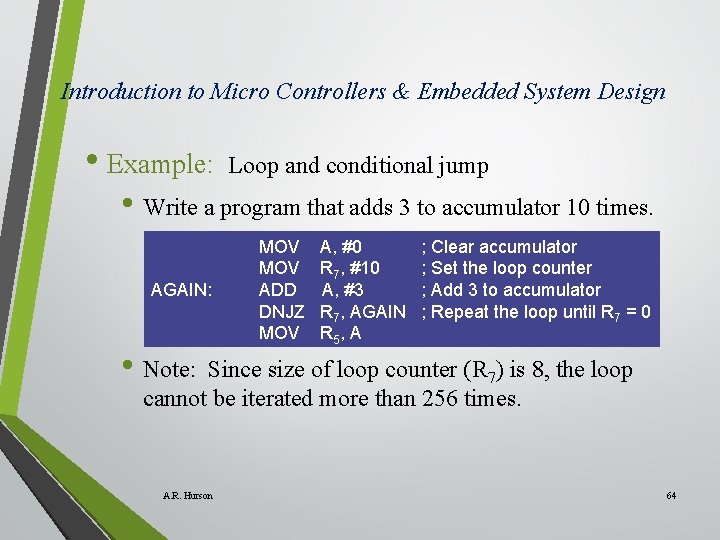
Introduction to Micro Controllers & Embedded System Design • Example: Loop and conditional jump • Write a program that adds 3 to accumulator 10 times. AGAIN: • Note: MOV ADD DNJZ MOV A, #0 R 7, #10 A, #3 R 7, AGAIN R 5, A ; Clear accumulator ; Set the loop counter ; Add 3 to accumulator ; Repeat the loop until R 7 = 0 Since size of loop counter (R 7) is 8, the loop cannot be iterated more than 256 times. A. R. Hurson 64
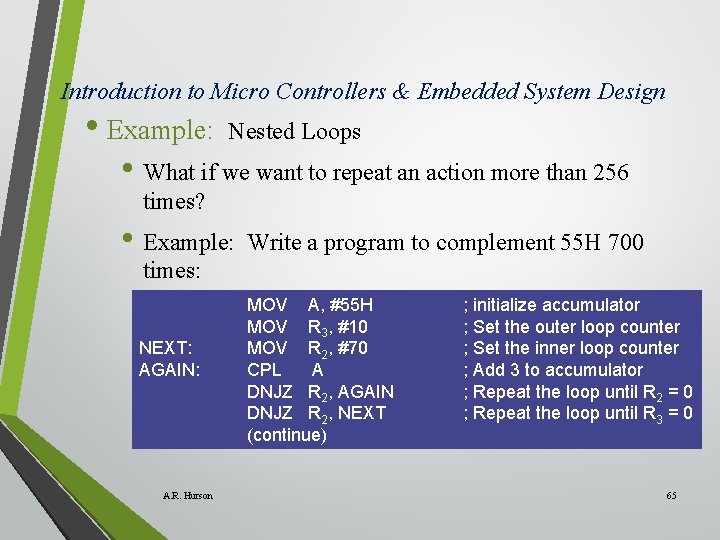
Introduction to Micro Controllers & Embedded System Design • Example: Nested Loops • What if we want to repeat an action more than 256 times? • Example: Write a program to complement 55 H 700 times: NEXT: AGAIN: A. R. Hurson MOV A, #55 H MOV R 3, #10 MOV R 2, #70 CPL A DNJZ R 2, AGAIN DNJZ R 2, NEXT (continue) ; initialize accumulator ; Set the outer loop counter ; Set the inner loop counter ; Add 3 to accumulator ; Repeat the loop until R 2 = 0 ; Repeat the loop until R 3 = 0 65
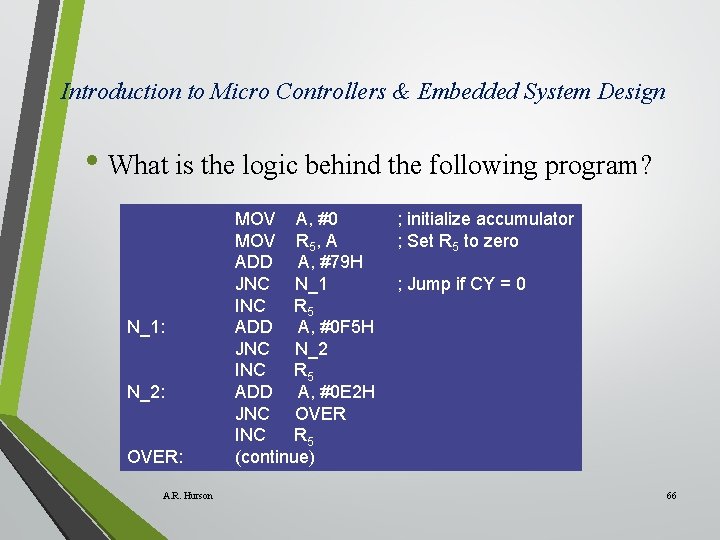
Introduction to Micro Controllers & Embedded System Design • What is the logic behind the following program? N_1: N_2: OVER: A. R. Hurson MOV A, #0 MOV R 5, A ADD A, #79 H JNC N_1 INC R 5 ADD A, #0 F 5 H JNC N_2 INC R 5 ADD A, #0 E 2 H JNC OVER INC R 5 (continue) ; initialize accumulator ; Set R 5 to zero ; Jump if CY = 0 66
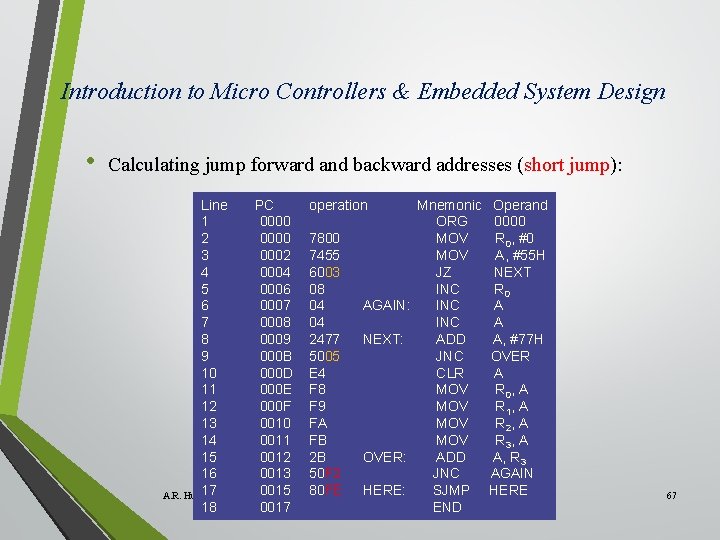
Introduction to Micro Controllers & Embedded System Design • Calculating jump forward and backward addresses (short jump): Line 1 2 3 4 5 6 7 8 9 10 11 12 13 14 15 16 17 A. R. Hurson 18 PC 0000 0002 0004 0006 0007 0008 0009 000 B 000 D 000 E 000 F 0010 0011 0012 0013 0015 0017 operation 7800 7455 6003 08 04 04 2477 5005 E 4 F 8 F 9 FA FB 2 B 50 F 2 80 FE AGAIN: NEXT: OVER: HERE: Mnemonic ORG MOV JZ INC INC ADD JNC CLR MOV MOV ADD JNC SJMP END Operand 0000 R 0, #0 A, #55 H NEXT R 0 A A A, #77 H OVER A R 0, A R 1, A R 2, A R 3, A A, R 3 AGAIN HERE 67
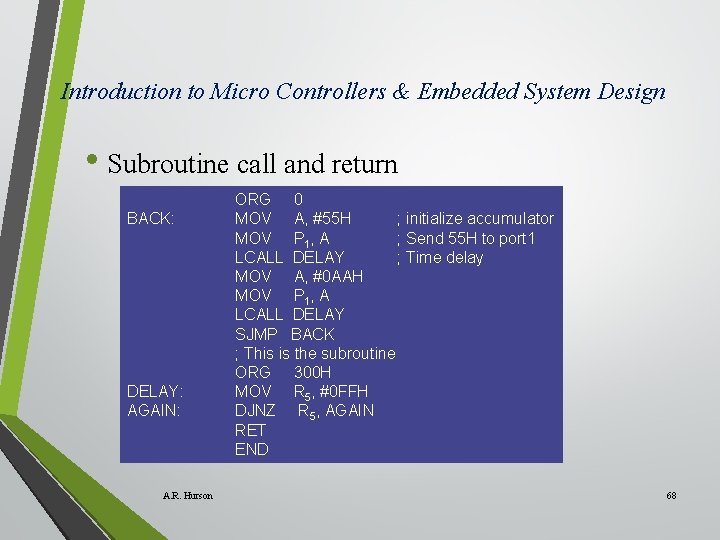
Introduction to Micro Controllers & Embedded System Design • Subroutine call and return BACK: DELAY: AGAIN: A. R. Hurson ORG 0 MOV A, #55 H ; initialize accumulator MOV P 1, A ; Send 55 H to port 1 LCALL DELAY ; Time delay MOV A, #0 AAH MOV P 1, A LCALL DELAY SJMP BACK ; This is the subroutine ORG 300 H MOV R 5, #0 FFH DJNZ R 5, AGAIN RET END 68
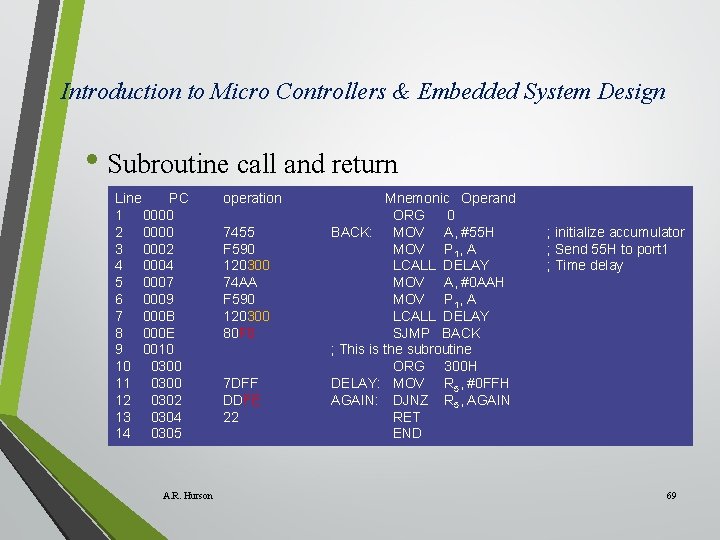
Introduction to Micro Controllers & Embedded System Design • Subroutine call and return Line PC 1 0000 2 0000 3 0002 4 0004 5 0007 6 0009 7 000 B 8 000 E 9 0010 10 0300 11 0300 12 0302 13 0304 14 0305 A. R. Hurson operation 7455 F 590 120300 74 AA F 590 120300 80 F 0 7 DFF DDFE 22 Mnemonic Operand ORG 0 BACK: MOV A, #55 H MOV P 1, A LCALL DELAY MOV A, #0 AAH MOV P 1, A LCALL DELAY SJMP BACK ; This is the subroutine ORG 300 H DELAY: MOV R 5, #0 FFH AGAIN: DJNZ R 5, AGAIN RET END ; initialize accumulator ; Send 55 H to port 1 ; Time delay 69
Introduction to Micro Controllers & Embedded System Design • Calculating the execution time • Execution time can be calculated by multiplying the number of clock pulses by the duration of each clock pulse. • Number of clock pulses is the sum of clock pulses of the executed assembly instructions. • Duration of clock pulse is the inverse of the frequency and frequency is 1/12 of the frequency of the crystal oscillator connected to the 8051 system. A. R. Hurson 70
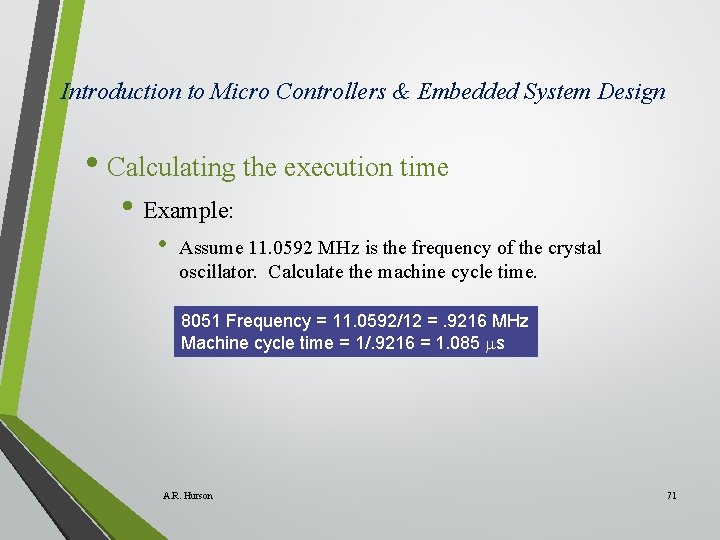
Introduction to Micro Controllers & Embedded System Design • Calculating the execution time • Example: • Assume 11. 0592 MHz is the frequency of the crystal oscillator. Calculate the machine cycle time. 8051 Frequency = 11. 0592/12 =. 9216 MHz Machine cycle time = 1/. 9216 = 1. 085 s A. R. Hurson 71
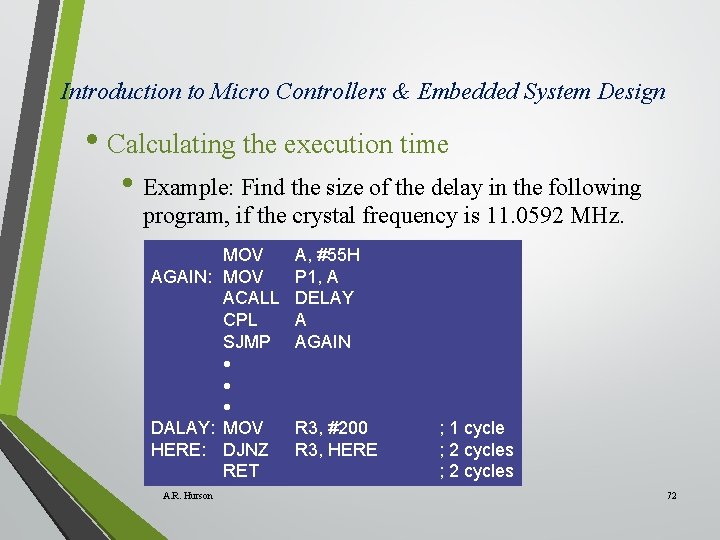
Introduction to Micro Controllers & Embedded System Design • Calculating the execution time • Example: Find the size of the delay in the following program, if the crystal frequency is 11. 0592 MHz. MOV AGAIN: MOV ACALL CPL SJMP DALAY: MOV HERE: DJNZ RET A. R. Hurson A, #55 H P 1, A DELAY A AGAIN R 3, #200 R 3, HERE ; 1 cycle ; 2 cycles 72
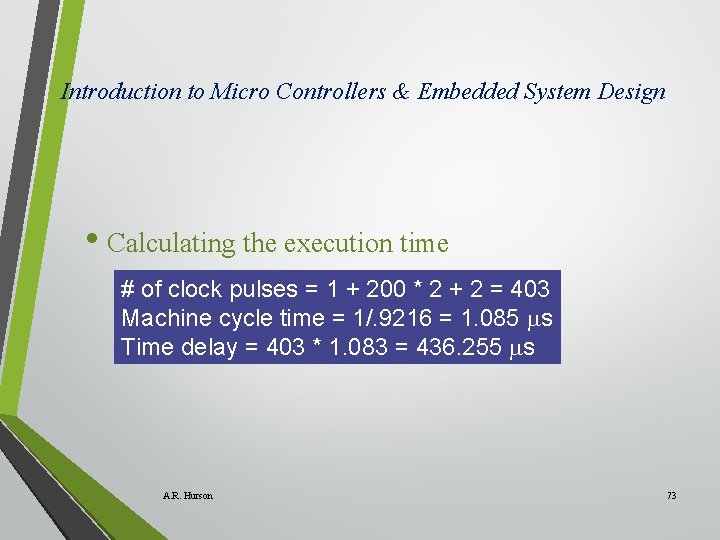
Introduction to Micro Controllers & Embedded System Design • Calculating the execution time # of clock pulses = 1 + 200 * 2 + 2 = 403 Machine cycle time = 1/. 9216 = 1. 085 s Time delay = 403 * 1. 083 = 436. 255 s A. R. Hurson 73
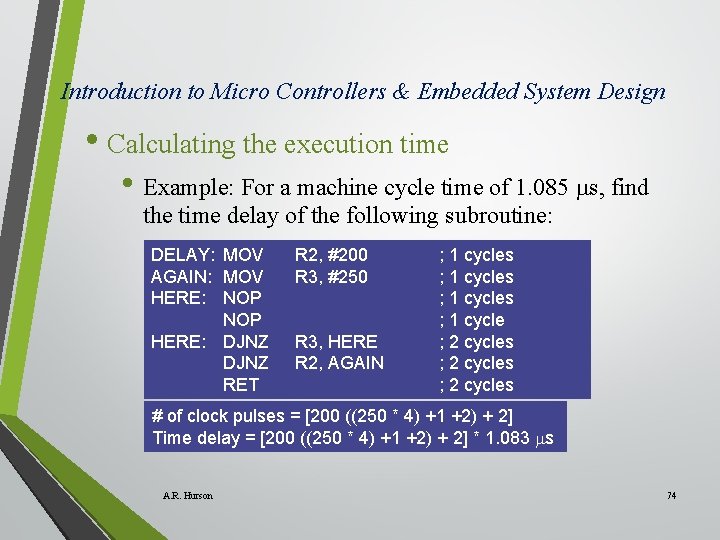
Introduction to Micro Controllers & Embedded System Design • Calculating the execution time • Example: For a machine cycle time of 1. 085 s, find the time delay of the following subroutine: DELAY: MOV AGAIN: MOV HERE: NOP HERE: DJNZ RET R 2, #200 R 3, #250 R 3, HERE R 2, AGAIN ; 1 cycles ; 1 cycle ; 2 cycles # of clock pulses = [200 ((250 * 4) +1 +2) + 2] Time delay = [200 ((250 * 4) +1 +2) + 2] * 1. 083 s A. R. Hurson 74
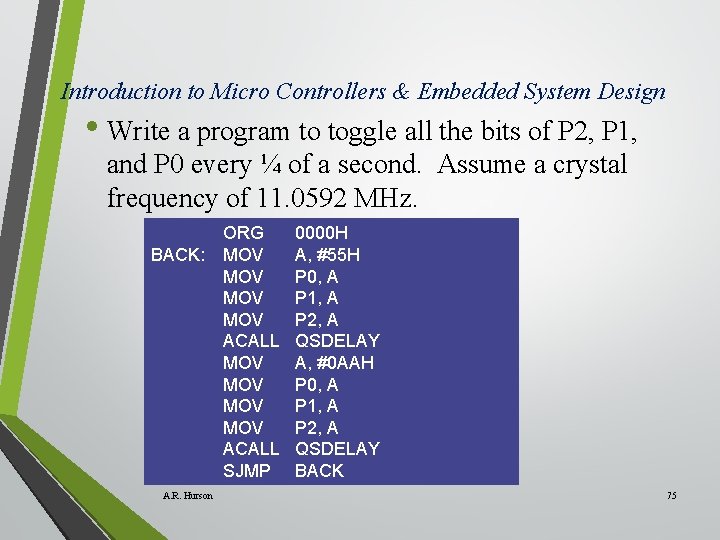
Introduction to Micro Controllers & Embedded System Design • Write a program to toggle all the bits of P 2, P 1, and P 0 every ¼ of a second. Assume a crystal frequency of 11. 0592 MHz. BACK: A. R. Hurson ORG MOV MOV ACALL SJMP 0000 H A, #55 H P 0, A P 1, A P 2, A QSDELAY A, #0 AAH P 0, A P 1, A P 2, A QSDELAY BACK 75
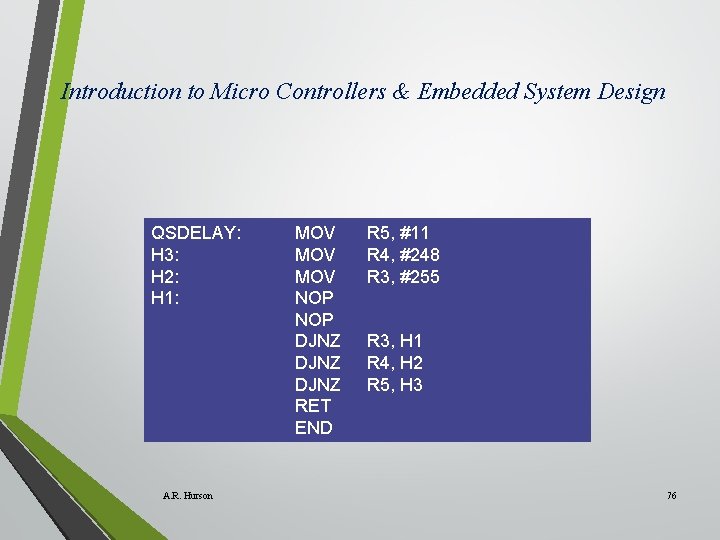
Introduction to Micro Controllers & Embedded System Design QSDELAY: H 3: H 2: H 1: A. R. Hurson MOV MOV NOP DJNZ RET END R 5, #11 R 4, #248 R 3, #255 R 3, H 1 R 4, H 2 R 5, H 3 76
- Slides: 76