
Introduction to Metview Using the Single Column Model
- Slides: 12
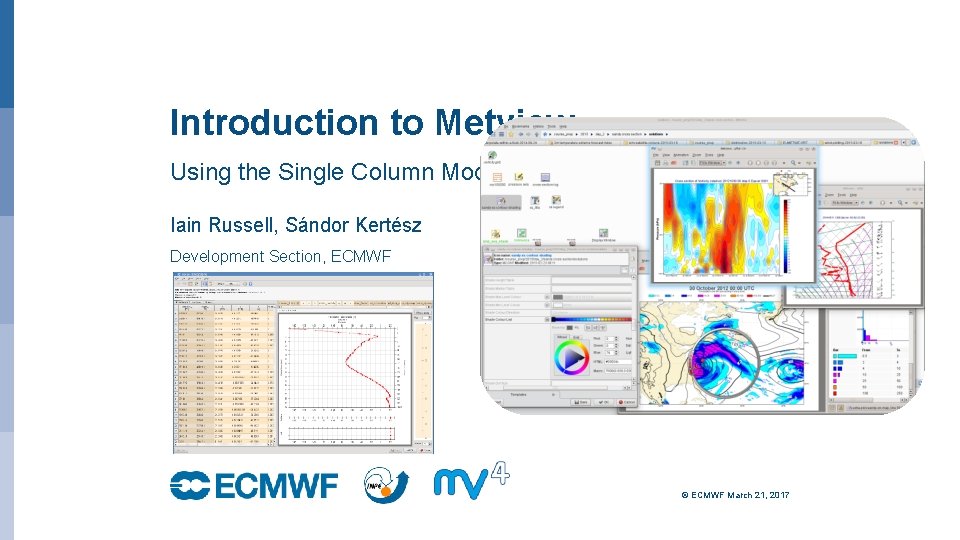
Introduction to Metview Using the Single Column Model Iain Russell, Sándor Kertész Development Section, ECMWF © ECMWF March 21, 2017
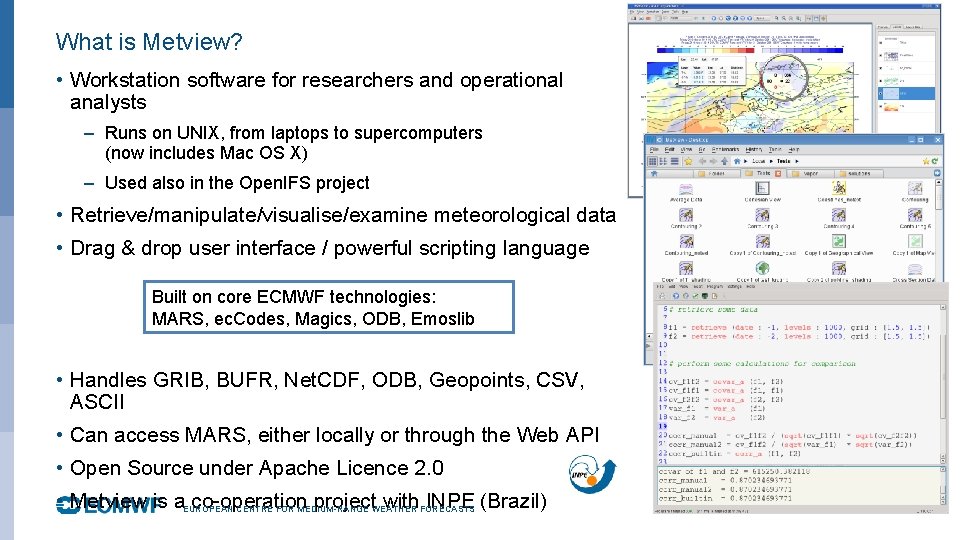
What is Metview? • Workstation software for researchers and operational analysts – Runs on UNIX, from laptops to supercomputers (now includes Mac OS X) – Used also in the Open. IFS project • Retrieve/manipulate/visualise/examine meteorological data • Drag & drop user interface / powerful scripting language Built on core ECMWF technologies: MARS, ec. Codes, Magics, ODB, Emoslib • Handles GRIB, BUFR, Net. CDF, ODB, Geopoints, CSV, ASCII • Can access MARS, either locally or through the Web API • Open Source under Apache Licence 2. 0 • Metview is a. EUROPEAN co-operation project. WEATHER with. FORECASTS INPE (Brazil) CENTRE FOR MEDIUM-RANGE 2
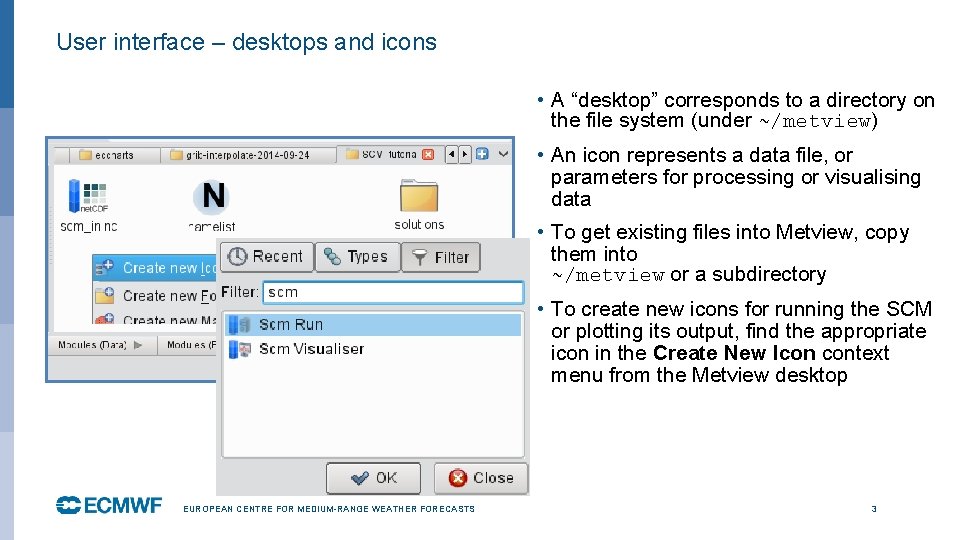
User interface – desktops and icons • A “desktop” corresponds to a directory on the file system (under ~/metview) • An icon represents a data file, or parameters for processing or visualising data • To get existing files into Metview, copy them into ~/metview or a subdirectory • To create new icons for running the SCM or plotting its output, find the appropriate icon in the Create New Icon context menu from the Metview desktop EUROPEAN CENTRE FOR MEDIUM-RANGE WEATHER FORECASTS 3
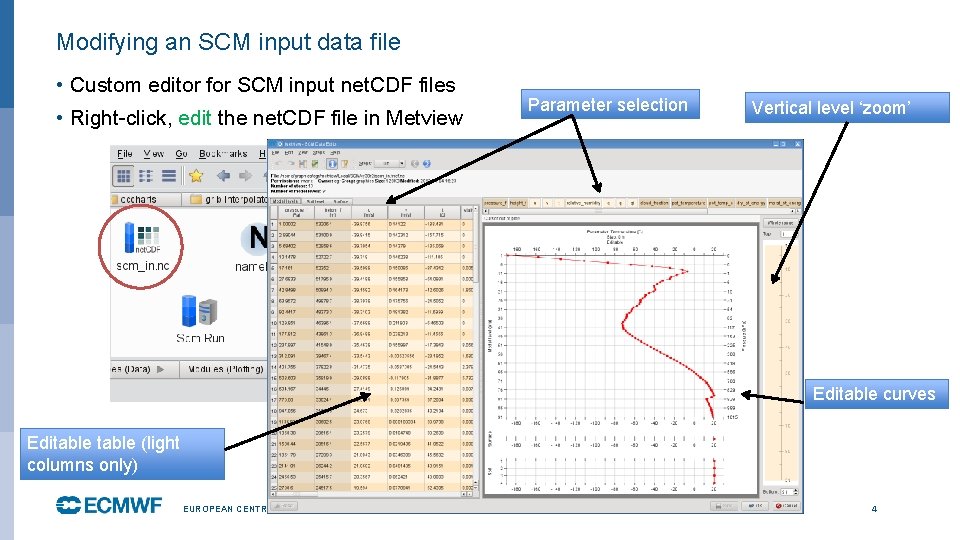
Modifying an SCM input data file • Custom editor for SCM input net. CDF files • Right-click, edit the net. CDF file in Metview Parameter selection Vertical level ‘zoom’ Editable curves Editable (light columns only) EUROPEAN CENTRE FOR MEDIUM-RANGE WEATHER FORECASTS 4
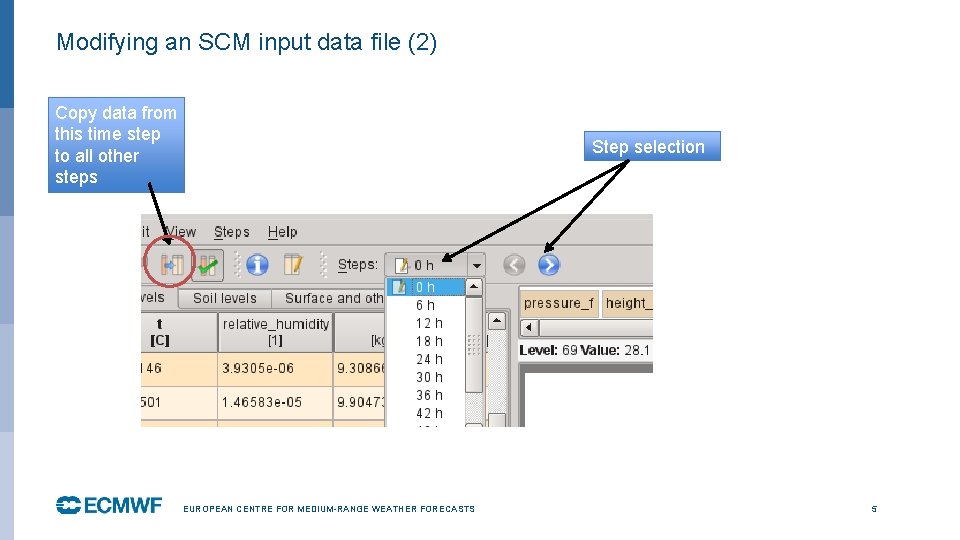
Modifying an SCM input data file (2) Copy data from this time step to all other steps Step selection EUROPEAN CENTRE FOR MEDIUM-RANGE WEATHER FORECASTS 5
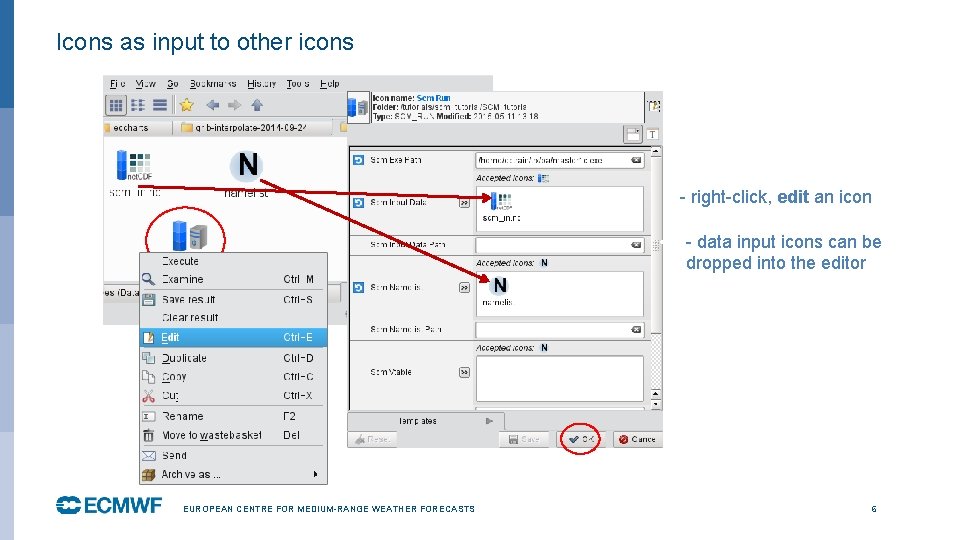
Icons as input to other icons • • EUROPEAN CENTRE FOR MEDIUM-RANGE WEATHER FORECASTS - right-click, edit an icon - data input icons can be dropped into the editor 6
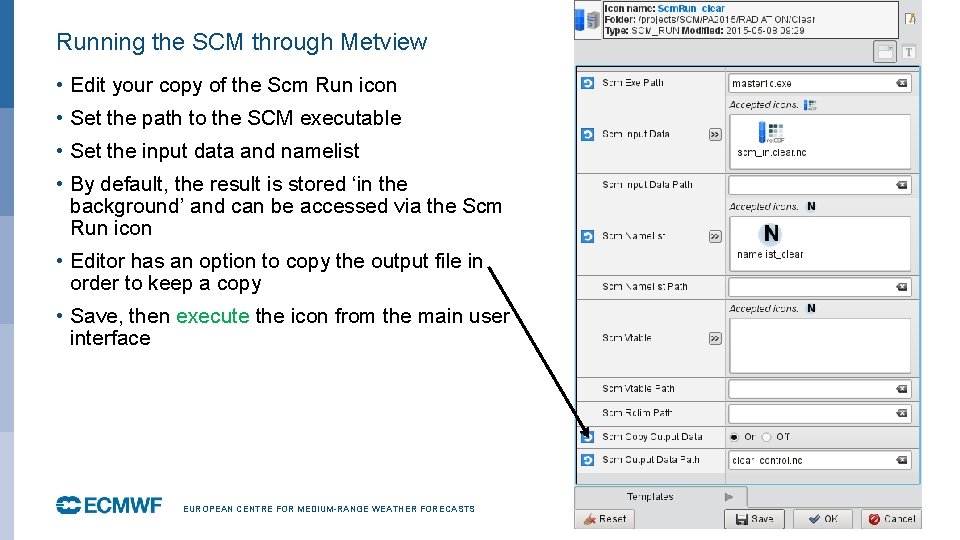
Running the SCM through Metview • Edit your copy of the Scm Run icon • Set the path to the SCM executable • Set the input data and namelist • By default, the result is stored ‘in the background’ and can be accessed via the Scm Run icon • Editor has an option to copy the output file in order to keep a copy • Save, then execute the icon from the main user interface EUROPEAN CENTRE FOR MEDIUM-RANGE WEATHER FORECASTS 7
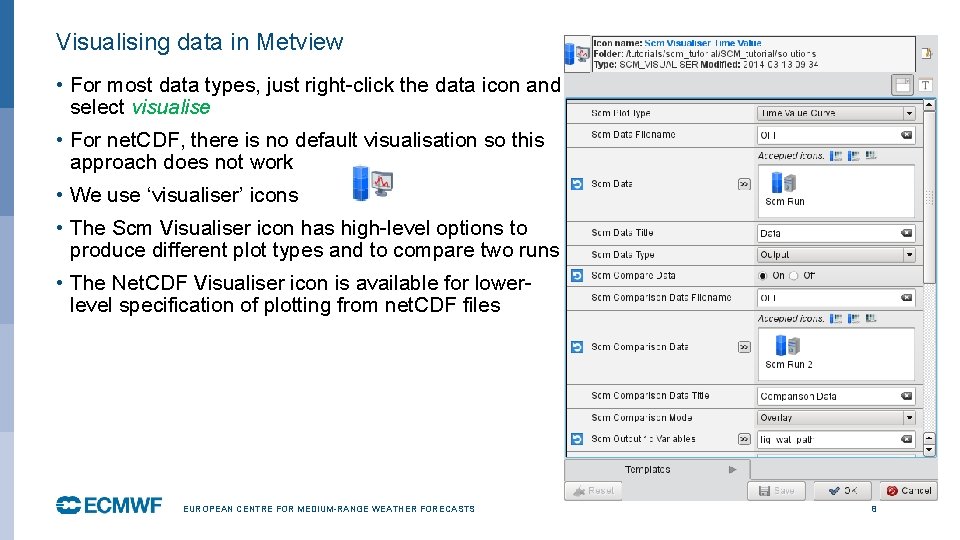
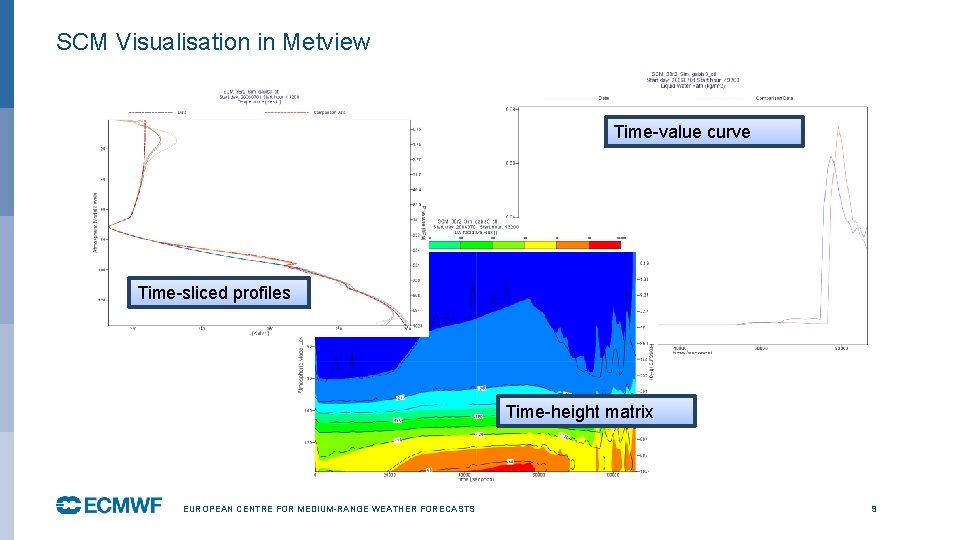
Visualising data in Metview • For most data types, just right-click the data icon and select visualise • For net. CDF, there is no default visualisation so this approach does not work • We use ‘visualiser’ icons • The Scm Visualiser icon has high-level options to produce different plot types and to compare two runs • The Net. CDF Visualiser icon is available for lowerlevel specification of plotting from net. CDF files EUROPEAN CENTRE FOR MEDIUM-RANGE WEATHER FORECASTS 8
SCM Visualisation in Metview Time-value curve Time-sliced profiles Time-height matrix EUROPEAN CENTRE FOR MEDIUM-RANGE WEATHER FORECASTS 9
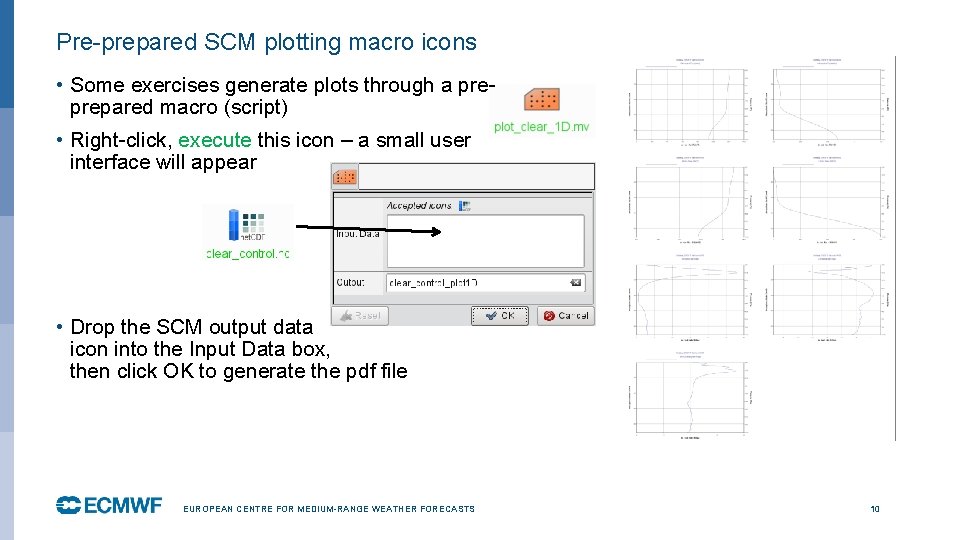
Pre-prepared SCM plotting macro icons • Some exercises generate plots through a preprepared macro (script) • Right-click, execute this icon – a small user interface will appear • Drop the SCM output data icon into the Input Data box, then click OK to generate the pdf file EUROPEAN CENTRE FOR MEDIUM-RANGE WEATHER FORECASTS 10
For more information … email us: 8 Metview: metview@ecmwf. int visit our web pages: 8 https: //software. ecmwf. int/metview Ø Download Ø Documentation and tutorials available Ø Metview articles in ECMWF newsletters EUROPEAN CENTRE FOR MEDIUM-RANGE WEATHER FORECASTS 11
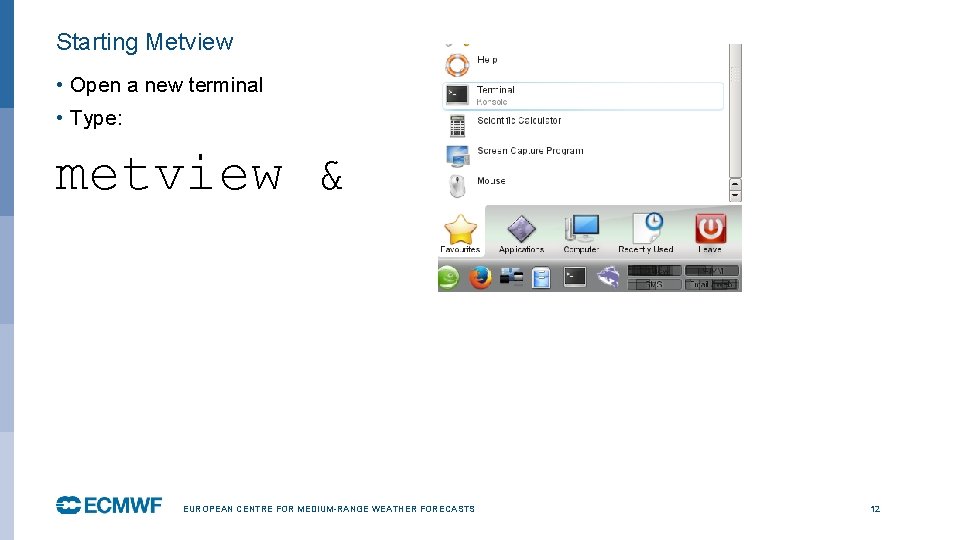
Starting Metview • Open a new terminal • Type: metview & EUROPEAN CENTRE FOR MEDIUM-RANGE WEATHER FORECASTS 12