
Introduction to Matlab Programming JongHoon Oh POSTECH Programming
Introduction to Matlab Programming Jong-Hoon Oh POSTECH
Programming in Matlab Today’s Lecture Matlab programming Programming environment and search path M-file scripts and functions Flow control statements Function functions Programming tricks and tips 2
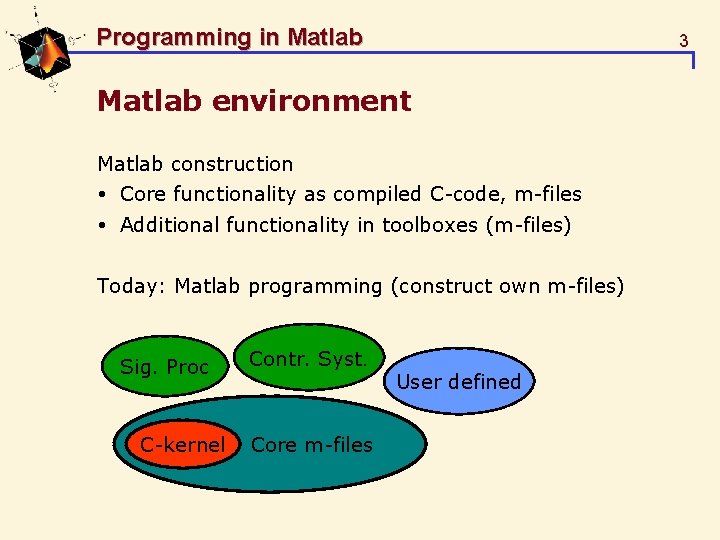
Programming in Matlab 3 Matlab environment Matlab construction Core functionality as compiled C-code, m-files Additional functionality in toolboxes (m-files) Today: Matlab programming (construct own m-files) Sig. Proc C-kernel Contr. Syst. Core m-files User defined
Programming in Matlab 4 The programming environment The working directory is controlled by >> dir >> cd catalogue >> pwd The path variable defines where matlab searches for m-files >> path >> addpath >> pathtool >> which function
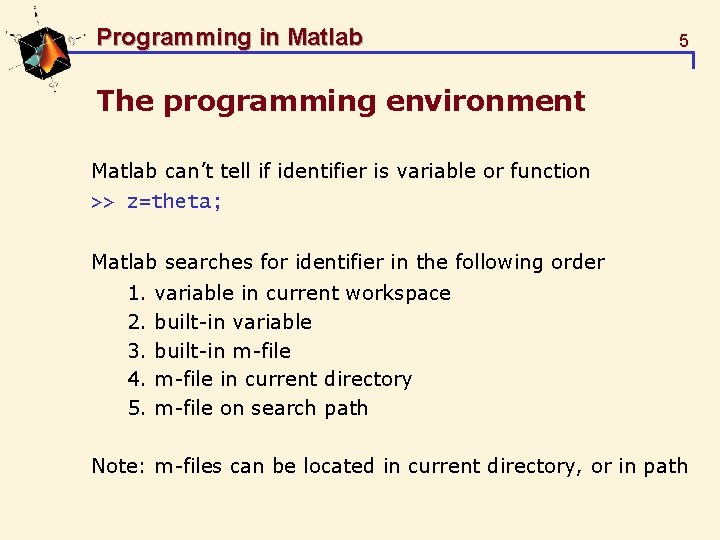
Programming in Matlab 5 The programming environment Matlab can’t tell if identifier is variable or function >> z=theta; Matlab searches for identifier in the following order 1. 2. 3. 4. 5. variable in current workspace built-in variable built-in m-file in current directory m-file on search path Note: m-files can be located in current directory, or in path
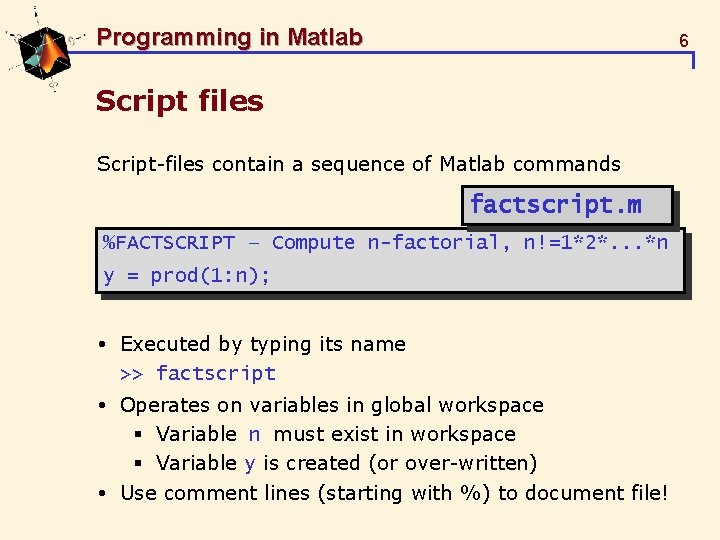
Programming in Matlab 6 Script files Script-files contain a sequence of Matlab commands factscript. m %FACTSCRIPT – Compute n-factorial, n!=1*2*. . . *n y = prod(1: n); Executed by typing its name >> factscript Operates on variables in global workspace § Variable n must exist in workspace § Variable y is created (or over-written) Use comment lines (starting with %) to document file!
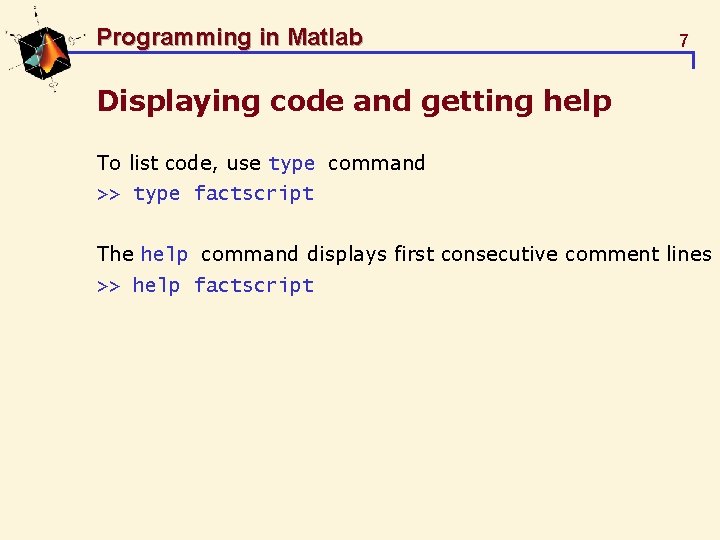
Programming in Matlab 7 Displaying code and getting help To list code, use type command >> type factscript The help command displays first consecutive comment lines >> help factscript
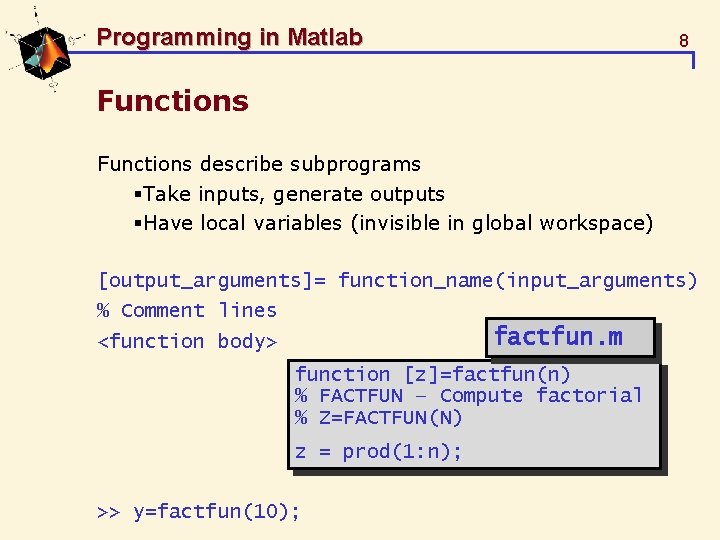
Programming in Matlab 8 Functions describe subprograms §Take inputs, generate outputs §Have local variables (invisible in global workspace) [output_arguments]= function_name(input_arguments) % Comment lines factfun. m <function body> function [z]=factfun(n) % FACTFUN – Compute factorial % Z=FACTFUN(N) z = prod(1: n); >> y=factfun(10);
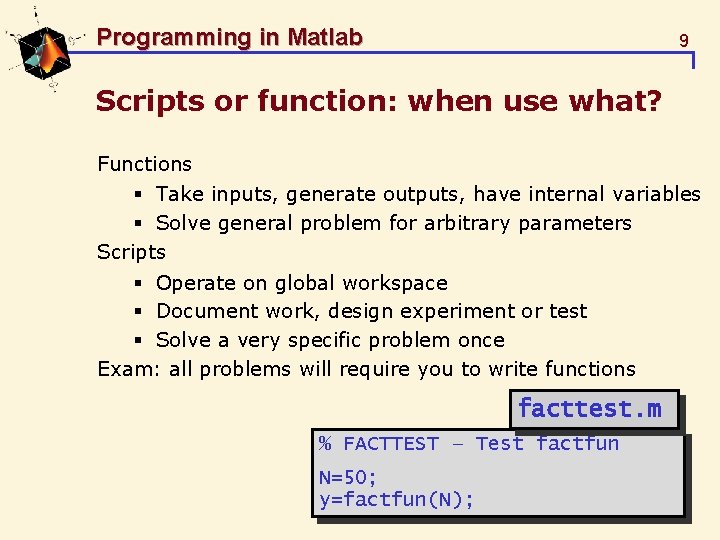
Programming in Matlab 9 Scripts or function: when use what? Functions § Take inputs, generate outputs, have internal variables § Solve general problem for arbitrary parameters Scripts § Operate on global workspace § Document work, design experiment or test § Solve a very specific problem once Exam: all problems will require you to write functions facttest. m % FACTTEST – Test factfun N=50; y=factfun(N);
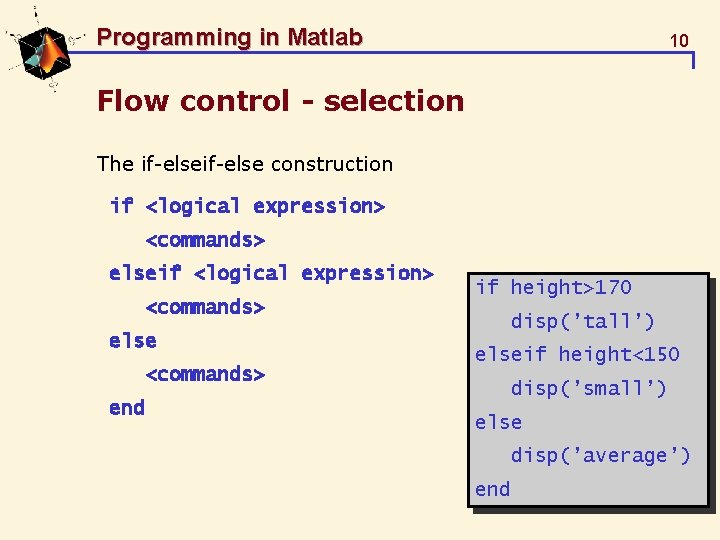
Programming in Matlab 10 Flow control - selection The if-else construction if <logical expression> <commands> else <commands> end if height>170 disp(’tall’) elseif height<150 disp(’small’) else disp(’average’) end
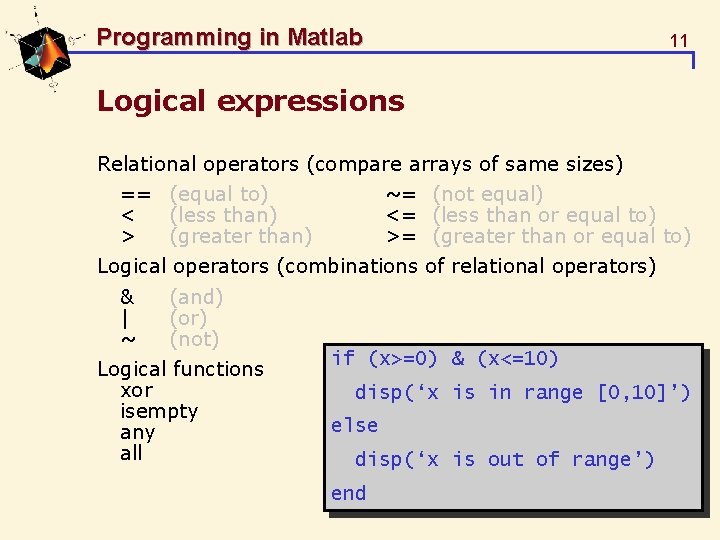
Programming in Matlab 11 Logical expressions Relational operators (compare arrays of same sizes) == (equal to) < (less than) > (greater than) ~= (not equal) <= (less than or equal to) >= (greater than or equal to) Logical operators (combinations of relational operators) & | ~ (and) (or) (not) Logical functions xor isempty any all if (x>=0) & (x<=10) disp(‘x is in range [0, 10]’) else disp(‘x is out of range’) end
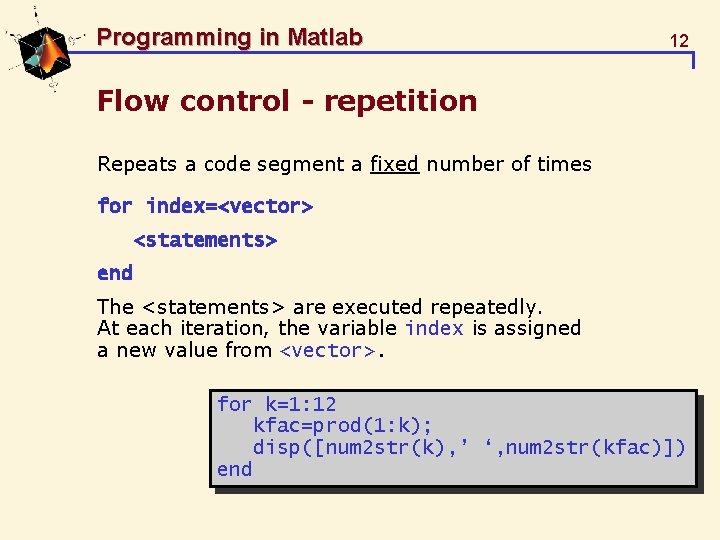
Programming in Matlab 12 Flow control - repetition Repeats a code segment a fixed number of times for index=<vector> <statements> end The <statements> are executed repeatedly. At each iteration, the variable index is assigned a new value from <vector>. for k=1: 12 kfac=prod(1: k); disp([num 2 str(k), ’ ‘, num 2 str(kfac)]) end
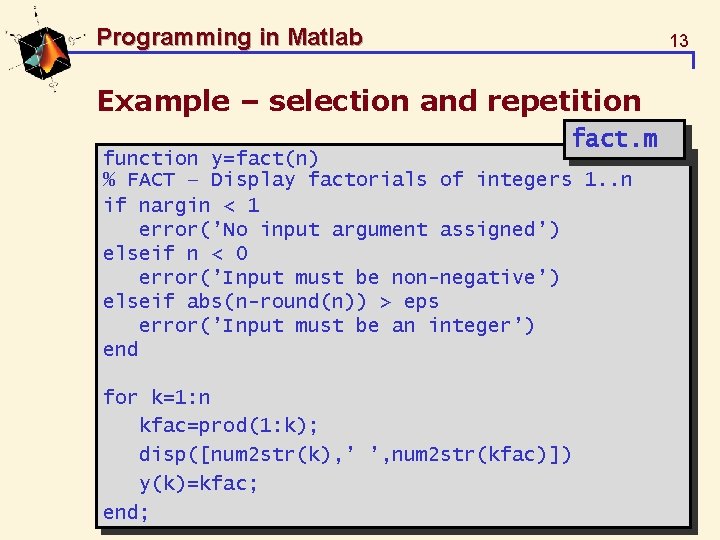
Programming in Matlab 13 Example – selection and repetition fact. m function y=fact(n) % FACT – Display factorials of integers 1. . n if nargin < 1 error(’No input argument assigned’) elseif n < 0 error(’Input must be non-negative’) elseif abs(n-round(n)) > eps error(’Input must be an integer’) end for k=1: n kfac=prod(1: k); disp([num 2 str(k), ’ ’, num 2 str(kfac)]) y(k)=kfac; end;
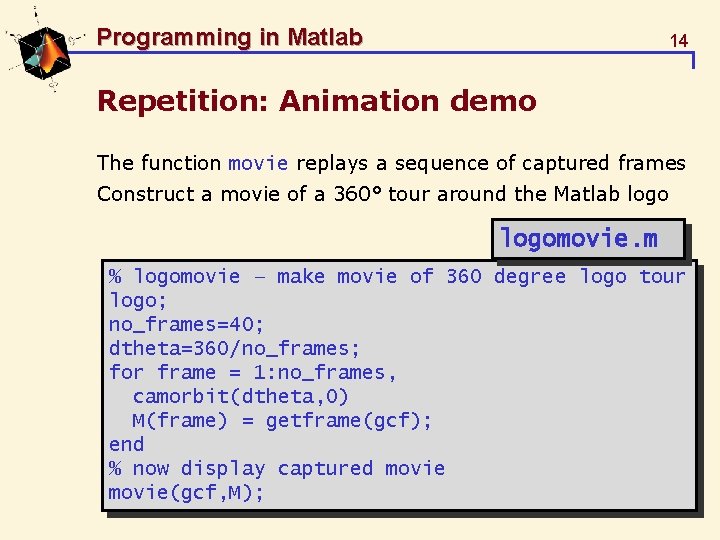
Programming in Matlab 14 Repetition: Animation demo The function movie replays a sequence of captured frames Construct a movie of a 360° tour around the Matlab logomovie. m % logomovie – make movie of 360 degree logo tour logo; no_frames=40; dtheta=360/no_frames; for frame = 1: no_frames, camorbit(dtheta, 0) M(frame) = getframe(gcf); end % now display captured movie(gcf, M);
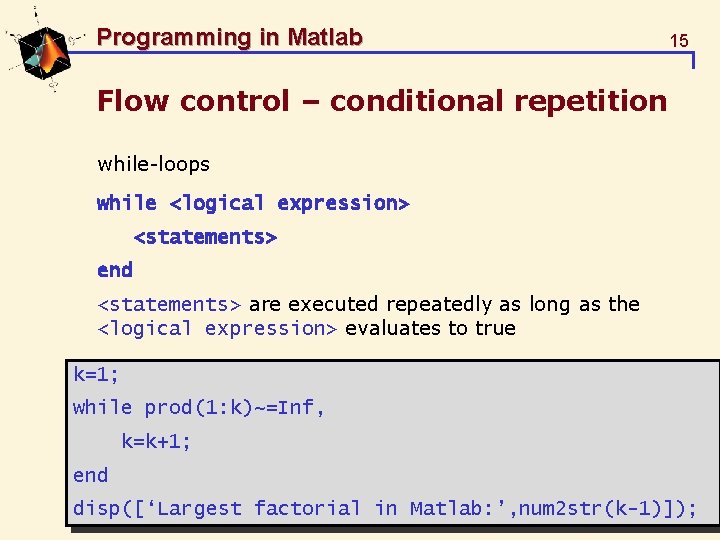
Programming in Matlab 15 Flow control – conditional repetition while-loops while <logical expression> <statements> end <statements> are executed repeatedly as long as the <logical expression> evaluates to true k=1; while prod(1: k)~=Inf, k=k+1; end disp([‘Largest factorial in Matlab: ’, num 2 str(k-1)]);
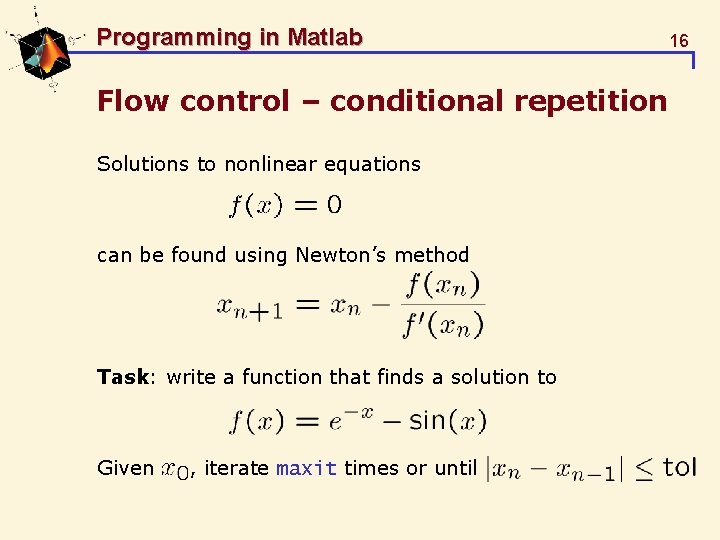
Programming in Matlab Flow control – conditional repetition Solutions to nonlinear equations can be found using Newton’s method Task: write a function that finds a solution to Given , iterate maxit times or until 16
![Programming in Matlab 17 Flow control – conditional repetition newton. m function [x, n]](http://slidetodoc.com/presentation_image_h2/51a7880c966041435b965f544edd1c2f/image-17.jpg "Programming in Matlab 17 Flow control – conditional repetition newton. m function [x, n]")
Programming in Matlab 17 Flow control – conditional repetition newton. m function [x, n] = newton(x 0, tol, maxit) % NEWTON – Newton’s method for solving equations % [x, n] = NEWTON(x 0, tol, maxit) x = x 0; n = 0; done=0; while ~done, n = n + 1; x_new = x - (exp(-x)-sin(x))/(-exp(-x)-cos(x)); done=(n>=maxit) | ( abs(x_new-x)<tol ); x=x_new; end >> [x, n]=newton(0, 1 e-3, 10)
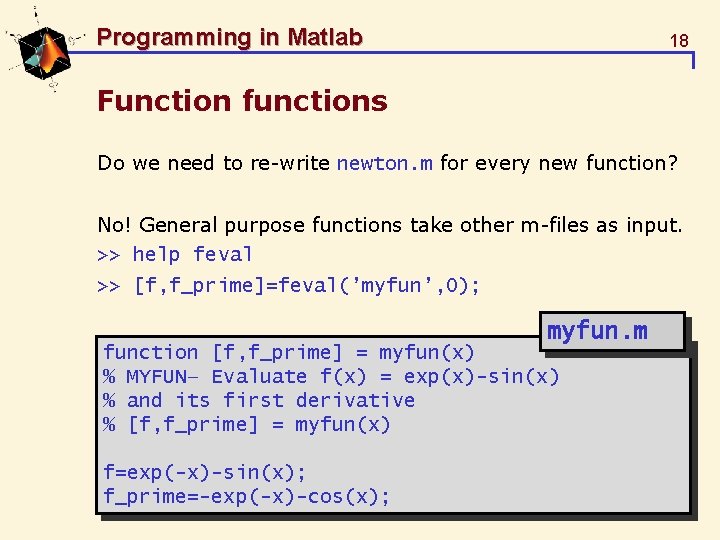
Programming in Matlab 18 Function functions Do we need to re-write newton. m for every new function? No! General purpose functions take other m-files as input. >> help feval >> [f, f_prime]=feval(’myfun’, 0); myfun. m function [f, f_prime] = myfun(x) % MYFUN– Evaluate f(x) = exp(x)-sin(x) % and its first derivative % [f, f_prime] = myfun(x) f=exp(-x)-sin(x); f_prime=-exp(-x)-cos(x);
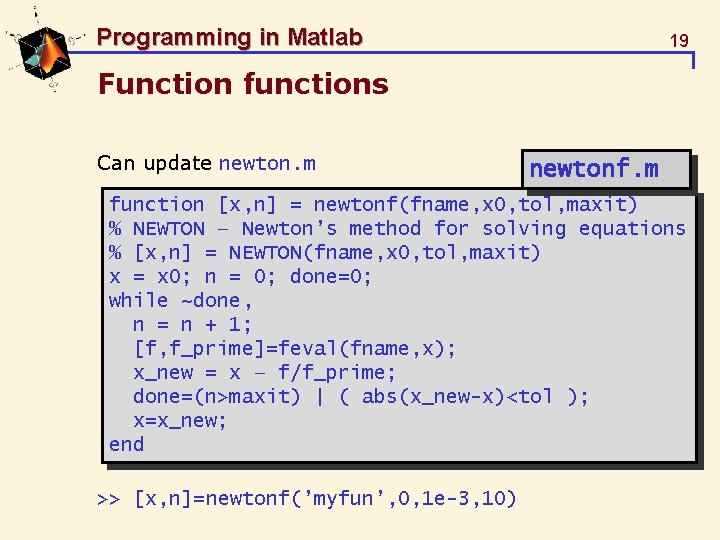
Programming in Matlab 19 Function functions Can update newton. m newtonf. m function [x, n] = newtonf(fname, x 0, tol, maxit) % NEWTON – Newton’s method for solving equations % [x, n] = NEWTON(fname, x 0, tol, maxit) x = x 0; n = 0; done=0; while ~done, n = n + 1; [f, f_prime]=feval(fname, x); x_new = x – f/f_prime; done=(n>maxit) | ( abs(x_new-x)<tol ); x=x_new; end >> [x, n]=newtonf(’myfun’, 0, 1 e-3, 10)
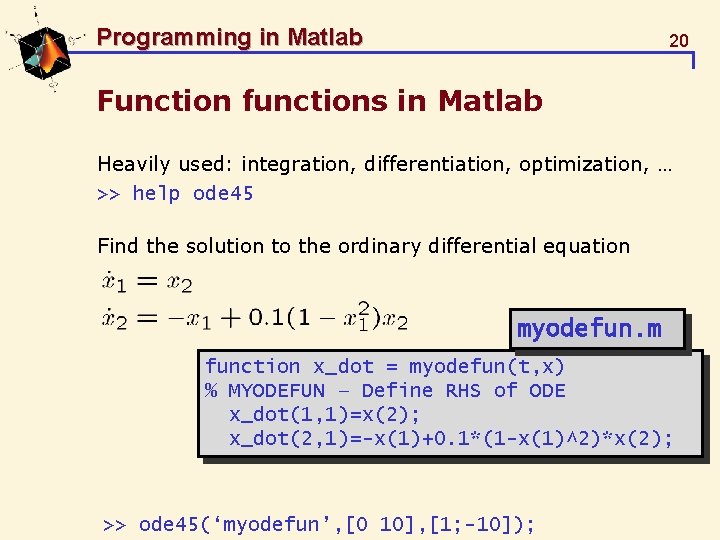
Programming in Matlab 20 Function functions in Matlab Heavily used: integration, differentiation, optimization, … >> help ode 45 Find the solution to the ordinary differential equation myodefun. m function x_dot = myodefun(t, x) % MYODEFUN – Define RHS of ODE x_dot(1, 1)=x(2); x_dot(2, 1)=-x(1)+0. 1*(1 -x(1)^2)*x(2); >> ode 45(‘myodefun’, [0 10], [1; -10]);
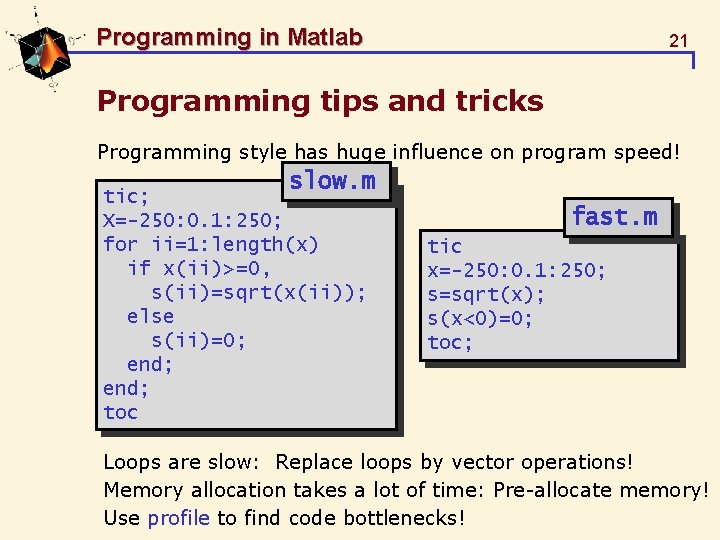
Programming in Matlab 21 Programming tips and tricks Programming style has huge influence on program speed! slow. m tic; X=-250: 0. 1: 250; for ii=1: length(x) if x(ii)>=0, s(ii)=sqrt(x(ii)); else s(ii)=0; end; toc fast. m tic x=-250: 0. 1: 250; s=sqrt(x); s(x<0)=0; toc; Loops are slow: Replace loops by vector operations! Memory allocation takes a lot of time: Pre-allocate memory! Use profile to find code bottlenecks!
Programming in Matlab 22 Summary User-defined functionality in m-files § Stored in current directory, or on search path Script-files vs. functions § Functions have local variables, § Scripts operate on global workspace Writing m-files § Header (function definition), comments, program body § Have inputs, generate outputs, use internal variables § Flow control: ”if. . . elseif. . . if”, ”for”, ”while” § General-purpose functions: use functions as inputs Programming style and speed § Vectorization, memory allocation, profiler
Programming in Matlab 23 Advanced Matlab Programming Functions § Can have variable number of inputs and outputs (see: nargin, nargout, varargin, varargout) § Can have internal functions (see page 53) Data types: more than just arrays and strings: § Structures (see page 67) § Cell arrays (see page 64) File handling § Supports most C-commands for file I/O (fprintf, …)
Programming in Matlab 24 Advanced Matlab Programming Object-orientation (see pages 72 -75) § Object: “structure” + methods § Creation, encapsulation, inheritage, aggregation Graphical user interfaces (see pages 76 -83) § Based on “handle” concept for graphics (last lecture) § Menus, buttons, slides, and interactive graphics Interfacing other codes § Can call compiled C/C++ (“mex”), Java and Active. X
- Slides: 24