
Introduction to MATLAB Chris Diduch University of New
Introduction to MATLAB Chris Diduch University of New Brunswick January 31 – February 4, 2004 Royal Bhutan University RBIT, Rinchending Day-5
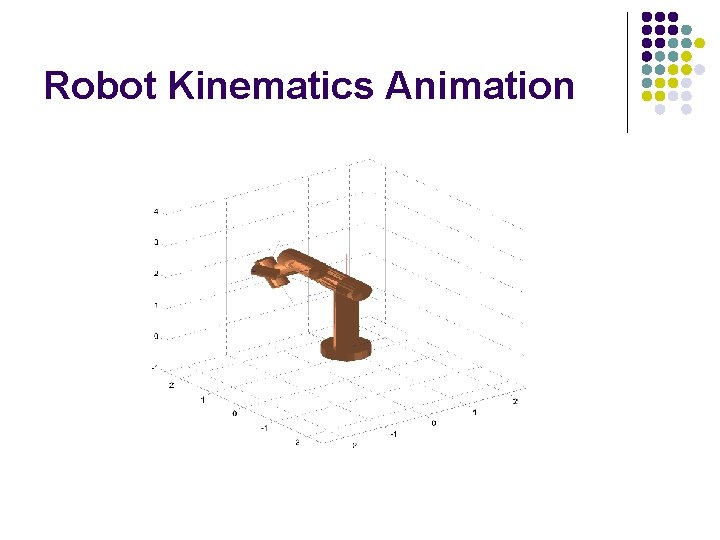
Robot Kinematics Animation
Robot Kinematic Animations l l l Build 3 D cylinder shapes for each link Coordinates of adjacent links are related through a homogenous transformation The homogenous transformation specifies a rotation and translation of points An end effector trajectory is generated by interpolating between points Change the rotation and translation of each link as governed by the next interpolated point Redraw or update the figure display
Graphical User Interfaces l l l l GUI’s are attached to figure windows Pull down menus Push buttons Check boxes Text boxes Sliders Popup menus ….
GUI for the Pendulum l l Add a Pause and End push button Add a Slider and Text box for changing and displaying the pendulum length parameter
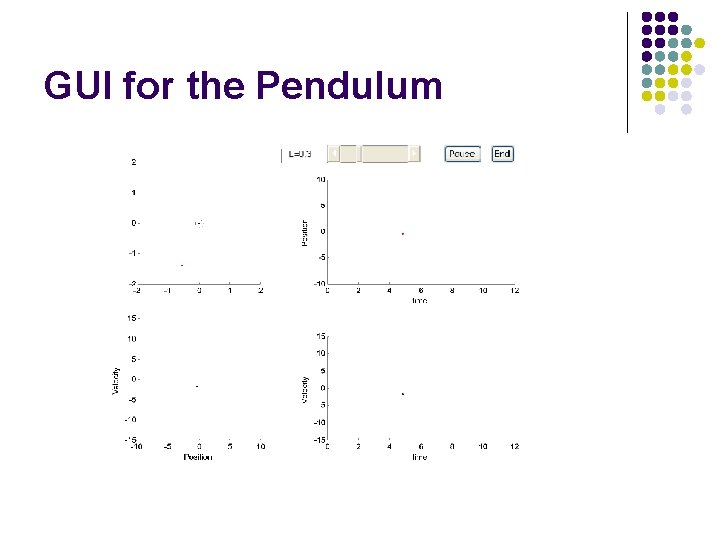
GUI for the Pendulum
Day 5 Proposed Topics l l l Symbolic math toolbox Simulink Control systems toolbox Identification toolbox Signal processing toolbox
Symbolic Math Toolbox l l Manipulate and solve symbolic equations MAPLE (licensed by Mathworks) is the underlying engine
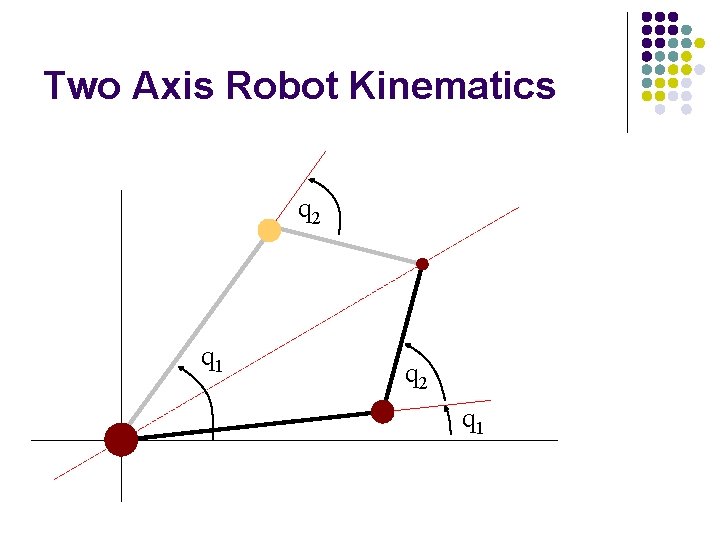
Two Axis Robot Kinematics q 2 q 1
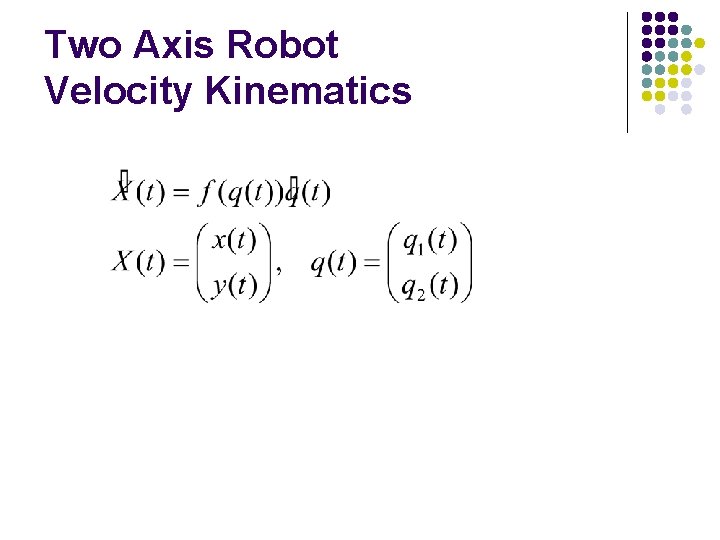
Two Axis Robot Velocity Kinematics
Simulink l l Graphical entry tool for dynamic systems A dynamic model relating outputs to inputs May use Simulink for simulation With other toolboxes (Real time workshop, x. PC Target …) Ø Ø Ø May interface to data acquisition hardware May be compiled and executed under a real time operating system Supports multiple targets
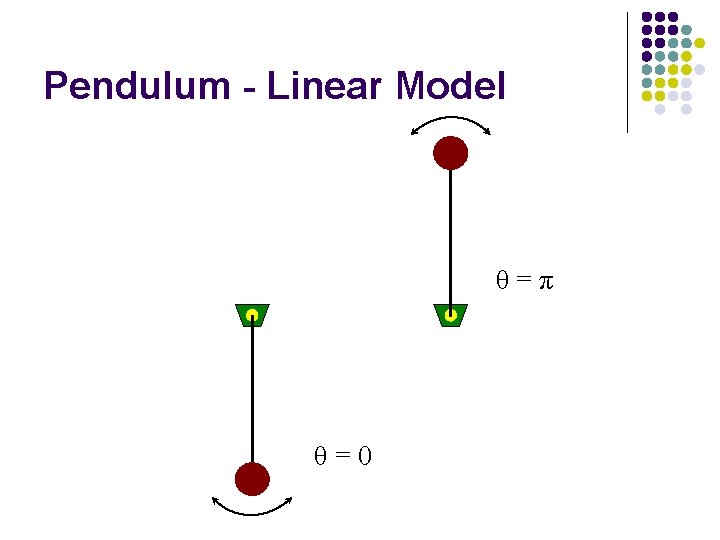
Pendulum - Linear Model θ=π θ=0
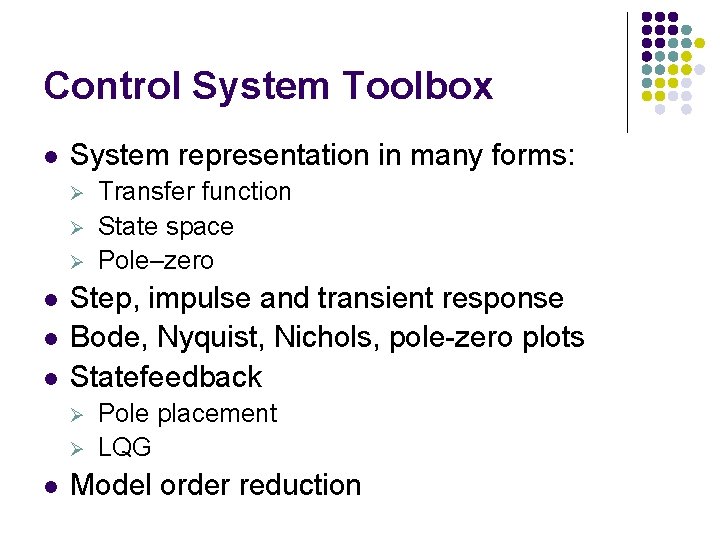
Control System Toolbox l System representation in many forms: Ø Ø Ø l l l Step, impulse and transient response Bode, Nyquist, Nichols, pole-zero plots Statefeedback Ø Ø l Transfer function State space Pole–zero Pole placement LQG Model order reduction
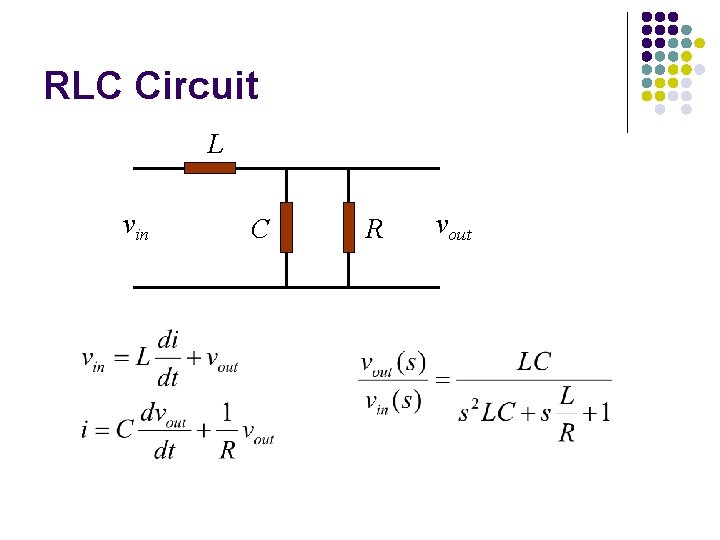
RLC Circuit L vin C R vout
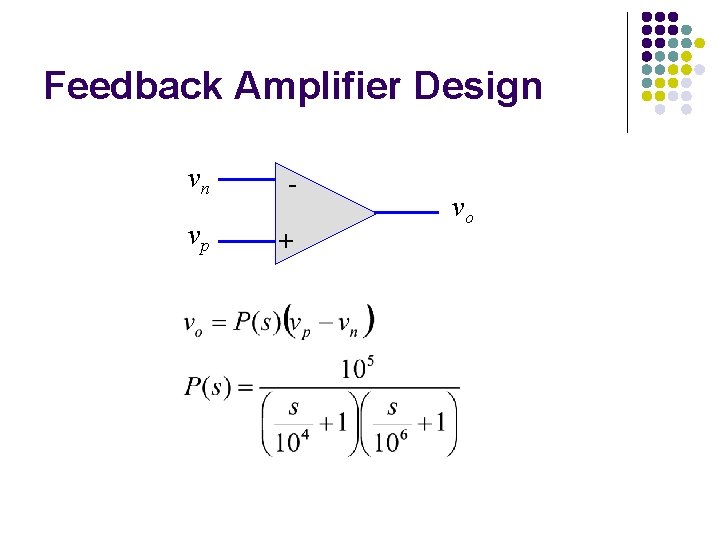
Feedback Amplifier Design vn - vp + vo
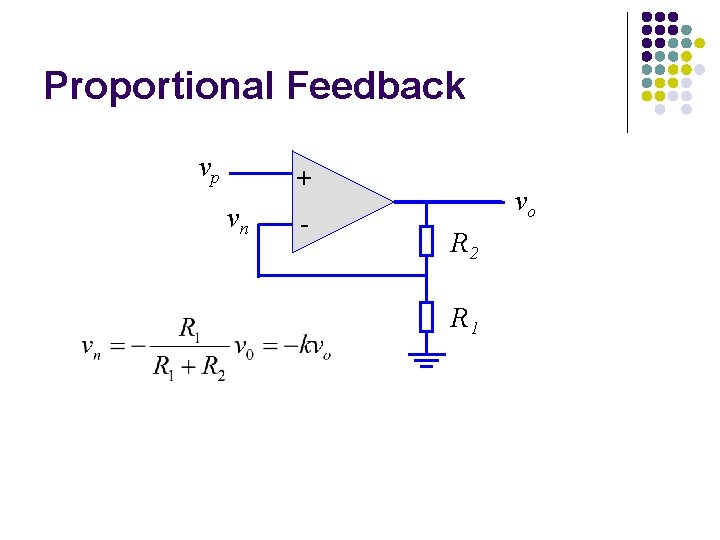
Proportional Feedback vp + vn - vo R 2 R 1
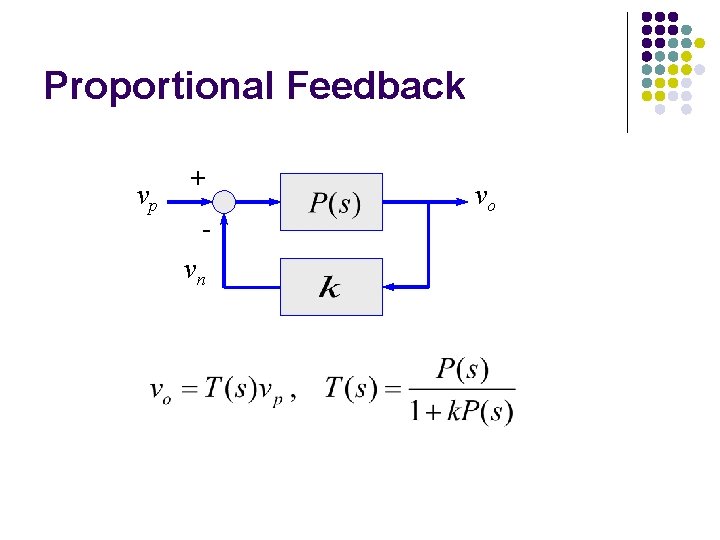
Proportional Feedback vp + vn vo
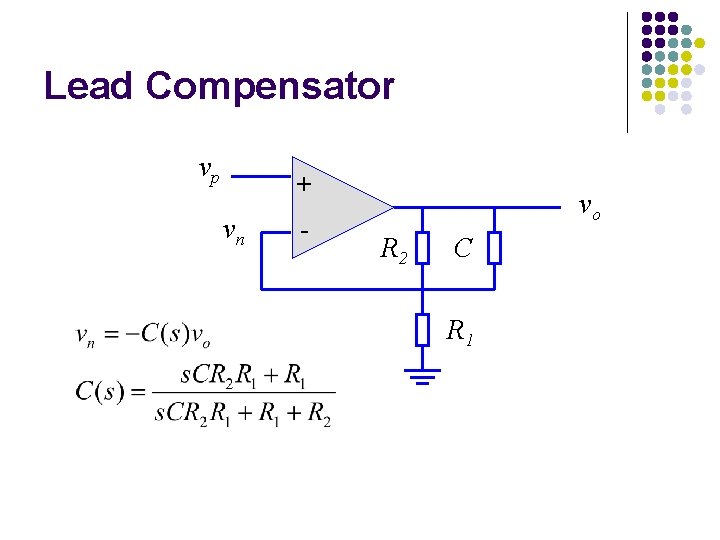
Lead Compensator vp + vn - vo R 2 C R 1
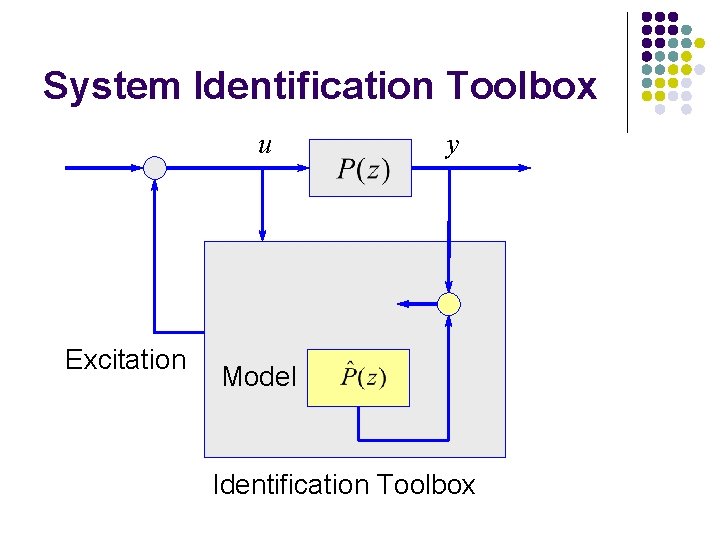
System Identification Toolbox u Excitation y Model Identification Toolbox
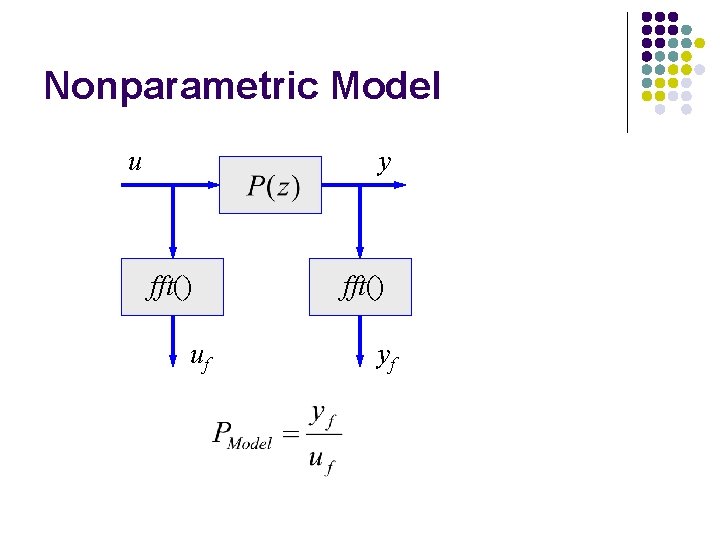
Nonparametric Model u y fft() uf fft() yf
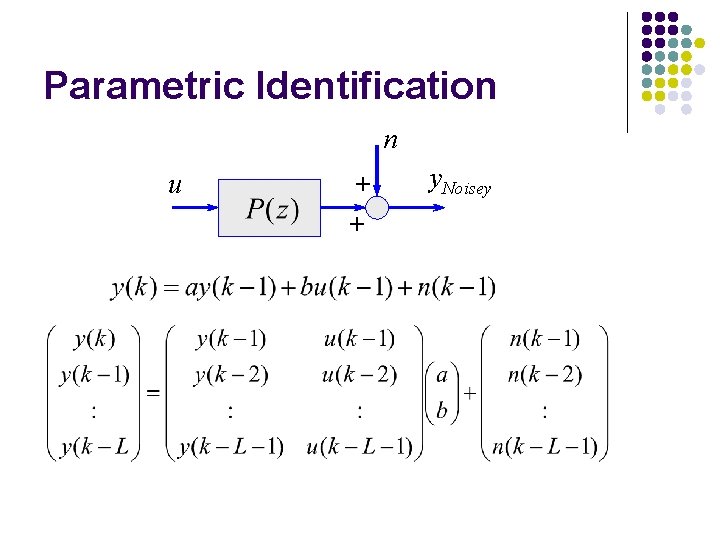
Parametric Identification n u + + y. Noisey
Identification Algorithms l l l Spectral analysis, spa() Predictive error method, pem() Autoregressive, ar() Instrumental variables, iv 4() Autoregressive moving average, arma() Box-Jenkins, bj()
Signal Processing Toolbox l l l Filtering and FFT’s Signals representation Time and frequency response IIR and FIR filter analysis and design Statistical signal processing Ø Ø Correlation and covariance Spectral analysis Windowing Cepstrum analysis
Digital Filters and Correlation l l l Input, u, is selected as a pulse Plot u and filter output, y Plot FFT of input pulse, u Plot FFT of filter output, y Plot autocorrelation of input pulse, u Plot autocorrelation of filter output, y
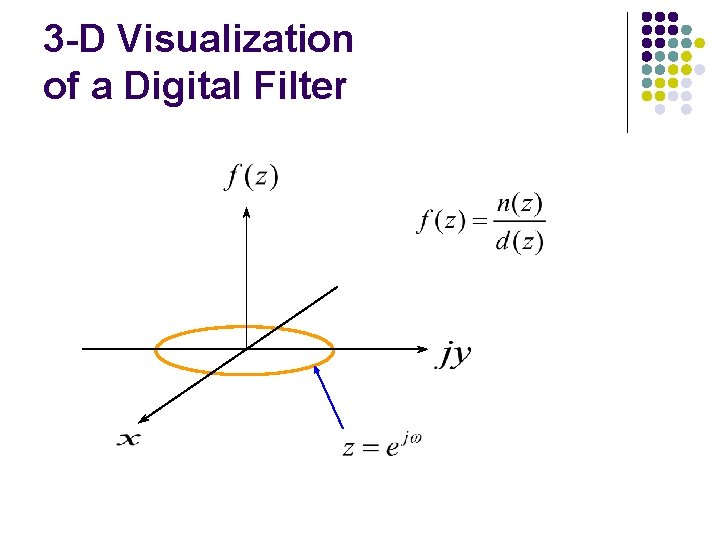
3 -D Visualization of a Digital Filter
Final Summary l l l l MATLAB windows and navigation. Arrays: create, append, index, delete. Array operations: element-by-element, matrix arithmetic, relational and logical. Data analysis: linear equations, linear algebra, least squares. 2 -D and 3 -D plots. Handle graphics and simple animation Toolboxes
- Slides: 26