
Introduction to JFC Swing CS 680 Developing User
- Slides: 62
Introduction to JFC Swing CS 680: Developing User Interfaces. Dario Salvucci, Drexel University. 1
Java and user interfaces n n Platform independence for user interfaces has been notoriously hard Java’s first foray: AWT (Abstract Window Toolkit) – provided common code for widgets — components such as windows, buttons, menus, … – good first start, but platform independence wasn’t quite there • AWT relied on windowing code on native machine – so in practice, somewhat flaky CS 680: Developing User Interfaces. Dario Salvucci, Drexel University. 2
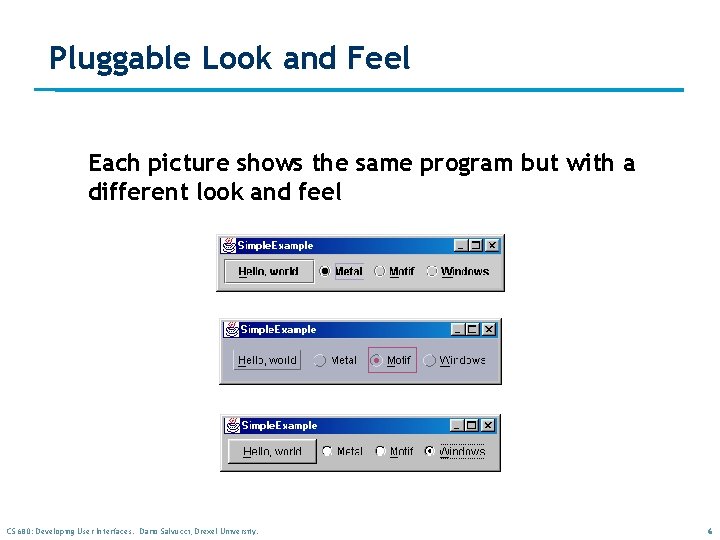
Java and user interfaces (2) n n Current Java 2: integrated JFC & Swing – GUI component toolkit, including all widgets – no native windowing code, to improve on AWT n JFC (Java Foundation Classes) – includes Swing components – includes other software such as… • “pluggable look and feel” • accessibility support for disabled n AWT still there, but we can mostly ignore it CS 680: Developing User Interfaces. Dario Salvucci, Drexel University. 3
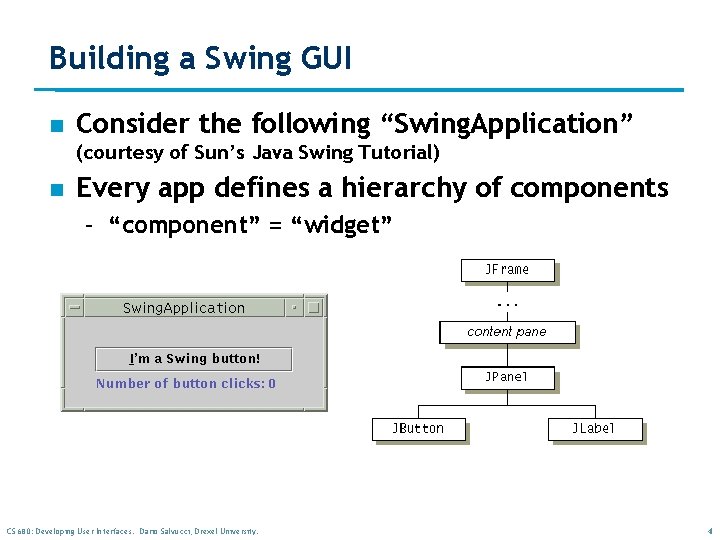
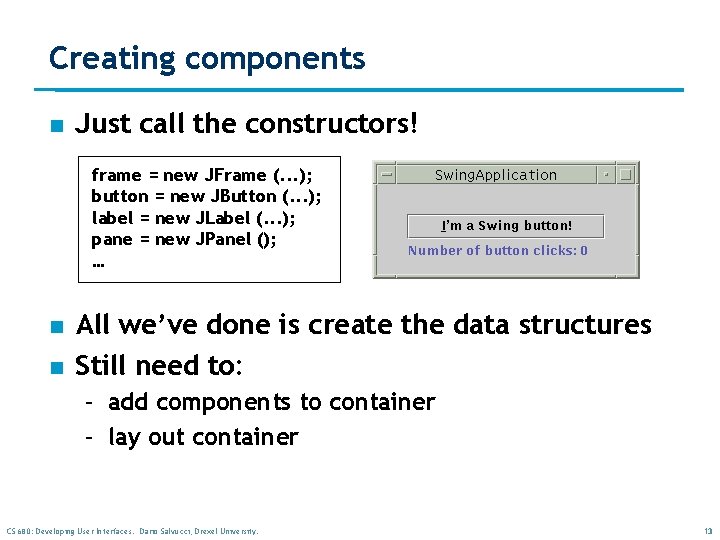
Building a Swing GUI n Consider the following “Swing. Application” (courtesy of Sun’s Java Swing Tutorial) n Every app defines a hierarchy of components – “component” = “widget” CS 680: Developing User Interfaces. Dario Salvucci, Drexel University. 4
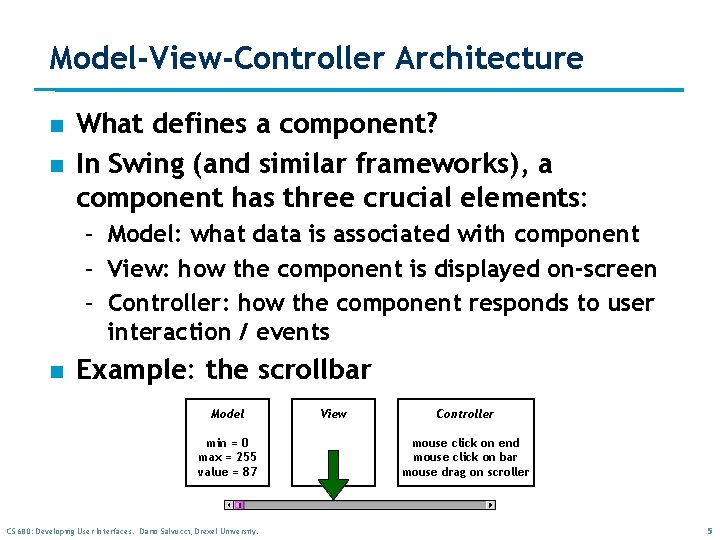
Model-View-Controller Architecture n n What defines a component? In Swing (and similar frameworks), a component has three crucial elements: – Model: what data is associated with component – View: how the component is displayed on-screen – Controller: how the component responds to user interaction / events n Example: the scrollbar Model min = 0 max = 255 value = 87 CS 680: Developing User Interfaces. Dario Salvucci, Drexel University. View Controller mouse click on end mouse click on bar mouse drag on scroller 5
Pluggable Look and Feel Each picture shows the same program but with a different look and feel CS 680: Developing User Interfaces. Dario Salvucci, Drexel University. 6
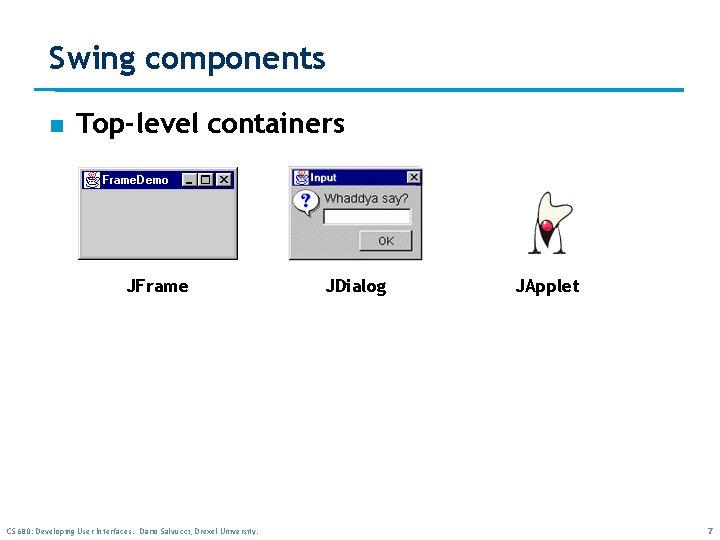
Swing components n Top-level containers JFrame CS 680: Developing User Interfaces. Dario Salvucci, Drexel University. JDialog JApplet 7
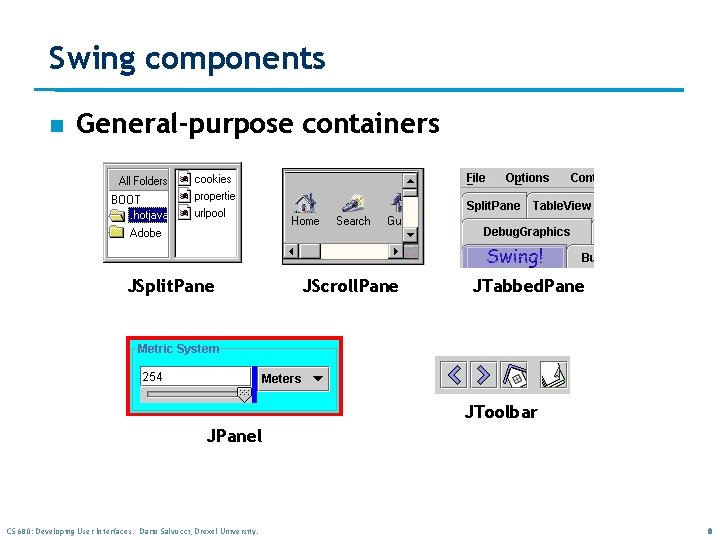
Swing components n General-purpose containers JSplit. Pane JScroll. Pane JTabbed. Pane JToolbar JPanel CS 680: Developing User Interfaces. Dario Salvucci, Drexel University. 8
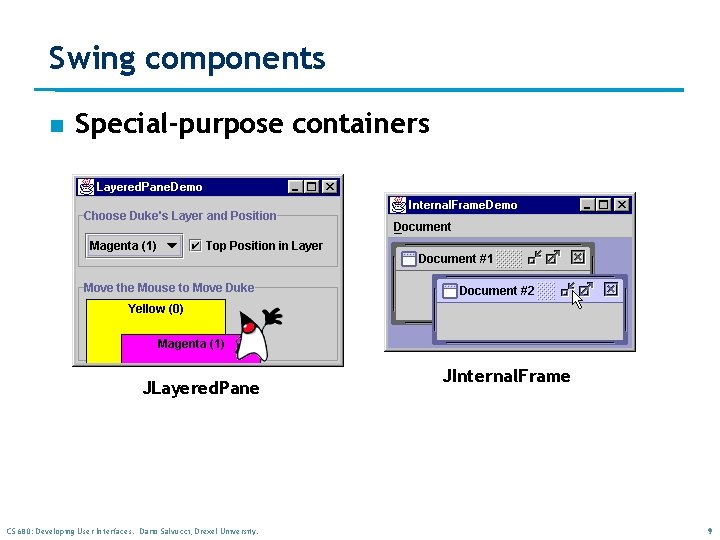
Swing components n Special-purpose containers JLayered. Pane CS 680: Developing User Interfaces. Dario Salvucci, Drexel University. JInternal. Frame 9
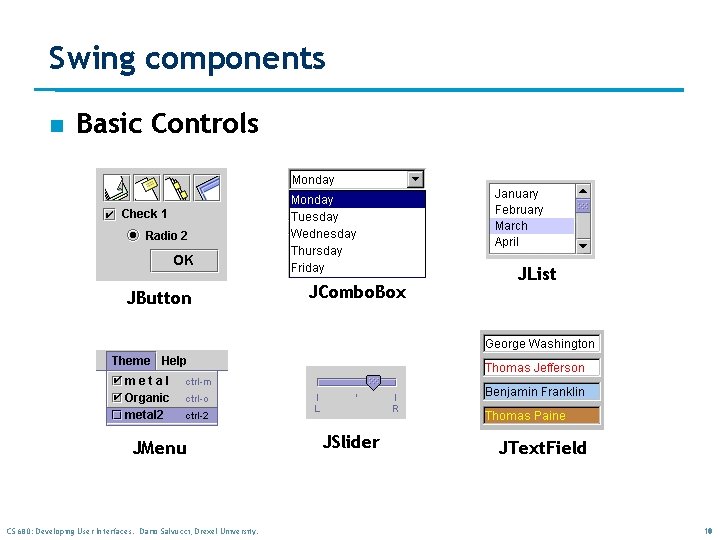
Swing components n Basic Controls JButton JMenu CS 680: Developing User Interfaces. Dario Salvucci, Drexel University. JCombo. Box JSlider JList JText. Field 10
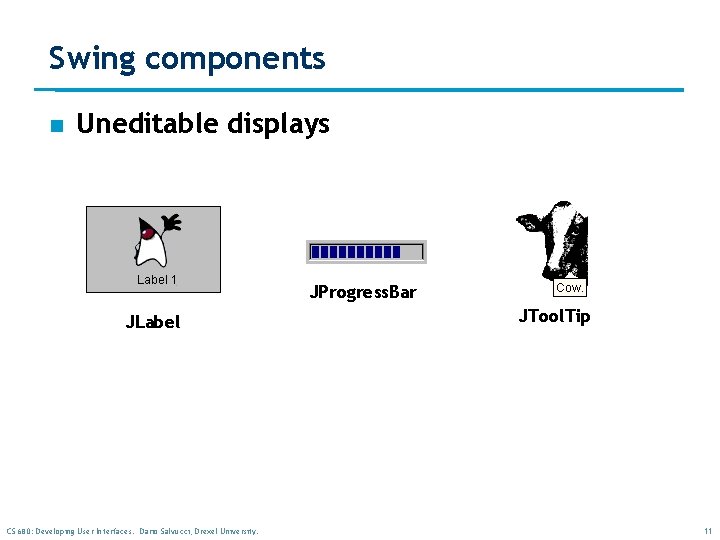
Swing components n Uneditable displays JProgress. Bar JLabel CS 680: Developing User Interfaces. Dario Salvucci, Drexel University. JTool. Tip 11
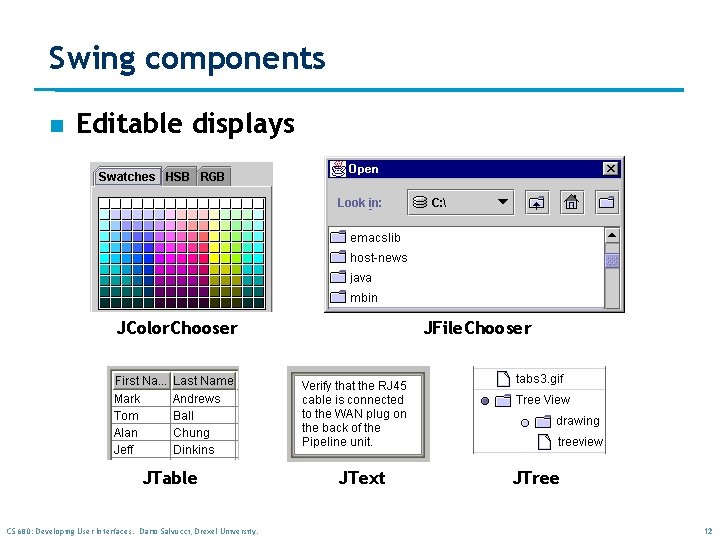
Swing components n Editable displays JColor. Chooser JTable CS 680: Developing User Interfaces. Dario Salvucci, Drexel University. JFile. Chooser JText JTree 12
Creating components n Just call the constructors! frame = new JFrame (. . . ); button = new JButton (. . . ); label = new JLabel (. . . ); pane = new JPanel (); … n n All we’ve done is create the data structures Still need to: – add components to container – lay out container CS 680: Developing User Interfaces. Dario Salvucci, Drexel University. 13
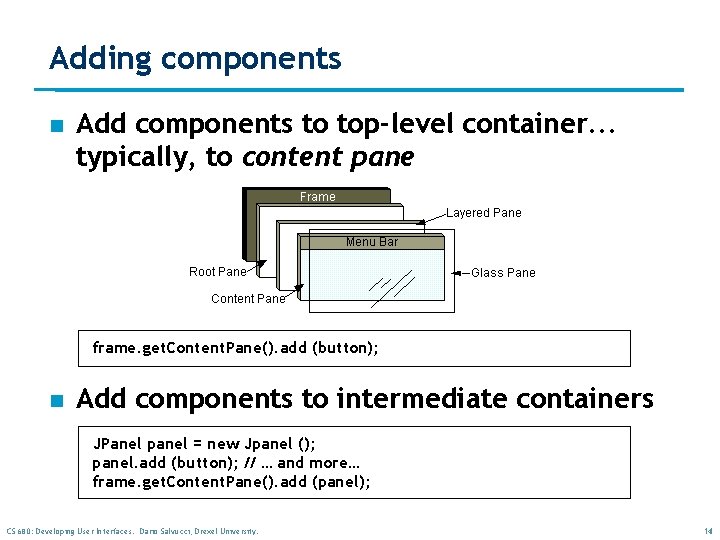
Adding components n Add components to top-level container. . . typically, to content pane frame. get. Content. Pane(). add (button); n Add components to intermediate containers JPanel panel = new Jpanel (); panel. add (button); // … and more… frame. get. Content. Pane(). add (panel); CS 680: Developing User Interfaces. Dario Salvucci, Drexel University. 14
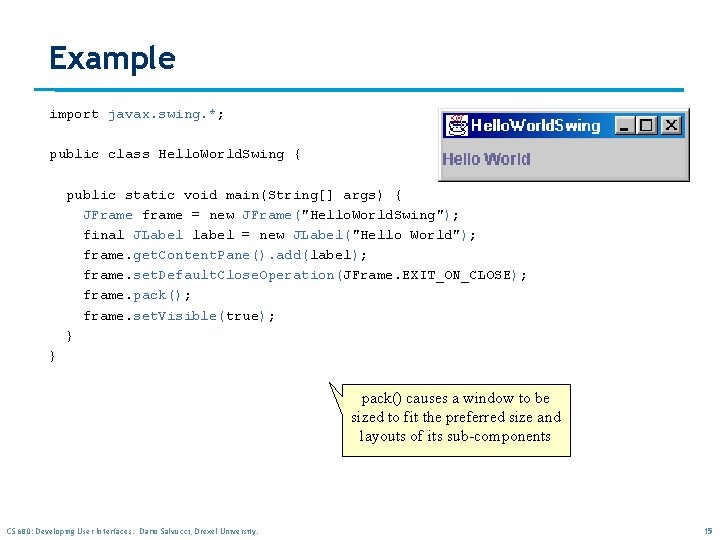
Example import javax. swing. *; public class Hello. World. Swing { public static void main(String[] args) { JFrame frame = new JFrame("Hello. World. Swing"); final JLabel label = new JLabel("Hello World"); frame. get. Content. Pane(). add(label); frame. set. Default. Close. Operation(JFrame. EXIT_ON_CLOSE); frame. pack(); frame. set. Visible(true); } } pack() causes a window to be sized to fit the preferred size and layouts of its sub-components CS 680: Developing User Interfaces. Dario Salvucci, Drexel University. 15
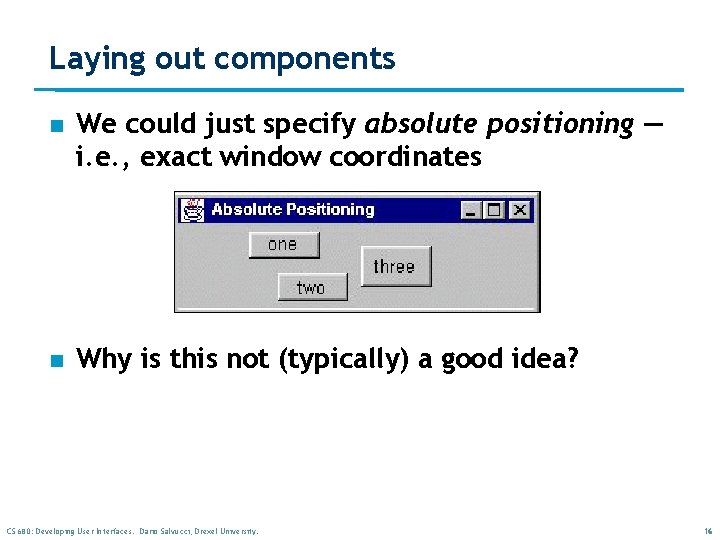
Laying out components n We could just specify absolute positioning — i. e. , exact window coordinates n Why is this not (typically) a good idea? CS 680: Developing User Interfaces. Dario Salvucci, Drexel University. 16
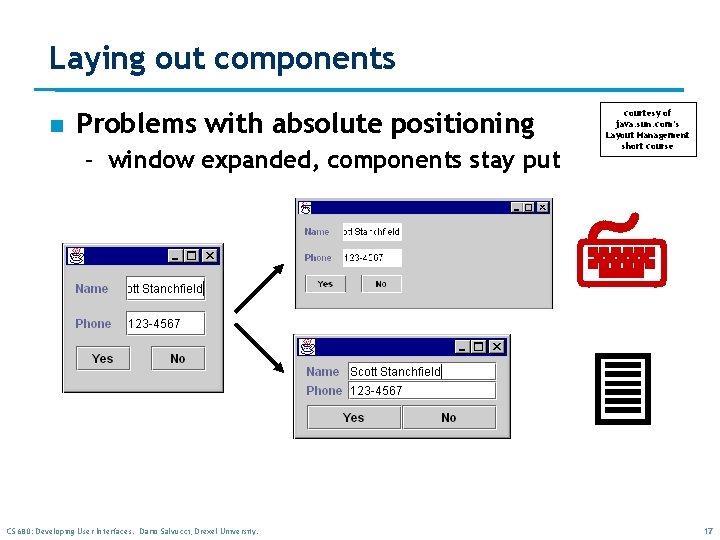
Laying out components n Problems with absolute positioning – window expanded, components stay put courtesy of java. sun. com’s Layout Management short course 7 3 CS 680: Developing User Interfaces. Dario Salvucci, Drexel University. 17
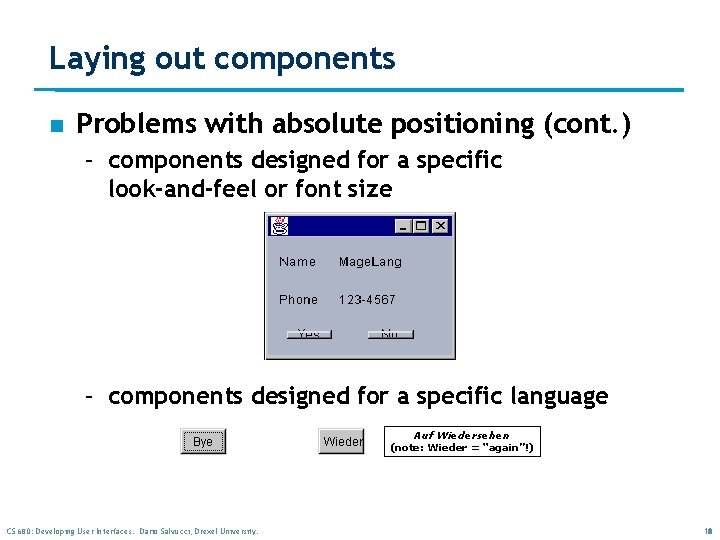
Laying out components n Problems with absolute positioning (cont. ) – components designed for a specific look-and-feel or font size – components designed for a specific language Auf Wiedersehen (note: Wieder = “again”!) CS 680: Developing User Interfaces. Dario Salvucci, Drexel University. 18
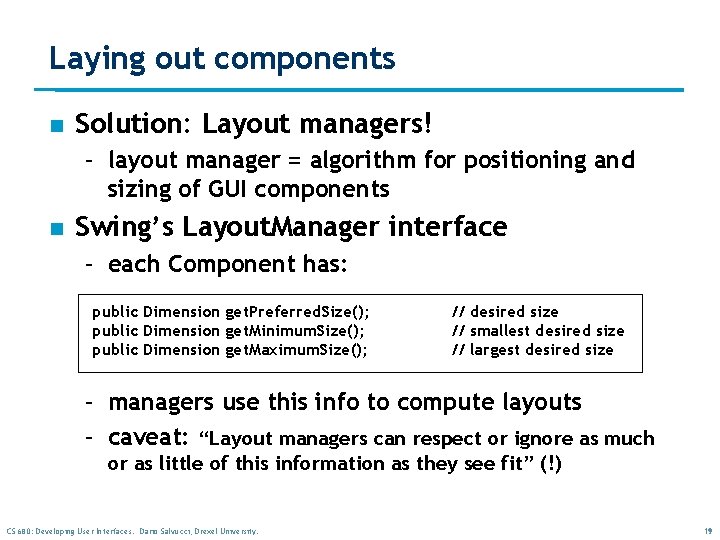
Laying out components n Solution: Layout managers! – layout manager = algorithm for positioning and sizing of GUI components n Swing’s Layout. Manager interface – each Component has: public Dimension get. Preferred. Size(); public Dimension get. Minimum. Size(); public Dimension get. Maximum. Size(); // desired size // smallest desired size // largest desired size – managers use this info to compute layouts – caveat: “Layout managers can respect or ignore as much or as little of this information as they see fit” (!) CS 680: Developing User Interfaces. Dario Salvucci, Drexel University. 19
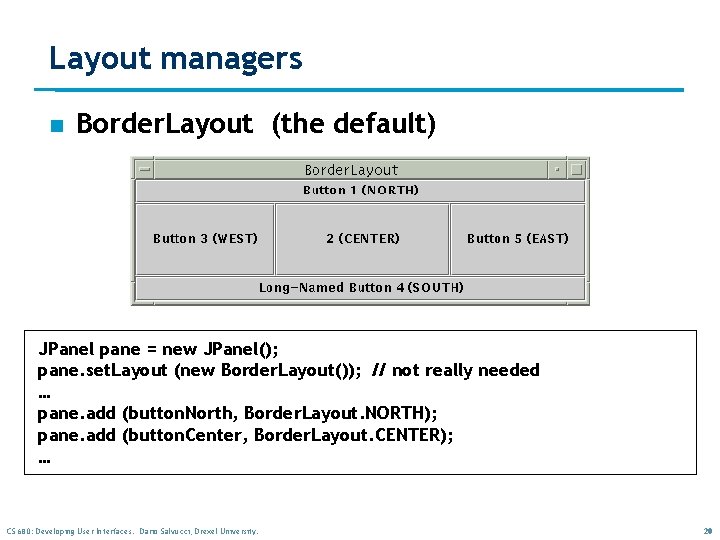
Layout managers n Border. Layout (the default) JPanel pane = new JPanel(); pane. set. Layout (new Border. Layout()); // not really needed … pane. add (button. North, Border. Layout. NORTH); pane. add (button. Center, Border. Layout. CENTER); … CS 680: Developing User Interfaces. Dario Salvucci, Drexel University. 20
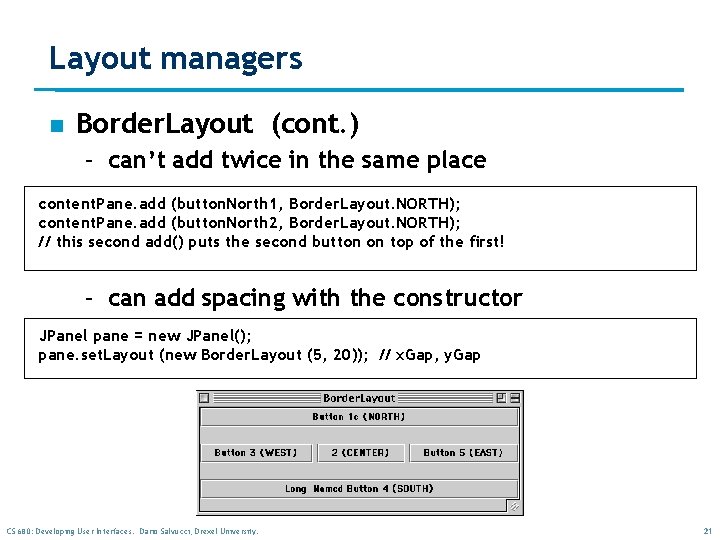
Layout managers n Border. Layout (cont. ) – can’t add twice in the same place content. Pane. add (button. North 1, Border. Layout. NORTH); content. Pane. add (button. North 2, Border. Layout. NORTH); // this second add() puts the second button on top of the first! – can add spacing with the constructor JPanel pane = new JPanel(); pane. set. Layout (new Border. Layout (5, 20)); // x. Gap, y. Gap CS 680: Developing User Interfaces. Dario Salvucci, Drexel University. 21
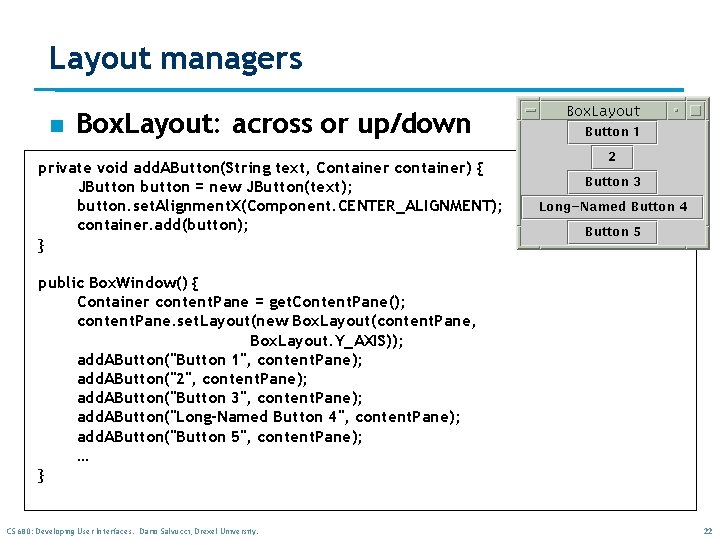
Layout managers n Box. Layout: across or up/down private void add. AButton(String text, Container container) { JButton button = new JButton(text); button. set. Alignment. X(Component. CENTER_ALIGNMENT); container. add(button); } public Box. Window() { Container content. Pane = get. Content. Pane(); content. Pane. set. Layout(new Box. Layout(content. Pane, Box. Layout. Y_AXIS)); add. AButton("Button 1", content. Pane); add. AButton("2", content. Pane); add. AButton("Button 3", content. Pane); add. AButton("Long-Named Button 4", content. Pane); add. AButton("Button 5", content. Pane); … } CS 680: Developing User Interfaces. Dario Salvucci, Drexel University. 22
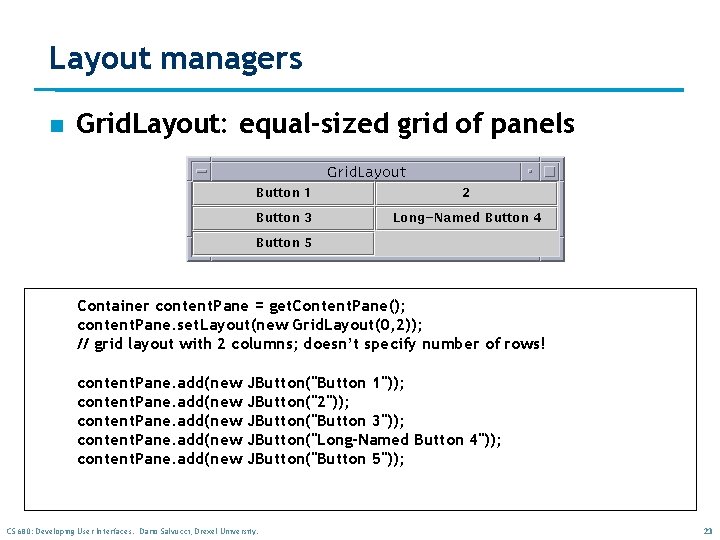
Layout managers n Grid. Layout: equal-sized grid of panels Container content. Pane = get. Content. Pane(); content. Pane. set. Layout(new Grid. Layout(0, 2)); // grid layout with 2 columns; doesn’t specify number of rows! content. Pane. add(new JButton("Button 1")); JButton("2")); JButton("Button 3")); JButton("Long-Named Button 4")); JButton("Button 5")); CS 680: Developing User Interfaces. Dario Salvucci, Drexel University. 23
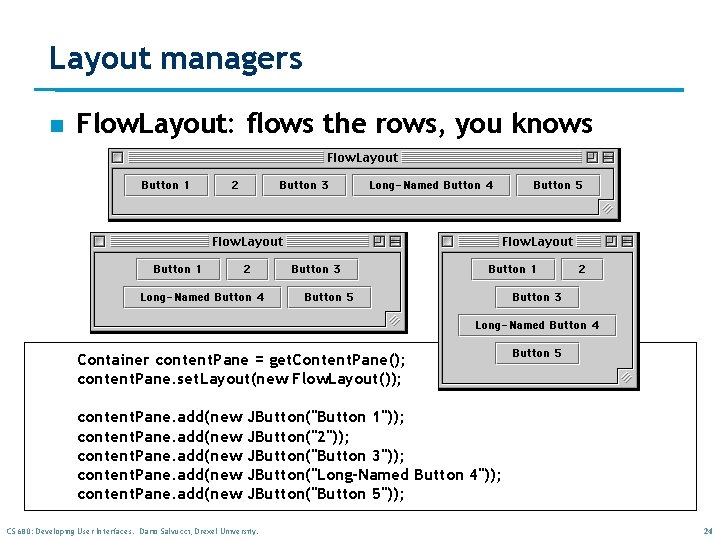
Layout managers n Flow. Layout: flows the rows, you knows Container content. Pane = get. Content. Pane(); content. Pane. set. Layout(new Flow. Layout()); content. Pane. add(new JButton("Button 1")); JButton("2")); JButton("Button 3")); JButton("Long-Named Button 4")); JButton("Button 5")); CS 680: Developing User Interfaces. Dario Salvucci, Drexel University. 24
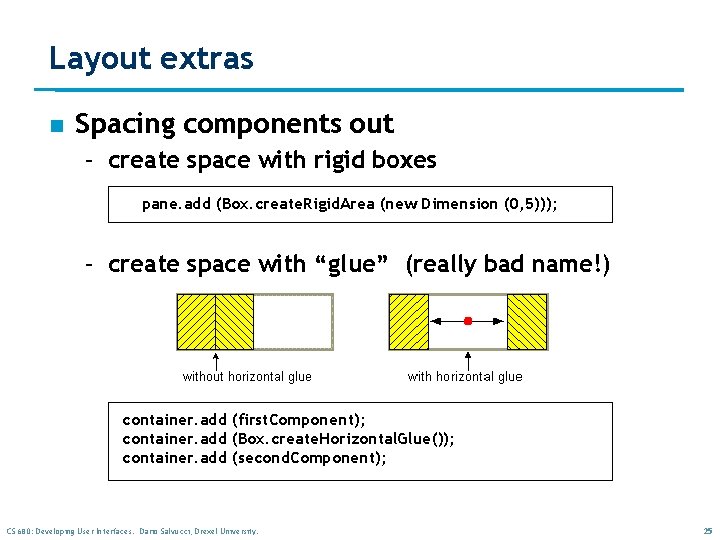
Layout extras n Spacing components out – create space with rigid boxes pane. add (Box. create. Rigid. Area (new Dimension (0, 5))); – create space with “glue” (really bad name!) container. add (first. Component); container. add (Box. create. Horizontal. Glue()); container. add (second. Component); CS 680: Developing User Interfaces. Dario Salvucci, Drexel University. 25
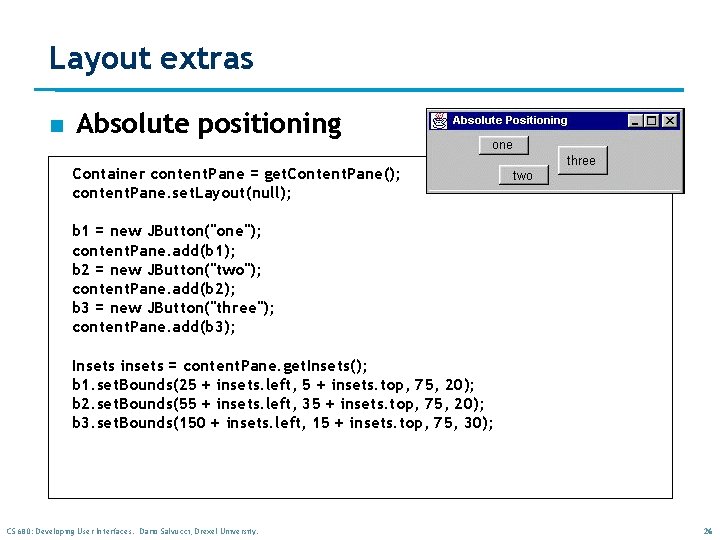
Layout extras n Absolute positioning Container content. Pane = get. Content. Pane(); content. Pane. set. Layout(null); b 1 = new JButton("one"); content. Pane. add(b 1); b 2 = new JButton("two"); content. Pane. add(b 2); b 3 = new JButton("three"); content. Pane. add(b 3); Insets insets = content. Pane. get. Insets(); b 1. set. Bounds(25 + insets. left, 5 + insets. top, 75, 20); b 2. set. Bounds(55 + insets. left, 35 + insets. top, 75, 20); b 3. set. Bounds(150 + insets. left, 15 + insets. top, 75, 30); CS 680: Developing User Interfaces. Dario Salvucci, Drexel University. 26
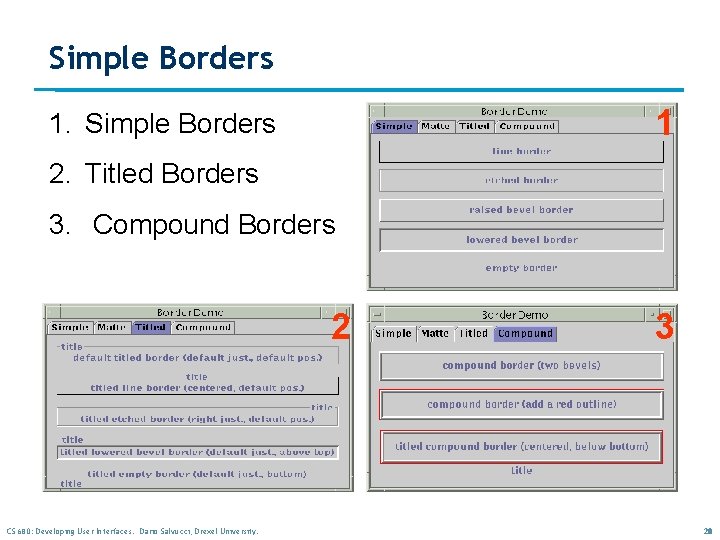
Borders n n Every JComponent can have one or more borders. The class Border. Factory may be used to create standard borders pane. set. Border(Border. Factory. create. Line. Border(Color. black)); n Using a compound border, you can combine any two borders, which can themselves be compound borders Border. Factory. create. Compound. Border(border 1, border 2); CS 680: Developing User Interfaces. Dario Salvucci, Drexel University. 27
Simple Borders 1 1. Simple Borders 2. Titled Borders 3. Compound Borders 2 CS 680: Developing User Interfaces. Dario Salvucci, Drexel University. 3 28
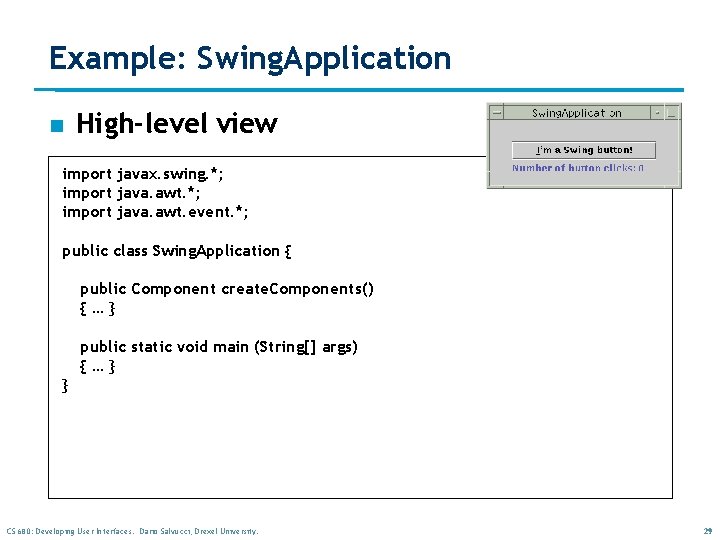
Example: Swing. Application n High-level view import javax. swing. *; import java. awt. event. *; public class Swing. Application { public Component create. Components() {…} public static void main (String[] args) {…} } CS 680: Developing User Interfaces. Dario Salvucci, Drexel University. 29
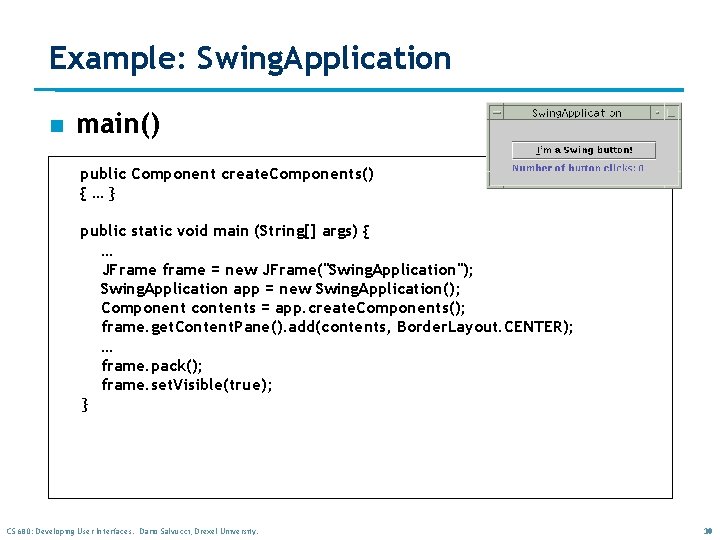
Example: Swing. Application n main() public Component create. Components() {…} public static void main (String[] args) { … JFrame frame = new JFrame("Swing. Application"); Swing. Application app = new Swing. Application(); Component contents = app. create. Components(); frame. get. Content. Pane(). add(contents, Border. Layout. CENTER); … frame. pack(); frame. set. Visible(true); } CS 680: Developing User Interfaces. Dario Salvucci, Drexel University. 30
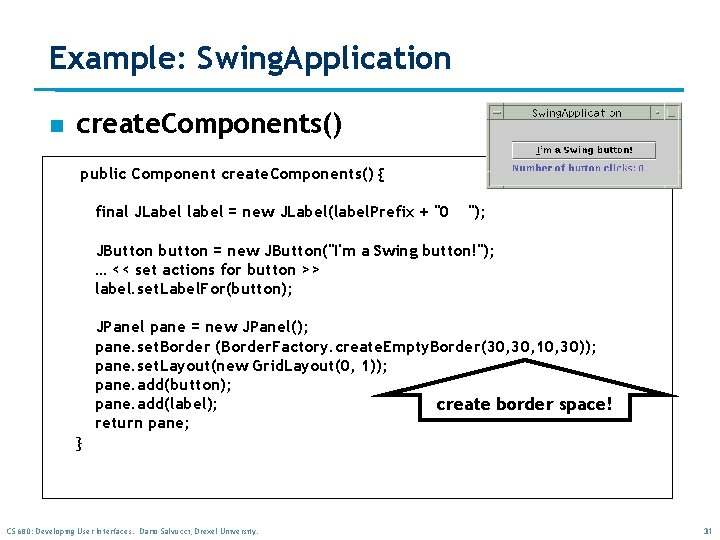
Example: Swing. Application n create. Components() public Component create. Components() { final JLabel label = new JLabel(label. Prefix + "0 "); JButton button = new JButton("I'm a Swing button!"); … << set actions for button >> label. set. Label. For(button); JPanel pane = new JPanel(); pane. set. Border (Border. Factory. create. Empty. Border(30, 10, 30)); pane. set. Layout(new Grid. Layout(0, 1)); pane. add(button); pane. add(label); create border space! return pane; } CS 680: Developing User Interfaces. Dario Salvucci, Drexel University. 31
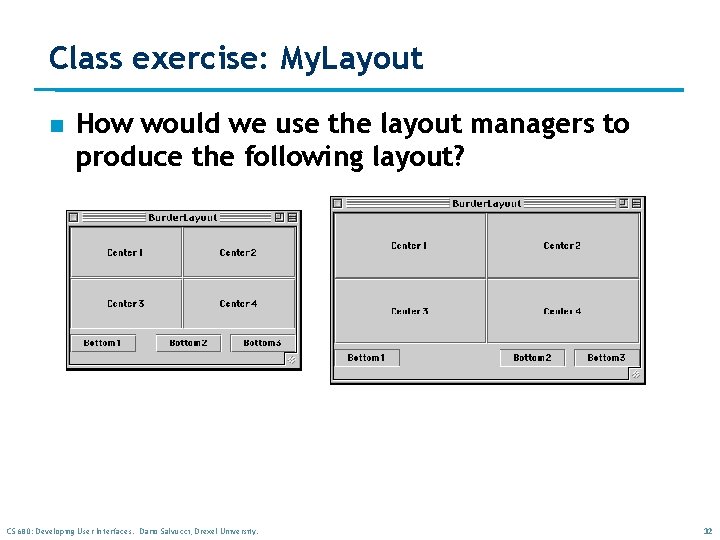
Class exercise: My. Layout n How would we use the layout managers to produce the following layout? CS 680: Developing User Interfaces. Dario Salvucci, Drexel University. 32
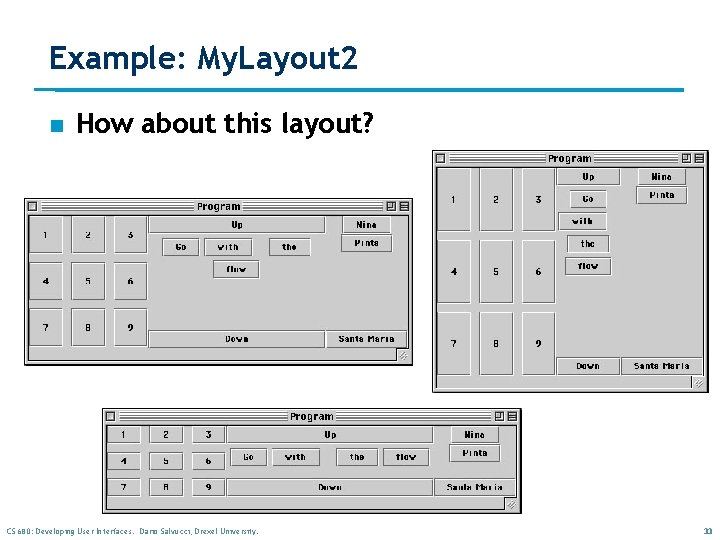
Example: My. Layout 2 n How about this layout? CS 680: Developing User Interfaces. Dario Salvucci, Drexel University. 33
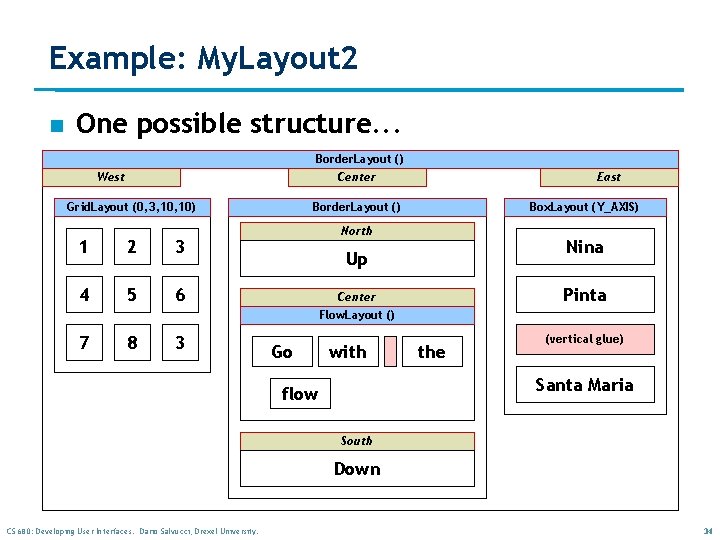
Example: My. Layout 2 n One possible structure. . . Border. Layout () Center West Grid. Layout (0, 3, 10) 1 2 3 4 5 6 7 8 3 East Border. Layout () Box. Layout (Y_AXIS) North Nina Up Pinta Center Flow. Layout () Go with the (vertical glue) Santa Maria flow South Down CS 680: Developing User Interfaces. Dario Salvucci, Drexel University. 34
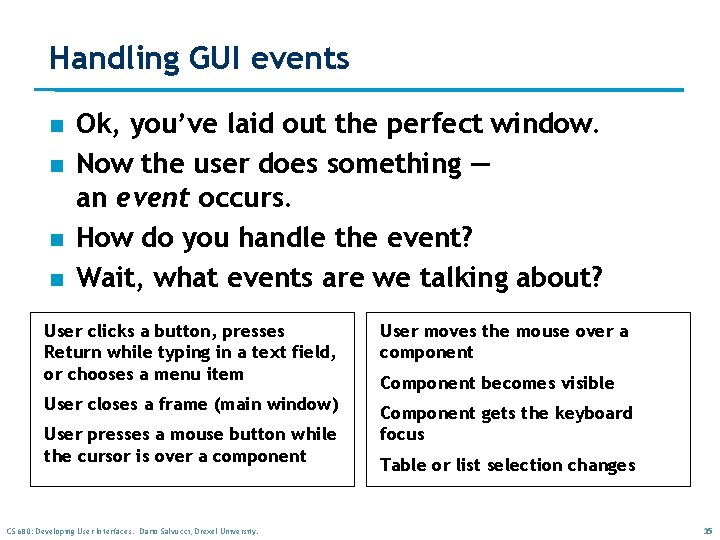
Handling GUI events n n Ok, you’ve laid out the perfect window. Now the user does something — an event occurs. How do you handle the event? Wait, what events are we talking about? User clicks a button, presses Return while typing in a text field, or chooses a menu item User moves the mouse over a component User closes a frame (main window) Component gets the keyboard focus User presses a mouse button while the cursor is over a component CS 680: Developing User Interfaces. Dario Salvucci, Drexel University. Component becomes visible Table or list selection changes 35
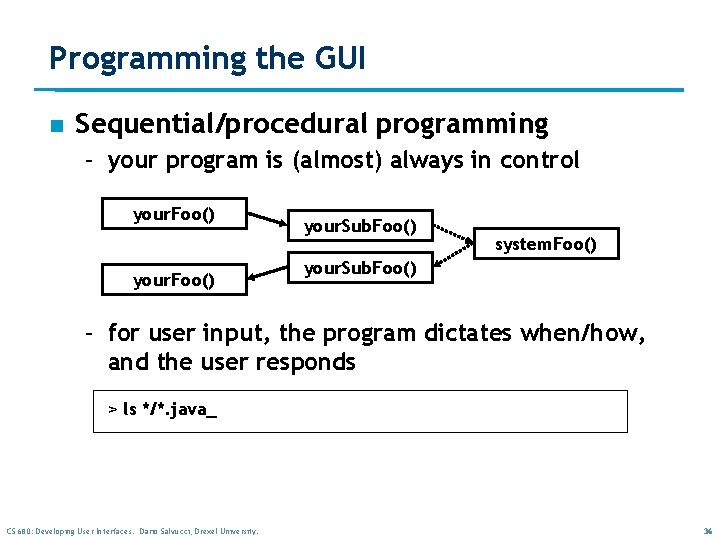
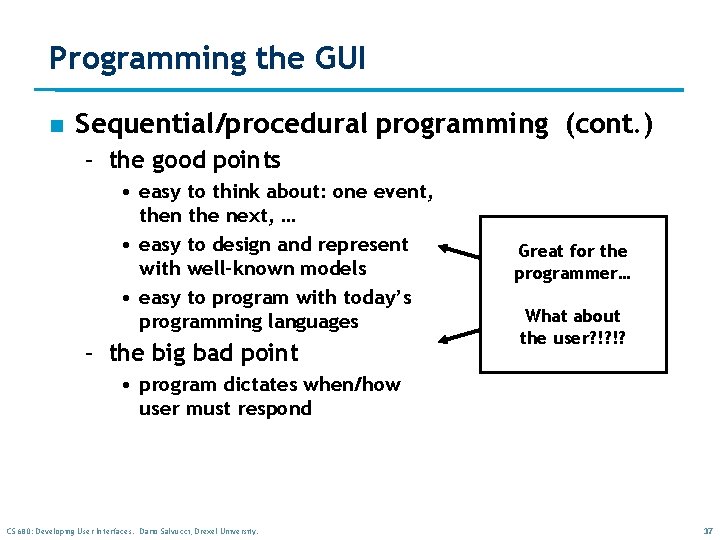
Programming the GUI n Sequential/procedural programming – your program is (almost) always in control your. Foo() your. Sub. Foo() system. Foo() your. Sub. Foo() – for user input, the program dictates when/how, and the user responds > ls */*. java_ CS 680: Developing User Interfaces. Dario Salvucci, Drexel University. 36
Programming the GUI n Sequential/procedural programming (cont. ) – the good points • easy to think about: one event, then the next, … • easy to design and represent with well-known models • easy to program with today’s programming languages – the big bad point Great for the programmer… What about the user? !? !? • program dictates when/how user must respond CS 680: Developing User Interfaces. Dario Salvucci, Drexel University. 37
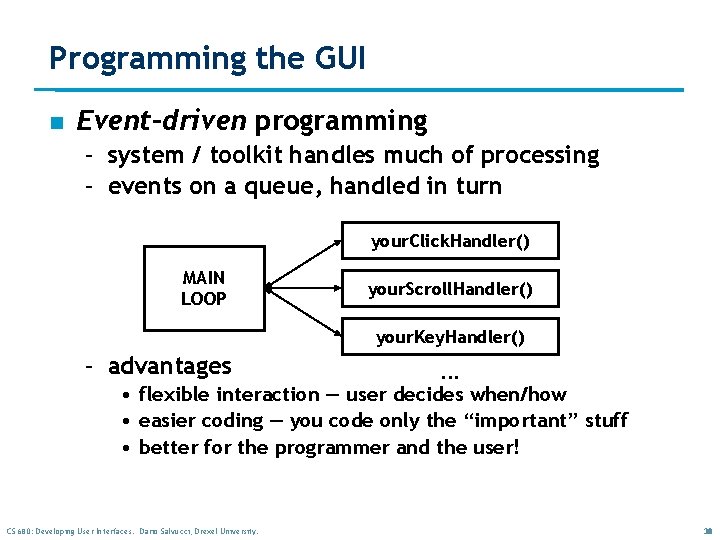
Programming the GUI n Event-driven programming – system / toolkit handles much of processing – events on a queue, handled in turn your. Click. Handler() MAIN LOOP your. Scroll. Handler() your. Key. Handler() – advantages . . . • flexible interaction — user decides when/how • easier coding — you code only the “important” stuff • better for the programmer and the user! CS 680: Developing User Interfaces. Dario Salvucci, Drexel University. 38
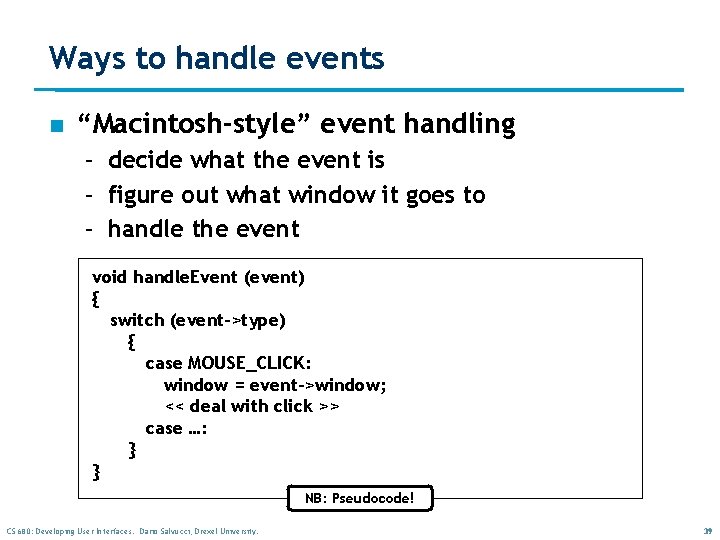
Ways to handle events n “Macintosh-style” event handling – decide what the event is – figure out what window it goes to – handle the event void handle. Event (event) { switch (event->type) { case MOUSE_CLICK: window = event->window; << deal with click >> case …: } } NB: Pseudocode! CS 680: Developing User Interfaces. Dario Salvucci, Drexel University. 39
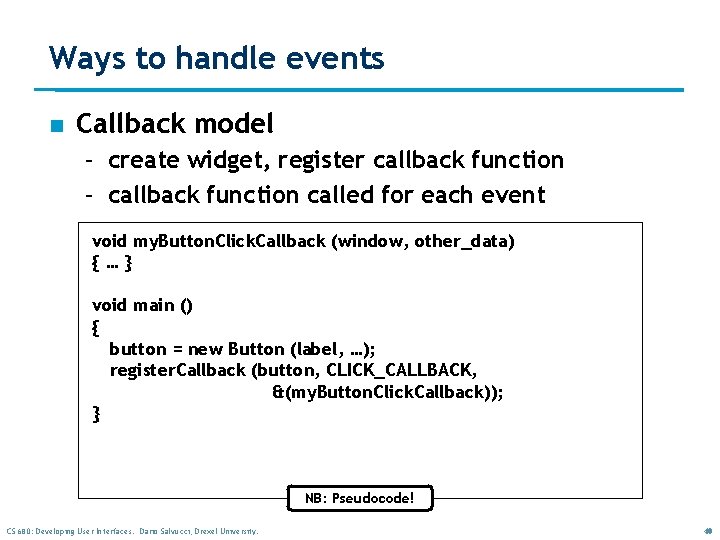
Ways to handle events n Callback model – create widget, register callback function – callback function called for each event void my. Button. Click. Callback (window, other_data) {…} void main () { button = new Button (label, …); register. Callback (button, CLICK_CALLBACK, &(my. Button. Click. Callback)); } NB: Pseudocode! CS 680: Developing User Interfaces. Dario Salvucci, Drexel University. 40
Ways to handle events n Object-oriented event handling – the way Java does it! – based on the OOP component hierarchy • define event-handling methods for components • components can (of course) inherit these methods from parent components – also based on the Model-View-Control Architecture (remember? ) – now let’s look at this in detail… CS 680: Developing User Interfaces. Dario Salvucci, Drexel University. 41
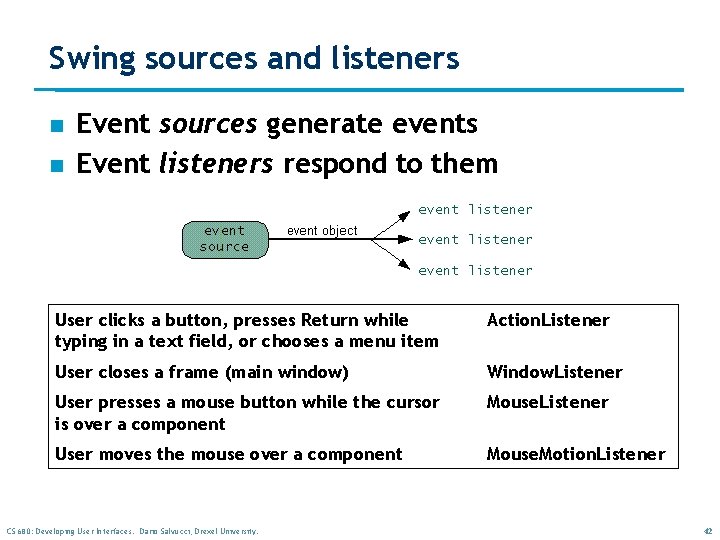
Swing sources and listeners n n Event sources generate events Event listeners respond to them User clicks a button, presses Return while typing in a text field, or chooses a menu item Action. Listener User closes a frame (main window) Window. Listener User presses a mouse button while the cursor is over a component Mouse. Listener User moves the mouse over a component Mouse. Motion. Listener CS 680: Developing User Interfaces. Dario Salvucci, Drexel University. 42
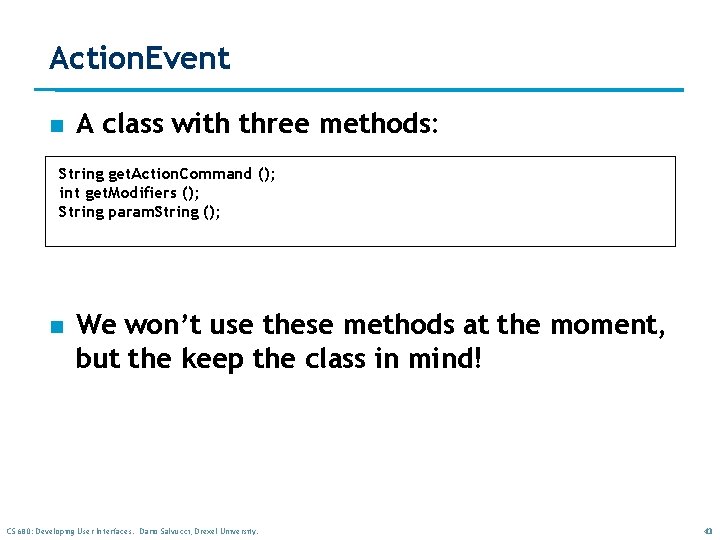
Action. Event n A class with three methods: String get. Action. Command (); int get. Modifiers (); String param. String (); n We won’t use these methods at the moment, but the keep the class in mind! CS 680: Developing User Interfaces. Dario Salvucci, Drexel University. 43
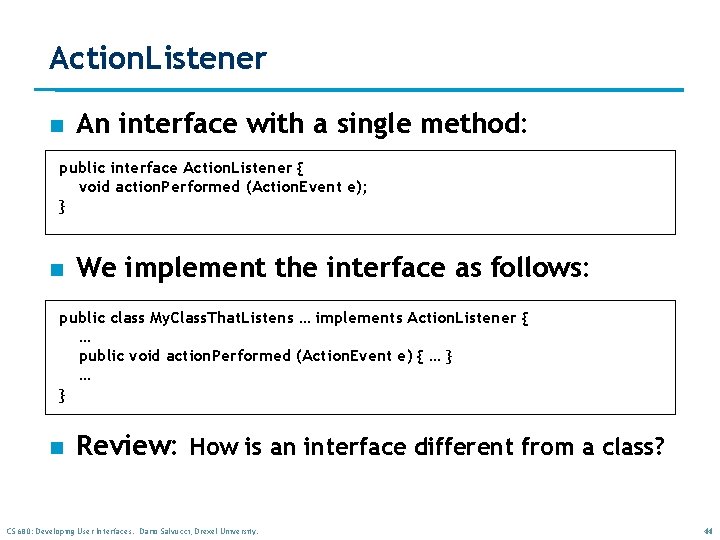
Action. Listener n An interface with a single method: public interface Action. Listener { void action. Performed (Action. Event e); } n We implement the interface as follows: public class My. Class. That. Listens … implements Action. Listener { … public void action. Performed (Action. Event e) { … } n Review: How is an interface different from a class? CS 680: Developing User Interfaces. Dario Salvucci, Drexel University. 44
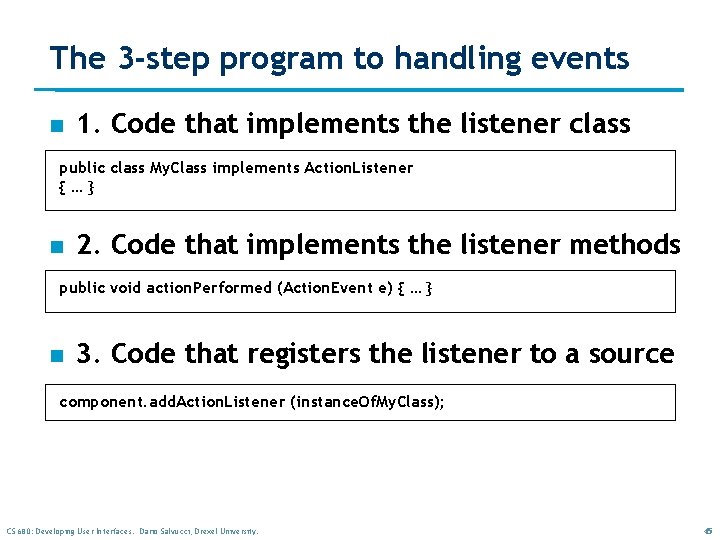
The 3 -step program to handling events n 1. Code that implements the listener class public class My. Class implements Action. Listener {…} n 2. Code that implements the listener methods public void action. Performed (Action. Event e) { … } n 3. Code that registers the listener to a source component. add. Action. Listener (instance. Of. My. Class); CS 680: Developing User Interfaces. Dario Salvucci, Drexel University. 45
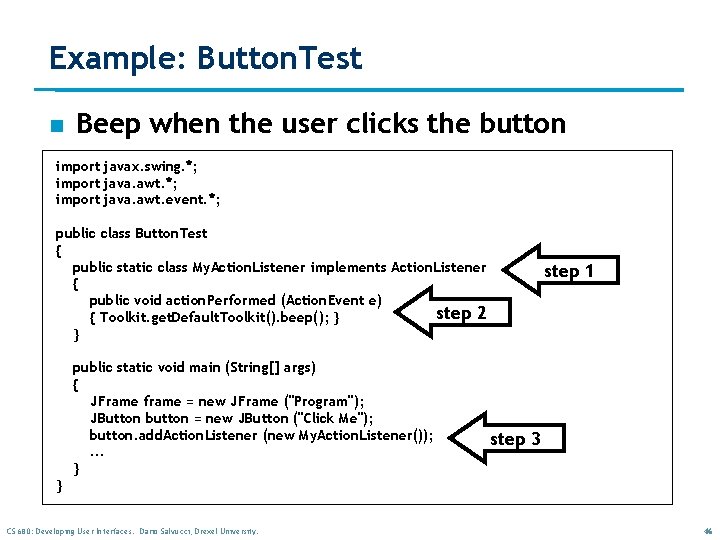
Example: Button. Test n Beep when the user clicks the button import javax. swing. *; import java. awt. event. *; public class Button. Test { public static class My. Action. Listener implements Action. Listener { public void action. Performed (Action. Event e) step 2 { Toolkit. get. Default. Toolkit(). beep(); } } public static void main (String[] args) { JFrame frame = new JFrame ("Program"); JButton button = new JButton ("Click Me"); button. add. Action. Listener (new My. Action. Listener()); . . . } step 1 step 3 } CS 680: Developing User Interfaces. Dario Salvucci, Drexel University. 46
Java Methods TM Maria Litvin Gary Litvin An Introduction to Object-Oriented Programming Graphics Copyright © 2002 -2003 by Maria Litvin, Gary Litvin, and Skylight Publishing. All rights reserved. Classroom teachers and workshop instructors may reproduce these slides for face-to-face teaching purposes. Copyright © 2003 by Maria Litvin, Gary Litvin, and Skylight Publishing. All rights reserved.
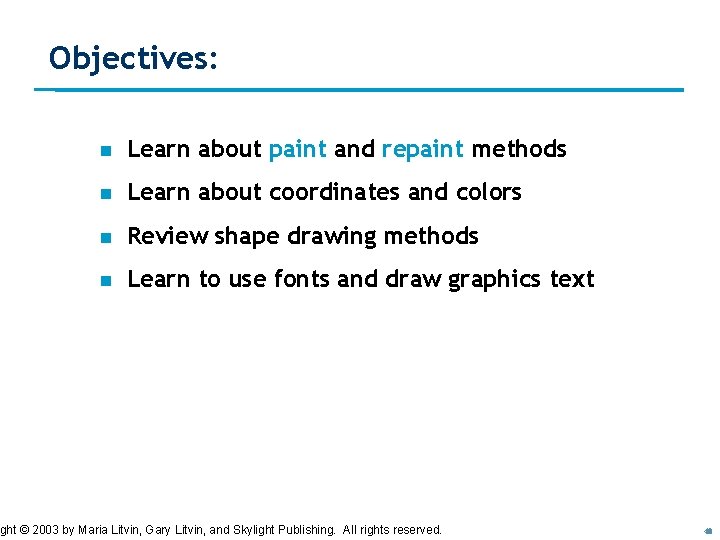
Objectives: n Learn about paint and repaint methods n Learn about coordinates and colors n Review shape drawing methods n Learn to use fonts and draw graphics text ght © 2003 by User Maria Litvin, Dario Gary Litvin, and Skylight Publishing. All rights reserved. CS 680: Developing Interfaces. Salvucci, Drexel University. 48
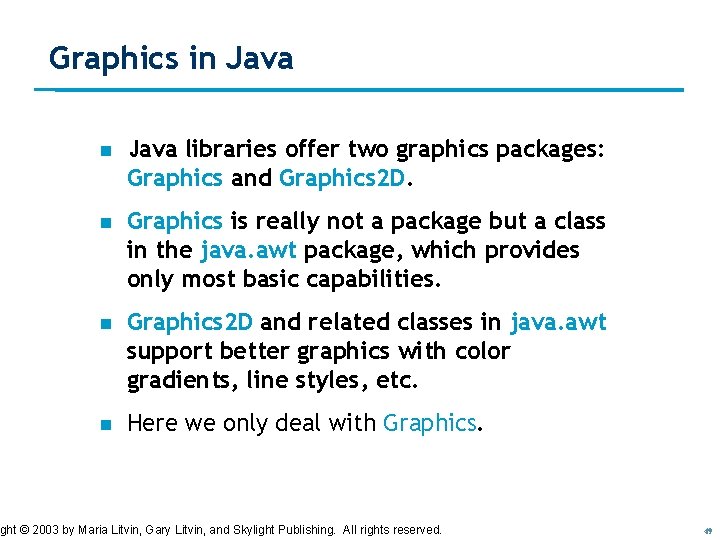
Graphics in Java libraries offer two graphics packages: Graphics and Graphics 2 D. n Graphics is really not a package but a class in the java. awt package, which provides only most basic capabilities. n Graphics 2 D and related classes in java. awt support better graphics with color gradients, line styles, etc. n Here we only deal with Graphics. ght © 2003 by User Maria Litvin, Dario Gary Litvin, and Skylight Publishing. All rights reserved. CS 680: Developing Interfaces. Salvucci, Drexel University. 49
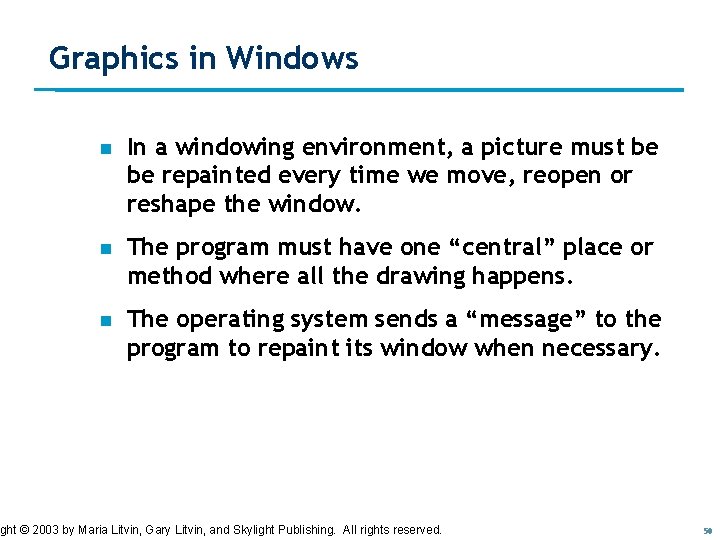
Graphics in Windows n In a windowing environment, a picture must be be repainted every time we move, reopen or reshape the window. n The program must have one “central” place or method where all the drawing happens. n The operating system sends a “message” to the program to repaint its window when necessary. ght © 2003 by User Maria Litvin, Dario Gary Litvin, and Skylight Publishing. All rights reserved. CS 680: Developing Interfaces. Salvucci, Drexel University. 50
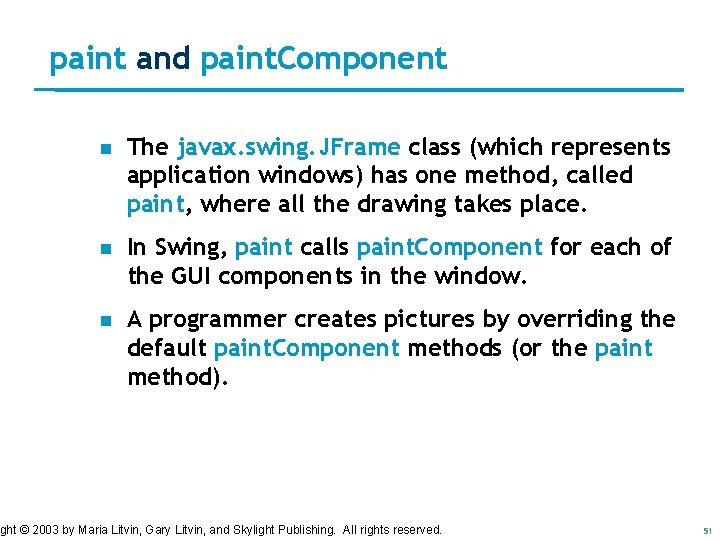
paint and paint. Component n The javax. swing. JFrame class (which represents application windows) has one method, called paint, where all the drawing takes place. n In Swing, paint calls paint. Component for each of the GUI components in the window. n A programmer creates pictures by overriding the default paint. Component methods (or the paint method). ght © 2003 by User Maria Litvin, Dario Gary Litvin, and Skylight Publishing. All rights reserved. CS 680: Developing Interfaces. Salvucci, Drexel University. 51
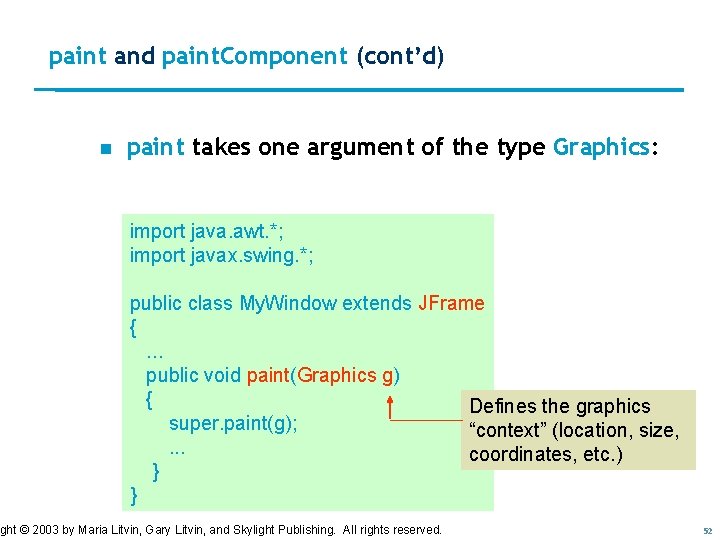
paint and paint. Component (cont’d) n paint takes one argument of the type Graphics: import java. awt. *; import javax. swing. *; public class My. Window extends JFrame {. . . public void paint(Graphics g) { Defines the graphics super. paint(g); “context” (location, size, . . . coordinates, etc. ) } } ght © 2003 by User Maria Litvin, Dario Gary Litvin, and Skylight Publishing. All rights reserved. CS 680: Developing Interfaces. Salvucci, Drexel University. 52
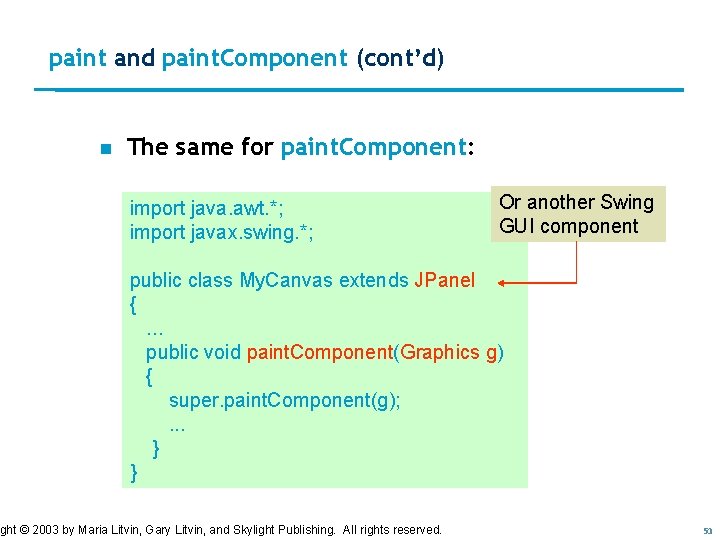
paint and paint. Component (cont’d) n The same for paint. Component: import java. awt. *; import javax. swing. *; Or another Swing GUI component public class My. Canvas extends JPanel {. . . public void paint. Component(Graphics g) { super. paint. Component(g); . . . } } ght © 2003 by User Maria Litvin, Dario Gary Litvin, and Skylight Publishing. All rights reserved. CS 680: Developing Interfaces. Salvucci, Drexel University. 53
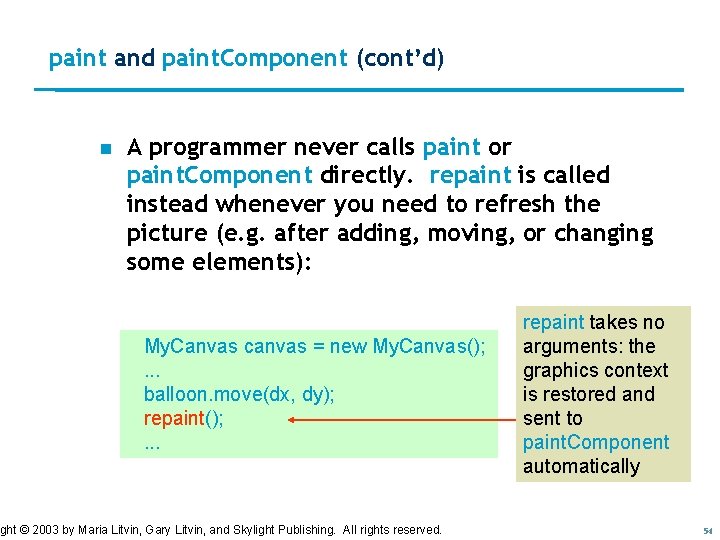
paint and paint. Component (cont’d) n A programmer never calls paint or paint. Component directly. repaint is called instead whenever you need to refresh the picture (e. g. after adding, moving, or changing some elements): My. Canvas canvas = new My. Canvas(); . . . balloon. move(dx, dy); repaint(); . . . ght © 2003 by User Maria Litvin, Dario Gary Litvin, and Skylight Publishing. All rights reserved. CS 680: Developing Interfaces. Salvucci, Drexel University. repaint takes no arguments: the graphics context is restored and sent to paint. Component automatically 54
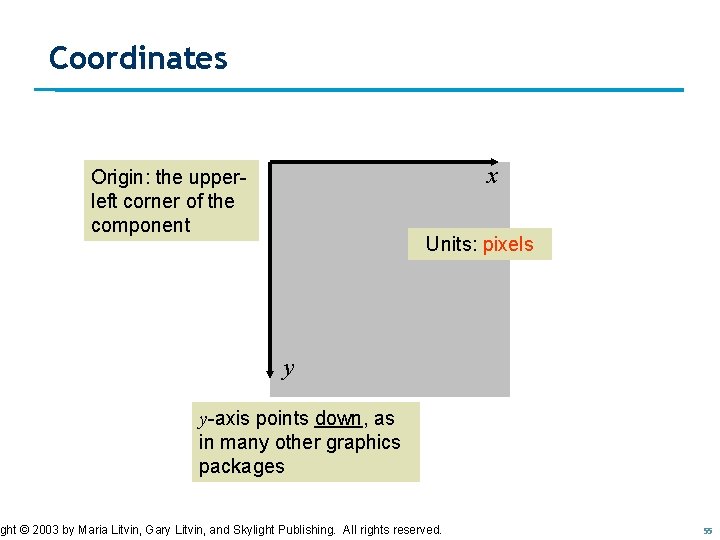
Coordinates x Origin: the upperleft corner of the component Units: pixels y y-axis points down, as in many other graphics packages ght © 2003 by User Maria Litvin, Dario Gary Litvin, and Skylight Publishing. All rights reserved. CS 680: Developing Interfaces. Salvucci, Drexel University. 55
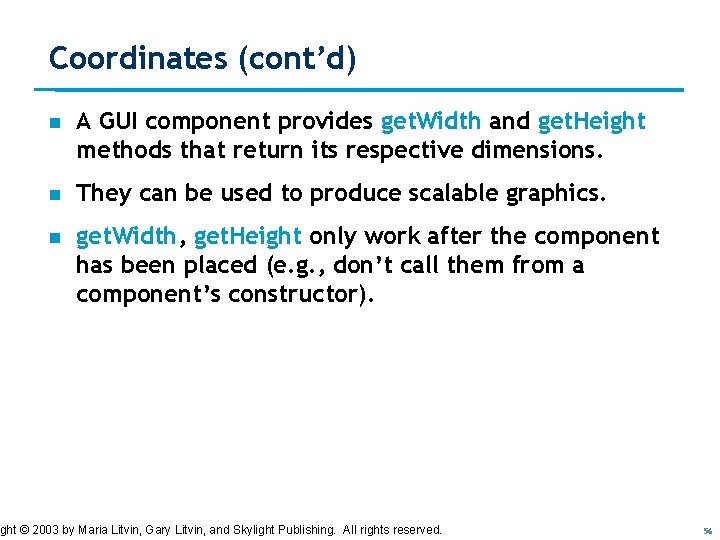
Coordinates (cont’d) n A GUI component provides get. Width and get. Height methods that return its respective dimensions. n They can be used to produce scalable graphics. n get. Width, get. Height only work after the component has been placed (e. g. , don’t call them from a component’s constructor). ght © 2003 by User Maria Litvin, Dario Gary Litvin, and Skylight Publishing. All rights reserved. CS 680: Developing Interfaces. Salvucci, Drexel University. 56
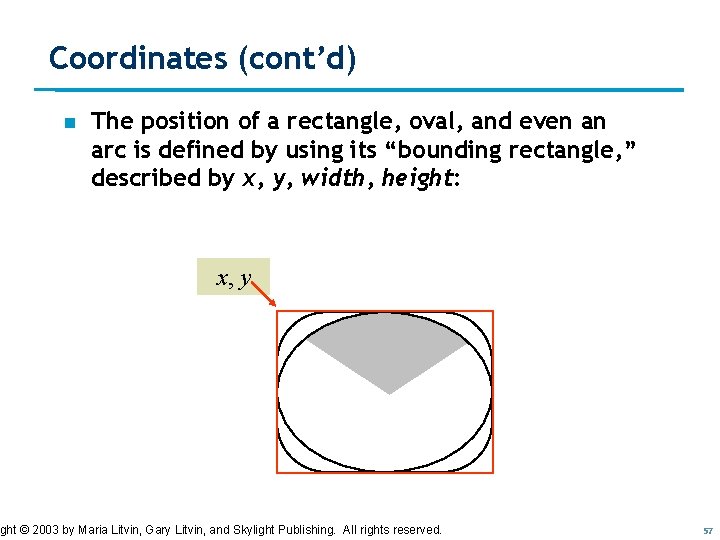
Coordinates (cont’d) n The position of a rectangle, oval, and even an arc is defined by using its “bounding rectangle, ” described by x, y, width, height: x, y ght © 2003 by User Maria Litvin, Dario Gary Litvin, and Skylight Publishing. All rights reserved. CS 680: Developing Interfaces. Salvucci, Drexel University. 57
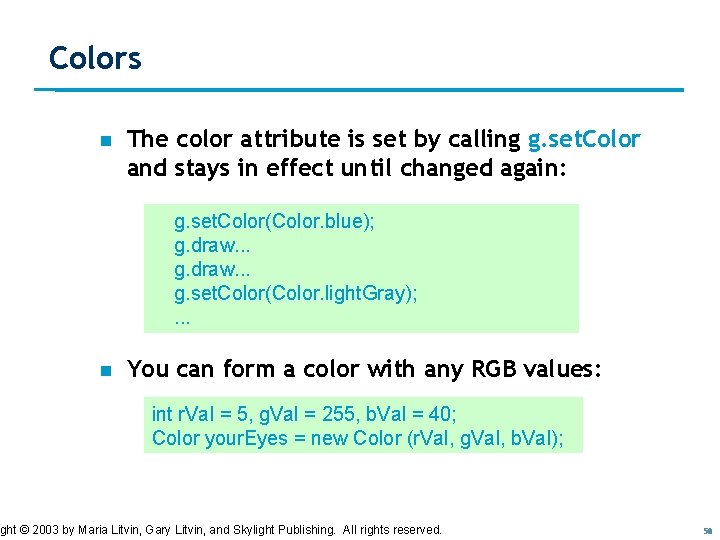
Colors n The color attribute is set by calling g. set. Color and stays in effect until changed again: g. set. Color(Color. blue); g. draw. . . g. set. Color(Color. light. Gray); . . . n You can form a color with any RGB values: int r. Val = 5, g. Val = 255, b. Val = 40; Color your. Eyes = new Color (r. Val, g. Val, b. Val); ght © 2003 by User Maria Litvin, Dario Gary Litvin, and Skylight Publishing. All rights reserved. CS 680: Developing Interfaces. Salvucci, Drexel University. 58
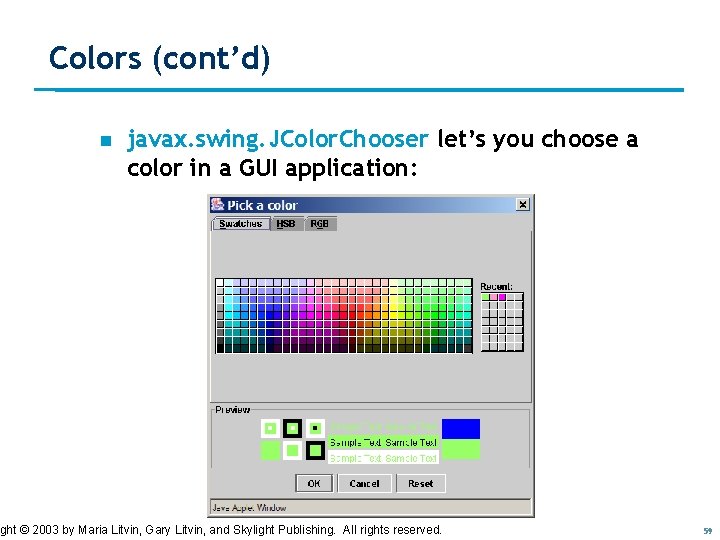
Colors (cont’d) n javax. swing. JColor. Chooser let’s you choose a color in a GUI application: ght © 2003 by User Maria Litvin, Dario Gary Litvin, and Skylight Publishing. All rights reserved. CS 680: Developing Interfaces. Salvucci, Drexel University. 59
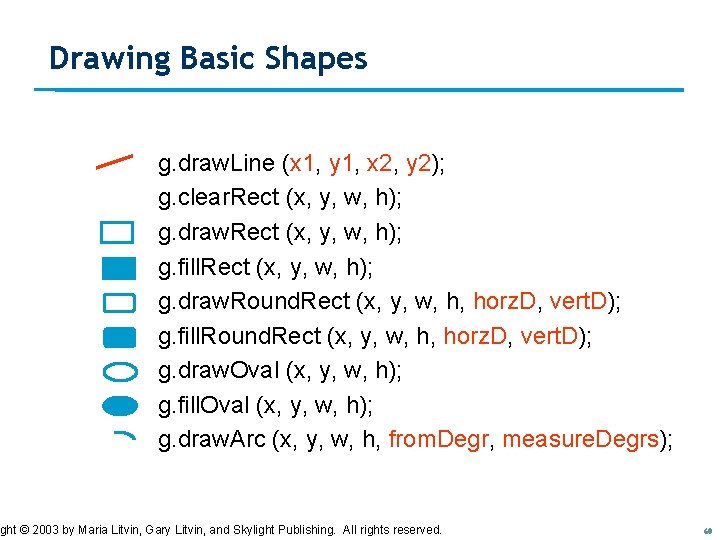
Drawing Basic Shapes g. draw. Line (x 1, y 1, x 2, y 2); g. clear. Rect (x, y, w, h); g. draw. Rect (x, y, w, h); g. fill. Rect (x, y, w, h); g. draw. Round. Rect (x, y, w, h, horz. D, vert. D); g. fill. Round. Rect (x, y, w, h, horz. D, vert. D); g. draw. Oval (x, y, w, h); g. fill. Oval (x, y, w, h); g. draw. Arc (x, y, w, h, from. Degr, measure. Degrs); ght © 2003 by User Maria Litvin, Dario Gary Litvin, and Skylight Publishing. All rights reserved. CS 680: Developing Interfaces. Salvucci, Drexel University. 60
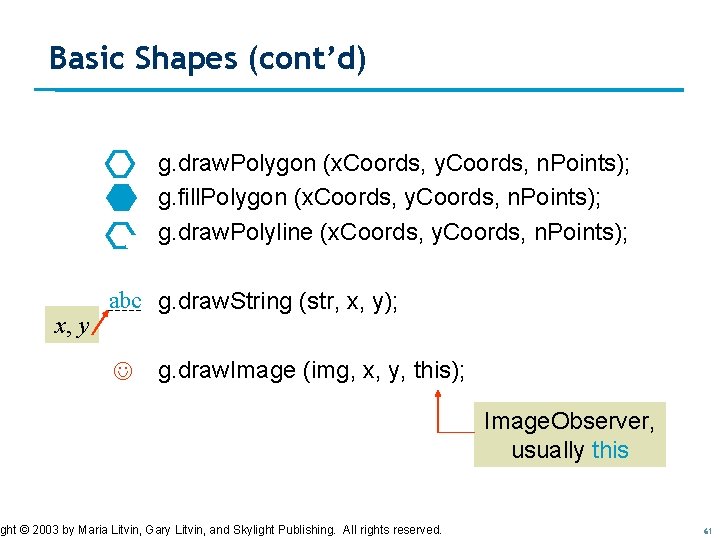
Basic Shapes (cont’d) g. draw. Polygon (x. Coords, y. Coords, n. Points); g. fill. Polygon (x. Coords, y. Coords, n. Points); g. draw. Polyline (x. Coords, y. Coords, n. Points); x, y abc g. draw. String (str, x, y); g. draw. Image (img, x, y, this); ght © 2003 by User Maria Litvin, Dario Gary Litvin, and Skylight Publishing. All rights reserved. CS 680: Developing Interfaces. Salvucci, Drexel University. Image. Observer, usually this 61
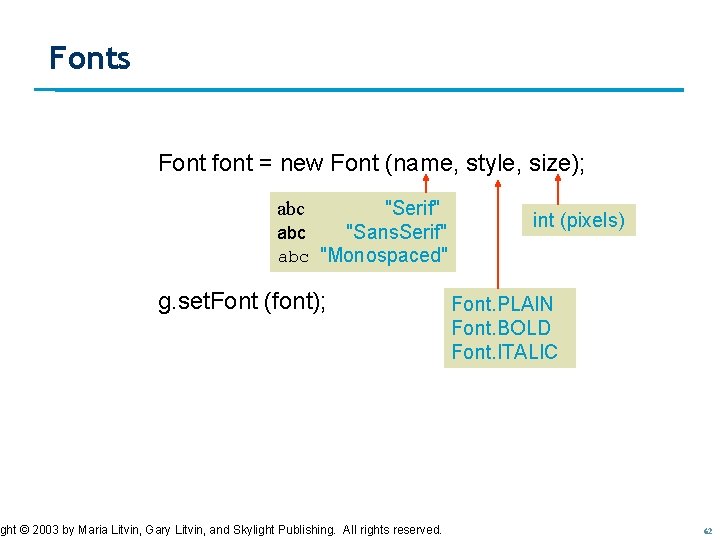
Fonts Font font = new Font (name, style, size); "Serif" abc "Sans. Serif" abc "Monospaced" abc g. set. Font (font); ght © 2003 by User Maria Litvin, Dario Gary Litvin, and Skylight Publishing. All rights reserved. CS 680: Developing Interfaces. Salvucci, Drexel University. int (pixels) Font. PLAIN Font. BOLD Font. ITALIC 62