
Introduction to Java PLSQL Developers Take Heart Peter
![Simple Example public class Hi. There { public static void main (String[] args) {](https://slidetodoc.com/presentation_image_h2/683fd1607dae56298619ff32cdfef8d1/image-26.jpg "Simple Example public class Hi. There { public static void main (String[] args) {")
![if else Example class Show. Quarter { public static void main (String[] args) {](https://slidetodoc.com/presentation_image_h2/683fd1607dae56298619ff32cdfef8d1/image-43.jpg "if else Example class Show. Quarter { public static void main (String[] args) {")
![Loop Examples class Demo. For { public static void main (String[] args) { println()](https://slidetodoc.com/presentation_image_h2/683fd1607dae56298619ff32cdfef8d1/image-44.jpg "Loop Examples class Demo. For { public static void main (String[] args) { println()")
![Exception Handling Example public class Test. Exception extends Object { public static void main(String[]](https://slidetodoc.com/presentation_image_h2/683fd1607dae56298619ff32cdfef8d1/image-46.jpg "Exception Handling Example public class Test. Exception extends Object { public static void main(String[]")
- Slides: 48
Introduction to Java — PL/SQL Developers Take Heart! Peter Koletzke Technical Director & Principal Instructor
Flon’s Law There is not now, and never will be, a language in which it is the least bit difficult to write bad programs. 2
Survey • Years with PL/SQL? – Less than 2, 2 -4, 4 -14 • Years with Java? – None – 2, 2 -4, 4 -9, 9+ • Other languages? –C – C++ – Smalltalk – COBOL, Basic, JCL, Perl … 3
Agenda • Java Basics • Object Orientation • Anatomy 101 • Datatypes and Variables • Control Statements 4
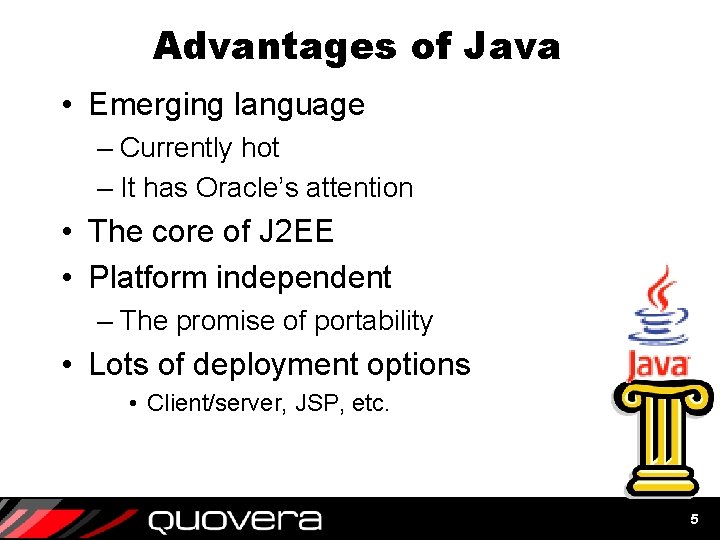
Advantages of Java • Emerging language – Currently hot – It has Oracle’s attention • The core of J 2 EE • Platform independent – The promise of portability • Lots of deployment options • Client/server, JSP, etc. 5
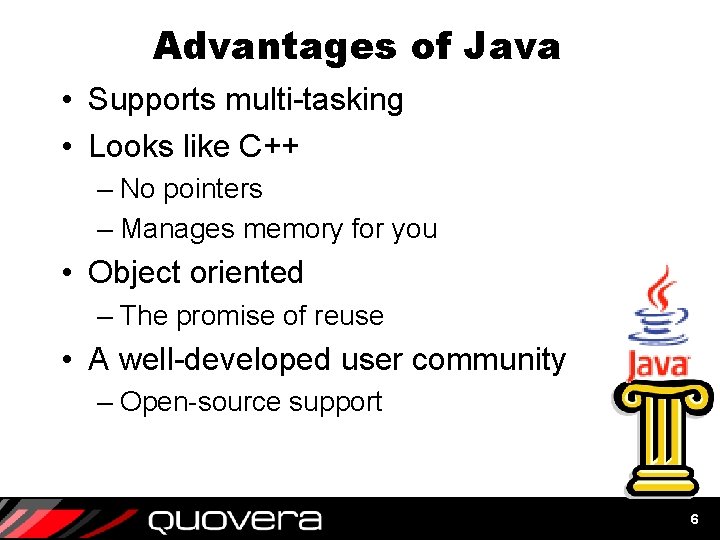
Advantages of Java • Supports multi-tasking • Looks like C++ – No pointers – Manages memory for you • Object oriented – The promise of reuse • A well-developed user community – Open-source support 6
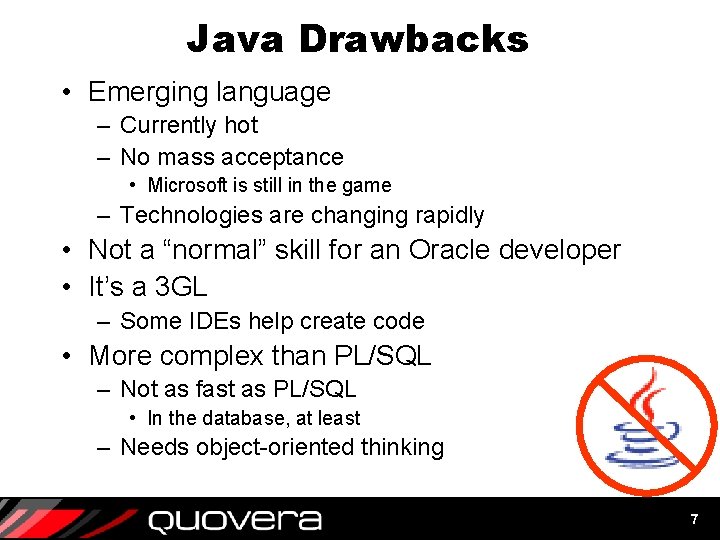
Java Drawbacks • Emerging language – Currently hot – No mass acceptance • Microsoft is still in the game – Technologies are changing rapidly • Not a “normal” skill for an Oracle developer • It’s a 3 GL – Some IDEs help create code • More complex than PL/SQL – Not as fast as PL/SQL • In the database, at least – Needs object-oriented thinking 7
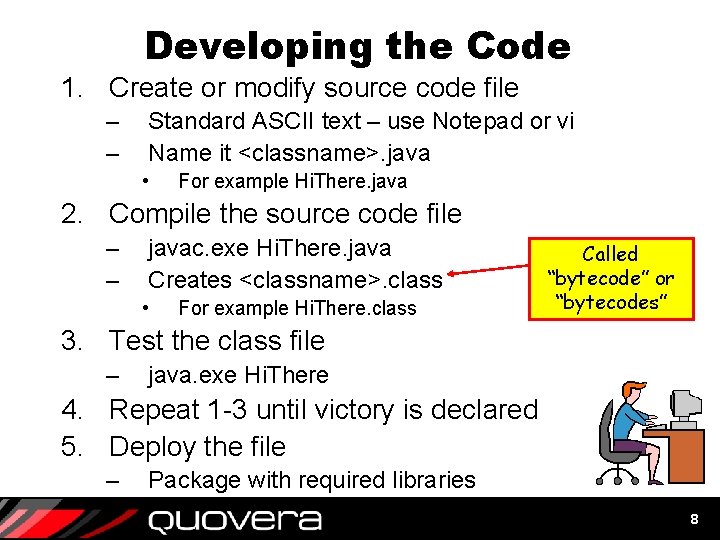
Developing the Code 1. Create or modify source code file – – Standard ASCII text – use Notepad or vi Name it <classname>. java • For example Hi. There. java 2. Compile the source code file – – javac. exe Hi. There. java Creates <classname>. class • For example Hi. There. class Called “bytecode” or “bytecodes” 3. Test the class file – java. exe Hi. There 4. Repeat 1 -3 until victory is declared 5. Deploy the file – Package with required libraries 8
Agenda • Java Basics • Object Orientation • Anatomy 101 • Datatypes and Variables • Control Statements 9
Quote A language that doesn't affect the way you think about programming is not worth knowing. —Dennis M. Ritchie . 10
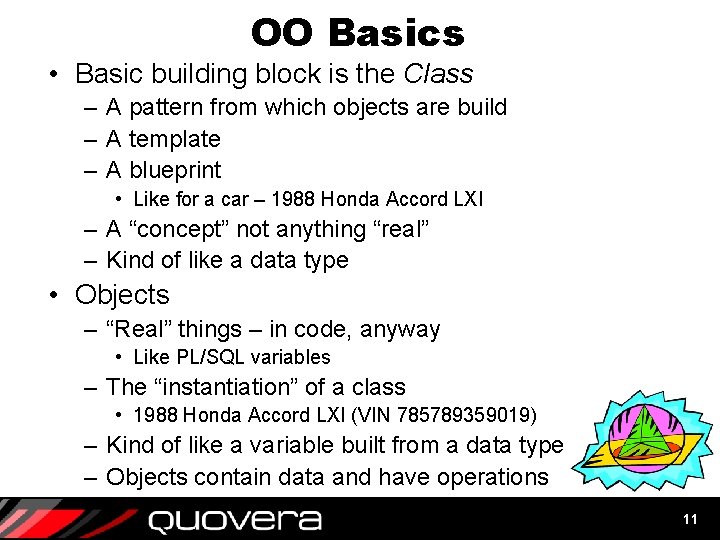
OO Basics • Basic building block is the Class – A pattern from which objects are build – A template – A blueprint • Like for a car – 1988 Honda Accord LXI – A “concept” not anything “real” – Kind of like a data type • Objects – “Real” things – in code, anyway • Like PL/SQL variables – The “instantiation” of a class • 1988 Honda Accord LXI (VIN 785789359019) – Kind of like a variable built from a data type – Objects contain data and have operations 11
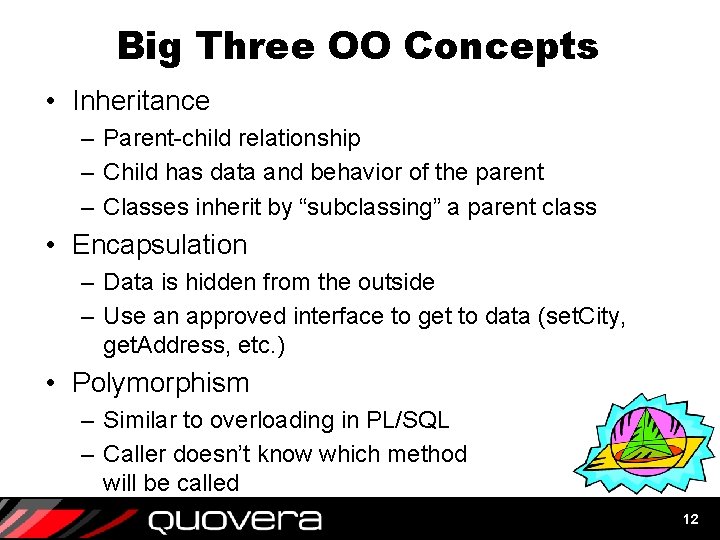
Big Three OO Concepts • Inheritance – Parent-child relationship – Child has data and behavior of the parent – Classes inherit by “subclassing” a parent class • Encapsulation – Data is hidden from the outside – Use an approved interface to get to data (set. City, get. Address, etc. ) • Polymorphism – Similar to overloading in PL/SQL – Caller doesn’t know which method will be called 12
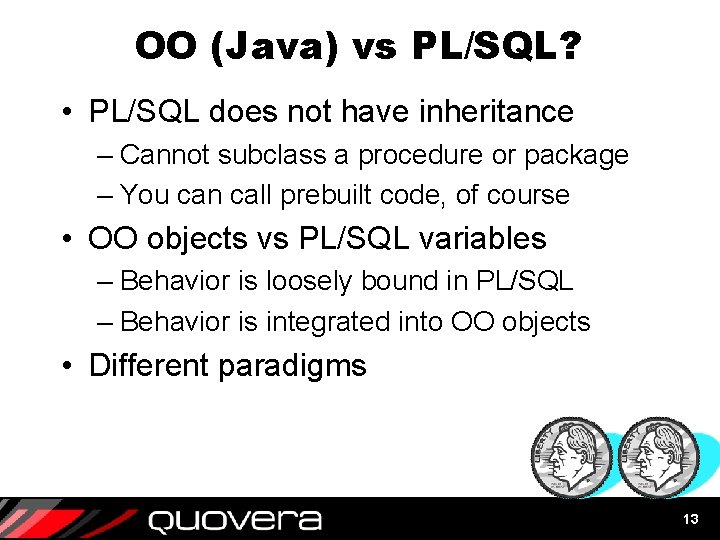
OO (Java) vs PL/SQL? • PL/SQL does not have inheritance – Cannot subclass a procedure or package – You can call prebuilt code, of course • OO objects vs PL/SQL variables – Behavior is loosely bound in PL/SQL – Behavior is integrated into OO objects • Different paradigms 13
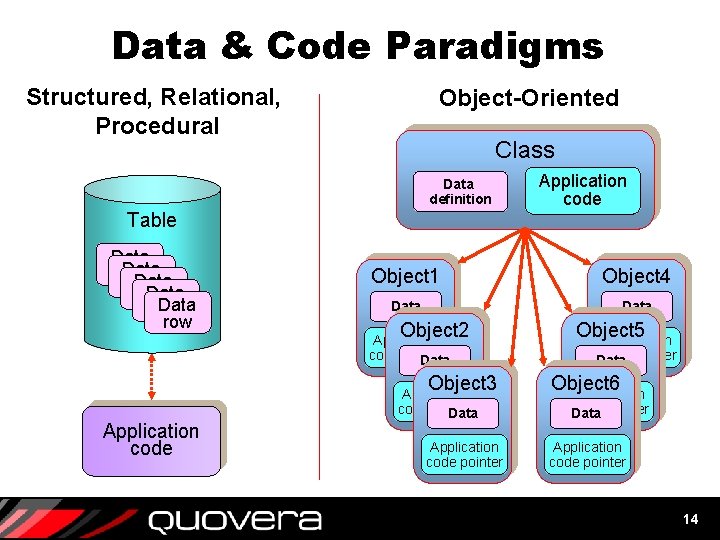
Data & Code Paradigms Structured, Relational, Procedural Object-Oriented Class Data definition Application code Table Data row Data row Object 1 Object 4 Data Object 2 Application code pointer Data Object 3 Application code pointer Data Application code pointer Object 5 Application code pointer Data Object 6 Application code pointer Data Application code pointer 14
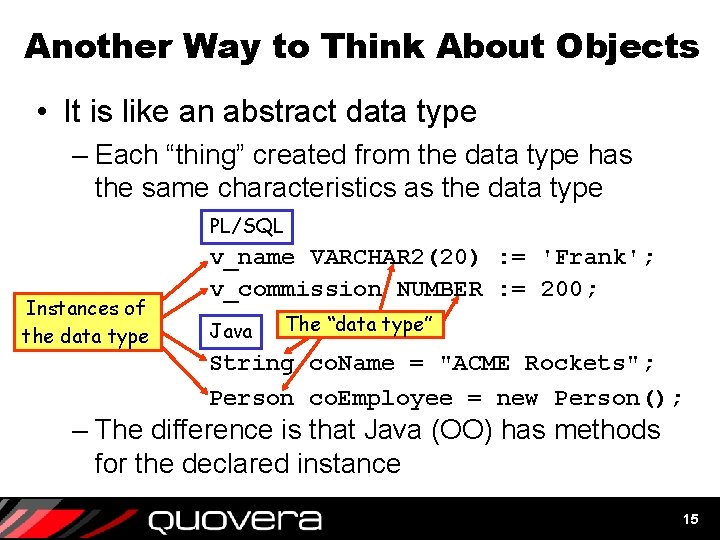
Another Way to Think About Objects • It is like an abstract data type – Each “thing” created from the data type has the same characteristics as the data type PL/SQL Instances of the data type v_name VARCHAR 2(20) : = 'Frank'; v_commission NUMBER : = 200; Java The “data type” String co. Name = "ACME Rockets"; Person co. Employee = new Person(); – The difference is that Java (OO) has methods for the declared instance 15
Agenda • Java Basics • Object Orientation • Anatomy 101 • Datatypes and Variables • Control Statements 16
Project Timeline Deliver yesterday, code today, think tomorrow. —Anonymous 17
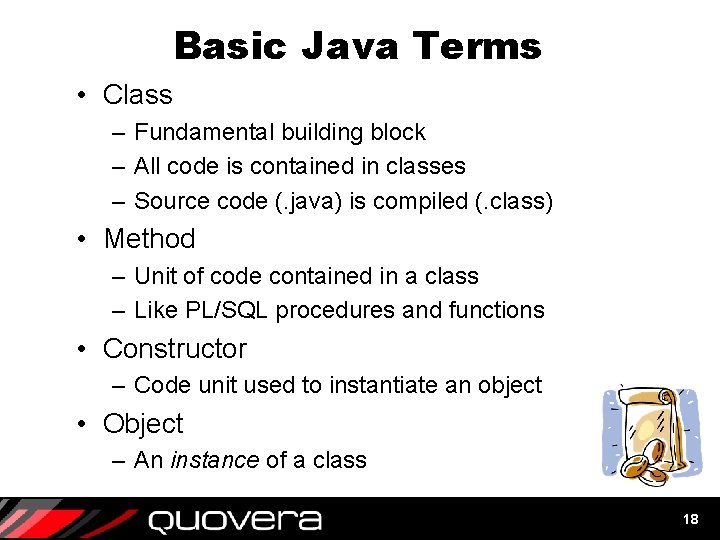
Basic Java Terms • Class – Fundamental building block – All code is contained in classes – Source code (. java) is compiled (. class) • Method – Unit of code contained in a class – Like PL/SQL procedures and functions • Constructor – Code unit used to instantiate an object • Object – An instance of a class 18
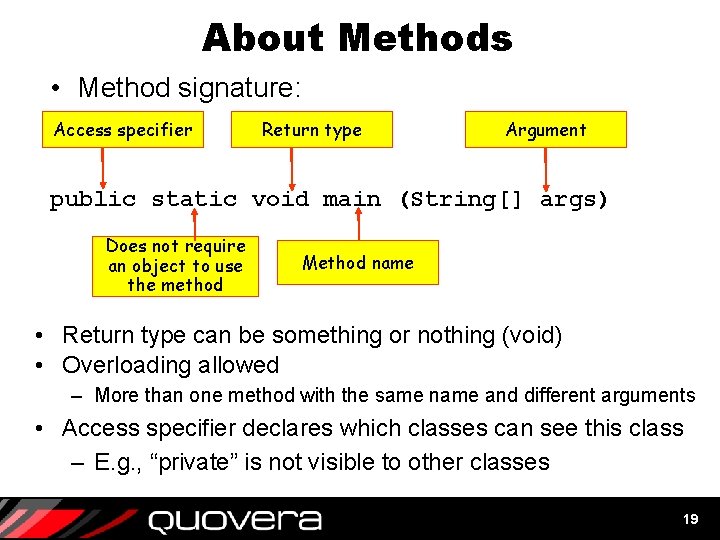
About Methods • Method signature: Access specifier Return type Argument public static void main (String[] args) Does not require an object to use the method Method name • Return type can be something or nothing (void) • Overloading allowed – More than one method with the same name and different arguments • Access specifier declares which classes can see this class – E. g. , “private” is not visible to other classes 19
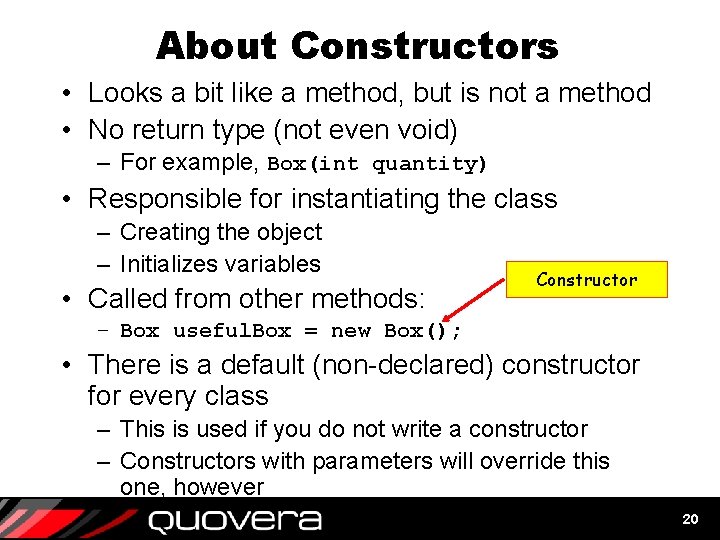
About Constructors • Looks a bit like a method, but is not a method • No return type (not even void) – For example, Box(int quantity) • Responsible for instantiating the class – Creating the object – Initializes variables • Called from other methods: Constructor – Box useful. Box = new Box(); • There is a default (non-declared) constructor for every class – This is used if you do not write a constructor – Constructors with parameters will override this one, however 20
About Java Classes • One “public” class per file – Public classes are available everywhere • All code is contained in classes – File name is the public class name • Spelled exactly the same • Upper/lower case exactly the same • Each public class stored in its own source file – Has exactly same name as class – Uses. java extension – Compiled into a. class file 21
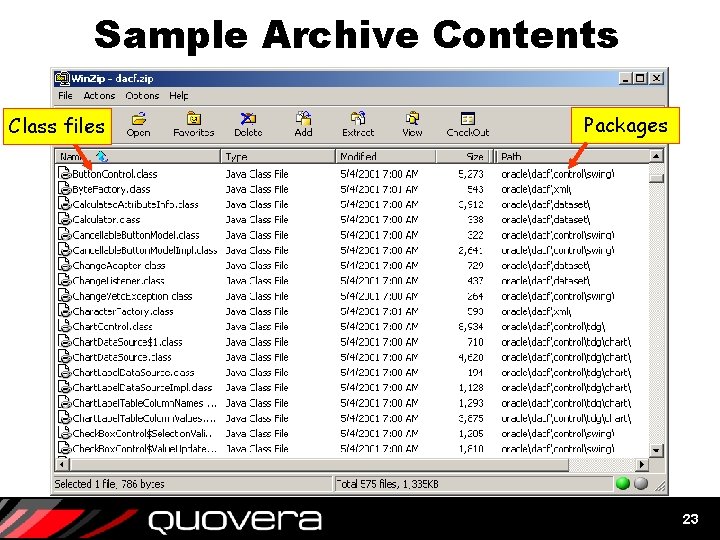
Java Classes Usage • To use a class, declare an instance – For example, String emp. Name = new String(); – This creates an object, emp. Name • Class files are collected into packages – Directories in the file system or in a zip file • Java Archive (JAR) contain multiple class files – Can use. jar or. zip extension – “Libraries” made of one or more JARs 22
Sample Archive Contents Class files Packages 23
Naming Conventions • Java is a case-sensitive language – Keywords are in lower case • for, while, if, switch, etc. • Case compliance is enforced for keywords • There are conventions for other names – Normally, no underscores used • For example, Emp. Last. Name not EMP_LAST_NAME – Package names are all lower case – Class names are mixed case • Employee. Data. Access – Method and variable names are init-lower • number. Of. Emps, get. City(), set. City() – Constants use all uppercase and underscores • MAX_LOAD, MIN_HEIGHT 24
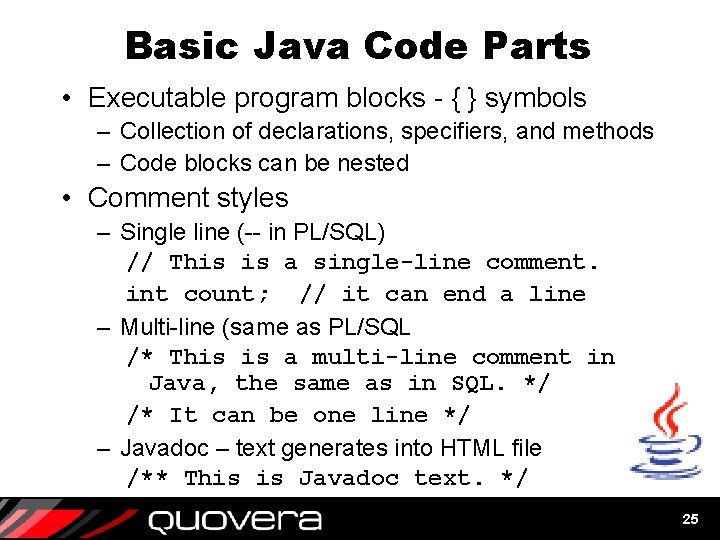
Basic Java Code Parts • Executable program blocks - { } symbols – Collection of declarations, specifiers, and methods – Code blocks can be nested • Comment styles – Single line (-- in PL/SQL) // This is a single-line comment. int count; // it can end a line – Multi-line (same as PL/SQL /* This is a multi-line comment in Java, the same as in SQL. */ /* It can be one line */ – Javadoc – text generates into HTML file /** This is Javadoc text. */ 25
Simple Example public class Hi. There { public static void main (String[] args) { System. out. println("What's Happening? "); } } • First line declares the class – Specifier public – available everywhere – { } represent the start and end of the code block • Second line declares a method – the method signature – JVM looks for method main() when application starts – void declares a return type of nothing – Remainder used to pass parameters to main()method • Third line calls external method to show message in console – command line window 26
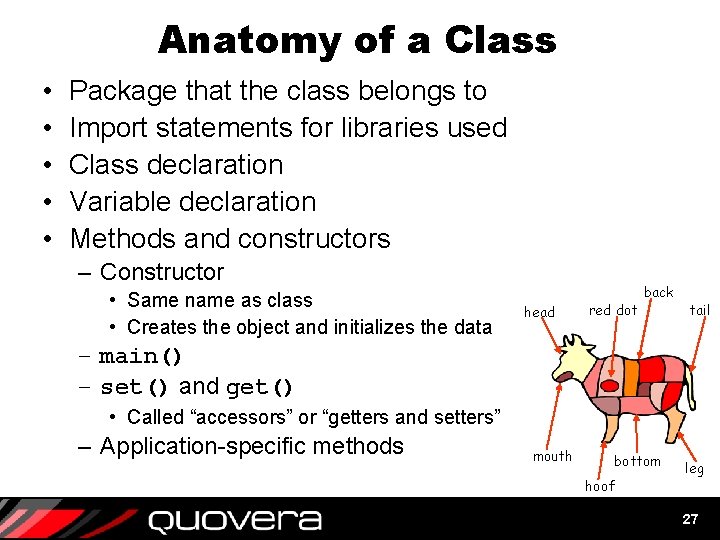
Anatomy of a Class • • • Package that the class belongs to Import statements for libraries used Class declaration Variable declaration Methods and constructors – Constructor • Same name as class • Creates the object and initializes the data head red dot back tail – main() – set() and get() • Called “accessors” or “getters and setters” – Application-specific methods mouth bottom hoof leg 27
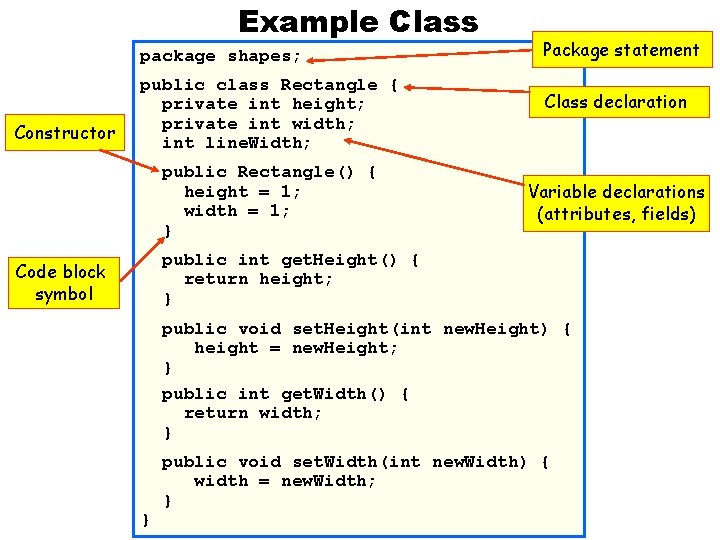
Example Class package shapes; Constructor public class Rectangle { private int height; private int width; int line. Width; public Rectangle() { height = 1; width = 1; } Package statement Class declaration Variable declarations (attributes, fields) public int get. Height() { return height; } Code block symbol public void set. Height(int new. Height) { height = new. Height; } public int get. Width() { return width; } } public void set. Width(int new. Width) { width = new. Width; }
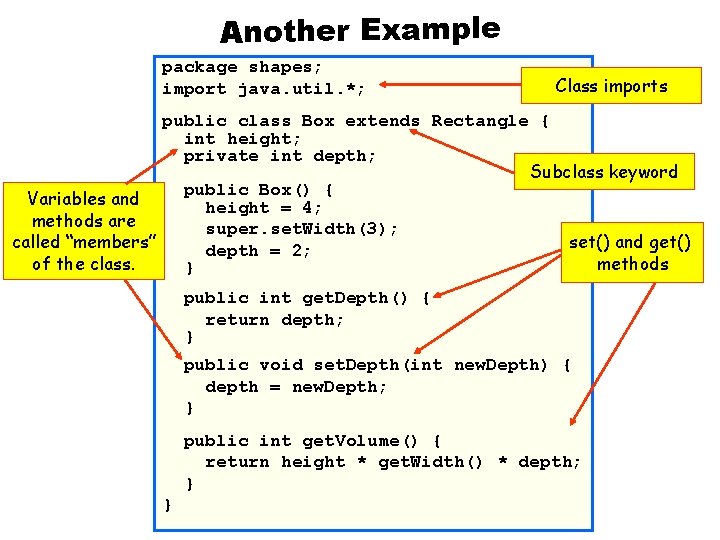
Another Example package shapes; import java. util. *; Class imports public class Box extends Rectangle { int height; private int depth; Subclass keyword public Box() { Variables and height = 4; methods are super. set. Width(3); set() and get() called “members” depth = 2; methods of the class. } public int get. Depth() { return depth; } public void set. Depth(int new. Depth) { depth = new. Depth; } public int get. Volume() { return height * get. Width() * depth; } }
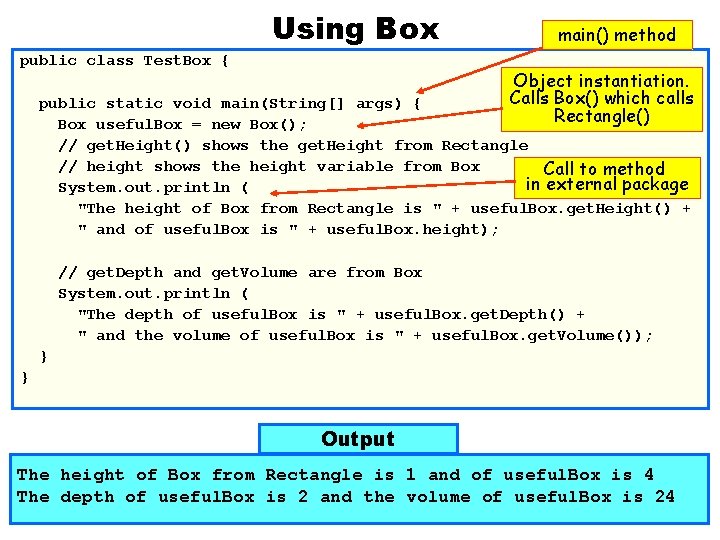
Using Box public class Test. Box { main() method Object instantiation. Calls Box() which calls Rectangle() public static void main(String[] args) { Box useful. Box = new Box(); // get. Height() shows the get. Height from Rectangle // height shows the height variable from Box Call to method in external package System. out. println ( "The height of Box from Rectangle is " + useful. Box. get. Height() + " and of useful. Box is " + useful. Box. height); // get. Depth and get. Volume are from Box System. out. println ( "The depth of useful. Box is " + useful. Box. get. Depth() + " and the volume of useful. Box is " + useful. Box. get. Volume()); } } Output The height of Box from Rectangle is 1 and of useful. Box is 4 The depth of useful. Box is 2 and the volume of useful. Box is 24
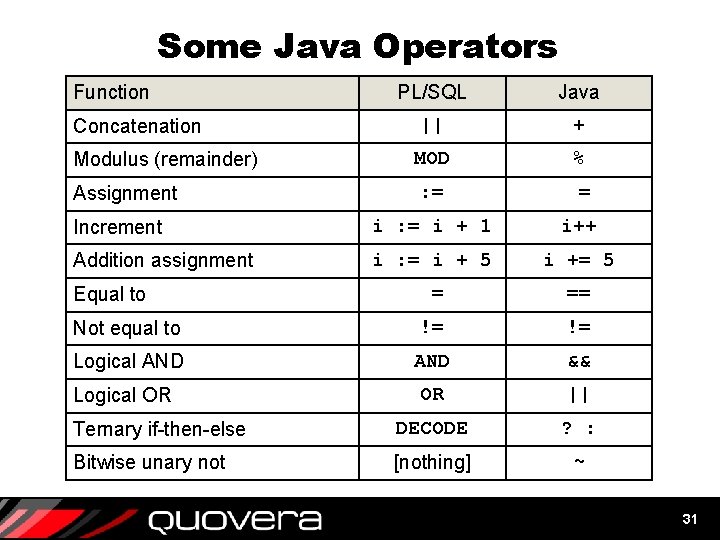
Some Java Operators Function Concatenation Modulus (remainder) Assignment PL/SQL Java || + MOD % : = = Increment i : = i + 1 i++ Addition assignment i : = i + 5 i += 5 = == Not equal to != != Logical AND && OR || Ternary if-then-else DECODE ? : Bitwise unary not [nothing] ~ Equal to Logical OR 31
Agenda • Java Basics • Object Orientation • Anatomy 101 • Datatypes and Variables • Control Statements 32
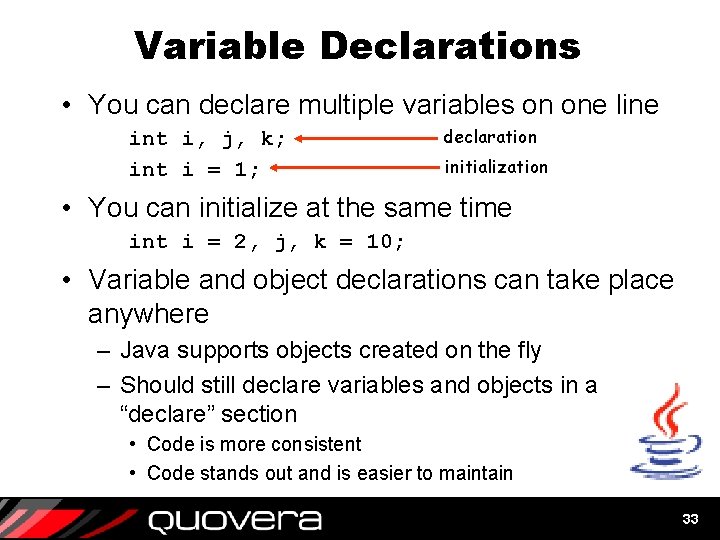
Variable Declarations • You can declare multiple variables on one line int i, j, k; int i = 1; declaration initialization • You can initialize at the same time int i = 2, j, k = 10; • Variable and object declarations can take place anywhere – Java supports objects created on the fly – Should still declare variables and objects in a “declare” section • Code is more consistent • Code stands out and is easier to maintain 33
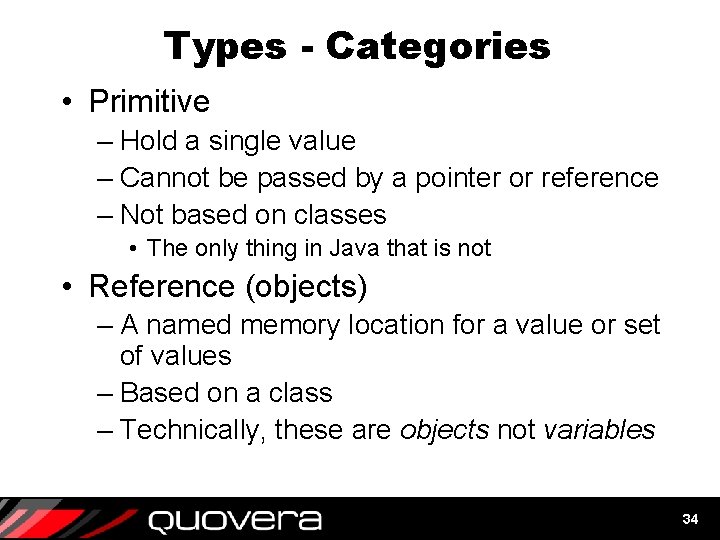
Types - Categories • Primitive – Hold a single value – Cannot be passed by a pointer or reference – Not based on classes • The only thing in Java that is not • Reference (objects) – A named memory location for a value or set of values – Based on a class – Technically, these are objects not variables 34
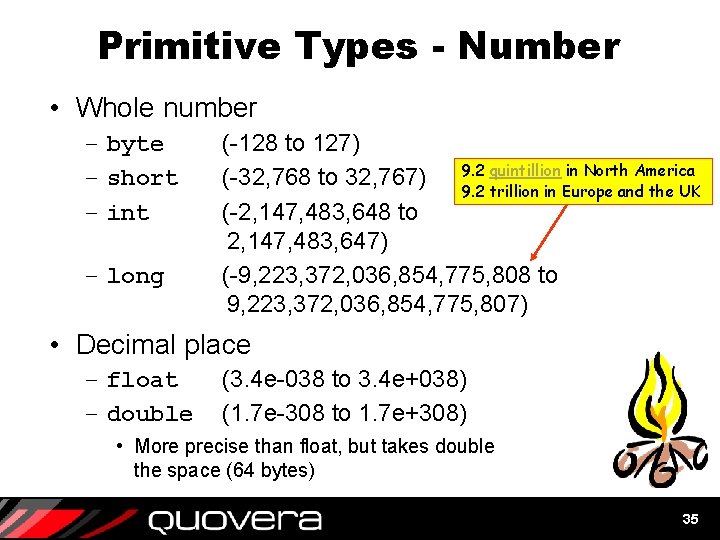
Primitive Types - Number • Whole number – byte – short – int – long (-128 to 127) quintillion in North America (-32, 768 to 32, 767) 9. 2 trillion in Europe and the UK (-2, 147, 483, 648 to 2, 147, 483, 647) (-9, 223, 372, 036, 854, 775, 808 to 9, 223, 372, 036, 854, 775, 807) • Decimal place – float – double (3. 4 e-038 to 3. 4 e+038) (1. 7 e-308 to 1. 7 e+308) • More precise than float, but takes double the space (64 bytes) 35
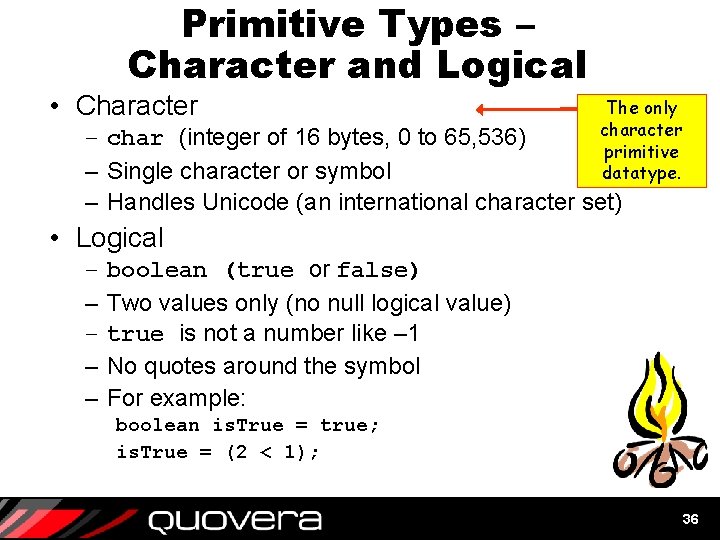
Primitive Types – Character and Logical • Character The only character primitive datatype. – char (integer of 16 bytes, 0 to 65, 536) – Single character or symbol – Handles Unicode (an international character set) • Logical – – – boolean (true or false) Two values only (no null logical value) true is not a number like – 1 No quotes around the symbol For example: boolean is. True = true; is. True = (2 < 1); 36
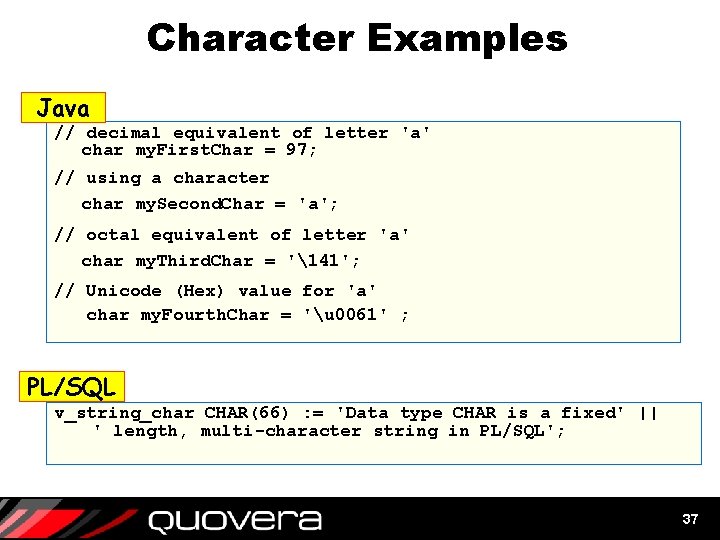
Character Examples Java // decimal equivalent of letter 'a' char my. First. Char = 97; // using a character char my. Second. Char = 'a'; // octal equivalent of letter 'a' char my. Third. Char = '141'; // Unicode (Hex) value for 'a' char my. Fourth. Char = 'u 0061' ; PL/SQL v_string_char CHAR(66) : = 'Data type CHAR is a fixed' || ' length, multi-character string in PL/SQL'; 37
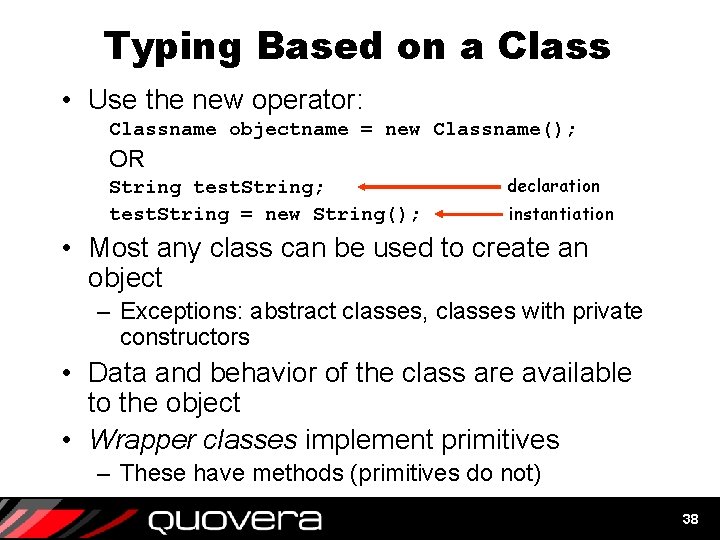
Typing Based on a Class • Use the new operator: Classname objectname = new Classname(); OR String test. String; test. String = new String(); declaration instantiation • Most any class can be used to create an object – Exceptions: abstract classes, classes with private constructors • Data and behavior of the class are available to the object • Wrapper classes implement primitives – These have methods (primitives do not) 38
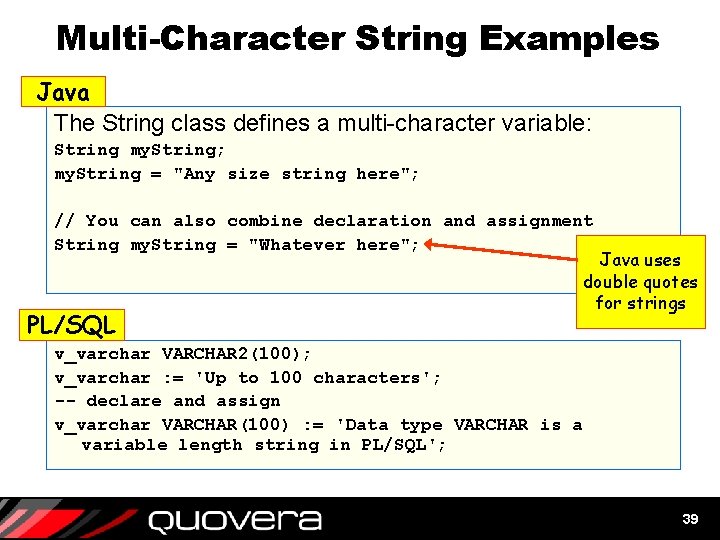
Multi-Character String Examples Java The String class defines a multi-character variable: String my. String; my. String = "Any size string here"; // You can also combine declaration and assignment String my. String = "Whatever here"; PL/SQL Java uses double quotes for strings v_varchar VARCHAR 2(100); v_varchar : = 'Up to 100 characters'; -- declare and assign v_varchar VARCHAR(100) : = 'Data type VARCHAR is a variable length string in PL/SQL'; 39
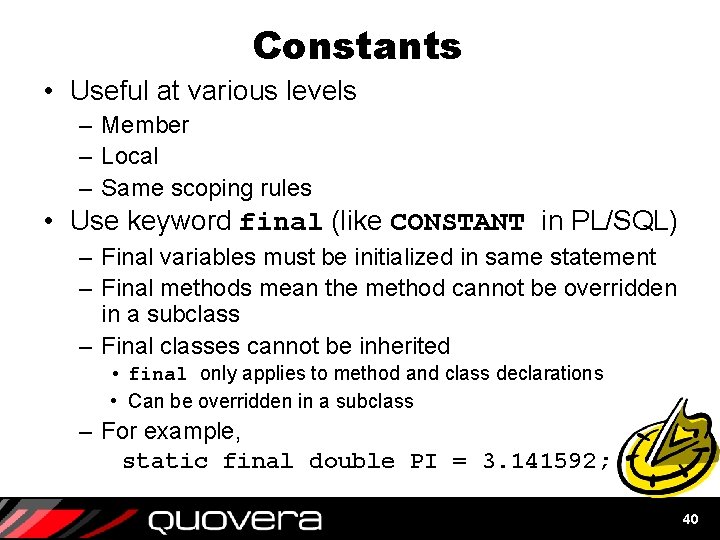
Constants • Useful at various levels – Member – Local – Same scoping rules • Use keyword final (like CONSTANT in PL/SQL) – Final variables must be initialized in same statement – Final methods mean the method cannot be overridden in a subclass – Final classes cannot be inherited • final only applies to method and class declarations • Can be overridden in a subclass – For example, static final double PI = 3. 141592; 40
Agenda • Java Basics • Object Orientation • Anatomy 101 • Datatypes and Variables • Control Statements 41
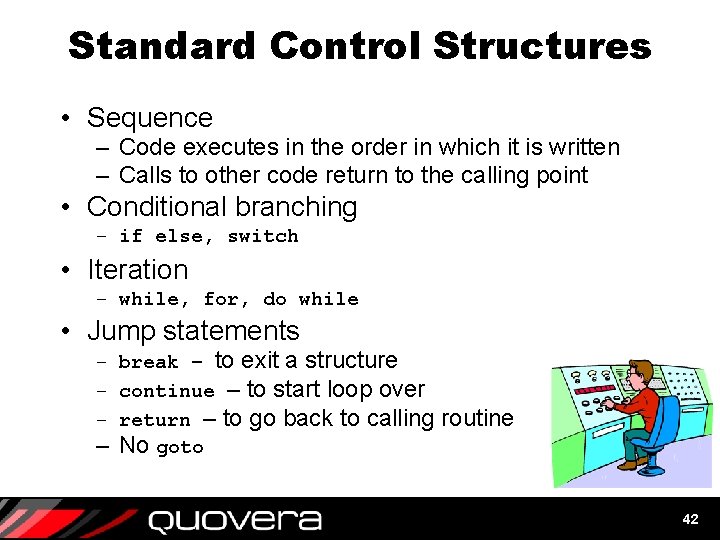
Standard Control Structures • Sequence – Code executes in the order in which it is written – Calls to other code return to the calling point • Conditional branching – if else, switch • Iteration – while, for, do while • Jump statements – break – to exit a structure – continue – to start loop over – return – to go back to calling routine – No goto 42
if else Example class Show. Quarter { public static void main (String[] args) { int tax. Month = 10; String tax. Quarter; } } comparison equals Logical OR if (tax. Month == 1 || tax. Month == 2 || tax. Month == 3) { tax. Quarter = "1 st Quarter"; Logical AND } else if (tax. Month >= 4 && tax. Month <= 6) { tax. Quarter = "2 nd Quarter"; } else if (tax. Month >= 7 && tax. Month <= 9) { tax. Quarter = "3 rd Quarter"; } else if (tax. Month >= 10 && tax. Month <= 12){ tax. Quarter = "4 th Quarter"; } else { tax. Quarter = "Not Valid"; } System. out. println("Your current Tax Quarter is: " + tax. Quarter );
Loop Examples class Demo. For { public static void main (String[] args) { println() handles int i; mixing of data types for (i = 1; i <= 10; i++) { System. out. println("For loop count is " + i); } } increment Could be: for (int i = 1; i <= 10; i++) } operator class Demo. While { public static void main (String[] args) { int i = 1; } } while (i <= 10) { System. out. println( "While loop count is " + i); i++; } For loop count is 1 For loop count is 2 For loop count is 3 For loop count is 4 For loop count is 5 For loop count is 6 For loop count is 7 For loop count is 8 For loop count is 9 For loop count is 10 44
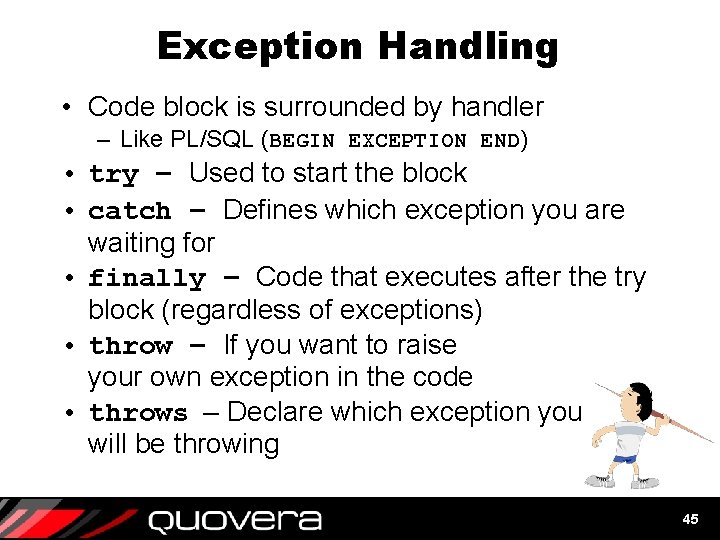
Exception Handling • Code block is surrounded by handler – Like PL/SQL (BEGIN EXCEPTION END) • try – Used to start the block • catch – Defines which exception you are waiting for • finally – Code that executes after the try block (regardless of exceptions) • throw – If you want to raise your own exception in the code • throws – Declare which exception you will be throwing 45
Exception Handling Example public class Test. Exception extends Object { public static void main(String[] args) { int numerator = 5, denominator = 0, ratio; Will raise a dividetry { by-zero error. ratio = numerator / denominator; System. out. println("The ratio is " + ratio); } catch (Exception except) { // display error message except. print. Stack. Trace(); } finally { System. out. println("After finally. "); } System. out. println("The end. "); } } 46
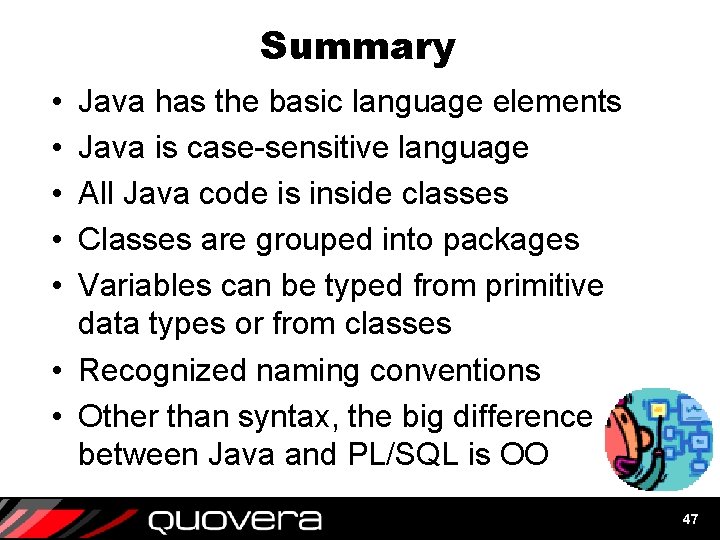
Summary • • • Java has the basic language elements Java is case-sensitive language All Java code is inside classes Classes are grouped into packages Variables can be typed from primitive data types or from classes • Recognized naming conventions • Other than syntax, the big difference between Java and PL/SQL is OO 47
Designer Handbook Developer Advanced Forms & Reports JDeveloper 3 Handbook ORACLE 9 i JDeveloper Handbook ORACLE JDeveloper 10 g Handbook Also co-authored with Avrom Faderman § Books co-authored with Dr. Paul Dorsey § Personal web site: http: //ourworld. compuserve. com/ homepages/Peter_Koletzke http: //www. quovera. com • Founded in 1995 as Millennia Vision Corp. • Profitable for 7+ years without outside funding • Consultants each have 10+ years industry experience • Strong High-Tech industry background • 200+ clients/300+ projects • JDeveloper Partner • More technical white papers and presentations on the web site 48