
Introduction to Java James Brucker What is Java
Introduction to Java James Brucker
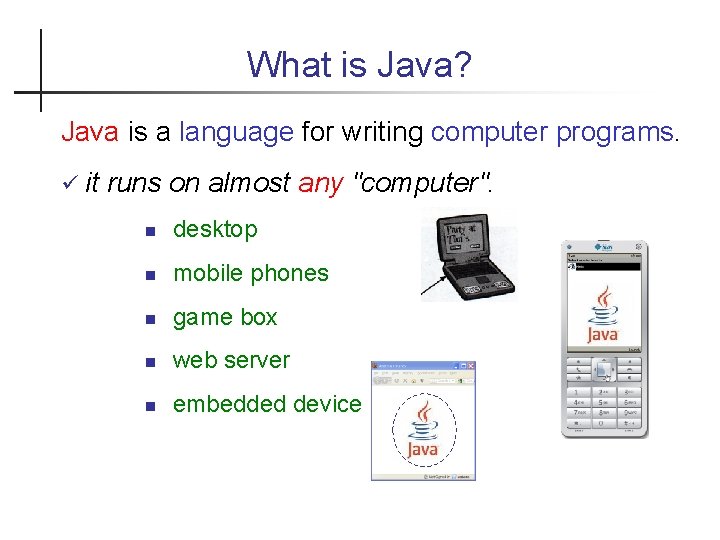
What is Java? Java is a language for writing computer programs. it runs on almost any "computer". desktop mobile phones game box web server embedded device
Why is popular? Can create many kinds of software. . . mobile apps (Android) games desktop programs web apps & web services Lots of info, tools, and software Runs (almost) anywhere
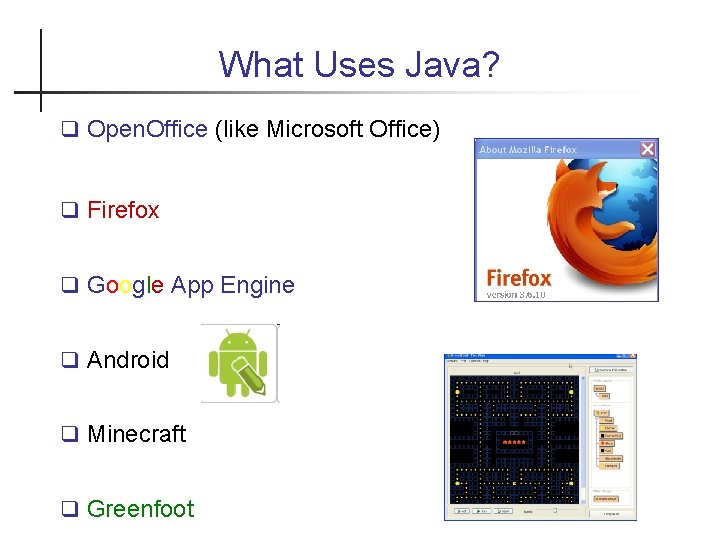
What Uses Java? Open. Office (like Microsoft Office) Firefox Google App Engine Android Minecraft Greenfoot
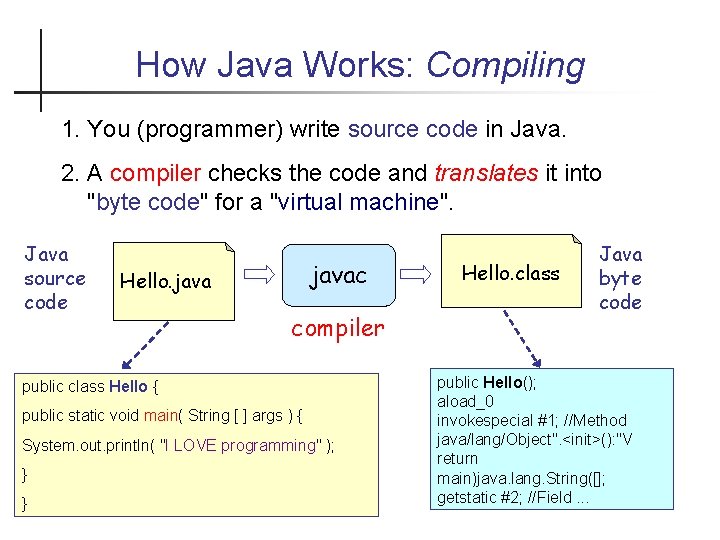
How Java Works: Compiling 1. You (programmer) write source code in Java. 2. A compiler checks the code and translates it into "byte code" for a "virtual machine". Java source code javac Hello. java compiler public class Hello { public static void main( String [ ] args ) { System. out. println( "I LOVE programming" ); } } Hello. class Java byte code public Hello(); aload_0 invokespecial #1; //Method java/lang/Object". <init>(): "V return main)java. lang. String([]; getstatic #2; //Field. . .
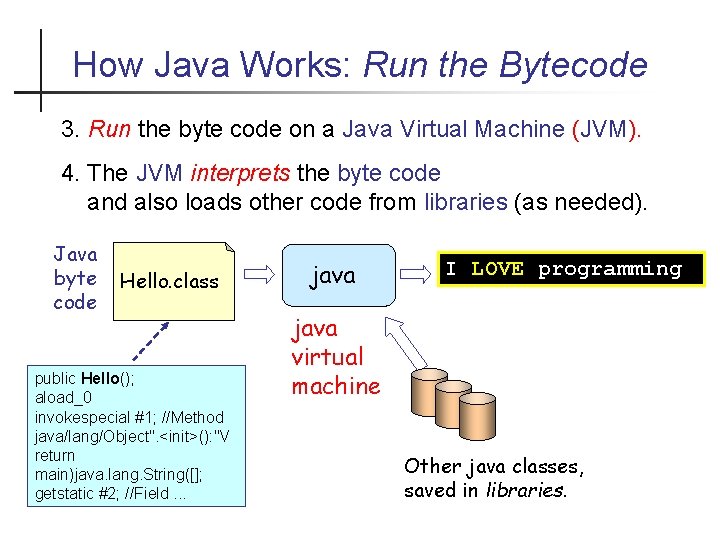
How Java Works: Run the Bytecode 3. Run the byte code on a Java Virtual Machine (JVM). 4. The JVM interprets the byte code and also loads other code from libraries (as needed). Java byte code Hello. class public Hello(); aload_0 invokespecial #1; //Method java/lang/Object". <init>(): "V return main)java. lang. String([]; getstatic #2; //Field. . . java I LOVE programming java virtual machine Other java classes, saved in libraries.
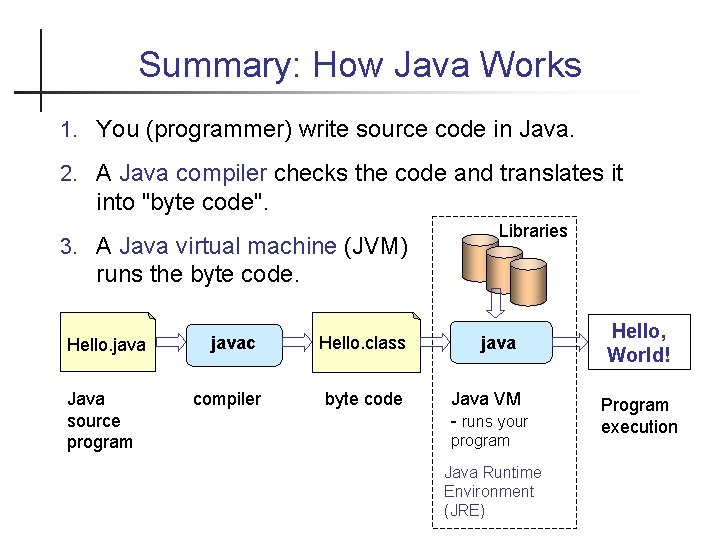
Summary: How Java Works 1. You (programmer) write source code in Java. 2. A Java compiler checks the code and translates it into "byte code". 3. A Java virtual machine (JVM) Libraries runs the byte code. Hello. java Java source program javac Hello. class compiler byte code java Java VM - runs your program Java Runtime Environment (JRE) Hello, World! Program execution
How to Write Source Code? You can use any editor to write the Java code. - or Integrated Development Environment (IDE) such as Blue. J, Eclipse, and Netbeans. An IDE makes you much more productive, but they take some practice. . .
What you Need 1. install the Java Development Kit (JDK). 2. It is helpful to install the Java documentation. 3. Integrated Development Environment (IDE) or an editor – an IDE makes programming much faster – Blue. J, Eclipse, Netbeans, Intelli. J There are several implementations of Java (like Open. JDK) but we will use Oracle's Java, from: http: //java. oracle. com
Important: Blue. J includes JDK Blue. J v. 4 for Windows and Mac OSX includes Java JDK So. . . if you use Blue. J you do not need to download JDK. Linux: you do need to install JDK separately. If you use Eclipse, Net. Beans, or Intelli. J: install JDK separately.
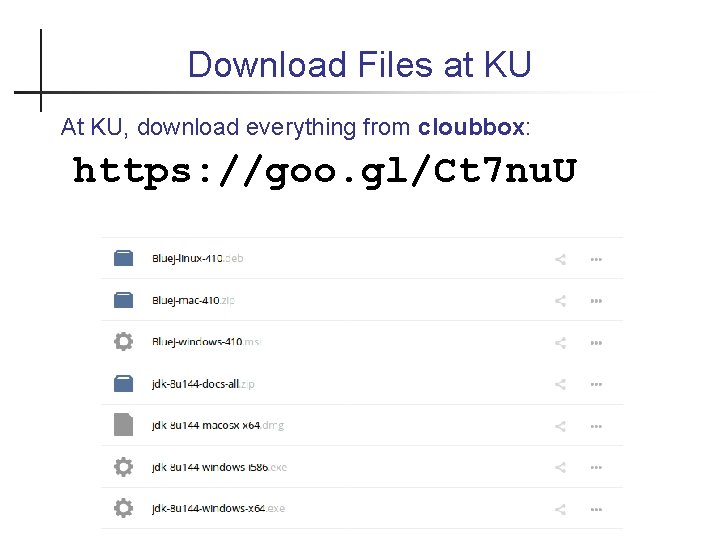
Download Files at KU At KU, download everything from cloubbox: https: //goo. gl/Ct 7 nu. U
Install Java Development Kit (JDK) Download "Java SE Development Kit" (JDK) at. . . http: //java. oracle. com Direct Link: http: //www. oracle. com/technetwork/javase/do wnloads Windows 1. double-click jdk-8 u 144 -windows-x 64. exe 2. Install in C: javajdk 1. 8. 0_144 (not C: Program Files) Ubuntu Linux 1. download debian 2. Install in C: javajdk 1. 8. 0_144 (not C: Program Files)
Blue. J IDE Blue. J is a simple IDE, but useful for learning Java. https: //bluej. org Note: Blue. J v. 4 for Windows and Mac OSX includes Java JDK. So. . . if you use Blue. J you do not need to download JDK.
Installation Notes There are some suggestions at the end of these slides You can also find videos on You. Tube for help installing Java and writing your first program.
What Are We Going to Write? First version: program will print Hello, human. Second version: program will ask for your name, save it as a String, and print a personal greeting. Example: What is your name? Cat Hello, Cat. Third version: we will also get the current time and print it along with greeting like in second version.
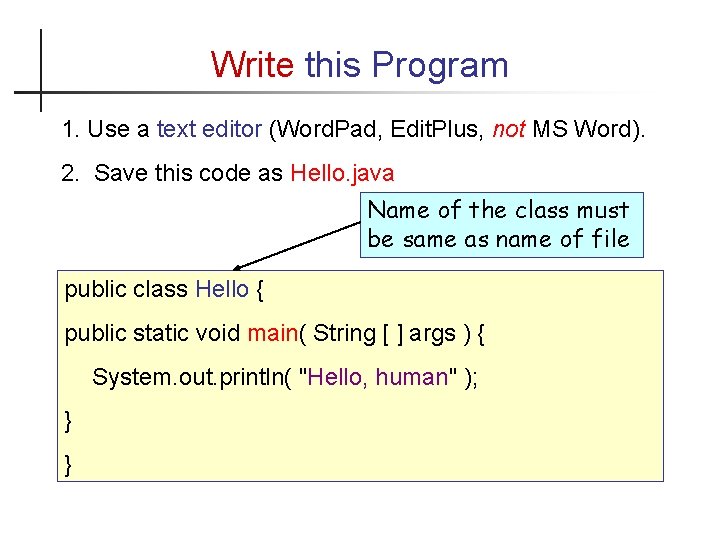
Write this Program 1. Use a text editor (Word. Pad, Edit. Plus, not MS Word). 2. Save this code as Hello. java Name of the class must be same as name of file public class Hello { public static void main( String [ ] args ) { System. out. println( "Hello, human" ); } }
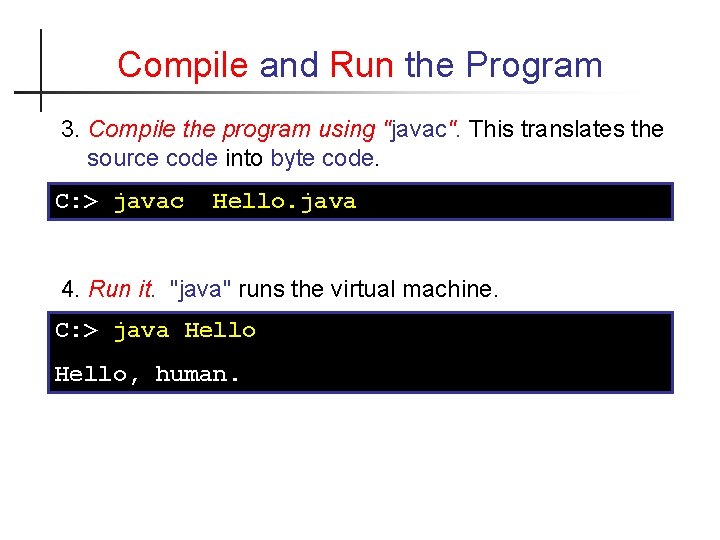
Compile and Run the Program 3. Compile the program using "javac". This translates the source code into byte code. C: > javac Hello. java 4. Run it. "java" runs the virtual machine. C: > java Hello, human.
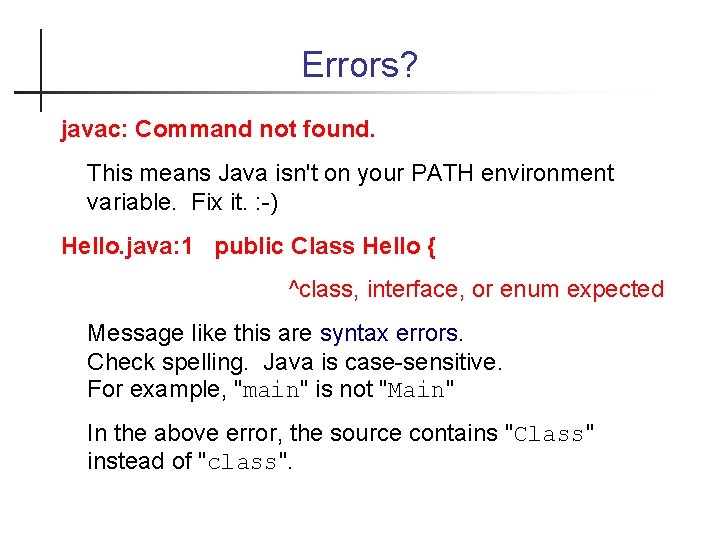
Errors? javac: Command not found. This means Java isn't on your PATH environment variable. Fix it. : -) Hello. java: 1 public Class Hello { ^class, interface, or enum expected Message like this are syntax errors. Check spelling. Java is case-sensitive. For example, "main" is not "Main" In the above error, the source contains "Class" instead of "class".
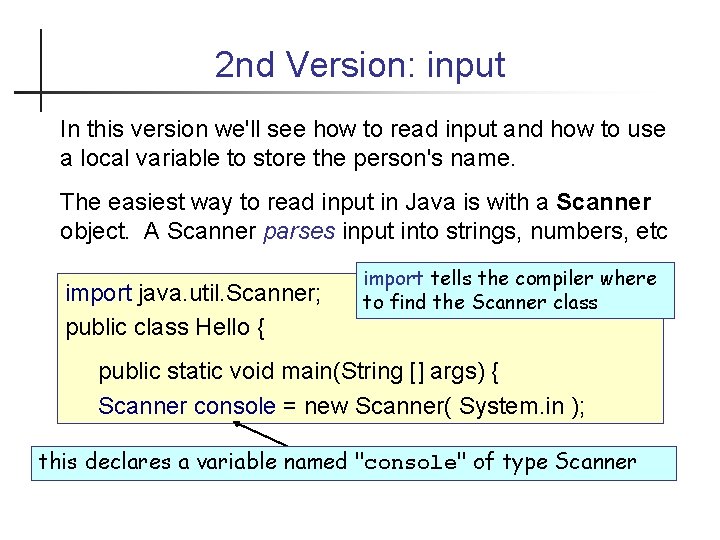
2 nd Version: input In this version we'll see how to read input and how to use a local variable to store the person's name. The easiest way to read input in Java is with a Scanner object. A Scanner parses input into strings, numbers, etc import java. util. Scanner; public class Hello { import tells the compiler where to find the Scanner class public static void main(String [] args) { Scanner console = new Scanner( System. in ); this declares a variable named "console" of type Scanner
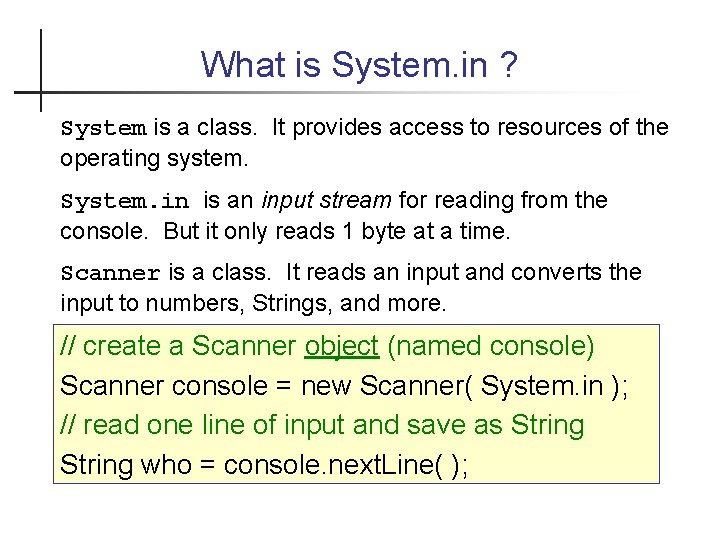
What is System. in ? System is a class. It provides access to resources of the operating system. System. in is an input stream for reading from the console. But it only reads 1 byte at a time. Scanner is a class. It reads an input and converts the input to numbers, Strings, and more. // create a Scanner object (named console) Scanner console = new Scanner( System. in ); // read one line of input and save as String who = console. next. Line( );
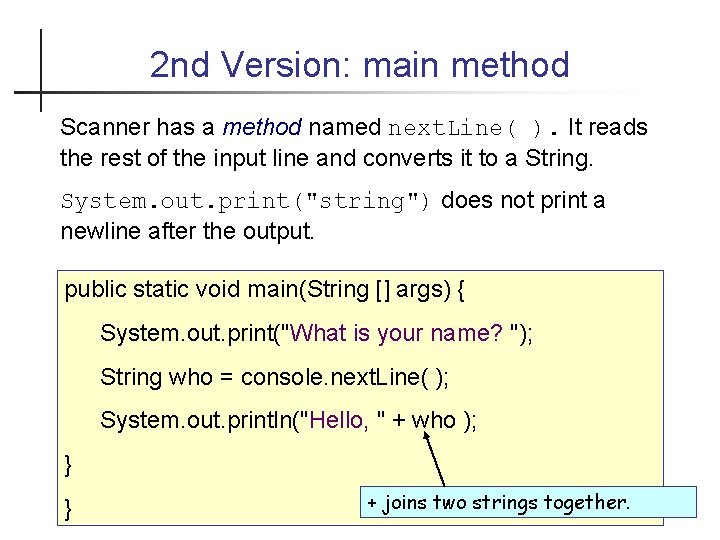
2 nd Version: main method Scanner has a method named next. Line( ). It reads the rest of the input line and converts it to a String. System. out. print("string") does not print a newline after the output. public static void main(String [] args) { System. out. print("What is your name? "); String who = console. next. Line( ); System. out. println("Hello, " + who ); } } + joins two strings together.
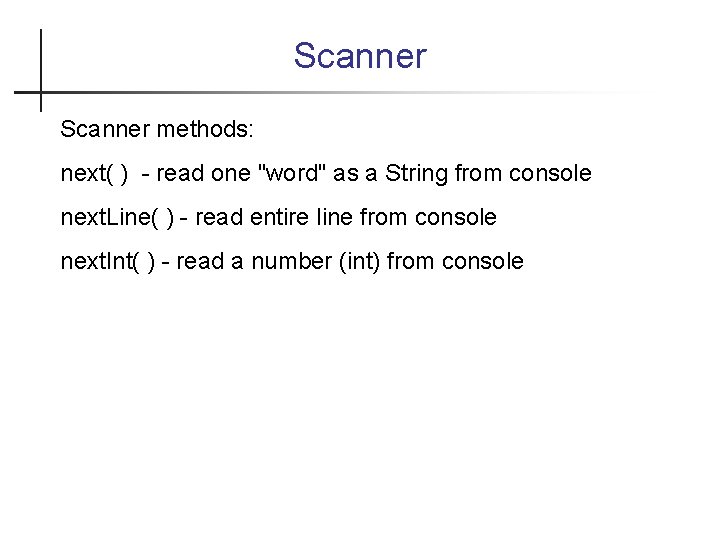
Scanner methods: next( ) - read one "word" as a String from console next. Line( ) - read entire line from console next. Int( ) - read a number (int) from console
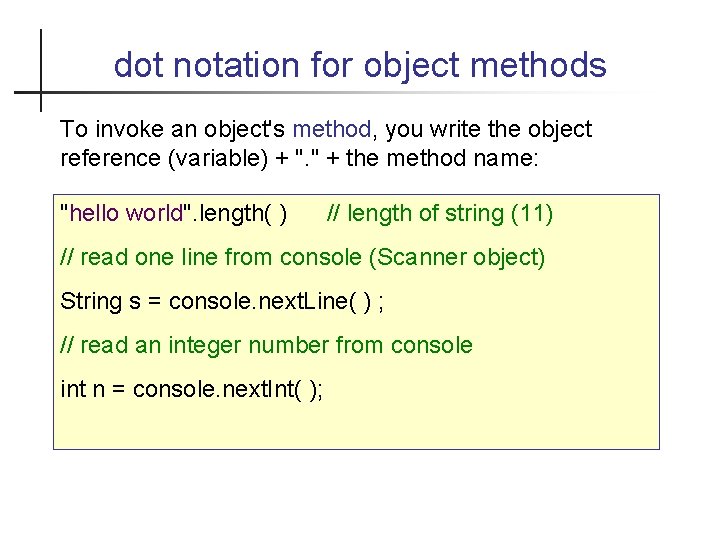
dot notation for object methods To invoke an object's method, you write the object reference (variable) + ". " + the method name: "hello world". length( ) // length of string (11) // read one line from console (Scanner object) String s = console. next. Line( ) ; // read an integer number from console int n = console. next. Int( );
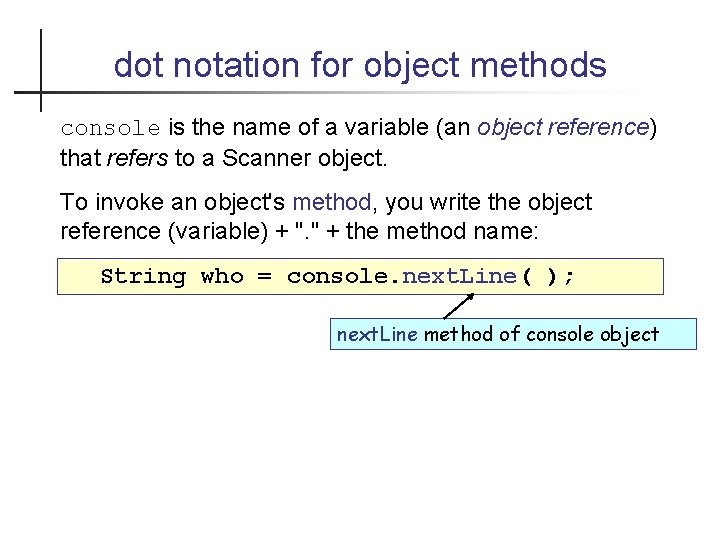
dot notation for object methods console is the name of a variable (an object reference) that refers to a Scanner object. To invoke an object's method, you write the object reference (variable) + ". " + the method name: String who = console. next. Line( ); next. Line method of console object
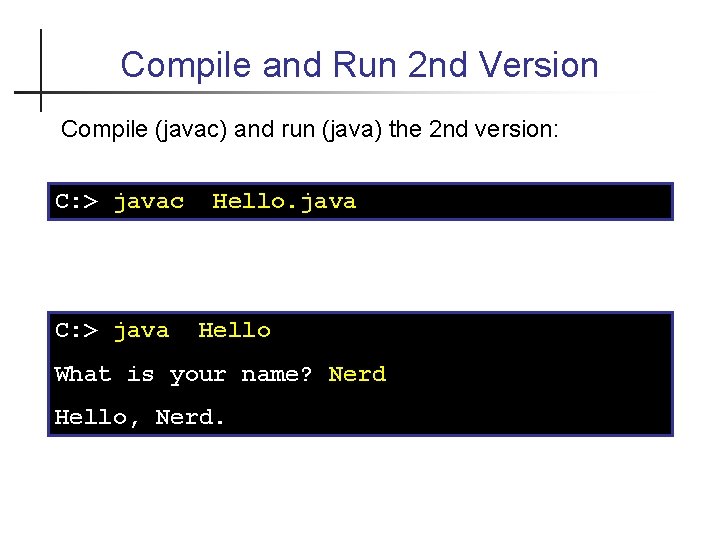
Compile and Run 2 nd Version Compile (javac) and run (java) the 2 nd version: C: > javac C: > java Hello What is your name? Nerd Hello, Nerd.
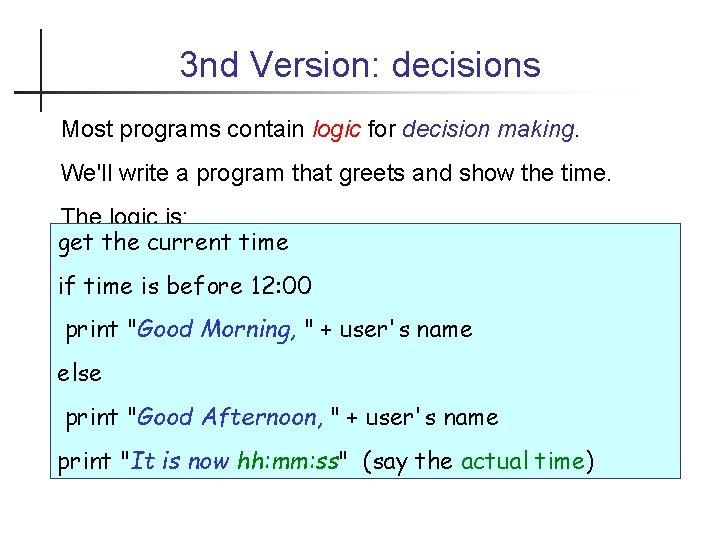
3 nd Version: decisions Most programs contain logic for decision making. We'll write a program that greets and show the time. The logic is: get the current time if time is before 12: 00 print "Good Morning, " + user's name else print "Good Afternoon, " + user's name print "It is now hh: mm: ss" (say the actual time)

Creating a Date Object Java has a Date class located in java. util package. Date has lots of methods. get. Hours( ) returns the hour. To create a Date object with the current date and time, use: Date now = new Date( ); To create an object from a class, write: new Class. Name( ); Some classes allow parameters when creating a new object, for example: new Double( 0. 5 ); // double with value 0. 5
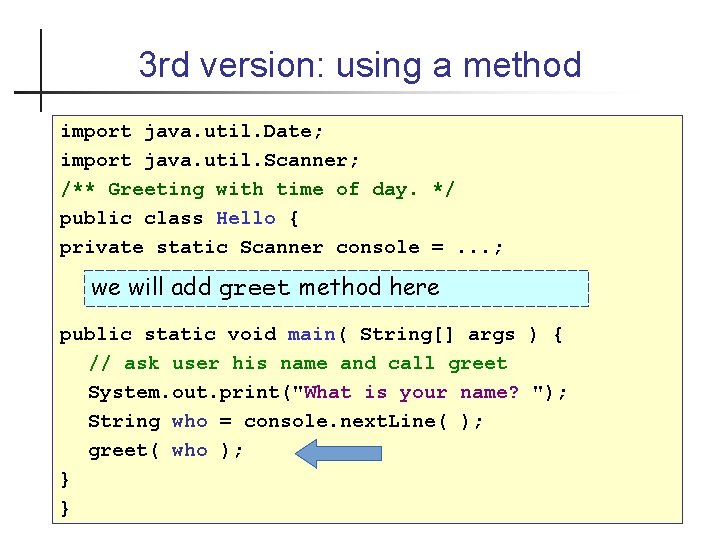
3 rd version: using a method import java. util. Date; import java. util. Scanner; /** Greeting with time of day. */ public class Hello { private static Scanner console =. . . ; we will add greet method here public static void main( String[] args ) { // ask user his name and call greet System. out. print("What is your name? "); String who = console. next. Line( ); greet( who ); } }
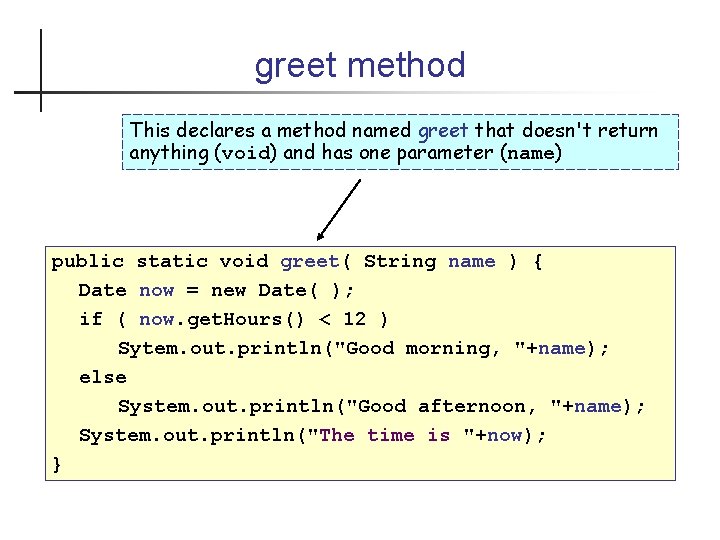
greet method This declares a method named greet that doesn't return anything (void) and has one parameter (name) public static void greet( String name ) { Date now = new Date( ); if ( now. get. Hours() < 12 ) Sytem. out. println("Good morning, "+name); else System. out. println("Good afternoon, "+name); System. out. println("The time is "+now); }
Compile and Run Compile (javac) and run (java) the 3 rd Hello program.
That's It! This program was a quick overview of how to program in Java. After this, we'll write code in Blue. J makes it much easier to edit, compile, and run your code. In Blue. J, you can also run Java commands interactively, without creating a program.
What do you need to use Java? Programmer needs the JDK to compile Java code. JDK contains many useful tools + JRE but its very big (150 MB). To run a Java program you need only: "Java Runtime Environment" (JRE) - about 10 MB contains Java Virtual Machine (JVM) and libraries
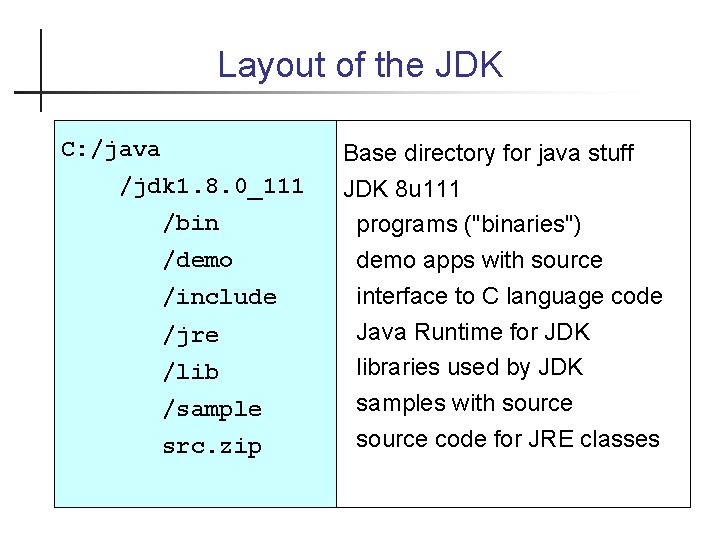
Layout of the JDK C: /java /jdk 1. 8. 0_111 /bin /demo /include /jre /lib /sample src. zip Base directory for java stuff JDK 8 u 111 programs ("binaries") demo apps with source interface to C language code Java Runtime for JDK libraries used by JDK samples with source code for JRE classes

Executable are in /bin C: /java /jdk 1. 8. 0_26 /bin javac javadoc javaw jar jvisualvm Java Virtual Machine (JVM) compiler create Javadoc (HTML) JVM for GUI applications manage Java Archive (jar) files monitor the Java VM

Demo applications C: /java /jdk 1. 8. 0_26 "Demo" is optional. You might not have it. /demo Demos for Java core classes Java applets (run in browser) /applets/ Java plugins /plugins/ /netbeans/ jfc and applets as Netbeans projects /jfc/
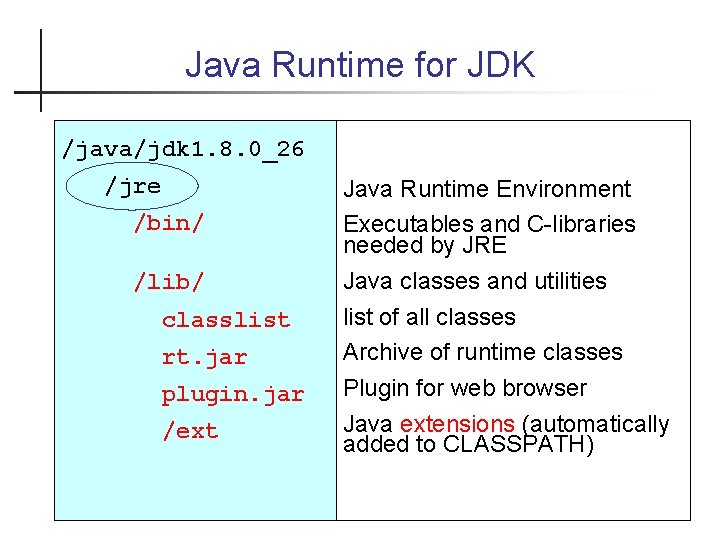
Java Runtime for JDK /java/jdk 1. 8. 0_26 /jre /bin/ /lib/ classlist rt. jar plugin. jar /ext Java Runtime Environment Executables and C-libraries needed by JRE Java classes and utilities list of all classes Archive of runtime classes Plugin for web browser Java extensions (automatically added to CLASSPATH)
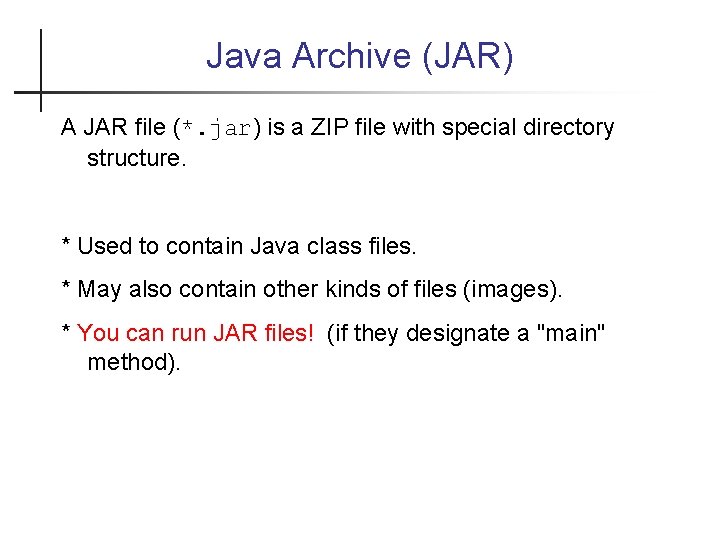
Java Archive (JAR) A JAR file (*. jar) is a ZIP file with special directory structure. * Used to contain Java class files. * May also contain other kinds of files (images). * You can run JAR files! (if they designate a "main" method).
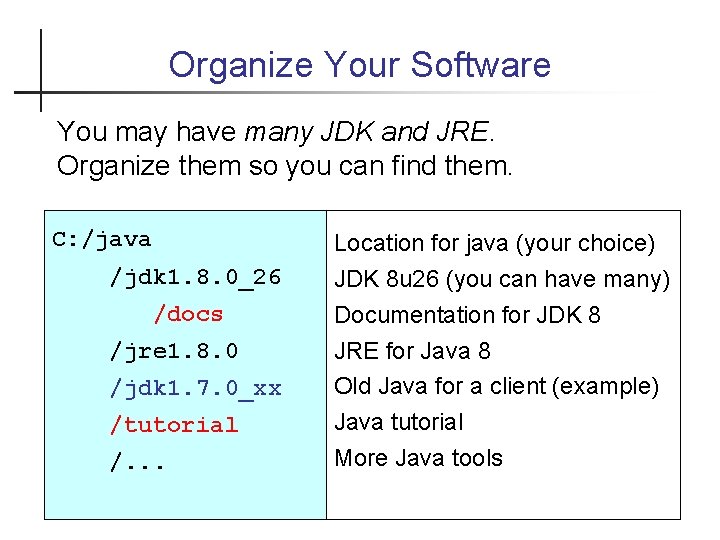
Organize Your Software You may have many JDK and JRE. Organize them so you can find them. C: /java /jdk 1. 8. 0_26 /docs /jre 1. 8. 0 /jdk 1. 7. 0_xx /tutorial /. . . Location for java (your choice) JDK 8 u 26 (you can have many) Documentation for JDK 8 JRE for Java 8 Old Java for a client (example) Java tutorial More Java tools
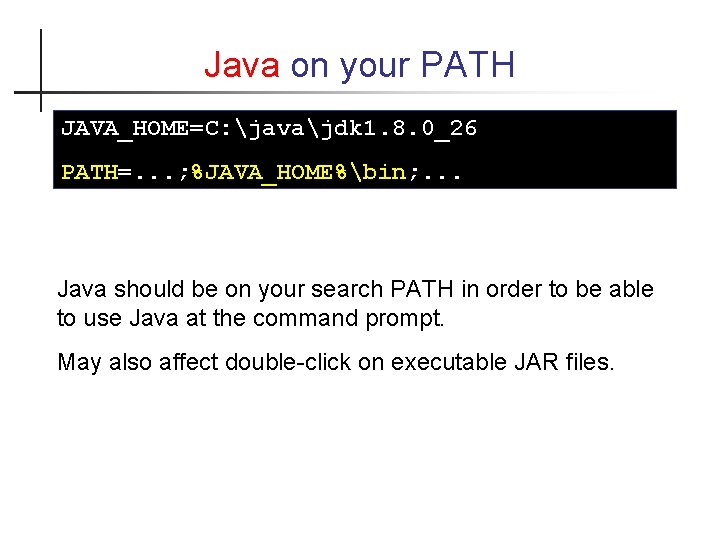
Java on your PATH JAVA_HOME=C: javajdk 1. 8. 0_26 PATH=. . . ; %JAVA_HOME%bin; . . . Java should be on your search PATH in order to be able to use Java at the command prompt. May also affect double-click on executable JAR files.
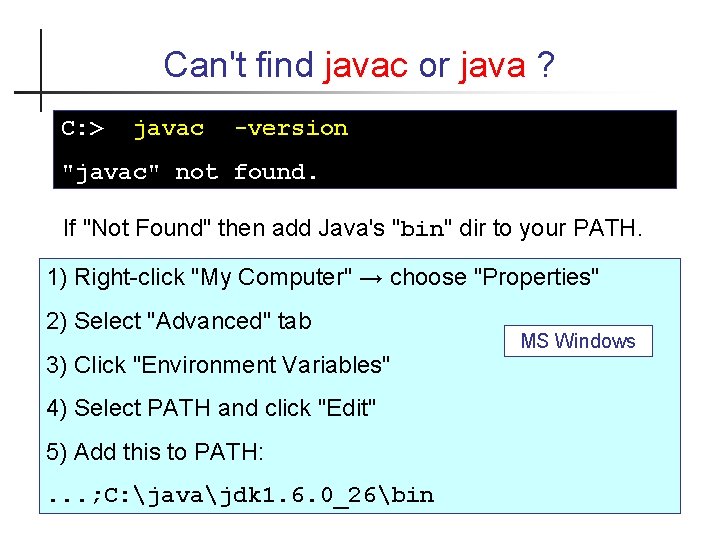
Can't find javac or java ? C: > javac -version "javac" not found. If "Not Found" then add Java's "bin" dir to your PATH. 1) Right-click "My Computer" → choose "Properties" 2) Select "Advanced" tab 3) Click "Environment Variables" 4) Select PATH and click "Edit" 5) Add this to PATH: . . . ; C: javajdk 1. 6. 0_26bin MS Windows
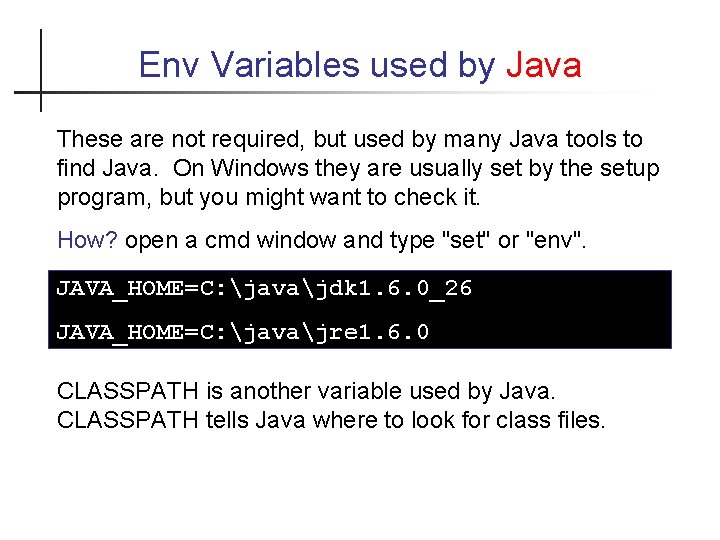
Env Variables used by Java These are not required, but used by many Java tools to find Java. On Windows they are usually set by the setup program, but you might want to check it. How? open a cmd window and type "set" or "env". JAVA_HOME=C: javajdk 1. 6. 0_26 JAVA_HOME=C: javajre 1. 6. 0 CLASSPATH is another variable used by Java. CLASSPATH tells Java where to look for class files.

Know Your Tools Craftman, Farmers, Engineers, Scientists, . . . Know Their Tools
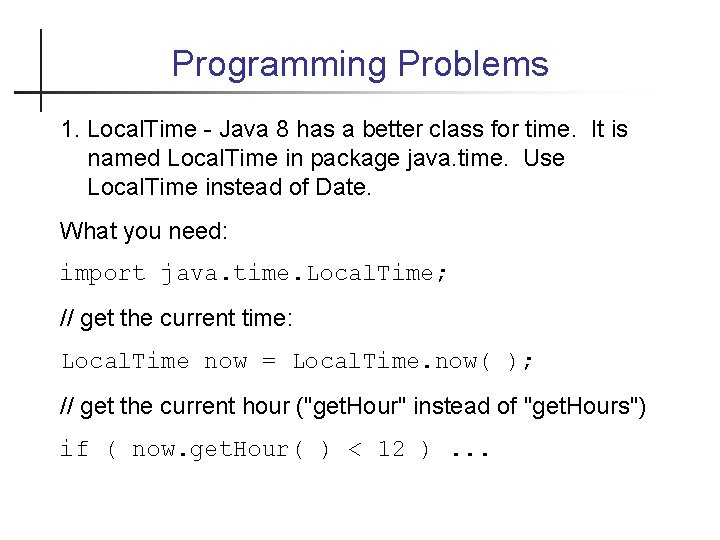
Programming Problems 1. Local. Time - Java 8 has a better class for time. It is named Local. Time in package java. time. Use Local. Time instead of Date. What you need: import java. time. Local. Time; // get the current time: Local. Time now = Local. Time. now( ); // get the current hour ("get. Hour" instead of "get. Hours") if ( now. get. Hour( ) < 12 ). . .
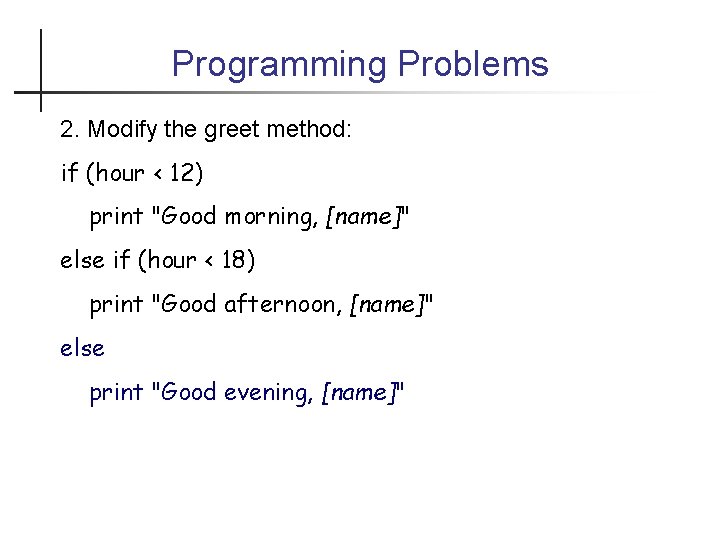
Programming Problems 2. Modify the greet method: if (hour < 12) print "Good morning, [name]" else if (hour < 18) print "Good afternoon, [name]" else print "Good evening, [name]"
- Slides: 44