
Introduction to JAVA CMSC 331 UMBC CMSC 331
Introduction to JAVA CMSC 331 UMBC CMSC 331 Java
Introduction • Present the syntax of Java • Introduce the Java API • Demonstrate how to build – stand-alone Java programs – Java applets, which run within browsers e. g. Netscape – Java servlets, which run with a web server • Example programs tested using Java on Windows and/or Unix UMBC CMSC 331 Java 2
Why Java? • It’s the current “hot” language • It’s almost entirely object-oriented • It has a vast library of predefined objects • It’s platform independent (except for J++) – this makes it great for Web programming • It’s designed to support Internet applications • It’s secure • It isn’t C++ UMBC CMSC 331 Java 3
Important Features of Java • • Java is a simple language (compared to C++). Java is a completely object-oriented language. Java programs can be multi-threaded. Java programs automatically recycle memory. Java is a distributed and secure language. Java is robust (potential errors are often caught). To make Java portable, so that they run on a variety of hardware, programs are translated into byte code which is executing by a Java Virtual Machine. UMBC CMSC 331 Java 4
Historical notes • ~1991, a group at Sun led by James Gosling and Patrick Naughton designed a language (code-named “Green”) for use in consumer devices such as intelligent TV “set-top” boxes and microwaves. – The design choices reflected the expectation of its use for small, distributed, and necessarily robust programs on a variety of hardware. – No customer was ever found for this technology. • ~1993, Green was renamed “Oak” (after a tree outside Gosling’s office) and was used to develop the Hot. Java browser, which had one unique property: it could dynamically download programs (“applets”) from the Web and run them. • “Oak” was already taken as a name for a computer language, so Gosling thought of the name Java in a coffee shop. UMBC CMSC 331 Java 5
What is OOP? • Object-oriented programming technology can be summarized by three key concepts: – Objects that provide encapsulation of procedures and data – Messages that support polymorphism across objects – Classes that implement inheritance within class hierarchies • More on this later! UMBC CMSC 331 Java 6
Applets, Servlets and applications • An applet is a program designed to be embedded in a Web page and run in a web browser – Applets run in a sandbox with numerous restrictions; for example, they can’t read files • A servlet is a program which runs in a web server and typically generates a web page. – Dynamically generated web pages are important and Java servlets are an alternative to using Basic (ASP), Python, specialized languages (PHP), and vendor specific solutions (e. g. , Oracle) • An application is a conventional program • Java isn't a baby language anymore! UMBC CMSC 331 Java 7
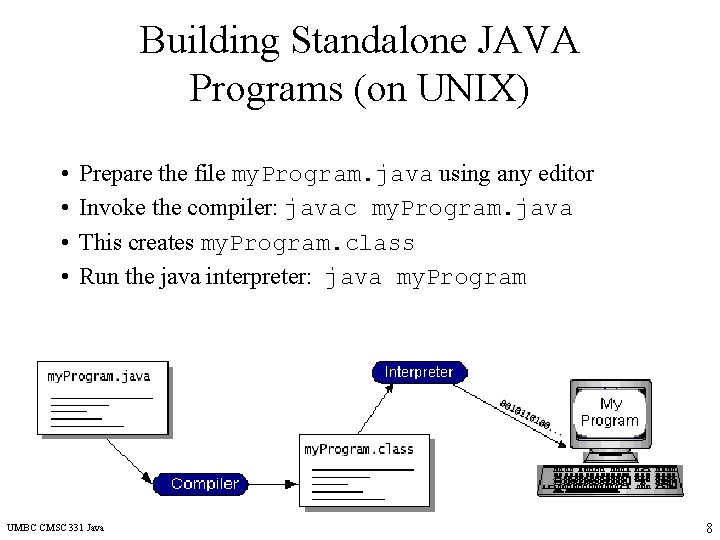
Building Standalone JAVA Programs (on UNIX) • • Prepare the file my. Program. java using any editor Invoke the compiler: javac my. Program. java This creates my. Program. class Run the java interpreter: java my. Program UMBC CMSC 331 Java 8
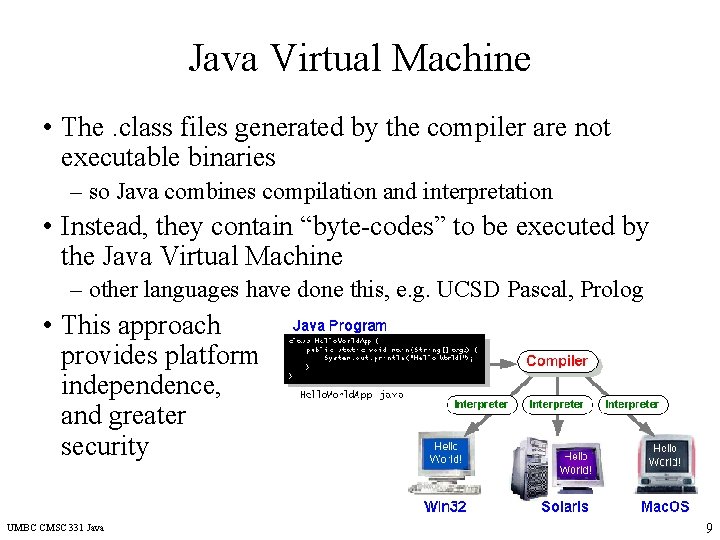
Java Virtual Machine • The. class files generated by the compiler are not executable binaries – so Java combines compilation and interpretation • Instead, they contain “byte-codes” to be executed by the Java Virtual Machine – other languages have done this, e. g. UCSD Pascal, Prolog • This approach provides platform independence, and greater security UMBC CMSC 331 Java 9
![Hello. World Application public class Hello. World { public static void main(String[] args) {](http://slidetodoc.com/presentation_image_h2/9b76f74f18fced18f063969a4bdd71e5/image-10.jpg "Hello. World Application public class Hello. World { public static void main(String[] args) {")
Hello. World Application public class Hello. World { public static void main(String[] args) { System. out. println("Hello World!"); } } • Note that String is built in • println is a member function for the System. out class • Every standalone Java application must have a main method like public static void main(String[] args) { UMBC CMSC 331 Java } 10
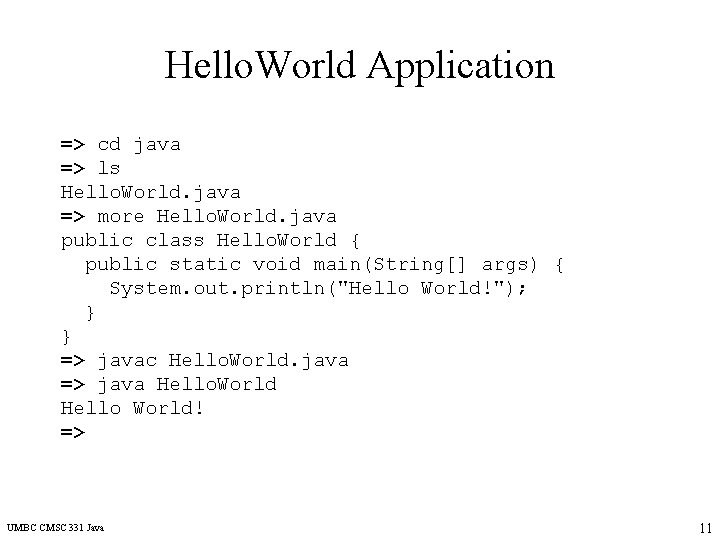
Hello. World Application => cd java => ls Hello. World. java => more Hello. World. java public class Hello. World { public static void main(String[] args) { System. out. println("Hello World!"); } } => javac Hello. World. java => java Hello. World Hello World! => UMBC CMSC 331 Java 11
Java Applets • The JAVA virtual machine may be executed under the auspices of some other program, e. g. a Web browser or server. • Bytecodes can be loaded off the Web, and then executed locally. • There are classes in Java to support this UMBC CMSC 331 Java 12
![Another simple Java program public class Fibonacci { public static void main(String args[ ])](http://slidetodoc.com/presentation_image_h2/9b76f74f18fced18f063969a4bdd71e5/image-13.jpg "Another simple Java program public class Fibonacci { public static void main(String args[ ])")
Another simple Java program public class Fibonacci { public static void main(String args[ ]) { int first = 1; int second = 1; int next = 2; System. out. print(first + " "); System. out. print(second + " "); while (next < 5000) { next = first + second; System. out. print(next + " "); first = second; second = next; } System. out. println( ); } } UMBC CMSC 331 Java 13
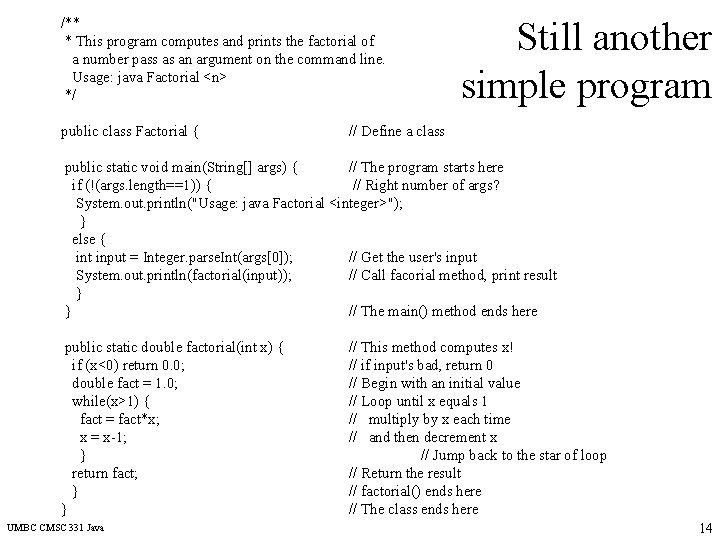
/** * This program computes and prints the factorial of a number pass as an argument on the command line. Usage: java Factorial <n> */ public class Factorial { Still another simple program // Define a class public static void main(String[] args) { // The program starts here if (!(args. length==1)) { // Right number of args? System. out. println("Usage: java Factorial <integer>"); } else { int input = Integer. parse. Int(args[0]); // Get the user's input System. out. println(factorial(input)); // Call facorial method, print result } } // The main() method ends here public static double factorial(int x) { if (x<0) return 0. 0; double fact = 1. 0; while(x>1) { fact = fact*x; x = x-1; } return fact; } } UMBC CMSC 331 Java // This method computes x! // if input's bad, return 0 // Begin with an initial value // Loop until x equals 1 // multiply by x each time // and then decrement x // Jump back to the star of loop // Return the result // factorial() ends here // The class ends here 14
Building Applets • Prepare the file my. Program. java, and compile it to create my. Program. class • Two ways to run applet program: – Invoke an Applet Viewer (e. g. appletviewer) on windows or unix and specify the html file – Using a browser (e. g. , IE or Netscape), open an HTML file such as my. Program. html • Browser invokes the Java Virtual Machine UMBC CMSC 331 Java 15
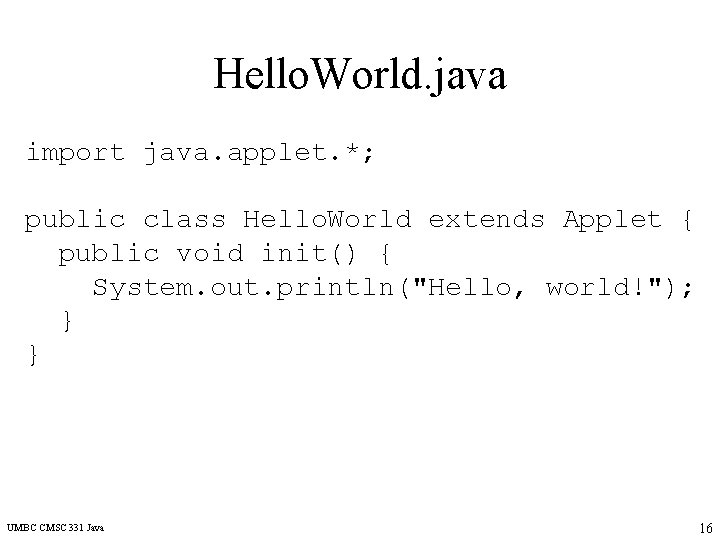
Hello. World. java import java. applet. *; public class Hello. World extends Applet { public void init() { System. out. println("Hello, world!"); } } UMBC CMSC 331 Java 16
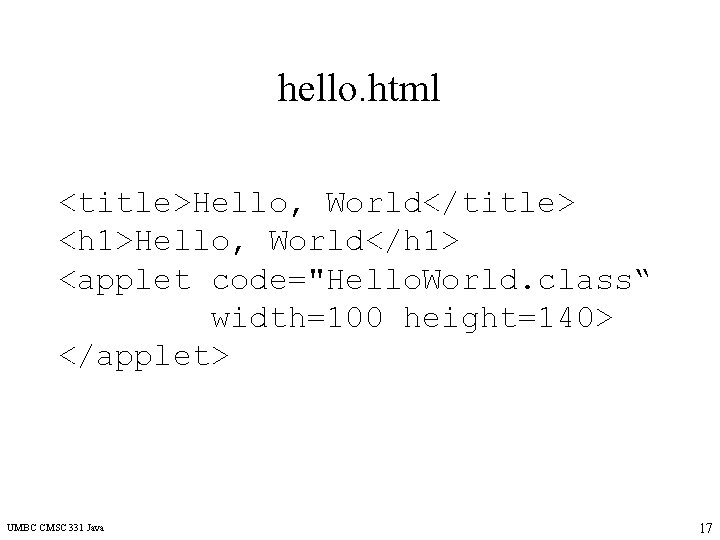
hello. html <title>Hello, World</title> <h 1>Hello, World</h 1> <applet code="Hello. World. class“ width=100 height=140> </applet> UMBC CMSC 331 Java 17
![Running the Applet [3: 43 pm] linuxserver 1 => pwd /home/faculty 4/finin/www/java [3: 43](http://slidetodoc.com/presentation_image_h2/9b76f74f18fced18f063969a4bdd71e5/image-18.jpg "Running the Applet [3: 43 pm] linuxserver 1 => pwd /home/faculty 4/finin/www/java [3: 43")
Running the Applet [3: 43 pm] linuxserver 1 => pwd /home/faculty 4/finin/www/java [3: 43 pm] linuxserver 1 => ls Hello. World. java hello. html [3: 43 pm] linuxserver 1 => javac Hello. World. java [3: 43 pm] linuxserver 1 => ls Hello. World. class Hello. World. java hello. html UMBC CMSC 331 Java 18
But that’s not right! • The “Hello, World” was displayed by the HTML H 1 tag… • What’s going on? • Applets do their output in a much more complicated way, using graphics. • When an applet is loaded, by default, the paint method is called UMBC CMSC 331 Java 19
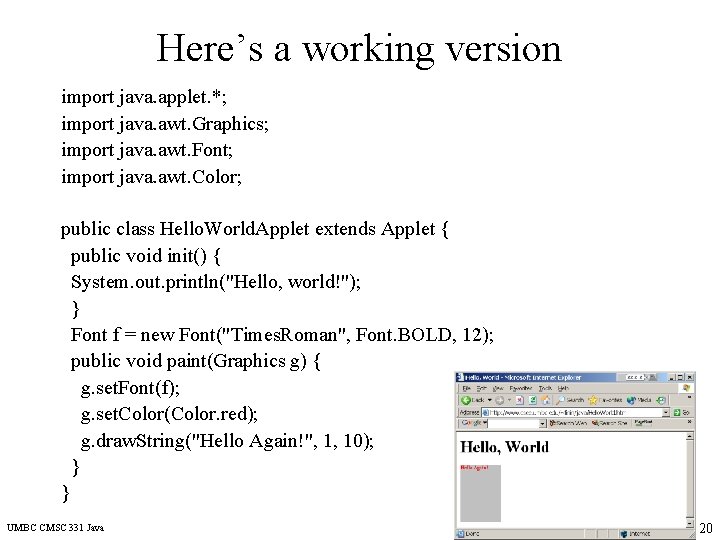
Here’s a working version import java. applet. *; import java. awt. Graphics; import java. awt. Font; import java. awt. Color; public class Hello. World. Applet extends Applet { public void init() { System. out. println("Hello, world!"); } Font f = new Font("Times. Roman", Font. BOLD, 12); public void paint(Graphics g) { g. set. Font(f); g. set. Color(Color. red); g. draw. String("Hello Again!", 1, 10); } } UMBC CMSC 331 Java 20
Java Servlets • Most interesting web applications provide services, which requires invoking programs. • More and more of the web consists of pages that are not statically created by human editors, but dynamically generated when needed by programs. • How do we invoke these programs and what programming languages should we use? – CGI: Common Gateway Interface – Web servers with built in support for servlets written in Python, Lisp, Tcl, Prolog, Java, Visual Basic, Perl, etc. – ASP (Active Server Pages) is a scripting environment for Microsoft Internet Information Server in which you can combine HTML, scripts and reusable Active. X server components to create dynamic web pages. – ASP begat PHP, JSP, … • Java turns out to be an excellent language for servlets UMBC CMSC 331 Java 21
A Servlet’s Job • Read any data sent by the user – From HTML form, applet, or custom HTTP client • Look up HTTP request information – Browser capabilities, cookies, requesting host, etc. • Generate the results – JDBC, RMI, direct computation, legacy app, etc. • Format the results inside a document – HTML, Excel, etc. • Set HTTP response parameters – MIME type, cookies, compression, etc. • Send the document to the client UMBC CMSC 331 Java 22
Why Build Web Pages Dynamically? • The Web page is based on data submitted by the user – E. g. , results page from search engines and order-confirmation pages at on-line stores • The Web page is derived from data that changes frequently – E. g. , a weather report or news headlines page • The Web page uses information from databases or other server-side sources – E. g. , an e-commerce site could use a servlet to build a Web page that lists the current price and availability of each item that is for sale. UMBC CMSC 331 Java 23
The Advantages of Servlets Over “Traditional” CGI • Efficient – Threads instead of OS processes, one servlet copy, persistence • Convenient – Lots of high-level utilities • Powerful – Sharing data, pooling, persistence • Portable – Run on virtually all operating systems and servers • Secure – No shell escapes, no buffer overflows • Inexpensive UMBC CMSC 331 Java 24
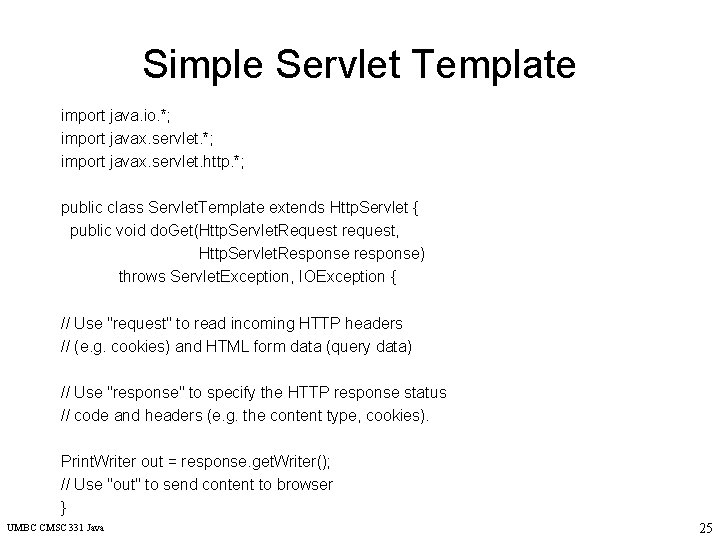
Simple Servlet Template import java. io. *; import javax. servlet. http. *; public class Servlet. Template extends Http. Servlet { public void do. Get(Http. Servlet. Request request, Http. Servlet. Response response) throws Servlet. Exception, IOException { // Use "request" to read incoming HTTP headers // (e. g. cookies) and HTML form data (query data) // Use "response" to specify the HTTP response status // code and headers (e. g. the content type, cookies). Print. Writer out = response. get. Writer(); // Use "out" to send content to browser } UMBC CMSC 331 Java 25
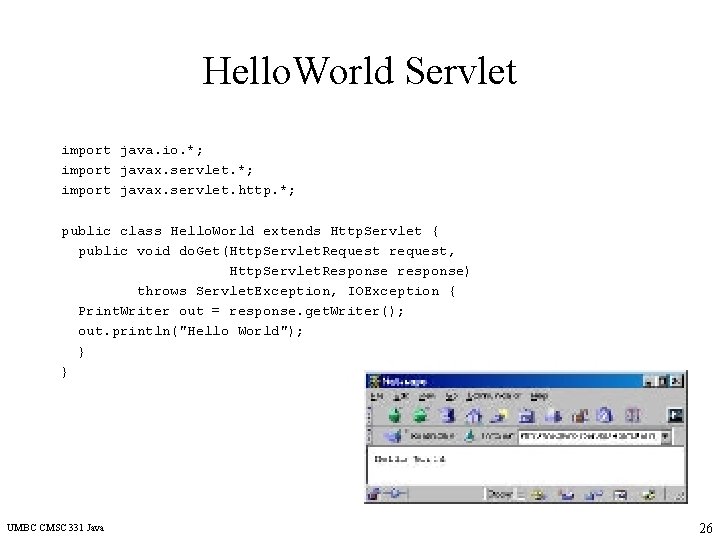
Hello. World Servlet import java. io. *; import javax. servlet. http. *; public class Hello. World extends Http. Servlet { public void do. Get(Http. Servlet. Request request, Http. Servlet. Response response) throws Servlet. Exception, IOException { Print. Writer out = response. get. Writer(); out. println("Hello World"); } } UMBC CMSC 331 Java 26
Summary • Java is an object-oriented programming language. • Java features make it ideally suited for writing networkoriented programs. • Java class definitions and the programs associated with classes are compiled into byte code, facilitating portability. • Java class definitions and the programs associated with them can be loaded dynamically via a network. • Java programs can be multithreaded, thereby enabling them to perform many tasks simultaneously. • Java does automatic memory management, relieving you of tedious programming and frustrating debugging, thereby increasing your productivity. • Java has syntactical similarities with C and C++. UMBC CMSC 331 Java 27
- Slides: 27