
Introduction to IPD Jo Simons johan simonsalcatellucent com

![Both setup : Network. top File (3/3) Contents: Syntax: [node ids] sim 1=1 sim](https://slidetodoc.com/presentation_image_h/3796db81f88cdc4a14968baaa8ac1c07/image-9.jpg "Both setup : Network. top File (3/3) Contents: Syntax: [node ids] sim 1=1 sim")
![Test Setup : Distributed CPM/IOM Network. top File (3/3) Contents: Syntax: [node ids] sim](https://slidetodoc.com/presentation_image_h/3796db81f88cdc4a14968baaa8ac1c07/image-12.jpg "Test Setup : Distributed CPM/IOM Network. top File (3/3) Contents: Syntax: [node ids] sim")
- Slides: 54
Introduction to IPD Jo Simons (johan. simons@alcatel-lucent. com) 3 FZ-04053 -2713 -DFZZA All Rights Reserved © Alcatel-Lucent 2007, #####
Abbreviations § § § 2 Tagged VLAN 802. 1 Q Qin. Q 802. 1 ad PBB 802. 1 ah IPD Intro All Rights Reserved © Jo Simons 2008 -2011, #####
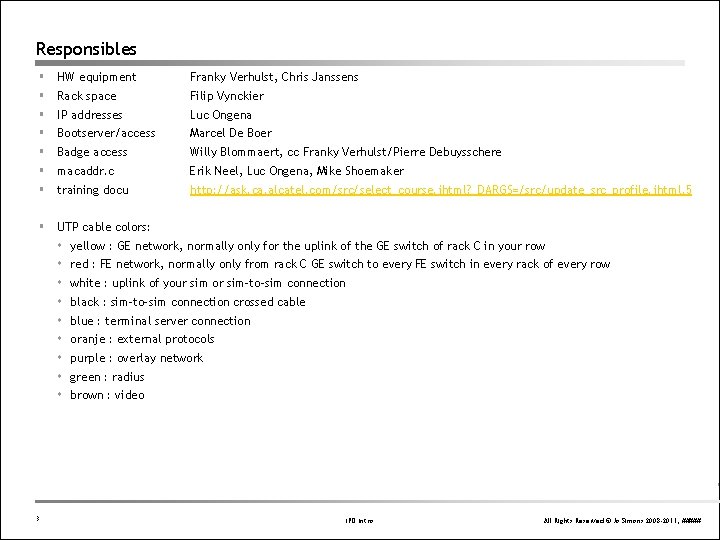
Responsibles § § § § HW equipment Franky Verhulst, Chris Janssens Rack space Filip Vynckier IP addresses Luc Ongena Bootserver/access Marcel De Boer Badge access Willy Blommaert, cc Franky Verhulst/Pierre Debuysschere macaddr. c Erik Neel, Luc Ongena, Mike Shoemaker training docu http: //ask. ca. alcatel. com/src/select_course. jhtml? _DARGS=/src/update_src_profile. jhtml. 5 § UTP cable colors: 3 yellow : GE network, normally only for the uplink of the GE switch of rack C in your row red : FE network, normally only from rack C GE switch to every FE switch in every rack of every row white : uplink of your sim or sim-to-sim connection black : sim-to-sim connection crossed cable blue : terminal server connection oranje : external protocols purple : overlay network green : radius brown : video IPD Intro All Rights Reserved © Jo Simons 2008 -2011, #####
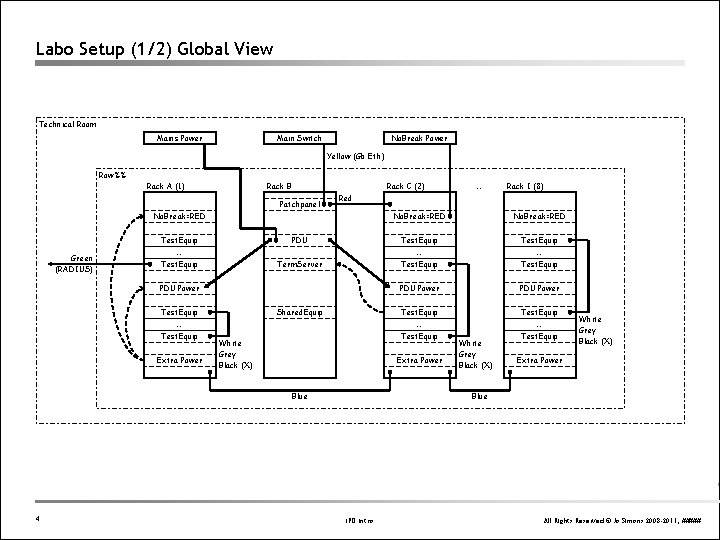
Labo Setup (1/2) Global View Technical Room Mains Power Main Switch No. Break Power Yellow (Gb Eth) Row%% Rack A (1) Rack B Rack C (2) Patchpanel No. Break=RED Test. Equip Green (RADIUS) PDU … Test. Equip Term. Server PDU Power Test. Equip … Test. Equip Extra Power Shared. Equip White Grey Black (X) Rack I (8) No. Break=RED Test. Equip … … Test. Equip PDU Power Test. Equip … Test. Equip Extra Power Blue 4 … Red White Grey Black (X) Extra Power Blue IPD Intro All Rights Reserved © Jo Simons 2008 -2011, #####
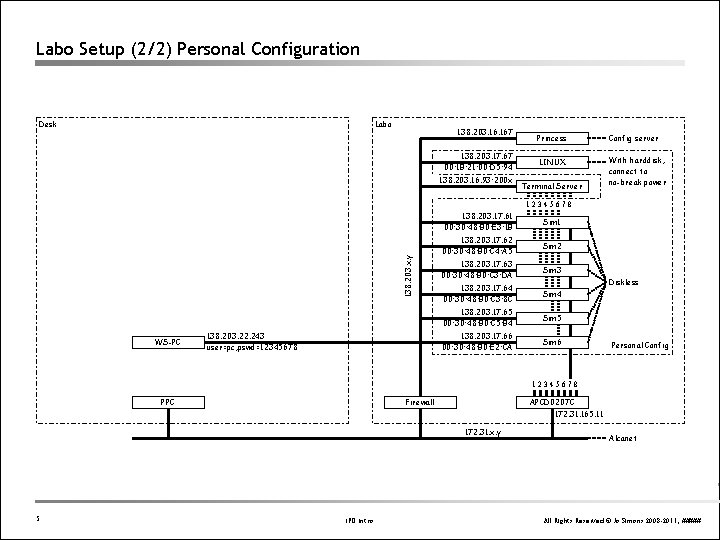
Labo Setup (2/2) Personal Configuration Desk Labo 138. 203. 167 138. 203. 17. 67 00: 1 B: 21: 00: D 5: 94 138. 203. 16. 93: 200 x Princess Config server LINUX With harddisk, connect to no-break power Terminal Server 138. 203. x. y 12345678 WS-PC 138. 203. 22. 243 user=pc, pswd=12345678 138. 203. 17. 61 00: 30: 48: B 0: E 3: 1 B Sim 1 138. 203. 17. 62 00: 30: 48: B 0: C 4: A 5 Sim 2 138. 203. 17. 63 00: 30: 48: B 0: C 3: DA Sim 3 138. 203. 17. 64 00: 30: 48: B 0: C 3: 8 C Sim 4 138. 203. 17. 65 00: 30: 48: B 0: C 5: B 4 Sim 5 138. 203. 17. 66 00: 30: 48: B 0: E 2: CA Sim 6 Diskless Personal Config 12345678 PPC Firewall APCD 0207 C 172. 31. 165. 11 172. 31. x. y 5 IPD Intro Alcanet All Rights Reserved © Jo Simons 2008 -2011, #####
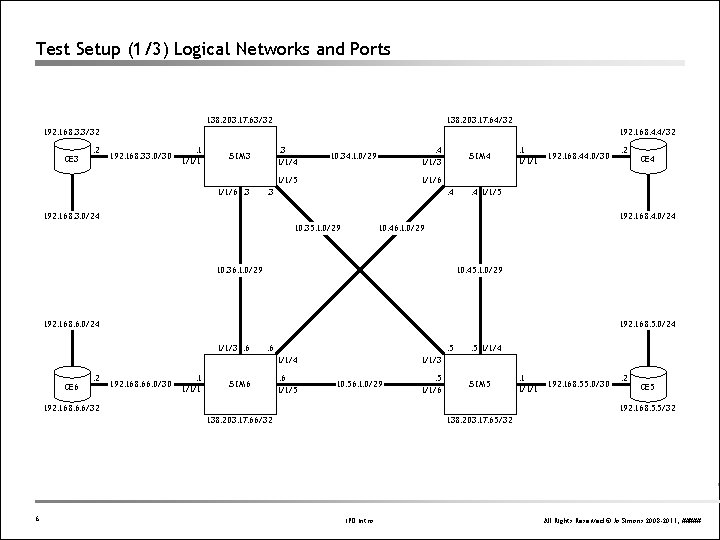
Test Setup (1/3) Logical Networks and Ports 138. 203. 17. 63/32 138. 203. 17. 64/32 192. 168. 3. 3/32 CE 3 . 2 192. 168. 4. 4/32 192. 168. 33. 0/30 . 1 1/1/1 . 3 1/1/4 SIM 3 . 4 1/1/3 10. 34. 1. 0/29 1/1/5 1/1/6. 3 SIM 4 . 1 1/1/1 192. 168. 44. 0/30 . 4 1/1/5 192. 168. 4. 0/24 10. 35. 1. 0/29 10. 46. 1. 0/29 10. 36. 1. 0/29 10. 45. 1. 0/29 192. 168. 6. 0/24 192. 168. 5. 0/24 1/1/3. 6 . 5 1/1/4 . 2 192. 168. 66. 0/30 . 1 1/1/1 SIM 6 . 6 1/1/5 . 5 1/1/4 1/1/3 10. 56. 1. 0/29 . 5 1/1/6 SIM 5 192. 168. 6. 6/32 . 1 1/1/1 192. 168. 55. 0/30 . 2 CE 5 192. 168. 5. 5/32 138. 203. 17. 66/32 6 CE 4 1/1/6 . 3 192. 168. 3. 0/24 CE 6 . 2 138. 203. 17. 65/32 IPD Intro All Rights Reserved © Jo Simons 2008 -2011, #####
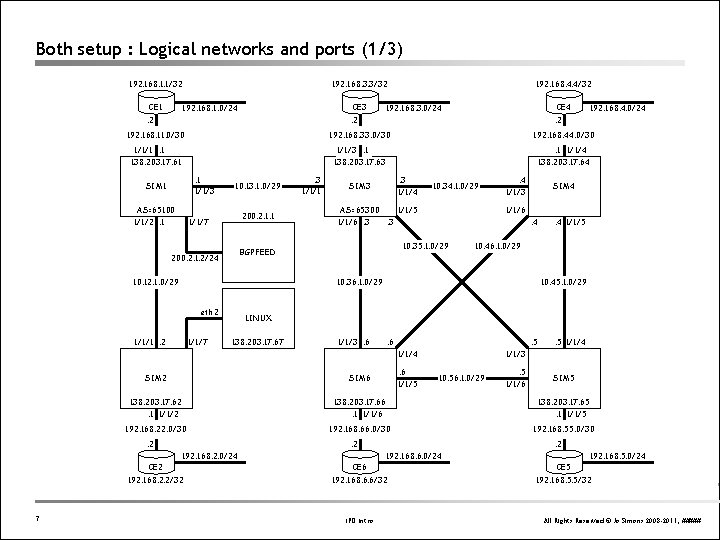
Both setup : Logical networks and ports (1/3) 192. 168. 1. 1/32 CE 1 192. 168. 3. 3/32 CE 3 192. 168. 1. 0/24 . 2 192. 168. 4. 4/32 CE 4 192. 168. 3. 0/24 . 2 192. 168. 11. 0/30 192. 168. 33. 0/30 192. 168. 44. 0/30 1/1/1. 1 138. 203. 17. 61 1/1/3. 1 138. 203. 17. 63 . 1 1/1/4 138. 203. 17. 64 . 1 1/1/3 SIM 1 AS=65100 1/1/2. 1 10. 13. 1. 0/29 200. 2. 1. 1 1/1/7 . 3 1/1/1 . 3 1/1/4 SIM 3 10. 12. 1. 0/29 10. 34. 1. 0/29 AS=65300 1/1/5 1/1/6. 3. 3 . 4 1/1/3 SIM 4 1/1/6. 4 10. 35. 1. 0/29 BGPFEED 200. 2. 1. 2/24 1/1/1. 2 1/1/7 . 4 1/1/5 10. 46. 1. 0/29 10. 36. 1. 0/29 eth 2 10. 45. 1. 0/29 LINUX 138. 203. 17. 67 1/1/3. 6 . 5 1/1/4. 6 1/1/5 . 5 1/1/4 1/1/3. 5 1/1/6 SIM 2 SIM 6 138. 203. 17. 62. 1 1/1/2 138. 203. 17. 66. 1 1/1/6 138. 203. 17. 65. 1 1/1/5 192. 168. 22. 0/30 192. 168. 66. 0/30 192. 168. 55. 0/30 . 2 CE 2 10. 56. 1. 0/29 . 2 192. 168. 2. 0/24 192. 168. 2. 2/32 7 192. 168. 4. 0/24 . 2 CE 6 . 2 192. 168. 6. 0/24 192. 168. 6. 6/32 IPD Intro SIM 5 CE 5 192. 168. 5. 0/24 192. 168. 5. 5/32 All Rights Reserved © Jo Simons 2008 -2011, #####
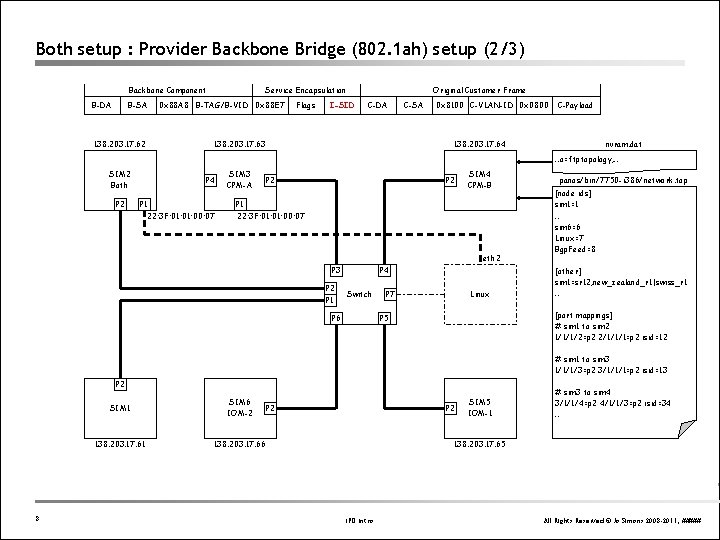
Both setup : Provider Backbone Bridge (802. 1 ah) setup (2/3) Backbone Component B-DA B-SA 138. 203. 17. 62 Service Encapsulation 0 x 88 A 8 B-TAG/B-VID 0 x 88 E 7 Flags Original Customer Frame I-SID C-DA 138. 203. 17. 63 C-SA 0 x 8100 C-VLAN-ID 0 x 0800 C-Payload 138. 203. 17. 64 nvram. dat …o=ftptopology, … SIM 2 Both P 2 P 4 P 1 22: 3 F: 01: 00: 07 SIM 3 CPM-A P 2 SIM 4 CPM-B P 1 22: 3 F: 01: 00: 07 eth 2 P 3 P 2 P 1 P 4 Switch P 6 Linux P 7 panos/bin/7750 -i 386/network. top [node ids] sim 1=1 … sim 6=6 Linux=7 Bgp. Feed=8 [other] sim 1=sr 12, new_zealand_r 1|swiss_r 1 … [port mappings] # sim 1 to sim 2 1/1/1/2=p 2 2/1/1/1=p 2 isid=12 P 5 # sim 1 to sim 3 1/1/1/3=p 2 3/1/1/1=p 2 isid=13 P 2 8 SIM 1 SIM 6 IOM-2 138. 203. 17. 61 138. 203. 17. 66 P 2 SIM 5 IOM-1 # sim 3 to sim 4 3/1/1/4=p 2 4/1/1/3=p 2 isid=34 … 138. 203. 17. 65 IPD Intro All Rights Reserved © Jo Simons 2008 -2011, #####
Both setup : Network. top File (3/3) Contents: Syntax: [node ids] sim 1=1 sim 2=2 sim 3=3 sim 4=4 sim 5=5 sim 6=6 [node ids] sim 1=1 SIM PC ref number SIM PC name [port mappings] # sim 1 to sim 2 1/1/1/2=p 2 2/1/1/1=p 2 isid=12 # sim 1 to sim 3 1/1/1/3=p 2 3/1/1/1=p 2 isid=13 Service encapsulation I-SID to use Map onto To-SIM-PC physical NIC To-SIM-PC Port Id to map To-SIM-PC ref number # sim 3 to sim 4 3/1/1/4=p 2 4/1/1/3=p 2 isid=34 # sim 3 to sim 5 3/1/1/5=p 2 5/1/1/3=p 2 isid=35 Map onto From-SIM-PC physical NIC From-SIM-PC Port Id to map From-SIM-PC ref number # sim 3 to sim 6 3/1/1/6=p 2 6/1/1/3=p 2 isid=36 # sim 4 to sim 5 4/1/1/5=p 2 5/1/1/4=p 2 isid=45 # sim 4 to sim 6 4/1/1/6=p 2 6/1/1/4=p 2 isid=46 # sim 5 to sim 6 5/1/1/6=p 2 6/1/1/5=p 2 isid=56 9 IPD Intro All Rights Reserved © Jo Simons 2008 -2011, #####
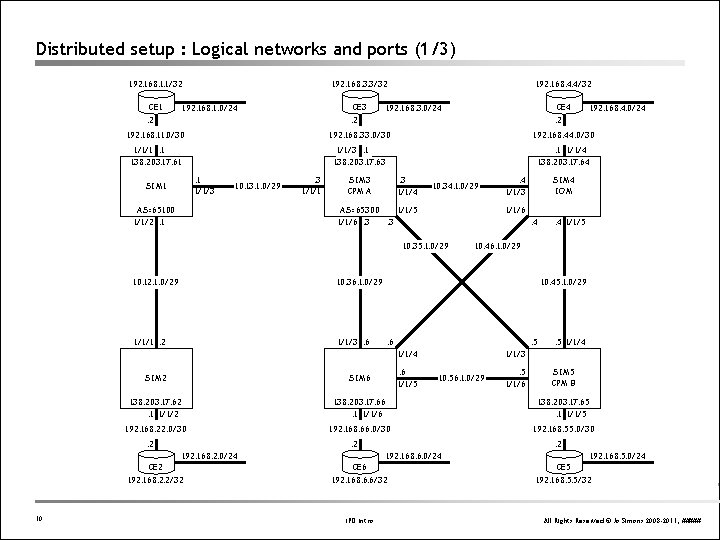
Distributed setup : Logical networks and ports (1/3) 192. 168. 1. 1/32 CE 1 192. 168. 3. 3/32 CE 3 192. 168. 1. 0/24 . 2 192. 168. 4. 4/32 CE 4 192. 168. 3. 0/24 . 2 192. 168. 11. 0/30 192. 168. 33. 0/30 192. 168. 44. 0/30 1/1/1. 1 138. 203. 17. 61 1/1/3. 1 138. 203. 17. 63 . 1 1/1/4 138. 203. 17. 64 . 1 1/1/3 SIM 1 10. 13. 1. 0/29 AS=65100 1/1/2. 1 . 3 1/1/4 SIM 3 CPM A 10. 34. 1. 0/29 AS=65300 1/1/5 1/1/6. 3. 3 10. 12. 1. 0/29 10. 36. 1. 0/29 1/1/1. 2 1/1/3. 6 . 4 1/1/3 SIM 4 IOM 1/1/6. 4 10. 35. 1. 0/29 . 4 1/1/5 10. 46. 1. 0/29 10. 45. 1. 0/29 . 6 . 5 1/1/4. 6 1/1/5 . 5 1/1/4 1/1/3. 5 1/1/6 SIM 5 CPM B SIM 2 SIM 6 138. 203. 17. 62. 1 1/1/2 138. 203. 17. 66. 1 1/1/6 138. 203. 17. 65. 1 1/1/5 192. 168. 22. 0/30 192. 168. 66. 0/30 192. 168. 55. 0/30 . 2 CE 2 10. 56. 1. 0/29 . 2 192. 168. 2. 0/24 192. 168. 2. 2/32 10 192. 168. 4. 0/24 . 2 CE 6 . 2 192. 168. 6. 0/24 192. 168. 6. 6/32 IPD Intro CE 5 192. 168. 5. 0/24 192. 168. 5. 5/32 All Rights Reserved © Jo Simons 2008 -2011, #####
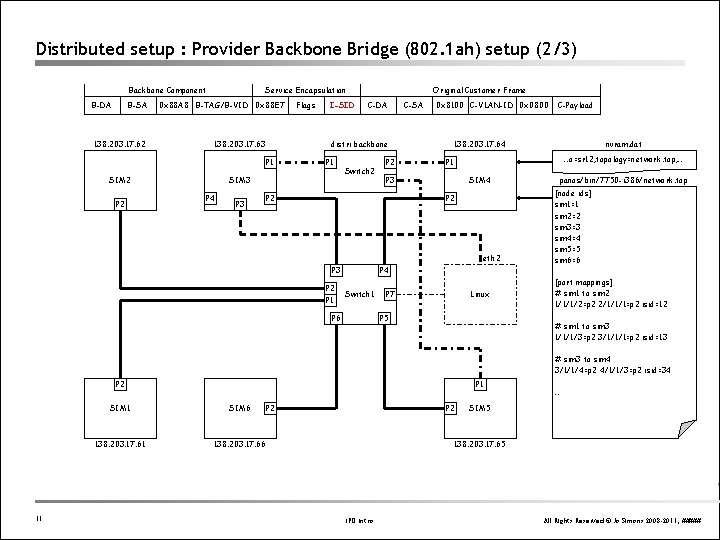
Distributed setup : Provider Backbone Bridge (802. 1 ah) setup (2/3) Backbone Component B-DA B-SA 138. 203. 17. 62 Service Encapsulation 0 x 88 A 8 B-TAG/B-VID 0 x 88 E 7 138. 203. 17. 63 P 2 I-SID P 1 SIM 3 P 4 P 3 Original Customer Frame C-DA distri backbone P 1 SIM 2 Flags Switch 2 P 2 C-SA 0 x 8100 C-VLAN-ID 0 x 0800 138. 203. 17. 64 …o=sr 12, topology=network. top, … SIM 4 P 2 eth 2 P 3 P 2 P 1 P 4 Switch 1 P 6 nvram. dat P 1 P 3 P 2 C-Payload Linux P 7 P 5 panos/bin/7750 -i 386/network. top [node ids] sim 1=1 sim 2=2 sim 3=3 sim 4=4 sim 5=5 sim 6=6 [port mappings] # sim 1 to sim 2 1/1/1/2=p 2 2/1/1/1=p 2 isid=12 # sim 1 to sim 3 1/1/1/3=p 2 3/1/1/1=p 2 isid=13 # sim 3 to sim 4 3/1/1/4=p 2 4/1/1/3=p 2 isid=34 P 2 11 P 1 SIM 6 138. 203. 17. 61 138. 203. 17. 66 P 2 … SIM 5 138. 203. 17. 65 IPD Intro All Rights Reserved © Jo Simons 2008 -2011, #####
Test Setup : Distributed CPM/IOM Network. top File (3/3) Contents: Syntax: [node ids] sim 1=1 sim 2=2 sim 3=3 sim 4=4 sim 5=5 sim 6=6 [node ids] sim 1=1 SIM PC ref number SIM PC name [port mappings] # sim 1 to sim 2 1/1/1/2=p 2 2/1/1/1=p 2 isid=12 # sim 1 to sim 3 1/1/1/3=p 2 3/1/1/1=p 2 isid=13 Service encapsulation I-SID to use Map onto To-SIM-PC physical NIC To-SIM-PC Port Id to map To-SIM-PC ref number # sim 3 to sim 4 3/1/1/4=p 2 4/1/1/3=p 2 isid=34 # sim 3 to sim 5 3/1/1/5=p 2 5/1/1/3=p 2 isid=35 Map onto From-SIM-PC physical NIC From-SIM-PC Port Id to map From-SIM-PC ref number # sim 3 to sim 6 3/1/1/6=p 2 6/1/1/3=p 2 isid=36 # sim 4 to sim 5 4/1/1/5=p 2 5/1/1/4=p 2 isid=45 # sim 4 to sim 6 4/1/1/6=p 2 6/1/1/4=p 2 isid=46 # sim 5 to sim 6 5/1/1/6=p 2 6/1/1/5=p 2 isid=56 12 IPD Intro All Rights Reserved © Jo Simons 2008 -2011, #####
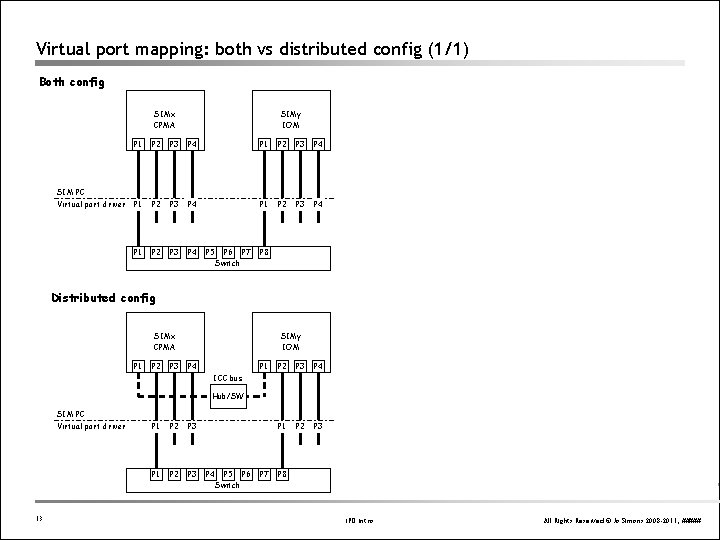
Virtual port mapping: both vs distributed config (1/1) Both config SIMx CPMA SIM PC Virtual port driver SIMy IOM P 1 P 2 P 3 P 4 P 1 P 2 P 3 P 4 P 5 P 6 P 7 Switch P 8 Distributed config SIMx CPMA P 1 P 2 P 3 SIMy IOM P 4 P 1 P 2 P 3 ICC bus Hub/SW SIM PC Virtual port driver 13 P 1 P 2 P 3 P 4 P 5 P 6 Switch P 7 P 8 IPD Intro All Rights Reserved © Jo Simons 2008 -2011, #####
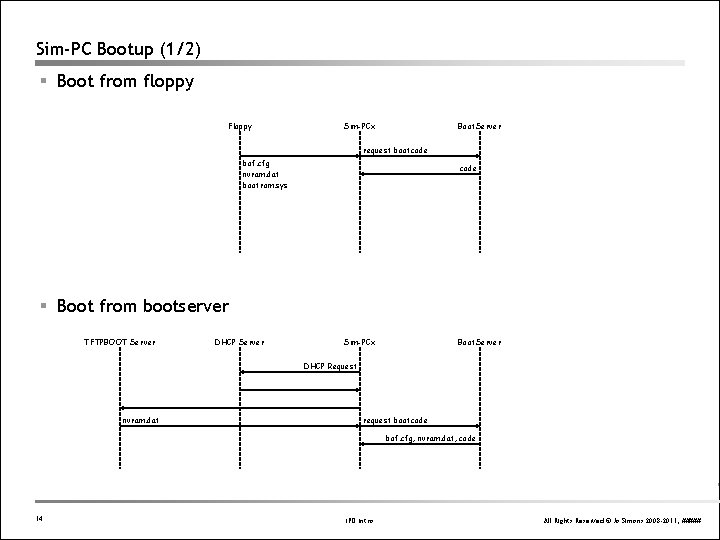
Sim-PC Bootup (1/2) § Boot from floppy Floppy Sim-PCx Boot. Server request bootcode bof. cfg nvram. dat bootrom. sys code § Boot from bootserver TFTPBOOT Server DHCP Server Sim-PCx Boot. Server DHCP Request nvram. dat request bootcode bof. cfg, nvram. dat, code 14 IPD Intro All Rights Reserved © Jo Simons 2008 -2011, #####
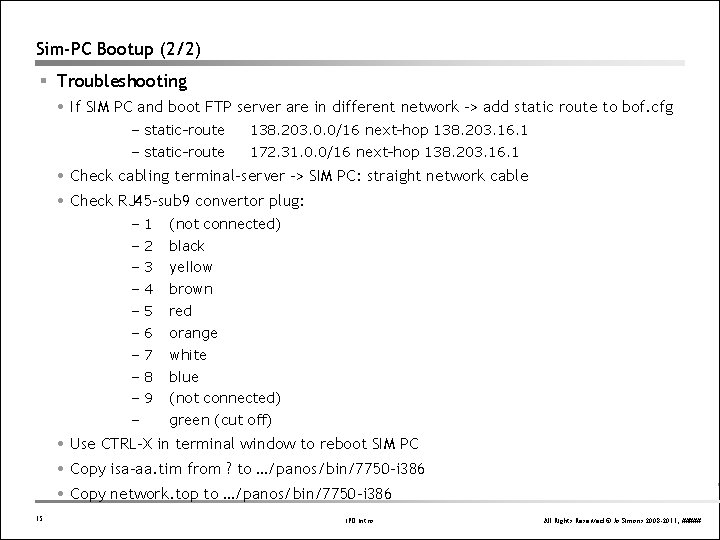
Sim-PC Bootup (2/2) § Troubleshooting If SIM PC and boot FTP server are in different network -> add static route to bof. cfg – static-route 138. 203. 0. 0/16 next-hop 138. 203. 16. 1 – static-route 172. 31. 0. 0/16 next-hop 138. 203. 16. 1 Check cabling terminal-server -> SIM PC: straight network cable Check RJ 45 -sub 9 convertor plug: – 1 (not connected) – 2 black – 3 yellow – 4 brown – 5 red – 6 orange – 7 white – 8 blue – 9 (not connected) – green (cut off) Use CTRL-X in terminal window to reboot SIM PC Copy isa-aa. tim from ? to …/panos/bin/7750 -i 386 Copy network. top to …/panos/bin/7750 -i 386 15 IPD Intro All Rights Reserved © Jo Simons 2008 -2011, #####
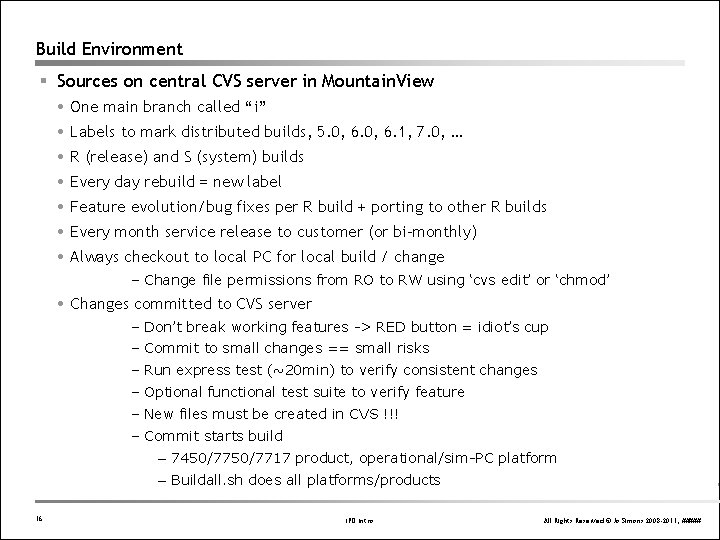
Build Environment § Sources on central CVS server in Mountain. View One main branch called “i” Labels to mark distributed builds, 5. 0, 6. 1, 7. 0, … R (release) and S (system) builds Every day rebuild = new label Feature evolution/bug fixes per R build + porting to other R builds Every month service release to customer (or bi-monthly) Always checkout to local PC for local build / change – Change file permissions from RO to RW using ‘cvs edit’ or ‘chmod’ Changes committed to CVS server – Don’t break working features -> RED button = idiot’s cup – Commit to small changes == small risks – Run express test (~20 min) to verify consistent changes – Optional functional test suite to verify feature – New files must be created in CVS !!! – Commit starts build – 7450/7717 product, operational/sim-PC platform – Buildall. sh does all platforms/products 16 IPD Intro All Rights Reserved © Jo Simons 2008 -2011, #####
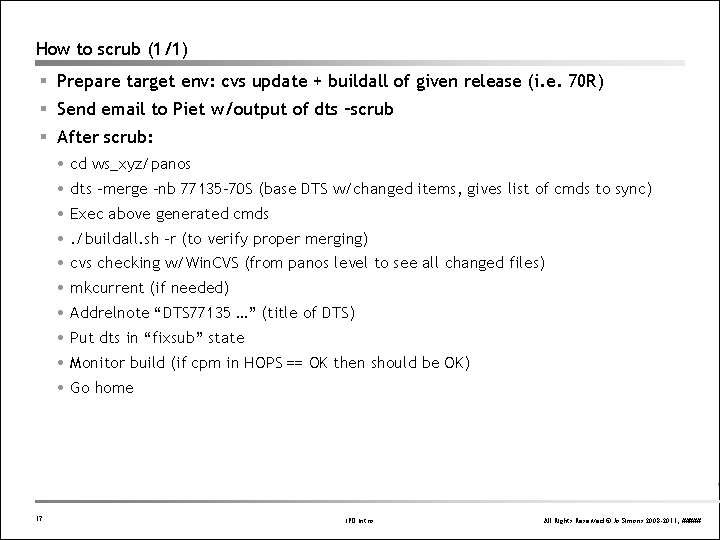
How to scrub (1/1) § Prepare target env: cvs update + buildall of given release (i. e. 70 R) § Send email to Piet w/output of dts –scrub § After scrub: cd ws_xyz/panos dts –merge –nb 77135 -70 S (base DTS w/changed items, gives list of cmds to sync) Exec above generated cmds . /buildall. sh –r (to verify proper merging) cvs checking w/Win. CVS (from panos level to see all changed files) mkcurrent (if needed) Addrelnote “DTS 77135 …” (title of DTS) Put dts in “fixsub” state Monitor build (if cpm in HOPS == OK then should be OK) Go home 17 IPD Intro All Rights Reserved © Jo Simons 2008 -2011, #####
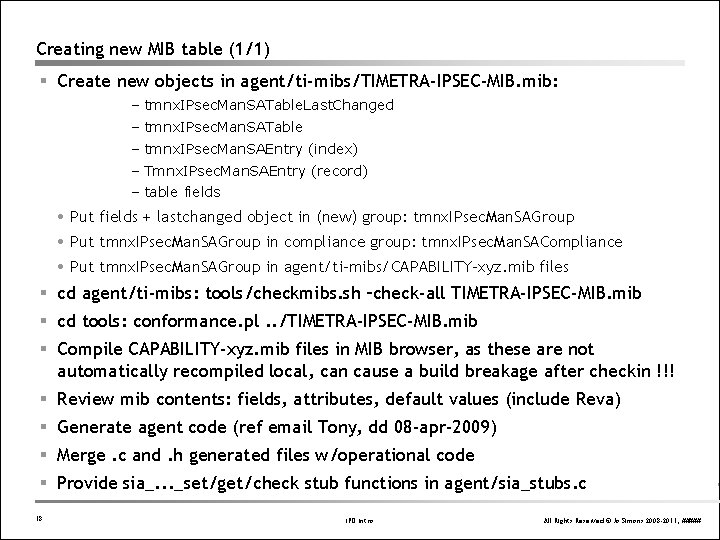
Creating new MIB table (1/1) § Create new objects in agent/ti-mibs/TIMETRA-IPSEC-MIB. mib: – tmnx. IPsec. Man. SATable. Last. Changed – tmnx. IPsec. Man. SATable – tmnx. IPsec. Man. SAEntry (index) – Tmnx. IPsec. Man. SAEntry (record) – table fields Put fields + lastchanged object in (new) group: tmnx. IPsec. Man. SAGroup Put tmnx. IPsec. Man. SAGroup in compliance group: tmnx. IPsec. Man. SACompliance Put tmnx. IPsec. Man. SAGroup in agent/ti-mibs/CAPABILITY-xyz. mib files § cd agent/ti-mibs: tools/checkmibs. sh –check-all TIMETRA-IPSEC-MIB. mib § cd tools: conformance. pl. . /TIMETRA-IPSEC-MIB. mib § Compile CAPABILITY-xyz. mib files in MIB browser, as these are not automatically recompiled local, can cause a build breakage after checkin !!! § Review mib contents: fields, attributes, default values (include Reva) § Generate agent code (ref email Tony, dd 08 -apr-2009) § Merge. c and. h generated files w/operational code § Provide sia_. . . _set/get/check stub functions in agent/sia_stubs. c 18 IPD Intro All Rights Reserved © Jo Simons 2008 -2011, #####
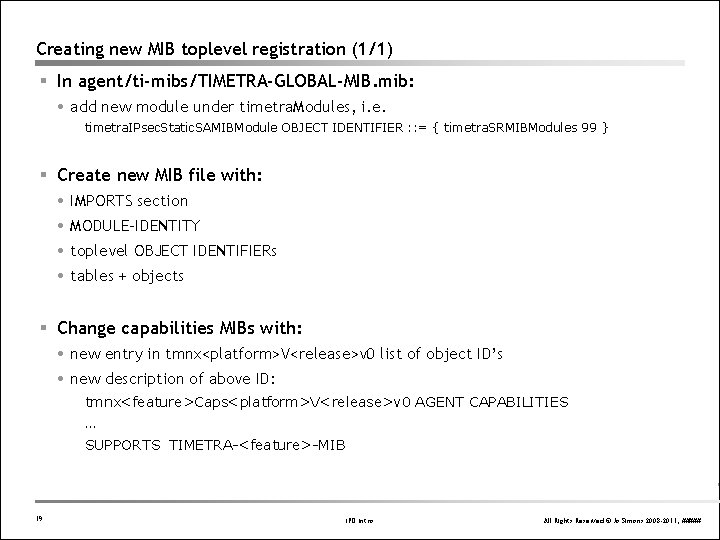
Creating new MIB toplevel registration (1/1) § In agent/ti-mibs/TIMETRA-GLOBAL-MIB. mib: add new module under timetra. Modules, i. e. timetra. IPsec. Static. SAMIBModule OBJECT IDENTIFIER : : = { timetra. SRMIBModules 99 } § Create new MIB file with: IMPORTS section MODULE-IDENTITY toplevel OBJECT IDENTIFIERs tables + objects § Change capabilities MIBs with: new entry in tmnx<platform>V<release>v 0 list of object ID’s new description of above ID: tmnx<feature>Caps<platform>V<release>v 0 AGENT CAPABILITIES … SUPPORTS TIMETRA-<feature>-MIB 19 IPD Intro All Rights Reserved © Jo Simons 2008 -2011, #####
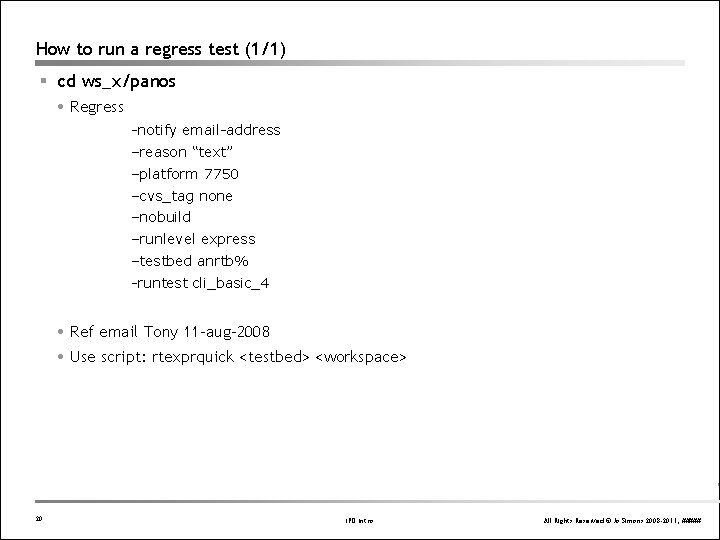
How to run a regress test (1/1) § cd ws_x/panos Regress -notify email-address –reason “text” –platform 7750 –cvs_tag none –nobuild –runlevel express –testbed anrtb% -runtest cli_basic_4 Ref email Tony 11 -aug-2008 Use script: rtexprquick <testbed> <workspace> 20 IPD Intro All Rights Reserved © Jo Simons 2008 -2011, #####
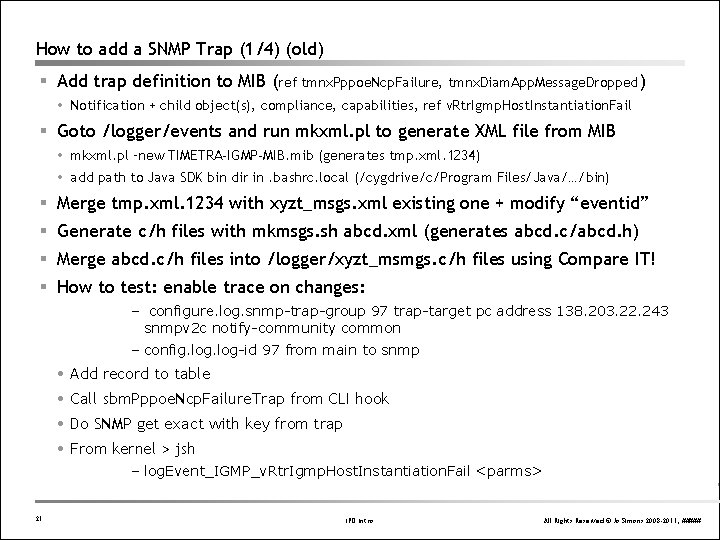
How to add a SNMP Trap (1/4) (old) § Add trap definition to MIB (ref tmnx. Pppoe. Ncp. Failure, tmnx. Diam. App. Message. Dropped) Notification + child object(s), compliance, capabilities, ref v. Rtr. Igmp. Host. Instantiation. Fail § Goto /logger/events and run mkxml. pl to generate XML file from MIB mkxml. pl –new TIMETRA-IGMP-MIB. mib (generates tmp. xml. 1234) add path to Java SDK bin dir in. bashrc. local (/cygdrive/c/Program Files/Java/…/bin) § Merge tmp. xml. 1234 with xyzt_msgs. xml existing one + modify “eventid” § Generate c/h files with mkmsgs. sh abcd. xml (generates abcd. c/abcd. h) § Merge abcd. c/h files into /logger/xyzt_msmgs. c/h files using Compare IT! § How to test: enable trace on changes: – configure. log. snmp-trap-group 97 trap-target pc address 138. 203. 22. 243 snmpv 2 c notify-community common – config. log-id 97 from main to snmp Add record to table Call sbm. Pppoe. Ncp. Failure. Trap from CLI hook Do SNMP get exact with key from trap From kernel > jsh – log. Event_IGMP_v. Rtr. Igmp. Host. Instantiation. Fail <parms> 21 IPD Intro All Rights Reserved © Jo Simons 2008 -2011, #####
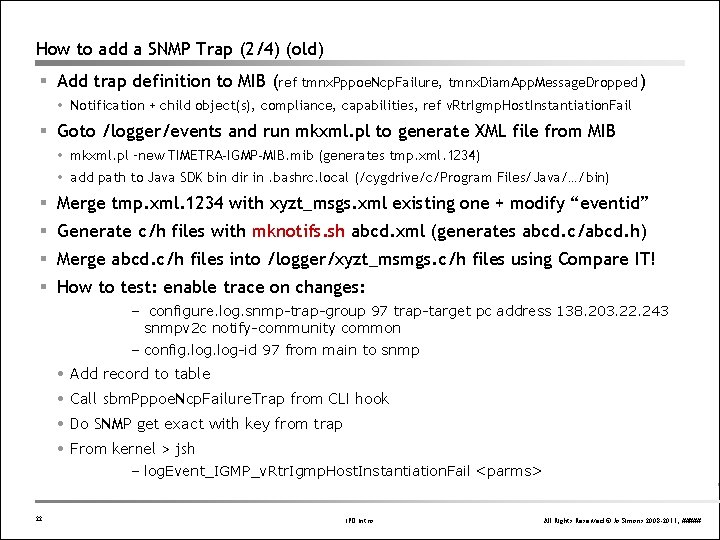
How to add a SNMP Trap (2/4) (old) § Add trap definition to MIB (ref tmnx. Pppoe. Ncp. Failure, tmnx. Diam. App. Message. Dropped) Notification + child object(s), compliance, capabilities, ref v. Rtr. Igmp. Host. Instantiation. Fail § Goto /logger/events and run mkxml. pl to generate XML file from MIB mkxml. pl –new TIMETRA-IGMP-MIB. mib (generates tmp. xml. 1234) add path to Java SDK bin dir in. bashrc. local (/cygdrive/c/Program Files/Java/…/bin) § Merge tmp. xml. 1234 with xyzt_msgs. xml existing one + modify “eventid” § Generate c/h files with mknotifs. sh abcd. xml (generates abcd. c/abcd. h) § Merge abcd. c/h files into /logger/xyzt_msmgs. c/h files using Compare IT! § How to test: enable trace on changes: – configure. log. snmp-trap-group 97 trap-target pc address 138. 203. 22. 243 snmpv 2 c notify-community common – config. log-id 97 from main to snmp Add record to table Call sbm. Pppoe. Ncp. Failure. Trap from CLI hook Do SNMP get exact with key from trap From kernel > jsh – log. Event_IGMP_v. Rtr. Igmp. Host. Instantiation. Fail <parms> 22 IPD Intro All Rights Reserved © Jo Simons 2008 -2011, #####
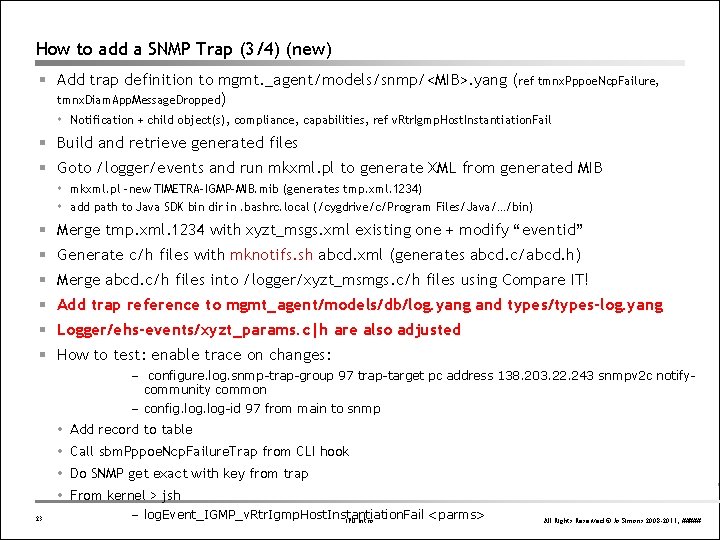
How to add a SNMP Trap (3/4) (new) § Add trap definition to mgmt. _agent/models/snmp/<MIB>. yang (ref tmnx. Pppoe. Ncp. Failure, tmnx. Diam. App. Message. Dropped) Notification + child object(s), compliance, capabilities, ref v. Rtr. Igmp. Host. Instantiation. Fail § Build and retrieve generated files § Goto /logger/events and run mkxml. pl to generate XML from generated MIB mkxml. pl –new TIMETRA-IGMP-MIB. mib (generates tmp. xml. 1234) add path to Java SDK bin dir in. bashrc. local (/cygdrive/c/Program Files/Java/…/bin) § Merge tmp. xml. 1234 with xyzt_msgs. xml existing one + modify “eventid” § Generate c/h files with mknotifs. sh abcd. xml (generates abcd. c/abcd. h) § Merge abcd. c/h files into /logger/xyzt_msmgs. c/h files using Compare IT! § Add trap reference to mgmt_agent/models/db/log. yang and types/types-log. yang § Logger/ehs-events/xyzt_params. c|h are also adjusted § How to test: enable trace on changes: – configure. log. snmp-trap-group 97 trap-target pc address 138. 203. 22. 243 snmpv 2 c notifycommunity common – config. log-id 97 from main to snmp Add record to table Call sbm. Pppoe. Ncp. Failure. Trap from CLI hook Do SNMP get exact with key from trap From kernel > jsh 23 – log. Event_IGMP_v. Rtr. Igmp. Host. Instantiation. Fail <parms> IPD Intro All Rights Reserved © Jo Simons 2008 -2011, #####
How to add a SNMP Trap (4/4) § Add generic trap for table (ref v. Rtr. Igmp. Grp. If. Table , tmnx. Sub. Lckt. Plcy. Table) logger/trapper_api. c 24 IPD Intro All Rights Reserved © Jo Simons 2008 -2011, #####
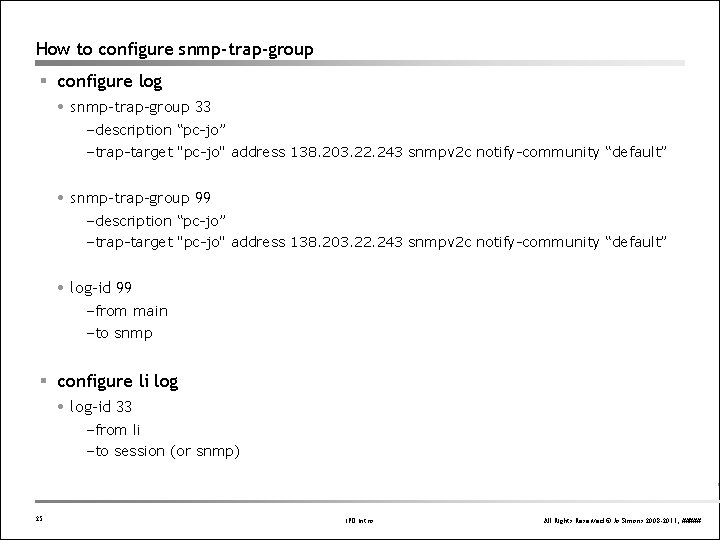
How to configure snmp-trap-group § configure log snmp-trap-group 33 –description “pc-jo” –trap-target "pc-jo" address 138. 203. 22. 243 snmpv 2 c notify-community “default” snmp-trap-group 99 –description “pc-jo” –trap-target "pc-jo" address 138. 203. 22. 243 snmpv 2 c notify-community “default” log-id 99 –from main –to snmp § configure li log-id 33 –from li –to session (or snmp) 25 IPD Intro All Rights Reserved © Jo Simons 2008 -2011, #####
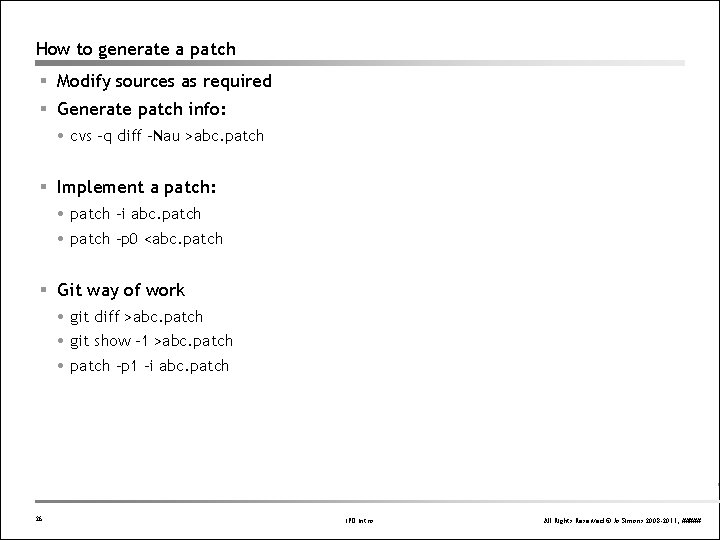
How to generate a patch § Modify sources as required § Generate patch info: cvs –q diff –Nau >abc. patch § Implement a patch: patch –i abc. patch –p 0 <abc. patch § Git way of work git diff >abc. patch git show -1 >abc. patch –p 1 –i abc. patch 26 IPD Intro All Rights Reserved © Jo Simons 2008 -2011, #####
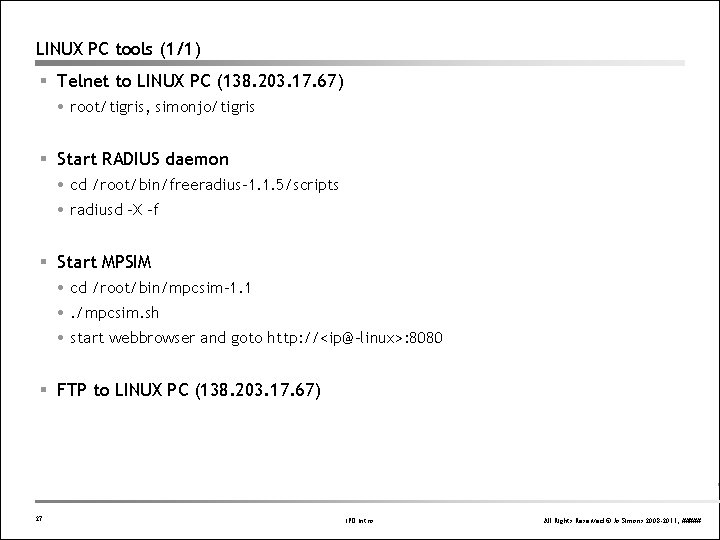
LINUX PC tools (1/1) § Telnet to LINUX PC (138. 203. 17. 67) root/tigris, simonjo/tigris § Start RADIUS daemon cd /root/bin/freeradius-1. 1. 5/scripts radiusd –X –f § Start MPSIM cd /root/bin/mpcsim-1. 1 . /mpcsim. sh start webbrowser and goto http: //<ip@-linux>: 8080 § FTP to LINUX PC (138. 203. 17. 67) 27 IPD Intro All Rights Reserved © Jo Simons 2008 -2011, #####
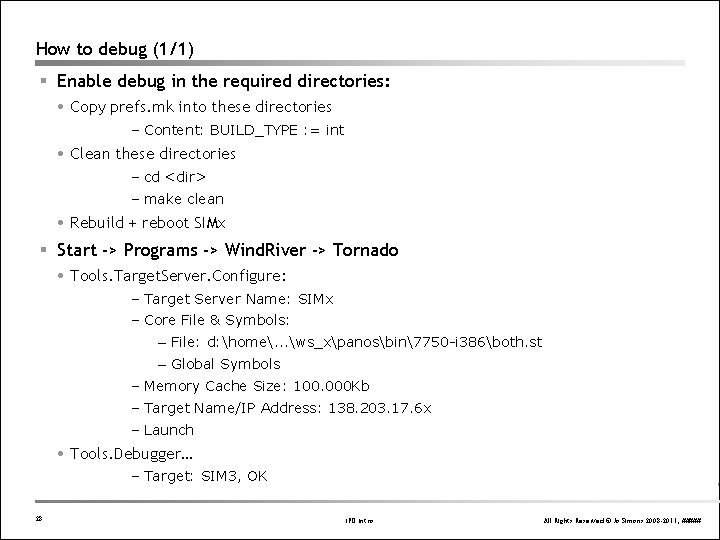
How to debug (1/1) § Enable debug in the required directories: Copy prefs. mk into these directories – Content: BUILD_TYPE : = int Clean these directories – cd <dir> – make clean Rebuild + reboot SIMx § Start -> Programs -> Wind. River -> Tornado Tools. Target. Server. Configure: – Target Server Name: SIMx – Core File & Symbols: – File: d: home. . . ws_xpanosbin7750 -i 386both. st – Global Symbols – Memory Cache Size: 100. 000 Kb – Target Name/IP Address: 138. 203. 17. 6 x – Launch Tools. Debugger… – Target: SIM 3, OK 28 IPD Intro All Rights Reserved © Jo Simons 2008 -2011, #####
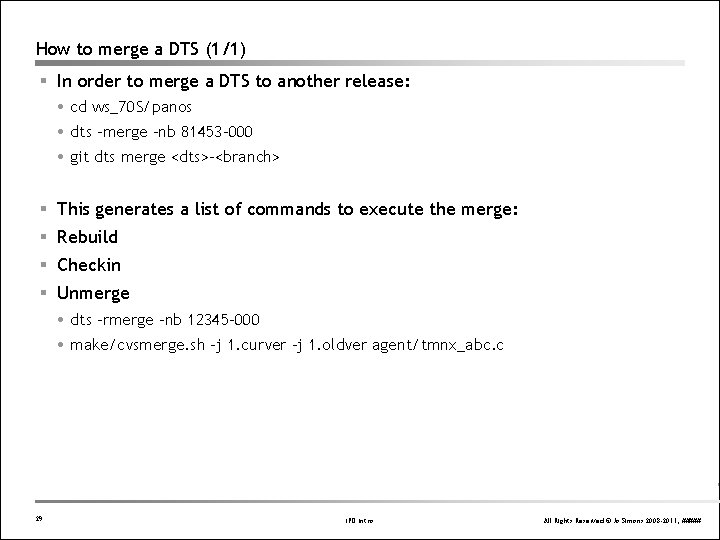
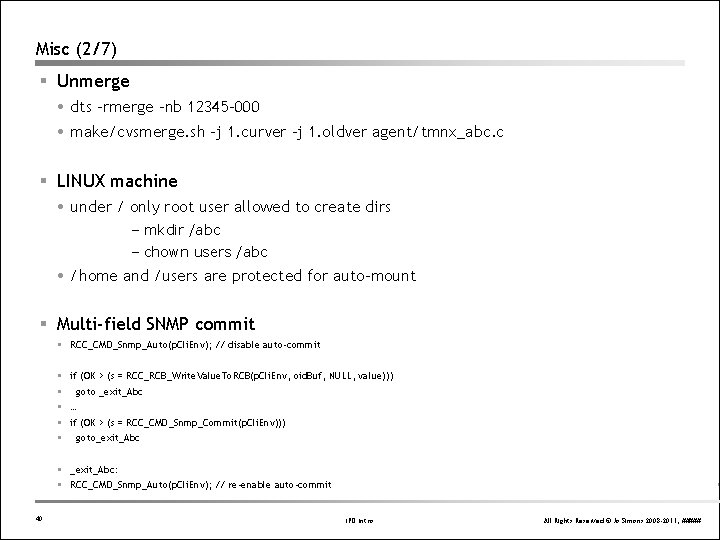
How to merge a DTS (1/1) § In order to merge a DTS to another release: cd ws_70 S/panos dts –merge –nb 81453 -000 git dts merge <dts>-<branch> § This generates a list of commands to execute the merge: § Rebuild § Checkin § Unmerge dts –rmerge –nb 12345 -000 make/cvsmerge. sh –j 1. curver –j 1. oldver agent/tmnx_abc. c 29 IPD Intro All Rights Reserved © Jo Simons 2008 -2011, #####
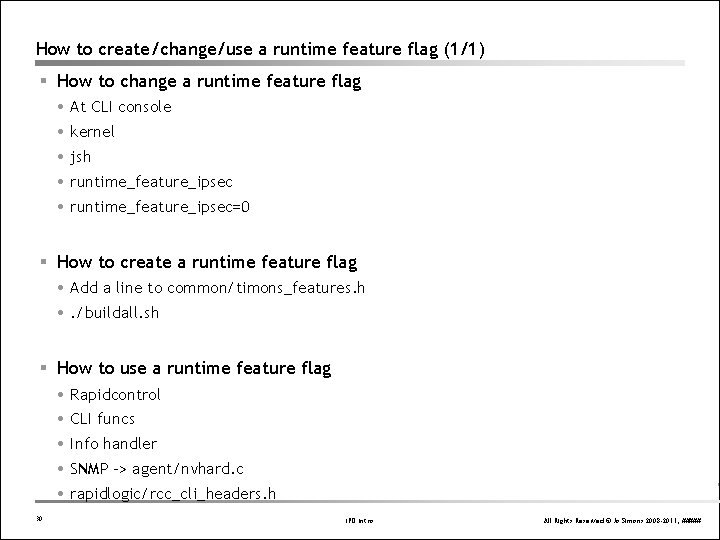
How to create/change/use a runtime feature flag (1/1) § How to change a runtime feature flag At CLI console kernel jsh runtime_feature_ipsec=0 § How to create a runtime feature flag Add a line to common/timons_features. h . /buildall. sh § How to use a runtime feature flag Rapidcontrol CLI funcs Info handler SNMP -> agent/nvhard. c rapidlogic/rcc_cli_headers. h 30 IPD Intro All Rights Reserved © Jo Simons 2008 -2011, #####
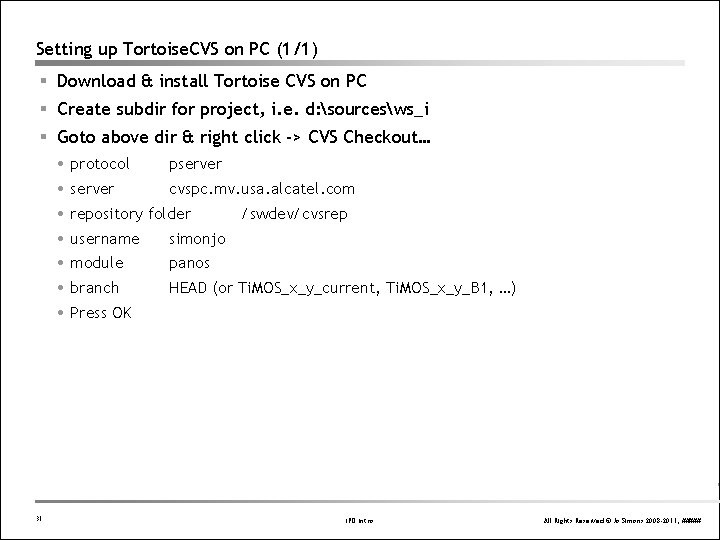
Setting up Tortoise. CVS on PC (1/1) § Download & install Tortoise CVS on PC § Create subdir for project, i. e. d: sourcesws_i § Goto above dir & right click -> CVS Checkout… protocol pserver cvspc. mv. usa. alcatel. com repository folder /swdev/cvsrep username simonjo module panos branch HEAD (or Ti. MOS_x_y_current, Ti. MOS_x_y_B 1, …) Press OK 31 IPD Intro All Rights Reserved © Jo Simons 2008 -2011, #####
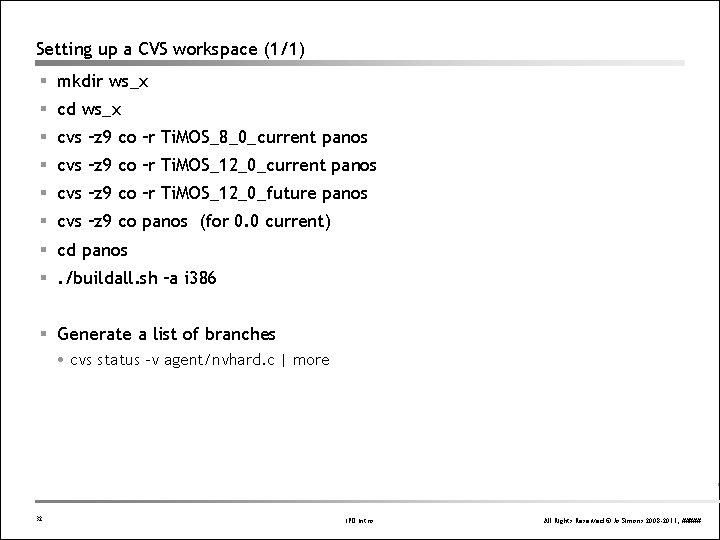
Setting up a CVS workspace (1/1) § mkdir ws_x § cd ws_x § cvs –z 9 co –r Ti. MOS_8_0_current panos § cvs –z 9 co –r Ti. MOS_12_0_future panos § cvs –z 9 co panos (for 0. 0 current) § cd panos §. /buildall. sh –a i 386 § Generate a list of branches cvs status –v agent/nvhard. c | more 32 IPD Intro All Rights Reserved © Jo Simons 2008 -2011, #####
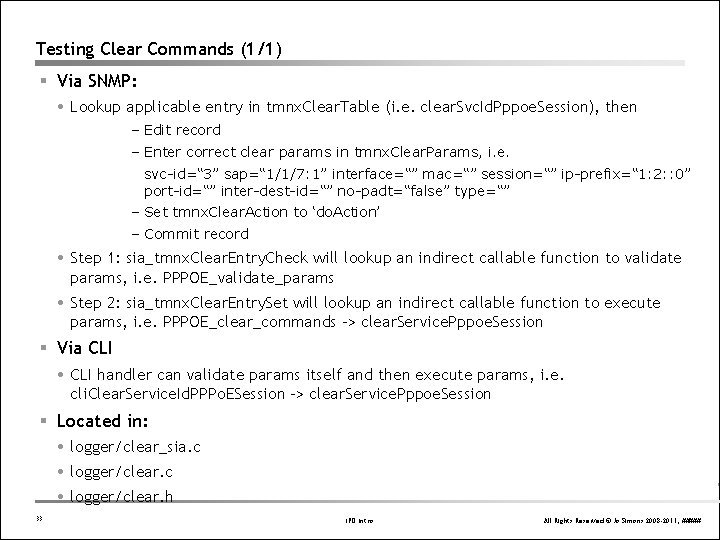
Testing Clear Commands (1/1) § Via SNMP: Lookup applicable entry in tmnx. Clear. Table (i. e. clear. Svc. Id. Pppoe. Session), then – Edit record – Enter correct clear params in tmnx. Clear. Params, i. e. svc-id=“ 3” sap=“ 1/1/7: 1” interface=“” mac=“” session=“” ip-prefix=“ 1: 2: : 0” port-id=“” inter-dest-id=“” no-padt=“false” type=“” – Set tmnx. Clear. Action to ‘do. Action’ – Commit record Step 1: sia_tmnx. Clear. Entry. Check will lookup an indirect callable function to validate params, i. e. PPPOE_validate_params Step 2: sia_tmnx. Clear. Entry. Set will lookup an indirect callable function to execute params, i. e. PPPOE_clear_commands -> clear. Service. Pppoe. Session § Via CLI handler can validate params itself and then execute params, i. e. cli. Clear. Service. Id. PPPo. ESession -> clear. Service. Pppoe. Session § Located in: logger/clear_sia. c logger/clear. h 33 IPD Intro All Rights Reserved © Jo Simons 2008 -2011, #####
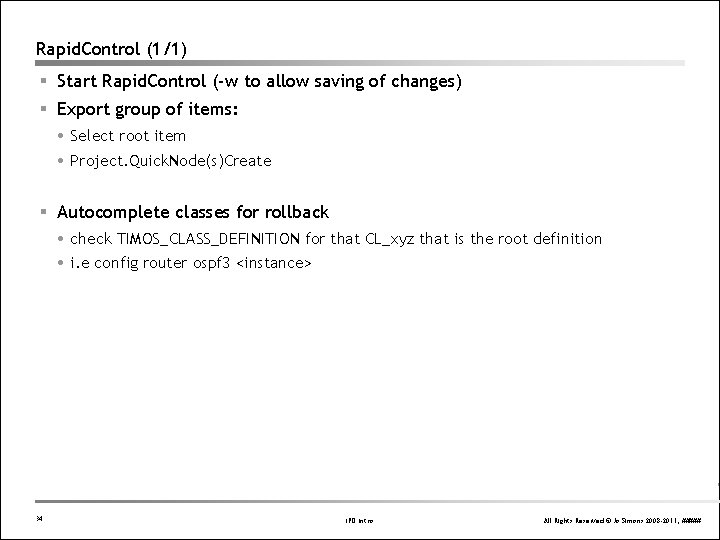
Rapid. Control (1/1) § Start Rapid. Control (-w to allow saving of changes) § Export group of items: Select root item Project. Quick. Node(s)Create § Autocomplete classes for rollback check TIMOS_CLASS_DEFINITION for that CL_xyz that is the root definition i. e config router ospf 3 <instance> 34 IPD Intro All Rights Reserved © Jo Simons 2008 -2011, #####
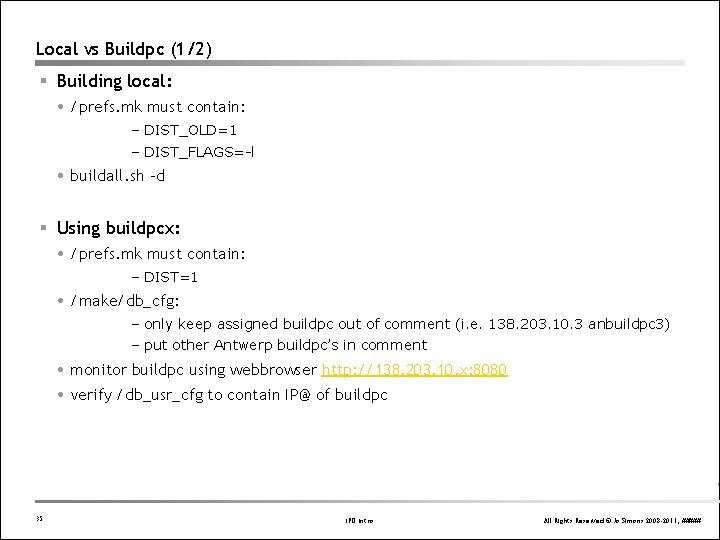
Local vs Buildpc (1/2) § Building local: /prefs. mk must contain: – DIST_OLD=1 – DIST_FLAGS=-l buildall. sh –d § Using buildpcx: /prefs. mk must contain: – DIST=1 /make/db_cfg: – only keep assigned buildpc out of comment (i. e. 138. 203. 10. 3 anbuildpc 3) – put other Antwerp buildpc’s in comment monitor buildpc using webbrowser http: //138. 203. 10. x: 8080 verify /db_usr_cfg to contain IP@ of buildpc 35 IPD Intro All Rights Reserved © Jo Simons 2008 -2011, #####
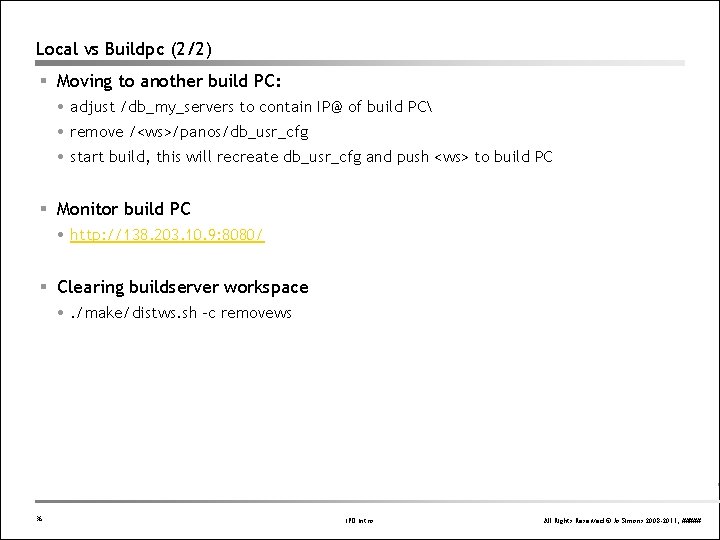
Local vs Buildpc (2/2) § Moving to another build PC: adjust /db_my_servers to contain IP@ of build PC remove /<ws>/panos/db_usr_cfg start build, this will recreate db_usr_cfg and push <ws> to build PC § Monitor build PC http: //138. 203. 10. 9: 8080/ § Clearing buildserver workspace . /make/distws. sh -c removews 36 IPD Intro All Rights Reserved © Jo Simons 2008 -2011, #####
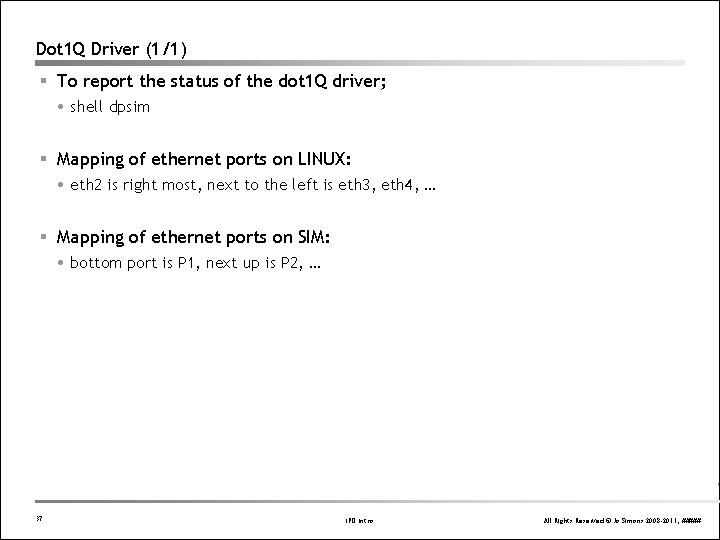
Dot 1 Q Driver (1/1) § To report the status of the dot 1 Q driver; shell dpsim § Mapping of ethernet ports on LINUX: eth 2 is right most, next to the left is eth 3, eth 4, … § Mapping of ethernet ports on SIM: bottom port is P 1, next up is P 2, … 37 IPD Intro All Rights Reserved © Jo Simons 2008 -2011, #####
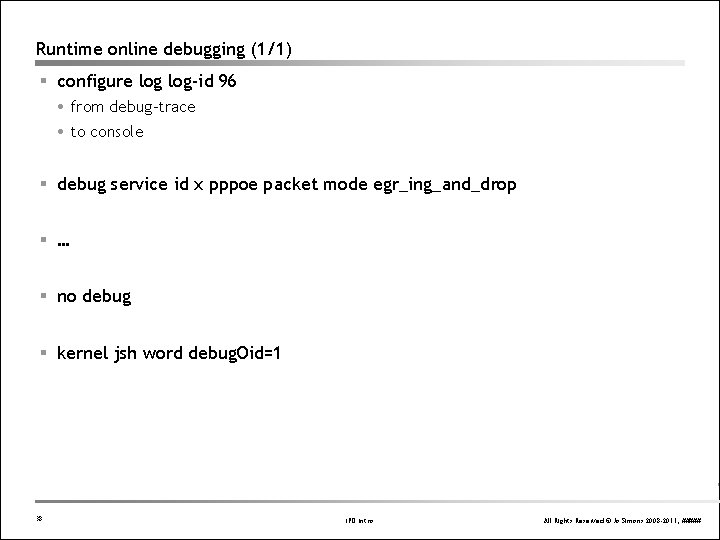
Runtime online debugging (1/1) § configure log-id 96 from debug-trace to console § debug service id x pppoe packet mode egr_ing_and_drop § … § no debug § kernel jsh word debug. Oid=1 38 IPD Intro All Rights Reserved © Jo Simons 2008 -2011, #####
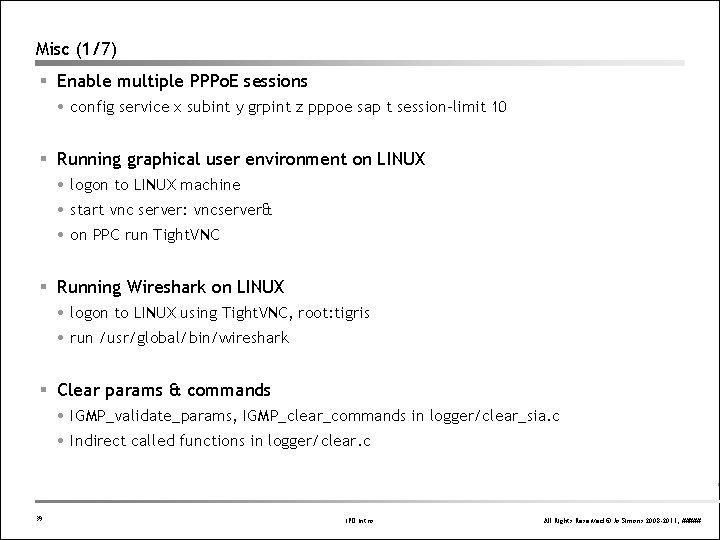
Misc (1/7) § Enable multiple PPPo. E sessions config service x subint y grpint z pppoe sap t session-limit 10 § Running graphical user environment on LINUX logon to LINUX machine start vnc server: vncserver& on PPC run Tight. VNC § Running Wireshark on LINUX logon to LINUX using Tight. VNC, root: tigris run /usr/global/bin/wireshark § Clear params & commands IGMP_validate_params, IGMP_clear_commands in logger/clear_sia. c Indirect called functions in logger/clear. c 39 IPD Intro All Rights Reserved © Jo Simons 2008 -2011, #####
Misc (2/7) § Unmerge dts –rmerge –nb 12345 -000 make/cvsmerge. sh –j 1. curver –j 1. oldver agent/tmnx_abc. c § LINUX machine under / only root user allowed to create dirs – mkdir /abc – chown users /abc /home and /users are protected for auto-mount § Multi-field SNMP commit RCC_CMD_Snmp_Auto(p. Cli. Env); // disable auto-commit if (OK > (s = RCC_RCB_Write. Value. To. RCB(p. Cli. Env, oid. Buf, NULL, value))) goto _exit_Abc … if (OK > (s = RCC_CMD_Snmp_Commit(p. Cli. Env))) goto_exit_Abc _exit_Abc: RCC_CMD_Snmp_Auto(p. Cli. Env); // re-enable auto-commit 40 IPD Intro All Rights Reserved © Jo Simons 2008 -2011, #####
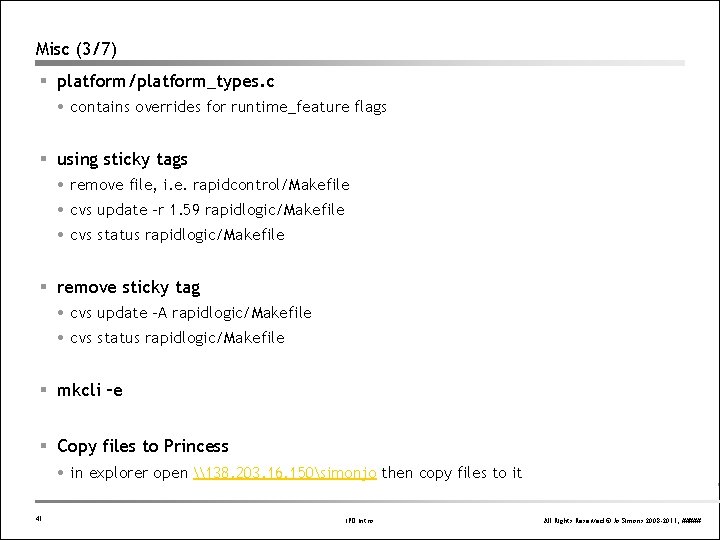
Misc (3/7) § platform/platform_types. c contains overrides for runtime_feature flags § using sticky tags remove file, i. e. rapidcontrol/Makefile cvs update -r 1. 59 rapidlogic/Makefile cvs status rapidlogic/Makefile § remove sticky tag cvs update -A rapidlogic/Makefile cvs status rapidlogic/Makefile § mkcli –e § Copy files to Princess in explorer open \138. 203. 16. 150simonjo then copy files to it 41 IPD Intro All Rights Reserved © Jo Simons 2008 -2011, #####
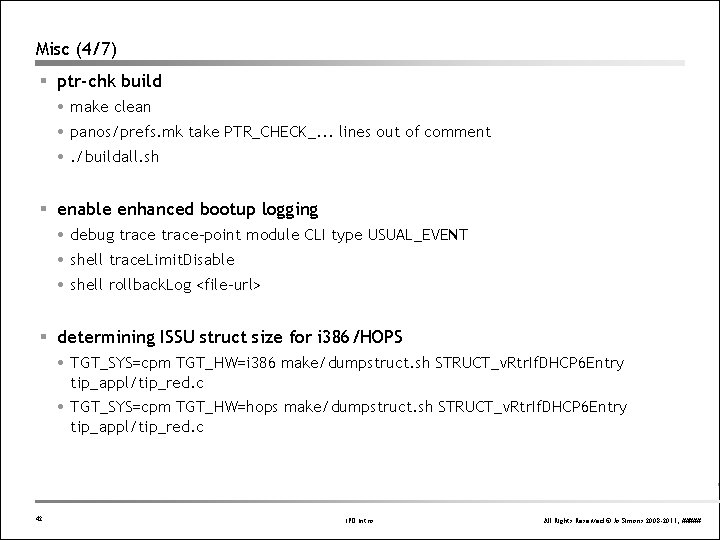
Misc (4/7) § ptr-chk build make clean panos/prefs. mk take PTR_CHECK_. . . lines out of comment . /buildall. sh § enable enhanced bootup logging debug trace-point module CLI type USUAL_EVENT shell trace. Limit. Disable shell rollback. Log <file-url> § determining ISSU struct size for i 386/HOPS TGT_SYS=cpm TGT_HW=i 386 make/dumpstruct. sh STRUCT_v. Rtr. If. DHCP 6 Entry tip_appl/tip_red. c TGT_SYS=cpm TGT_HW=hops make/dumpstruct. sh STRUCT_v. Rtr. If. DHCP 6 Entry tip_appl/tip_red. c 42 IPD Intro All Rights Reserved © Jo Simons 2008 -2011, #####
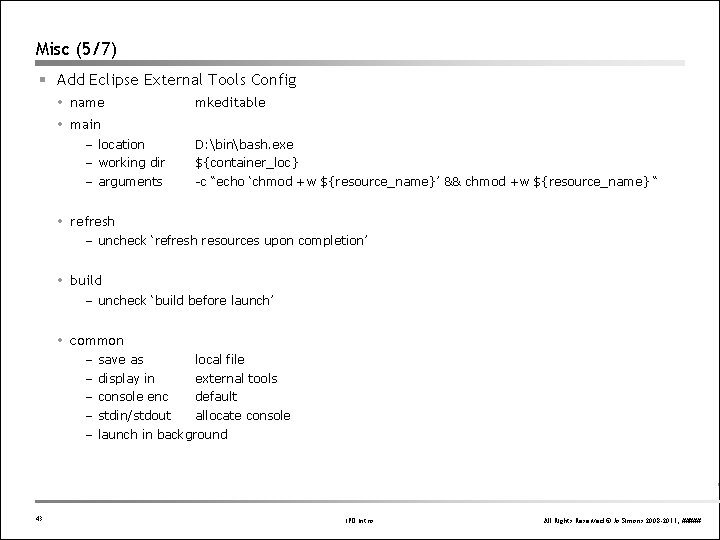
Misc (5/7) § Add Eclipse External Tools Config name mkeditable main – location – working dir – arguments D: binbash. exe ${container_loc} -c “echo ‘chmod +w ${resource_name}’ && chmod +w ${resource_name} “ refresh – uncheck ‘refresh resources upon completion’ build – uncheck ‘build before launch’ common – – – 43 save as local file display in external tools console enc default stdin/stdout allocate console launch in background IPD Intro All Rights Reserved © Jo Simons 2008 -2011, #####
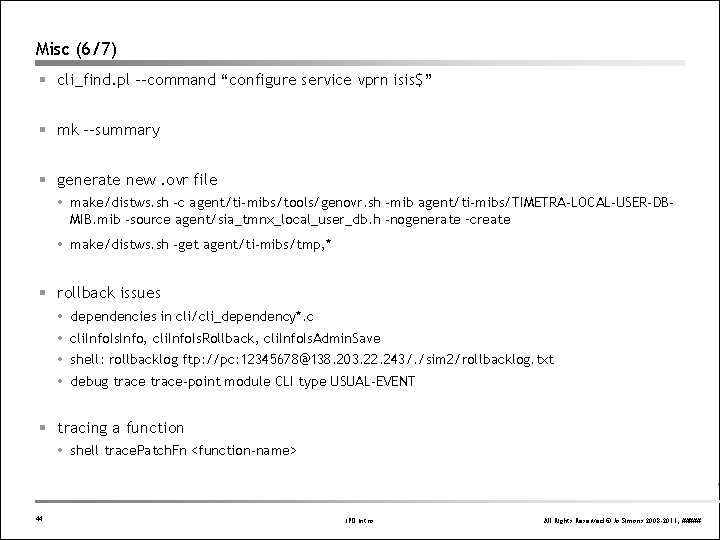
Misc (6/7) § cli_find. pl --command “configure service vprn isis$” § mk –-summary § generate new. ovr file make/distws. sh -c agent/ti-mibs/tools/genovr. sh -mib agent/ti-mibs/TIMETRA-LOCAL-USER-DBMIB. mib -source agent/sia_tmnx_local_user_db. h -nogenerate –create make/distws. sh -get agent/ti-mibs/tmp, * § rollback issues dependencies in cli/cli_dependency*. c cli. Info. Is. Info, cli. Info. Is. Rollback, cli. Info. Is. Admin. Save shell: rollbacklog ftp: //pc: 12345678@138. 203. 22. 243/. /sim 2/rollbacklog. txt debug trace-point module CLI type USUAL-EVENT § tracing a function shell trace. Patch. Fn <function-name> 44 IPD Intro All Rights Reserved © Jo Simons 2008 -2011, #####
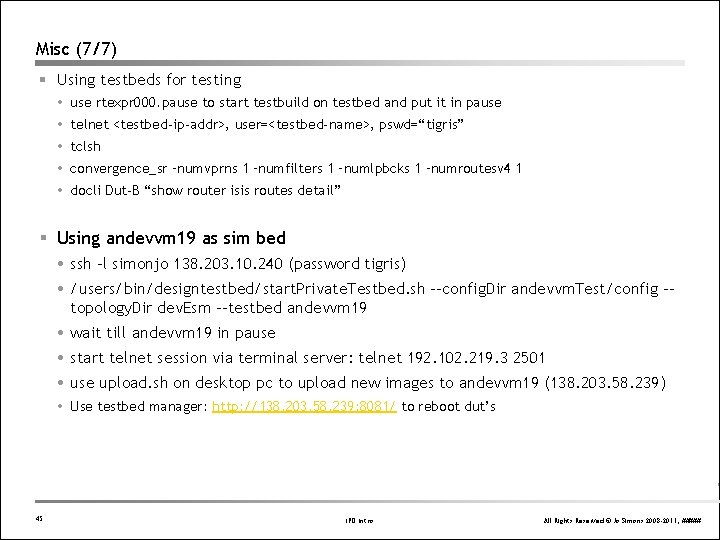
Misc (7/7) § Using testbeds for testing use rtexpr 000. pause to start testbuild on testbed and put it in pause telnet <testbed-ip-addr>, user=<testbed-name>, pswd=“tigris” tclsh convergence_sr –numvprns 1 –numfilters 1 –numlpbcks 1 –numroutesv 4 1 docli Dut-B “show router isis routes detail” § Using andevvm 19 as sim bed ssh –l simonjo 138. 203. 10. 240 (password tigris) /users/bin/designtestbed/start. Private. Testbed. sh --config. Dir andevvm. Test/config -topology. Dir dev. Esm --testbed andevvm 19 wait till andevvm 19 in pause start telnet session via terminal server: telnet 192. 102. 219. 3 2501 use upload. sh on desktop pc to upload new images to andevvm 19 (138. 203. 58. 239) Use testbed manager: http: //138. 203. 58. 239: 8081/ to reboot dut’s 45 IPD Intro All Rights Reserved © Jo Simons 2008 -2011, #####
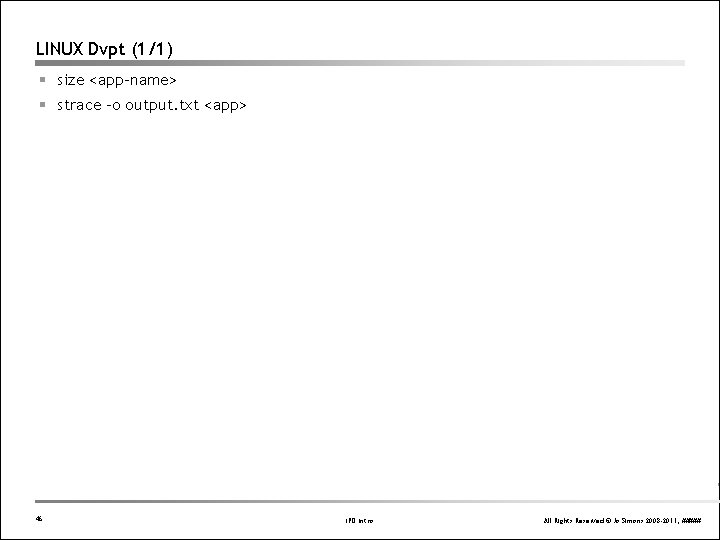
LINUX Dvpt (1/1) § size <app-name> § strace –o output. txt <app> 46 IPD Intro All Rights Reserved © Jo Simons 2008 -2011, #####
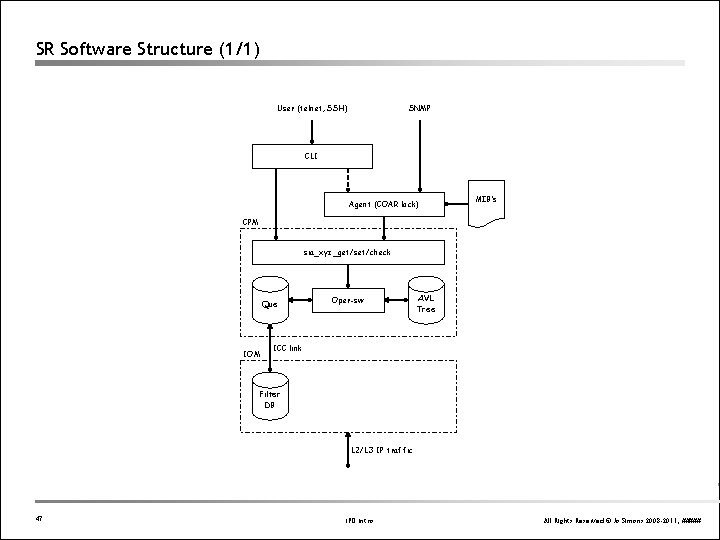
SR Software Structure (1/1) User (telnet, SSH) SNMP CLI Agent (COAR lock) MIB’s CPM sia_xyz_get/set/check Que IOM Oper-sw AVL Tree ICC link Filter DB L 2/L 3 IP traffic 47 IPD Intro All Rights Reserved © Jo Simons 2008 -2011, #####
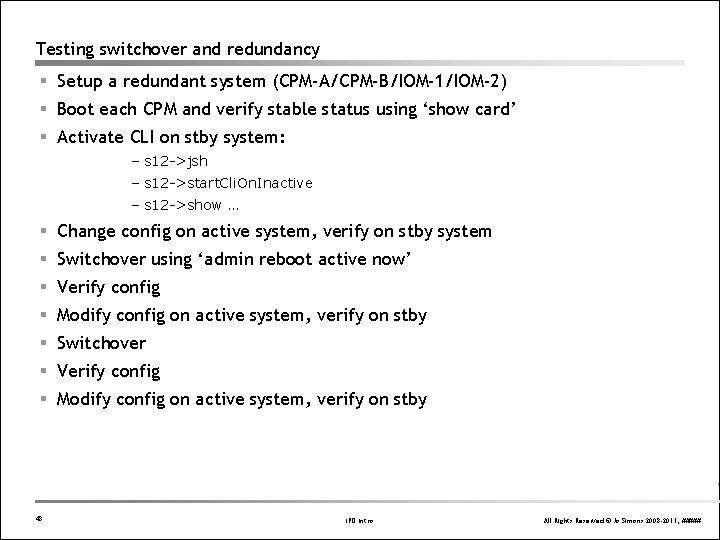
Testing switchover and redundancy § Setup a redundant system (CPM-A/CPM-B/IOM-1/IOM-2) § Boot each CPM and verify stable status using ‘show card’ § Activate CLI on stby system: – s 12 ->jsh – s 12 ->start. Cli. On. Inactive – s 12 ->show … § Change config on active system, verify on stby system § Switchover using ‘admin reboot active now’ § Verify config § Modify config on active system, verify on stby § Switchover § Verify config § Modify config on active system, verify on stby 48 IPD Intro All Rights Reserved © Jo Simons 2008 -2011, #####
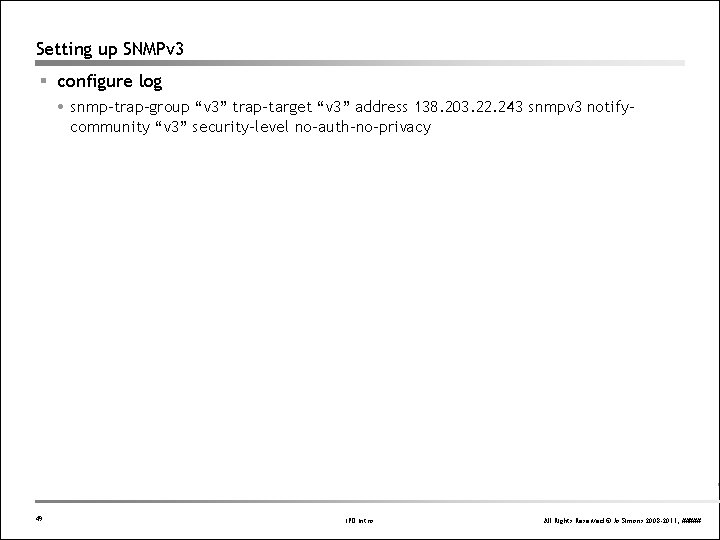
Setting up SNMPv 3 § configure log snmp-trap-group “v 3” trap-target “v 3” address 138. 203. 22. 243 snmpv 3 notifycommunity “v 3” security-level no-auth-no-privacy 49 IPD Intro All Rights Reserved © Jo Simons 2008 -2011, #####
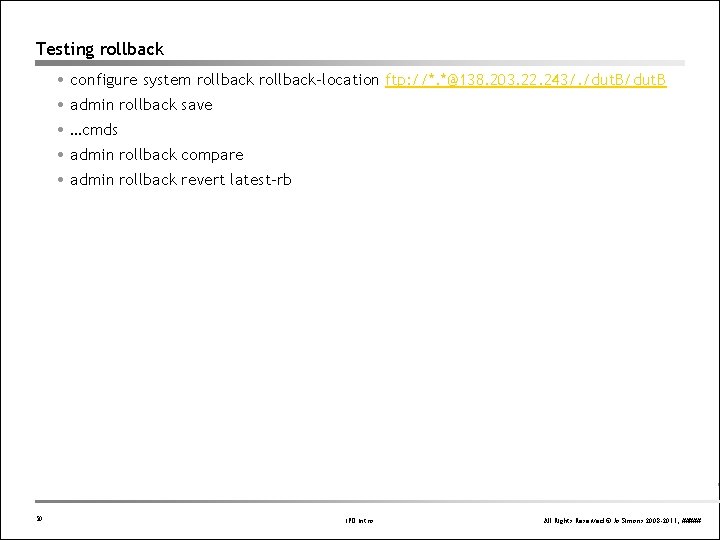
Testing rollback configure system rollback-location ftp: //*. *@138. 203. 22. 243/. /dut. B admin rollback save …cmds admin rollback compare admin rollback revert latest-rb 50 IPD Intro All Rights Reserved © Jo Simons 2008 -2011, #####
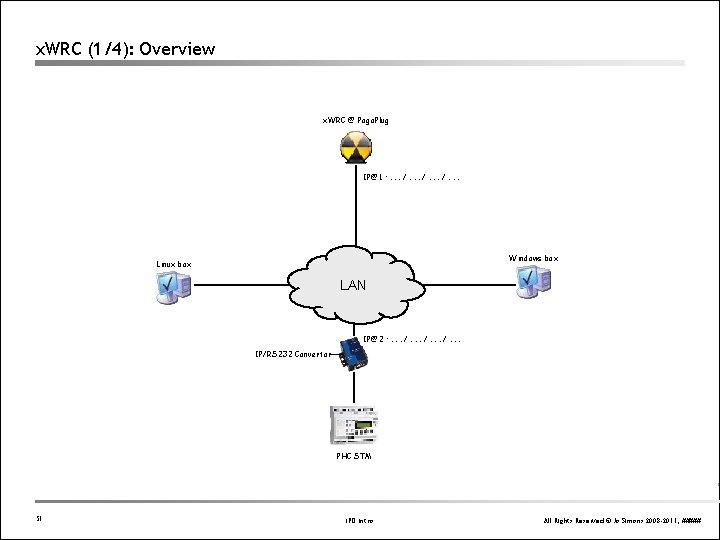
x. WRC (1/4): Overview x. WRC @ Pogo. Plug IP@1 : . . . /. . . Windows box Linux box LAN IP@2 : . . . /. . . IP/RS 232 Convertor PHC STM 51 IPD Intro All Rights Reserved © Jo Simons 2008 -2011, #####
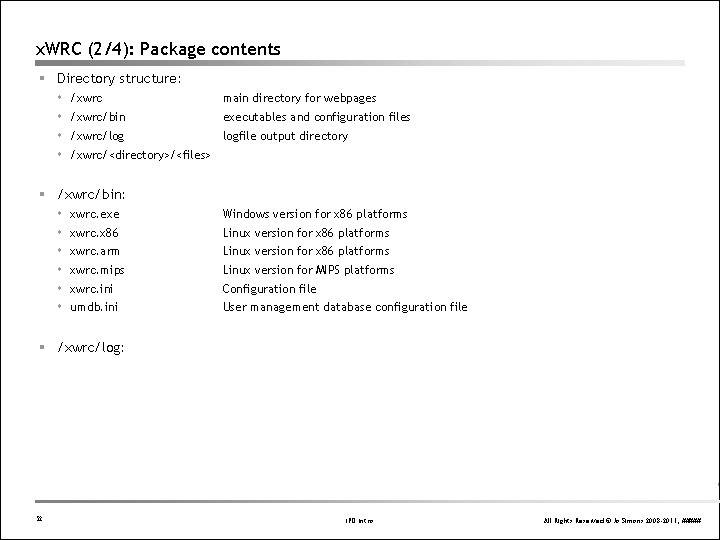
x. WRC (2/4): Package contents § Directory structure: /xwrc main directory for webpages /xwrc/bin executables and configuration files /xwrc/log logfile output directory /xwrc/<directory>/<files> § /xwrc/bin: xwrc. exe Windows version for x 86 platforms xwrc. x 86 Linux version for x 86 platforms xwrc. arm Linux version for x 86 platforms xwrc. mips Linux version for MIPS platforms xwrc. ini Configuration file umdb. ini User management database configuration file § /xwrc/log: 52 IPD Intro All Rights Reserved © Jo Simons 2008 -2011, #####
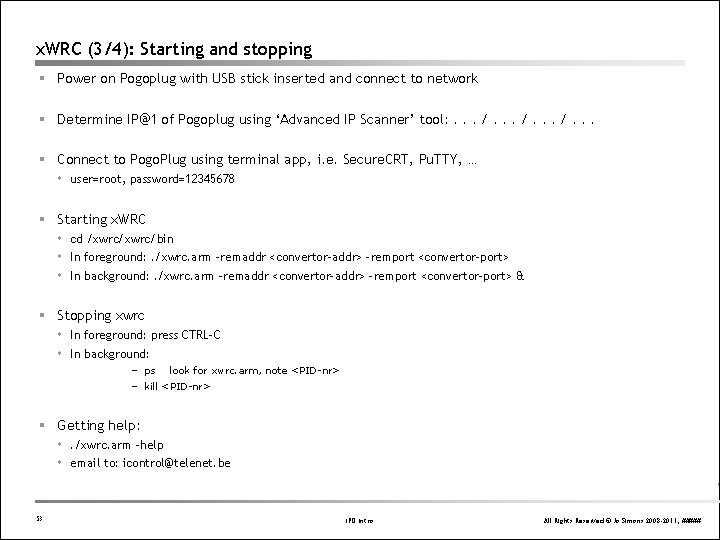
x. WRC (3/4): Starting and stopping § Power on Pogoplug with USB stick inserted and connect to network § Determine IP@1 of Pogoplug using ‘Advanced IP Scanner’ tool: . . . /. . . § Connect to Pogo. Plug using terminal app, i. e. Secure. CRT, Pu. TTY, … user=root, password=12345678 § Starting x. WRC cd /xwrc/bin In foreground: . /xwrc. arm –remaddr <convertor-addr> -remport <convertor-port> In background: . /xwrc. arm –remaddr <convertor-addr> -remport <convertor-port> & § Stopping xwrc In foreground: press CTRL-C In background: – ps look for xwrc. arm, note <PID-nr> – kill <PID-nr> § Getting help: . /xwrc. arm –help email to: icontrol@telenet. be 53 IPD Intro All Rights Reserved © Jo Simons 2008 -2011, #####
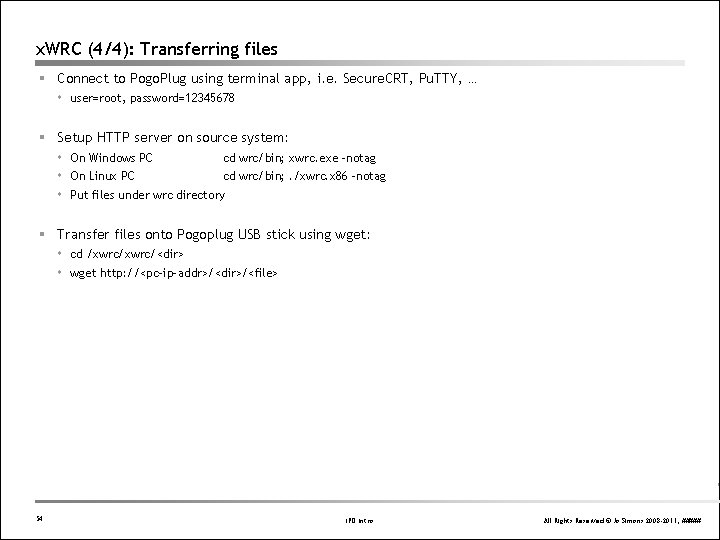
x. WRC (4/4): Transferring files § Connect to Pogo. Plug using terminal app, i. e. Secure. CRT, Pu. TTY, … user=root, password=12345678 § Setup HTTP server on source system: On Windows PC cd wrc/bin; xwrc. exe –notag On Linux PC cd wrc/bin; . /xwrc. x 86 –notag Put files under wrc directory § Transfer files onto Pogoplug USB stick using wget: cd /xwrc/<dir> wget http: //<pc-ip-addr>/<dir>/<file> 54 IPD Intro All Rights Reserved © Jo Simons 2008 -2011, #####