
INTRODUCTION TO INFORMATION TECHNOLOGY COMPUTER PERIPHERALS 1 A
- Slides: 45
INTRODUCTION TO INFORMATION TECHNOLOGY COMPUTER PERIPHERALS 1
A computer system consists of hardware, the physical unit (parts) of the computer that are capable of computing and manipulating information and software (set of instructions or programs) that carries out predefined tasks to complete a given job. 2
COMPONENTS OF HARDWARE I. III. IV. Input unit: This unit accepts instructions and data. Output unit: This unit communicates the results to the user. Storage unit: This unit stores temporary and final results. Central Processing Unit (CPU): This unit performs processing of instructions and data inside the computer. 3
THE CPU The CPU has three main components: a) b) c) The Control Unit The Arithmetic Logic Unit (ALU) and The Memory Unit 4
CONTROL UNIT It controls the overall operation of the computer system. It is considered as the heart of the computer system. It controls all the other units, directs them to operate in a proper way and coordinates various operations performed. It instructs the input device to transfer the data and instructions to the main memory and then to the arithmetic and logic unit (ALU). Then, it sends the processed result from ALU to the memory unit for storage and transfers it to the visual display unit or to the printer. The control unit coordinates the various parts of the computer system – the arithmetic logic unit, the memory unit and the peripheral units. 5
Besides, it controls the flow of data into, from and within the main storage as per the program instructions. To perform its control operations effectively and quickly, the control unit has four basic components. They are: Instruction Register b) Decoder c) Address Register and d) Instruction Counter a) 6
The instruction register receives one by one the instructions to be executed in the required sequence. Then, the operation code of the instructions is transferred to decoder, which decodes the operation code. And it activates the appropriate circuits of the arithmetic and logic unit to perform the operation. The address register enables the data in the location specified in the instruction to be transferred to a specified accumulator for the arithmetic and logic unit. 7
ARITHMETIC LOGIC UNIT (ALU) This unit performs two kinds of operations, the arithmetic processing and logical processing. In arithmetic processing, it performs all mathematical operations such as addition, subtraction, multiplication and division. In logical processing, it performs the relational and logical operations such as comparing larger or smaller values, true or false statements, etc. 8
MEMORY UNIT This unit holds the intermediate results during the course of calculations and provides the data as and when required. This internal storage is also called primary memory or main memory. This memory takes the data from an input device and stores it until the computer is ready to process it. It also stores processed data and intermediate results. When the processing is finished, it transfers the results to an output device. 9
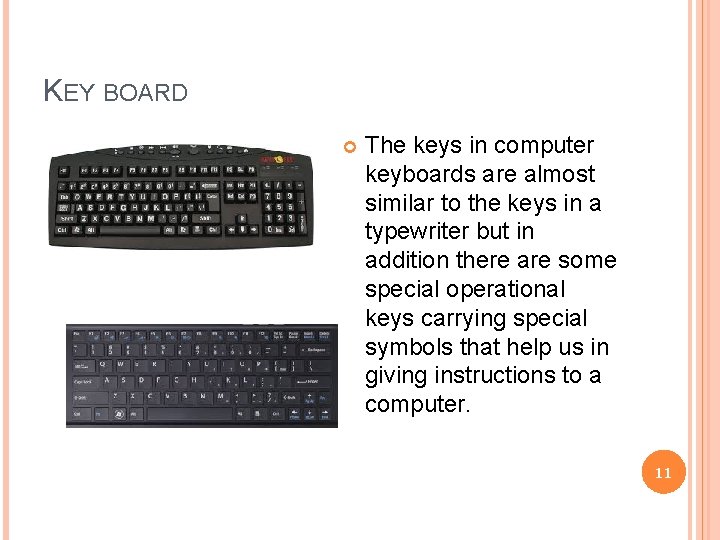
INPUT UNIT The input unit is used for entering the data and instruction into the computer for performing computation of the data. The input unit accepts or reads the list of instructions and data and converts these instructions and data in computer acceptable form. It supplies the converted instructions and data to the computer for further processing. The devices used for this purpose are call as input devices. Key board and mouse are the important input devices used in our offices. Light pen, joy stick, tracker ball, touch pad, scanner and pointing stick are also some of the input devices. 10
KEY BOARD The keys in computer keyboards are almost similar to the keys in a typewriter but in addition there are some special operational keys carrying special symbols that help us in giving instructions to a computer. 11
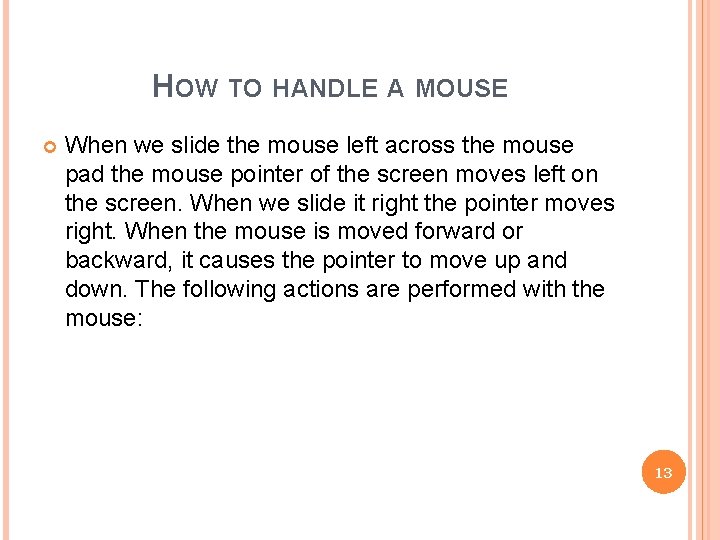
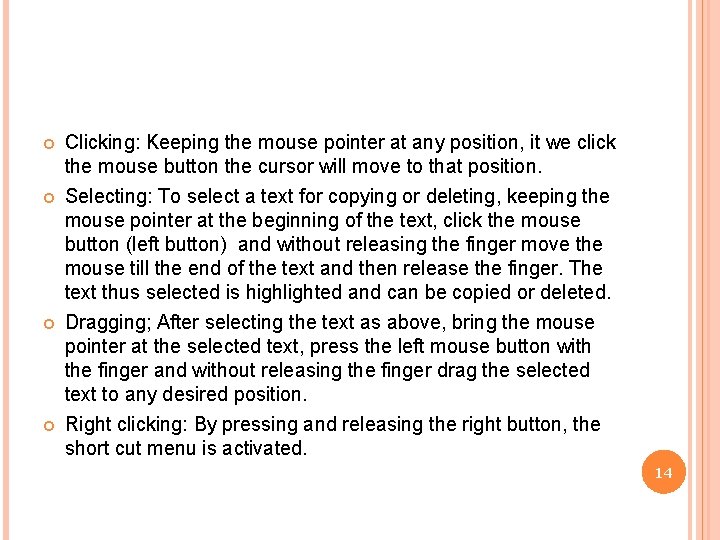
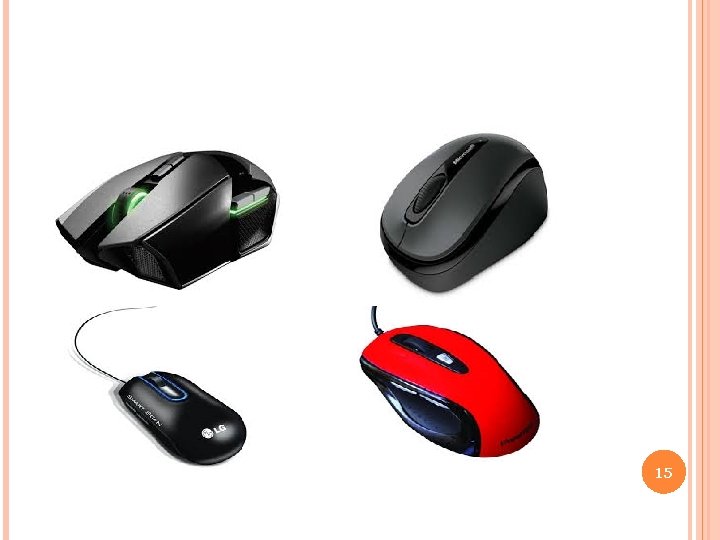
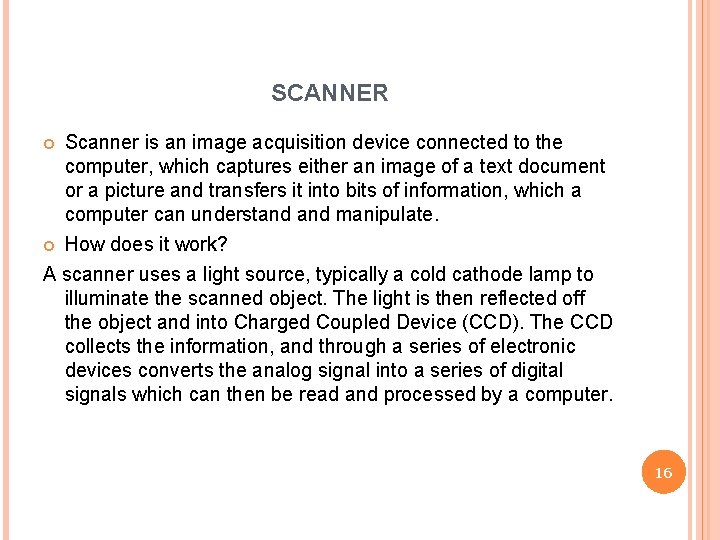
MOUSE Mouse is an essential component in the modern computers which use Windows and other Graphical User Interface (GUI) applications. Mouse is a small service in which a small ball is kept inside and the ball touches the pad through a hole at the bottom of the mouse. When the mouse is held in hand pushed along a flat surface (mouse pad), the ball inside the mouse rolls and this movement of the ball is converted into electronic signals and sent to the computer, now we get advanced versions of mouse like optical mouse, scroll mouse, cordless mouse etc. using the mouse, the cursor can be moved in any direction. The mouse is used for selecting part of full text or object, and also for dragging and dropping the selected text or object. 12
HOW TO HANDLE A MOUSE When we slide the mouse left across the mouse pad the mouse pointer of the screen moves left on the screen. When we slide it right the pointer moves right. When the mouse is moved forward or backward, it causes the pointer to move up and down. The following actions are performed with the mouse: 13
Clicking: Keeping the mouse pointer at any position, it we click the mouse button the cursor will move to that position. Selecting: To select a text for copying or deleting, keeping the mouse pointer at the beginning of the text, click the mouse button (left button) and without releasing the finger move the mouse till the end of the text and then release the finger. The text thus selected is highlighted and can be copied or deleted. Dragging; After selecting the text as above, bring the mouse pointer at the selected text, press the left mouse button with the finger and without releasing the finger drag the selected text to any desired position. Right clicking: By pressing and releasing the right button, the short cut menu is activated. 14
15
SCANNER Scanner is an image acquisition device connected to the computer, which captures either an image of a text document or a picture and transfers it into bits of information, which a computer can understand manipulate. How does it work? A scanner uses a light source, typically a cold cathode lamp to illuminate the scanned object. The light is then reflected off the object and into Charged Coupled Device (CCD). The CCD collects the information, and through a series of electronic devices converts the analog signal into a series of digital signals which can then be read and processed by a computer. 16
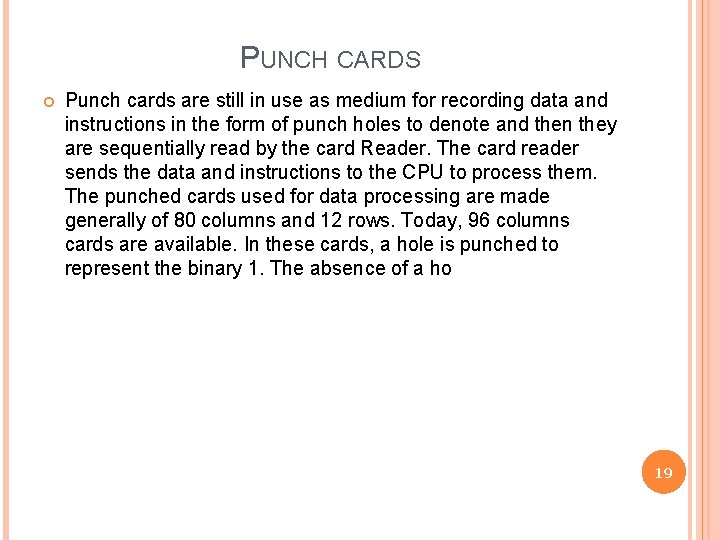
FLATBED SCANNER: The flat bed scanner as shown in the illustration is one of the most commonly used and most recommended scanners. This scanner allows the user to place a full piece of paper, book, magazine, photo or any other object onto the bed of the scanner and have the capability to scan that object. A sheet containing text can be scanned using the scanner and saved as an image file. There is software to convert the image file once again into a text file. SHEET FED SCANNER: This scanner allows us to scan pieces of paper. The sheet fed scanner is a less expensive solution when compared to the flatbed scanner. HANDHELD SCANNER: The handled scanner allows the user to drag over select sections of pages, books, magazines, and other objects scanning only sections. However, it can be tedious to drag the handheld correctly which can cause distortion in the image being scanned. CARD SCANNER: This scanner is mainly used to scan visiting cards for creating data base of the addresses. 17
18
PUNCH CARDS Punch cards are still in use as medium for recording data and instructions in the form of punch holes to denote and then they are sequentially read by the card Reader. The card reader sends the data and instructions to the CPU to process them. The punched cards used for data processing are made generally of 80 columns and 12 rows. Today, 96 columns cards are available. In these cards, a hole is punched to represent the binary 1. The absence of a ho 19
ADVANTAGES It is very easy to read data on the cards. The cards are less expensive than other storage media. It is much simple to operate. After inserting a card, if an error is detected, the whole system stops functioning. 20
DISADVANTAGES Punch cards are bulky when put together, so they require large space to store them. The cards are easily damaged and perishable. Transfer of data is relatively very slow. An incorrectly punched card cannot be corrected, it must be replaced. Data is not processed in ordinary language. It has to be translated into something we can understand. 21
PAPER TAPES The punched paper tape is a continuous strip of a paper about one inch wide and up to 300 meters long. The characters are recorded on tape, which may be 5 or 8 as per the design of the tape. These punched positions are called as channels. It is the oldest media, of input and output media. Here also, a hole represent 1 and its absences represents 0. Data from the tape is read through a Tape Recorder per second. The tape comes in various forms viz. oil paper, dry paper, metalized paper and laminated paper. 22
ADVANTAGES 1. 2. Compared to the punched card, it is more compact and economic on storage. It is less in weight and easy for mailing etc. 23
DISADVANTAGES 1. 2. 3. Since the roll is so long, correcting or inserting data can be very tedious process and time consuming. The life of the paper tape is short. This makes it inconvenient for storing over a long period. It is not durable. Moreover, it is sequential data processing medium. 24
MAGNETIC TAPE Because of the problems faced in the paper media, magnetic substances came to being. First, among these was the magnetic tape. This is also a sequential media for normally between 1. 25 – 2 cms wide and up to 900 meters long. It is made of plastic with a metallic magnetic oxide coating on one side. Generally, data is recorded on either a 7 parallel-racktape or on 9 parallel-track-tape. Writing on and reading from the tape is done with the assistance of READ/WRITE head. The number of characters per inch length of tape stored is called the ‘density’ of the tape. This varies from 550 to 1600 or even 16 K. The 9 Track tapes have the higher densities. Then comparing with the punch card and punched tape, the magnetic tape has certain advantages and disadvantages. 25
ADVANTAGES 1. 2. 3. 4. 5. 6. Data are stored very compactly. It is very easy to handle the magnetic tape than the deck of cards. The magnetic tape costs less than the cards. It requires less storage space for data and therefore has a large capacity. It is reusable i. e. , the old data can be wiped out and the fresh information could be recorded on it. The speed of transferring the data is very high comparing to paper devices. 26
DISADVANTAGES 1. 2. 3. 4. In magnetic tapes, the data has to be accessed sequentially. This makes the retrieval of data slow. The punched cards can be read visually, whereas to read the magnetic tape a 1 machine is needed. The tape is subject to the usual wear and tear of time. Data will be erased if the tape is exposed or placed nearby any magnetic field or high voltage circuits. 27
MAGNETIC DISK It is yet another step in the evolution of input/output devices. The magnetic disk has an advantage over the punch cards and magnetic tapes i. e. , the data stored on a disk can be read randomly while in the magnetic tape, the data are read sequentially. Random access is that the particular record is accessed in a fraction of second i. e. , less than 0. 01 sec. The disk is divided into a number of sectors, called storage segments. The storage segment is a specific portion of a specific side of the disk. A segment can store one or more record of a file, which will vary according to the size of the record. While searching, a particular record can randomly be selected and directly accessed, because each storage segment is uniquely marked by an address with side number, track number, sector number etc. 28
JOYSTICKS AND TRACKBALLS Joy sticks provide an alternative method for feeding data into computer. When you move the joystick, cursor on the screen moves in a corresponding way. A trackball is a plastic sphere mounted in a socket so that it is free to rotate in any direction. 29
TOUCH SCREENS Touch screens are another favorite “user friendly” method for feeding data into computer. User can command the computer to perform various useful tasks simply by touching specific sectors of the screen with their fingers. The computer senses the location of the finger in various ways. 30
OUTPUT UNIT The results of the data processed by the computer are available in electronic signals. The output unit converts these signals into a form which could be easily understood by us. The output is usually given either on the screen by visual display unit/monitor or in a printed form by printers. 31
MONITOR (VISUAL DISPLAY UNIT OR SCREEN) The monitor is made up of cathode ray tube (CRT) due to which it also called CRT terminal. The screen consists of horizontal and vertical sweep circuits similar to T. V. sets. The screen’s inside is coated with dots of phosphor called pixel and can be used for games or graphics or displaying the results of a calculation done by computer. The more the number of pixel or dots in a screen, the better will be the capability of a computer to display an information. This capability is known as resolution. The characters typed with the keyboard are displayed on the screen. We can thus verify whether the programs we enter into computer is correct or not. 32
PRINTER Printer is the most commonly used output device. It is used to prepare permanent documents in human – readable form (hard copy). There are several types of printers that are designed for different types of applications. Printers are of two types – impact and non impact. Impact printers use the familiar typewriter approach of hammering a typeface against paper and inked ribbon. Nonimpact printers do not hit or impact a ribbon to print. They use thermal, electrostatic, chemical and inkjet technologies. Depending on their speed and approach of printing, printers are also classified as character printers, and page printers. 33
TYPES OF PRINTERS 1. DOT MATRIX PRINTER: In this printer characters to print are made up of a finite number of dots and so, the print head consists of an array of pins. Characters to be printed are made up of a finite number of dots and so, the printer. The character code is decoded by the printer electronics and activates the appropriate pins in the print head. Many dot matrix printers are bi-directional. i. e. , they print from left to right as well as from right to left on return. This enhances the speed of printing. The printing speed is around 300 characters per second. 34
2. LINE PRINTER: Unlike dot matrix printer, line printer prints a complete line at a time. Two types of line printers are available. 3. DRUM PRINTER: It consists of cylindrical drum. The characters to be printed are embossed on its surface. 4. CHAIN PRINTER: It has a steel band on which the character sets are embossed. Printing speed varies from 150 lines to 2500 lines per minute with 96 to 160 characters on a 15 inch line. Six to eight lines per vertical inch are printed. Usually 64 and 96 character sets are used with English letters. 35
INKJET PRINTER It consists of print heard, which has a number of small holes of nozzles. Individual holes are heated very rapidly by an integrated circuit resistor. When the resistor heats up, the ink neat it vaporizes and is ejected through the nozzle and makes a dot on paper placed near the head. A high resolution inkjet print has around 50 nozzles within a height of 7 mm and can print with a resolution of more than 300 dots per inch. Latest inkjet printers have multimedia heads, one per color, which allow color printing. The printing speed is around 20 characters per second. 36
LASER PRINTERS In laser printer, an electronically controlled laser beam traces out the desired character to be printed on a photo conductive drum. The drum attracts an ink toner on to the exposed areas. This image is transferred to the paper, which comes in contract with the drum. Very fast printers print 10, 000 per minute. These printers give excellent outputs and can print a variety of fonts. Low speed laser printers, which can print 4 to 16 pages per minute, are now very popular. 37
STORAGE UNIT The purpose of the storage unit of the computer is to store the data entered before processing and also to store the results after processing. There are two types of storage devices: Primary storage device b) Secondary storage device a) 38
PRIMARY STORAGE DEVICE OR RANDOM ACCESS MEMORY (RAM) Primary storage is usually referred to as Random Access Memory (RAM) because it is possible to randomly select and use any location of this memory to directly store and retrieve data and instructions. It is also referred to as read/write memory because information can be ‘read’ from a RAM chip and also be ‘written’ into it. The Random Access Memory requires some times for accessing data and is considered to be the fastest memory. Each bit in a RAM stores information by means of electric charge, where the presence of an electric charge indicates ‘ 1’ and the absence of an ‘ 0’, RAM is called Temporary storage, because data persists until the machine is on. 39
ROM A Read Only Memory (ROM) is one in which information is permanently stored. The information from the memory can only be read and it is not possible to write fresh information into it. This is the reason why it is called ROM. When the power supply is switched off, the information stored inside ROM is not lost as it is in the case of a RAM chip. ROMs are mainly used by computer manufacturers for storing the micro programs so that they cannot be modified by the users. 40
SECONDARY STORAGE DEVICES • • This section of the memory is also referred to as backup storage because it is used to store large volume of data on a permanent basis which can be partially transferred to the primary storage and when required for processing. The storage capacity of the primary storage of today’s computers is not sufficient to store the large volume of time handheld by most data processing centres. As a result, additional memory, called auxiliary memory or secondary storage, is used with most computer systems. Hard disk, floppy disk, tape and compact disc are the main secondary storage devices. 41
HARD DISK The hard disk used in the PC is permanently fixed, hard disks with data storage capacities of 8 GB, 10 GB, 20 GB, 40 GB etc, the CPU can use the hard disk to load programs and data as well as to store data. We should operate the PC within a dust-free and cool room (preferably air-conditioned) to prevent hard disk crash. 42
FLOPPY DISK Floppy disk is flexible circular disk of diameter 3, inches made of plastic coated with a magnetic material. This is housed in a square plastic jacket. The floppy disk can store 1. 4 Mbytes of data. Data recorded on a floppy disk is read and stored in a computer’s memory by a device called a floppy disk drive (FDD). A floppy disk is inserted in a slot of the FDD. Some of the floppies have limited life time. The floppies have to be recycled periodically to keep them alive. A frequently recycled floppy will have life time of 3 to 4 years. 43
COMPACT DISC Compact Disc read only memory (CD-ROM) uses a laser beam to record and read data along spiral tracks on a 51/4 ich disc. A disc can store around 650 MB of information. CD-ROMs are normally used to store data as back up. Using a CD writer, lot of information can be written on CD-ROM and stored for future reference. 44
TAPE DRIVES Even though tape drives are one of the oldest of storage technologies they can still hold the most data on a single cartridge. A computer tape drive works similar to a tape recorder or a VCR. A plastic tape ribbon is coated with magnetic particles which are polarized by a magnetic field generated by the read/write head. Since tape is a sequential, and not a random-access media, a tape drive has to wind through a tape to locate a specific bit of data. This makes accessing data slow so tape is mainly used for system backups and regular archiving of files and records. Tape drives allow users to backup large amounts of data. Tape drives are capable of backing up a couple hundred megabytes to several gigabytes of information without having to spend large sums of money on disks. 45