
Introduction to Industrial Robot Programming What is an
Introduction to Industrial Robot Programming
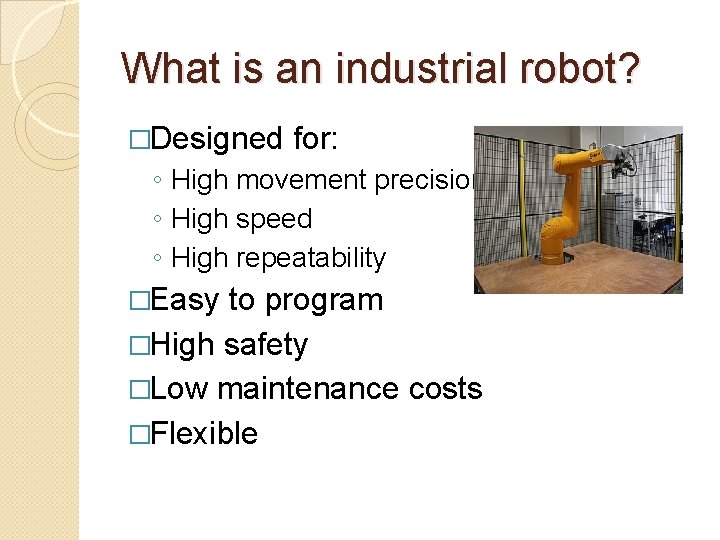
What is an industrial robot? �Designed for: ◦ High movement precision ◦ High speed ◦ High repeatability �Easy to program �High safety �Low maintenance costs �Flexible
Our robot: Stäubli TX 90 XL �
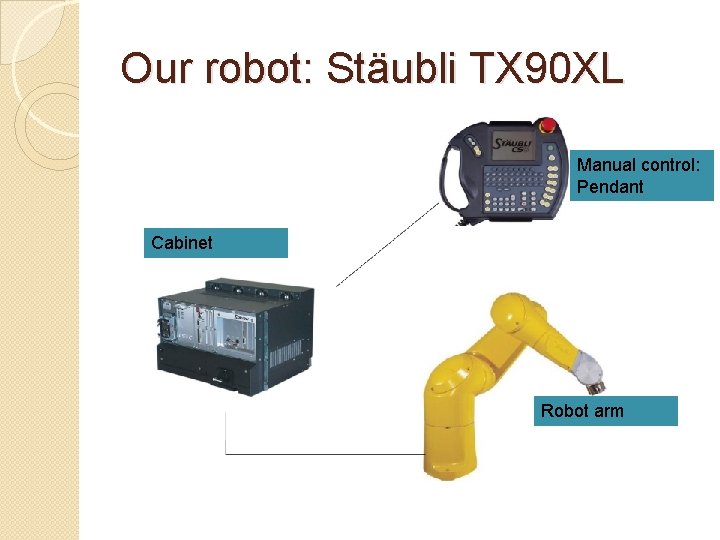
Our robot: Stäubli TX 90 XL Manual control: Pendant Cabinet Robot arm
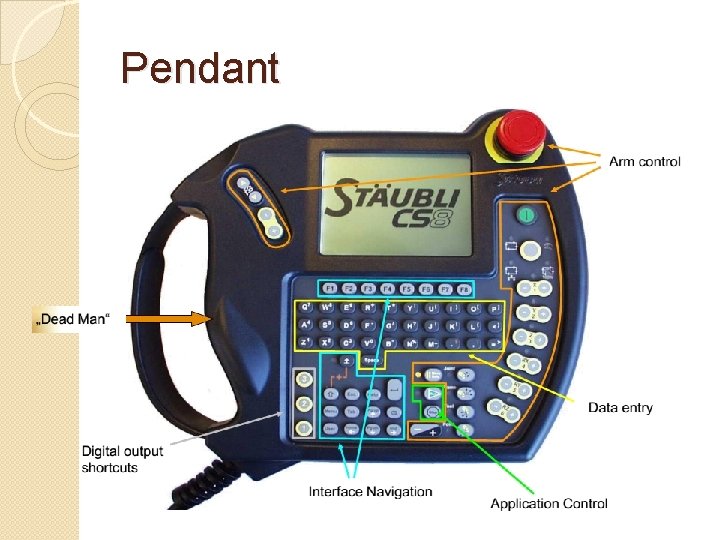
Pendant
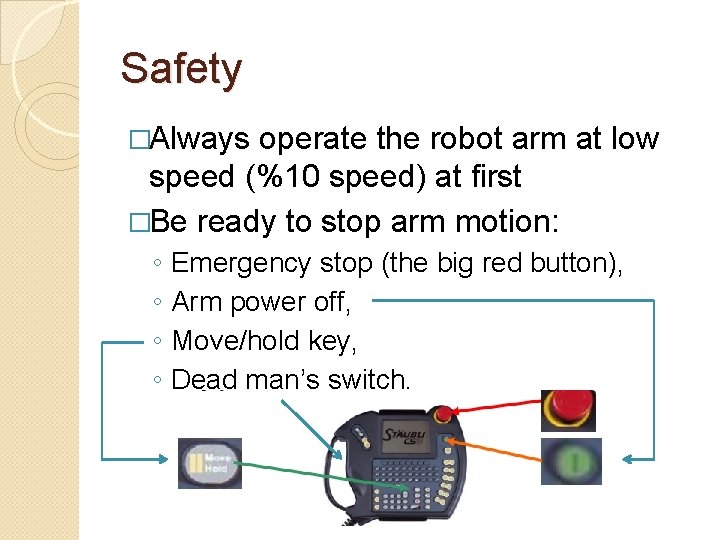
Safety �Always operate the robot arm at low speed (%10 speed) at first �Be ready to stop arm motion: ◦ ◦ Emergency stop (the big red button), Arm power off, Move/hold key, Dead man’s switch.
Safety �Do not use the robot pendant without supervision. �Do not run your program without supervision.
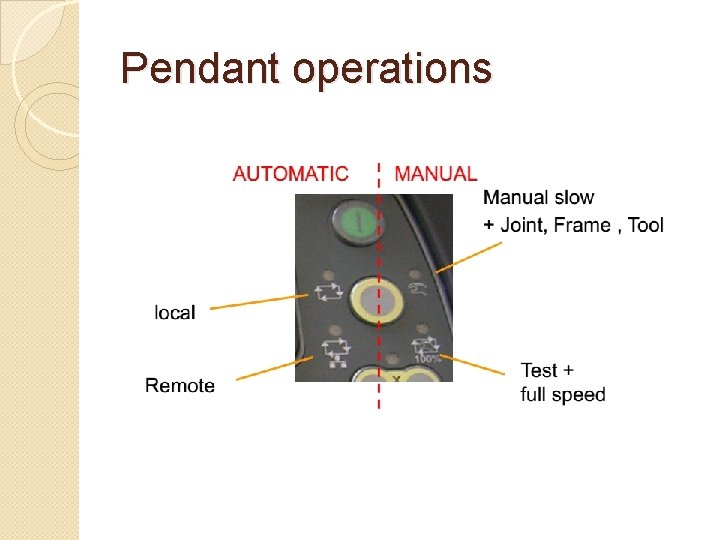
Pendant operations
Manual movement �Joint move: Moves the robot by rotating the individual joints ◦ Cannot do linear movement ◦ Is not subject to singularity �Frame move: Moves the robot in a specified coordinate frame ◦ Can do linear movement ◦ Subject to singularity �Tool move: Moves the robot with respect to the tool coordinate frame ◦ Can do linear movement ◦ Subject to singularity
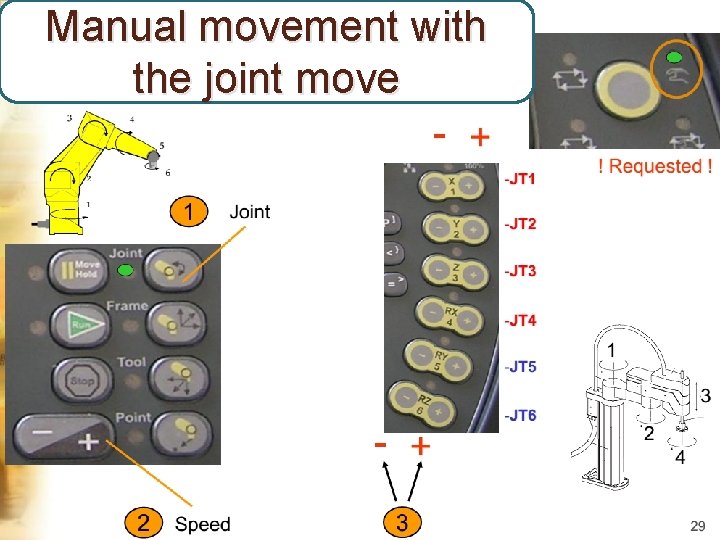
Manual movement with the joint move
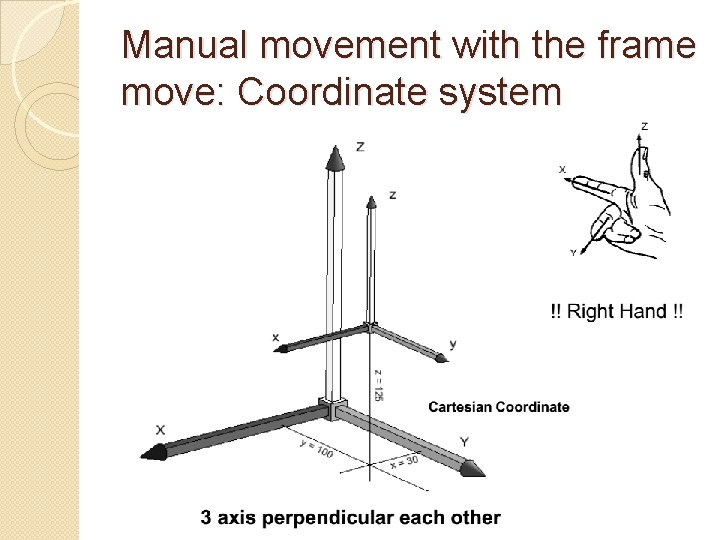
Manual movement with the frame move: Coordinate system
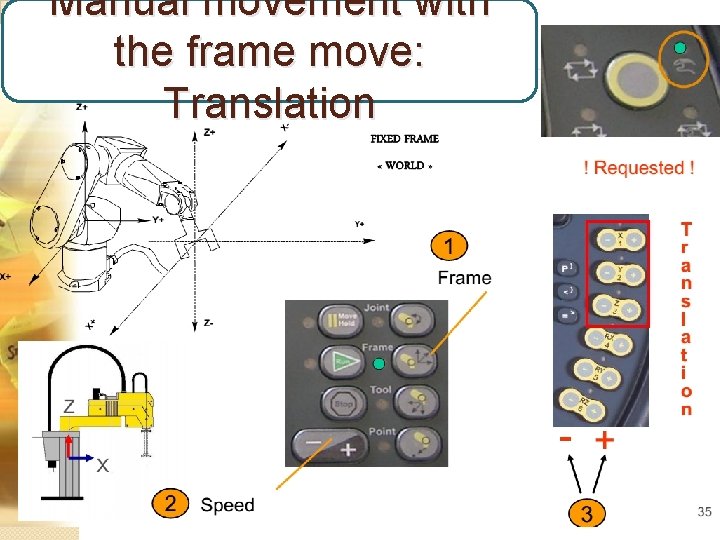
Manual movement with the frame move: Translation
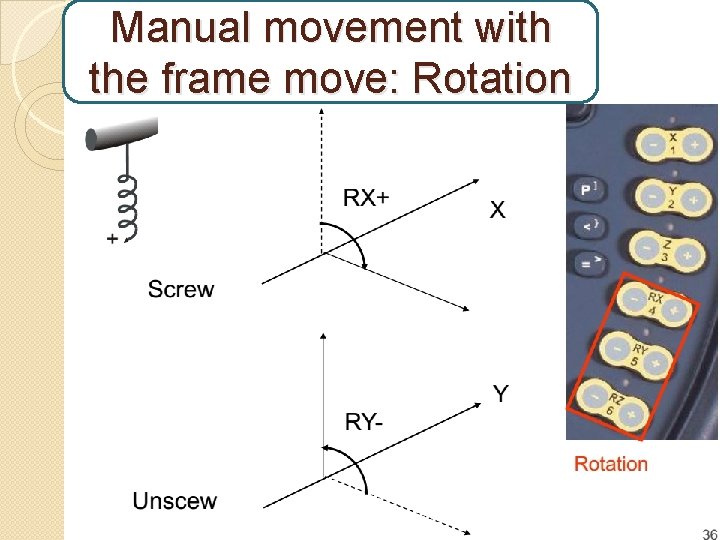
Manual movement with the frame move: Rotation
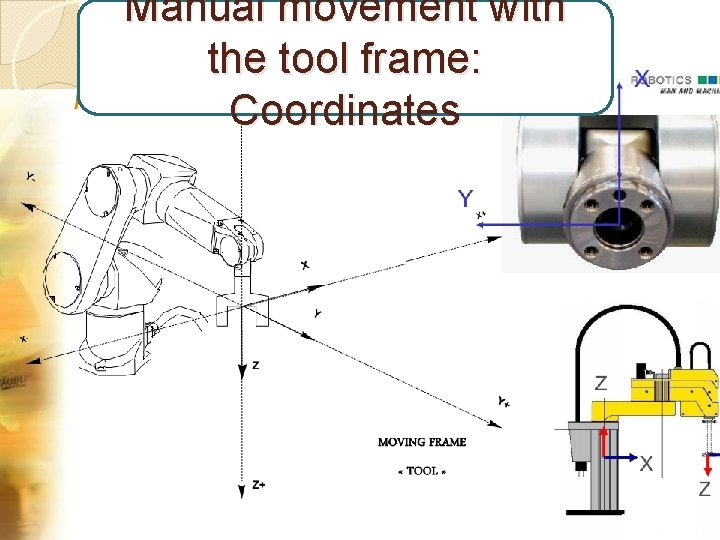
Manual movement with the tool frame: Coordinates
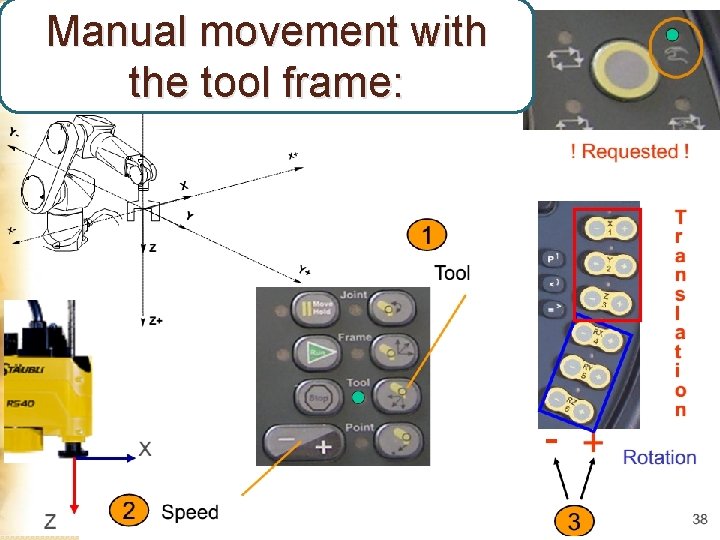
Manual movement with the tool frame:
Creating applications with VAL 3: �Need: ◦ VAL 3 installed ◦ A ‘cell’ defined (controller, robot, tool) ◦ Licence (licence flash-disk attached to the computer)
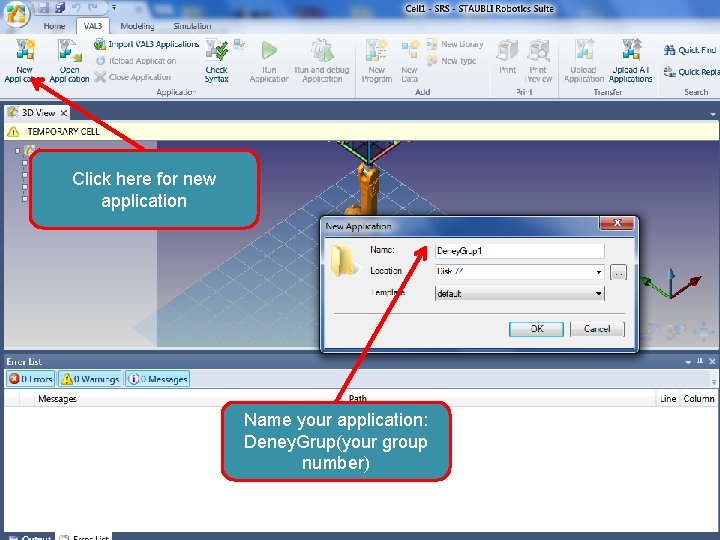
Click here for new application Name your application: Deney. Grup(your group number)
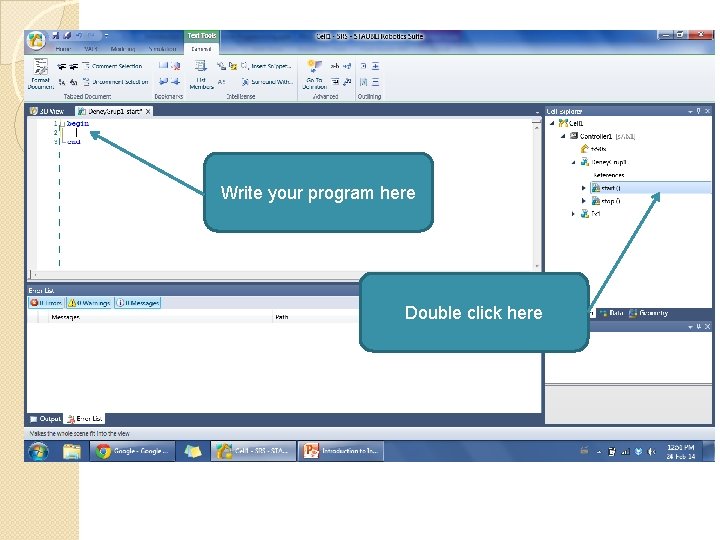
Write your program here Double click here
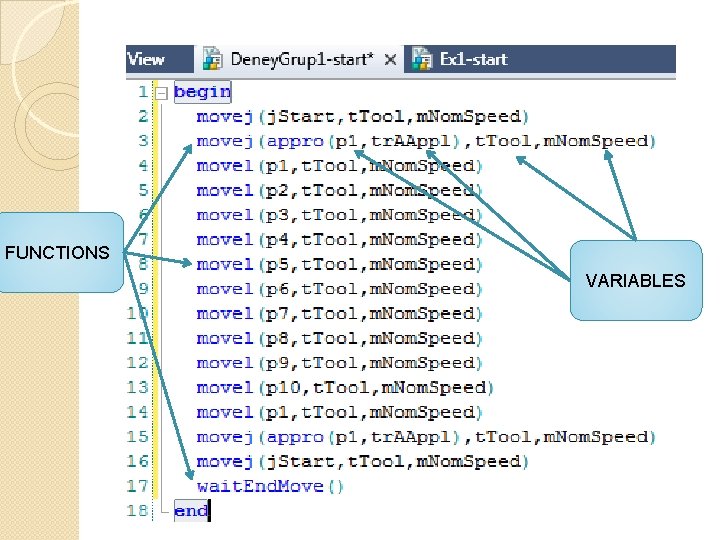
FUNCTIONS VARIABLES
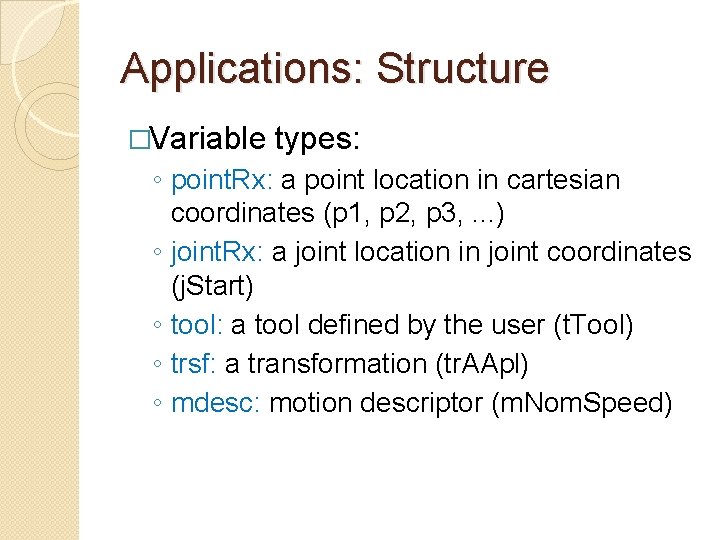
Applications: Structure �Variable types: ◦ point. Rx: a point location in cartesian coordinates (p 1, p 2, p 3, . . . ) ◦ joint. Rx: a joint location in joint coordinates (j. Start) ◦ tool: a tool defined by the user (t. Tool) ◦ trsf: a transformation (tr. AApl) ◦ mdesc: motion descriptor (m. Nom. Speed)
Applications: Structure �Functions: ◦ movej(joint, tool, mdesc): move to a (point or joint) coordinate with specified tool and motion descriptor ◦ movel(point, tool, mdesc): move linearly a point coordinate with specified tool and motion descriptor ◦ appro(point, trsf): calculate a transformed point by using a point and a transformation ◦ wait. End. Move: wait for the current movement to end.
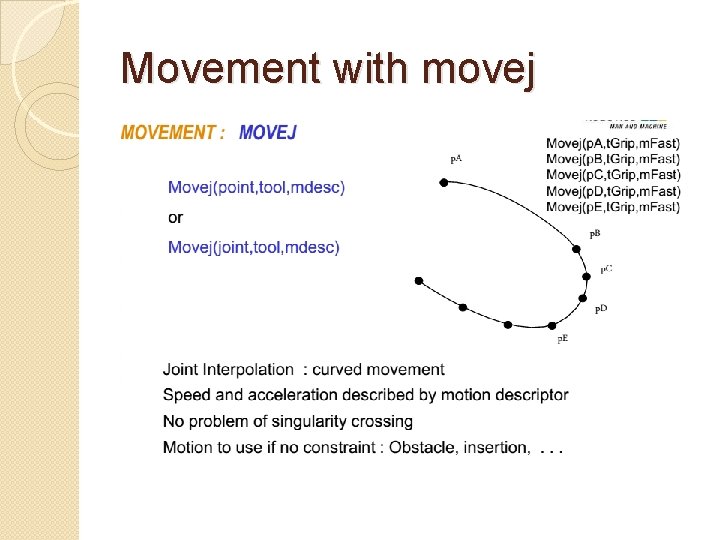
Movement with movej
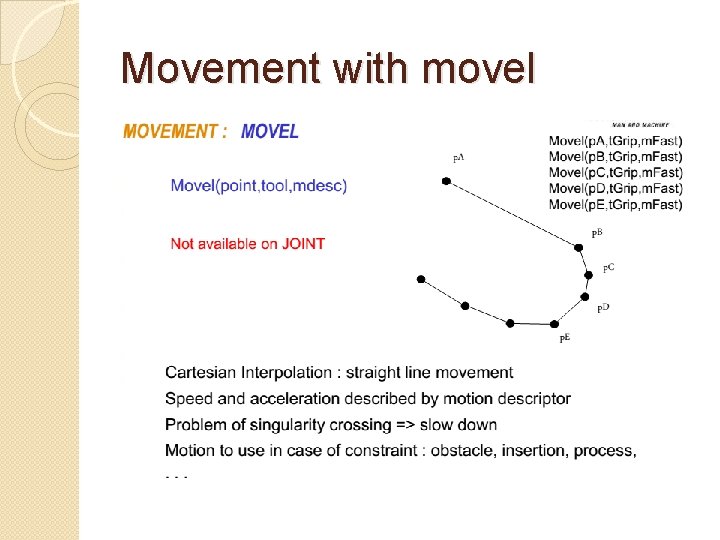
Movement with movel
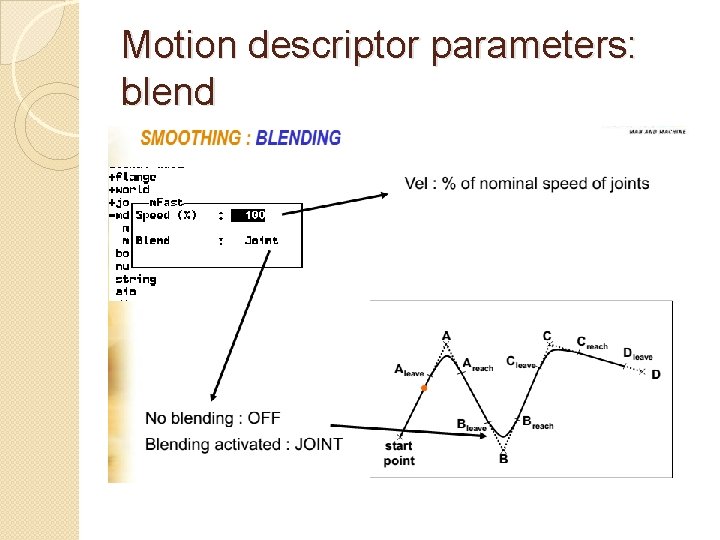
Motion descriptor parameters: blend
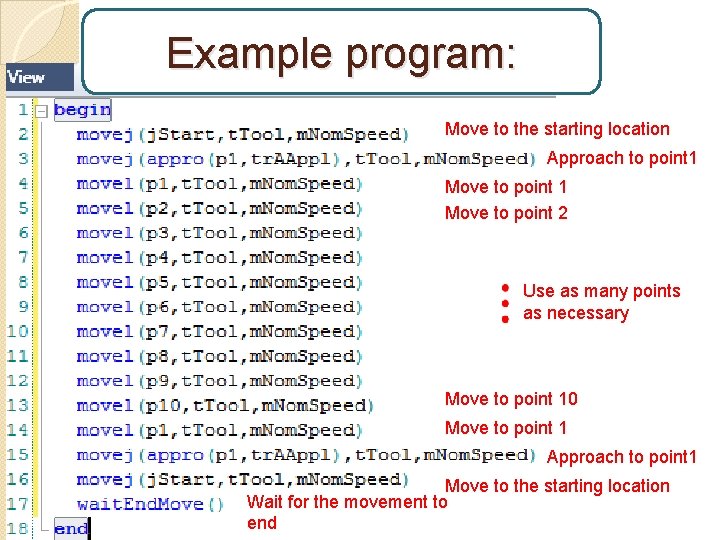
Example program: Move to the starting location Approach to point 1 Move to point 2 Use as many points as necessary Move to point 10 Move to point 1 Approach to point 1 Move to the starting location Wait for the movement to end
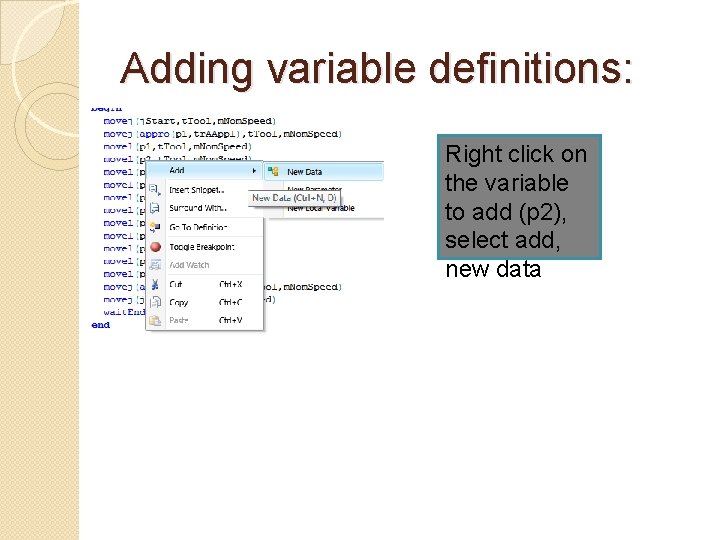
Adding variable definitions: Right click on the variable to add (p 2), select add, new data
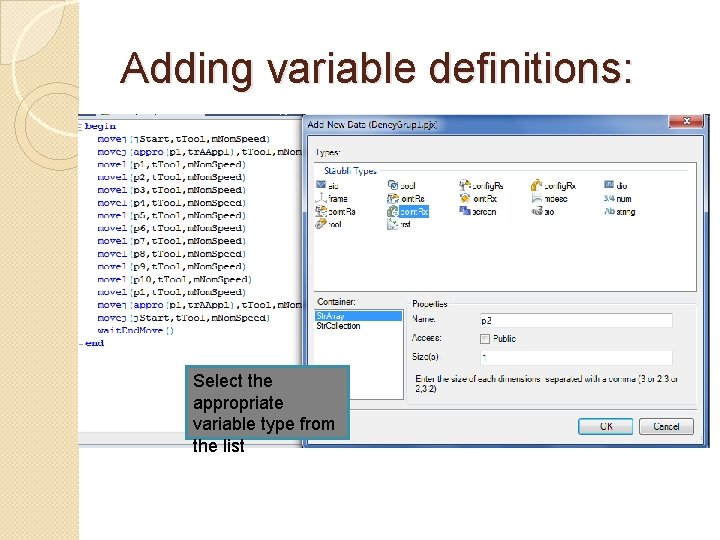
Adding variable definitions: Select the appropriate variable type from the list
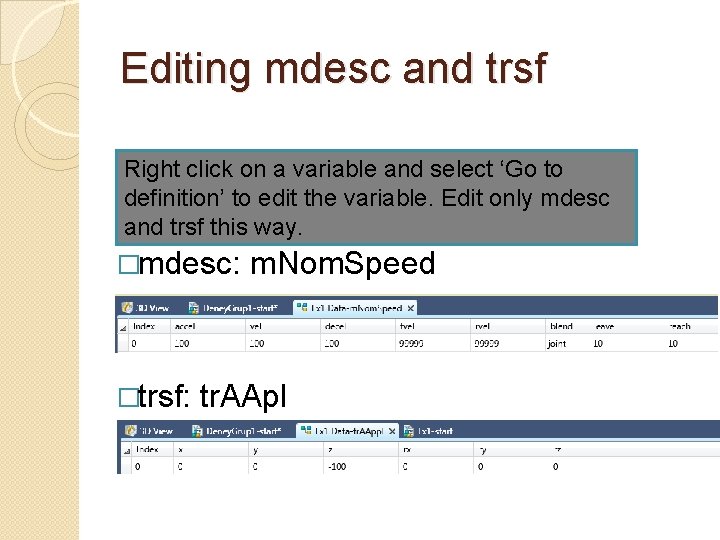
Editing mdesc and trsf Right click on a variable and select ‘Go to definition’ to edit the variable. Edit only mdesc and trsf this way. �mdesc: �trsf: m. Nom. Speed tr. AApl
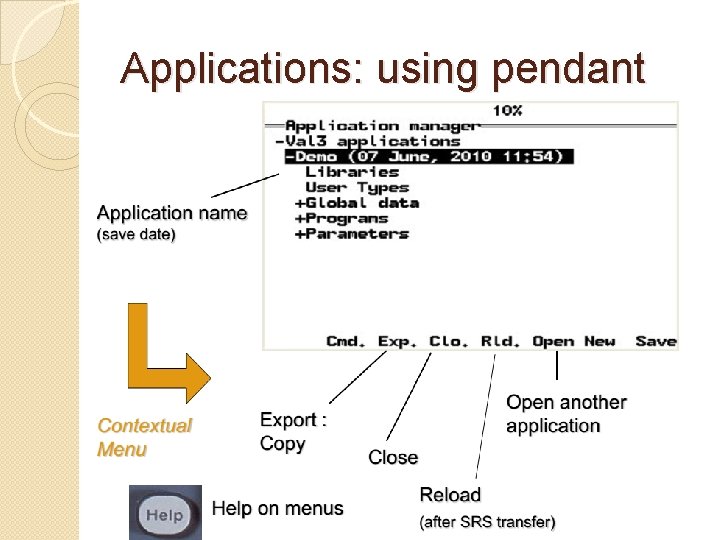
Applications: using pendant
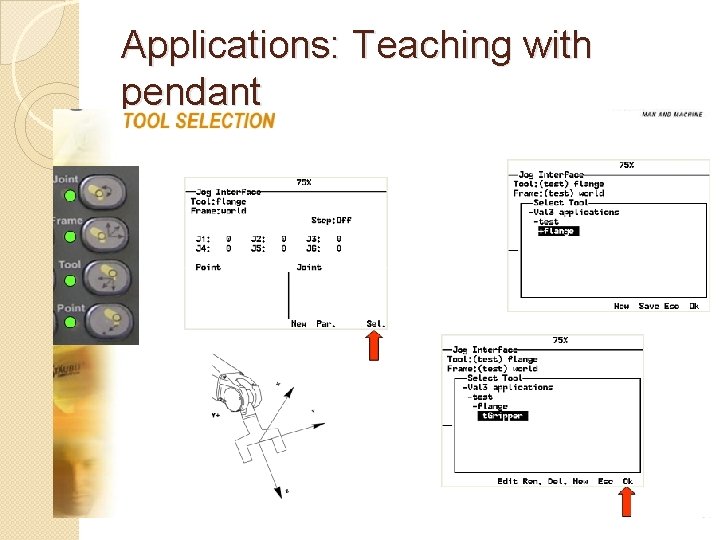
Applications: Teaching with pendant
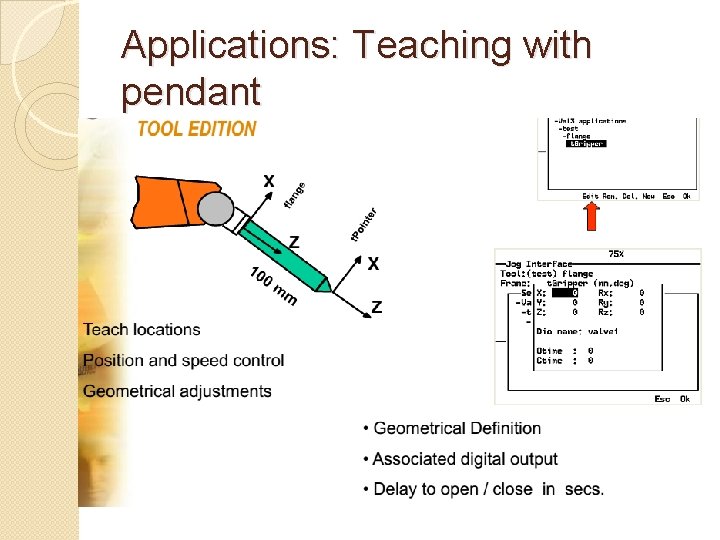
Applications: Teaching with pendant
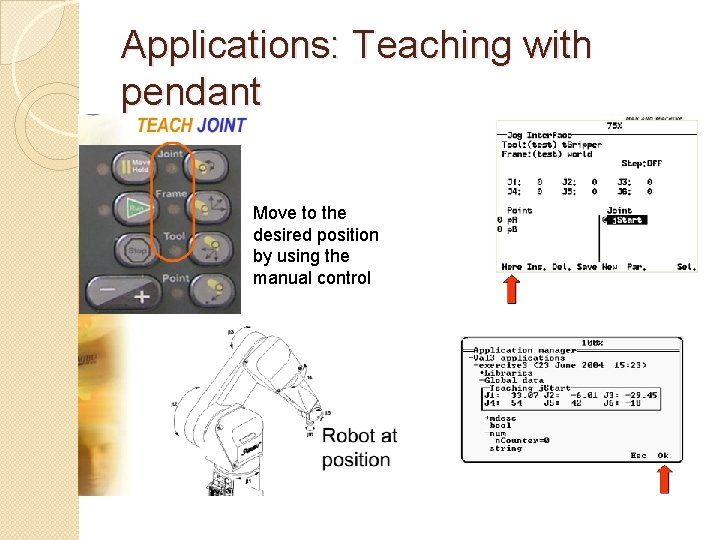
Applications: Teaching with pendant Move to the desired position by using the manual control
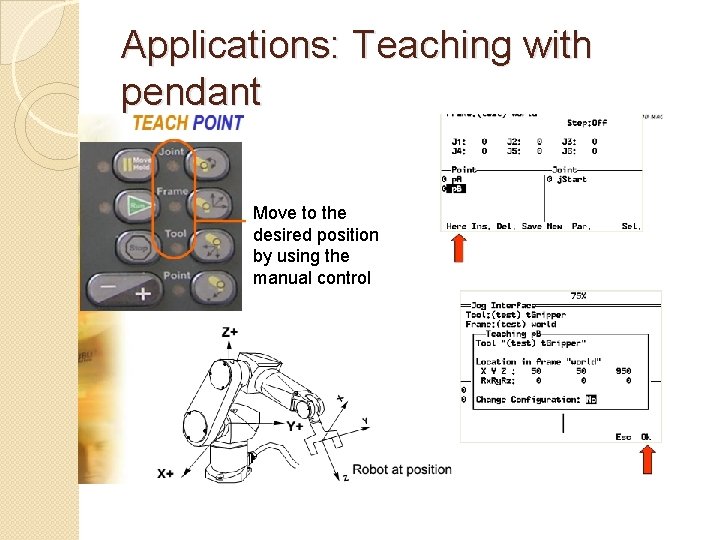
Applications: Teaching with pendant Move to the desired position by using the manual control
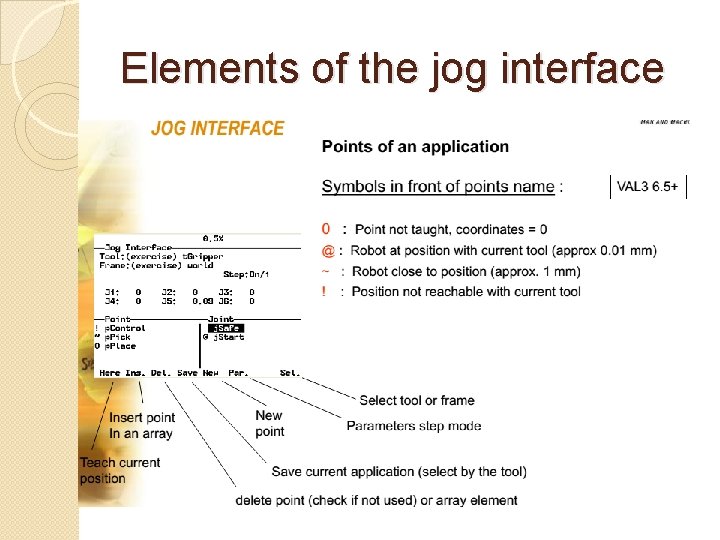
Elements of the jog interface
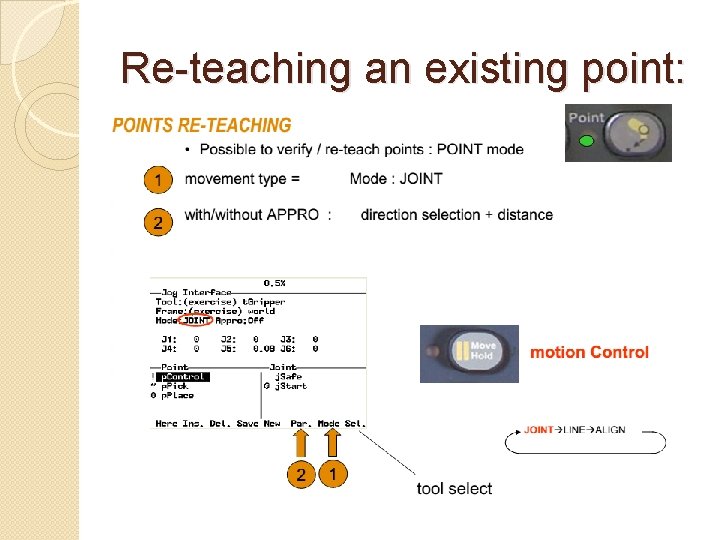
Re-teaching an existing point:
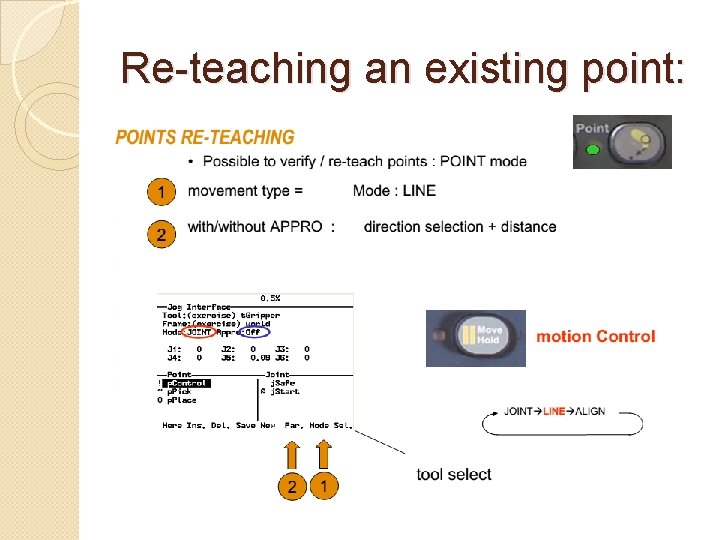
Re-teaching an existing point:
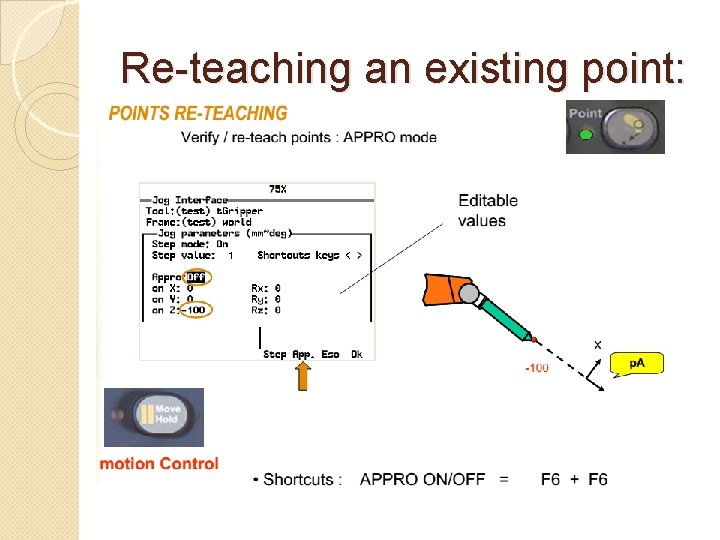
Re-teaching an existing point:
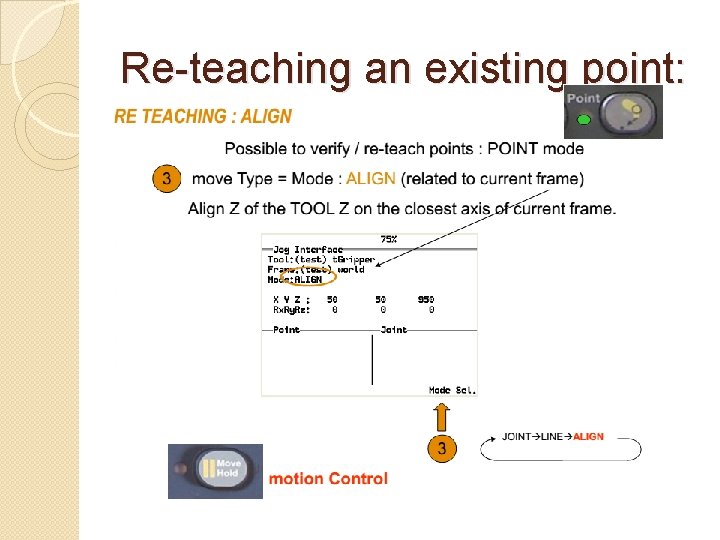
Re-teaching an existing point:
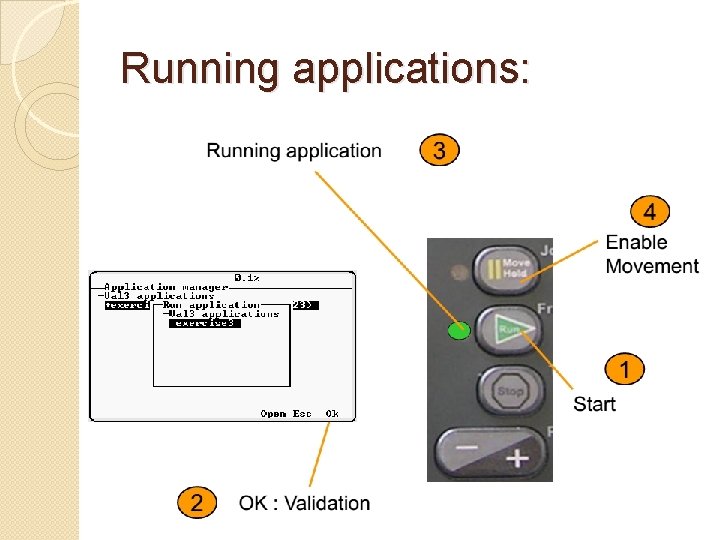
Running applications:
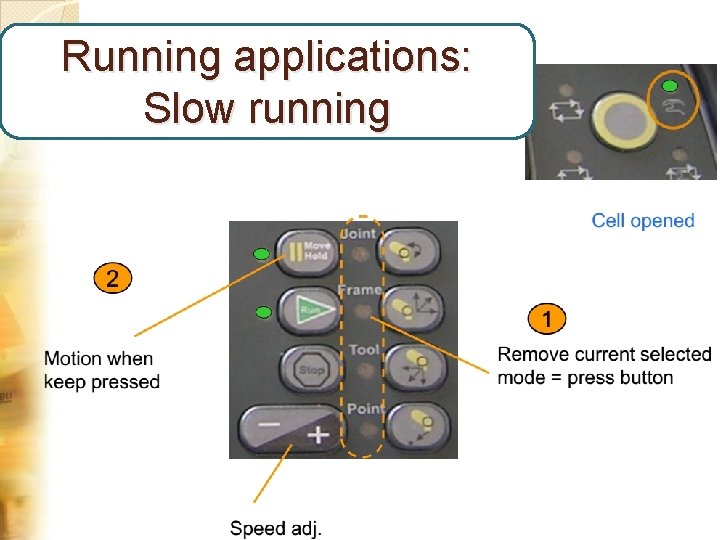
Running applications: Slow running
- Slides: 40