
Introduction to Image Processing with MATLAB EE 4212
Introduction to Image Processing with MATLAB EE 4212 GA: Cui Zhaopeng A 0110043@nus. edu. sg January, 2014
Outline • Basics about images in MATLAB (Some slides are adopted from Amin Allalou) • Some useful commands • Performance issues • Simple examples
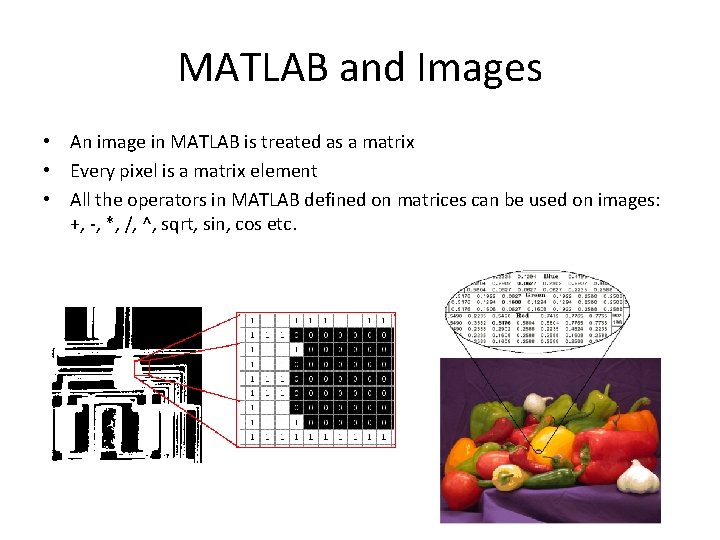
MATLAB and Images • An image in MATLAB is treated as a matrix • Every pixel is a matrix element • All the operators in MATLAB defined on matrices can be used on images: +, -, *, /, ^, sqrt, sin, cos etc.
Images in MATLAB • MATLAB can import/export several image formats – – – – – BMP (Microsoft Windows Bitmap) GIF (Graphics Interchange Files) HDF (Hierarchical Data Format) JPEG (Joint Photographic Experts Group) PCX (Paintbrush) PNG (Portable Network Graphics) TIFF (Tagged Image File Format) XWD (X Window Dump) MATLAB can also load raw-data or other types of image data • Data types in MATLAB – Double (64 -bit double-precision floating point) – Single (32 -bit single-precision floating point) – Int 32 (32 -bit signed integer) – Int 16 (16 -bit signed integer) – Int 8 (8 -bit signed integer) – Uint 32 (32 -bit unsigned integer) – Uint 16 (16 -bit unsigned integer) – Uint 8 (8 -bit unsigned integer)
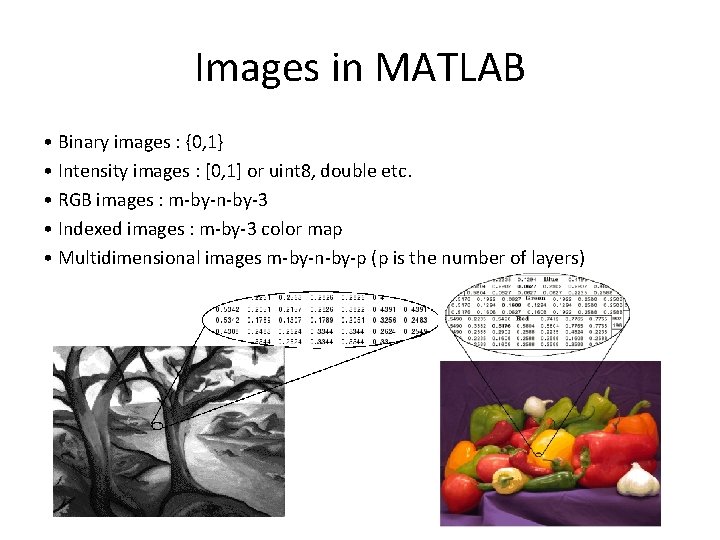
Images in MATLAB • Binary images : {0, 1} • Intensity images : [0, 1] or uint 8, double etc. • RGB images : m-by-n-by-3 • Indexed images : m-by-3 color map • Multidimensional images m-by-n-by-p (p is the number of layers)
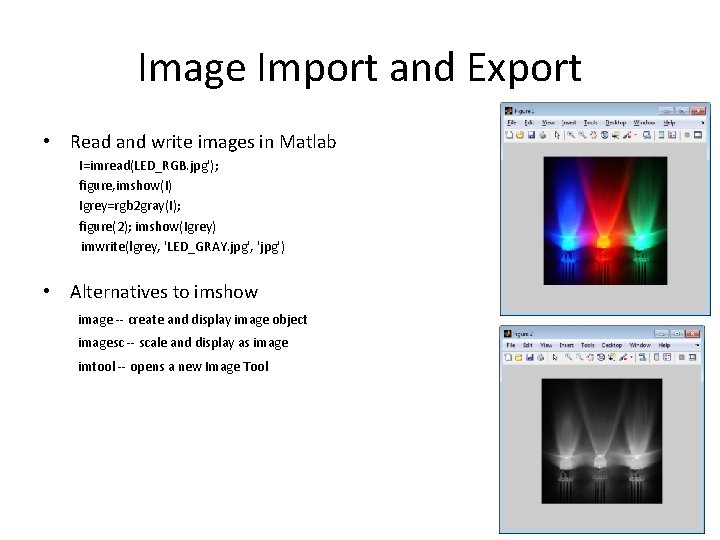
Image Import and Export • Read and write images in Matlab I=imread(LED_RGB. jpg'); figure, imshow(I) Igrey=rgb 2 gray(I); figure(2); imshow(Igrey) imwrite(lgrey, 'LED_GRAY. jpg', 'jpg') • Alternatives to imshow image -- create and display image object imagesc -- scale and display as image imtool -- opens a new Image Tool
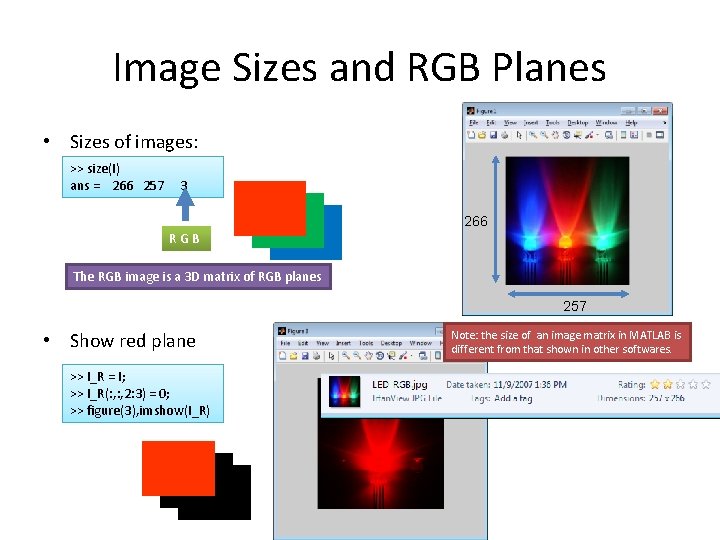
Image Sizes and RGB Planes • Sizes of images: >> size(I) ans = 266 257 3 266 RGB The RGB image is a 3 D matrix of RGB planes 257 • Show red plane >> I_R = I; >> I_R(: , 2: 3) = 0; >> figure(3), imshow(I_R) Note: the size of an image matrix in MATLAB is different from that shown in other softwares.
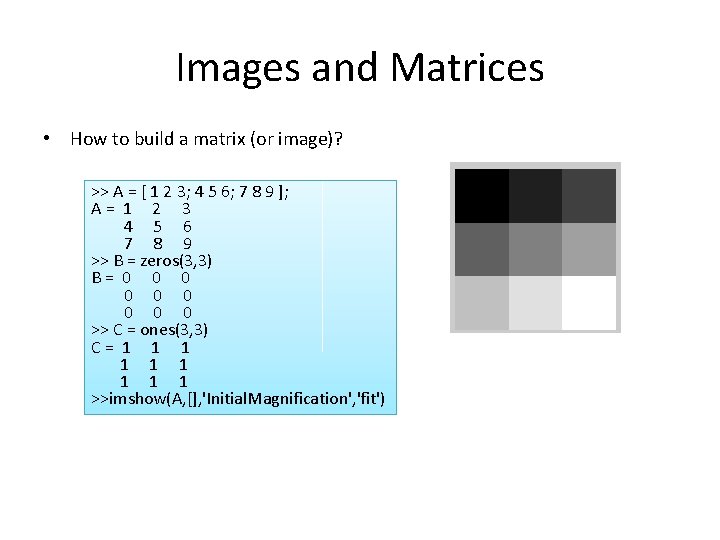
Images and Matrices • How to build a matrix (or image)? >> A = [ 1 2 3; 4 5 6; 7 8 9 ]; A= 1 2 3 4 5 6 7 8 9 >> B = zeros(3, 3) B= 0 0 0 0 0 >> C = ones(3, 3) C= 1 1 1 1 1 >>imshow(A, [], 'Initial. Magnification', 'fit')
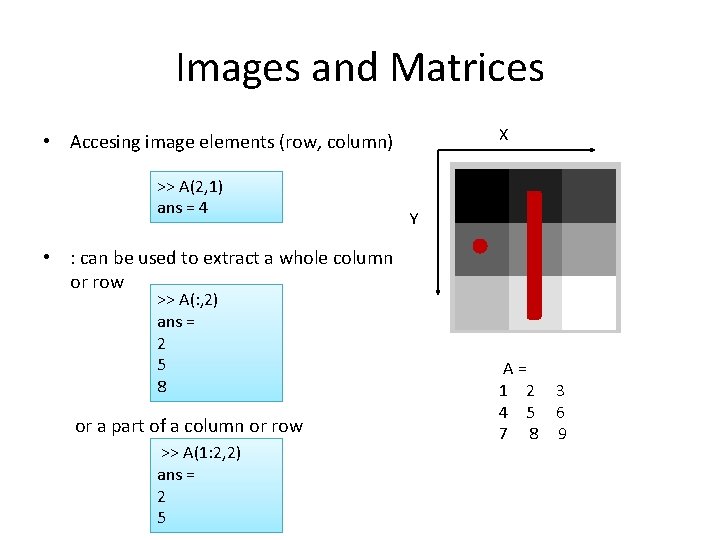
Images and Matrices X • Accesing image elements (row, column) >> A(2, 1) ans = 4 Y • : can be used to extract a whole column or row >> A(: , 2) ans = 2 5 8 or a part of a column or row >> A(1: 2, 2) ans = 2 5 A= 1 2 3 4 5 6 7 8 9
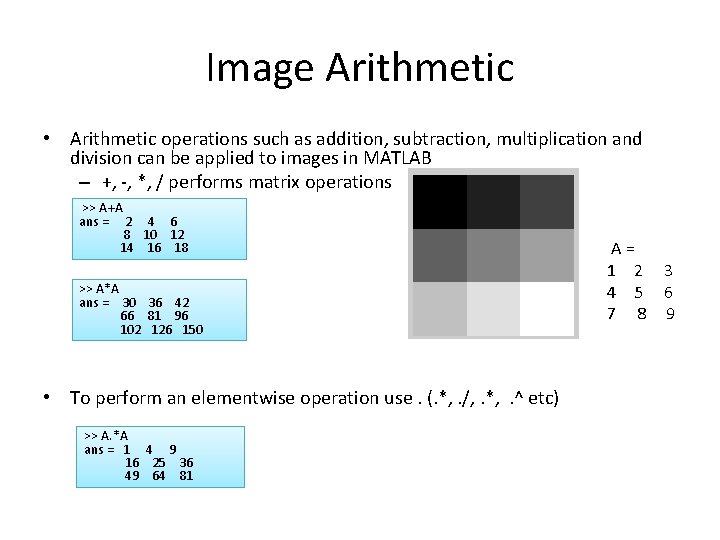
Image Arithmetic • Arithmetic operations such as addition, subtraction, multiplication and division can be applied to images in MATLAB – +, -, *, / performs matrix operations >> A+A ans = 2 4 6 8 10 12 14 16 18 >> A*A ans = 30 36 42 66 81 96 102 126 150 • To perform an elementwise operation use. (. *, . /, . *, . ^ etc) >> A. *A ans = 1 4 9 16 25 36 49 64 81 A= 1 2 3 4 5 6 7 8 9
Some Useful Commands Ø Image Display • imagesc(I) - scale and display as image • imshow(I) - display image • getimage - get image data from axes • • truesize - adjust display size of image plot(x, y, ’b*’) - plot points given by the coordinates (x, y); The point plotted is a blue asterisk’*’. See the help page for more information about colors and markers. “hold on” causes subsequent image operations to display results on top of image, instead of replacing image. •
Some Useful Commands Ø Image Conversion • • • im 2 bw(I) - image to binary im 2 double(I) - image to double precision im 2 uint 8(I) - image to 8 -bit unsigned integers im 2 uint 16(I) - image to 16 -bit unsigned integers mat 2 gray(A) - matrix to intensity image rgb 2 gray(I) - RGB image to grayscale
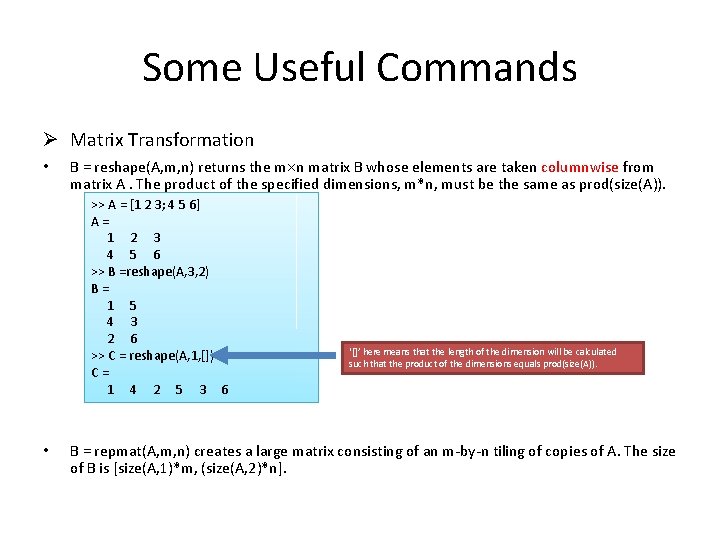
Some Useful Commands Ø Matrix Transformation • B = reshape(A, m, n) returns the m n matrix B whose elements are taken columnwise from matrix A. The product of the specified dimensions, m*n, must be the same as prod(size(A)). >> A = [1 2 3; 4 5 6] A= 1 2 3 4 5 6 >> B =reshape(A, 3, 2) B= 1 5 4 3 2 6 >> C = reshape(A, 1, []) C= 1 4 2 5 3 6 • ‘[]’ here means that the length of the dimension will be calculated such that the product of the dimensions equals prod(size(A)). B = repmat(A, m, n) creates a large matrix consisting of an m-by-n tiling of copies of A. The size of B is [size(A, 1)*m, (size(A, 2)*n].
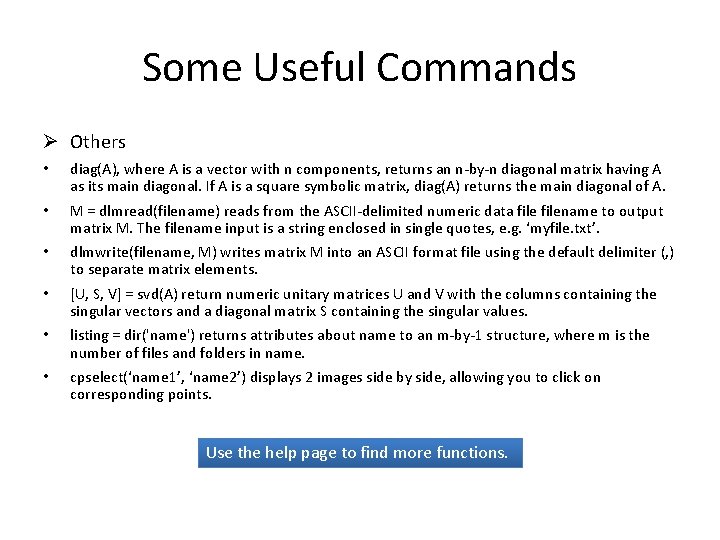
Some Useful Commands Ø Others • diag(A), where A is a vector with n components, returns an n-by-n diagonal matrix having A as its main diagonal. If A is a square symbolic matrix, diag(A) returns the main diagonal of A. • M = dlmread(filename) reads from the ASCII-delimited numeric data filename to output matrix M. The filename input is a string enclosed in single quotes, e. g. ‘myfile. txt’. • dlmwrite(filename, M) writes matrix M into an ASCII format file using the default delimiter (, ) to separate matrix elements. • [U, S, V] = svd(A) return numeric unitary matrices U and V with the columns containing the singular vectors and a diagonal matrix S containing the singular values. • listing = dir('name') returns attributes about name to an m-by-1 structure, where m is the number of files and folders in name. • cpselect(‘name 1’, ‘name 2’) displays 2 images side by side, allowing you to click on corresponding points. Use the help page to find more functions.
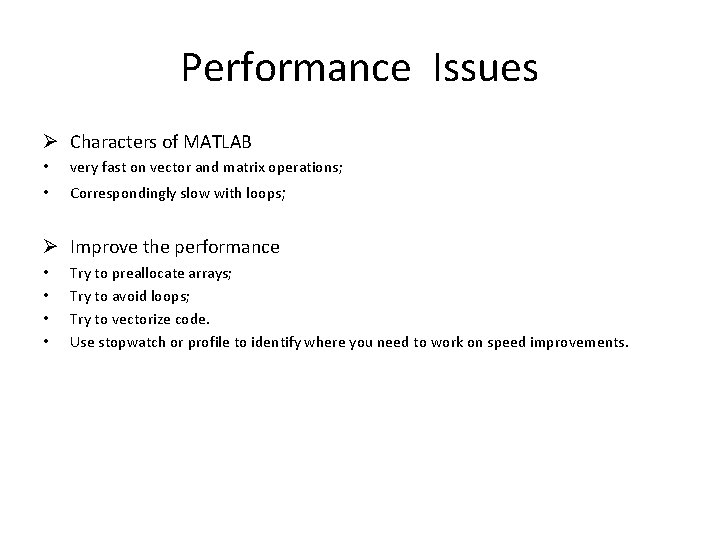
Performance Issues Ø Characters of MATLAB • very fast on vector and matrix operations; • Correspondingly slow with loops; Ø Improve the performance • • Try to preallocate arrays; Try to avoid loops; Try to vectorize code. Use stopwatch or profile to identify where you need to work on speed improvements.
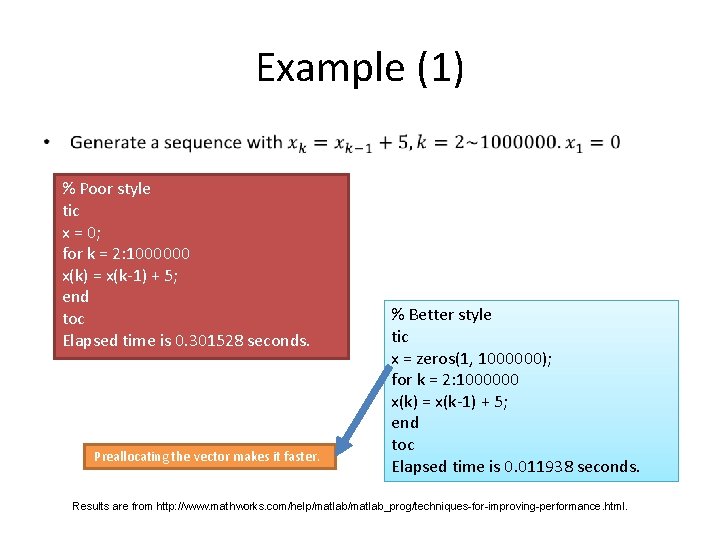
Example (1) • % Poor style tic x = 0; for k = 2: 1000000 x(k) = x(k-1) + 5; end toc Elapsed time is 0. 301528 seconds. Preallocating the vector makes it faster. % Better style tic x = zeros(1, 1000000); for k = 2: 1000000 x(k) = x(k-1) + 5; end toc Elapsed time is 0. 011938 seconds. Results are from http: //www. mathworks. com/help/matlab_prog/techniques-for-improving-performance. html.
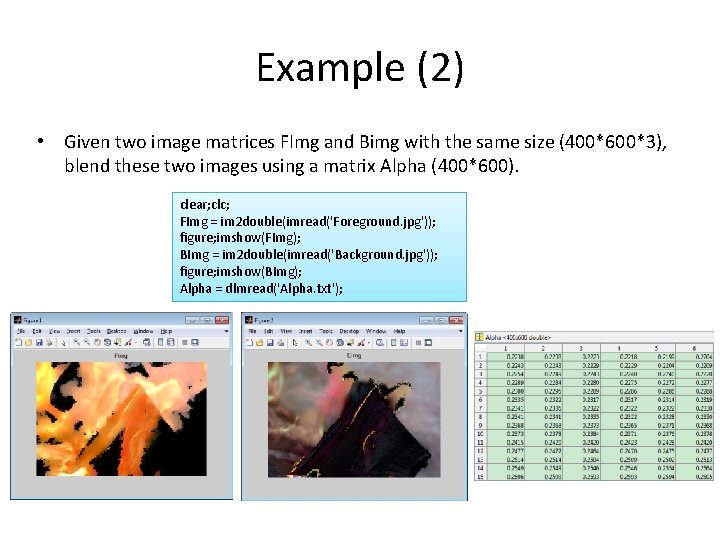
Example (2) • Given two image matrices FImg and Bimg with the same size (400*600*3), blend these two images using a matrix Alpha (400*600). clear; clc; FImg = im 2 double(imread('Foreground. jpg')); figure; imshow(FImg); BImg = im 2 double(imread('Background. jpg')); figure; imshow(BImg); Alpha = dlmread('Alpha. txt');
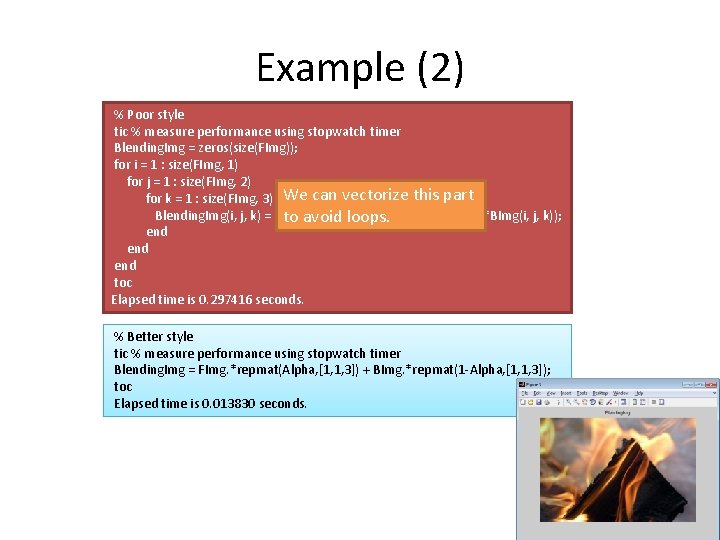
Example (2) % Poor style tic % measure performance using stopwatch timer Blending. Img = zeros(size(FImg)); for i = 1 : size(FImg, 1) for j = 1 : size(FImg, 2) for k = 1 : size(FImg, 3) We can vectorize this part Blending. Img(i, j, k) = (FImg(i, j, k)*Alpha(i, j) to avoid loops. + (1 -Alpha(i, j))*BImg(i, j, k)); end end toc Elapsed time is 0. 297416 seconds. % Better style tic % measure performance using stopwatch timer Blending. Img = FImg. *repmat(Alpha, [1, 1, 3]) + BImg. *repmat(1 -Alpha, [1, 1, 3]); toc Elapsed time is 0. 013830 seconds.
Example (3) • Compute Eigenfaces. (You are not expected to know the detail. ) % Compute Eigenfaces clear; clc; %Some parameters Img. Size = [64 64]; Vector. Dim = prod(Img. Size); %Read images from files File. Name = '. /Faces/'; Face. Imgs = dir([File. Name '*. png']); Face. Num = length(Face. Imgs); Input. Faces = zeros(Vector. Dim, Face. Num); % Preallocating the matrix for i=1: Face. Num Input. Faces(: , i) = reshape(imread([File. Name Face. Imgs(i). name]), [], 1); end
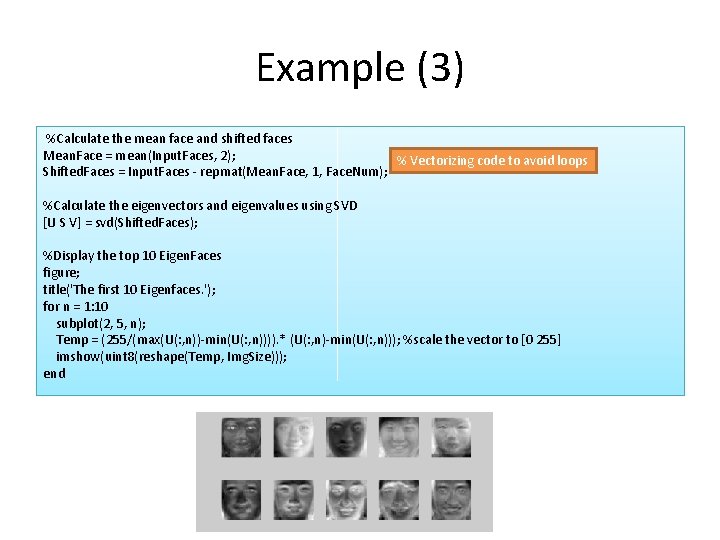
Example (3) %Calculate the mean face and shifted faces Mean. Face = mean(Input. Faces, 2); % Vectorizing code to avoid loops Shifted. Faces = Input. Faces - repmat(Mean. Face, 1, Face. Num); %Calculate the eigenvectors and eigenvalues using SVD [U S V] = svd(Shifted. Faces); %Display the top 10 Eigen. Faces figure; title('The first 10 Eigenfaces. '); for n = 1: 10 subplot(2, 5, n); Temp = (255/(max(U(: , n))-min(U(: , n)))). * (U(: , n)-min(U(: , n))); %scale the vector to [0 255] imshow(uint 8(reshape(Temp, Img. Size))); end
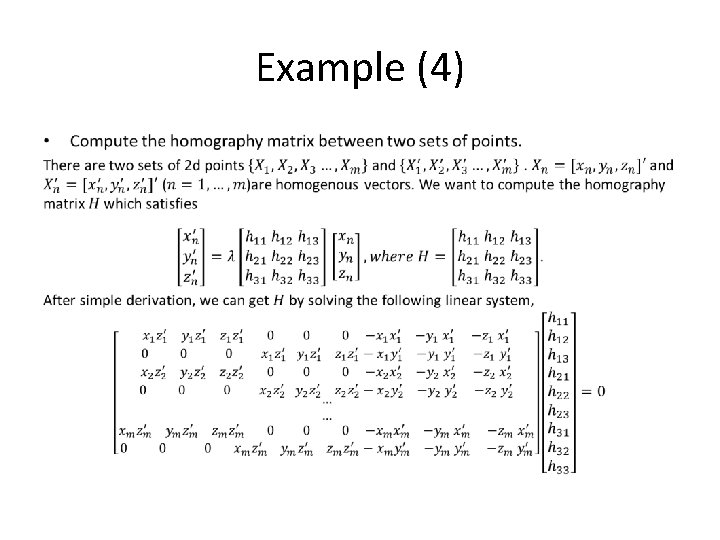
Example (4) •
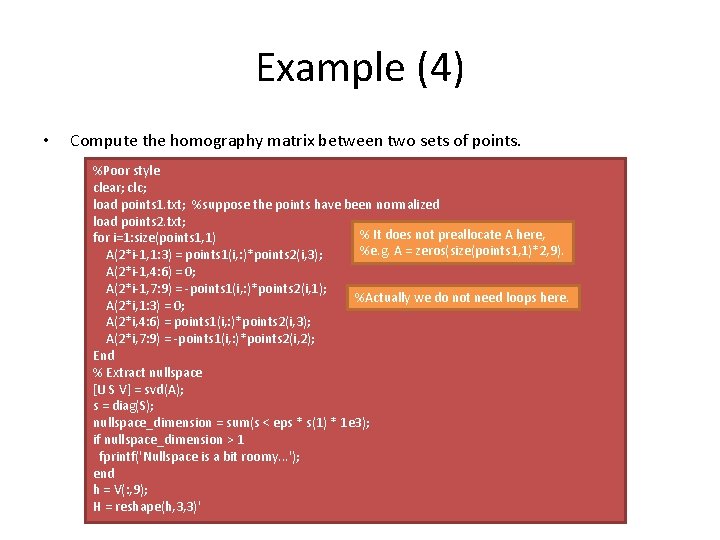
Example (4) • Compute the homography matrix between two sets of points. %Poor style clear; clc; load points 1. txt; %suppose the points have been normalized load points 2. txt; % It does not preallocate A here, for i=1: size(points 1, 1) %e. g. A = zeros(size(points 1, 1)*2, 9). A(2*i-1, 1: 3) = points 1(i, : )*points 2(i, 3); A(2*i-1, 4: 6) = 0; A(2*i-1, 7: 9) = -points 1(i, : )*points 2(i, 1); %Actually we do not need loops here. A(2*i, 1: 3) = 0; A(2*i, 4: 6) = points 1(i, : )*points 2(i, 3); A(2*i, 7: 9) = -points 1(i, : )*points 2(i, 2); End % Extract nullspace [U S V] = svd(A); s = diag(S); nullspace_dimension = sum(s < eps * s(1) * 1 e 3); if nullspace_dimension > 1 fprintf('Nullspace is a bit roomy. . . '); end h = V(: , 9); H = reshape(h, 3, 3)'
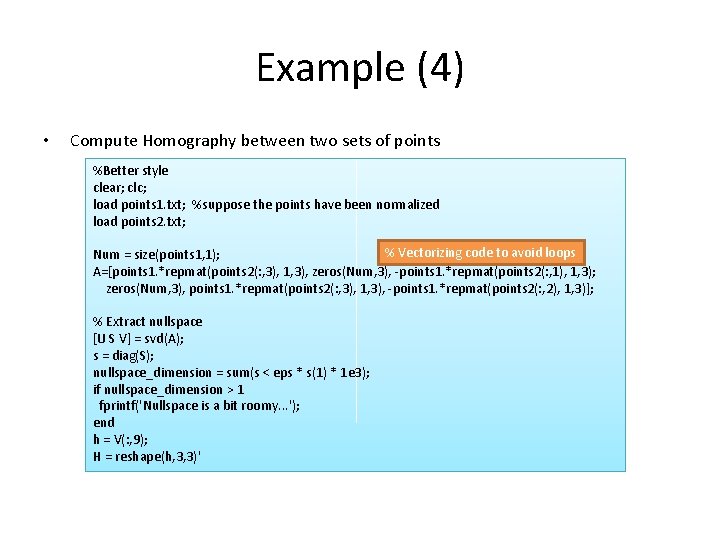
Example (4) • Compute Homography between two sets of points %Better style clear; clc; load points 1. txt; %suppose the points have been normalized load points 2. txt; % Vectorizing code to avoid loops Num = size(points 1, 1); A=[points 1. *repmat(points 2(: , 3), 1, 3), zeros(Num, 3), -points 1. *repmat(points 2(: , 1), 1, 3); zeros(Num, 3), points 1. *repmat(points 2(: , 3), 1, 3), -points 1. *repmat(points 2(: , 2), 1, 3)]; % Extract nullspace [U S V] = svd(A); s = diag(S); nullspace_dimension = sum(s < eps * s(1) * 1 e 3); if nullspace_dimension > 1 fprintf('Nullspace is a bit roomy. . . '); end h = V(: , 9); H = reshape(h, 3, 3)'
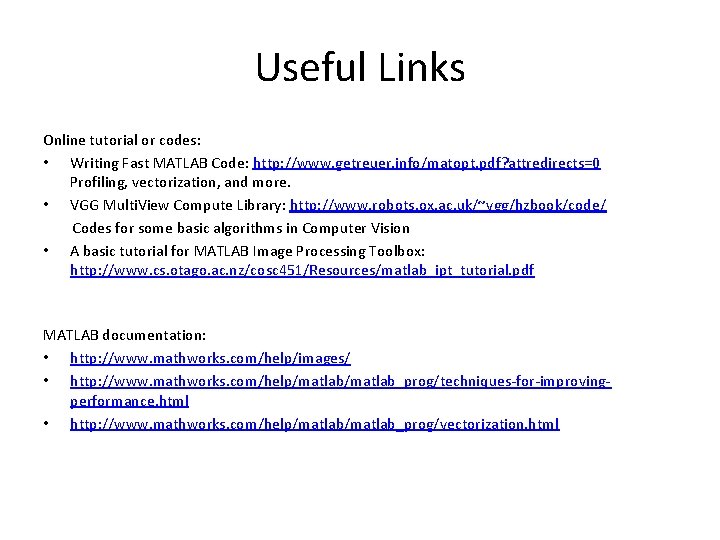
Useful Links Online tutorial or codes: • Writing Fast MATLAB Code: http: //www. getreuer. info/matopt. pdf? attredirects=0 Profiling, vectorization, and more. • VGG Multi. View Compute Library: http: //www. robots. ox. ac. uk/~vgg/hzbook/code/ Codes for some basic algorithms in Computer Vision • A basic tutorial for MATLAB Image Processing Toolbox: http: //www. cs. otago. ac. nz/cosc 451/Resources/matlab_ipt_tutorial. pdf MATLAB documentation: • http: //www. mathworks. com/help/images/ • http: //www. mathworks. com/help/matlab_prog/techniques-for-improvingperformance. html • http: //www. mathworks. com/help/matlab_prog/vectorization. html
GA Hours My contact: • Email: A 0110043@nus. edu. sg • Laboratory: E 4 08 -25 (Note: As E 4 may be renovated this semester, I will inform you if there is a change. ) • Friday 4: 00 -5: 30 pm (Week 2, 3, 5, 7, 8, 9, 10, 11, 12, 13)
- Slides: 25