
Introduction to IBM Tivoli Composite Application Manager ITCAM
Introduction to IBM Tivoli Composite Application Manager (ITCAM) for Application Diagnostics 7. 1 Donna Martin martindo@us. ibm. com IBM Corporation © 2011 IBM Corporation
Agenda ● Overview – Description – Architecture – Relationship to earlier ITCAM products ● User Interfaces – Tivoli Enterprise Portal (TEP) – Managing Server Visualization Engine (MSVE) ● Reference Materials 2 03/14/11 IBM Corporation © 2011 IBM Corporation
Overview Ver. 3 IBM Corporation © 2011 IBM Corporation
Description ITCAM for Application Diagnostics: ● Is a monitoring and diagnostics tool for Web. Sphere, J 2 EE, and HTTP servers ● Helps isolate problems and performance bottlenecks in application code, server resources, and external system dependencies through real time problem determination ● Allows monitoring at different levels to avoid unnecessary overhead ● Provides in depth application analysis capability ● Integrates with other products – IBM Tivoli Monitoring – ITCAM for Transactions provides response time monitoring – Correlates transactions from Web. Sphere to CICS/IMS backends 4 03/14/11 IBM Corporation © 2011 IBM Corporation
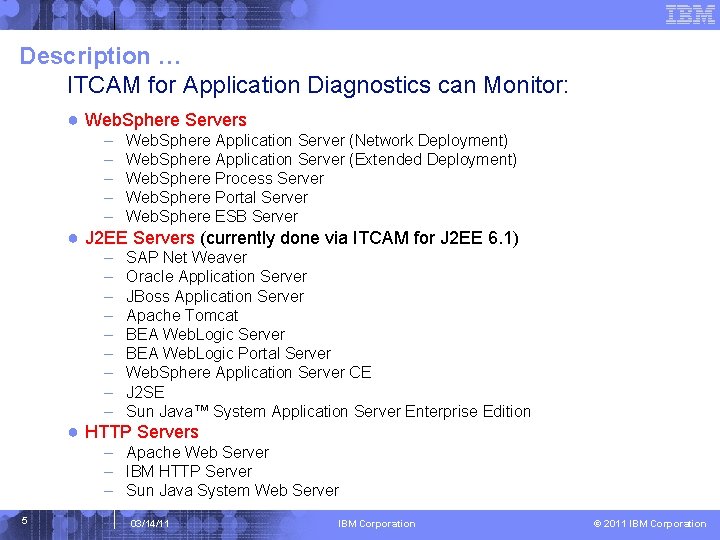
Description … ITCAM for Application Diagnostics can Monitor: ● Web. Sphere Servers – – – Web. Sphere Application Server (Network Deployment) Web. Sphere Application Server (Extended Deployment) Web. Sphere Process Server Web. Sphere Portal Server Web. Sphere ESB Server – – – – – SAP Net Weaver Oracle Application Server JBoss Application Server Apache Tomcat BEA Web. Logic Server BEA Web. Logic Portal Server Web. Sphere Application Server CE J 2 SE Sun Java™ System Application Server Enterprise Edition ● J 2 EE Servers (currently done via ITCAM for J 2 EE 6. 1) ● HTTP Servers – Apache Web Server – IBM HTTP Server – Sun Java System Web Server 5 03/14/11 IBM Corporation © 2011 IBM Corporation
Description … ITCAM for Application Diagnostics can diagnose: ● Hanging requests ● Lock contention problems ● Malfunctioning applications in a server farm ● Memory problems relating to garbage collection and JVM heap size ● Poorly performing transactions 6 03/14/11 IBM Corporation © 2011 IBM Corporation
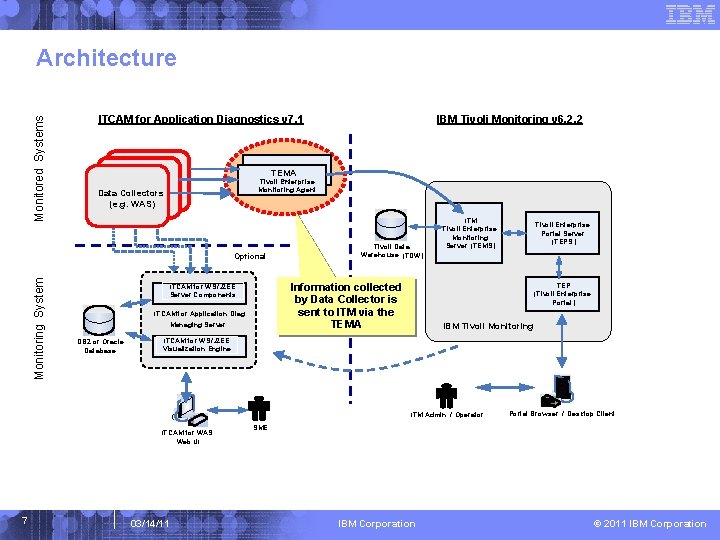
Monitored Systems Architecture ITCAM for Application Diagnostics v 7. 1 TEMA – Tivoli Enterprise Monitoring Agent Data Collectors (e. g. WAS) Optional Monitoring System IBM Tivoli Monitoring v 6. 2. 2 Information collected by Data Collector is sent to ITM via the TEMA ITCAM for WS/J 2 EE Server Components ITCAM for Application Diag. Managing Server DB 2 or Oracle Database Tivoli Data Warehouse (TDW) ITM Tivoli Enterprise Monitoring Server (TEMS) TEP (Tivoli Enterprise Portal ) IBM Tivoli Monitoring ITCAM for WS/J 2 EE Visualization Engine ITM Admin / Operator ITCAM for WAS Web UI 7 Tivoli Enterprise Portal Server (TEPS ) 03/14/11 Portal Browser / Desktop Client SME IBM Corporation © 2011 IBM Corporation
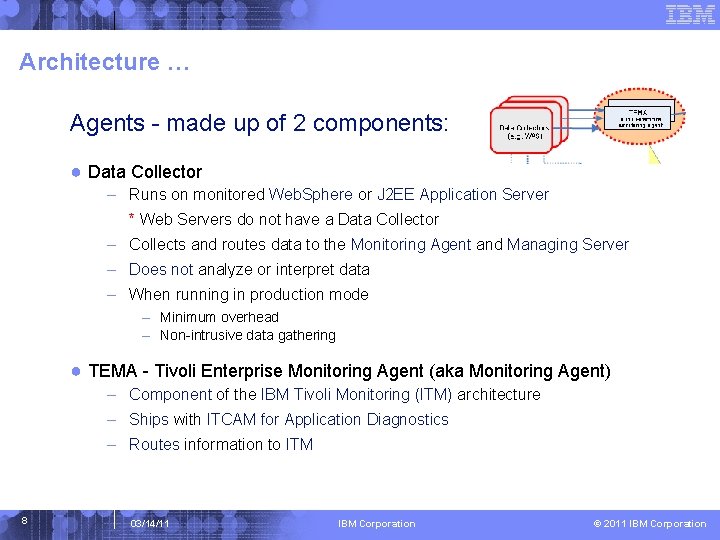
Architecture … Agents - made up of 2 components: ● Data Collector – Runs on monitored Web. Sphere or J 2 EE Application Server * Web Servers do not have a Data Collector – Collects and routes data to the Monitoring Agent and Managing Server – Does not analyze or interpret data – When running in production mode – Minimum overhead – Non-intrusive data gathering ● TEMA - Tivoli Enterprise Monitoring Agent (aka Monitoring Agent) – Component of the IBM Tivoli Monitoring (ITM) architecture – Ships with ITCAM for Application Diagnostics – Routes information to ITM 8 03/14/11 IBM Corporation © 2011 IBM Corporation
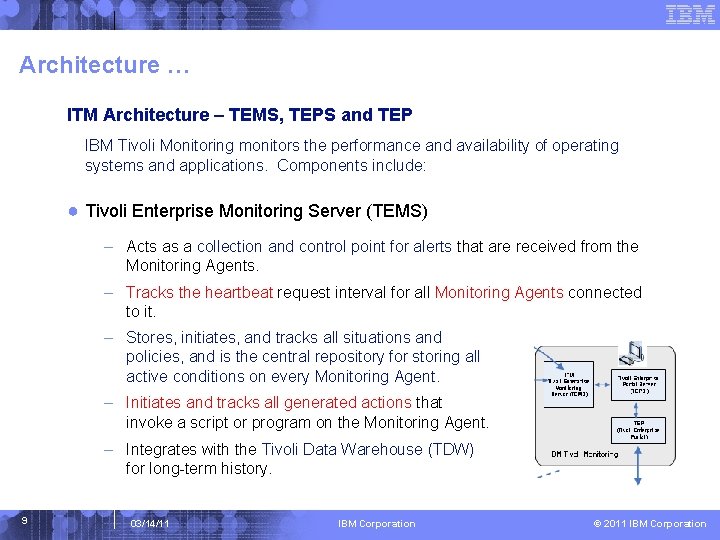
Architecture … ITM Architecture – TEMS, TEPS and TEP IBM Tivoli Monitoring monitors the performance and availability of operating systems and applications. Components include: ● Tivoli Enterprise Monitoring Server (TEMS) – Acts as a collection and control point for alerts that are received from the Monitoring Agents. – Tracks the heartbeat request interval for all Monitoring Agents connected to it. – Stores, initiates, and tracks all situations and policies, and is the central repository for storing all active conditions on every Monitoring Agent. – Initiates and tracks all generated actions that invoke a script or program on the Monitoring Agent. – Integrates with the Tivoli Data Warehouse (TDW) for long-term history. 9 03/14/11 IBM Corporation © 2011 IBM Corporation
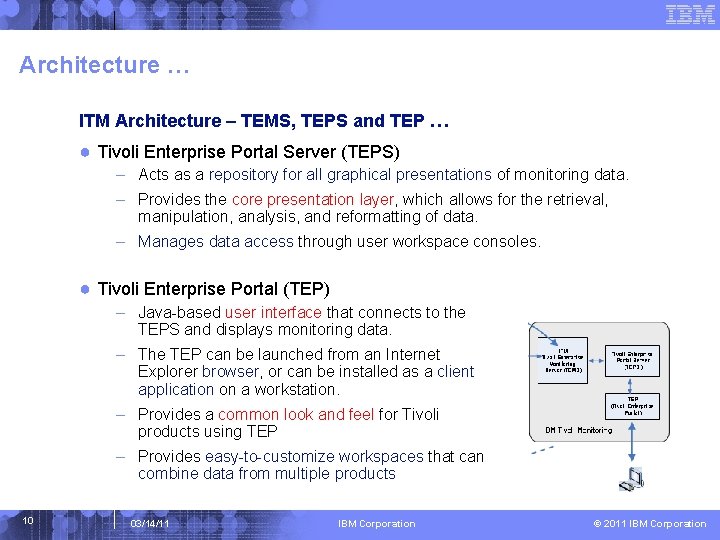
Architecture … ITM Architecture – TEMS, TEPS and TEP … ● Tivoli Enterprise Portal Server (TEPS) – Acts as a repository for all graphical presentations of monitoring data. – Provides the core presentation layer, which allows for the retrieval, manipulation, analysis, and reformatting of data. – Manages data access through user workspace consoles. ● Tivoli Enterprise Portal (TEP) – Java-based user interface that connects to the TEPS and displays monitoring data. – The TEP can be launched from an Internet Explorer browser, or can be installed as a client application on a workstation. – Provides a common look and feel for Tivoli products using TEP – Provides easy-to-customize workspaces that can combine data from multiple products 10 03/14/11 IBM Corporation © 2011 IBM Corporation

Architecture … Managing Server Architecture 11 03/14/11 IBM Corporation © 2011 IBM Corporation
Architecture … Managing Server Components … ● Kernel – – Central controller of the ITCAM Application Monitor Registers components as they join Periodically renews connections Collects availability information ● Visualization Engine – – Provides web-based GUI to the end user Provides access to graphics, reports and views of different slices of data Provides access to command & event functions of ITCAM J 2 EE application (ITCAM_Application) that runs on the App. Server within the WAS jvm ● Publish Server – Receives event data from Data Collectors – Computes request level information, such as response time – Implements trap monitoring and alerts 12 03/14/11 IBM Corporation © 2011 IBM Corporation
Architecture … Managing Server Components … ● Global Publish Server – Collects information from Publish Sever – Correlates multi-server requests, e. g. , WAS to CICS transaction ● Archive Agent – Receives data from Publish Server – Stores data in Performance Analysis Database ● Message Dispatcher – Conduit for messages from ITCAM – Used for Email & SNMP 13 03/14/11 IBM Corporation © 2011 IBM Corporation
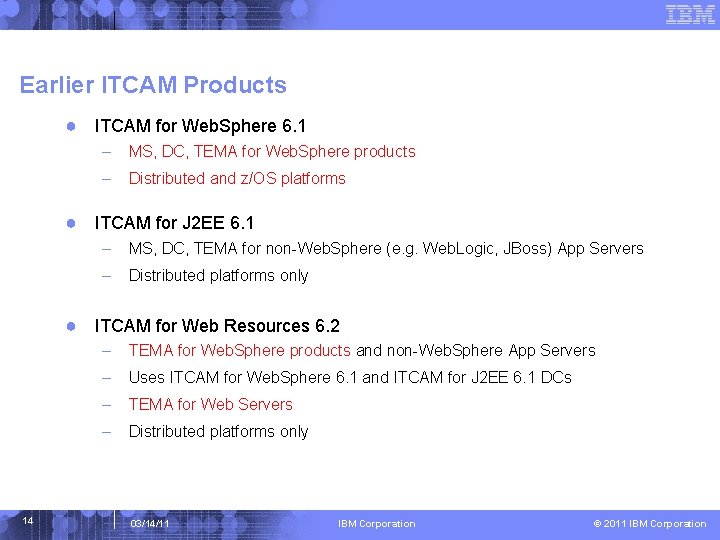
Earlier ITCAM Products ● ITCAM for Web. Sphere 6. 1 – MS, DC, TEMA for Web. Sphere products – Distributed and z/OS platforms ● ITCAM for J 2 EE 6. 1 – MS, DC, TEMA for non-Web. Sphere (e. g. Web. Logic, JBoss) App Servers – Distributed platforms only ● ITCAM for Web Resources 6. 2 14 – TEMA for Web. Sphere products and non-Web. Sphere App Servers – Uses ITCAM for Web. Sphere 6. 1 and ITCAM for J 2 EE 6. 1 DCs – TEMA for Web Servers – Distributed platforms only 03/14/11 IBM Corporation © 2011 IBM Corporation
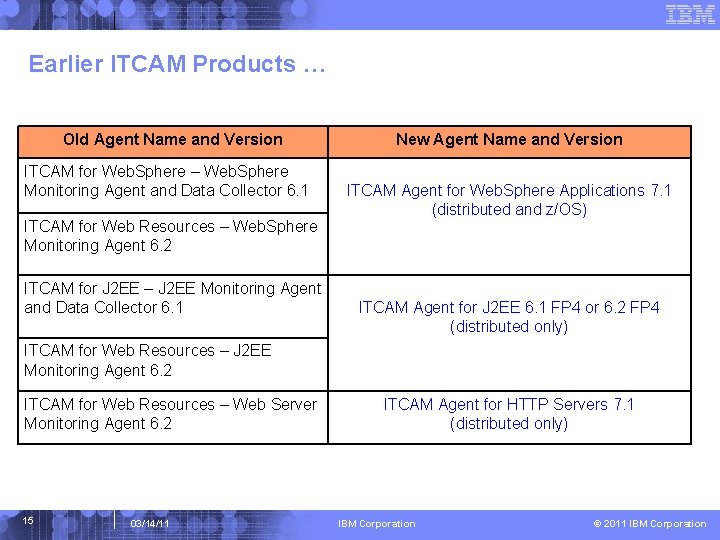
Earlier ITCAM Products … Old Agent Name and Version ITCAM for Web. Sphere – Web. Sphere Monitoring Agent and Data Collector 6. 1 ITCAM for Web Resources – Web. Sphere Monitoring Agent 6. 2 ITCAM for J 2 EE – J 2 EE Monitoring Agent and Data Collector 6. 1 New Agent Name and Version ITCAM Agent for Web. Sphere Applications 7. 1 (distributed and z/OS) ITCAM Agent for J 2 EE 6. 1 FP 4 or 6. 2 FP 4 (distributed only) ITCAM for Web Resources – J 2 EE Monitoring Agent 6. 2 ITCAM for Web Resources – Web Server Monitoring Agent 6. 2 15 03/14/11 ITCAM Agent for HTTP Servers 7. 1 (distributed only) IBM Corporation © 2011 IBM Corporation
User Interfaces --Tivoli Enterprise Portal (TEP) Ver. 3 IBM Corporation © 2011 IBM Corporation
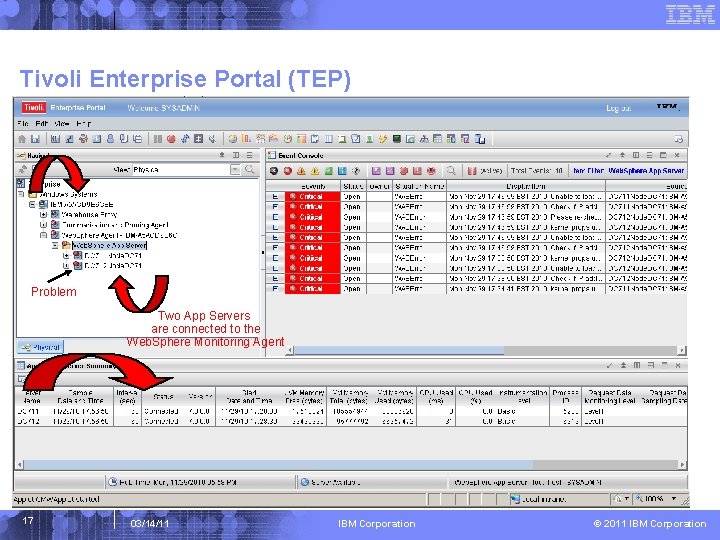
Tivoli Enterprise Portal (TEP) Problem Two App Servers are connected to the Web. Sphere Monitoring Agent 17 03/14/11 IBM Corporation © 2011 IBM Corporation
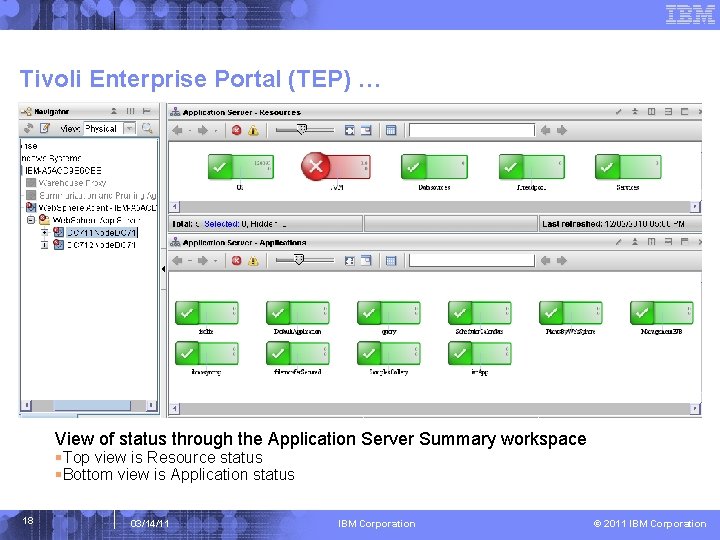
Tivoli Enterprise Portal (TEP) … View of status through the Application Server Summary workspace §Top view is Resource status §Bottom view is Application status 18 03/14/11 IBM Corporation © 2011 IBM Corporation
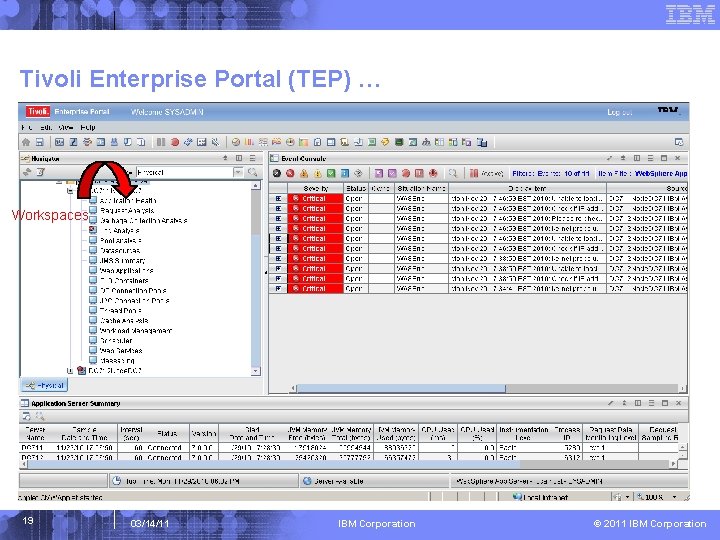
Tivoli Enterprise Portal (TEP) … Workspaces 19 03/14/11 IBM Corporation © 2011 IBM Corporation
Tivoli Enterprise Portal (TEP) … Pre-defined Workspaces A description of the Web. Sphere App Server TEP Workspaces can be found at: http: //publib. boulder. ibm. com/infocenter/tivihelp/v 24 r 1/index. jsp? topic=/com. ibm. itcamfa d. doc_7101/itcam_71_was_tema_help/kyn_wksp_overview. html Primary Workspaces ● Application Health workspace The workspace displays the information about the realtime health status of applications monitored by the Tivoli Enterprise Monitoring Agent. ● Request Analysis workspace The workspace reports response times and functional decomposition information about requests (including servlets, JSPs, and EJB methods) that completed during the interval. ● Garbage Collection Analysis workspace This workspace summarizes all the Java Virtual Machine's (JVM) garbage-collector activity over a user-defined interval. ● Log Analysis workspace This workspace reports application server error and exception conditions as recorded in the application server's log file. ● Pool Analysis workspace This workspace displays information about the usage of several types of pools associated with each application server, including Web container pools, ORB pools, J 2 C connection pools, and database connection pools. This workspace helps you detect resource constraints and potential performance congestion. 20 03/14/11 IBM Corporation © 2011 IBM Corporation
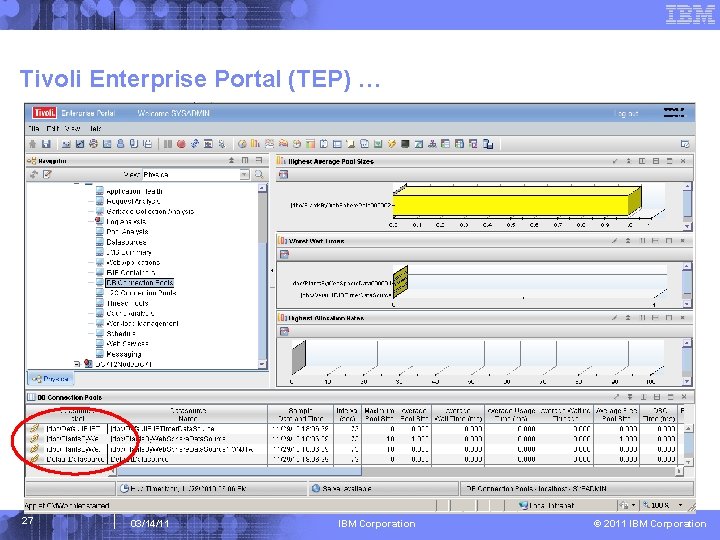
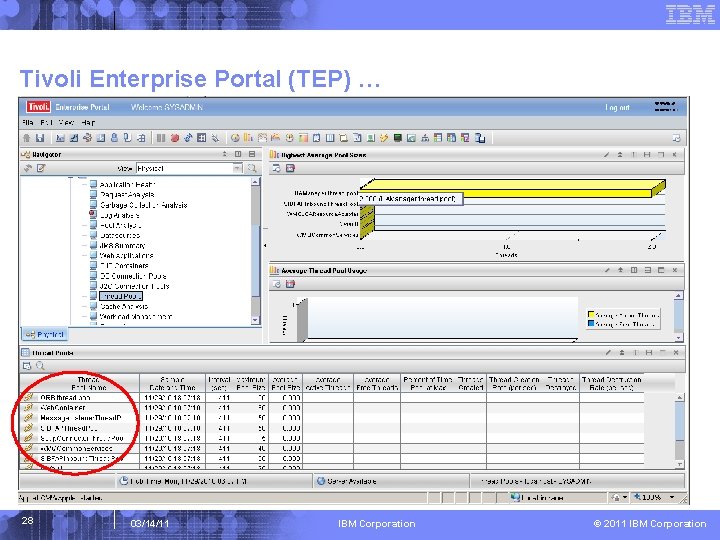
Tivoli Enterprise Portal (TEP) … Primary Workspaces … ● Datasources workspace This workspace displays information about datasource connections. ● JMS Summary workspace The JMS Summary workspace displays information about queues being used by your applications using the Java Message Service (JMS) interface. ● Web Applications workspace This workspace displays information about the Web applications running in J 2 EE application servers. ● EJB Containers workspace This workspace displays aggregated information about each defined EJB. ● DB Connection Pools workspace This workspace displays information about the database connection pools associated with each application server. ● J 2 C Connection Pools workspace This workspace reports information about resource adapters and connectors that adhere to J 2 C, the Web. Sphere Application Server implementation of the J 2 EE Connector Architecture (JCA). ● Thread Pools workspace This workspace reports information about the various thread pools that support the applications running in your Java Virtual Machine (JVM). 21 03/14/11 IBM Corporation © 2011 IBM Corporation
Tivoli Enterprise Portal (TEP) … Primary Workspaces … ● Cache Analysis workspace This workspace reports information about the dynamic cache. ● Workload Management workspace This workspace displays information about the Workload Management (WLM) server and about the WLM client that initiates workload requests to that server. ● Scheduler workspace The Scheduler workspace contains data for the Scheduler service. The scheduler service schedules and tracks the starting and stopping of applications. ● Web Services workspace The Web Services workspace displays information about the data counters of the Web services ● Messaging Workspace View of performance counters of the Messaging Engines supported by a server 22 03/14/11 IBM Corporation © 2011 IBM Corporation
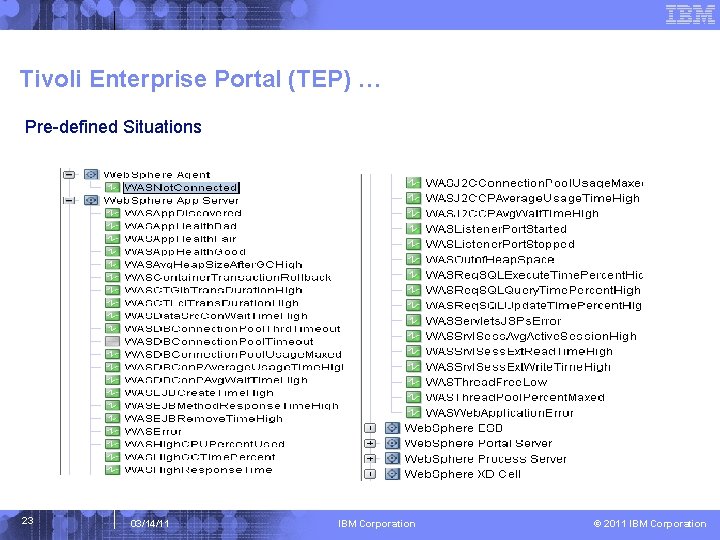
Tivoli Enterprise Portal (TEP) … Pre-defined Situations 23 03/14/11 IBM Corporation © 2011 IBM Corporation
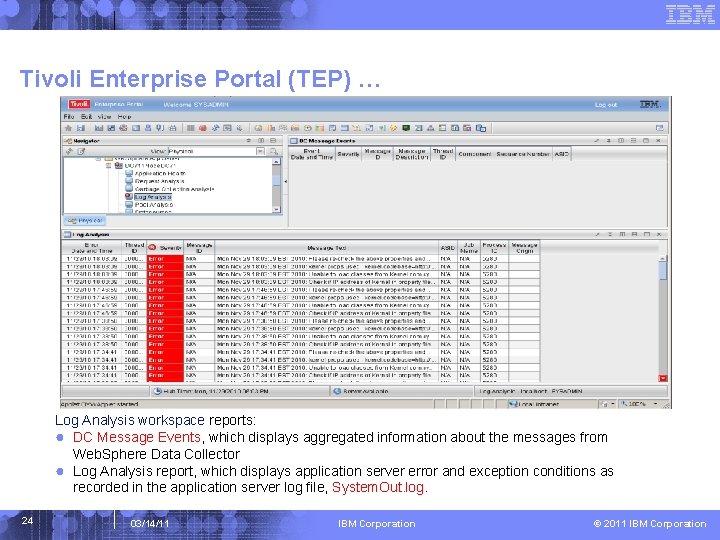
Tivoli Enterprise Portal (TEP) … Log Analysis workspace reports: ● DC Message Events, which displays aggregated information about the messages from Web. Sphere Data Collector ● Log Analysis report, which displays application server error and exception conditions as recorded in the application server log file, System. Out. log. 24 03/14/11 IBM Corporation © 2011 IBM Corporation
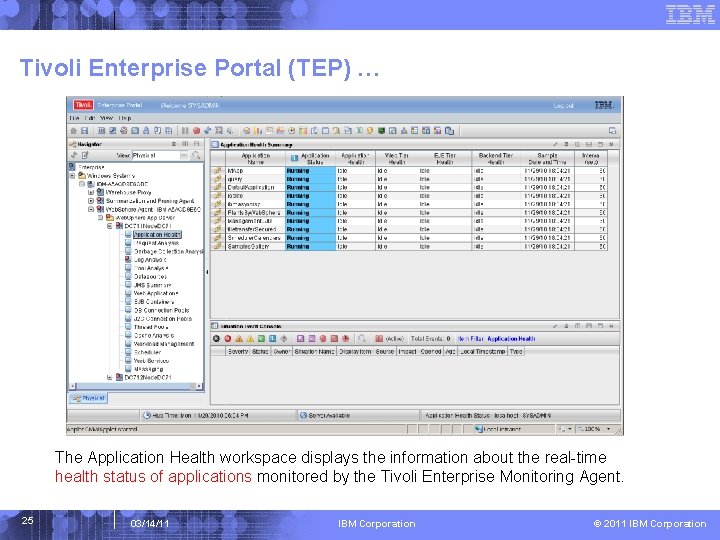
Tivoli Enterprise Portal (TEP) … The Application Health workspace displays the information about the real-time health status of applications monitored by the Tivoli Enterprise Monitoring Agent. 25 03/14/11 IBM Corporation © 2011 IBM Corporation
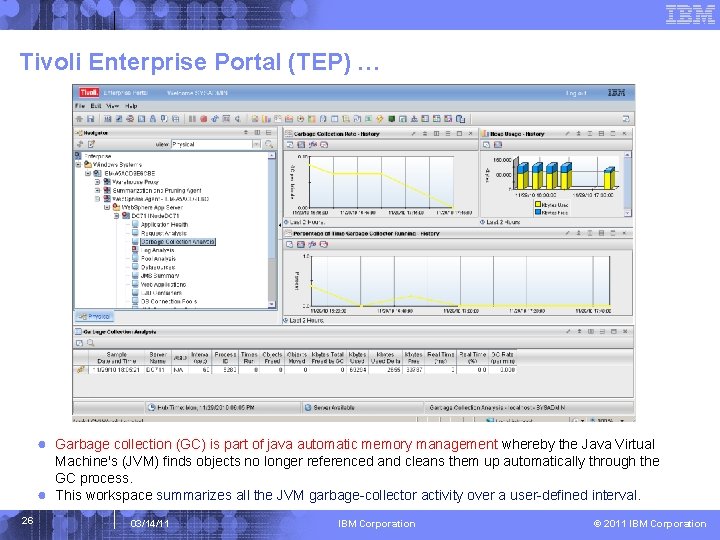
Tivoli Enterprise Portal (TEP) … ● Garbage collection (GC) is part of java automatic memory management whereby the Java Virtual Machine's (JVM) finds objects no longer referenced and cleans them up automatically through the GC process. ● This workspace summarizes all the JVM garbage-collector activity over a user-defined interval. 26 03/14/11 IBM Corporation © 2011 IBM Corporation
Tivoli Enterprise Portal (TEP) … 27 03/14/11 IBM Corporation © 2011 IBM Corporation
Tivoli Enterprise Portal (TEP) … 28 03/14/11 IBM Corporation © 2011 IBM Corporation
Tivoli Enterprise Portal (TEP) … ITCAM for Application Diagnostics Integrates with ITCAM for Transaction Tracking Viewing Transaction Flow from TEP With ITCAM for WAS/J 2 EE and TTAPI integration, Users can use the following ITCAM for Transaction Tracking workspaces to view the transaction flow: ● Servers: This workspace provides aggregated data for all transactions and requests that occur in a physical computer over a period of time called the Aggregation Period. Transactions and requests can come from Web. Sphere Application Server, Web Servers, and Web. Sphere MQ products. The workspace is mainly used to isolate a performance problem to a physical computer. ● Components: This workspace provides aggregated data for all transactions and requests that occur in a major software component over a period of time. The main software components in a Web. Sphere production system may include Web. Sphere Application Server, Web. Sphere MQ, Web Server, and so on. Data reported by this workspace is mainly used to isolate a performance problem to a software component. ● Applications: This workspace provides aggregated data for all transactions and requests that occur in a major runtime instance within a period of time. For example, for the Web. Sphere Application Server component, the runtime instance is a Web. Sphere Application Server process; for Web. Sphere MQ, it is a queue manager process. The workspace is mainly used to isolate a performance problem to a runtime instance. ● Transactions: This workspace provides aggregated data for transaction instances. The aggregation is done over each distinctive Unit of Work (UOW) or Request. For example, in a Web. Sphere Application Server environment, a transaction or UOW is usually identified as a URI for a Servlet or JSP page. Data reported by this workspace can be used to isolate a performance problem to a specific transaction or request. 29 03/14/11 IBM Corporation © 2011 IBM Corporation
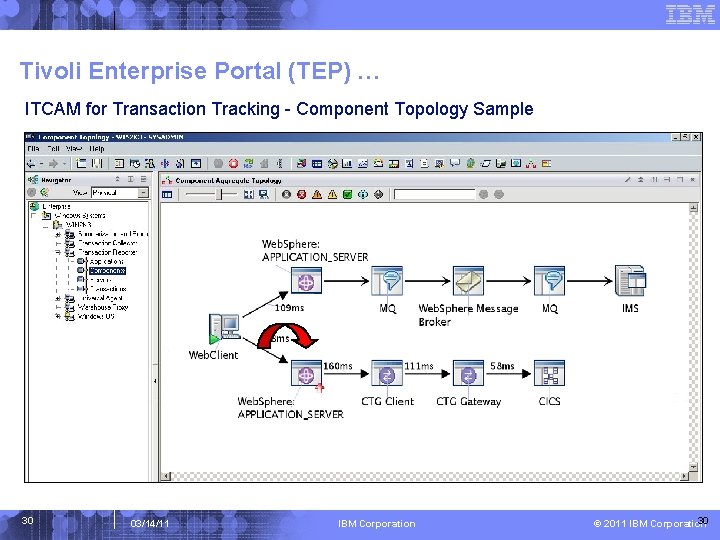
Tivoli Enterprise Portal (TEP) … ITCAM for Transaction Tracking - Component Topology Sample 30 03/14/11 IBM Corporation 30 © 2011 IBM Corporation
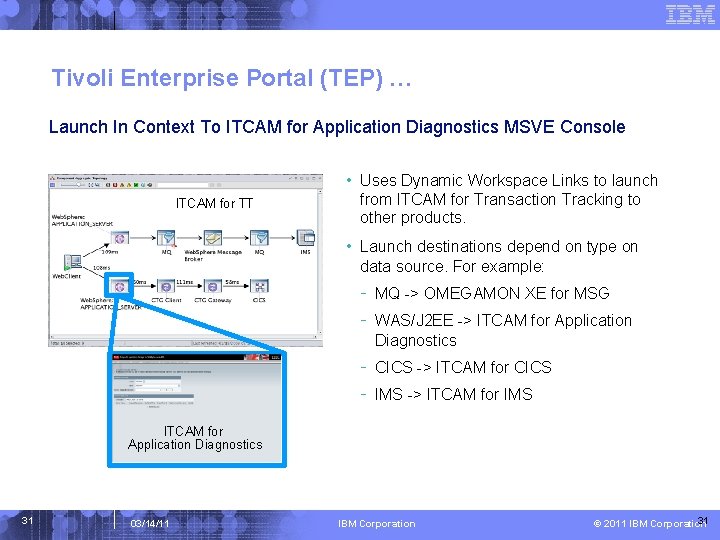
Tivoli Enterprise Portal (TEP) … Launch In Context To ITCAM for Application Diagnostics MSVE Console • Uses Dynamic Workspace Links to launch ITCAM for TT from ITCAM for Transaction Tracking to other products. • Launch destinations depend on type on data source. For example: - MQ -> OMEGAMON XE for MSG - WAS/J 2 EE -> ITCAM for Application Diagnostics - CICS -> ITCAM for CICS - IMS -> ITCAM for IMS ITCAM for Application Diagnostics 31 03/14/11 IBM Corporation 31 © 2011 IBM Corporation
User Interfaces --Managing Server Visualization Engine (MSVE) Ver. 3 IBM Corporation © 2011 IBM Corporation
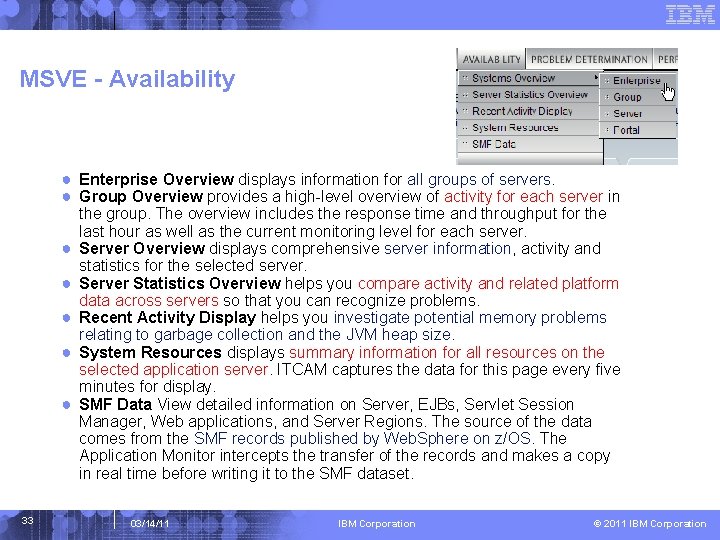
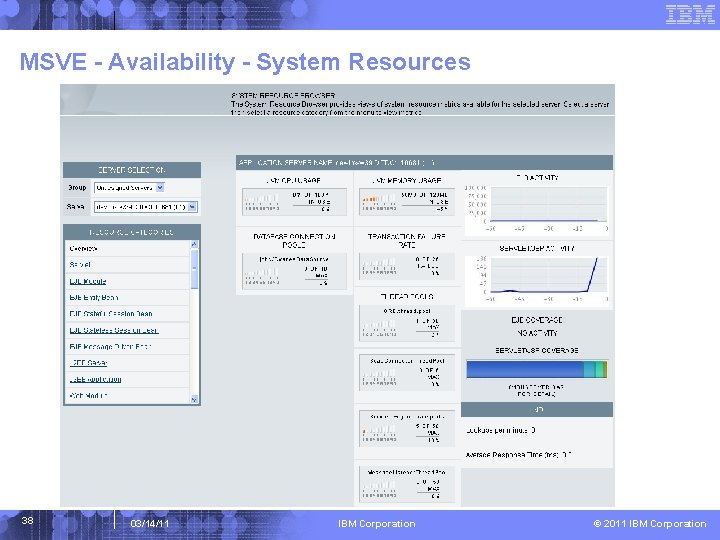
MSVE - Availability ● Enterprise Overview displays information for all groups of servers. ● Group Overview provides a high-level overview of activity for each server in ● ● ● 33 the group. The overview includes the response time and throughput for the last hour as well as the current monitoring level for each server. Server Overview displays comprehensive server information, activity and statistics for the selected server. Server Statistics Overview helps you compare activity and related platform data across servers so that you can recognize problems. Recent Activity Display helps you investigate potential memory problems relating to garbage collection and the JVM heap size. System Resources displays summary information for all resources on the selected application server. ITCAM captures the data for this page every five minutes for display. SMF Data View detailed information on Server, EJBs, Servlet Session Manager, Web applications, and Server Regions. The source of the data comes from the SMF records published by Web. Sphere on z/OS. The Application Monitor intercepts the transfer of the records and makes a copy in real time before writing it to the SMF dataset. 03/14/11 IBM Corporation © 2011 IBM Corporation
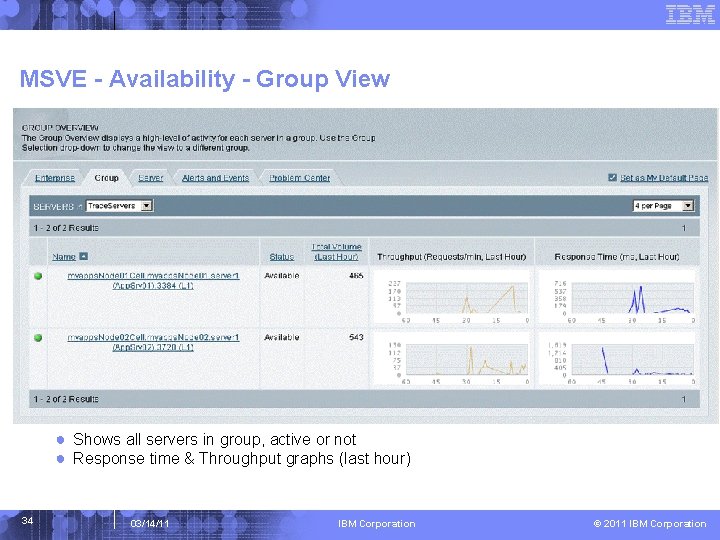
MSVE - Availability - Group View ● Shows all servers in group, active or not ● Response time & Throughput graphs (last hour) 34 03/14/11 IBM Corporation © 2011 IBM Corporation
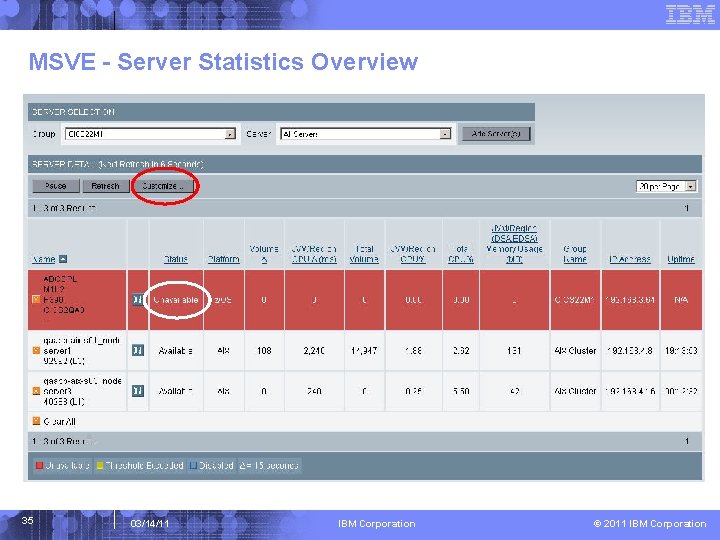
MSVE - Server Statistics Overview 35 03/14/11 IBM Corporation © 2011 IBM Corporation
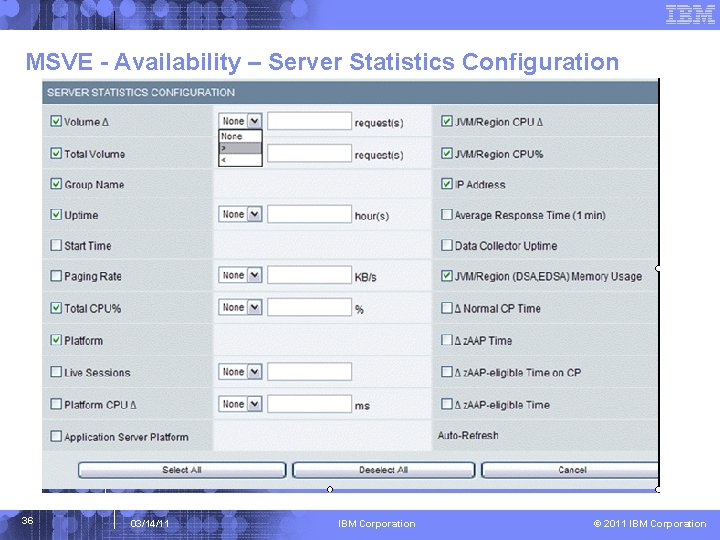
MSVE - Availability – Server Statistics Configuration 36 03/14/11 IBM Corporation © 2011 IBM Corporation
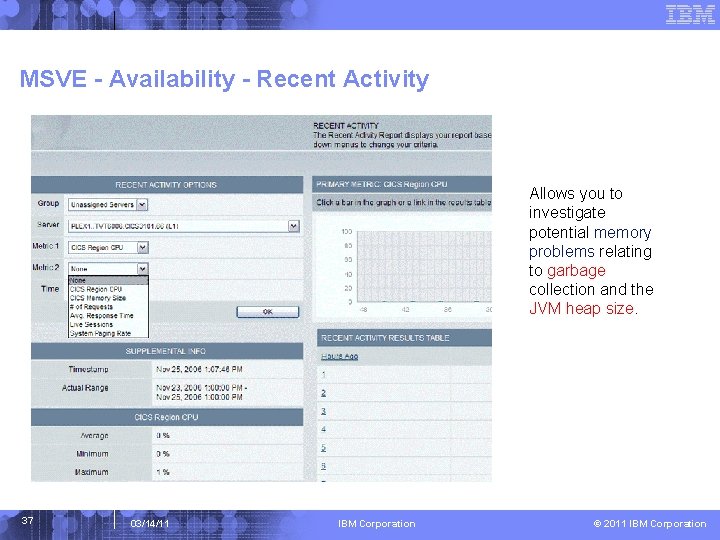
MSVE - Availability - Recent Activity Allows you to investigate potential memory problems relating to garbage collection and the JVM heap size. 37 03/14/11 IBM Corporation © 2011 IBM Corporation
MSVE - Availability - System Resources 38 03/14/11 IBM Corporation © 2011 IBM Corporation
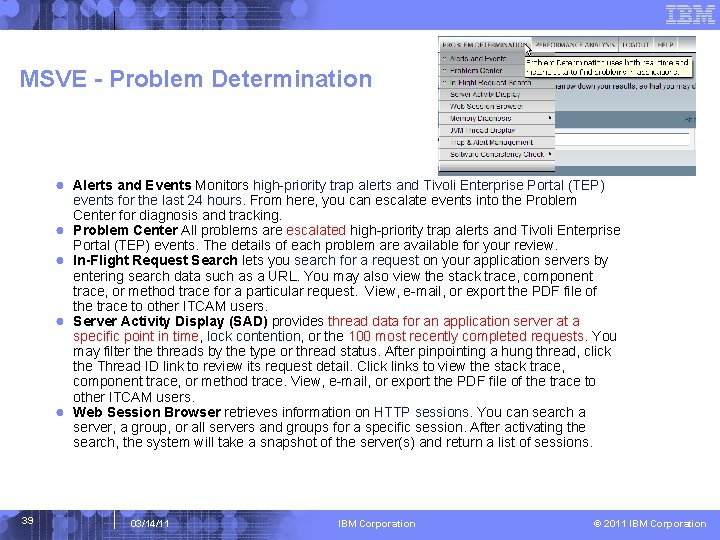
MSVE - Problem Determination ● Alerts and Events Monitors high-priority trap alerts and Tivoli Enterprise Portal (TEP) ● ● 39 events for the last 24 hours. From here, you can escalate events into the Problem Center for diagnosis and tracking. Problem Center All problems are escalated high-priority trap alerts and Tivoli Enterprise Portal (TEP) events. The details of each problem are available for your review. In-Flight Request Search lets you search for a request on your application servers by entering search data such as a URL. You may also view the stack trace, component trace, or method trace for a particular request. View, e-mail, or export the PDF file of the trace to other ITCAM users. Server Activity Display (SAD) provides thread data for an application server at a specific point in time, lock contention, or the 100 most recently completed requests. You may filter the threads by the type or thread status. After pinpointing a hung thread, click the Thread ID link to review its request detail. Click links to view the stack trace, component trace, or method trace. View, e-mail, or export the PDF file of the trace to other ITCAM users. Web Session Browser retrieves information on HTTP sessions. You can search a server, a group, or all servers and groups for a specific session. After activating the search, the system will take a snapshot of the server(s) and return a list of sessions. 03/14/11 IBM Corporation © 2011 IBM Corporation
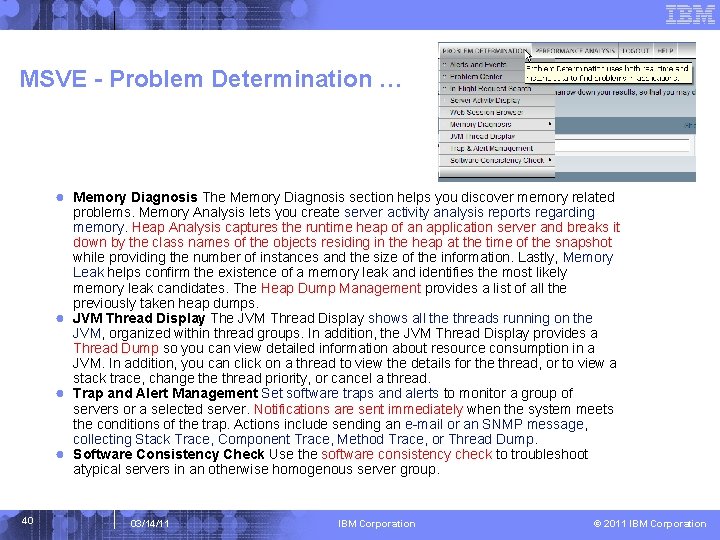
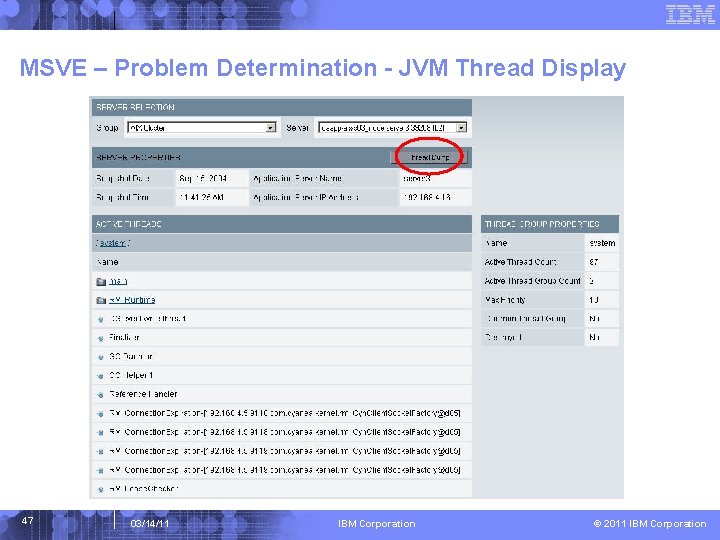
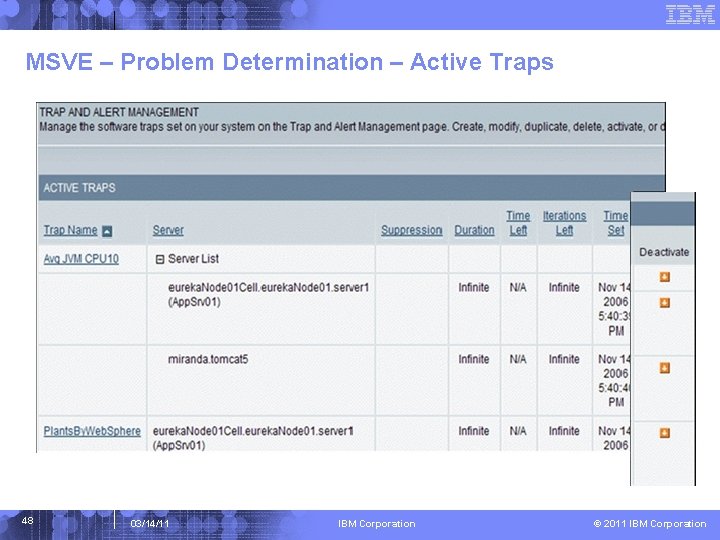
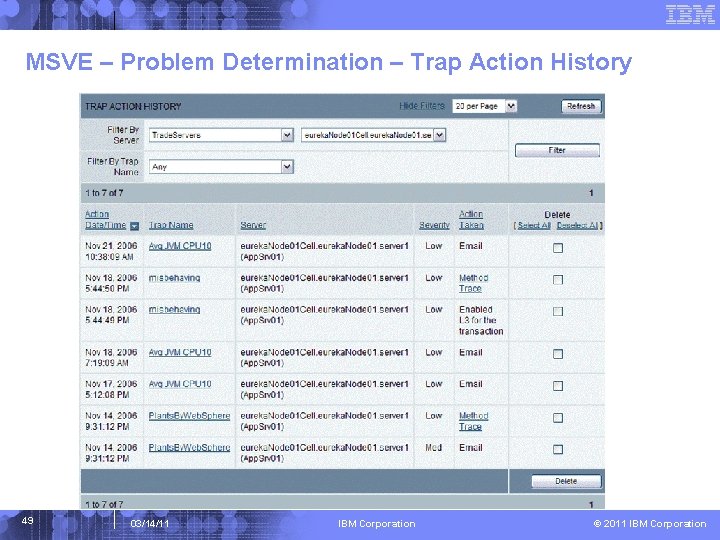
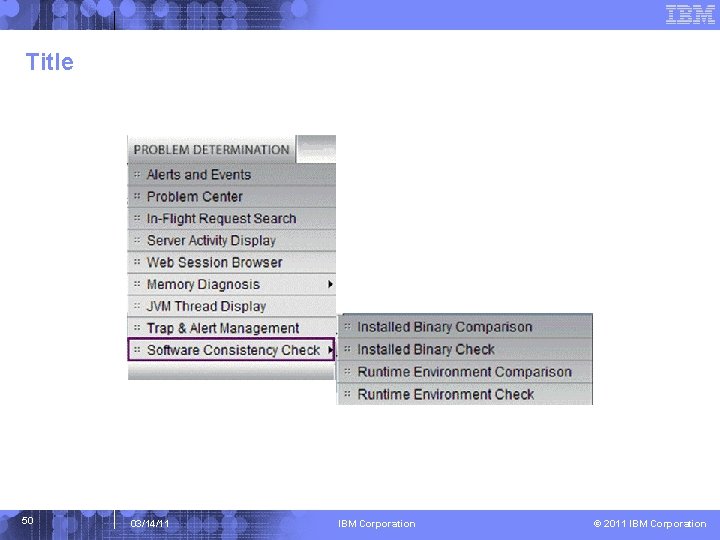
MSVE - Problem Determination … ● Memory Diagnosis The Memory Diagnosis section helps you discover memory related problems. Memory Analysis lets you create server activity analysis reports regarding memory. Heap Analysis captures the runtime heap of an application server and breaks it down by the class names of the objects residing in the heap at the time of the snapshot while providing the number of instances and the size of the information. Lastly, Memory Leak helps confirm the existence of a memory leak and identifies the most likely memory leak candidates. The Heap Dump Management provides a list of all the previously taken heap dumps. ● JVM Thread Display The JVM Thread Display shows all the threads running on the JVM, organized within thread groups. In addition, the JVM Thread Display provides a Thread Dump so you can view detailed information about resource consumption in a JVM. In addition, you can click on a thread to view the details for the thread, or to view a stack trace, change thread priority, or cancel a thread. ● Trap and Alert Management Set software traps and alerts to monitor a group of servers or a selected server. Notifications are sent immediately when the system meets the conditions of the trap. Actions include sending an e-mail or an SNMP message, collecting Stack Trace, Component Trace, Method Trace, or Thread Dump. ● Software Consistency Check Use the software consistency check to troubleshoot atypical servers in an otherwise homogenous server group. 40 03/14/11 IBM Corporation © 2011 IBM Corporation
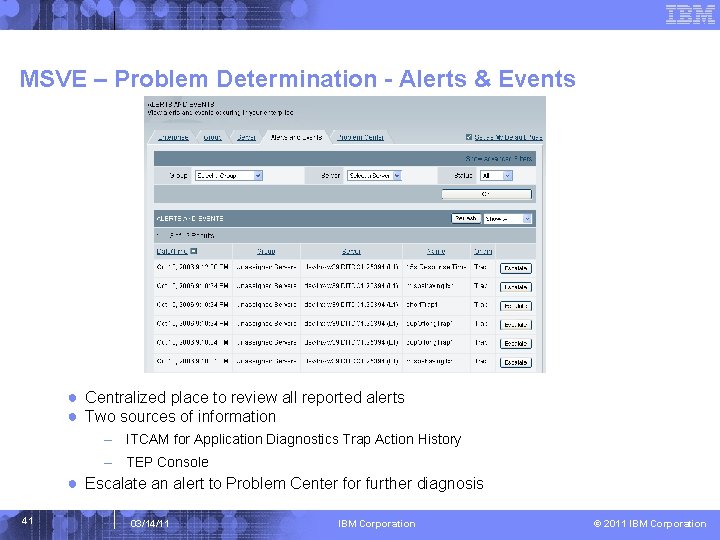
MSVE – Problem Determination - Alerts & Events ● Centralized place to review all reported alerts ● Two sources of information – ITCAM for Application Diagnostics Trap Action History – TEP Console ● Escalate an alert to Problem Center for further diagnosis 41 03/14/11 IBM Corporation © 2011 IBM Corporation
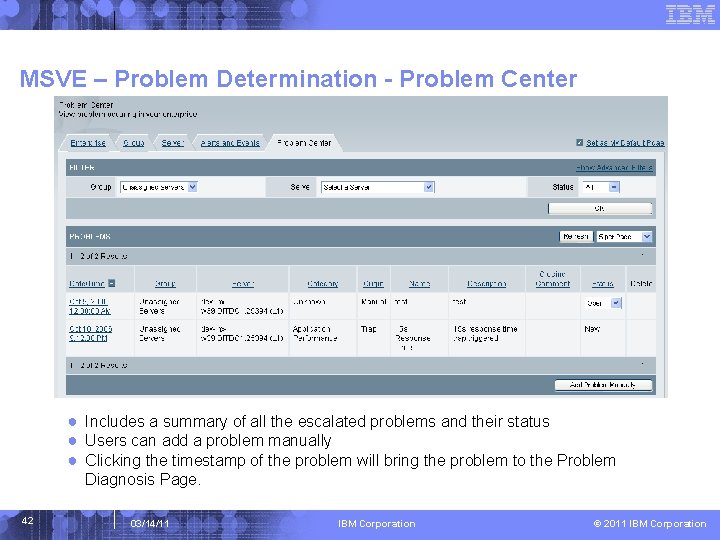
MSVE – Problem Determination - Problem Center ● Includes a summary of all the escalated problems and their status ● Users can add a problem manually ● Clicking the timestamp of the problem will bring the problem to the Problem Diagnosis Page. 42 03/14/11 IBM Corporation © 2011 IBM Corporation
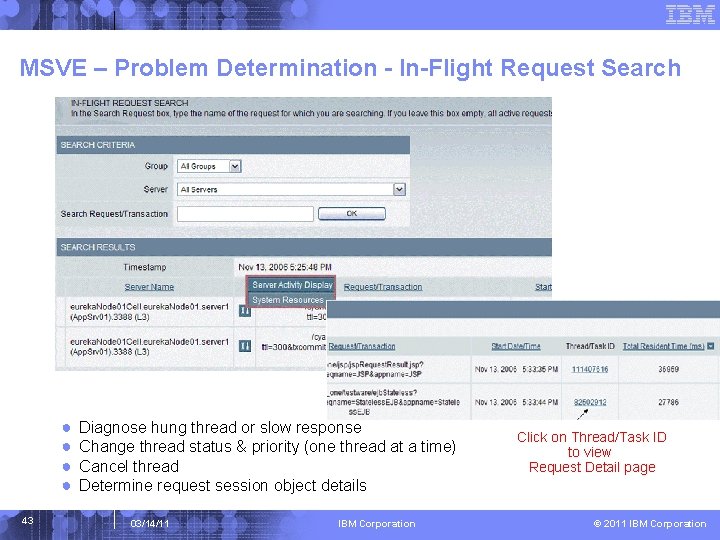
MSVE – Problem Determination - In-Flight Request Search ● ● 43 Diagnose hung thread or slow response Change thread status & priority (one thread at a time) Cancel thread Determine request session object details 03/14/11 IBM Corporation Click on Thread/Task ID to view Request Detail page © 2011 IBM Corporation
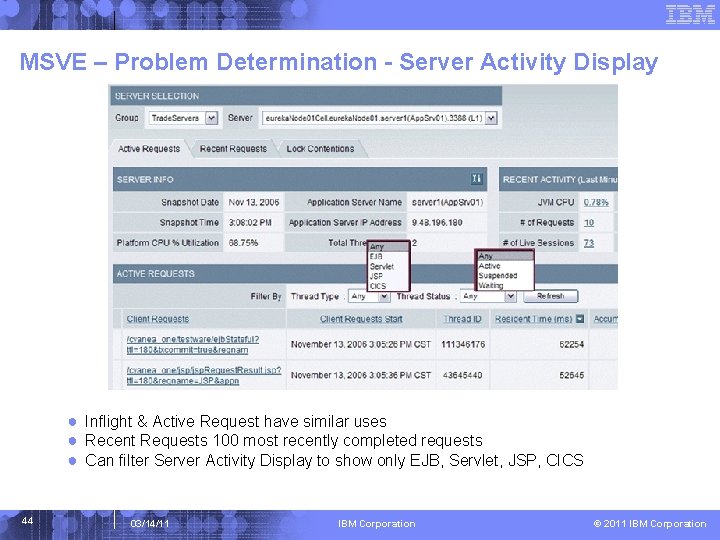
MSVE – Problem Determination - Server Activity Display ● Inflight & Active Request have similar uses ● Recent Requests 100 most recently completed requests ● Can filter Server Activity Display to show only EJB, Servlet, JSP, CICS 44 03/14/11 IBM Corporation © 2011 IBM Corporation
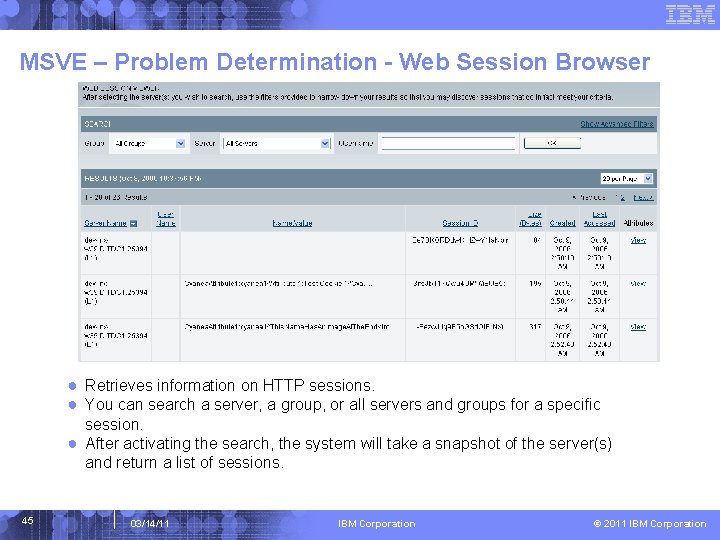
MSVE – Problem Determination - Web Session Browser ● Retrieves information on HTTP sessions. ● You can search a server, a group, or all servers and groups for a specific session. ● After activating the search, the system will take a snapshot of the server(s) and return a list of sessions. 45 03/14/11 IBM Corporation © 2011 IBM Corporation
MSVE – Problem Determination - Memory Diagnosis ● Heap Dump Tools – Heap Dump Management – Allow users to schedule heap dump – Available in DC running with IBM JDK only – Heap dump files can be analyzed by MDD 4 J under ISA – Heap Analysis – Provide class name, size and # of instances in the JVM ● Correlation Tools – Memory Analysis – Allow users to compare and correlate GC or JVM heap with other resource metrics – Examples are Average Response Time, Live Sessions and # of Requests ● Step-by-step Memory Leak diagnosis – Memory Leak – Predefined metrics in Memory Leak Confirm Report for users to determine whether a potential memory leak exists in the system – If so, schedule Heap Analysis Reports (Candidates) 46 03/14/11 IBM Corporation © 2011 IBM Corporation
MSVE – Problem Determination - JVM Thread Display 47 03/14/11 IBM Corporation © 2011 IBM Corporation
MSVE – Problem Determination – Active Traps 48 03/14/11 IBM Corporation © 2011 IBM Corporation
MSVE – Problem Determination – Trap Action History 49 03/14/11 IBM Corporation © 2011 IBM Corporation
Title 50 03/14/11 IBM Corporation © 2011 IBM Corporation
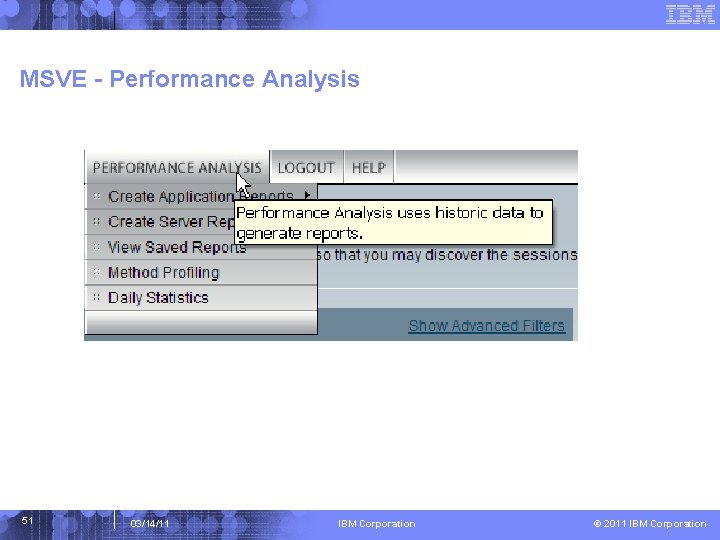
MSVE - Performance Analysis 51 03/14/11 IBM Corporation © 2011 IBM Corporation
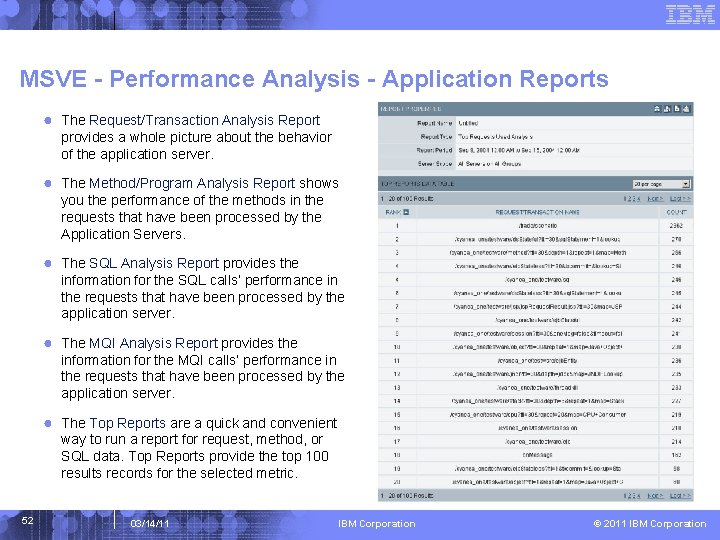
MSVE - Performance Analysis - Application Reports ● The Request/Transaction Analysis Report provides a whole picture about the behavior of the application server. ● The Method/Program Analysis Report shows you the performance of the methods in the requests that have been processed by the Application Servers. ● The SQL Analysis Report provides the information for the SQL calls’ performance in the requests that have been processed by the application server. ● The MQI Analysis Report provides the information for the MQI calls’ performance in the requests that have been processed by the application server. ● The Top Reports are a quick and convenient way to run a report for request, method, or SQL data. Top Reports provide the top 100 results records for the selected metric. 52 03/14/11 IBM Corporation © 2011 IBM Corporation
MSVE - Performance Analysis - Server Reports ● The System Resource Analysis Report gives you the information of the utilization of the memory, and database connection pools for the application servers. You may also view: Note: This feature is not available for the z/OS data collector. ● The Server Availability Analysis Report shows the percentage of the server availability. In the group situation, availability is defined as the total amount of time when one or more servers of the group are up divided by the total elapsed time. ● The Capacity Analysis Report provides you with the necessary information to evaluate the capacity of your system using supply and demand metrics. 53 03/14/11 IBM Corporation © 2011 IBM Corporation
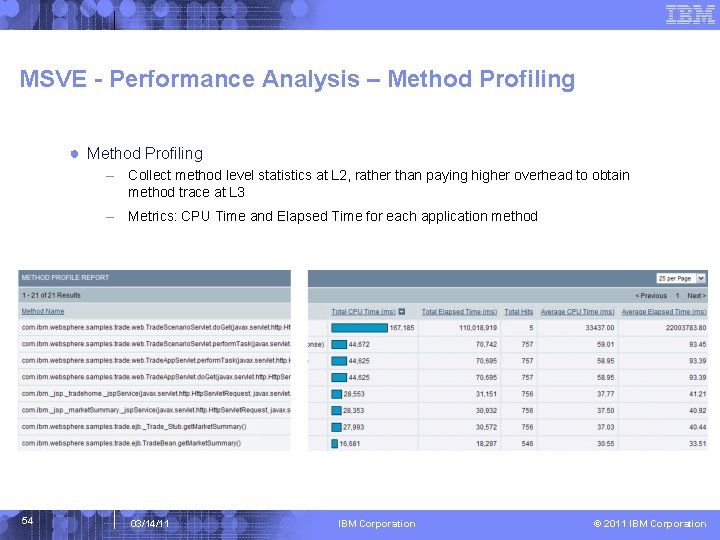
MSVE - Performance Analysis – Method Profiling ● Method Profiling – Collect method level statistics at L 2, rather than paying higher overhead to obtain method trace at L 3 – Metrics: CPU Time and Elapsed Time for each application method 54 03/14/11 IBM Corporation © 2011 IBM Corporation

Reference Materials Ver. 3 IBM Corporation © 2011 IBM Corporation
Reference Material Software Base Code § ITCAM for Application Diagnostics 7. 1 for distributed platforms - On Xtreme Leverage or Passport Advantage, search for ibm tivoli composite application manager diagnostics § ITCAM for Application Diagnostics 7. 1 for z/OS 56 - FMID HAAD 71 C – Common Services - FMID HAAD 710 – z/OS Data Collector - FMID HKYN 710 – z/OS TEMA 03/14/11 IBM Corporation © 2011 IBM Corporation
Tivoli Enterprise Portal (TEP) … ● Missing TEP Data? If data is missing from the TEP, please review the following URL (which is written for ITCAM for Web. Sphere 6. 1 but applies to ITCAM for Application Diagnostics 7. 1 as well): http: //www. ibm. com/developerworks/wikis/display/tivolimonitoring/Understanding+Tivo li+Enterprise+Management+Agent+Workspaces+in+Tivoli+Enterprise+Portal+Versio n+6. 1 ● TTAPI – ITCAM for Application Diagnostics Integration with ITCAM Transaction Tracking http: //ausgsa. ibm. com/projects/t/ttec/public/Service. Availability_and_Performance. Mana gement/2009_09_09_GO_ITCAMf. Web. Sphere. J 2 EE_ITCAMf. Trxns_Integration/ ● Set up single signon between TEP and MSVE http: //www. ibm. com/developerworks/wikis/display/tivolimonitoring/Implementing+Singl e+Sign-on+Between+the+Visualization+Engine+and+Tivoli+Enterprise+Portal ● ITCAM for Web. Sphere 6. 1 Tuning and Best Practices http: //www. ibm. com/support/docview. wss? &uid=swg 27016319 57 03/14/11 IBM Corporation © 2011 IBM Corporation
Other Sources of Information ● Info. Center Publications ● ● ● ● 58 – http: //publib. boulder. ibm. com/infocenter/tivihelp/v 24 r 1/index. jsp? topic=/com. ib m. itcamfad. doc_7101/ic-homepage. html L 3 Wiki Site – http: //www. ibm. com/developerworks/wikis/display/tivolimonitoring/Tivoli+Comp osite+Application+Manager+for+Web. Sphere IBM Electronic Support Portal (set this up for all products of interest) – https: //www-947. ibm. com/support/entry/myportal External Wiki - IBM® Tivoli® Distributed Monitoring and Application Mgmt – http: //www. ibm. com/developerworks/wikis/display/tivolimonitoring/home Internal Wiki - Virtual Community for AABSM – http: //w 3. tap. ibm. com/w 3 ki 06/display/CAMVirt. Com/Home System Requirements – http: //www. ibm. com/support/docview. wss? uid=swg 21433643 Recommended Fixes – http: //www. ibm. com/support/docview. wss? uid=swg 21439390 Must Gather Documentation – http: //www. ibm. com/support/docview. wss? uid=swg 21443620 Featured Documents – http: //www. ibm. com/support/docview. wss? rs=4160&uid=swg 21443618 03/14/11 IBM Corporation © 2011 IBM Corporation
- Slides: 58