
Introduction to HTML CS 299 Web Programming and
Introduction to HTML CS 299 – Web Programming and Design
HTML: Hyper. Text Markup Language • HTML documents are simply text documents with a specific form – Documents comprised of content and markup tags – Content: actual information being conveyed – The markup tags tell the Web browser how to display the page – An HTML file must have an htm or html file extension – An HTML file can be created using a simple text editor CS 299 – Web Programming and Design 2

Our First Example • • If you are running Windows, start Notepad If you are on a Mac, start Simple. Text If you telnet to csupomona. edu, use “pico” Type in the following: <html> <head> <title>Title of page</title> </head> <body> This is my first homepage. <b>This text is bold</b> </body> </html> • Open this file using a browser, and you will see… CS 299 – Web Programming and Design 3
HTML Tags • HTML tags are used to mark-up HTML elements – Surrounded by angle brackets < and > – HTML tags normally come in pairs, like <tagname> (start tag) and </tagname> (end tag) – The text between the start and end tags is the element content – Not case-sensitive – Follow the latest web standards: • Use lowercase tags CS 299 – Web Programming and Design 4

Tag Attributes • Tags can have attributes that provide additional information to an HTML element – Attributes always come in name/value pairs like: name=“value” – Attributes are always specified in the start tag – Attribute values should always be enclosed in quotes. Double quotes are most common. – Also case-insensitive: however, lowercase is recommended – <tagname a 1=“v 1” a 2=“v 2”></tagname> – For example, <table border=“ 0”> is a start tag that defines a table that has no borders CS 299 – Web Programming and Design 5

HTML Document Structure • Entire document enclosed within <html> and </html> tags • Two subparts: – Head • Enclosed within <head> and </head> • Within the head, more tags can be used to specify title of the page, meta-information, etc. – Body • Enclosed within <body> and </body> • Within the body, content is to be displayed • Other tags can be embedded in the body CS 299 – Web Programming and Design 6
We’ll Study… • HTML Basics (http: //www. w 3 schools. com/html_intro. asp): – – – – – HTML HTML HTML Elements Headings Paragraphs Formatting Styles Images Tables Lists Forms Colors CS 299 – Web Programming and Design 7
More Basic Examples • • • Using basic tags: http: //www. csupomona. edu/~ftang/www/courses/CS 299 S 09/examples/ex 1. html Text formatting: http: //www. csupomona. edu/~ftang/www/courses/CS 299 S 09/examples/ex 2. html HTML links: http: //www. csupomona. edu/~ftang/www/courses/CS 299 S 09/examples/ex 3. html CS 299 – Web Programming and Design 8
HTML Layout • One common way is to use HTML tables to format the layout of an HTML page – The trick is to use a table without borders, and maybe a little extra cell-padding • Other tips: – – – – Keep screen resolution in mind Use color to define spaces Align your images Balance the graphics and text on a page Think about text width – scan length 7 – 11 words Centering text is inadvisable Here is the link: http: //webdesign. about. com/od/layout/a/aa 062104. htm CS 299 – Web Programming and Design 9

HTML Frames • HTML frames are a means of having several browser windows open within a single larger window • Each HTML document is called a frame • Disadvantages: – Must keep track of more HTML documents – Difficult to print the entire page • Example of using frame – http: //www. csupomona. edu/~ftang/www/courses/CS 299 -S 09/examples/frame. html – http: //www. w 3 schools. com/html_frames. asp CS 299 – Web Programming and Design 10

HTML Advanced CS 299 – Web Programming and Design
Topics Covered • From HTML tutorial on w 3 schools. com – – – – – HTML HTML HTML CSS Entities Head Meta URLs Scripts Attributes Events URL Encode Webserver CS 299 – Web Programming and Design 12
Script Examples • Add scripts to HTML pages can make them more dynamic and interactive • Examples from W 3 schools • Our simple example: – http: //www. csupomona. edu/~ftang/www/courses/CS 299 -S 09/examples/jscript. html CS 299 – Web Programming and Design 13
HTML and XHTML Full References • Full Reference from W 3 schools: – http: //www. w 3 schools. com/tags/ • Test your HTML – http: //www. w 3 schools. com/html_whyusehtml 4. asp CS 299 – Web Programming and Design 14
XHTML http: //www. w 3 schools. com/xhtml/ CS 299 – Web Programming and Design
What is XHTML? • XHTML is a stricter and cleaner version of HTML – – EXtensible Hyper. Text Markup Language aimed to replace HTML identical to HTML 4. 01 combination of HTML and XML (EXtensible Markup Lanuage) – W 3 C Recommendation CS 299 – Web Programming and Design 16
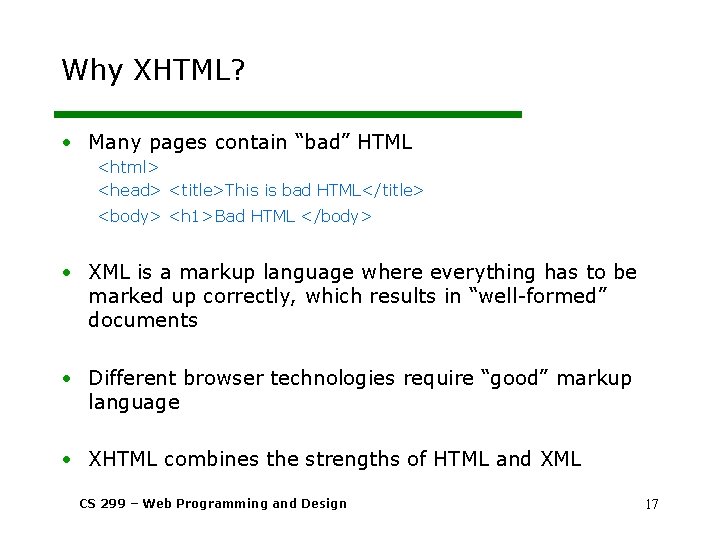
Why XHTML? • Many pages contain “bad” HTML <html> <head> <title>This is bad HTML</title> <body> <h 1>Bad HTML </body> • XML is a markup language where everything has to be marked up correctly, which results in “well-formed” documents • Different browser technologies require “good” markup language • XHTML combines the strengths of HTML and XML CS 299 – Web Programming and Design 17
Most Important Differences From HTML • • XHTML elements must be properly nested XHTML elements must always be closed XHTML elements must be in lowercase XHTML documents must have one root element • Examples – http: //www. w 3 schools. com/xhtml_html. asp CS 299 – Web Programming and Design 18
XHTML Syntax • More XHMTL Syntax Rules – – – Attribute names must be in lower case Attribute values must be quoted Attribute minimization is forbidden The id attribute replaces the name attribute Mandatory elements • Examples – http: //www. w 3 schools. com/xhtml_syntax. asp • Test your XHTML with the W 3 C Validator CS 299 – Web Programming and Design 19
- Slides: 19