
Introduction to Grid Computing 1 Overview Background What
Introduction to Grid Computing 1
Overview • • • Background: What is the Grid? Related technologies Grid applications Communities Grid Tools Case Studies 2
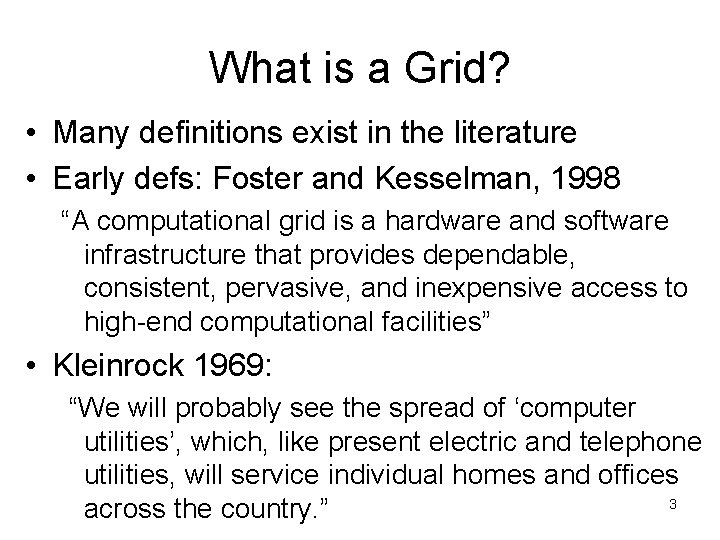
What is a Grid? • Many definitions exist in the literature • Early defs: Foster and Kesselman, 1998 “A computational grid is a hardware and software infrastructure that provides dependable, consistent, pervasive, and inexpensive access to high-end computational facilities” • Kleinrock 1969: “We will probably see the spread of ‘computer utilities’, which, like present electric and telephone utilities, will service individual homes and offices 3 across the country. ”
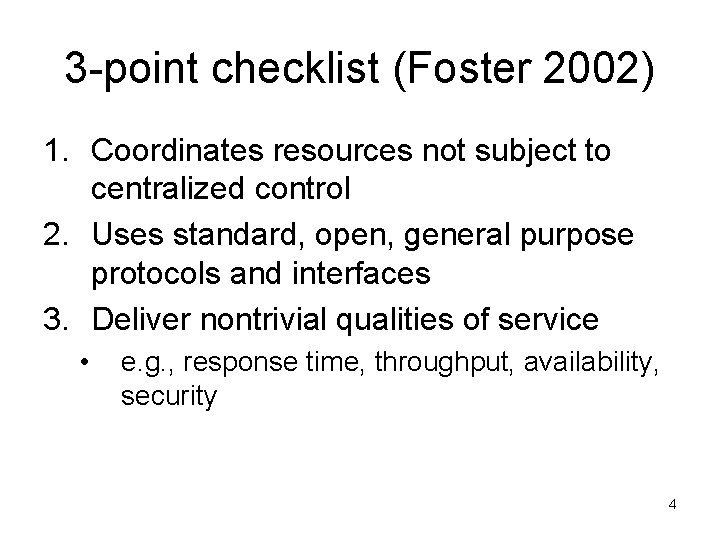
3 -point checklist (Foster 2002) 1. Coordinates resources not subject to centralized control 2. Uses standard, open, general purpose protocols and interfaces 3. Deliver nontrivial qualities of service • e. g. , response time, throughput, availability, security 4
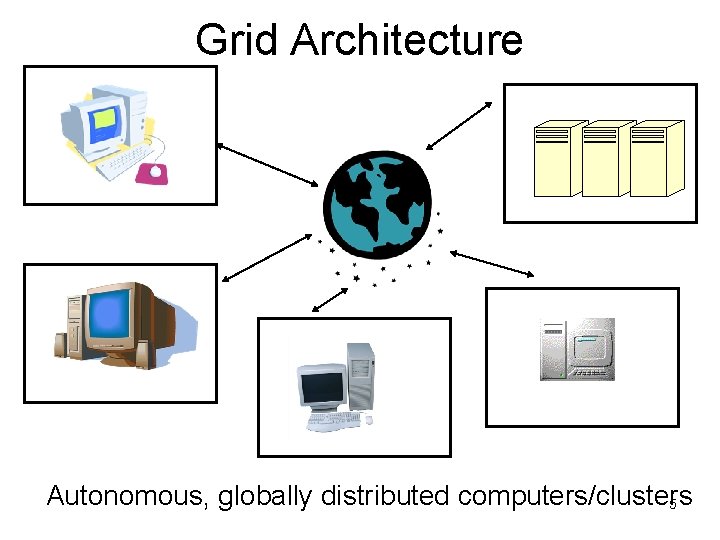
Grid Architecture Autonomous, globally distributed computers/clusters 5

Why do we need Grids? • Many large-scale problems cannot be solved by a single computer • Globally distributed data and resources 6
Background: Related technologies • Cluster computing • Peer-to-peer computing • Internet computing 7
Cluster computing • Idea: put some PCs together and get them to communicate • Cheaper to build than a mainframe supercomputer • Different sizes of clusters • Scalable – can grow a cluster by adding more PCs 8
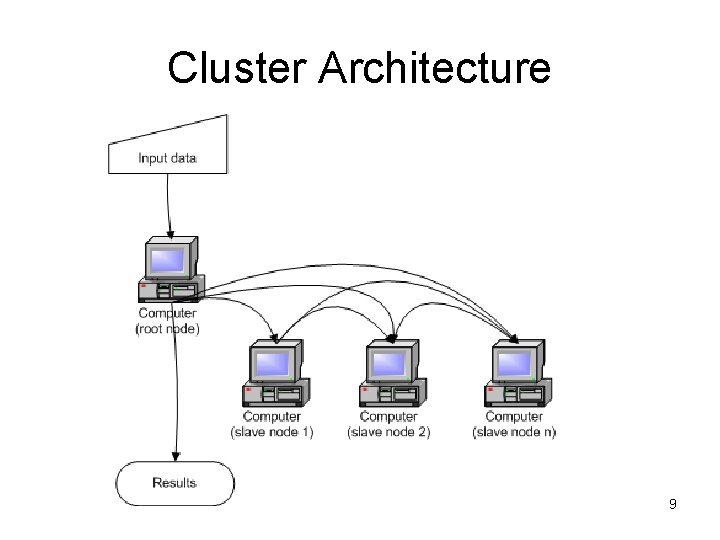
Cluster Architecture 9
Peer-to-Peer computing • Connect to other computers • Can access files from any computer on the network • Allows data sharing without going through central server • Decentralized approach also useful for Grid 10

Peer to Peer architecture 11
Internet computing • Idea: many idle PCs on the Internet • Can perform other computations while not being used • “Cycle scavenging” – rely on getting free time on other people’s computers • Example: SETI@home • What are advantages/disadvantages of cycle scavenging? 12
Some Grid Applications • • • Distributed supercomputing High-throughput computing On-demand computing Data-intensive computing Collaborative computing 13
Distributed Supercomputing • Idea: aggregate computational resources to tackle problems that cannot be solved by a single system • Examples: climate modeling, computational chemistry • Challenges include: – Scheduling scarce and expensive resources – Scalability of protocols and algorithms – Maintaining high levels of performance across heterogeneous systems 14
High-throughput computing • Schedule large numbers of independent tasks • Goal: exploit unused CPU cycles (e. g. , from idle workstations) • Unlike distributed computing, tasks loosely coupled • Examples: parameter studies, cryptographic problems 15
On-demand computing • Use Grid capabilities to meet short-term requirements for resources that cannot conveniently be located locally • Unlike distributed computing, driven by cost-performance concerns rather than absolute performance • Dispatch expensive or specialized computations to remote servers 16

Data-intensive computing • Synthesize data in geographically distributed repositories • Synthesis may be computationally and communication intensive • Examples: – High energy physics generate terabytes of distributed data, need complex queries to detect “interesting” events – Distributed analysis of Sloan Digital Sky Survey 17 data
Collaborative computing • Enable shared use of data archives and simulations • Examples: – Collaborative exploration of large geophysical data sets • Challenges: – Real-time demands of interactive applications – Rich variety of interactions 18
Grid Communities • Who will use Grids? • Broad view – Benefits of sharing outweigh costs – Universal, like a power Grid • Narrow view – Cost of sharing across institutional boundaries is too high – Resources only shared when incentive to do so – Grid will be specialized to support specific communities with specific goals 19
Government • Small number of users • Couple small numbers of high-end resources • Goals: – Provide “strategic computing reserve” for crisis management – Support collaborative investigations of scientific and engineering problems • Need to integrate diverse resources and balance diversity of competing interests 20
Health Maintenance Organization • Share high-end computers, workstations, administrative databases, medical image archives, instruments, etc. across hospitals in a metropolitan area • Enable new computationally enhanced applications • Private grid – Small scale, central management, common purpose – Diversity of applications and complexity of integration 21
Materials Science Collaboratory • Scientists operating a variety of instruments (electron microscopes, particle accelerators, X -ray sources) for characterization of materials • Highly distributed and fluid community • Sharing of instruments, archives, software, computers • Virtual Grid – strong focus and narrow goals – Dynamic membership, decentralized, sharing resources 22
Computational Market Economy • Combine: – Consumers with diverse needs and interests – Providers of specialized services – Providers of compute resources and network providers • Public Grid – Need applications that can exploit loosely coupled resources – Need contributors of resources 23
Grid Users • Many levels of users – Grid developers – Tool developers – Application developers – End users – System administrators 24
Some Grid challenges • • Data movement Data replication Resource management Job submission 25
Some Grid-Related Projects • Globus • Condor • Nimrod-G 26
Globus Grid Toolkit • Open source toolkit for building Grid systems and applications • Enabling technology for the Grid • Share computing power, databases, and other tools securely online • Facilities for: – Resource monitoring – Resource discovery – Resource management – Security – File management 27
Data Management in Globus Toolkit • Data movement – Grid. FTP – Reliable File Transfer (RFT) • Data replication – Replica Location Service (RLS) – Data Replication Service (DRS) 28

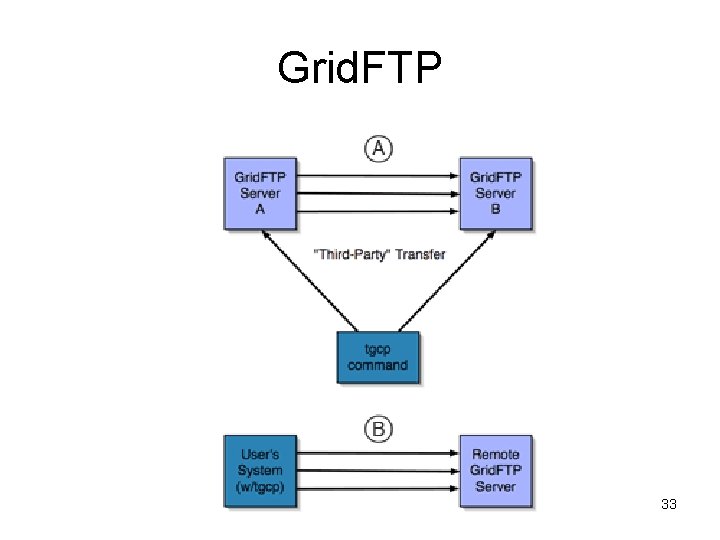
Grid. FTP • High performance, secure, reliable data transfer protocol • Optimized for wide area networks • Superset of Internet FTP protocol • Features: – Multiple data channels for parallel transfers – Partial file transfers – Third party transfers – Reusable data channels – Command pipelining 29
More Grid. FTP features • Auto tuning of parameters • Striping – Transfer data in parallel among multiple senders and receivers instead of just one • Extended block mode – Send data in blocks – Know block size and offset – Data can arrive out of order – Allows multiple streams 30
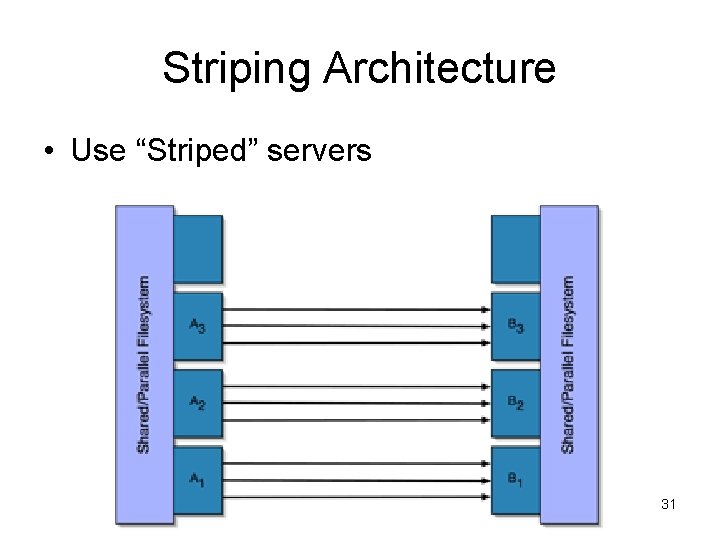
Striping Architecture • Use “Striped” servers 31
Limitations of Grid. FTP • Not a web service protocol (does not employ SOAP, WSDL, etc. ) • Requires client to maintain open socket connection throughout transfer – Inconvenient for long transfers • Cannot recover from client failures 32
Grid. FTP 33
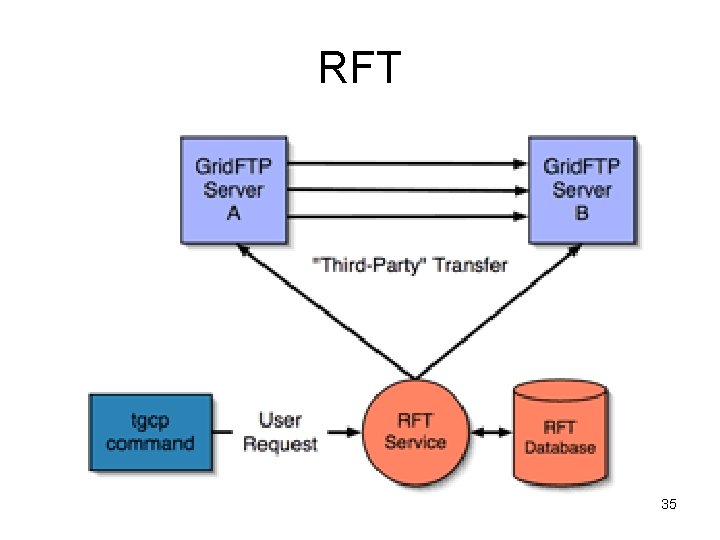
Reliable File Transfer (RFT) • Web service with “job-scheduler” functionality for data movement • User provides source and destination URLs • Service writes job description to a database and moves files • Service methods for querying transfer status 34
RFT 35
Replica Location Service (RLS) • Registry to keep track of where replicas exist on physical storage system • Users or services register files in RLS when files created • Distributed registry – May consist of multiple servers at different sites – Increase scale – Fault tolerance 36
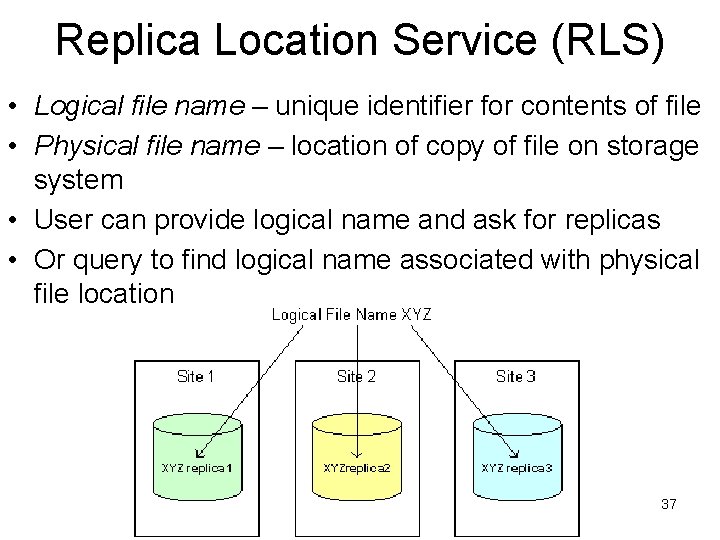
Replica Location Service (RLS) • Logical file name – unique identifier for contents of file • Physical file name – location of copy of file on storage system • User can provide logical name and ask for replicas • Or query to find logical name associated with physical file location 37
Data Replication Service (DRS) • Pull-based replication capability • Implemented as a web service • Higher-level data management service built on top of RFT and RLS • Goal: ensure that a specified set of files exists on a storage site • First, query RLS to locate desired files • Next, creates transfer request using RFT • Finally, new replicas are registered with RLS 38
Condor • Original goal: high-throughput computing • Harvest wasted CPU power from other machines • Can also be used on a dedicated cluster • Condor-G – Condor interface to Globus resources 39
Condor • Provides many features of batch systems: – job queueing – scheduling policy – priority scheme – resource monitoring – resource management • • Users submit their serial or parallel jobs Condor places them into a queue Scheduling and monitoring Informs the user upon completion 40
Nimrod-G • Tool to manage execution of parametric studies across distributed computers • Manages experiment – Distributing files to remote systems – Performing the remote computation – Gathering results • User submits declarative plan file – Parameters, default values, and commands necessary for performing the work • Nimrod-G takes advantage of Globus toolkit 41 features
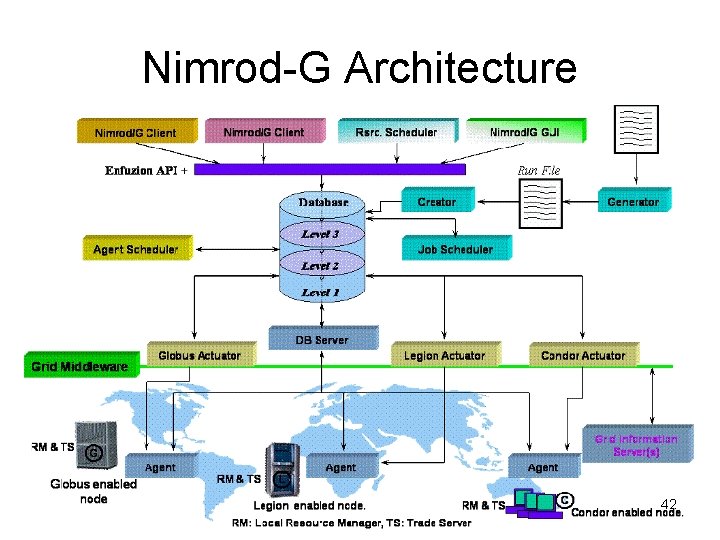
Nimrod-G Architecture 42
Grid Case Studies • Earth System Grid • LIGO • Tera. Grid 43
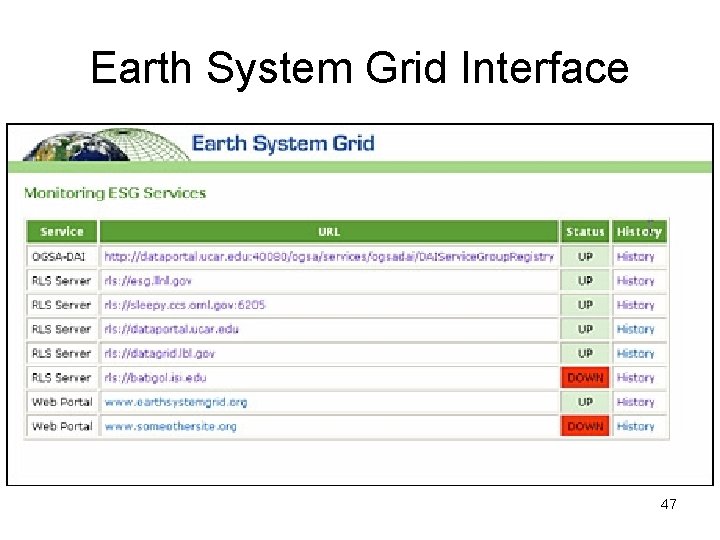
Earth System Grid • Provide climate studies scientists with access to large datasets • Data generated by computational models – requires massive computational power • Most scientists work with subsets of the data • Requires access to local copies of data 44
ESG Infrastructure • Archival storage systems and disk storage systems at several sites • Storage resource managers and Grid. FTP servers to provide access to storage systems • Metadata catalog services • Replica location services • Web portal user interface 45

Earth System Grid 46
Earth System Grid Interface 47
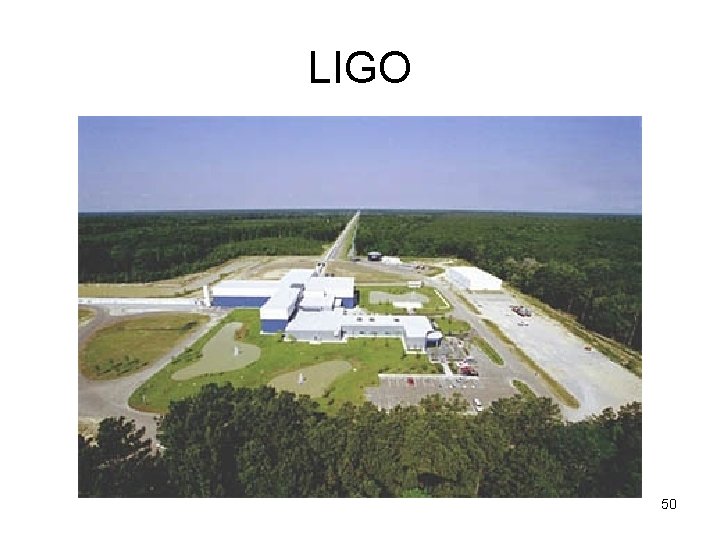
Laser Interferometer Gravitational Wave Observatory (LIGO) • Instruments at two sites to detect gravitational waves • Each experiment run produces millions of files • Scientists at other sites want these datasets on local storage • LIGO deploys RLS servers at each site to register local mappings and collect info about mappings at other sites 48
Large Scale Data Replication for LIGO • • Goal: detection of gravitational waves Three interferometers at two sites Generate 1 TB of data daily Need to replicate this data across 9 sites to make it available to scientists • Scientists need to learn where data items are, and how to access them 49
LIGO 50
LIGO Solution • Lightweight data replicator (LDR) • Uses parallel data streams, tunable TCP windows, and tunable write/read buffers • Tracks where copies of specific files can be found • Stores descriptive information (metadata) in a database – Can select files based on description rather than filename 51
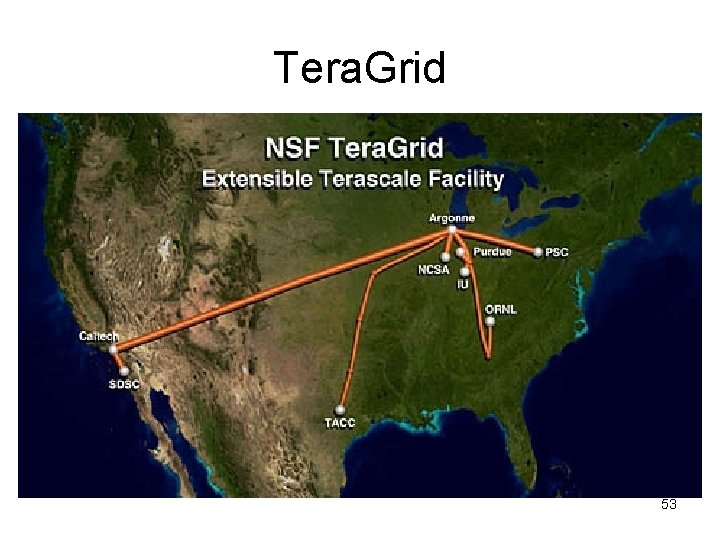
Tera. Grid • NSF high-performance computing facility • Nine distributed sites, each with different capability , e. g. , computation power, archiving facilities, visualization software • Applications may require more than one site • Data sizes on the order of gigabytes or terabytes 52
Tera. Grid 53
Tera. Grid • Solution: Use Grid. FTP and RFT with front end command line tool (tgcp) • Benefits of system: – Simple user interface – High performance data transfer capability – Ability to recover from both client and server software failures – Extensible configuration 54
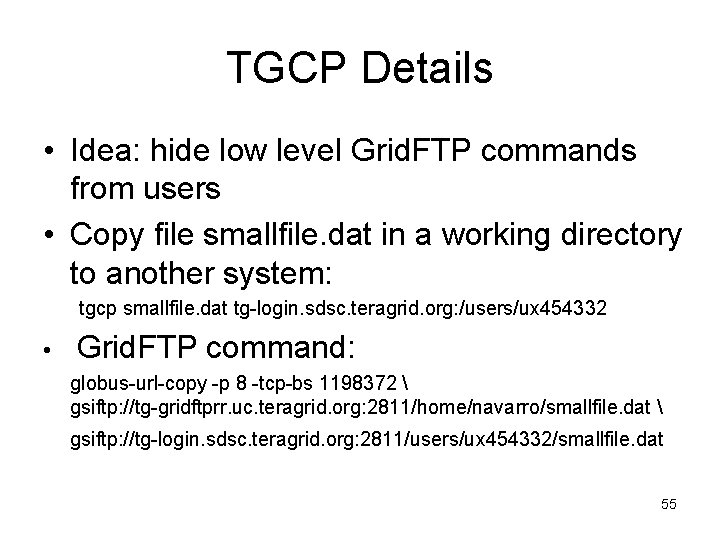
TGCP Details • Idea: hide low level Grid. FTP commands from users • Copy file smallfile. dat in a working directory to another system: tgcp smallfile. dat tg-login. sdsc. teragrid. org: /users/ux 454332 • Grid. FTP command: globus-url-copy -p 8 -tcp-bs 1198372 gsiftp: //tg-gridftprr. uc. teragrid. org: 2811/home/navarro/smallfile. dat gsiftp: //tg-login. sdsc. teragrid. org: 2811/users/ux 454332/smallfile. dat 55
The reality • We have spent a lot of time talking about “The Grid” • There is “the Web” and “the Internet” • Is there a single Grid? 56
The reality • • Many types of Grids exist Private vs. public Regional vs. Global All-purpose vs. particular scientific problem 57
- Slides: 57