
Introduction to GPGPU Programming Junqi Yin National Institute
- Slides: 64
Introduction to GPGPU Programming Junqi Yin National Institute for Computational Sciences June 9, 2015
Outline: § § § § § Pnmath Motivation History GPU architecture GPU programming model CUDA C CUDA tools Other useful GPU tools Summary References
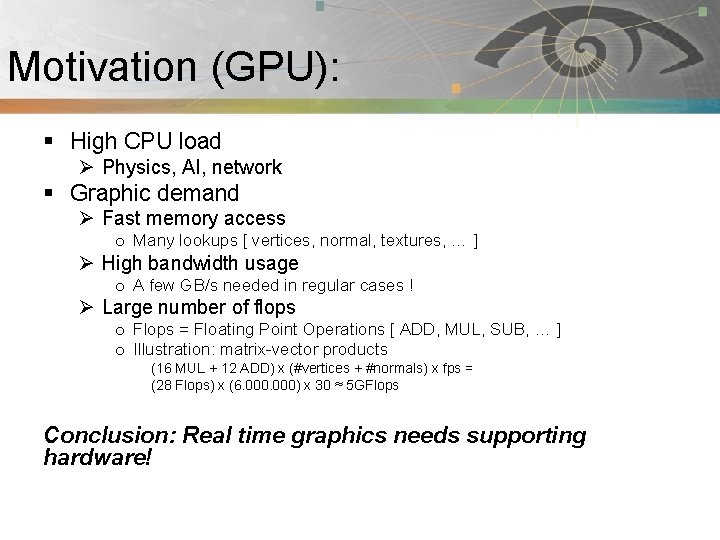
Motivation (GPU): Pnmath § High CPU load Ø Physics, AI, network § Graphic demand Ø Fast memory access o Many lookups [ vertices, normal, textures, … ] Ø High bandwidth usage o A few GB/s needed in regular cases ! Ø Large number of flops o Flops = Floating Point Operations [ ADD, MUL, SUB, … ] o Illustration: matrix-vector products (16 MUL + 12 ADD) x (#vertices + #normals) x fps = (28 Flops) x (6. 000) x 30 ≈ 5 GFlops Conclusion: Real time graphics needs supporting hardware!
History: Pnmath § GPU: Graphics Processing Unit Ø Designed to rapidly manipulate and alter memory in such a way so as to accelerate the building of images in a frame buffer intended for output to a display. Ø The term was popularized by NVIDIA in 1999.
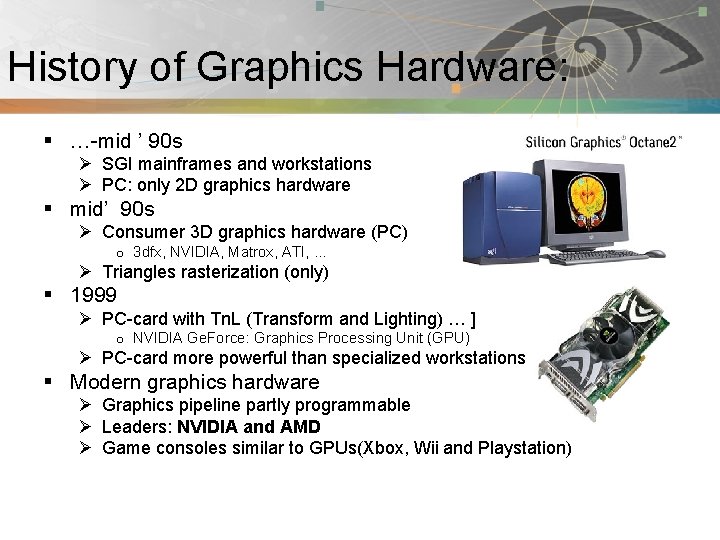
History of Graphics Hardware: Pnmath § …-mid ’ 90 s Ø SGI mainframes and workstations Ø PC: only 2 D graphics hardware § mid’ 90 s Ø Consumer 3 D graphics hardware (PC) o 3 dfx, NVIDIA, Matrox, ATI, … Ø Triangles rasterization (only) § 1999 Ø PC-card with Tn. L (Transform and Lighting) … ] o NVIDIA Ge. Force: Graphics Processing Unit (GPU) Ø PC-card more powerful than specialized workstations § Modern graphics hardware Ø Graphics pipeline partly programmable Ø Leaders: NVIDIA and AMD Ø Game consoles similar to GPUs(Xbox, Wii and Playstation)
What is GPGPU: Pnmath § General Purpose computation using GPU in applications other than 3 D graphics Ø GPU accelerates critical path of application § Data parallel algorithms leverage GPU attributes Ø Large data arrays, streaming throughput Ø Fine-grain SIMD parallelism Ø Low-latency floating point (FP) computation § Applications – see //GPGPU. org Ø Game effects (FX) physics, image processing Ø Physical modeling, computational engineering, matrix algebra, convolution, correlation, sorting
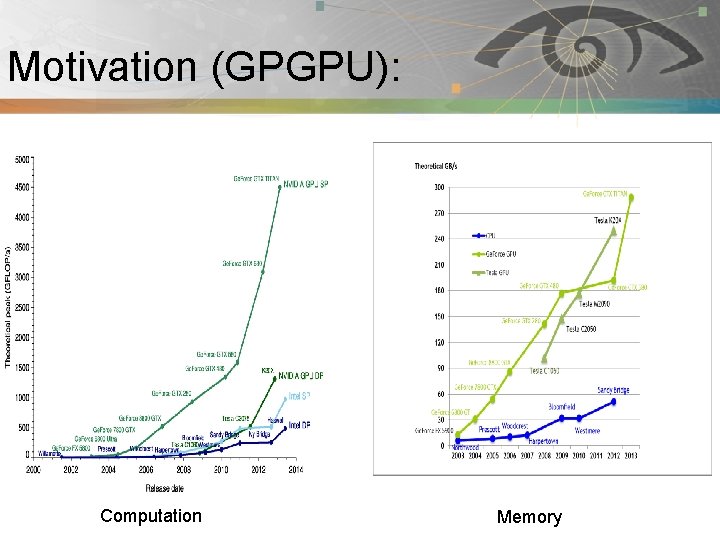
Motivation (GPGPU): Pnmath Computation Memory
GPU continue: Pnmath § Modern GPUs are very efficient at Ø Manipulating computer graphics, and their highly parallel structure makes them more effective than general-purpose CPUs for algorithms where processing of large block of data is done in parallel. § GPUs are massively multithreaded manycore chips. Ø NVIDIA tesla products have upto 512 cores. Ø Over 665 GFLOPS sustained performance (double precision floating point) Ø 6 GB of Memory Ø Memory bandwidth upto 177 GBytes/sec. § Users across science and engineering disciplines are achieving very good speedups on GPUs.
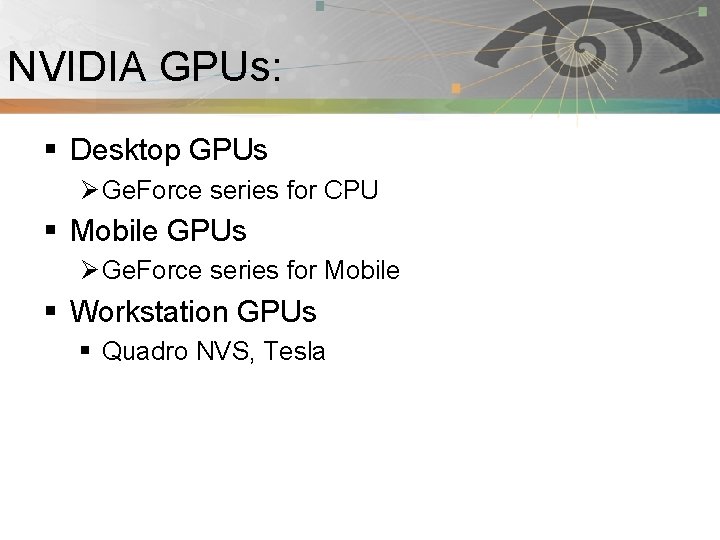
NVIDIA GPUs: Pnmath § Desktop GPUs Ø Ge. Force series for CPU § Mobile GPUs Ø Ge. Force series for Mobile § Workstation GPUs § Quadro NVS, Tesla
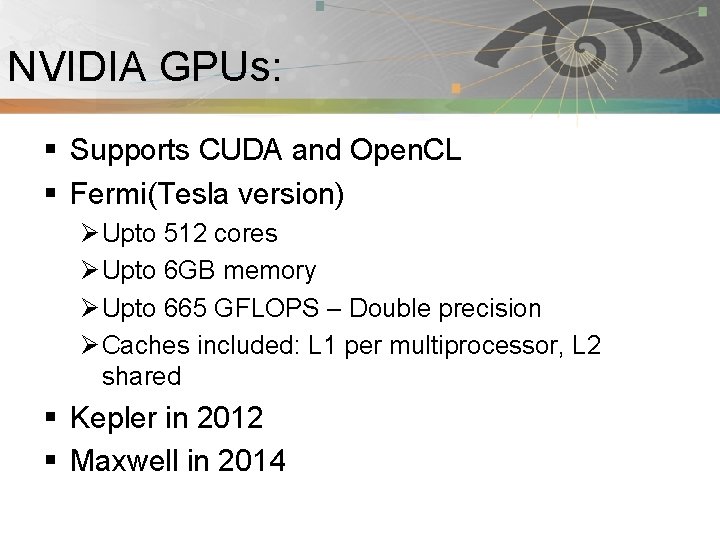
NVIDIA GPUs: Pnmath § Supports CUDA and Open. CL § Fermi(Tesla version) Ø Upto 512 cores Ø Upto 6 GB memory Ø Upto 665 GFLOPS – Double precision Ø Caches included: L 1 per multiprocessor, L 2 shared § Kepler in 2012 § Maxwell in 2014
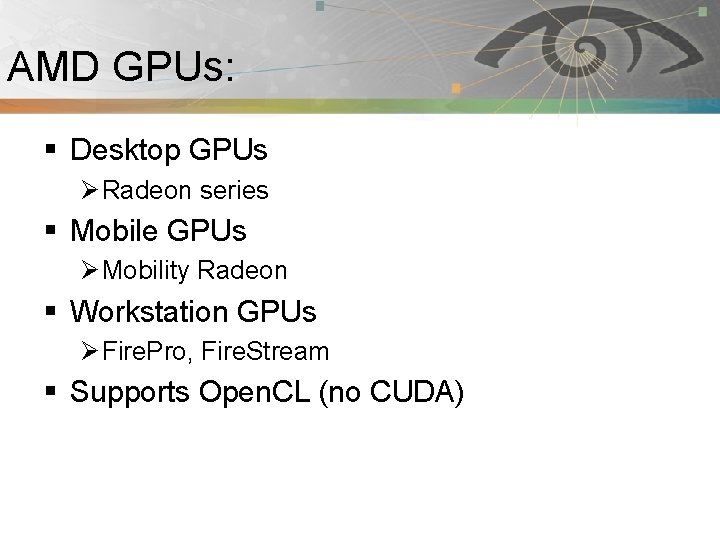
AMD GPUs: Pnmath § Desktop GPUs Ø Radeon series § Mobile GPUs Ø Mobility Radeon § Workstation GPUs Ø Fire. Pro, Fire. Stream § Supports Open. CL (no CUDA)
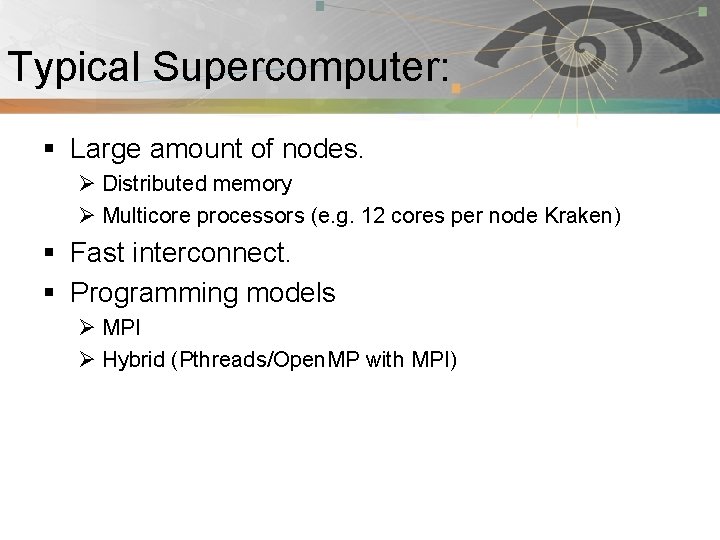
Typical Supercomputer: Pnmath § Large amount of nodes. Ø Distributed memory Ø Multicore processors (e. g. 12 cores per node Kraken) § Fast interconnect. § Programming models Ø MPI Ø Hybrid (Pthreads/Open. MP with MPI)
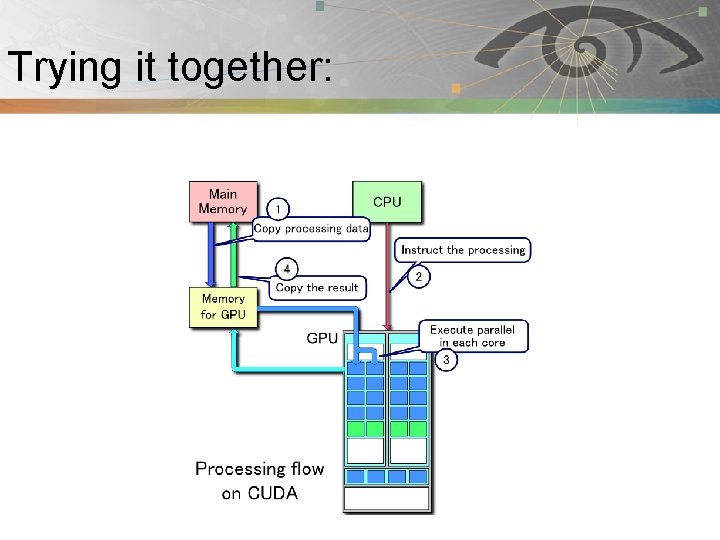
Accelerated Supercomputer: Pnmath § Accelerated HPC floating workloads using GPUs. Ø Peak FP performance 10 x vs CPU. Ø Memory bandwidth 20 x vs CPU. Ø Parallelism, of the order of 500 cores, thousands of threads. § GPUs are accelerators. Ø Has its own fast memory. Ø Separate card connected to CPU node Via PCI-E bus.
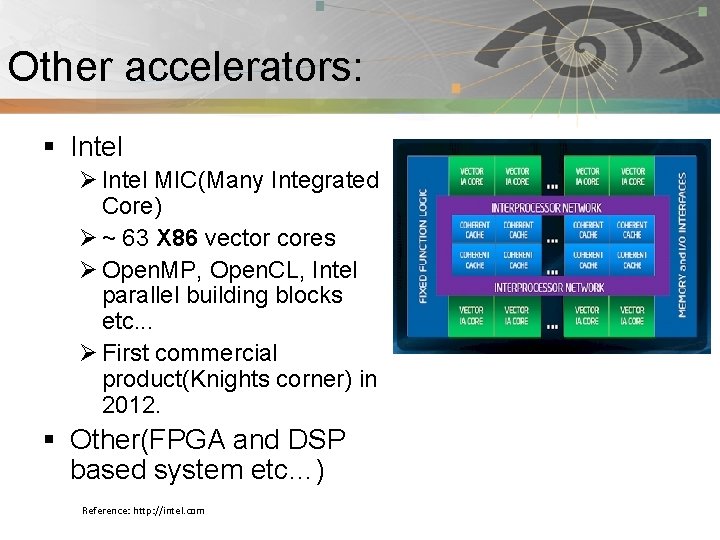
Other accelerators: Pnmath § Intel Ø Intel MIC(Many Integrated Core) Ø ~ 63 X 86 vector cores Ø Open. MP, Open. CL, Intel parallel building blocks etc. . . Ø First commercial product(Knights corner) in 2012. § Other(FPGA and DSP based system etc…) Reference: http: //intel. com
*Not* for all applications: Pnmath § SIMD(Single Program, Multiple Data) are best. § Operations need to be sufficient size to overcome overhead of memory transfer. § Think millions of operations.
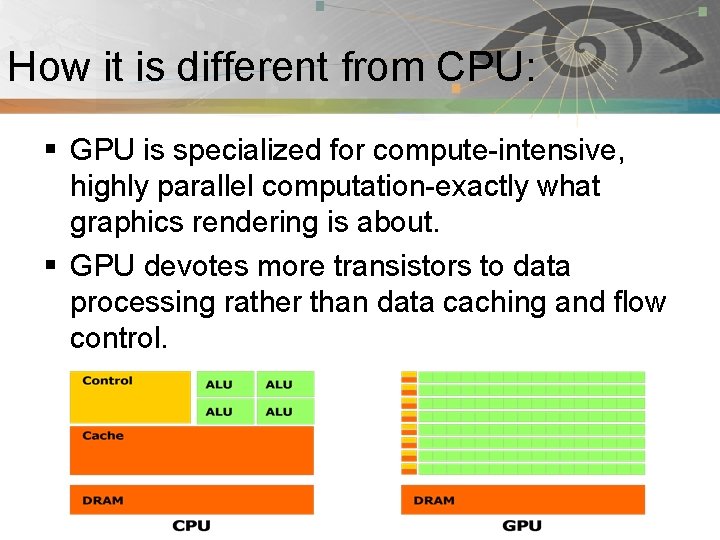
How it is different from CPU: Pnmath § GPU is specialized for compute-intensive, highly parallel computation-exactly what graphics rendering is about. § GPU devotes more transistors to data processing rather than data caching and flow control.
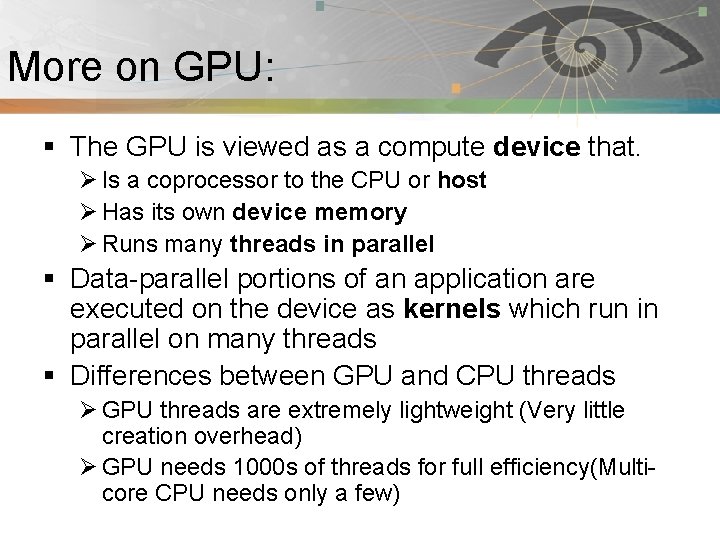
More on GPU: Pnmath § The GPU is viewed as a compute device that. Ø Is a coprocessor to the CPU or host Ø Has its own device memory Ø Runs many threads in parallel § Data-parallel portions of an application are executed on the device as kernels which run in parallel on many threads § Differences between GPU and CPU threads Ø GPU threads are extremely lightweight (Very little creation overhead) Ø GPU needs 1000 s of threads for full efficiency(Multicore CPU needs only a few)
Trying it together: Pnmath
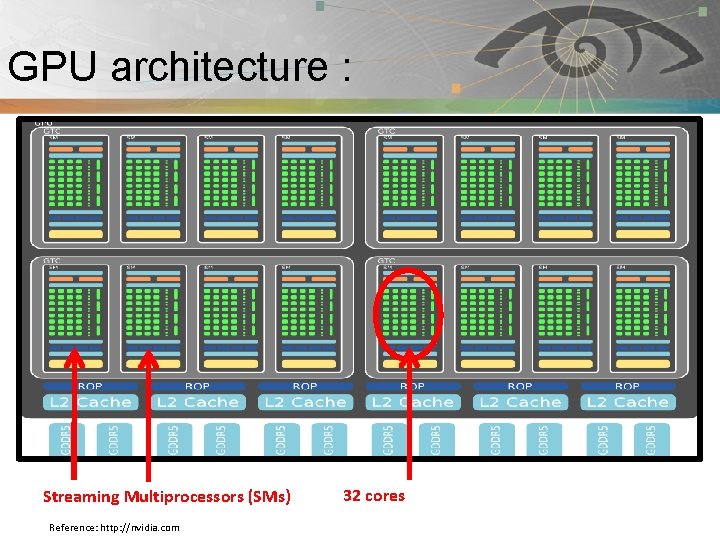
GPU architecture : Pnmath Streaming Multiprocessors (SMs) Reference: http: //nvidia. com 32 cores
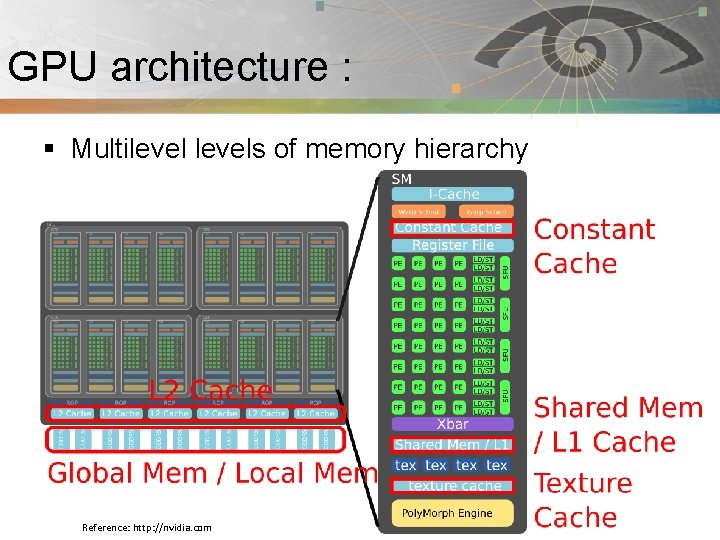
GPU architecture : Pnmath § Multilevels of memory hierarchy Reference: http: //nvidia. com
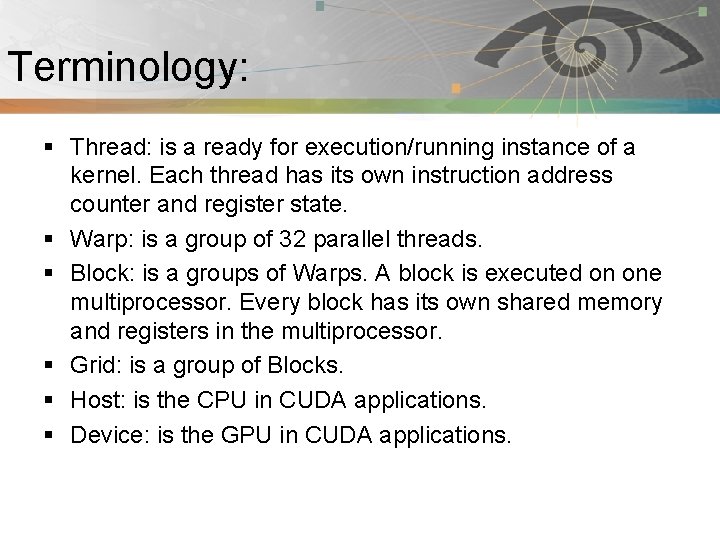
Terminology: Pnmath § Thread: is a ready for execution/running instance of a kernel. Each thread has its own instruction address counter and register state. § Warp: is a group of 32 parallel threads. § Block: is a groups of Warps. A block is executed on one multiprocessor. Every block has its own shared memory and registers in the multiprocessor. § Grid: is a group of Blocks. § Host: is the CPU in CUDA applications. § Device: is the GPU in CUDA applications.
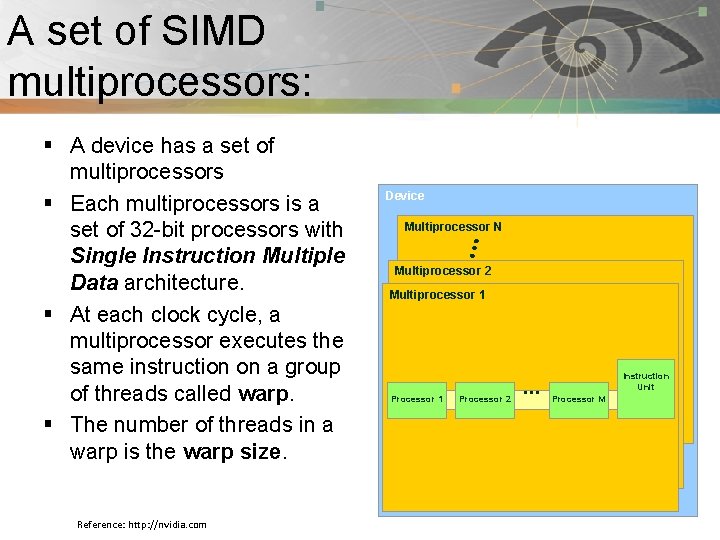
A set of SIMD Pnmath multiprocessors: § A device has a set of multiprocessors § Each multiprocessors is a set of 32 -bit processors with Single Instruction Multiple Data architecture. § At each clock cycle, a multiprocessor executes the same instruction on a group of threads called warp. § The number of threads in a warp is the warp size. Reference: http: //nvidia. com Device Multiprocessor N Multiprocessor 2 Multiprocessor 1 Processor 2 … Instruction Unit Processor M
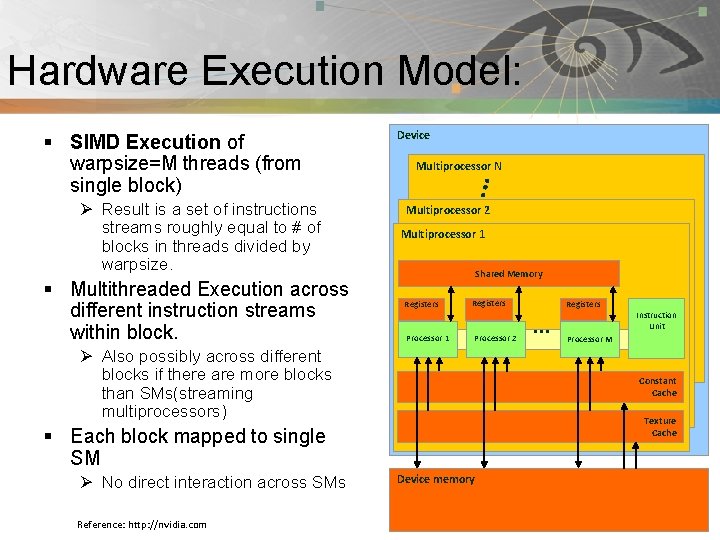
Pnmath Hardware Execution Model: § SIMD Execution of warpsize=M threads (from single block) Ø Result is a set of instructions streams roughly equal to # of blocks in threads divided by warpsize. § Multithreaded Execution across different instruction streams within block. Device Multiprocessor N Multiprocessor 2 Multiprocessor 1 Shared Memory Registers Processor 1 Registers Processor 2 Ø Also possibly across different blocks if there are more blocks than SMs(streaming multiprocessors) Reference: http: //nvidia. com … Instruction Unit Processor M Constant Cache Texture Cache § Each block mapped to single SM Ø No direct interaction across SMs Registers Device memory
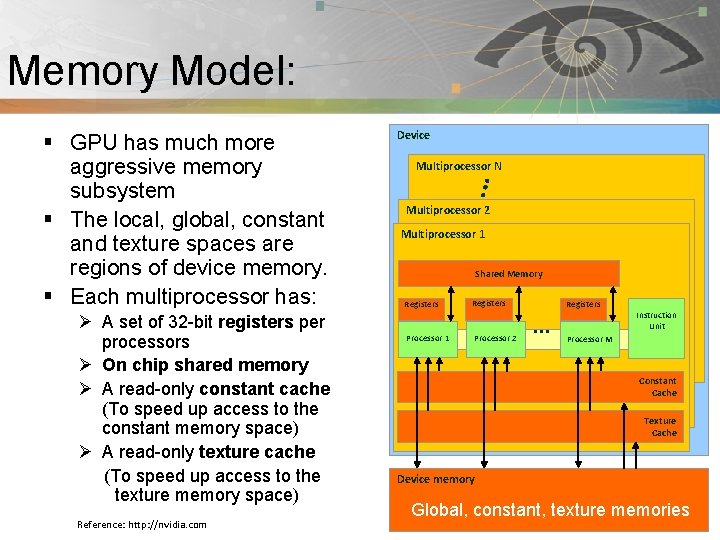
Memory Model: Pnmath § GPU has much more aggressive memory subsystem § The local, global, constant and texture spaces are regions of device memory. § Each multiprocessor has: Ø A set of 32 -bit registers per processors Ø On chip shared memory Ø A read-only constant cache (To speed up access to the constant memory space) Ø A read-only texture cache (To speed up access to the texture memory space) Reference: http: //nvidia. com Device Multiprocessor N Multiprocessor 2 Multiprocessor 1 Shared Memory Registers Processor 1 Registers Processor 2 Registers … Instruction Unit Processor M Constant Cache Texture Cache Device memory Global, constant, texture memories
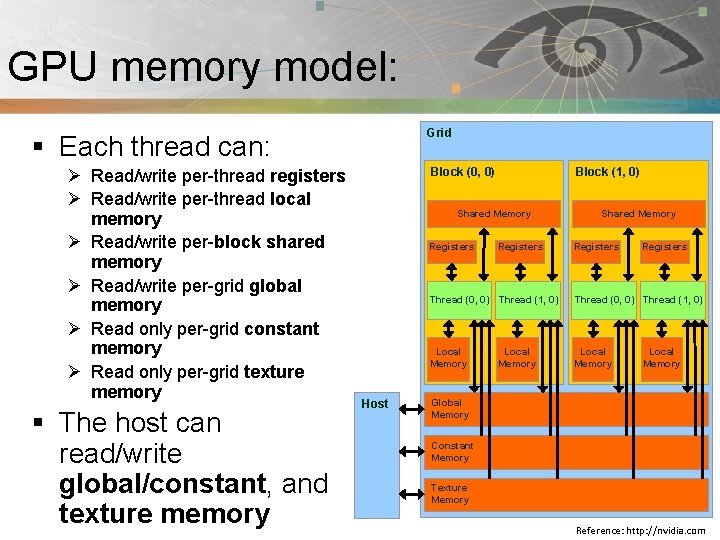
GPU memory model: Pnmath Grid § Each thread can: Ø Read/write per-thread registers Ø Read/write per-thread local memory Ø Read/write per-block shared memory Ø Read/write per-grid global memory Ø Read only per-grid constant memory Ø Read only per-grid texture memory § The host can read/write global/constant, and texture memory Block (0, 0) Block (1, 0) Shared Memory Registers Host Registers Shared Memory Registers Thread (0, 0) Thread (1, 0) Local Memory Global Memory Constant Memory Texture Memory Reference: http: //nvidia. com
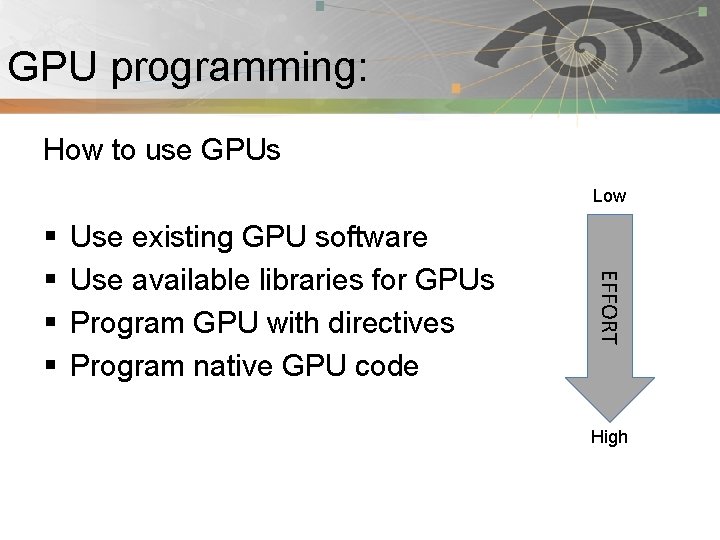
GPU programming: Pnmath How to use GPUs Low Use existing GPU software Use available libraries for GPUs Program GPU with directives Program native GPU code EFFORT § § High
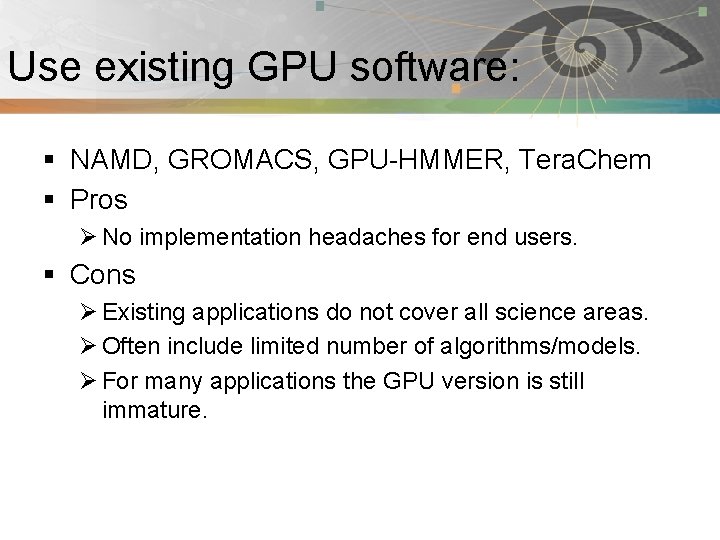
Use existing GPU software: Pnmath § NAMD, GROMACS, GPU-HMMER, Tera. Chem § Pros Ø No implementation headaches for end users. § Cons Ø Existing applications do not cover all science areas. Ø Often include limited number of algorithms/models. Ø For many applications the GPU version is still immature.
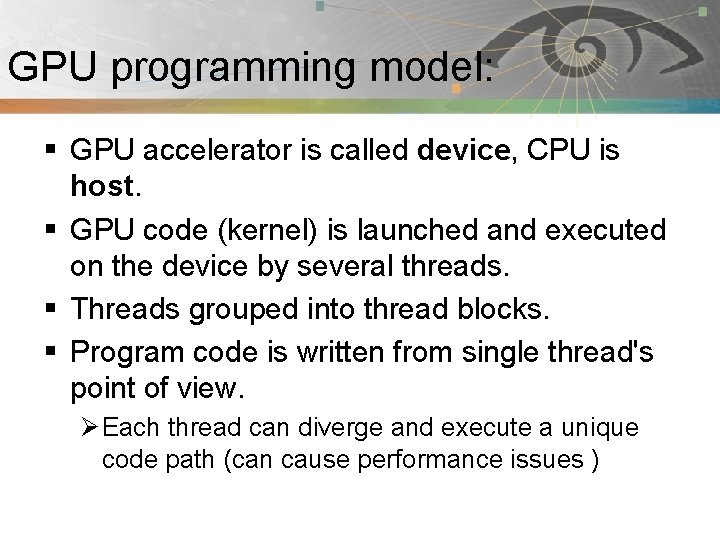
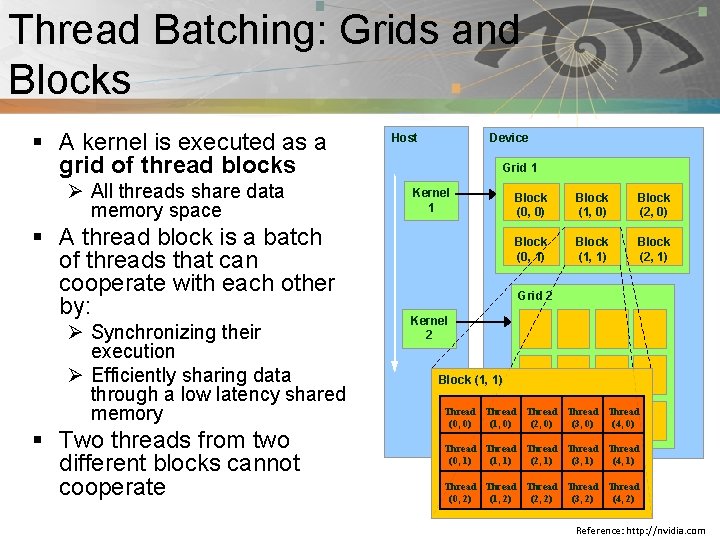
GPU programming model: Pnmath § GPU accelerator is called device, CPU is host. § GPU code (kernel) is launched and executed on the device by several threads. § Threads grouped into thread blocks. § Program code is written from single thread's point of view. Ø Each thread can diverge and execute a unique code path (can cause performance issues )
Thread Batching: Grids and Pnmath Blocks § A kernel is executed as a grid of thread blocks Ø All threads share data memory space § A thread block is a batch of threads that can cooperate with each other by: Ø Synchronizing their execution Ø Efficiently sharing data through a low latency shared memory § Two threads from two different blocks cannot cooperate Host Device Grid 1 Kernel 1 Block (0, 0) Block (1, 0) Block (2, 0) Block (0, 1) Block (1, 1) Block (2, 1) Grid 2 Kernel 2 Block (1, 1) Thread Thread (0, 0) (1, 0) (2, 0) (3, 0) (4, 0) Thread Thread (0, 1) (1, 1) (2, 1) (3, 1) (4, 1) Thread Thread (0, 2) (1, 2) (2, 2) (3, 2) (4, 2) Reference: http: //nvidia. com
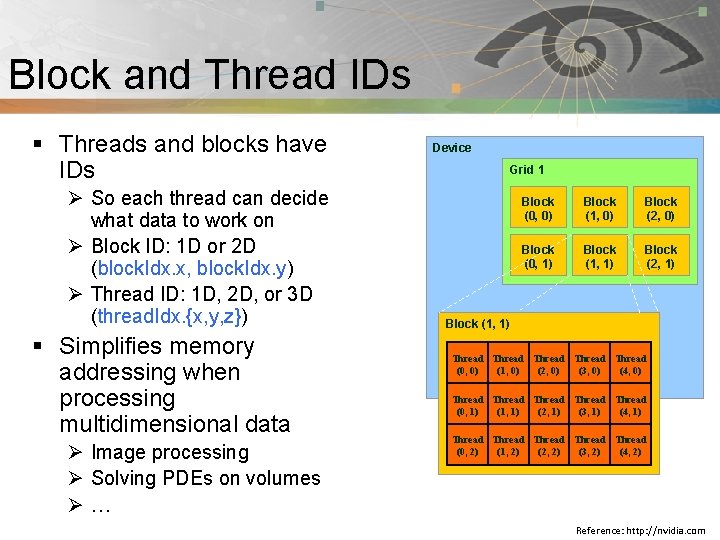
Pnmath Block and Thread IDs § Threads and blocks have IDs Ø So each thread can decide what data to work on Ø Block ID: 1 D or 2 D (block. Idx. x, block. Idx. y) Ø Thread ID: 1 D, 2 D, or 3 D (thread. Idx. {x, y, z}) § Simplifies memory addressing when processing multidimensional data Ø Image processing Ø Solving PDEs on volumes Ø… Device Grid 1 Block (0, 0) Block (1, 0) Block (2, 0) Block (0, 1) Block (1, 1) Block (2, 1) Block (1, 1) Thread Thread (0, 0) (1, 0) (2, 0) (3, 0) (4, 0) Thread Thread (0, 1) (1, 1) (2, 1) (3, 1) (4, 1) Thread Thread (0, 2) (1, 2) (2, 2) (3, 2) (4, 2) Reference: http: //nvidia. com
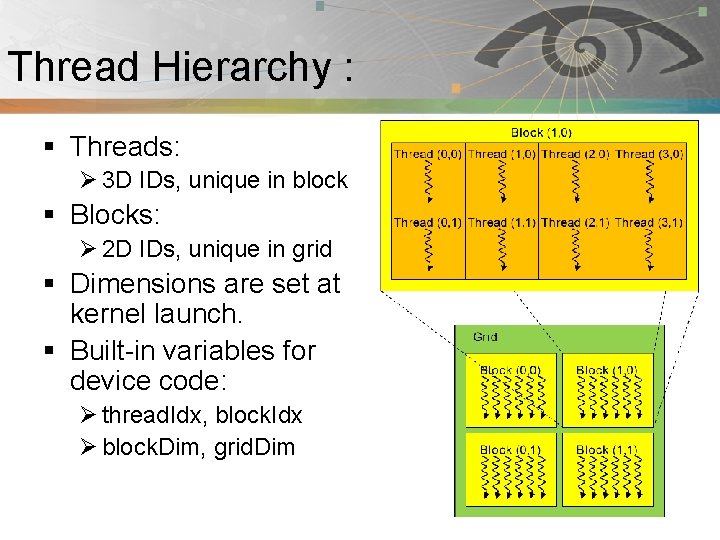
Thread Hierarchy : Pnmath § Threads: Ø 3 D IDs, unique in block § Blocks: Ø 2 D IDs, unique in grid § Dimensions are set at kernel launch. § Built-in variables for device code: Ø thread. Idx, block. Idx Ø block. Dim, grid. Dim
Introduction to CUDA: Pnmath § Compute Unified Device Architecture § CUDA is a C/C++ language extension for GPU programming. Ø PGI has developed similar FORTRAN 2003 extension. § Two APIs: Runtime and Driver
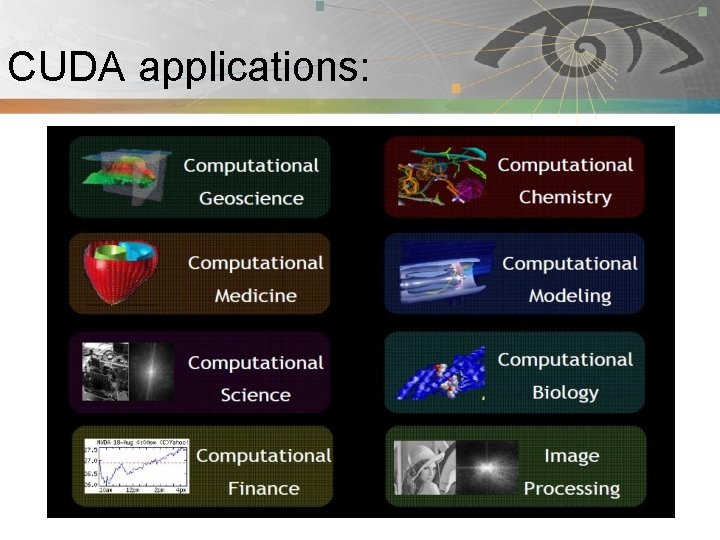
CUDA applications: Pnmath
CUDA software stack: Pnmath Reference: http: //nvidia. com
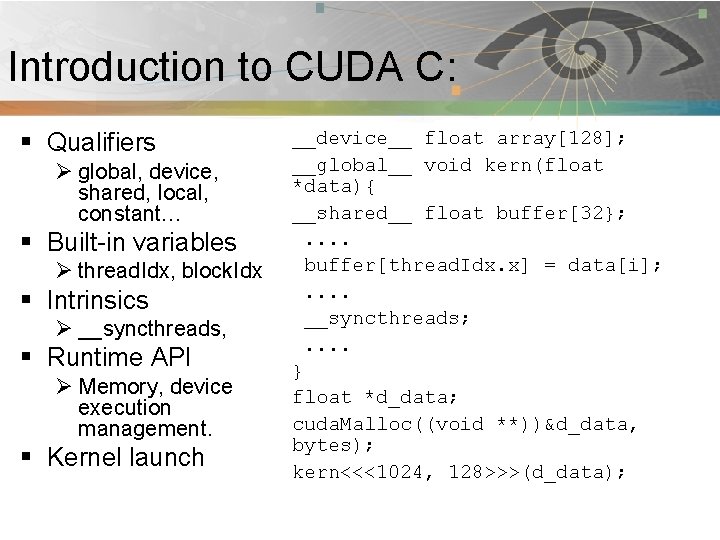
Introduction to CUDA C: Pnmath § Qualifiers Ø global, device, shared, local, constant… § Built-in variables Ø thread. Idx, block. Idx § Intrinsics Ø __syncthreads, § Runtime API Ø Memory, device execution management. § Kernel launch __device__ float array[128]; __global__ void kern(float *data){ __shared__ float buffer[32}; . . buffer[thread. Idx. x] = data[i]; . . __syncthreads; . . } float *d_data; cuda. Malloc((void **))&d_data, bytes); kern<<<1024, 128>>>(d_data);
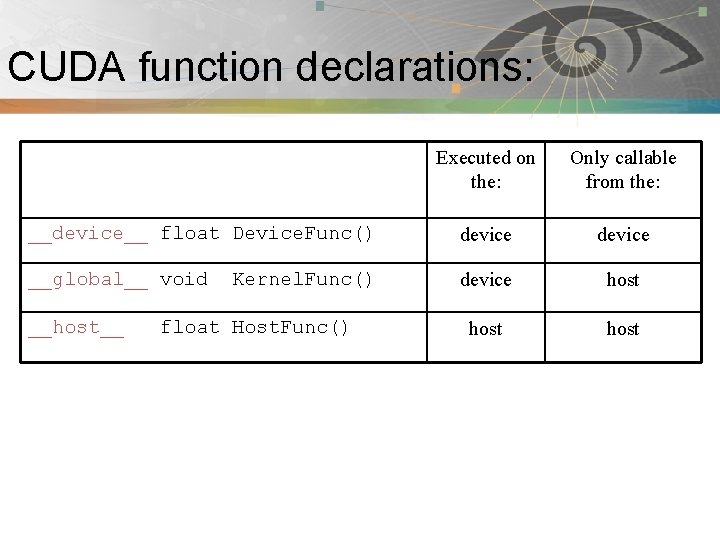
CUDA function declarations: Pnmath Executed on the: Only callable from the: __device__ float Device. Func() device __global__ void Kernel. Func() device host __host__ float Host. Func()
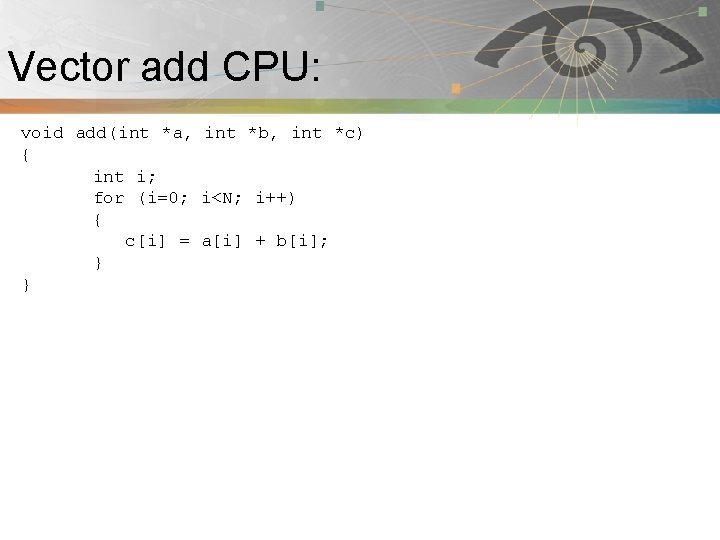
Vector add CPU: Pnmath void add(int *a, int *b, int *c) { int i; for (i=0; i<N; i++) { c[i] = a[i] + b[i]; } }
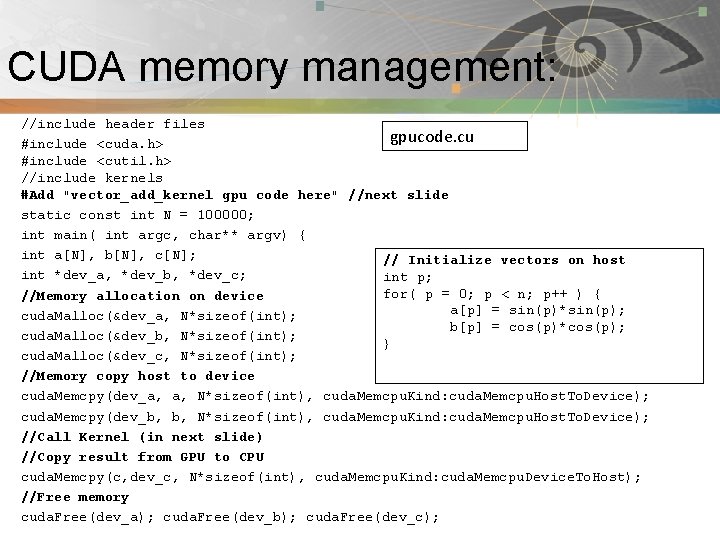
CUDA memory management: Pnmath //include header files gpucode. cu #include <cuda. h> #include <cutil. h> //include kernels #Add "vector_add_kernel gpu code here" //next slide static const int N = 100000; int main( int argc, char** argv) { int a[N], b[N], c[N]; // Initialize vectors on host int *dev_a, *dev_b, *dev_c; int p; for( p = 0; p < n; p++ ) { //Memory allocation on device a[p] = sin(p)*sin(p); cuda. Malloc(&dev_a, N*sizeof(int); b[p] = cos(p)*cos(p); cuda. Malloc(&dev_b, N*sizeof(int); } cuda. Malloc(&dev_c, N*sizeof(int); //Memory copy host to device cuda. Memcpy(dev_a, a, N*sizeof(int), cuda. Memcpu. Kind: cuda. Memcpu. Host. To. Device); cuda. Memcpy(dev_b, b, N*sizeof(int), cuda. Memcpu. Kind: cuda. Memcpu. Host. To. Device); //Call Kernel (in next slide) //Copy result from GPU to CPU cuda. Memcpy(c, dev_c, N*sizeof(int), cuda. Memcpu. Kind: cuda. Memcpu. Device. To. Host); //Free memory cuda. Free(dev_a); cuda. Free(dev_b); cuda. Free(dev_c);
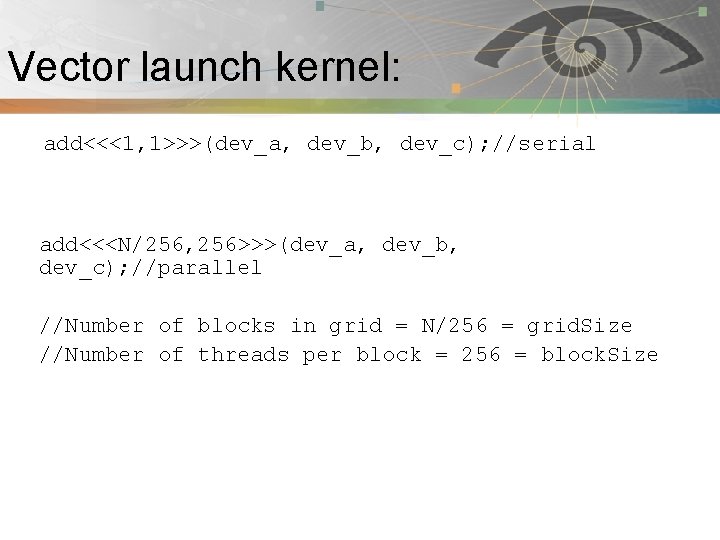
Vector launch kernel: Pnmath add<<<1, 1>>>(dev_a, dev_b, dev_c); //serial add<<<N/256, 256>>>(dev_a, dev_b, dev_c); //parallel //Number of blocks in grid = N/256 = grid. Size //Number of threads per block = 256 = block. Size
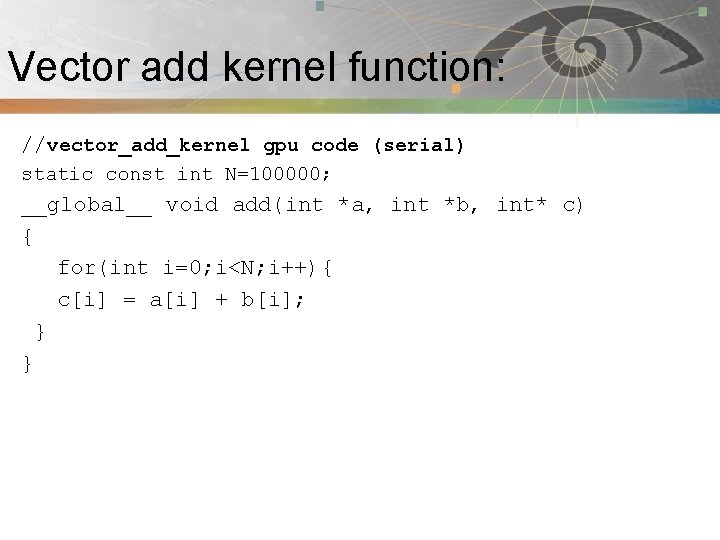
Vector add kernel function: Pnmath //vector_add_kernel gpu code (serial) static const int N=100000; __global__ void add(int *a, int *b, int* c) { for(int i=0; i<N; i++){ c[i] = a[i] + b[i]; } }
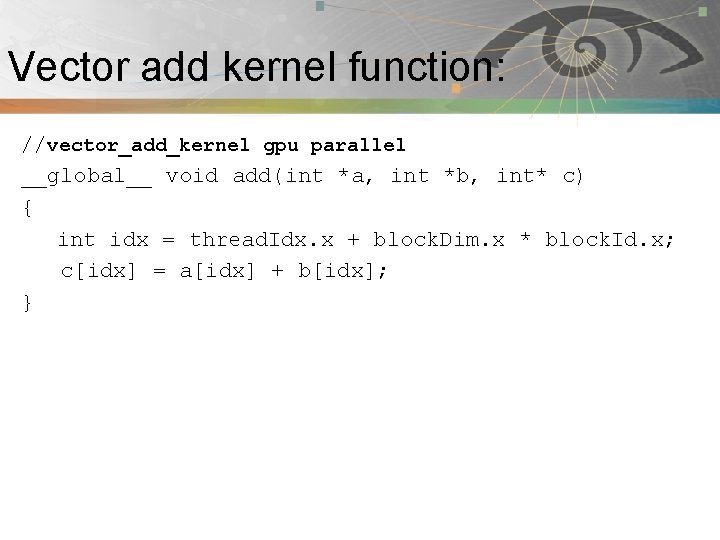
Vector add kernel function: Pnmath //vector_add_kernel gpu parallel __global__ void add(int *a, int *b, int* c) { int idx = thread. Idx. x + block. Dim. x * block. Id. x; c[idx] = a[idx] + b[idx]; }
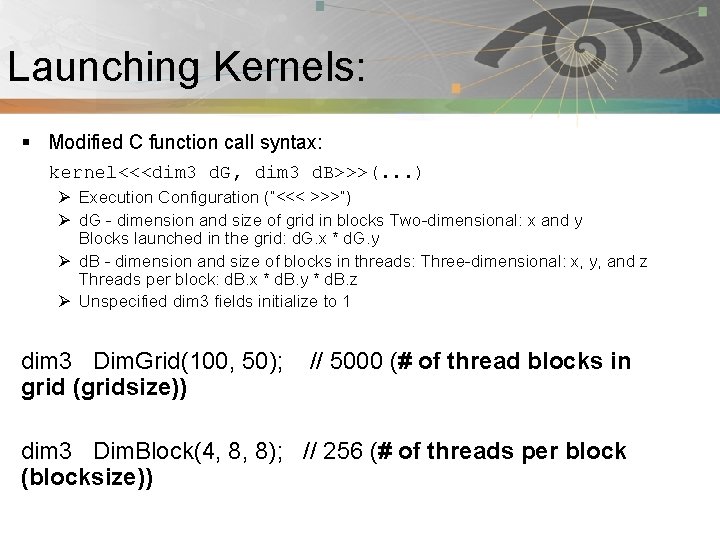
Launching Kernels: Pnmath § Modified C function call syntax: kernel<<<dim 3 d. G, dim 3 d. B>>>(. . . ) Ø Execution Configuration (“<<< >>>”) Ø d. G - dimension and size of grid in blocks Two-dimensional: x and y Blocks launched in the grid: d. G. x * d. G. y Ø d. B - dimension and size of blocks in threads: Three-dimensional: x, y, and z Threads per block: d. B. x * d. B. y * d. B. z Ø Unspecified dim 3 fields initialize to 1 dim 3 Dim. Grid(100, 50); // 5000 (# of thread blocks in grid (gridsize)) dim 3 Dim. Block(4, 8, 8); // 256 (# of threads per block (blocksize))
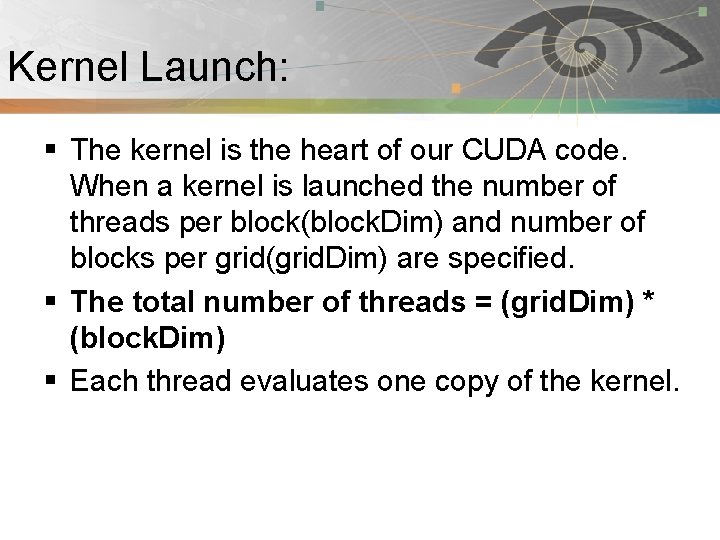
Kernel Launch: Pnmath § The kernel is the heart of our CUDA code. When a kernel is launched the number of threads per block(block. Dim) and number of blocks per grid(grid. Dim) are specified. § The total number of threads = (grid. Dim) * (block. Dim) § Each thread evaluates one copy of the kernel.
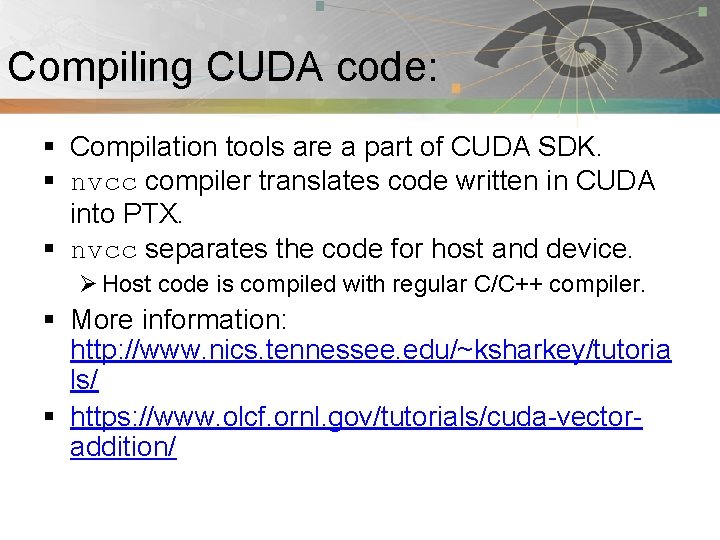
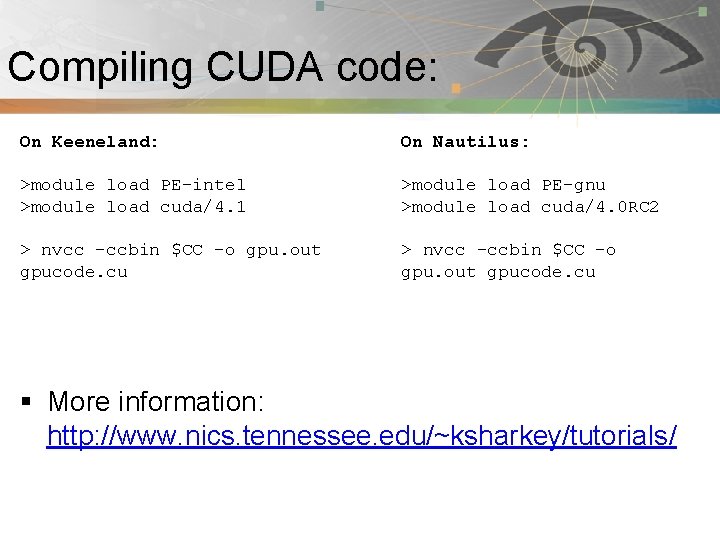
Compiling CUDA code: Pnmath § Compilation tools are a part of CUDA SDK. § nvcc compiler translates code written in CUDA into PTX. § nvcc separates the code for host and device. Ø Host code is compiled with regular C/C++ compiler. § More information: http: //www. nics. tennessee. edu/~ksharkey/tutoria ls/ § https: //www. olcf. ornl. gov/tutorials/cuda-vectoraddition/
Compiling CUDA code: Pnmath On Keeneland: On Nautilus: >module load PE-intel >module load cuda/4. 1 >module load PE-gnu >module load cuda/4. 0 RC 2 > nvcc –ccbin $CC –o gpu. out gpucode. cu § More information: http: //www. nics. tennessee. edu/~ksharkey/tutorials/
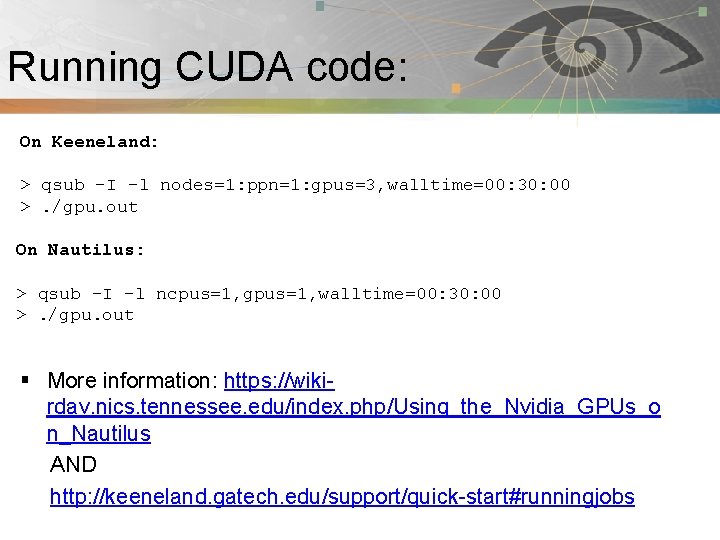
Running CUDA code: Pnmath On Keeneland: > qsub –I -l nodes=1: ppn=1: gpus=3, walltime=00: 30: 00 >. /gpu. out On Nautilus: > qsub –I –l ncpus=1, gpus=1, walltime=00: 30: 00 >. /gpu. out § More information: https: //wikirdav. nics. tennessee. edu/index. php/Using_the_Nvidia_GPUs_o n_Nautilus AND http: //keeneland. gatech. edu/support/quick-start#runningjobs
Hybrid programming: Pnmath § § CUDA with Multi. GPU CUDA + Open. MP CUDA + MPI CUDA + Open. MP + MPI
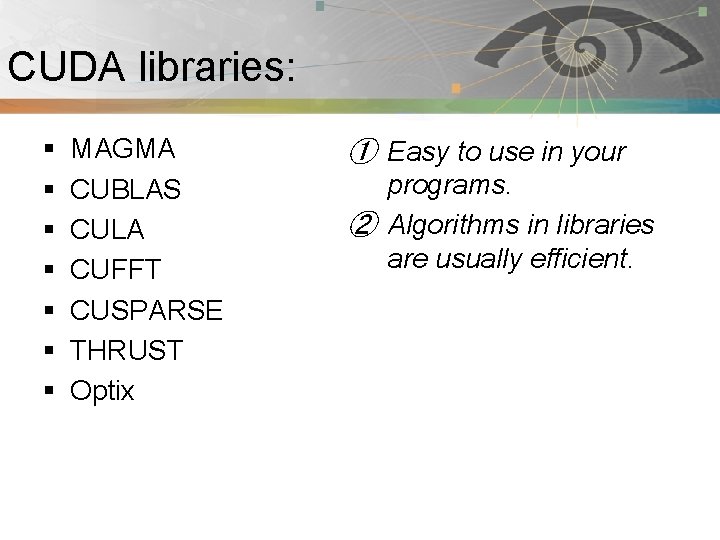
CUDA libraries: Pnmath § § § § MAGMA CUBLAS CULA CUFFT CUSPARSE THRUST Optix ① Easy to use in your programs. ② Algorithms in libraries are usually efficient.
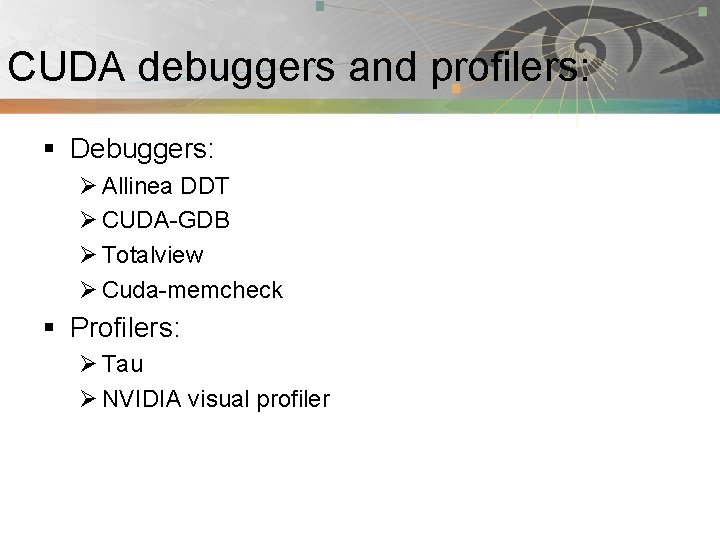
CUDA debuggers and profilers: Pnmath § Debuggers: Ø Allinea DDT Ø CUDA-GDB Ø Totalview Ø Cuda-memcheck § Profilers: Ø Tau Ø NVIDIA visual profiler
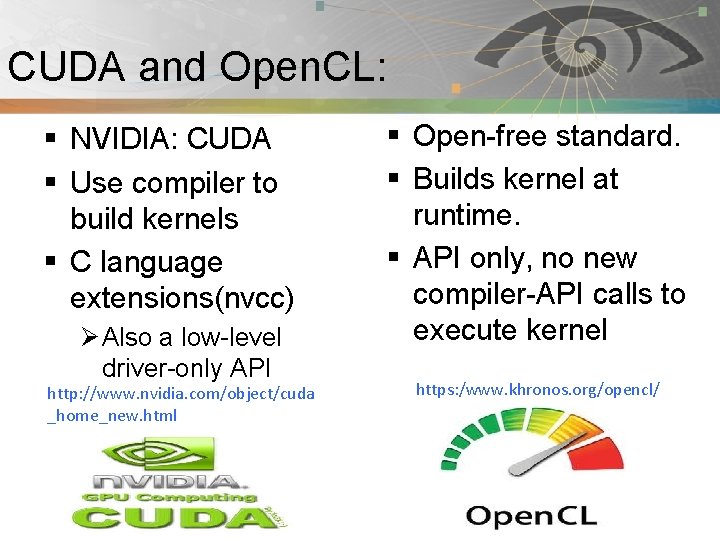
CUDA and Open. CL: Pnmath § NVIDIA: CUDA § Use compiler to build kernels § C language extensions(nvcc) Ø Also a low-level driver-only API http: //www. nvidia. com/object/cuda _home_new. html § Open-free standard. § Builds kernel at runtime. § API only, no new compiler-API calls to execute kernel https: /www. khronos. org/opencl/
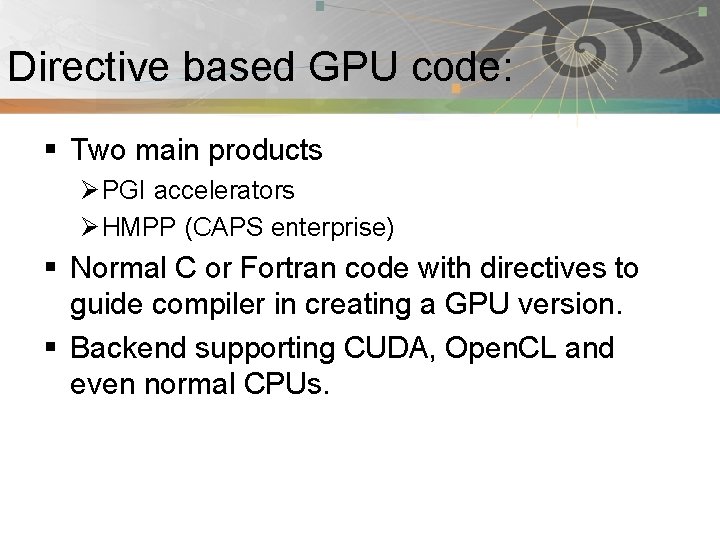
Directive based GPU code: Pnmath § Two main products Ø PGI accelerators Ø HMPP (CAPS enterprise) § Normal C or Fortran code with directives to guide compiler in creating a GPU version. § Backend supporting CUDA, Open. CL and even normal CPUs.
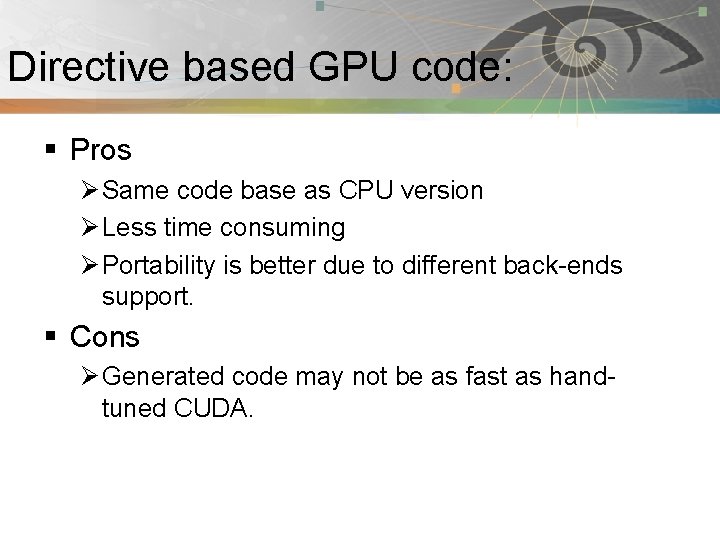
Directive based GPU code: Pnmath § Pros Ø Same code base as CPU version Ø Less time consuming Ø Portability is better due to different back-ends support. § Cons Ø Generated code may not be as fast as handtuned CUDA.
Open. ACC: Pnmath § A collection of compiler directives to specify loops and regions of code in standard C, C++ and Fortran. § Allow programmer to create high-level host+ accelerators programs without the need to explicitly initialize the device, manage data or program transfers. § Backed by PGI, CAPS, Cray and NVIDIA § Part of Open. MP 4. 0 ? § More information: http: //www. openaccstandard. org/
Ocelot: Pnmath § Aim to compile CUDA programs to so that they can be run on architectures other than NIVIDA GPUs § It is a modular dynamic compilation framework for heterogeneous system, providing various backend targets for CUDA programs and analysis modules for the PTX virtual instruction set. § Proliferation of Heterogeneous computing. § Ocelot currently allows CUDA programs to be executed on NVIDIA GPUs, AMD GPUs, and x 86 CPUs at full speed without recompilation.
Programming languages and Pnmath GPGPU: § § § py. CUDA, py. Open. CL MATLAB with CUDA toolbox CUDA FORTRAN ROpen. CL, RCUDA Haskell, Perl etc…
Resources: § § § § Pnmath http: //developer. nvidia. com/category/zone/cuda-zone http: //gpgpu. org/ http: //developer. nvidia. com/about-parallel-forall http: //www. gputechconf. com/page/home. html# http: //software. intel. com/en-us/articles/vcsource-tools-opencl-sdk/ http: //developer. amd. com/pages/default. aspx http: //developer. download. nvidia. com/compute/Dev. Zone/docs/html/CU DALibraries/doc/CUBLAS_Library. pdf § http: //www. vpac. org/files/GPU-Slides/04. debugging_profiling_tools. pdf § http: //keeneland. gatech. edu/software/cuda § http: //developer. nvidia. com/nvidia-visual-profiler
Rules for fast GPU code: Pnmath § Get the data on the GPU(and keep it there! If possible) Ø PCIe x 16 v 2. 0 bus: 8 Gi. B/s in a single direction Ø GPUs: ~180 Gi. B/s § Give the GPU enough work to do § Reuse and locate data to avoid global memory bottlenecks § Corollary: Avoid malloc/free
Summary: Pnmath § Accelerated supercomputers are emerging. § GPUs offer tremendous potential to accelerate scientific applications. § Newer generations GPUs getting easier to program. § Challenges still remain in using them efficiently. § Still a few cliffs: Ø HOST-GPU transfer Ø Careful memory access Ø Lots of parallelism Ø Thread divergence
Accelerated Supercomputer: Pnmath § Challenges remain Ø Applicability: Can you solve your algorithm efficiently using a GPU ? Ø Programmability: Effort of code writing that uses a GPU efficiently. Ø Portability: Incompatibilities between vendors Ø Availability: Are you able gain access to large scale system ? Ø Scalability: Can you scale the GPU software efficiently to several nodes ?
References: § § § Pnmath https: //nimrodteam. org/meetings/team_mtg_8_10/nimrod_gpu. pdf http: //people. maths. ox. ac. uk/~gilesm/hpc/NVIDIA_CUDA_Tutorial_ No_NDA_Apr 08. pdf http: //www. nvidia. com/docs/IO/105880/DS-Tesla-M-Class-Aug 11. pdf http: //www. nics. tennessee. edu/~ksharkey/tutorials/ http: //en. wikipedia. org/wiki/Graphics_processing_unit http: //www. cc. gatech. edu/~vetter/keeneland/tutorial-2012 -02 -20/08 opencl. pdf http: //developer. amd. com/gpu_assets/Open. CL_Parallel_Computing_for_CP Us_and_GPUs_201003. pdf http: //gamelab. epitech. eu/blogtech/? p=28 Introduction GPU computing by Sebastian von alfthan Supercomputing for the Masses: Killer-Apps, Parallel Mappings, Scalability and Application Lifespan by Rob Farber The PTX GPU Assembly Simulator and Interpreter By N. M. Stiffler, Zheming Jin, Ibrahim Savran
Summary/Wrapping up: Pnmath § In this tutorial session, we covered Ø GPU architecture Ø GPU programming model Ø CUDA C Ø CUDA tools Ø Other useful GPU tools Ø References
Pnmath Thank You for attending NICS HPC Seminar Series !!!
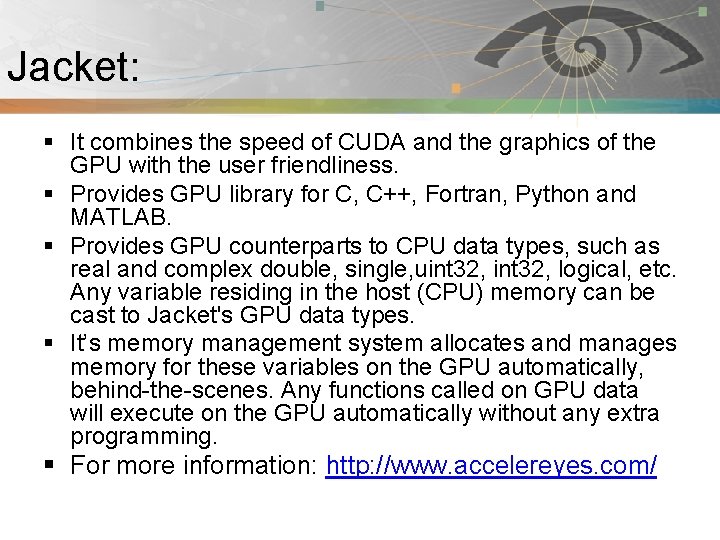
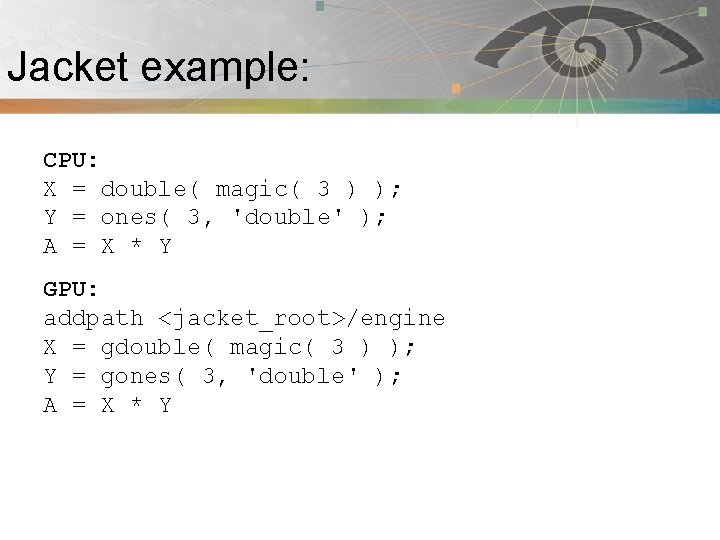
Jacket: Pnmath § It combines the speed of CUDA and the graphics of the GPU with the user friendliness. § Provides GPU library for C, C++, Fortran, Python and MATLAB. § Provides GPU counterparts to CPU data types, such as real and complex double, single, uint 32, logical, etc. Any variable residing in the host (CPU) memory can be cast to Jacket's GPU data types. § It’s memory management system allocates and manages memory for these variables on the GPU automatically, behind-the-scenes. Any functions called on GPU data will execute on the GPU automatically without any extra programming. § For more information: http: //www. accelereyes. com/
Jacket example: Pnmath CPU: X = double( magic( 3 ) ); Y = ones( 3, 'double' ); A = X * Y GPU: addpath <jacket_root>/engine X = gdouble( magic( 3 ) ); Y = gones( 3, 'double' ); A = X * Y