
Introduction to Gluster ManSuen Chan Overview Architecture Volumes
![Puppet-gluster(1) [root@cplxconfig 2 manifests]# cat glusternode. pp class profile: : glusternode( $hosts = {},](https://slidetodoc.com/presentation_image_h/e88827ebce0934017410a10fda767a92/image-10.jpg "Puppet-gluster(1) [root@cplxconfig 2 manifests]# cat glusternode. pp class profile: : glusternode( $hosts = {},")
- Slides: 14
Introduction to Gluster Man-Suen Chan
Overview Architecture � Volumes � Features � Design of AOPP Cluster � Performance � Data management � Puppet � Issues � Recommendations �
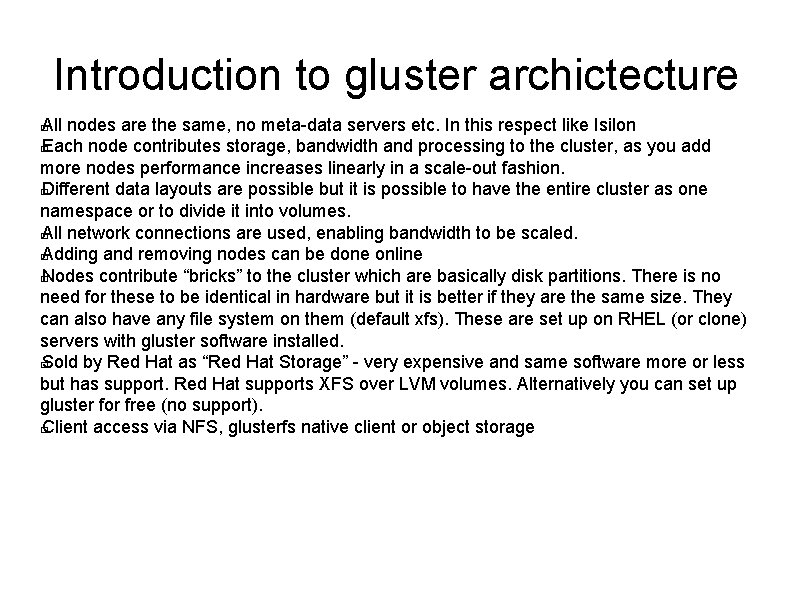
Introduction to gluster archictecture All nodes are the same, no meta-data servers etc. In this respect like Isilon � Each node contributes storage, bandwidth and processing to the cluster, as you add more nodes performance increases linearly in a scale-out fashion. � Different data layouts are possible but it is possible to have the entire cluster as one namespace or to divide it into volumes. � All network connections are used, enabling bandwidth to be scaled. � Adding and removing nodes can be done online � Nodes contribute “bricks” to the cluster which are basically disk partitions. There is no need for these to be identical in hardware but it is better if they are the same size. They can also have any file system on them (default xfs). These are set up on RHEL (or clone) servers with gluster software installed. � Sold by Red Hat as “Red Hat Storage” - very expensive and same software more or less but has support. Red Hat supports XFS over LVM volumes. Alternatively you can set up gluster for free (no support). � Client access via NFS, glusterfs native client or object storage �
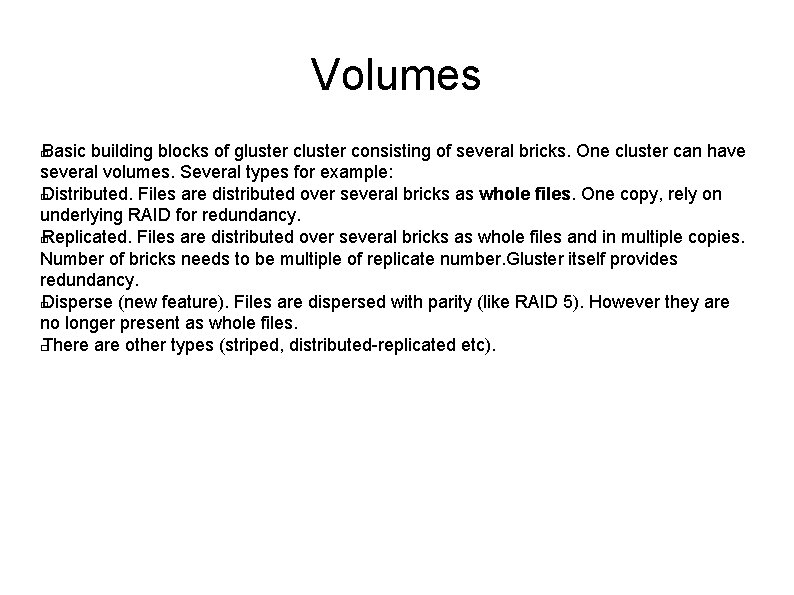
Volumes Basic building blocks of gluster consisting of several bricks. One cluster can have several volumes. Several types for example: � Distributed. Files are distributed over several bricks as whole files. One copy, rely on underlying RAID for redundancy. � Replicated. Files are distributed over several bricks as whole files and in multiple copies. Number of bricks needs to be multiple of replicate number. Gluster itself provides redundancy. � Disperse (new feature). Files are dispersed with parity (like RAID 5). However they are no longer present as whole files. � There are other types (striped, distributed-replicated etc). �
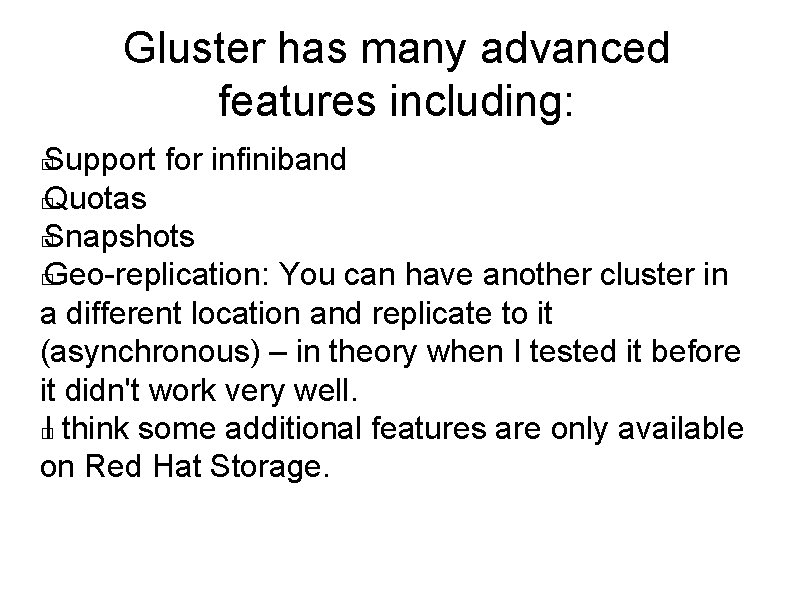
Gluster has many advanced features including: Support for infiniband � Quotas � Snapshots � Geo-replication: You can have another cluster in a different location and replicate to it (asynchronous) – in theory when I tested it before it didn't work very well. � I think some additional features are only available on Red Hat Storage. �
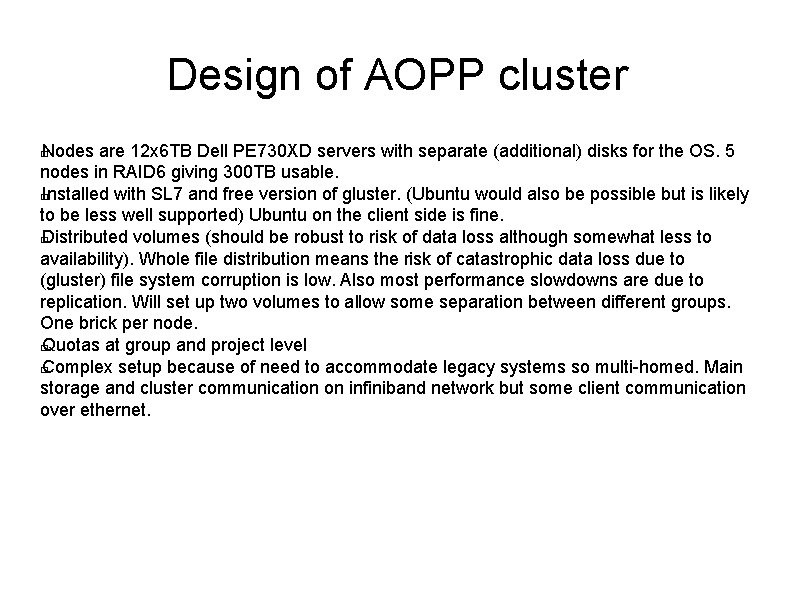
Design of AOPP cluster Nodes are 12 x 6 TB Dell PE 730 XD servers with separate (additional) disks for the OS. 5 nodes in RAID 6 giving 300 TB usable. � Installed with SL 7 and free version of gluster. (Ubuntu would also be possible but is likely to be less well supported) Ubuntu on the client side is fine. � Distributed volumes (should be robust to risk of data loss although somewhat less to availability). Whole file distribution means the risk of catastrophic data loss due to (gluster) file system corruption is low. Also most performance slowdowns are due to replication. Will set up two volumes to allow some separation between different groups. One brick per node. � Quotas at group and project level � Complex setup because of need to accommodate legacy systems so multi-homed. Main storage and cluster communication on infiniband network but some client communication over ethernet. �
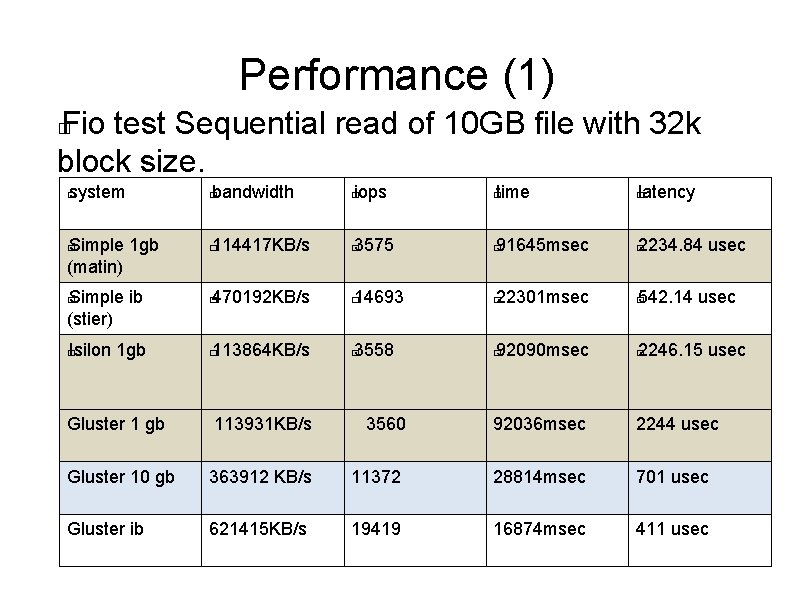
Performance (1) Fio test Sequential read of 10 GB file with 32 k block size. � system � Simple 1 gb (matin) � Simple ib (stier) � bandwidth � iops � time � latency � 114417 KB/s � 3575 � 91645 msec � 2234. 84 usec � � 470192 KB/s � 14693 � 22301 msec � Isilon 1 gb � 113864 KB/s � 3558 � 92090 msec � � 542. 14 usec 2246. 15 usec Gluster 1 gb 113931 KB/s 3560 92036 msec 2244 usec Gluster 10 gb 363912 KB/s 11372 28814 msec 701 usec Gluster ib 621415 KB/s 19419 16874 msec 411 usec
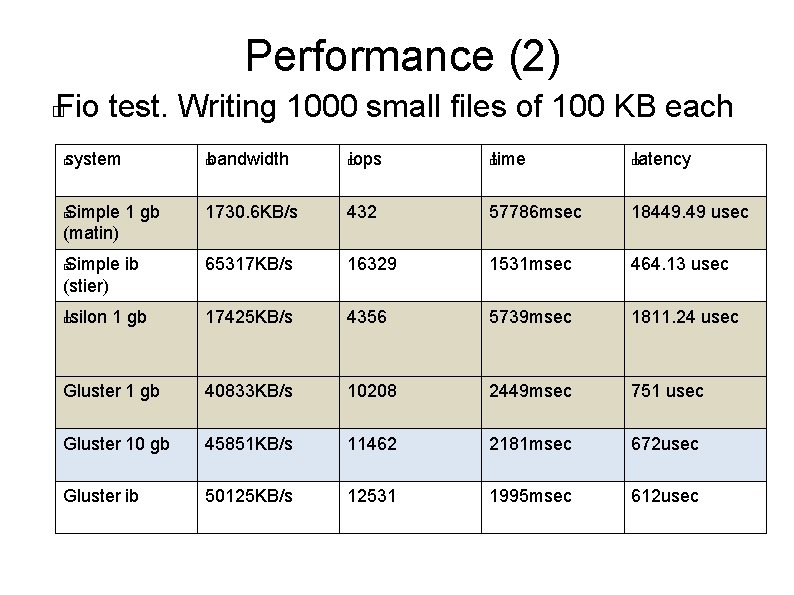
Performance (2) Fio test. Writing 1000 small files of 100 KB each � � system � bandwidth � iops � time � Simple 1 gb (matin) 1730. 6 KB/s 432 57786 msec 18449. 49 usec � Simple ib (stier) 65317 KB/s 16329 1531 msec 464. 13 usec � Isilon 1 gb 17425 KB/s 4356 5739 msec 1811. 24 usec Gluster 1 gb 40833 KB/s 10208 2449 msec 751 usec Gluster 10 gb 45851 KB/s 11462 2181 msec 672 usec Gluster ib 50125 KB/s 12531 1995 msec 612 usec � latency
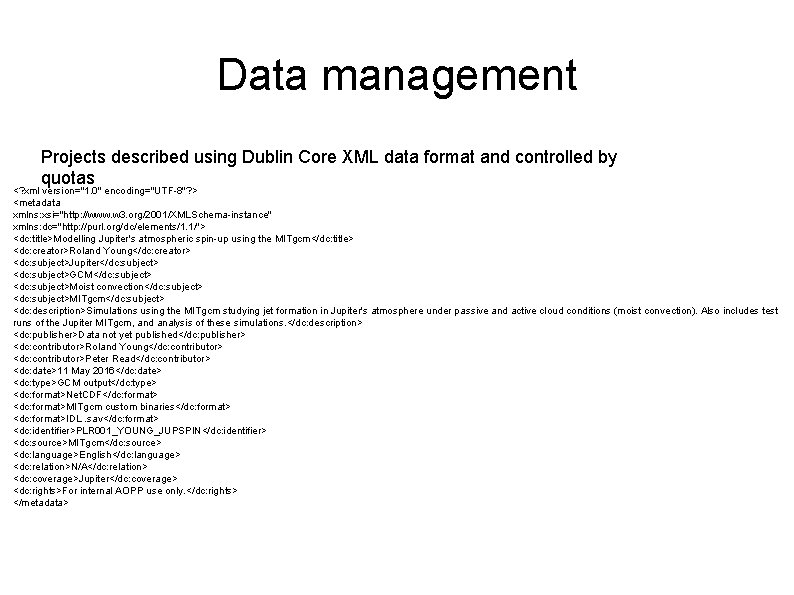
Data management Projects described using Dublin Core XML data format and controlled by quotas <? xml version="1. 0" encoding="UTF-8"? > <metadata xmlns: xsi="http: //www. w 3. org/2001/XMLSchema-instance" xmlns: dc="http: //purl. org/dc/elements/1. 1/"> <dc: title>Modelling Jupiter's atmospheric spin-up using the MITgcm</dc: title> <dc: creator>Roland Young</dc: creator> <dc: subject>Jupiter</dc: subject> <dc: subject>GCM</dc: subject> <dc: subject>Moist convection</dc: subject> <dc: subject>MITgcm</dc: subject> <dc: description>Simulations using the MITgcm studying jet formation in Jupiter's atmosphere under passive and active cloud conditions (moist convection). Also includes test runs of the Jupiter MITgcm, and analysis of these simulations. </dc: description> <dc: publisher>Data not yet published</dc: publisher> <dc: contributor>Roland Young</dc: contributor> <dc: contributor>Peter Read</dc: contributor> <dc: date>11 May 2016</dc: date> <dc: type>GCM output</dc: type> <dc: format>Net. CDF</dc: format> <dc: format>MITgcm custom binaries</dc: format> <dc: format>IDL. sav</dc: format> <dc: identifier>PLR 001_YOUNG_JUPSPIN</dc: identifier> <dc: source>MITgcm</dc: source> <dc: language>English</dc: language> <dc: relation>N/A</dc: relation> <dc: coverage>Jupiter</dc: coverage> <dc: rights>For internal AOPP use only. </dc: rights> </metadata>
Puppet-gluster(1) [root@cplxconfig 2 manifests]# cat glusternode. pp class profile: : glusternode( $hosts = {}, $bricks = {}, $volumes = {}, $properties = {}, ) { # class using gluster: : server include gluster: : params class { 'gluster: : server': } create_resources(gluster: : host, $hosts) create_resources(gluster: : brick, $bricks) create_resources(gluster: : volume, $volumes) create_resources(gluster: : volume: : property, $properties) }
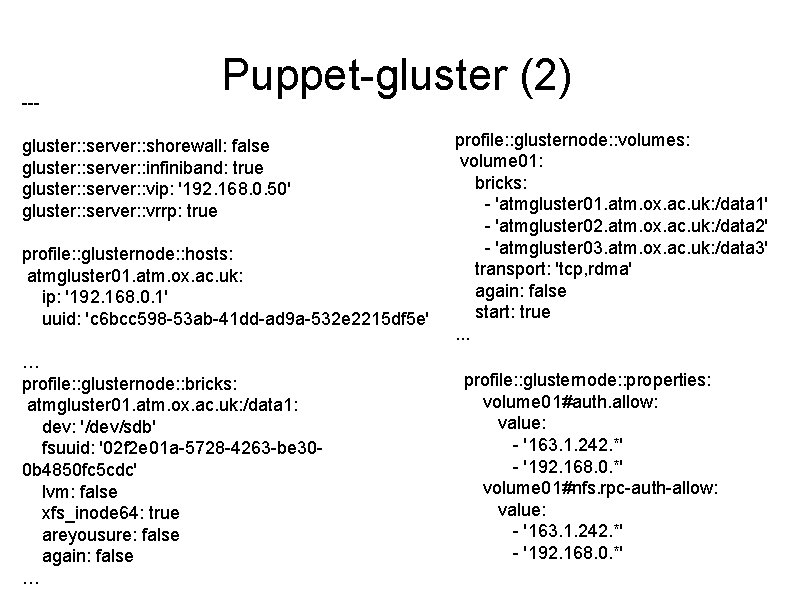
--- Puppet-gluster (2) gluster: : server: : shorewall: false gluster: : server: : infiniband: true gluster: : server: : vip: '192. 168. 0. 50' gluster: : server: : vrrp: true profile: : glusternode: : hosts: atmgluster 01. atm. ox. ac. uk: ip: '192. 168. 0. 1' uuid: 'c 6 bcc 598 -53 ab-41 dd-ad 9 a-532 e 2215 df 5 e' … profile: : glusternode: : bricks: atmgluster 01. atm. ox. ac. uk: /data 1: dev: '/dev/sdb' fsuuid: '02 f 2 e 01 a-5728 -4263 -be 300 b 4850 fc 5 cdc' lvm: false xfs_inode 64: true areyousure: false again: false … profile: : glusternode: : volumes: volume 01: bricks: - 'atmgluster 01. atm. ox. ac. uk: /data 1' - 'atmgluster 02. atm. ox. ac. uk: /data 2' - 'atmgluster 03. atm. ox. ac. uk: /data 3' transport: 'tcp, rdma' again: false start: true. . . profile: : glusternode: : properties: volume 01#auth. allow: value: - '163. 1. 242. *' - '192. 168. 0. *' volume 01#nfs. rpc-auth-allow: value: - '163. 1. 242. *' - '192. 168. 0. *'
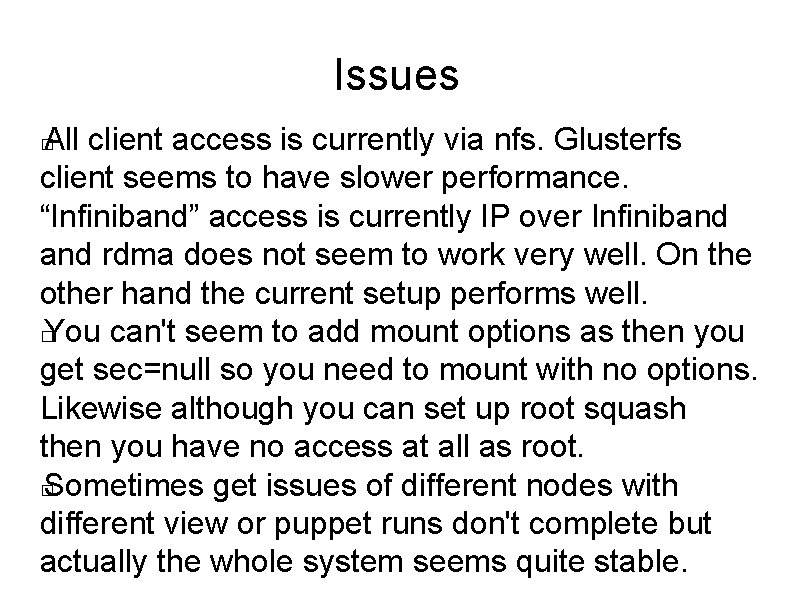
Issues All client access is currently via nfs. Glusterfs client seems to have slower performance. “Infiniband” access is currently IP over Infiniband rdma does not seem to work very well. On the other hand the current setup performs well. � You can't seem to add mount options as then you get sec=null so you need to mount with no options. Likewise although you can set up root squash then you have no access at all as root. � Sometimes get issues of different nodes with different view or puppet runs don't complete but actually the whole system seems quite stable. �
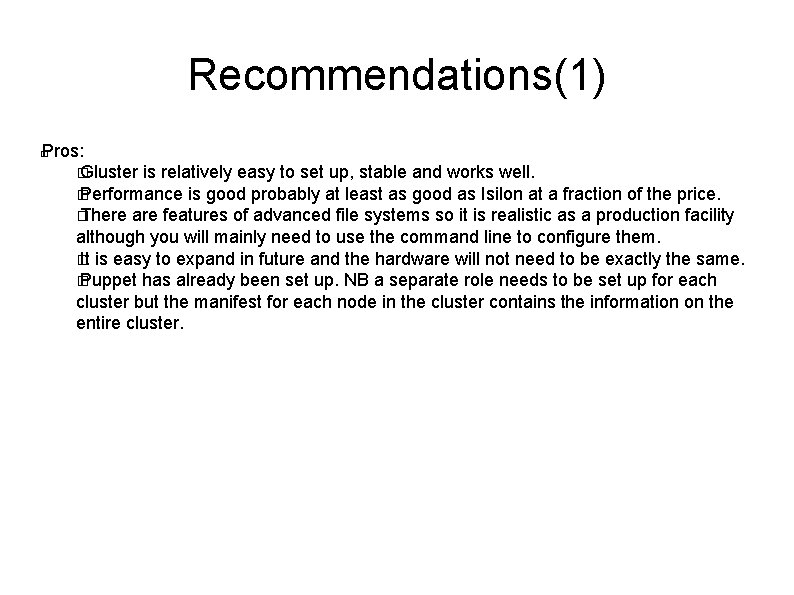
Recommendations(1) Pros: � Gluster is relatively easy to set up, stable and works well. � Performance is good probably at least as good as Isilon at a fraction of the price. � There are features of advanced file systems so it is realistic as a production facility although you will mainly need to use the command line to configure them. � It is easy to expand in future and the hardware will not need to be exactly the same. � Puppet has already been set up. NB a separate role needs to be set up for each cluster but the manifest for each node in the cluster contains the information on the entire cluster. �
Recommendations(2) Cautions � Gluster does not seem to be widely used for HPC. I have carefully evaluated this with respect to the areas I have built systems for (bioinformatics, AOPP) and am satisfied it is suitable but it may be less suitable for systems with rapid turnovers of millions of files (ie fast scratch spaces). In fact Isilon is also recommended for mixed work loads rather than fast scratch spaces. So this will need to be carefully evaluated when moving into new areas. � It may be marginally more expensive than systems that comprise metadata servers and data nodes as with a pure scale-out system each node needs to have reasonable performance and typically you do not use additional attached storage enclosures �