
Introduction to Geant 4 Visualization Joseph Perl SLAC
- Slides: 57
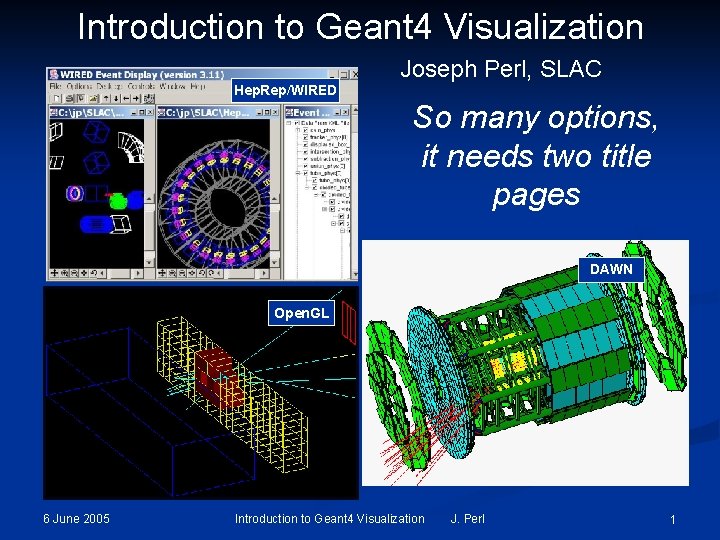
Introduction to Geant 4 Visualization Joseph Perl, SLAC Hep. Rep/WIRED So many options, it needs two title pages DAWN Open. GL 6 June 2005 Introduction to Geant 4 Visualization J. Perl 1
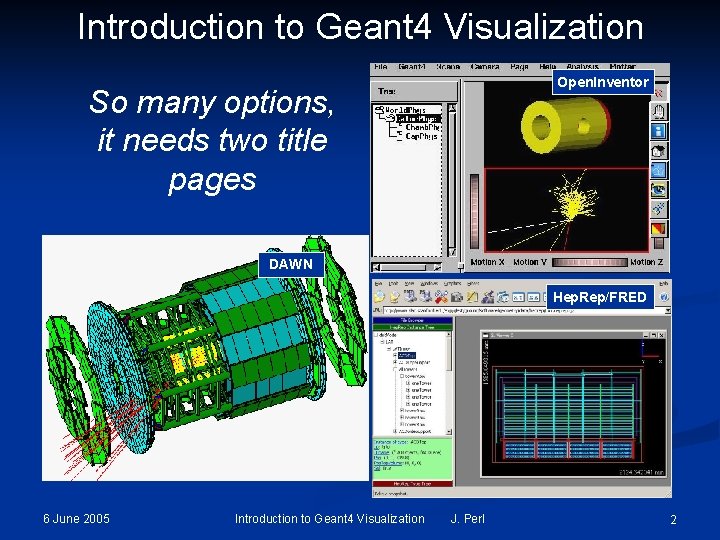
Introduction to Geant 4 Visualization Open. Inventor So many options, it needs two title pages DAWN Hep. Rep/FRED 6 June 2005 Introduction to Geant 4 Visualization J. Perl 2
Contents n The General Concepts behind Geant 4 Visualization n n Five Visualization Drivers n n n Purpose of Geant 4 Visualization What can be Visualized You have a Choice of Visualization Drivers Visualization Attributes Open. GL Hep. Rep/WIRED (and FRED) DAWN Ray. Tracer ASCIITree How to Run Geant 4 Visualization n n 6 June 2005 Environment Variables Commands Introduction to Geant 4 Visualization J. Perl 3
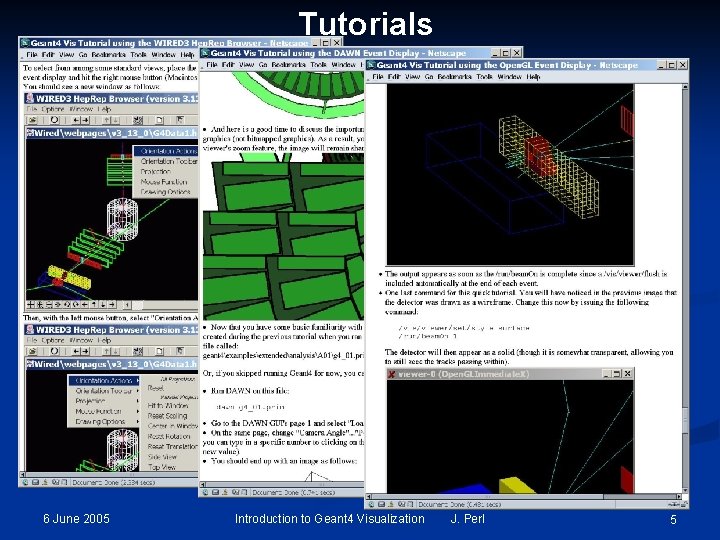
How this Document Fits with Other Tutorial Materials n This presentation can be used on its own, but gives the most comprehensive introduction to Geant 4 visualization when used as part of the following full set of documents: n n n This presentation discusses five visualization drivers: n n n Geant 4 Tutorial Introduction to Geant 4 Visualization Geant 4 Workshop Visualization Tutorial using the WIRED 3 Event Display Geant 4 Workshop Visualization Tutorial using the DAWN Event Display Geant 4 Workshop Visualization Tutorial using the Open. GL Event Display Open. GL Hep. Rep/WIRED DAWN Ray. Tracer ASCIITree Some other Geant 4 visualization drivers not discussed here simply because the present author is not an expert with them: n n 6 June 2005 Open. Inventor VRML Introduction to Geant 4 Visualization J. Perl 4
Tutorials 6 June 2005 Introduction to Geant 4 Visualization J. Perl 5
Part 1: The General Concepts behind Geant 4 Visualization n n 6 June 2005 Purpose of Geant 4 Visualization What can be Visualized You have a Choice of Visualization Drivers Visualization Attributes Introduction to Geant 4 Visualization J. Perl 6
Purpose of Geant 4 Visualization n n Quick response to study geometries, trajectories and hits High-quality output for publications Flexible camera control to debug complex geometries Tools to show volume overlap errors in detector geometries Interactive picking to get more information on visualized objects 6 June 2005 Introduction to Geant 4 Visualization J. Perl 7
What Can be Visualized n Simulation data can be visualized: n n Detector components Particle trajectories and tracking steps Hits of particles in detector components Other user defined objects can be visualized: n Polylines n n 3 D Markers n n such as eye guides Text n n 6 June 2005 such as coordinate axes descriptive character strings comments or titles … Introduction to Geant 4 Visualization J. Perl 8
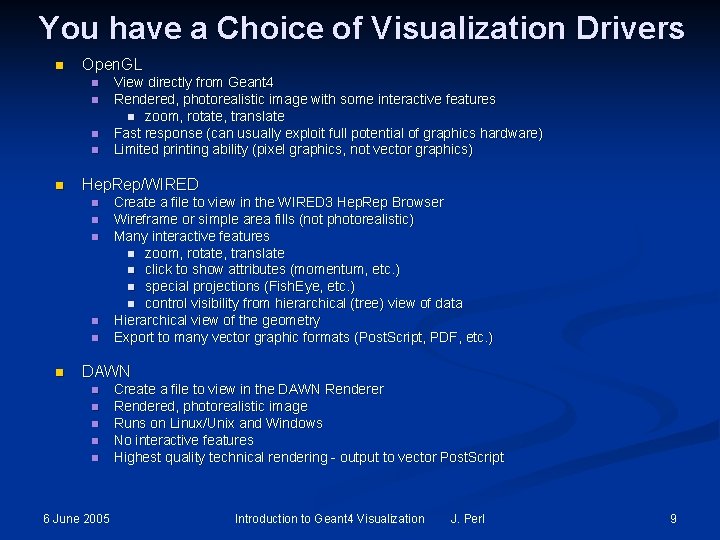
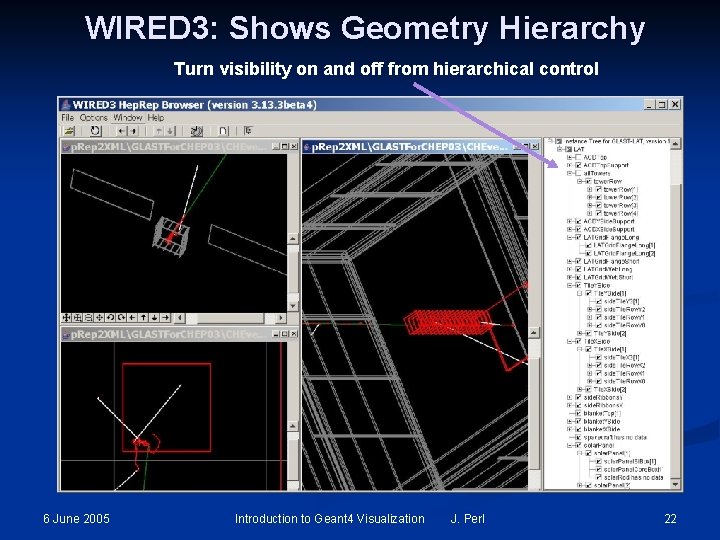
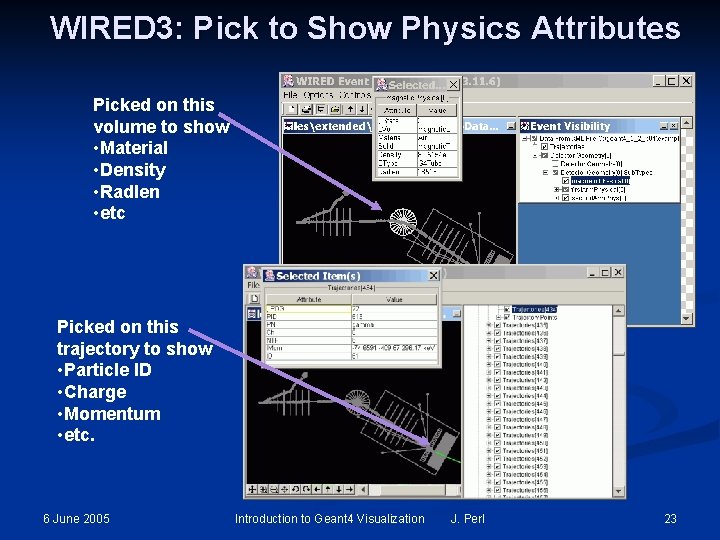
You have a Choice of Visualization Drivers n Open. GL n n n Hep. Rep/WIRED n n n View directly from Geant 4 Rendered, photorealistic image with some interactive features n zoom, rotate, translate Fast response (can usually exploit full potential of graphics hardware) Limited printing ability (pixel graphics, not vector graphics) Create a file to view in the WIRED 3 Hep. Rep Browser Wireframe or simple area fills (not photorealistic) Many interactive features n zoom, rotate, translate n click to show attributes (momentum, etc. ) n special projections (Fish. Eye, etc. ) n control visibility from hierarchical (tree) view of data Hierarchical view of the geometry Export to many vector graphic formats (Post. Script, PDF, etc. ) DAWN n n n 6 June 2005 Create a file to view in the DAWN Renderer Rendered, photorealistic image Runs on Linux/Unix and Windows No interactive features Highest quality technical rendering - output to vector Post. Script Introduction to Geant 4 Visualization J. Perl 9
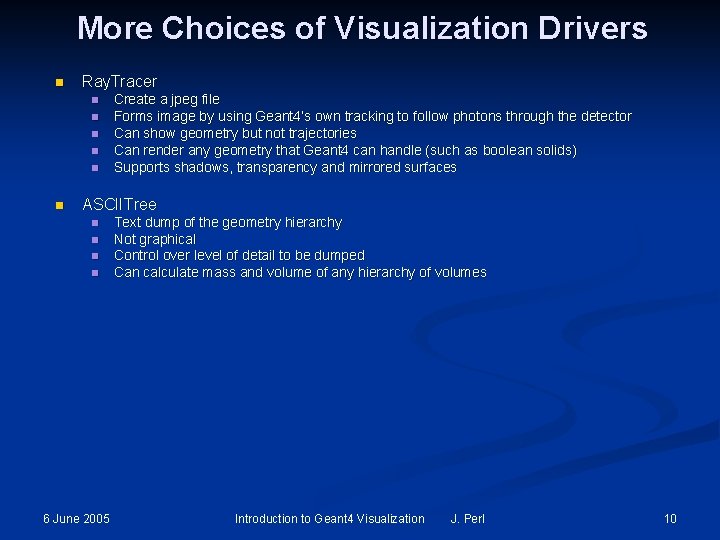
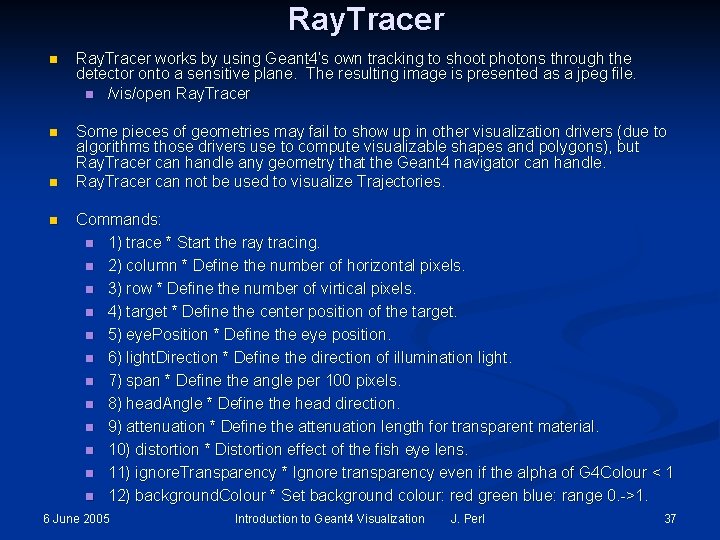
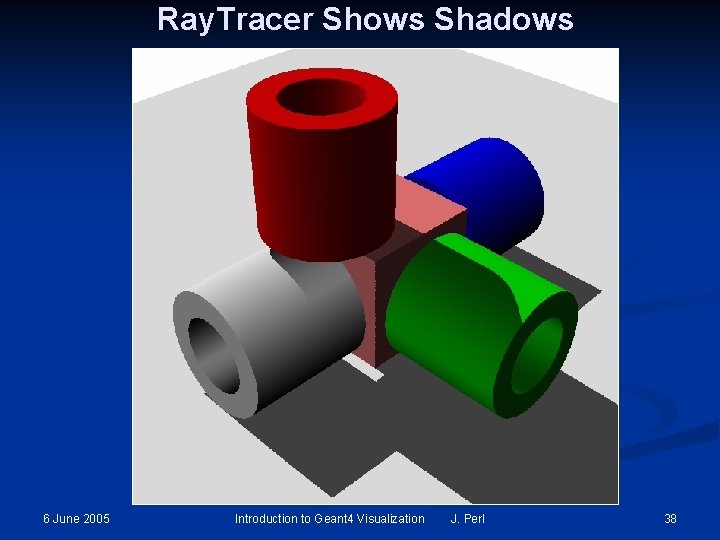
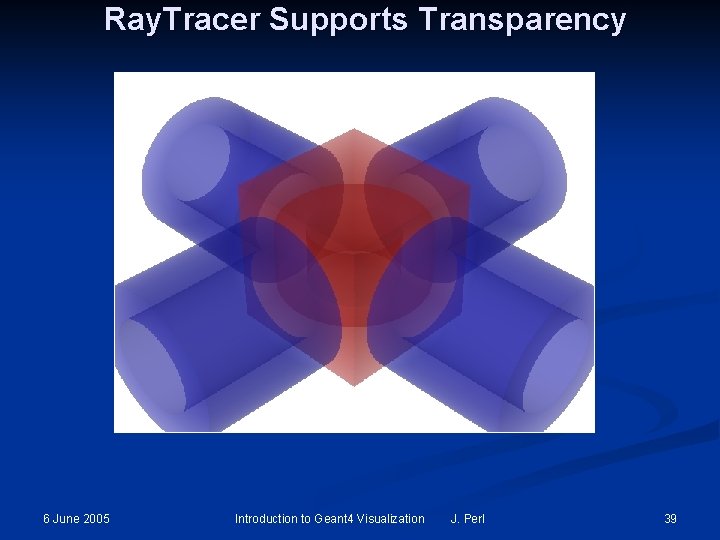
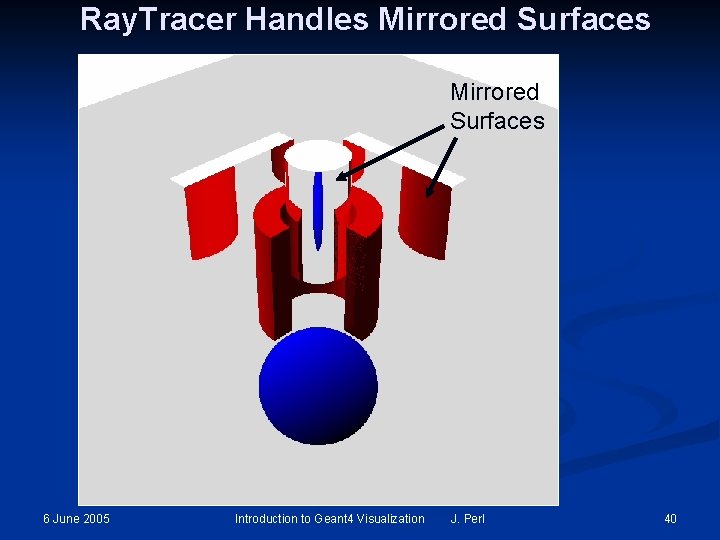
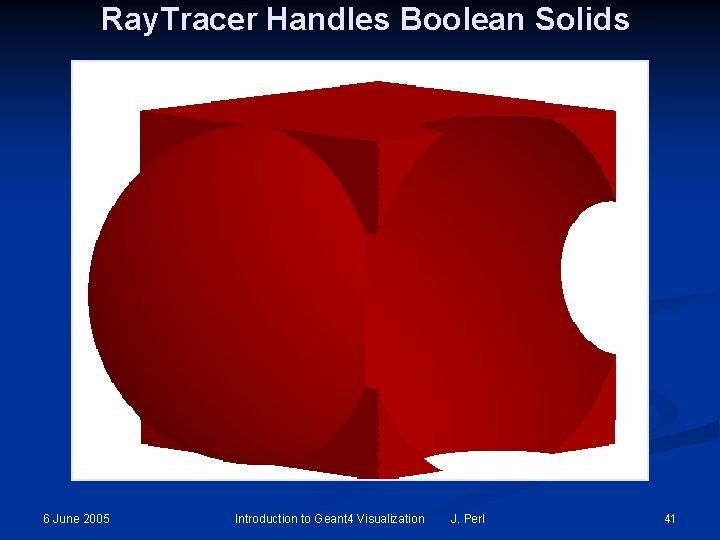
More Choices of Visualization Drivers n Ray. Tracer n n n Create a jpeg file Forms image by using Geant 4’s own tracking to follow photons through the detector Can show geometry but not trajectories Can render any geometry that Geant 4 can handle (such as boolean solids) Supports shadows, transparency and mirrored surfaces ASCIITree n n 6 June 2005 Text dump of the geometry hierarchy Not graphical Control over level of detail to be dumped Can calculate mass and volume of any hierarchy of volumes Introduction to Geant 4 Visualization J. Perl 10
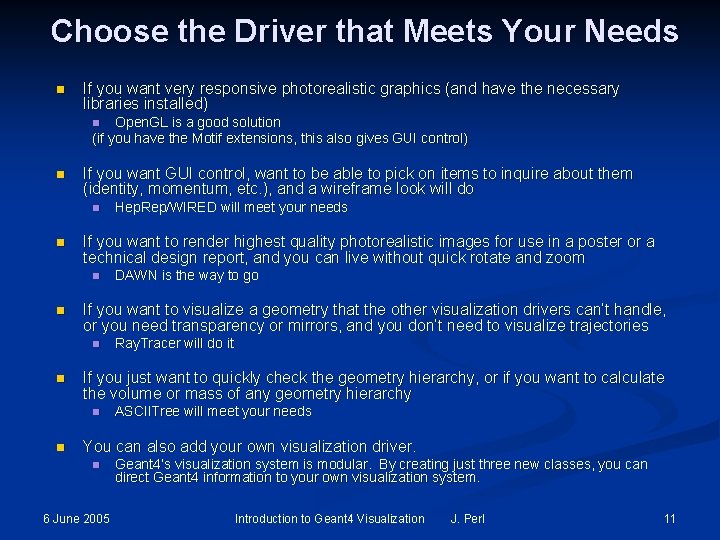
Choose the Driver that Meets Your Needs n If you want very responsive photorealistic graphics (and have the necessary libraries installed) Open. GL is a good solution (if you have the Motif extensions, this also gives GUI control) n n If you want GUI control, want to be able to pick on items to inquire about them (identity, momentum, etc. ), and a wireframe look will do n n If you want to render highest quality photorealistic images for use in a poster or a technical design report, and you can live without quick rotate and zoom n n Ray. Tracer will do it If you just want to quickly check the geometry hierarchy, or if you want to calculate the volume or mass of any geometry hierarchy n n DAWN is the way to go If you want to visualize a geometry that the other visualization drivers can’t handle, or you need transparency or mirrors, and you don’t need to visualize trajectories n n Hep. Rep/WIRED will meet your needs ASCIITree will meet your needs You can also add your own visualization driver. n 6 June 2005 Geant 4’s visualization system is modular. By creating just three new classes, you can direct Geant 4 information to your own visualization system. Introduction to Geant 4 Visualization J. Perl 11
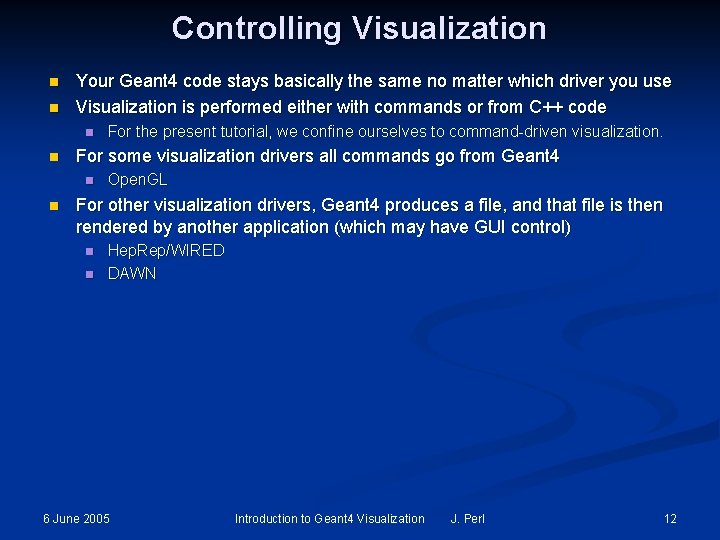
Controlling Visualization n n Your Geant 4 code stays basically the same no matter which driver you use Visualization is performed either with commands or from C++ code n n For some visualization drivers all commands go from Geant 4 n n For the present tutorial, we confine ourselves to command-driven visualization. Open. GL For other visualization drivers, Geant 4 produces a file, and that file is then rendered by another application (which may have GUI control) n n Hep. Rep/WIRED DAWN 6 June 2005 Introduction to Geant 4 Visualization J. Perl 12
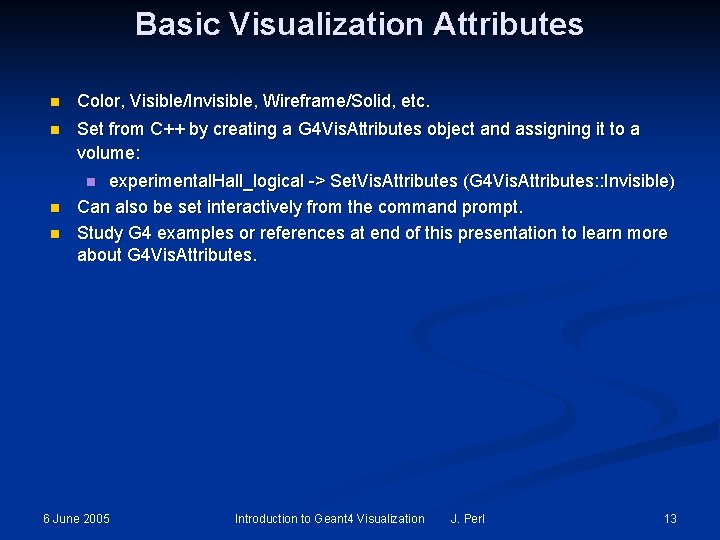
Basic Visualization Attributes n Color, Visible/Invisible, Wireframe/Solid, etc. n Set from C++ by creating a G 4 Vis. Attributes object and assigning it to a volume: experimental. Hall_logical -> Set. Vis. Attributes (G 4 Vis. Attributes: : Invisible) Can also be set interactively from the command prompt. Study G 4 examples or references at end of this presentation to learn more about G 4 Vis. Attributes. n n n 6 June 2005 Introduction to Geant 4 Visualization J. Perl 13
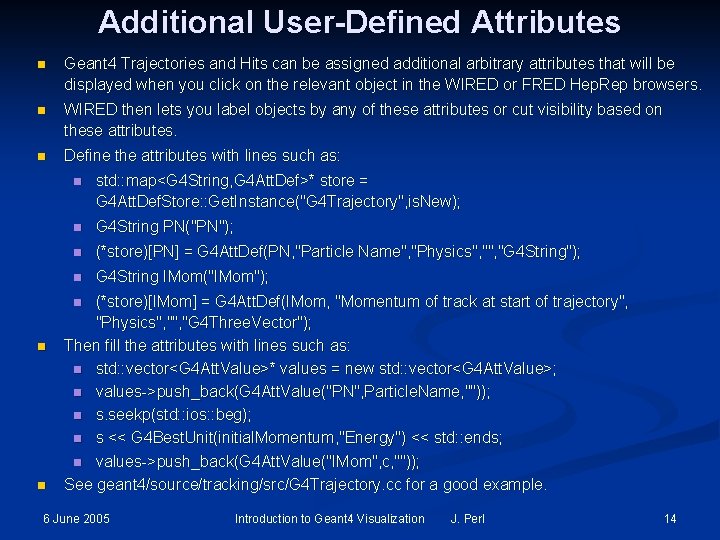
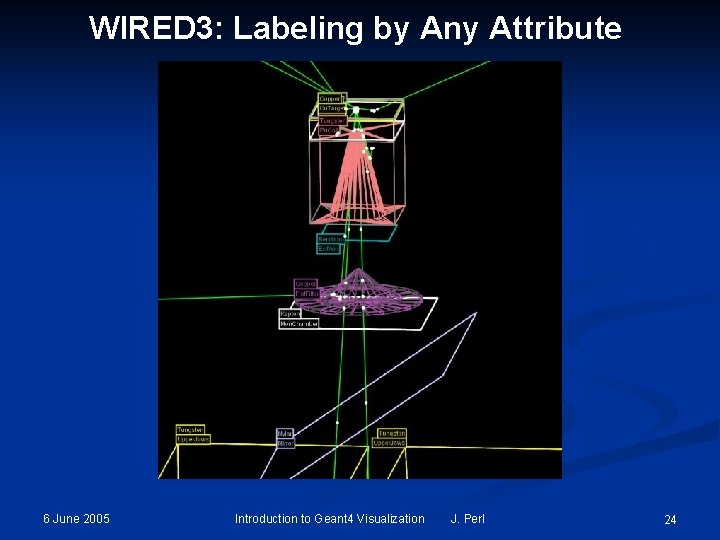
Additional User-Defined Attributes n Geant 4 Trajectories and Hits can be assigned additional arbitrary attributes that will be displayed when you click on the relevant object in the WIRED or FRED Hep. Rep browsers. n WIRED then lets you label objects by any of these attributes or cut visibility based on these attributes. n Define the attributes with lines such as: n std: : map<G 4 String, G 4 Att. Def>* store = G 4 Att. Def. Store: : Get. Instance("G 4 Trajectory", is. New); n G 4 String PN("PN"); n (*store)[PN] = G 4 Att. Def(PN, "Particle Name", "Physics", "G 4 String"); n G 4 String IMom("IMom"); (*store)[IMom] = G 4 Att. Def(IMom, "Momentum of track at start of trajectory", "Physics", "G 4 Three. Vector"); Then fill the attributes with lines such as: n std: : vector<G 4 Att. Value>* values = new std: : vector<G 4 Att. Value>; n values->push_back(G 4 Att. Value("PN", Particle. Name, "")); n s. seekp(std: : ios: : beg); n s << G 4 Best. Unit(initial. Momentum, "Energy") << std: : ends; n values->push_back(G 4 Att. Value("IMom", c, "")); See geant 4/source/tracking/src/G 4 Trajectory. cc for a good example. n n n 6 June 2005 Introduction to Geant 4 Visualization J. Perl 14
Part 2: Five Visualization Drivers n n n 6 June 2005 Open. GL Hep. Rep/WIRED (and FRED) DAWN Ray. Tracer ASCIITree Introduction to Geant 4 Visualization J. Perl 15
Open. GL n Run directly from Geant 4 n 6 June 2005 /vis/open OGLIX Introduction to Geant 4 Visualization J. Perl 16
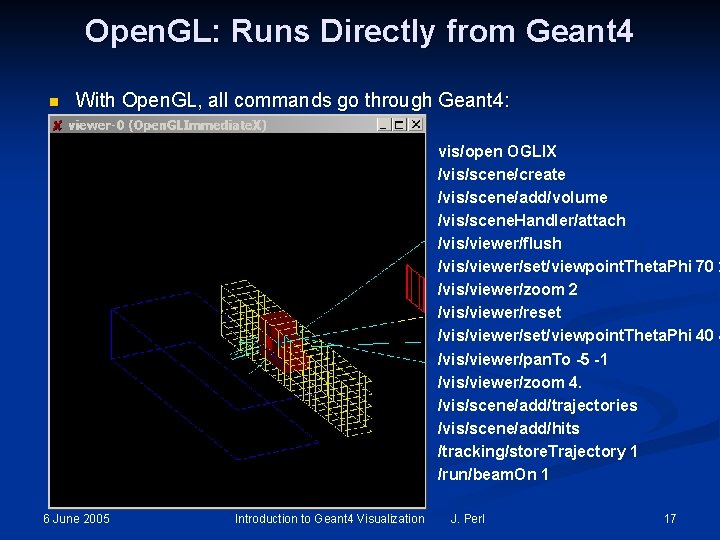
Open. GL: Runs Directly from Geant 4 n With Open. GL, all commands go through Geant 4: vis/open OGLIX /vis/scene/create /vis/scene/add/volume /vis/scene. Handler/attach /vis/viewer/flush /vis/viewer/set/viewpoint. Theta. Phi 70 2 /vis/viewer/zoom 2 /vis/viewer/reset /vis/viewer/set/viewpoint. Theta. Phi 40 4 /vis/viewer/pan. To -5 -1 /vis/viewer/zoom 4. /vis/scene/add/trajectories /vis/scene/add/hits /tracking/store. Trajectory 1 /run/beam. On 1 6 June 2005 Introduction to Geant 4 Visualization J. Perl 17
Open. GL with Motif n If you don’t have Motif, all control is done from Geant 4 commands: n n n /vis/open OGLIX /vis/viewer/set/viewpoint. Theta. Phi 70 20 /vis/viewer/zoom 2 Etc. If you have Motif libraries, you can control Geant 4 from Motif widgets: n 6 June 2005 /vis/open OGLIXm Introduction to Geant 4 Visualization J. Perl 18
Hep. Rep n Geant 4 creates Hep. Rep. File n n /vis/open Hep. Rep. File View file in WIRED 3 or FRED Hep. Rep Browsers n 6 June 2005 WIRED 3 can export to various graphics formats Introduction to Geant 4 Visualization J. Perl 19
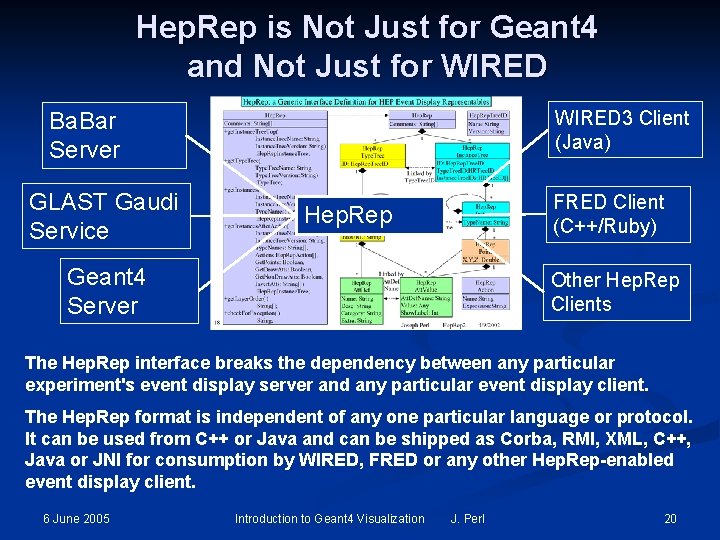
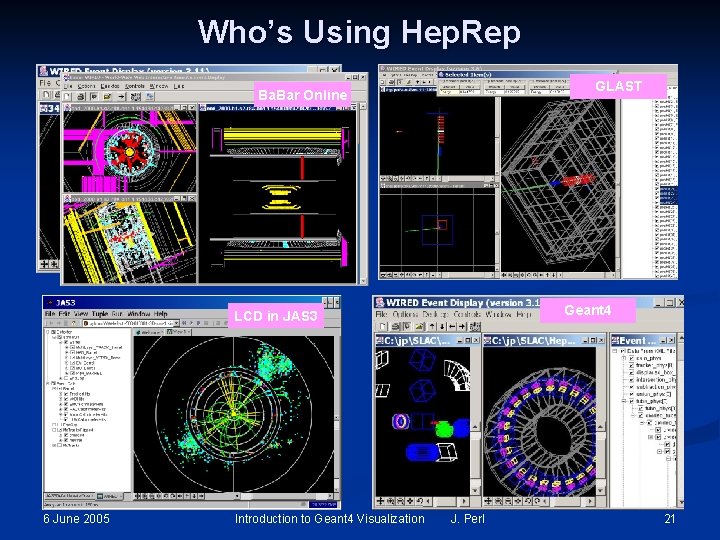
Hep. Rep is Not Just for Geant 4 and Not Just for WIRED 3 Client (Java) Ba. Bar Server GLAST Gaudi Service FRED Client (C++/Ruby) Hep. Rep Geant 4 Server Other Hep. Rep Clients The Hep. Rep interface breaks the dependency between any particular experiment's event display server and any particular event display client. The Hep. Rep format is independent of any one particular language or protocol. It can be used from C++ or Java and can be shipped as Corba, RMI, XML, C++, Java or JNI for consumption by WIRED, FRED or any other Hep. Rep-enabled event display client. 6 June 2005 Introduction to Geant 4 Visualization J. Perl 20
Who’s Using Hep. Rep GLAST Ba. Bar Offline Ba. Bar Online Geant 4 LCD in JAS 3 6 June 2005 Introduction to Geant 4 Visualization J. Perl 21
WIRED 3: Shows Geometry Hierarchy Turn visibility on and off from hierarchical control 6 June 2005 Introduction to Geant 4 Visualization J. Perl 22
WIRED 3: Pick to Show Physics Attributes Picked on this volume to show • Material • Density • Radlen • etc Picked on this trajectory to show • Particle ID • Charge • Momentum • etc. 6 June 2005 Introduction to Geant 4 Visualization J. Perl 23
WIRED 3: Labeling by Any Attribute 6 June 2005 Introduction to Geant 4 Visualization J. Perl 24
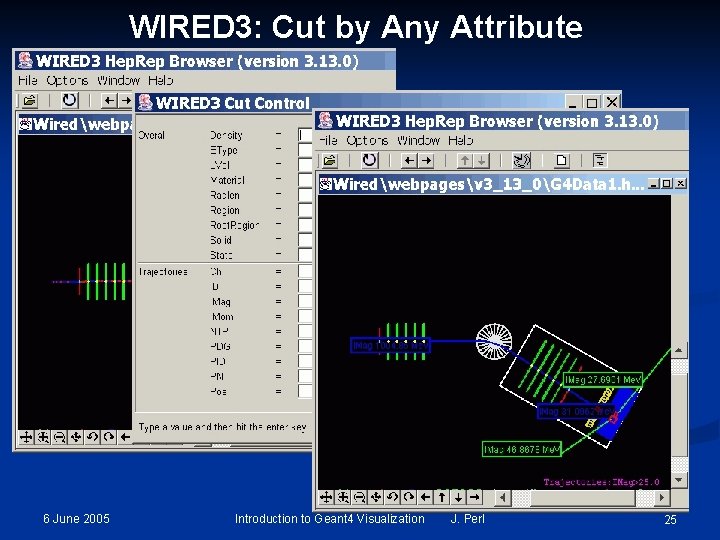
WIRED 3: Cut by Any Attribute 6 June 2005 Introduction to Geant 4 Visualization J. Perl 25
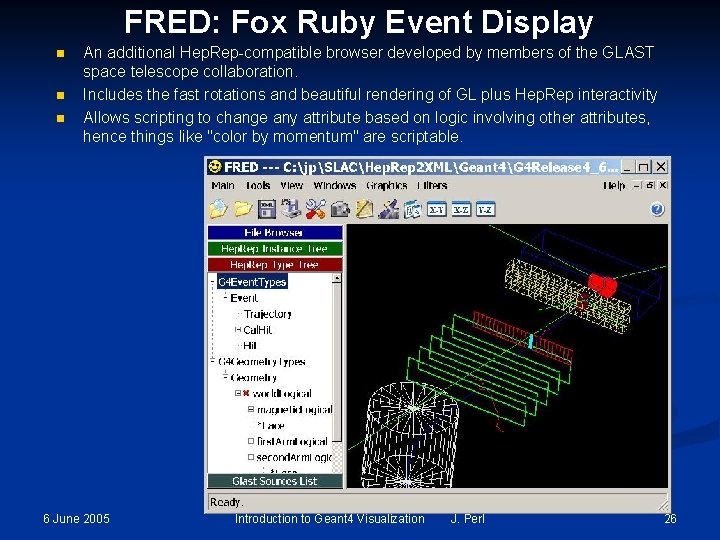
FRED: Fox Ruby Event Display n n n An additional Hep. Rep-compatible browser developed by members of the GLAST space telescope collaboration. Includes the fast rotations and beautiful rendering of GL plus Hep. Rep interactivity Allows scripting to change any attribute based on logic involving other attributes, hence things like "color by momentum" are scriptable. 6 June 2005 Introduction to Geant 4 Visualization J. Perl 26
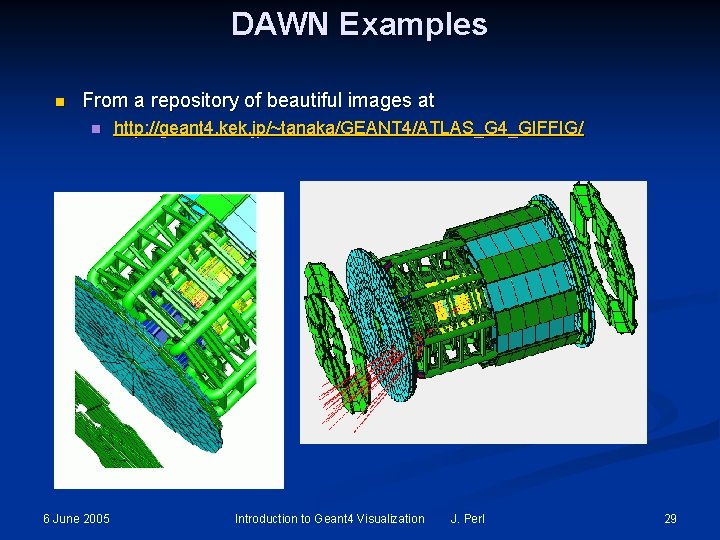
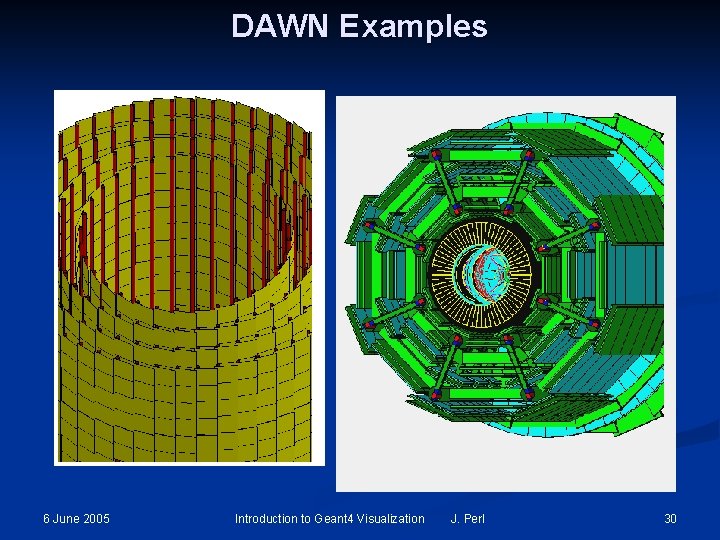
DAWN n Geant 4 creates. prim file n n n /vis/open DAWNFILE DAWN renders. prim file into Post. Script View or print from your favorite Post. Script application 6 June 2005 Introduction to Geant 4 Visualization J. Perl 27
Origins of DAWN Fukui Renderer DAWN (Drawer for Academic Writi. Ngs). n A vectorized 3 D Post. Script processor with analytical hidden line/surface removal intended for precise technical drawing of complicated objects. n Specifically designed for Geant 4. n Primitives set is same as Geant 4 primitives set. n Produces device-independent vectorized graphics for high quality technical applications. 6 June 2005 Introduction to Geant 4 Visualization J. Perl 28
DAWN Examples n From a repository of beautiful images at n 6 June 2005 http: //geant 4. kek. jp/~tanaka/GEANT 4/ATLAS_G 4_GIFFIG/ Introduction to Geant 4 Visualization J. Perl 29
DAWN Examples 6 June 2005 Introduction to Geant 4 Visualization J. Perl 30
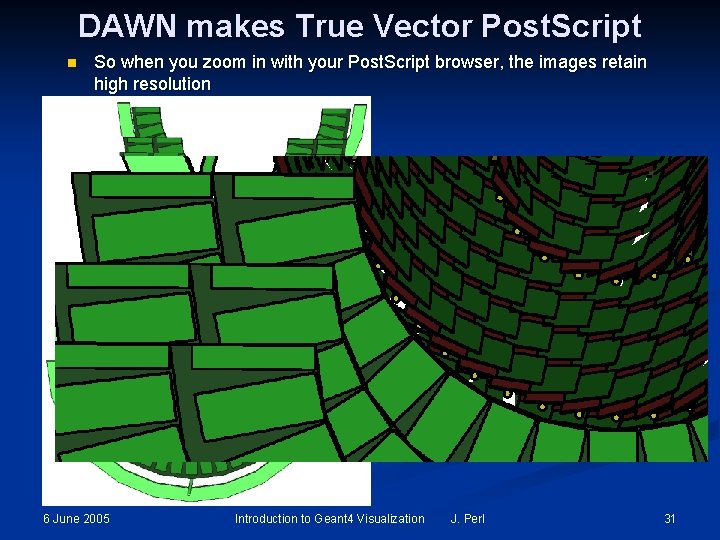
DAWN makes True Vector Post. Script n So when you zoom in with your Post. Script browser, the images retain high resolution 6 June 2005 Introduction to Geant 4 Visualization J. Perl 31
DAWNCUT and DAVID n A standalone program, DAWNCUT, can perform a planar cut on a DAWN image. n n Another standalone program, DAVID, can show you any volume overlap errors in your geometry. n n DAWNCUT takes as input a. prim file and some cut parameters. Its output is a new. prim file to which the cut has been applied. DAVID takes as input a. prim file and outputs a new. prim file in which overlapping volumes have been highlighted. Details at http: //geant 4. kek. jp/~tanaka/ 6 June 2005 Introduction to Geant 4 Visualization J. Perl 32
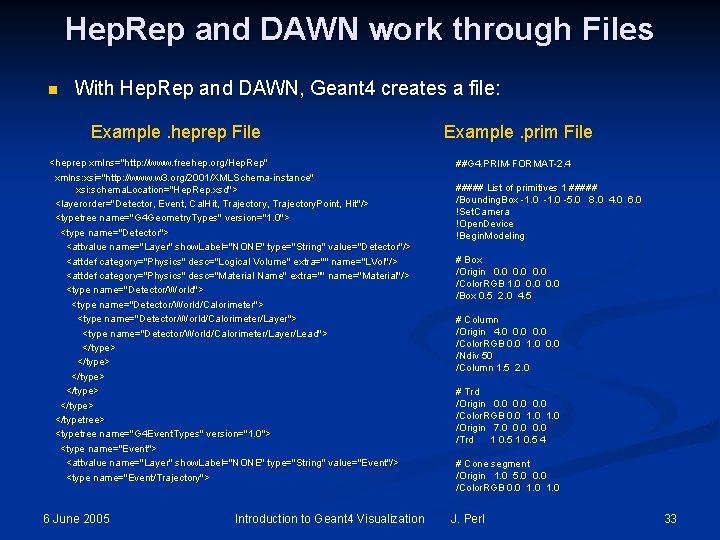
Hep. Rep and DAWN work through Files n With Hep. Rep and DAWN, Geant 4 creates a file: Example. heprep File <heprep xmlns="http: //www. freehep. org/Hep. Rep" xmlns: xsi="http: //www. w 3. org/2001/XMLSchema-instance" xsi: schema. Location="Hep. Rep. xsd"> <layerorder="Detector, Event, Cal. Hit, Trajectory. Point, Hit"/> <typetree name="G 4 Geometry. Types" version="1. 0"> <type name="Detector"> <attvalue name="Layer" show. Label="NONE" type="String" value="Detector"/> <attdef category="Physics" desc="Logical Volume" extra="" name="LVol"/> <attdef category="Physics" desc="Material Name" extra="" name="Material"/> <type name="Detector/World"> <type name="Detector/World/Calorimeter/Layer"> <type name="Detector/World/Calorimeter/Layer/Lead"> </type> </typetree> <typetree name="G 4 Event. Types" version="1. 0"> <type name="Event"> <attvalue name="Layer" show. Label="NONE" type="String" value="Event"/> <type name="Event/Trajectory"> 6 June 2005 Introduction to Geant 4 Visualization Example. prim File ##G 4. PRIM-FORMAT-2. 4 ##### List of primitives 1 ##### /Bounding. Box -1. 0 -5. 0 8. 0 4. 0 6. 0 !Set. Camera !Open. Device !Begin. Modeling # Box /Origin 0. 0 /Color. RGB 1. 0 0. 0 /Box 0. 5 2. 0 4. 5 # Column /Origin 4. 0 0. 0 /Color. RGB 0. 0 1. 0 0. 0 /Ndiv 50 /Column 1. 5 2. 0 # Trd /Origin 0. 0 /Color. RGB 0. 0 1. 0 /Origin 7. 0 0. 0 /Trd 1 0. 5 4 # Cone segment /Origin 1. 0 5. 0 0. 0 /Color. RGB 0. 0 1. 0 J. Perl 33
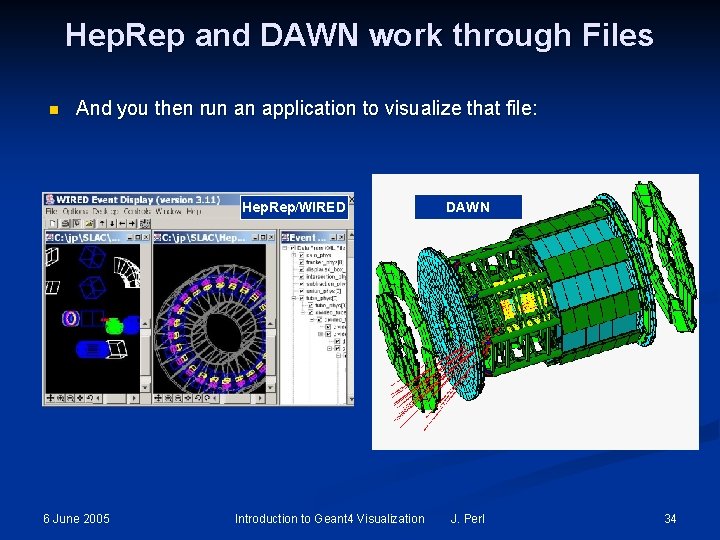
Hep. Rep and DAWN work through Files n And you then run an application to visualize that file: Hep. Rep/WIRED 6 June 2005 Introduction to Geant 4 Visualization DAWN J. Perl 34
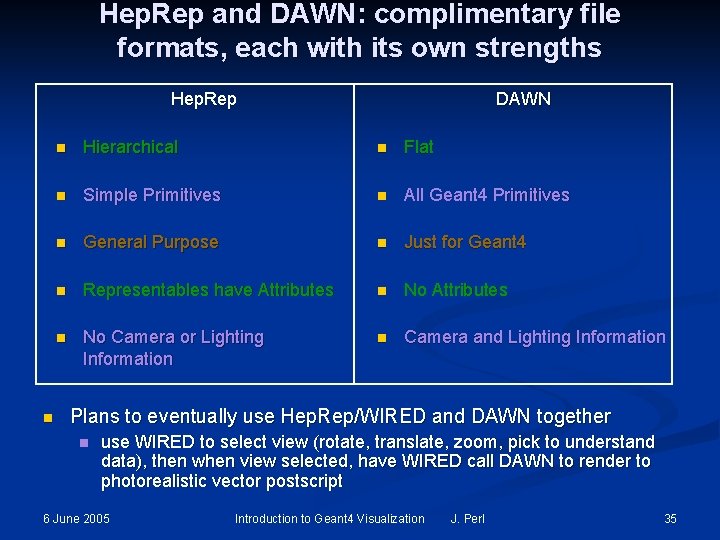
Hep. Rep and DAWN: complimentary file formats, each with its own strengths Hep. Rep n DAWN n Hierarchical n Flat n Simple Primitives n All Geant 4 Primitives n General Purpose n Just for Geant 4 n Representables have Attributes n No Camera or Lighting Information n Camera and Lighting Information Plans to eventually use Hep. Rep/WIRED and DAWN together n use WIRED to select view (rotate, translate, zoom, pick to understand data), then when view selected, have WIRED call DAWN to render to photorealistic vector postscript 6 June 2005 Introduction to Geant 4 Visualization J. Perl 35
Ray. Tracer n Run directly from Geant 4 n 6 June 2005 /vis/open Ray. Tracer Introduction to Geant 4 Visualization J. Perl 36
Ray. Tracer n Ray. Tracer works by using Geant 4’s own tracking to shoot photons through the detector onto a sensitive plane. The resulting image is presented as a jpeg file. n /vis/open Ray. Tracer n Some pieces of geometries may fail to show up in other visualization drivers (due to algorithms those drivers use to compute visualizable shapes and polygons), but Ray. Tracer can handle any geometry that the Geant 4 navigator can handle. Ray. Tracer can not be used to visualize Trajectories. n n Commands: n 1) trace * Start the ray tracing. n 2) column * Define the number of horizontal pixels. n 3) row * Define the number of virtical pixels. n 4) target * Define the center position of the target. n 5) eye. Position * Define the eye position. n 6) light. Direction * Define the direction of illumination light. n 7) span * Define the angle per 100 pixels. n 8) head. Angle * Define the head direction. n 9) attenuation * Define the attenuation length for transparent material. n 10) distortion * Distortion effect of the fish eye lens. n 11) ignore. Transparency * Ignore transparency even if the alpha of G 4 Colour < 1 n 12) background. Colour * Set background colour: red green blue: range 0. ->1. 6 June 2005 Introduction to Geant 4 Visualization J. Perl 37
Ray. Tracer Shows Shadows 6 June 2005 Introduction to Geant 4 Visualization J. Perl 38
Ray. Tracer Supports Transparency 6 June 2005 Introduction to Geant 4 Visualization J. Perl 39
Ray. Tracer Handles Mirrored Surfaces 6 June 2005 Introduction to Geant 4 Visualization J. Perl 40
Ray. Tracer Handles Boolean Solids 6 June 2005 Introduction to Geant 4 Visualization J. Perl 41
ASCIITree n Run directly from Geant 4 n 6 June 2005 /vis/open ATree Introduction to Geant 4 Visualization J. Perl 42
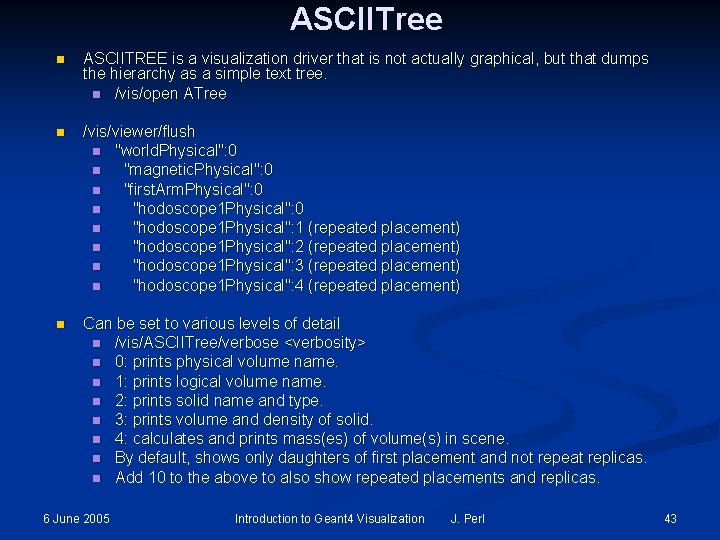
ASCIITree n ASCIITREE is a visualization driver that is not actually graphical, but that dumps the hierarchy as a simple text tree. n /vis/open ATree n /vis/viewer/flush n "world. Physical": 0 n "magnetic. Physical": 0 n "first. Arm. Physical": 0 n "hodoscope 1 Physical": 1 (repeated placement) n "hodoscope 1 Physical": 2 (repeated placement) n "hodoscope 1 Physical": 3 (repeated placement) n "hodoscope 1 Physical": 4 (repeated placement) n Can be set to various levels of detail n /vis/ASCIITree/verbose <verbosity> n 0: prints physical volume name. n 1: prints logical volume name. n 2: prints solid name and type. n 3: prints volume and density of solid. n 4: calculates and prints mass(es) of volume(s) in scene. n By default, shows only daughters of first placement and not repeat replicas. n Add 10 to the above to also show repeated placements and replicas. 6 June 2005 Introduction to Geant 4 Visualization J. Perl 43
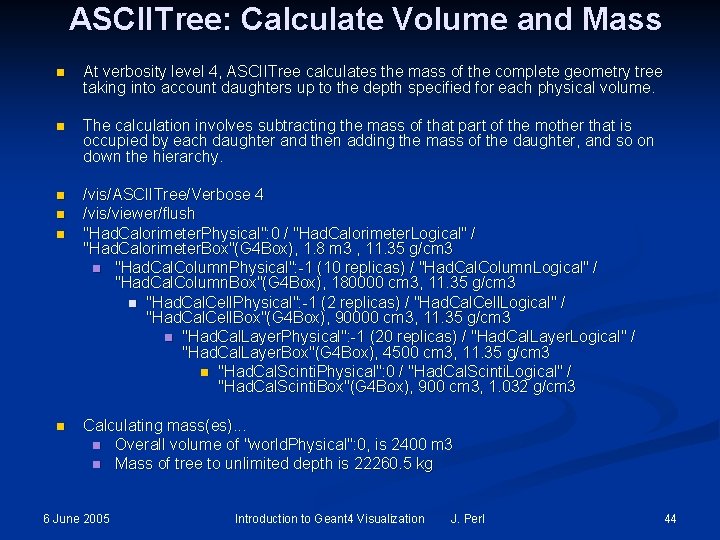
ASCIITree: Calculate Volume and Mass n At verbosity level 4, ASCIITree calculates the mass of the complete geometry tree taking into account daughters up to the depth specified for each physical volume. n The calculation involves subtracting the mass of that part of the mother that is occupied by each daughter and then adding the mass of the daughter, and so on down the hierarchy. n /vis/ASCIITree/Verbose 4 /vis/viewer/flush "Had. Calorimeter. Physical": 0 / "Had. Calorimeter. Logical" / "Had. Calorimeter. Box"(G 4 Box), 1. 8 m 3 , 11. 35 g/cm 3 n "Had. Cal. Column. Physical": -1 (10 replicas) / "Had. Cal. Column. Logical" / "Had. Cal. Column. Box"(G 4 Box), 180000 cm 3, 11. 35 g/cm 3 n "Had. Cal. Cell. Physical": -1 (2 replicas) / "Had. Cal. Cell. Logical" / "Had. Cal. Cell. Box"(G 4 Box), 90000 cm 3, 11. 35 g/cm 3 n "Had. Cal. Layer. Physical": -1 (20 replicas) / "Had. Cal. Layer. Logical" / "Had. Cal. Layer. Box"(G 4 Box), 4500 cm 3, 11. 35 g/cm 3 n "Had. Cal. Scinti. Physical": 0 / "Had. Cal. Scinti. Logical" / "Had. Cal. Scinti. Box"(G 4 Box), 900 cm 3, 1. 032 g/cm 3 n n n Calculating mass(es). . . n Overall volume of "world. Physical": 0, is 2400 m 3 n Mass of tree to unlimited depth is 22260. 5 kg 6 June 2005 Introduction to Geant 4 Visualization J. Perl 44
Part 3: How to Run Geant 4 Visualization n n 6 June 2005 Environment Variables Commands Introduction to Geant 4 Visualization J. Perl 45
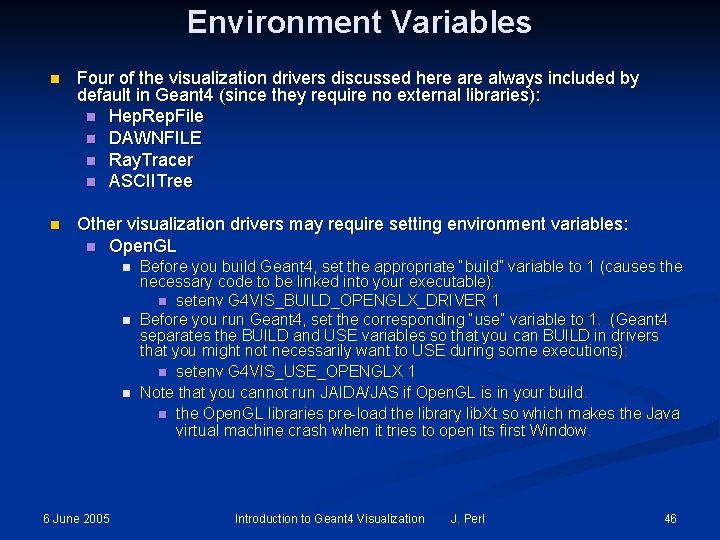
Environment Variables n Four of the visualization drivers discussed here always included by default in Geant 4 (since they require no external libraries): n Hep. Rep. File n DAWNFILE n Ray. Tracer n ASCIITree n Other visualization drivers may require setting environment variables: n Open. GL n n n 6 June 2005 Before you build Geant 4, set the appropriate “build” variable to 1 (causes the necessary code to be linked into your executable): n setenv G 4 VIS_BUILD_OPENGLX_DRIVER 1 Before you run Geant 4, set the corresponding “use” variable to 1. (Geant 4 separates the BUILD and USE variables so that you can BUILD in drivers that you might not necessarily want to USE during some executions): n setenv G 4 VIS_USE_OPENGLX 1 Note that you cannot run JAIDA/JAS if Open. GL is in your build. n the Open. GL libraries pre-load the library lib. Xt. so which makes the Java virtual machine crash when it tries to open its first Window. Introduction to Geant 4 Visualization J. Perl 46
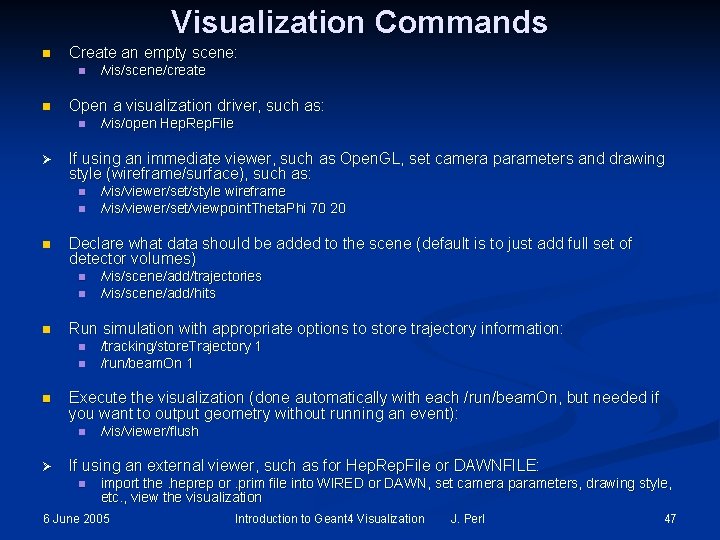
Visualization Commands n Create an empty scene: n n Open a visualization driver, such as: n Ø n n n /tracking/store. Trajectory 1 /run/beam. On 1 Execute the visualization (done automatically with each /run/beam. On, but needed if you want to output geometry without running an event): n Ø /vis/scene/add/trajectories /vis/scene/add/hits Run simulation with appropriate options to store trajectory information: n n /vis/viewer/set/style wireframe /vis/viewer/set/viewpoint. Theta. Phi 70 20 Declare what data should be added to the scene (default is to just add full set of detector volumes) n n /vis/open Hep. Rep. File If using an immediate viewer, such as Open. GL, set camera parameters and drawing style (wireframe/surface), such as: n n /vis/scene/create /vis/viewer/flush If using an external viewer, such as for Hep. Rep. File or DAWNFILE: n import the. heprep or. prim file into WIRED or DAWN, set camera parameters, drawing style, etc. , view the visualization 6 June 2005 Introduction to Geant 4 Visualization J. Perl 47
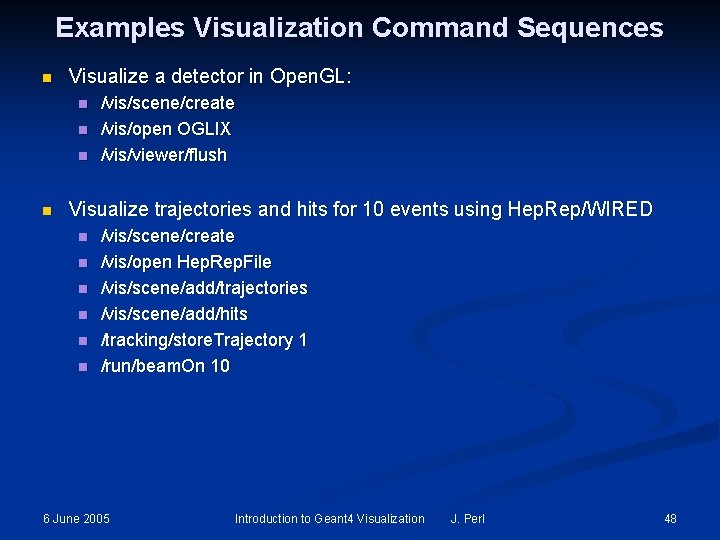
Examples Visualization Command Sequences n Visualize a detector in Open. GL: n n /vis/scene/create /vis/open OGLIX /vis/viewer/flush Visualize trajectories and hits for 10 events using Hep. Rep/WIRED n n n /vis/scene/create /vis/open Hep. Rep. File /vis/scene/add/trajectories /vis/scene/add/hits /tracking/store. Trajectory 1 /run/beam. On 10 6 June 2005 Introduction to Geant 4 Visualization J. Perl 48
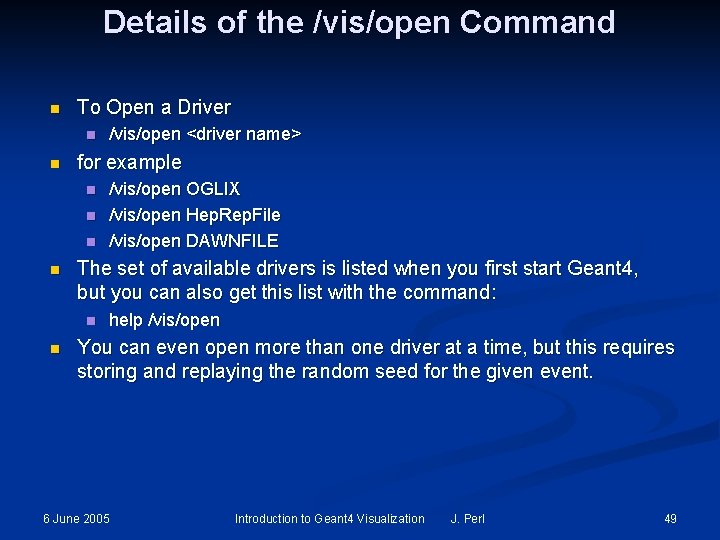
Details of the /vis/open Command n To Open a Driver n n for example n n /vis/open OGLIX /vis/open Hep. Rep. File /vis/open DAWNFILE The set of available drivers is listed when you first start Geant 4, but you can also get this list with the command: n n /vis/open <driver name> help /vis/open You can even open more than one driver at a time, but this requires storing and replaying the random seed for the given event. 6 June 2005 Introduction to Geant 4 Visualization J. Perl 49
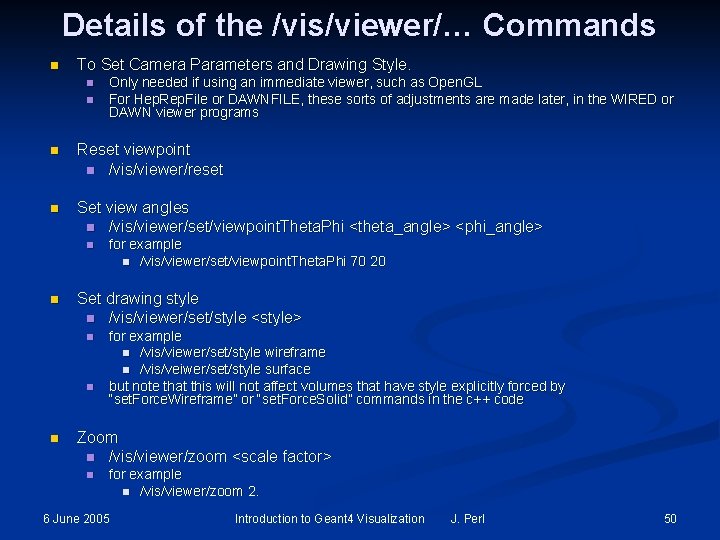
Details of the /vis/viewer/… Commands n To Set Camera Parameters and Drawing Style. n n Only needed if using an immediate viewer, such as Open. GL For Hep. Rep. File or DAWNFILE, these sorts of adjustments are made later, in the WIRED or DAWN viewer programs n Reset viewpoint n /vis/viewer/reset n Set view angles n /vis/viewer/set/viewpoint. Theta. Phi <theta_angle> <phi_angle> n n Set drawing style n /vis/viewer/set/style <style> n n n for example n /vis/viewer/set/viewpoint. Theta. Phi 70 20 for example n /vis/viewer/set/style wireframe n /vis/veiwer/set/style surface but note that this will not affect volumes that have style explicitly forced by “set. Force. Wireframe” or “set. Force. Solid” commands in the c++ code Zoom n /vis/viewer/zoom <scale factor> n for example n /vis/viewer/zoom 2. 6 June 2005 Introduction to Geant 4 Visualization J. Perl 50
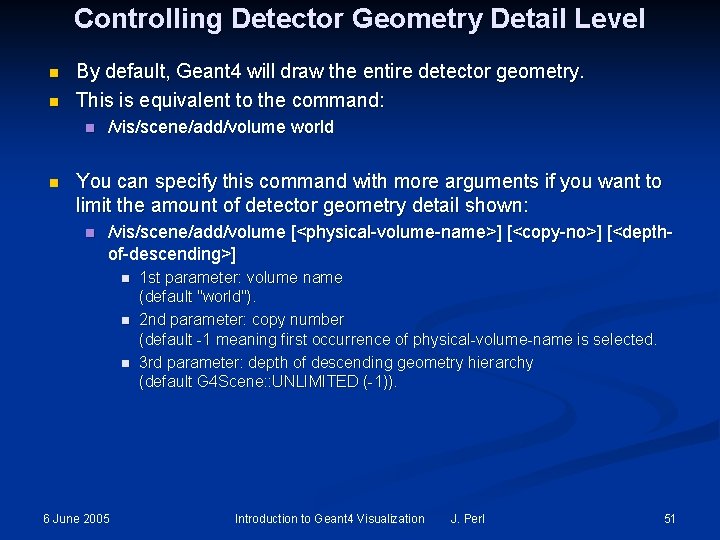
Controlling Detector Geometry Detail Level n n By default, Geant 4 will draw the entire detector geometry. This is equivalent to the command: n n /vis/scene/add/volume world You can specify this command with more arguments if you want to limit the amount of detector geometry detail shown: n /vis/scene/add/volume [<physical-volume-name>] [<copy-no>] [<depthof-descending>] n n n 6 June 2005 1 st parameter: volume name (default "world"). 2 nd parameter: copy number (default -1 meaning first occurrence of physical-volume-name is selected. 3 rd parameter: depth of descending geometry hierarchy (default G 4 Scene: : UNLIMITED (-1)). Introduction to Geant 4 Visualization J. Perl 51
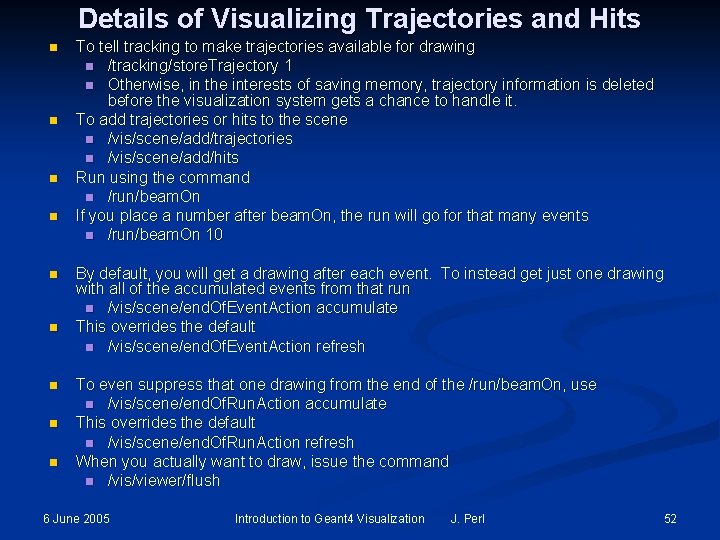
Details of Visualizing Trajectories and Hits n n n n n To tell tracking to make trajectories available for drawing n /tracking/store. Trajectory 1 n Otherwise, in the interests of saving memory, trajectory information is deleted before the visualization system gets a chance to handle it. To add trajectories or hits to the scene n /vis/scene/add/trajectories n /vis/scene/add/hits Run using the command n /run/beam. On If you place a number after beam. On, the run will go for that many events n /run/beam. On 10 By default, you will get a drawing after each event. To instead get just one drawing with all of the accumulated events from that run n /vis/scene/end. Of. Event. Action accumulate This overrides the default n /vis/scene/end. Of. Event. Action refresh To even suppress that one drawing from the end of the /run/beam. On, use n /vis/scene/end. Of. Run. Action accumulate This overrides the default n /vis/scene/end. Of. Run. Action refresh When you actually want to draw, issue the command n /vis/viewer/flush 6 June 2005 Introduction to Geant 4 Visualization J. Perl 52
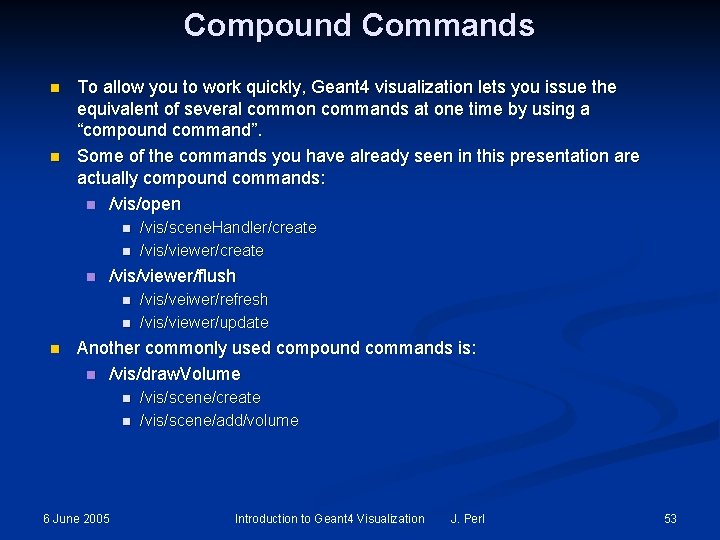
Compound Commands n n To allow you to work quickly, Geant 4 visualization lets you issue the equivalent of several common commands at one time by using a “compound command”. Some of the commands you have already seen in this presentation are actually compound commands: n /vis/open n /vis/viewer/flush n n n /vis/scene. Handler/create /vis/viewer/create /vis/veiwer/refresh /vis/viewer/update Another commonly used compound commands is: n /vis/draw. Volume n n 6 June 2005 /vis/scene/create /vis/scene/add/volume Introduction to Geant 4 Visualization J. Perl 53
Complete List of Commands n This presentation has shown only a very small subset of the full Geant 4 command set. Even for those commands shown, only a few of the options have been presented. n To see the complete set of commands, use the interactive command guidance (i. e. , type help and then select “vis”). n Or see the extensive Geant 4 documentation on the web: http: //cern. ch/geant 4/G 4 Users. Documents/Users. Guides/ For. Application. Developer/html/Visualization/UIcommands/vis. txt Ø 6 June 2005 Introduction to Geant 4 Visualization J. Perl 54
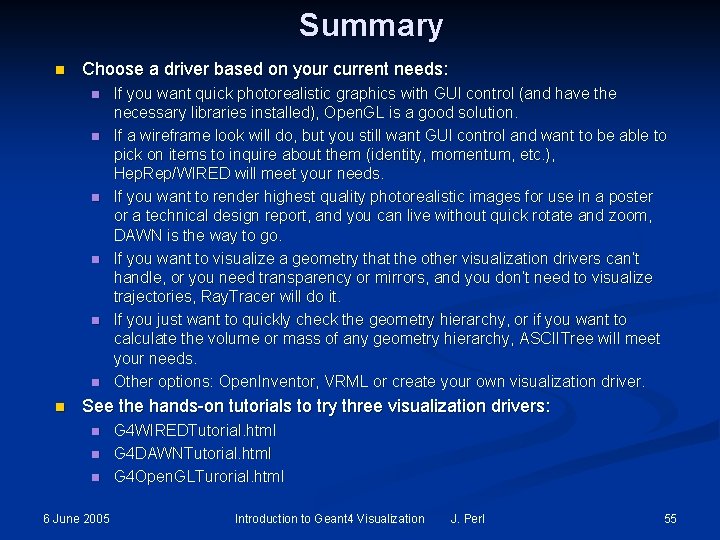
Summary n Choose a driver based on your current needs: n n n n If you want quick photorealistic graphics with GUI control (and have the necessary libraries installed), Open. GL is a good solution. If a wireframe look will do, but you still want GUI control and want to be able to pick on items to inquire about them (identity, momentum, etc. ), Hep. Rep/WIRED will meet your needs. If you want to render highest quality photorealistic images for use in a poster or a technical design report, and you can live without quick rotate and zoom, DAWN is the way to go. If you want to visualize a geometry that the other visualization drivers can’t handle, or you need transparency or mirrors, and you don’t need to visualize trajectories, Ray. Tracer will do it. If you just want to quickly check the geometry hierarchy, or if you want to calculate the volume or mass of any geometry hierarchy, ASCIITree will meet your needs. Other options: Open. Inventor, VRML or create your own visualization driver. See the hands-on tutorials to try three visualization drivers: n n n 6 June 2005 G 4 WIREDTutorial. html G 4 DAWNTutorial. html G 4 Open. GLTurorial. html Introduction to Geant 4 Visualization J. Perl 55
Further Resources Geant 4 Tutorial CD: Øhttp: //geant 4. slac. stanford. edu/g 4 cd/ Geant 4 Visualization README file: Øgeant 4/source/visualisation/README On-line Documentation on Geant 4 Visualization: Øhttp: //cern. ch/geant 4/G 4 Users. Documents/Users. Guides/ For. Application. Developer/html/Visualization List of Visualization Commands: Øhttp: //cern. ch/geant 4/G 4 Users. Documents/Users. Guides/ For. Application. Developer/html/Visualization/UIcommands/vis. txt Another Presentation that Introduces Visualization, with More Focus on Controlling Visualization from C++: Øhttp: //www. ge. infn. it/geant 4/training/portland/visualisation. pdf For Questions or Comments: Geant 4 Visualization Online Forum: Øhttp: //geant 4 -hn. slac. stanford. edu: 5090/Hyper. News/ public/get/visualization. html 6 June 2005 Introduction to Geant 4 Visualization J. Perl 56
References n n n n Hep. Rep: a generic interface definition for HEP event display representables http: //www. slac. stanford. edu/~perl/heprep Fred: oh no, another event display (a Hep. Rep client) http: //www. fisica. uniud. it/~glast/FRED WIRED 3 Hep. Rep Browser http: //www. slac. stanford. edu/BFROOT/www/Computing/Graphics/Wired DAWN Home Page http: //geant 4. kek. jp/~tanaka/DAWN/About_DAWN. html DAWNCUT Home Page http: //geant 4. kek. jp/~tanaka/DAWN/About_DAWNCUT. html DAVID Home Page http: //geant 4. kek. jp/~tanaka/DAWN/About_DAVID. html Satoshi Tanaka’s GEANT 4 Ritsumeikan University Group Home Page (more information on DAWN, sample PRIM files, images, etc. ) http: //geant 4. kek. jp/~tanaka/ 6 June 2005 Introduction to Geant 4 Visualization J. Perl 57