
Introduction to Firebox Cloud Watch Guard Training Copyright
Introduction to Firebox Cloud Watch. Guard Training Copyright © 2018 Watch. Guard Technologies, Inc. All Rights Reserved
2 Agenda § Firebox Cloud Overview § Fireware OS and Management § Licensing and Services § Feature Differences from other Fireboxes § Deployment Overview § Fireware Web UI § Default Configuration § Configuration Tips § Firebox Cloud CLI Watch. Guard Training Copyright © 2018 Watch. Guard Technologies, Inc. All Rights Reserved
3 Firebox Cloud Overview § Firebox Cloud is a virtual Firebox deployed in the cloud § Supported cloud platforms: • Amazon Web Services (AWS) • Microsoft Azure Watch. Guard Training Copyright © 2018 Watch. Guard Technologies, Inc. All Rights Reserved
4 Firebox Cloud Features § Runs the same Fireware OS as other Fireboxes § Protects a virtual network from attacks such as botnets, cross-site scripting, SQL injection attempts, and other intrusion vectors § Enables secure VPN connections to a virtual network § Compatible with Dimension for monitoring and reporting § Multiple purchasing options for Firebox Cloud on AWS Watch. Guard Training Copyright © 2018 Watch. Guard Technologies, Inc. All Rights Reserved
5 Primary Use Cases § Protect a server on a virtual network • Firewall • Security services § Branch Office VPN (BOVPN) endpoint • VPN endpoint for encrypted connections between other networks and a virtual network § Mobile VPN • VPN endpoint for encrypted connections from SSL, L 2 TP, IPSec, or IKEv 2 mobile VPN clients to a virtual network Watch. Guard Training Copyright © 2018 Watch. Guard Technologies, Inc. All Rights Reserved
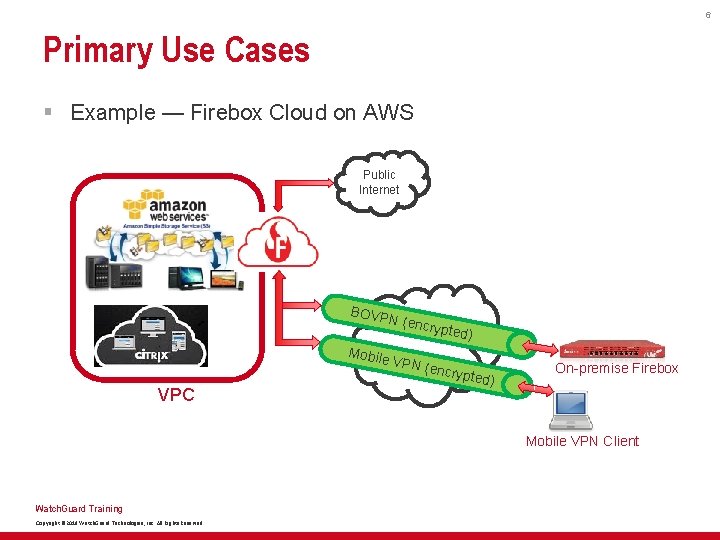
6 Primary Use Cases § Example — Firebox Cloud on AWS Public Internet BOVP N Mobile VPC (encry pted) VPN ( en crypte d) On-premise Firebox Mobile VPN Client Watch. Guard Training Copyright © 2018 Watch. Guard Technologies, Inc. All Rights Reserved
7 Firebox Cloud Licensing — AWS § Two options in the AWS Marketplace: • Bring Your Own License (BYOL) – Purchase a Firebox Cloud license from a Watch. Guard reseller – Activate the license and update the Firebox Cloud feature key • Pay As You Go – Purchase a metered Firebox Cloud instance in the AWS Marketplace – Amazon meters Firebox Cloud and bills based on usage – No activation or feature key is required § Both options enable the same Fireware functionality, features, and security services Watch. Guard Training Copyright © 2018 Watch. Guard Technologies, Inc. All Rights Reserved
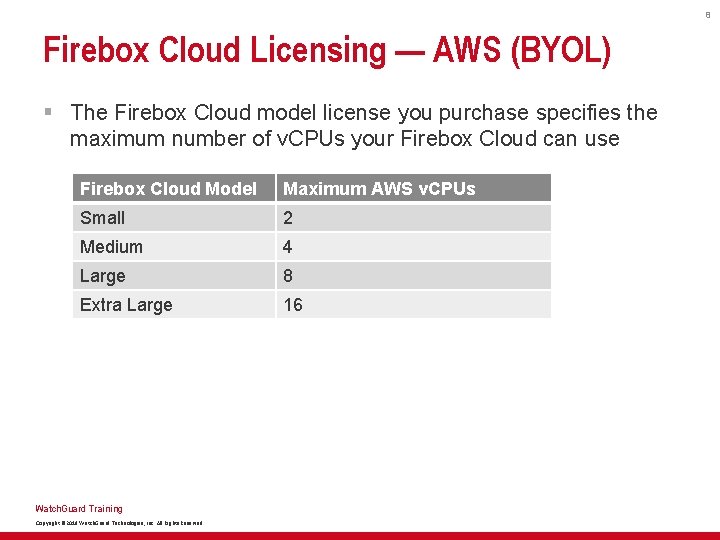
8 Firebox Cloud Licensing — AWS (BYOL) § The Firebox Cloud model license you purchase specifies the maximum number of v. CPUs your Firebox Cloud can use Firebox Cloud Model Maximum AWS v. CPUs Small 2 Medium 4 Large 8 Extra Large 16 Watch. Guard Training Copyright © 2018 Watch. Guard Technologies, Inc. All Rights Reserved
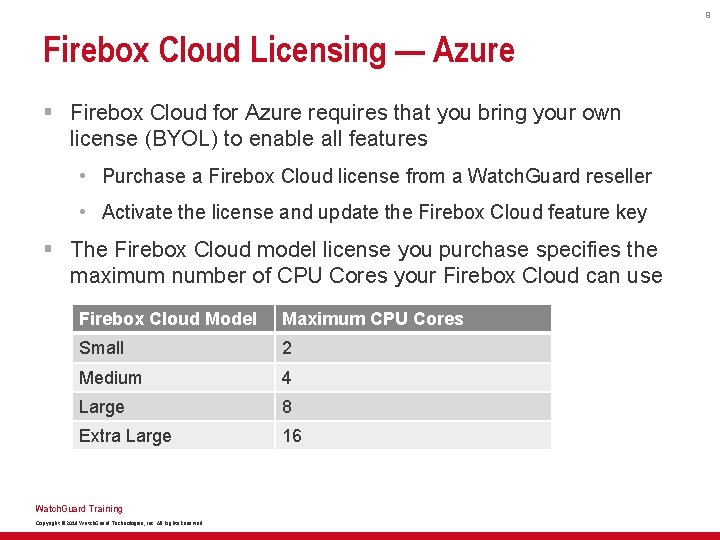
9 Firebox Cloud Licensing — Azure § Firebox Cloud for Azure requires that you bring your own license (BYOL) to enable all features • Purchase a Firebox Cloud license from a Watch. Guard reseller • Activate the license and update the Firebox Cloud feature key § The Firebox Cloud model license you purchase specifies the maximum number of CPU Cores your Firebox Cloud can use Firebox Cloud Model Maximum CPU Cores Small 2 Medium 4 Large 8 Extra Large 16 Watch. Guard Training Copyright © 2018 Watch. Guard Technologies, Inc. All Rights Reserved
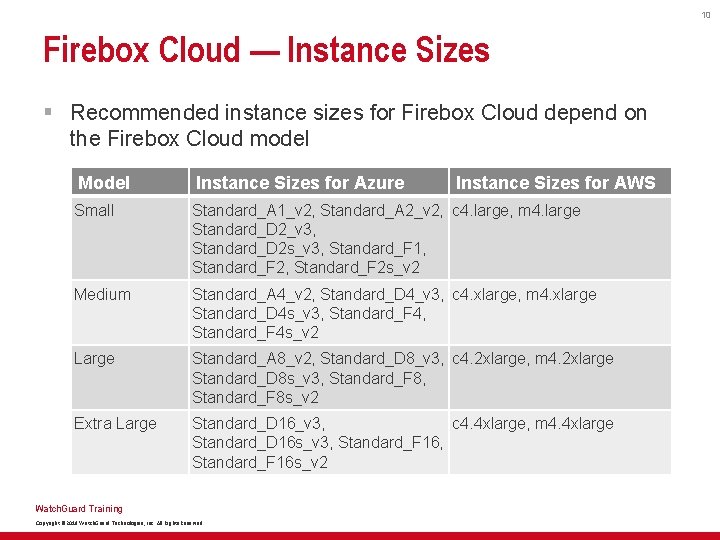
10 Firebox Cloud — Instance Sizes § Recommended instance sizes for Firebox Cloud depend on the Firebox Cloud model Model Instance Sizes for Azure Small Standard_A 1_v 2, Standard_A 2_v 2, c 4. large, m 4. large Standard_D 2_v 3, Standard_D 2 s_v 3, Standard_F 1, Standard_F 2 s_v 2 Medium Standard_A 4_v 2, Standard_D 4_v 3, c 4. xlarge, m 4. xlarge Standard_D 4 s_v 3, Standard_F 4 s_v 2 Large Standard_A 8_v 2, Standard_D 8_v 3, c 4. 2 xlarge, m 4. 2 xlarge Standard_D 8 s_v 3, Standard_F 8 s_v 2 Extra Large Standard_D 16_v 3, c 4. 4 xlarge, m 4. 4 xlarge Standard_D 16 s_v 3, Standard_F 16 s_v 2 Watch. Guard Training Copyright © 2018 Watch. Guard Technologies, Inc. All Rights Reserved Instance Sizes for AWS
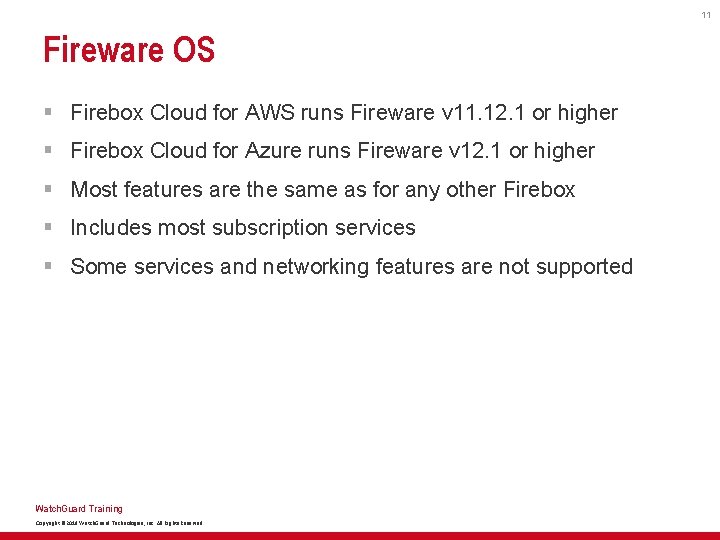
11 Fireware OS § Firebox Cloud for AWS runs Fireware v 11. 12. 1 or higher § Firebox Cloud for Azure runs Fireware v 12. 1 or higher § Most features are the same as for any other Firebox § Includes most subscription services § Some services and networking features are not supported Watch. Guard Training Copyright © 2018 Watch. Guard Technologies, Inc. All Rights Reserved
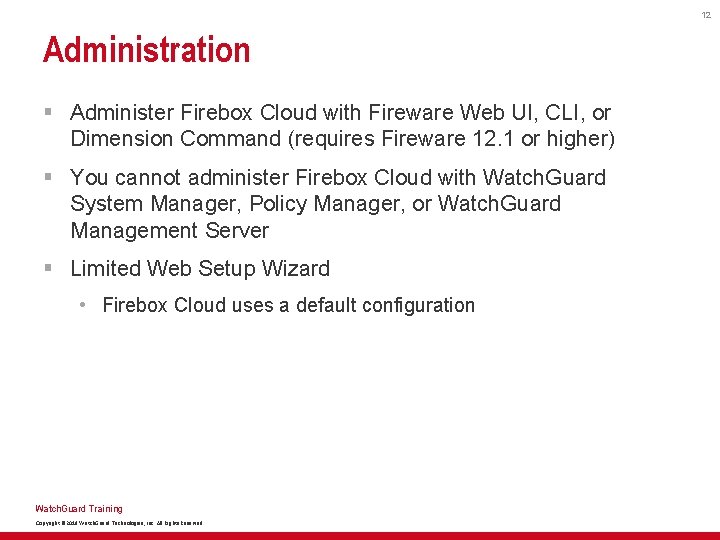
12 Administration § Administer Firebox Cloud with Fireware Web UI, CLI, or Dimension Command (requires Fireware 12. 1 or higher) § You cannot administer Firebox Cloud with Watch. Guard System Manager, Policy Manager, or Watch. Guard Management Server § Limited Web Setup Wizard • Firebox Cloud uses a default configuration Watch. Guard Training Copyright © 2018 Watch. Guard Technologies, Inc. All Rights Reserved
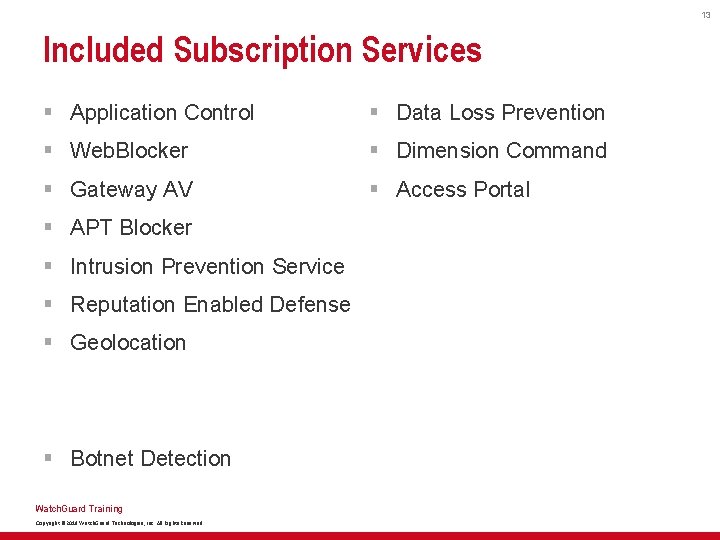
13 Included Subscription Services § Application Control § Data Loss Prevention § Web. Blocker § Dimension Command § Gateway AV § Access Portal § APT Blocker § Intrusion Prevention Service § Reputation Enabled Defense § Geolocation § Botnet Detection Watch. Guard Training Copyright © 2018 Watch. Guard Technologies, Inc. All Rights Reserved
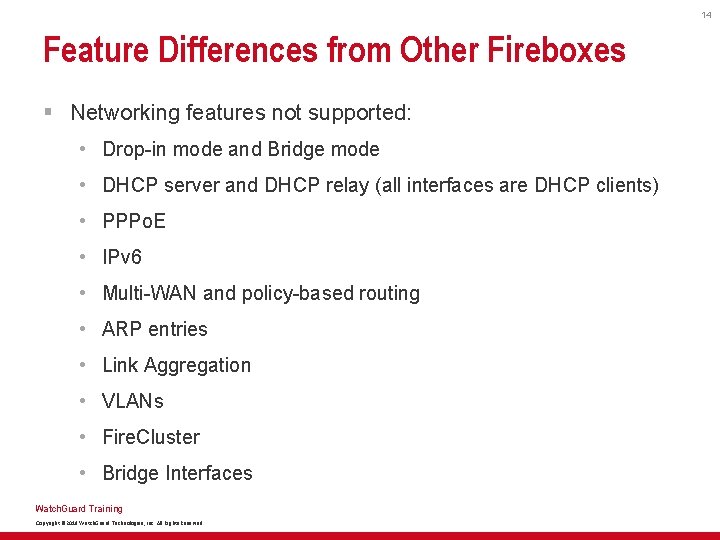
14 Feature Differences from Other Fireboxes § Networking features not supported: • Drop-in mode and Bridge mode • DHCP server and DHCP relay (all interfaces are DHCP clients) • PPPo. E • IPv 6 • Multi-WAN and policy-based routing • ARP entries • Link Aggregation • VLANs • Fire. Cluster • Bridge Interfaces Watch. Guard Training Copyright © 2018 Watch. Guard Technologies, Inc. All Rights Reserved
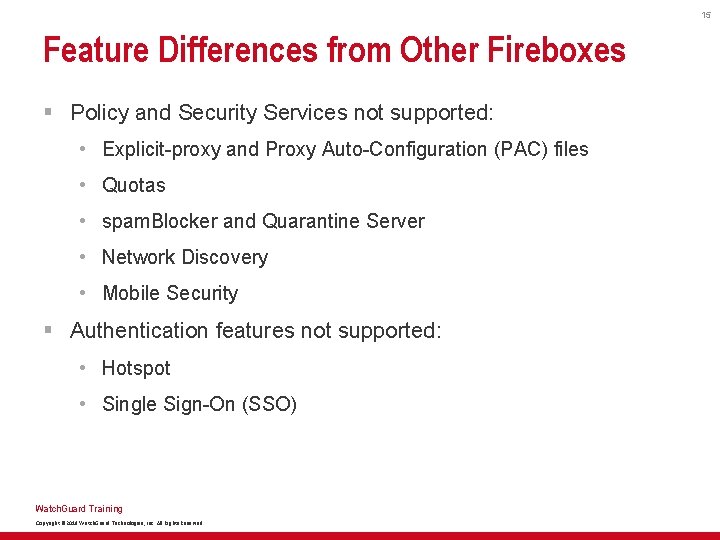
15 Feature Differences from Other Fireboxes § Policy and Security Services not supported: • Explicit-proxy and Proxy Auto-Configuration (PAC) files • Quotas • spam. Blocker and Quarantine Server • Network Discovery • Mobile Security § Authentication features not supported: • Hotspot • Single Sign-On (SSO) Watch. Guard Training Copyright © 2018 Watch. Guard Technologies, Inc. All Rights Reserved
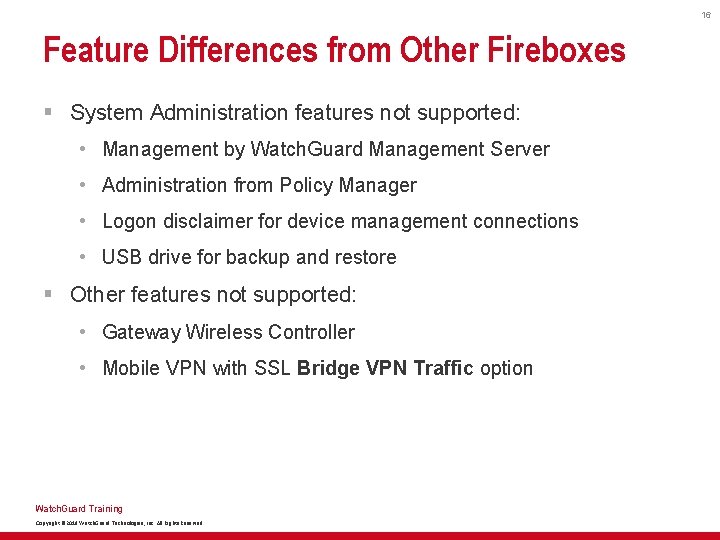
16 Feature Differences from Other Fireboxes § System Administration features not supported: • Management by Watch. Guard Management Server • Administration from Policy Manager • Logon disclaimer for device management connections • USB drive for backup and restore § Other features not supported: • Gateway Wireless Controller • Mobile VPN with SSL Bridge VPN Traffic option Watch. Guard Training Copyright © 2018 Watch. Guard Technologies, Inc. All Rights Reserved
17 Network Interface Configuration § Firebox Cloud supports up to 8 interfaces • 1 external • Up to 7 internal § All interfaces use DHCP to request an IP address • There are no interface settings in Fireware Web UI § You configure all network interface settings in AWS or Azure • For each additional interface, you must configure the subnet, route table, and interface for the Firebox Cloud VM Watch. Guard Training Copyright © 2018 Watch. Guard Technologies, Inc. All Rights Reserved
18 Deployment Overview — AWS § To deploy Firebox Cloud on AWS you must: 1. Create a VPC with public and private subnets 2. Terminate the default NAT instance for the VPC 3. Deploy a Firebox Cloud EC 2 instance in the VPC 4. Configure network settings in AWS for the EC 2 instance For more information, see the Firebox Cloud Deployment Guide § Connect to Fireware Web UI at the eth 0 public IP address of your Firebox • For AWS, this is the Elastic IP address for interface 0 Watch. Guard Training Copyright © 2018 Watch. Guard Technologies, Inc. All Rights Reserved
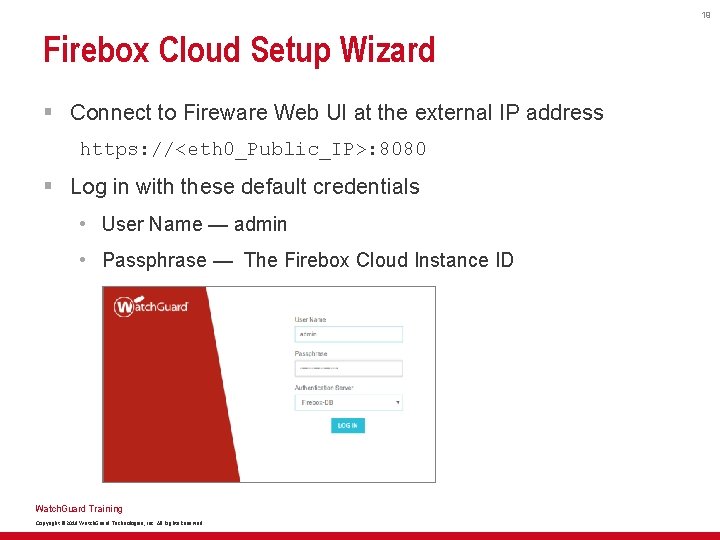
19 Firebox Cloud Setup Wizard § Connect to Fireware Web UI at the external IP address https: //<eth 0_Public_IP>: 8080 § Log in with these default credentials • User Name — admin • Passphrase — The Firebox Cloud Instance ID Watch. Guard Training Copyright © 2018 Watch. Guard Technologies, Inc. All Rights Reserved
20 Deployment Overview — Azure § To deploy Firebox Cloud on Microsoft Azure you must: 1. Create a key pair for SSH authentication 2. Deploy the Firebox Cloud instance 3. Activate your Firebox Cloud license 4. Add the feature key For more information, see the Firebox Cloud Deployment Guide § Connect to Fireware Web UI at the eth 0 public IP address of your Firebox Watch. Guard Training Copyright © 2018 Watch. Guard Technologies, Inc. All Rights Reserved
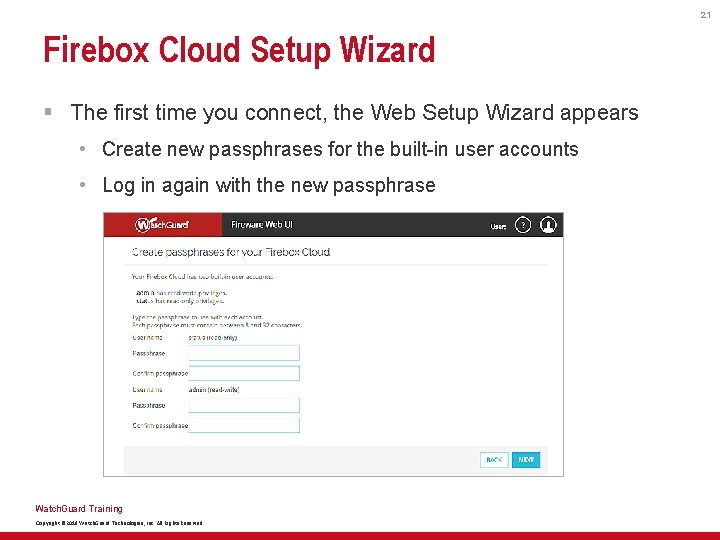
21 Firebox Cloud Setup Wizard § The first time you connect, the Web Setup Wizard appears • Create new passphrases for the built-in user accounts • Log in again with the new passphrase Watch. Guard Training Copyright © 2018 Watch. Guard Technologies, Inc. All Rights Reserved
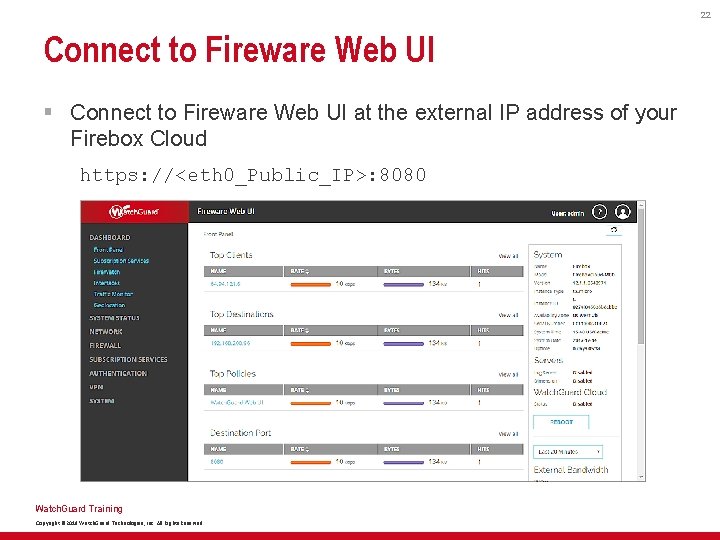
22 Connect to Fireware Web UI § Connect to Fireware Web UI at the external IP address of your Firebox Cloud https: //<eth 0_Public_IP>: 8080 Watch. Guard Training Copyright © 2018 Watch. Guard Technologies, Inc. All Rights Reserved
23 Fireware Web UI — Instance Information § Information about the Firebox Cloud instance appears in several places in Fireware Web UI: • Front Panel Dashboard page System section shows: – Instance Type – Instance ID – Availability Zone • System Status > VM Information – More detailed instance information • Dashboard > Interfaces > Detail – Interface configuration and link status Watch. Guard Training Copyright © 2018 Watch. Guard Technologies, Inc. All Rights Reserved
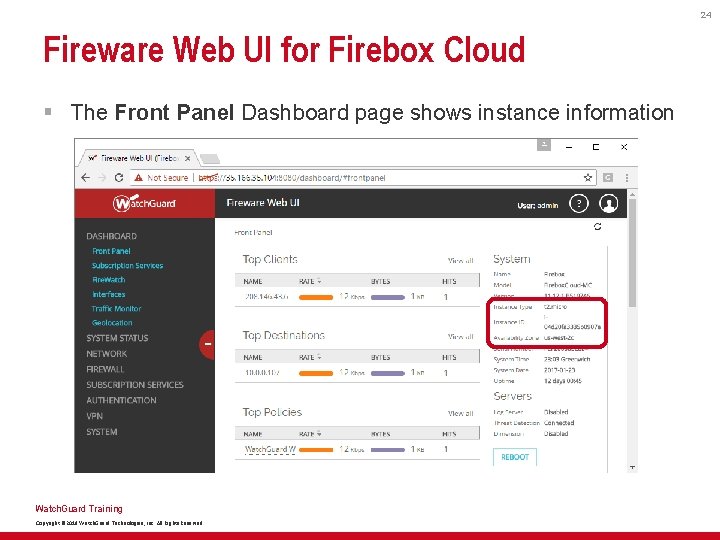
24 Fireware Web UI for Firebox Cloud § The Front Panel Dashboard page shows instance information Watch. Guard Training Copyright © 2018 Watch. Guard Technologies, Inc. All Rights Reserved
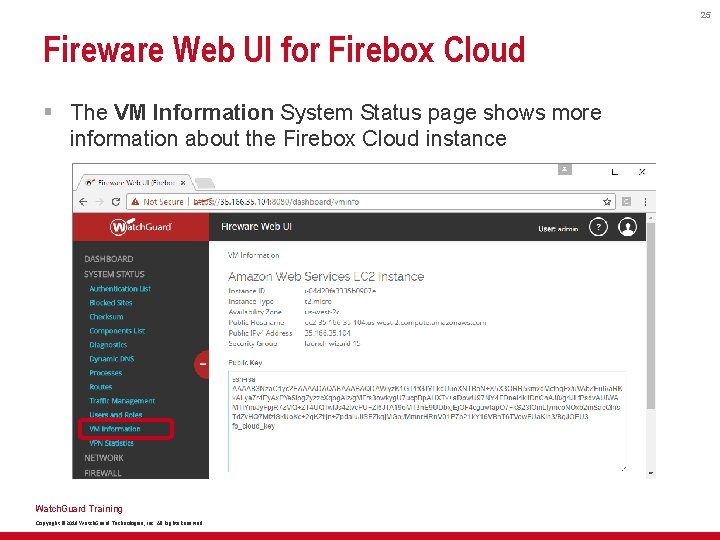
25 Fireware Web UI for Firebox Cloud § The VM Information System Status page shows more information about the Firebox Cloud instance Watch. Guard Training Copyright © 2018 Watch. Guard Technologies, Inc. All Rights Reserved
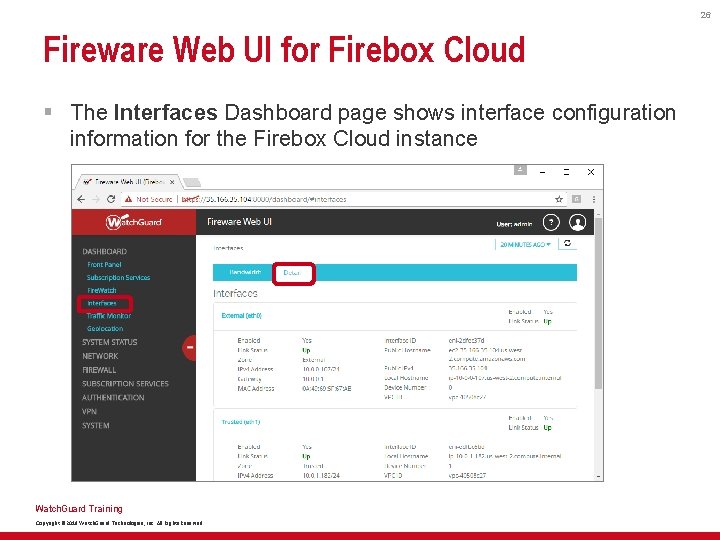
26 Fireware Web UI for Firebox Cloud § The Interfaces Dashboard page shows interface configuration information for the Firebox Cloud instance Watch. Guard Training Copyright © 2018 Watch. Guard Technologies, Inc. All Rights Reserved
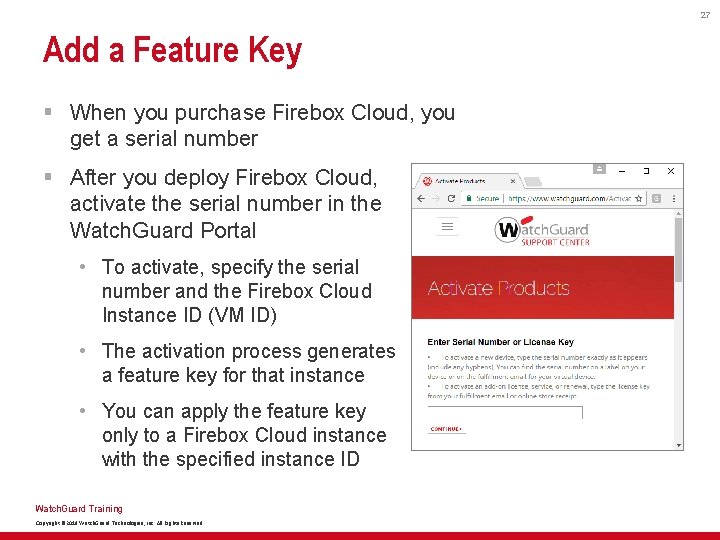
27 Add a Feature Key § When you purchase Firebox Cloud, you get a serial number § After you deploy Firebox Cloud, activate the serial number in the Watch. Guard Portal • To activate, specify the serial number and the Firebox Cloud Instance ID (VM ID) • The activation process generates a feature key for that instance • You can apply the feature key only to a Firebox Cloud instance with the specified instance ID Watch. Guard Training Copyright © 2018 Watch. Guard Technologies, Inc. All Rights Reserved
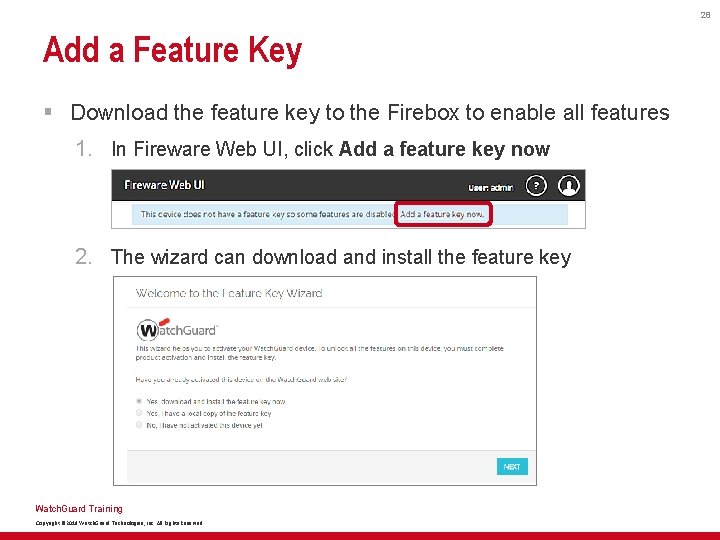
28 Add a Feature Key § Download the feature key to the Firebox to enable all features 1. In Fireware Web UI, click Add a feature key now 2. The wizard can download and install the feature key Watch. Guard Training Copyright © 2018 Watch. Guard Technologies, Inc. All Rights Reserved
29 Default Configuration — User Accounts § Default user accounts are the same as for any other Firebox • Device Administrator account: – User name — admin – Passphrase — <the Firebox Cloud VM or Instance ID> • Device Monitor account: – User name — status – Passphrase — readonly § You change these default passphrases in the Web Setup Wizard when you connect to Firebox Cloud the first time § You can also select System > Users and Roles to change the passphrases for these user accounts Watch. Guard Training Copyright © 2018 Watch. Guard Technologies, Inc. All Rights Reserved
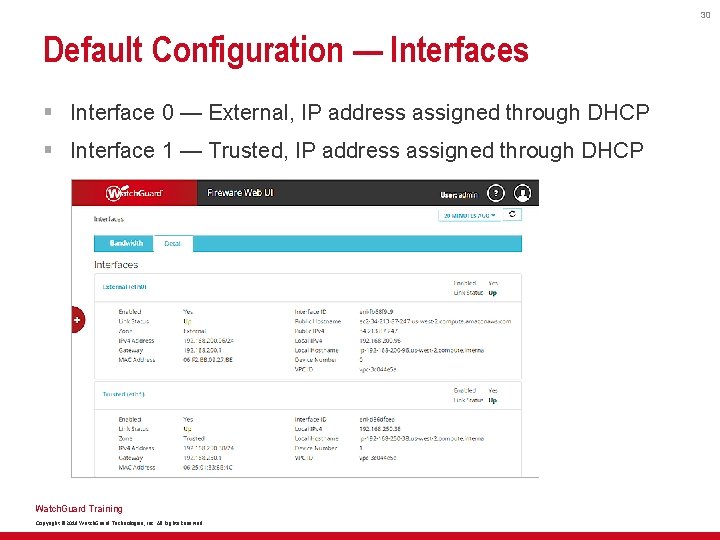
30 Default Configuration — Interfaces § Interface 0 — External, IP address assigned through DHCP § Interface 1 — Trusted, IP address assigned through DHCP Watch. Guard Training Copyright © 2018 Watch. Guard Technologies, Inc. All Rights Reserved
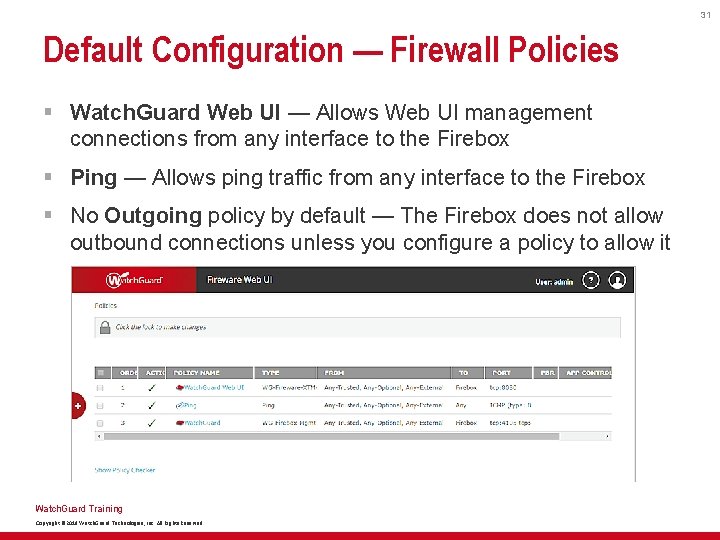
31 Default Configuration — Firewall Policies § Watch. Guard Web UI — Allows Web UI management connections from any interface to the Firebox § Ping — Allows ping traffic from any interface to the Firebox § No Outgoing policy by default — The Firebox does not allow outbound connections unless you configure a policy to allow it Watch. Guard Training Copyright © 2018 Watch. Guard Technologies, Inc. All Rights Reserved
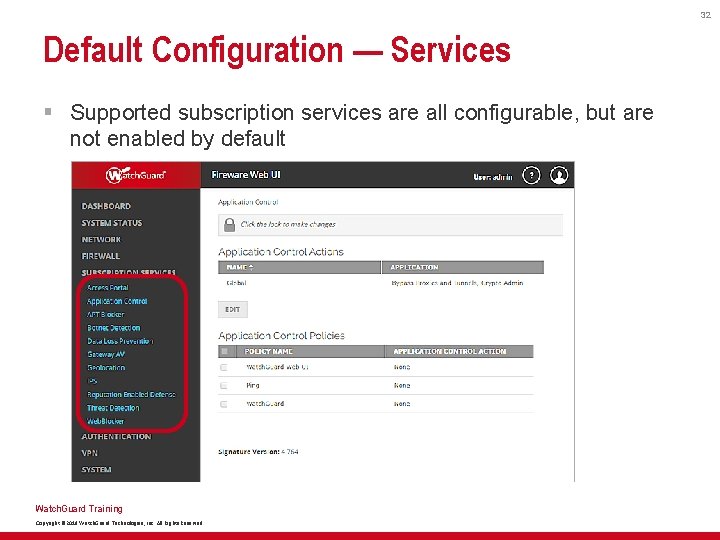
32 Default Configuration — Services § Supported subscription services are all configurable, but are not enabled by default Watch. Guard Training Copyright © 2018 Watch. Guard Technologies, Inc. All Rights Reserved
33 Configuration Tips — Protect a Web Server § Configure a 1 -to-1 NAT action • Configure a 1 -to-1 NAT action for IP address translation from the external interface to the private IP address of the web server • If you have more than one server, add a 1 -to-1 NAT action for each server Watch. Guard Training Copyright © 2018 Watch. Guard Technologies, Inc. All Rights Reserved
34 Configuration Tips — Protect a Web Server § Enable and configure security services in proxy actions • HTTP-Server. Standard. 1 — Modified HTTP proxy action • HTTPS-Server. Standard. 1 — Modified HTTPS proxy action § Services: • Gateway AV/APT Blocker — Enable with default settings • IPS — Enable with default settings • Botnet Detection — Enable • Reputation Enabled Defense — Immediately block URLS that have a bad reputation • Data Loss Prevention — Enable if appropriate Watch. Guard Training Copyright © 2018 Watch. Guard Technologies, Inc. All Rights Reserved
35 Configuration Tips — Protect a Web Server § Add an HTTP-Proxy policy • Select the HTTP-Server. Standard. 1 proxy action with services enabled • Allow traffic from Any-External to the NAT Base IP address in the 1 -to-1 NAT action Watch. Guard Training Copyright © 2018 Watch. Guard Technologies, Inc. All Rights Reserved
36 Configuration Tips — Protect a Web Server § Add an HTTPS-Proxy policy (if needed for your server) • Select the HTTPS-Server. Standard. 1 proxy action with services enabled • Enable content inspection in the HTTPS proxy – Select the HTTP-Server. Standard. 1 proxy action that has services enabled – Import a proxy server certificate to avoid certificate errors • Allow traffic from Any-External to the NAT Base IP address in the 1 -to-1 NAT action Watch. Guard Training Copyright © 2018 Watch. Guard Technologies, Inc. All Rights Reserved
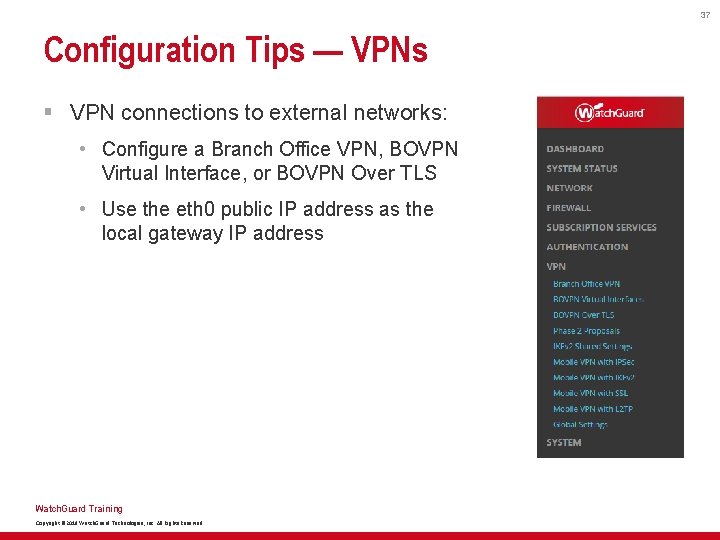
37 Configuration Tips — VPNs § VPN connections to external networks: • Configure a Branch Office VPN, BOVPN Virtual Interface, or BOVPN Over TLS • Use the eth 0 public IP address as the local gateway IP address Watch. Guard Training Copyright © 2018 Watch. Guard Technologies, Inc. All Rights Reserved
38 Configuration Tips — VPNs § VPN connections to a mobile VPN client: • Configure Mobile VPN with IPSec, Mobile VPN with IKEv 2, Mobile VPN with SSL, or Mobile VPN with L 2 TP – The Mobile VPN with SSL Bridge VPN Traffic option is not supported • Use the eth 0 public IP address as the primary IP address for mobile VPN connections Watch. Guard Training Copyright © 2018 Watch. Guard Technologies, Inc. All Rights Reserved
39 More Information § For more information about how to deploy Firebox Cloud, see the Firebox Cloud Deployment Guide § For more information about how to configure Fireware features, see Fireware Help Watch. Guard Training Copyright © 2018 Watch. Guard Technologies, Inc. All Rights Reserved

40 Thank You! Watch. Guard Training Copyright © 2018 Watch. Guard Technologies, Inc. All Rights Reserved
- Slides: 40