
INTRODUCTION TO ELECTRONIC INSTRUMENTATION Chapter 10 INTC 1305
- Slides: 23
INTRODUCTION TO ELECTRONIC INSTRUMENTATION Chapter 10 INTC 1305 – 01 LOOP PROCESSES Vern Wilson
�Describe the role of the sensors �Describe the role of the transmitters �Discuss differential pressures �Compare signals for input and output �Describe the function of current to pneumatic �Describe the relationship between 3 – 15 psi and 4 – 20 m. A �Explain the loop functions REVIEW of CHAPTER 9
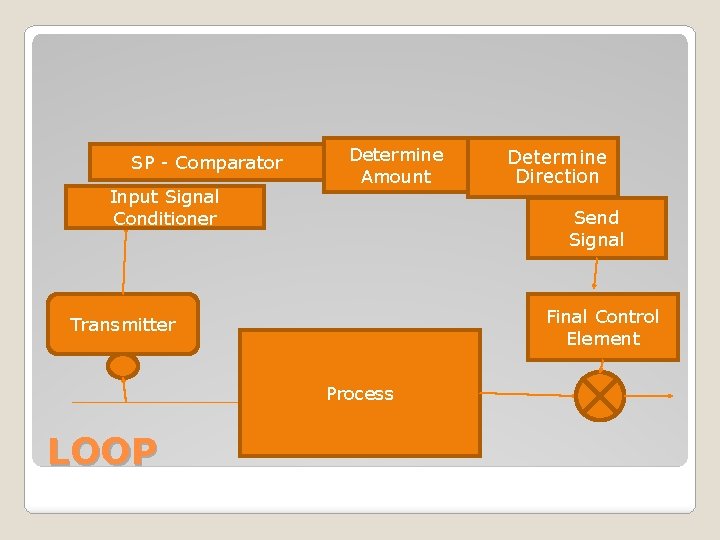
SP - Comparator Input Signal Conditioner Determine Amount Determine Direction Send Signal Final Control Element Transmitter Process LOOP �
�Defining controller terms �Bumpless transfer �Switching from Auto to Manual �Operating various loops �Describing loops from drawings �Various final control elements PREVIEW of CHAPTER 10
�Input gives a number to the controller �The Controller recognizes a Set Point and compares �Inherent errors �Sends a signal to final control element �Go to page 196 to compare The Controller
CONTROLLER
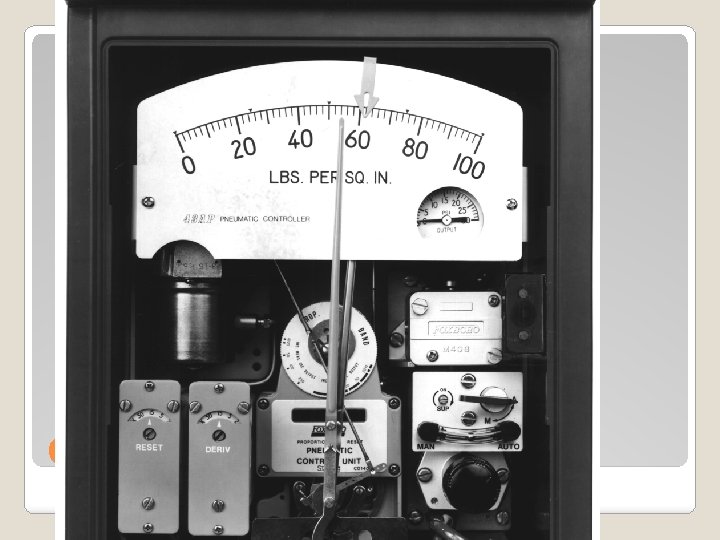
�Purpose of Controller to maintain a constant PV matching a Set Point �Typical Front Panel – remote/local and auto/manual switch, Set Point, scale, manual indicator and output knob, Process Variable Indicator, �Typical Side Panel – tuning knobs Characteristics of Controller
�Auto – manual switch �Local/remote set point indicator �Local/remote switch �Set point adjustment knob �Manual output knob – Manual output indicat. �PV Indicator / Set Point Indicator �Setpoint variable �Tag number FRONT PANEL
�Accepts signal from Controller �Manipulates a valve �Go to page 222 The Final Control Element
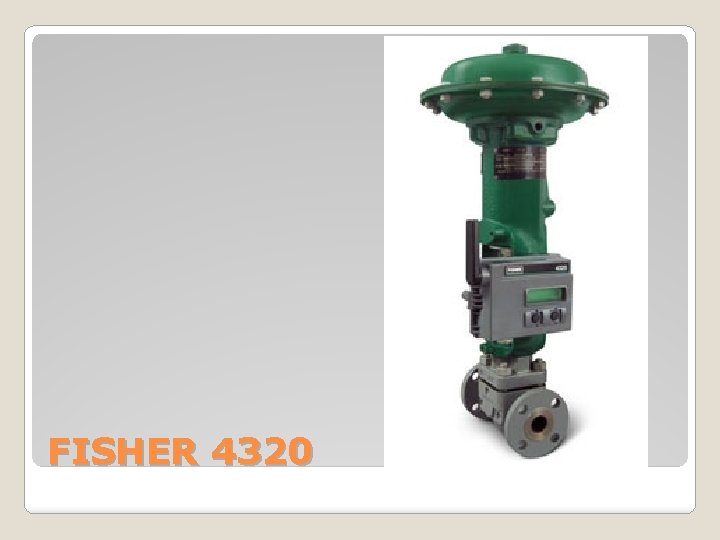
FISHER 4320
�Use Manual for startup, SI, Problems �When in Manual the Final Element knows it �Once stabilized then go on auto Front Panel – Auto / Manual
�Also known as desired value �Point at which process can be regulated �Remote Set Point can be set from an external source (another controller) Front Panel – Setpoint Adjustment
�Usually a system with a Local/Remote switch is part of a cascade system LOCAL REMOTE SWITCH
�Tuning knobs �Direction – direct or reverse �Proportional band – Gain �Integral action – Reset �Derivative action - Rate SIDE PANEL
�Direct or Reverse �DIR or REV �DIR - If input increases the output increases �REV – If input increases the output decreases DIRECT ACTING/REVERSE
�Proportional band �Gain �Means the input required to produce a full range change in output �GAIN = Change in Output Change in Input PROPORTIONAL BAND
�Integral action is designed to eliminate the changes inherent in feedback loops �Measured in minutes per repeat �The converse is known as RESET which is measured in repeats per minute INTEGRAL ACTION
�This controller responds to the Rate of Change of a PV DERIVATIVE ACTION
�Bumpless �Smooth transfer from Manual to Auto �Auto to Manual mode �Manual to Auto control CONTROLLER SWITCHING
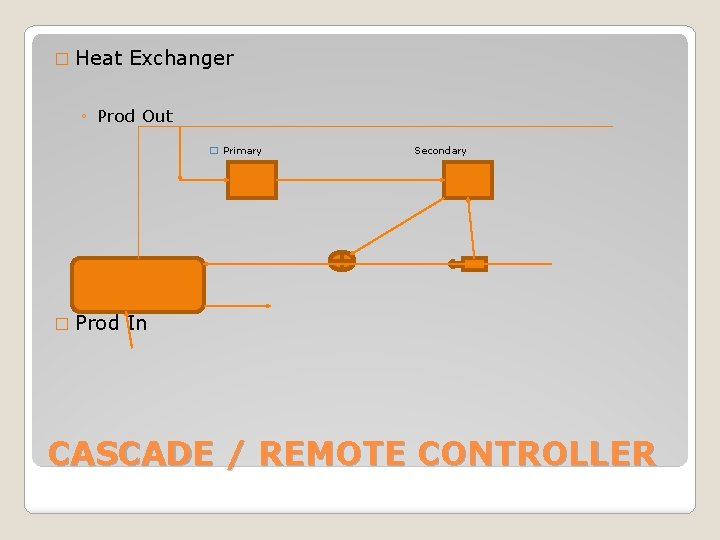
�Local – at vessel �Remote – not at vessel �Split Range – Sends signals to two Final Control Elements �Cascade/Remote – One output is the Set Point of another �Ratio Controllers – Control two streams at different rates TYPES OF CONTROLLERS
� Heat Exchanger ◦ Prod Out � Primary � Prod Secondary In CASCADE / REMOTE CONTROLLER
�Valves �Louvers �Electric motors FINAL CONTROL ELEMENT
�One tank controller �Start and stop flow with level control �Use a pump on the outlet EXERCISE