
Introduction to Ecological Interface Design ystein Veland oystein
- Slides: 24
Introduction to Ecological Interface Design Øystein Veland oystein. veland@hrp. no
Contents 1. Examples to give an intuitive understanding – Make the invisible – Communicate the deeper meaning of data 2. Theoretical foundations – Skills-, rules knowledge model of human information processing – Links to ecological psychology – Skills- rules, knowledge model – Abstraction Hierarchy – Mental models 3. Design ”case study”
Why should you know about EID ? Donald Norman on design: ”Above all, do no harm !” – This is the central concern of usability engineering and much of human factors in general Ecological Interface Design goes beyond this and is about – Designing tools that enable the user – Increasing the usefulness, not just the usability
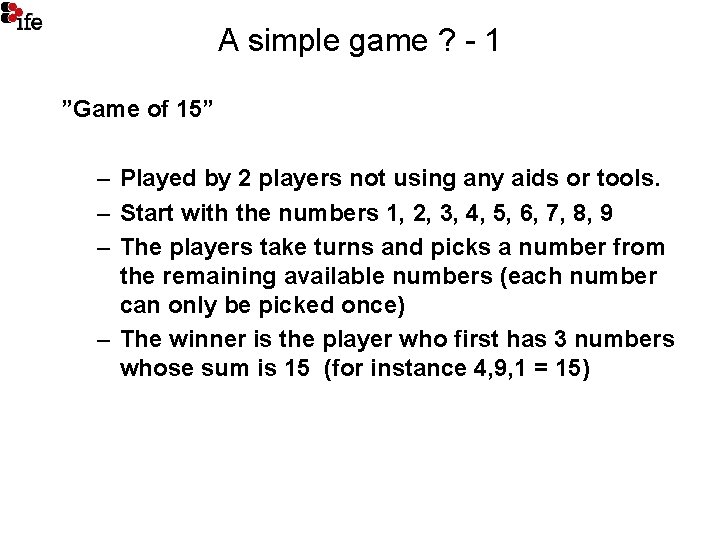
A simple game ? - 1 ”Game of 15” – Played by 2 players not using any aids or tools. – Start with the numbers 1, 2, 3, 4, 5, 6, 7, 8, 9 – The players take turns and picks a number from the remaining available numbers (each number can only be picked once) – The winner is the player who first has 3 numbers whose sum is 15 (for instance 4, 9, 1 = 15)
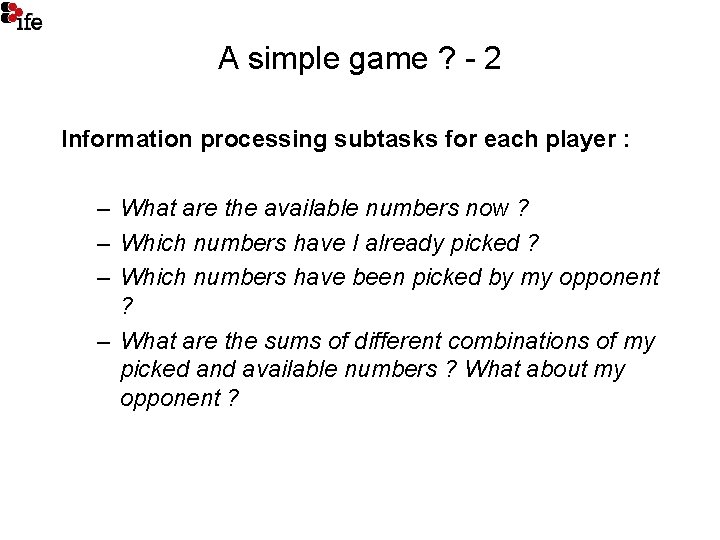
A simple game ? - 2 Information processing subtasks for each player : – What are the available numbers now ? – Which numbers have I already picked ? – Which numbers have been picked by my opponent ? – What are the sums of different combinations of my picked and available numbers ? What about my opponent ?
Using pen and paper Less memorization but still some mental tasks remaining – What are the sums of different combinations of my picked and available numbers ? What about my opponent ?
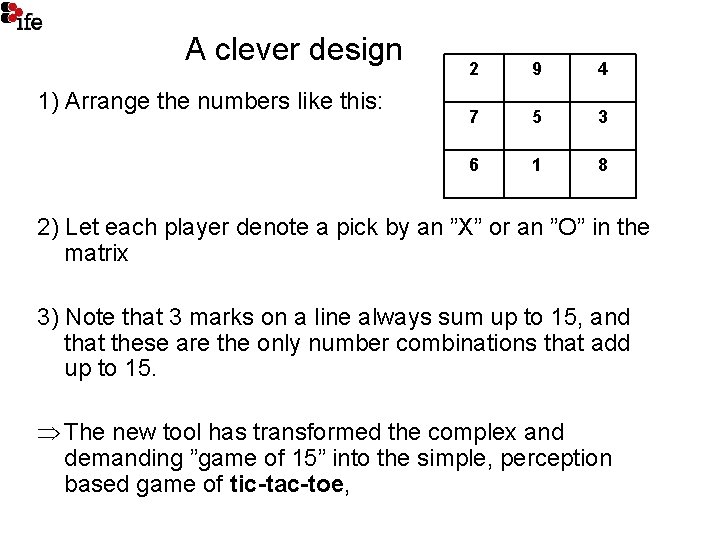
A clever design 1) Arrange the numbers like this: 2 9 4 7 5 3 6 1 8 2) Let each player denote a pick by an ”X” or an ”O” in the matrix 3) Note that 3 marks on a line always sum up to 15, and that these are the only number combinations that add up to 15. Þ The new tool has transformed the complex and demanding ”game of 15” into the simple, perception based game of tic-tac-toe,
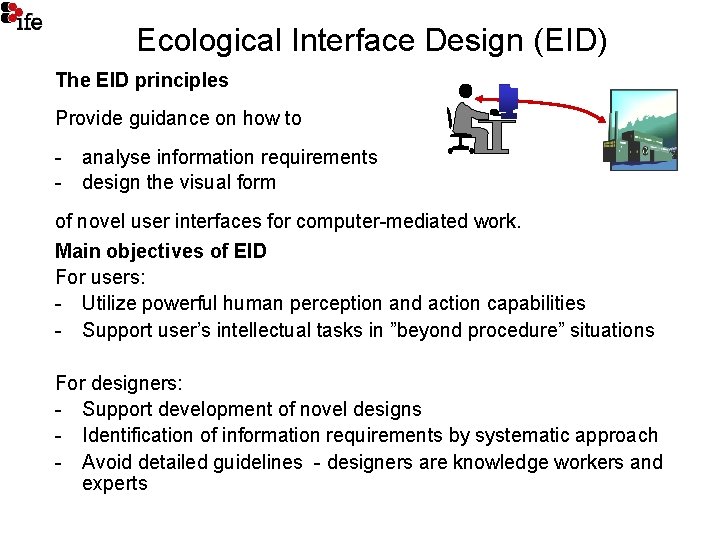
Ecological Interface Design (EID) The EID principles Provide guidance on how to - analyse information requirements - design the visual form of novel user interfaces for computer-mediated work. Main objectives of EID For users: - Utilize powerful human perception and action capabilities - Support user’s intellectual tasks in ”beyond procedure” situations For designers: - Support development of novel designs - Identification of information requirements by systematic approach - Avoid detailed guidelines - designers are knowledge workers and experts
Background • EID principles were introduced by Kim Vicente & Jens Rasmussen about 1990 • Jens Rasmussen: – 25 years of independent reserarch at Risø National Laboratories, Denmark • Kim Vicente : Head of Cognitive Engineering Lab in University of Toronto, also professorate at MIT
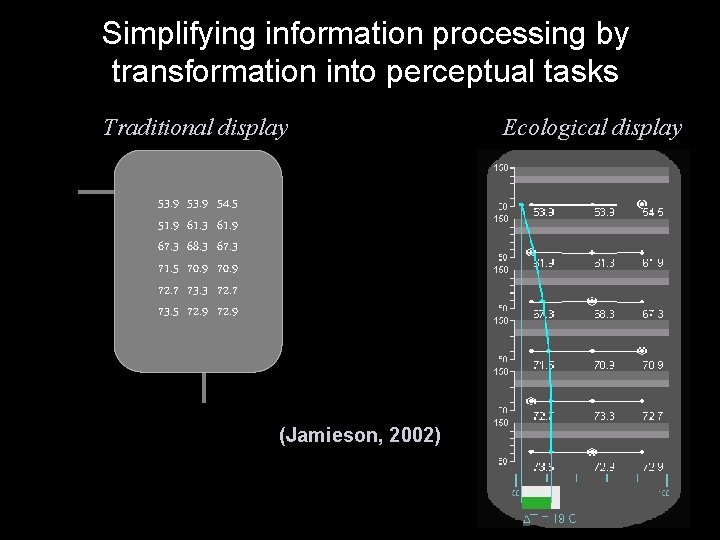
Simplifying information processing by transformation into perceptual tasks Traditional display 53. 9 51. 9 67. 3 71. 5 72. 7 73. 5 53. 9 61. 3 68. 3 70. 9 73. 3 72. 9 54. 5 61. 9 67. 3 70. 9 72. 7 72. 9 (Jamieson, 2002) Ecological display
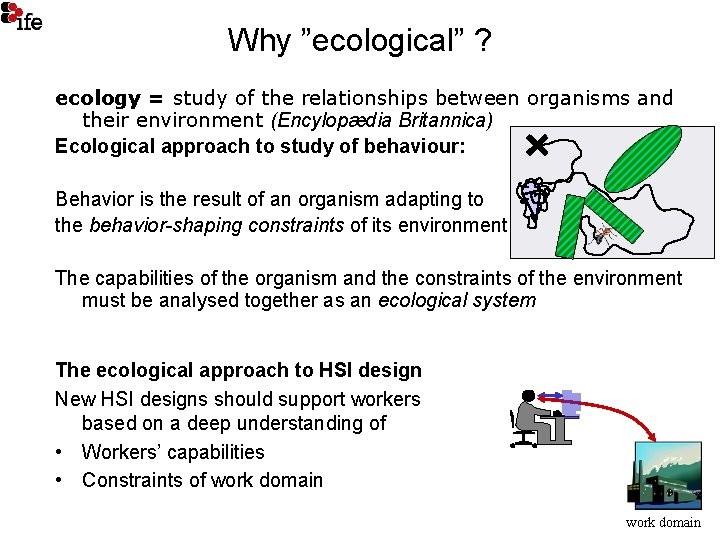
Why ”ecological” ? ecology = study of the relationships between organisms and their environment (Encylopædia Britannica) Ecological approach to study of behaviour: Behavior is the result of an organism adapting to the behavior-shaping constraints of its environment. The capabilities of the organism and the constraints of the environment must be analysed together as an ecological system The ecological approach to HSI design New HSI designs should support workers based on a deep understanding of • Workers’ capabilities • Constraints of work domain
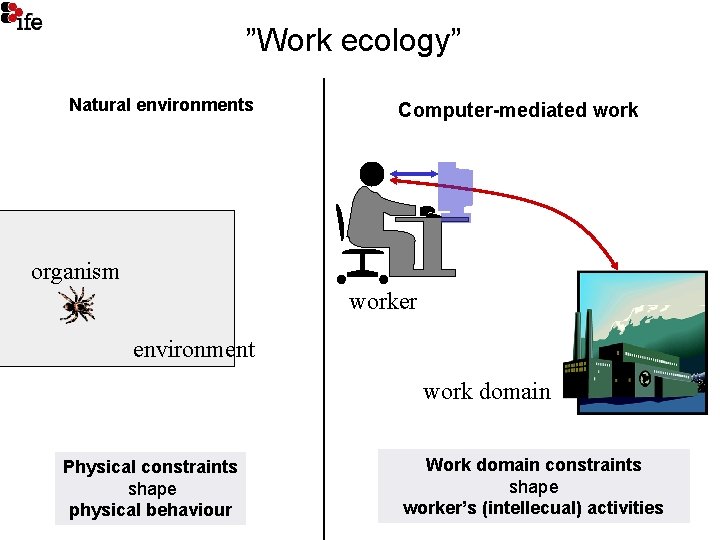
”Work ecology” Natural environments Computer-mediated work organism worker environment work domain Physical constraints shape physical behaviour Work domain constraints shape worker’s (intellecual) activities
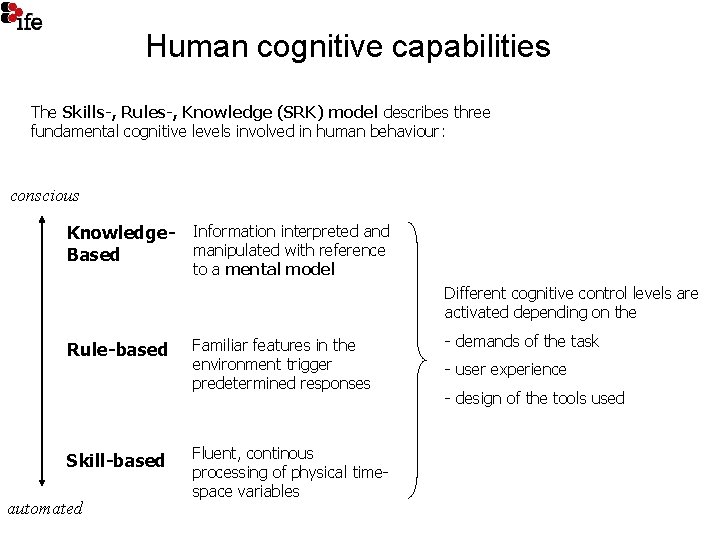
Human cognitive capabilities The Skills-, Rules-, Knowledge (SRK) model describes three fundamental cognitive levels involved in human behaviour: conscious Knowledge- Information interpreted and manipulated with reference Based to a mental model Different cognitive control levels are activated depending on the Rule-based Skill-based automated Familiar features in the environment trigger predetermined responses Fluent, continous processing of physical timespace variables - demands of the task - user experience - design of the tools used
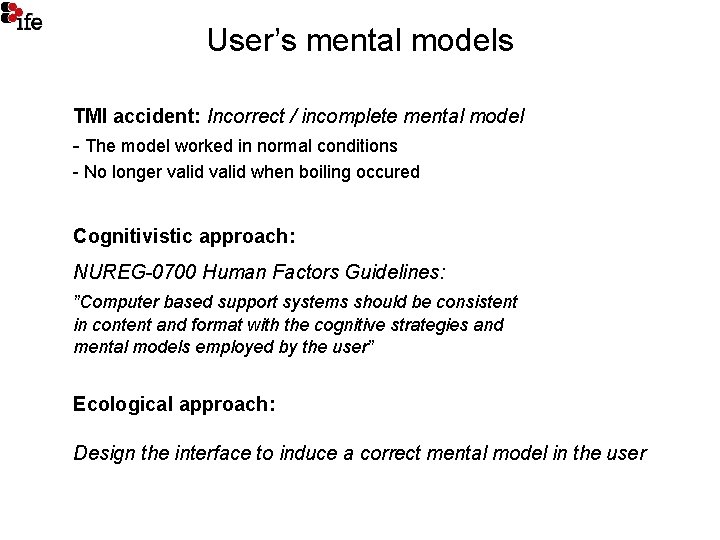
User’s mental models TMI accident: Incorrect / incomplete mental model - The model worked in normal conditions - No longer valid when boiling occured Cognitivistic approach: NUREG-0700 Human Factors Guidelines: ”Computer based support systems should be consistent in content and format with the cognitive strategies and mental models employed by the user” Ecological approach: Design the interface to induce a correct mental model in the user
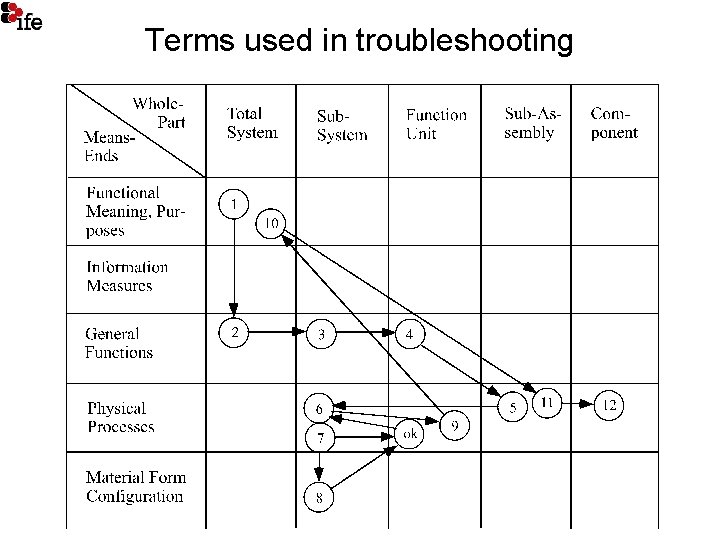
Terms used in troubleshooting
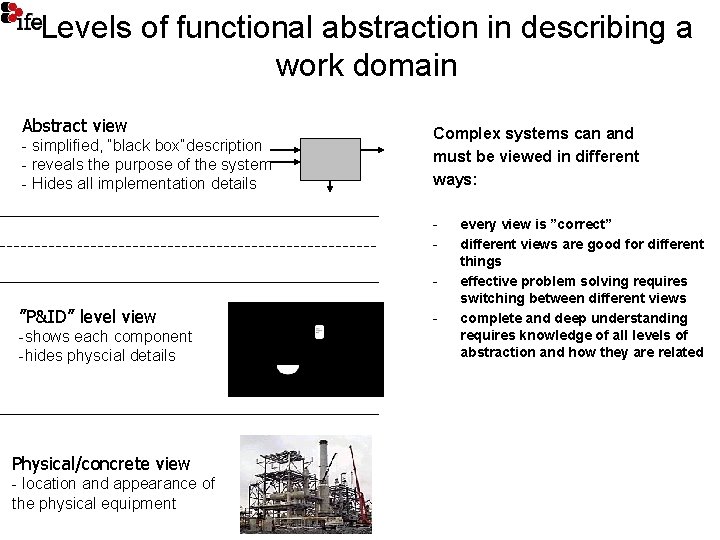
Levels of functional abstraction in describing a work domain Abstract view - simplified, ”black box”description - reveals the purpose of the system - Hides all implementation details Complex systems can and must be viewed in different ways: - ”P&ID” level view -shows each component -hides physcial details Physical/concrete view - location and appearance of the physical equipment - every view is ”correct” different views are good for different things effective problem solving requires switching between different views complete and deep understanding requires knowledge of all levels of abstraction and how they are related
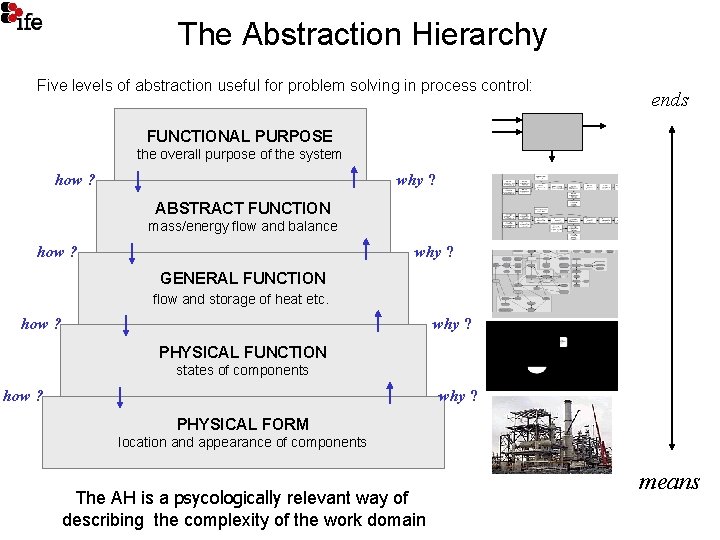
The Abstraction Hierarchy Five levels of abstraction useful for problem solving in process control: ends FUNCTIONAL PURPOSE the overall purpose of the system how ? why ? ABSTRACT FUNCTION mass/energy flow and balance how ? why ? GENERAL FUNCTION flow and storage of heat etc. how ? why ? PHYSICAL FUNCTION states of components how ? why ? PHYSICAL FORM location and appearance of components The AH is a psycologically relevant way of describing the complexity of the work domain means
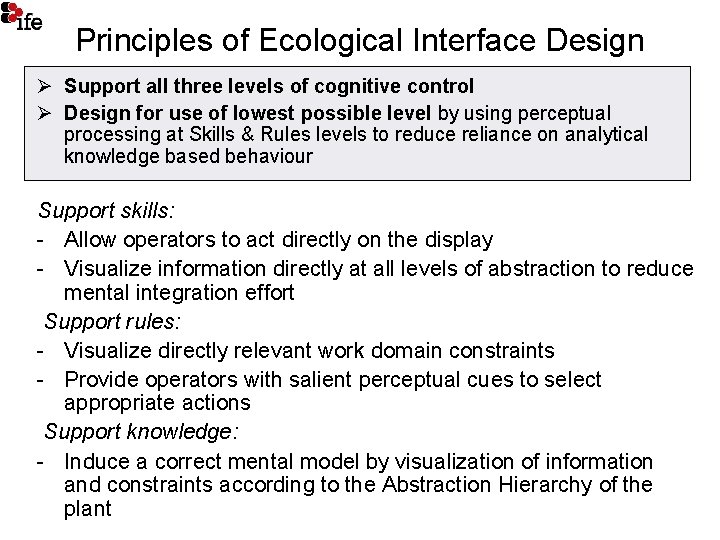
Principles of Ecological Interface Design Ø Support all three levels of cognitive control Ø Design for use of lowest possible level by using perceptual processing at Skills & Rules levels to reduce reliance on analytical knowledge based behaviour Support skills: - Allow operators to act directly on the display - Visualize information directly at all levels of abstraction to reduce mental integration effort Support rules: - Visualize directly relevant work domain constraints - Provide operators with salient perceptual cues to select appropriate actions Support knowledge: - Induce a correct mental model by visualization of information and constraints according to the Abstraction Hierarchy of the plant
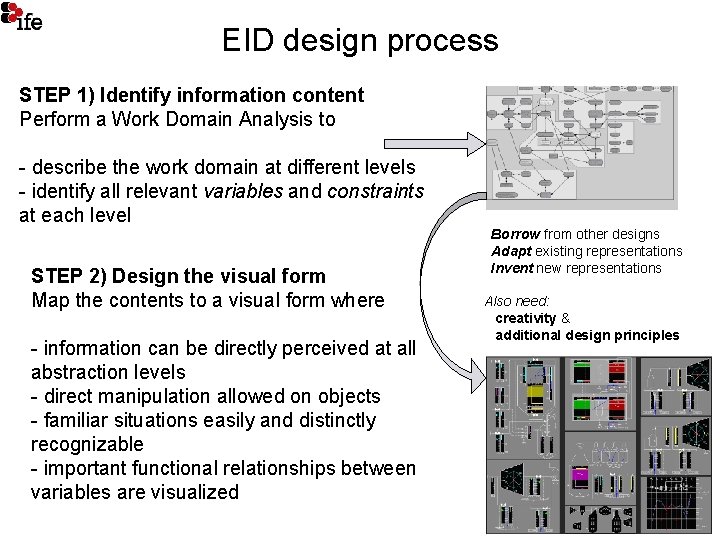
EID design process STEP 1) Identify information content Perform a Work Domain Analysis to - describe the work domain at different levels - identify all relevant variables and constraints at each level STEP 2) Design the visual form Map the contents to a visual form where - information can be directly perceived at all abstraction levels - direct manipulation allowed on objects - familiar situations easily and distinctly recognizable - important functional relationships between variables are visualized Borrow from other designs Adapt existing representations Invent new representations Also need: creativity & additional design principles
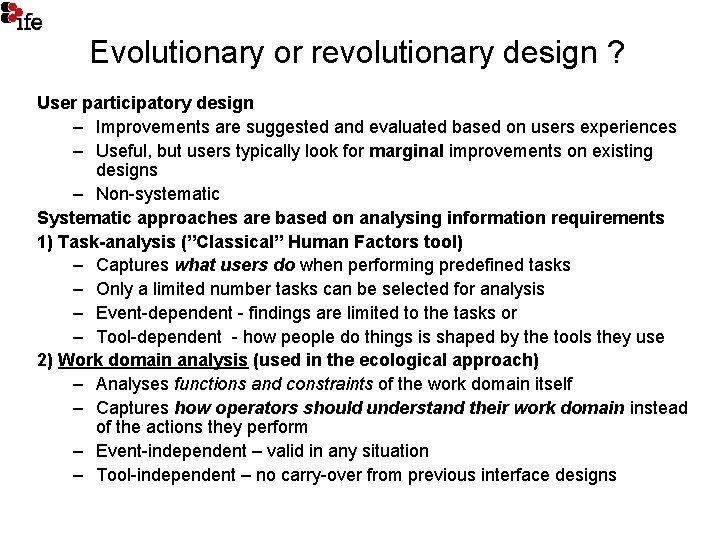
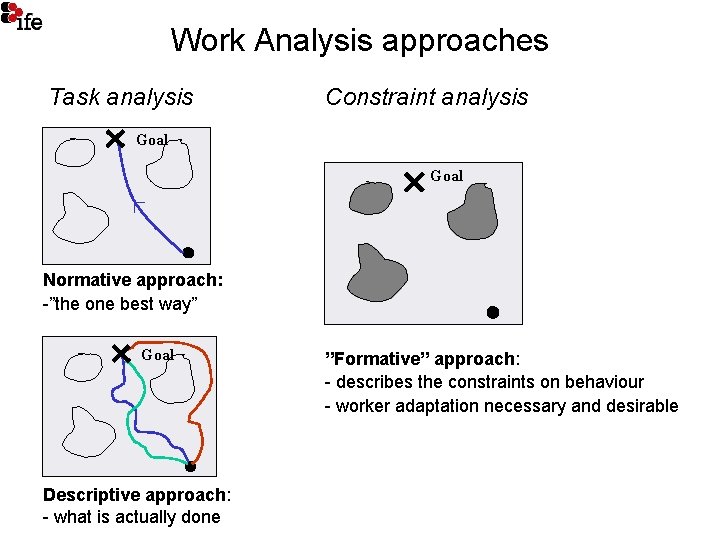
Evolutionary or revolutionary design ? User participatory design – Improvements are suggested and evaluated based on users experiences – Useful, but users typically look for marginal improvements on existing designs – Non-systematic Systematic approaches are based on analysing information requirements 1) Task-analysis (”Classical” Human Factors tool) – Captures what users do when performing predefined tasks – Only a limited number tasks can be selected for analysis – Event-dependent - findings are limited to the tasks or – Tool-dependent - how people do things is shaped by the tools they use 2) Work domain analysis (used in the ecological approach) – Analyses functions and constraints of the work domain itself – Captures how operators should understand their work domain instead of the actions they perform – Event-independent – valid in any situation – Tool-independent – no carry-over from previous interface designs
Work Analysis approaches Task analysis Constraint analysis Goal Normative approach: -”the one best way” Goal Descriptive approach: - what is actually done ”Formative” approach: - describes the constraints on behaviour - worker adaptation necessary and desirable
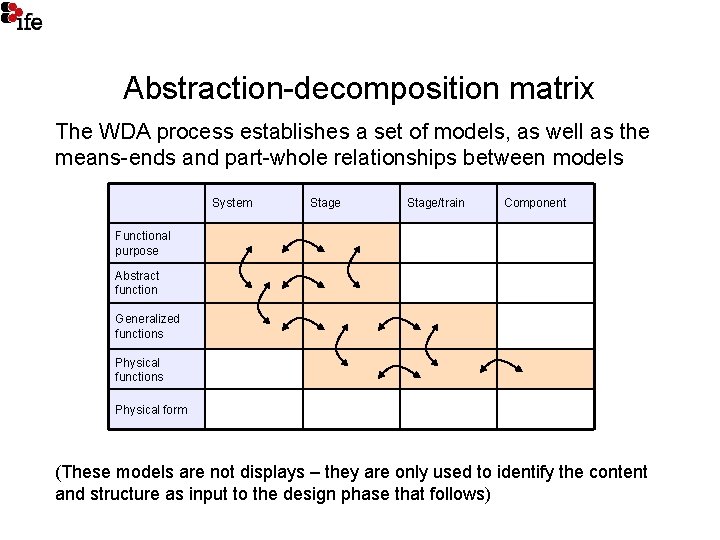
Abstraction-decomposition matrix The WDA process establishes a set of models, as well as the means-ends and part-whole relationships between models System Stage/train Component Functional purpose Abstract function Generalized functions Physical form (These models are not displays – they are only used to identify the content and structure as input to the design phase that follows)
Work Domain Analysis as a Process 1. WDA is neither a top-down or bottom-up methodology, but a complex and iterative process of developing a deep understanding of the work domain 2. The main result is not the physical output from the analysis (diagrams and text), but the knowledge aquired during the analysis process. 3. Diagrams aid the analyst in structuring his knowledge, but they are not directly meaningful to others. Thus the link between analysis and design will only be apparent to those who have done the analysis.
Summary of key concepts • Mental models : Induce a correct model • Skills, Rules Knowledge model – Utilise perceptual processing of information as far as possible • Work Domain Analysis using the Abstraction Hierarchy – Knowledge-based behaviour will be required in abnormal, unexpected situations – Must be supported by analysing the problemsolving space beforehand