
Introduction to DITA specialization Showing information type domain
- Slides: 44
Introduction to DITA specialization Showing information type, domain, and processing specializations September 2004 © 2004 IBM Corporation
Agenda § Review of DITA and specialization § Specializing an information type § Specializing a domain § Customizing processing 2 DITA specialization © 2004 IBM Corporation
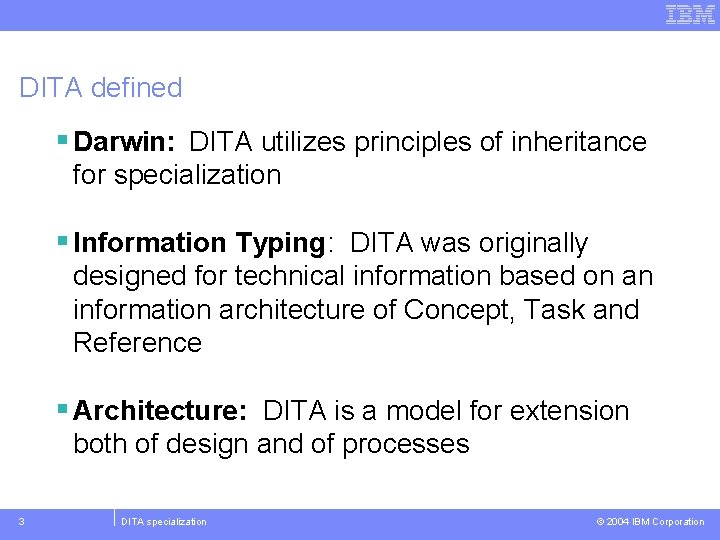
DITA defined § Darwin: DITA utilizes principles of inheritance for specialization § Information Typing: DITA was originally designed for technical information based on an information architecture of Concept, Task and Reference § Architecture: DITA is a model for extension both of design and of processes 3 DITA specialization © 2004 IBM Corporation
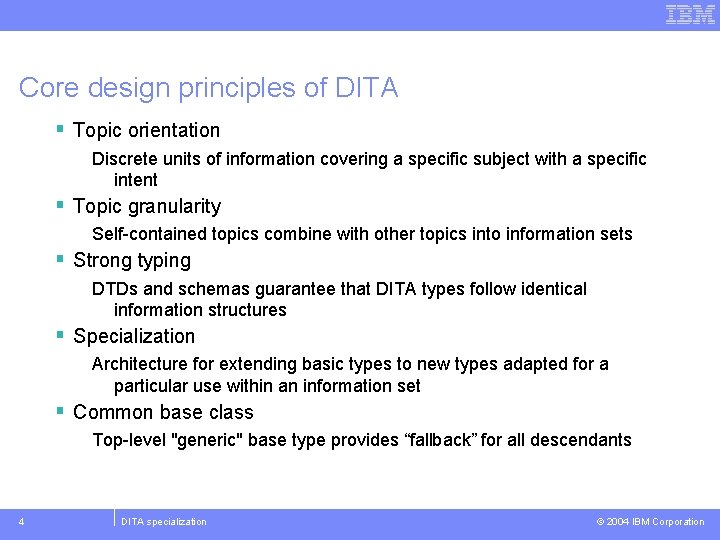
Core design principles of DITA § Topic orientation Discrete units of information covering a specific subject with a specific intent § Topic granularity Self-contained topics combine with other topics into information sets § Strong typing DTDs and schemas guarantee that DITA types follow identical information structures § Specialization Architecture for extending basic types to new types adapted for a particular use within an information set § Common base class Top-level "generic" base type provides “fallback” for all descendants 4 DITA specialization © 2004 IBM Corporation
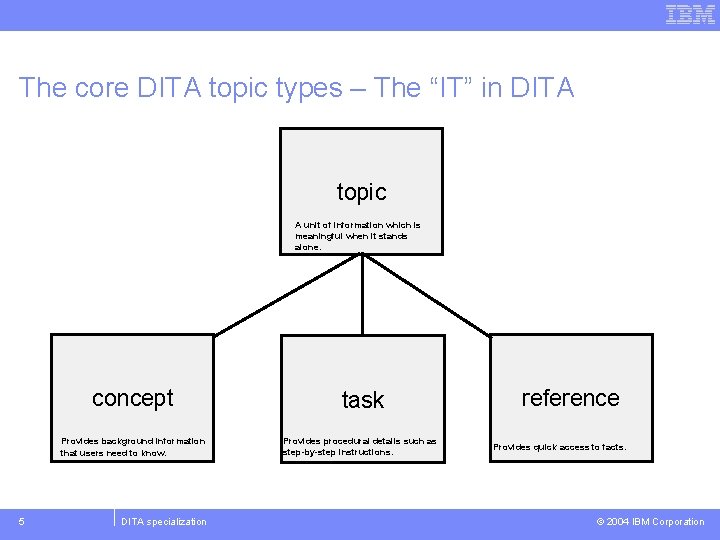
The core DITA topic types – The “IT” in DITA topic A unit of information which is meaningful when it stands alone. concept Provides background information that users need to know. 5 DITA specialization task Provides procedural details such as step-by-step instructions. reference Provides quick access to facts. © 2004 IBM Corporation
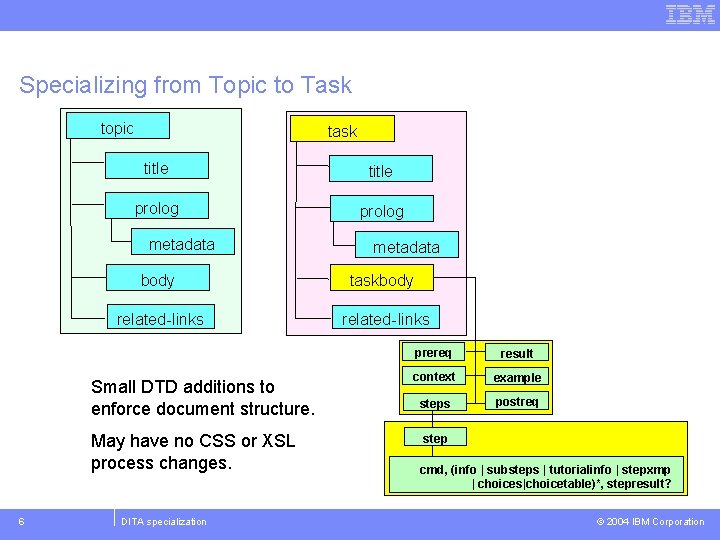
Specializing from Topic to Task topic task title prolog metadata body taskbody related-links Small DTD additions to enforce document structure. May have no CSS or XSL process changes. 6 metadata DITA specialization prereq result context taskxmp example steps postreq step cmd, (info | substeps | tutorialinfo | stepxmp | |xmp choices|choicetable)*, | choices)*, result? stepresult? © 2004 IBM Corporation
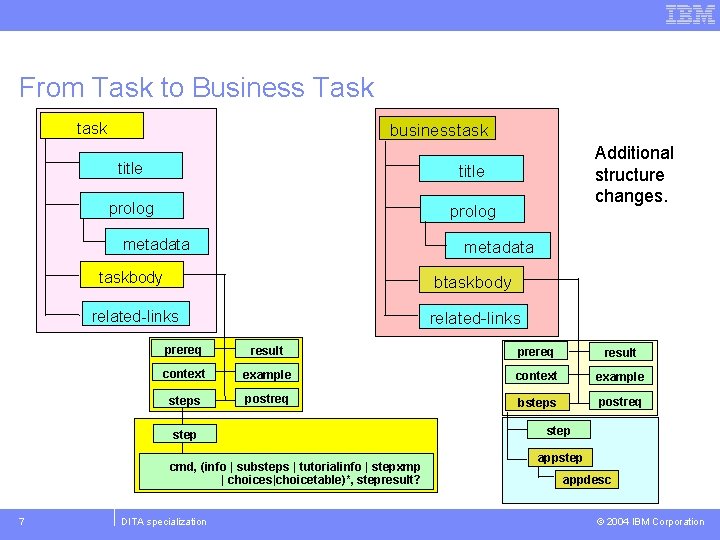
From Task to Business Task task businesstask title prolog metadata taskbody btaskbody related-links prereq result context taskxmp example context example steps postreq bsteps postreq step cmd, (info | substeps | tutorialinfo | stepxmp | |xmp choices|choicetable)*, | choices)*, result? stepresult? 7 Additional structure changes. DITA specialization step appdesc © 2004 IBM Corporation
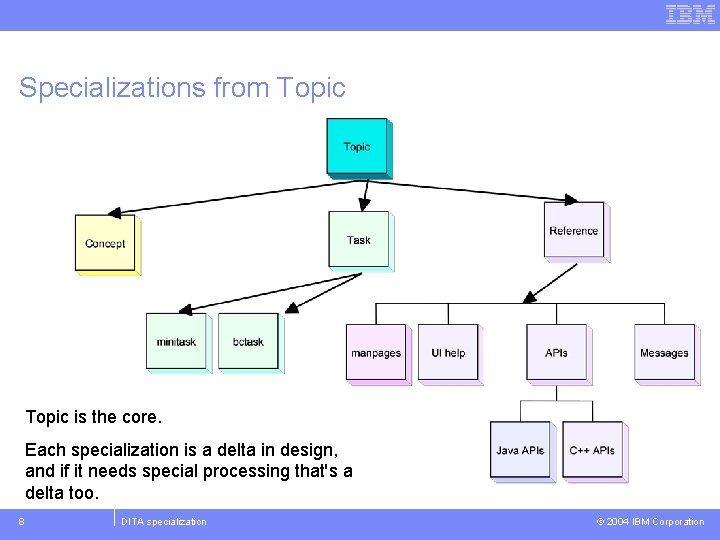
Specializations from Topic is the core. Each specialization is a delta in design, and if it needs special processing that's a delta too. 8 DITA specialization © 2004 IBM Corporation
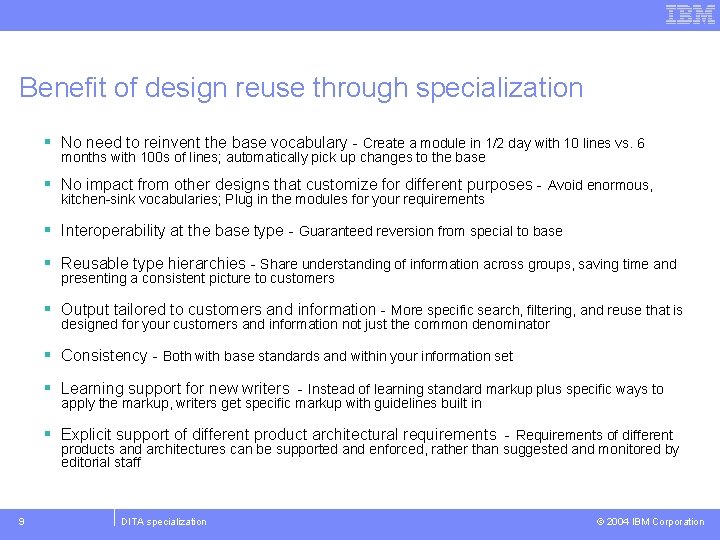
Benefit of design reuse through specialization § No need to reinvent the base vocabulary - Create a module in 1/2 day with 10 lines vs. 6 months with 100 s of lines; automatically pick up changes to the base § No impact from other designs that customize for different purposes - Avoid enormous, kitchen-sink vocabularies; Plug in the modules for your requirements § Interoperability at the base type - Guaranteed reversion from special to base § Reusable type hierarchies - Share understanding of information across groups, saving time and presenting a consistent picture to customers § Output tailored to customers and information - More specific search, filtering, and reuse that is designed for your customers and information not just the common denominator § Consistency - Both with base standards and within your information set § Learning support for new writers - Instead of learning standard markup plus specific ways to apply the markup, writers get specific markup with guidelines built in § Explicit support of different product architectural requirements - Requirements of different products and architectures can be supported and enforced, rather than suggested and monitored by editorial staff 9 DITA specialization © 2004 IBM Corporation
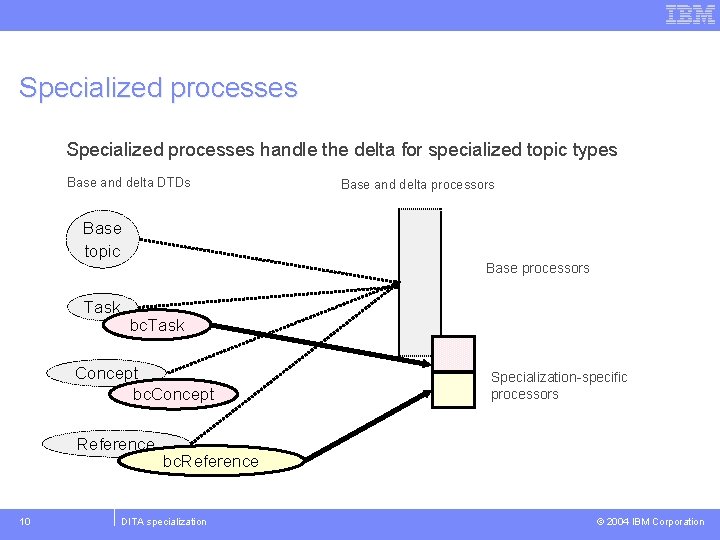
Specialized processes handle the delta for specialized topic types Base and delta DTDs Base topic Task Base processors bc. Task Concept bc. Concept Reference 10 Base and delta processors Specialization-specific processors bc. Reference DITA specialization © 2004 IBM Corporation
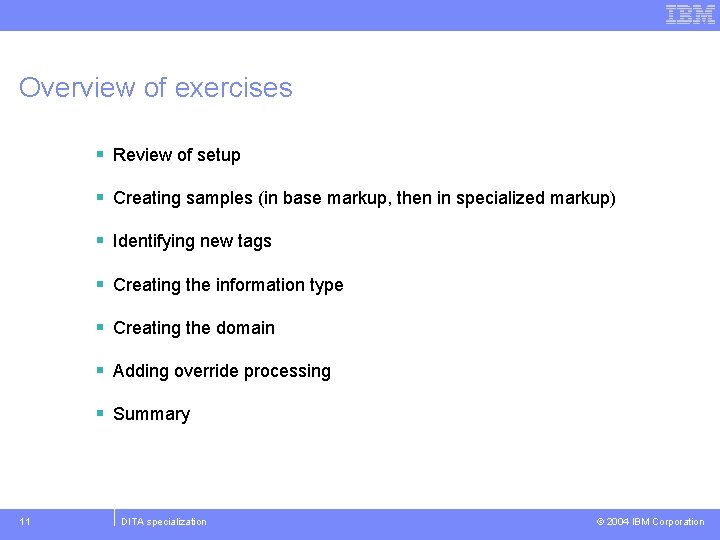
Overview of exercises § Review of setup § Creating samples (in base markup, then in specialized markup) § Identifying new tags § Creating the information type § Creating the domain § Adding override processing § Summary 11 DITA specialization © 2004 IBM Corporation
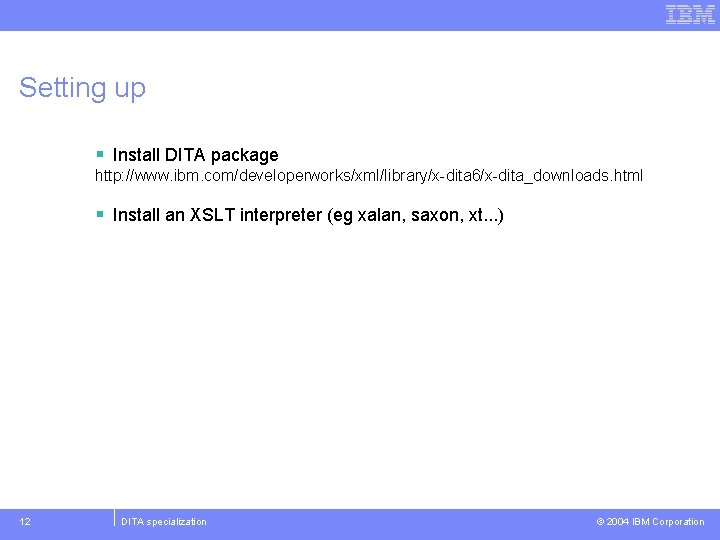
Setting up § Install DITA package http: //www. ibm. com/developerworks/xml/library/x-dita 6/x-dita_downloads. html § Install an XSLT interpreter (eg xalan, saxon, xt. . . ) 12 DITA specialization © 2004 IBM Corporation
Creating samples § Always easiest to start with something concrete and then figure out the general rules § So start by authoring a sample document in the closest existing information type § Then go through and rename tags that should be more specific § Then reverse-engineer the document type from its instance 13 DITA specialization © 2004 IBM Corporation
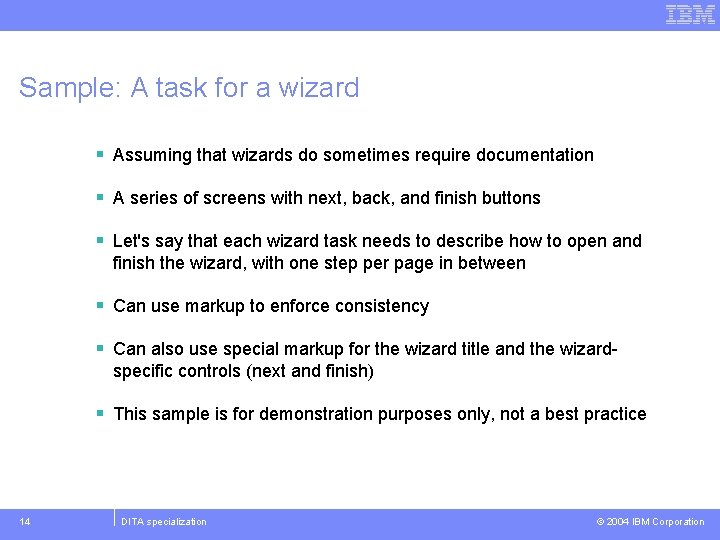
Sample: A task for a wizard § Assuming that wizards do sometimes require documentation § A series of screens with next, back, and finish buttons § Let's say that each wizard task needs to describe how to open and finish the wizard, with one step per page in between § Can use markup to enforce consistency § Can also use special markup for the wizard title and the wizardspecific controls (next and finish) § This sample is for demonstration purposes only, not a best practice 14 DITA specialization © 2004 IBM Corporation
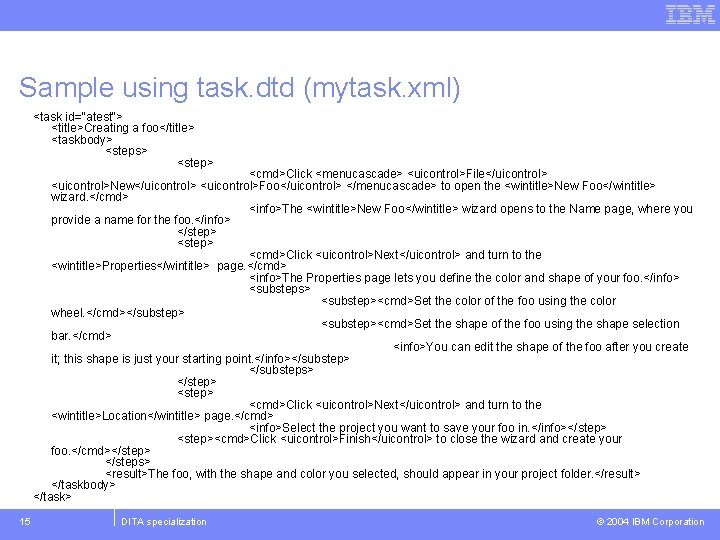
Sample using task. dtd (mytask. xml) <task id="atest"> <title>Creating a foo</title> <taskbody> <steps> <step> <cmd>Click <menucascade> <uicontrol>File</uicontrol> <uicontrol>New</uicontrol> <uicontrol>Foo</uicontrol> </menucascade> to open the <wintitle>New Foo</wintitle> wizard. </cmd> <info>The <wintitle>New Foo</wintitle> wizard opens to the Name page, where you provide a name for the foo. </info> </step> <cmd>Click <uicontrol>Next</uicontrol> and turn to the <wintitle>Properties</wintitle> page. </cmd> <info>The Properties page lets you define the color and shape of your foo. </info> <substeps> <substep><cmd>Set the color of the foo using the color wheel. </cmd></substep> <substep><cmd>Set the shape of the foo using the shape selection bar. </cmd> <info>You can edit the shape of the foo after you create it; this shape is just your starting point. </info></substep> </substeps> </step> <cmd>Click <uicontrol>Next</uicontrol> and turn to the <wintitle>Location</wintitle> page. </cmd> <info>Select the project you want to save your foo in. </info></step> <step><cmd>Click <uicontrol>Finish</uicontrol> to close the wizard and create your foo. </cmd></step> </steps> <result>The foo, with the shape and color you selected, should appear in your project folder. </result> </taskbody> </task> 15 DITA specialization © 2004 IBM Corporation
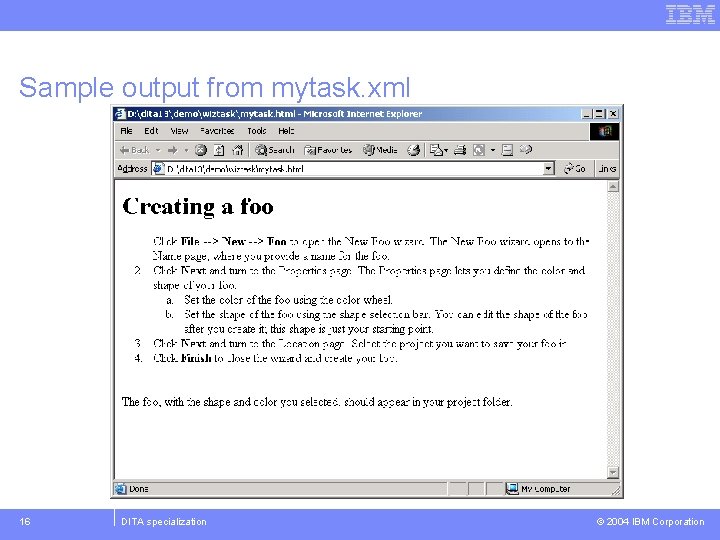
Sample output from mytask. xml 16 DITA specialization © 2004 IBM Corporation
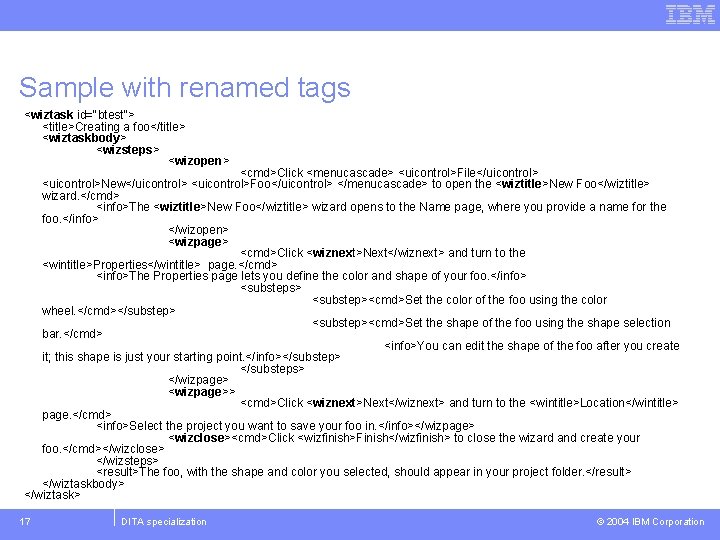
Sample with renamed tags <wiztask id="btest"> <title>Creating a foo</title> <wiztaskbody> <wizsteps> <wizopen> <cmd>Click <menucascade> <uicontrol>File</uicontrol> <uicontrol>New</uicontrol> <uicontrol>Foo</uicontrol> </menucascade> to open the <wiztitle>New Foo</wiztitle> wizard. </cmd> <info>The <wiztitle>New Foo</wiztitle> wizard opens to the Name page, where you provide a name for the foo. </info> </wizopen> <wizpage> <cmd>Click <wiznext>Next</wiznext> and turn to the <wintitle>Properties</wintitle> page. </cmd> <info>The Properties page lets you define the color and shape of your foo. </info> <substeps> <substep><cmd>Set the color of the foo using the color wheel. </cmd></substep> <substep><cmd>Set the shape of the foo using the shape selection bar. </cmd> <info>You can edit the shape of the foo after you create it; this shape is just your starting point. </info></substep> </substeps> </wizpage> <wizpage>> <cmd>Click <wiznext>Next</wiznext> and turn to the <wintitle>Location</wintitle> page. </cmd> <info>Select the project you want to save your foo in. </info></wizpage> <wizclose><cmd>Click <wizfinish>Finish</wizfinish> to close the wizard and create your foo. </cmd></wizclose> </wizsteps> <result>The foo, with the shape and color you selected, should appear in your project folder. </result> </wiztaskbody> </wiztask> 17 DITA specialization © 2004 IBM Corporation
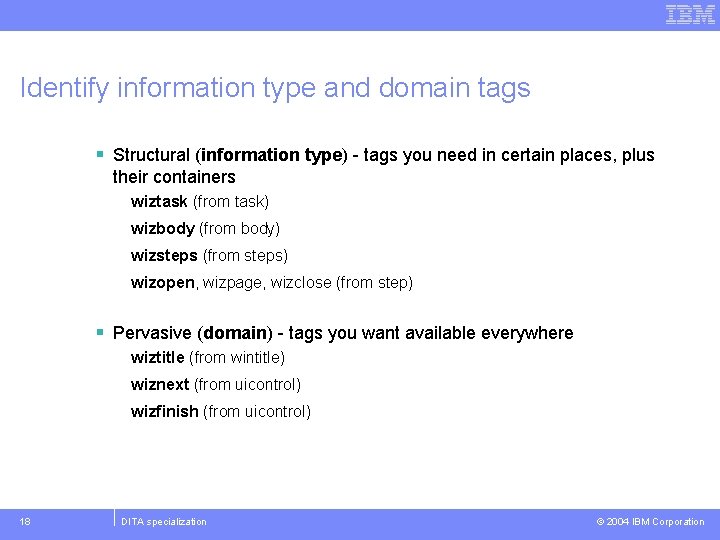
Identify information type and domain tags § Structural (information type) - tags you need in certain places, plus their containers wiztask (from task) wizbody (from body) wizsteps (from steps) wizopen, wizpage, wizclose (from step) § Pervasive (domain) - tags you want available everywhere wiztitle (from wintitle) wiznext (from uicontrol) wizfinish (from uicontrol) 18 DITA specialization © 2004 IBM Corporation
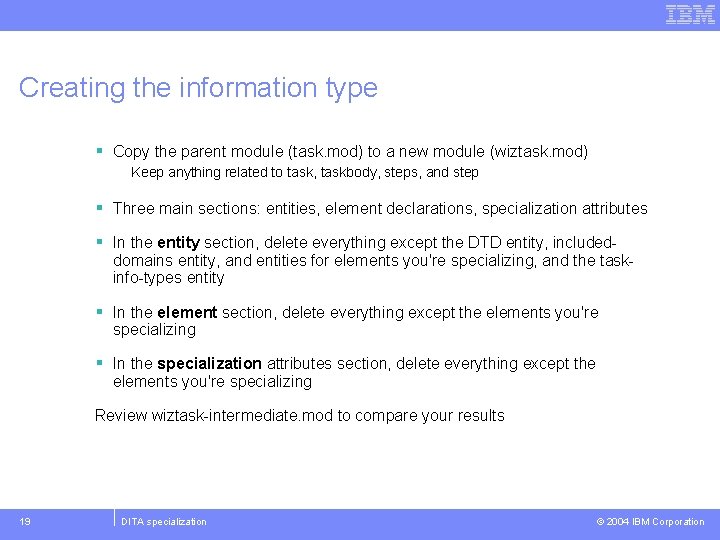
Creating the information type § Copy the parent module (task. mod) to a new module (wiztask. mod) Keep anything related to task, taskbody, steps, and step § Three main sections: entities, element declarations, specialization attributes § In the entity section, delete everything except the DTD entity, included- domains entity, and entities for elements you're specializing, and the taskinfo-types entity § In the element section, delete everything except the elements you're specializing § In the specialization attributes section, delete everything except the elements you're specializing Review wiztask-intermediate. mod to compare your results 19 DITA specialization © 2004 IBM Corporation
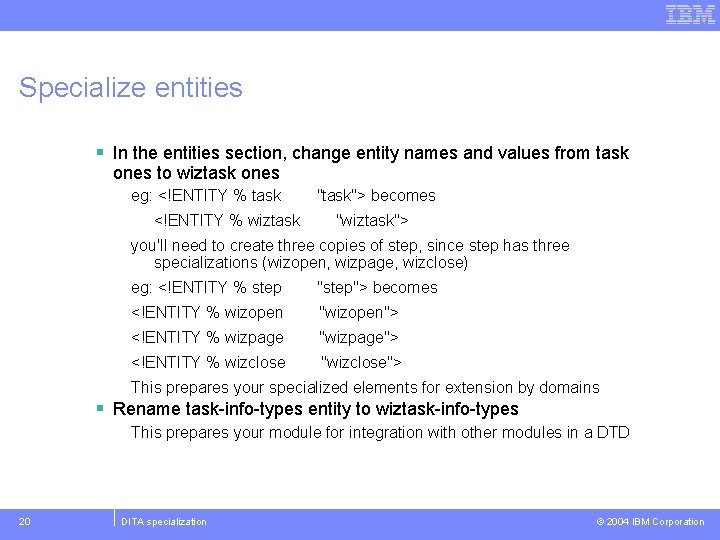
Specialize entities § In the entities section, change entity names and values from task ones to wiztask ones eg: <!ENTITY % task <!ENTITY % wiztask "task"> becomes "wiztask"> you'll need to create three copies of step, since step has three specializations (wizopen, wizpage, wizclose) eg: <!ENTITY % step "step"> becomes <!ENTITY % wizopen "wizopen"> <!ENTITY % wizpage "wizpage"> <!ENTITY % wizclose "wizclose"> This prepares your specialized elements for extension by domains § Rename task-info-types entity to wiztask-info-types This prepares your module for integration with other modules in a DTD 20 DITA specialization © 2004 IBM Corporation
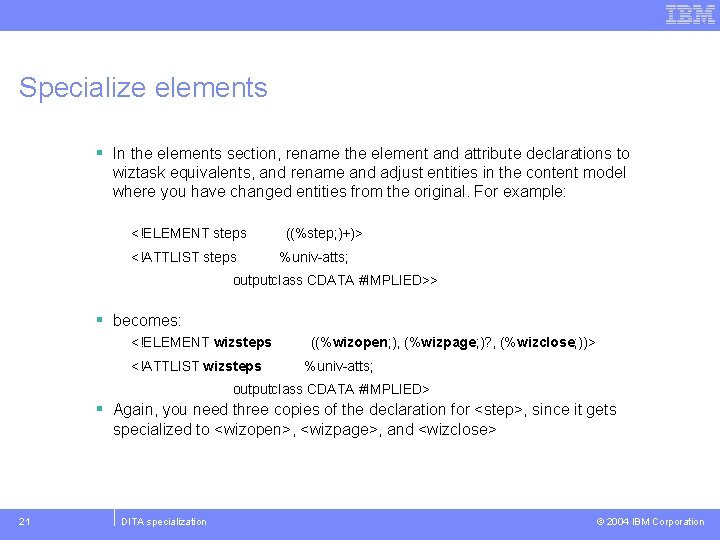
Specialize elements § In the elements section, rename the element and attribute declarations to wiztask equivalents, and rename and adjust entities in the content model where you have changed entities from the original. For example: <!ELEMENT steps <!ATTLIST steps ((%step; )+)> %univ-atts; outputclass CDATA #IMPLIED>> § becomes: <!ELEMENT wizsteps <!ATTLIST wizsteps ((%wizopen; ), (%wizpage; )? , (%wizclose; ))> %univ-atts; outputclass CDATA #IMPLIED> § Again, you need three copies of the declaration for <step>, since it gets specialized to <wizopen>, <wizpage>, and <wizclose> 21 DITA specialization © 2004 IBM Corporation
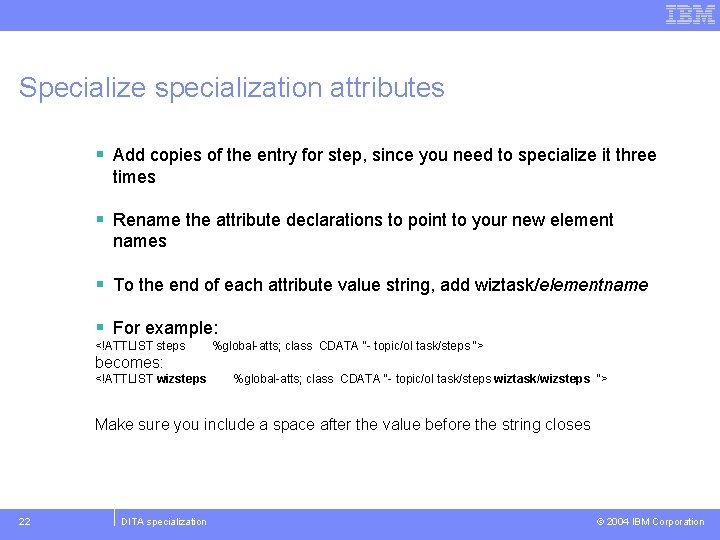
Specialize specialization attributes § Add copies of the entry for step, since you need to specialize it three times § Rename the attribute declarations to point to your new element names § To the end of each attribute value string, add wiztask/elementname § For example: <!ATTLIST steps %global-atts; class CDATA "- topic/ol task/steps "> becomes: <!ATTLIST wizsteps %global-atts; class CDATA "- topic/ol task/steps wiztask/wizsteps "> Make sure you include a space after the value before the string closes 22 DITA specialization © 2004 IBM Corporation
Result: wiztask. mod § Review file to compare results 23 DITA specialization © 2004 IBM Corporation
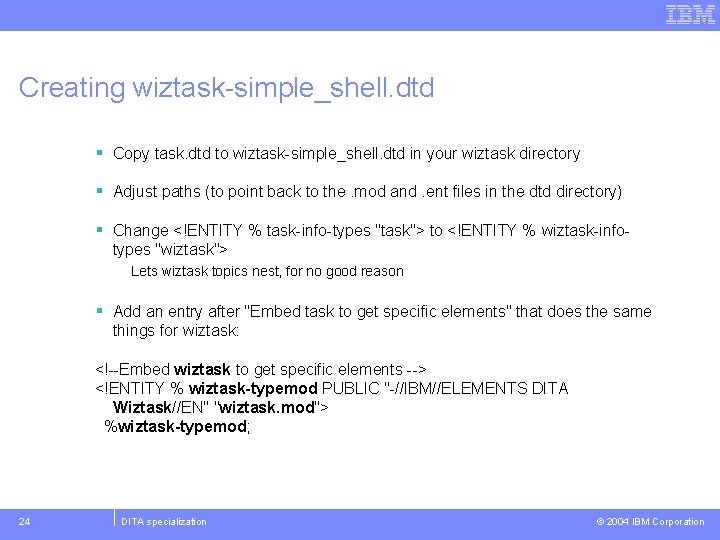
Creating wiztask-simple_shell. dtd § Copy task. dtd to wiztask-simple_shell. dtd in your wiztask directory § Adjust paths (to point back to the. mod and. ent files in the dtd directory) § Change <!ENTITY % task-info-types "task"> to <!ENTITY % wiztask-infotypes "wiztask"> Lets wiztask topics nest, for no good reason § Add an entry after "Embed task to get specific elements" that does the same things for wiztask: <!--Embed wiztask to get specific elements --> <!ENTITY % wiztask-typemod PUBLIC "-//IBM//ELEMENTS DITA Wiztask//EN" "wiztask. mod"> %wiztask-typemod; 24 DITA specialization © 2004 IBM Corporation
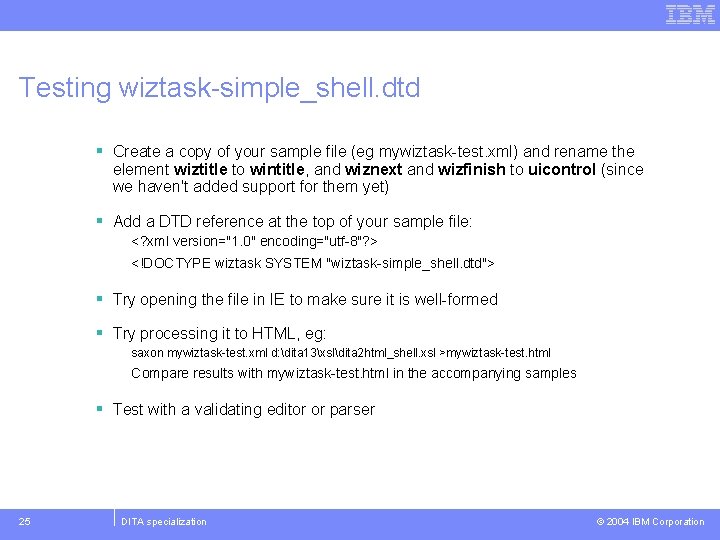
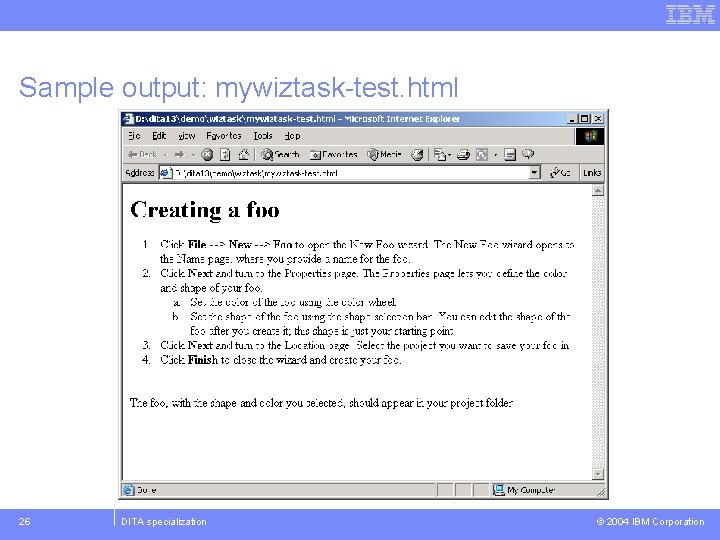
Testing wiztask-simple_shell. dtd § Create a copy of your sample file (eg mywiztask-test. xml) and rename the element wiztitle to wintitle, and wiznext and wizfinish to uicontrol (since we haven't added support for them yet) § Add a DTD reference at the top of your sample file: <? xml version="1. 0" encoding="utf-8"? > <!DOCTYPE wiztask SYSTEM "wiztask-simple_shell. dtd"> § Try opening the file in IE to make sure it is well-formed § Try processing it to HTML, eg: saxon mywiztask-test. xml d: dita 13xsldita 2 html_shell. xsl >mywiztask-test. html Compare results with mywiztask-test. html in the accompanying samples § Test with a validating editor or parser 25 DITA specialization © 2004 IBM Corporation
Sample output: mywiztask-test. html 26 DITA specialization © 2004 IBM Corporation
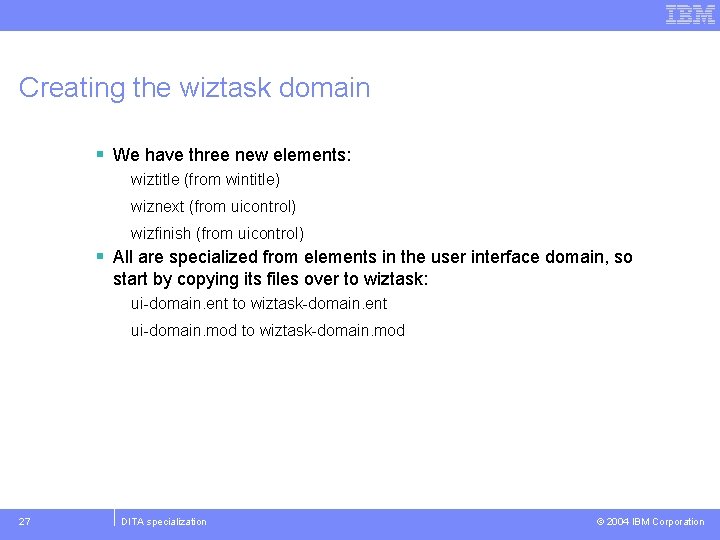
Creating the wiztask domain § We have three new elements: wiztitle (from wintitle) wiznext (from uicontrol) wizfinish (from uicontrol) § All are specialized from elements in the user interface domain, so start by copying its files over to wiztask: ui-domain. ent to wiztask-domain. ent ui-domain. mod to wiztask-domain. mod 27 DITA specialization © 2004 IBM Corporation
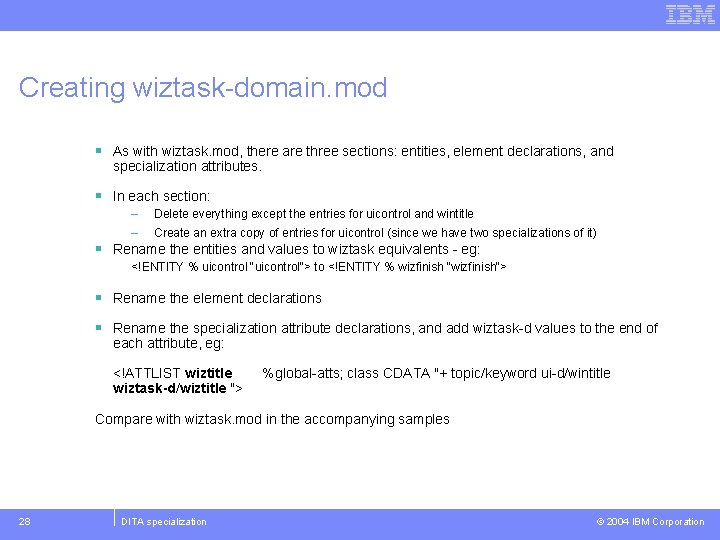
Creating wiztask-domain. mod § As with wiztask. mod, there are three sections: entities, element declarations, and specialization attributes. § In each section: – – Delete everything except the entries for uicontrol and wintitle Create an extra copy of entries for uicontrol (since we have two specializations of it) § Rename the entities and values to wiztask equivalents - eg: <!ENTITY % uicontrol "uicontrol"> to <!ENTITY % wizfinish "wizfinish"> § Rename the element declarations § Rename the specialization attribute declarations, and add wiztask-d values to the end of each attribute, eg: <!ATTLIST wiztitle wiztask-d/wiztitle "> %global-atts; class CDATA "+ topic/keyword ui-d/wintitle Compare with wiztask. mod in the accompanying samples 28 DITA specialization © 2004 IBM Corporation
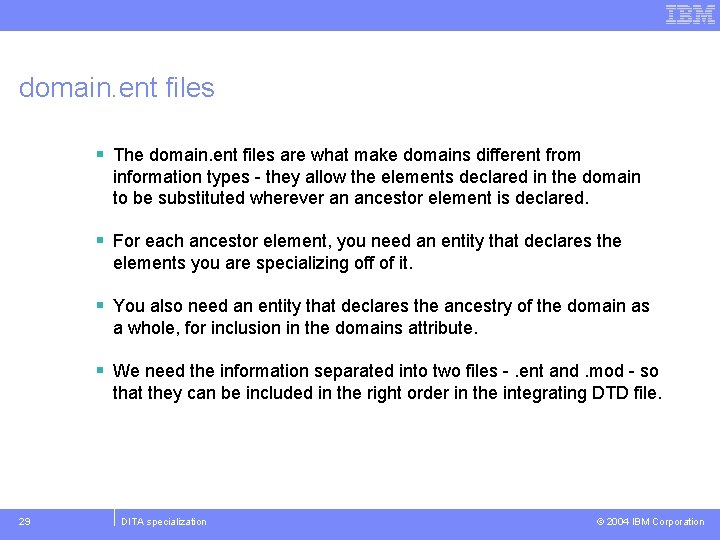
domain. ent files § The domain. ent files are what make domains different from information types - they allow the elements declared in the domain to be substituted wherever an ancestor element is declared. § For each ancestor element, you need an entity that declares the elements you are specializing off of it. § You also need an entity that declares the ancestry of the domain as a whole, for inclusion in the domains attribute. § We need the information separated into two files -. ent and. mod - so that they can be included in the right order in the integrating DTD file. 29 DITA specialization © 2004 IBM Corporation
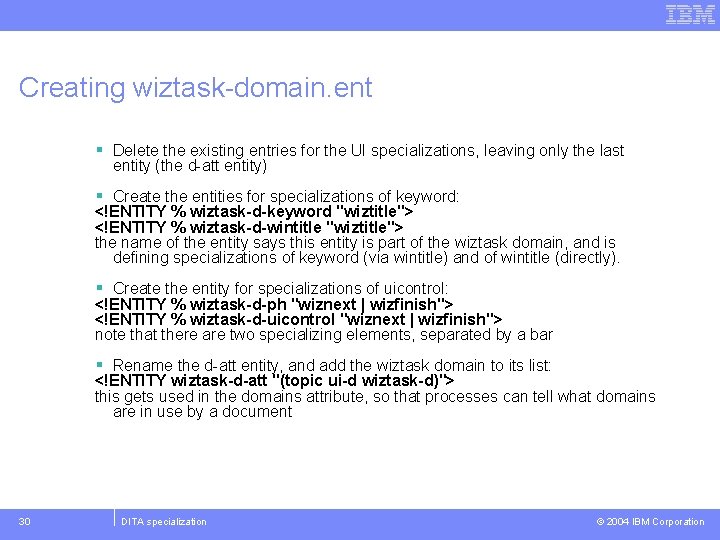
Creating wiztask-domain. ent § Delete the existing entries for the UI specializations, leaving only the last entity (the d-att entity) § Create the entities for specializations of keyword: <!ENTITY % wiztask-d-keyword "wiztitle"> <!ENTITY % wiztask-d-wintitle "wiztitle"> the name of the entity says this entity is part of the wiztask domain, and is defining specializations of keyword (via wintitle) and of wintitle (directly). § Create the entity for specializations of uicontrol: <!ENTITY % wiztask-d-ph "wiznext | wizfinish"> <!ENTITY % wiztask-d-uicontrol "wiznext | wizfinish"> note that there are two specializing elements, separated by a bar § Rename the d-att entity, and add the wiztask domain to its list: <!ENTITY wiztask-d-att "(topic ui-d wiztask-d)"> this gets used in the domains attribute, so that processes can tell what domains are in use by a document 30 DITA specialization © 2004 IBM Corporation
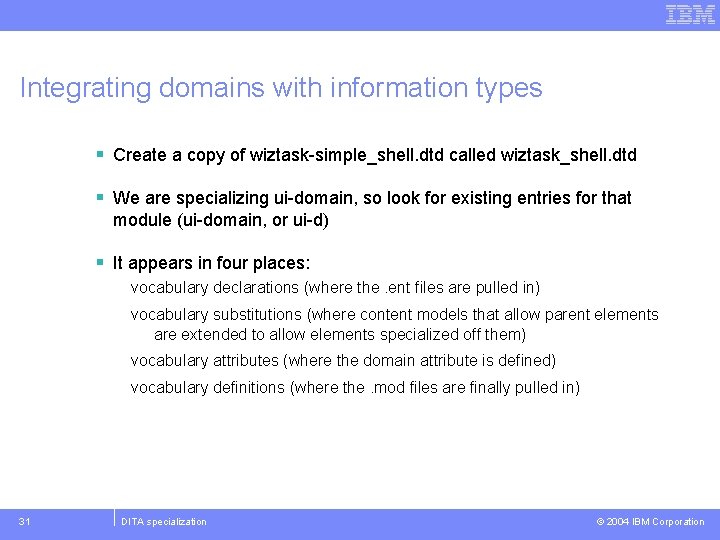
Integrating domains with information types § Create a copy of wiztask-simple_shell. dtd called wiztask_shell. dtd § We are specializing ui-domain, so look for existing entries for that module (ui-domain, or ui-d) § It appears in four places: vocabulary declarations (where the. ent files are pulled in) vocabulary substitutions (where content models that allow parent elements are extended to allow elements specialized off them) vocabulary attributes (where the domain attribute is defined) vocabulary definitions (where the. mod files are finally pulled in) 31 DITA specialization © 2004 IBM Corporation
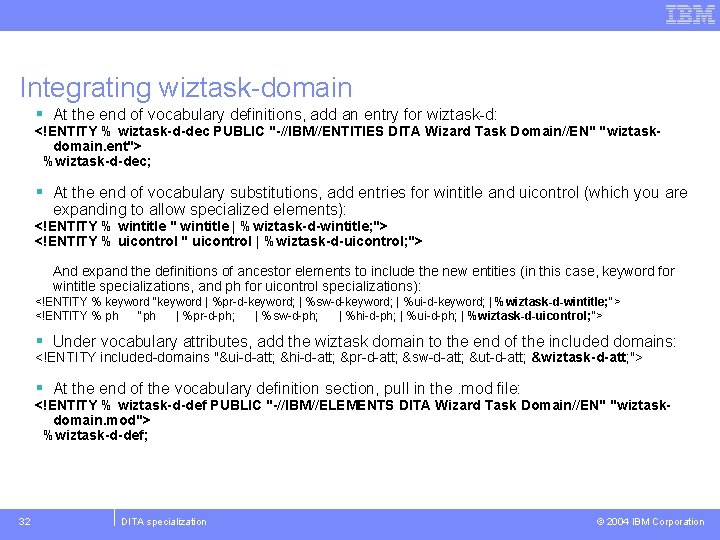
Integrating wiztask-domain § At the end of vocabulary definitions, add an entry for wiztask-d: <!ENTITY % wiztask-d-dec PUBLIC "-//IBM//ENTITIES DITA Wizard Task Domain//EN" "wiztaskdomain. ent"> %wiztask-d-dec; § At the end of vocabulary substitutions, add entries for wintitle and uicontrol (which you are expanding to allow specialized elements): <!ENTITY % wintitle " wintitle | %wiztask-d-wintitle; "> <!ENTITY % uicontrol " uicontrol | %wiztask-d-uicontrol; "> And expand the definitions of ancestor elements to include the new entities (in this case, keyword for wintitle specializations, and ph for uicontrol specializations): <!ENTITY % keyword "keyword | %pr-d-keyword; | %sw-d-keyword; | %ui-d-keyword; | %wiztask-d-wintitle; "> <!ENTITY % ph "ph | %pr-d-ph; | %sw-d-ph; | %hi-d-ph; | %ui-d-ph; | %wiztask-d-uicontrol; "> § Under vocabulary attributes, add the wiztask domain to the end of the included domains: <!ENTITY included-domains "&ui-d-att; &hi-d-att; &pr-d-att; &sw-d-att; &ut-d-att; &wiztask-d-att; "> § At the end of the vocabulary definition section, pull in the. mod file: <!ENTITY % wiztask-d-def PUBLIC "-//IBM//ELEMENTS DITA Wizard Task Domain//EN" "wiztaskdomain. mod"> %wiztask-d-def; 32 DITA specialization © 2004 IBM Corporation
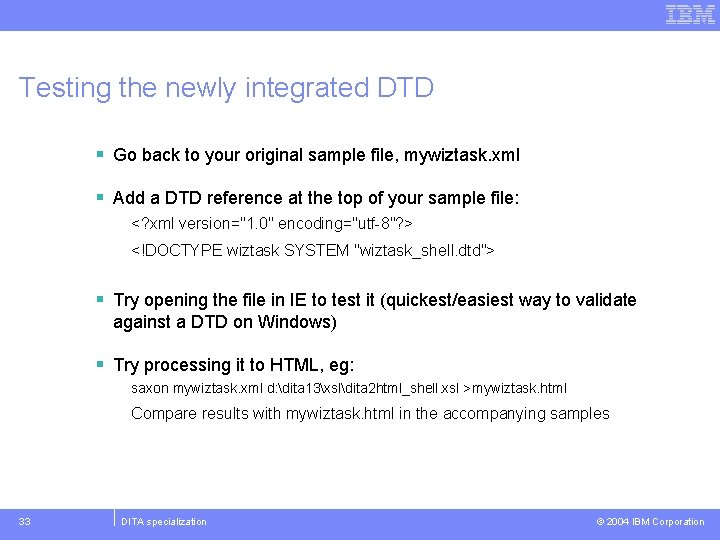
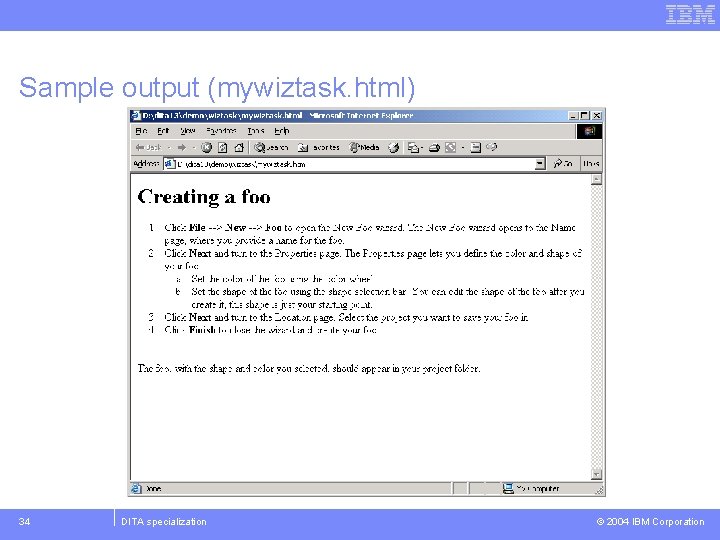
Testing the newly integrated DTD § Go back to your original sample file, mywiztask. xml § Add a DTD reference at the top of your sample file: <? xml version="1. 0" encoding="utf-8"? > <!DOCTYPE wiztask SYSTEM "wiztask_shell. dtd"> § Try opening the file in IE to test it (quickest/easiest way to validate against a DTD on Windows) § Try processing it to HTML, eg: saxon mywiztask. xml d: dita 13xsldita 2 html_shell. xsl >mywiztask. html Compare results with mywiztask. html in the accompanying samples 33 DITA specialization © 2004 IBM Corporation
Sample output (mywiztask. html) 34 DITA specialization © 2004 IBM Corporation
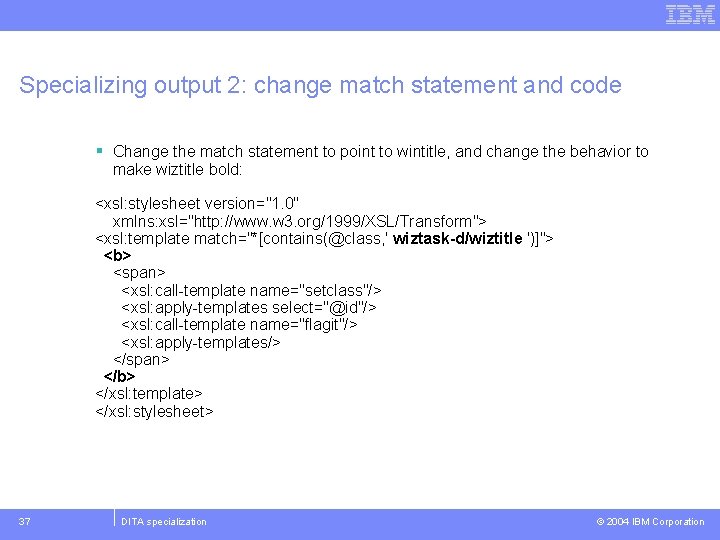
Are all these outputs starting to look the same? § They should - we've added new markup, but are reusing existing processing rules that get applied based on the class attribute of each element. § As long as each specialized element obeys the rules of specialization - the same or more restrictive content models - the processing can safely handle what the specialized element throws at it. § In the next exercise, let's see what it takes to shake up the output a little. 35 DITA specialization © 2004 IBM Corporation
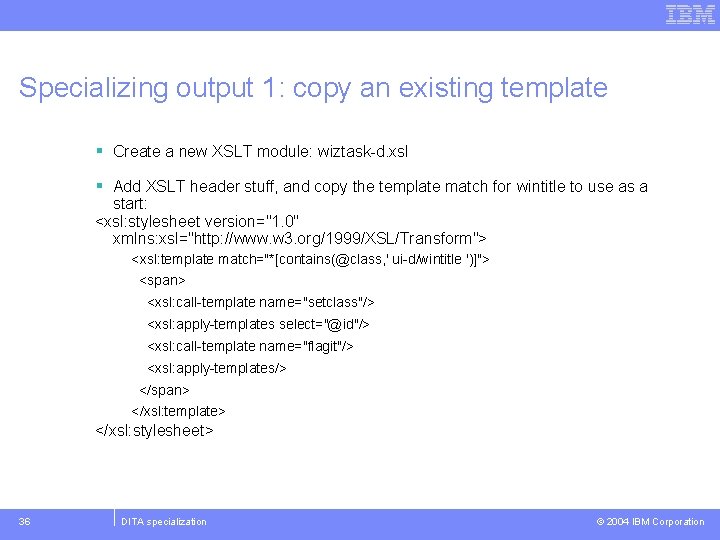
Specializing output 1: copy an existing template § Create a new XSLT module: wiztask-d. xsl § Add XSLT header stuff, and copy the template match for wintitle to use as a start: <xsl: stylesheet version="1. 0" xmlns: xsl="http: //www. w 3. org/1999/XSL/Transform"> <xsl: template match="*[contains(@class, ' ui-d/wintitle ')]"> <span> <xsl: call-template name="setclass"/> <xsl: apply-templates select="@id"/> <xsl: call-template name="flagit"/> <xsl: apply-templates/> </span> </xsl: template> </xsl: stylesheet> 36 DITA specialization © 2004 IBM Corporation
Specializing output 2: change match statement and code § Change the match statement to point to wintitle, and change the behavior to make wiztitle bold: <xsl: stylesheet version="1. 0" xmlns: xsl="http: //www. w 3. org/1999/XSL/Transform"> <xsl: template match="*[contains(@class, ' wiztask-d/wiztitle ')]"> <b> <span> <xsl: call-template name="setclass"/> <xsl: apply-templates select="@id"/> <xsl: call-template name="flagit"/> <xsl: apply-templates/> </span> </b> </xsl: template> </xsl: stylesheet> 37 DITA specialization © 2004 IBM Corporation
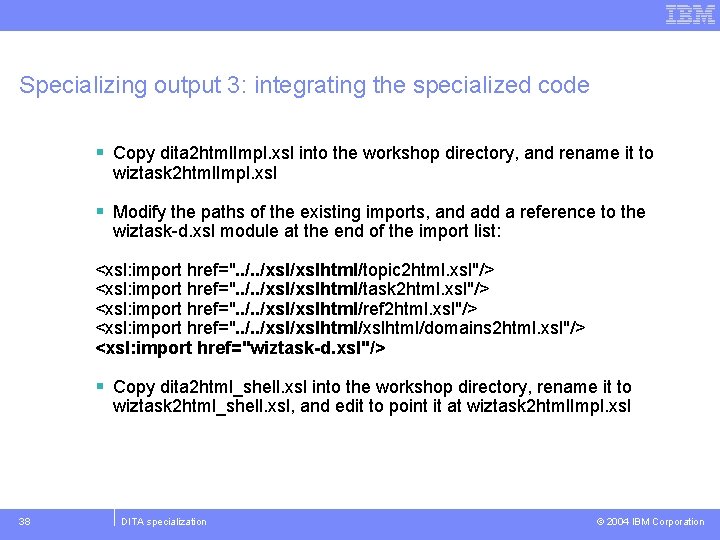
Specializing output 3: integrating the specialized code § Copy dita 2 html. Impl. xsl into the workshop directory, and rename it to wiztask 2 html. Impl. xsl § Modify the paths of the existing imports, and add a reference to the wiztask-d. xsl module at the end of the import list: <xsl: import href=". . /xsl/xslhtml/topic 2 html. xsl"/> <xsl: import href=". . /xsl/xslhtml/task 2 html. xsl"/> <xsl: import href=". . /xsl/xslhtml/ref 2 html. xsl"/> <xsl: import href=". . /xsl/xslhtml/domains 2 html. xsl"/> <xsl: import href="wiztask-d. xsl"/> § Copy dita 2 html_shell. xsl into the workshop directory, rename it to wiztask 2 html_shell. xsl, and edit to point it at wiztask 2 html. Impl. xsl 38 DITA specialization © 2004 IBM Corporation
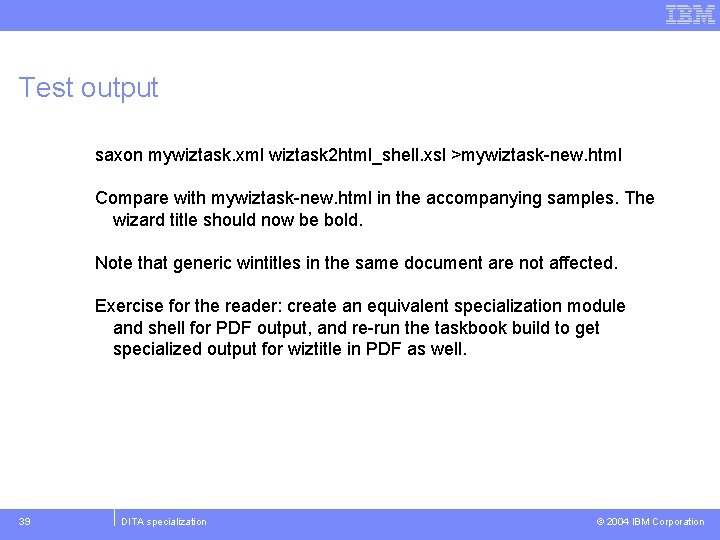
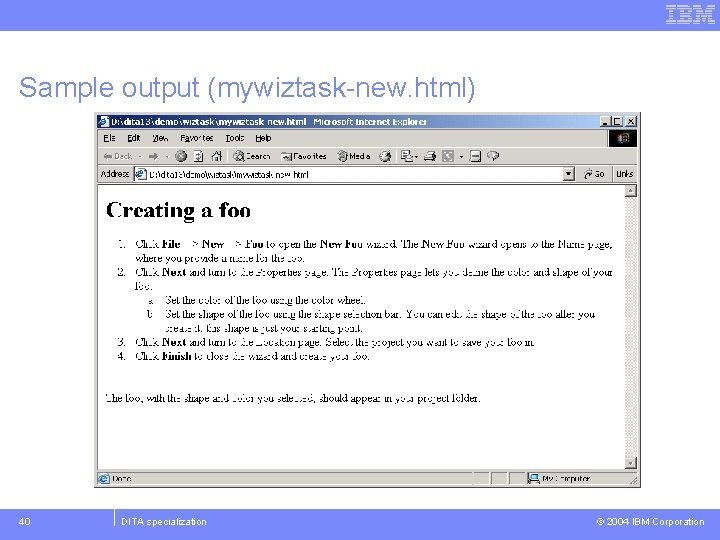
Test output saxon mywiztask. xml wiztask 2 html_shell. xsl >mywiztask-new. html Compare with mywiztask-new. html in the accompanying samples. The wizard title should now be bold. Note that generic wintitles in the same document are not affected. Exercise for the reader: create an equivalent specialization module and shell for PDF output, and re-run the taskbook build to get specialized output for wiztitle in PDF as well. 39 DITA specialization © 2004 IBM Corporation
Sample output (mywiztask-new. html) 40 DITA specialization © 2004 IBM Corporation
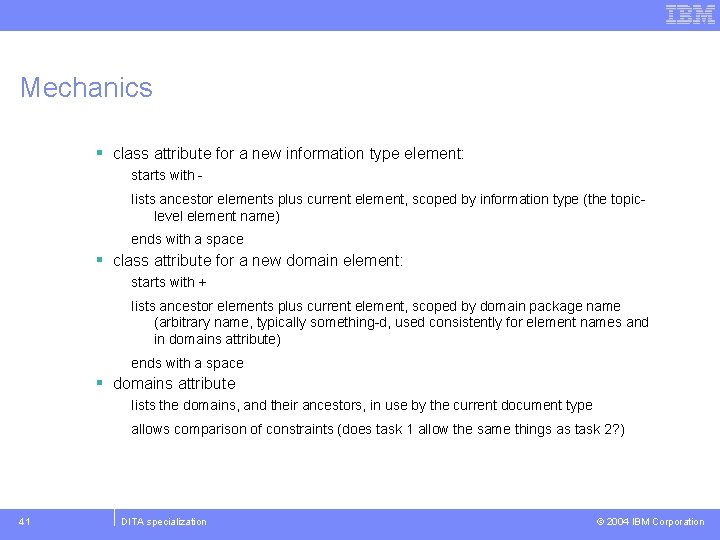
Mechanics § class attribute for a new information type element: starts with lists ancestor elements plus current element, scoped by information type (the topiclevel element name) ends with a space § class attribute for a new domain element: starts with + lists ancestor elements plus current element, scoped by domain package name (arbitrary name, typically something-d, used consistently for element names and in domains attribute) ends with a space § domains attribute lists the domains, and their ancestors, in use by the current document type allows comparison of constraints (does task 1 allow the same things as task 2? ) 41 DITA specialization © 2004 IBM Corporation
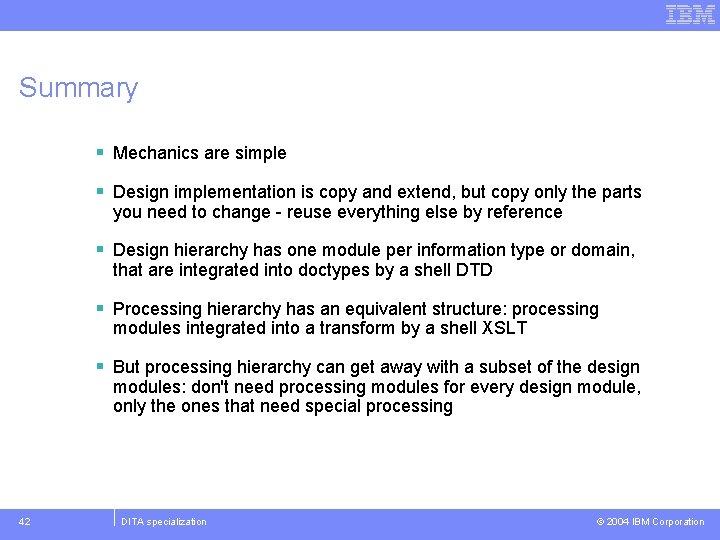
Summary § Mechanics are simple § Design implementation is copy and extend, but copy only the parts you need to change - reuse everything else by reference § Design hierarchy has one module per information type or domain, that are integrated into doctypes by a shell DTD § Processing hierarchy has an equivalent structure: processing modules integrated into a transform by a shell XSLT § But processing hierarchy can get away with a subset of the design modules: don't need processing modules for every design module, only the ones that need special processing 42 DITA specialization © 2004 IBM Corporation
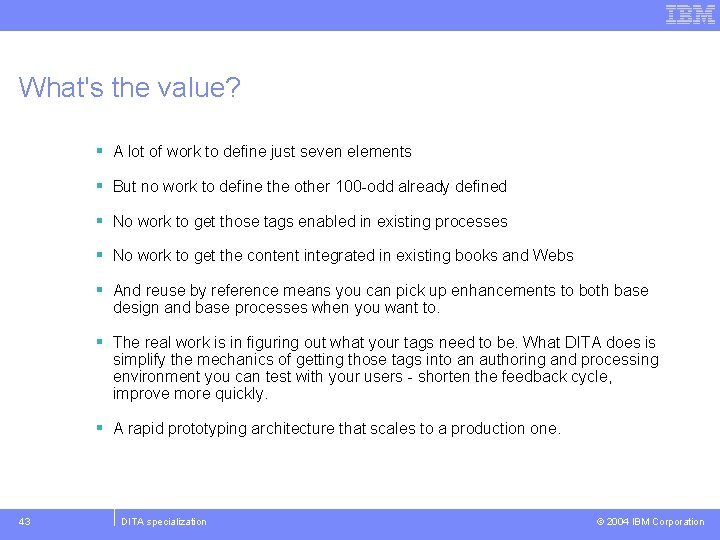
What's the value? § A lot of work to define just seven elements § But no work to define the other 100 -odd already defined § No work to get those tags enabled in existing processes § No work to get the content integrated in existing books and Webs § And reuse by reference means you can pick up enhancements to both base design and base processes when you want to. § The real work is in figuring out what your tags need to be. What DITA does is simplify the mechanics of getting those tags into an authoring and processing environment you can test with your users - shorten the feedback cycle, improve more quickly. § A rapid prototyping architecture that scales to a production one. 43 DITA specialization © 2004 IBM Corporation
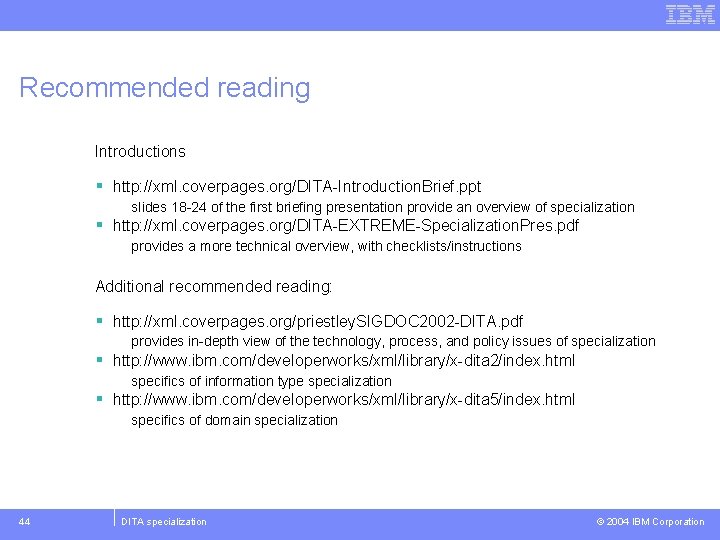
Recommended reading Introductions § http: //xml. coverpages. org/DITA-Introduction. Brief. ppt slides 18 -24 of the first briefing presentation provide an overview of specialization § http: //xml. coverpages. org/DITA-EXTREME-Specialization. Pres. pdf provides a more technical overview, with checklists/instructions Additional recommended reading: § http: //xml. coverpages. org/priestley. SIGDOC 2002 -DITA. pdf provides in-depth view of the technology, process, and policy issues of specialization § http: //www. ibm. com/developerworks/xml/library/x-dita 2/index. html specifics of information type specialization § http: //www. ibm. com/developerworks/xml/library/x-dita 5/index. html specifics of domain specialization 44 DITA specialization © 2004 IBM Corporation