
Introduction to Designing Technologybased instructional materials Mico eLearning
Introduction to Designing Technology-based instructional materials Mico e-Learning Workshop
Learning Outcomes l At the end of this workshop you will be able to: l Describe the basic principles for designing technology -based instructional materials l Differentiate between well designed and poorly designed instructional materials l Apply different principles to the design of your own instructional materials including text, images and audio
Activity 1 l Designing technology-based instructional materials
Life After Death by Power. Point
General Principles for designing technology-based materials l Design materials and activities that: l Facilitate active, student-centred learning l Anchor/situate learning into real life situations l Encourage student exploration and discovery in environments that support authentic and meaningful learning l Provide students with opportunities to draw upon their prior experiences and use these as a starting point for instruction. l Provide students with flexible, on-demand learning
General Principles for designing technology-based materials l Design materials and activities that: l Facilitate inquiry and the development of critical thinking and problem solving skills as students solve real life problems and address issues relevant to them l Facilitate students working in groups to collaboratively solve problems, complete projects and assignments. l Support students to working in groups to collaboratively construct meaning instead of passively receiving it from the teacher
Designing text l Small group activity l Examine the samples provided and identify at least 5 characteristics of well-designed text
Principles for Designing Text l Use active rather than passive voice l Use language that is easy to understand l Sequence the text in the order in which it should be read l Do not use ALL CAPITAL LETTERS
Principles for Designing Text l Avoid using l Chunk text o l Limit each line to about 7 -9 words Ensure that the text is not too small for students to read
Principles for Designing Text Font Type o Choose fonts that are easy to read l Arial l Verdana These seem to be ones that are easiest to read
Principles for Designing Text Font Size o Ensure that the font is big enough for students to read o Age of students will influence font size o Font size should not be small that 18 pt o Headings should be bigger
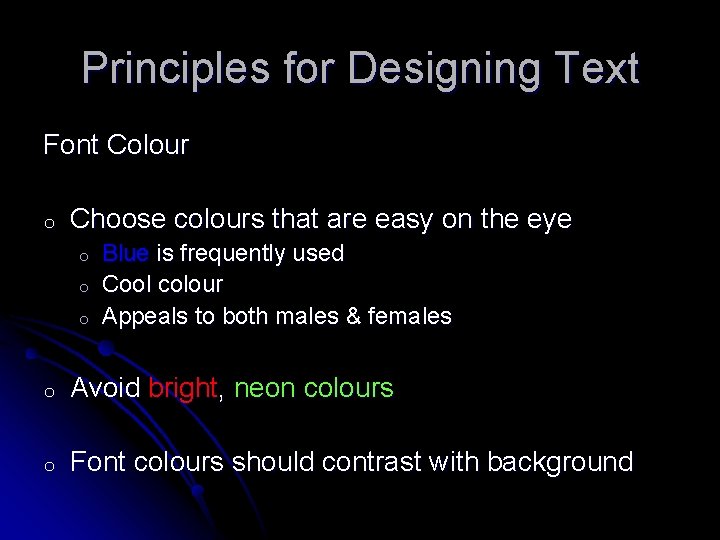
Principles for Designing Text Font Colour o Choose colours that are easy on the eye o o o Blue is frequently used Cool colour Appeals to both males & females o Avoid bright, neon colours o Font colours should contrast with background
Designing Images l Small group activity l Examine the samples provided and identify at least 5 characteristics of well-designed images l Designing Images
Principles for Designing Images l Use pictures that have colour l Use pictures that enhance the quality of your materials l Use images that are clear l Use devices such as arrows to direct students’ attention to important information in images
Designing Audio l At what point in the instructional event should audio be used? l What role should it play? l What are some activities that you could do with your students that include using audio?
Designing Audio l Small group activity l Examine the samples provided and identify at least 3 characteristics of well-designed audio l Example 1: Science Update Podcast Example 2: Regents Meeting Podcast Example 3: Christmas Memories (Choose Christmas Memories) l l
Designing Audio l Use audio to add value to the programme and not take away from it l Ensure that the audio is clear & crisp l Make the audio lively and interesting l Use audio to gain students’ attention, provide directions & supplement text information
Designing Video l What are some of the ways in which you would use videos in your class? l At what point in the lesson do you think videos would be most appropriately incorporated? l Would you allow your students to submit videos that they create for a class project?
Designing Video l Group activity l Go to You. Tube (http: //www. youtube. com/) to Teacher. Tube (http: //teachertube. com/) and locate at least 4 instructional videos. l Assess the videos to determine which you would use in your classes and which yon would not l Provide a rationale for your choices
Designing Video l Use video for important information l Ensure that video presentations are short l Allow users to have control over how they interact with the video
Activity: Practice l Subject Groups l Choose a topic and design a PPT with the following specifications: l A title slide (that includes your name, date and the title of the lesson) l An introduction (something that captures the attention of the students, increase their interest and motivation to interact with the programme) l Multimedia components l Images l Text l Audio l Video
Reflection l Using the journal tool in the Mico LMS, write a brief reflection on the activities for this session. l Which activity did you find most useful? l Which activity did you find least useful? l What, if anything, did you want more of? l How will this activity influence how you integrate technology into your teaching?
- Slides: 22