
Introduction to DECam This document is in Docdb
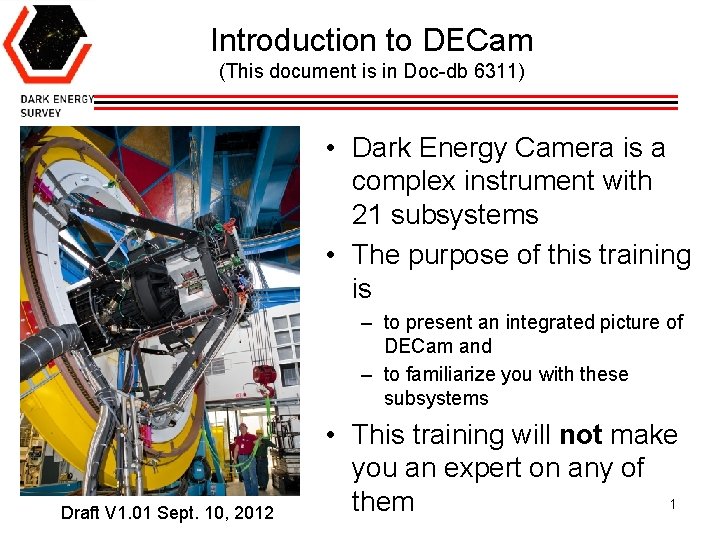
Introduction to DECam (This document is in Doc-db 6311) • Dark Energy Camera is a complex instrument with 21 subsystems • The purpose of this training is – to present an integrated picture of DECam and – to familiarize you with these subsystems Draft V 1. 01 Sept. 10, 2012 • This training will not make you an expert on any of 1 them
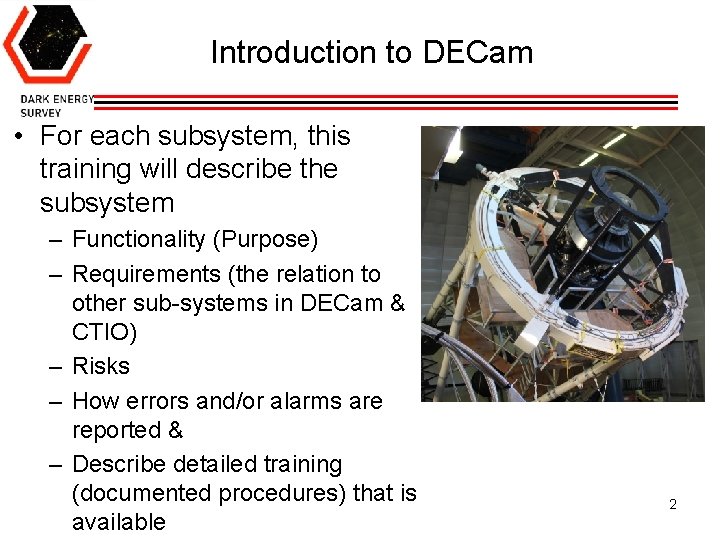
Introduction to DECam • For each subsystem, this training will describe the subsystem – Functionality (Purpose) – Requirements (the relation to other sub-systems in DECam & CTIO) – Risks – How errors and/or alarms are reported & – Describe detailed training (documented procedures) that is available 2
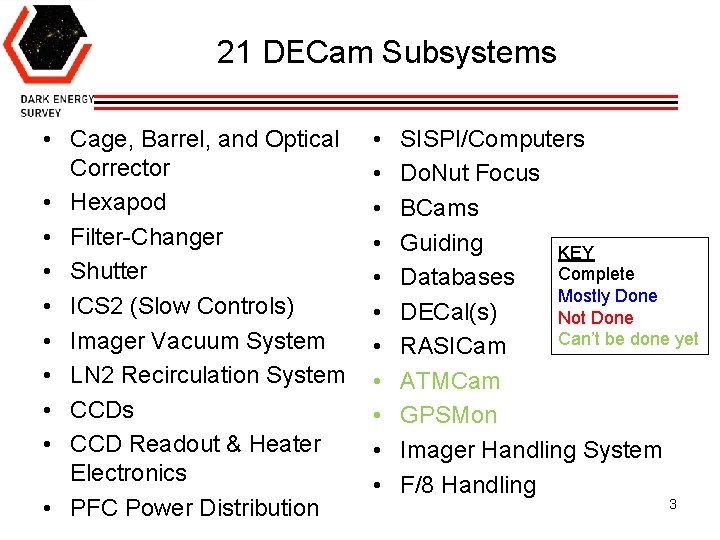
21 DECam Subsystems • Cage, Barrel, and Optical Corrector • Hexapod • Filter-Changer • Shutter • ICS 2 (Slow Controls) • Imager Vacuum System • LN 2 Recirculation System • CCDs • CCD Readout & Heater Electronics • PFC Power Distribution • • • SISPI/Computers Do. Nut Focus BCams Guiding KEY Complete Databases Mostly Done DECal(s) Not Done Can’t be done yet RASICam ATMCam GPSMon Imager Handling System F/8 Handling 3
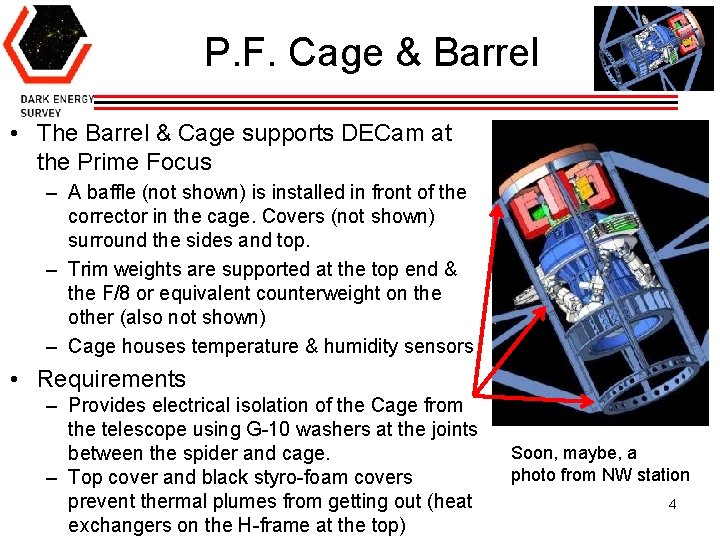
P. F. Cage & Barrel • The Barrel & Cage supports DECam at the Prime Focus – A baffle (not shown) is installed in front of the corrector in the cage. Covers (not shown) surround the sides and top. – Trim weights are supported at the top end & the F/8 or equivalent counterweight on the other (also not shown) – Cage houses temperature & humidity sensors • Requirements – Provides electrical isolation of the Cage from the telescope using G-10 washers at the joints between the spider and cage. – Top cover and black styro-foam covers prevent thermal plumes from getting out (heat exchangers on the H-frame at the top) Soon, maybe, a photo from NW station 4
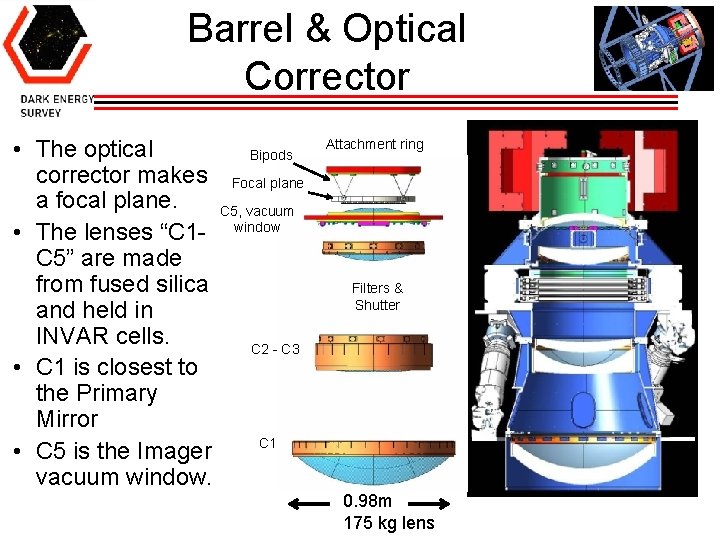
Barrel & Optical Corrector • The optical Bipods corrector makes Focal plane a focal plane. C 5, vacuum • The lenses “C 1 - window C 5” are made from fused silica and held in INVAR cells. C 2 - C 3 • C 1 is closest to the Primary Mirror C 1 • C 5 is the Imager vacuum window. Attachment ring Filters & Shutter 0. 98 m 175 kg lens
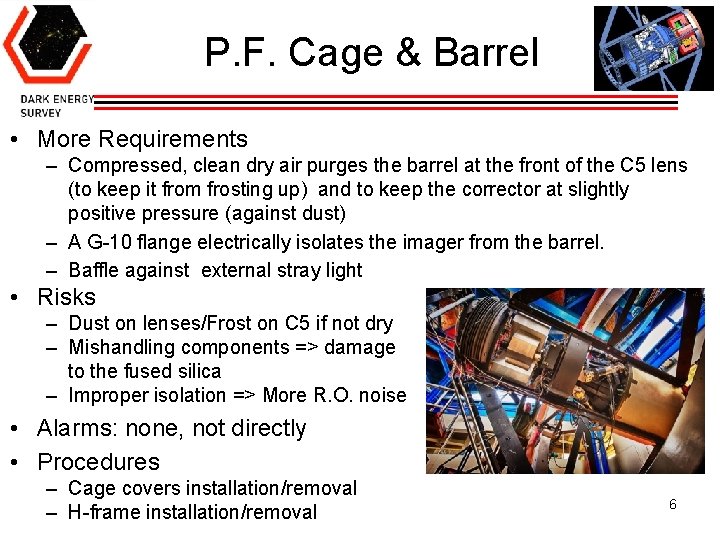
P. F. Cage & Barrel • More Requirements – Compressed, clean dry air purges the barrel at the front of the C 5 lens (to keep it from frosting up) and to keep the corrector at slightly positive pressure (against dust) – A G-10 flange electrically isolates the imager from the barrel. – Baffle against external stray light • Risks – Dust on lenses/Frost on C 5 if not dry – Mishandling components => damage to the fused silica – Improper isolation => More R. O. noise • Alarms: none, not directly • Procedures – Cage covers installation/removal – H-frame installation/removal 6
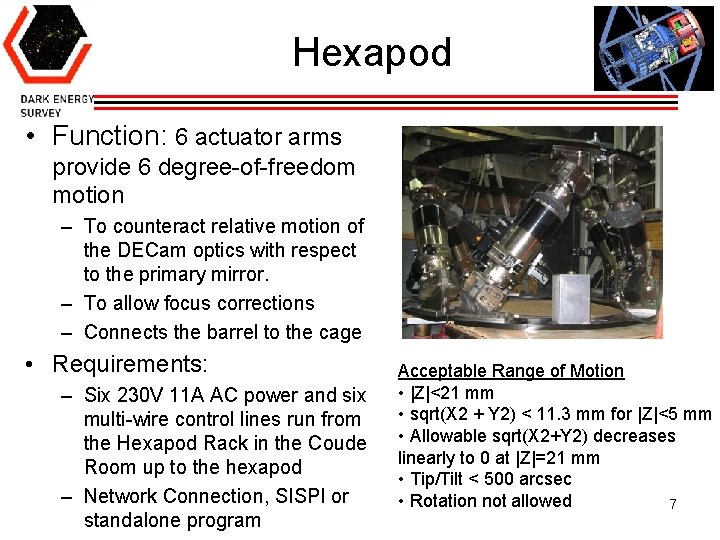
Hexapod • Function: 6 actuator arms provide 6 degree-of-freedom motion – To counteract relative motion of the DECam optics with respect to the primary mirror. – To allow focus corrections – Connects the barrel to the cage • Requirements: – Six 230 V 11 A AC power and six multi-wire control lines run from the Hexapod Rack in the Coude Room up to the hexapod – Network Connection, SISPI or standalone program Acceptable Range of Motion • |Z|<21 mm • sqrt(X 2 + Y 2) < 11. 3 mm for |Z|<5 mm • Allowable sqrt(X 2+Y 2) decreases linearly to 0 at |Z|=21 mm • Tip/Tilt < 500 arcsec • Rotation not allowed 7
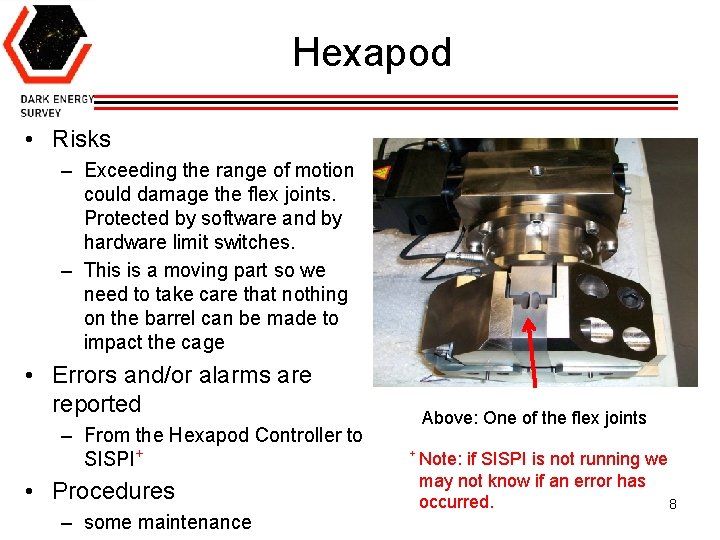
Hexapod • Risks – Exceeding the range of motion could damage the flex joints. Protected by software and by hardware limit switches. – This is a moving part so we need to take care that nothing on the barrel can be made to impact the cage • Errors and/or alarms are reported – From the Hexapod Controller to SISPI+ • Procedures – some maintenance Above: One of the flex joints + Note: if SISPI is not running we may not know if an error has occurred. 8
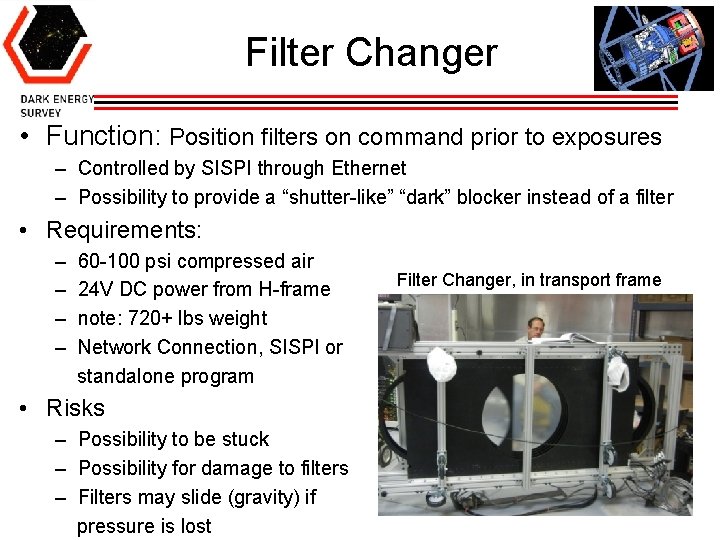
Filter Changer • Function: Position filters on command prior to exposures – Controlled by SISPI through Ethernet – Possibility to provide a “shutter-like” “dark” blocker instead of a filter • Requirements: – – 60 -100 psi compressed air 24 V DC power from H-frame note: 720+ lbs weight Network Connection, SISPI or standalone program Filter Changer, in transport frame • Risks – Possibility to be stuck – Possibility for damage to filters – Filters may slide (gravity) if pressure is lost 9
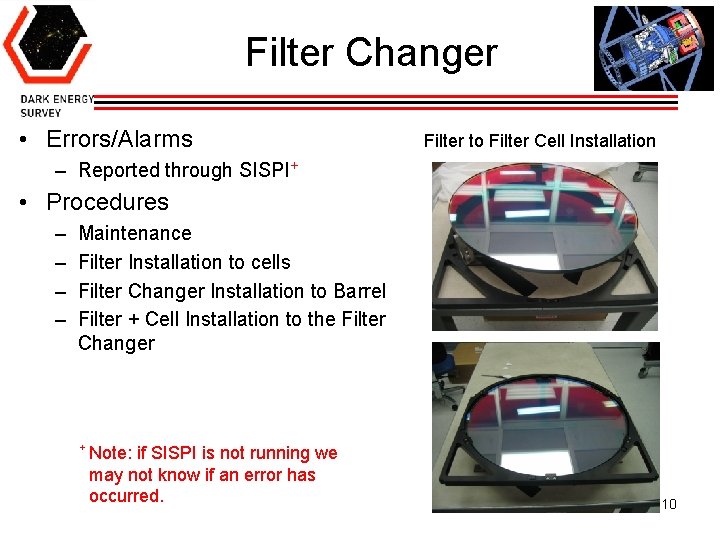
Filter Changer • Errors/Alarms Filter to Filter Cell Installation – Reported through SISPI+ • Procedures – – Maintenance Filter Installation to cells Filter Changer Installation to Barrel Filter + Cell Installation to the Filter Changer + Note: if SISPI is not running we may not know if an error has occurred. 10
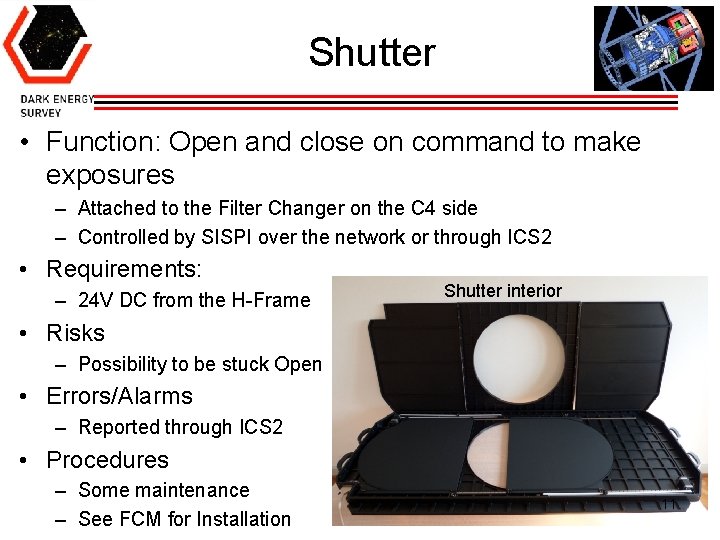
Shutter • Function: Open and close on command to make exposures – Attached to the Filter Changer on the C 4 side – Controlled by SISPI over the network or through ICS 2 • Requirements: – 24 V DC from the H-Frame Shutter interior • Risks – Possibility to be stuck Open • Errors/Alarms – Reported through ICS 2 • Procedures – Some maintenance – See FCM for Installation 11
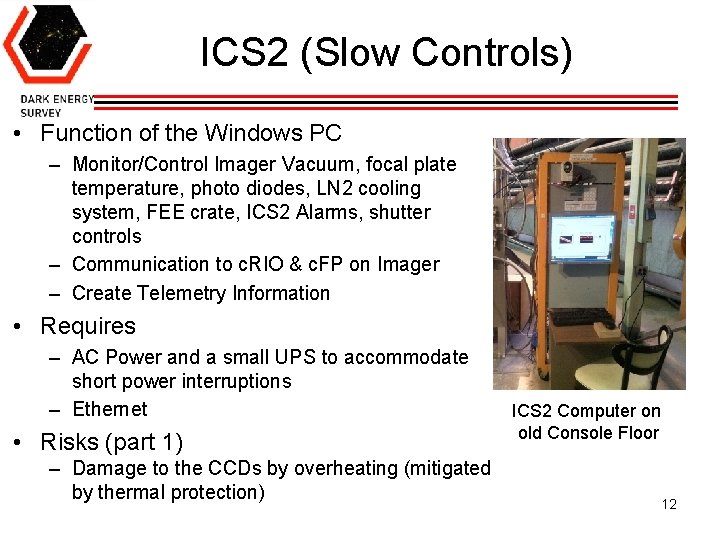
ICS 2 (Slow Controls) • Function of the Windows PC – Monitor/Control Imager Vacuum, focal plate temperature, photo diodes, LN 2 cooling system, FEE crate, ICS 2 Alarms, shutter controls – Communication to c. RIO & c. FP on Imager – Create Telemetry Information • Requires – AC Power and a small UPS to accommodate short power interruptions – Ethernet • Risks (part 1) – Damage to the CCDs by overheating (mitigated by thermal protection) ICS 2 Computer on old Console Floor 12
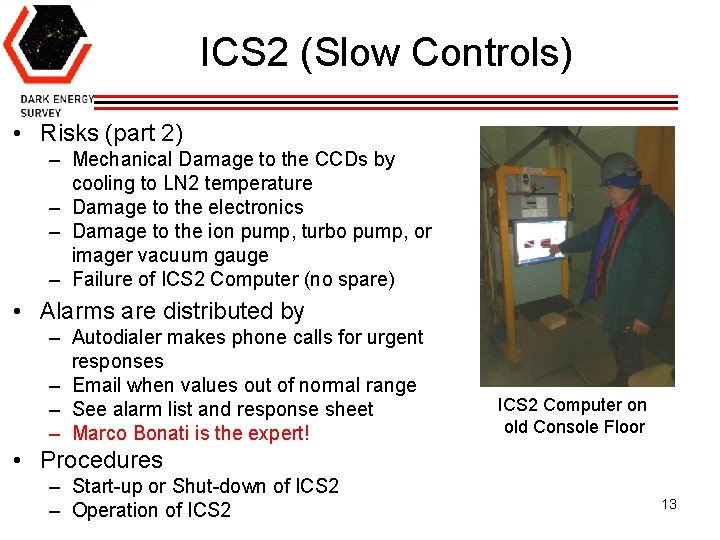
ICS 2 (Slow Controls) • Risks (part 2) – Mechanical Damage to the CCDs by cooling to LN 2 temperature – Damage to the electronics – Damage to the ion pump, turbo pump, or imager vacuum gauge – Failure of ICS 2 Computer (no spare) • Alarms are distributed by – Autodialer makes phone calls for urgent responses – Email when values out of normal range – See alarm list and response sheet – Marco Bonati is the expert! ICS 2 Computer on old Console Floor • Procedures – Start-up or Shut-down of ICS 2 – Operation of ICS 2 13
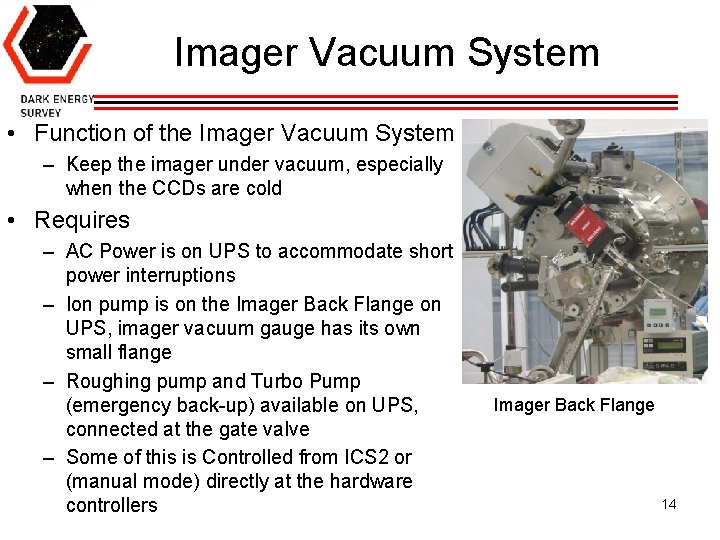
Imager Vacuum System • Function of the Imager Vacuum System – Keep the imager under vacuum, especially when the CCDs are cold • Requires – AC Power is on UPS to accommodate short power interruptions – Ion pump is on the Imager Back Flange on UPS, imager vacuum gauge has its own small flange – Roughing pump and Turbo Pump (emergency back-up) available on UPS, connected at the gate valve – Some of this is Controlled from ICS 2 or (manual mode) directly at the hardware controllers Imager Back Flange 14
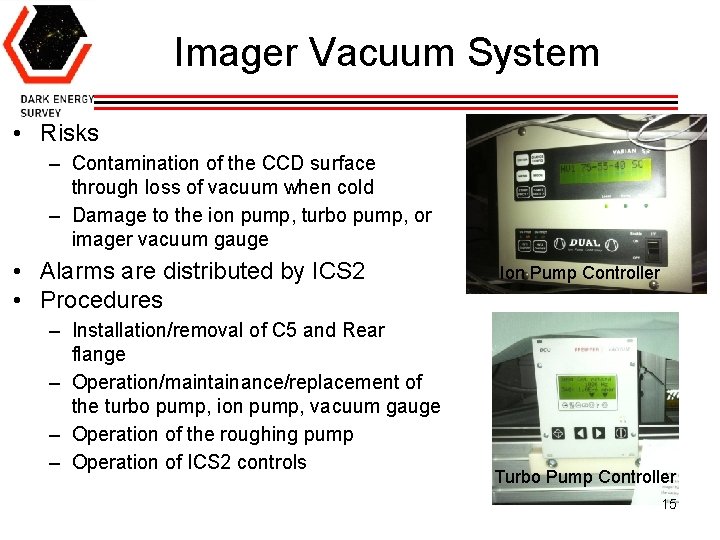
Imager Vacuum System • Risks – Contamination of the CCD surface through loss of vacuum when cold – Damage to the ion pump, turbo pump, or imager vacuum gauge • Alarms are distributed by ICS 2 • Procedures – Installation/removal of C 5 and Rear flange – Operation/maintainance/replacement of the turbo pump, ion pump, vacuum gauge – Operation of the roughing pump – Operation of ICS 2 controls Ion Pump Controller Turbo Pump Controller 15
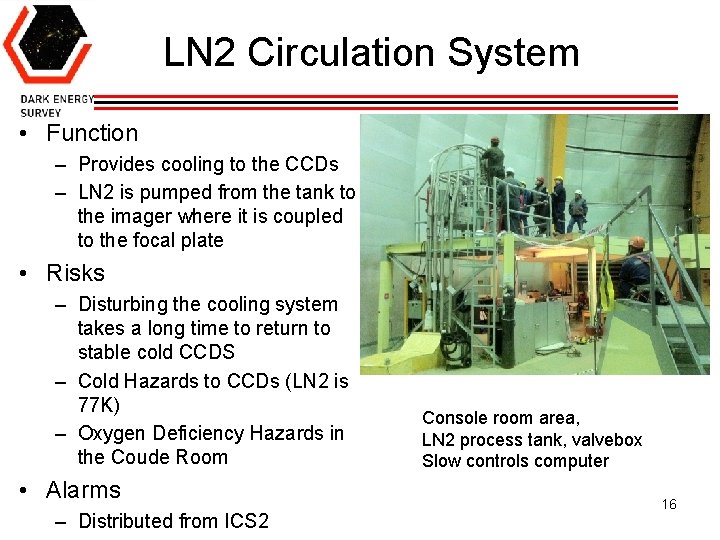
LN 2 Circulation System • Function – Provides cooling to the CCDs – LN 2 is pumped from the tank to the imager where it is coupled to the focal plate • Risks – Disturbing the cooling system takes a long time to return to stable cold CCDS – Cold Hazards to CCDs (LN 2 is 77 K) – Oxygen Deficiency Hazards in the Coude Room • Alarms – Distributed from ICS 2 Console room area, LN 2 process tank, valvebox Slow controls computer 16
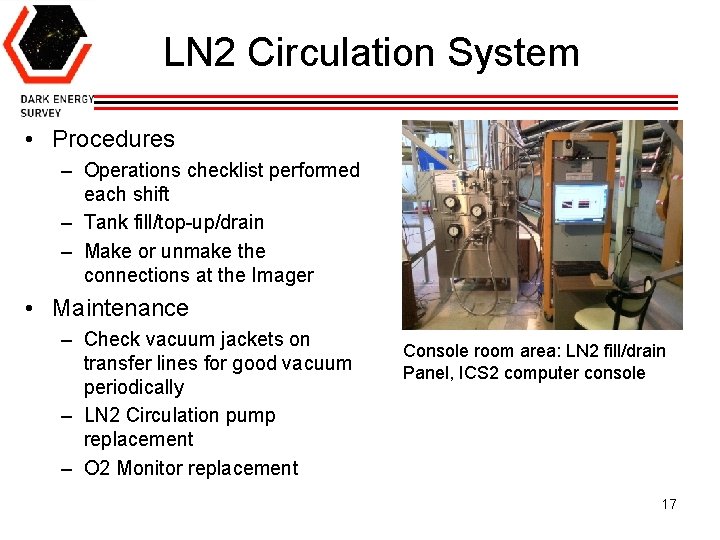
LN 2 Circulation System • Procedures – Operations checklist performed each shift – Tank fill/top-up/drain – Make or unmake the connections at the Imager • Maintenance – Check vacuum jackets on transfer lines for good vacuum periodically – LN 2 Circulation pump replacement – O 2 Monitor replacement Console room area: LN 2 fill/drain Panel, ICS 2 computer console 17
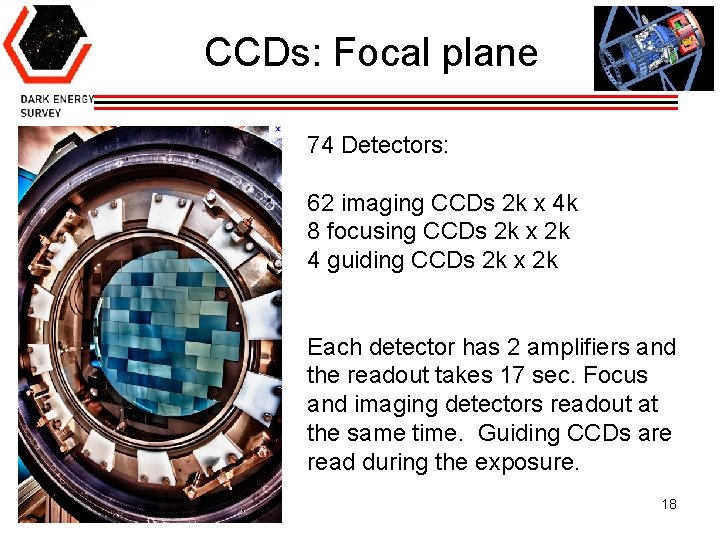
CCDs: Focal plane 74 Detectors: 62 imaging CCDs 2 k x 4 k 8 focusing CCDs 2 k x 2 k 4 guiding CCDs 2 k x 2 k Each detector has 2 amplifiers and the readout takes 17 sec. Focus and imaging detectors readout at the same time. Guiding CCDs are read during the exposure. 18
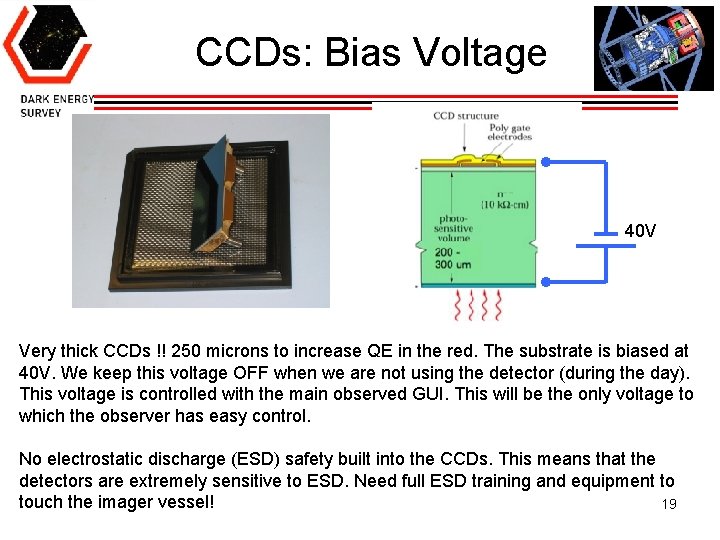
CCDs: Bias Voltage 40 V Very thick CCDs !! 250 microns to increase QE in the red. The substrate is biased at 40 V. We keep this voltage OFF when we are not using the detector (during the day). This voltage is controlled with the main observed GUI. This will be the only voltage to which the observer has easy control. No electrostatic discharge (ESD) safety built into the CCDs. This means that the detectors are extremely sensitive to ESD. Need full ESD training and equipment to touch the imager vessel! 19
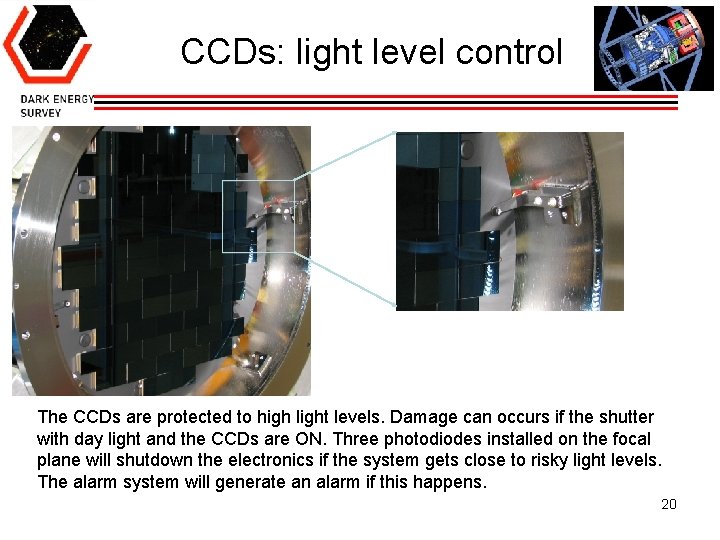
CCDs: light level control The CCDs are protected to high light levels. Damage can occurs if the shutter with day light and the CCDs are ON. Three photodiodes installed on the focal plane will shutdown the electronics if the system gets close to risky light levels. The alarm system will generate an alarm if this happens. 20
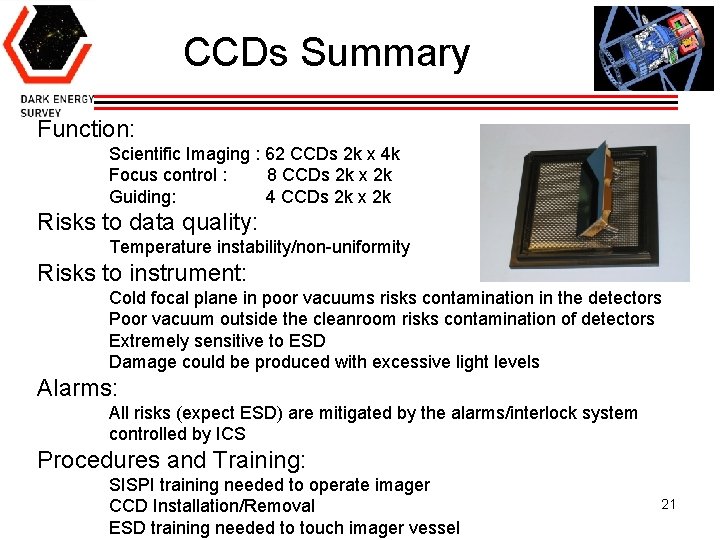
CCDs Summary Function: Scientific Imaging : 62 CCDs 2 k x 4 k Focus control : 8 CCDs 2 k x 2 k Guiding: 4 CCDs 2 k x 2 k Risks to data quality: Temperature instability/non-uniformity Risks to instrument: Cold focal plane in poor vacuums risks contamination in the detectors Poor vacuum outside the cleanroom risks contamination of detectors Extremely sensitive to ESD Damage could be produced with excessive light levels Alarms: All risks (expect ESD) are mitigated by the alarms/interlock system controlled by ICS Procedures and Training: SISPI training needed to operate imager CCD Installation/Removal ESD training needed to touch imager vessel 21
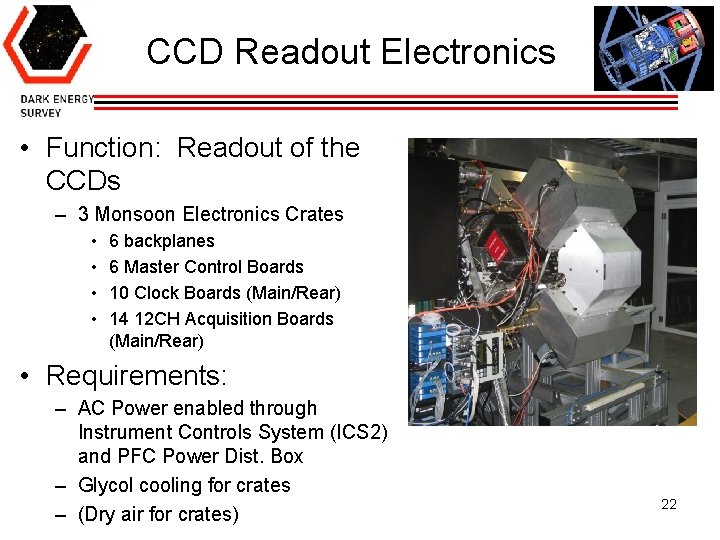
CCD Readout Electronics • Function: Readout of the CCDs – 3 Monsoon Electronics Crates • • 6 backplanes 6 Master Control Boards 10 Clock Boards (Main/Rear) 14 12 CH Acquisition Boards (Main/Rear) • Requirements: – AC Power enabled through Instrument Controls System (ICS 2) and PFC Power Dist. Box – Glycol cooling for crates – (Dry air for crates) 22
CCD Readout Electronics • Risks – If electronics card(s) have an error, CCD(s) will not be readout properly – Internal Glycol leak from cooling system will cause significant damage – System may not turn on is an error condition is detected • Crate over-temperature OR Overvoltage condition on DC power supplies • CCD over-temperature OR CCD photodiode protection • Errors and alarms are reported via ICS 2 • Training and Procedures – – – Introduction to FE Electronics (docdb 6065) Crate Installation/Removal Procedure FE Electronics Main/Rear Module Handling Procedures (docdb 6281) Imager ESD Handling Procedures (docdb 6267) Installation of FE Electronics crate heat shield (docdb 5108) 23
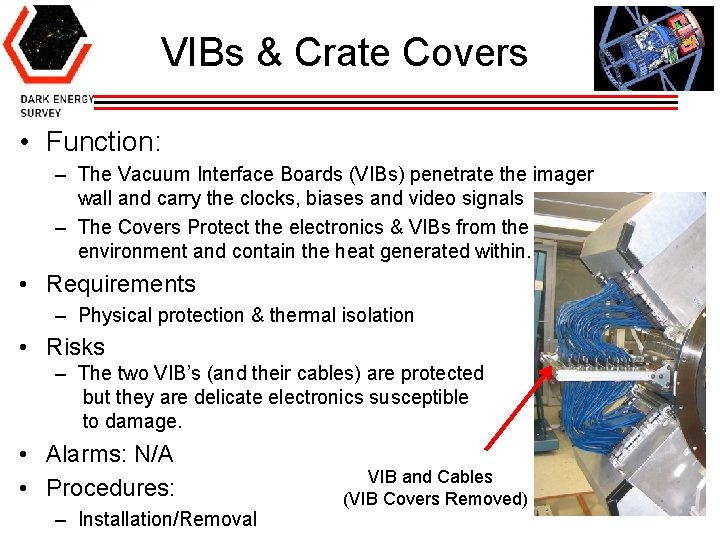
VIBs & Crate Covers • Function: – The Vacuum Interface Boards (VIBs) penetrate the imager wall and carry the clocks, biases and video signals – The Covers Protect the electronics & VIBs from the environment and contain the heat generated within. • Requirements – Physical protection & thermal isolation • Risks – The two VIB’s (and their cables) are protected but they are delicate electronics susceptible to damage. • Alarms: N/A • Procedures: – Installation/Removal VIB and Cables (VIB Covers Removed) 24
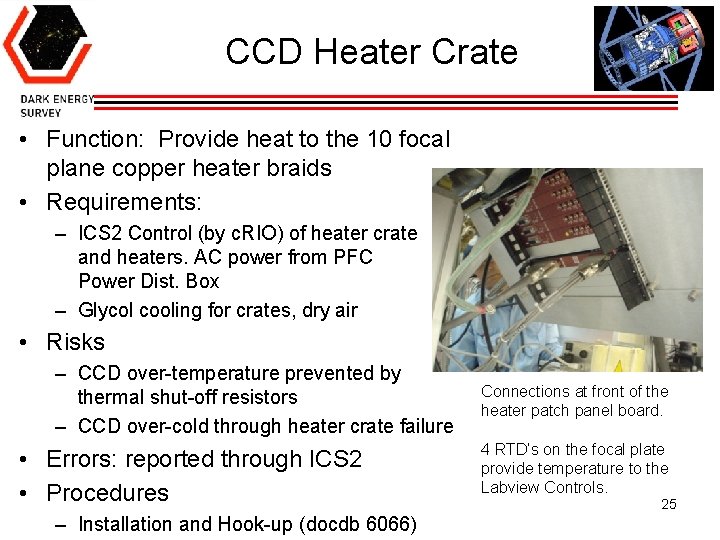
CCD Heater Crate • Function: Provide heat to the 10 focal plane copper heater braids • Requirements: – ICS 2 Control (by c. RIO) of heater crate and heaters. AC power from PFC Power Dist. Box – Glycol cooling for crates, dry air • Risks – CCD over-temperature prevented by thermal shut-off resistors – CCD over-cold through heater crate failure • Errors: reported through ICS 2 • Procedures – Installation and Hook-up (docdb 6066) Connections at front of the heater patch panel board. 4 RTD’s on the focal plate provide temperature to the Labview Controls. 25
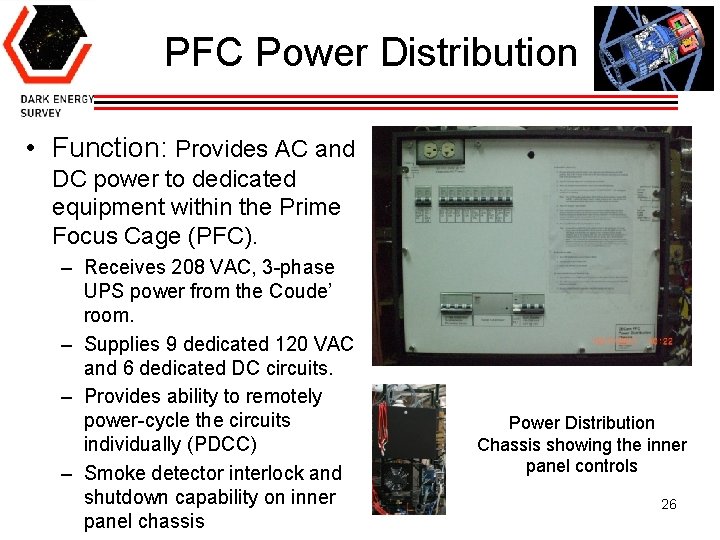
PFC Power Distribution • Function: Provides AC and DC power to dedicated equipment within the Prime Focus Cage (PFC). – Receives 208 VAC, 3 -phase UPS power from the Coude’ room. – Supplies 9 dedicated 120 VAC and 6 dedicated DC circuits. – Provides ability to remotely power-cycle the circuits individually (PDCC) – Smoke detector interlock and shutdown capability on inner panel chassis Power Distribution Chassis showing the inner panel controls 26
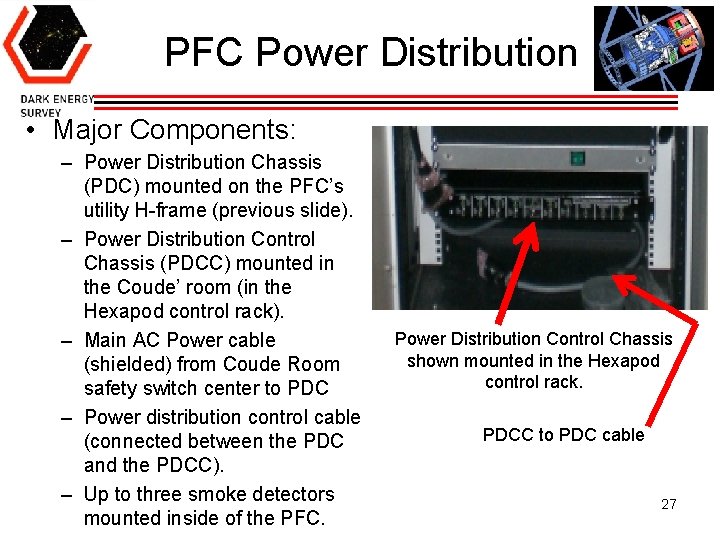
PFC Power Distribution • Major Components: – Power Distribution Chassis (PDC) mounted on the PFC’s utility H-frame (previous slide). – Power Distribution Control Chassis (PDCC) mounted in the Coude’ room (in the Hexapod control rack). – Main AC Power cable (shielded) from Coude Room safety switch center to PDC – Power distribution control cable (connected between the PDC and the PDCC). – Up to three smoke detectors mounted inside of the PFC. Power Distribution Control Chassis shown mounted in the Hexapod control rack. PDCC to PDC cable 27
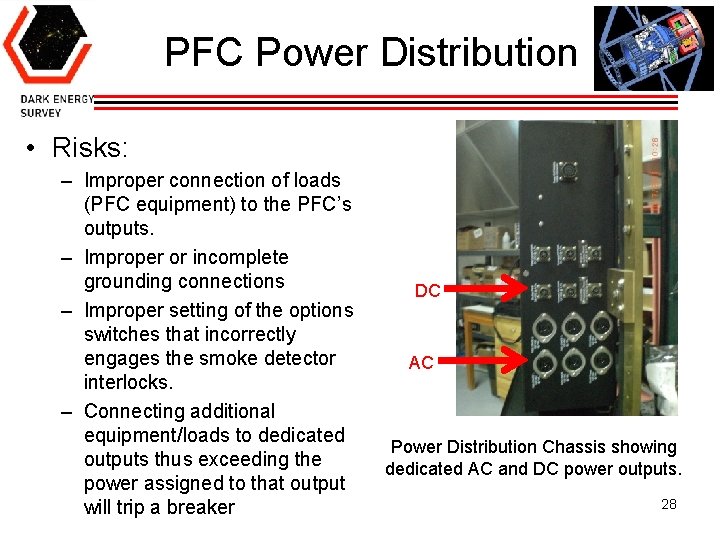
PFC Power Distribution • Risks: – Improper connection of loads (PFC equipment) to the PFC’s outputs. – Improper or incomplete grounding connections – Improper setting of the options switches that incorrectly engages the smoke detector interlocks. – Connecting additional equipment/loads to dedicated outputs thus exceeding the power assigned to that output will trip a breaker DC AC Power Distribution Chassis showing dedicated AC and DC power outputs. 28
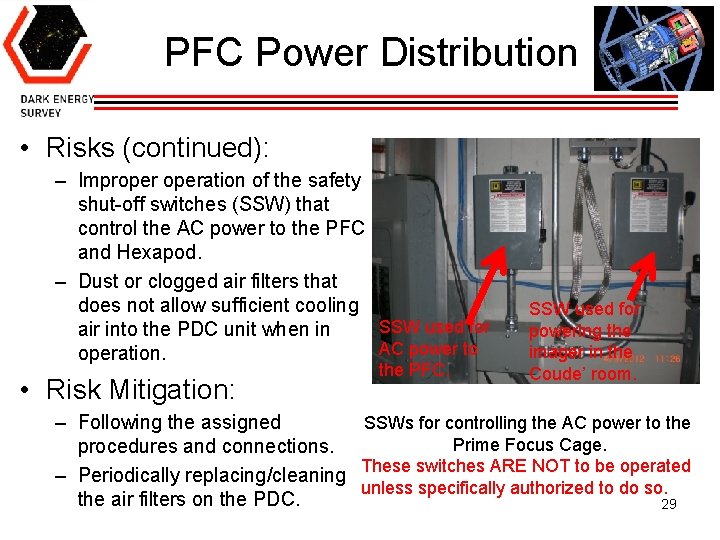
PFC Power Distribution • Risks (continued): – Improperation of the safety shut-off switches (SSW) that control the AC power to the PFC and Hexapod. – Dust or clogged air filters that does not allow sufficient cooling SSW used for air into the PDC unit when in AC power to operation. • Risk Mitigation: the PFC. SSW used for powering the imager in the Coude’ room. SSWs for controlling the AC power to the – Following the assigned Prime Focus Cage. procedures and connections. – Periodically replacing/cleaning These switches ARE NOT to be operated unless specifically authorized to do so. the air filters on the PDC. 29
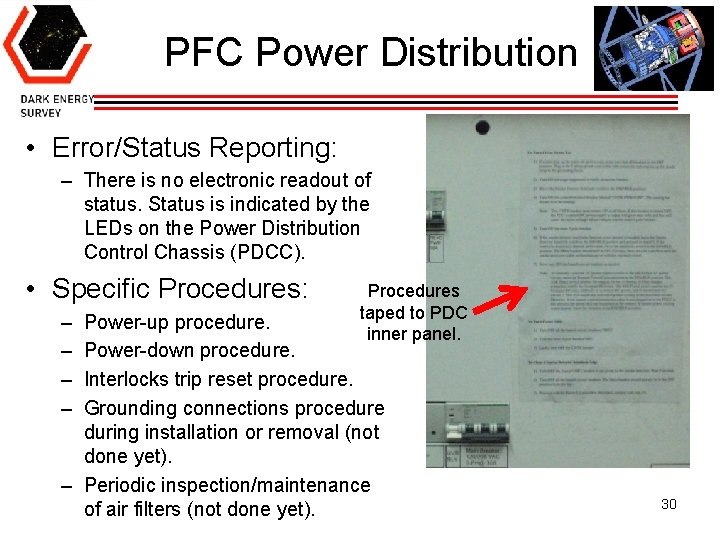
PFC Power Distribution • Error/Status Reporting: – There is no electronic readout of status. Status is indicated by the LEDs on the Power Distribution Control Chassis (PDCC). • Specific Procedures: – – Procedures taped to PDC inner panel. Power-up procedure. Power-down procedure. Interlocks trip reset procedure. Grounding connections procedure during installation or removal (not done yet). – Periodic inspection/maintenance of air filters (not done yet). 30
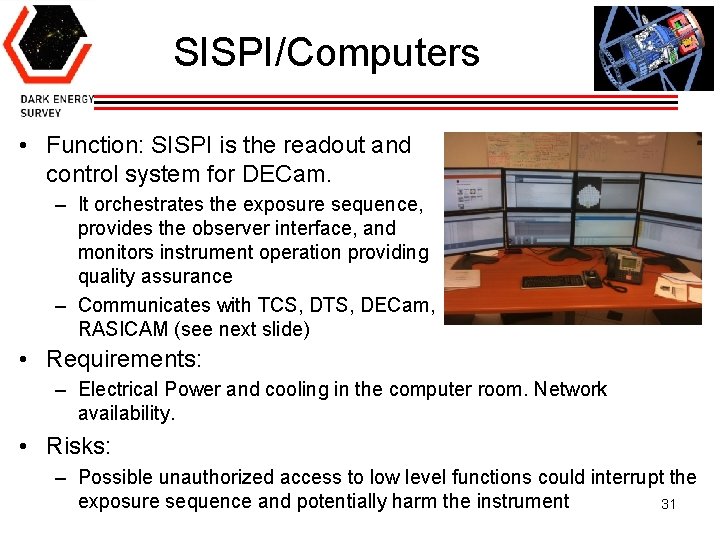
SISPI/Computers • Function: SISPI is the readout and control system for DECam. – It orchestrates the exposure sequence, provides the observer interface, and monitors instrument operation providing quality assurance – Communicates with TCS, DTS, DECam, RASICAM (see next slide) • Requirements: – Electrical Power and cooling in the computer room. Network availability. • Risks: – Possible unauthorized access to low level functions could interrupt the exposure sequence and potentially harm the instrument 31
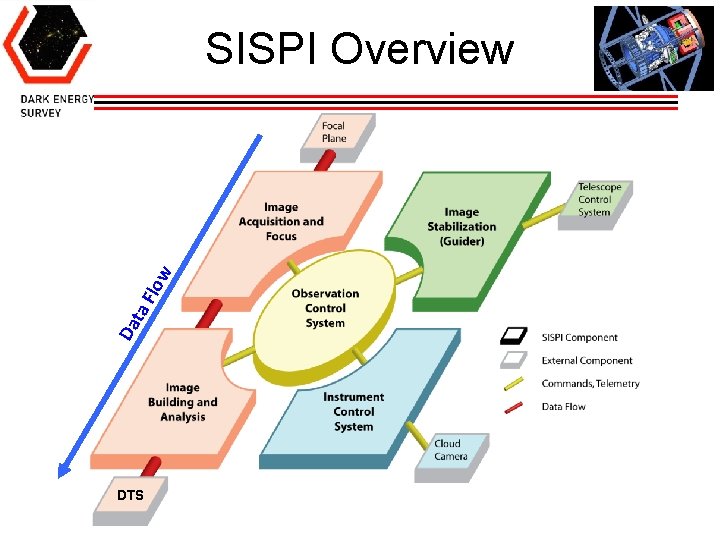
Da ta Flo w SISPI Overview DTS
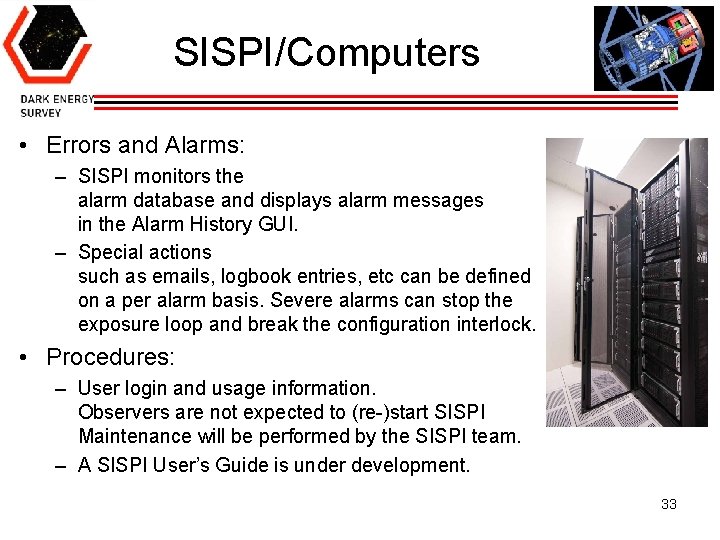
SISPI/Computers • Errors and Alarms: – SISPI monitors the alarm database and displays alarm messages in the Alarm History GUI. – Special actions such as emails, logbook entries, etc can be defined on a per alarm basis. Severe alarms can stop the exposure loop and break the configuration interlock. • Procedures: – User login and usage information. Observers are not expected to (re-)start SISPI Maintenance will be performed by the SISPI team. – A SISPI User’s Guide is under development. 33
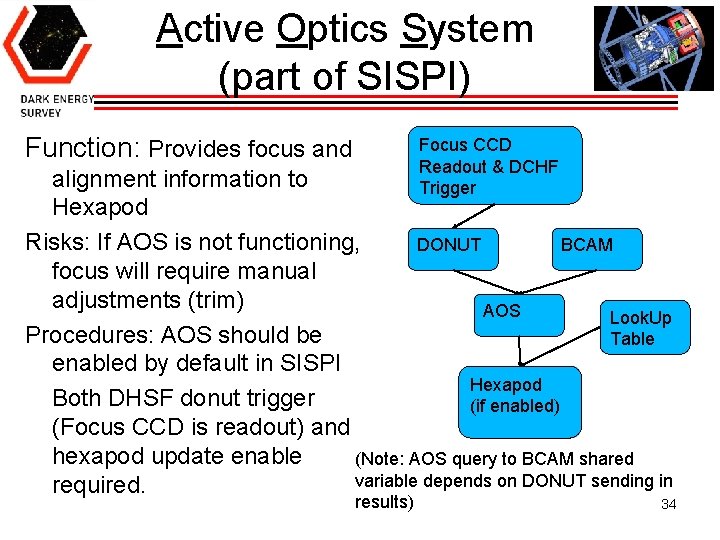
Active Optics System (part of SISPI) Function: Provides focus and Focus CCD Readout & DCHF Trigger alignment information to Hexapod Risks: If AOS is not functioning, DONUT BCAM focus will require manual adjustments (trim) AOS Look. Up Procedures: AOS should be Table enabled by default in SISPI Hexapod Both DHSF donut trigger (if enabled) (Focus CCD is readout) and hexapod update enable (Note: AOS query to BCAM shared variable depends on DONUT sending in required. results) 34
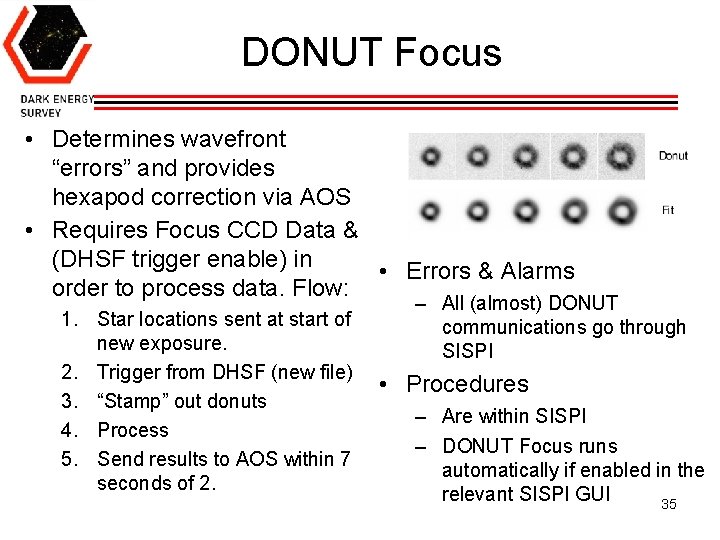
DONUT Focus • Determines wavefront “errors” and provides hexapod correction via AOS • Requires Focus CCD Data & (DHSF trigger enable) in • Errors & Alarms order to process data. Flow: 1. Star locations sent at start of new exposure. 2. Trigger from DHSF (new file) 3. “Stamp” out donuts 4. Process 5. Send results to AOS within 7 seconds of 2. – All (almost) DONUT communications go through SISPI • Procedures – Are within SISPI – DONUT Focus runs automatically if enabled in the relevant SISPI GUI 35
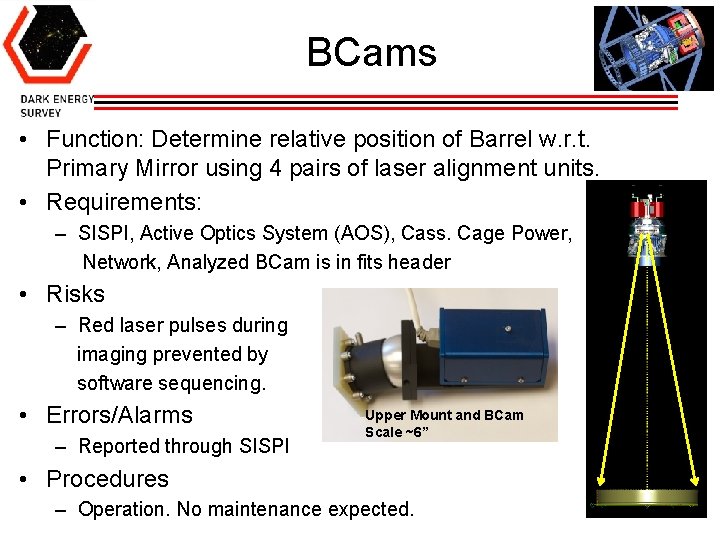
BCams • Function: Determine relative position of Barrel w. r. t. Primary Mirror using 4 pairs of laser alignment units. • Requirements: – SISPI, Active Optics System (AOS), Cass. Cage Power, Network, Analyzed BCam is in fits header • Risks – Red laser pulses during imaging prevented by software sequencing. • Errors/Alarms – Reported through SISPI Upper Mount and BCam Scale ~6” • Procedures – Operation. No maintenance expected. 36
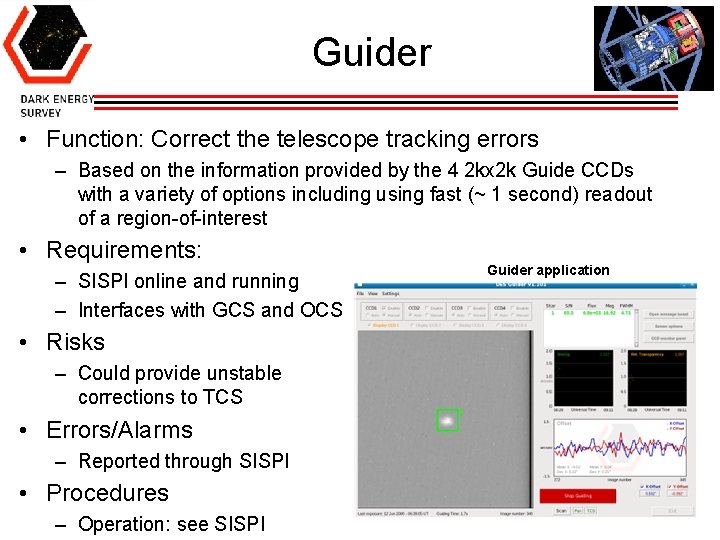
Guider • Function: Correct the telescope tracking errors – Based on the information provided by the 4 2 kx 2 k Guide CCDs with a variety of options including using fast (~ 1 second) readout of a region-of-interest • Requirements: – SISPI online and running – Interfaces with GCS and OCS Guider application • Risks – Could provide unstable corrections to TCS • Errors/Alarms – Reported through SISPI • Procedures – Operation: see SISPI 37
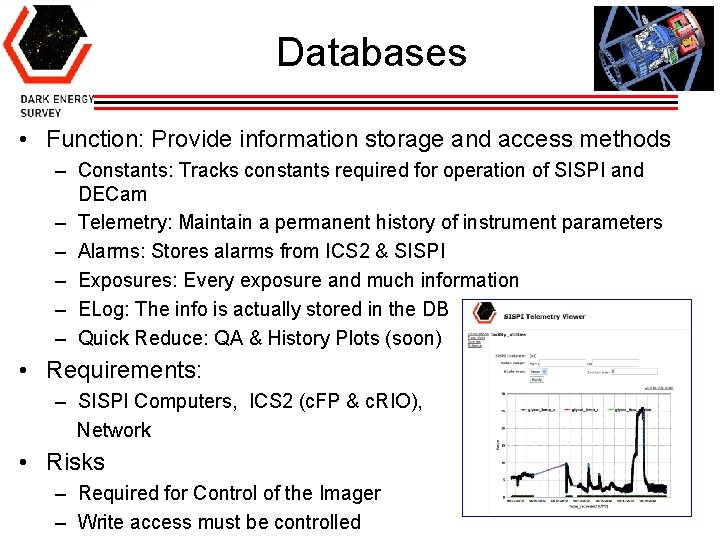
Databases • Function: Provide information storage and access methods – Constants: Tracks constants required for operation of SISPI and DECam – Telemetry: Maintain a permanent history of instrument parameters – Alarms: Stores alarms from ICS 2 & SISPI – Exposures: Every exposure and much information – ELog: The info is actually stored in the DB – Quick Reduce: QA & History Plots (soon) • Requirements: – SISPI Computers, ICS 2 (c. FP & c. RIO), Network • Risks – Required for Control of the Imager – Write access must be controlled 38
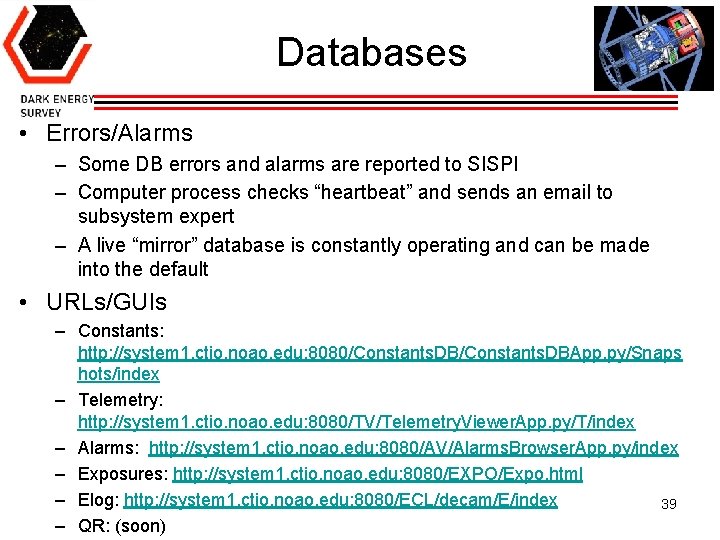
Databases • Errors/Alarms – Some DB errors and alarms are reported to SISPI – Computer process checks “heartbeat” and sends an email to subsystem expert – A live “mirror” database is constantly operating and can be made into the default • URLs/GUIs – Constants: http: //system 1. ctio. noao. edu: 8080/Constants. DBApp. py/Snaps hots/index – Telemetry: http: //system 1. ctio. noao. edu: 8080/TV/Telemetry. Viewer. App. py/T/index – Alarms: http: //system 1. ctio. noao. edu: 8080/AV/Alarms. Browser. App. py/index – Exposures: http: //system 1. ctio. noao. edu: 8080/EXPO/Expo. html – Elog: http: //system 1. ctio. noao. edu: 8080/ECL/decam/E/index 39 – QR: (soon)
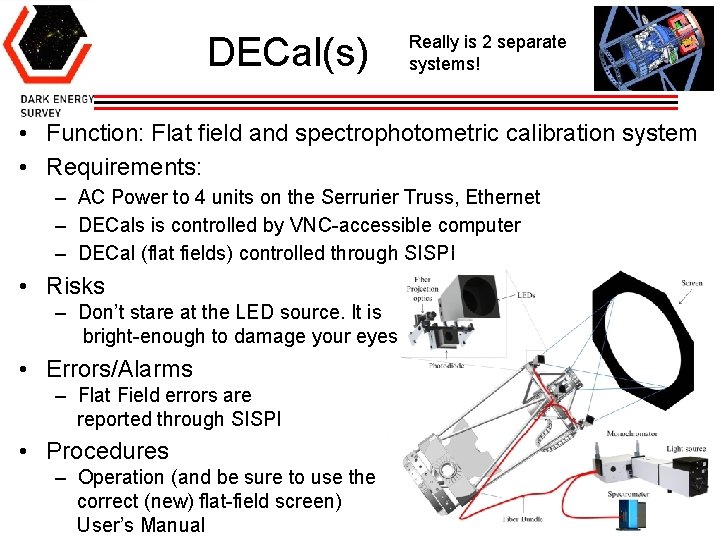
DECal(s) Really is 2 separate systems! • Function: Flat field and spectrophotometric calibration system • Requirements: – AC Power to 4 units on the Serrurier Truss, Ethernet – DECals is controlled by VNC-accessible computer – DECal (flat fields) controlled through SISPI • Risks – Don’t stare at the LED source. It is bright-enough to damage your eyes • Errors/Alarms – Flat Field errors are reported through SISPI • Procedures – Operation (and be sure to use the correct (new) flat-field screen) User’s Manual 40
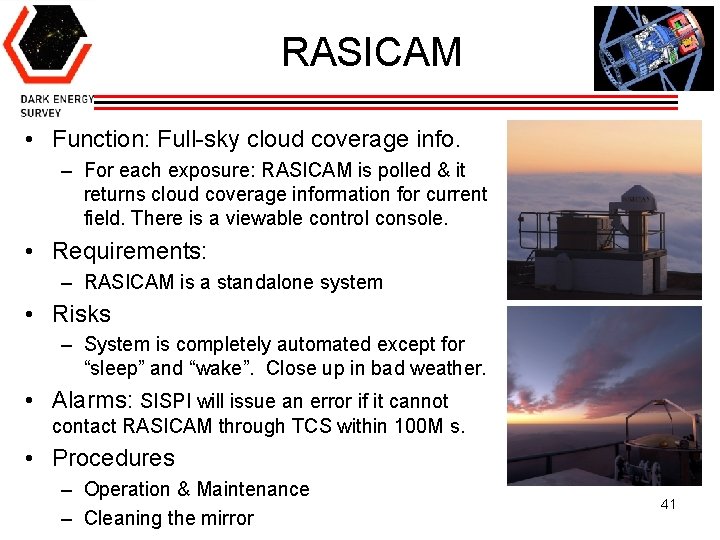
RASICAM • Function: Full-sky cloud coverage info. – For each exposure: RASICAM is polled & it returns cloud coverage information for current field. There is a viewable control console. • Requirements: – RASICAM is a standalone system • Risks – System is completely automated except for “sleep” and “wake”. Close up in bad weather. • Alarms: SISPI will issue an error if it cannot contact RASICAM through TCS within 100 M s. • Procedures – Operation & Maintenance – Cleaning the mirror 41
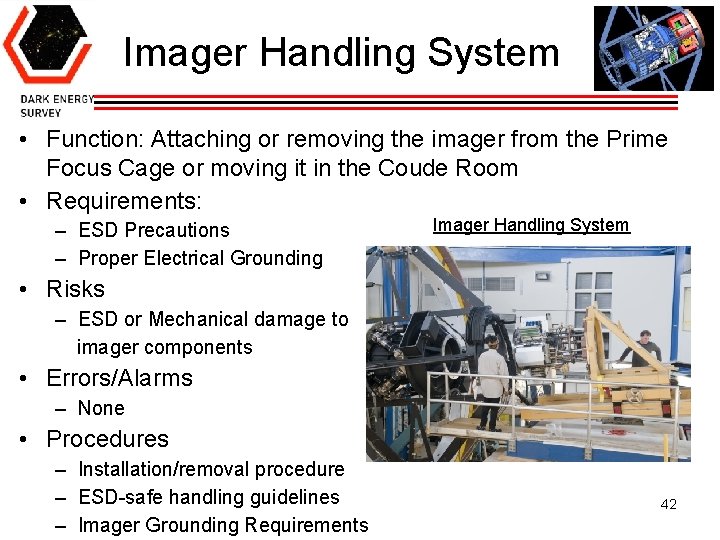
Imager Handling System • Function: Attaching or removing the imager from the Prime Focus Cage or moving it in the Coude Room • Requirements: – ESD Precautions – Proper Electrical Grounding Imager Handling System • Risks – ESD or Mechanical damage to imager components • Errors/Alarms – None • Procedures – Installation/removal procedure – ESD-safe handling guidelines – Imager Grounding Requirements 42
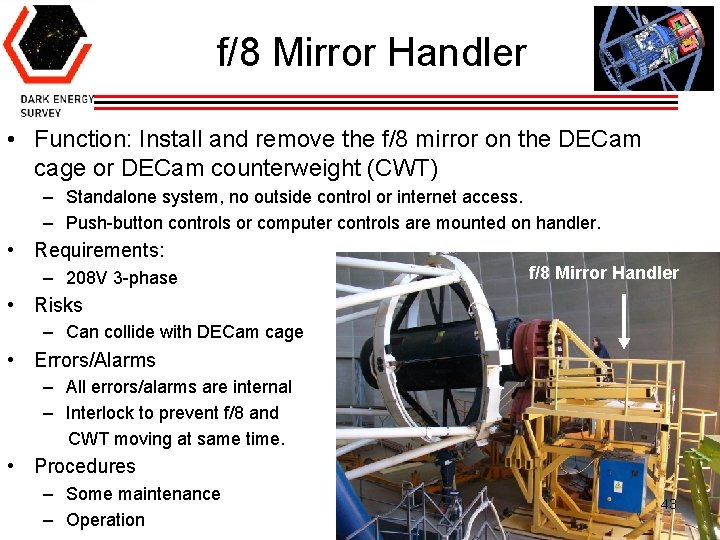
f/8 Mirror Handler • Function: Install and remove the f/8 mirror on the DECam cage or DECam counterweight (CWT) – Standalone system, no outside control or internet access. – Push-button controls or computer controls are mounted on handler. • Requirements: – 208 V 3 -phase f/8 Mirror Handler • Risks – Can collide with DECam cage • Errors/Alarms – All errors/alarms are internal – Interlock to prevent f/8 and CWT moving at same time. • Procedures – Some maintenance – Operation 43
Summary • Dark Energy Camera is a complex instrument with 21 subsystems • The purpose of this training was – to present an integrated picture of DECam and – to familiarize you with these subsystems • This training cannot make you an expert on any of them 44
- Slides: 44