
Introduction to Database Lei Yang Computer Science Department
Introduction to Database Lei Yang Computer Science Department
An Why we use database? example �You have a company with more than 10000 employees… �Someday, you want to find out ◦ The average salary of employees who own Ph. d degree… ◦ The average of your company… ◦… Manually? No!
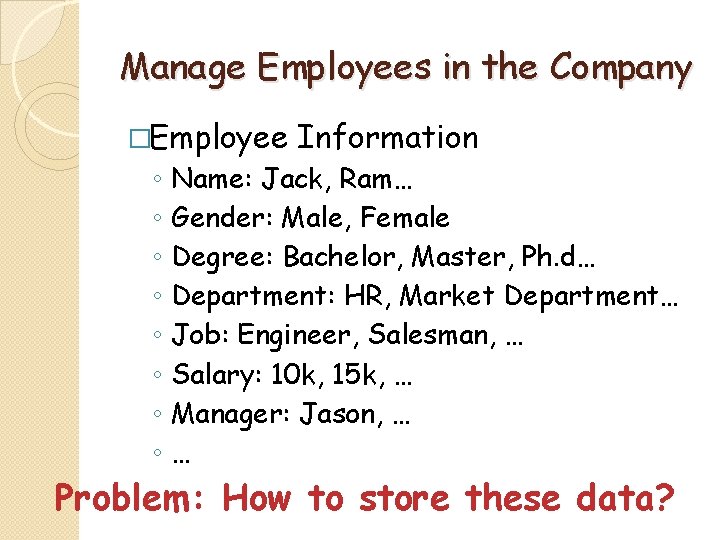
Manage Employees in the Company �Employee ◦ ◦ ◦ ◦ Information Name: Jack, Ram… Gender: Male, Female Degree: Bachelor, Master, Ph. d… Department: HR, Market Department… Job: Engineer, Salesman, … Salary: 10 k, 15 k, … Manager: Jason, … … Problem: How to store these data?
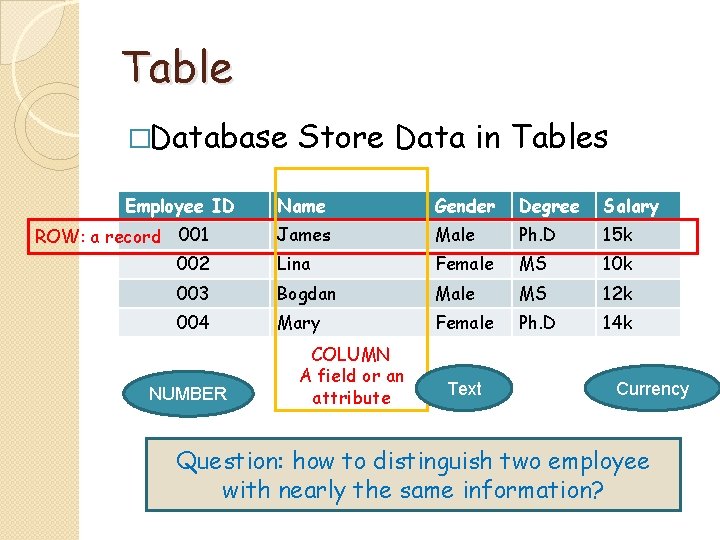
Table �Database Employee ID Store Data in Tables Name Gender Degree Salary James Male Ph. D 15 k 002 Lina Female MS 10 k 003 Bogdan Male MS 12 k 004 Mary Female Ph. D 14 k ROW: a record 001 NUMBER COLUMN A field or an attribute Text Currency Question: how to distinguish two employee with nearly the same information?
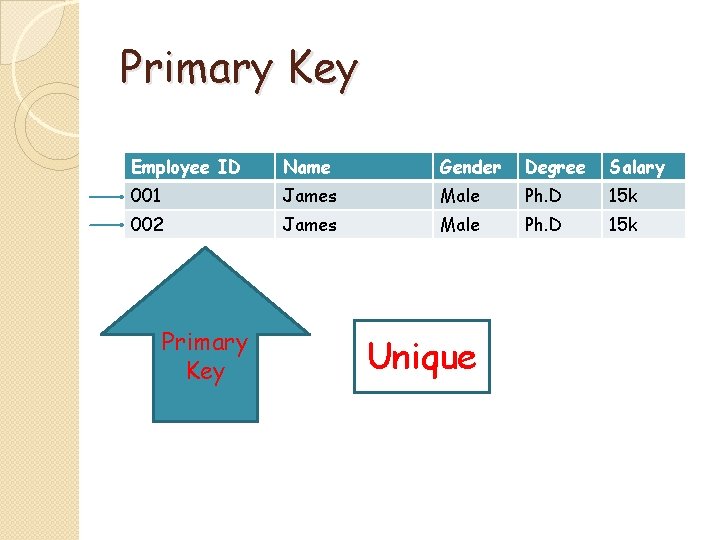
Primary Key Employee ID Name Gender Degree Salary 001 James Male Ph. D 15 k 002 James Male Ph. D 15 k Primary Key Unique
Data Type - 1 � Text ◦ Stores text, numbers, or a combination of both, up to 255 characters long. Text fields are the most common of all data types. � Memo ◦ Stores long text entries up to 64, 000 characters long. � Number: int, float… � Date/Time ◦ Stores dates, times, or both. � Currency ◦ Stores numbers and symbols that represent money.
Data Type - 2 � Auto. Number ◦ Automatically fills in a unique number for each record. Auto. Number is used as primary key in many tables. � Yes/No ◦ Stores only one of two values, such as Yes or No, True or False, etc. � OLE Object ◦ Stores objects created in other programs such as a graphic, Excel spreadsheet, or Word document. � Hyperlink ◦ Stores clickable links to files on your computer, on the network, or to Web pages on the Internet.
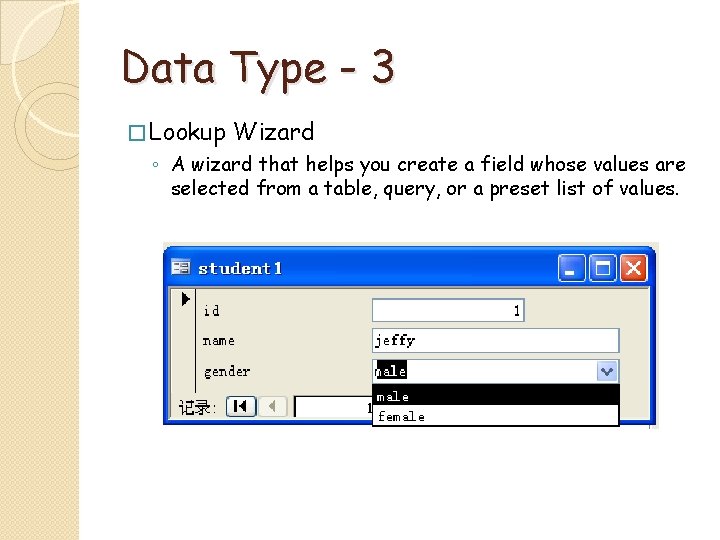
Data Type - 3 � Lookup Wizard ◦ A wizard that helps you create a field whose values are selected from a table, query, or a preset list of values.
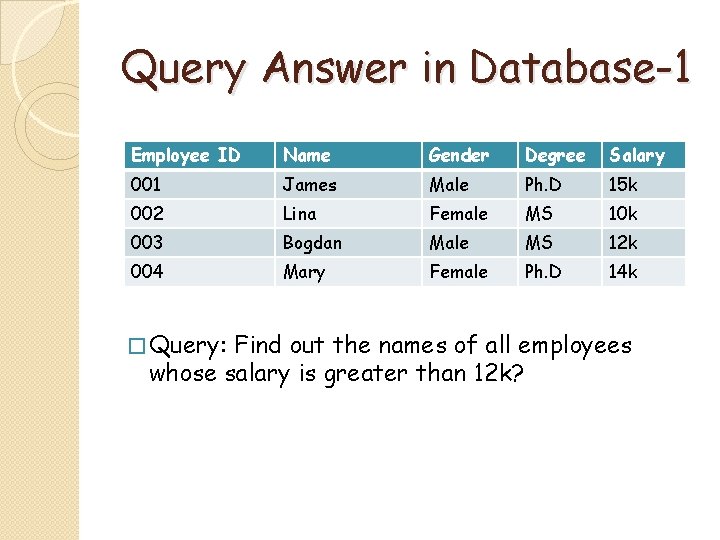
Query Answer in Database-1 Employee ID Name Gender Degree Salary 001 James Male Ph. D 15 k 002 Lina Female MS 10 k 003 Bogdan Male MS 12 k 004 Mary Female Ph. D 14 k � Query: Find out the names of all employees whose salary is greater than 12 k?
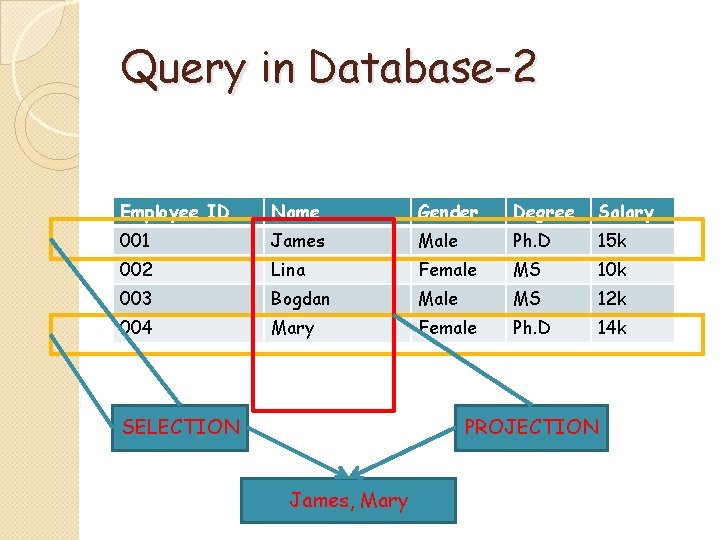
Query in Database-2 Employee ID Name Gender Degree Salary 001 James Male Ph. D 15 k 002 Lina Female MS 10 k 003 Bogdan Male MS 12 k 004 Mary Female Ph. D 14 k SELECTION PROJECTION James, Mary
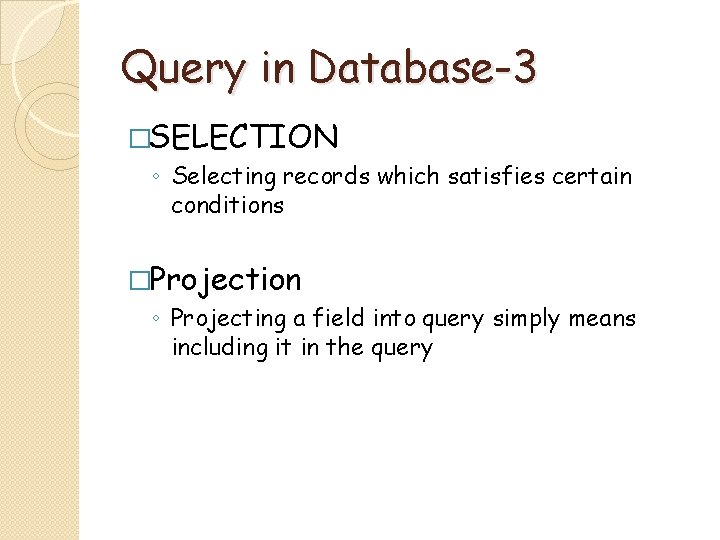
Query in Database-3 �SELECTION ◦ Selecting records which satisfies certain conditions �Projection ◦ Projecting a field into query simply means including it in the query
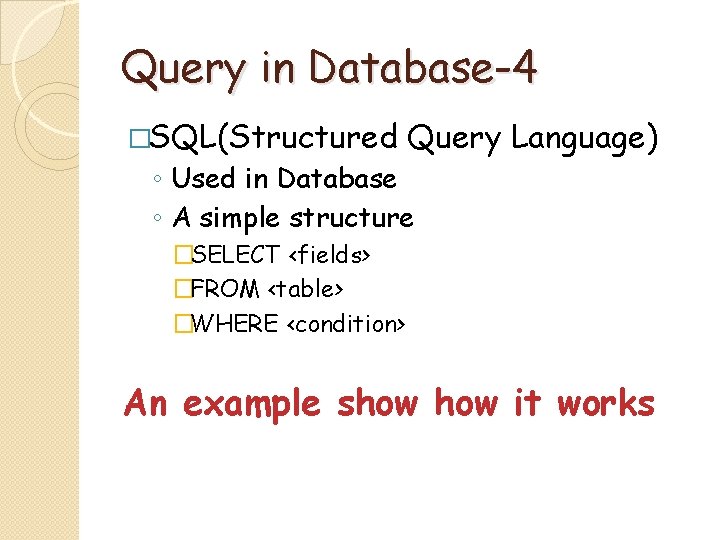
Query in Database-4 �SQL(Structured Query Language) ◦ Used in Database ◦ A simple structure �SELECT <fields> �FROM <table> �WHERE <condition> An example show it works
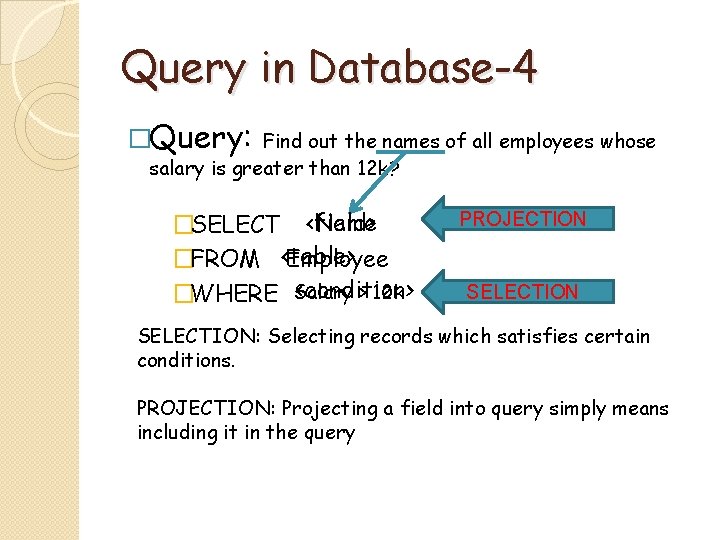
Query in Database-4 �Query: Find out the names of all employees whose salary is greater than 12 k? Name �SELECT <field> �FROM <table> Employee <condition> > 12 k �WHERE Salary PROJECTION SELECTION: Selecting records which satisfies certain conditions. PROJECTION: Projecting a field into query simply means including it in the query
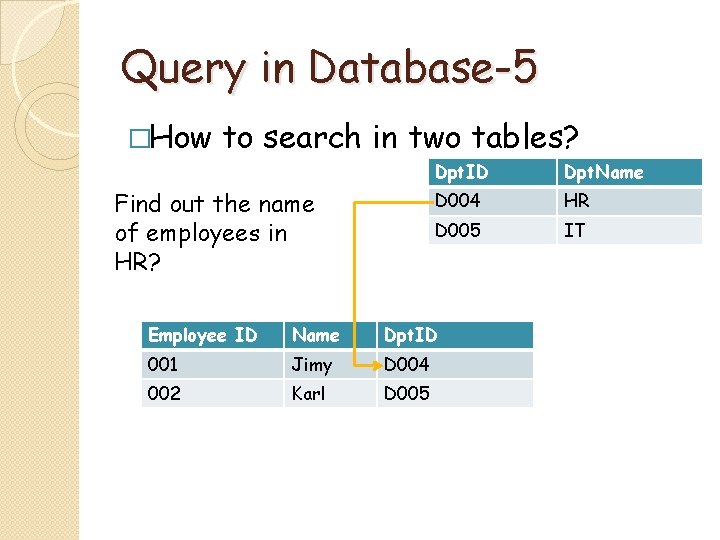
Query in Database-5 �How to search in two tables? Find out the name of employees in HR? Dpt. ID Dpt. Name D 004 HR D 005 IT Employee ID Name Dpt. ID 001 Jimy D 004 002 Karl D 005
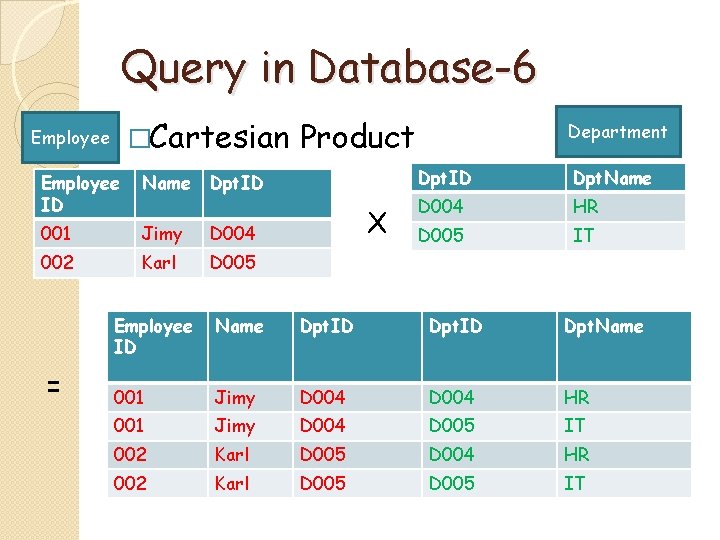
Query in Database-6 �Cartesian Employee ID Name Dpt. ID 001 Jimy D 004 002 Karl D 005 = Product X Department Dpt. ID Dpt. Name D 004 HR D 005 IT Employee ID Name Dpt. ID Dpt. Name 001 Jimy D 004 HR 001 Jimy D 004 D 005 IT 002 Karl D 005 D 004 HR 002 Karl D 005 IT
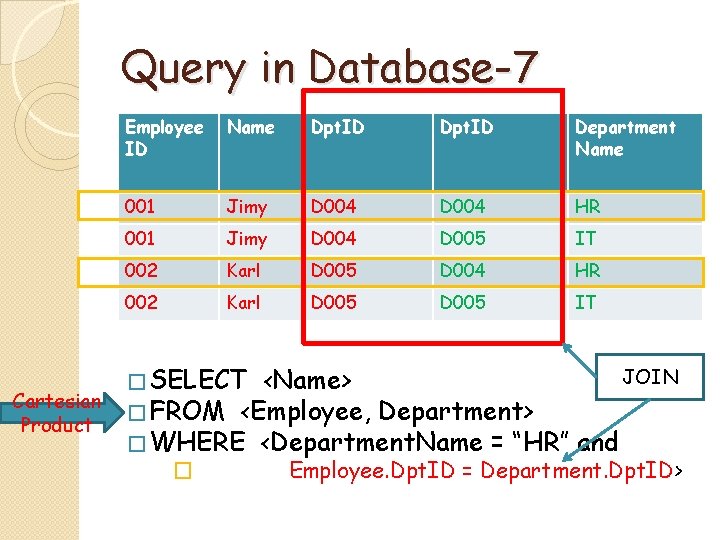
Query in Database-7 Cartesian Product Employee ID Name Dpt. ID Department Name 001 Jimy D 004 HR 001 Jimy D 004 D 005 IT 002 Karl D 005 D 004 HR 002 Karl D 005 IT JOIN � SELECT <Name> � FROM <Employee, Department> � WHERE <Department. Name = “HR” and � Employee. Dpt. ID = Department. Dpt. ID>
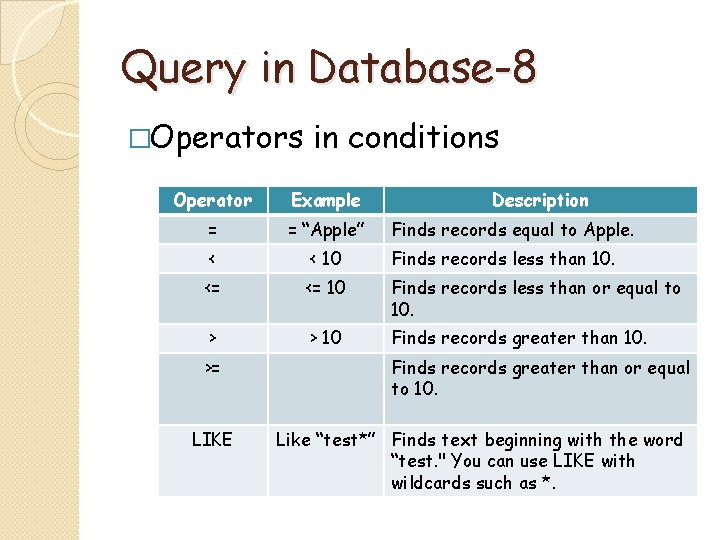
Query in Database-8 �Operators in conditions Operator Example = = “Apple” < < 10 Finds records less than 10. <= <= 10 Finds records less than or equal to 10. > > 10 Finds records greater than 10. >= LIKE Description Finds records equal to Apple. Finds records greater than or equal to 10. Like “test*” Finds text beginning with the word “test. " You can use LIKE with wildcards such as *.
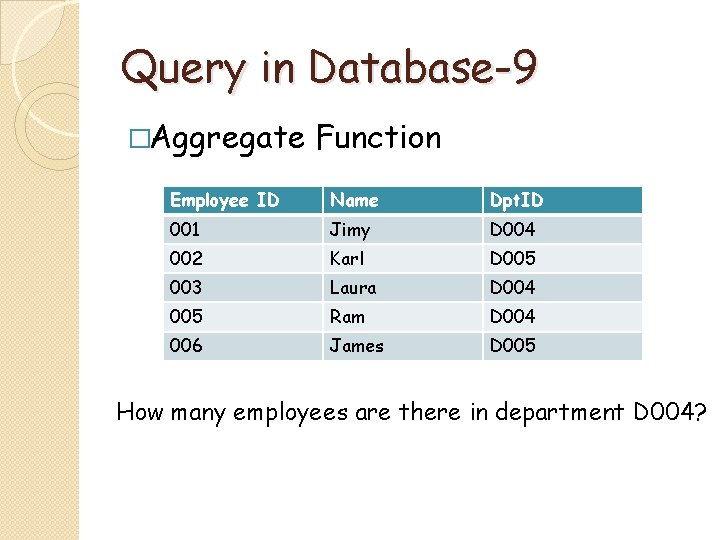
Query in Database-9 �Aggregate Function Employee ID Name Dpt. ID 001 Jimy D 004 002 Karl D 005 003 Laura D 004 005 Ram D 004 006 James D 005 How many employees are there in department D 004?
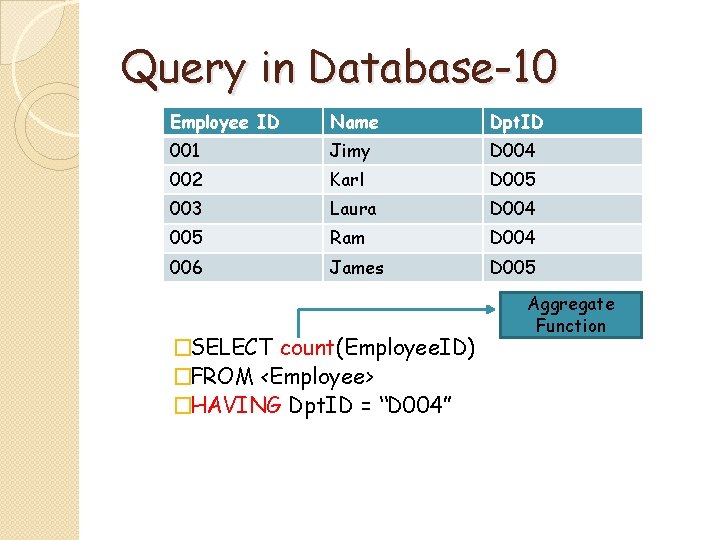
Query in Database-10 Employee ID Name Dpt. ID 001 Jimy D 004 002 Karl D 005 003 Laura D 004 005 Ram D 004 006 James D 005 �SELECT count(Employee. ID) �FROM <Employee> �HAVING Dpt. ID = “D 004” Aggregate Function
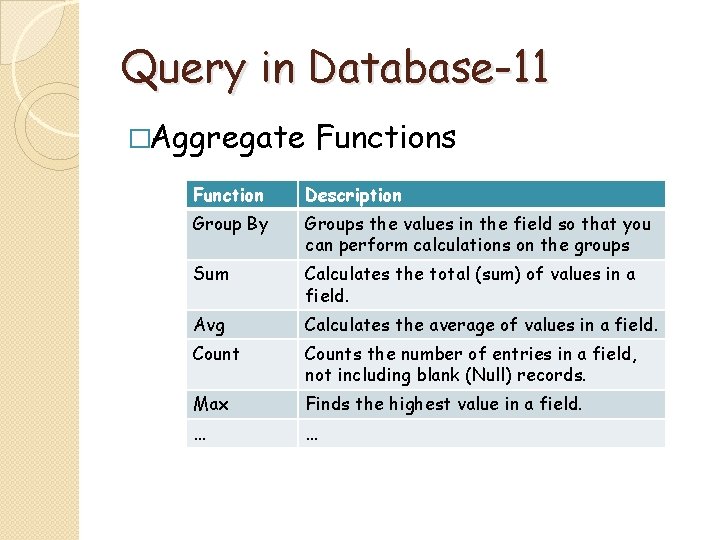
Query in Database-11 �Aggregate Functions Function Description Group By Groups the values in the field so that you can perform calculations on the groups Sum Calculates the total (sum) of values in a field. Avg Calculates the average of values in a field. Counts the number of entries in a field, not including blank (Null) records. Max Finds the highest value in a field. … …

Question
- Slides: 21