
Introduction to Data Science Lecture 2 Data Collection
- Slides: 75
Introduction to Data Science Lecture 2 Data Collection and Exploration Data Science Fall 2015 John Canny Including notes from Michael Franklin, Jeff Hammerbacher and others
Outline for this Evening • • Some Ideas from Kandel et al. Paper (last week) Data Types and Sources Data Preparation Exploration
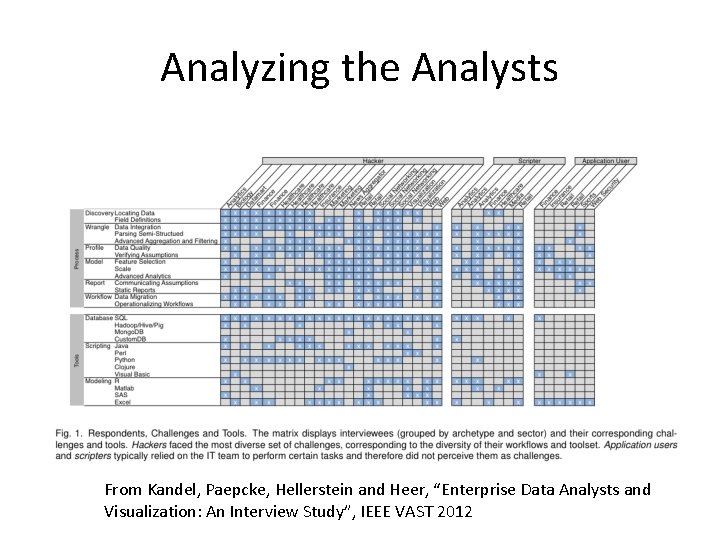
Analyzing the Analysts From Kandel, Paepcke, Hellerstein and Heer, “Enterprise Data Analysts and Visualization: An Interview Study”, IEEE VAST 2012
Outline for this Evening • • Some Ideas from Kandel et al. Paper (last week) Data Types and Sources Data Preparation Exploration
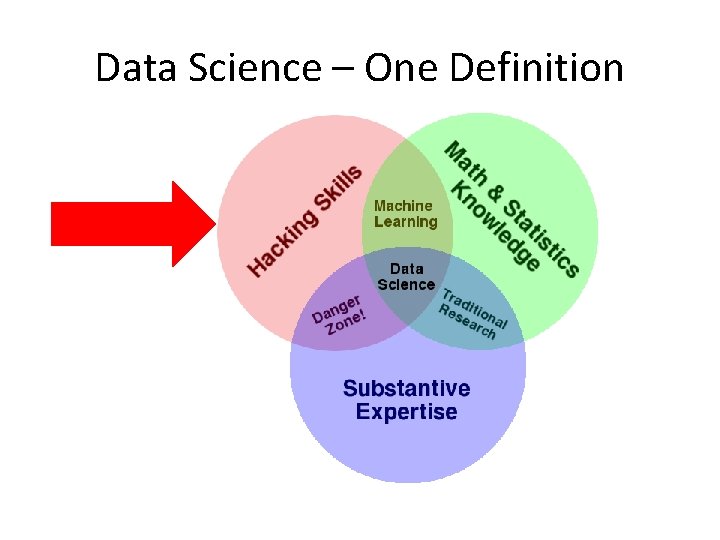
Data Science – One Definition
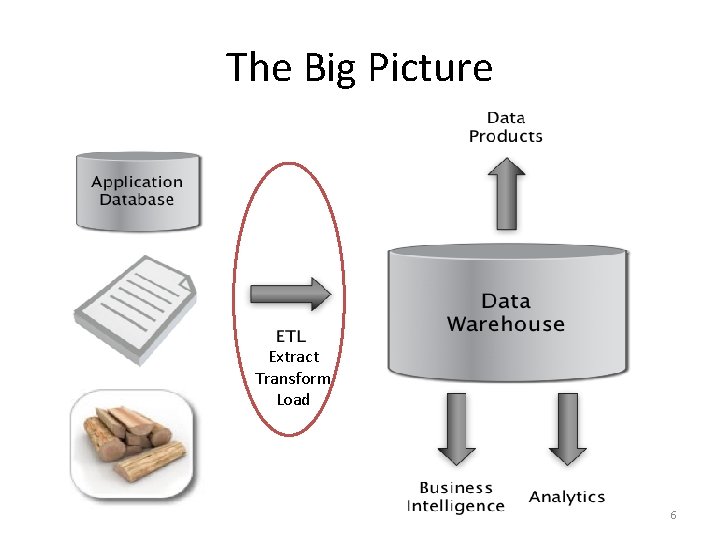
The Big Picture Extract Transform Load 6
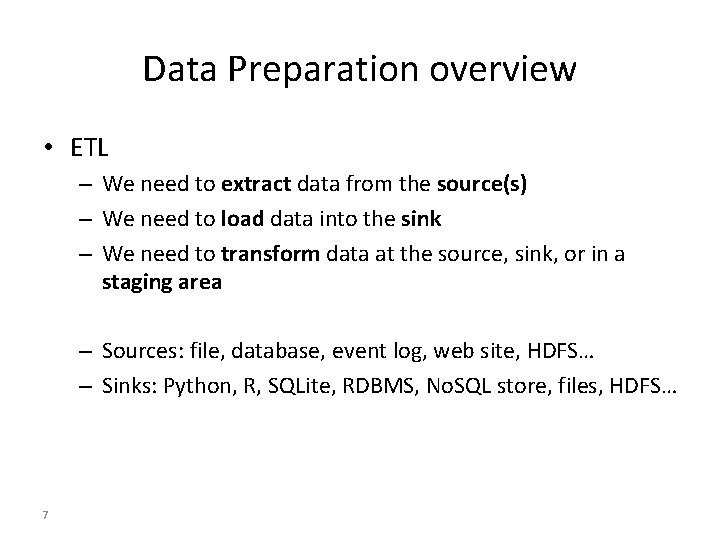
Data Preparation overview • ETL – We need to extract data from the source(s) – We need to load data into the sink – We need to transform data at the source, sink, or in a staging area – Sources: file, database, event log, web site, HDFS… – Sinks: Python, R, SQLite, RDBMS, No. SQL store, files, HDFS… 7
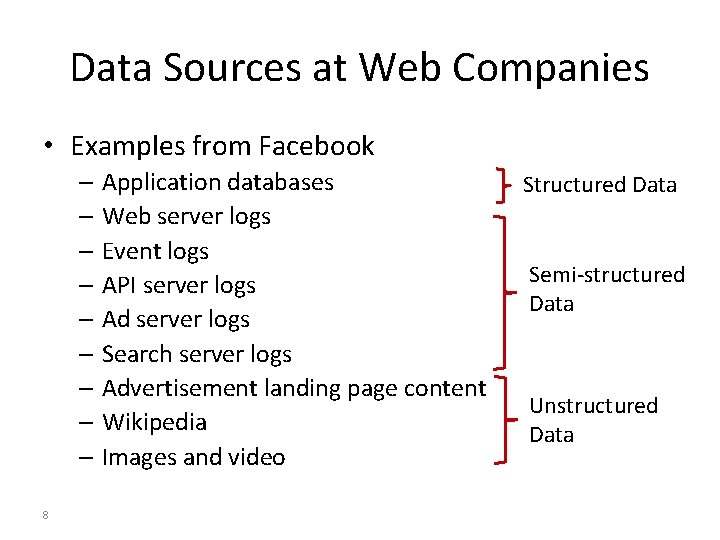
Data Sources at Web Companies • Examples from Facebook – Application databases – Web server logs – Event logs – API server logs – Ad server logs – Search server logs – Advertisement landing page content – Wikipedia – Images and video 8 Structured Data Semi-structured Data Unstructured Data
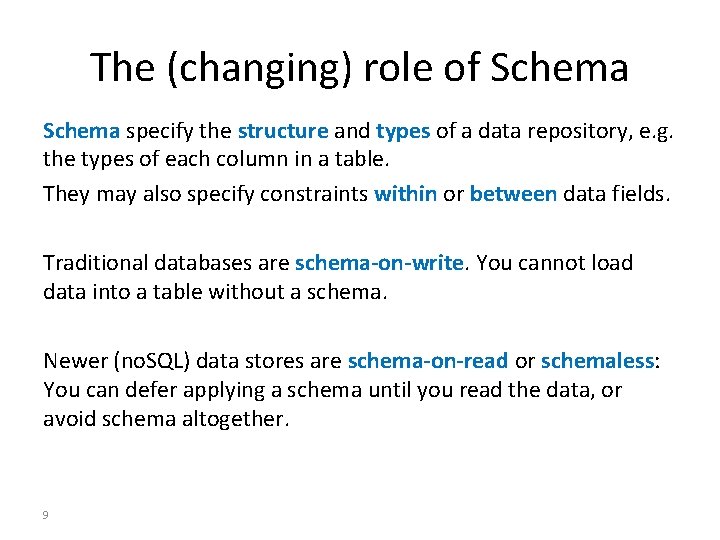
The (changing) role of Schema specify the structure and types of a data repository, e. g. the types of each column in a table. They may also specify constraints within or between data fields. Traditional databases are schema-on-write. You cannot load data into a table without a schema. Newer (no. SQL) data stores are schema-on-read or schemaless: You can defer applying a schema until you read the data, or avoid schema altogether. 9
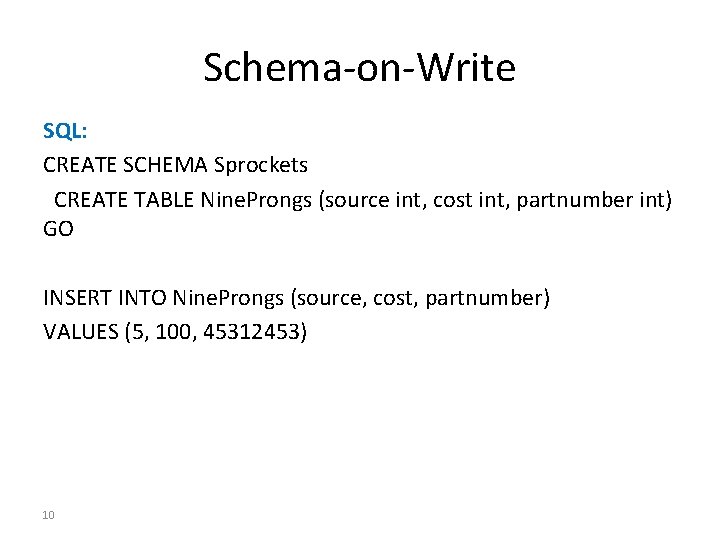
Schema-on-Write SQL: CREATE SCHEMA Sprockets CREATE TABLE Nine. Prongs (source int, cost int, partnumber int) GO INSERT INTO Nine. Prongs (source, cost, partnumber) VALUES (5, 100, 45312453) 10
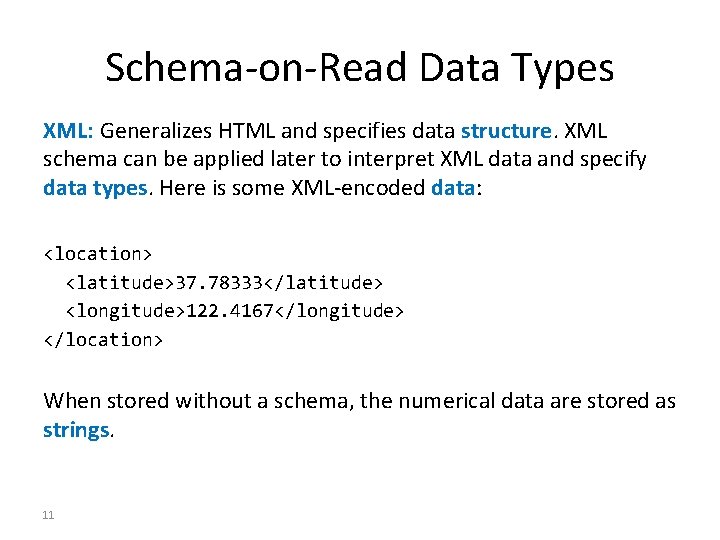
Schema-on-Read Data Types XML: Generalizes HTML and specifies data structure. XML schema can be applied later to interpret XML data and specify data types. Here is some XML-encoded data: <location> <latitude>37. 78333</latitude> <longitude>122. 4167</longitude> </location> When stored without a schema, the numerical data are stored as strings. 11
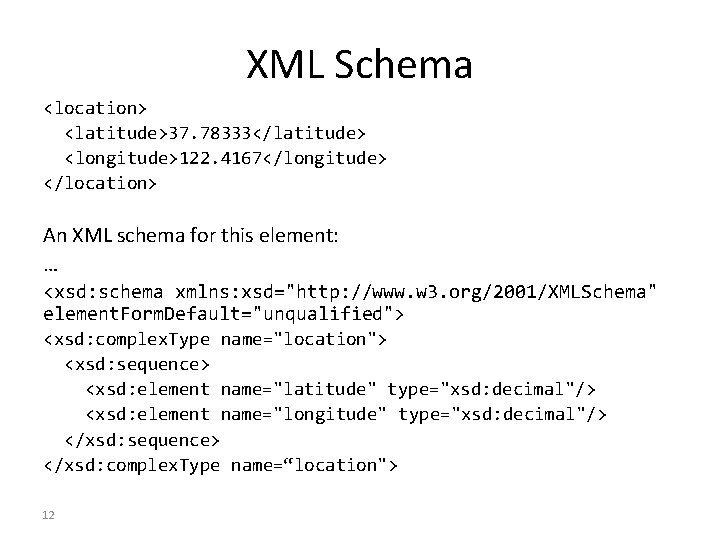
XML Schema <location> <latitude>37. 78333</latitude> <longitude>122. 4167</longitude> </location> An XML schema for this element: … <xsd: schema xmlns: xsd="http: //www. w 3. org/2001/XMLSchema" element. Form. Default="unqualified"> <xsd: complex. Type name="location"> <xsd: sequence> <xsd: element name="latitude" type="xsd: decimal"/> <xsd: element name="longitude" type="xsd: decimal"/> </xsd: sequence> </xsd: complex. Type name=“location"> 12
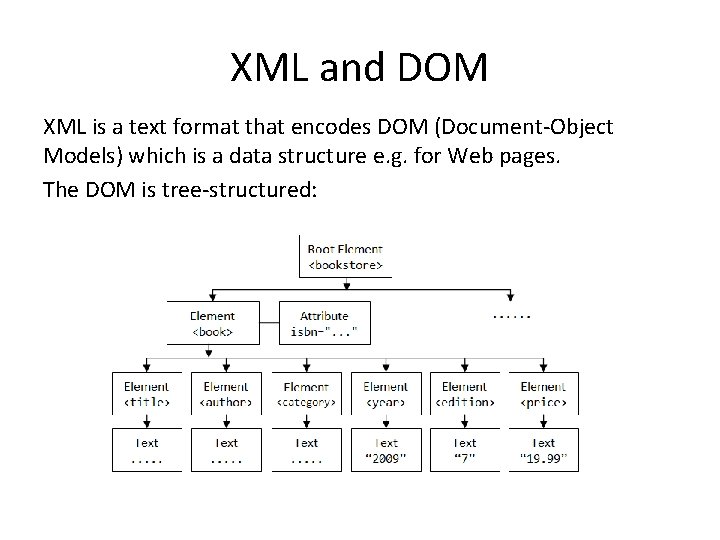
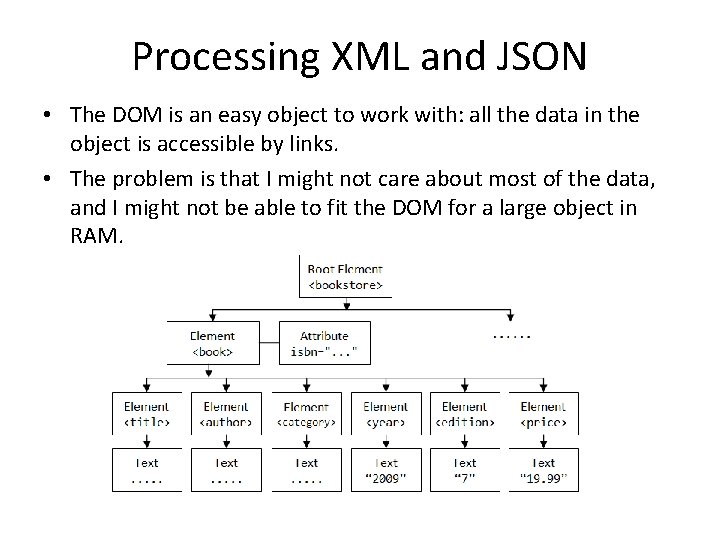
XML and DOM XML is a text format that encodes DOM (Document-Object Models) which is a data structure e. g. for Web pages. The DOM is tree-structured:
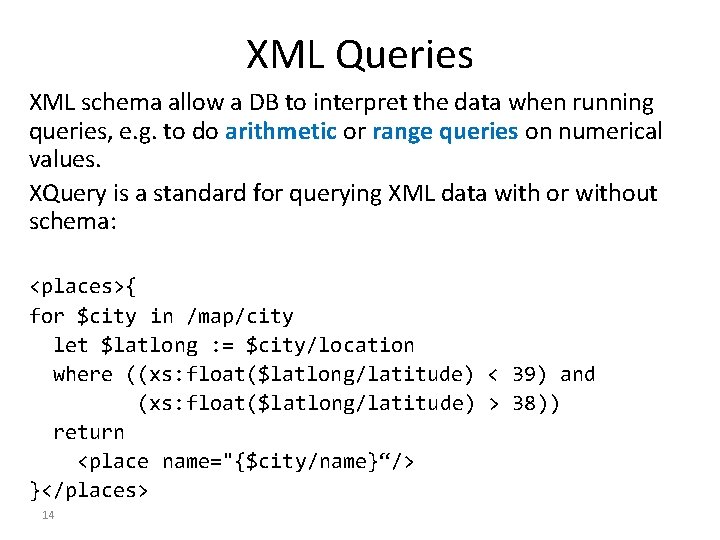
XML Queries XML schema allow a DB to interpret the data when running queries, e. g. to do arithmetic or range queries on numerical values. XQuery is a standard for querying XML data with or without schema: <places>{ for $city in /map/city let $latlong : = $city/location where ((xs: float($latlong/latitude) < 39) and (xs: float($latlong/latitude) > 38)) return <place name="{$city/name}“/> }</places> 14
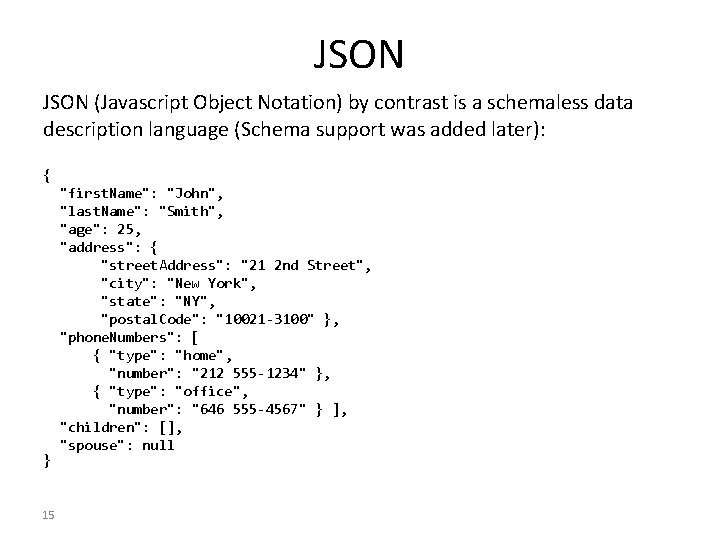
JSON (Javascript Object Notation) by contrast is a schemaless data description language (Schema support was added later): { } 15 "first. Name": "John", "last. Name": "Smith", "age": 25, "address": { "street. Address": "21 2 nd Street", "city": "New York", "state": "NY", "postal. Code": "10021 -3100" }, "phone. Numbers": [ { "type": "home", "number": "212 555 -1234" }, { "type": "office", "number": "646 555 -4567" } ], "children": [], "spouse": null
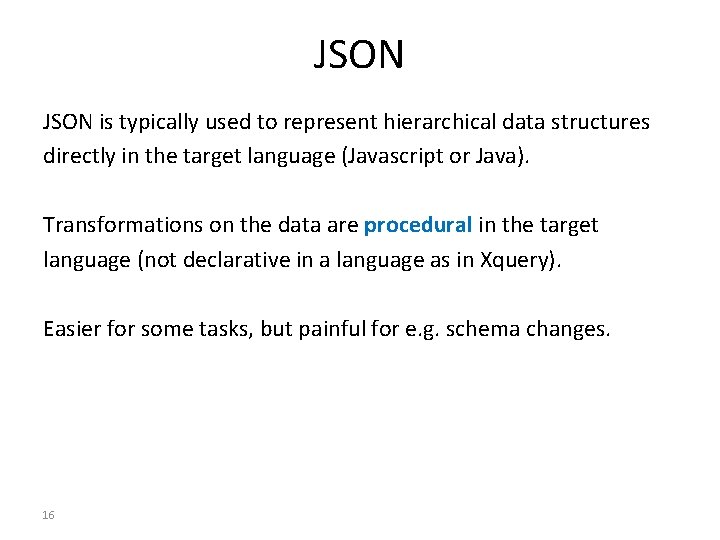
JSON is typically used to represent hierarchical data structures directly in the target language (Javascript or Java). Transformations on the data are procedural in the target language (not declarative in a language as in Xquery). Easier for some tasks, but painful for e. g. schema changes. 16
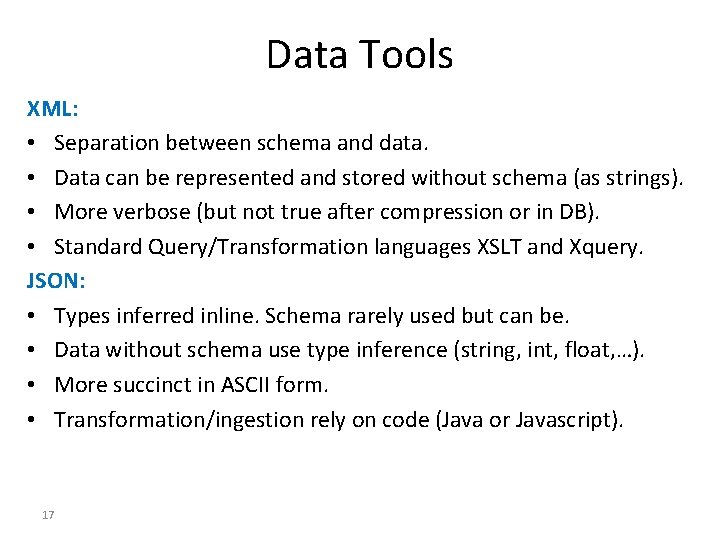
Data Tools XML: • Separation between schema and data. • Data can be represented and stored without schema (as strings). • More verbose (but not true after compression or in DB). • Standard Query/Transformation languages XSLT and Xquery. JSON: • Types inferred inline. Schema rarely used but can be. • Data without schema use type inference (string, int, float, …). • More succinct in ASCII form. • Transformation/ingestion rely on code (Java or Javascript). 17
Data Tools XML: • Mark Logic Server – XQuery-based, semi-structured data, late/early Schema use – Also many traditional DB features: transactions, journaling, fine-grained access control, … JSON: • Mongo. DB – JSON native, “schemaless” – Based on Open-source code 18
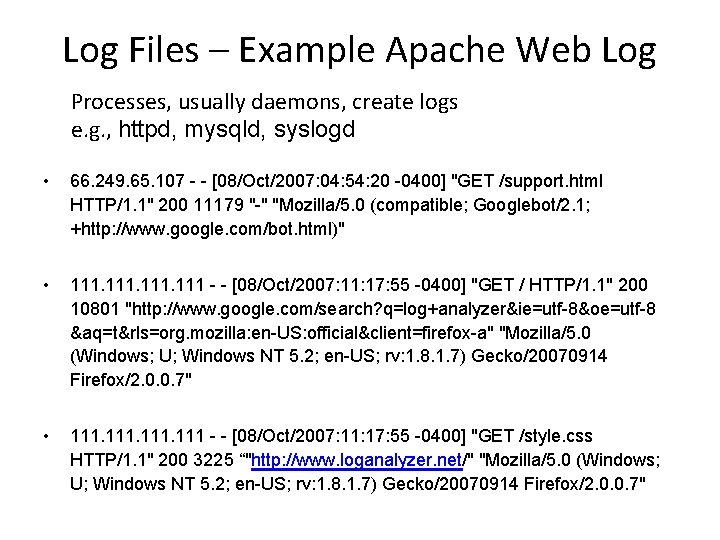
Log Files – Example Apache Web Log Processes, usually daemons, create logs e. g. , httpd, mysqld, syslogd • 66. 249. 65. 107 - - [08/Oct/2007: 04: 54: 20 -0400] "GET /support. html HTTP/1. 1" 200 11179 "-" "Mozilla/5. 0 (compatible; Googlebot/2. 1; +http: //www. google. com/bot. html)" • 111 - - [08/Oct/2007: 11: 17: 55 -0400] "GET / HTTP/1. 1" 200 10801 "http: //www. google. com/search? q=log+analyzer&ie=utf-8&oe=utf-8 &aq=t&rls=org. mozilla: en-US: official&client=firefox-a" "Mozilla/5. 0 (Windows; U; Windows NT 5. 2; en-US; rv: 1. 8. 1. 7) Gecko/20070914 Firefox/2. 0. 0. 7" • 111 - - [08/Oct/2007: 11: 17: 55 -0400] "GET /style. css HTTP/1. 1" 200 3225 “"http: //www. loganalyzer. net/" "Mozilla/5. 0 (Windows; U; Windows NT 5. 2; en-US; rv: 1. 8. 1. 7) Gecko/20070914 Firefox/2. 0. 0. 7"
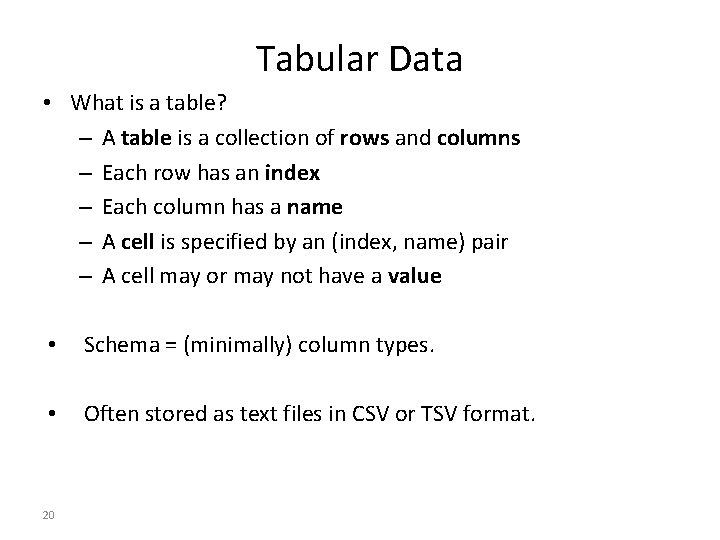
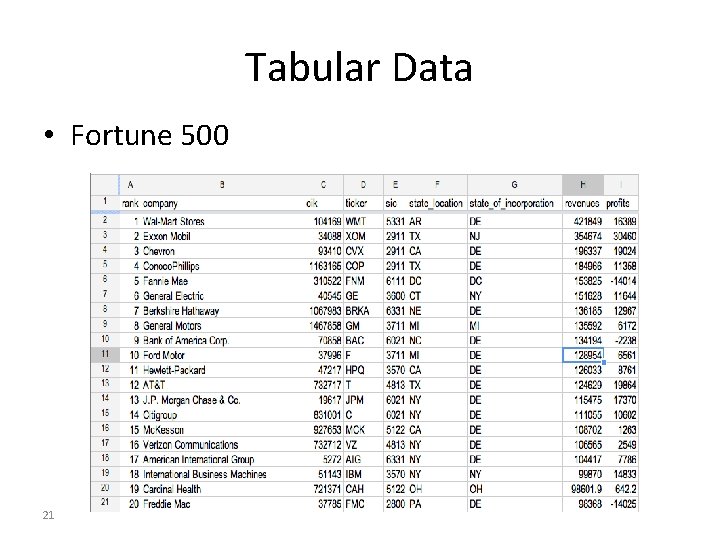
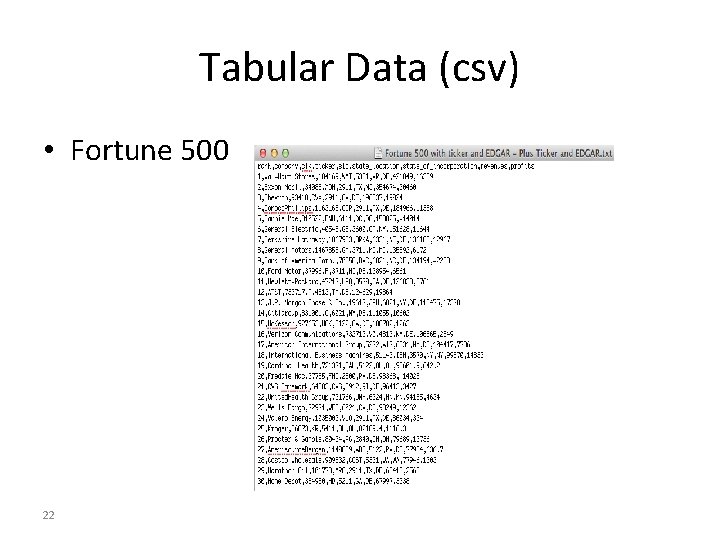
Tabular Data • What is a table? – A table is a collection of rows and columns – Each row has an index – Each column has a name – A cell is specified by an (index, name) pair – A cell may or may not have a value • Schema = (minimally) column types. • Often stored as text files in CSV or TSV format. 20
Tabular Data • Fortune 500 21
Tabular Data (csv) • Fortune 500 22
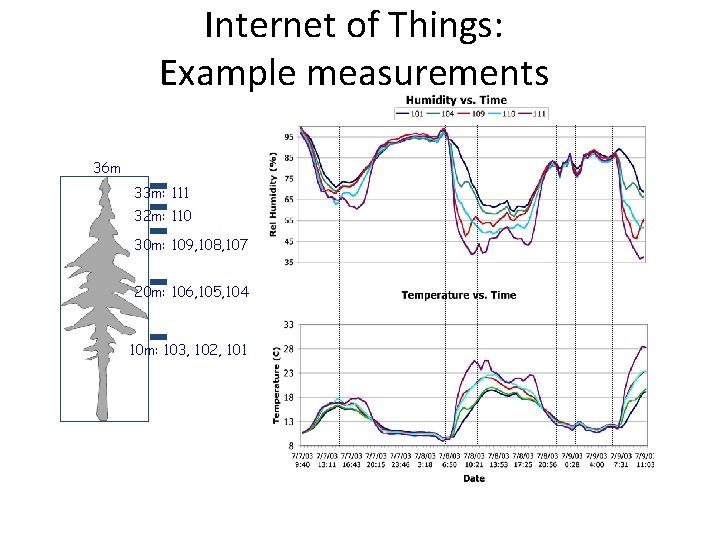
Internet of Things: Example measurements 36 m 33 m: 111 32 m: 110 30 m: 109, 108, 107 20 m: 106, 105, 104 10 m: 103, 102, 101
Tabular Data from Sensors Goals • Want to support both long-term (trend) and shortterm (real-time) queries. • Want low latency but also efficient, real-time indexing for longer-term queries. • Want triggers (alerts) for a variety of conditions. 24
Tabular Data from Sensors Tools: • Microsoft SQL server, Oracle Analysis: • Matlab still widely used for analysis in Financial services, Python tools. 25
Syslog – A Standard for System Messages • Developed by Eric Allman (at Berkeley) as part of the Sendmail project • Standardized by the IETF in RFC 3164 and RFC 5424 • Listens on port 514 using UDP • Puts data in /var/log/messages by default • Enables rich analysis:
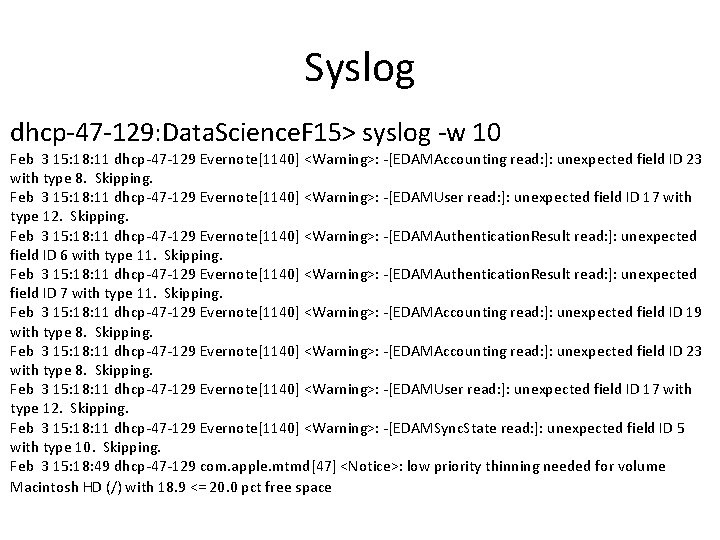
Syslog dhcp-47 -129: Data. Science. F 15> syslog -w 10 Feb 3 15: 18: 11 dhcp-47 -129 Evernote[1140] <Warning>: -[EDAMAccounting read: ]: unexpected field ID 23 with type 8. Skipping. Feb 3 15: 18: 11 dhcp-47 -129 Evernote[1140] <Warning>: -[EDAMUser read: ]: unexpected field ID 17 with type 12. Skipping. Feb 3 15: 18: 11 dhcp-47 -129 Evernote[1140] <Warning>: -[EDAMAuthentication. Result read: ]: unexpected field ID 6 with type 11. Skipping. Feb 3 15: 18: 11 dhcp-47 -129 Evernote[1140] <Warning>: -[EDAMAuthentication. Result read: ]: unexpected field ID 7 with type 11. Skipping. Feb 3 15: 18: 11 dhcp-47 -129 Evernote[1140] <Warning>: -[EDAMAccounting read: ]: unexpected field ID 19 with type 8. Skipping. Feb 3 15: 18: 11 dhcp-47 -129 Evernote[1140] <Warning>: -[EDAMAccounting read: ]: unexpected field ID 23 with type 8. Skipping. Feb 3 15: 18: 11 dhcp-47 -129 Evernote[1140] <Warning>: -[EDAMUser read: ]: unexpected field ID 17 with type 12. Skipping. Feb 3 15: 18: 11 dhcp-47 -129 Evernote[1140] <Warning>: -[EDAMSync. State read: ]: unexpected field ID 5 with type 10. Skipping. Feb 3 15: 18: 49 dhcp-47 -129 com. apple. mtmd[47] <Notice>: low priority thinning needed for volume Macintosh HD (/) with 18. 9 <= 20. 0 pct free space
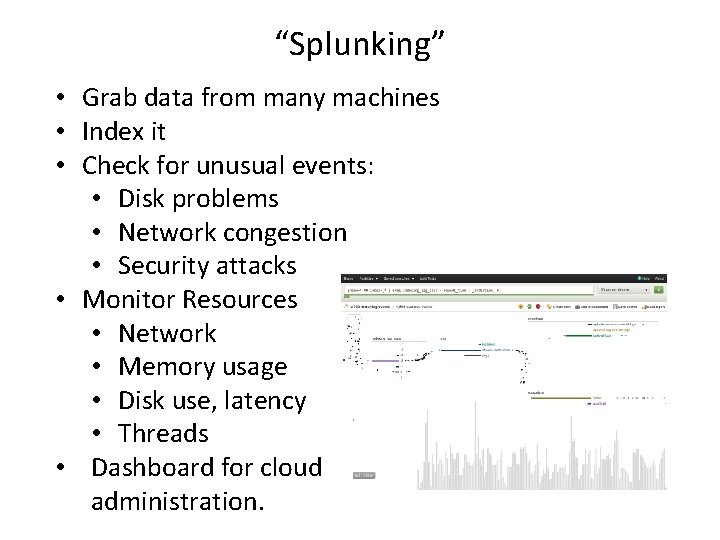
“Splunking” • Grab data from many machines • Index it • Check for unusual events: • Disk problems • Network congestion • Security attacks • Monitor Resources • Network • Memory usage • Disk use, latency • Threads • Dashboard for cloud administration.
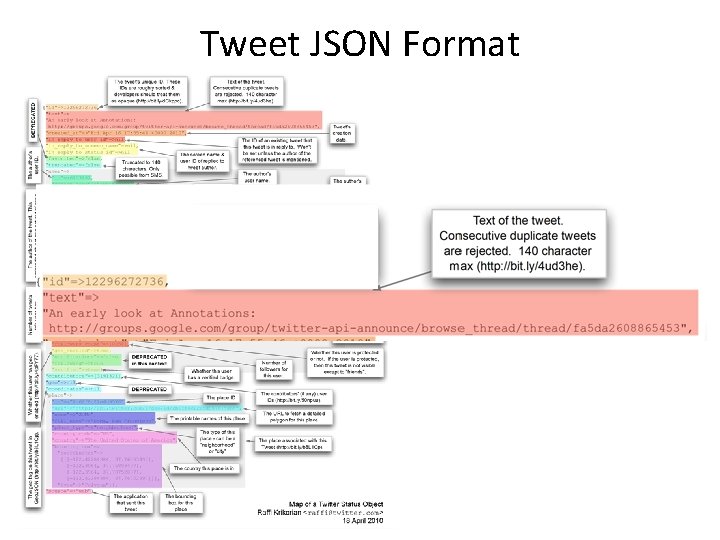
Some Questions 1) How Many Characters are there in a Tweet? 2) How Many Bytes are there in the API record for a Tweet?
Tweet JSON Format
Processing XML and JSON • The DOM is an easy object to work with: all the data in the object is accessible by links. • The problem is that I might not care about most of the data, and I might not be able to fit the DOM for a large object in RAM.
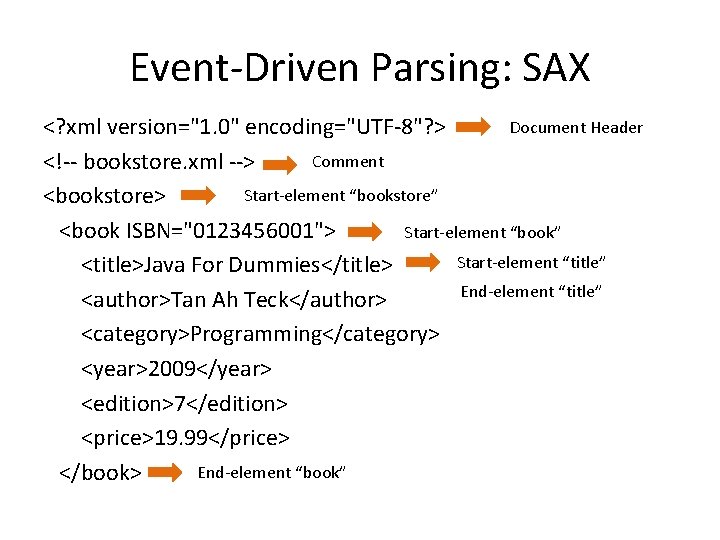
Event-Driven Parsing: SAX Document Header <? xml version="1. 0" encoding="UTF-8"? > Comment <!-- bookstore. xml --> Start-element “bookstore” <bookstore> Start-element “book” <book ISBN="0123456001"> Start-element “title” <title>Java For Dummies</title> End-element “title” <author>Tan Ah Teck</author> <category>Programming</category> <year>2009</year> <edition>7</edition> <price>19. 99</price> End-element “book” </book>
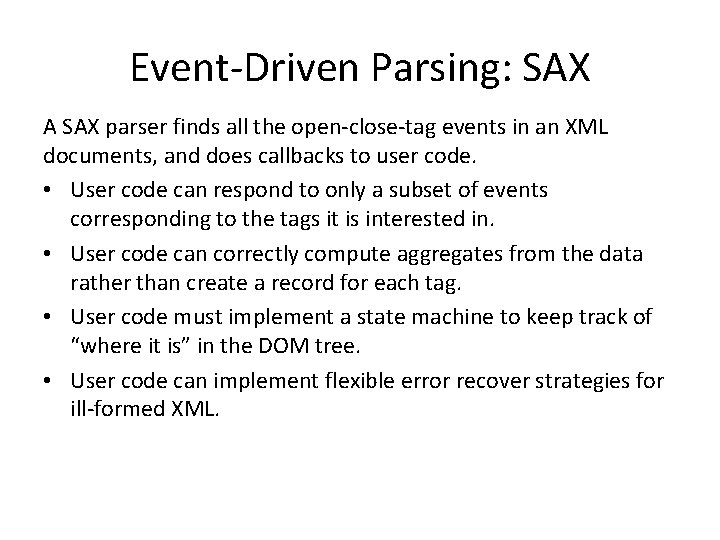
Event-Driven Parsing: SAX A SAX parser finds all the open-close-tag events in an XML documents, and does callbacks to user code. • User code can respond to only a subset of events corresponding to the tags it is interested in. • User code can correctly compute aggregates from the data rather than create a record for each tag. • User code must implement a state machine to keep track of “where it is” in the DOM tree. • User code can implement flexible error recover strategies for ill-formed XML.
What about JSON? Most JSON parsers construct the “DOM” directly. But there a few SAX-style parsers: • Jackson • JSON-simple
What about HTML? • Common Crawl, about 5 billion web pages, between 0. 2 -0. 5% of Google’s web crawl. • 60 TB, hosted on Amazon S 3, also available for download. • Includes link data, page rank. • In ARC (Internet Archive) File format. • So there’s plenty of data, and there are many crawlers for targeted exploration… – HTTrack, …
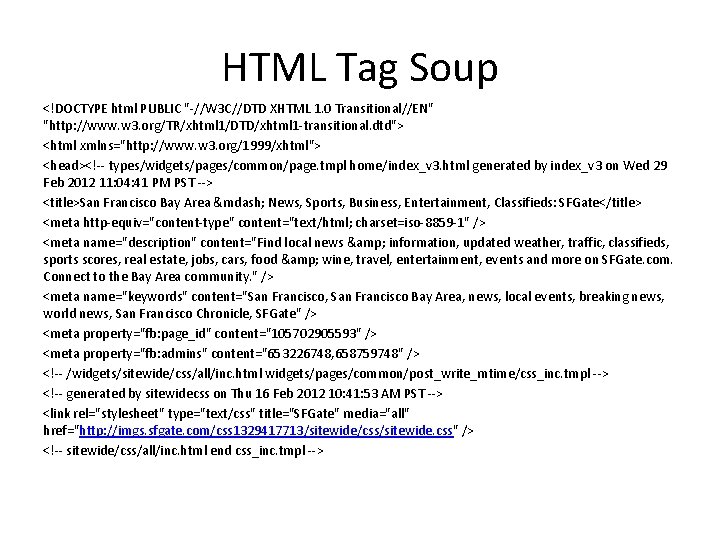
HTML Tag Soup <!DOCTYPE html PUBLIC "-//W 3 C//DTD XHTML 1. 0 Transitional//EN" "http: //www. w 3. org/TR/xhtml 1/DTD/xhtml 1 -transitional. dtd"> <html xmlns="http: //www. w 3. org/1999/xhtml"> <head><!-- types/widgets/pages/common/page. tmpl home/index_v 3. html generated by index_v 3 on Wed 29 Feb 2012 11: 04: 41 PM PST --> <title>San Francisco Bay Area — News, Sports, Business, Entertainment, Classifieds: SFGate</title> <meta http-equiv="content-type" content="text/html; charset=iso-8859 -1" /> <meta name="description" content="Find local news & information, updated weather, traffic, classifieds, sports scores, real estate, jobs, cars, food & wine, travel, entertainment, events and more on SFGate. com. Connect to the Bay Area community. " /> <meta name="keywords" content="San Francisco, San Francisco Bay Area, news, local events, breaking news, world news, San Francisco Chronicle, SFGate" /> <meta property="fb: page_id" content="105702905593" /> <meta property="fb: admins" content="653226748, 658759748" /> <!-- /widgets/sitewide/css/all/inc. html widgets/pages/common/post_write_mtime/css_inc. tmpl --> <!-- generated by sitewidecss on Thu 16 Feb 2012 10: 41: 53 AM PST --> <link rel="stylesheet" type="text/css" title="SFGate" media="all" href="http: //imgs. sfgate. com/css 1329417713/sitewide/css/sitewide. css" /> <!-- sitewide/css/all/inc. html end css_inc. tmpl -->
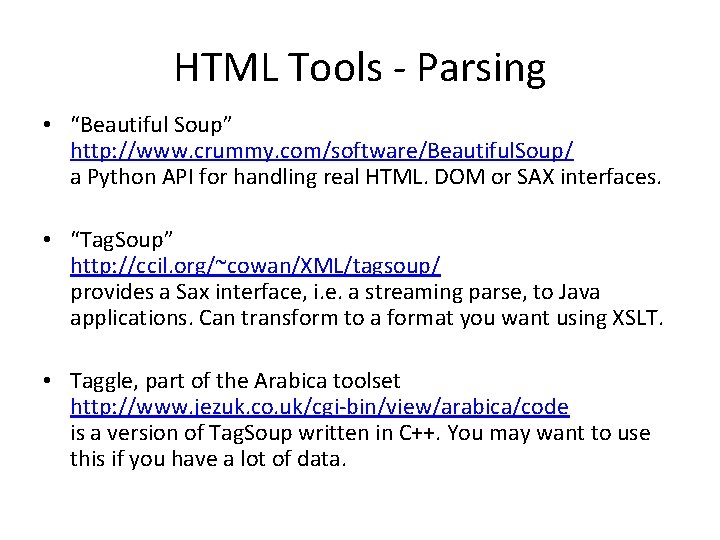
HTML Tools - Parsing • “Beautiful Soup” http: //www. crummy. com/software/Beautiful. Soup/ a Python API for handling real HTML. DOM or SAX interfaces. • “Tag. Soup” http: //ccil. org/~cowan/XML/tagsoup/ provides a Sax interface, i. e. a streaming parse, to Java applications. Can transform to a format you want using XSLT. • Taggle, part of the Arabica toolset http: //www. jezuk. co. uk/cgi-bin/view/arabica/code is a version of Tag. Soup written in C++. You may want to use this if you have a lot of data.
Web Services Most large web sites today actively discourage screenscraping to get their content, and provide Web Service APIs instead. This is the “right” way to get data from online sources.
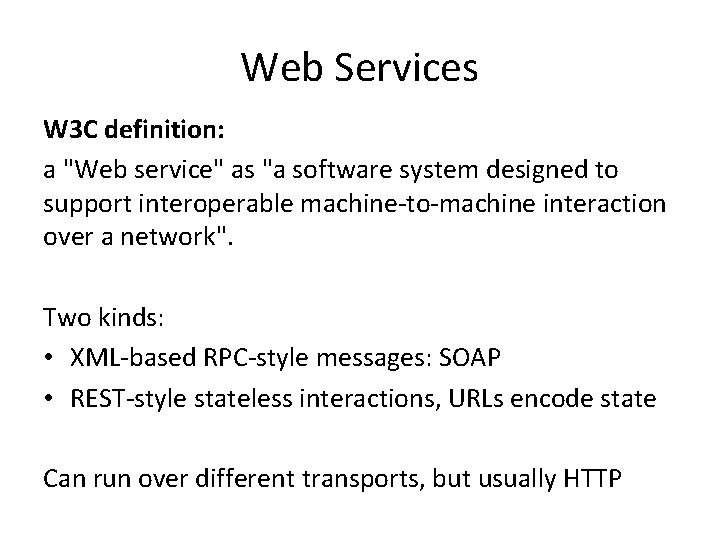
Web Services W 3 C definition: a "Web service" as "a software system designed to support interoperable machine-to-machine interaction over a network". Two kinds: • XML-based RPC-style messages: SOAP • REST-style stateless interactions, URLs encode state Can run over different transports, but usually HTTP
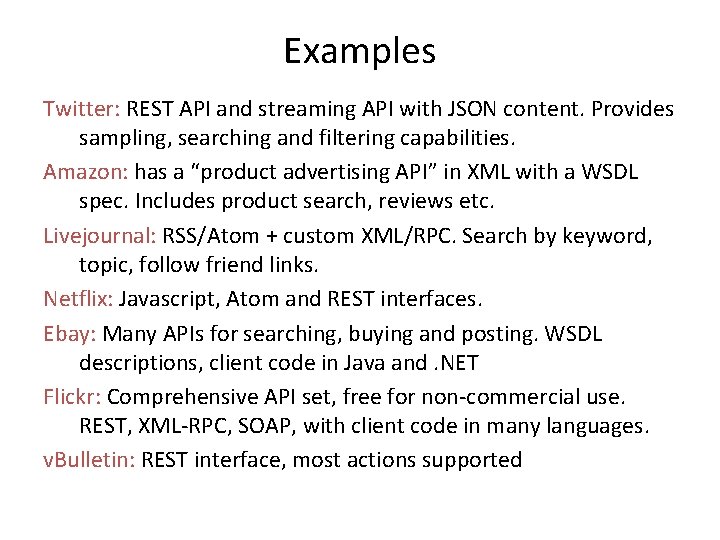
Examples Twitter: REST API and streaming API with JSON content. Provides sampling, searching and filtering capabilities. Amazon: has a “product advertising API” in XML with a WSDL spec. Includes product search, reviews etc. Livejournal: RSS/Atom + custom XML/RPC. Search by keyword, topic, follow friend links. Netflix: Javascript, Atom and REST interfaces. Ebay: Many APIs for searching, buying and posting. WSDL descriptions, client code in Java and. NET Flickr: Comprehensive API set, free for non-commercial use. REST, XML-RPC, SOAP, with client code in many languages. v. Bulletin: REST interface, most actions supported
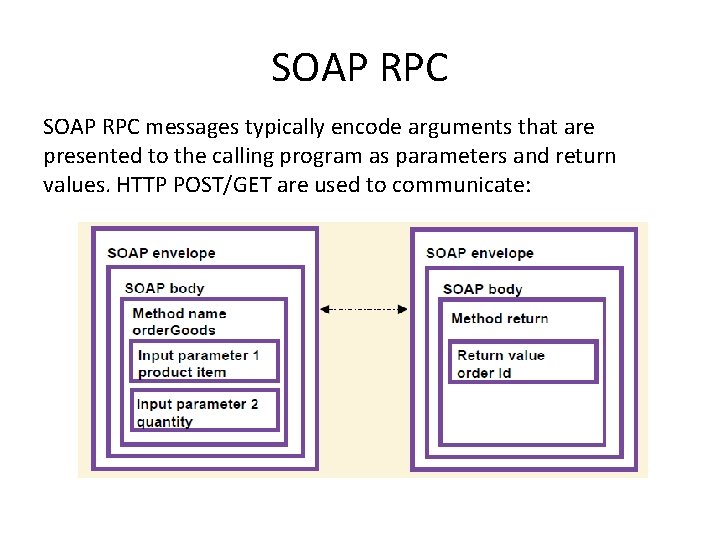
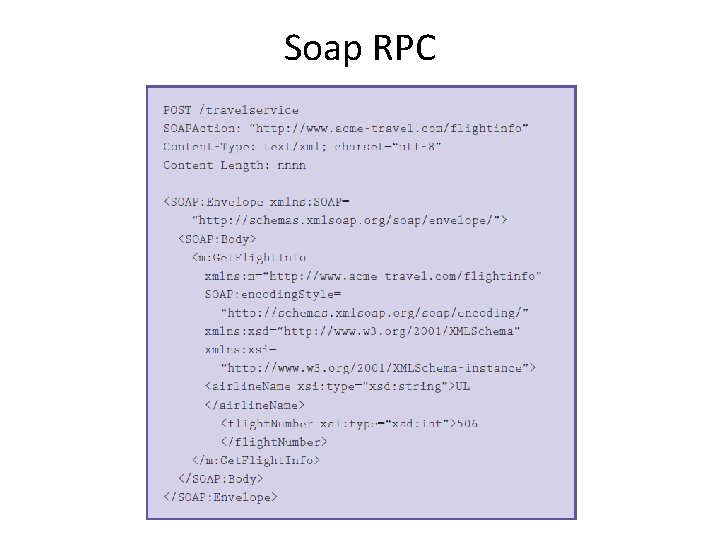
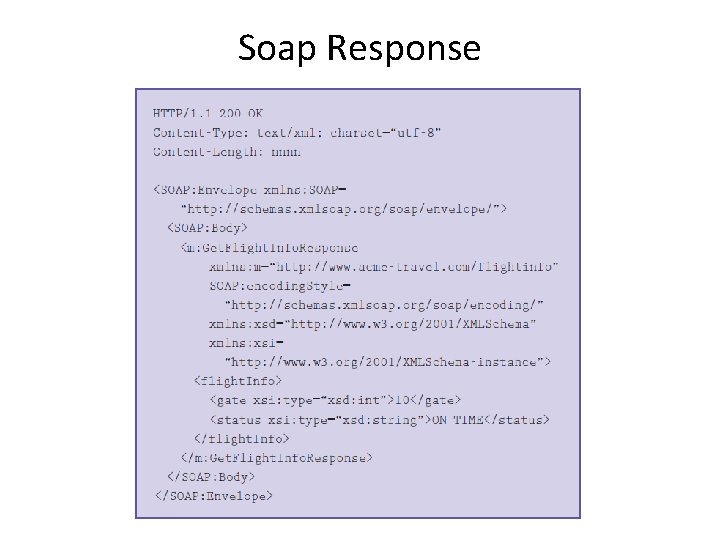
SOAP RPC messages typically encode arguments that are presented to the calling program as parameters and return values. HTTP POST/GET are used to communicate:
Soap RPC
Soap Response
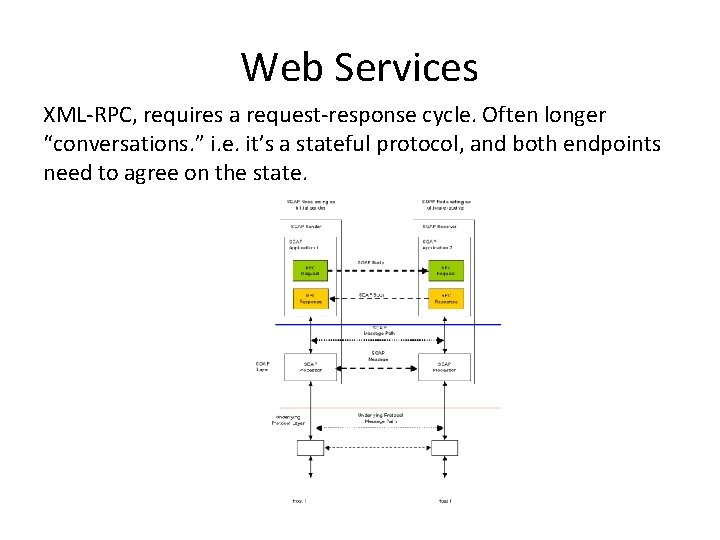
Web Services XML-RPC, requires a request-response cycle. Often longer “conversations. ” i. e. it’s a stateful protocol, and both endpoints need to agree on the state.
REST REpresentation State Transfer Stateless Client/Server Protocol: Principles 1. Each message in the protocol contains all the information needed by the receiver to understand and/or process it. This constraint attempts to “keep things simple” and avoid needless complexity 2. Set of Uniquely Addressable Resources – “Everything is a Resource” in a RESTful system – Requires universal syntax for resource identification (e. g. URI)
REST 3. Set of Well-Defined Operations that can be applied to all resources – In context of HTTP, the primary methods are – POST, GET, PUT, DELETE – these are similar (but not exactly) to the database notion of – CRUD (Create, Read, Update, Delete) 4. The use of Hypermedia both for Application Information and State Transitions – Resources are typically stored in a structured data format that supports hypermedia links, such as XHTML or XML
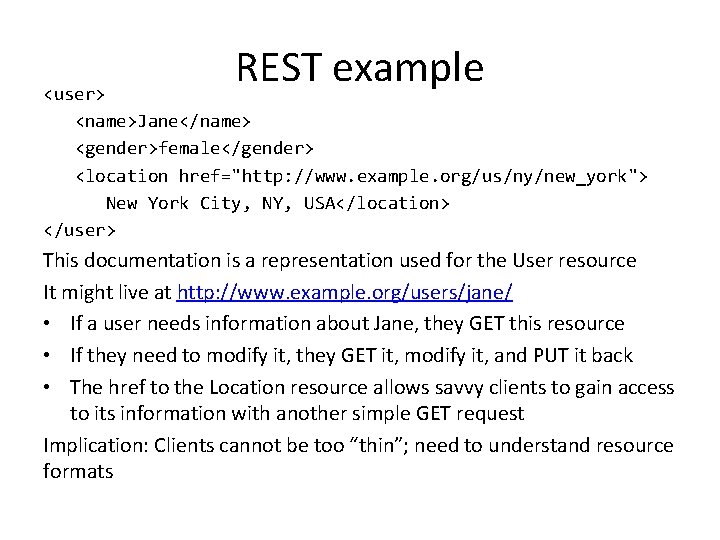
REST example <user> <name>Jane</name> <gender>female</gender> <location href="http: //www. example. org/us/ny/new_york"> New York City, NY, USA</location> </user> This documentation is a representation used for the User resource It might live at http: //www. example. org/users/jane/ • If a user needs information about Jane, they GET this resource • If they need to modify it, they GET it, modify it, and PUT it back • The href to the Location resource allows savvy clients to gain access to its information with another simple GET request Implication: Clients cannot be too “thin”; need to understand resource formats
REST vs. RPC In RPC systems, the design emphasis is on verbs • What operations can I invoke on a system? • get. User(), add. User(), remove. User(), update. User(), get. Location(), update. Location(), list. Users(), list. Locations(), etc. In REST systems, the design emphasis is on nouns • User, Location • In REST, you would define XML representations for these resources and then apply the standard methods to them
Break 5 -minute break
Outline for this Evening • • Some Ideas from Kandel et al. Paper (last week) Data Types and Sources Data Preparation Exploration
Notes for Lab • Lab is in this room, 155 Donner, on Weds at 5 pm. • Lab should be straightforward but make sure your VM is set up and working. • Difficulties with Windows 10, don’t upgrade if you can avoid it.
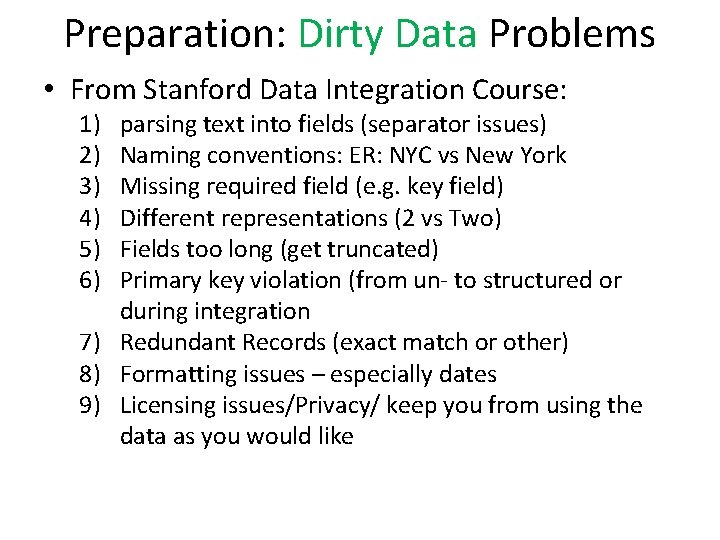
Preparation: Dirty Data Problems • From Stanford Data Integration Course: 1) 2) 3) 4) 5) 6) parsing text into fields (separator issues) Naming conventions: ER: NYC vs New York Missing required field (e. g. key field) Different representations (2 vs Two) Fields too long (get truncated) Primary key violation (from un- to structured or during integration 7) Redundant Records (exact match or other) 8) Formatting issues – especially dates 9) Licensing issues/Privacy/ keep you from using the data as you would like
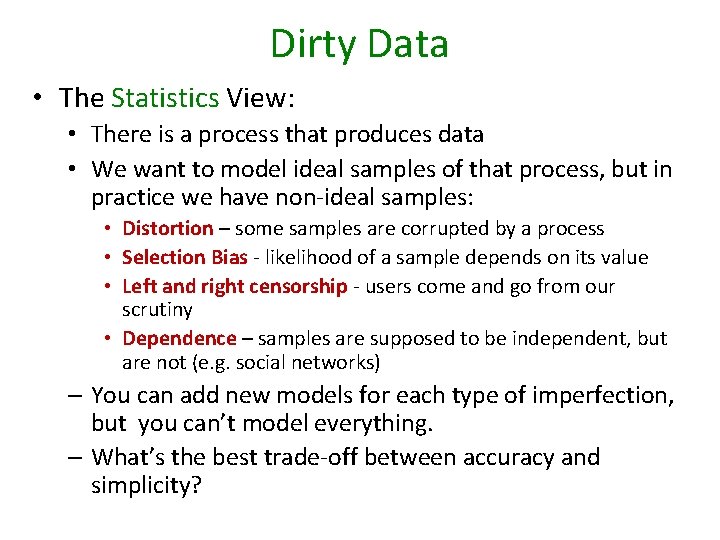
Dirty Data • The Statistics View: • There is a process that produces data • We want to model ideal samples of that process, but in practice we have non-ideal samples: • Distortion – some samples are corrupted by a process • Selection Bias - likelihood of a sample depends on its value • Left and right censorship - users come and go from our scrutiny • Dependence – samples are supposed to be independent, but are not (e. g. social networks) – You can add new models for each type of imperfection, but you can’t model everything. – What’s the best trade-off between accuracy and simplicity?
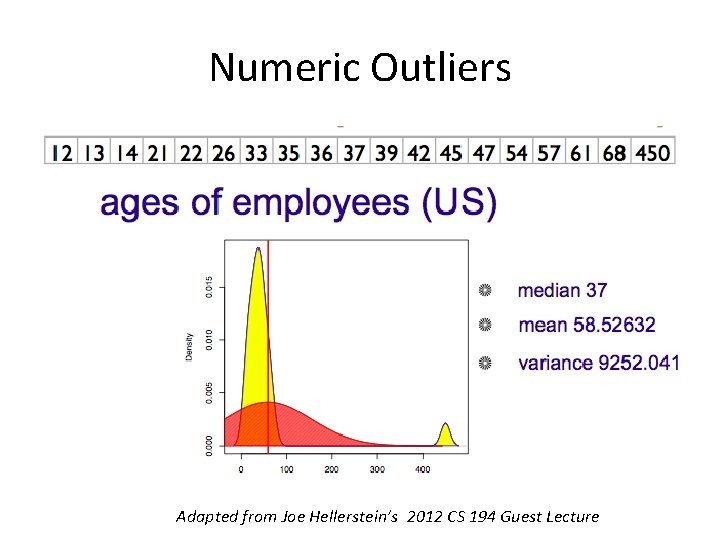
Numeric Outliers Adapted from Joe Hellerstein’s 2012 CS 194 Guest Lecture
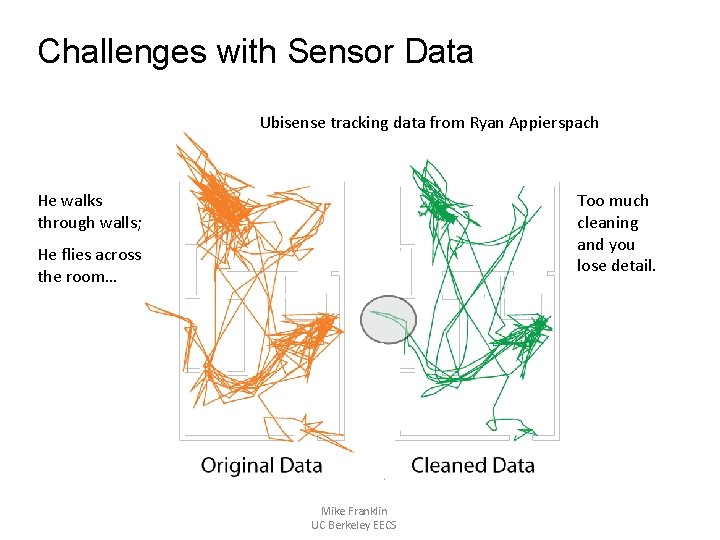
Challenges with Sensor Data Ubisense tracking data from Ryan Appierspach He walks through walls; Too much cleaning and you lose detail. He flies across the room… Mike Franklin UC Berkeley EECS
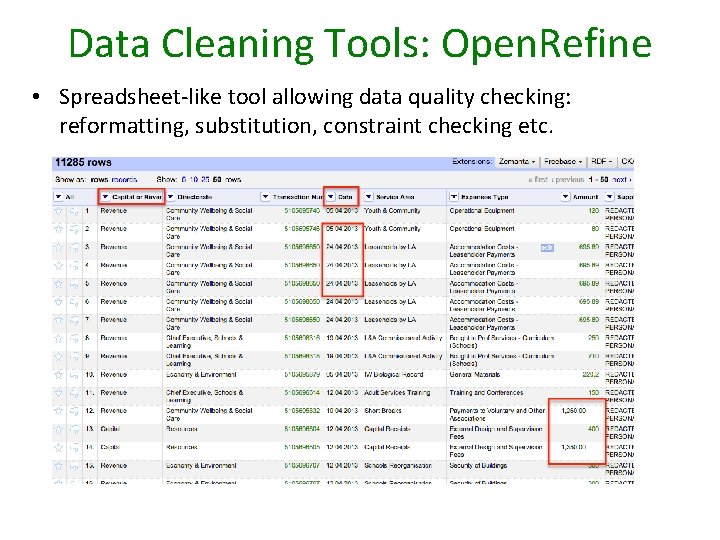
Data Cleaning Tools: Open. Refine • Spreadsheet-like tool allowing data quality checking: reformatting, substitution, constraint checking etc.
Outline for this Evening • • Some Ideas from Kandel et al. Paper (last week) Data Types and Sources Data Preparation Exploration
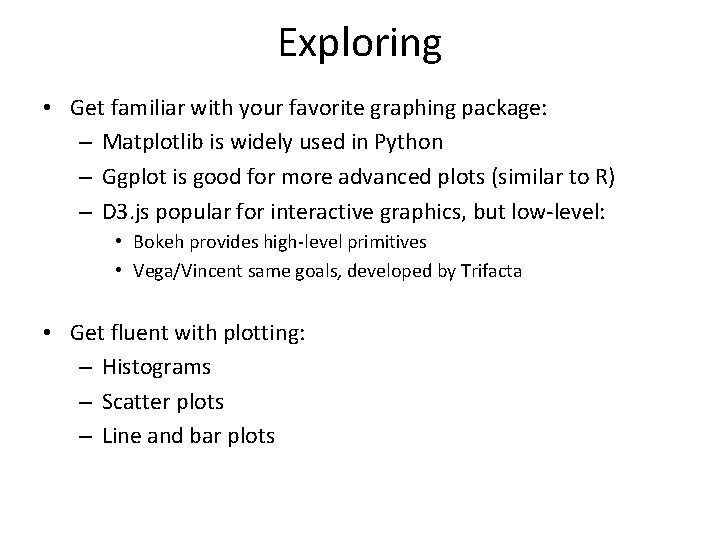
Exploring • Get familiar with your favorite graphing package: – Matplotlib is widely used in Python – Ggplot is good for more advanced plots (similar to R) – D 3. js popular for interactive graphics, but low-level: • Bokeh provides high-level primitives • Vega/Vincent same goals, developed by Trifacta • Get fluent with plotting: – Histograms – Scatter plots – Line and bar plots
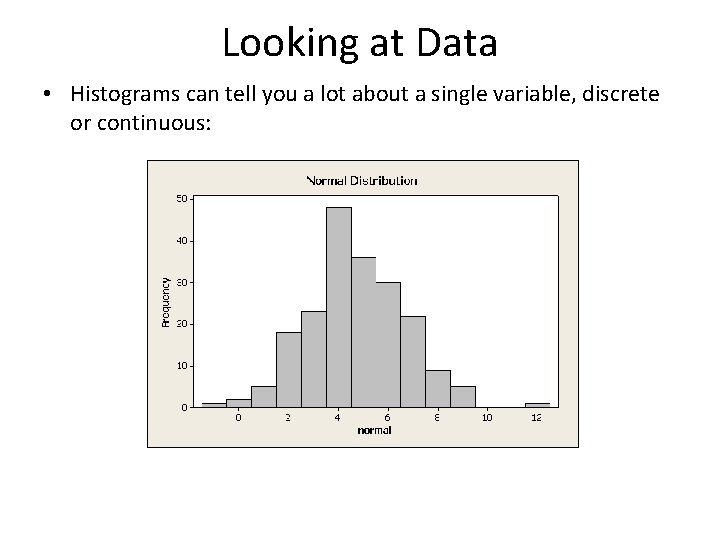
Looking at Data • Histograms can tell you a lot about a single variable, discrete or continuous:
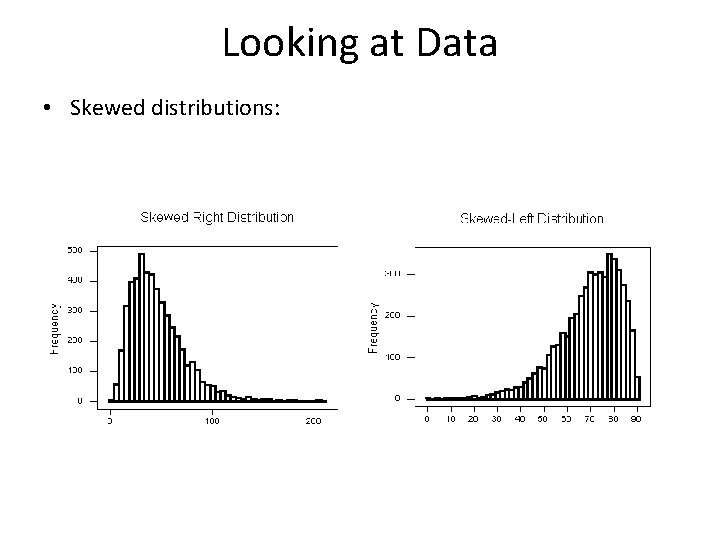
Looking at Data • Skewed distributions:
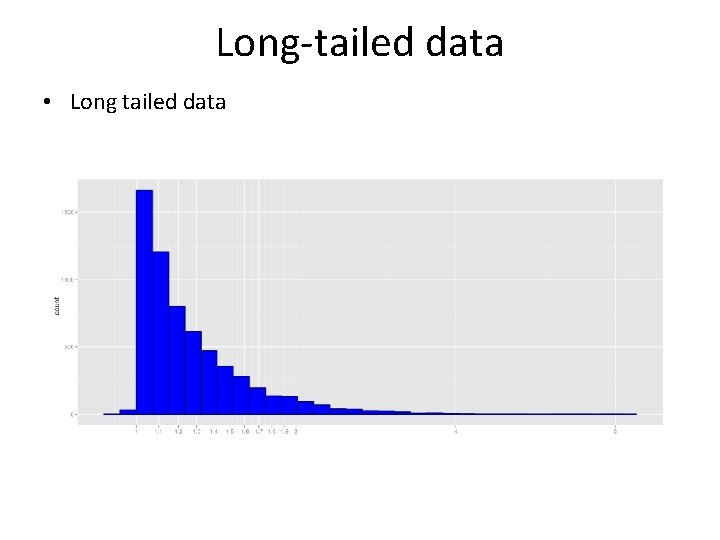
Long-tailed data • Long tailed data
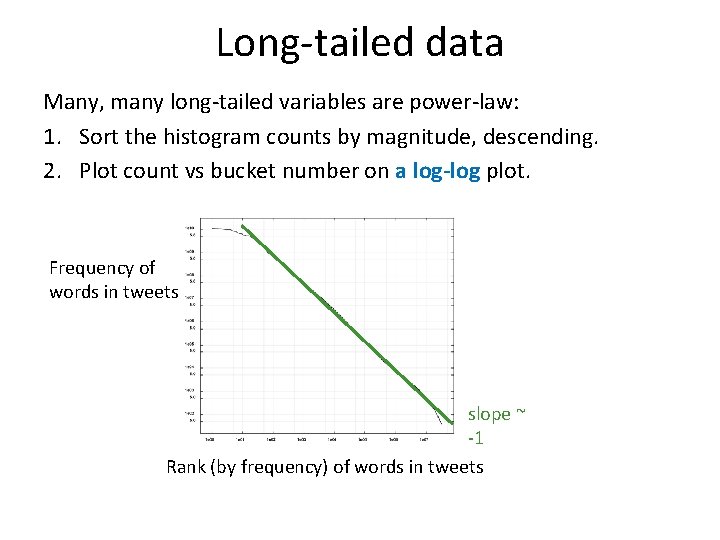
Long-tailed data Many, many long-tailed variables are power-law: 1. Sort the histogram counts by magnitude, descending. 2. Plot count vs bucket number on a log-log plot. Frequency of words in tweets slope ~ -1 Rank (by frequency) of words in tweets
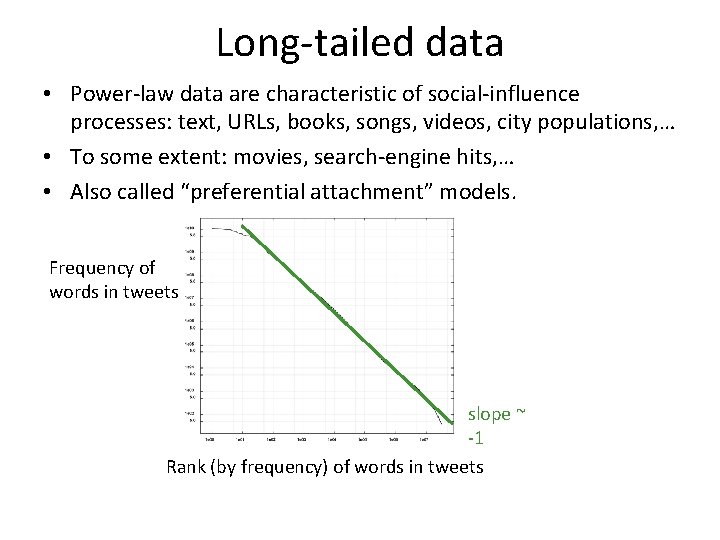
Long-tailed data • Power-law data are characteristic of social-influence processes: text, URLs, books, songs, videos, city populations, … • To some extent: movies, search-engine hits, … • Also called “preferential attachment” models. Frequency of words in tweets slope ~ -1 Rank (by frequency) of words in tweets
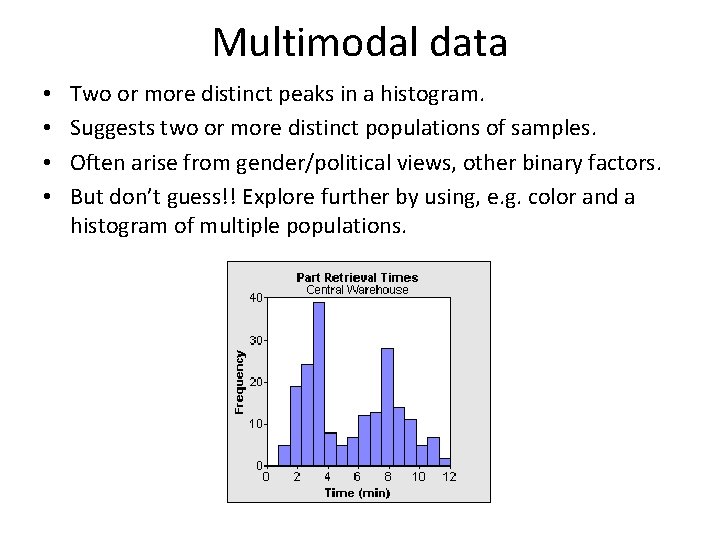
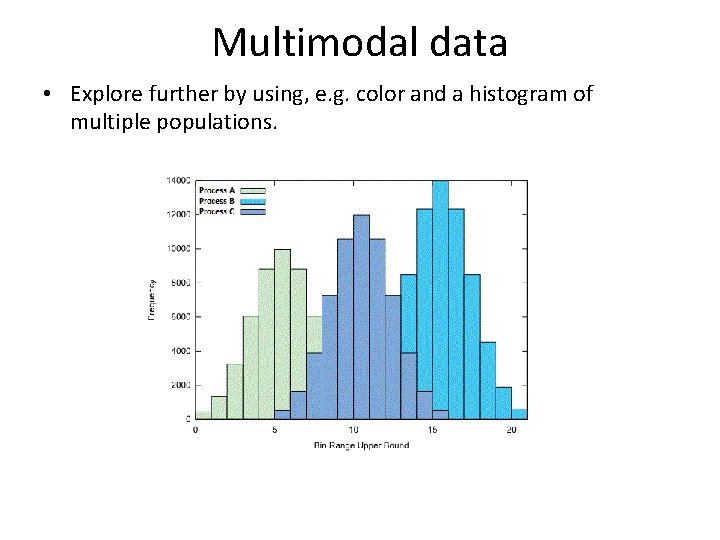
Multimodal data • • Two or more distinct peaks in a histogram. Suggests two or more distinct populations of samples. Often arise from gender/political views, other binary factors. But don’t guess!! Explore further by using, e. g. color and a histogram of multiple populations.
Multimodal data • Explore further by using, e. g. color and a histogram of multiple populations.
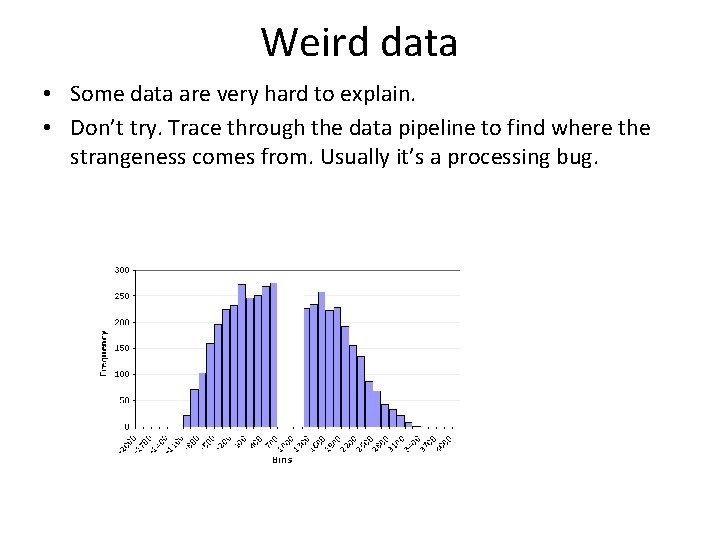
Weird data • Some data are very hard to explain. • Don’t try. Trace through the data pipeline to find where the strangeness comes from. Usually it’s a processing bug.
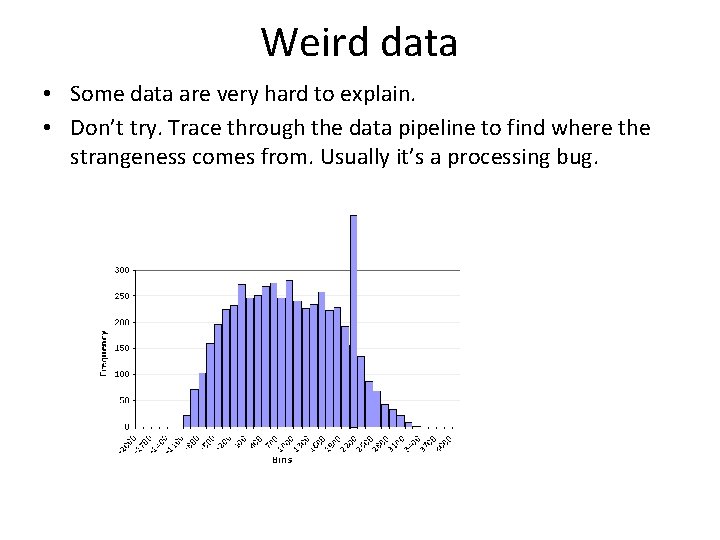
Weird data • Some data are very hard to explain. • Don’t try. Trace through the data pipeline to find where the strangeness comes from. Usually it’s a processing bug.
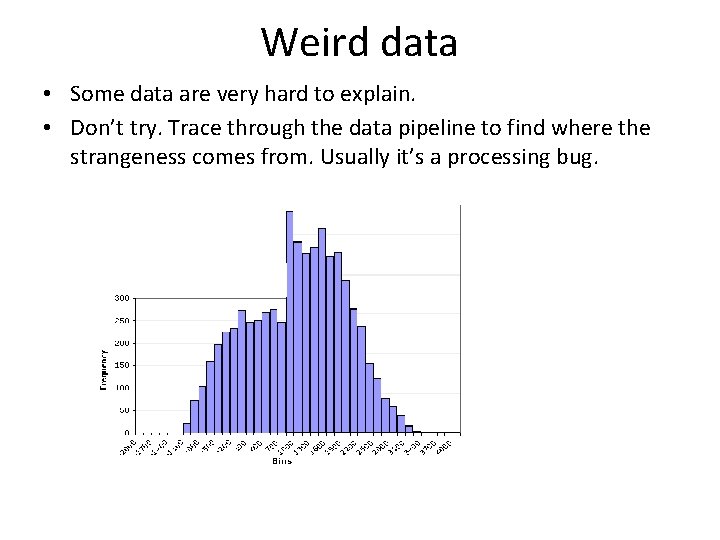
Weird data • Some data are very hard to explain. • Don’t try. Trace through the data pipeline to find where the strangeness comes from. Usually it’s a processing bug.
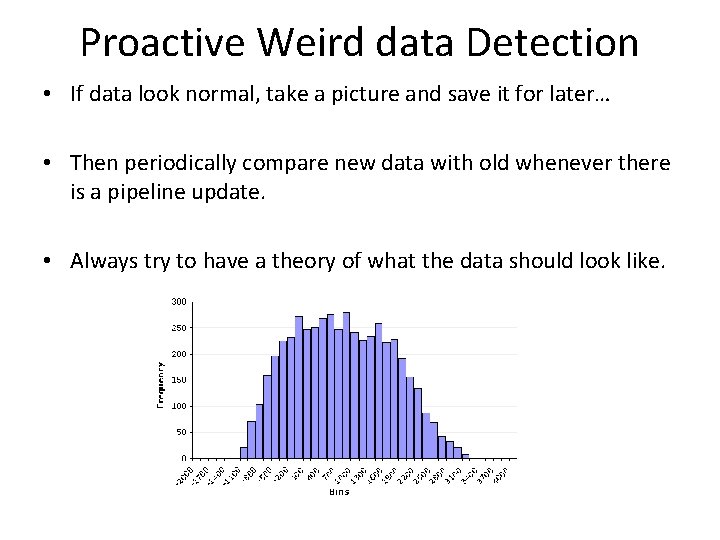
Proactive Weird data Detection • If data look normal, take a picture and save it for later… • Then periodically compare new data with old whenever there is a pipeline update. • Always try to have a theory of what the data should look like.
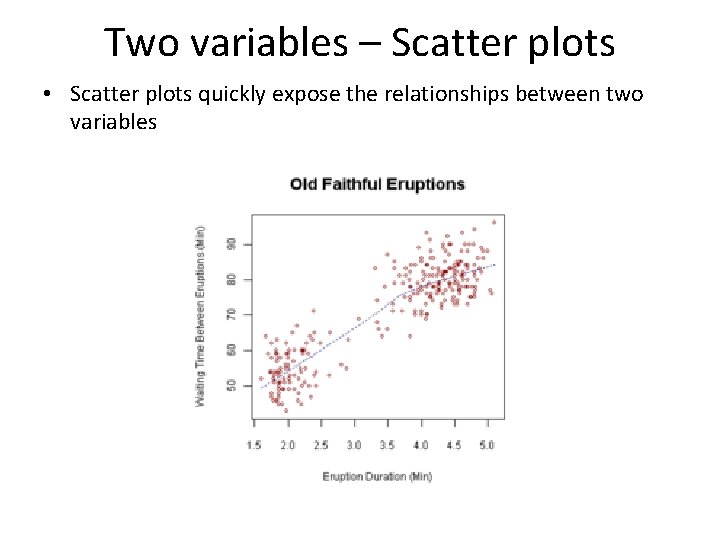
Two variables – Scatter plots • Scatter plots quickly expose the relationships between two variables
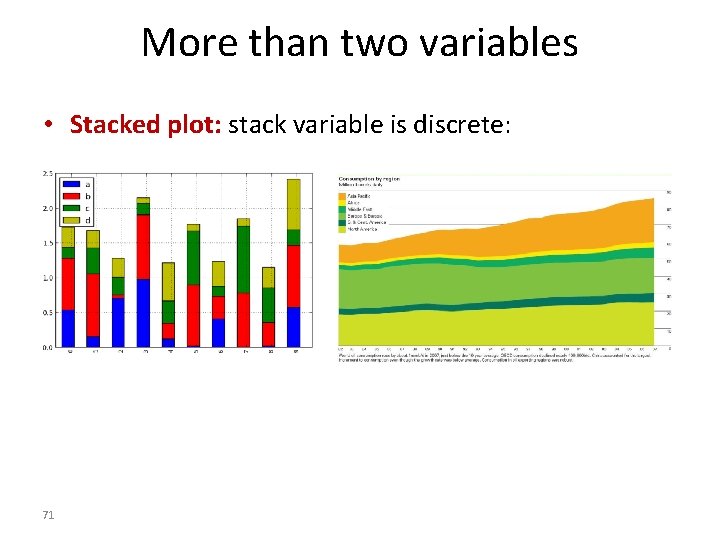
More than two variables • Stacked plot: stack variable is discrete: 71
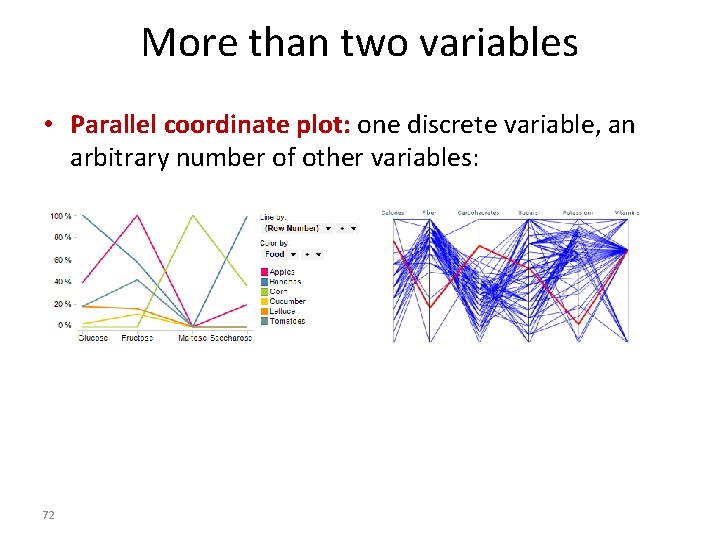
More than two variables • Parallel coordinate plot: one discrete variable, an arbitrary number of other variables: 72
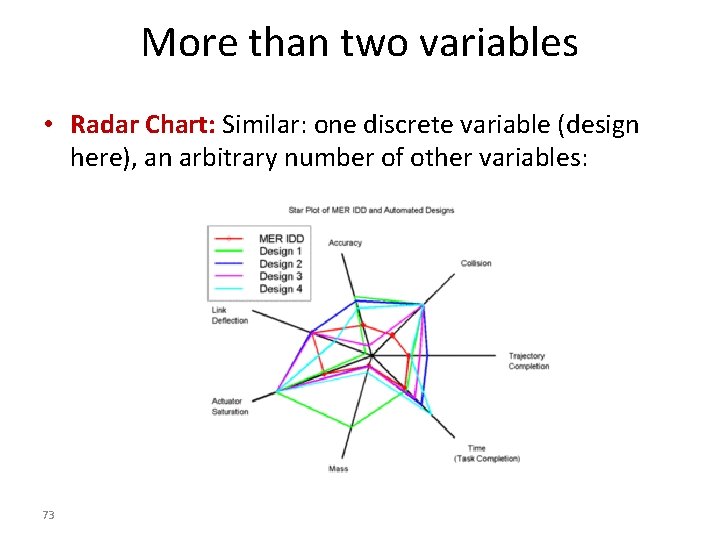
More than two variables • Radar Chart: Similar: one discrete variable (design here), an arbitrary number of other variables: 73
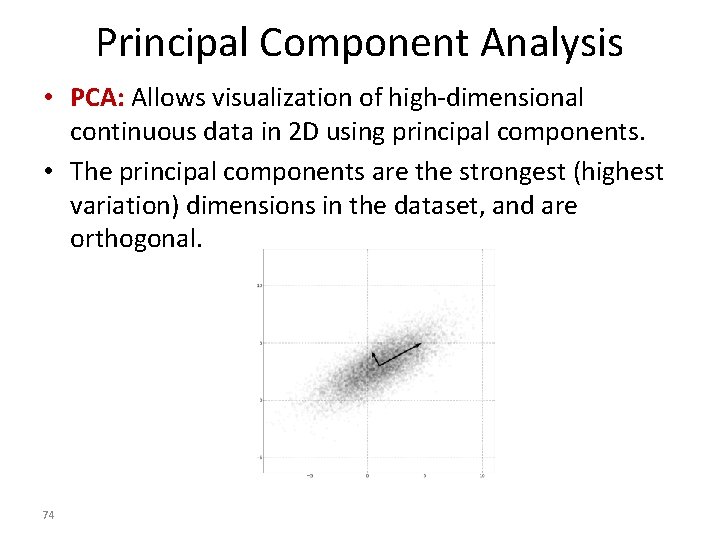
Principal Component Analysis • PCA: Allows visualization of high-dimensional continuous data in 2 D using principal components. • The principal components are the strongest (highest variation) dimensions in the dataset, and are orthogonal. 74
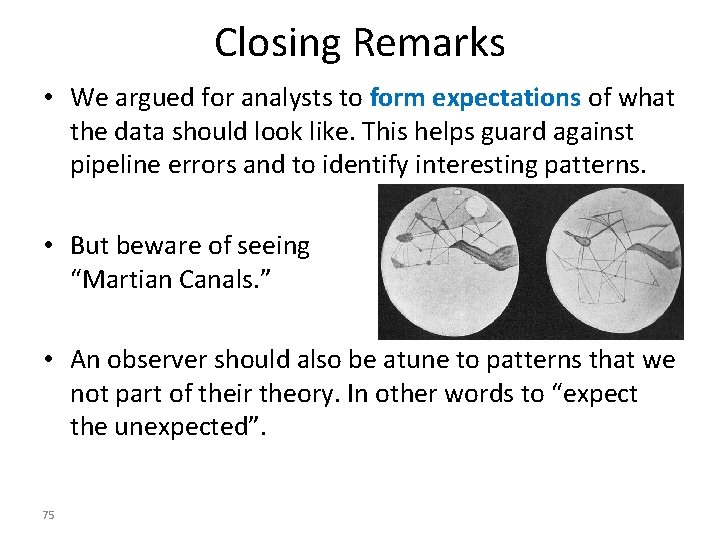
Closing Remarks • We argued for analysts to form expectations of what the data should look like. This helps guard against pipeline errors and to identify interesting patterns. • But beware of seeing “Martian Canals. ” • An observer should also be atune to patterns that we not part of their theory. In other words to “expect the unexpected”. 75