
Introduction to Contributed Packages in R Department of
Introduction to Contributed Packages in R Department of Statistical Sciences and Operations Research Computation Seminar Series Speaker: Edward Boone Email: elboone@vcu. edu
What is R? n n n The R statistical programming language is a free open source package based on the S language developed by Bell Labs. The language is very powerful for writing programs. Many statistical functions are already built in. Contributed packages expand the functionality to cutting edge research. Since it is a programming language, generating computer code to complete tasks is required.
Getting Started n n n n Where to get R? Go to www. r-project. org Downloads: CRAN Set your Mirror: Anyone in the USA is fine. Select Windows 95 or later. Select base. Select R-2. 4. 1 -win 32. exe q The others are if you are a developer and wish to change the source code.
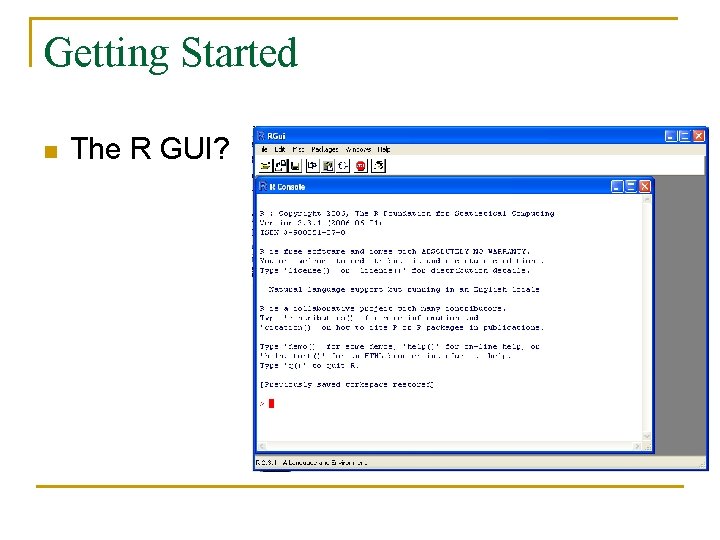
Getting Started n The R GUI?
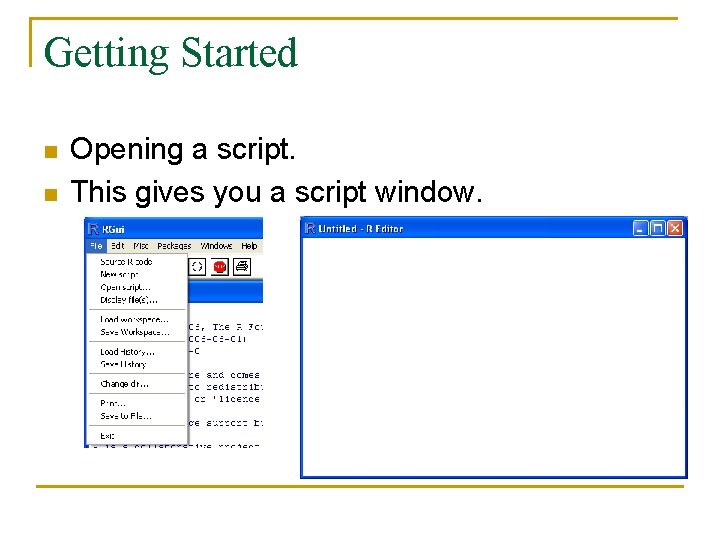
Getting Started n n Opening a script. This gives you a script window.
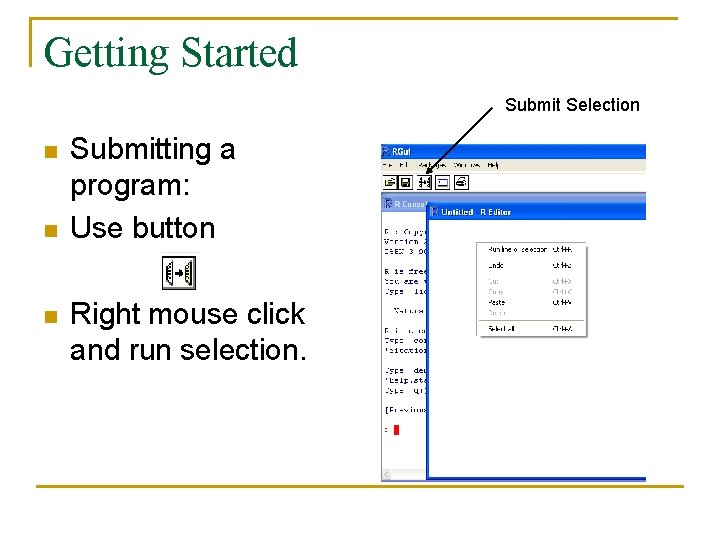
Getting Started Submit Selection n Submitting a program: Use button Right mouse click and run selection.
Getting Started n n Basic assignment and operations. Arithmetic Operations: q n Matrix Arithmetic. q q n +, -, *, /, ^ are the standard arithmetic operators. * is element wise multiplication %*% is matrix multiplication Assignment q To assign a value to a variable use “<-”
Getting Started n How to use help in R? q q q R has a very good help system built in. If you know which function you want help with simply use ? _______ with the function in the blank. Ex: ? hist. If you don’t know which function to use, then use help. search(“_______”). Ex: help. search(“histogram”).
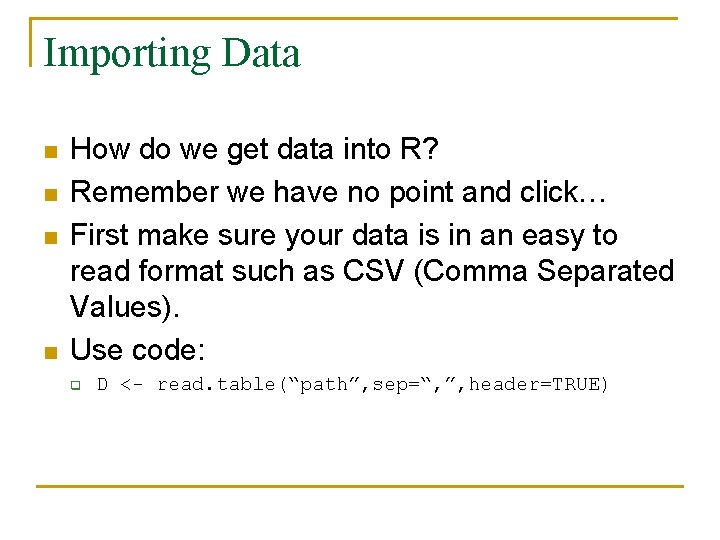
Importing Data n n How do we get data into R? Remember we have no point and click… First make sure your data is in an easy to read format such as CSV (Comma Separated Values). Use code: q D <- read. table(“path”, sep=“, ”, header=TRUE)
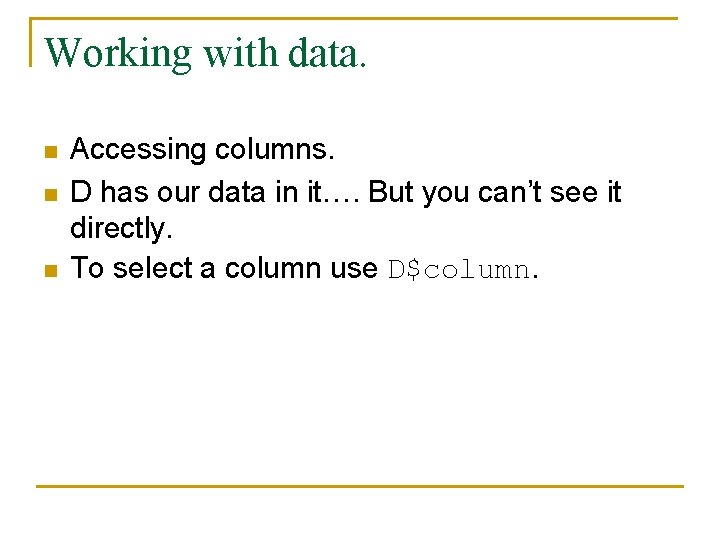
Working with data. n n n Accessing columns. D has our data in it…. But you can’t see it directly. To select a column use D$column.
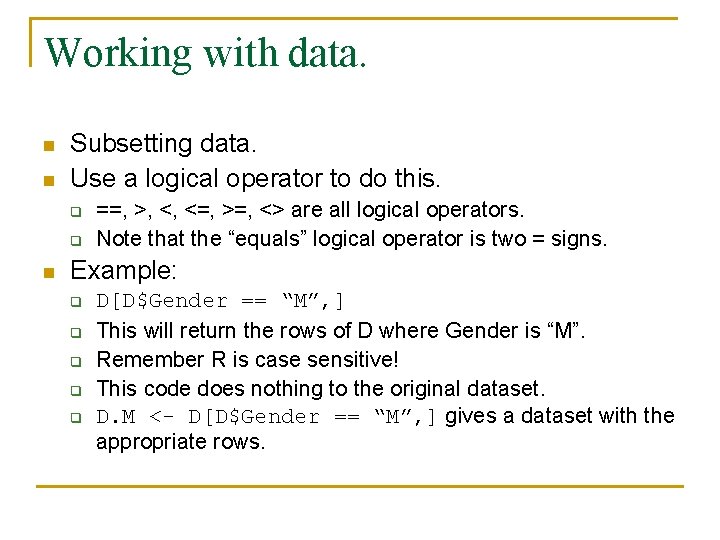
Working with data. n n Subsetting data. Use a logical operator to do this. q q n ==, >, <, <=, >=, <> are all logical operators. Note that the “equals” logical operator is two = signs. Example: q q q D[D$Gender == “M”, ] This will return the rows of D where Gender is “M”. Remember R is case sensitive! This code does nothing to the original dataset. D. M <- D[D$Gender == “M”, ] gives a dataset with the appropriate rows.
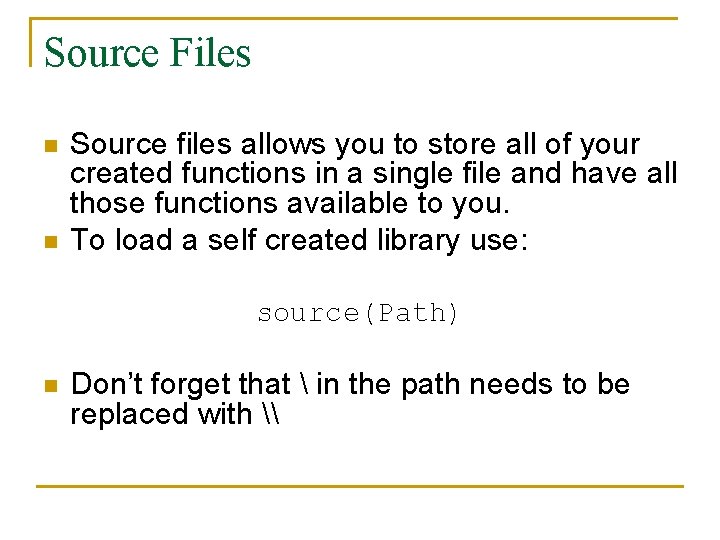
Source Files n n Source files allows you to store all of your created functions in a single file and have all those functions available to you. To load a self created library use: source(Path) n Don’t forget that in the path needs to be replaced with \
Libraries In order to keep R’s memory footprint small, additional functionality is stored in libraries. n These libraries can be called through the GUI or scripts. n Beware that some contributed packages may conflict with some libraries. n
Contributed Packages Since R is open source and the developers are well organized, developing and finding contributed packages is easy. n Currently there are 964 contributed packages. n These range from wavelets, financial mathematics to spatial data analysis. n
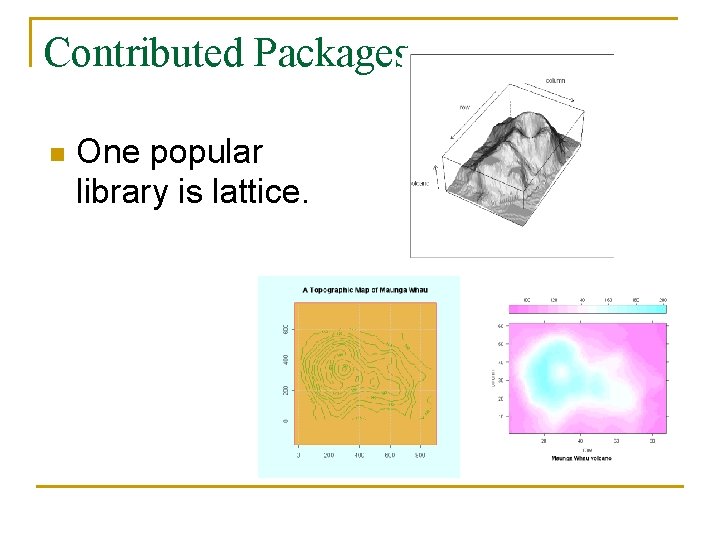
Contributed Packages n One popular library is lattice.
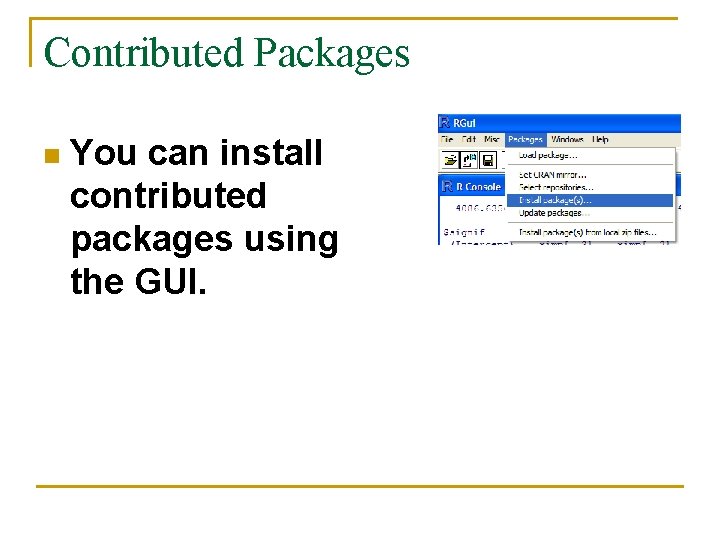
Contributed Packages n You can install contributed packages using the GUI.
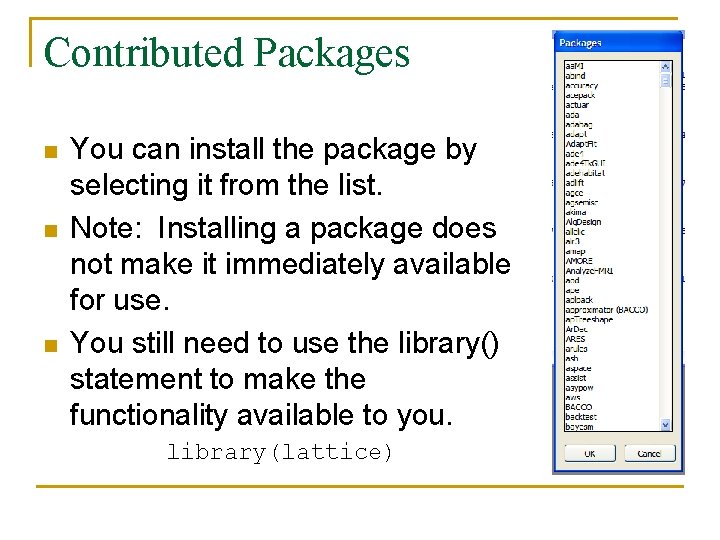
Contributed Packages n n n You can install the package by selecting it from the list. Note: Installing a package does not make it immediately available for use. You still need to use the library() statement to make the functionality available to you. library(lattice)
Help on contributed packages n Once a contributed package is loaded you can access the help for the package and a list of functions available in the package by: library(help=“lattice”)
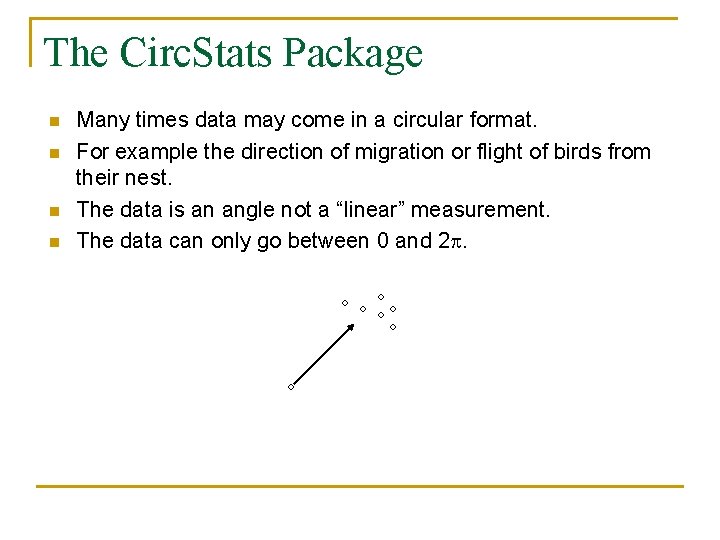
The Circ. Stats Package n n Many times data may come in a circular format. For example the direction of migration or flight of birds from their nest. The data is an angle not a “linear” measurement. The data can only go between 0 and 2 p.
The Circ. Stats Package n Use the Circ. Stats Package. library(Circ. Stats) n Consider the following: data <- runif(50, 0, pi) mean. dir <- circ. mean(data) mean. dir [1] 1. 446502
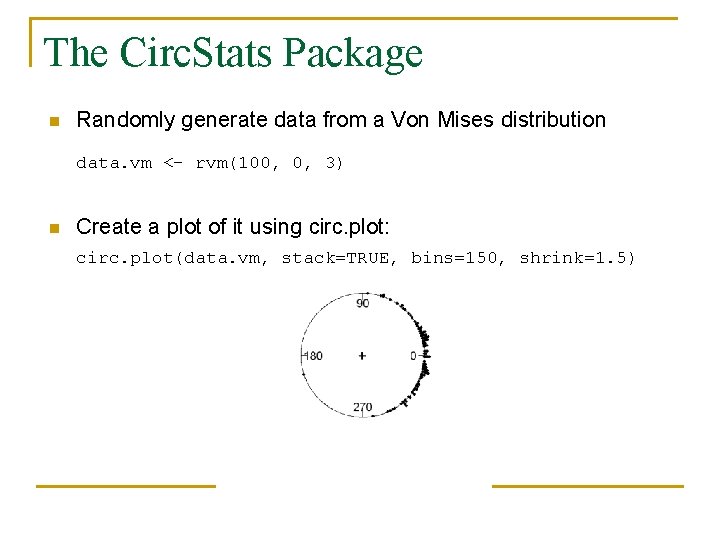
The Circ. Stats Package n Randomly generate data from a Von Mises distribution data. vm <- rvm(100, 0, 3) n Create a plot of it using circ. plot: circ. plot(data. vm, stack=TRUE, bins=150, shrink=1. 5)
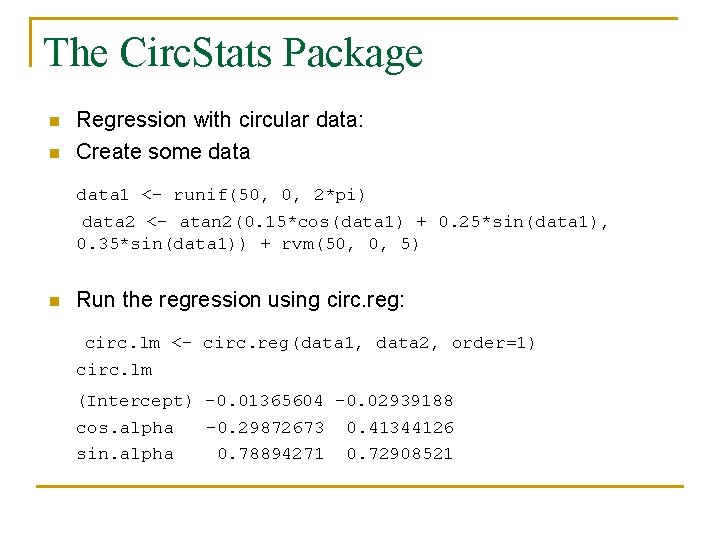
The Circ. Stats Package n n Regression with circular data: Create some data 1 <- runif(50, 0, 2*pi) data 2 <- atan 2(0. 15*cos(data 1) + 0. 25*sin(data 1), 0. 35*sin(data 1)) + rvm(50, 0, 5) n Run the regression using circ. reg: circ. lm <- circ. reg(data 1, data 2, order=1) circ. lm (Intercept) -0. 01365604 -0. 02939188 cos. alpha sin. alpha -0. 29872673 0. 78894271 0. 41344126 0. 72908521
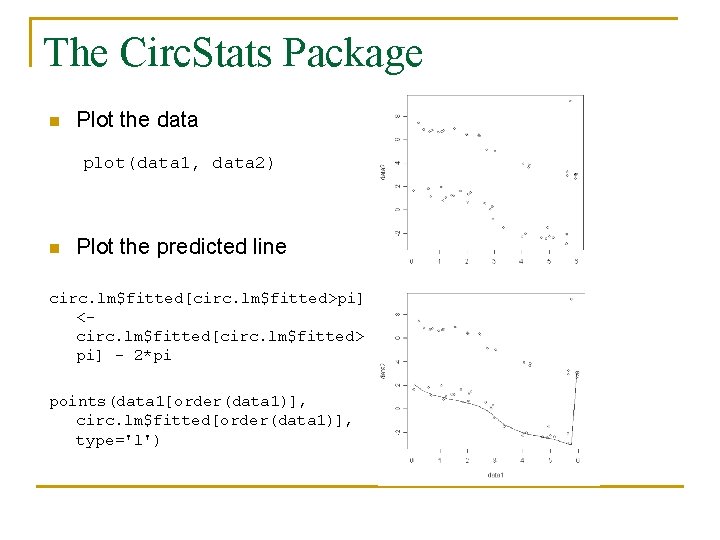
The Circ. Stats Package n Plot the data plot(data 1, data 2) n Plot the predicted line circ. lm$fitted[circ. lm$fitted>pi] <circ. lm$fitted[circ. lm$fitted> pi] - 2*pi points(data 1[order(data 1)], circ. lm$fitted[order(data 1)], type='l')
The norm Contributed Package n n n While the norm package sounds as if it would have something to do with the normal distribution it is in fact a package for dealing with missing data. It implements the Data Augmentation and Multiple Imputation scheme of Schafer (1997). Similar to SAS PROC MI.
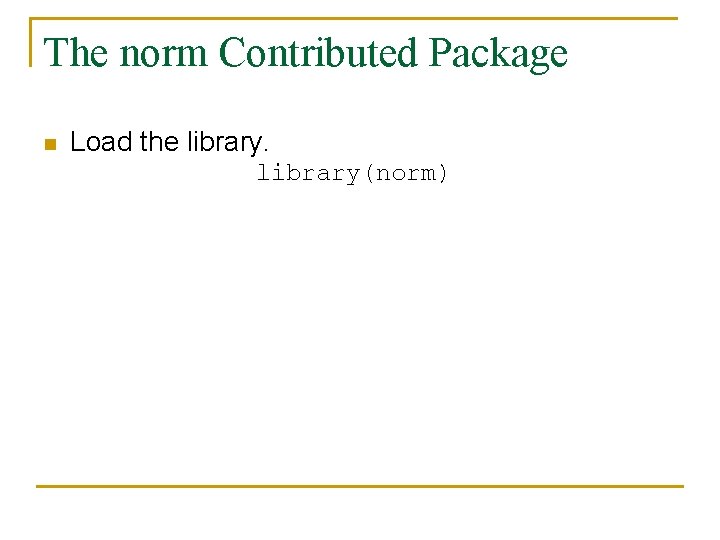
The norm Contributed Package n Load the library(norm)
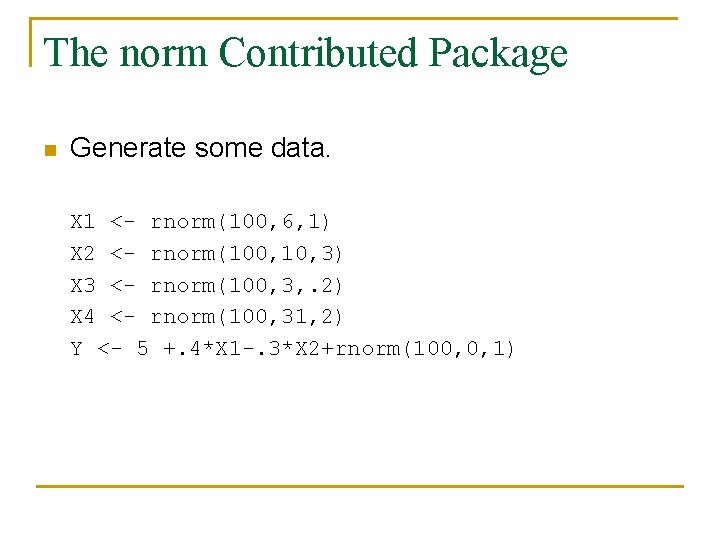
The norm Contributed Package n Generate some data. X 1 <- rnorm(100, 6, 1) X 2 <- rnorm(100, 10, 3) X 3 <- rnorm(100, 3, . 2) X 4 <- rnorm(100, 31, 2) Y <- 5 +. 4*X 1 -. 3*X 2+rnorm(100, 0, 1)
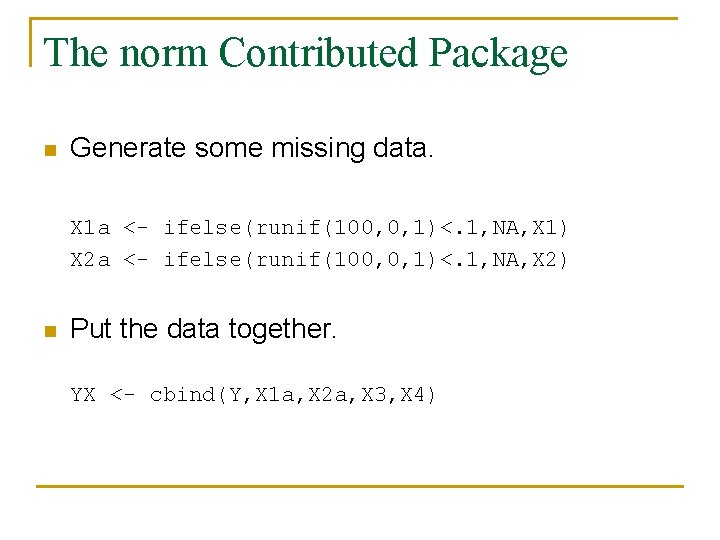
The norm Contributed Package n Generate some missing data. X 1 a <- ifelse(runif(100, 0, 1)<. 1, NA, X 1) X 2 a <- ifelse(runif(100, 0, 1)<. 1, NA, X 2) n Put the data together. YX <- cbind(Y, X 1 a, X 2 a, X 3, X 4)
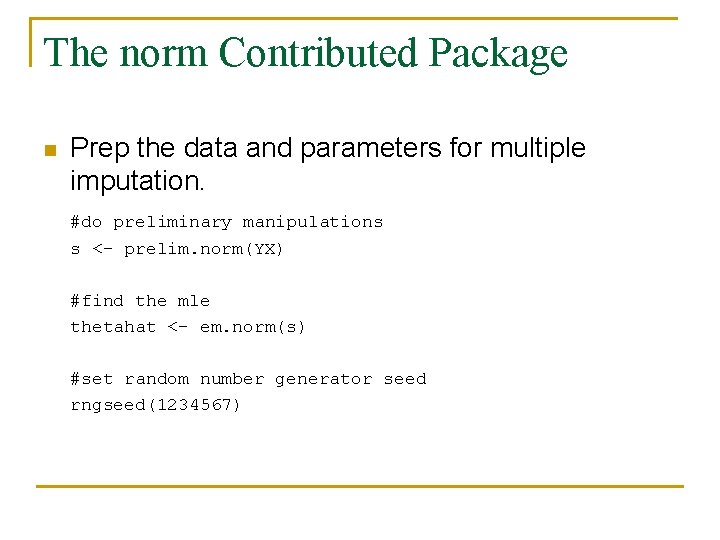
The norm Contributed Package n Prep the data and parameters for multiple imputation. #do preliminary manipulations s <- prelim. norm(YX) #find the mle thetahat <- em. norm(s) #set random number generator seed rngseed(1234567)
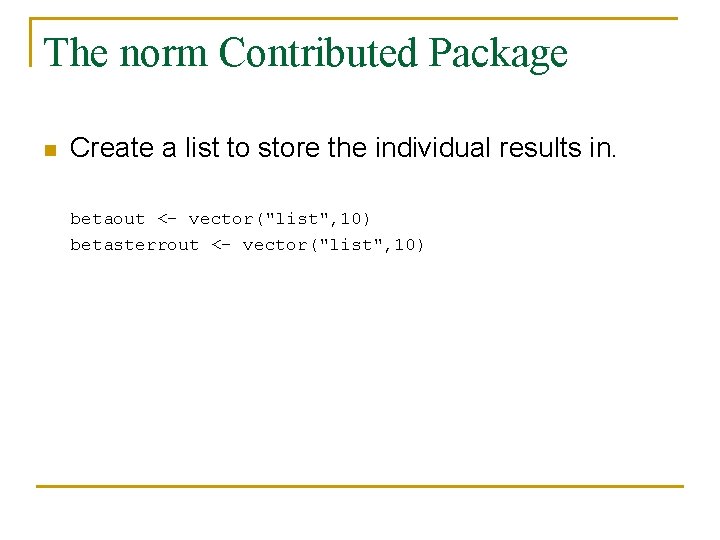
The norm Contributed Package n Create a list to store the individual results in. betaout <- vector("list", 10) betasterrout <- vector("list", 10)
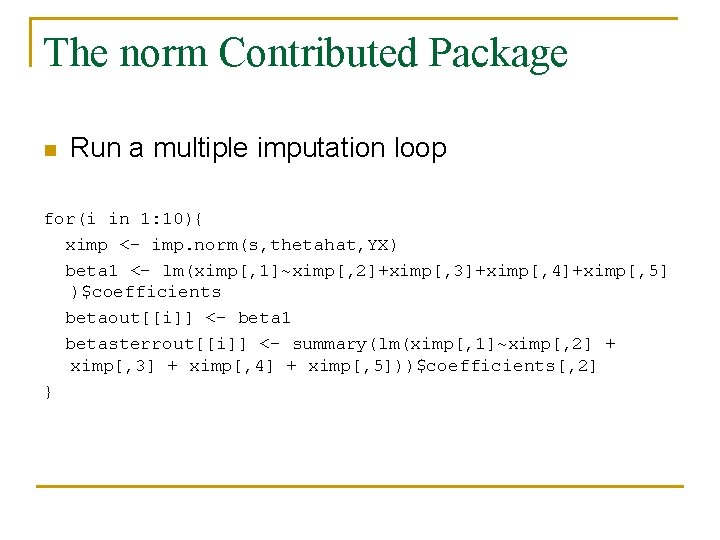
The norm Contributed Package n Run a multiple imputation loop for(i in 1: 10){ ximp <- imp. norm(s, thetahat, YX) beta 1 <- lm(ximp[, 1]~ximp[, 2]+ximp[, 3]+ximp[, 4]+ximp[, 5] )$coefficients betaout[[i]] <- beta 1 betasterrout[[i]] <- summary(lm(ximp[, 1]~ximp[, 2] + ximp[, 3] + ximp[, 4] + ximp[, 5]))$coefficients[, 2] }
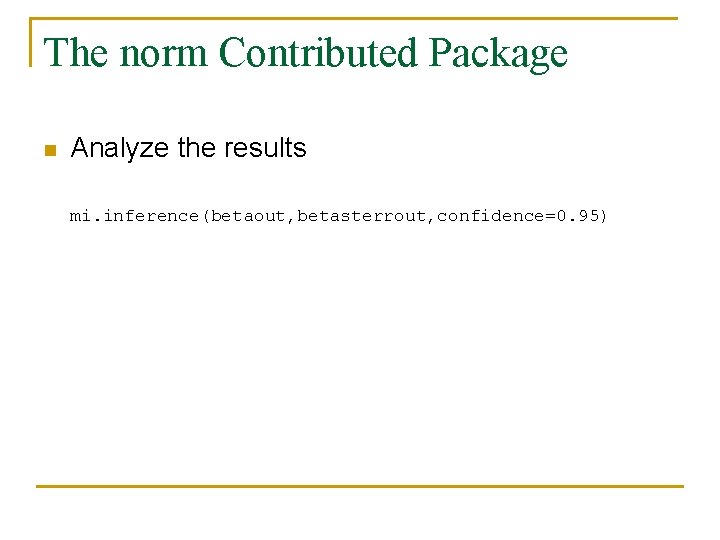
The norm Contributed Package n Analyze the results mi. inference(betaout, betasterrout, confidence=0. 95)
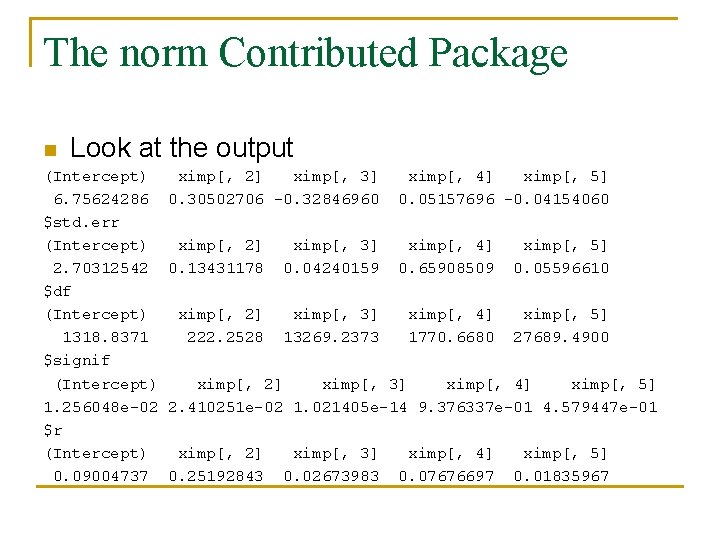
The norm Contributed Package n Look at the output (Intercept) 6. 75624286 $std. err (Intercept) 2. 70312542 $df (Intercept) 1318. 8371 $signif (Intercept) 1. 256048 e-02 $r (Intercept) 0. 09004737 ximp[, 2] ximp[, 3] 0. 30502706 -0. 32846960 ximp[, 4] ximp[, 5] 0. 05157696 -0. 04154060 ximp[, 2] 0. 13431178 ximp[, 3] 0. 04240159 ximp[, 4] 0. 65908509 ximp[, 5] 0. 05596610 ximp[, 2] 222. 2528 ximp[, 3] 13269. 2373 ximp[, 4] 1770. 6680 ximp[, 5] 27689. 4900 ximp[, 2] ximp[, 3] ximp[, 4] ximp[, 5] 2. 410251 e-02 1. 021405 e-14 9. 376337 e-01 4. 579447 e-01 ximp[, 2] 0. 25192843 ximp[, 3] 0. 02673983 ximp[, 4] 0. 07676697 ximp[, 5] 0. 01835967
The lp. Solve Package n The lp. Solve package allows for the solving of linear and integer programs. library(lp. Solve)
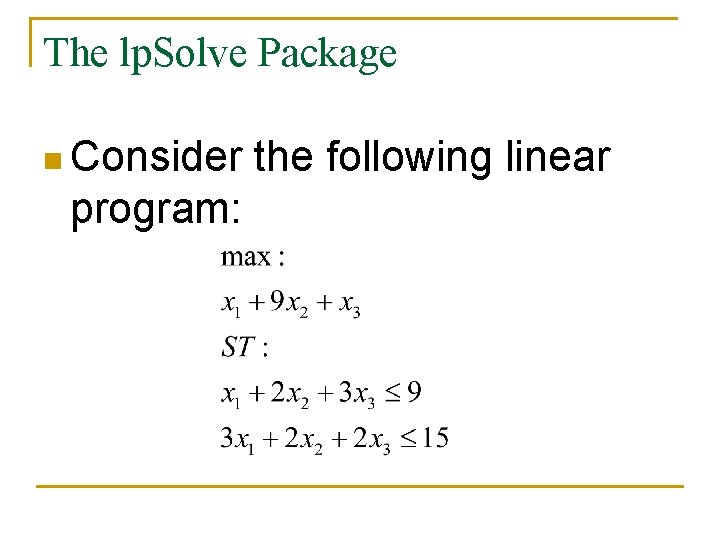
The lp. Solve Package n Consider program: the following linear
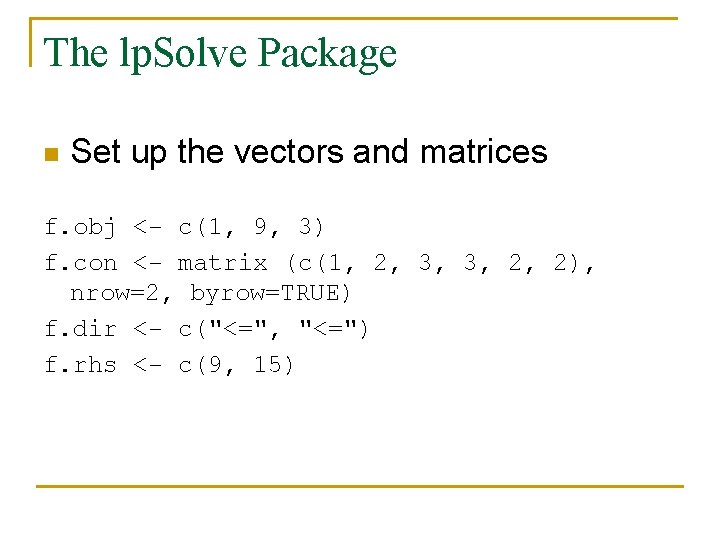
The lp. Solve Package n Set up the vectors and matrices f. obj <- c(1, 9, 3) f. con <- matrix (c(1, 2, 3, 3, 2, 2), nrow=2, byrow=TRUE) f. dir <- c("<=", "<=") f. rhs <- c(9, 15)
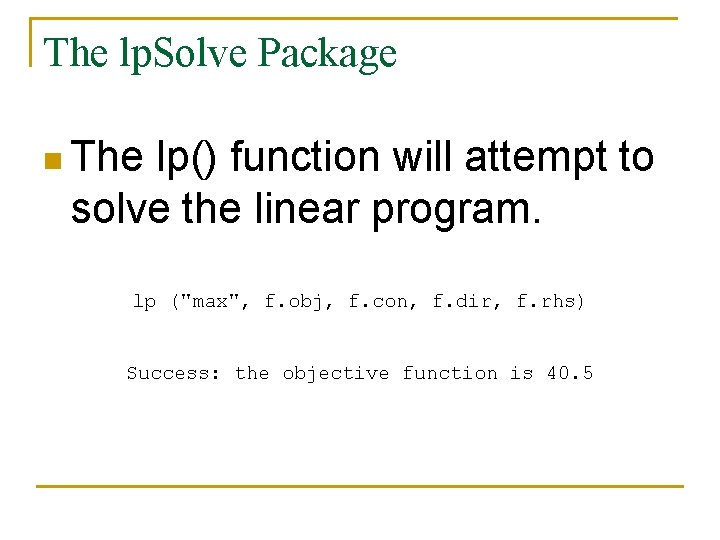
The lp. Solve Package n The lp() function will attempt to solve the linear program. lp ("max", f. obj, f. con, f. dir, f. rhs) Success: the objective function is 40. 5
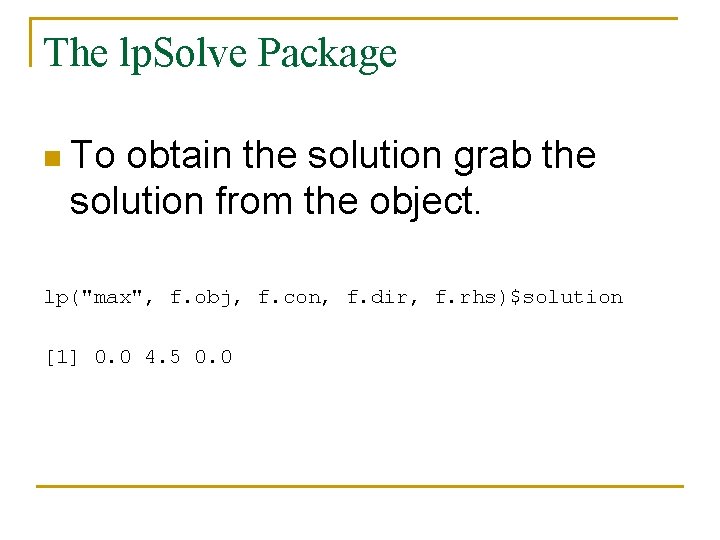
The lp. Solve Package n To obtain the solution grab the solution from the object. lp("max", f. obj, f. con, f. dir, f. rhs)$solution [1] 0. 0 4. 5 0. 0
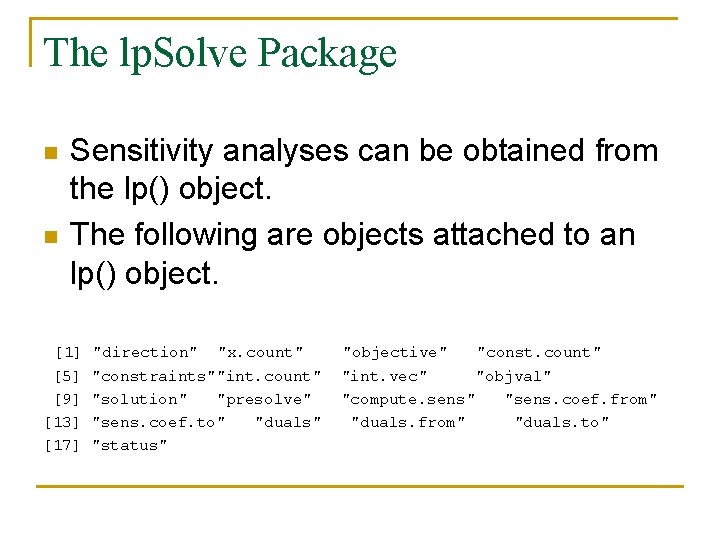
The lp. Solve Package n n Sensitivity analyses can be obtained from the lp() object. The following are objects attached to an lp() object. [1] [5] [9] [13] [17] "direction" "x. count" "constraints""int. count" "solution" "presolve" "sens. coef. to" "duals" "status" "objective" "const. count" "int. vec" "objval" "compute. sens" "sens. coef. from" "duals. to"
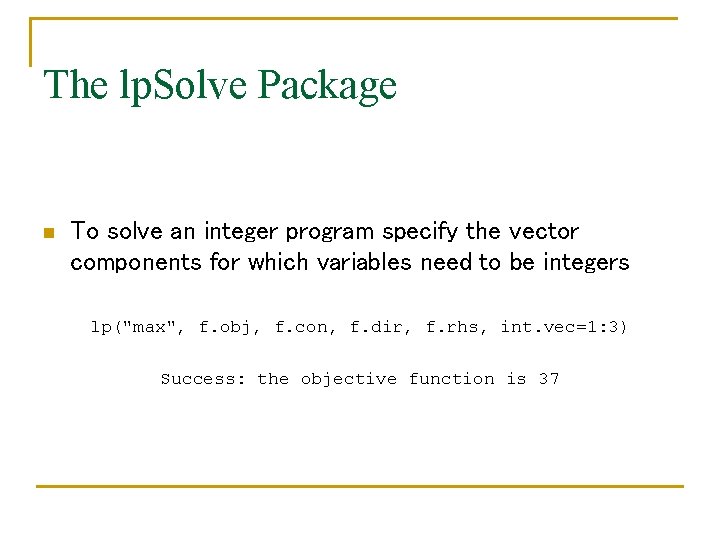
The lp. Solve Package n To solve an integer program specify the vector components for which variables need to be integers lp("max", f. obj, f. con, f. dir, f. rhs, int. vec=1: 3) Success: the objective function is 37
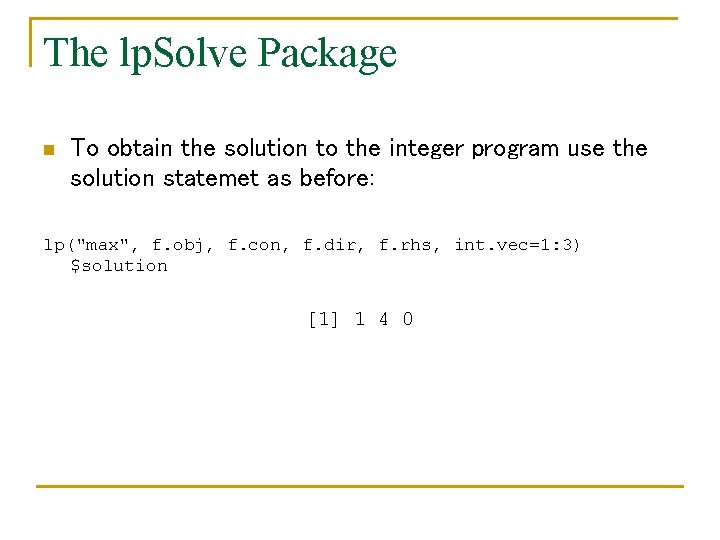
The lp. Solve Package n To obtain the solution to the integer program use the solution statemet as before: lp("max", f. obj, f. con, f. dir, f. rhs, int. vec=1: 3) $solution [1] 1 4 0
Summary n n n R is programming environment with many standard programming structures already included. A large number of contributed packages. Many packages allow for use of modern statistical procedures with out having to code them yourself. Requires familiarity with R to actually implement the packages. No support. Allows users to create new packages.
Summary n All of the R code and files can be found at: www. people. vcu. edu/~elboone 2/CSS. htm
- Slides: 42