
Introduction to Computers Section 3 A Two Kinds
- Slides: 13
Introduction to Computers Section 3 A
Two Kinds of Monitors n n Cathode ray tube (CRT) Flat-panel display
Monitor Categories Based on Color Display n n n Monochrome: One color on a black background Grayscale: Shades of gray on a white or off-white background Color: From 16 to 16 million unique colors
Pixel, short for picture element, is the smallest number of phosphor dots that the electron gun inside the monitor can focus on home
Shadow mask A fine mesh made of metal and fitted to the shape and size of the screen home
Liquid Crystal Display (LCD) Monitor Most common flat-panel monitor home
Viewing Angle The angle from which the display’s image can be viewed clearly home
Two Categories of Liquid Crystal Displays n n Passive matrix LCD Active matrix LCD
Other Kinds of Monitors n n n Paper-white display Electroluminescent (ELD) display Plasma/gas plasma display
Considerations When Monitor Shopping n n Size Resolution Refresh rate Dot pitch
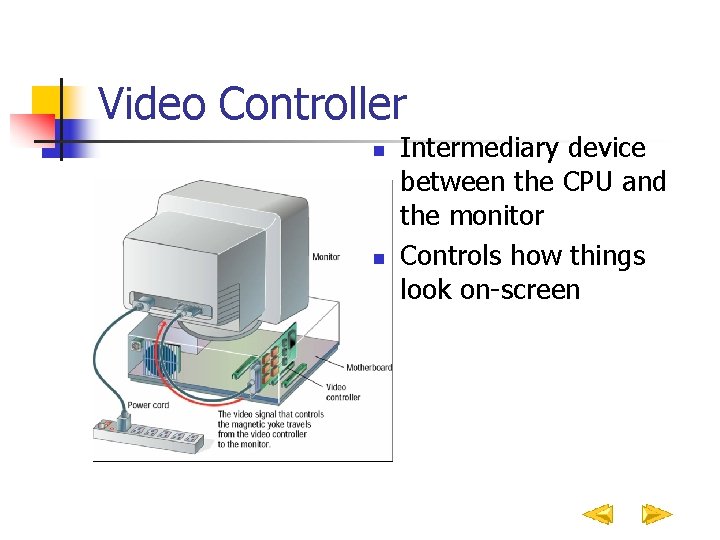
Video Controller n n Intermediary device between the CPU and the monitor Controls how things look on-screen
Digital Light Projector Connects to a computer and is used to project images on a large screen home
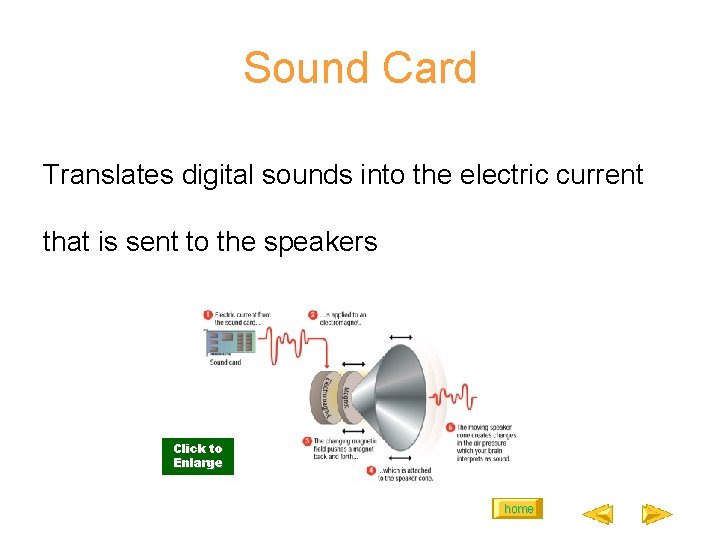
Sound Card Translates digital sounds into the electric current that is sent to the speakers Click to Enlarge home