
Introduction to Computers Introduction to Information and Communication
- Slides: 17
Introduction to Computers Introduction to Information and Communication Technologies Email: mulika. Fatima@gmail. com blog: mulikafatimaatisp. wordpress. com
Outline This lecture covers: What computers are, how they work, and how they are used Computer terminology The basic types of computers in use today Understanding Computers: Today and Tomorrow 01/03/2021 2
Computers in Your Life Why learn about computers? Pervasive computing Also known as ubiquitous computing Computers have become an integral part of our lives Basic computer literacy Knowing about and understanding computers and their uses is an essential skill today for everyone Understanding Computers: Today and Tomorrow 01/03/2021 3
Computers in Your Life Before 1980 Computers were large, expensive Very few people had access to them Computers were mostly used for high-volume processing tasks Microcomputers in the early 80 s Inexpensive personal computers Computer use increased dramatically Today More than 80% of US households include a computer, and most use computers at work Electronic devices are converging into single units with multiple capabilities Understanding Computers: Today and Tomorrow 01/03/2021 4
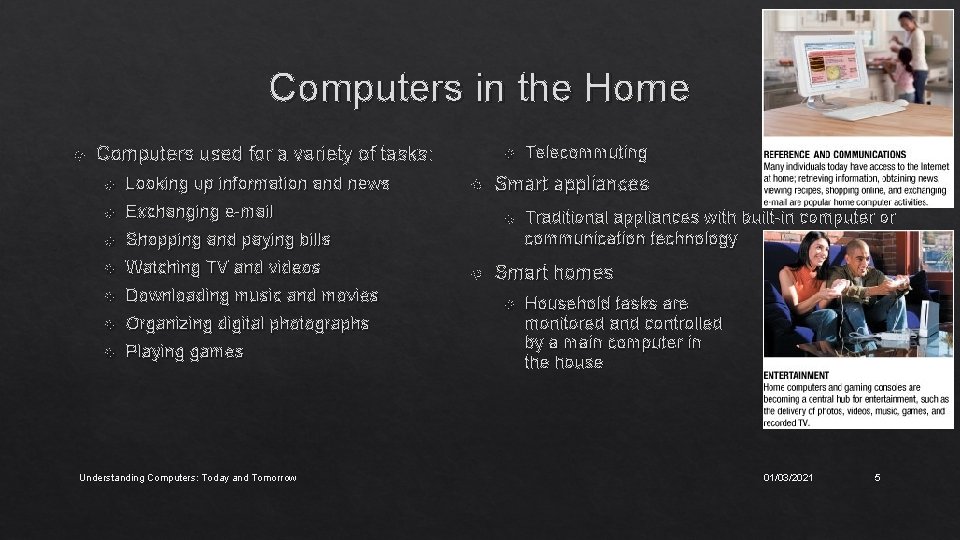
Computers in the Home Computers used for a variety of tasks: Looking up information and news Exchanging e-mail Shopping and paying bills Watching TV and videos Downloading music and movies Organizing digital photographs Playing games Understanding Computers: Today and Tomorrow Smart appliances Telecommuting Traditional appliances with built-in computer or communication technology Smart homes Household tasks are monitored and controlled by a main computer in the house 01/03/2021 5
Computers in Education Many students today have access to computers either in a classroom or a computer lab Colleges and universities are even more integrated Wireless hotspots allow usage of personal laptops to connect to the college network Some colleges require a computer for enrollment Distance learning Students participate from locations other than the traditional classroom setting using computers and Internet access Understanding Computers: Today and Tomorrow 01/03/2021 6
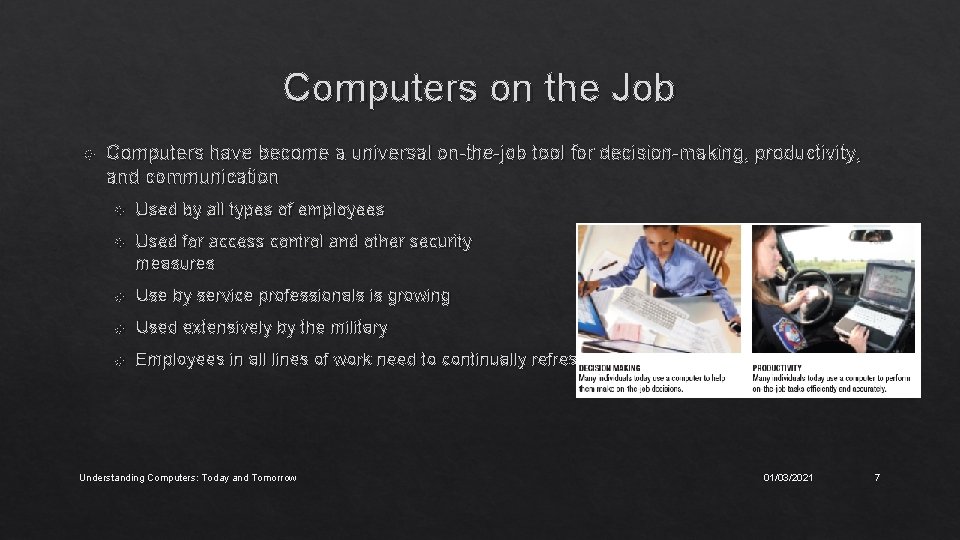
Computers on the Job Computers have become a universal on-the-job tool for decision-making, productivity, and communication Used by all types of employees Used for access control and other security measures Use by service professionals is growing Used extensively by the military Employees in all lines of work need to continually refresh their computer skills Understanding Computers: Today and Tomorrow 01/03/2021 7
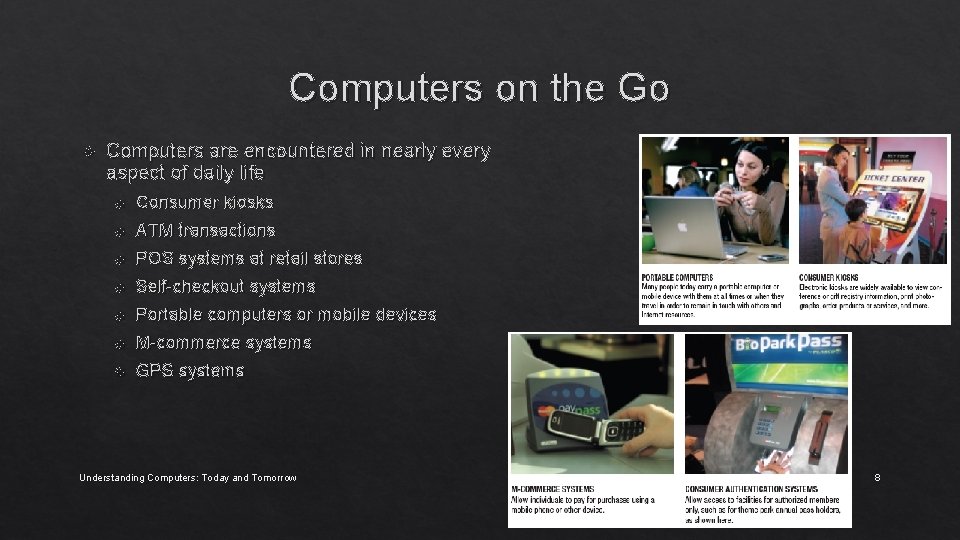
Computers on the Go Computers are encountered in nearly every aspect of daily life Consumer kiosks ATM transactions POS systems at retail stores Self-checkout systems Portable computers or mobile devices M-commerce systems GPS systems Understanding Computers: Today and Tomorrow 01/03/2021 8
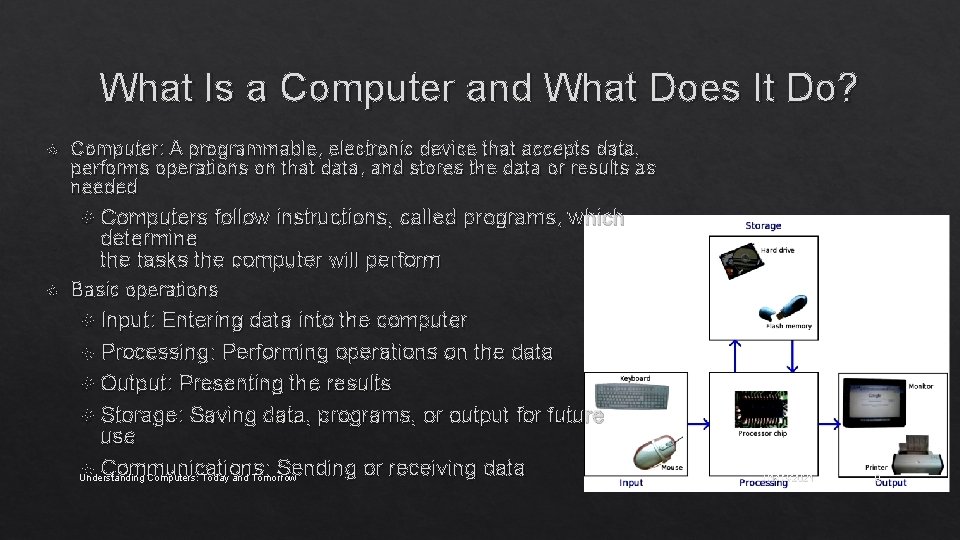
What Is a Computer and What Does It Do? Computer: A programmable, electronic device that accepts data, performs operations on that data, and stores the data or results as needed Computers follow instructions, called programs, which determine the tasks the computer will perform Basic operations Input: Entering data into the computer Processing: Performing operations on the data Output: Presenting the results Storage: Saving data, programs, or output for future use Communications: Sending or receiving data Understanding Computers: Today and Tomorrow 01/03/2021 9
Data vs. Information Data Raw, unorganized facts Can be in the form of text, graphics, audio, or video Information Data that has been processed into a meaningful form Information processing Converting data into information Understanding Computers: Today and Tomorrow 01/03/2021 10
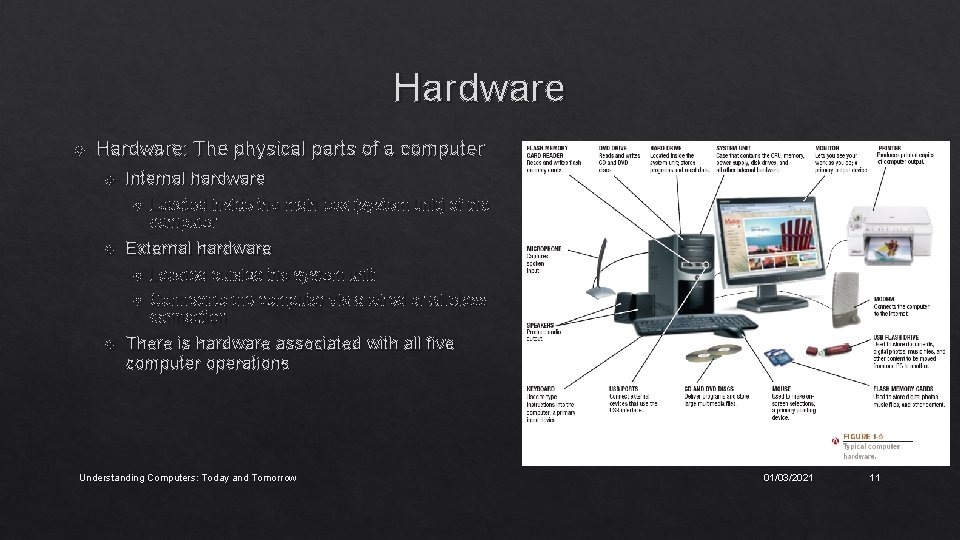
Hardware Hardware: The physical parts of a computer Internal hardware Located inside the main box (system unit) of the computer External hardware Located outside the system unit Connect to the computer via a wired or wireless connection There is hardware associated with all five computer operations Understanding Computers: Today and Tomorrow 01/03/2021 11
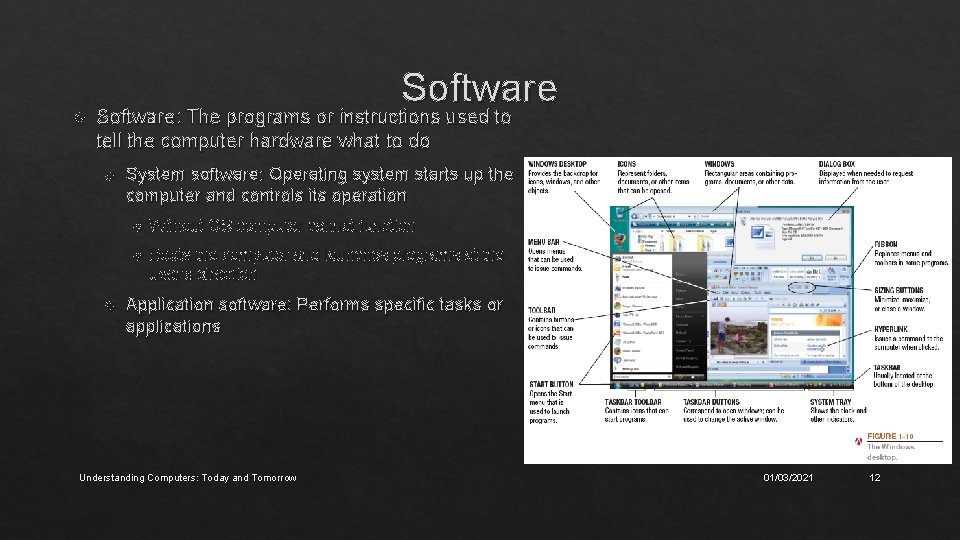
Software: The programs or instructions used to tell the computer hardware what to do System software: Operating system starts up the computer and controls its operation Without OS computer cannot function Boots the computer and launches programs at the user’s direction Application software: Performs specific tasks or applications Understanding Computers: Today and Tomorrow 01/03/2021 12
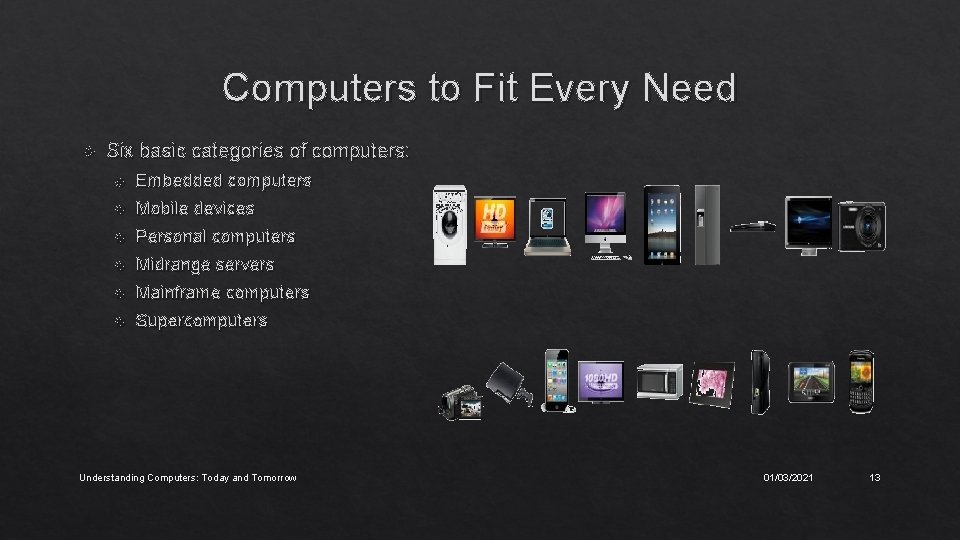
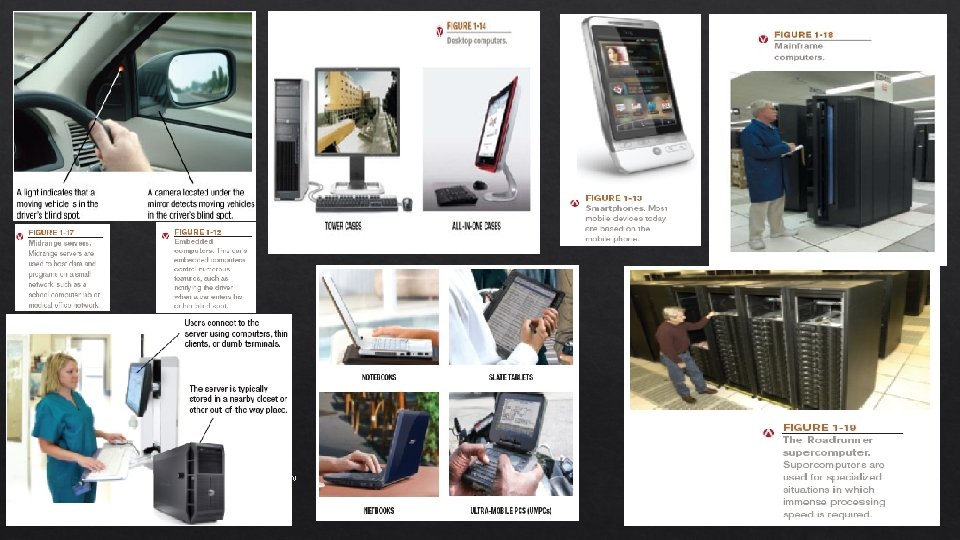
Computers to Fit Every Need Six basic categories of computers: Embedded computers Mobile devices Personal computers Midrange servers Mainframe computers Supercomputers Understanding Computers: Today and Tomorrow 01/03/2021 13
Computers to Fit Every Need Embedded computer Embedded into a product and designed to perform specific tasks or functions for that product Cannot be used as general-purpose computers Mobile device A very small device with some type of built-in computing or Internet capability Typically based on mobile phones Personal computer A small computer designed to be used by one person at a time Also called a microcomputer Understanding Computers: Today and Tomorrow 01/03/2021 14
Computers to Fit Every Need Notebook (laptop) computers Typically use clamshell design Tablet computers Netbooks Small notebooks; rapidly growing type of PC Ultra-mobile PCs (UMPCs) Can be slate tablets or convertible tablets Handheld computers Midrange server A medium-sized computer used to host programs and data for a small network Users connect via a network with a computer, thin client, or dumb terminal Understanding Computers: Today and Tomorrow 01/03/2021 15
Computers to Fit Every Need Mainframe computer Powerful computer used by several large organizations to manage large amounts of centralized data Standard choice for large organizations, hospitals, universities, large businesses, banks, government offices Also called high-end servers or enterprise-class servers Supercomputer Fastest, most expensive, most powerful type of computer Generally run one program at a time, as fast as possible Commonly built by connecting hundreds of smaller computers, supercomputing cluster Understanding Computers: Today and Tomorrow 01/03/2021 16
Understanding Computers: Today and Tomorrow 01/03/2021 17