
Introduction to Computer Science V 1 0 Topic

- Slides: 31
Introduction to Computer Science V 1. 0 Topic 6: Data Representation © NCC Education Limited
Data Representation Topic 6 - 6. 2 Scope and Coverage This topic will cover: • • Binary representation of data Hexadecimal representation of data ASCII representation of data Unicode representation of data Definitions of encryption and decryption Examples of encryption Definition of compression Compression of data © NCC Education Limited
Data Representation Topic 6 - 6. 3 Learning Objectives By the end of this topic, students will be able to: • • Describe how data is represented by binary Describe how data is represented by hexadecimal Describe how data is represented by ASCII Describe how data is represented by Unicode Explain how encryption can be used to represent data Identify examples of encryption Describe what is meant by compression Explain how compression can facilitate the storage and transmission of data © NCC Education Limited
Data Representation Topic 6 - 6. 4 Terminology • Terminology will be explained in the lectures and tutorials on computer systems and computer hardware • You should make notes • Ask questions if you there is anything that you don’t understand © NCC Education Limited
Data Representation Topic 6 - 6. 5 Data Representation in a Computer System • Data can be represented in a computer system in a variety of ways that include: • Binary • Hexadecimal • ASCII • Unicode • Encryption Let’s take a look at each type © NCC Education Limited
Data Representation Topic 6 - 6. 6 Binary Representation of Data - 1 • • • A binary digit or bit is the smallest unit of data and is represented by a 1 or 0 Computers operate in binary, perform calculations and store data using 1 s and 0 s Multiple binary digits can be used to store large numbers and perform complex functions The circuits in a CPU consist of billions of transistors, minute switches activated by electronic signals - 1 s and 0 s represent the on and off states of transistors on the CPU Software, data, documents and music are stored using binary © NCC Education Limited
Data Representation Topic 6 - 6. 7 Binary Representation of Data - 2 • Software and files might take up megabytes and gigabytes of data but data is still a collection of binary digits © NCC Education Limited
Data Representation Topic 6 - 6. 8 Hexadecimal Representation of Data • We have already seen that data is represented by binary • Hexadecimal (hex) code is used in computing to simplify binary representation as it is easier to write numbers as hex than binary • Computers do not use hexadecimal, it is translated into binary for a computer to use • Hex is a base 16 number system and a hex digit can be: • 0123456789 ABCDEF • Let’s look at the following table and that illustrates each hex digit and its equivalent values in binary and denary © NCC Education Limited
Data Representation Topic 6 - 6. 9 Hexadecimal Representation Hexadecimal 0 1 2 3 4 5 6 7 8 9 A B C D E F Binary 0000 0001 0010 0011 0100 0101 0110 0111 1000 1001 1010 1011 1100 1101 1110 1111 Denary 0 1 2 3 4 5 6 7 8 9 10 11 12 13 14 15 © NCC Education Limited
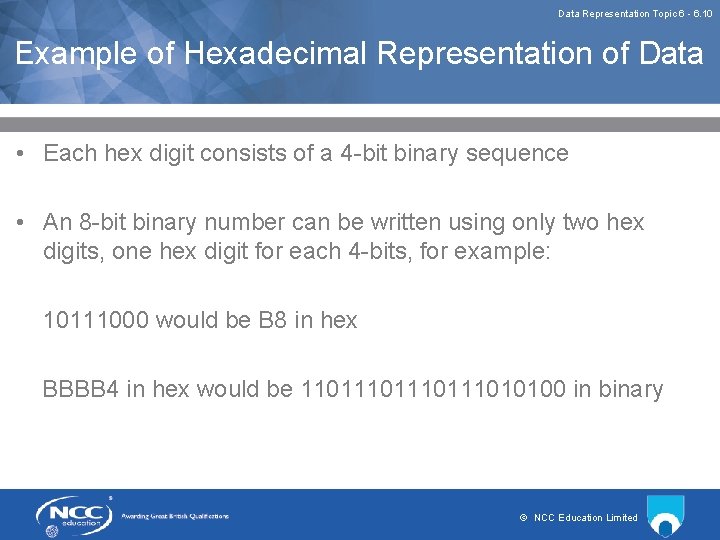
Data Representation Topic 6 - 6. 10 Example of Hexadecimal Representation of Data • Each hex digit consists of a 4 -bit binary sequence • An 8 -bit binary number can be written using only two hex digits, one hex digit for each 4 -bits, for example: 10111000 would be B 8 in hex BBBB 4 in hex would be 110111010100 in binary © NCC Education Limited
Data Representation Topic 6 - 6. 11 Other Uses of Hexadecimal • Hex is used for identifying errors on a computing - the hex number identifies the memory location of an error • Hex is used for representing colours on web pages and image-editing software © NCC Education Limited
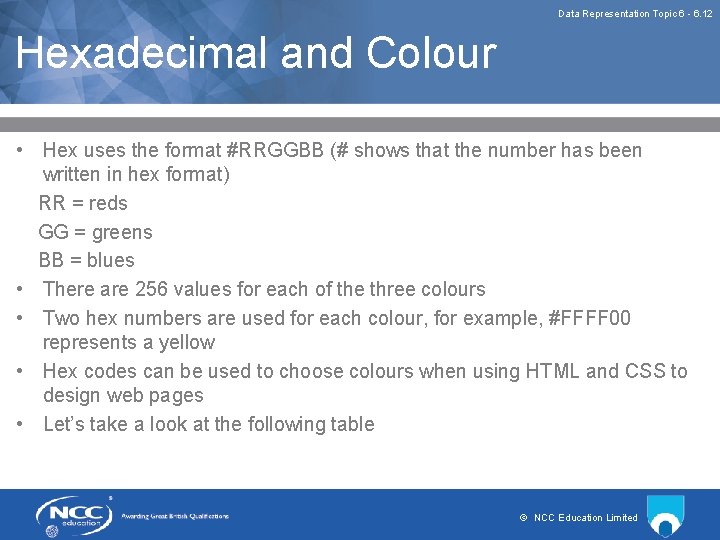
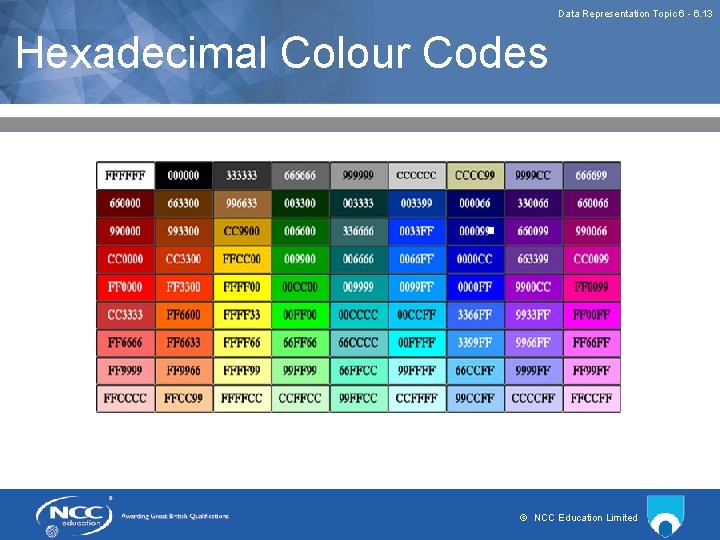
Data Representation Topic 6 - 6. 12 Hexadecimal and Colour • Hex uses the format #RRGGBB (# shows that the number has been written in hex format) RR = reds GG = greens BB = blues • There are 256 values for each of the three colours • Two hex numbers are used for each colour, for example, #FFFF 00 represents a yellow • Hex codes can be used to choose colours when using HTML and CSS to design web pages • Let’s take a look at the following table © NCC Education Limited
Data Representation Topic 6 - 6. 13 Hexadecimal Colour Codes © NCC Education Limited
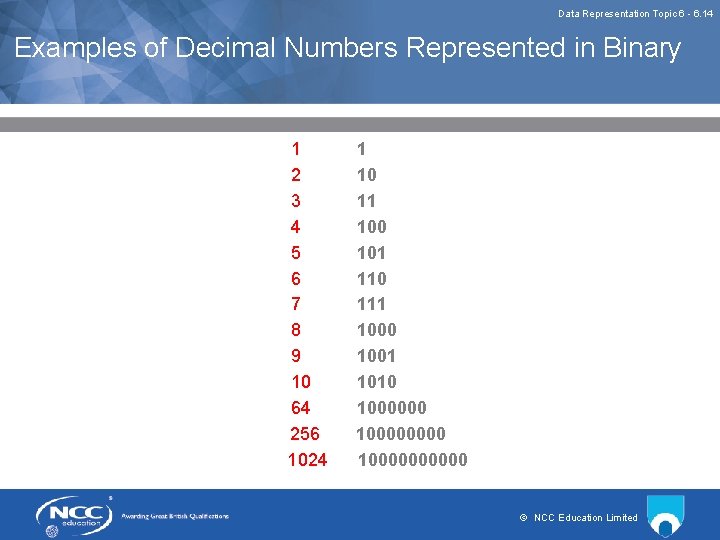
Data Representation Topic 6 - 6. 14 Examples of Decimal Numbers Represented in Binary 1 2 3 4 5 6 7 8 9 10 64 256 1024 1 10 11 100 101 110 111 1000 1001 1010 100000000 100000 © NCC Education Limited
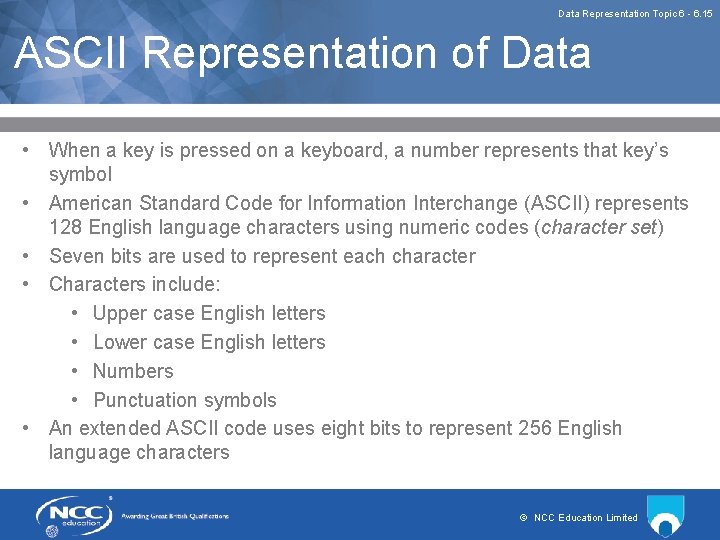
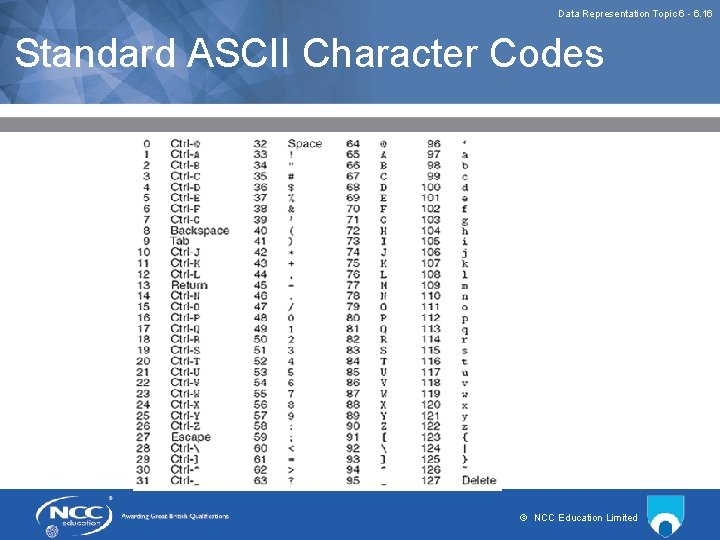
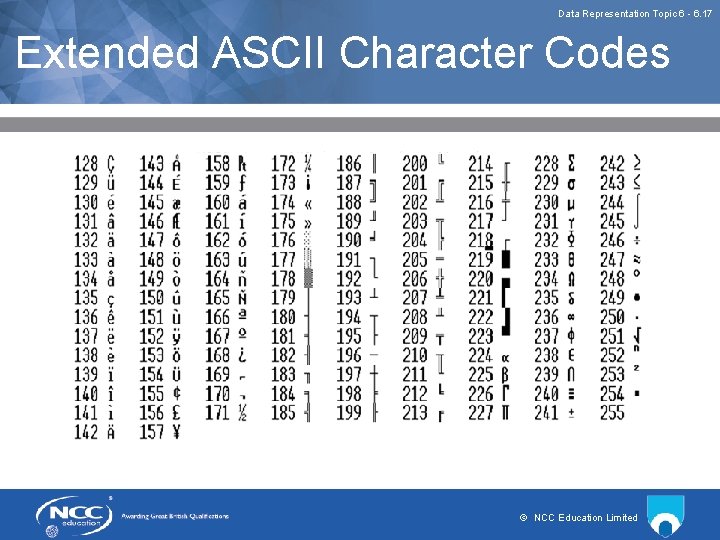
Data Representation Topic 6 - 6. 15 ASCII Representation of Data • When a key is pressed on a keyboard, a number represents that key’s symbol • American Standard Code for Information Interchange (ASCII) represents 128 English language characters using numeric codes (character set) • Seven bits are used to represent each character • Characters include: • Upper case English letters • Lower case English letters • Numbers • Punctuation symbols • An extended ASCII code uses eight bits to represent 256 English language characters © NCC Education Limited
Data Representation Topic 6 - 6. 16 Standard ASCII Character Codes © NCC Education Limited
Data Representation Topic 6 - 6. 17 Extended ASCII Character Codes © NCC Education Limited
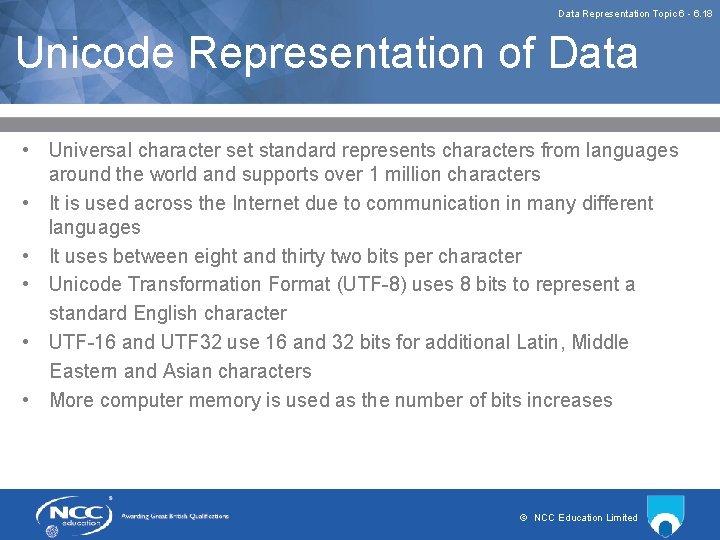
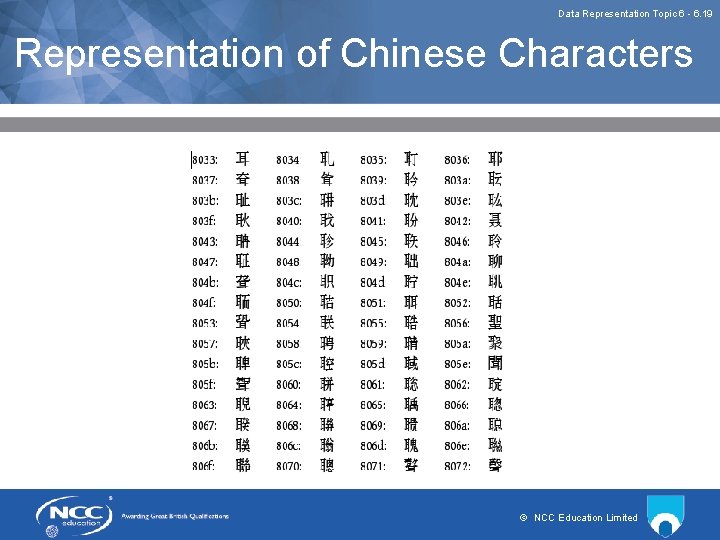
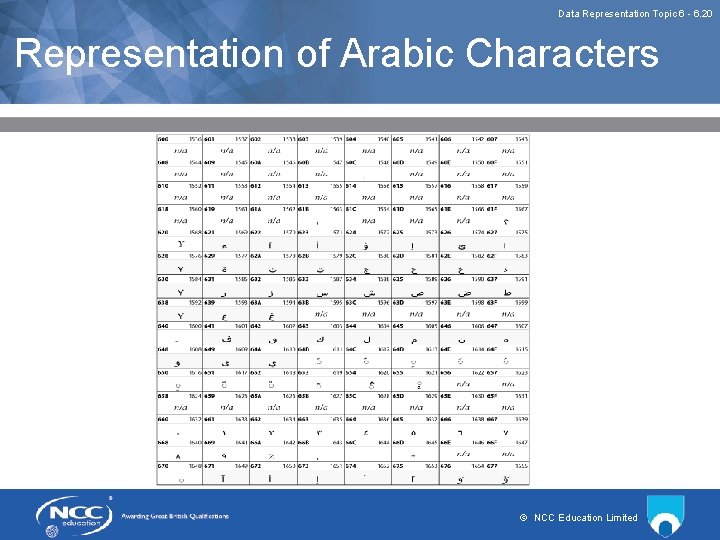
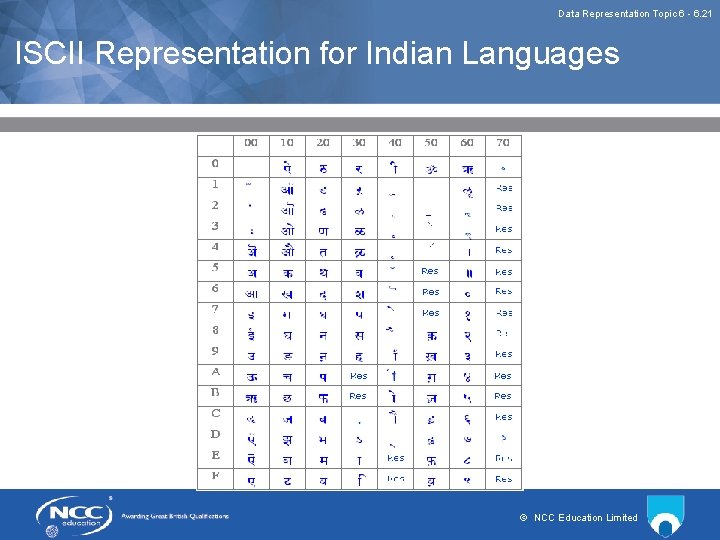
Data Representation Topic 6 - 6. 18 Unicode Representation of Data • Universal character set standard represents characters from languages around the world and supports over 1 million characters • It is used across the Internet due to communication in many different languages • It uses between eight and thirty two bits per character • Unicode Transformation Format (UTF-8) uses 8 bits to represent a standard English character • UTF-16 and UTF 32 use 16 and 32 bits for additional Latin, Middle Eastern and Asian characters • More computer memory is used as the number of bits increases © NCC Education Limited
Data Representation Topic 6 - 6. 19 Representation of Chinese Characters © NCC Education Limited
Data Representation Topic 6 - 6. 20 Representation of Arabic Characters © NCC Education Limited
Data Representation Topic 6 - 6. 21 ISCII Representation for Indian Languages © NCC Education Limited
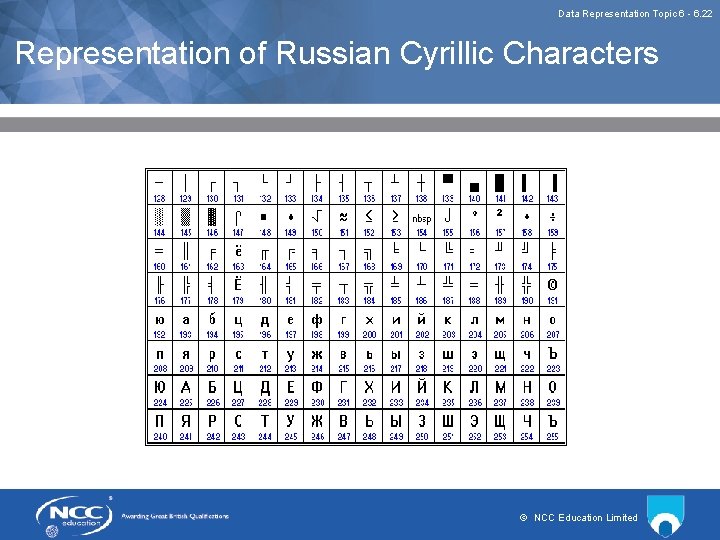
Data Representation Topic 6 - 6. 22 Representation of Russian Cyrillic Characters © NCC Education Limited
Data Representation Topic 6 - 6. 23 A Definition of Encryption and Decryption • • • Data can be encrypted, which means that it is converted into a form that cannot be read unless it is decoded or decrypted Most encryption methods rely on a key, which is a number or string of characters, used to encrypt, decrypt, or both Encryption can also ensure: • Authentication – which can confirm the origin of a message • Integrity – which can confirm that the contents of a message have not been changed since it was sent • Non-repudiation – which can confirm that the sender of a message cannot deny sending the message © NCC Education Limited
Data Representation Topic 6 - 6. 24 Uses of Encryption • • Encryption is used primarily for security purposes to protect data stored in computer systems or devices such as smartphones and when transmitting data Secure Wi-Fi networks ensure that data sent between a device and the wireless router are encrypted Many websites encrypt data transmissions using SSL, for example, any website URL that begins with https: // uses the HTTPS protocol, which encrypts all data sent between the web server and browser SFTP, a secure version of FTP, encrypts all data transfers © NCC Education Limited
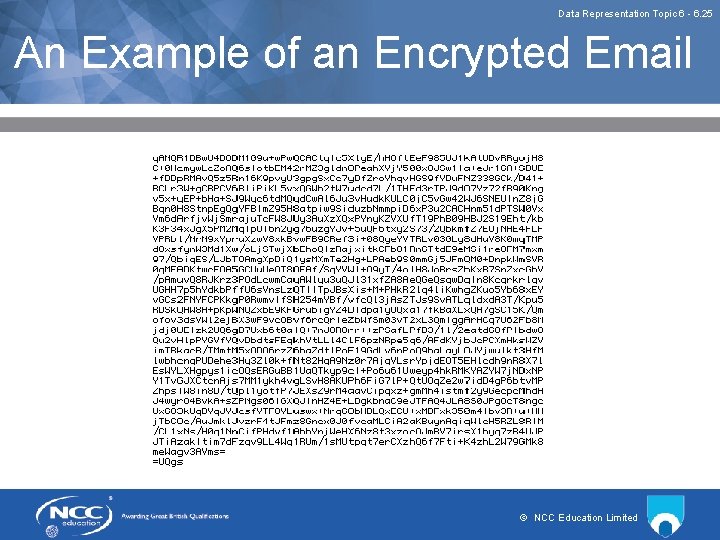
Data Representation Topic 6 - 6. 25 An Example of an Encrypted Email © NCC Education Limited
Data Representation Topic 6 - 6. 26 Data Compression • Compression reduces the size of data and media files so that a file takes up less space and can be transmitted quicker • There are two main types of data compression: • File Compression • Media Compression © NCC Education Limited
Data Representation Topic 6 - 6. 27 File Compression • File compression can be used to compress all types of data into a compressed archive, which must first be decompressed with a decompression utility in order to open the original file • File compression is performed using a lossless compression meaning no information is lost during the compression and a compressed archive can be restored to the original version when it is decompressed © NCC Education Limited
Data Representation Topic 6 - 6. 28 Media Compression • Media compression saves compressed images, audio and video files and most image viewers and media playback programs can open standard compressed file types directly • Some media is compressed using lossless compression, some image, audio, and video files are compressed using lossy compression, which means that some of the media's original quality is lost when the file is compressed © NCC Education Limited
Data Representation Topic 6 - 6. 29 Review of Lecture • In this lecture we have discussed: • • How data is represented by binary How data is represented by hexadecimal How data is represented by ASCII How data is represented by Unicode How encryption can be used to represent data What is meant by encryption What is meant by compression How compression can facilitate the storage and transmission of data © NCC Education Limited
Data Representation Topic 6 - 6. 30 References • Information Commissioner’s Guide to Encryption https: //ico. org. uk/for-organisations/guide-to-dataprotection/encryption/ © NCC Education Limited
Data Representation Topic 6 - 6. 31 Topic 6 – Data Representation Any Questions? V 1. 0 www. nccedu. com © NCC Education Limited