
Introduction to Computer Science Information Systems Lecture a
- Slides: 28
Introduction to Computer Science Information Systems Lecture a This material (Comp 4 Unit 8) was developed by Oregon Health & Science University, funded by the Department of Health and Human Services, Office of the National Coordinator for Health Information Technology under Award Number 90 WT 0001. This work is licensed under the Creative Commons Attribution-Non. Commercial-Share. Alike 4. 0 International License. To view a copy of this license, visit http: //creativecommons. org/licenses/by-nc-sa/4. 0/.
Information Systems Learning Objectives - 1 • Define information system, explain its purpose, and provide examples (Lecture a) • Describe the components of an information system (Lecture a) • Describe the process of information system development (Lecture b) 2
Information Systems Learning Objectives - 2 • Introduce specialized information systems (Lecture c) • Explain how information systems are used in health care (Lecture c) 3
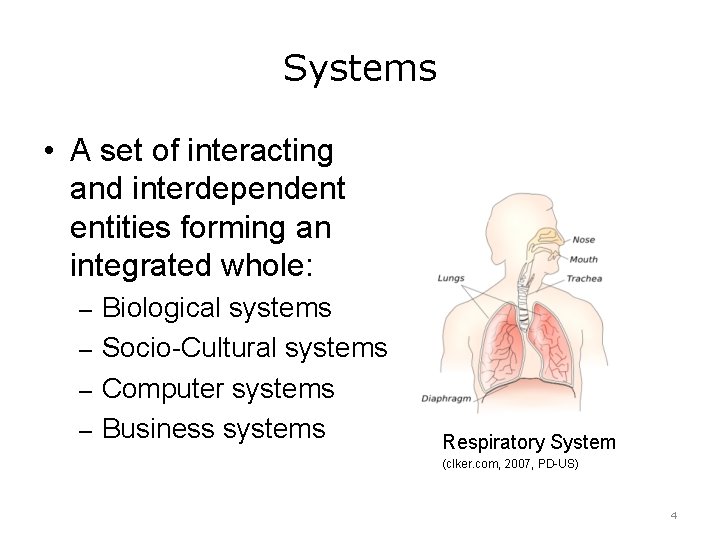
Systems • A set of interacting and interdependent entities forming an integrated whole: – Biological systems – Socio-Cultural systems – Computer systems – Business systems Respiratory System (clker. com, 2007, PD-US) 4
Information Systems • Set of • Work together for – People – Decision making – Procedures – Management – Hardware – Operational – Software activities – Data 5
Information Systems Tasks • Input – Data Entry • Processing – Data Manipulation • Output – Reports, Summaries, Other Documents • Feedback 6
Data • Raw values collected for some purpose – Number of hours worked – Weight – Medical record number • Multiple representations – Alpha-numeric – Images – Video (clker. com, 2007, PD-US) – Audio 7
Information and Knowledge • Information: Data that is organized – Relationships • Knowledge: Understanding relationships within the data 8
Characteristics of Useful Information • • Accessible Accurate Complete Relevant • Reliable • Timely • Verifiable 9
Goals of the Information System • Provide access to information and knowledge • Provide tools for management of processes and services • Enable communications and collaboration both inside and outside of the institution (clker. com, 2007, PD-US) 10
Information Systems Implementation • Manual – Paper, file based systems – Users record data – Experts provide analysis (clker. com, 2007, PD-US) • Computer based – Hardware, software, networks – Users record data (clker. com, 2009, PD-US) – Computer and experts analyze data 11
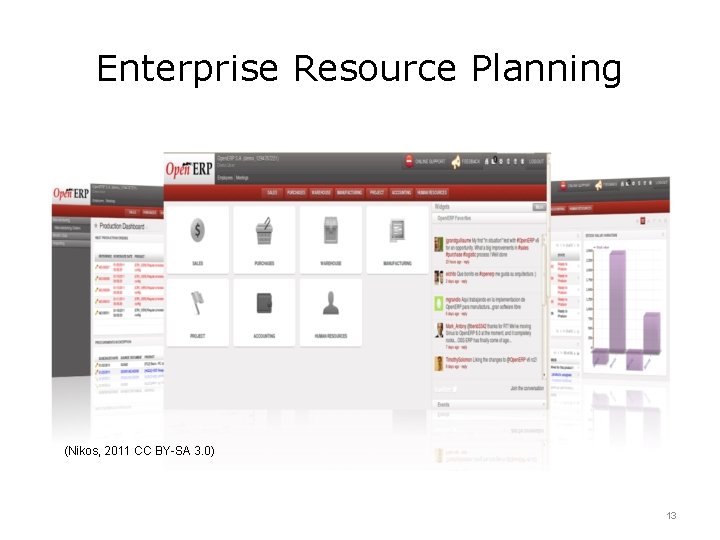
Business Information Systems • • Transaction processing systems Management information systems (MIS) Decision support systems Enterprise resource planning systems (ERP) 12
Enterprise Resource Planning (Nikos, 2011 CC BY-SA 3. 0) 13
Health Care Information Systems • Hospital/Clinic Business Information Systems • Laboratory Information Systems • Imaging Information Systems • Scheduling Systems • Clinical Decision Support Systems • Electronic Health Records Systems 14
Components of Information Systems • • • Hardware Software Databases Networks Processes People 15
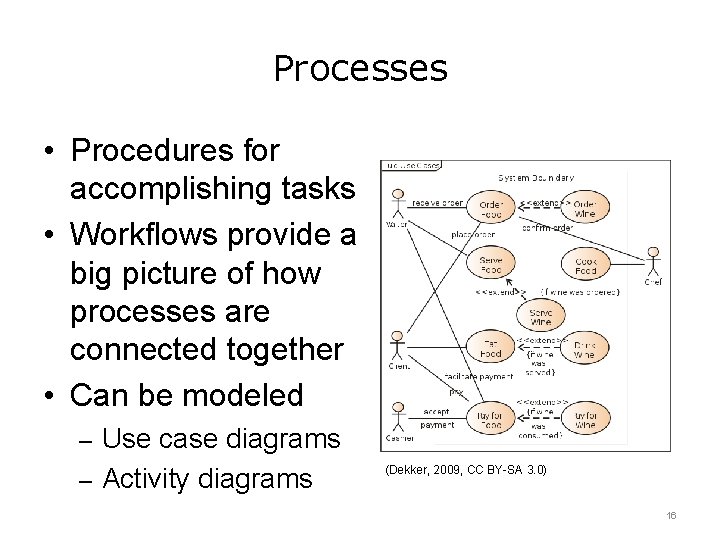
Processes • Procedures for accomplishing tasks • Workflows provide a big picture of how processes are connected together • Can be modeled – Use case diagrams – Activity diagrams (Dekker, 2009, CC BY-SA 3. 0) 16
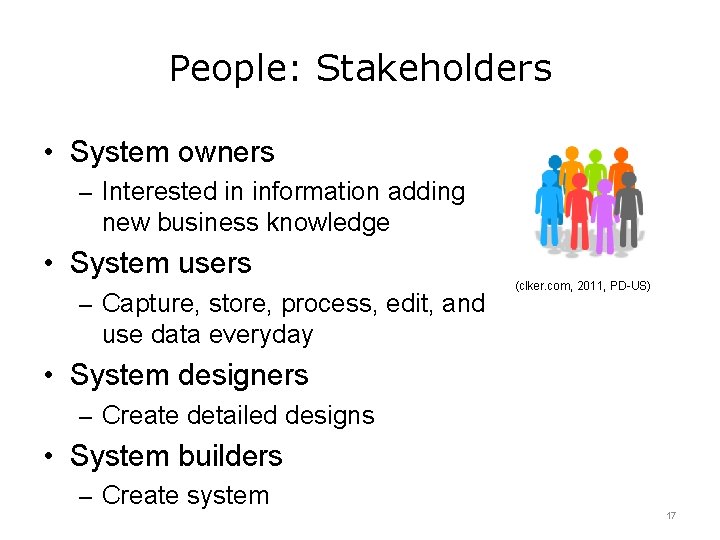
People: Stakeholders • System owners – Interested in information adding new business knowledge • System users – Capture, store, process, edit, and (clker. com, 2011, PD-US) use data everyday • System designers – Create detailed designs • System builders – Create system 17
System Owners • Usually from management • Interested in the bottom line – System cost – Value or benefits returned to the business 18
System Users • Majority of information workers • Not concerned with costs/benefits • Concerned with system functionality related to their jobs – Ease of learning – Ease of use – Get the job done 19
System Designers • • • Software designers/developers Database administrators Network architects Web architects Graphic artists Security experts 20
System Builders • • Applications programmers Systems programmers Database programmers System/Network administrators Security administrators Webmasters Systems integrators 21
Project Manager • Project teams require management • One or more stakeholders take on the role of a Project Manager (PM) – Ensures on-time development – Keeps project within budget – Maintains acceptable quality 22
Information Systems Summary - Lecture a • Information Systems are designed to support decision making, management, and operational activities • Information systems combine technology and people to process data and produce information • Stakeholders of an information system are owners, users, designers, and builders 23
Information Systems References – 1 – Lecture a References Activity Diagrams. (2011, Nov 17). Retrieved Nov 26, 2011, from Wikipedia: http: //en. wikipedia. org/wiki/Activity_diagram Evans, A. , Martin, K. , & Poatsey, M. (2010). Technology in Action: Complete (7 th ed. ). New York: Prentice Hall. Open. ERP. (2011, Nov 25). Retrieved Nov 26, 2011, from Open. ERP: http: //www. openerp. com Shelley, G. , & Rosenblatt, H. (2010). Systems Analysis and Design (8 th ed. ). Boston: Course Technology. Shelley, G. , & Vermaat, M. (2010). Discovering Computers 2011: Introductory. (1 st ed. ). Boston: Course Technology. Stair, R. , & Reynolds, G. (2010). Fundamentals of Information Systems (5 th ed. ). Boston: Course Technology. 24
Information Systems References – 2 – Lecture a References UML Activity Diagrams. (2011, Sep 5). Retrieved Nov 26, 2011, from UML Diagrams: http: //www. uml-diagrams. org/activity-diagrams. html Use Case Diagrams. (2011, Nov 25). Retrieved Nov 26, 2011, from Wikipedia: http: //en. wikipedia. org/wiki/Use_case_diagram Whitten, J. , & Bentley, L. (2007). Systems Analysis and Design Methods (7 th ed. ). Mc. Graw-Hill. Images Slide 4: Respiratory System Image [image on the Internet]. Public Domain. [Updated 11/18/2007; cited 11/20/2011]. Available from: http: //www. clker. com/clipart 12109. html. (PD-US). Slide 5: Info Button. Image [image on the Internet]. Public Domain. [Updated 9/20/2010; cited 11/20/2011]. Available from: http: //www. clker. com/clipart-blue-informationglossy-button. html. (PD-US). 25
Information Systems References – 3 – Lecture a Images Slide 7: Audio File Icon Image [image on the Internet]. Public Domain. [Updated 11/13/2007; cited 11/20/2011]. Available from: http: //www. clker. com/clipart 3701. html. (PD-US). Slide 8: Lightbulb Image [image on the Internet]. Public Domain. [Updated 11/18/2007; cited 11/20/2011]. Available from: http: //www. clker. com/clipart-12330. html. (PD-US). Slide 9: Teamwork icon Image [image on the Internet]. c 2007 [Updated 10/11/2007; cited 11/20/2011]. Available from: http: //wikimediafoundation. org/wiki/File: Crystal_Clear_teamwork. png. (GNU-GPL). Slide 10: Paper and Pencil Image [image on the Internet]. Public Domain. [Updated 11/13/2007; cited 11/20/2011]. Available from: http: //www. clker. com/clipart 1853. html. (PD-US). Slide 11: Pencil Image [image on the Internet]. Public Domain. [Updated 11/13/2007; cited 11/20/2011]. Available from: http: //www. clker. com/clipart-1853. html. (PD-US). Slide 11: Computer Image [image on the Internet]. Public Domain. [Updated 4/27/2009; cited 11/20/2011]. Available from: http: //www. clker. com/clipart-26904. html. (PD-US). 26
Information Systems References – 4 – Lecture a Images Slide 13: Open. ERP Screenshot Image [image on the Internet]. Nikos (c 2011). [Updated 6/9/2011; cited 11/20/2011]. Available from: http: //en. wikipedia. org/wiki/File: Open. ERP_V 6. png. (CC BY-SA 3. 0). Slide 16: Use Case Diagram Image [image on the Internet]. c 2002 [Updated 9/23/2009; cited 11/26/2011]. Available from: http: //en. wikipedia. org/wiki/File: Use_case_restaurant_model. svg. (CC BY-SA 3. 0). Slide 17: People Image [image on the Internet]. Public Domain. [Updated 1/6/2011; cited 11/26/2011]. Available from: http: //www. clker. com/clipart-population. html. (PD-US). 27
Introduction to Computer Science Information Systems Lecture a This material was developed by Oregon Health & Science University, funded by the Department of Health and Human Services, Office of the National Coordinator for Health Information Technology under Award Number 90 WT 0001. 28