
Introduction to Computer Science Computer Hardware Lecture a
- Slides: 46
Introduction to Computer Science Computer Hardware Lecture a This material (Comp 4 Unit 2) was developed by Oregon Health & Science University, funded by the Department of Health and Human Services, Office of the National Coordinator for Health Information Technology under Award Number 90 WT 0001. This work is licensed under the Creative Commons Attribution-Non. Commercial-Share. Alike 4. 0 International License. To view a copy of this license, visit http: //creativecommons. org/licenses/by-nc-sa/4. 0/.
Computer Hardware Learning Objectives - 1 • Describe the major components of a computer system (Lectures a, b) • Provide examples of input and output devices used in health care (Lecture a) • Discuss primary and secondary storage devices (Lecture b) • Introduce binary notation and describe data representation, storage, and manipulation in binary format (Lecture b) 2
Computer Hardware Learning Objectives - 2 • Introduce data types and explain how different data types are stored and addressed (Lecture c) • Describe the functionality of the central processing unit (CPU) (Lecture c) • Provide examples of CPUs designed for health care applications (Lecture c) 3
What is a Computer? • Programmable electronic device that can automatically perform a sequence of arithmetic and logical operations • Accepts data (input), stores and processes it, and generates results (output) • Consists of – Hardware: Physical components – Software: Set of instructions to perform specific operations 4
Computer Hardware Components • System components – Motherboard o Ports o Buses – Central Processing Unit (CPU) • Peripheral devices – Input and output devices • Storage devices 5
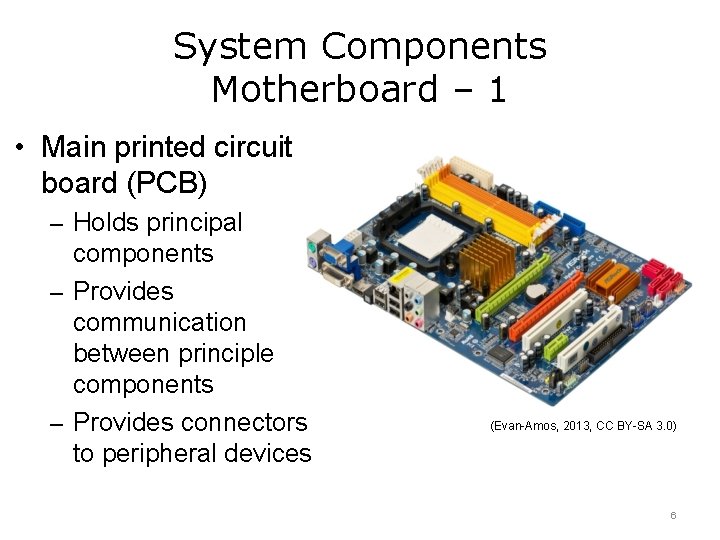
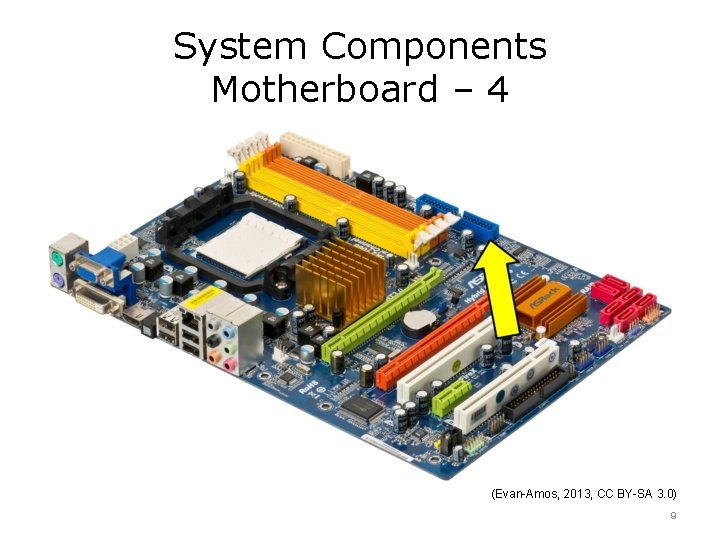
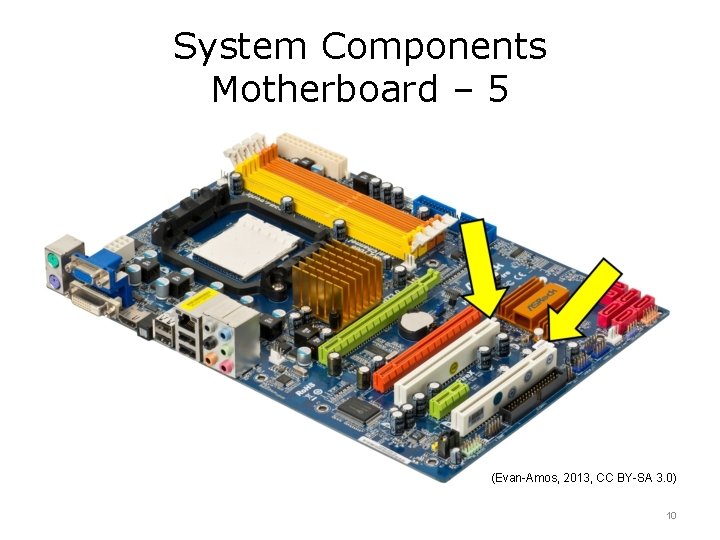
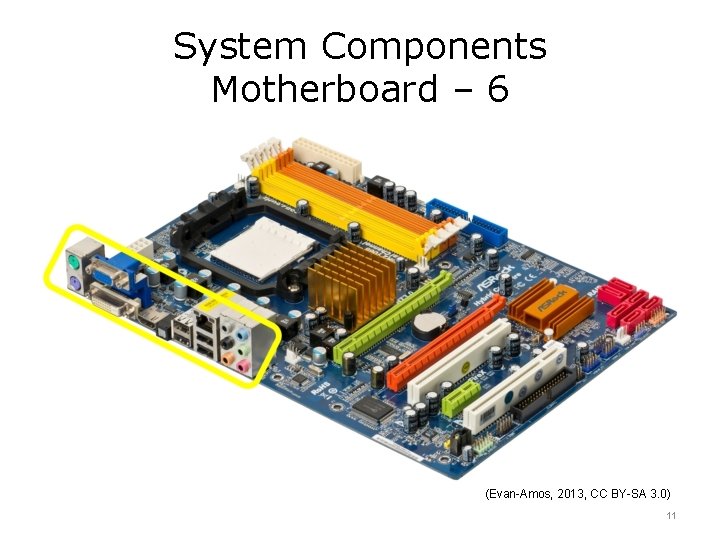
System Components Motherboard – 1 • Main printed circuit board (PCB) – Holds principal components – Provides communication between principle components – Provides connectors to peripheral devices (Evan-Amos, 2013, CC BY-SA 3. 0) 6
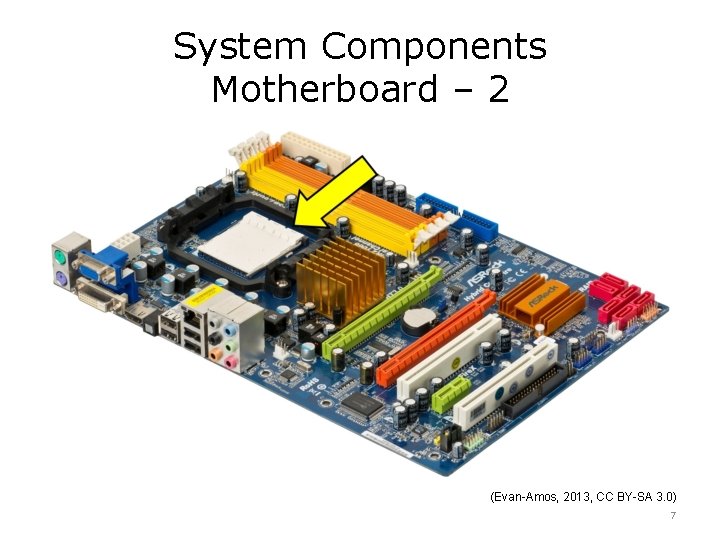
System Components Motherboard – 2 (Evan-Amos, 2013, CC BY-SA 3. 0) 7
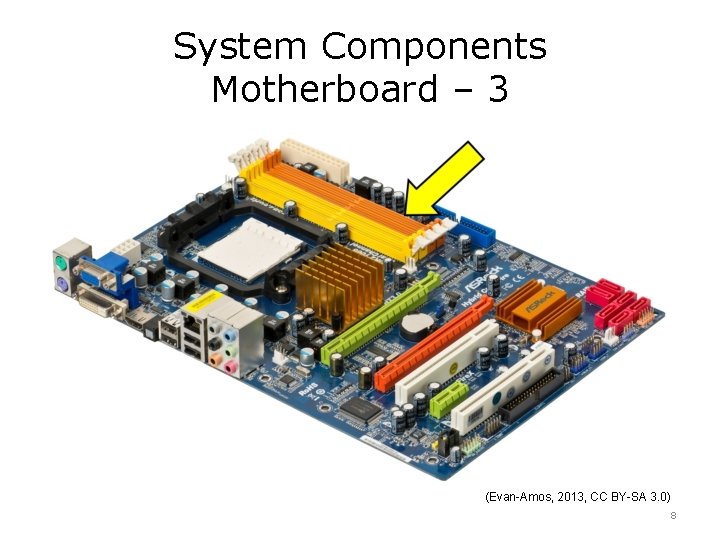
System Components Motherboard – 3 (Evan-Amos, 2013, CC BY-SA 3. 0) 8
System Components Motherboard – 4 (Evan-Amos, 2013, CC BY-SA 3. 0) 9
System Components Motherboard – 5 (Evan-Amos, 2013, CC BY-SA 3. 0) 10
System Components Motherboard – 6 (Evan-Amos, 2013, CC BY-SA 3. 0) 11
Standards Support Functionality • Standards are needed for interoperability between hardware manufactured by various vendors • International Telecommunication Union (ITU) and Institute of Electrical and Electronics Engineers (IEEE) provide standards to which hardware manufacturers comply 12
Standards Support Interoperability • Without standards, interoperability suffers • Incompatible standards – Rockwell’s K 56 flex standard – U. S. Robotics’ x 2 standard • ITU intervened and together created V. 90 standard 13
Computer Hardware Components Buses • System components – Motherboard o Ports o Buses – Central Processing Unit (CPU) • Peripheral devices – Input and output devices • Storage devices 14
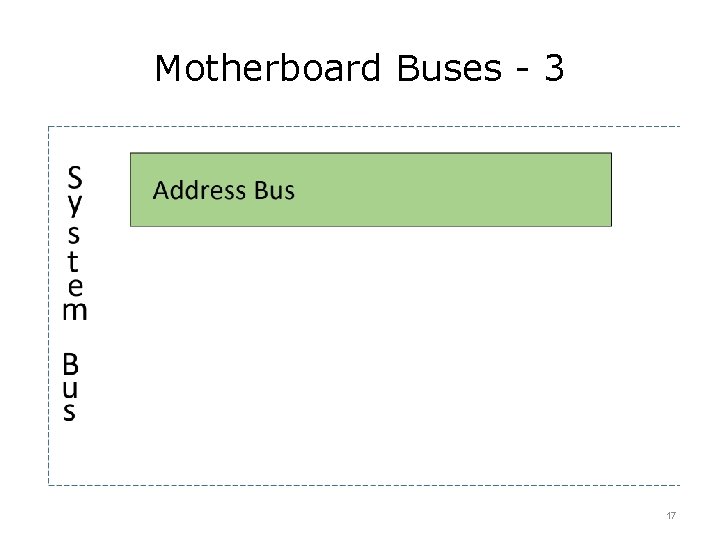
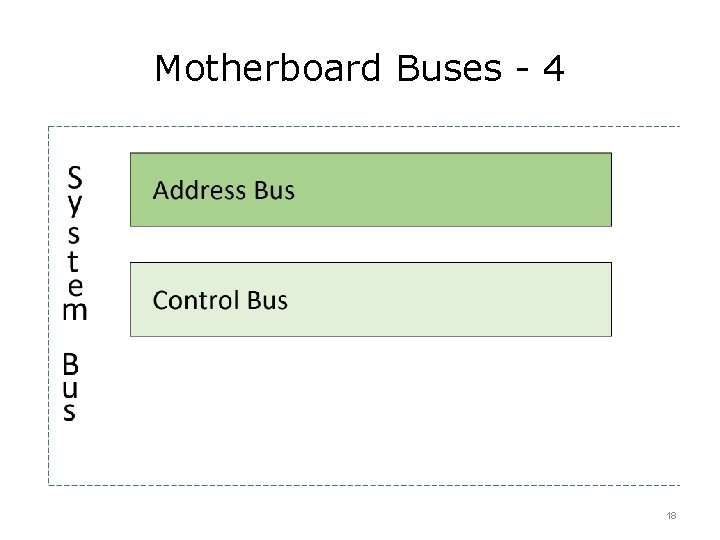
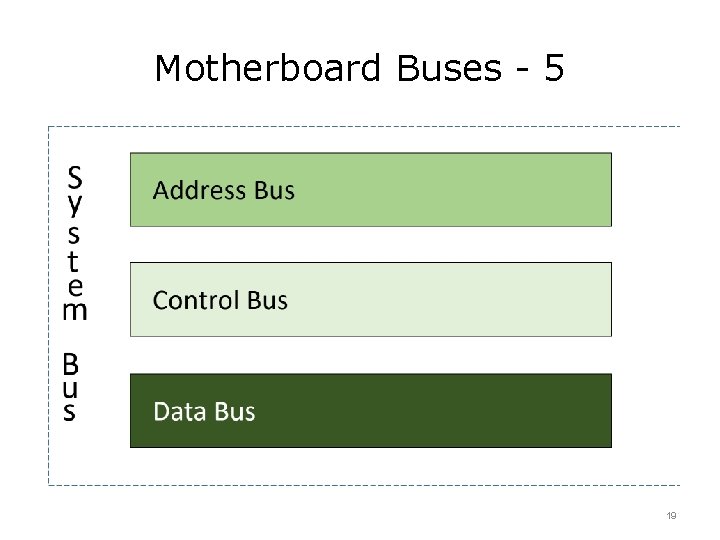
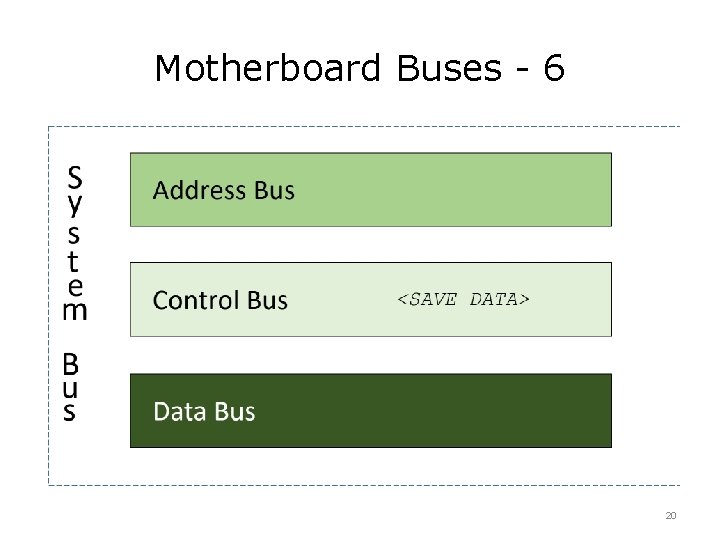
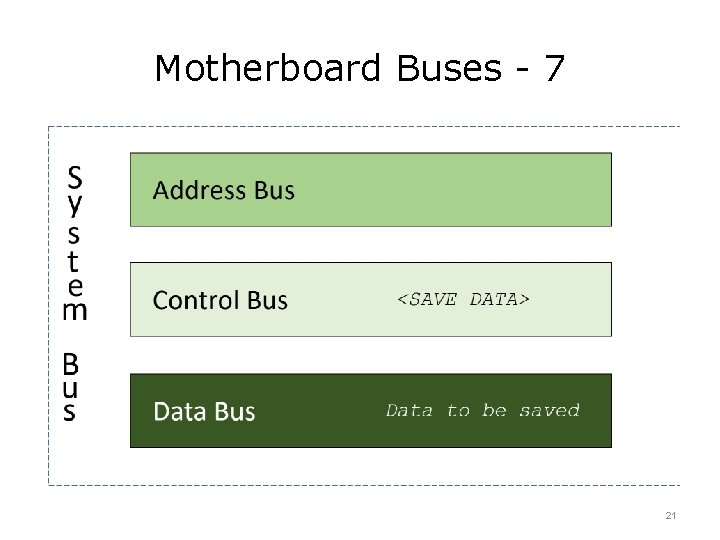
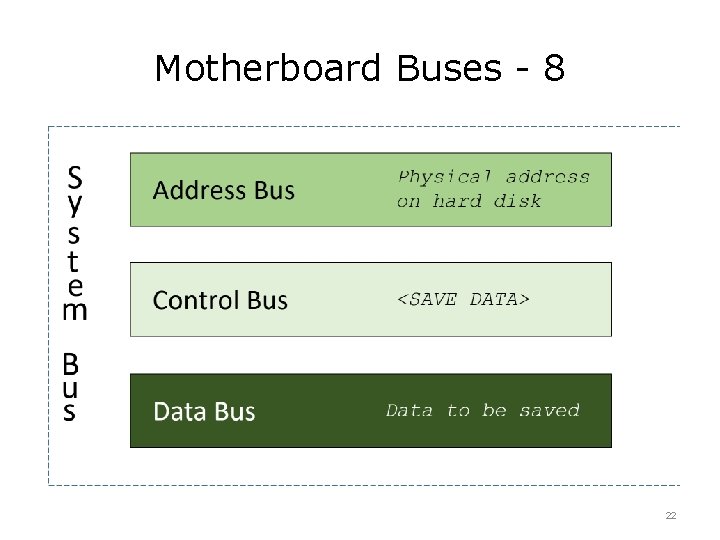
Motherboard Buses - 1 • Wiring imprinted or affixed to a motherboard that connect motherboard devices • Provides communication between the motherboard and devices connected to it 15
Motherboard Buses - 2 16
Motherboard Buses - 3 17
Motherboard Buses - 4 18
Motherboard Buses - 5 19
Motherboard Buses - 6 20
Motherboard Buses - 7 21
Motherboard Buses - 8 22
Computer Hardware Components CPU • System components – Motherboard o Ports o Buses – Central Processing Unit (CPU) • Peripheral devices – Input and output devices • Storage devices 23
System Components – CPU • Interprets and executes instructions • Computer’s “brain” responsible for all operations • Has its own memory which serves as a “work area” • Multi-core processor has two or more processing units that act independently • Modern computers can have multiple processors 24
Computer Hardware Components – Peripheral Devices • System components – Motherboard o Ports o Buses – Central Processing Unit (CPU) • Peripheral devices – Input and output devices • Storage devices 25
Peripheral Devices • Hardware that connects to computer but is not part of its essential architecture 26
Peripheral Devices – Input Devices • Transform external information for computer processing 27
Input Devices - 1 • Keyboard – Key strokes are interpreted by software into some type of symbol or symbols – Example - capital letter “A” Sent electronically in binary code to motherboard as “ 01000001” o Output on monitor in alphabetic format o • Mouse – Selects and moves items on the screen 28
Input Devices - 2 • Microphone converts acoustic signal into digital • Touchpad – Surface is pressure-sensitive – Translates finger movement into pointer movement • Other devices – Game joysticks – Fingerprint readers – Cameras – Bar code readers 29
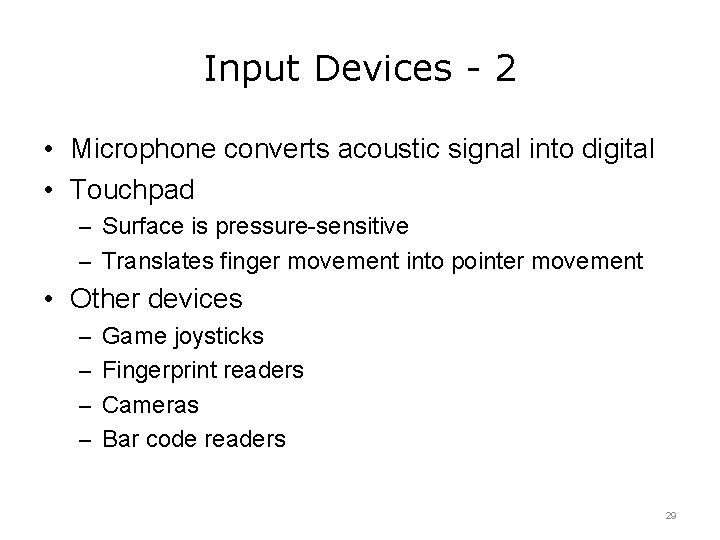
Input Devices - 3 • Computerized Tomography (CT) “… a diagnostic procedure that uses special X-ray equipment to obtain cross-sectional pictures of the body. ” (Glitzy queen 00, 2007, public domain) (California Radiology, Inc. ) 30
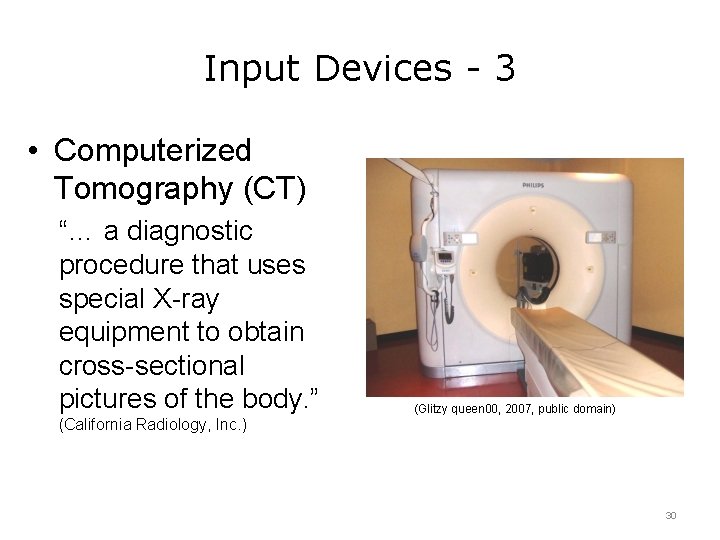
Input Devices - 4 • Positron Emission Tomography (PET) Scans – “…a nuclear medicine imaging technique which produces a three-dimensional image or picture of functional processes in the body. ” (Då. nu, 2016, CC BY-SA 4. 0) 31
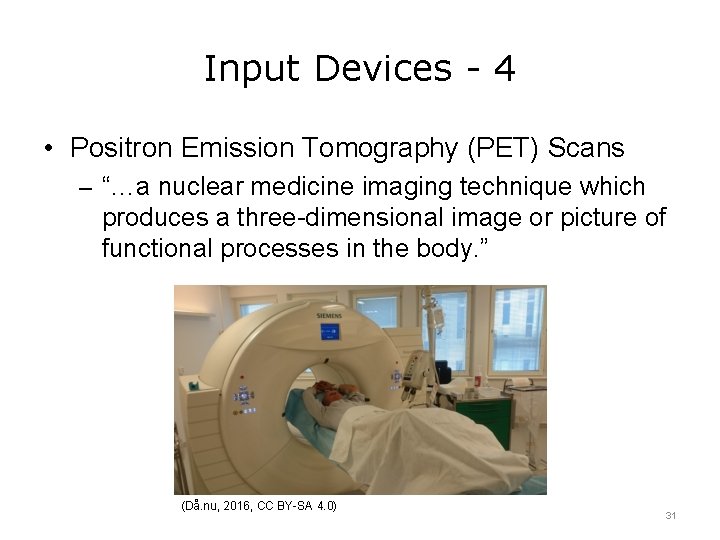
Input Devices - 5 • Ultrasonography – Sound waves are used to produce an image. The echoes are received as input from a sonographic probe and translated into pixels. (Kitmondo Marketplace, 2013, CC BY 2. 0) 32
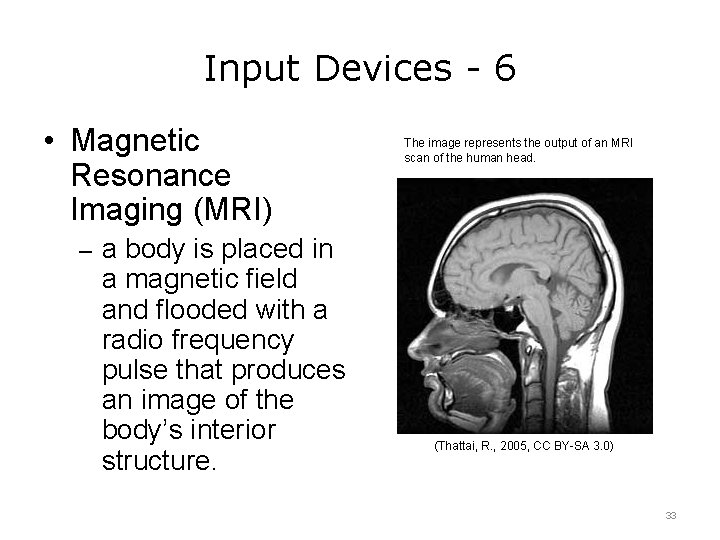
Input Devices - 6 • Magnetic Resonance Imaging (MRI) The image represents the output of an MRI scan of the human head. – a body is placed in a magnetic field and flooded with a radio frequency pulse that produces an image of the body’s interior structure. (Thattai, R. , 2005, CC BY-SA 3. 0) 33
Peripheral Components – Output Devices • Communicate results of the data processing in a form comprehensible to humans: – Monitor – Printer – Projector – Speakers 34
Output Devices - 1 • Monitor – Display that can show computer input and output on screen • Printer – Produces a paper copy based on an electronic document – Connects via USB, parallel, or other port • Speakers – Acoustic device that converts electrical impulses generated by computer into sound 35
Output Devices - 2 • Voice synthesizer – Produces sound based on text input – Physicist Stephen Hawking’s synthesized “voice” is known throughout the world although he lost his ability to speak in 1985 • Other devices – Projectors – Scanners – Fax machines 36
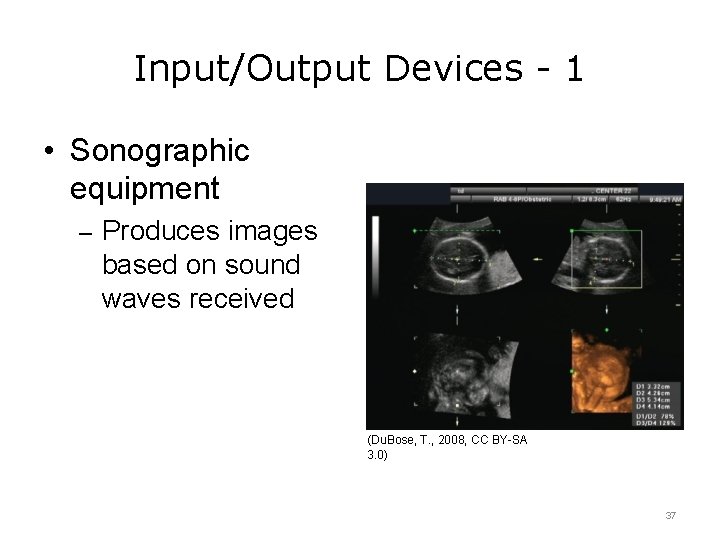
Input/Output Devices - 1 • Sonographic equipment – Produces images based on sound waves received (Du. Bose, T. , 2008, CC BY-SA 3. 0) 37
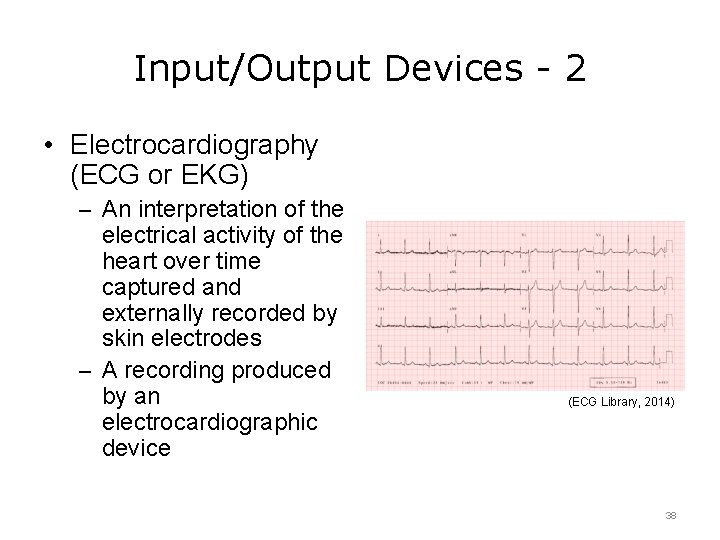
Input/Output Devices - 2 • Electrocardiography (ECG or EKG) – An interpretation of the electrical activity of the heart over time captured and externally recorded by skin electrodes – A recording produced by an electrocardiographic device (ECG Library, 2014) 38
Other Peripheral Devices • Some combine input and output functionality into a single hardware component • Some standalone hardware can be used as computer devices: – Digital cameras – Cell phones – Tablets – Handheld equipment 39
Device Connectivity • Connect to the computer via – Ports – Wirelessly • Devices communicate by sending/receiving electronic signals 40
Computer Hardware Summary – 1 – Lecture a • Major computer components including the motherboard, CPU, I/O devices, memory, and storage devices • Peripheral devices are hardware that connects to computer but is not part of its core architecture; they connect to the computer via ports or wirelessly 41
Computer Hardware Summary – 2 – Lecture a • Input devices include the keyboard, mouse, and microphones • Medical input devices include CT scanner, PET scanner, ultrasound probes, and MRI scanners • Output devices include monitors, printers, and speakers • Medical output devices include sonographic image producers, EKG systems, and voice synthesizers 42
Computer Hardware References – 1 – Lecture a References Slide 30: Radiology, C. (n. d. ). CT (Computed Tomography). Retrieved August 14, 2016, from http: //www. californiaradiology. com/uncategorized/ct-computed-tomography/. Slide 31: Positron Emission Tomography. (n. d. ). Retrieved August 14, 2016, from https: //en. wikipedia. org/wiki/Positron_emission_tomography. Images Slide 6 -11: E. (2013, August 29). File: A 790 GXH-128 M-Motherboard. jpg [A A 70 GXH 128 M motherboard, made by ASRock. This motherboard supports AMD AM 2 /AM 2 socket processors and includes AMD Radeon HD 3300 integrated graphics. It contains a variety of inputs such as SATA, PCI Express 2. 0 x 16, PCI Express 2. 0 x 1 and PCI slots. ]. Retrieved August 17, 2016, from https: //commons. wikimedia. org/wiki/File: A 790 GXH-128 M-Motherboard. jpg. This file is licensed under the Creative Commons Attribution-Share. Alike 3. 0 Unported License. Slide 30: A Philips 64 slice 'Brilliance' Scanner. Glitzy queen 00. (2007, May 4). Retrieved from https: //commons. wikimedia. org/wiki/File: 64_slice_scanner. JPG. Public domain image. 43
Computer Hardware References – 2 – Lecture a Images Slide 31: PET/CT-scanner at Karolinska University Hospital Huddinge, Sweden. Då. nu. (2016, February 22). Retrieved February 13, 2017 from https: //commons. wikimedia. org/wiki/File: PET_CT_scanner. JPG. This file is licensed under the Creative Commons Attribution-Share. Alike 4. 0 International License. Slide 32: Aloka SSD 3500 ultrasound machine. Kitmondo Marketplace. (2013, November 11). Retrieved August 14, 2016, from https: //commons. wikimedia. org/wiki/File: ALOKA_SSD-3500 SV. jpg. This file is licensed under the Creative Commons Attribution 2. 0 Generic License. Slide 33: Magnetic Resonance Imaging scan of a head. Thattai, R. (2005, March 4). Retrieved February 13, 2017 from https: //commons. wikimedia. org/wiki/File: MRI_head_side. jpg. This file is licensed under the Creative Commons Attribution-Share Alike 3. 0 Unported License. 44
Computer Hardware References – 3 – Lecture a Images Slide 37: Orthogonal planes of a 3 dimensional sonographic volume with transverse and coronal measurements for estimating fetal cranial volume [image on the Internet]. Du. Bose, T. (2008, September 27). Retrieved from: https: //en. wikipedia. org/wiki/File: Head-3 D. jpg. This file is licensed under the Creative Commons Attribution-Share Alike 3. 0 Unported License. Slide 38: Normal adult 12 -lead ECG. Jenkins, D. , & Gerred, S. (2014). ECG Library. Retrieved February 13, 2017 from http: //www. ecglibrary. com/norm. php. This image may be used for any non-commercial purpose with attribution. 45
Introduction to Information and Computer Science Computer Hardware Lecture a This material was developed by Oregon Health & Science University, funded by the Department of Health and Human Services, Office of the National Coordinator for Health Information Technology under Award Number 90 WT 0001. 46