
Introduction to Computer Organization Recommended Text Logic and
- Slides: 26
Introduction to Computer Organization
Recommended Text Logic and Computer Design Fundamentals by Mano & Kime Published by Prentice Hall International , 2008. ISBN : 0 -13 -031486 -2 http: //www. prenhall. com/mano/
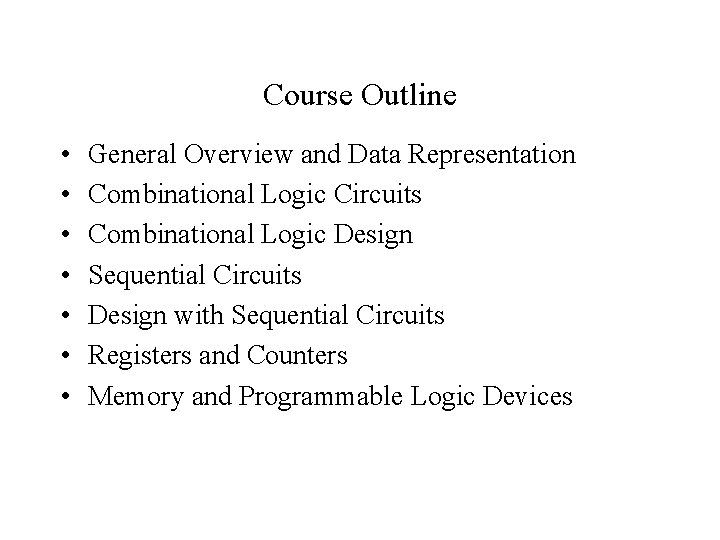
Course Outline • • General Overview and Data Representation Combinational Logic Circuits Combinational Logic Design Sequential Circuits Design with Sequential Circuits Registers and Counters Memory and Programmable Logic Devices
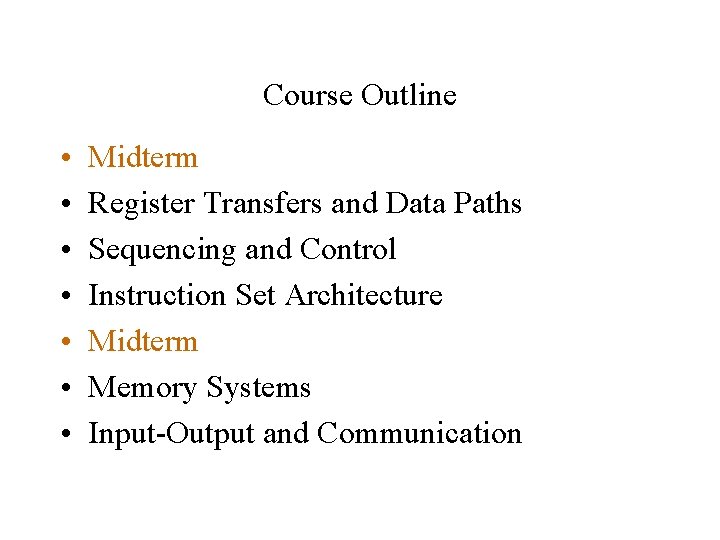
Course Outline • • Midterm Register Transfers and Data Paths Sequencing and Control Instruction Set Architecture Midterm Memory Systems Input-Output and Communication
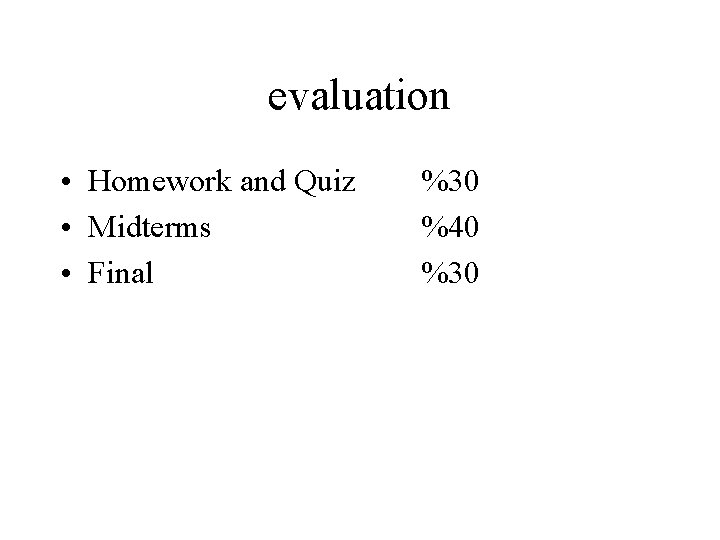
evaluation • Homework and Quiz • Midterms • Final %30 %40 %30
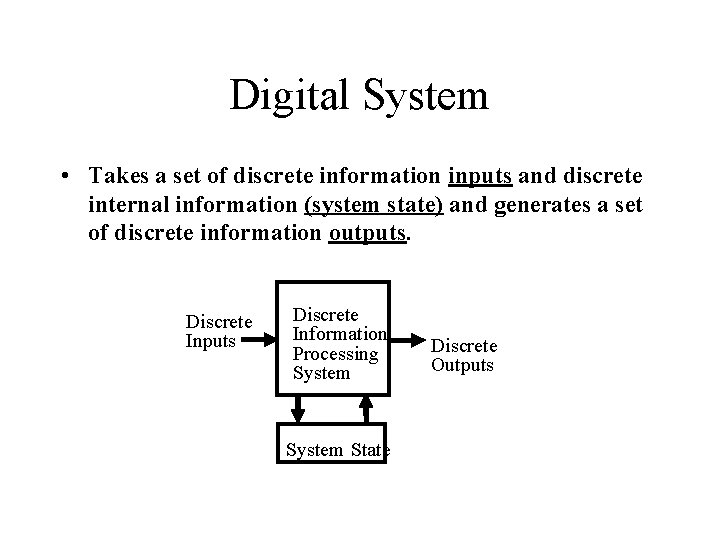
Digital System • Takes a set of discrete information inputs and discrete internal information (system state) and generates a set of discrete information outputs. Discrete Inputs Discrete Information Processing System State Discrete Outputs
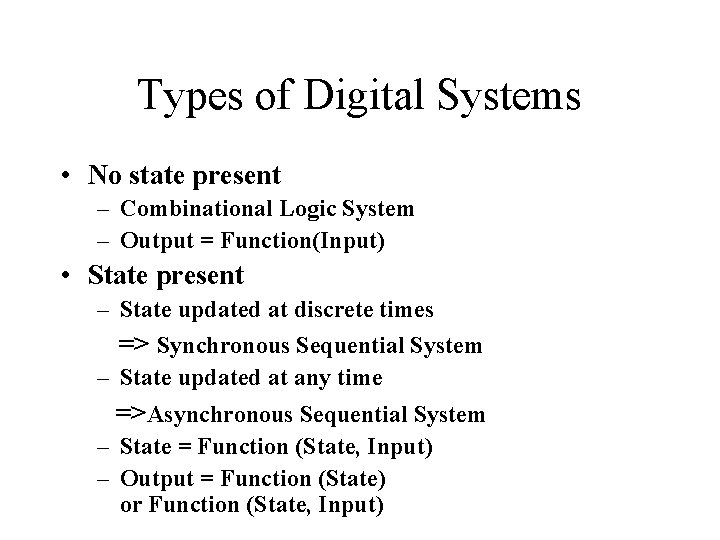
Types of Digital Systems • No state present – Combinational Logic System – Output = Function(Input) • State present – State updated at discrete times => Synchronous Sequential System – State updated at any time =>Asynchronous Sequential System – State = Function (State, Input) – Output = Function (State) or Function (State, Input)
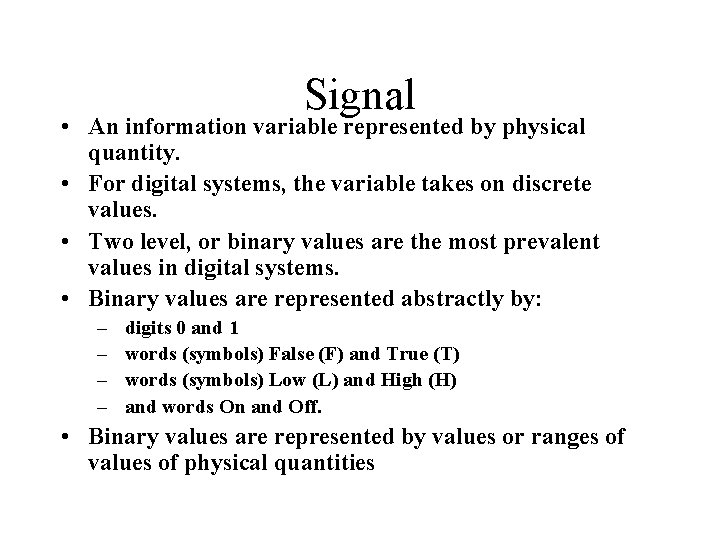
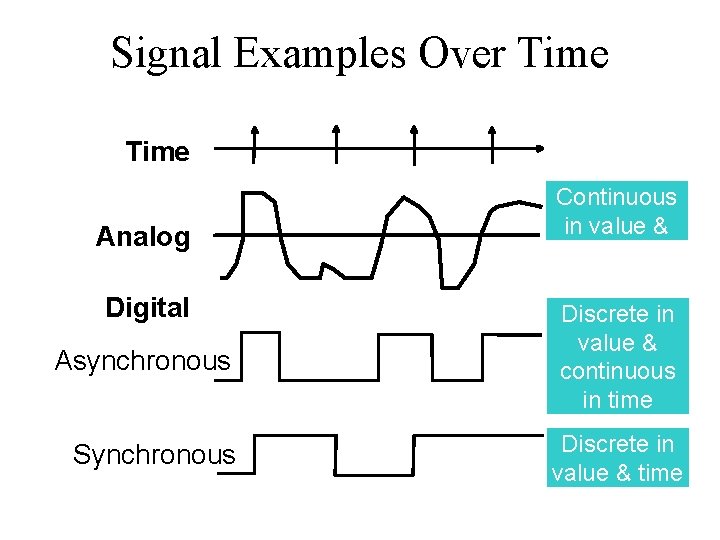
Signal • An information variable represented by physical quantity. • For digital systems, the variable takes on discrete values. • Two level, or binary values are the most prevalent values in digital systems. • Binary values are represented abstractly by: – – digits 0 and 1 words (symbols) False (F) and True (T) words (symbols) Low (L) and High (H) and words On and Off. • Binary values are represented by values or ranges of values of physical quantities
Signal Examples Over Time Analog Digital Asynchronous Synchronous Continuous in value & time Discrete in value & continuous in time Discrete in value & time
Signal Example – Physical Quantity: Voltage Threshold Region
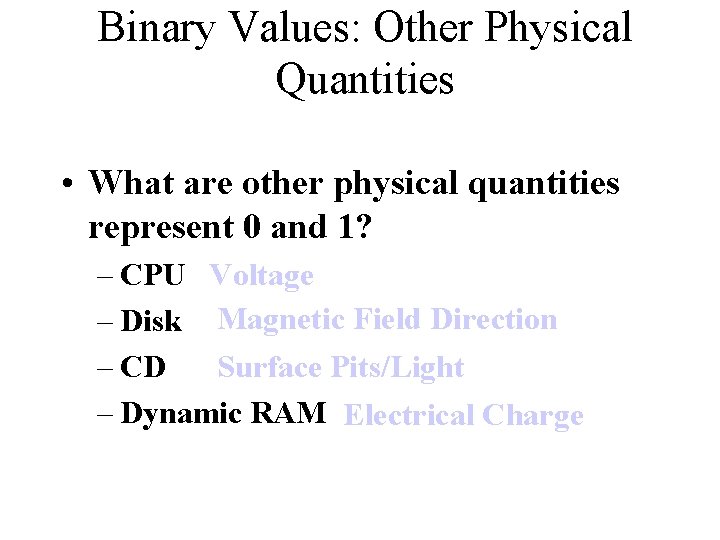
Binary Values: Other Physical Quantities • What are other physical quantities represent 0 and 1? – CPU Voltage – Disk Magnetic Field Direction Surface Pits/Light – CD – Dynamic RAM Electrical Charge
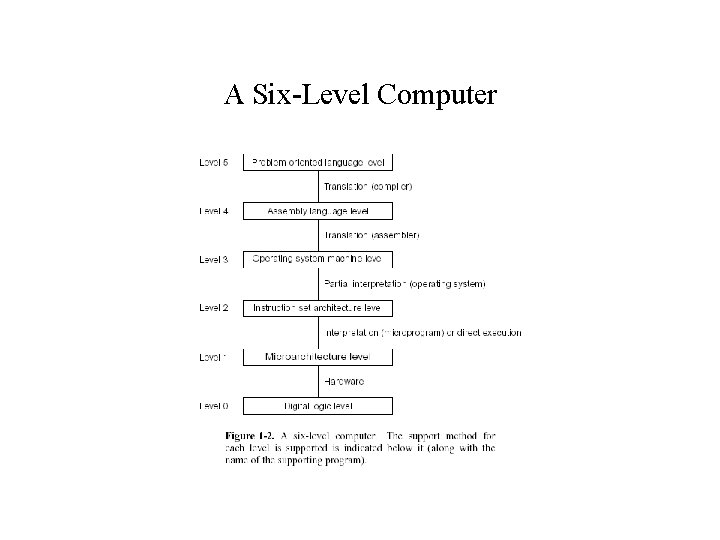
A Six-Level Computer
Structured Computer Organization • A digital computer is a machine that can solve problems by carrying out instructions given to it. • Sequence of instructions = program. • The electronic circuits of each computer can recognize and directly execute a limited set of simple instructions into which all its programs must be converted before they can be executed. • These instructions are rarely more complicated then : – Add 2 numbers ; – Check a number to see if it’s zero ; – Copy a piece of data from one part of the computer’s memory to another.
Machine Language • A computer’s primitive instructions form a language in which it is possible to communicate with the computer • This language is called a machine language. • Each computer has a machine language. • Usually the set of instructions is consistent with the intended use and the expected performance of the computer. • Aim is to reduce the cost and the complexity of the electronics needed in a computer. • Because most machine languages are simple, it is difficult and tedious for people to use them.
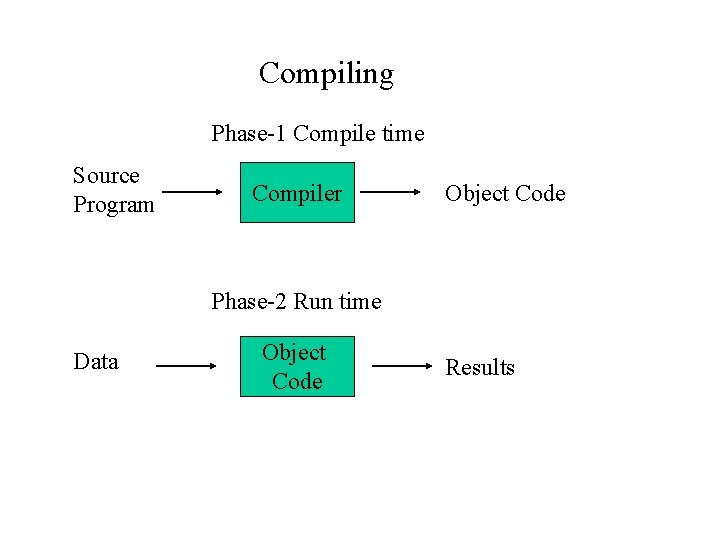
Compiling Phase-1 Compile time Source Program Compiler Object Code Phase-2 Run time Data Object Code Results
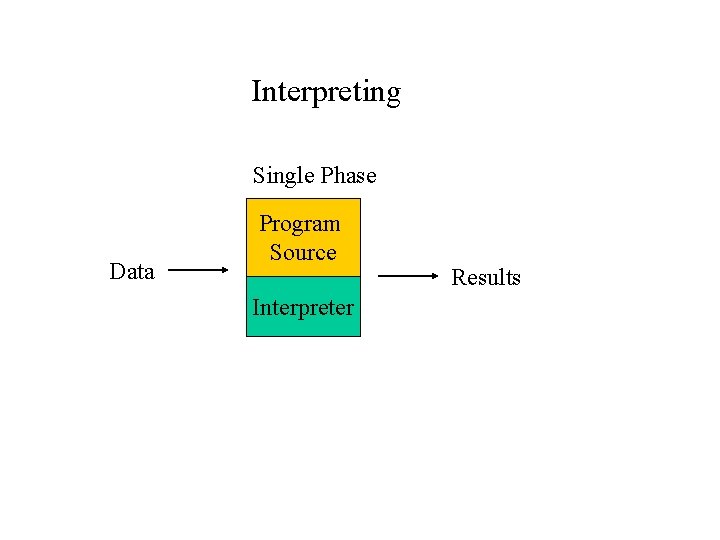
Interpreting Single Phase Data Program Source Interpreter Results
Digital Logic Level • The interesting objects at this level are gates. • Each gate has one or more digital inputs (signals representing a 0 or 1) and computes as output some simple function of these inputs, such as AND or OR. • Each gate is built of at most a handful transistors. • A small number of gates can be combined to form a 1 -bit memory, which can store a 0 or 1. • The 1 -bit memories can be combined n groups of, for example, 16, 32 or 64 to form registers. • Each register can hold a single binary number up to some maximum. • Gates can also be combined to form the main computing engine itself.
Microarchitecture Level • At this level we see a collection of (typically) 8 -32 registers that form a local memory and a circuit called an ALU (Arithmetic Logic Unit) that is capable of performing simple arithmetic operations. • The registers are connected to the ALU to form a data path over which the data flow. • The basic operation of the data path consists of selecting one or two registers having the ALU operate on them. • For example, adding them together, with the result being stored back in some register.
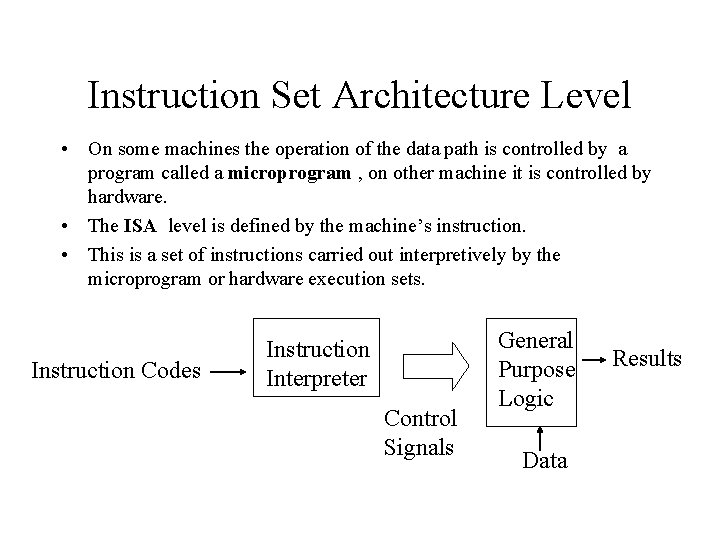
Instruction Set Architecture Level • On some machines the operation of the data path is controlled by a program called a microprogram , on other machine it is controlled by hardware. • The ISA level is defined by the machine’s instruction. • This is a set of instructions carried out interpretively by the microprogram or hardware execution sets. Instruction Codes Instruction Interpreter Control Signals General Purpose Logic Data Results
Operating System Machine Level • At this level there is a different memory organization, a new set of instructions, the ability to run one or more programs concurrently, and various other features. • The new facillities added at level 3 are carried out by an interpreter running at level 2, which , historicallyhas been called an operating system(OS). • Those level 3 instructions identical to level 2’s are carried out directly by the microprogram (or hardwired control), not by the OS. • In other words, some of the level 3 instructions are interpreted by the OS and some of the level 3 instructions are interpreted directly by the microprogram. • This means that the OS level is a hybrid.
Between Level 3 and 4 • The lower 3 levels are not for the average programmer - Instead they are primarily for running the interpreters and translators needed to support the higher levels. • These are written by system programmers who specialize in developing new virtual machines. • Level 4 and above are intended for the applications programmer. • Level 2 and 3 are always interpreted , level 4 and above are usually , but not always , supported by translation. • Languages at level 1, 2 and 3 are generally numeric- long series of numbers- from level 4 and higher, the languages contain words and abbreviations meaningful to humans.
Assembly Language Level • This level is really a symbolic form for the one of the underlying languages. • This level provides a method for people to write programs for levels 1, 2 and 3 in a form that is not as unpleasent as the virtual machine languages themselves. • Programs in assembly language are first translated to level 1, 2 or 3 language and then interpreted by the appropriate virtual or actual machine. • The program that performs the translation is called an assembler.
Problem-oriented Language Level • This level usually consists of languages designed to be used by applications programmers. • These languages are generally called higher level languages. • Some examples: Java, C, Basic, Lisp, Prolog. • Programs written in these languages are generally translated to level 3 or 4 by translators known as compilers , although occasionally they are interpreted instead. • For example , in some cases level 5 consists of an interpreted for a specific application domain, such as symbolic mathematics.
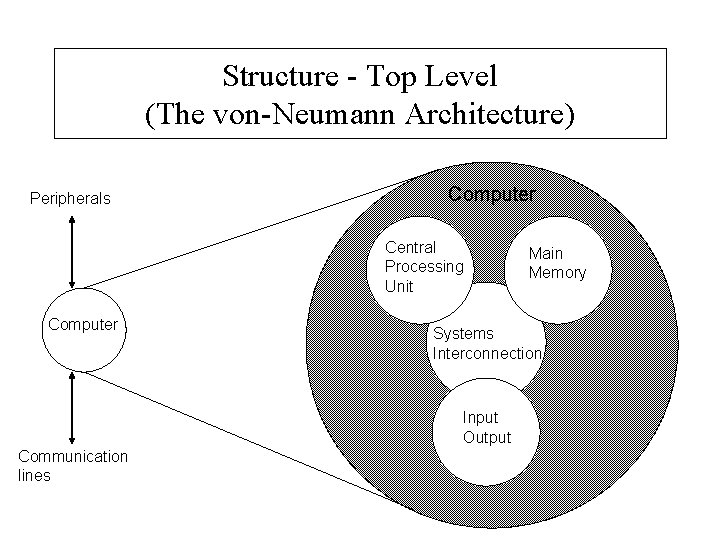
Structure - Top Level (The von-Neumann Architecture) Peripherals Computer Central Processing Unit Computer Systems Interconnection Input Output Communication lines Main Memory
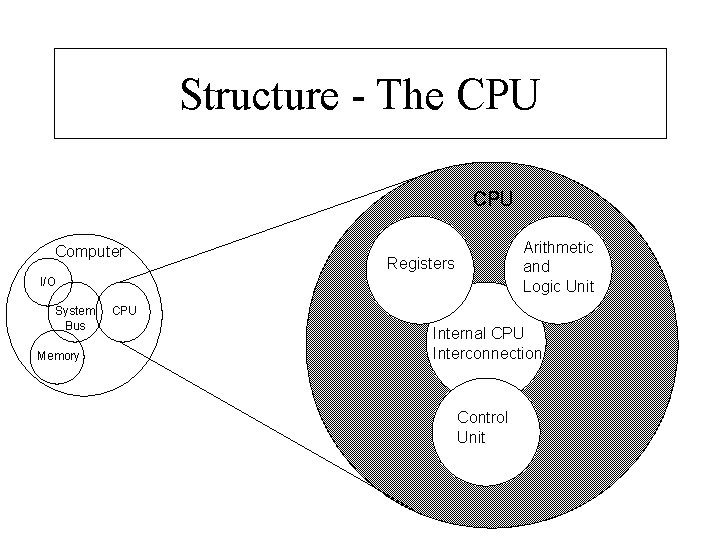
Structure - The CPU Computer Arithmetic and Logic Unit Registers I/O System Bus Memory CPU Internal CPU Interconnection Control Unit
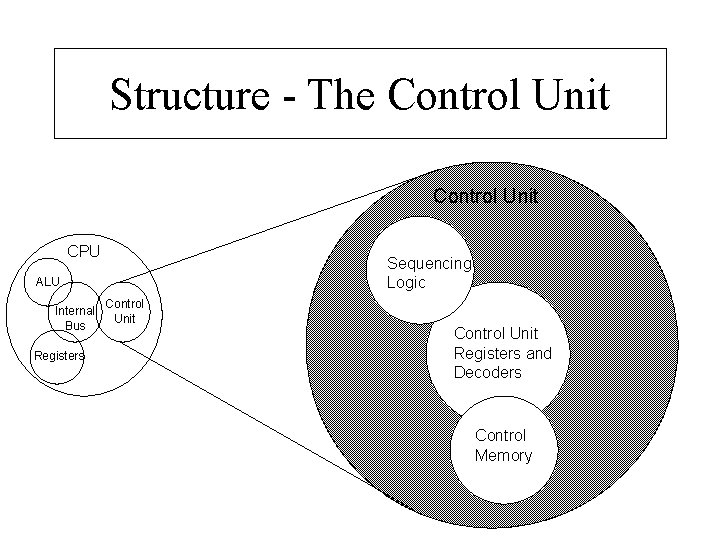
Structure - The Control Unit CPU Sequencing Logic ALU Internal Bus Registers Control Unit Registers and Decoders Control Memory