
Introduction to Computer Graphics with Web GL Ed

Introduction to Computer Graphics with Web. GL Ed Angel Professor Emeritus of Computer Science Founding Director, Arts, Research, Technology and Science Laboratory University of New Mexico

Framebuffer Objects Ed Angel Professor Emeritus of Computer Science University of New Mexico
Objectives • Look at methods that use memory on the graphics card • Introduce off screen rendering • Learn how to create framebuffer objects Create a renderbuffer Attach resources Angel and Shreiner: Interactive Computer Graphics 7 E © Addison-Wesley 2015 3
Discrete Processing in Web. GL • Recent GPUs contain large amounts of memory Texture memory Framebuffer Floating point • Fragment shaders support discrete operations at the pixel level • Separate pixel (texel) pipeline Angel and Shreiner: Interactive Computer Graphics 7 E © Addison-Wesley 2015 4
Accessing the Framebuffer • Pre 3. 1 Open. GL had functions that allowed access to the framebuffer and other Open. GL buffers Draw Pixels Read Pixels Copy Pixels Bit. Blt Accumulation Buffer functions • All deprecated Angel and Shreiner: Interactive Computer Graphics 7 E © Addison-Wesley 2015 5
Going between CPU and GPU • We have already seen that we can write pixels as texels to texture memory • Texture objects reduce transfers between CPU and GPU • Transfer of pixel data back to CPU slow • Want to manipulate pixels without going back to CPU Image processing GPGPU Angel and Shreiner: Interactive Computer Graphics 7 E © Addison-Wesley 2015 6
Framebuffer Objects • Framebuffer Objects (FBOs) are buffers that are created by the application Not under control of window system Cannot be displayed Can attach a renderbuffer to a FBO and can render off screen into the attached buffer Attached buffer can then be detached and used as a texture map for an on screen render to the default frame buffer Angel and Shreiner: Interactive Computer Graphics 7 E © Addison-Wesley 2015 7
Render to Texture • Textures are shared by all instances of the fragment shader • If we render to a texture attachment we can create a new texture image that can be used in subsequent renderings • Use a double buffering strategy for operations such as convolution Angel and Shreiner: Interactive Computer Graphics 7 E © Addison-Wesley 2015 8
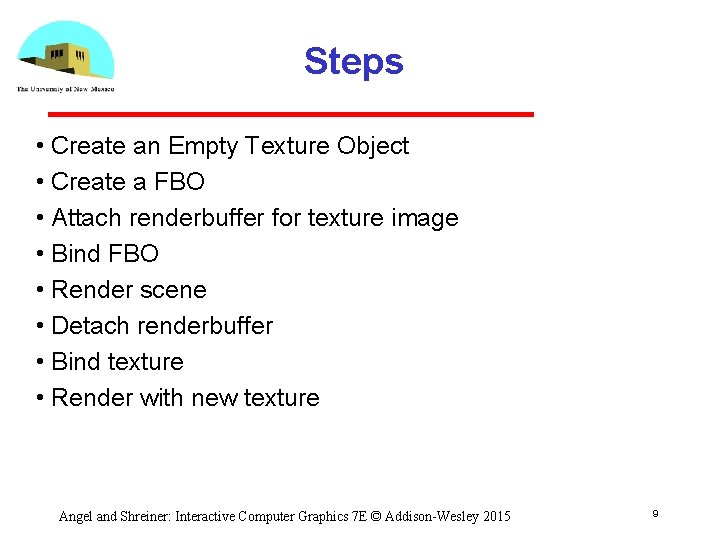
Steps • Create an Empty Texture Object • Create a FBO • Attach renderbuffer for texture image • Bind FBO • Render scene • Detach renderbuffer • Bind texture • Render with new texture Angel and Shreiner: Interactive Computer Graphics 7 E © Addison-Wesley 2015 9
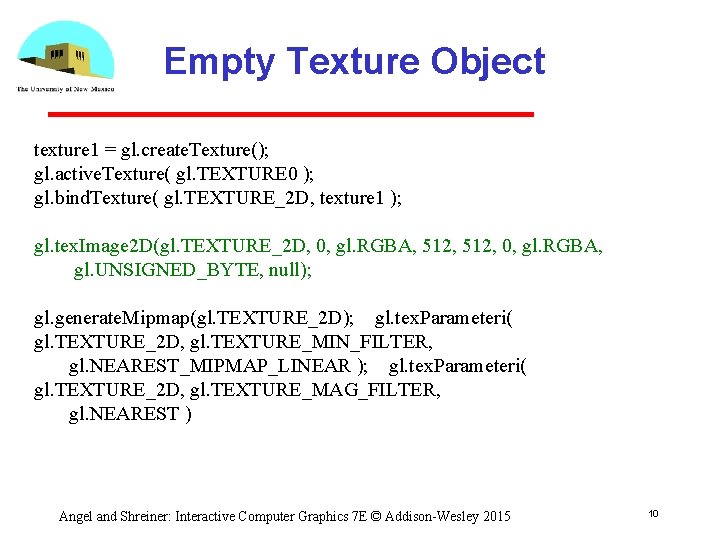
Empty Texture Object texture 1 = gl. create. Texture(); gl. active. Texture( gl. TEXTURE 0 ); gl. bind. Texture( gl. TEXTURE_2 D, texture 1 ); gl. tex. Image 2 D(gl. TEXTURE_2 D, 0, gl. RGBA, 512, 0, gl. RGBA, gl. UNSIGNED_BYTE, null); gl. generate. Mipmap(gl. TEXTURE_2 D); gl. tex. Parameteri( gl. TEXTURE_2 D, gl. TEXTURE_MIN_FILTER, gl. NEAREST_MIPMAP_LINEAR ); gl. tex. Parameteri( gl. TEXTURE_2 D, gl. TEXTURE_MAG_FILTER, gl. NEAREST ) Angel and Shreiner: Interactive Computer Graphics 7 E © Addison-Wesley 2015 10
Creating a FBO • We create a framebuffer object in a similar manner to other objects • Creating an FBO creates an empty FBO • Must add needed resources Can add a renderbuffer to render into Can add a texture which can also be rendered into For hidden surface removal we must add a depth buffer attachment to the renderbuffer Angel and Shreiner: Interactive Computer Graphics 7 E © Addison-Wesley 2015 11
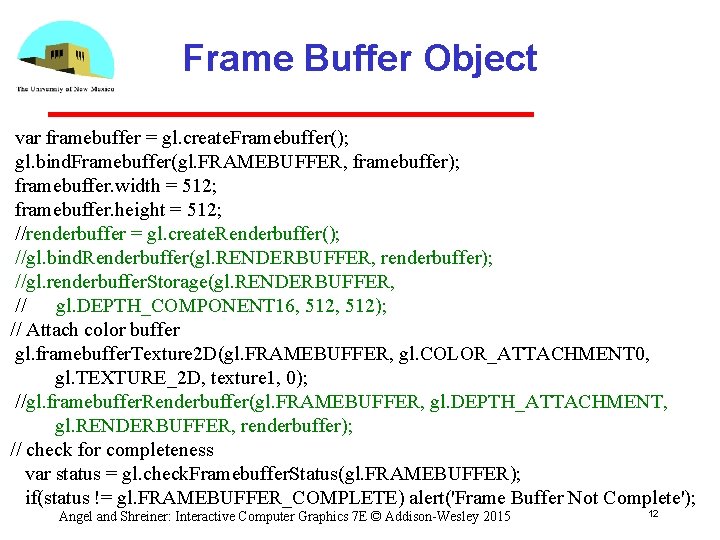
Frame Buffer Object var framebuffer = gl. create. Framebuffer(); gl. bind. Framebuffer(gl. FRAMEBUFFER, framebuffer); framebuffer. width = 512; framebuffer. height = 512; //renderbuffer = gl. create. Renderbuffer(); //gl. bind. Renderbuffer(gl. RENDERBUFFER, renderbuffer); //gl. renderbuffer. Storage(gl. RENDERBUFFER, // gl. DEPTH_COMPONENT 16, 512); // Attach color buffer gl. framebuffer. Texture 2 D(gl. FRAMEBUFFER, gl. COLOR_ATTACHMENT 0, gl. TEXTURE_2 D, texture 1, 0); //gl. framebuffer. Renderbuffer(gl. FRAMEBUFFER, gl. DEPTH_ATTACHMENT, gl. RENDERBUFFER, renderbuffer); // check for completeness var status = gl. check. Framebuffer. Status(gl. FRAMEBUFFER); if(status != gl. FRAMEBUFFER_COMPLETE) alert('Frame Buffer Not Complete'); Angel and Shreiner: Interactive Computer Graphics 7 E © Addison-Wesley 2015 12
Rest of Initialization • Same as previous examples Allocate VAO (Vertex Array Object) Fill VAO with data for render to texture • Initialize two program objects with different shaders First for render to texture Second for rendering with created texture Angel and Shreiner: Interactive Computer Graphics 7 E © Addison-Wesley 2015 13

Introduction to Computer Graphics with Web. GL Ed Angel Professor Emeritus of Computer Science Founding Director, Arts, Research, Technology and Science Laboratory University of New Mexico

Render to Texture Ed Angel Professor Emeritus of Computer Science University of New Mexico
Objectives • Examples of render to texture • Render a triangle to texture, then use this texture on a rectangle • Introduce buffer pingponging Angel and Shreiner: Interactive Computer Graphics 7 E © Addison-Wesley 2015 16
Program Objects and Shaders • For most applications of render to texture we need multiple program objects and shaders One set for creating a texture Second set for rendering with that texture • Applications that we consider later such as buffer pingponging may require additional program objects Angel and Shreiner: Interactive Computer Graphics 7 E © Addison-Wesley 2015 17
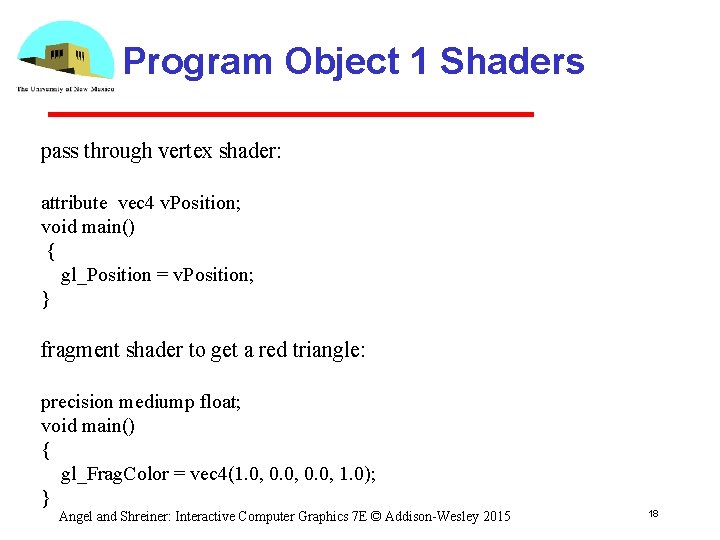
Program Object 1 Shaders pass through vertex shader: attribute vec 4 v. Position; void main() { gl_Position = v. Position; } fragment shader to get a red triangle: precision mediump float; void main() { gl_Frag. Color = vec 4(1. 0, 0. 0, 1. 0); } Angel and Shreiner: Interactive Computer Graphics 7 E © Addison-Wesley 2015 18
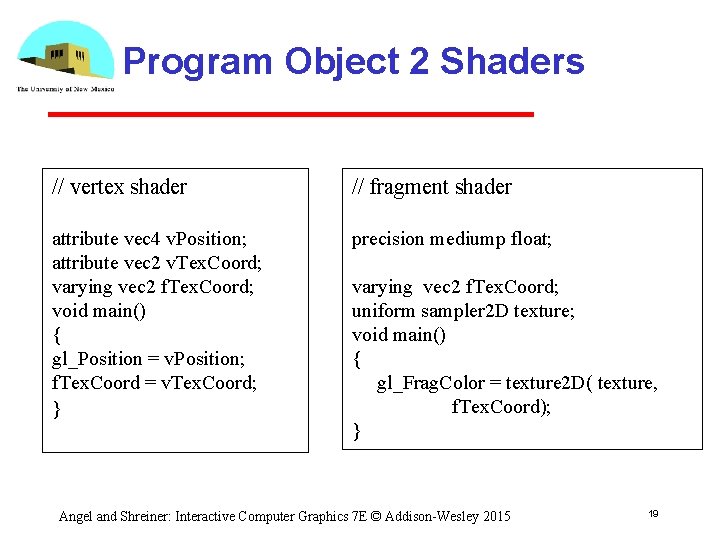
Program Object 2 Shaders // vertex shader // fragment shader attribute vec 4 v. Position; attribute vec 2 v. Tex. Coord; varying vec 2 f. Tex. Coord; void main() { gl_Position = v. Position; f. Tex. Coord = v. Tex. Coord; } precision mediump float; varying vec 2 f. Tex. Coord; uniform sampler 2 D texture; void main() { gl_Frag. Color = texture 2 D( texture, f. Tex. Coord); } Angel and Shreiner: Interactive Computer Graphics 7 E © Addison-Wesley 2015 19
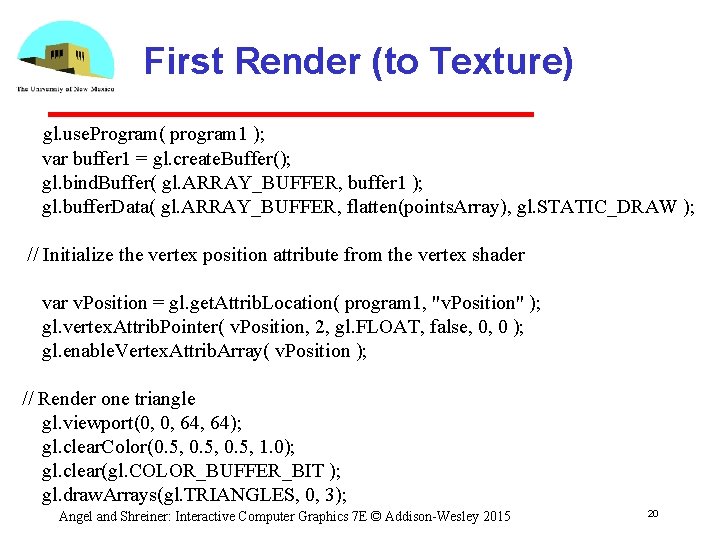
First Render (to Texture) gl. use. Program( program 1 ); var buffer 1 = gl. create. Buffer(); gl. bind. Buffer( gl. ARRAY_BUFFER, buffer 1 ); gl. buffer. Data( gl. ARRAY_BUFFER, flatten(points. Array), gl. STATIC_DRAW ); // Initialize the vertex position attribute from the vertex shader var v. Position = gl. get. Attrib. Location( program 1, "v. Position" ); gl. vertex. Attrib. Pointer( v. Position, 2, gl. FLOAT, false, 0, 0 ); gl. enable. Vertex. Attrib. Array( v. Position ); // Render one triangle gl. viewport(0, 0, 64); gl. clear. Color(0. 5, 1. 0); gl. clear(gl. COLOR_BUFFER_BIT ); gl. draw. Arrays(gl. TRIANGLES, 0, 3); Angel and Shreiner: Interactive Computer Graphics 7 E © Addison-Wesley 2015 20
Set Up Second Render // Bind to default window system framebuffer gl. bind. Framebuffer(gl. FRAMEBUFFER, null); gl. disable. Vertex. Attrib. Array(v. Position); gl. use. Program(program 2); // Assume we have already set up a texture object with null texture image gl. active. Texture(gl. TEXTURE 0); gl. bind. Texture(gl. TEXTURE_2 D, texture 1); // set up vertex attribute arrays for texture coordinates and rectangle as usual Angel and Shreiner: Interactive Computer Graphics 7 E © Addison-Wesley 2015 21
Data for Second Render var buffer 2 = gl. create. Buffer(); gl. bind. Buffer( gl. ARRAY_BUFFER, buffer 2); gl. buffer. Data(gl. ARRAY_BUFFER, new flatten(vertices), gl. STATIC_DRAW); var v. Position = gl. get. Attrib. Location( program 2, "v. Position" ); gl. vertex. Attrib. Pointer( v. Position, 2, gl. FLOAT, false, 0, 0 ); gl. enable. Vertex. Attrib. Array( v. Position ); var buffer 3 = gl. create. Buffer(); gl. bind. Buffer( gl. ARRAY_BUFFER, buffer 3); gl. buffer. Data( gl. ARRAY_BUFFER, flatten(tex. Coord), gl. STATIC_DRAW); var v. Tex. Coord = gl. get. Attrib. Location( program 2, "v. Tex. Coord"); gl. vertex. Attrib. Pointer( v. Tex. Coord, 2, gl. FLOAT, false, 0, 0 ); gl. enable. Vertex. Attrib. Array( v. Tex. Coord ); Angel and Shreiner: Interactive Computer Graphics 7 E © Addison-Wesley 2015 22
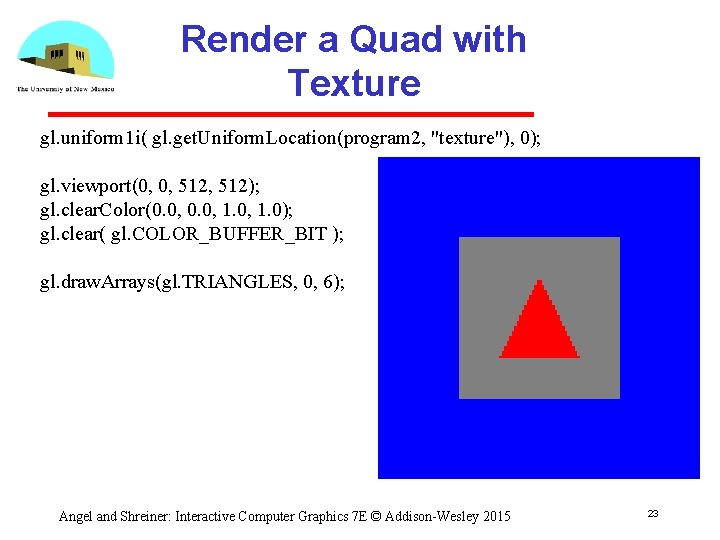
Render a Quad with Texture gl. uniform 1 i( gl. get. Uniform. Location(program 2, "texture"), 0); gl. viewport(0, 0, 512); gl. clear. Color(0. 0, 1. 0); gl. clear( gl. COLOR_BUFFER_BIT ); gl. draw. Arrays(gl. TRIANGLES, 0, 6); Angel and Shreiner: Interactive Computer Graphics 7 E © Addison-Wesley 2015 23
Dynamic 3 D Example Angel and Shreiner: Interactive Computer Graphics 7 E © Addison-Wesley 2015 24
Buffer Ping-ponging • Iterative calculations can be accomplished using multiple render buffers • Original data in texture buffer 1 • Render to texture buffer 2 • Swap buffers and rerender to texture Angel and Shreiner: Interactive Computer Graphics 7 E © Addison-Wesley 2015 25
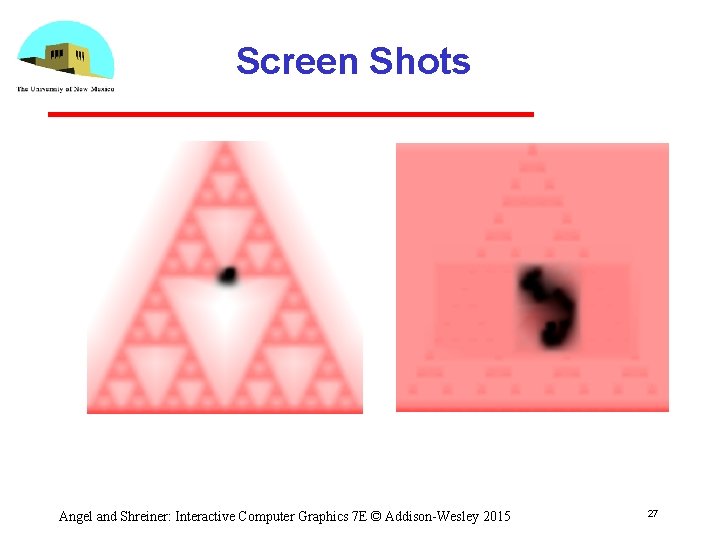
Particle System Example • Random motion of a particle Render as a point Diffuse rendered image to create motion blur effect Insert particle again in new position • Example use Sierpinski gasket as initial background • Uses three program objects Angel and Shreiner: Interactive Computer Graphics 7 E © Addison-Wesley 2015 26
Screen Shots Angel and Shreiner: Interactive Computer Graphics 7 E © Addison-Wesley 2015 27

Introduction to Computer Graphics with Web. GL Ed Angel Professor Emeritus of Computer Science Founding Director, Arts, Research, Technology and Science Laboratory University of New Mexico

Agent Based Models Ed Angel Professor Emeritus of Computer Science University of New Mexico
Objectives • Introduce a powerful form of simulation • Use render to texture for dynamic simulations using agent based models • Example of diffusion Angel and Shreiner: Interactive Computer Graphics 7 E © Addison-Wesley 2015 30
Agent Based Models (ABMs) • Consider a particle system in which particle can be programmed with individual behaviors and properties different colors different geometry different rules • Agents can interact with each other and with the environment Angel and Shreiner: Interactive Computer Graphics 7 E © Addison-Wesley 2015 31
Simulating Ant Behavior • Consider ants searching for food • At the beginning, an ant moves randomly around the terrain searching for food The ant can leave a chemical marker called a pheromone to indicate the spot was visited Once food is found, other ants can trace the path by following the pheromone trail • Model each ant as a point moving over a surface • Render each point with arbitrary geometry Angel and Shreiner: Interactive Computer Graphics 7 E © Addison-Wesley 2015 32
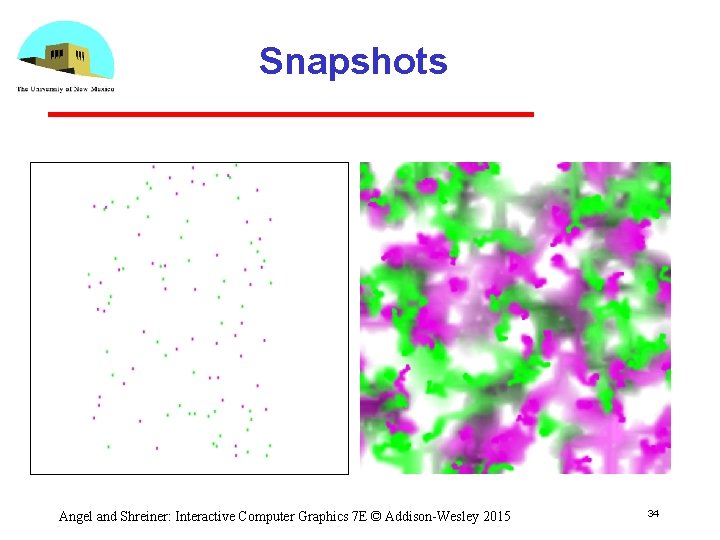
Diffusion Example I • Two types of agents no interaction with environment differ only in color • All move randomly • Leave position information need render to texture • Diffuse position information need buffer pingponging Angel and Shreiner: Interactive Computer Graphics 7 E © Addison-Wesley 2015 33
Snapshots Angel and Shreiner: Interactive Computer Graphics 7 E © Addison-Wesley 2015 34
Initialization • We need two program objects One for rendering points in new positions One for diffusing texture map • Initialization is standard otherwise setup texture objects setup framebuffer object distribute particles in random locations Angel and Shreiner: Interactive Computer Graphics 7 E © Addison-Wesley 2015 35
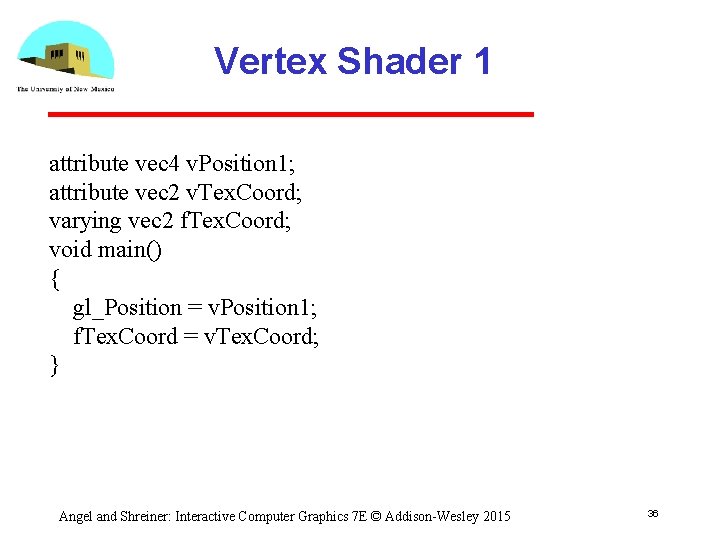
Vertex Shader 1 attribute vec 4 v. Position 1; attribute vec 2 v. Tex. Coord; varying vec 2 f. Tex. Coord; void main() { gl_Position = v. Position 1; f. Tex. Coord = v. Tex. Coord; } Angel and Shreiner: Interactive Computer Graphics 7 E © Addison-Wesley 2015 36
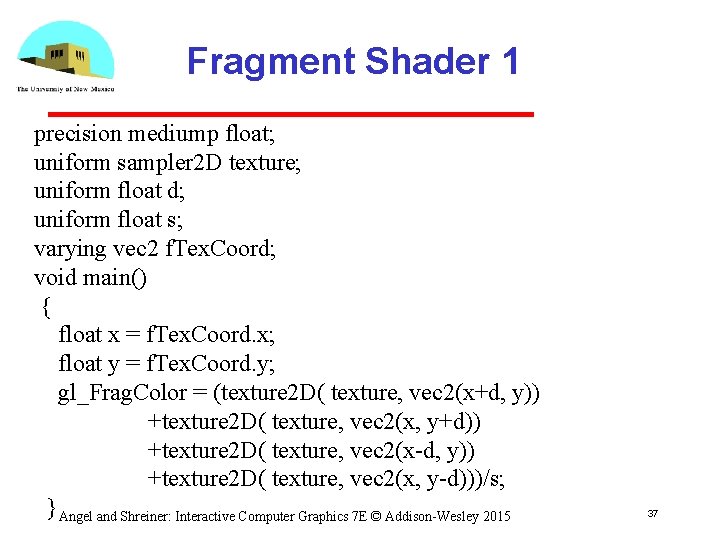
Fragment Shader 1 precision mediump float; uniform sampler 2 D texture; uniform float d; uniform float s; varying vec 2 f. Tex. Coord; void main() { float x = f. Tex. Coord. x; float y = f. Tex. Coord. y; gl_Frag. Color = (texture 2 D( texture, vec 2(x+d, y)) +texture 2 D( texture, vec 2(x, y+d)) +texture 2 D( texture, vec 2(x-d, y)) +texture 2 D( texture, vec 2(x, y-d)))/s; } Angel and Shreiner: Interactive Computer Graphics 7 E © Addison-Wesley 2015 37
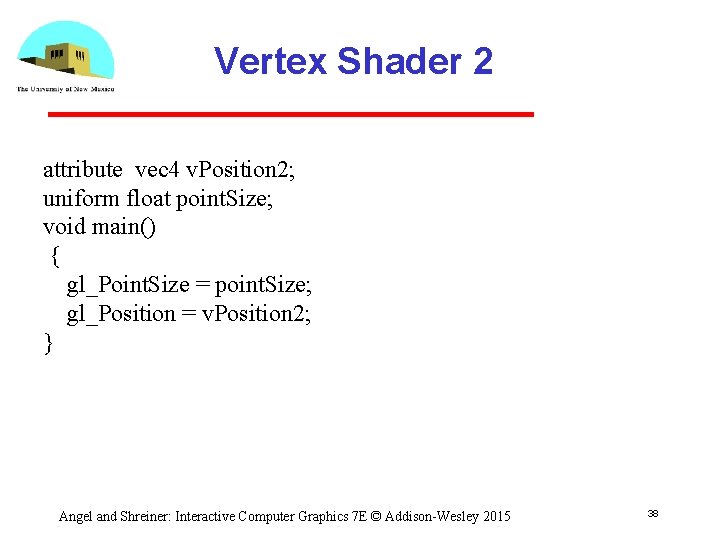
Vertex Shader 2 attribute vec 4 v. Position 2; uniform float point. Size; void main() { gl_Point. Size = point. Size; gl_Position = v. Position 2; } Angel and Shreiner: Interactive Computer Graphics 7 E © Addison-Wesley 2015 38
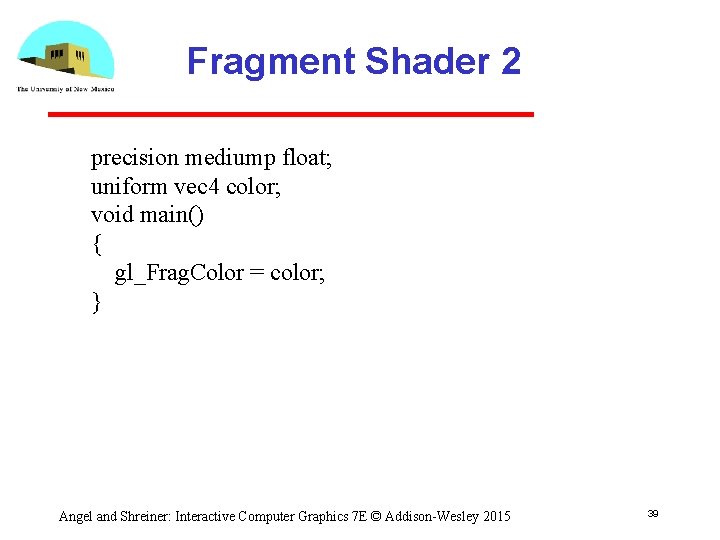
Fragment Shader 2 precision mediump float; uniform vec 4 color; void main() { gl_Frag. Color = color; } Angel and Shreiner: Interactive Computer Graphics 7 E © Addison-Wesley 2015 39
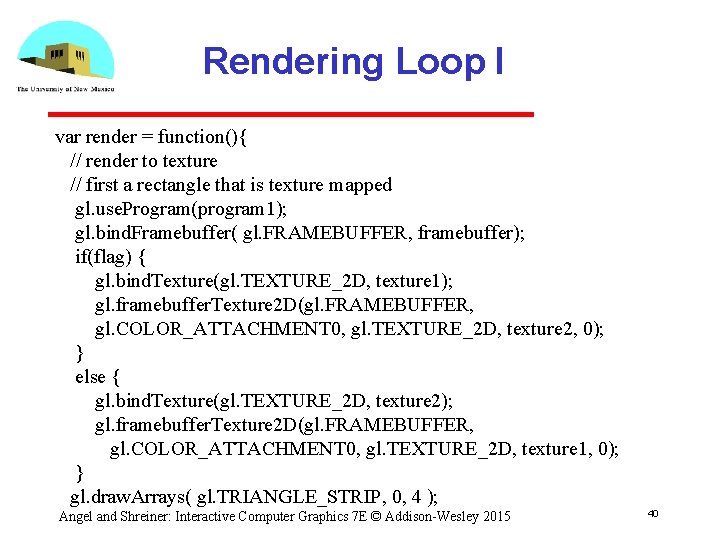
Rendering Loop I var render = function(){ // render to texture // first a rectangle that is texture mapped gl. use. Program(program 1); gl. bind. Framebuffer( gl. FRAMEBUFFER, framebuffer); if(flag) { gl. bind. Texture(gl. TEXTURE_2 D, texture 1); gl. framebuffer. Texture 2 D(gl. FRAMEBUFFER, gl. COLOR_ATTACHMENT 0, gl. TEXTURE_2 D, texture 2, 0); } else { gl. bind. Texture(gl. TEXTURE_2 D, texture 2); gl. framebuffer. Texture 2 D(gl. FRAMEBUFFER, gl. COLOR_ATTACHMENT 0, gl. TEXTURE_2 D, texture 1, 0); } gl. draw. Arrays( gl. TRIANGLE_STRIP, 0, 4 ); Angel and Shreiner: Interactive Computer Graphics 7 E © Addison-Wesley 2015 40
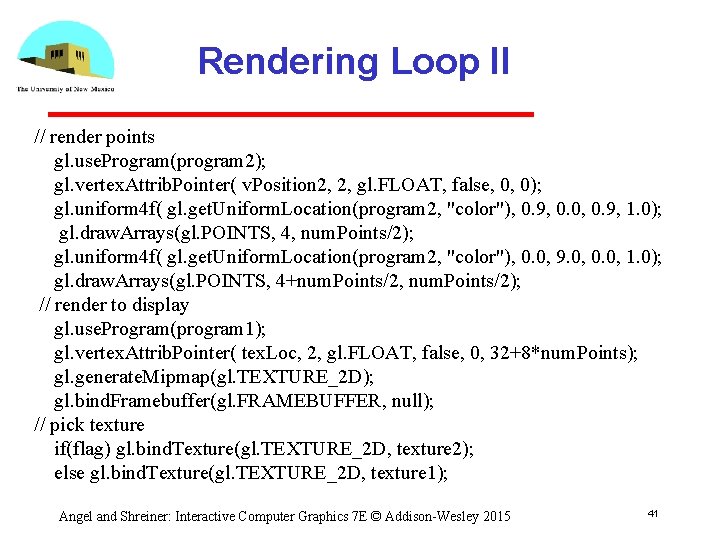
Rendering Loop II // render points gl. use. Program(program 2); gl. vertex. Attrib. Pointer( v. Position 2, 2, gl. FLOAT, false, 0, 0); gl. uniform 4 f( gl. get. Uniform. Location(program 2, "color"), 0. 9, 0. 0, 0. 9, 1. 0); gl. draw. Arrays(gl. POINTS, 4, num. Points/2); gl. uniform 4 f( gl. get. Uniform. Location(program 2, "color"), 0. 0, 9. 0, 0. 0, 1. 0); gl. draw. Arrays(gl. POINTS, 4+num. Points/2, num. Points/2); // render to display gl. use. Program(program 1); gl. vertex. Attrib. Pointer( tex. Loc, 2, gl. FLOAT, false, 0, 32+8*num. Points); gl. generate. Mipmap(gl. TEXTURE_2 D); gl. bind. Framebuffer(gl. FRAMEBUFFER, null); // pick texture if(flag) gl. bind. Texture(gl. TEXTURE_2 D, texture 2); else gl. bind. Texture(gl. TEXTURE_2 D, texture 1); Angel and Shreiner: Interactive Computer Graphics 7 E © Addison-Wesley 2015 41
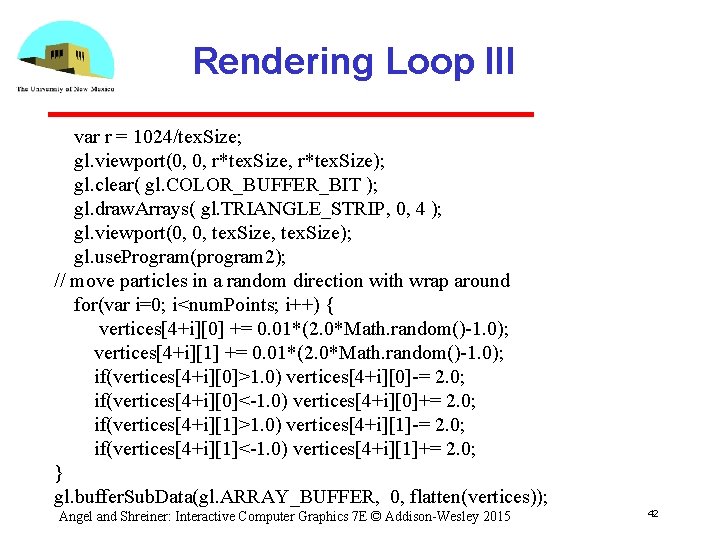
Rendering Loop III var r = 1024/tex. Size; gl. viewport(0, 0, r*tex. Size); gl. clear( gl. COLOR_BUFFER_BIT ); gl. draw. Arrays( gl. TRIANGLE_STRIP, 0, 4 ); gl. viewport(0, 0, tex. Size); gl. use. Program(program 2); // move particles in a random direction with wrap around for(var i=0; i<num. Points; i++) { vertices[4+i][0] += 0. 01*(2. 0*Math. random()-1. 0); vertices[4+i][1] += 0. 01*(2. 0*Math. random()-1. 0); if(vertices[4+i][0]>1. 0) vertices[4+i][0]-= 2. 0; if(vertices[4+i][0]<-1. 0) vertices[4+i][0]+= 2. 0; if(vertices[4+i][1]>1. 0) vertices[4+i][1]-= 2. 0; if(vertices[4+i][1]<-1. 0) vertices[4+i][1]+= 2. 0; } gl. buffer. Sub. Data(gl. ARRAY_BUFFER, 0, flatten(vertices)); Angel and Shreiner: Interactive Computer Graphics 7 E © Addison-Wesley 2015 42
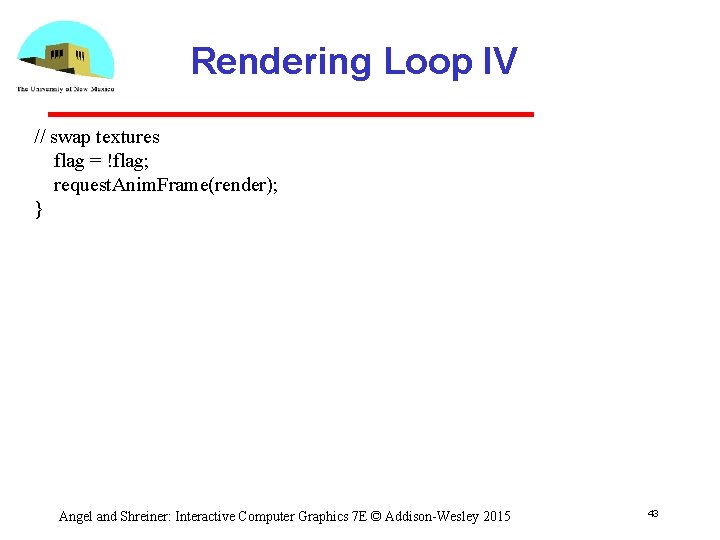
Rendering Loop IV // swap textures flag = !flag; request. Anim. Frame(render); } Angel and Shreiner: Interactive Computer Graphics 7 E © Addison-Wesley 2015 43
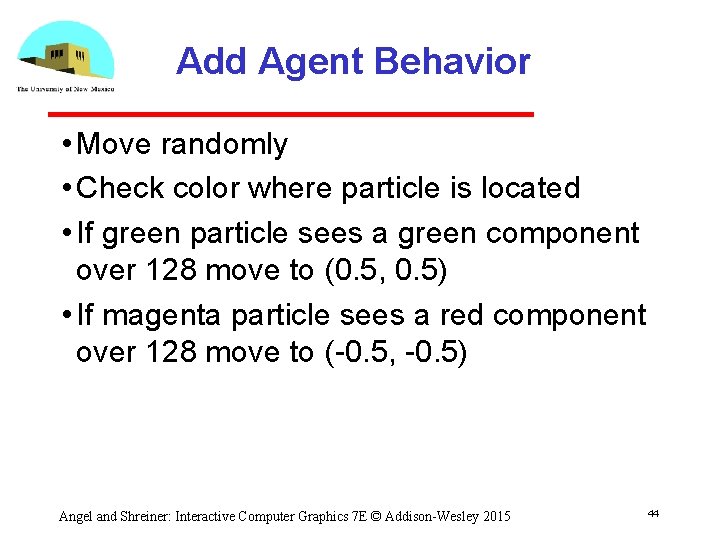
Add Agent Behavior • Move randomly • Check color where particle is located • If green particle sees a green component over 128 move to (0. 5, 0. 5) • If magenta particle sees a red component over 128 move to ( 0. 5, 0. 5) Angel and Shreiner: Interactive Computer Graphics 7 E © Addison-Wesley 2015 44
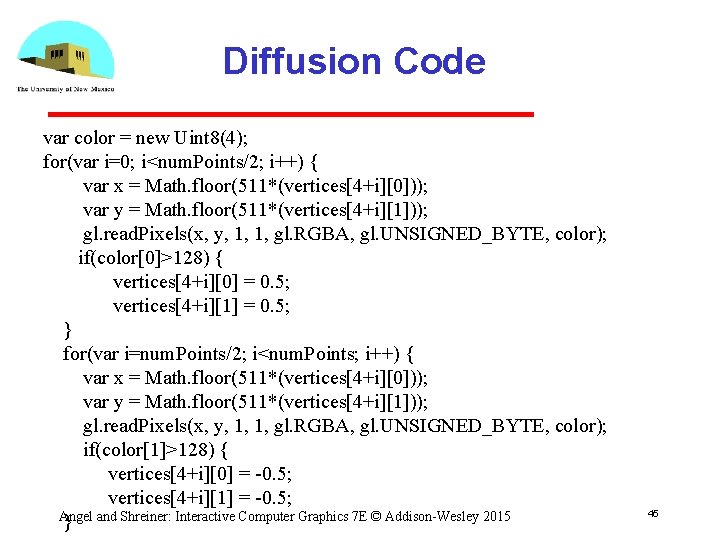
Diffusion Code var color = new Uint 8(4); for(var i=0; i<num. Points/2; i++) { var x = Math. floor(511*(vertices[4+i][0])); var y = Math. floor(511*(vertices[4+i][1])); gl. read. Pixels(x, y, 1, 1, gl. RGBA, gl. UNSIGNED_BYTE, color); if(color[0]>128) { vertices[4+i][0] = 0. 5; vertices[4+i][1] = 0. 5; } for(var i=num. Points/2; i<num. Points; i++) { var x = Math. floor(511*(vertices[4+i][0])); var y = Math. floor(511*(vertices[4+i][1])); gl. read. Pixels(x, y, 1, 1, gl. RGBA, gl. UNSIGNED_BYTE, color); if(color[1]>128) { vertices[4+i][0] = -0. 5; vertices[4+i][1] = -0. 5; Angel } and Shreiner: Interactive Computer Graphics 7 E © Addison-Wesley 2015 45
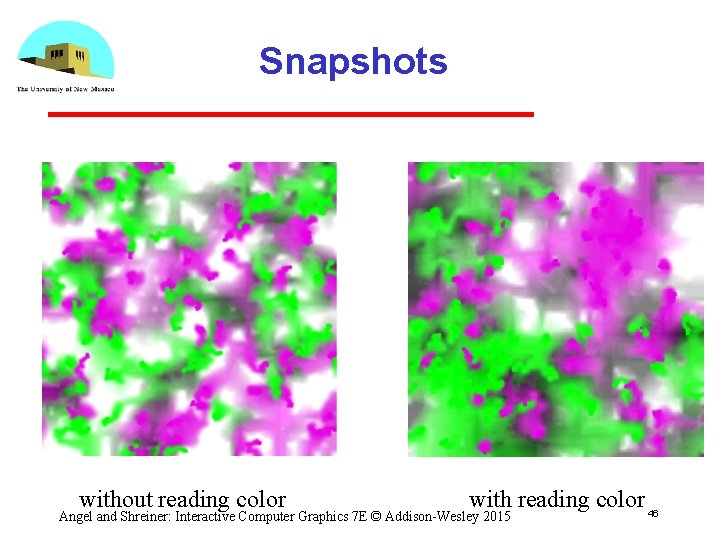
Snapshots without reading color with reading color 46 Angel and Shreiner: Interactive Computer Graphics 7 E © Addison-Wesley 2015

Introduction to Computer Graphics with Web. GL Ed Angel Professor Emeritus of Computer Science Founding Director, Arts, Research, Technology and Science Laboratory University of New Mexico

Picking by Color Ed Angel Professor Emeritus of Computer Science University of New Mexico
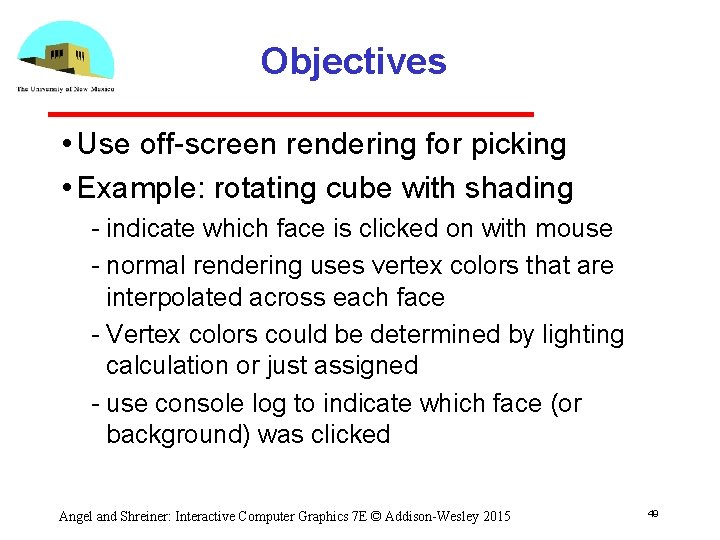
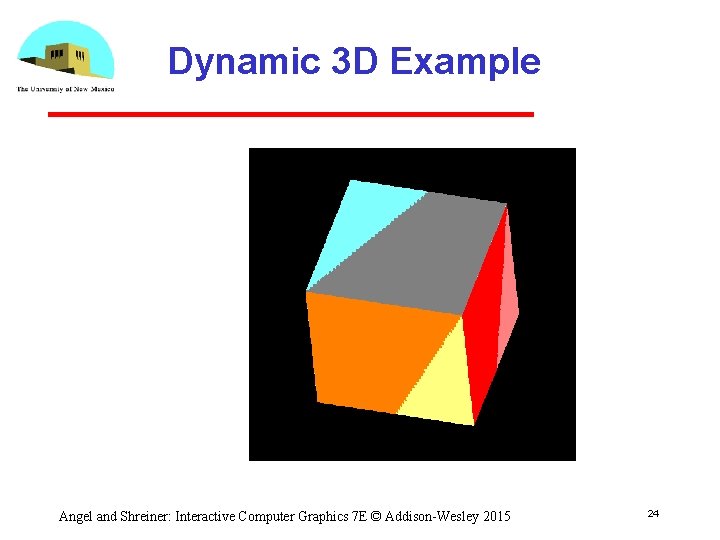
Objectives • Use off screen rendering for picking • Example: rotating cube with shading indicate which face is clicked on with mouse normal rendering uses vertex colors that are interpolated across each face Vertex colors could be determined by lighting calculation or just assigned use console log to indicate which face (or background) was clicked Angel and Shreiner: Interactive Computer Graphics 7 E © Addison-Wesley 2015 49
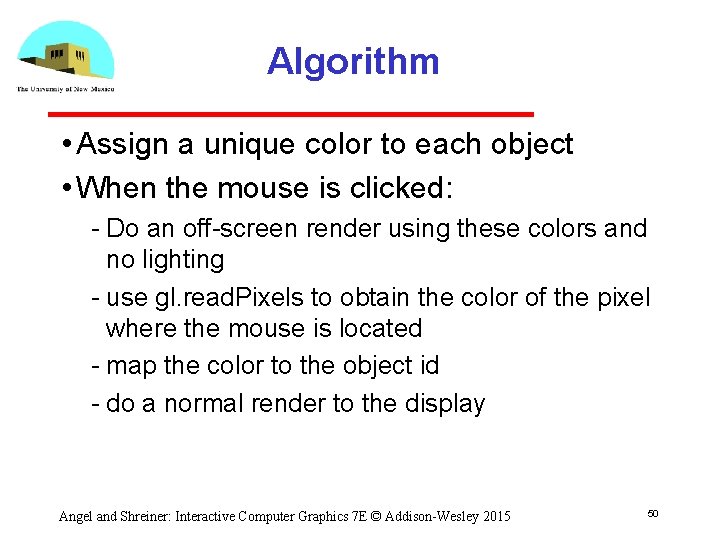
Algorithm • Assign a unique color to each object • When the mouse is clicked: Do an off screen render using these colors and no lighting use gl. read. Pixels to obtain the color of the pixel where the mouse is located map the color to the object id do a normal render to the display Angel and Shreiner: Interactive Computer Graphics 7 E © Addison-Wesley 2015 50
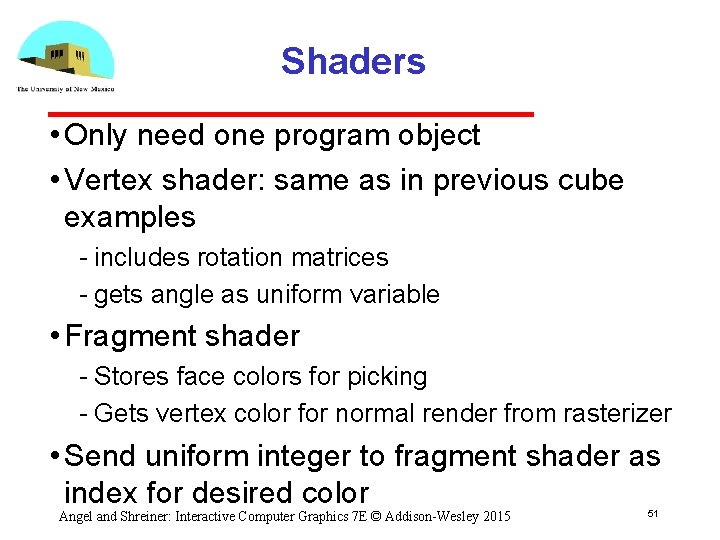
Shaders • Only need one program object • Vertex shader: same as in previous cube examples includes rotation matrices gets angle as uniform variable • Fragment shader Stores face colors for picking Gets vertex color for normal render from rasterizer • Send uniform integer to fragment shader as index for desired color Angel and Shreiner: Interactive Computer Graphics 7 E © Addison-Wesley 2015 51
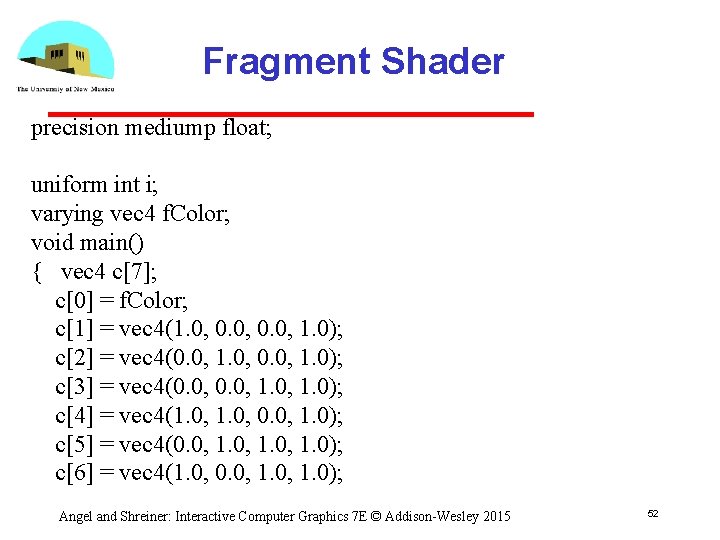
Fragment Shader precision mediump float; uniform int i; varying vec 4 f. Color; void main() { vec 4 c[7]; c[0] = f. Color; c[1] = vec 4(1. 0, 0. 0, 1. 0); c[2] = vec 4(0. 0, 1. 0, 0. 0, 1. 0); c[3] = vec 4(0. 0, 1. 0); c[4] = vec 4(1. 0, 0. 0, 1. 0); c[5] = vec 4(0. 0, 1. 0); c[6] = vec 4(1. 0, 0. 0, 1. 0); Angel and Shreiner: Interactive Computer Graphics 7 E © Addison-Wesley 2015 52
![Fragment Shader // no case statement in GLSL if(i==0) gl_Frag. Color = c[0]; else](http://slidetodoc.com/presentation_image/a5eedd17f1a377b5a0488efabcfbf221/image-53.jpg "Fragment Shader // no case statement in GLSL if(i==0) gl_Frag. Color = c[0]; else")
Fragment Shader // no case statement in GLSL if(i==0) gl_Frag. Color = c[0]; else if(i==1) gl_Frag. Color = c[1]; else if(i==2) gl_Frag. Color = c[2]; else if(i==3) gl_Frag. Color = c[3]; else if(i==4) gl_Frag. Color = c[4]; else if(i==5) gl_Frag. Color = c[5]; else if(i==6) gl_Frag. Color = c[6]; } Angel and Shreiner: Interactive Computer Graphics 7 E © Addison-Wesley 2015 53
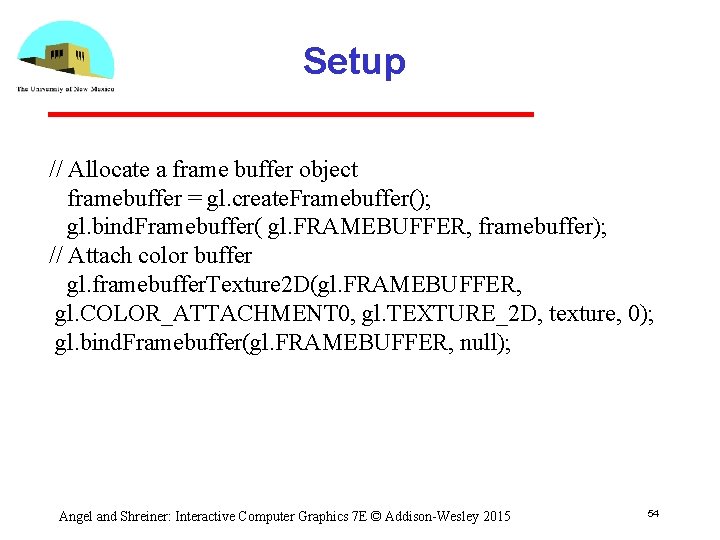
Setup // Allocate a frame buffer object framebuffer = gl. create. Framebuffer(); gl. bind. Framebuffer( gl. FRAMEBUFFER, framebuffer); // Attach color buffer gl. framebuffer. Texture 2 D(gl. FRAMEBUFFER, gl. COLOR_ATTACHMENT 0, gl. TEXTURE_2 D, texture, 0); gl. bind. Framebuffer(gl. FRAMEBUFFER, null); Angel and Shreiner: Interactive Computer Graphics 7 E © Addison-Wesley 2015 54
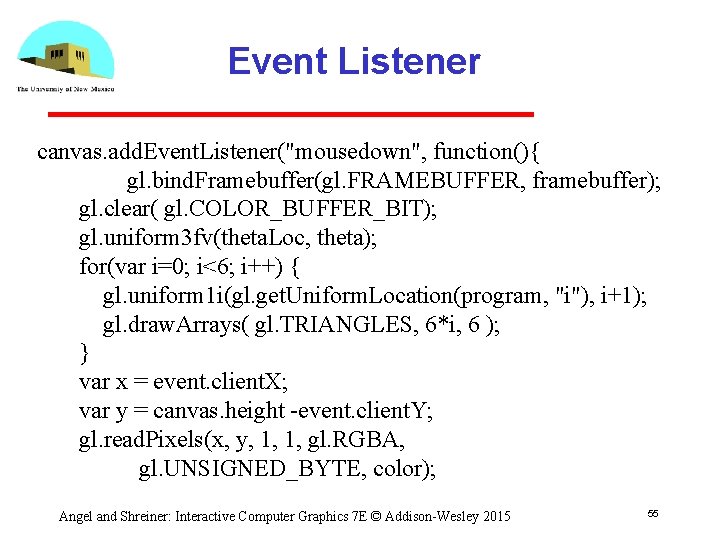
Event Listener canvas. add. Event. Listener("mousedown", function(){ gl. bind. Framebuffer(gl. FRAMEBUFFER, framebuffer); gl. clear( gl. COLOR_BUFFER_BIT); gl. uniform 3 fv(theta. Loc, theta); for(var i=0; i<6; i++) { gl. uniform 1 i(gl. get. Uniform. Location(program, "i"), i+1); gl. draw. Arrays( gl. TRIANGLES, 6*i, 6 ); } var x = event. client. X; var y = canvas. height -event. client. Y; gl. read. Pixels(x, y, 1, 1, gl. RGBA, gl. UNSIGNED_BYTE, color); Angel and Shreiner: Interactive Computer Graphics 7 E © Addison-Wesley 2015 55
![Event Listener if(color[0]==255) if(color[1]==255) console. log("yellow"); else if(color[2]==255) console. log("magenta"); else console. log("red"); else](http://slidetodoc.com/presentation_image/a5eedd17f1a377b5a0488efabcfbf221/image-56.jpg "Event Listener if(color[0]==255) if(color[1]==255) console. log(\"yellow\"); else if(color[2]==255) console. log(\"magenta\"); else console. log(\"red\"); else")
Event Listener if(color[0]==255) if(color[1]==255) console. log("yellow"); else if(color[2]==255) console. log("magenta"); else console. log("red"); else if(color[1]==255) if(color[2]==255) console. log("cyan"); else console. log("green"); else if(color[2]==255) console. log("blue"); else console. log("background"); Angel and Shreiner: Interactive Computer Graphics 7 E © Addison-Wesley 2015 56
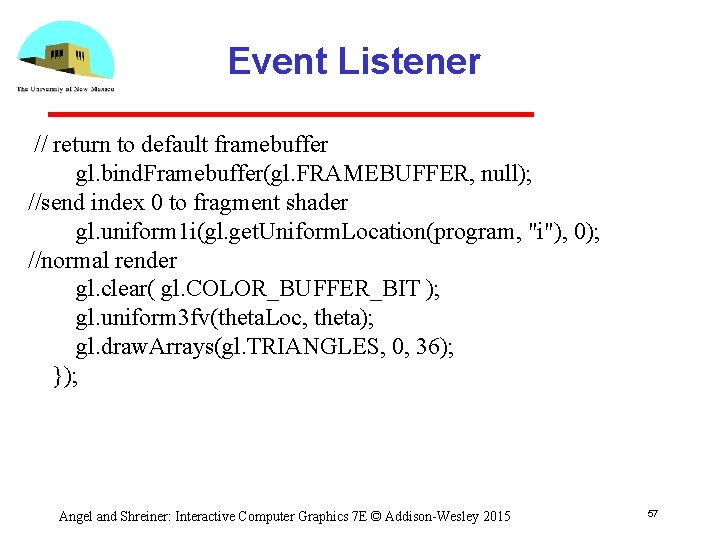
Event Listener // return to default framebuffer gl. bind. Framebuffer(gl. FRAMEBUFFER, null); //send index 0 to fragment shader gl. uniform 1 i(gl. get. Uniform. Location(program, "i"), 0); //normal render gl. clear( gl. COLOR_BUFFER_BIT ); gl. uniform 3 fv(theta. Loc, theta); gl. draw. Arrays(gl. TRIANGLES, 0, 36); }); Angel and Shreiner: Interactive Computer Graphics 7 E © Addison-Wesley 2015 57
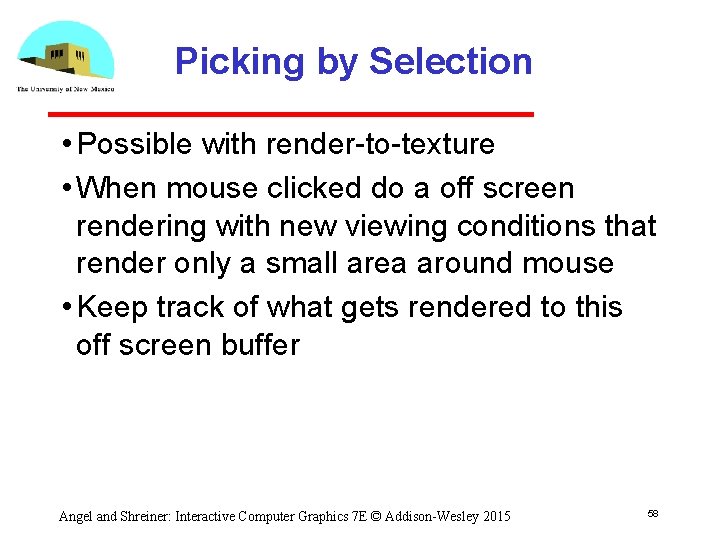
Picking by Selection • Possible with render to texture • When mouse clicked do a off screen rendering with new viewing conditions that render only a small area around mouse • Keep track of what gets rendered to this off screen buffer Angel and Shreiner: Interactive Computer Graphics 7 E © Addison-Wesley 2015 58
- Slides: 58