
Introduction to Computer Graphics with Web GL Ed
Introduction to Computer Graphics with Web. GL Ed Angel Professor Emeritus of Computer Science Founding Director, Arts, Research, Technology and Science Laboratory University of New Mexico Angel and Shreiner: Interactive Computer Graphics 8 E © Pearson Education 2020 1
Texture Mapping Ed Angel Professor Emeritus of Computer Science University of New Mexico Angel and Shreiner: Interactive Computer Graphics 8 E © Pearson Education 2020 2
Objectives • Basic mapping strategies Forward vs backward mapping Point sampling vs area averaging Angel and Shreiner: Interactive Computer Graphics 8 E © Pearson Education 2020 3
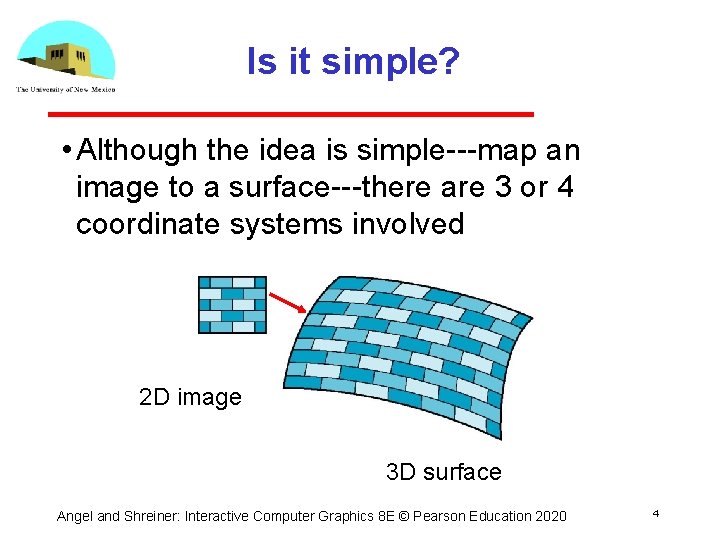
Is it simple? • Although the idea is simple map an image to a surface there are 3 or 4 coordinate systems involved 2 D image 3 D surface Angel and Shreiner: Interactive Computer Graphics 8 E © Pearson Education 2020 4
Coordinate Systems • Parametric coordinates May be used to model curves and surfaces • Texture coordinates Used to identify points in the image to be mapped • Object or World Coordinates Conceptually, where the mapping takes place • Window Coordinates Where the final image is really produced Angel and Shreiner: Interactive Computer Graphics 8 E © Pearson Education 2020 5
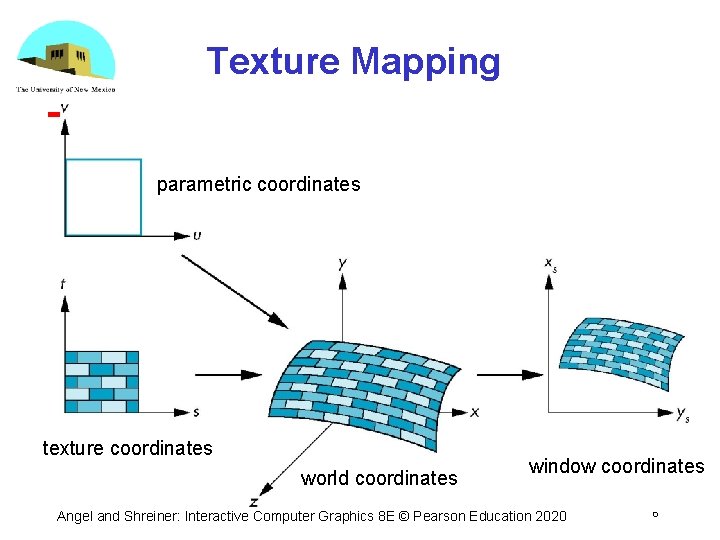
Texture Mapping parametric coordinates texture coordinates world coordinates window coordinates Angel and Shreiner: Interactive Computer Graphics 8 E © Pearson Education 2020 6
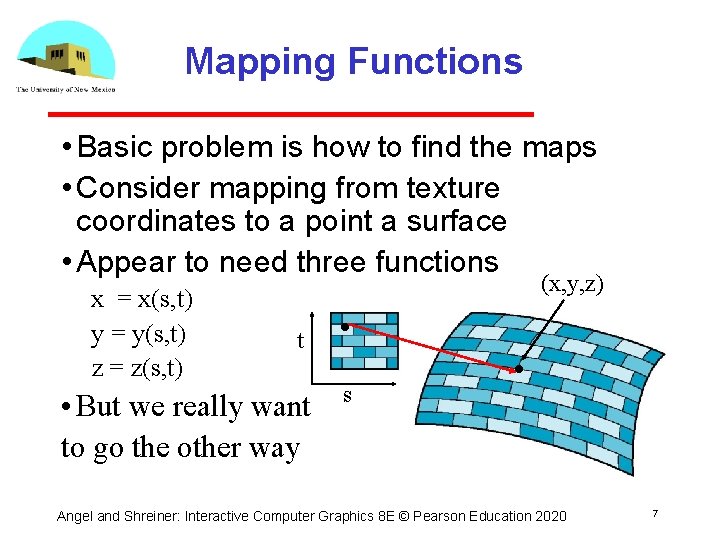
Mapping Functions • Basic problem is how to find the maps • Consider mapping from texture coordinates to a point a surface • Appear to need three functions x = x(s, t) y = y(s, t) z = z(s, t) (x, y, z) t • But we really want to go the other way s Angel and Shreiner: Interactive Computer Graphics 8 E © Pearson Education 2020 7
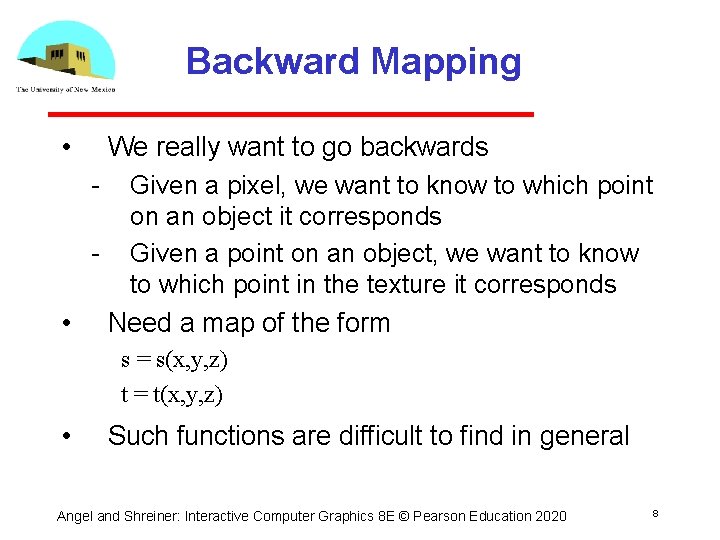
Backward Mapping • We really want to go backwards Given a pixel, we want to know to which point on an object it corresponds Given a point on an object, we want to know to which point in the texture it corresponds • Need a map of the form s = s(x, y, z) t = t(x, y, z) • Such functions are difficult to find in general Angel and Shreiner: Interactive Computer Graphics 8 E © Pearson Education 2020 8
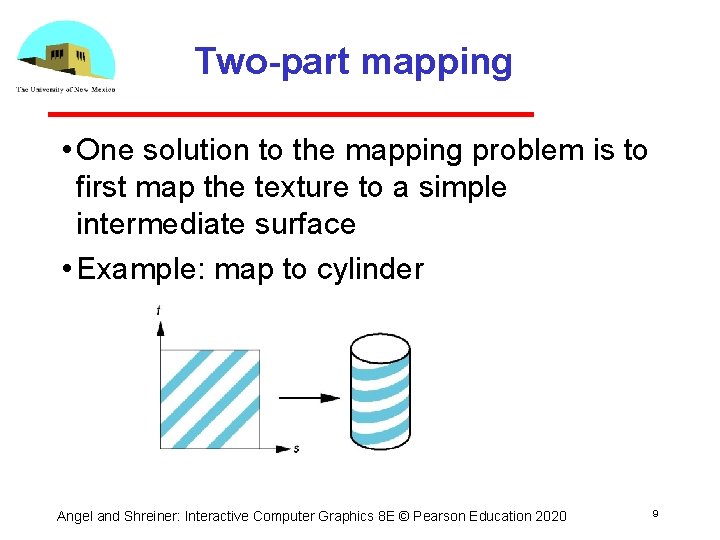
Two-part mapping • One solution to the mapping problem is to first map the texture to a simple intermediate surface • Example: map to cylinder Angel and Shreiner: Interactive Computer Graphics 8 E © Pearson Education 2020 9
Cylindrical Mapping parametric cylinder x = r cos 2 p u y = r sin 2 pu z = v/h maps rectangle in u, v space to cylinder of radius r and height h in world coordinates s=u t=v maps from texture space Angel and Shreiner: Interactive Computer Graphics 8 E © Pearson Education 2020 10
Spherical Map We can use a parametric sphere x = r cos 2 pu y = r sin 2 pu cos 2 pv z = r sin 2 pu sin 2 pv in a similar manner to the cylinder but have to decide where to put the distortion Spheres are used in environmental maps Angel and Shreiner: Interactive Computer Graphics 8 E © Pearson Education 2020 11
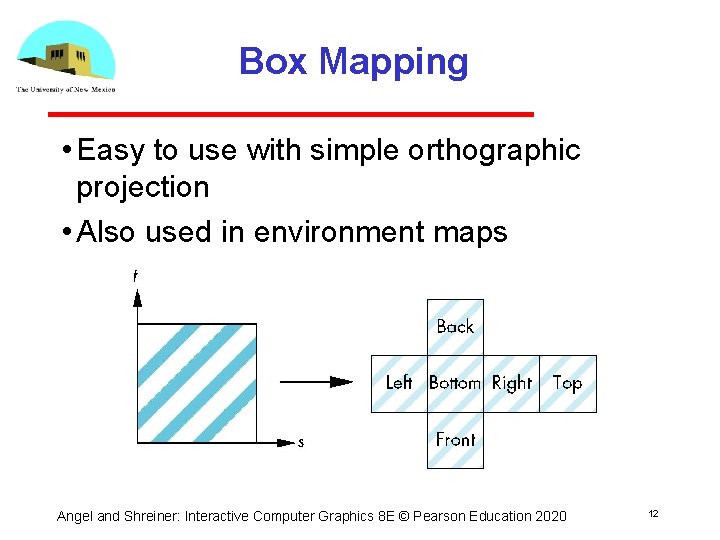
Box Mapping • Easy to use with simple orthographic projection • Also used in environment maps Angel and Shreiner: Interactive Computer Graphics 8 E © Pearson Education 2020 12
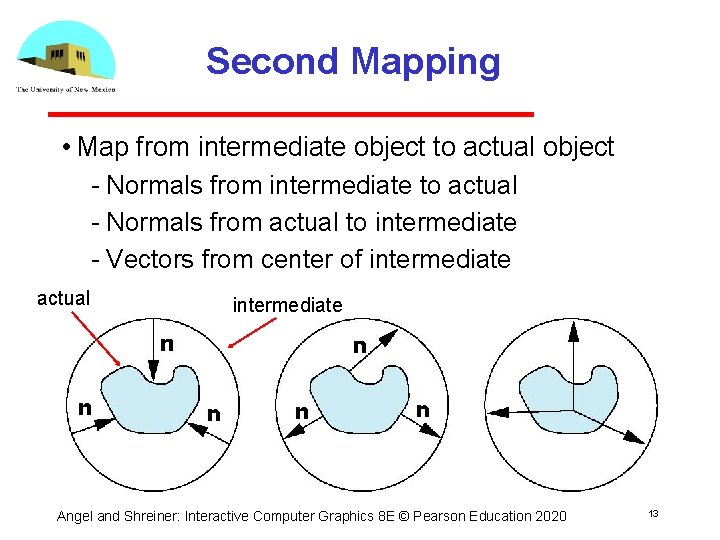
Second Mapping • Map from intermediate object to actual object Normals from intermediate to actual Normals from actual to intermediate Vectors from center of intermediate actual intermediate Angel and Shreiner: Interactive Computer Graphics 8 E © Pearson Education 2020 13
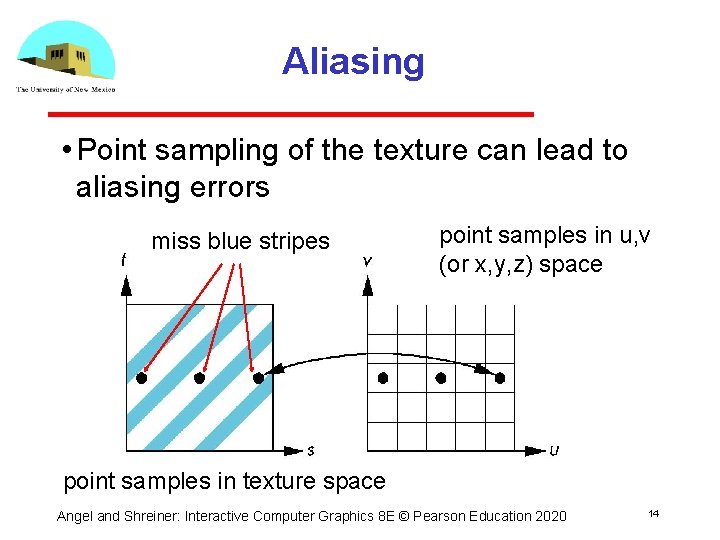
Aliasing • Point sampling of the texture can lead to aliasing errors miss blue stripes point samples in u, v (or x, y, z) space point samples in texture space Angel and Shreiner: Interactive Computer Graphics 8 E © Pearson Education 2020 14
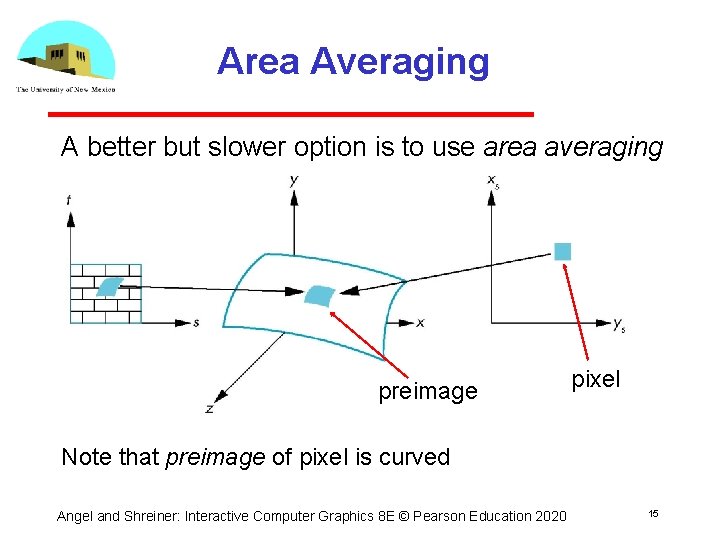
Area Averaging A better but slower option is to use area averaging preimage pixel Note that preimage of pixel is curved Angel and Shreiner: Interactive Computer Graphics 8 E © Pearson Education 2020 15
- Slides: 15