
Introduction to Computer Graphics with Web GL Ed
Introduction to Computer Graphics with Web. GL Ed Angel Professor Emeritus of Computer Science Founding Director, Arts, Research, Technology and Science Laboratory University of New Mexico Angel and Shreiner: Interactive Computer Graphics 7 E © Addison Wesley 2015 1

Bit. Blt Ed Angel Professor Emeritus of Computer Science University of New Mexico Angel and Shreiner: Interactive Computer Graphics 7 E © Addison Wesley 2015 2
Objectives • Introduce reading and writing of blocks of bits or bytes • Prepare for later discussion compositing and blending Angel and Shreiner: Interactive Computer Graphics 7 E © Addison Wesley 2015 3
Writing into Buffers • Web. GL does not contain a function for writing bits into frame buffer Use texture functions instead • We can use the fragment shader to do bit level operations on graphics memory • Bit Block Transfer (Bit. Blt) operations act on blocks of bits with a single instruction Angel and Shreiner: Interactive Computer Graphics 7 E © Addison Wesley 2015 4
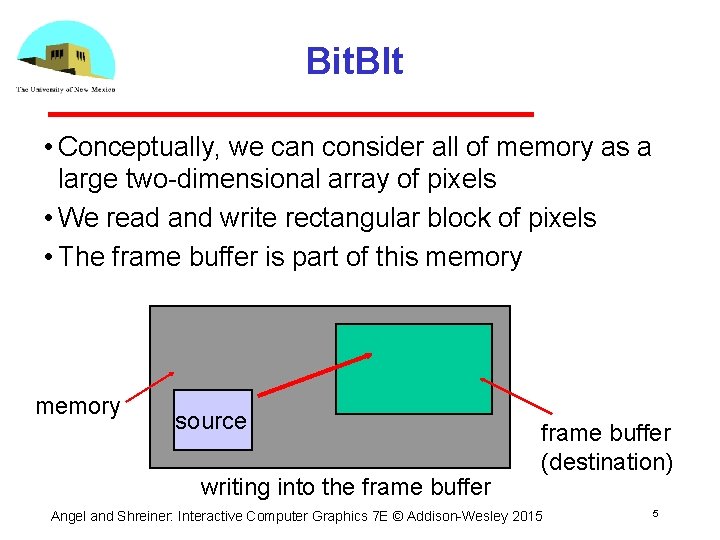
Bit. Blt • Conceptually, we can consider all of memory as a large two dimensional array of pixels • We read and write rectangular block of pixels • The frame buffer is part of this memory source writing into the frame buffer (destination) Angel and Shreiner: Interactive Computer Graphics 7 E © Addison Wesley 2015 5

Writing Model Read destination pixel before writing source Angel and Shreiner: Interactive Computer Graphics 7 E © Addison Wesley 2015 6
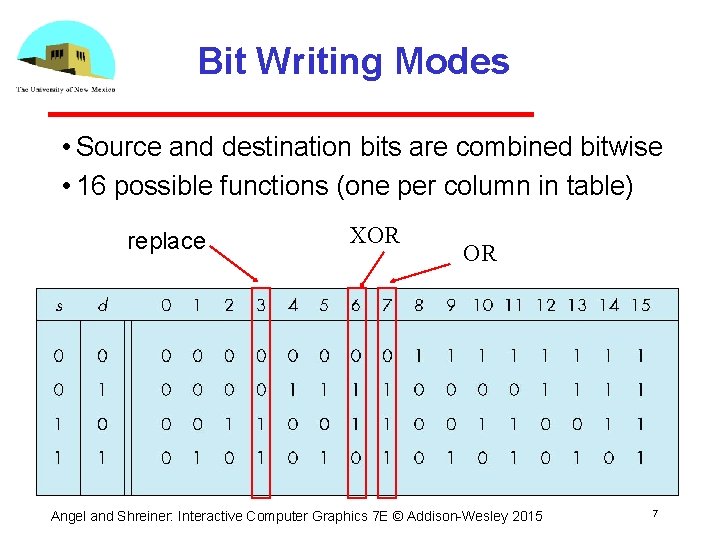
Bit Writing Modes • Source and destination bits are combined bitwise • 16 possible functions (one per column in table) replace XOR OR Angel and Shreiner: Interactive Computer Graphics 7 E © Addison Wesley 2015 7
XOR mode • XOR is especially useful for swapping blocks of memory such as menus that are stored off screen If S represents screen and M represents a menu the sequence S S M M S S M swaps S and M • Same strategy used for rubber band lines and cursors Angel and Shreiner: Interactive Computer Graphics 7 E © Addison Wesley 2015 8
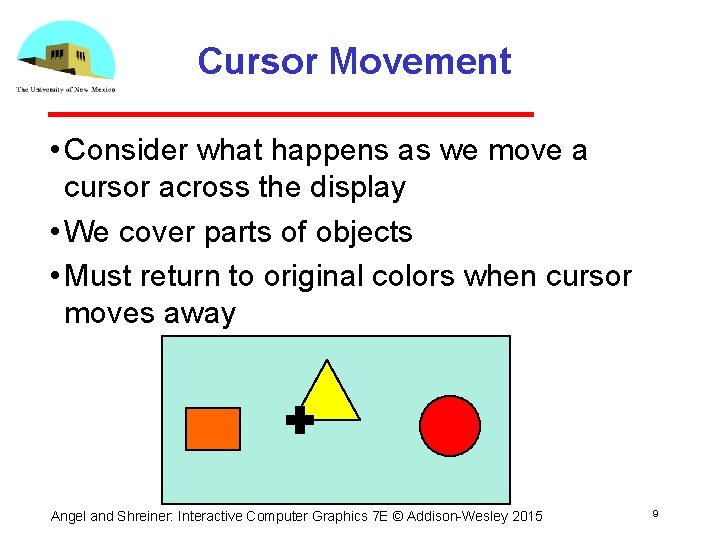
Cursor Movement • Consider what happens as we move a cursor across the display • We cover parts of objects • Must return to original colors when cursor moves away Angel and Shreiner: Interactive Computer Graphics 7 E © Addison Wesley 2015 9
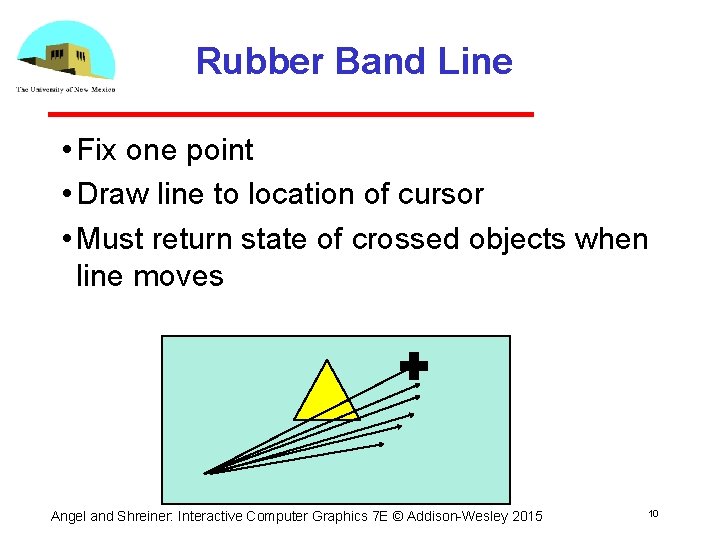
Rubber Band Line • Fix one point • Draw line to location of cursor • Must return state of crossed objects when line moves Angel and Shreiner: Interactive Computer Graphics 7 E © Addison Wesley 2015 10
- Slides: 10