
Introduction to Computer Graphics with Web GL Ed

Introduction to Computer Graphics with Web. GL Ed Angel Professor Emeritus of Computer Science Founding Director, Arts, Research, Technology and Science Laboratory University of New Mexico Angel and Shreiner: Interactive Computer Graphics 7 E © Addison-Wesley 2015 1
Programming with Web. GL Part 1: Background Ed Angel Professor Emeritus of Computer Science University of New Mexico Angel and Shreiner: Interactive Computer Graphics 7 E © Addison-Wesley 2015 2

Open. GL Architecture Angel and Shreiner: Interactive Computer Graphics 7 E © Addison-Wesley 2015 3
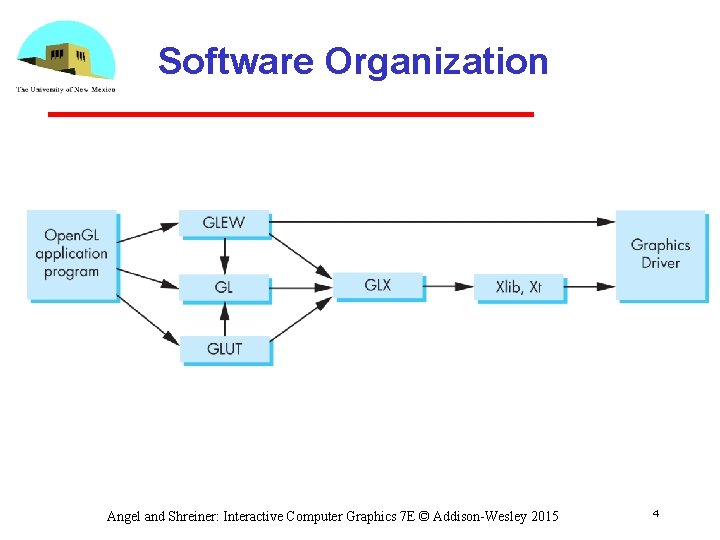
Software Organization Angel and Shreiner: Interactive Computer Graphics 7 E © Addison-Wesley 2015 4
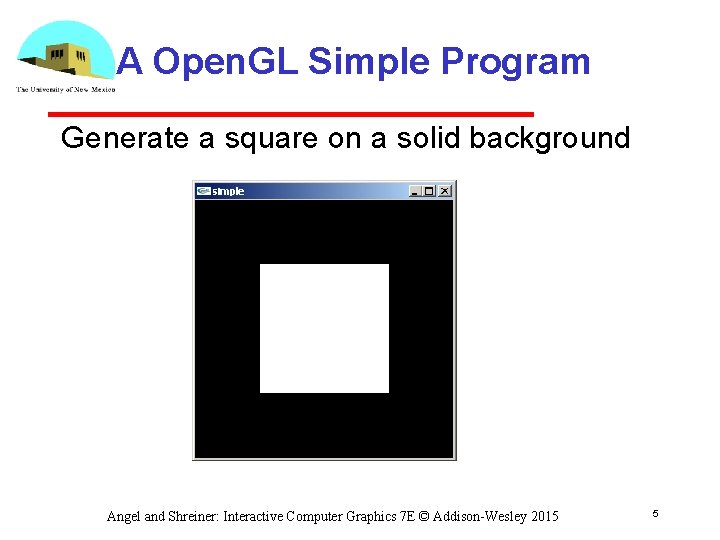
A Open. GL Simple Program Generate a square on a solid background Angel and Shreiner: Interactive Computer Graphics 7 E © Addison-Wesley 2015 5
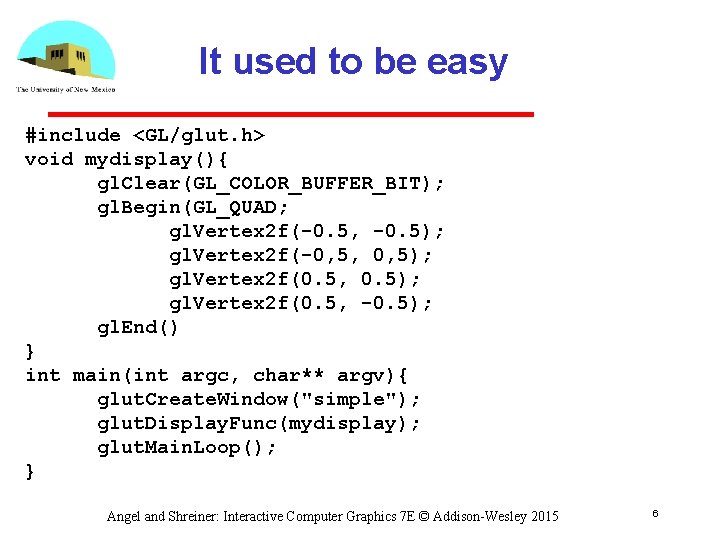
It used to be easy #include <GL/glut. h> void mydisplay(){ gl. Clear(GL_COLOR_BUFFER_BIT); gl. Begin(GL_QUAD; gl. Vertex 2 f(-0. 5, -0. 5); gl. Vertex 2 f(-0, 5, 0, 5); gl. Vertex 2 f(0. 5, 0. 5); gl. Vertex 2 f(0. 5, -0. 5); gl. End() } int main(int argc, char** argv){ glut. Create. Window("simple"); glut. Display. Func(mydisplay); glut. Main. Loop(); } Angel and Shreiner: Interactive Computer Graphics 7 E © Addison-Wesley 2015 6
What happened? • Most Open. GL functions deprecated immediate vs retained mode make use of GPU • Makes heavy use of state variable default values that no longer exist Viewing Colors Window parameters • However, processing loop is the same Angel and Shreiner: Interactive Computer Graphics 7 E © Addison-Wesley 2015 7
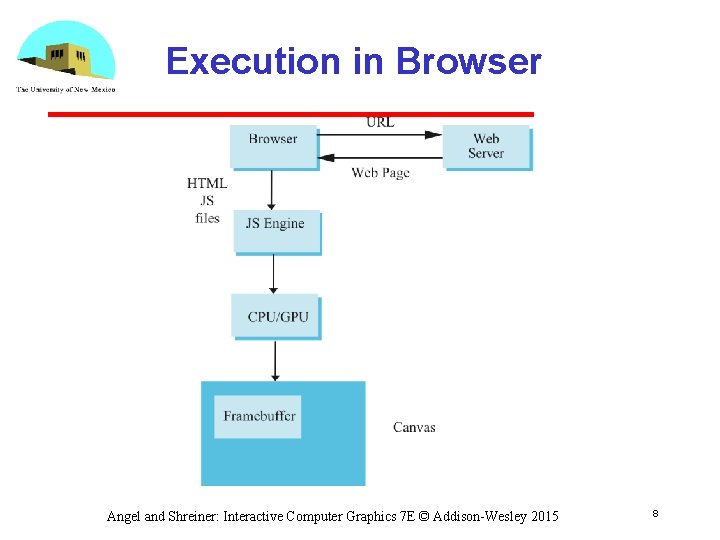
Execution in Browser Angel and Shreiner: Interactive Computer Graphics 7 E © Addison-Wesley 2015 8

Event Loop • Remember that the sample program specifies a render function which is a event listener or callback function Every program should have a render callback For a static application we need only execute the render function once In a dynamic application, the render function call itself recursively but each redrawing of the display must be triggered by an event Angel and Shreiner: Interactive Computer Graphics 7 E © Addison-Wesley 2015 9
Lack of Object Orientation • All versions of Open. GL are not object oriented so that there are multiple functions for a given logical function • Example: sending values to shaders gl. uniform 3 f gl. uniform 2 i gl. uniform 3 dv • Underlying storage mode is the same Angel and Shreiner: Interactive Computer Graphics 7 E © Addison-Wesley 2015 10
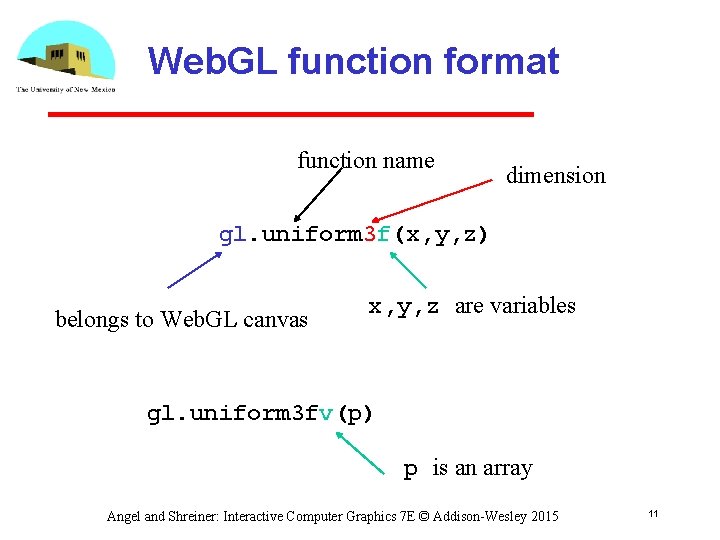
Web. GL function format function name dimension gl. uniform 3 f(x, y, z) belongs to Web. GL canvas x, y, z are variables gl. uniform 3 fv(p) p is an array Angel and Shreiner: Interactive Computer Graphics 7 E © Addison-Wesley 2015 11
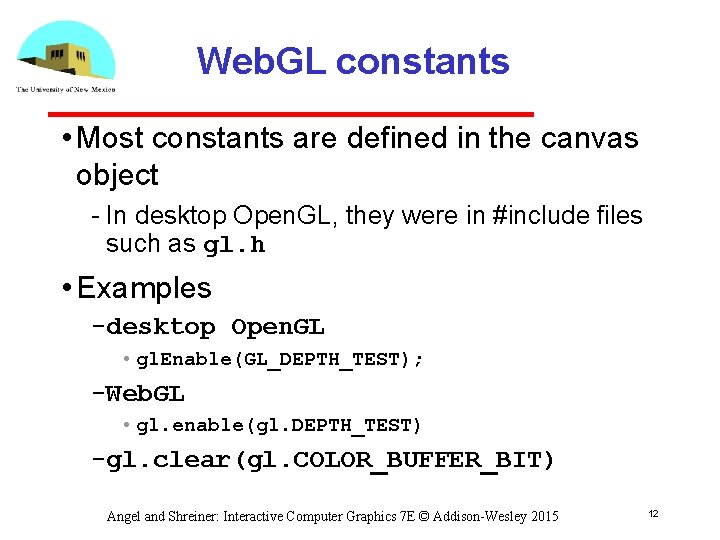
Web. GL constants • Most constants are defined in the canvas object In desktop Open. GL, they were in #include files such as gl. h • Examples desktop Open. GL • gl. Enable(GL_DEPTH_TEST); Web. GL • gl. enable(gl. DEPTH_TEST) gl. clear(gl. COLOR_BUFFER_BIT) Angel and Shreiner: Interactive Computer Graphics 7 E © Addison-Wesley 2015 12
Web. GL and GLSL • Web. GL requires shaders and is based less on a state machine model than a data flow model • Most state variables, attributes and related pre 3. 1 Open. GL functions have been deprecated • Action happens in shaders • Job of application is to get data to GPU Angel and Shreiner: Interactive Computer Graphics 7 E © Addison-Wesley 2015 13
GLSL • Open. GL Shading Language • C like with Matrix and vector types (2, 3, 4 dimensional) Overloaded operators C++ like constructors • Similar to Nvidia’s Cg and Microsoft HLSL • Code sent to shaders as source code • Web. GL functions compile, link and get information to shaders Angel and Shreiner: Interactive Computer Graphics 7 E © Addison-Wesley 2015 14
- Slides: 14