
Introduction to Computer Graphics with Web GL Ed

Introduction to Computer Graphics with Web. GL Ed Angel Professor Emeritus of Computer Science Founding Director, Arts, Research, Technology and Science Laboratory University of New Mexico Angel and Shreiner: Interactive Computer Graphics 8 E © Pearson Education 2020

Framebuffer Objects Ed Angel Professor Emeritus of Computer Science University of New Mexico Angel and Shreiner: Interactive Computer Graphics 8 E © Pearson Education 2020
Objectives • Look at methods that use memory on the graphics card • Introduce off screen rendering • Learn how to create framebuffer objects Create a renderbuffer Attach resources Angel and Shreiner: Interactive Computer Graphics 8 E © Pearson Education 2020
Discrete Processing in Web. GL • Recent GPUs contain large amounts of memory Texture memory Framebuffer Floating point • Fragment shaders support discrete operations at the pixel level • Separate pixel (texel) pipeline Angel and Shreiner: Interactive Computer Graphics 8 E © Pearson Education 2020
Accessing the Framebuffer • Pre 3. 1 Open. GL had functions that allowed access to the framebuffer and other Open. GL buffers Draw Pixels Read Pixels Copy Pixels Bit. Blt Accumulation Buffer functions • All deprecated Angel and Shreiner: Interactive Computer Graphics 8 E © Pearson Education 2020
Going between CPU and GPU • We have already seen that we can write pixels as texels to texture memory • Texture objects reduce transfers between CPU and GPU • Transfer of pixel data back to CPU slow • Want to manipulate pixels without going back to CPU Image processing GPGPU Angel and Shreiner: Interactive Computer Graphics 8 E © Pearson Education 2020
Framebuffer Objects • Framebuffer Objects (FBOs) are buffers that are created by the application Not under control of window system Cannot be displayed Can attach a renderbuffer to a FBO and can render off screen into the attached buffer Attached buffer can then be detached and used as a texture map for an on screen render to the default frame buffer Angel and Shreiner: Interactive Computer Graphics 8 E © Pearson Education 2020
Render to Texture • Textures are shared by all instances of the fragment shade • If we render to a texture attachment we can create a new texture image that can be used in subsequent renderings • Use a double buffering strategy for operations such as convolution Angel and Shreiner: Interactive Computer Graphics 8 E © Pearson Education 2020
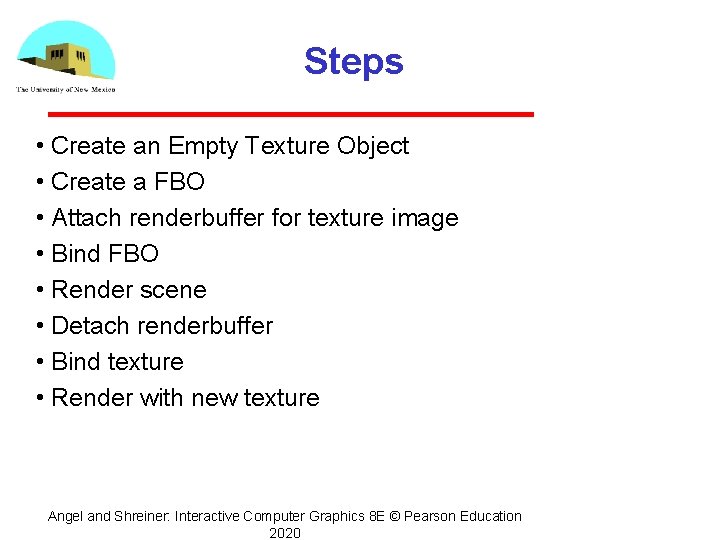
Steps • Create an Empty Texture Object • Create a FBO • Attach renderbuffer for texture image • Bind FBO • Render scene • Detach renderbuffer • Bind texture • Render with new texture Angel and Shreiner: Interactive Computer Graphics 8 E © Pearson Education 2020
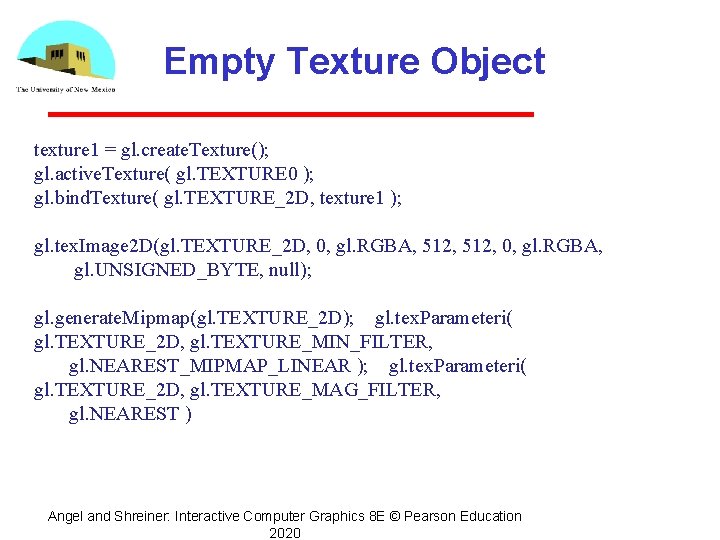
Empty Texture Object texture 1 = gl. create. Texture(); gl. active. Texture( gl. TEXTURE 0 ); gl. bind. Texture( gl. TEXTURE_2 D, texture 1 ); gl. tex. Image 2 D(gl. TEXTURE_2 D, 0, gl. RGBA, 512, 0, gl. RGBA, gl. UNSIGNED_BYTE, null); gl. generate. Mipmap(gl. TEXTURE_2 D); gl. tex. Parameteri( gl. TEXTURE_2 D, gl. TEXTURE_MIN_FILTER, gl. NEAREST_MIPMAP_LINEAR ); gl. tex. Parameteri( gl. TEXTURE_2 D, gl. TEXTURE_MAG_FILTER, gl. NEAREST ) Angel and Shreiner: Interactive Computer Graphics 8 E © Pearson Education 2020
Creating a FBO • We create a framebuffer object in a similar manner to other objects • Creating an FBO creates an empty FBO • Must add needed resources Can add a renderbuffer to render into Can add a texture which can also be rendered into For hidden surface removal we must add a depth buffer attachment to the renderbuffer Angel and Shreiner: Interactive Computer Graphics 8 E © Pearson Education 2020
Frame Buffer Object var framebuffer = gl. create. Framebuffer(); gl. bind. Framebuffer(gl. FRAMEBUFFER, framebuffer); framebuffer. width = 512; framebuffer. height = 512; //renderbuffer = gl. create. Renderbuffer(); //gl. bind. Renderbuffer(gl. RENDERBUFFER, renderbuffer); //gl. renderbuffer. Storage(gl. RENDERBUFFER, // gl. DEPTH_COMPONENT 16, 512); // Attach color buffer gl. framebuffer. Texture 2 D(gl. FRAMEBUFFER, gl. COLOR_ATTACHMENT 0, gl. TEXTURE_2 D, texture 1, 0); //gl. framebuffer. Renderbuffer(gl. FRAMEBUFFER, gl. DEPTH_ATTACHMENT, gl. RENDERBUFFER, renderbuffer); // check for completeness var status = gl. check. Framebuffer. Status(gl. FRAMEBUFFER); if(status != gl. FRAMEBUFFER_COMPLETE) alert('Frame Buffer Not Complete'); Angel and Shreiner: Interactive Computer Graphics 8 E © Pearson Education 2020
Rest of Initialization • Same as previous examples Allocate VAO Fill VAO with data for render to texture • Initialize two program objects with different shaders First for render to texture Second for rendering with created texture Angel and Shreiner: Interactive Computer Graphics 8 E © Pearson Education 2020
- Slides: 13