
Introduction to Computer Graphics with Web GL Ed
Introduction to Computer Graphics with Web. GL Ed Angel Professor Emeritus of Computer Science Founding Director, Arts, Research, Technology and Science Laboratory University of New Mexico Angel and Shreiner: Interactive Computer Graphics 8 E © Pearson Education 2020 1

Buffers Ed Angel Professor Emeritus of Computer Science University of New Mexico Angel and Shreiner: Interactive Computer Graphics 8 E © Pearson Education 2020 2
Objectives • Introduce additional Web. GL buffers • Reading and writing buffers • Buffers and Images Angel and Shreiner: Interactive Computer Graphics 8 E © Pearson Education 2020 3
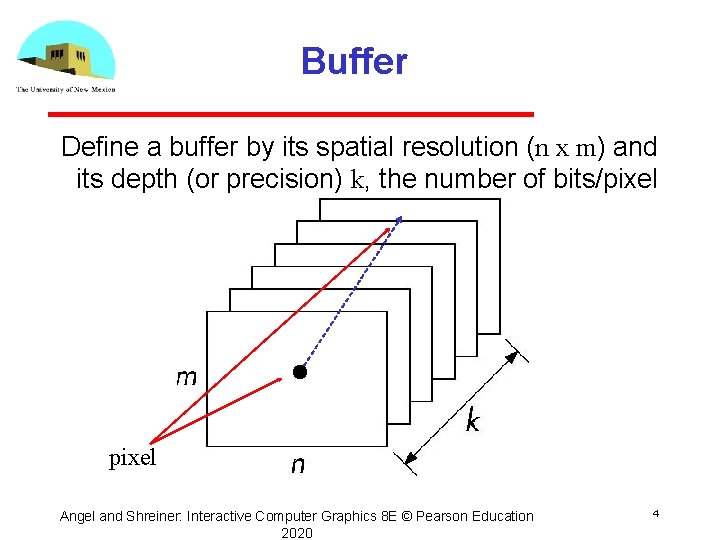
Buffer Define a buffer by its spatial resolution (n x m) and its depth (or precision) k, the number of bits/pixel Angel and Shreiner: Interactive Computer Graphics 8 E © Pearson Education 2020 4

Web. GL Frame Buffer Angel and Shreiner: Interactive Computer Graphics 8 E © Pearson Education 2020 5

Where are the Buffers? • HTML 5 Canvas Default front and back color buffers Under control of local window system Physically on graphics card • Depth buffer also on graphics card • Stencil buffer Holds masks • Most RGBA buffers 8 bits per component • Latest are floating point (IEEE) Angel and Shreiner: Interactive Computer Graphics 8 E © Pearson Education 2020 6
Other Buffers • desktop Open. GL supported other buffers auxiliary color buffers accumulation buffer these were on application side now deprecated • GPUs have their own or attached memory texture buffers off screen buffers • not under control of window system • may be floating point Angel and Shreiner: Interactive Computer Graphics 8 E © Pearson Education 2020 7
Images • Framebuffer contents are unformatted usually RGB or RGBA one byte per component no compression • Standard Web Image Formats jpeg, gif, png • Web. GL has no conversion functions Understands standard Web formats for texture images Angel and Shreiner: Interactive Computer Graphics 8 E © Pearson Education 2020 8
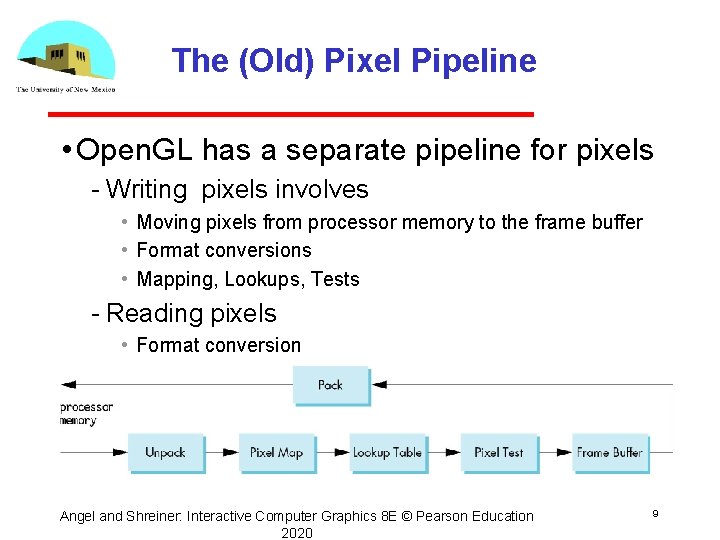
The (Old) Pixel Pipeline • Open. GL has a separate pipeline for pixels Writing pixels involves • Moving pixels from processor memory to the frame buffer • Format conversions • Mapping, Lookups, Tests Reading pixels • Format conversion Angel and Shreiner: Interactive Computer Graphics 8 E © Pearson Education 2020 9
Packing and Unpacking • Compressed or uncompressed • Indexed or RGB • Bit Format little or big endian • Web. GL (and shader based Open. GL) lacks most functions for packing and unpacking use texture functions instead can implement desired functionality in fragment shaders Angel and Shreiner: Interactive Computer Graphics 8 E © Pearson Education 10 2020
Deprecated Functionality • gl. Draw. Pixels • gl. Copy. Pixels • gl. Bit. Map Angel and Shreiner: Interactive Computer Graphics 8 E © Pearson Education 2020 11
Buffer Reading • Web. GL can read pixels from the framebuffer with gl. read. Pixels • Returns only 8 bit RGBA values • In general, the format of pixels in the frame buffer is different from that of processor memory and these two types of memory reside in different places Need packing and unpacking Reading can be slow • Drawing through texture functions and off screen memory (frame buffer objects) Angel and Shreiner: Interactive Computer Graphics 8 E © Pearson Education 2020 12
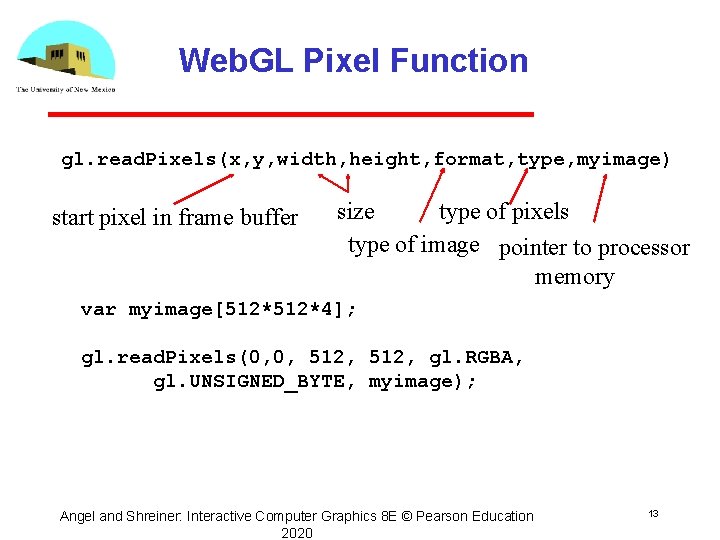
Web. GL Pixel Function gl. read. Pixels(x, y, width, height, format, type, myimage) start pixel in frame buffer size type of pixels type of image pointer to processor memory var myimage[512*4]; gl. read. Pixels(0, 0, 512, gl. RGBA, gl. UNSIGNED_BYTE, myimage); Angel and Shreiner: Interactive Computer Graphics 8 E © Pearson Education 2020 13
Render to Texture • GPUs now include a large amount of texture memory that we can write into • Advantage: fast (not under control of window system) • Using frame buffer objects (FBOs) we can render into texture memory instead of the frame buffer and then read from this memory Image processing GPGPU Angel and Shreiner: Interactive Computer Graphics 8 E © Pearson Education 2020 14
- Slides: 14