
Introduction to Computer Graphics with Web GL Ed
Introduction to Computer Graphics with Web. GL Ed Angel Professor Emeritus of Computer Science Founding Director, Arts, Research, Technology and Science Laboratory University of New Mexico Angel and Shreiner: Interactive Computer Graphics 7 E © Addison Wesley 2015 1
Reflection and Environment Maps Ed Angel Professor Emeritus of Computer Science University of New Mexico Angel and Shreiner: Interactive Computer Graphics 7 E © Addison Wesley 2015 2
Objectives • Texture Mapping Applications • Reflection (Environment) Maps Cube Maps Spherical Maps • Bump Maps Angel and Shreiner: Interactive Computer Graphics 7 E © Addison Wesley 2015 3
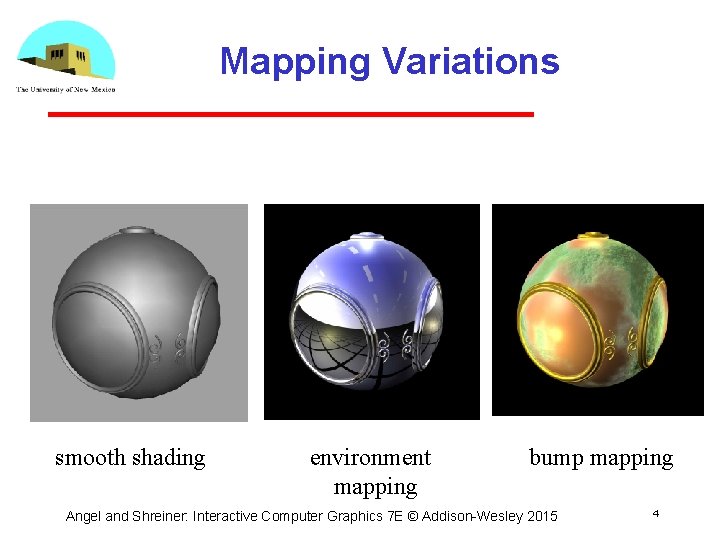
Mapping Variations smooth shading environment mapping bump mapping Angel and Shreiner: Interactive Computer Graphics 7 E © Addison Wesley 2015 4
Environment Mapping • Environmental (reflection) mapping is way to create the appearance of highly reflective surfaces without ray tracing which requires global calculations • Introduced in movies such as The Abyss and Terminator 2 • Prevalent in video games • It is a form of texture mapping Angel and Shreiner: Interactive Computer Graphics 7 E © Addison Wesley 2015 5

Reflecting the Environment N V R Angel and Shreiner: Interactive Computer Graphics 7 E © Addison Wesley 2015 6
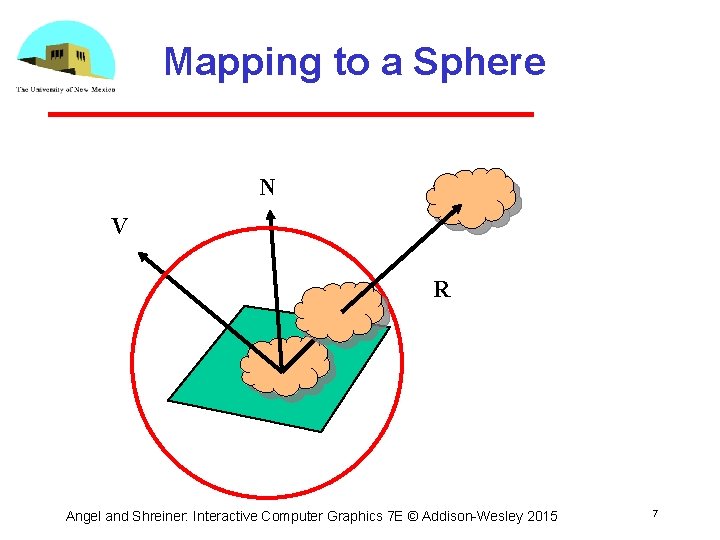
Mapping to a Sphere N V R Angel and Shreiner: Interactive Computer Graphics 7 E © Addison Wesley 2015 7
Hemisphere Map as a Texture • If we map all objects to hemisphere, we cannot tell if they are on the sphere or anywhere else along the reflector • Use the map on the sphere as a texture that can be mapped onto the object • Can use other surfaces as the intermediate Cube maps Cylinder maps Angel and Shreiner: Interactive Computer Graphics 7 E © Addison Wesley 2015 8
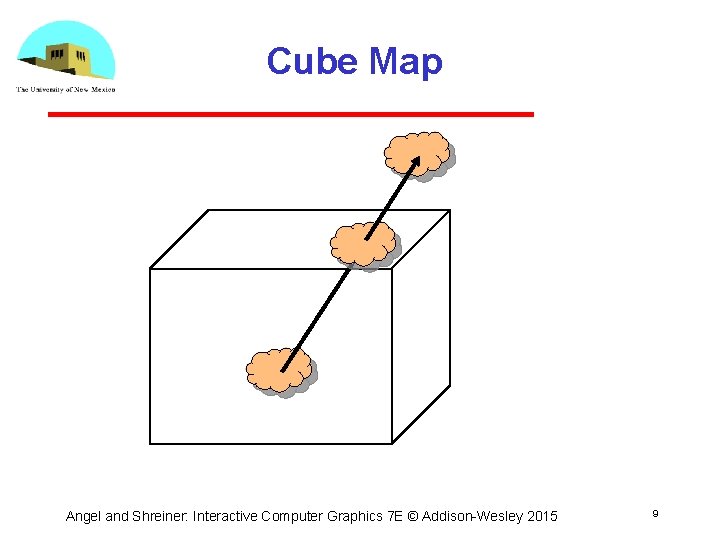
Cube Map Angel and Shreiner: Interactive Computer Graphics 7 E © Addison Wesley 2015 9
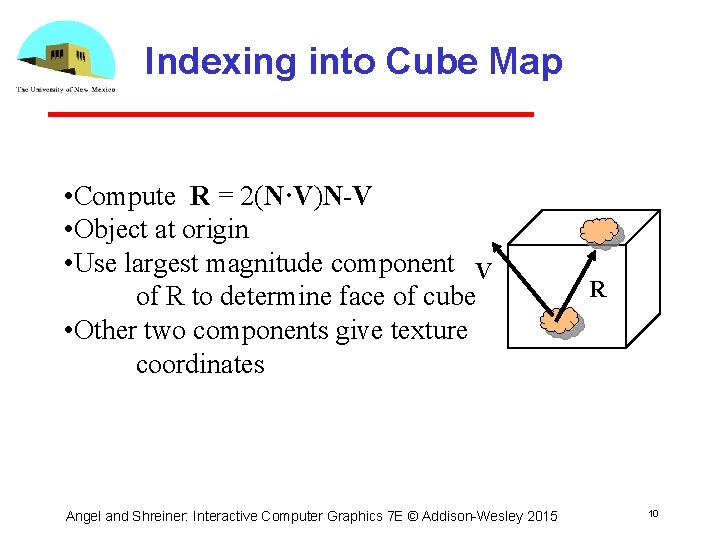
Indexing into Cube Map • Compute R = 2(N·V)N-V • Object at origin • Use largest magnitude component V of R to determine face of cube • Other two components give texture coordinates Angel and Shreiner: Interactive Computer Graphics 7 E © Addison Wesley 2015 R 10
Open. GL Implementation • Web. GL supports only cube maps desktop Open. GL also supports sphere maps • First must form map Use images from a real camera Form images with Web. GL • Texture map it to object Angel and Shreiner: Interactive Computer Graphics 7 E © Addison Wesley 2015 11
Cube Maps • We can form a cube map texture by defining six 2 D texture maps that correspond to the sides of a box • Supported by Web. GL through cubemap sampler vec 4 tex. Color = texture. Cube(mycube, texcoord); • Texture coordinates must be 3 D usually are given by the vertex location so we don’t need compute separate tex coords Angel and Shreiner: Interactive Computer Graphics 7 E © Addison Wesley 2015 12
Environment Maps with Shaders • Environment maps are usually computed in world coordinates which can differ from object coordinates because of the modeling matrix May have to keep track of modeling matrix and pass it to the shaders as a uniform variable • Can also use reflection map or refraction map for effects such as simulating water Angel and Shreiner: Interactive Computer Graphics 7 E © Addison Wesley 2015 13
Issues • Must assume environment is very far from object (equivalent to the difference between near and distant lights) • Object cannot be concave (no self reflections possible) • No reflections between objects • Need a reflection map for each object • Need a new map if viewer moves Angel and Shreiner: Interactive Computer Graphics 7 E © Addison Wesley 2015 14
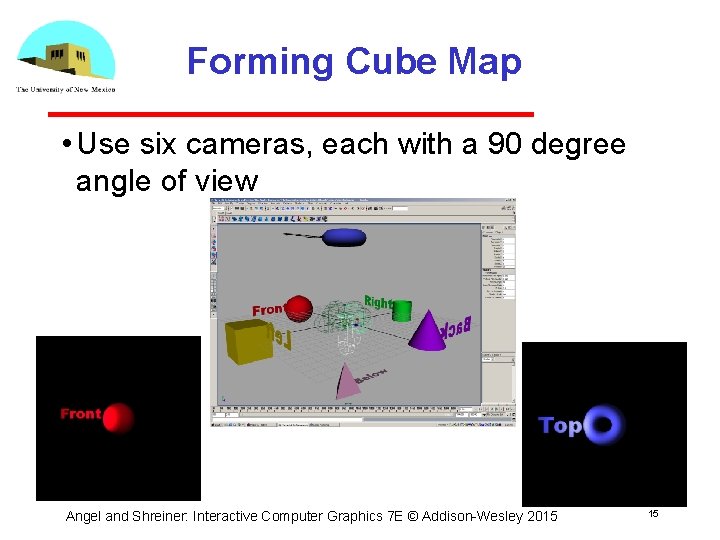
Forming Cube Map • Use six cameras, each with a 90 degree angle of view Angel and Shreiner: Interactive Computer Graphics 7 E © Addison Wesley 2015 15
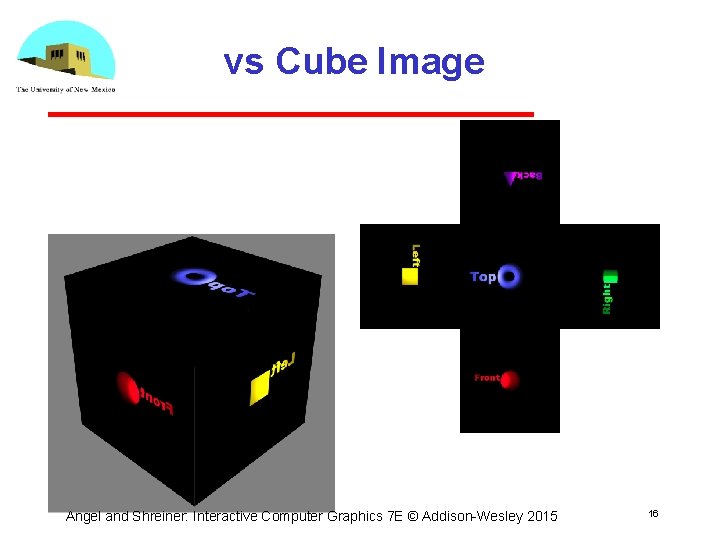
vs Cube Image Angel and Shreiner: Interactive Computer Graphics 7 E © Addison Wesley 2015 16
Doing it in Web. GL gl. texture. Map 2 D( gl. TEXTURE_CUBE_MAP_POSITIVE_X, level, rows, columns, border, gl. RGBA, gl. UNSIGNED_BYTE, image 1) • Same for other five images • Make one texture object out of the six images Angel and Shreiner: Interactive Computer Graphics 7 E © Addison Wesley 2015 17
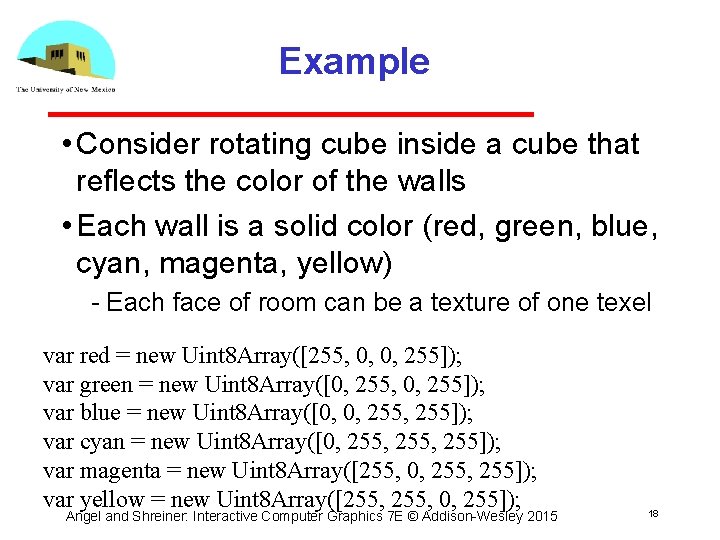
Example • Consider rotating cube inside a cube that reflects the color of the walls • Each wall is a solid color (red, green, blue, cyan, magenta, yellow) Each face of room can be a texture of one texel var red = new Uint 8 Array([255, 0, 0, 255]); var green = new Uint 8 Array([0, 255, 0, 255]); var blue = new Uint 8 Array([0, 0, 255]); var cyan = new Uint 8 Array([0, 255, 255]); var magenta = new Uint 8 Array([255, 0, 255]); var yellow = new Uint 8 Array([255, 0, 255]); Angel and Shreiner: Interactive Computer Graphics 7 E © Addison Wesley 2015 18
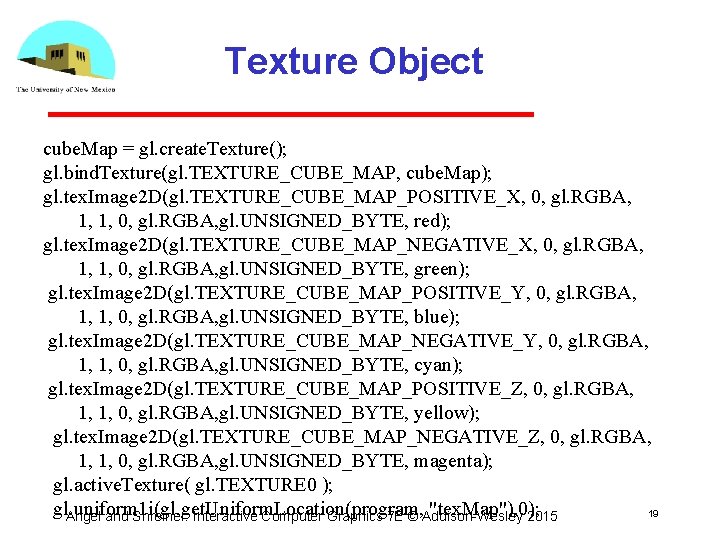
Texture Object cube. Map = gl. create. Texture(); gl. bind. Texture(gl. TEXTURE_CUBE_MAP, cube. Map); gl. tex. Image 2 D(gl. TEXTURE_CUBE_MAP_POSITIVE_X, 0, gl. RGBA, 1, 1, 0, gl. RGBA, gl. UNSIGNED_BYTE, red); gl. tex. Image 2 D(gl. TEXTURE_CUBE_MAP_NEGATIVE_X, 0, gl. RGBA, 1, 1, 0, gl. RGBA, gl. UNSIGNED_BYTE, green); gl. tex. Image 2 D(gl. TEXTURE_CUBE_MAP_POSITIVE_Y, 0, gl. RGBA, 1, 1, 0, gl. RGBA, gl. UNSIGNED_BYTE, blue); gl. tex. Image 2 D(gl. TEXTURE_CUBE_MAP_NEGATIVE_Y, 0, gl. RGBA, 1, 1, 0, gl. RGBA, gl. UNSIGNED_BYTE, cyan); gl. tex. Image 2 D(gl. TEXTURE_CUBE_MAP_POSITIVE_Z, 0, gl. RGBA, 1, 1, 0, gl. RGBA, gl. UNSIGNED_BYTE, yellow); gl. tex. Image 2 D(gl. TEXTURE_CUBE_MAP_NEGATIVE_Z, 0, gl. RGBA, 1, 1, 0, gl. RGBA, gl. UNSIGNED_BYTE, magenta); gl. active. Texture( gl. TEXTURE 0 ); gl. uniform 1 i(gl. get. Uniform. Location(program, "tex. Map"), 0); 19 Angel and Shreiner: Interactive Computer Graphics 7 E © Addison Wesley 2015
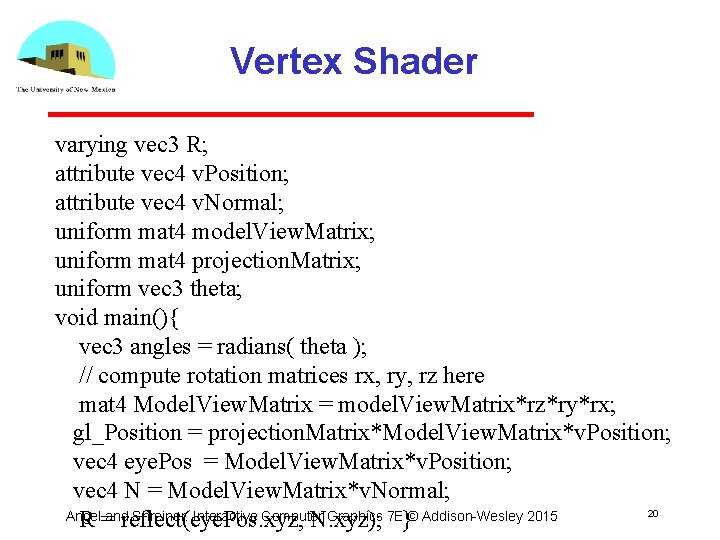
Vertex Shader varying vec 3 R; attribute vec 4 v. Position; attribute vec 4 v. Normal; uniform mat 4 model. View. Matrix; uniform mat 4 projection. Matrix; uniform vec 3 theta; void main(){ vec 3 angles = radians( theta ); // compute rotation matrices rx, ry, rz here mat 4 Model. View. Matrix = model. View. Matrix*rz*ry*rx; gl_Position = projection. Matrix*Model. View. Matrix*v. Position; vec 4 eye. Pos = Model. View. Matrix*v. Position; vec 4 N = Model. View. Matrix*v. Normal; 20 Angel Shreiner: Interactive Computer Graphics 7 E}© Addison Wesley 2015 R =andreflect(eye. Pos. xyz, N. xyz);
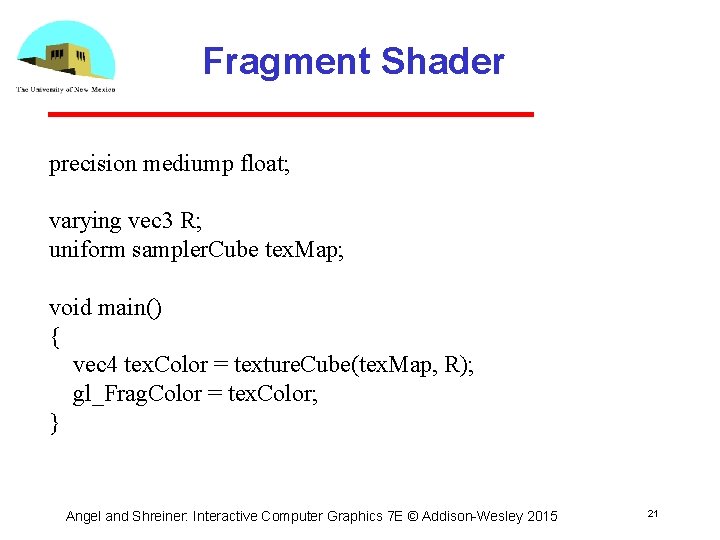
Fragment Shader precision mediump float; varying vec 3 R; uniform sampler. Cube tex. Map; void main() { vec 4 tex. Color = texture. Cube(tex. Map, R); gl_Frag. Color = tex. Color; } Angel and Shreiner: Interactive Computer Graphics 7 E © Addison Wesley 2015 21
Sphere Mapping • Original environmental mapping technique proposed by Blinn and Newell based in using lines of longitude and latitude to map parametric variables to texture coordinates • Open. GL supports sphere mapping which requires a circular texture map equivalent to an image taken with a fisheye lens Angel and Shreiner: Interactive Computer Graphics 7 E © Addison Wesley 2015 22
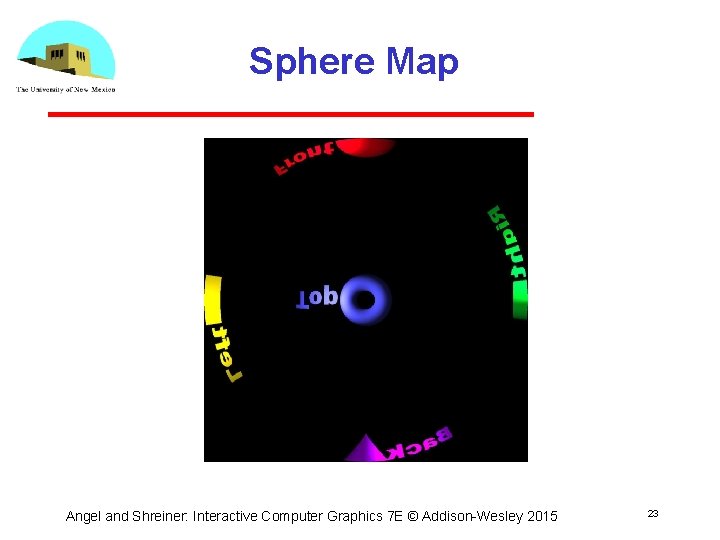
Sphere Map Angel and Shreiner: Interactive Computer Graphics 7 E © Addison Wesley 2015 23
- Slides: 23