
Introduction to Computer Graphics with Web GL Ed
Introduction to Computer Graphics with Web. GL Ed Angel Professor Emeritus of Computer Science Founding Director, Arts, Research, Technology and Science Laboratory University of New Mexico Angel and Shreiner: Interactive Computer Graphics 7 E © Addison-Wesley 2015 1
Programming with Web. GL Part 4: Color and Attributes Ed Angel Professor of Emeritus of Computer Science University of New Mexico Angel and Shreiner: Interactive Computer Graphics 7 E © Addison-Wesley 2015 2

Objectives • Expanding primitive set • Adding color • Vertex attributes Angel and Shreiner: Interactive Computer Graphics 7 E © Addison-Wesley 2015 3
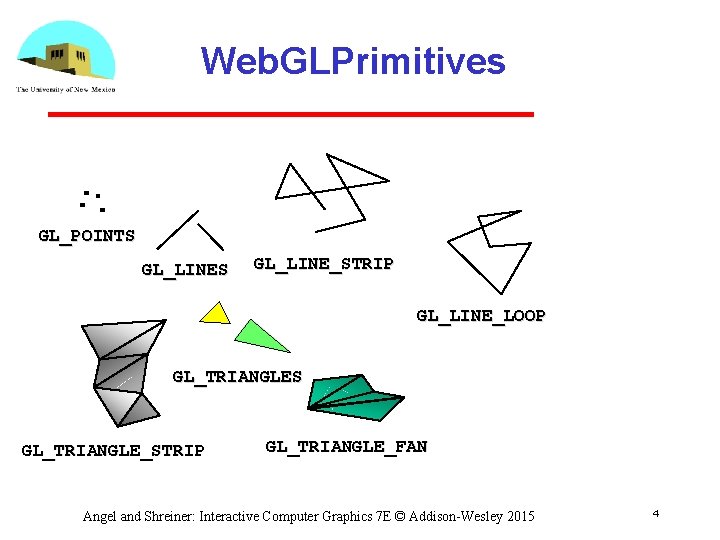
Web. GLPrimitives GL_POINTS GL_LINE_STRIP GL_LINE_LOOP GL_TRIANGLES GL_TRIANGLE_STRIP GL_TRIANGLE_FAN Angel and Shreiner: Interactive Computer Graphics 7 E © Addison-Wesley 2015 4
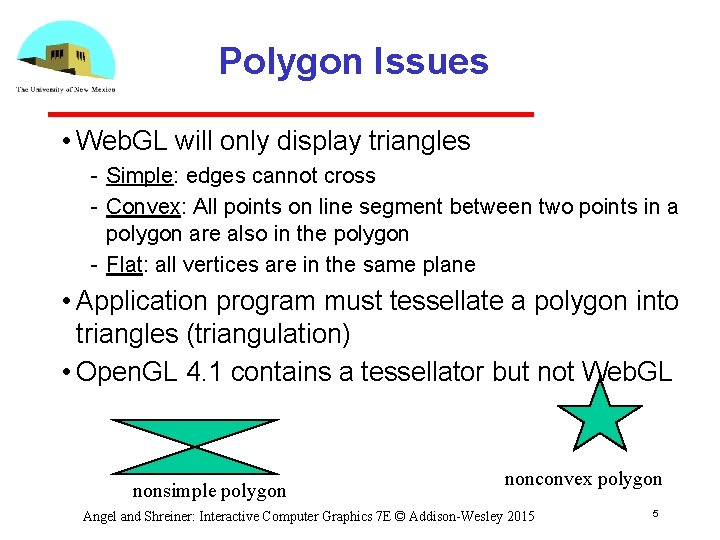
Polygon Issues • Web. GL will only display triangles Simple: edges cannot cross Convex: All points on line segment between two points in a polygon are also in the polygon Flat: all vertices are in the same plane • Application program must tessellate a polygon into triangles (triangulation) • Open. GL 4. 1 contains a tessellator but not Web. GL nonsimple polygon nonconvex polygon Angel and Shreiner: Interactive Computer Graphics 7 E © Addison-Wesley 2015 5
Polygon Testing • Conceptually simple to test for simplicity and convexity • Time consuming • Earlier versions assumed both and left testing to the application • Present version only renders triangles • Need algorithm to triangulate an arbitrary polygon Angel and Shreiner: Interactive Computer Graphics 7 E © Addison-Wesley 2015 6
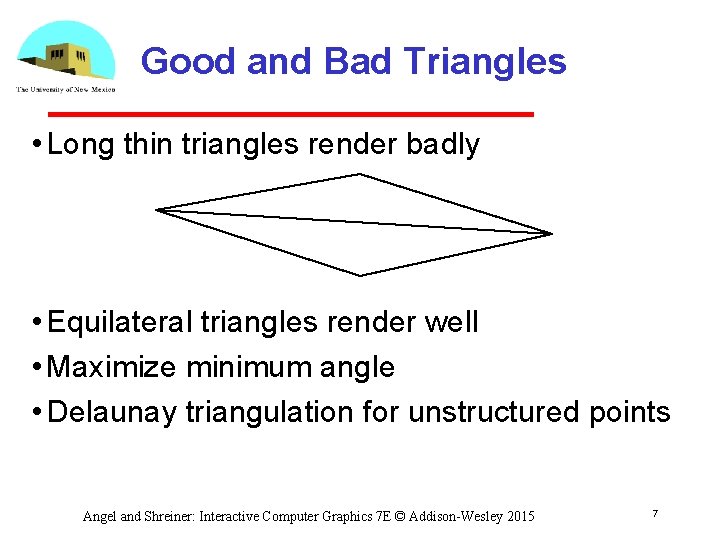
Good and Bad Triangles • Long thin triangles render badly • Equilateral triangles render well • Maximize minimum angle • Delaunay triangulation for unstructured points Angel and Shreiner: Interactive Computer Graphics 7 E © Addison-Wesley 2015 7
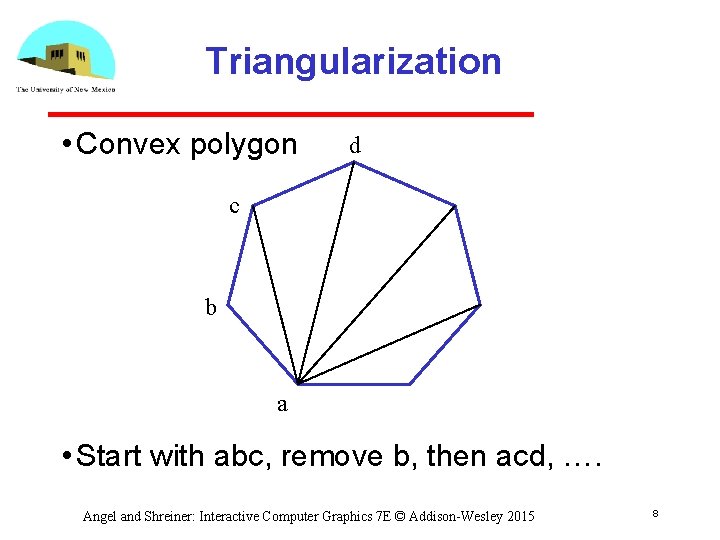
Triangularization • Convex polygon d c b a • Start with abc, remove b, then acd, …. Angel and Shreiner: Interactive Computer Graphics 7 E © Addison-Wesley 2015 8
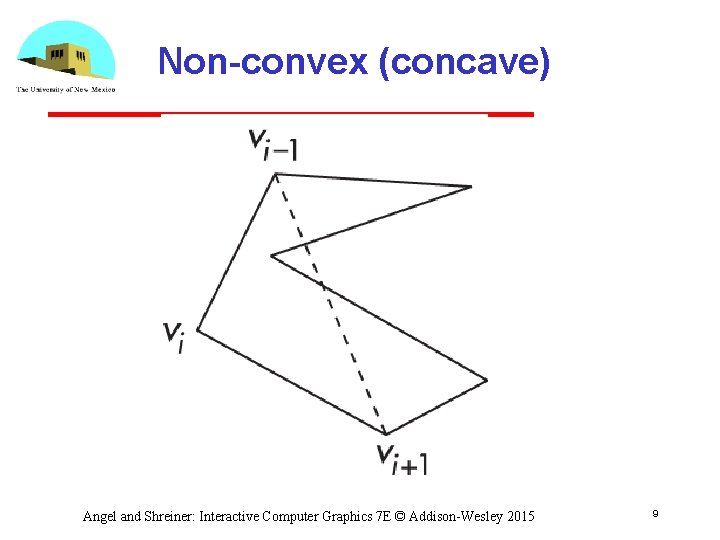
Non-convex (concave) Angel and Shreiner: Interactive Computer Graphics 7 E © Addison-Wesley 2015 9
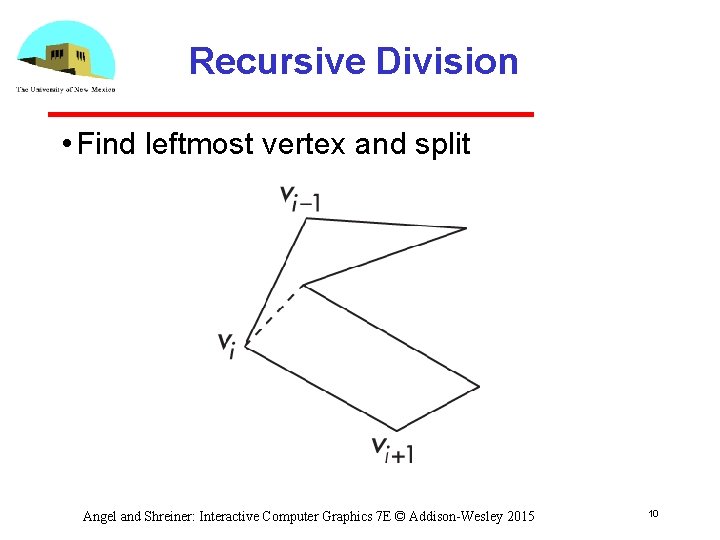
Recursive Division • Find leftmost vertex and split Angel and Shreiner: Interactive Computer Graphics 7 E © Addison-Wesley 2015 10
Attributes • Attributes determine the appearance of objects Color (points, lines, polygons) Size and width (points, lines) Stipple pattern (lines, polygons) Polygon mode • Display as filled: solid color or stipple pattern • Display edges • Display vertices • Only a few (gl_Point. Size) are supported by Web. GL functions Angel and Shreiner: Interactive Computer Graphics 7 E © Addison-Wesley 2015 11
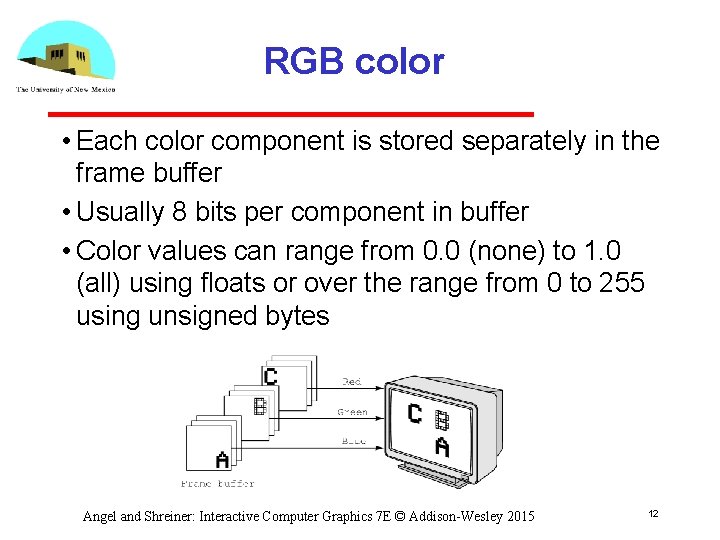
RGB color • Each color component is stored separately in the frame buffer • Usually 8 bits per component in buffer • Color values can range from 0. 0 (none) to 1. 0 (all) using floats or over the range from 0 to 255 using unsigned bytes Angel and Shreiner: Interactive Computer Graphics 7 E © Addison-Wesley 2015 12
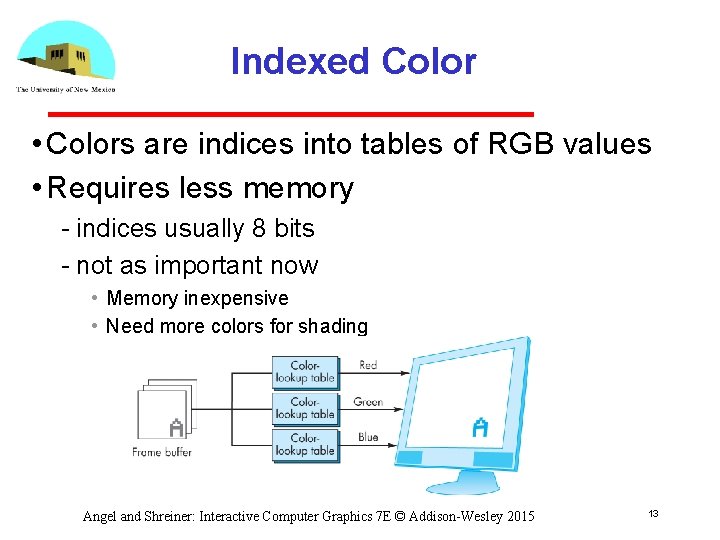
Indexed Color • Colors are indices into tables of RGB values • Requires less memory indices usually 8 bits not as important now • Memory inexpensive • Need more colors for shading Angel and Shreiner: Interactive Computer Graphics 7 E © Addison-Wesley 2015 13
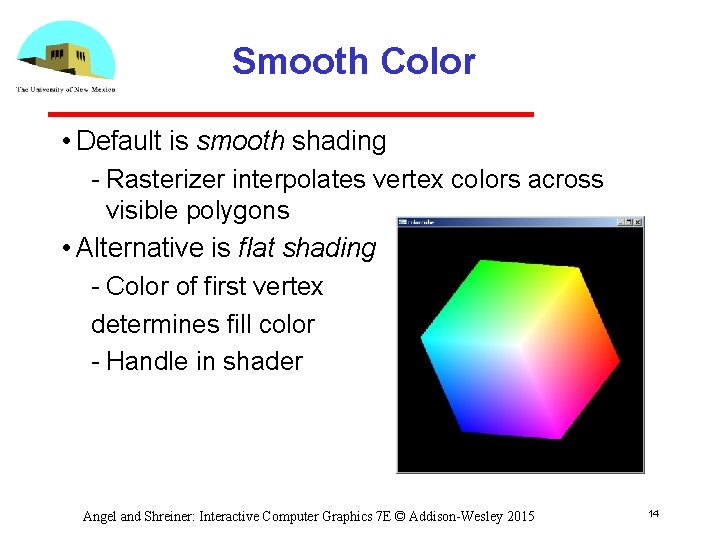
Smooth Color • Default is smooth shading Rasterizer interpolates vertex colors across visible polygons • Alternative is flat shading Color of first vertex determines fill color Handle in shader Angel and Shreiner: Interactive Computer Graphics 7 E © Addison-Wesley 2015 14
Setting Colors • Colors are ultimately set in the fragment shader but can be determined in either shader or in the application • Application color: pass to vertex shader as a uniform variable or as a vertex attribute • Vertex shader color: pass to fragment shader as varying variable • Fragment color: can alter via shader code Angel and Shreiner: Interactive Computer Graphics 7 E © Addison-Wesley 2015 15
- Slides: 15