
Introduction to Computer Graphics with Web GL Ed
Introduction to Computer Graphics with Web. GL Ed Angel Professor Emeritus of Computer Science Founding Director, Arts, Research, Technology and Science Laboratory University of New Mexico Angel and Shreiner: Interactive Computer Graphics 7 E © Addison-Wesley 2015 1
Programming with Web. GL Part 5: More GLSL Ed Angel Professor Emeritus of Computer Science University of New Mexico Angel and Shreiner: Interactive Computer Graphics 7 E © Addison-Wesley 2015 2
Objectives • Coupling shaders to applications Reading Compiling Linking • Vertex Attributes • Setting up uniform variables • Example applications Angel and Shreiner: Interactive Computer Graphics 7 E © Addison-Wesley 2015 3
Linking Shaders with Application • Read shaders • Compile shaders • Create a program object • Link everything together • Link variables in application with variables in shaders Vertex attributes Uniform variables Angel and Shreiner: Interactive Computer Graphics 7 E © Addison-Wesley 2015 4
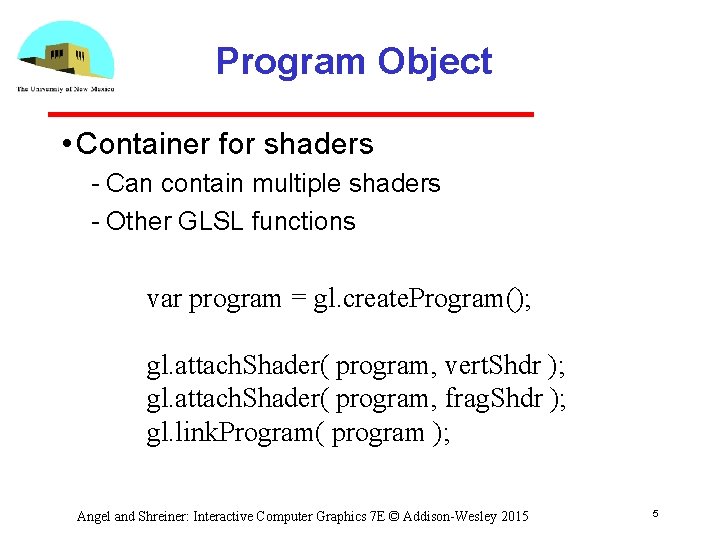
Program Object • Container for shaders Can contain multiple shaders Other GLSL functions var program = gl. create. Program(); gl. attach. Shader( program, vert. Shdr ); gl. attach. Shader( program, frag. Shdr ); gl. link. Program( program ); Angel and Shreiner: Interactive Computer Graphics 7 E © Addison-Wesley 2015 5
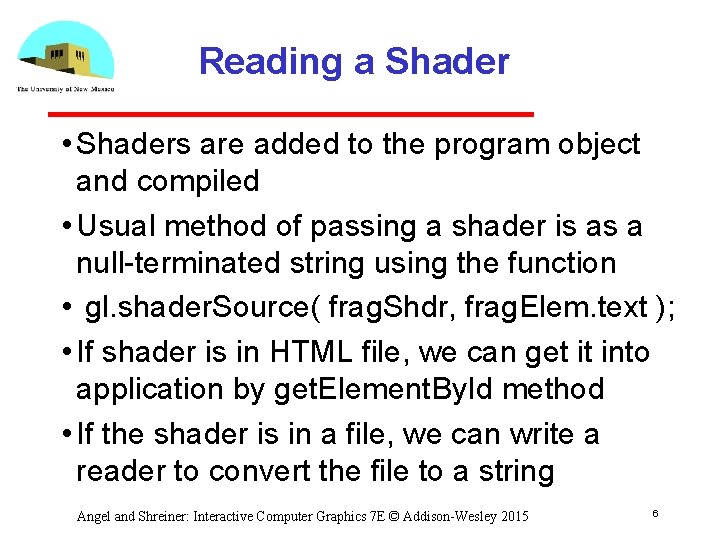
Reading a Shader • Shaders are added to the program object and compiled • Usual method of passing a shader is as a null terminated string using the function • gl. shader. Source( frag. Shdr, frag. Elem. text ); • If shader is in HTML file, we can get it into application by get. Element. By. Id method • If the shader is in a file, we can write a reader to convert the file to a string Angel and Shreiner: Interactive Computer Graphics 7 E © Addison-Wesley 2015 6
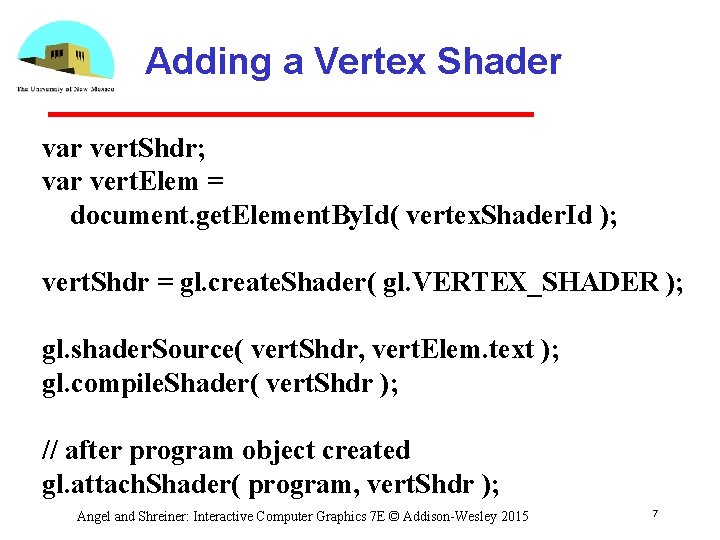
Adding a Vertex Shader var vert. Shdr; var vert. Elem = document. get. Element. By. Id( vertex. Shader. Id ); vert. Shdr = gl. create. Shader( gl. VERTEX_SHADER ); gl. shader. Source( vert. Shdr, vert. Elem. text ); gl. compile. Shader( vert. Shdr ); // after program object created gl. attach. Shader( program, vert. Shdr ); Angel and Shreiner: Interactive Computer Graphics 7 E © Addison-Wesley 2015 7
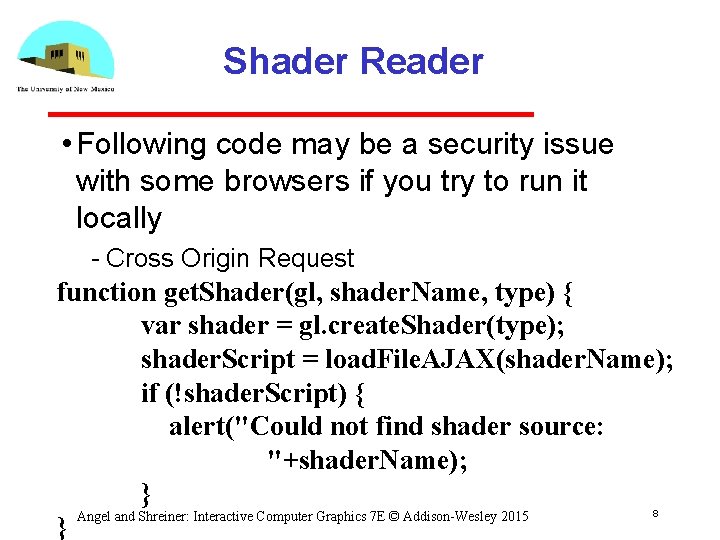
Shader Reader • Following code may be a security issue with some browsers if you try to run it locally Cross Origin Request function get. Shader(gl, shader. Name, type) { var shader = gl. create. Shader(type); shader. Script = load. File. AJAX(shader. Name); if (!shader. Script) { alert("Could not find shader source: "+shader. Name); } Angel and Shreiner: Interactive Computer Graphics 7 E © Addison-Wesley 2015 } 8
Precision Declaration • In GLSL for Web. GL we must specify desired precision in fragment shaders artifact inherited from Open. GL ES must run on very simple embedded devices that may not support 32 bit floating point All implementations must support mediump No default for float in fragment shader • Can use preprocessor directives (#ifdef) to check if highp supported and, if not, default to mediump Angel and Shreiner: Interactive Computer Graphics 7 E © Addison-Wesley 2015 9
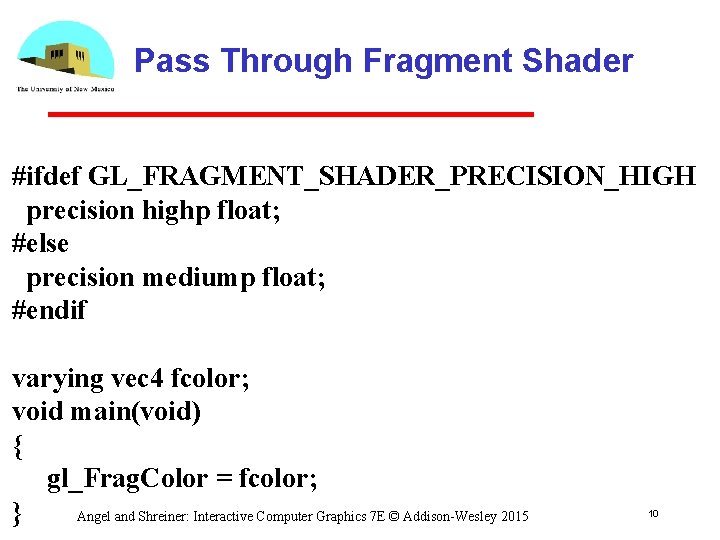
Pass Through Fragment Shader #ifdef GL_FRAGMENT_SHADER_PRECISION_HIGH precision highp float; #else precision mediump float; #endif varying vec 4 fcolor; void main(void) { gl_Frag. Color = fcolor; } Angel and Shreiner: Interactive Computer Graphics 7 E © Addison-Wesley 2015 10

Introduction to Computer Graphics with Web. GL Ed Angel Professor Emeritus of Computer Science Founding Director, Arts, Research, Technology and Science Laboratory University of New Mexico Angel and Shreiner: Interactive Computer Graphics 7 E © Addison-Wesley 2015 11
Programming with Web. GL Part 6: Three Dimensions Ed Angel Professor Emeritus of Computer Science University of New Mexico Angel and Shreiner: Interactive Computer Graphics 7 E © Addison-Wesley 2015 12
Objectives • Develop a more sophisticated three dimensional example Sierpinski gasket: a fractal • Introduce hidden surface removal Angel and Shreiner: Interactive Computer Graphics 7 E © Addison-Wesley 2015 13
Three-dimensional Applications • In Web. GL, two dimensional applications are a special case of three dimensional graphics • Going to 3 D Not much changes Use vec 3, gl. uniform 3 f Have to worry about the order in which primitives are rendered or use hidden surface removal Angel and Shreiner: Interactive Computer Graphics 7 E © Addison-Wesley 2015 14
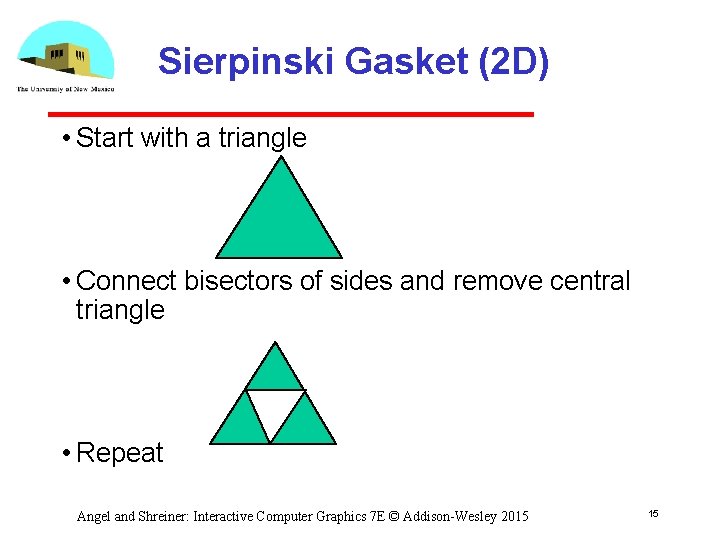
Sierpinski Gasket (2 D) • Start with a triangle • Connect bisectors of sides and remove central triangle • Repeat Angel and Shreiner: Interactive Computer Graphics 7 E © Addison-Wesley 2015 15
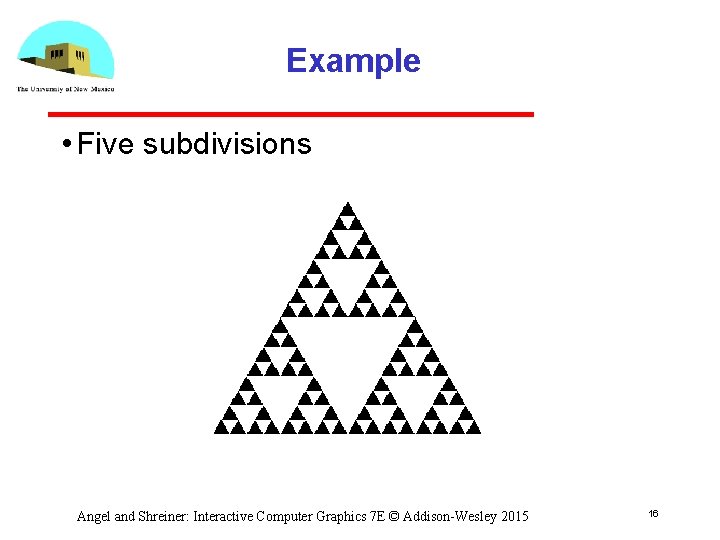
Example • Five subdivisions Angel and Shreiner: Interactive Computer Graphics 7 E © Addison-Wesley 2015 16
The gasket as a fractal • Consider the filled area (black) and the perimeter (the length of all the lines around the filled triangles) • As we continue subdividing the area goes to zero but the perimeter goes to infinity • This is not an ordinary geometric object It is neither two nor three dimensional • It is a fractal (fractional dimension) object Angel and Shreiner: Interactive Computer Graphics 7 E © Addison-Wesley 2015 17
Gasket Program • HTML file Same as in other examples Pass through vertex shader Fragment shader sets color Read in JS file Angel and Shreiner: Interactive Computer Graphics 7 E © Addison-Wesley 2015 18
![Gasket Program var points = []; var Num. Times. To. Subdivide = 5; /*](http://slidetodoc.com/presentation_image/b9e526b33e7a6b6bfb94a41e66816a32/image-19.jpg "Gasket Program var points = []; var Num. Times. To. Subdivide = 5; /*")
Gasket Program var points = []; var Num. Times. To. Subdivide = 5; /* initial triangle */ var vertices = [ vec 2( -1, -1 ), vec 2( 0, 1 ), vec 2( 1, -1 ) ]; divide. Triangle( vertices[0], vertices[1], vertices[2], Num. Times. To. Subdivide); Angel and Shreiner: Interactive Computer Graphics 7 E © Addison-Wesley 2015 19
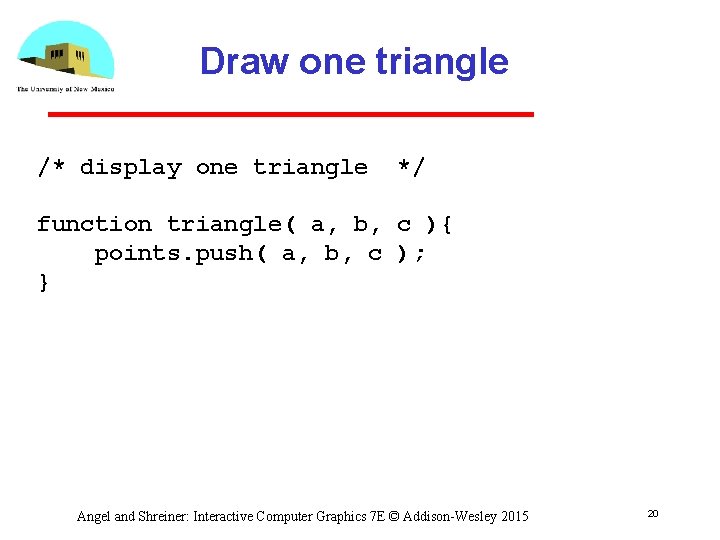
Draw one triangle /* display one triangle */ function triangle( a, b, c ){ points. push( a, b, c ); } Angel and Shreiner: Interactive Computer Graphics 7 E © Addison-Wesley 2015 20
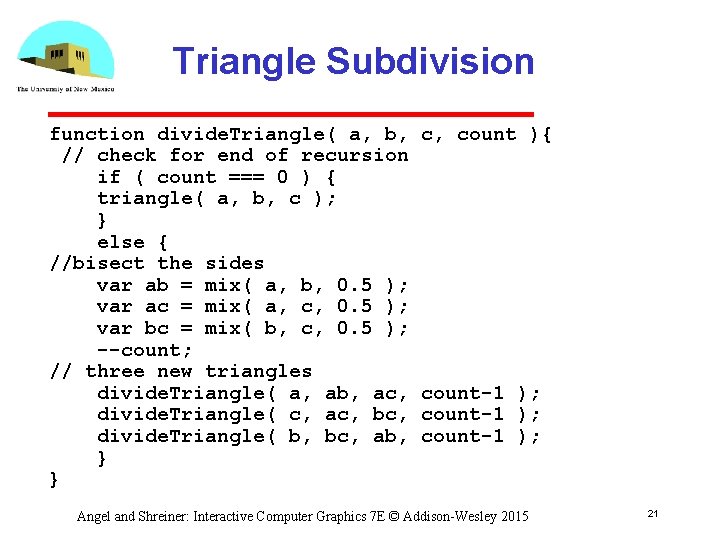
Triangle Subdivision function divide. Triangle( a, b, // check for end of recursion if ( count === 0 ) { triangle( a, b, c ); } else { //bisect the sides var ab = mix( a, b, 0. 5 ); var ac = mix( a, c, 0. 5 ); var bc = mix( b, c, 0. 5 ); --count; // three new triangles divide. Triangle( a, ab, ac, divide. Triangle( c, ac, bc, divide. Triangle( b, bc, ab, } } c, count ){ count-1 ); Angel and Shreiner: Interactive Computer Graphics 7 E © Addison-Wesley 2015 21
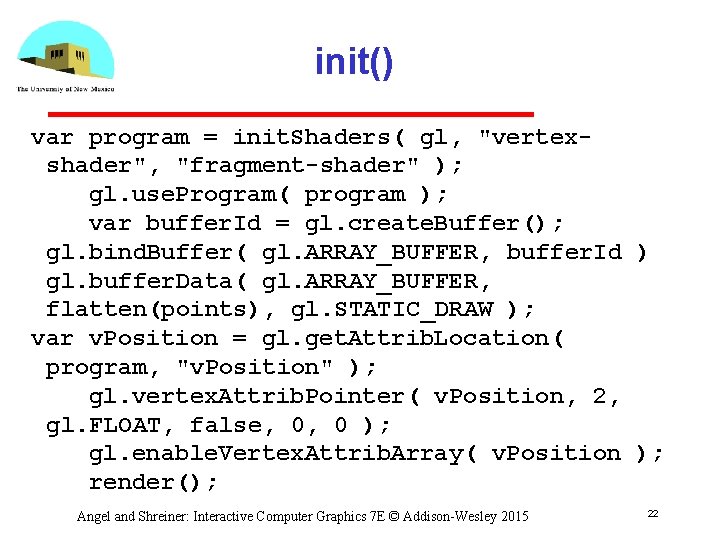
init() var program = init. Shaders( gl, "vertexshader", "fragment-shader" ); gl. use. Program( program ); var buffer. Id = gl. create. Buffer(); gl. bind. Buffer( gl. ARRAY_BUFFER, buffer. Id ) gl. buffer. Data( gl. ARRAY_BUFFER, flatten(points), gl. STATIC_DRAW ); var v. Position = gl. get. Attrib. Location( program, "v. Position" ); gl. vertex. Attrib. Pointer( v. Position, 2, gl. FLOAT, false, 0, 0 ); gl. enable. Vertex. Attrib. Array( v. Position ); render(); Angel and Shreiner: Interactive Computer Graphics 7 E © Addison-Wesley 2015 22
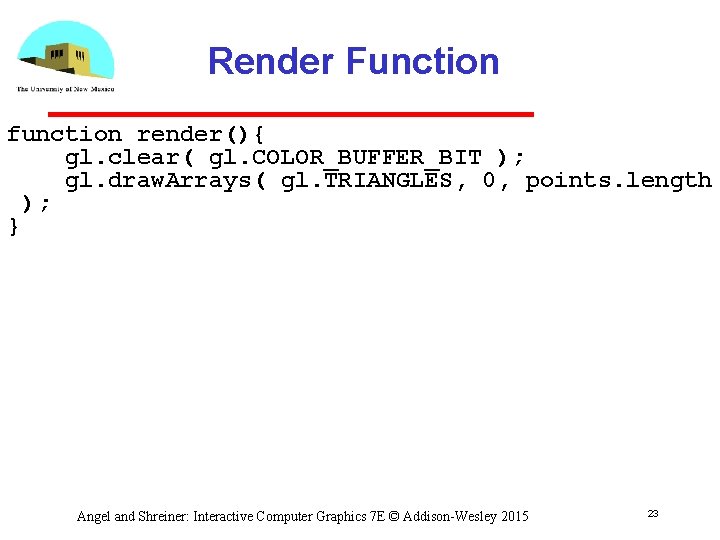
Render Function function render(){ gl. clear( gl. COLOR_BUFFER_BIT ); gl. draw. Arrays( gl. TRIANGLES, 0, points. length ); } Angel and Shreiner: Interactive Computer Graphics 7 E © Addison-Wesley 2015 23
Introduction to Computer Graphics with Web. GL Ed Angel Professor Emeritus of Computer Science Founding Director, Arts, Research, Technology and Science Laboratory University of New Mexico Angel and Shreiner: Interactive Computer Graphics 7 E © Addison-Wesley 2015 24
Programming with Web. GL Part 6: Three Dimensions Ed Angel Professor Emeritus of Computer Science University of New Mexico Angel and Shreiner: Interactive Computer Graphics 7 E © Addison-Wesley 2015 25
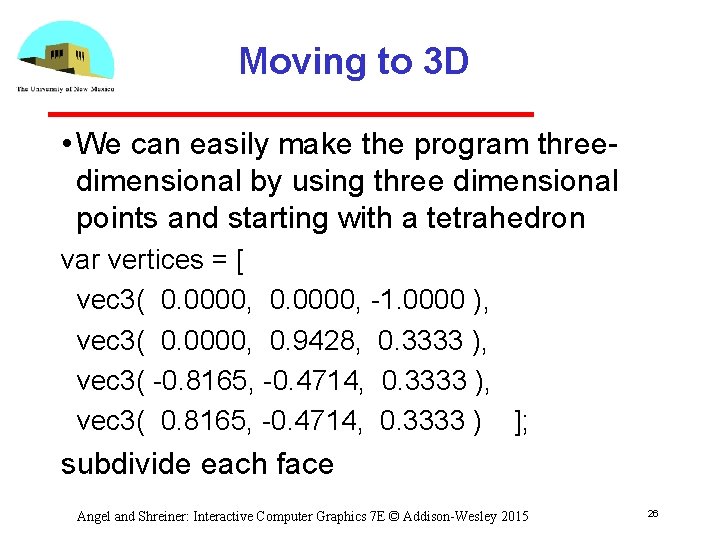
Moving to 3 D • We can easily make the program three dimensional by using three dimensional points and starting with a tetrahedron var vertices = [ vec 3( 0. 0000, 1. 0000 ), vec 3( 0. 0000, 0. 9428, 0. 3333 ), vec 3( 0. 8165, 0. 4714, 0. 3333 ) ]; subdivide each face Angel and Shreiner: Interactive Computer Graphics 7 E © Addison-Wesley 2015 26
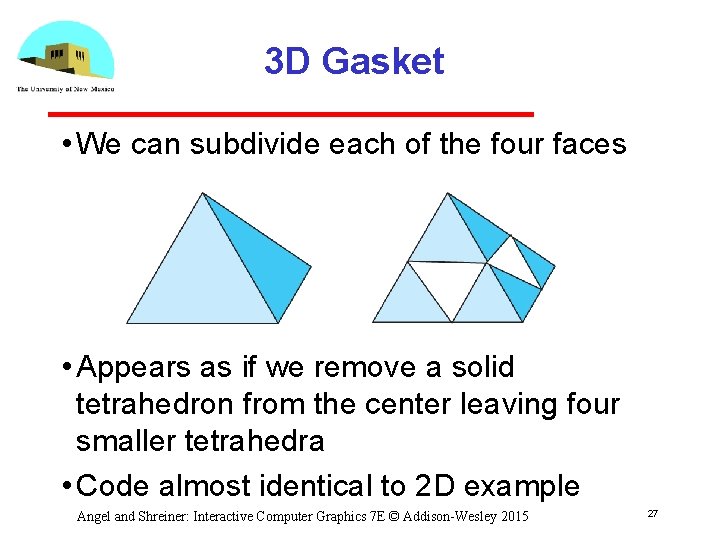
3 D Gasket • We can subdivide each of the four faces • Appears as if we remove a solid tetrahedron from the center leaving four smaller tetrahedra • Code almost identical to 2 D example Angel and Shreiner: Interactive Computer Graphics 7 E © Addison-Wesley 2015 27
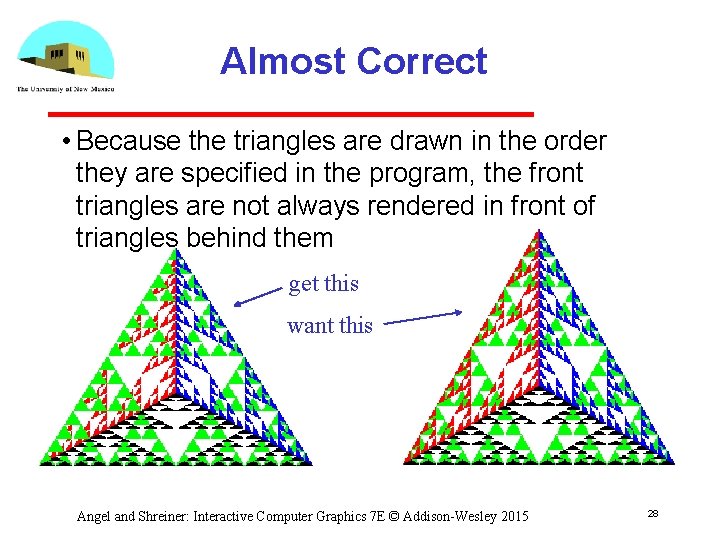
Almost Correct • Because the triangles are drawn in the order they are specified in the program, the front triangles are not always rendered in front of triangles behind them get this want this Angel and Shreiner: Interactive Computer Graphics 7 E © Addison-Wesley 2015 28
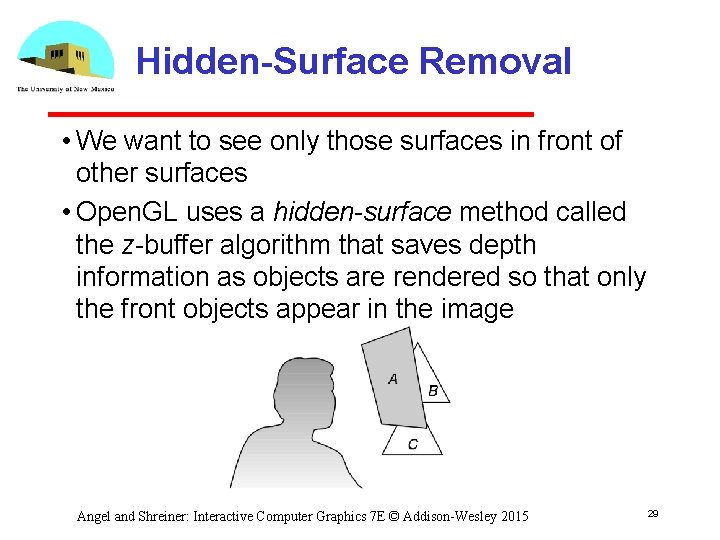
Hidden-Surface Removal • We want to see only those surfaces in front of other surfaces • Open. GL uses a hidden-surface method called the z buffer algorithm that saves depth information as objects are rendered so that only the front objects appear in the image Angel and Shreiner: Interactive Computer Graphics 7 E © Addison-Wesley 2015 29
Using the z-buffer algorithm • The algorithm uses an extra buffer, the z buffer, to store depth information as geometry travels down the pipeline • Depth buffer is required to be available in Web. GL • It must be Enabled • gl. enable(gl. DEPTH_TEST) Cleared in for each render • gl. clear(gl. COLOR_BUFFER_BIT | gl. DEPTH_BUFFER_BIT) Angel and Shreiner: Interactive Computer Graphics 7 E © Addison-Wesley 2015 30
Surface vs Volume Subdvision • In our example, we divided the surface of each face • We could also divide the volume using the same midpoints • The midpoints define four smaller tetrahedrons, one for each vertex • Keeping only these tetrahedrons removes a volume in the middle • See text for code Angel and Shreiner: Interactive Computer Graphics 7 E © Addison-Wesley 2015 31
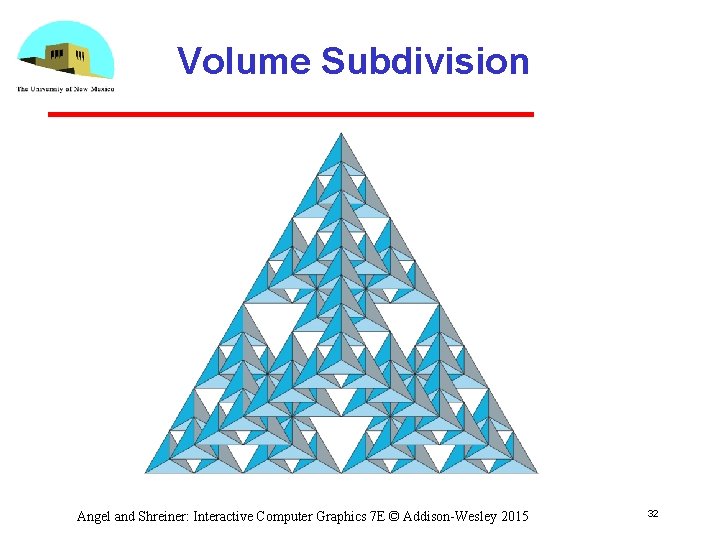
Volume Subdivision Angel and Shreiner: Interactive Computer Graphics 7 E © Addison-Wesley 2015 32
Introduction to Computer Graphics with Web. GL Ed Angel Professor Emeritus of Computer Science Founding Director, Arts, Research, Technology and Science Laboratory University of New Mexico Angel and Shreiner: Interactive Computer Graphics 7 E © Addison-Wesley 2015 33
Incremental and Quaternion Rotation Ed Angel Professor Emeritus of Computer Science University of New Mexico Angel and Shreiner: Interactive Computer Graphics 7 E © Addison-Wesley 2015 34
Objectives • This is an optional lecture that Illustrates the difference between using direction angles and Euler angles Considers issues with incremental rotation Introduces quaternions as an alternate to rotation matrices Angel and Shreiner: Interactive Computer Graphics 7 E © Addison-Wesley 2015 35
Specifying a Rotation • Pre 3. 1 Open. GL had a function gl. Rotate (theta, dx, dy dz) which incrementally changed the current rotation matrix by a rotation with fixed point of the origin about a vector in the direction (dx, dy, dz) • We implemented rotate in MV. js • Implementations of Rotate often decompose the general rotation into a sequence of rotations about the coordinate axes as in Chapter 4. Angel and Shreiner: Interactive Computer Graphics 7 E © Addison-Wesley 2015 36
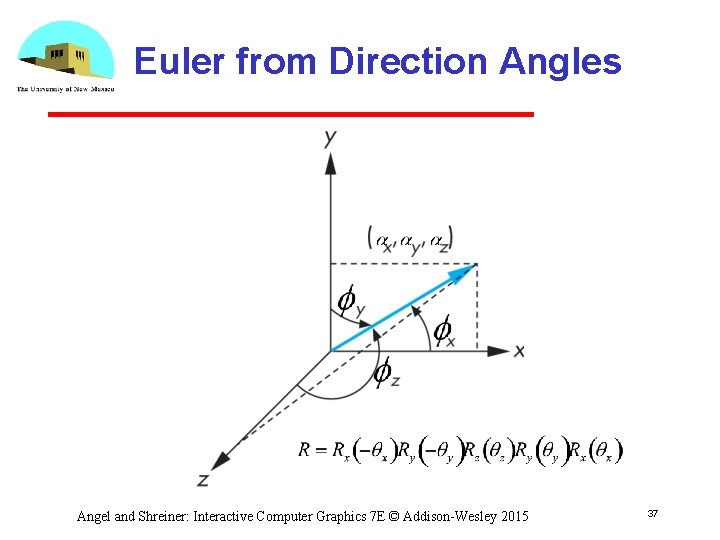
Euler from Direction Angles Angel and Shreiner: Interactive Computer Graphics 7 E © Addison-Wesley 2015 37
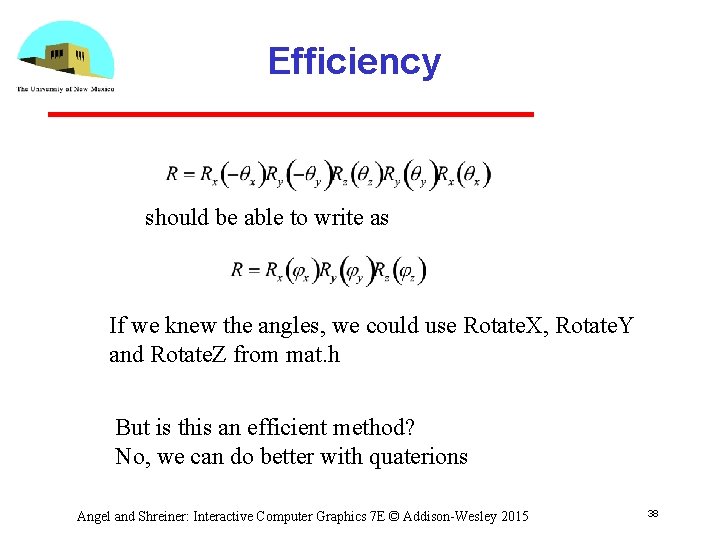
Efficiency should be able to write as If we knew the angles, we could use Rotate. X, Rotate. Y and Rotate. Z from mat. h But is this an efficient method? No, we can do better with quaterions Angel and Shreiner: Interactive Computer Graphics 7 E © Addison-Wesley 2015 38
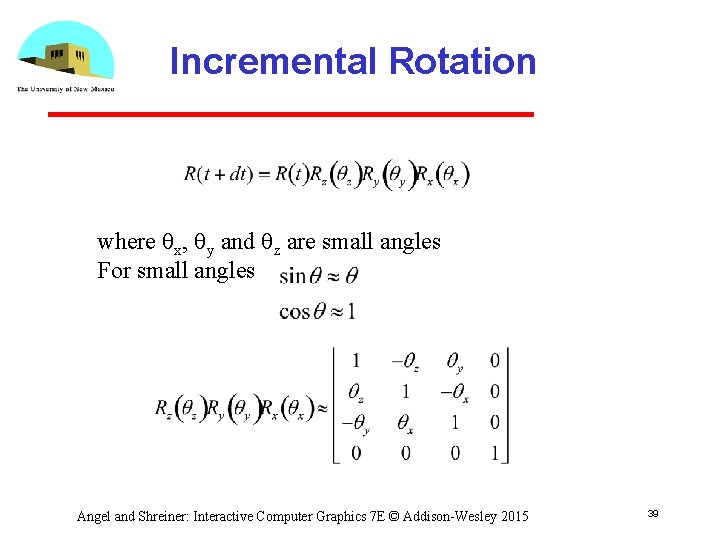
Incremental Rotation where qx, qy and qz are small angles For small angles Angel and Shreiner: Interactive Computer Graphics 7 E © Addison-Wesley 2015 39
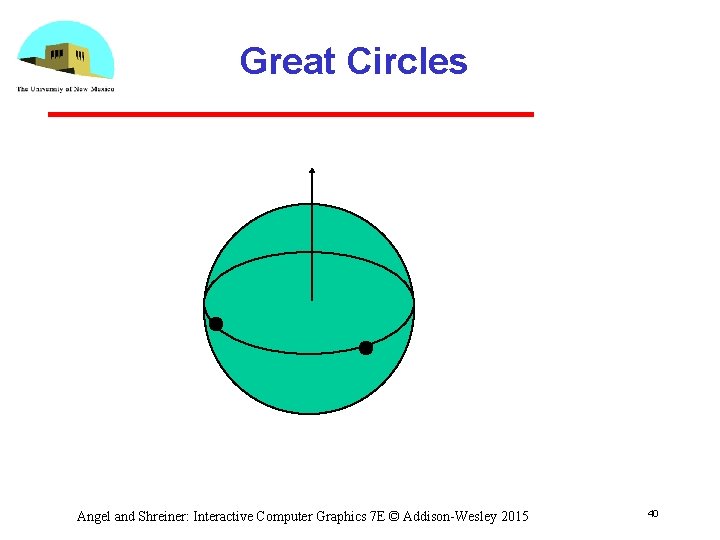
Great Circles Angel and Shreiner: Interactive Computer Graphics 7 E © Addison-Wesley 2015 40
Rotation and Great Circles • Shortest path between two points on a sphere is the great circle passing through the two points • Corresponding to each great circle is vector normal to the circle • Rotation about this vector carries us from the first point to the second Angel and Shreiner: Interactive Computer Graphics 7 E © Addison-Wesley 2015 41
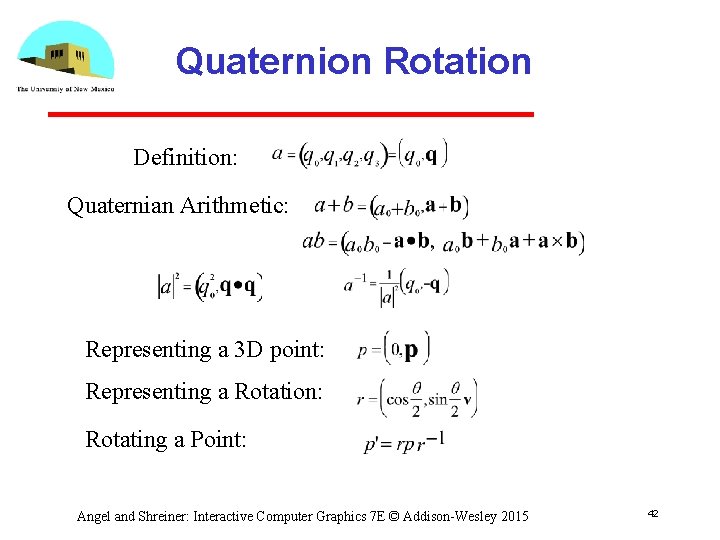
Quaternion Rotation Definition: Quaternian Arithmetic: Representing a 3 D point: Representing a Rotation: Rotating a Point: Angel and Shreiner: Interactive Computer Graphics 7 E © Addison-Wesley 2015 42
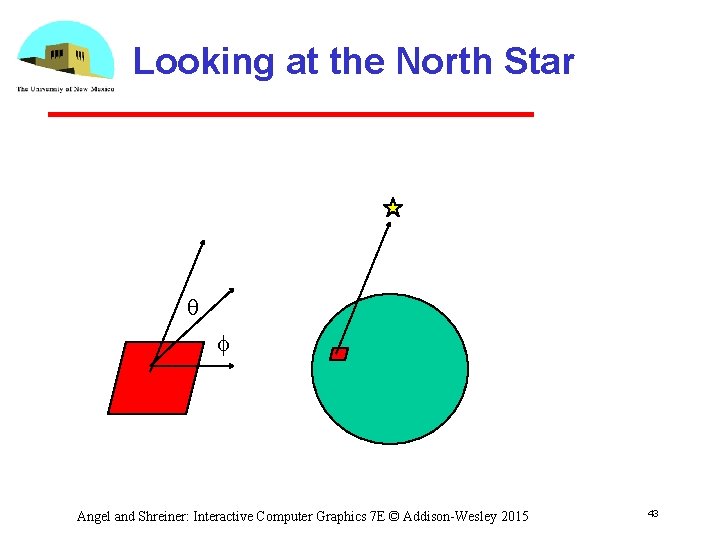
Looking at the North Star q f Angel and Shreiner: Interactive Computer Graphics 7 E © Addison-Wesley 2015 43
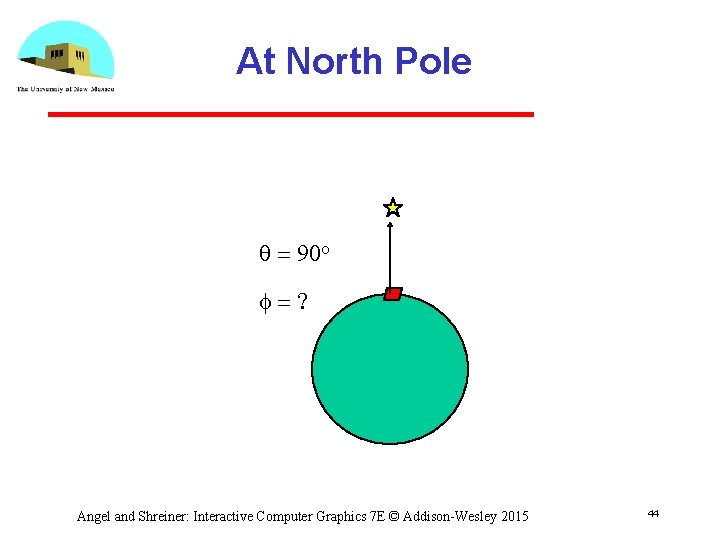
At North Pole q = 90 o f=? Angel and Shreiner: Interactive Computer Graphics 7 E © Addison-Wesley 2015 44
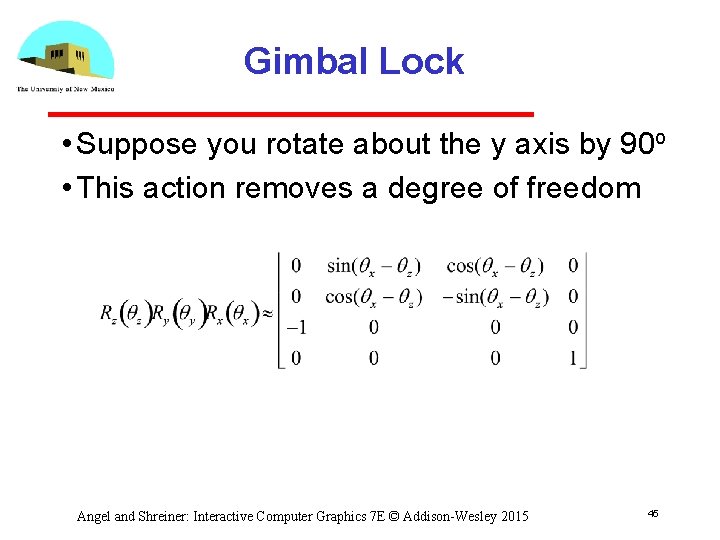
Gimbal Lock • Suppose you rotate about the y axis by 90 o • This action removes a degree of freedom Angel and Shreiner: Interactive Computer Graphics 7 E © Addison-Wesley 2015 45
Quaternions and Computer Graphics • (Re)discovered by both aerospace and animation communities • Used for head mounted display in virtual and augmented reality • Used for smooth camera paths • Caveat: quaternions do not preserve up direction Angel and Shreiner: Interactive Computer Graphics 7 E © Addison-Wesley 2015 46
Working with Quaternians • Quaternion arithmetic works well for representing rotations around the origin • There is no simple way to convert a quaternion to a matrix representation • Usually copy elements back and forth between quaternions and matrices • Can use directly without rotation matrices in the virtual trackball • Quaternion shaders are simple Angel and Shreiner: Interactive Computer Graphics 7 E © Addison-Wesley 2015 47
- Slides: 47