
Introduction to Computer Graphics with Web GL Ed

Introduction to Computer Graphics with Web. GL Ed Angel Professor Emeritus of Computer Science Founding Director, Arts, Research, Technology and Science Laboratory University of New Mexico Angel and Shreiner: Interactive Computer Graphics 7 E © Addison-Wesley 2015 1
Programming with Web. GL Part 6: Three Dimensions Ed Angel Professor Emeritus of Computer Science University of New Mexico Angel and Shreiner: Interactive Computer Graphics 7 E © Addison-Wesley 2015 2
Objectives • Develop a more sophisticated three dimensional example Sierpinski gasket: a fractal • Introduce hidden surface removal Angel and Shreiner: Interactive Computer Graphics 7 E © Addison-Wesley 2015 3
Three-dimensional Applications • In Web. GL, two dimensional applications are a special case of three dimensional graphics • Going to 3 D Not much changes Use vec 3, gl. uniform 3 f Have to worry about the order in which primitives are rendered or use hidden surface removal Angel and Shreiner: Interactive Computer Graphics 7 E © Addison-Wesley 2015 4
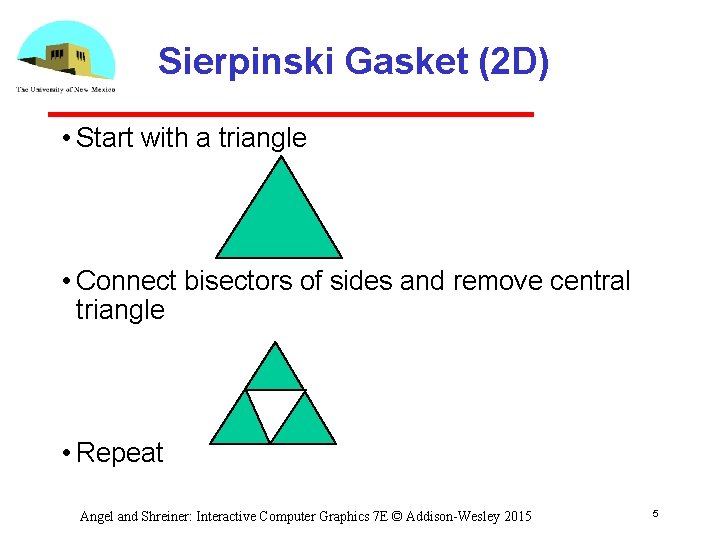
Sierpinski Gasket (2 D) • Start with a triangle • Connect bisectors of sides and remove central triangle • Repeat Angel and Shreiner: Interactive Computer Graphics 7 E © Addison-Wesley 2015 5
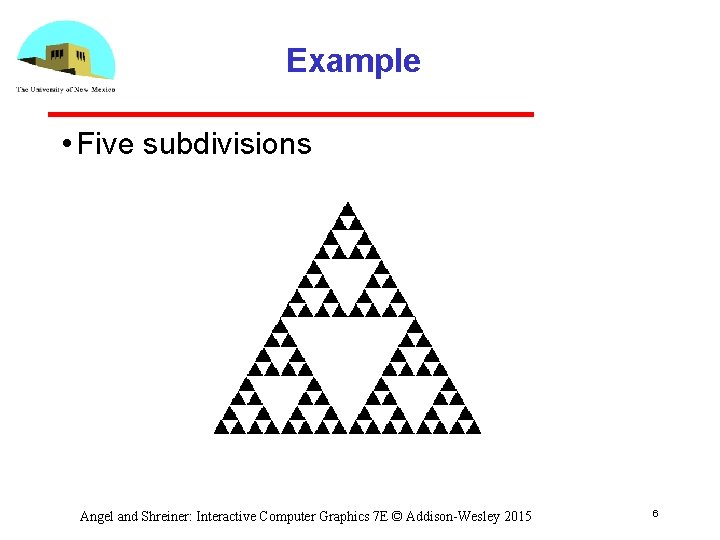
Example • Five subdivisions Angel and Shreiner: Interactive Computer Graphics 7 E © Addison-Wesley 2015 6
The gasket as a fractal • Consider the filled area (black) and the perimeter (the length of all the lines around the filled triangles) • As we continue subdividing the area goes to zero but the perimeter goes to infinity • This is not an ordinary geometric object It is neither two nor three dimensional • It is a fractal (fractional dimension) object Angel and Shreiner: Interactive Computer Graphics 7 E © Addison-Wesley 2015 7
Gasket Program • HTML file Same as in other examples Pass through vertex shader Fragment shader sets color Read in JS file Angel and Shreiner: Interactive Computer Graphics 7 E © Addison-Wesley 2015 8
![Gasket Program var points = []; var Num. Times. To. Subdivide = 5; /*](http://slidetodoc.com/presentation_image_h/32c500b07a1dadbe5df0ae130a38bbaf/image-9.jpg "Gasket Program var points = []; var Num. Times. To. Subdivide = 5; /*")
Gasket Program var points = []; var Num. Times. To. Subdivide = 5; /* initial triangle */ var vertices = [ vec 2( -1, -1 ), vec 2( 0, 1 ), vec 2( 1, -1 ) ]; divide. Triangle( vertices[0], vertices[1], vertices[2], Num. Times. To. Subdivide); Angel and Shreiner: Interactive Computer Graphics 7 E © Addison-Wesley 2015 9
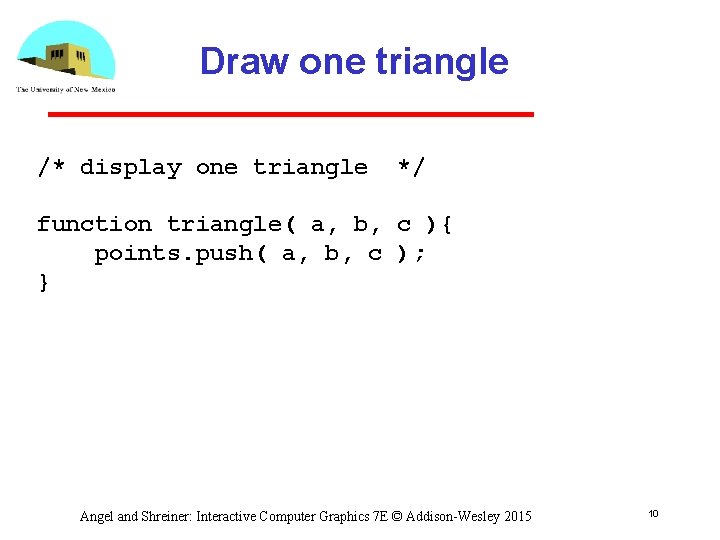
Draw one triangle /* display one triangle */ function triangle( a, b, c ){ points. push( a, b, c ); } Angel and Shreiner: Interactive Computer Graphics 7 E © Addison-Wesley 2015 10
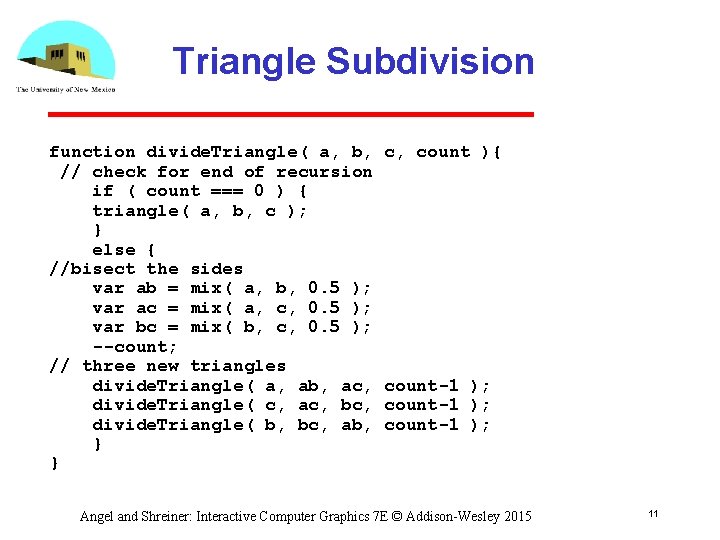
Triangle Subdivision function divide. Triangle( a, b, // check for end of recursion if ( count === 0 ) { triangle( a, b, c ); } else { //bisect the sides var ab = mix( a, b, 0. 5 ); var ac = mix( a, c, 0. 5 ); var bc = mix( b, c, 0. 5 ); --count; // three new triangles divide. Triangle( a, ab, ac, divide. Triangle( c, ac, bc, divide. Triangle( b, bc, ab, } } c, count ){ count-1 ); Angel and Shreiner: Interactive Computer Graphics 7 E © Addison-Wesley 2015 11
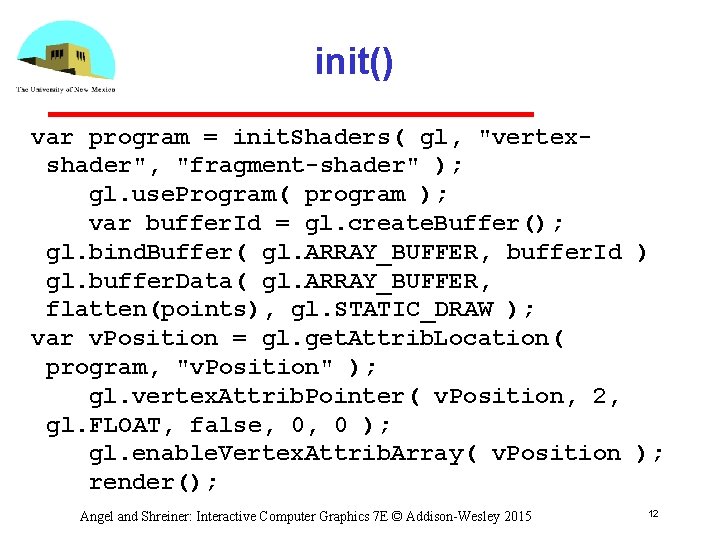
init() var program = init. Shaders( gl, "vertexshader", "fragment-shader" ); gl. use. Program( program ); var buffer. Id = gl. create. Buffer(); gl. bind. Buffer( gl. ARRAY_BUFFER, buffer. Id ) gl. buffer. Data( gl. ARRAY_BUFFER, flatten(points), gl. STATIC_DRAW ); var v. Position = gl. get. Attrib. Location( program, "v. Position" ); gl. vertex. Attrib. Pointer( v. Position, 2, gl. FLOAT, false, 0, 0 ); gl. enable. Vertex. Attrib. Array( v. Position ); render(); Angel and Shreiner: Interactive Computer Graphics 7 E © Addison-Wesley 2015 12
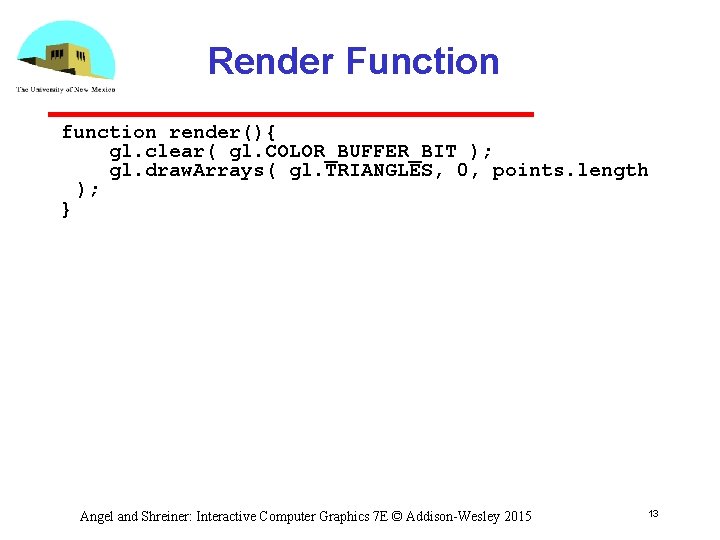
Render Function function render(){ gl. clear( gl. COLOR_BUFFER_BIT ); gl. draw. Arrays( gl. TRIANGLES, 0, points. length ); } Angel and Shreiner: Interactive Computer Graphics 7 E © Addison-Wesley 2015 13
- Slides: 13