
Introduction to Computer CC 111 Week 10 Visual
- Slides: 68
Introduction to Computer CC 111 Week 10 Visual Basic 3 1
Intended Learning Objectives • • • Use Visual Basic Input/Output Understand Errors Understand Event Driven Programming Use Conditions & If statements Use loops Be Able to build a simple Visual Basic Application. © 2013 Cengage Learning. All Rights Reserved. This edition is intended for use outside of the U. S. only, with content that may be different from the U. S. Edition. May not be scanned, copied, duplicated, or posted to a publicly accessible website, in whole or in part.
The Three Steps in Creating a Visual Basic Program 1. 2. 3. Create the interface; that is, generate, position, and size the objects. Set properties; that is, configure the appearance of the objects. Write the code that executes when events occur. © 2013 Cengage Learning. All Rights Reserved. This edition is intended for use outside of the U. S. only, with content that may be different from the U. S. Edition. May not be scanned, copied, duplicated, or posted to a publicly accessible website, in whole or in part. 3
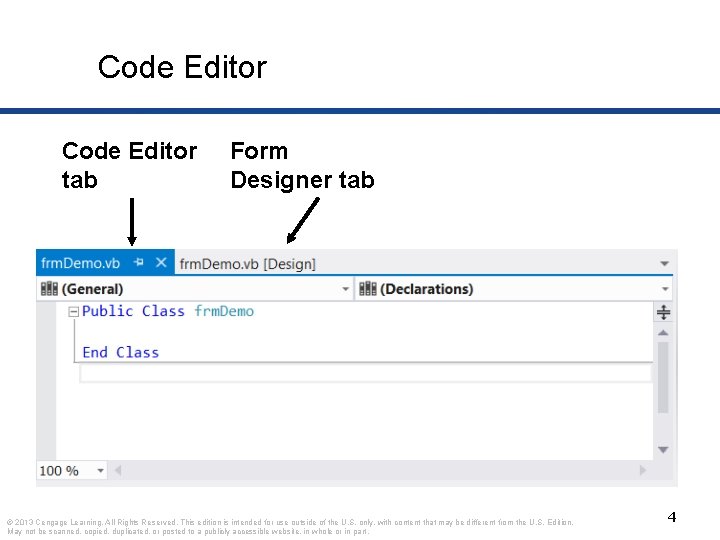
Code Editor tab Form Designer tab © 2013 Cengage Learning. All Rights Reserved. This edition is intended for use outside of the U. S. only, with content that may be different from the U. S. Edition. May not be scanned, copied, duplicated, or posted to a publicly accessible website, in whole or in part. 4
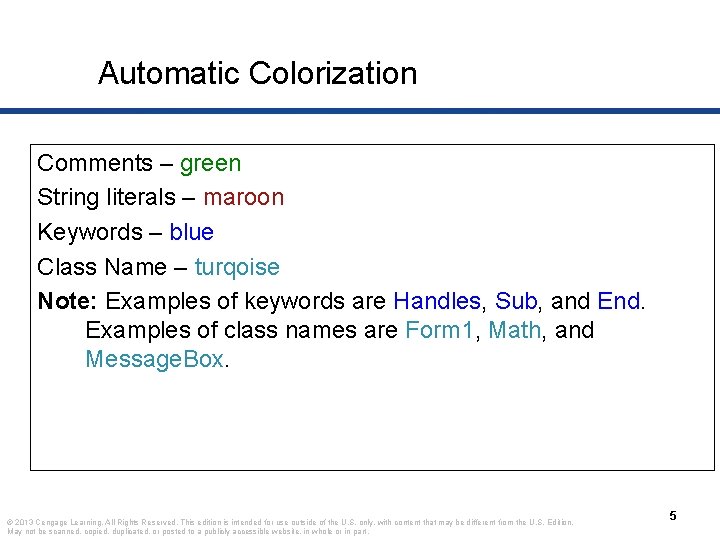
Automatic Colorization Comments – green String literals – maroon Keywords – blue Class Name – turqoise Note: Examples of keywords are Handles, Sub, and End. Examples of class names are Form 1, Math, and Message. Box. © 2013 Cengage Learning. All Rights Reserved. This edition is intended for use outside of the U. S. only, with content that may be different from the U. S. Edition. May not be scanned, copied, duplicated, or posted to a publicly accessible website, in whole or in part. 5
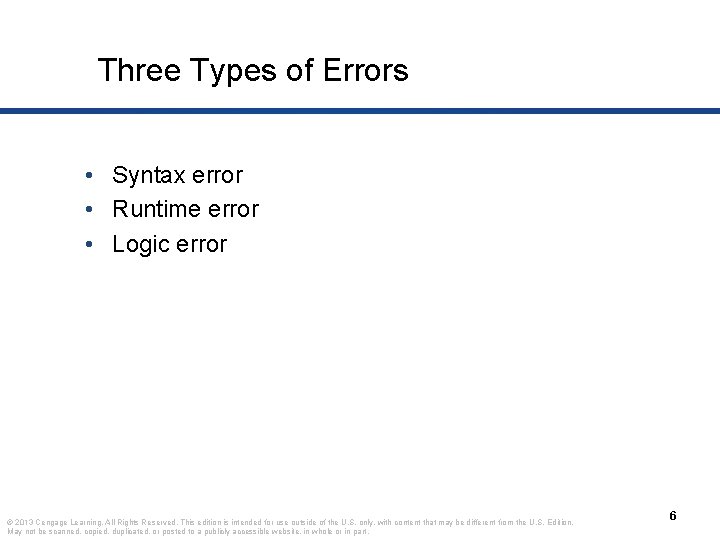
Three Types of Errors • Syntax error • Runtime error • Logic error © 2013 Cengage Learning. All Rights Reserved. This edition is intended for use outside of the U. S. only, with content that may be different from the U. S. Edition. May not be scanned, copied, duplicated, or posted to a publicly accessible website, in whole or in part. 6
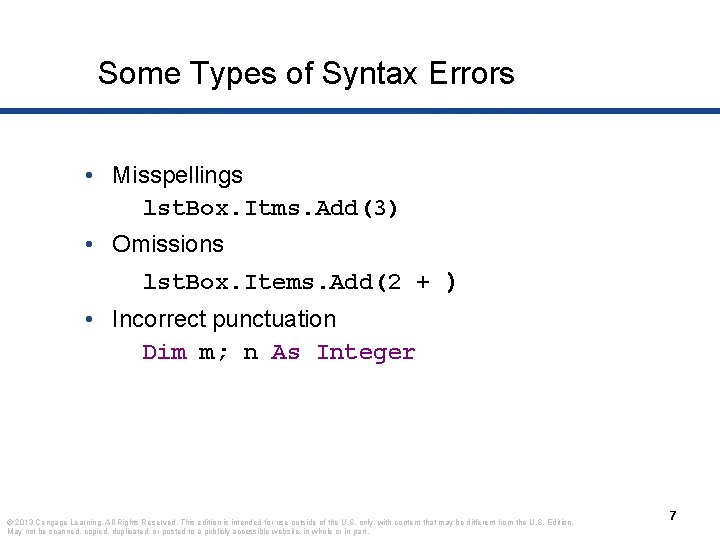
Some Types of Syntax Errors • Misspellings lst. Box. Itms. Add(3) • Omissions lst. Box. Items. Add(2 + ) • Incorrect punctuation Dim m; n As Integer © 2013 Cengage Learning. All Rights Reserved. This edition is intended for use outside of the U. S. only, with content that may be different from the U. S. Edition. May not be scanned, copied, duplicated, or posted to a publicly accessible website, in whole or in part. 7
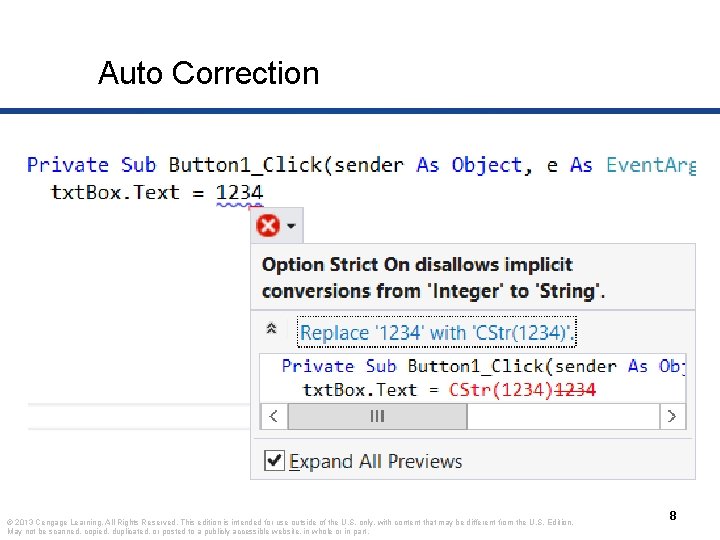
Auto Correction © 2013 Cengage Learning. All Rights Reserved. This edition is intended for use outside of the U. S. only, with content that may be different from the U. S. Edition. May not be scanned, copied, duplicated, or posted to a publicly accessible website, in whole or in part. 8
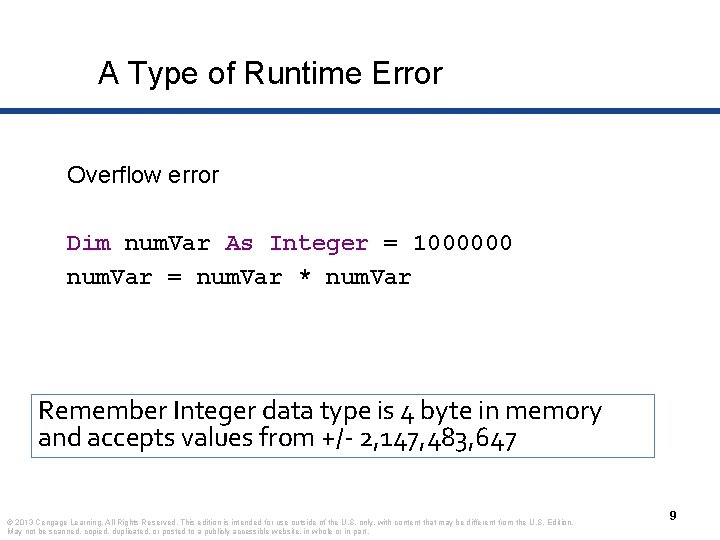
A Type of Runtime Error Overflow error Dim num. Var As Integer = 1000000 num. Var = num. Var * num. Var Remember Integer data type is 4 byte in memory and accepts values from +/- 2, 147, 483, 647 © 2013 Cengage Learning. All Rights Reserved. This edition is intended for use outside of the U. S. only, with content that may be different from the U. S. Edition. May not be scanned, copied, duplicated, or posted to a publicly accessible website, in whole or in part. 9
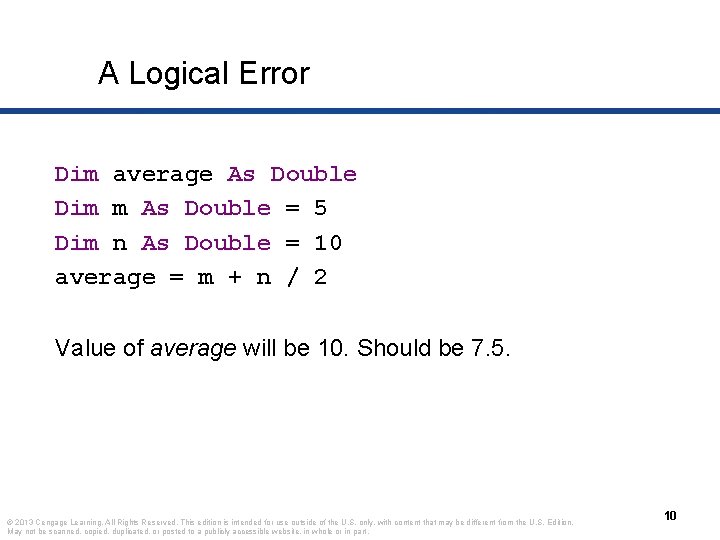
A Logical Error Dim average As Double Dim m As Double = 5 Dim n As Double = 10 average = m + n / 2 Value of average will be 10. Should be 7. 5. © 2013 Cengage Learning. All Rights Reserved. This edition is intended for use outside of the U. S. only, with content that may be different from the U. S. Edition. May not be scanned, copied, duplicated, or posted to a publicly accessible website, in whole or in part. 10
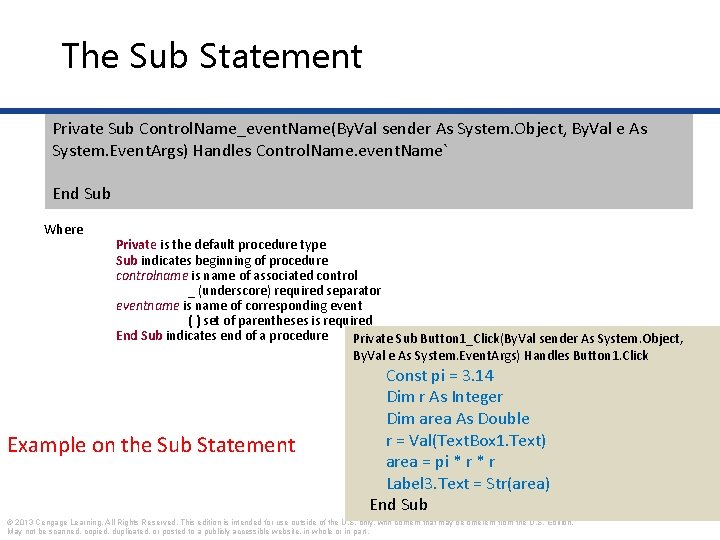
The Sub Statement Private Sub Control. Name_event. Name(By. Val sender As System. Object, By. Val e As System. Event. Args) Handles Control. Name. event. Name` End Sub Where Private is the default procedure type Sub indicates beginning of procedure controlname is name of associated control _ (underscore) required separator eventname is name of corresponding event ( ) set of parentheses is required End Sub indicates end of a procedure Private Sub Button 1_Click(By. Val sender As System. Object, By. Val e As System. Event. Args) Handles Button 1. Click Example on the Sub Statement Const pi = 3. 14 Dim r As Integer Dim area As Double r = Val(Text. Box 1. Text) area = pi * r Label 3. Text = Str(area) End Sub © 2013 Cengage Learning. All Rights Reserved. This edition is intended for use outside of the U. S. only, with content that may be different from the U. S. Edition. May not be scanned, copied, duplicated, or posted to a publicly accessible website, in whole or in part.
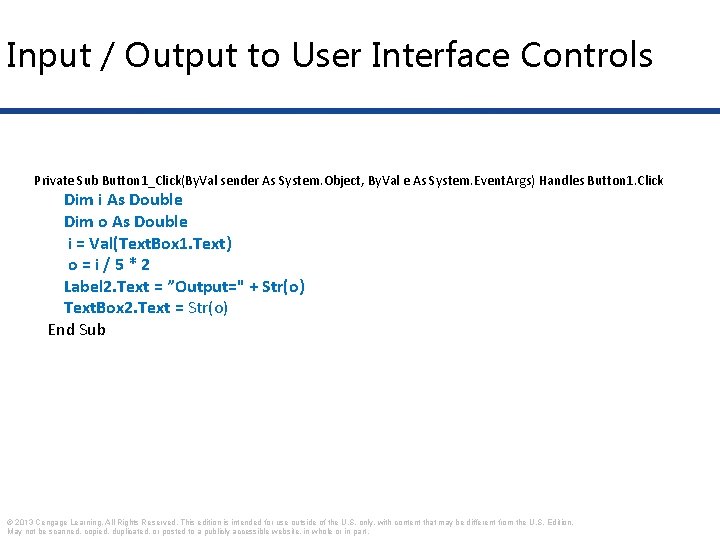
Input / Output to User Interface Controls Private Sub Button 1_Click(By. Val sender As System. Object, By. Val e As System. Event. Args) Handles Button 1. Click Dim i As Double Dim o As Double i = Val(Text. Box 1. Text) o=i/5*2 Label 2. Text = ”Output=" + Str(o) Text. Box 2. Text = Str(o) End Sub © 2013 Cengage Learning. All Rights Reserved. This edition is intended for use outside of the U. S. only, with content that may be different from the U. S. Edition. May not be scanned, copied, duplicated, or posted to a publicly accessible website, in whole or in part.
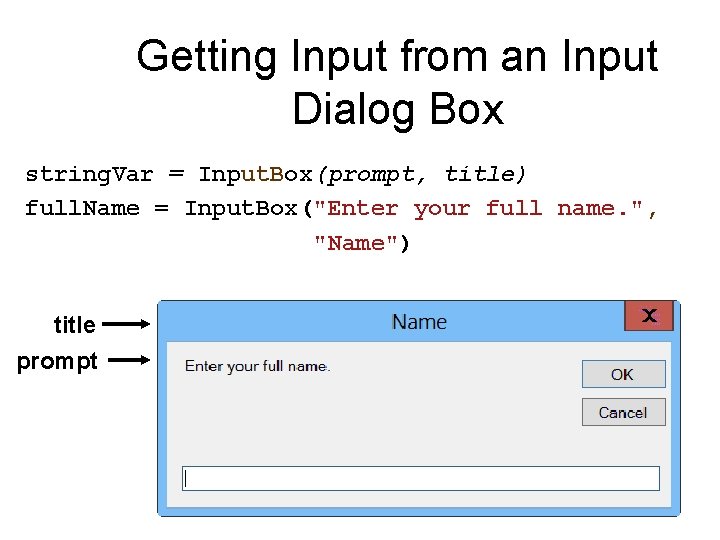
Getting Input from an Input Dialog Box string. Var = Input. Box(prompt, title) full. Name = Input. Box("Enter your full name. ", "Name") title prompt 13
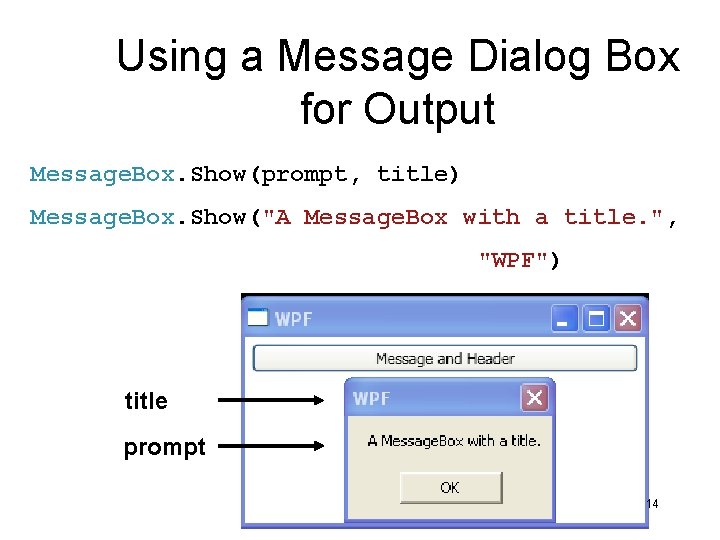
Using a Message Dialog Box for Output Message. Box. Show(prompt, title) Message. Box. Show("A Message. Box with a title. ", "WPF") title prompt 14
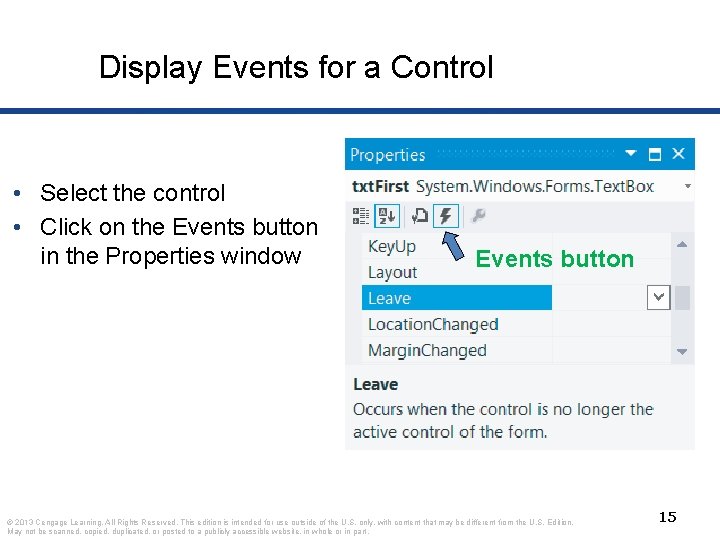
Display Events for a Control • Select the control • Click on the Events button in the Properties window Events button © 2013 Cengage Learning. All Rights Reserved. This edition is intended for use outside of the U. S. only, with content that may be different from the U. S. Edition. May not be scanned, copied, duplicated, or posted to a publicly accessible website, in whole or in part. 15
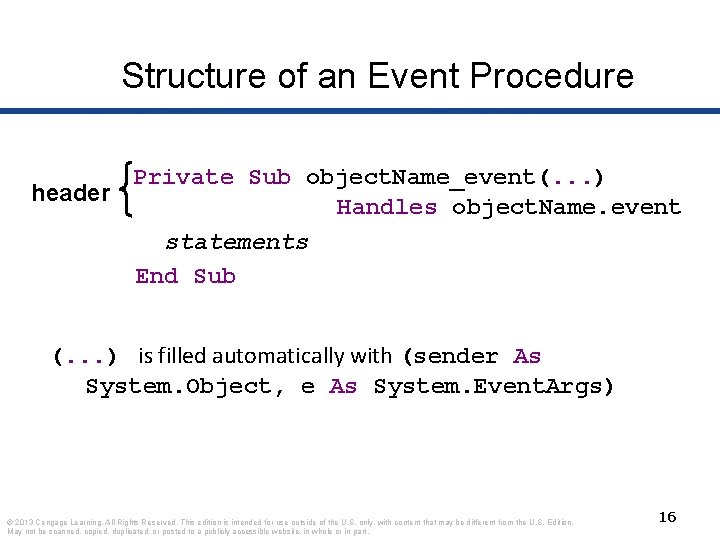
Structure of an Event Procedure Private Sub object. Name_event(. . . ) header Handles object. Name. event statements End Sub (. . . ) is filled automatically with (sender As System. Object, e As System. Event. Args) © 2013 Cengage Learning. All Rights Reserved. This edition is intended for use outside of the U. S. only, with content that may be different from the U. S. Edition. May not be scanned, copied, duplicated, or posted to a publicly accessible website, in whole or in part. 16
Create an Outline for an Event Procedure Double-click on a control • or Select a control, click on the Events button in the Properties window, and double-click on an event (We nearly always use the first method. ) • © 2013 Cengage Learning. All Rights Reserved. This edition is intended for use outside of the U. S. only, with content that may be different from the U. S. Edition. May not be scanned, copied, duplicated, or posted to a publicly accessible website, in whole or in part. 17
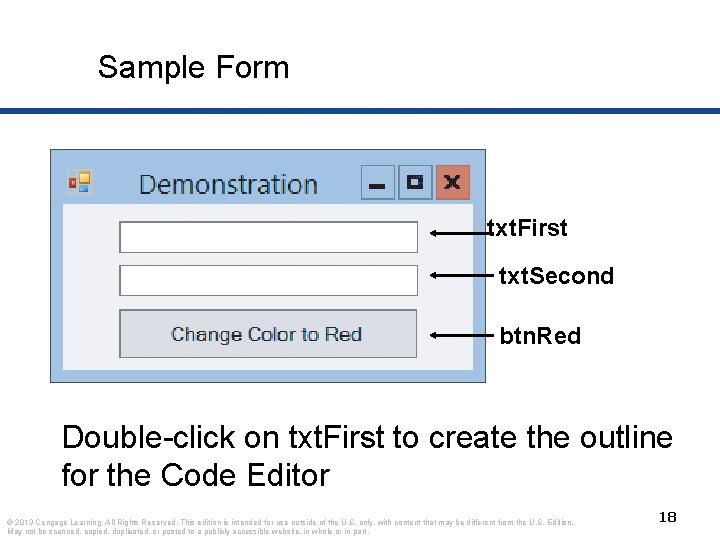
Sample Form txt. First txt. Second btn. Red Double-click on txt. First to create the outline for the Code Editor © 2013 Cengage Learning. All Rights Reserved. This edition is intended for use outside of the U. S. only, with content that may be different from the U. S. Edition. May not be scanned, copied, duplicated, or posted to a publicly accessible website, in whole or in part. 18
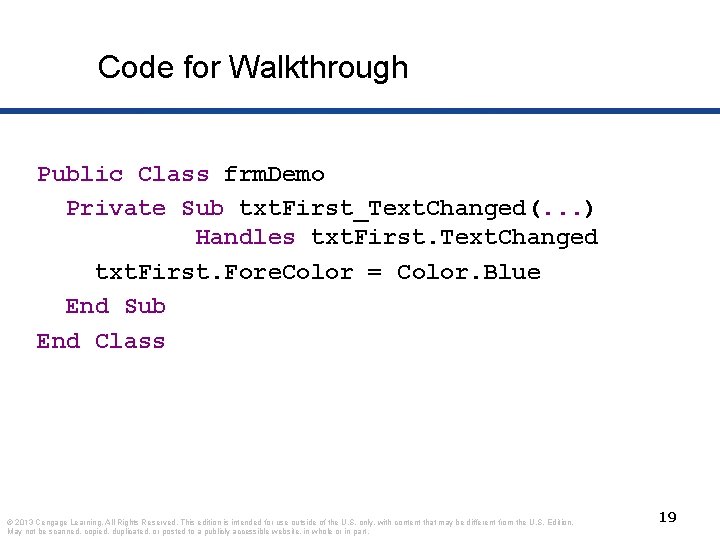
Code for Walkthrough Public Class frm. Demo Private Sub txt. First_Text. Changed(. . . ) Handles txt. First. Text. Changed txt. First. Fore. Color = Color. Blue End Sub End Class © 2013 Cengage Learning. All Rights Reserved. This edition is intended for use outside of the U. S. only, with content that may be different from the U. S. Edition. May not be scanned, copied, duplicated, or posted to a publicly accessible website, in whole or in part. 19
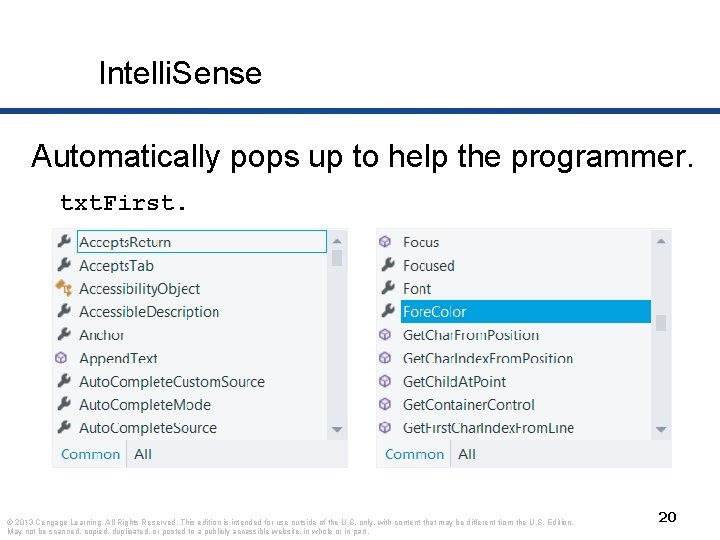
Intelli. Sense Automatically pops up to help the programmer. txt. First. © 2013 Cengage Learning. All Rights Reserved. This edition is intended for use outside of the U. S. only, with content that may be different from the U. S. Edition. May not be scanned, copied, duplicated, or posted to a publicly accessible website, in whole or in part. 20
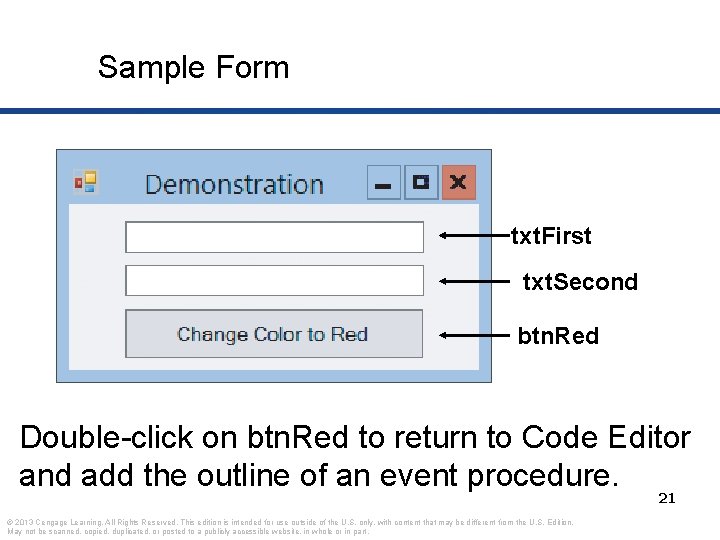
Sample Form txt. First txt. Second btn. Red Double-click on btn. Red to return to Code Editor and add the outline of an event procedure. 21 © 2013 Cengage Learning. All Rights Reserved. This edition is intended for use outside of the U. S. only, with content that may be different from the U. S. Edition. May not be scanned, copied, duplicated, or posted to a publicly accessible website, in whole or in part.
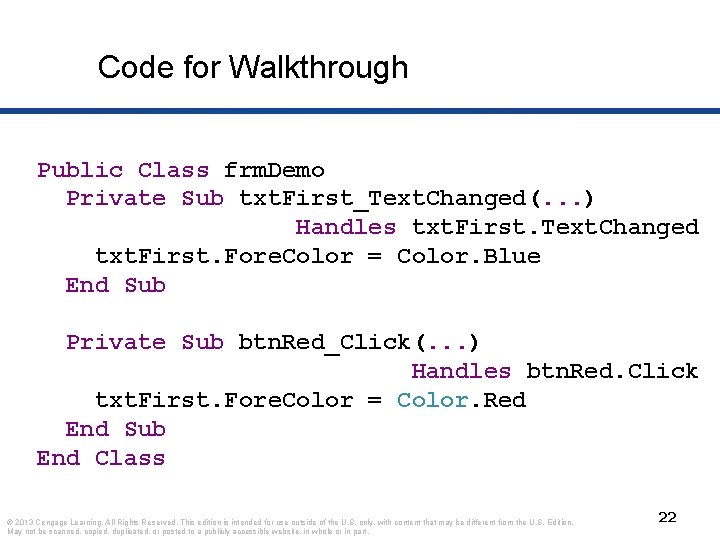
Code for Walkthrough Public Class frm. Demo Private Sub txt. First_Text. Changed(. . . ) Handles txt. First. Text. Changed txt. First. Fore. Color = Color. Blue End Sub Private Sub btn. Red_Click(. . . ) Handles btn. Red. Click txt. First. Fore. Color = Color. Red End Sub End Class © 2013 Cengage Learning. All Rights Reserved. This edition is intended for use outside of the U. S. only, with content that may be different from the U. S. Edition. May not be scanned, copied, duplicated, or posted to a publicly accessible website, in whole or in part. 22
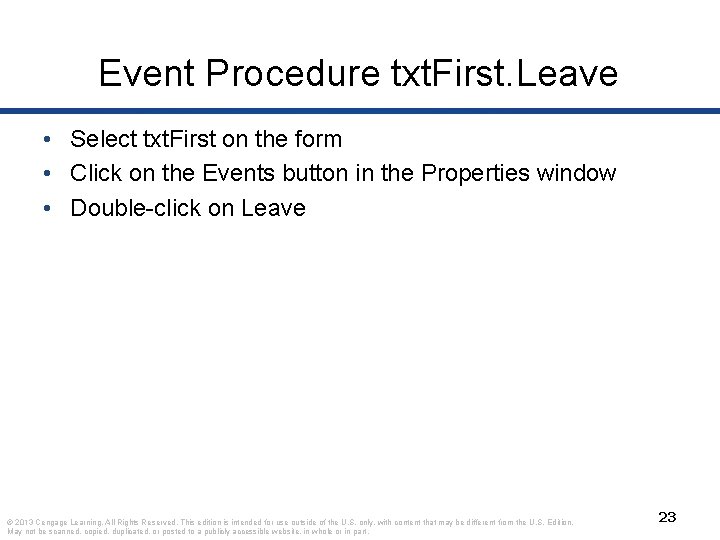
Event Procedure txt. First. Leave • Select txt. First on the form • Click on the Events button in the Properties window • Double-click on Leave © 2013 Cengage Learning. All Rights Reserved. This edition is intended for use outside of the U. S. only, with content that may be different from the U. S. Edition. May not be scanned, copied, duplicated, or posted to a publicly accessible website, in whole or in part. 23
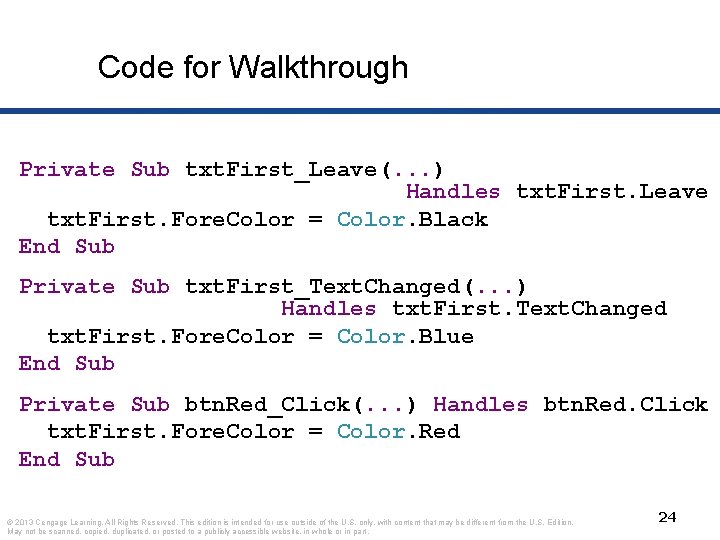
Code for Walkthrough Private Sub txt. First_Leave(. . . ) Handles txt. First. Leave txt. First. Fore. Color = Color. Black End Sub Private Sub txt. First_Text. Changed(. . . ) Handles txt. First. Text. Changed txt. First. Fore. Color = Color. Blue End Sub Private Sub btn. Red_Click(. . . ) Handles btn. Red. Click txt. First. Fore. Color = Color. Red End Sub © 2013 Cengage Learning. All Rights Reserved. This edition is intended for use outside of the U. S. only, with content that may be different from the U. S. Edition. May not be scanned, copied, duplicated, or posted to a publicly accessible website, in whole or in part. 24
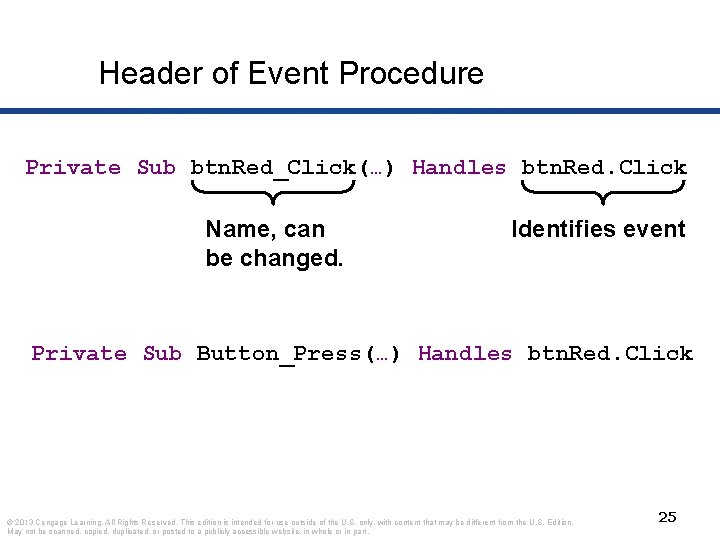
Header of Event Procedure Private Sub btn. Red_Click(…) Handles btn. Red. Click Name, can be changed. Identifies event Private Sub Button_Press(…) Handles btn. Red. Click © 2013 Cengage Learning. All Rights Reserved. This edition is intended for use outside of the U. S. only, with content that may be different from the U. S. Edition. May not be scanned, copied, duplicated, or posted to a publicly accessible website, in whole or in part. 25
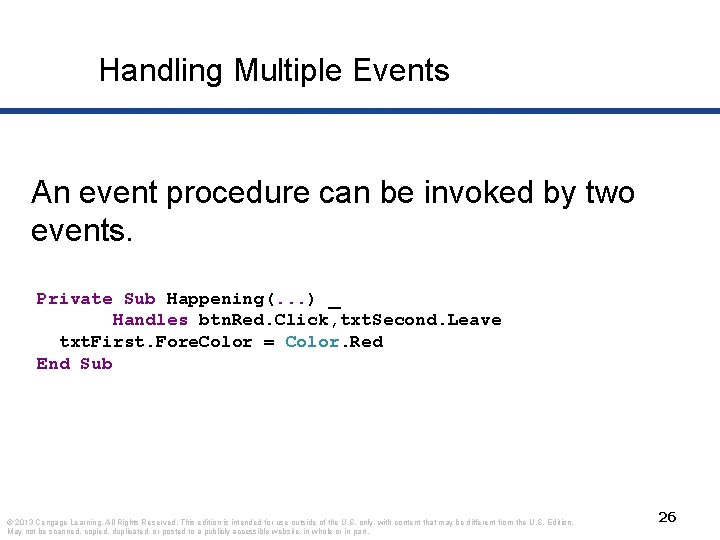
Handling Multiple Events An event procedure can be invoked by two events. Private Sub Happening(. . . ) _ Handles btn. Red. Click, txt. Second. Leave txt. First. Fore. Color = Color. Red End Sub © 2013 Cengage Learning. All Rights Reserved. This edition is intended for use outside of the U. S. only, with content that may be different from the U. S. Edition. May not be scanned, copied, duplicated, or posted to a publicly accessible website, in whole or in part. 26
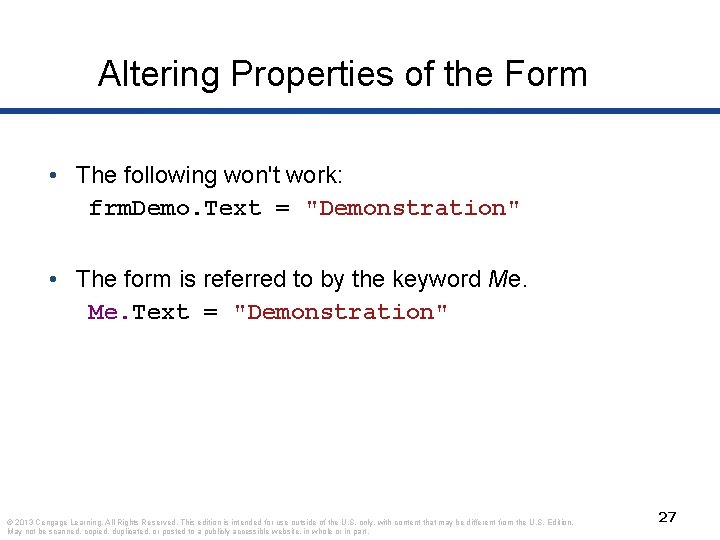
Altering Properties of the Form • The following won't work: frm. Demo. Text = "Demonstration" • The form is referred to by the keyword Me. Text = "Demonstration" © 2013 Cengage Learning. All Rights Reserved. This edition is intended for use outside of the U. S. only, with content that may be different from the U. S. Edition. May not be scanned, copied, duplicated, or posted to a publicly accessible website, in whole or in part. 27
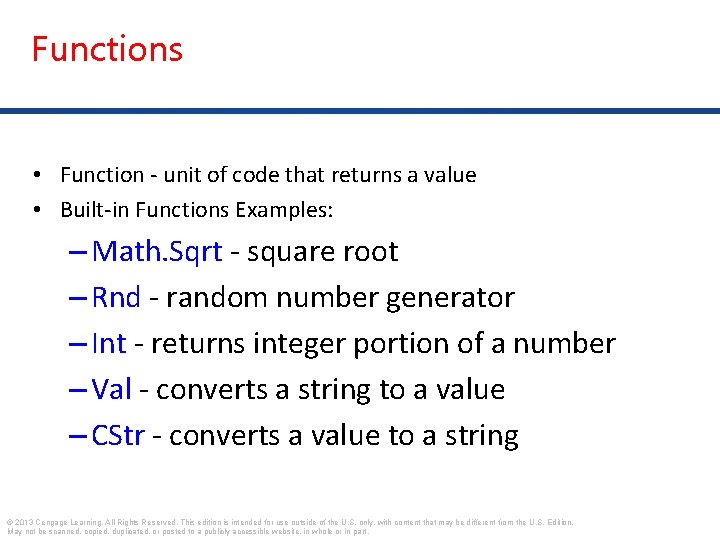
Functions • Function - unit of code that returns a value • Built-in Functions Examples: – Math. Sqrt - square root – Rnd - random number generator – Int - returns integer portion of a number – Val - converts a string to a value – CStr - converts a value to a string © 2013 Cengage Learning. All Rights Reserved. This edition is intended for use outside of the U. S. only, with content that may be different from the U. S. Edition. May not be scanned, copied, duplicated, or posted to a publicly accessible website, in whole or in part.
Condition • A condition is an expression involving relational and/or logical operators. • Result of the condition is True or False. © 2013 Cengage Learning. All Rights Reserved. This edition is intended for use outside of the U. S. only, with content that may be different from the U. S. Edition. May not be scanned, copied, duplicated, or posted to a publicly accessible website, in whole or in part. 29
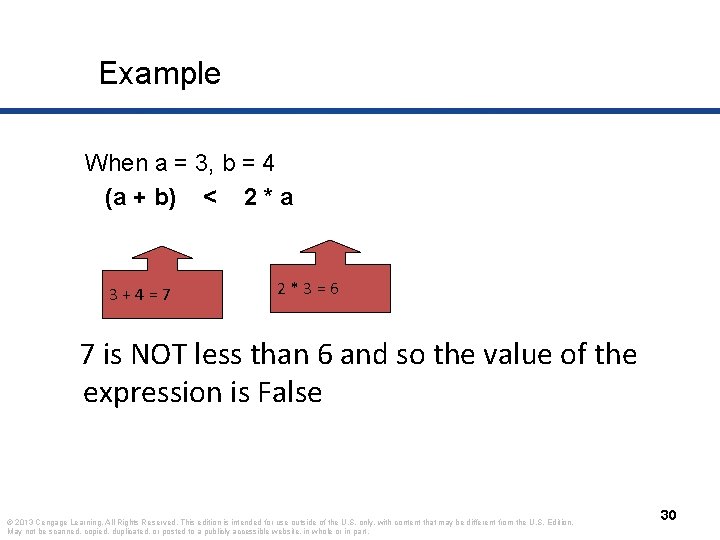
Example When a = 3, b = 4 (a + b) < 2 * a 3+4=7 2*3=6 7 is NOT less than 6 and so the value of the expression is False © 2013 Cengage Learning. All Rights Reserved. This edition is intended for use outside of the U. S. only, with content that may be different from the U. S. Edition. May not be scanned, copied, duplicated, or posted to a publicly accessible website, in whole or in part. 30
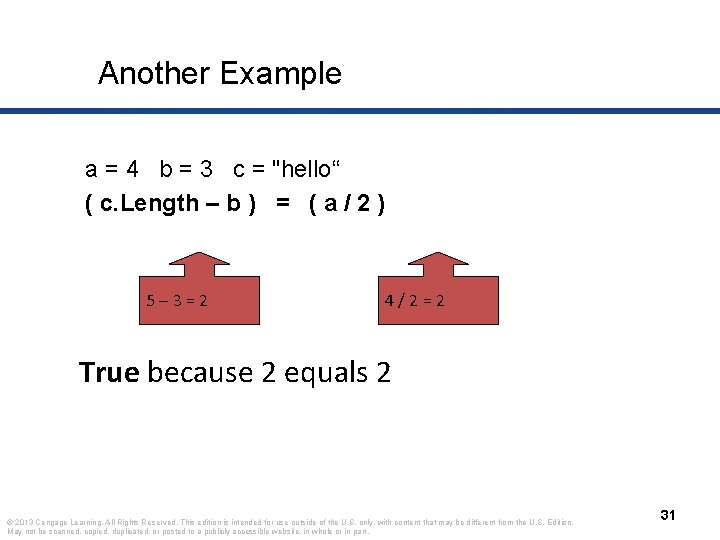
Another Example a = 4 b = 3 c = "hello“ ( c. Length – b ) = ( a / 2 ) 5– 3=2 4/2=2 True because 2 equals 2 © 2013 Cengage Learning. All Rights Reserved. This edition is intended for use outside of the U. S. only, with content that may be different from the U. S. Edition. May not be scanned, copied, duplicated, or posted to a publicly accessible website, in whole or in part. 31
Relational Operator Notes • Relational operators are binary – they require an operand on both sides of the operator • Value of a relational expression will always be True or False © 2013 Cengage Learning. All Rights Reserved. This edition is intended for use outside of the U. S. only, with content that may be different from the U. S. Edition. May not be scanned, copied, duplicated, or posted to a publicly accessible website, in whole or in part. 32
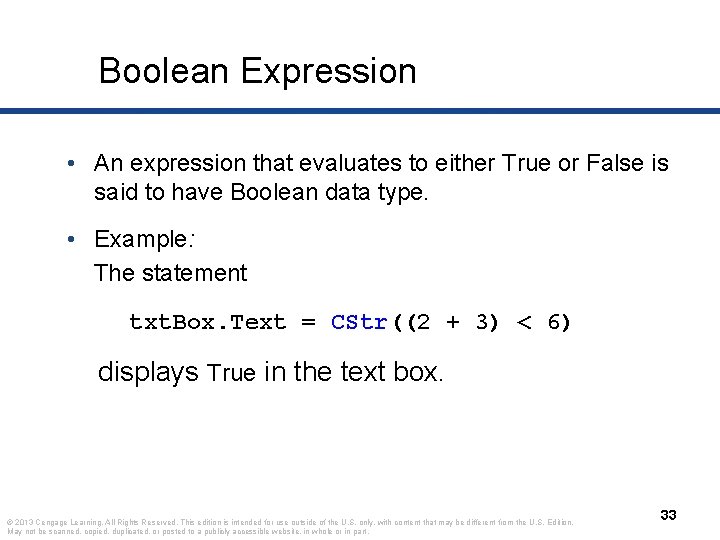
Boolean Expression • An expression that evaluates to either True or False is said to have Boolean data type. • Example: The statement txt. Box. Text = CStr((2 + 3) < 6) displays True in the text box. © 2013 Cengage Learning. All Rights Reserved. This edition is intended for use outside of the U. S. only, with content that may be different from the U. S. Edition. May not be scanned, copied, duplicated, or posted to a publicly accessible website, in whole or in part. 33
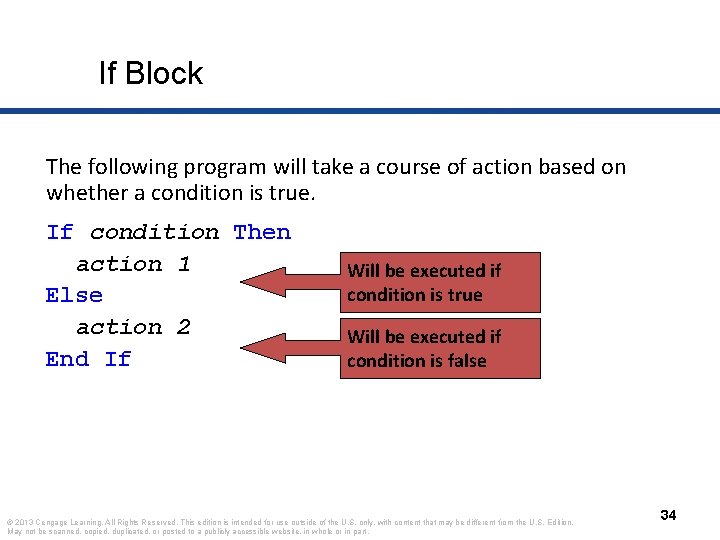
If Block The following program will take a course of action based on whether a condition is true. If condition Then action 1 Else action 2 End If Will be executed if condition is true Will be executed if condition is false © 2013 Cengage Learning. All Rights Reserved. This edition is intended for use outside of the U. S. only, with content that may be different from the U. S. Edition. May not be scanned, copied, duplicated, or posted to a publicly accessible website, in whole or in part. 34
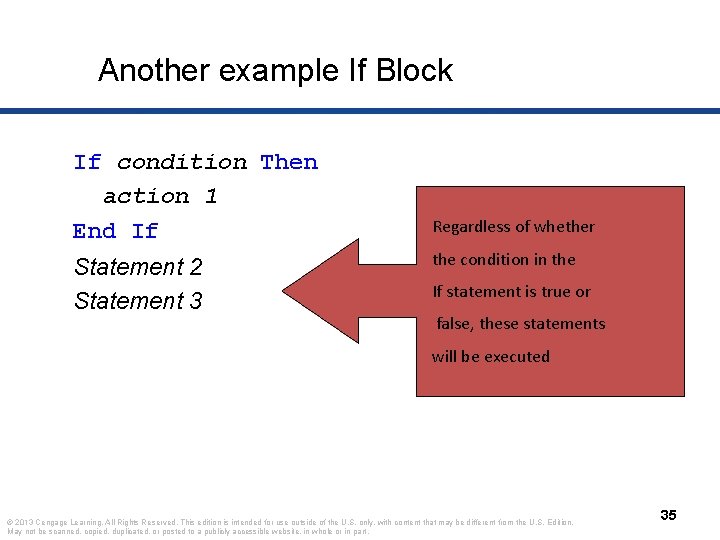
Another example If Block If condition Then action 1 End If Statement 2 Statement 3 Regardless of whether the condition in the If statement is true or false, these statements will be executed © 2013 Cengage Learning. All Rights Reserved. This edition is intended for use outside of the U. S. only, with content that may be different from the U. S. Edition. May not be scanned, copied, duplicated, or posted to a publicly accessible website, in whole or in part. 35
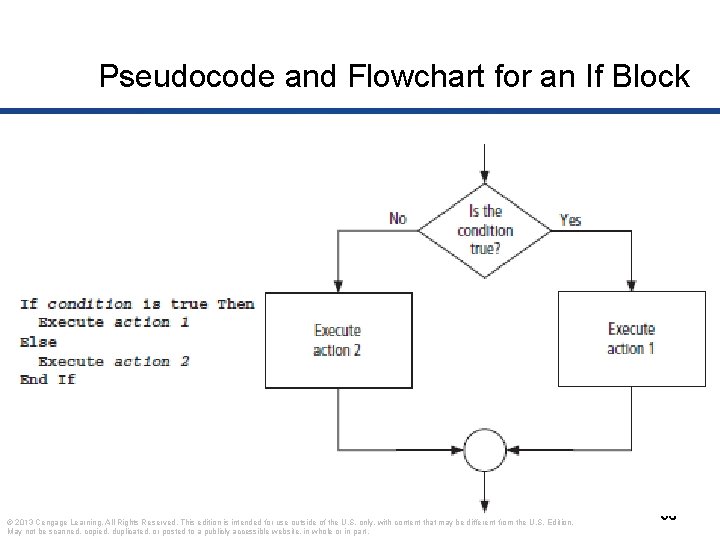
Pseudocode and Flowchart for an If Block © 2013 Cengage Learning. All Rights Reserved. This edition is intended for use outside of the U. S. only, with content that may be different from the U. S. Edition. May not be scanned, copied, duplicated, or posted to a publicly accessible website, in whole or in part. 36
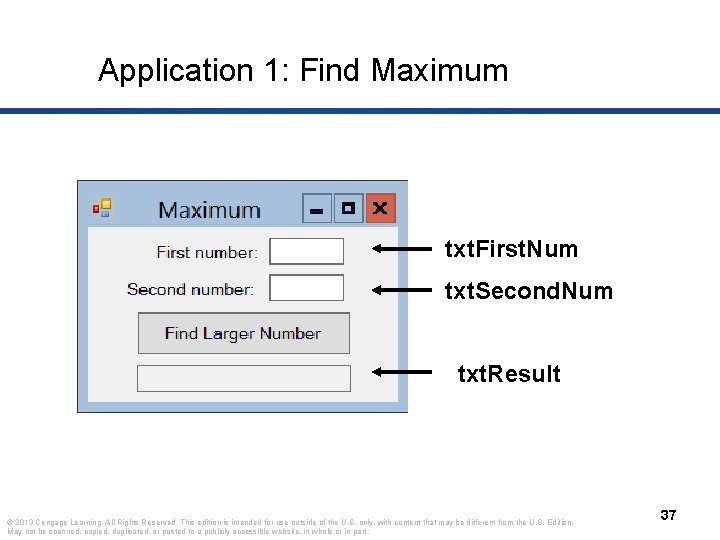
Application 1: Find Maximum txt. First. Num txt. Second. Num txt. Result © 2013 Cengage Learning. All Rights Reserved. This edition is intended for use outside of the U. S. only, with content that may be different from the U. S. Edition. May not be scanned, copied, duplicated, or posted to a publicly accessible website, in whole or in part. 37
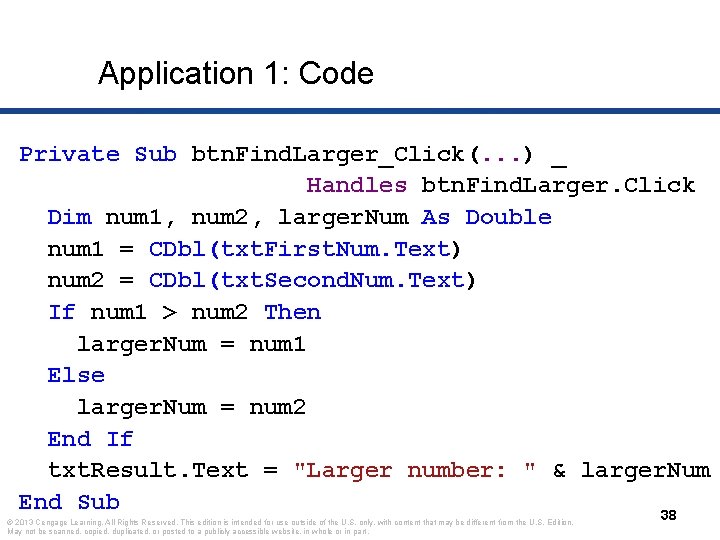
Application 1: Code Private Sub btn. Find. Larger_Click(. . . ) _ Handles btn. Find. Larger. Click Dim num 1, num 2, larger. Num As Double num 1 = CDbl(txt. First. Num. Text) num 2 = CDbl(txt. Second. Num. Text) If num 1 > num 2 Then larger. Num = num 1 Else larger. Num = num 2 End If txt. Result. Text = "Larger number: " & larger. Num End Sub 38 © 2013 Cengage Learning. All Rights Reserved. This edition is intended for use outside of the U. S. only, with content that may be different from the U. S. Edition. May not be scanned, copied, duplicated, or posted to a publicly accessible website, in whole or in part.
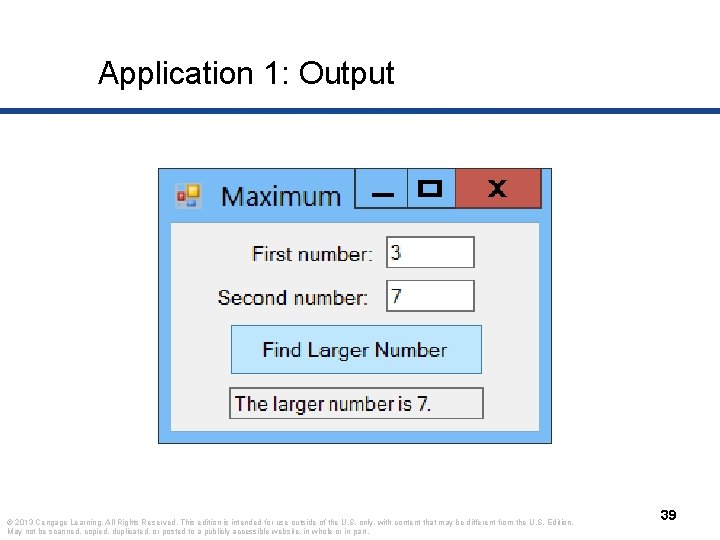
Application 1: Output © 2013 Cengage Learning. All Rights Reserved. This edition is intended for use outside of the U. S. only, with content that may be different from the U. S. Edition. May not be scanned, copied, duplicated, or posted to a publicly accessible website, in whole or in part. 39
Do Loops • A loop is one of the most important structures in programming. • Used to repeat a sequence of statements a number of times. • The Do loop repeats a sequence of statements either as long as or until a certain condition is true. © 2013 Cengage Learning. All Rights Reserved. This edition is intended for use outside of the U. S. only, with content that may be different from the U. S. Edition. May not be scanned, copied, duplicated, or posted to a publicly accessible website, in whole or in part. 40
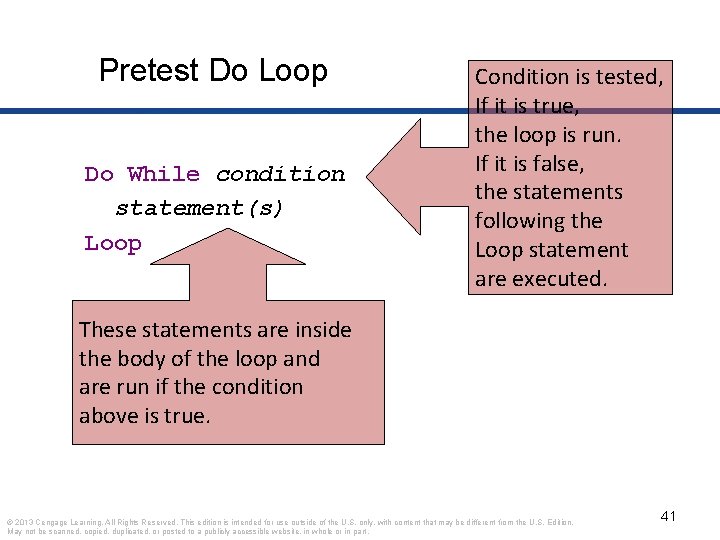
Pretest Do Loop Do While condition statement(s) Loop Condition is tested, If it is true, the loop is run. If it is false, the statements following the Loop statement are executed. These statements are inside the body of the loop and are run if the condition above is true. © 2013 Cengage Learning. All Rights Reserved. This edition is intended for use outside of the U. S. only, with content that may be different from the U. S. Edition. May not be scanned, copied, duplicated, or posted to a publicly accessible website, in whole or in part. 41
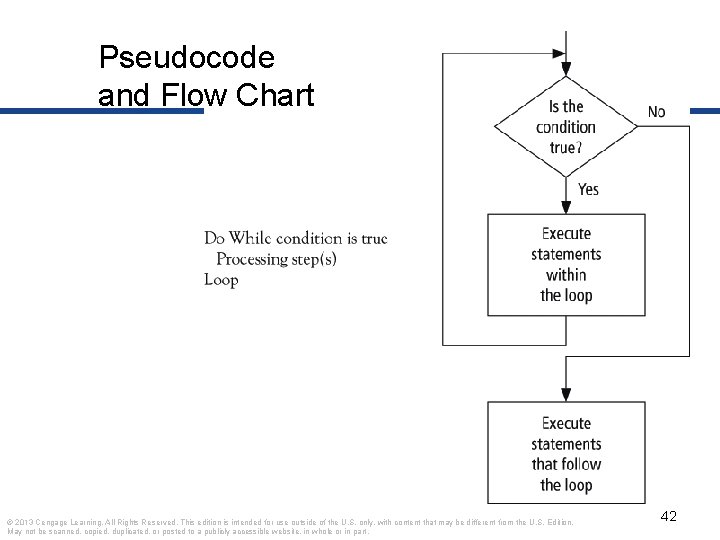
Pseudocode and Flow Chart © 2013 Cengage Learning. All Rights Reserved. This edition is intended for use outside of the U. S. only, with content that may be different from the U. S. Edition. May not be scanned, copied, duplicated, or posted to a publicly accessible website, in whole or in part. 42
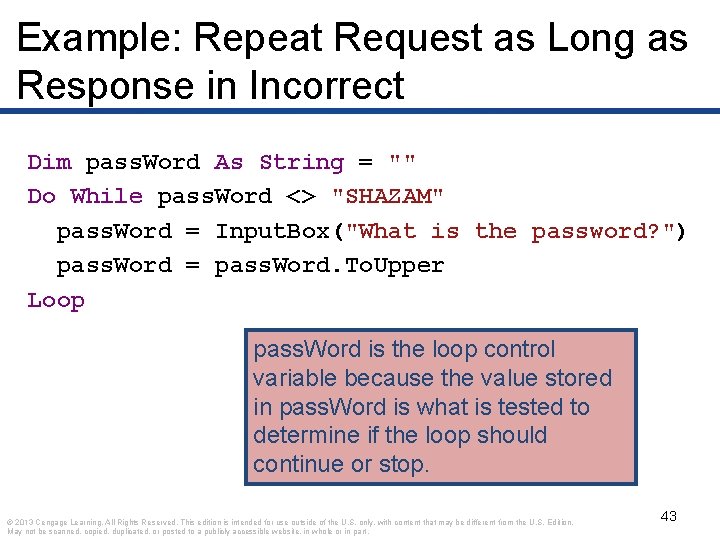
Example: Repeat Request as Long as Response in Incorrect Dim pass. Word As String = "" Do While pass. Word <> "SHAZAM" pass. Word = Input. Box("What is the password? ") pass. Word = pass. Word. To. Upper Loop pass. Word is the loop control variable because the value stored in pass. Word is what is tested to determine if the loop should continue or stop. © 2013 Cengage Learning. All Rights Reserved. This edition is intended for use outside of the U. S. only, with content that may be different from the U. S. Edition. May not be scanned, copied, duplicated, or posted to a publicly accessible website, in whole or in part. 43
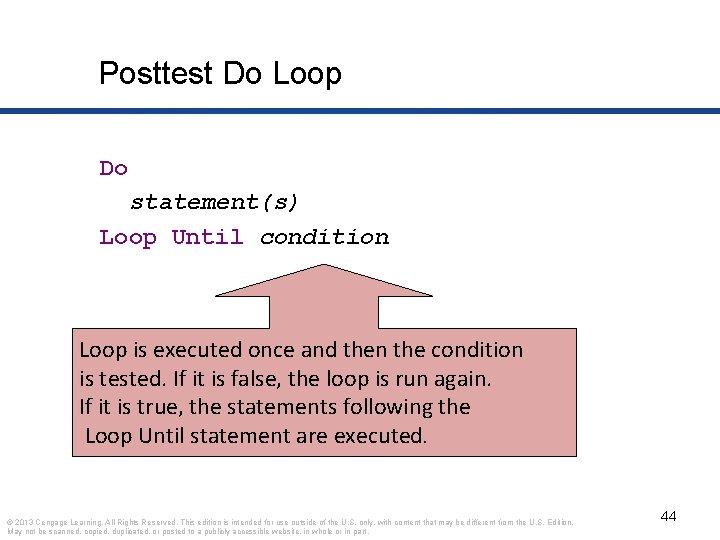
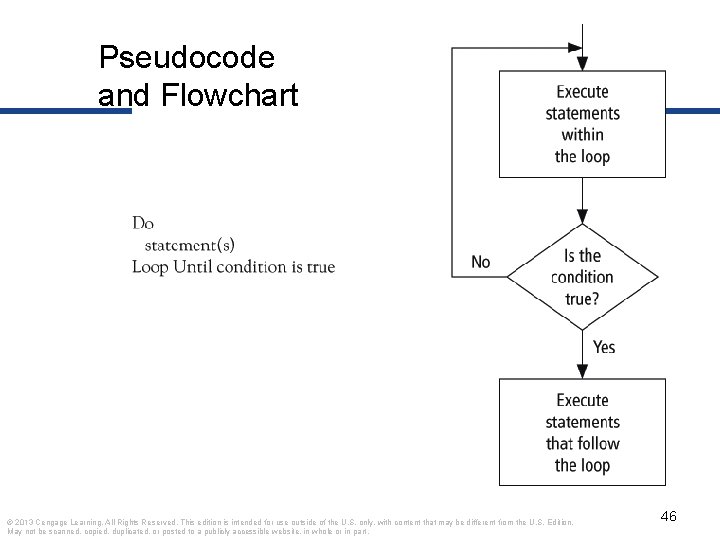
Posttest Do Loop Do statement(s) Loop Until condition Loop is executed once and then the condition is tested. If it is false, the loop is run again. If it is true, the statements following the Loop Until statement are executed. © 2013 Cengage Learning. All Rights Reserved. This edition is intended for use outside of the U. S. only, with content that may be different from the U. S. Edition. May not be scanned, copied, duplicated, or posted to a publicly accessible website, in whole or in part. 44
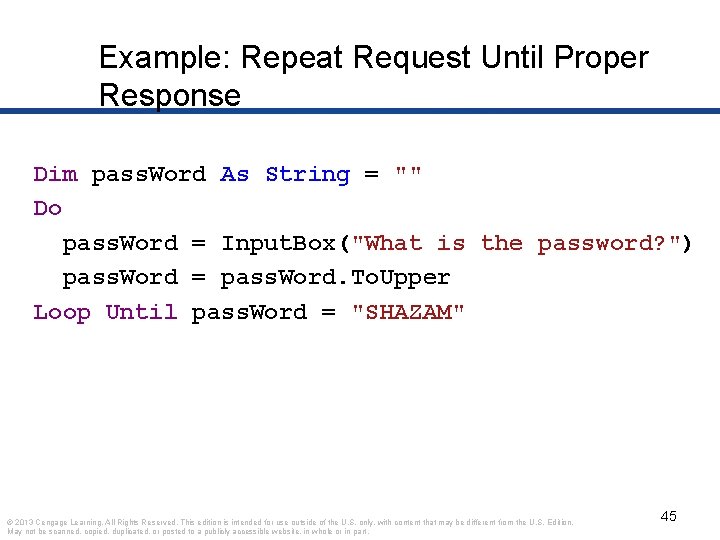
Example: Repeat Request Until Proper Response Dim pass. Word As String = "" Do pass. Word = Input. Box("What is the password? ") pass. Word = pass. Word. To. Upper Loop Until pass. Word = "SHAZAM" © 2013 Cengage Learning. All Rights Reserved. This edition is intended for use outside of the U. S. only, with content that may be different from the U. S. Edition. May not be scanned, copied, duplicated, or posted to a publicly accessible website, in whole or in part. 45
Pseudocode and Flowchart © 2013 Cengage Learning. All Rights Reserved. This edition is intended for use outside of the U. S. only, with content that may be different from the U. S. Edition. May not be scanned, copied, duplicated, or posted to a publicly accessible website, in whole or in part. 46
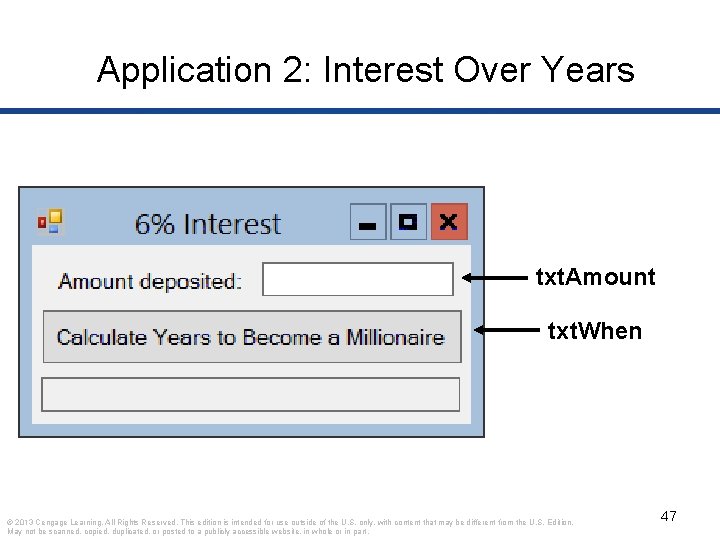
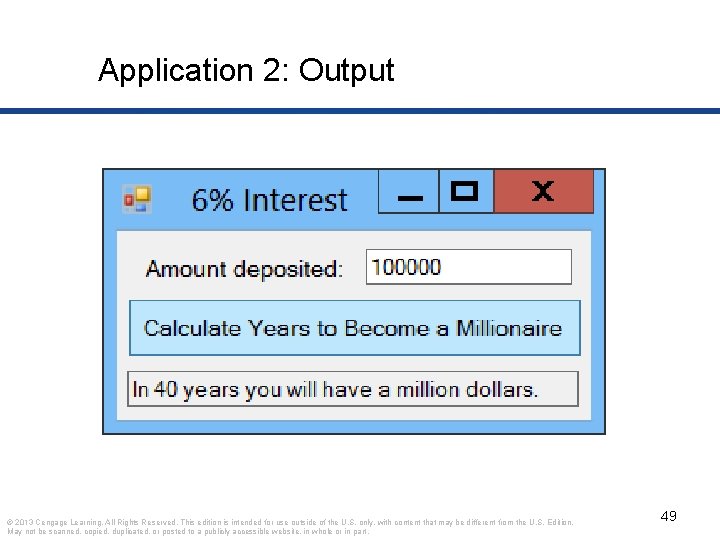
Application 2: Interest Over Years txt. Amount txt. When © 2013 Cengage Learning. All Rights Reserved. This edition is intended for use outside of the U. S. only, with content that may be different from the U. S. Edition. May not be scanned, copied, duplicated, or posted to a publicly accessible website, in whole or in part. 47
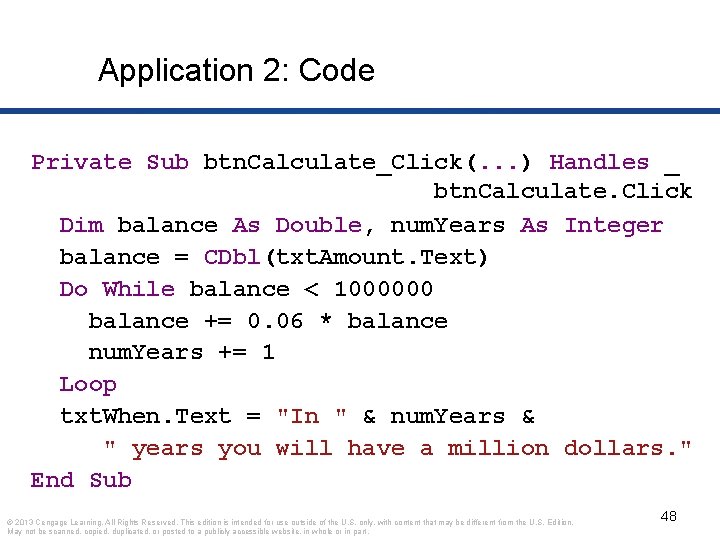
Application 2: Code Private Sub btn. Calculate_Click(. . . ) Handles _ btn. Calculate. Click Dim balance As Double, num. Years As Integer balance = CDbl(txt. Amount. Text) Do While balance < 1000000 balance += 0. 06 * balance num. Years += 1 Loop txt. When. Text = "In " & num. Years & " years you will have a million dollars. " End Sub © 2013 Cengage Learning. All Rights Reserved. This edition is intended for use outside of the U. S. only, with content that may be different from the U. S. Edition. May not be scanned, copied, duplicated, or posted to a publicly accessible website, in whole or in part. 48
Application 2: Output © 2013 Cengage Learning. All Rights Reserved. This edition is intended for use outside of the U. S. only, with content that may be different from the U. S. Edition. May not be scanned, copied, duplicated, or posted to a publicly accessible website, in whole or in part. 49
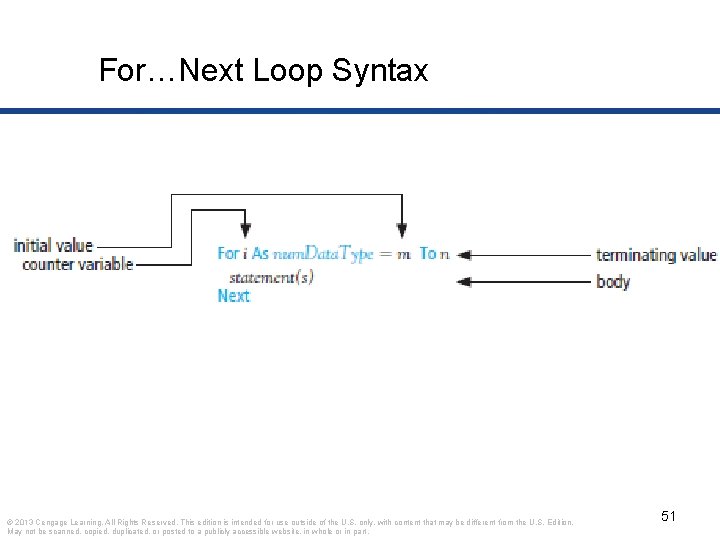
For…Next Loops • General Form of a For…Next Loop • Step Keyword • Used when we know how many times we want the loop to execute • A counter controlled loop © 2013 Cengage Learning. All Rights Reserved. This edition is intended for use outside of the U. S. only, with content that may be different from the U. S. Edition. May not be scanned, copied, duplicated, or posted to a publicly accessible website, in whole or in part. 50
For…Next Loop Syntax © 2013 Cengage Learning. All Rights Reserved. This edition is intended for use outside of the U. S. only, with content that may be different from the U. S. Edition. May not be scanned, copied, duplicated, or posted to a publicly accessible website, in whole or in part. 51
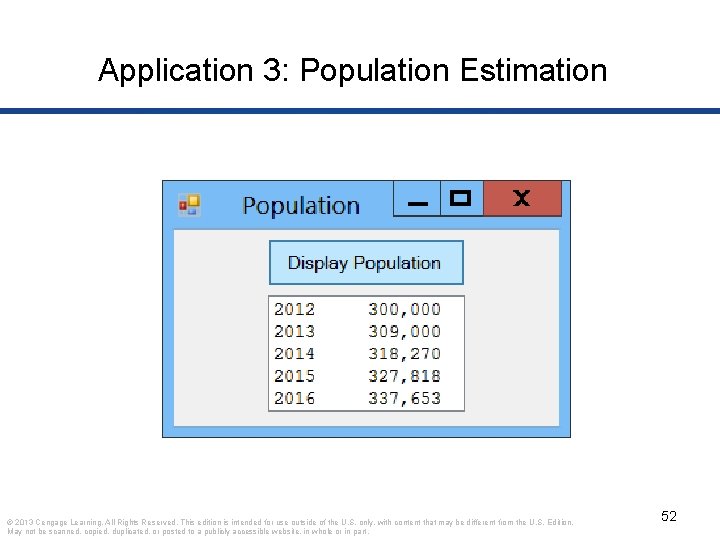
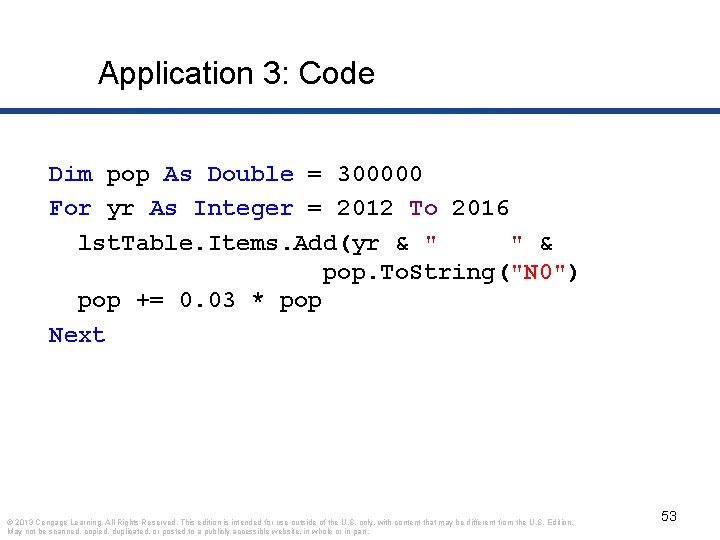
Application 3: Population Estimation © 2013 Cengage Learning. All Rights Reserved. This edition is intended for use outside of the U. S. only, with content that may be different from the U. S. Edition. May not be scanned, copied, duplicated, or posted to a publicly accessible website, in whole or in part. 52
Application 3: Code Dim pop As Double = 300000 For yr As Integer = 2012 To 2016 lst. Table. Items. Add(yr & " " & pop. To. String("N 0") pop += 0. 03 * pop Next © 2013 Cengage Learning. All Rights Reserved. This edition is intended for use outside of the U. S. only, with content that may be different from the U. S. Edition. May not be scanned, copied, duplicated, or posted to a publicly accessible website, in whole or in part. 53
Small Applications Examples Optional
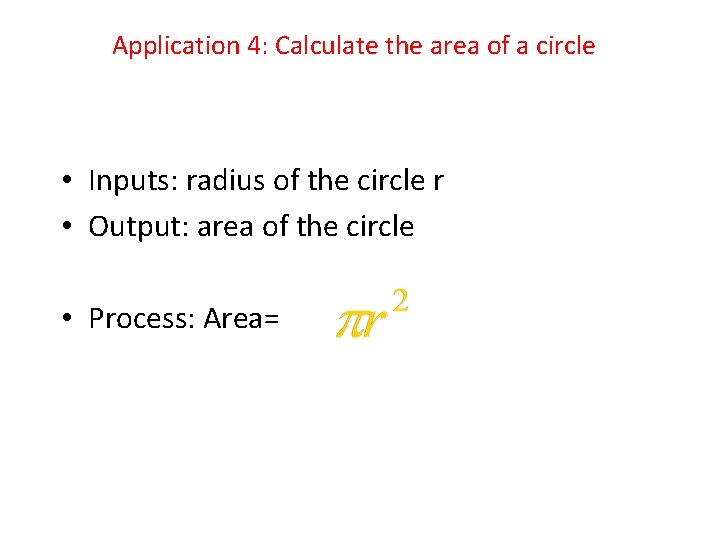
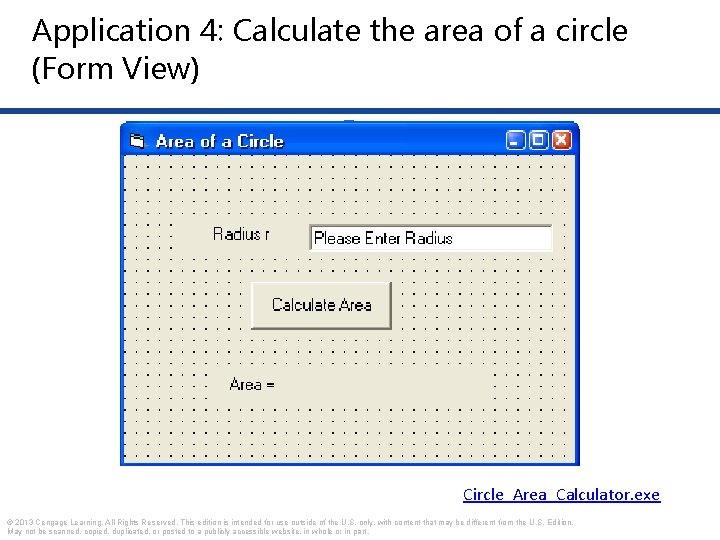
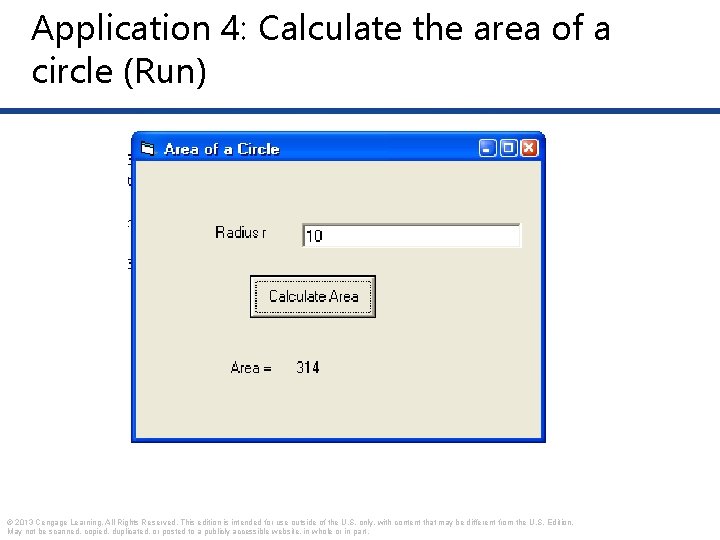
Application 4: Calculate the area of a circle • Inputs: radius of the circle r • Output: area of the circle • Process: Area=
Application 4: Calculate the area of a circle (Form View) Circle_Area_Calculator. exe © 2013 Cengage Learning. All Rights Reserved. This edition is intended for use outside of the U. S. only, with content that may be different from the U. S. Edition. May not be scanned, copied, duplicated, or posted to a publicly accessible website, in whole or in part.
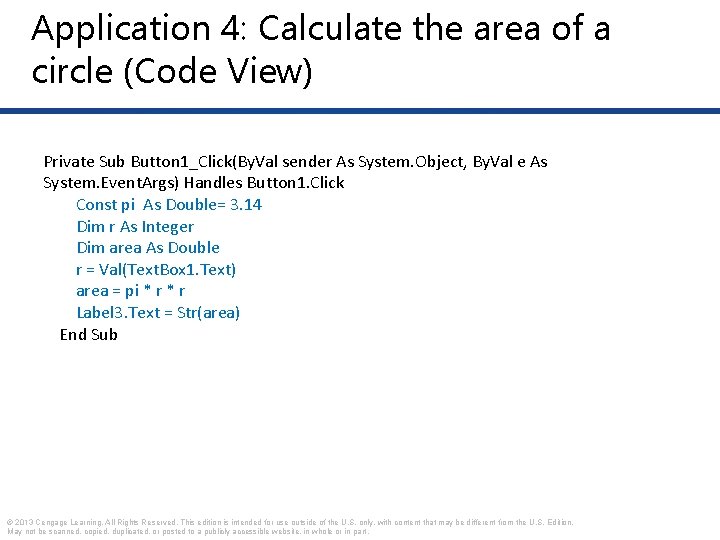
Application 4: Calculate the area of a circle (Code View) Private Sub Button 1_Click(By. Val sender As System. Object, By. Val e As System. Event. Args) Handles Button 1. Click Const pi As Double= 3. 14 Dim r As Integer Dim area As Double r = Val(Text. Box 1. Text) area = pi * r Label 3. Text = Str(area) End Sub © 2013 Cengage Learning. All Rights Reserved. This edition is intended for use outside of the U. S. only, with content that may be different from the U. S. Edition. May not be scanned, copied, duplicated, or posted to a publicly accessible website, in whole or in part.
Application 4: Calculate the area of a circle (Run) © 2013 Cengage Learning. All Rights Reserved. This edition is intended for use outside of the U. S. only, with content that may be different from the U. S. Edition. May not be scanned, copied, duplicated, or posted to a publicly accessible website, in whole or in part.
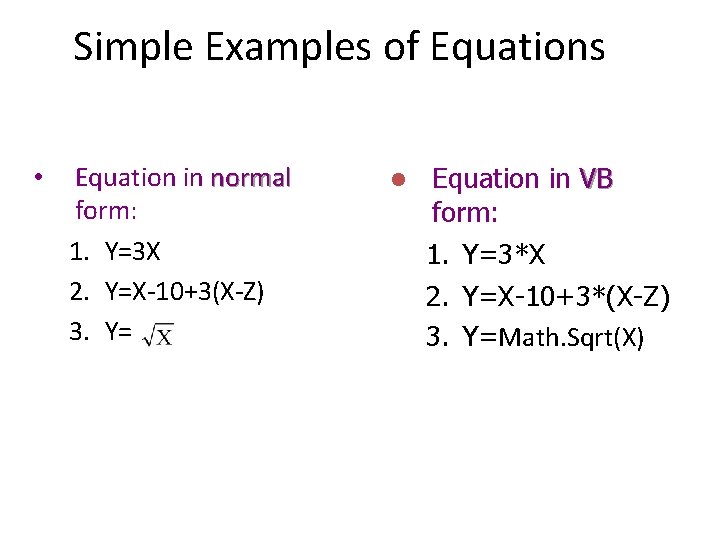
Simple Examples of Equations • Equation in normal form: 1. Y=3 X 2. Y=X-10+3(X-Z) 3. Y= l Equation in VB form: 1. Y=3*X 2. Y=X-10+3*(X-Z) 3. Y=Math. Sqrt(X)
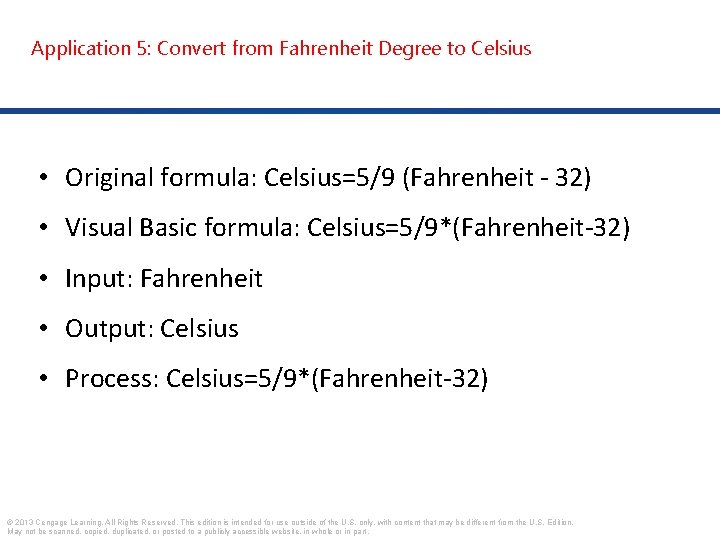
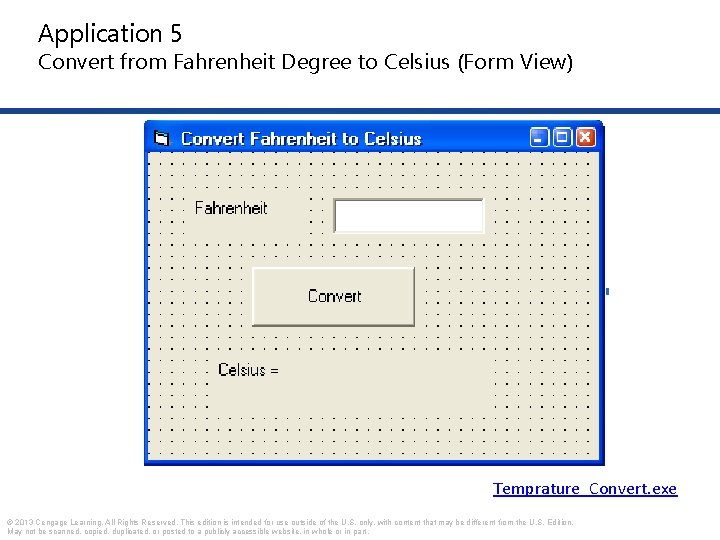
Application 5: Convert from Fahrenheit Degree to Celsius • Original formula: Celsius=5/9 (Fahrenheit - 32) • Visual Basic formula: Celsius=5/9*(Fahrenheit-32) • Input: Fahrenheit • Output: Celsius • Process: Celsius=5/9*(Fahrenheit-32) © 2013 Cengage Learning. All Rights Reserved. This edition is intended for use outside of the U. S. only, with content that may be different from the U. S. Edition. May not be scanned, copied, duplicated, or posted to a publicly accessible website, in whole or in part.
Application 5 Convert from Fahrenheit Degree to Celsius (Form View) Temprature_Convert. exe © 2013 Cengage Learning. All Rights Reserved. This edition is intended for use outside of the U. S. only, with content that may be different from the U. S. Edition. May not be scanned, copied, duplicated, or posted to a publicly accessible website, in whole or in part.
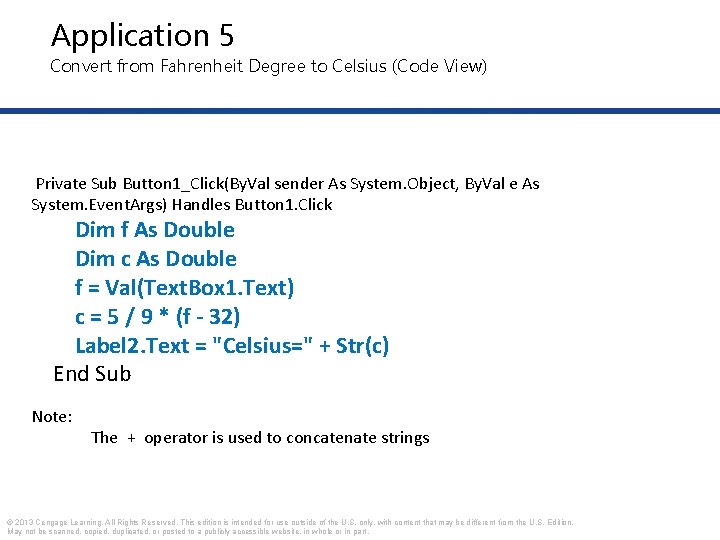
Application 5 Convert from Fahrenheit Degree to Celsius (Code View) Private Sub Button 1_Click(By. Val sender As System. Object, By. Val e As System. Event. Args) Handles Button 1. Click Dim f As Double Dim c As Double f = Val(Text. Box 1. Text) c = 5 / 9 * (f - 32) Label 2. Text = "Celsius=" + Str(c) End Sub Note: The + operator is used to concatenate strings © 2013 Cengage Learning. All Rights Reserved. This edition is intended for use outside of the U. S. only, with content that may be different from the U. S. Edition. May not be scanned, copied, duplicated, or posted to a publicly accessible website, in whole or in part.
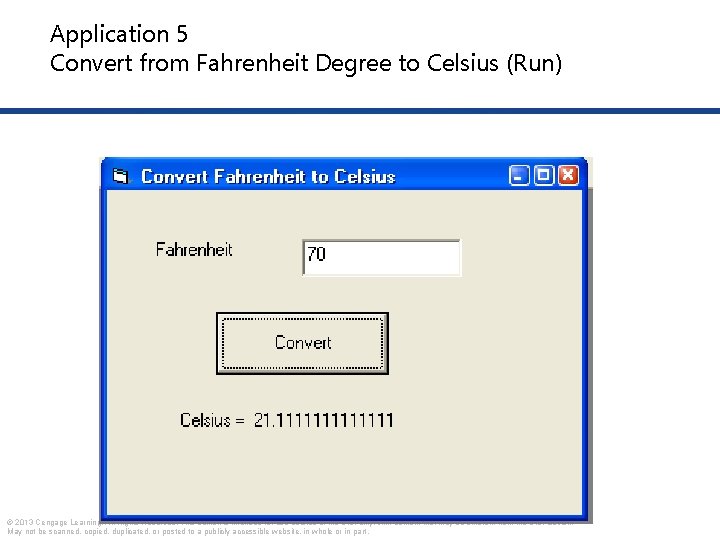
Application 5 Convert from Fahrenheit Degree to Celsius (Run) © 2013 Cengage Learning. All Rights Reserved. This edition is intended for use outside of the U. S. only, with content that may be different from the U. S. Edition. May not be scanned, copied, duplicated, or posted to a publicly accessible website, in whole or in part.
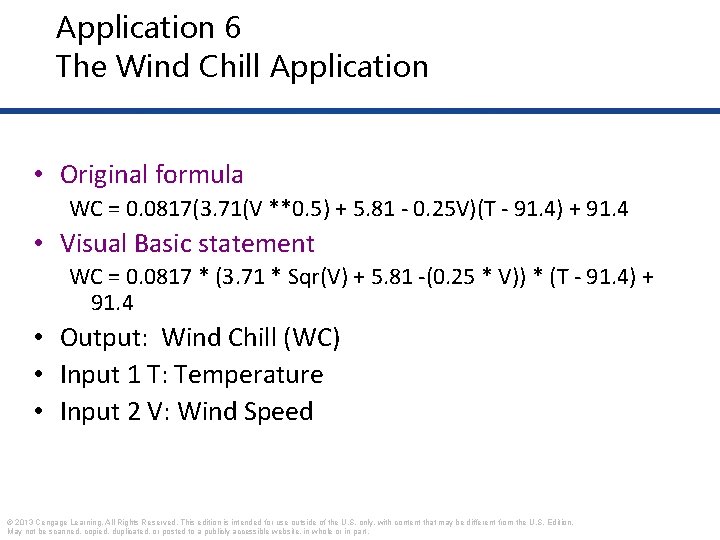
Application 6 The Wind Chill Application • Write a program that calculates the wind chill temperature • Inputs: Wind Speed and Temperature • Outputs: Wind Chill Temperature © 2013 Cengage Learning. All Rights Reserved. This edition is intended for use outside of the U. S. only, with content that may be different from the U. S. Edition. May not be scanned, copied, duplicated, or posted to a publicly accessible website, in whole or in part.
Application 6 The Wind Chill Application • Original formula WC = 0. 0817(3. 71(V **0. 5) + 5. 81 - 0. 25 V)(T - 91. 4) + 91. 4 • Visual Basic statement WC = 0. 0817 * (3. 71 * Sqr(V) + 5. 81 -(0. 25 * V)) * (T - 91. 4) + 91. 4 • Output: Wind Chill (WC) • Input 1 T: Temperature • Input 2 V: Wind Speed © 2013 Cengage Learning. All Rights Reserved. This edition is intended for use outside of the U. S. only, with content that may be different from the U. S. Edition. May not be scanned, copied, duplicated, or posted to a publicly accessible website, in whole or in part.
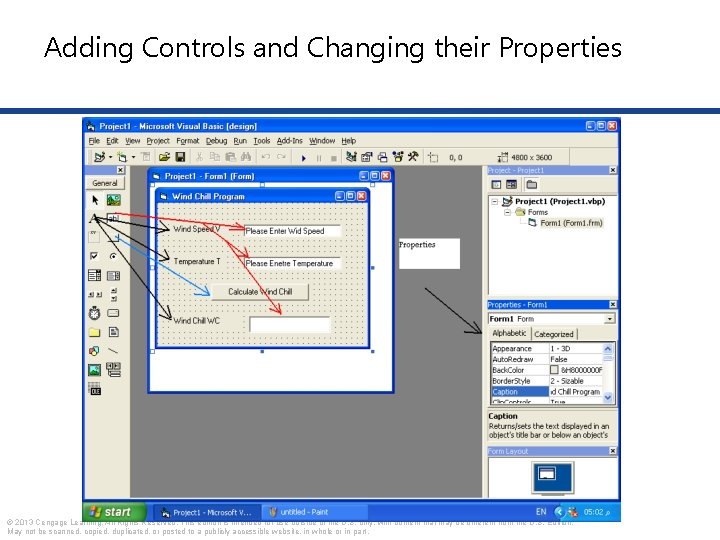
Adding Controls and Changing their Properties © 2013 Cengage Learning. All Rights Reserved. This edition is intended for use outside of the U. S. only, with content that may be different from the U. S. Edition. May not be scanned, copied, duplicated, or posted to a publicly accessible website, in whole or in part.
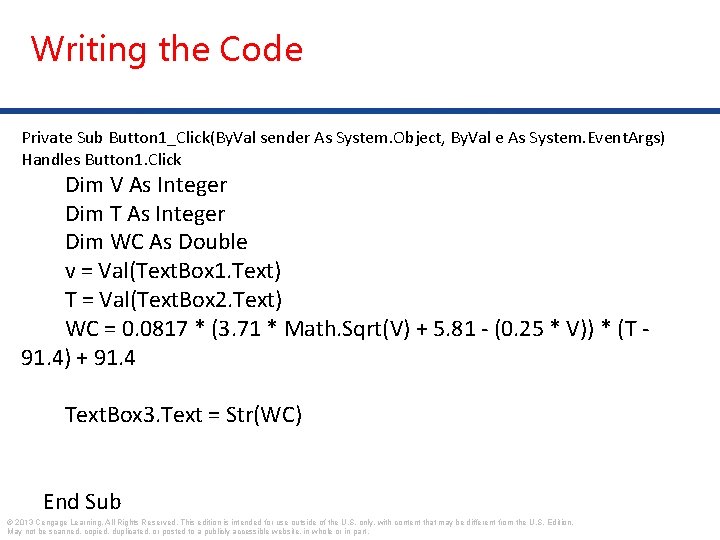
Writing the Code Private Sub Button 1_Click(By. Val sender As System. Object, By. Val e As System. Event. Args) Handles Button 1. Click Dim V As Integer Dim T As Integer Dim WC As Double v = Val(Text. Box 1. Text) T = Val(Text. Box 2. Text) WC = 0. 0817 * (3. 71 * Math. Sqrt(V) + 5. 81 - (0. 25 * V)) * (T 91. 4) + 91. 4 Text. Box 3. Text = Str(WC) End Sub © 2013 Cengage Learning. All Rights Reserved. This edition is intended for use outside of the U. S. only, with content that may be different from the U. S. Edition. May not be scanned, copied, duplicated, or posted to a publicly accessible website, in whole or in part.
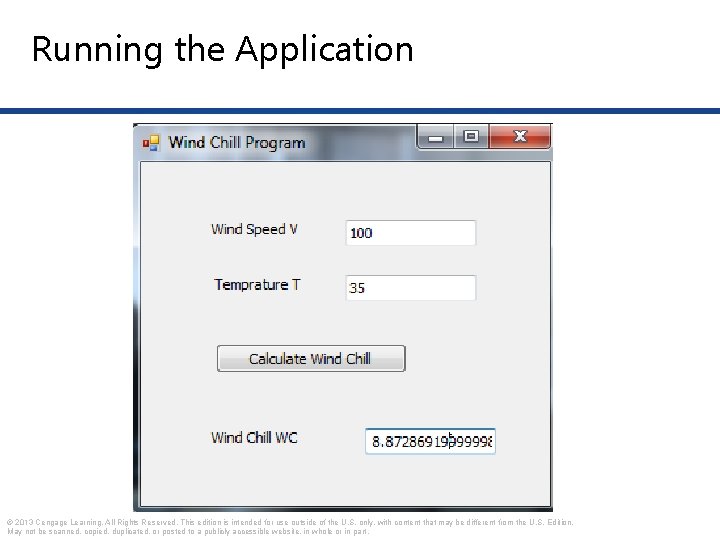
Running the Application © 2013 Cengage Learning. All Rights Reserved. This edition is intended for use outside of the U. S. only, with content that may be different from the U. S. Edition. May not be scanned, copied, duplicated, or posted to a publicly accessible website, in whole or in part.