
INTRODUCTION TO CNC MILLING MARTIN BRANTNER MECHANICAL ENGINEERING

INTRODUCTION TO CNC MILLING MARTIN BRANTNER, MECHANICAL ENGINEERING BRANDON NAYLOR, ENERGY ACADEMIC GROUP
OUTLINE • Introduction • Workflow Process • • CAD CAM Machining Finishing • Carbide Create (Alternate path) • Lessons Learned • For further information • Questions • Let’s Mill! • What this course is: • An introduction to the CNC process • An introduction to the Carbide Nomad 883 • Jump-off for reference material • What the course is not: • All inclusive/ detailed discussion
INTRODUCTION • What is CNC? • Computer Numerical Control • Subtractive manufacturing technique • What is CAD? • Computer Aided Design • Way of creating models • What is CAM • Computer Aided Manufacturing • Way of translating a model into machine codes • CNC Files • G-Code • Programming language read by the CNC Mill • CAD Files • Solidworks, Autodesk Fusion, Sketchup • CAM Files • . stl: STereo. Lithography • Surface rendering of object
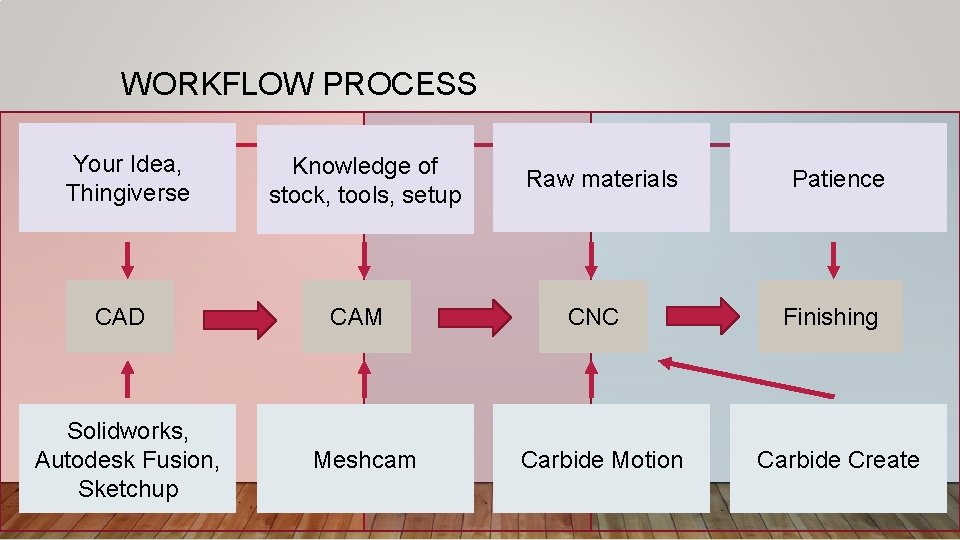
WORKFLOW PROCESS Your Idea, Thingiverse CAD Solidworks, Autodesk Fusion, Sketchup Knowledge of stock, tools, setup CAM Meshcam Raw materials CNC Carbide Motion Patience Finishing Carbide Create
CAD • Create the model you want to machine • Utilize a model from Thingiverse • The model shouldn’t have negative volumes, exceptionally fine detail • The model can have reflective machining • Keep in mind the CNC is a 3 -axis machine • Goal is to export a. stl file
CAM (1/3) • Determine single side, or double side machining • Keep in mind you will need to physically re-setup your material • Define the stock size of your material • 8” X 8” limitation • Size your part to fit your material • Where is your origin? • Set “keepout” regions • Do you need supports? • What will be your final Z height?
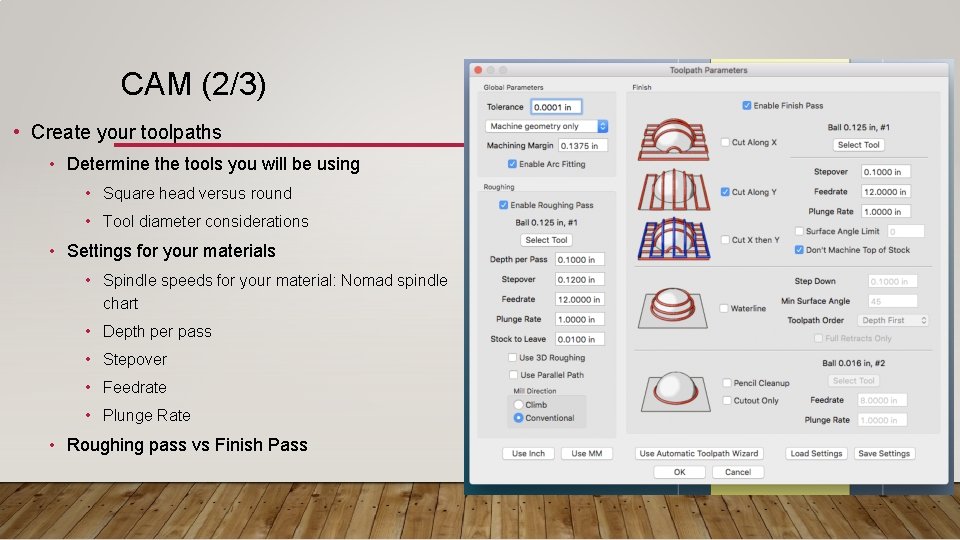
CAM (2/3) • Create your toolpaths • Determine the tools you will be using • Square head versus round • Tool diameter considerations • Settings for your materials • Spindle speeds for your material: Nomad spindle chart • Depth per pass • Stepover • Feedrate • Plunge Rate • Roughing pass vs Finish Pass
CAM (3/3) • Make sure to run the trial simulation • May need to adjust settings • Goal is to export a G-Code file
CNC • Make sure your stock is secure in the machine • Make sure you are not engaging the safety limits • “Zero” the machine • Make sure your zero corresponds to the origin in the CAM process • Make sure the correct tool is in the machine • Machine the first pass • As necessary, install second tool • As necessary, rotate the part • Goal is to have a semi-finished part
FINISHING • Flat tip mills are good for flat surfaces • Round tip mills are good for rounded surfaces • Congratulations!

CARBIDE CREATE • Alternate software option for relief milling • Probably the best choice for signs/ plaques
LESSONS LEARNED • Homing issue • Time may be a limiting factor • Difficulty in two-sided machining • CNC vs 3 D printing • Material sources
FOR FURTHER INFORMATION • http: //docs. carbide 3 d. com/ • Feed Chart • http: //www. grzsoftware. com/ • Registration Code: C 31 C 17 -124 F 00 -077 A-1 AF 4 • License Type: Carbide Standard • Robo. Dojo Sakai • People • mbrantne@nps. edu • blnaylor@nps. edu
QUESTIONS?
LET’S MILL!
- Slides: 15