
INTRODUCTION TO CATEGORICAL DATA ANALYSIS ODDS RATIO MEASURE

![Binary Logistic Regression Interpreting Coefficients… ln[p/(1 -p)] = a + b 1 X 1](https://slidetodoc.com/presentation_image_h/97d336298039c57d9e665c810c97a5f0/image-77.jpg "Binary Logistic Regression Interpreting Coefficients… ln[p/(1 -p)] = a + b 1 X 1")
![Binary Logistic Regression • ln[p/(1 -p)] = a + b 1 X 1 +](https://slidetodoc.com/presentation_image_h/97d336298039c57d9e665c810c97a5f0/image-78.jpg "Binary Logistic Regression • ln[p/(1 -p)] = a + b 1 X 1 +")


![iv_df <- iv_df[order(-iv_df$IV), ] iv_df #> VARS IV #> RELATIONSHIP 1. 5739 #> MARITALSTATUS](https://slidetodoc.com/presentation_image_h/97d336298039c57d9e665c810c97a5f0/image-104.jpg "iv_df <- iv_df[order(-iv_df$IV), ] iv_df #> VARS IV #> RELATIONSHIP 1. 5739 #> MARITALSTATUS")
![## one at a time, table apply, pared, and public lapply(dat[, c("apply", "pared", "public")],](https://slidetodoc.com/presentation_image_h/97d336298039c57d9e665c810c97a5f0/image-121.jpg "## one at a time, table apply, pared, and public lapply(dat[, c(\"apply\", \"pared\", \"public\")],")
![summary(dat$gpa) Min. 1 st Qu. Median 1. 900 2. 720 2. 990 sd(dat$gpa) [1]](https://slidetodoc.com/presentation_image_h/97d336298039c57d9e665c810c97a5f0/image-122.jpg "summary(dat$gpa) Min. 1 st Qu. Median 1. 900 2. 720 2. 990 sd(dat$gpa) [1]")
- Slides: 129
INTRODUCTION TO CATEGORICAL DATA ANALYSIS ODDS RATIO, MEASURE OF ASSOCIATION, TEST OF INDEPENDENCE, LOGISTIC REGRESSION AND POLYTOMIOUS LOGISTIC REGRESSION
DEFINITION • Categorical data are such that measurement scale consists of a set of categories. • e. g. marital status: never married, divorced, widowed nominal • e. g. attitude toward some policy: strongly disapprove, strongly approve ordinal • SOME VISUALIZATION TECHNIQUES: Jittering, mosaic plots, bar plots etc. • Correlation between ordinal or nominal measurements are usually referred to as association.
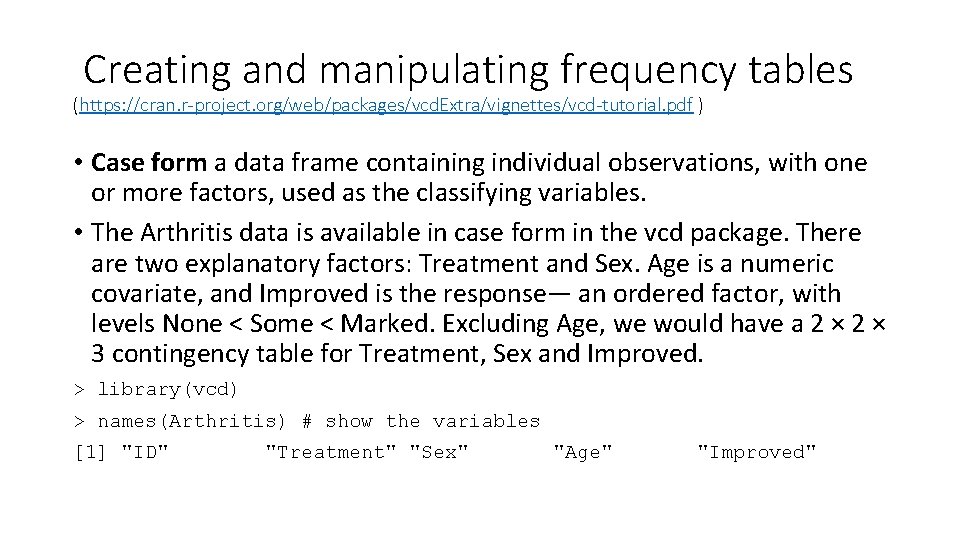
Creating and manipulating frequency tables (https: //cran. r-project. org/web/packages/vcd. Extra/vignettes/vcd-tutorial. pdf ) • Case form a data frame containing individual observations, with one or more factors, used as the classifying variables. • The Arthritis data is available in case form in the vcd package. There are two explanatory factors: Treatment and Sex. Age is a numeric covariate, and Improved is the response— an ordered factor, with levels None < Some < Marked. Excluding Age, we would have a 2 × 3 contingency table for Treatment, Sex and Improved. > library(vcd) > names(Arthritis) # show the variables [1] "ID" "Treatment" "Sex" "Age" "Improved"
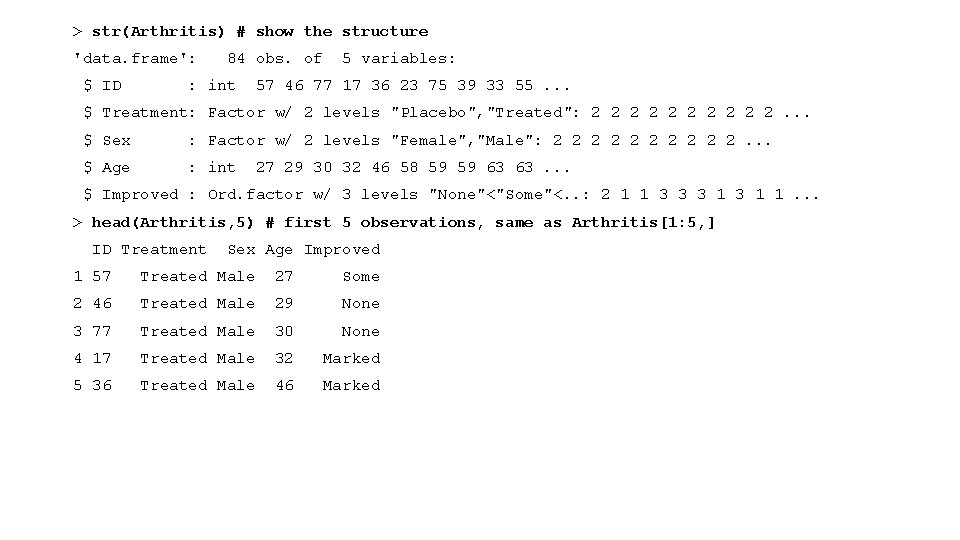
> str(Arthritis) # show the structure 'data. frame': $ ID 84 obs. of : int 5 variables: 57 46 77 17 36 23 75 39 33 55. . . $ Treatment: Factor w/ 2 levels "Placebo", "Treated": 2 2 2 2 2. . . $ Sex : Factor w/ 2 levels "Female", "Male": 2 2 2 2 2. . . $ Age : int 27 29 30 32 46 58 59 59 63 63. . . $ Improved : Ord. factor w/ 3 levels "None"<"Some"<. . : 2 1 1 3 3 3 1 1. . . > head(Arthritis, 5) # first 5 observations, same as Arthritis[1: 5, ] ID Treatment Sex Age Improved 1 57 Treated Male 27 Some 2 46 Treated Male 29 None 3 77 Treated Male 30 None 4 17 Treated Male 32 Marked 5 36 Treated Male 46 Marked
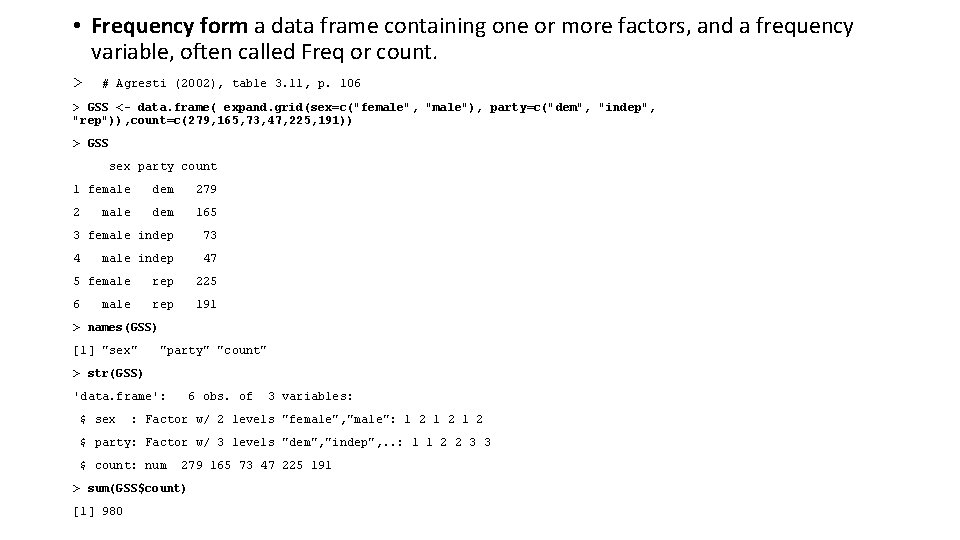
• Frequency form a data frame containing one or more factors, and a frequency variable, often called Freq or count. > # Agresti (2002), table 3. 11, p. 106 > GSS <- data. frame( expand. grid(sex=c("female", "male"), party=c("dem", "indep", "rep")), count=c(279, 165, 73, 47, 225, 191)) > GSS sex party count 1 female dem 279 2 dem 165 3 female indep 73 4 47 male indep 5 female rep 225 6 rep 191 male > names(GSS) [1] "sex" "party" "count" > str(GSS) 'data. frame': $ sex 6 obs. of 3 variables: : Factor w/ 2 levels "female", "male": 1 2 1 2 $ party: Factor w/ 3 levels "dem", "indep", . . : 1 1 2 2 3 3 $ count: num 279 165 73 47 225 191 > sum(GSS$count) [1] 980
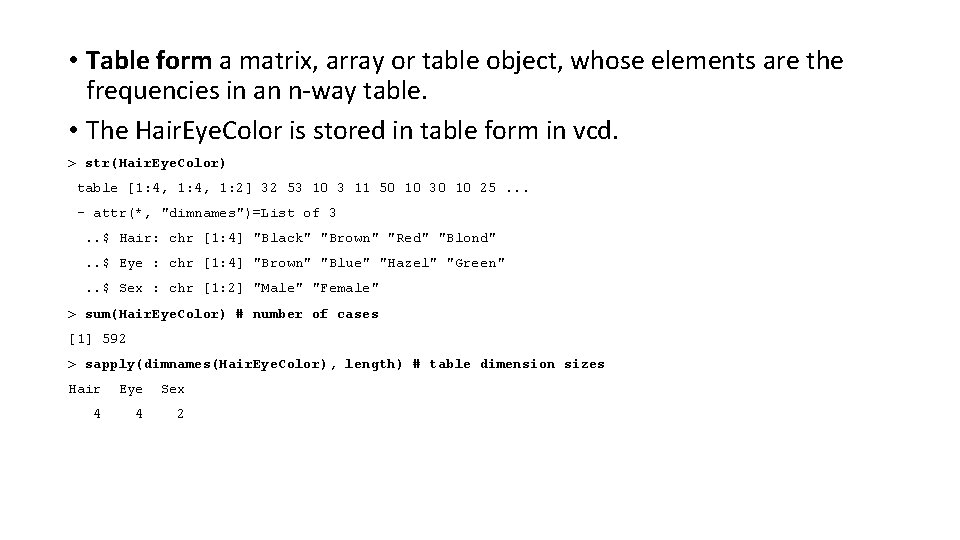
• Table form a matrix, array or table object, whose elements are the frequencies in an n-way table. • The Hair. Eye. Color is stored in table form in vcd. > str(Hair. Eye. Color) table [1: 4, 1: 2] 32 53 10 3 11 50 10 30 10 25. . . - attr(*, "dimnames")=List of 3. . $ Hair: chr [1: 4] "Black" "Brown" "Red" "Blond". . $ Eye : chr [1: 4] "Brown" "Blue" "Hazel" "Green". . $ Sex : chr [1: 2] "Male" "Female" > sum(Hair. Eye. Color) # number of cases [1] 592 > sapply(dimnames(Hair. Eye. Color), length) # table dimension sizes Hair Eye Sex 4 4 2
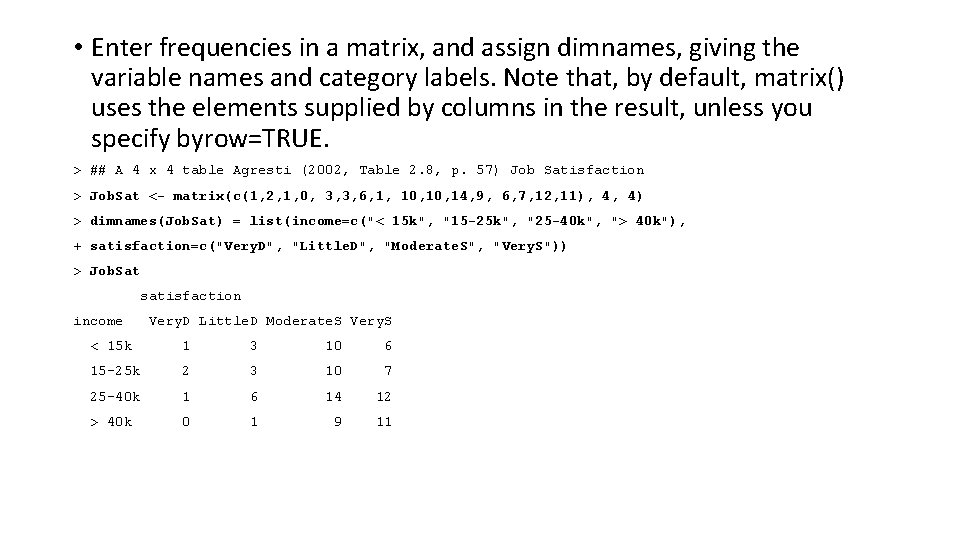
• Enter frequencies in a matrix, and assign dimnames, giving the variable names and category labels. Note that, by default, matrix() uses the elements supplied by columns in the result, unless you specify byrow=TRUE. > ## A 4 x 4 table Agresti (2002, Table 2. 8, p. 57) Job Satisfaction > Job. Sat <- matrix(c(1, 2, 1, 0, 3, 3, 6, 1, 10, 14, 9, 6, 7, 12, 11), 4, 4) > dimnames(Job. Sat) = list(income=c("< 15 k", "15 -25 k", "25 -40 k", "> 40 k"), + satisfaction=c("Very. D", "Little. D", "Moderate. S", "Very. S")) > Job. Sat satisfaction income Very. D Little. D Moderate. S Very. S < 15 k 1 3 10 6 15 -25 k 2 3 10 7 25 -40 k 1 6 14 12 > 40 k 0 1 9 11
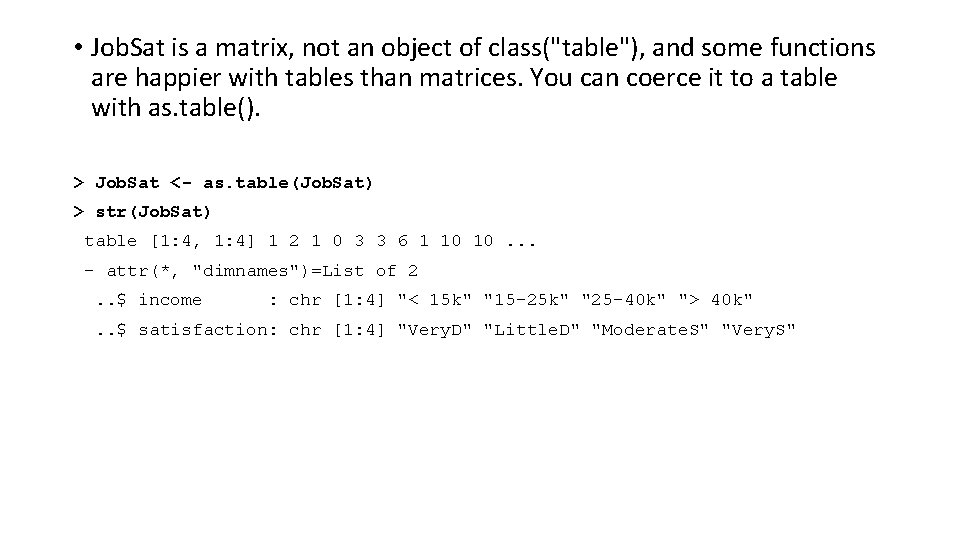
• Job. Sat is a matrix, not an object of class("table"), and some functions are happier with tables than matrices. You can coerce it to a table with as. table(). > Job. Sat <- as. table(Job. Sat) > str(Job. Sat) table [1: 4, 1: 4] 1 2 1 0 3 3 6 1 10 10. . . - attr(*, "dimnames")=List of 2. . $ income : chr [1: 4] "< 15 k" "15 -25 k" "25 -40 k" "> 40 k" . . $ satisfaction: chr [1: 4] "Very. D" "Little. D" "Moderate. S" "Very. S"
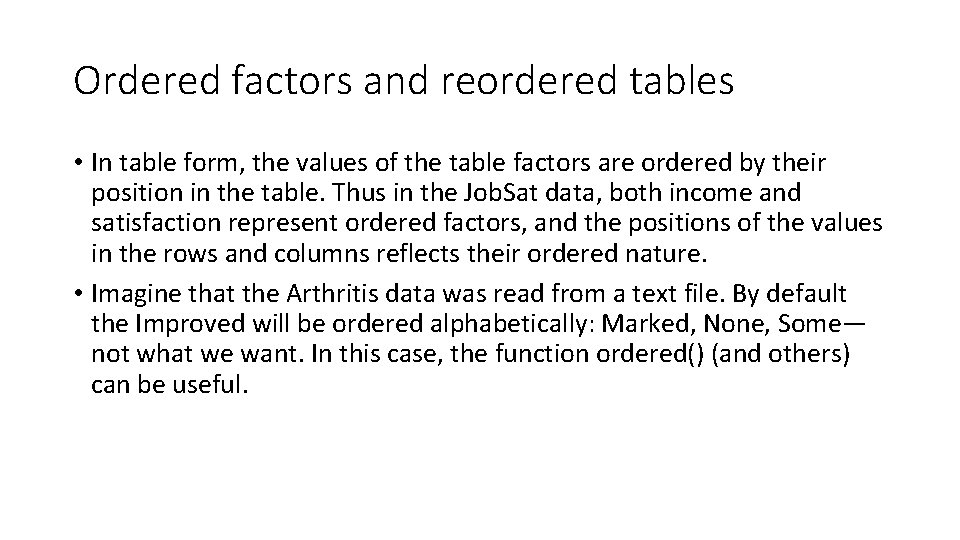
Ordered factors and reordered tables • In table form, the values of the table factors are ordered by their position in the table. Thus in the Job. Sat data, both income and satisfaction represent ordered factors, and the positions of the values in the rows and columns reflects their ordered nature. • Imagine that the Arthritis data was read from a text file. By default the Improved will be ordered alphabetically: Marked, None, Some— not what we want. In this case, the function ordered() (and others) can be useful.
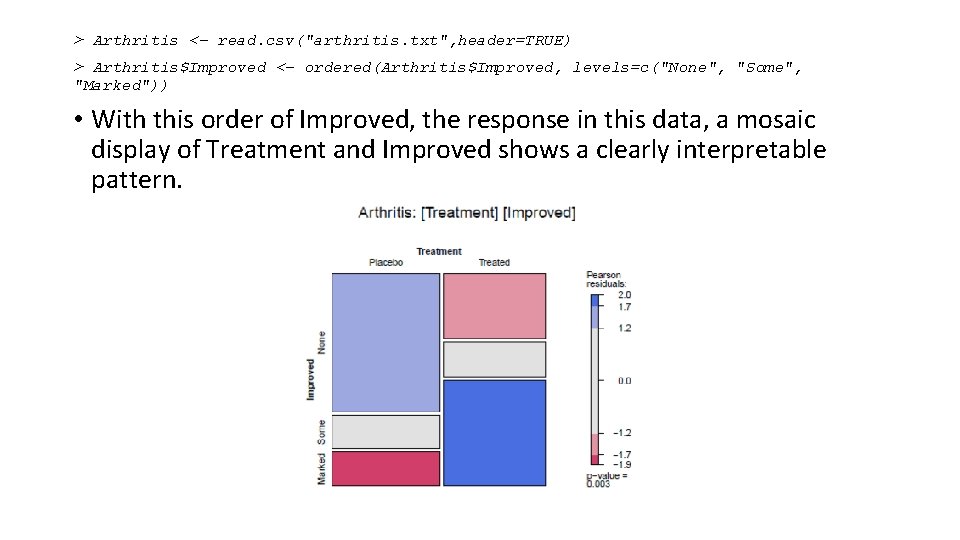
> Arthritis <- read. csv("arthritis. txt", header=TRUE) > Arthritis$Improved <- ordered(Arthritis$Improved, levels=c("None", "Some", "Marked")) • With this order of Improved, the response in this data, a mosaic display of Treatment and Improved shows a clearly interpretable pattern.
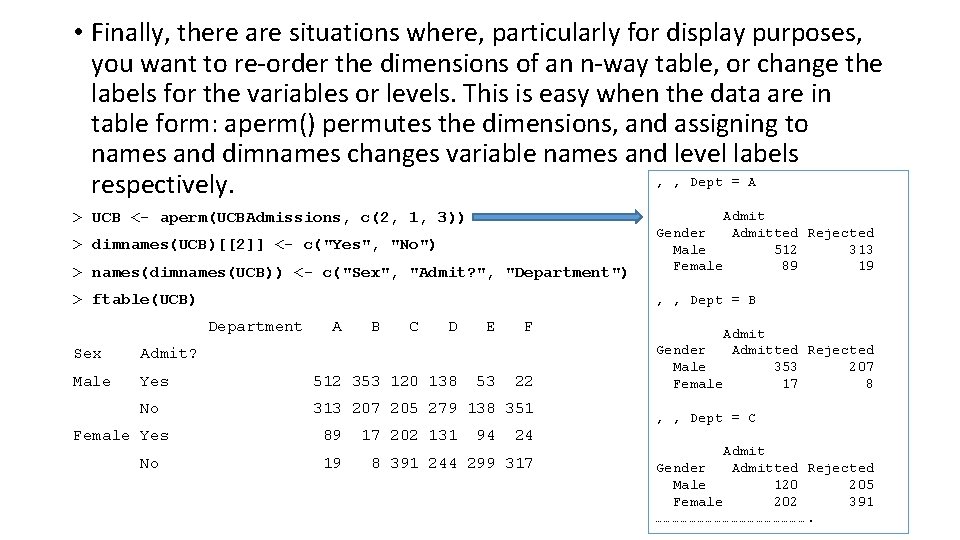
• Finally, there are situations where, particularly for display purposes, you want to re-order the dimensions of an n-way table, or change the labels for the variables or levels. This is easy when the data are in table form: aperm() permutes the dimensions, and assigning to names and dimnames changes variable names and level labels , , Dept = A respectively. > names(dimnames(UCB)) <- c("Sex", "Admit? ", "Department") Admit Gender Admitted Rejected Male 512 313 Female 89 19 > ftable(UCB) , , Dept = B > UCB <- aperm(UCBAdmissions, c(2, 1, 3)) > dimnames(UCB)[[2]] <- c("Yes", "No") Department A B C D E F 53 22 Sex Admit? Male Yes 512 353 120 138 No 313 207 205 279 138 351 Female Yes No 89 19 17 202 131 94 24 8 391 244 299 317 Admit Gender Admitted Rejected Male 353 207 Female 17 8 , , Dept = C Admit Gender Admitted Rejected Male 120 205 Female 202 391 ……………………….
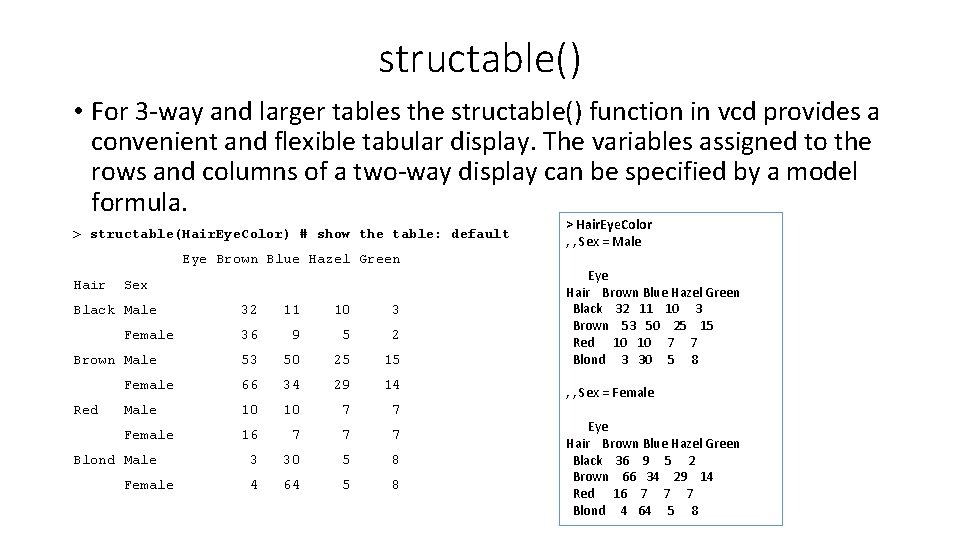
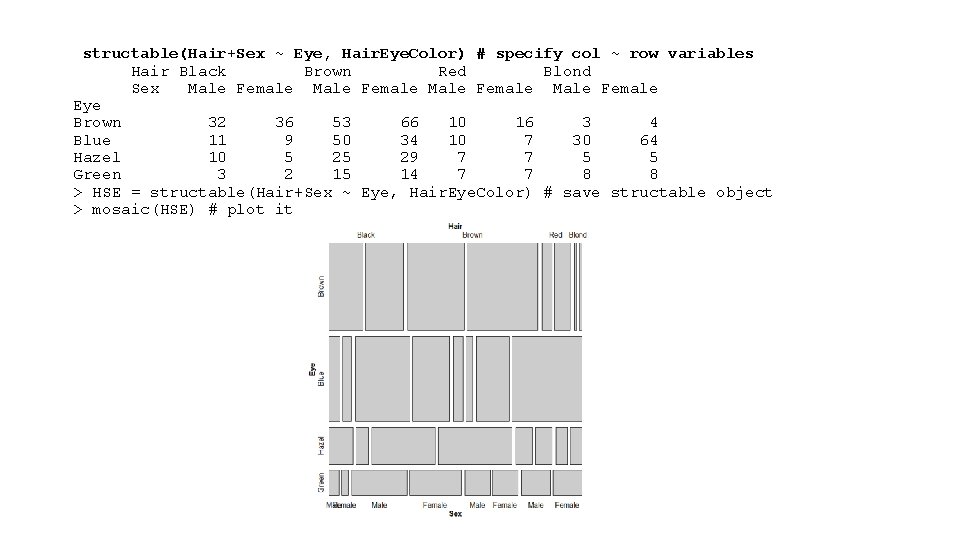
structable() • For 3 -way and larger tables the structable() function in vcd provides a convenient and flexible tabular display. The variables assigned to the rows and columns of a two-way display can be specified by a model formula. > structable(Hair. Eye. Color) # show the table: default Eye Brown Blue Hazel Green Hair Sex Black Male 32 11 10 3 36 9 5 2 53 50 25 15 Female 66 34 29 14 Male 10 10 7 7 Female 16 7 7 7 3 30 5 8 4 64 5 8 Female Brown Male Red Blond Male Female > Hair. Eye. Color , , Sex = Male Eye Hair Brown Blue Hazel Green Black 32 11 10 3 Brown 53 50 25 15 Red 10 7 7 Blond 3 30 5 8 , , Sex = Female Eye Hair Brown Blue Hazel Green Black 36 9 5 2 Brown 66 34 29 14 Red 16 7 7 7 Blond 4 64 5 8
structable(Hair+Sex ~ Eye, Hair. Eye. Color) # specify col ~ row variables Hair Black Brown Red Blond Sex Male Female Eye Brown 32 36 53 66 10 16 3 4 Blue 11 9 50 34 10 7 30 64 Hazel 10 5 25 29 7 7 5 5 Green 3 2 15 14 7 7 8 8 > HSE = structable(Hair+Sex ~ Eye, Hair. Eye. Color) # save structable object > mosaic(HSE) # plot it
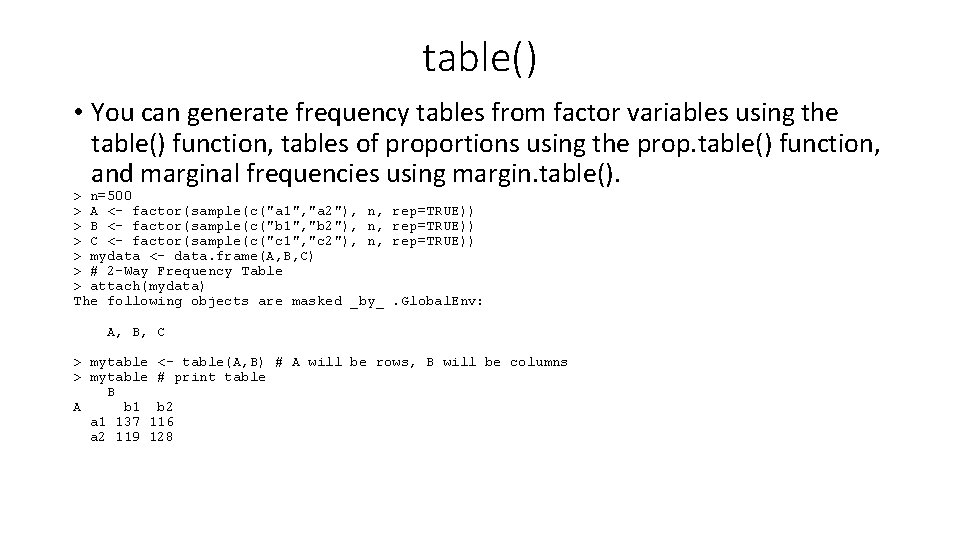
table() • You can generate frequency tables from factor variables using the table() function, tables of proportions using the prop. table() function, and marginal frequencies using margin. table(). > n=500 > A <- factor(sample(c("a 1", "a 2"), n, > B <- factor(sample(c("b 1", "b 2"), n, > C <- factor(sample(c("c 1", "c 2"), n, > mydata <- data. frame(A, B, C) > # 2 -Way Frequency Table > attach(mydata) The following objects are masked _by_ rep=TRUE)) . Global. Env: A, B, C > mytable <- table(A, B) # A will be rows, B will be columns > mytable # print table B A b 1 b 2 a 1 137 116 a 2 119 128
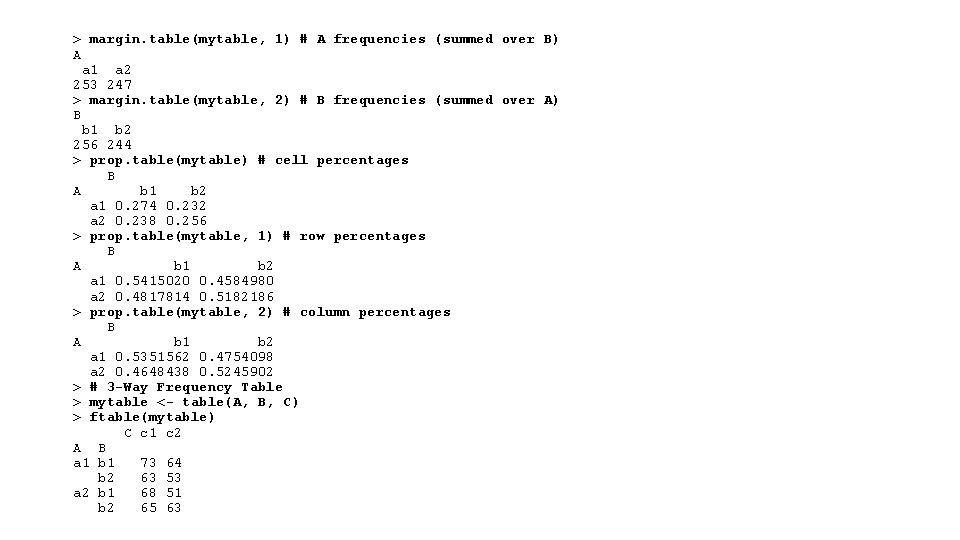
> margin. table(mytable, 1) # A frequencies (summed over B) A a 1 a 2 253 247 > margin. table(mytable, 2) # B frequencies (summed over A) B b 1 b 2 256 244 > prop. table(mytable) # cell percentages B A b 1 b 2 a 1 0. 274 0. 232 a 2 0. 238 0. 256 > prop. table(mytable, 1) # row percentages B A b 1 b 2 a 1 0. 5415020 0. 4584980 a 2 0. 4817814 0. 5182186 > prop. table(mytable, 2) # column percentages B A b 1 b 2 a 1 0. 5351562 0. 4754098 a 2 0. 4648438 0. 5245902 > # 3 -Way Frequency Table > mytable <- table(A, B, C) > ftable(mytable) C c 1 c 2 A B a 1 b 1 73 64 b 2 63 53 a 2 b 1 68 51 b 2 65 63
MEASURE OF ASSOCIATION •
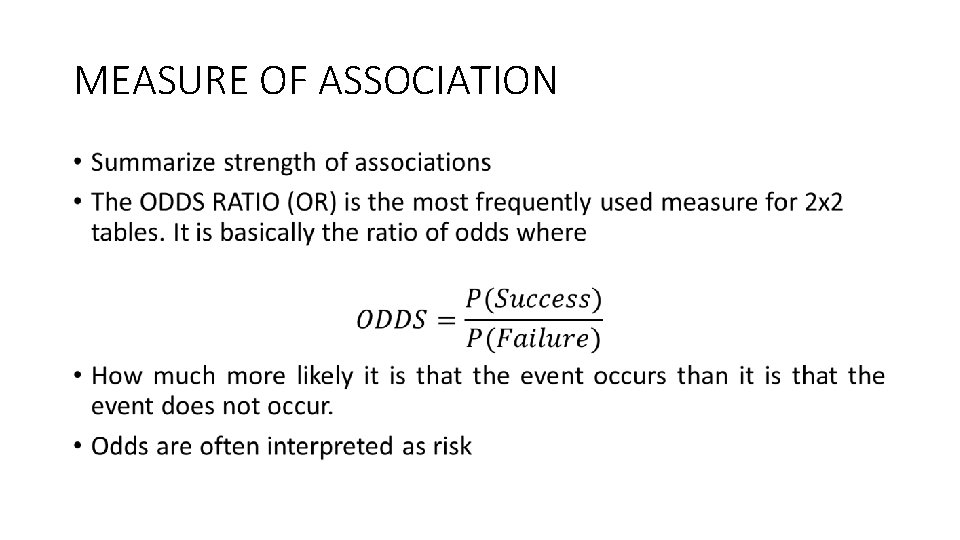
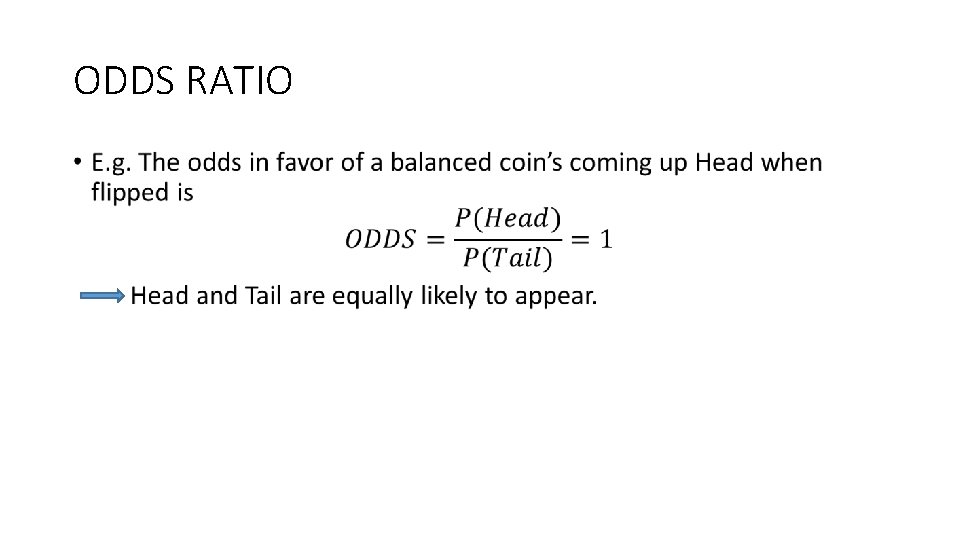
ODDS RATIO •
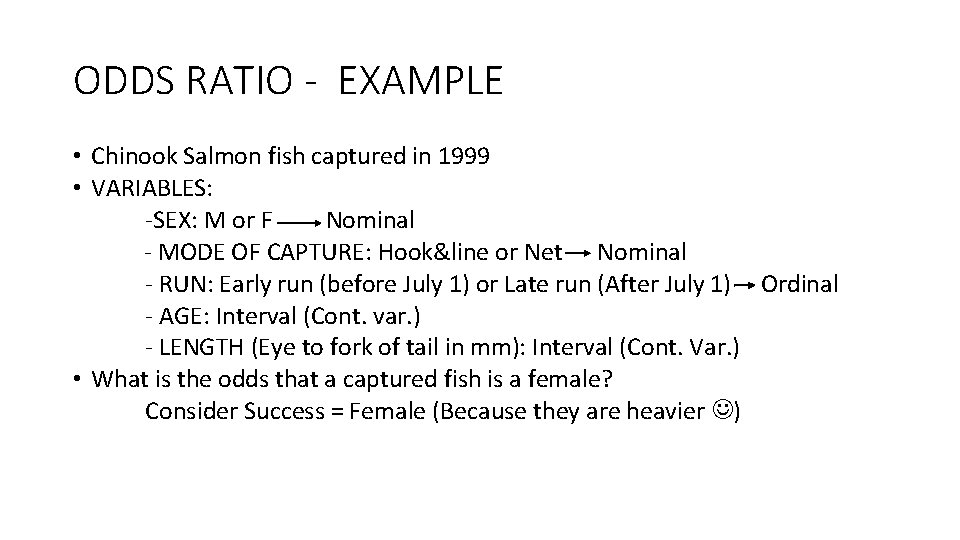
ODDS RATIO - EXAMPLE • Chinook Salmon fish captured in 1999 • VARIABLES: -SEX: M or F Nominal - MODE OF CAPTURE: Hook&line or Net Nominal - RUN: Early run (before July 1) or Late run (After July 1) Ordinal - AGE: Interval (Cont. var. ) - LENGTH (Eye to fork of tail in mm): Interval (Cont. Var. ) • What is the odds that a captured fish is a female? Consider Success = Female (Because they are heavier )
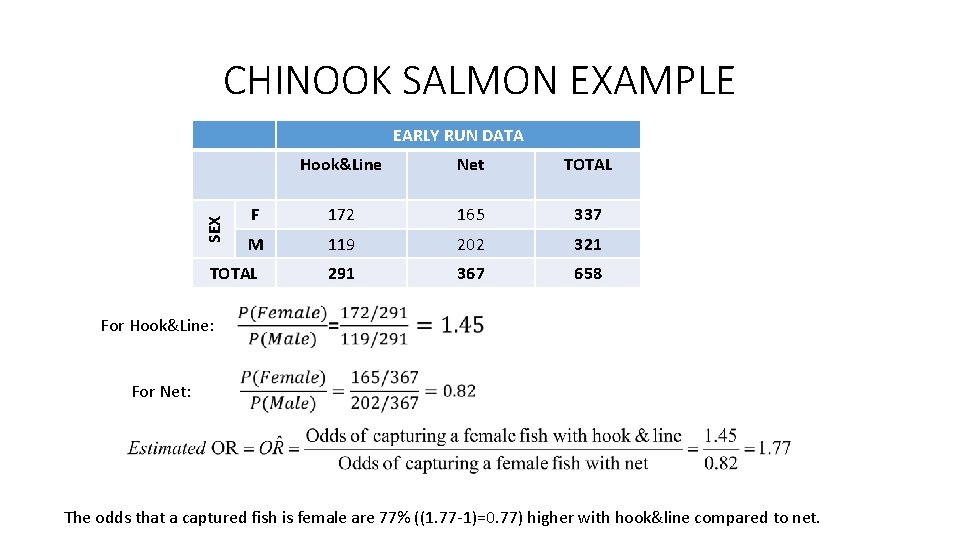
CHINOOK SALMON EXAMPLE SEX EARLY RUN DATA Hook&Line Net TOTAL F 172 165 337 M 119 202 321 291 367 658 TOTAL For Hook&Line: For Net: The odds that a captured fish is female are 77% ((1. 77 -1)=0. 77) higher with hook&line compared to net.
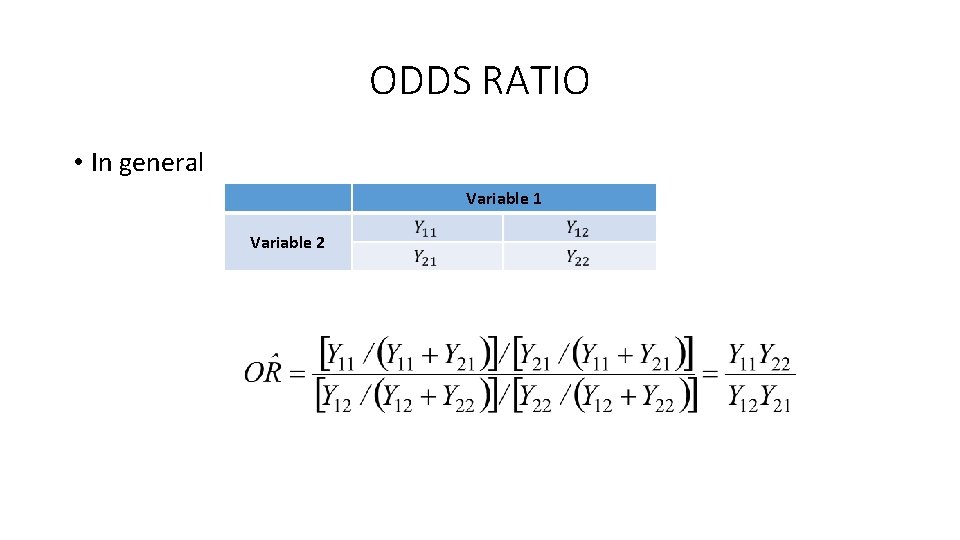
ODDS RATIO • In general Variable 1 Variable 2
INTERPRETATION OF OR • What does OR=1 mean? Odds of success are equal numbers under both conditions. e. g. no matter which mode of capturing is used.
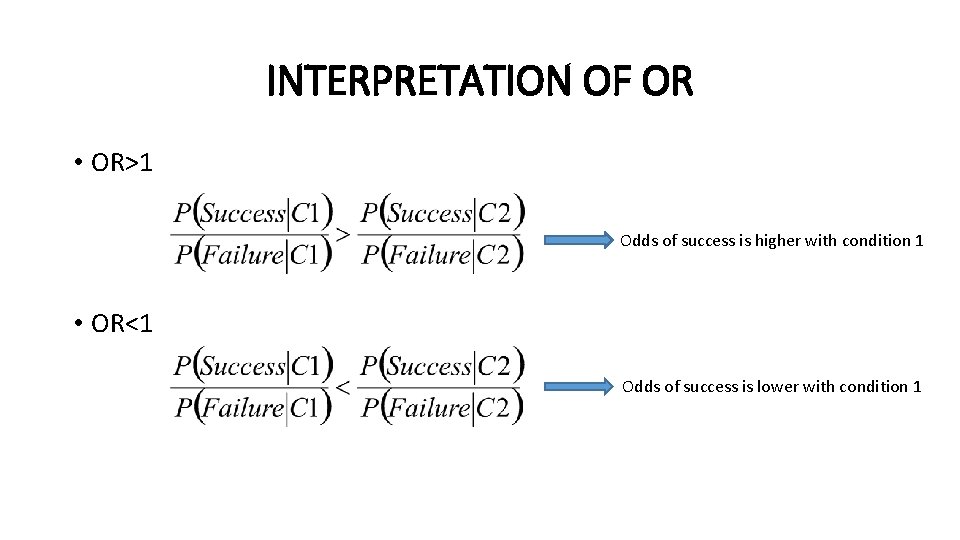
INTERPRETATION OF OR • OR>1 Odds of success is higher with condition 1 • OR<1 Odds of success is lower with condition 1
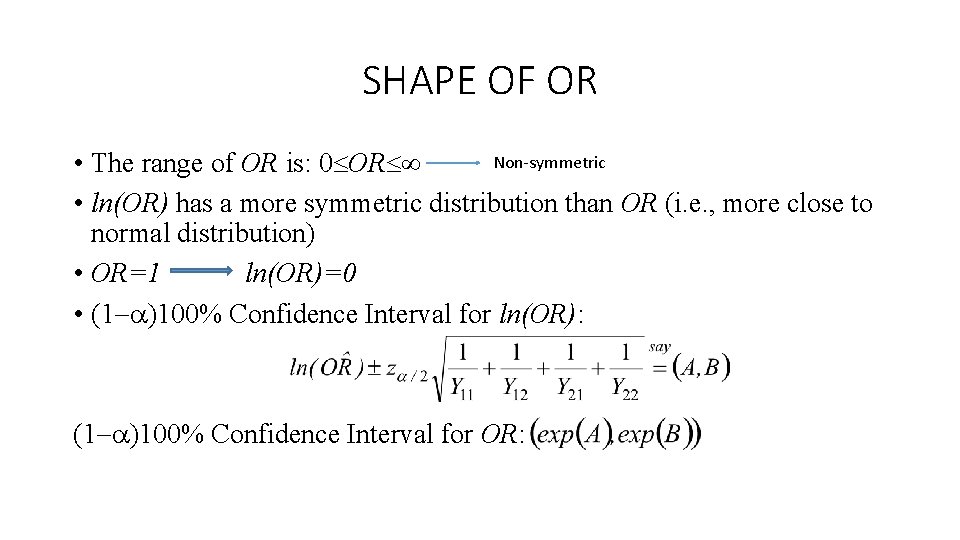
SHAPE OF OR Non-symmetric • The range of OR is: 0 OR • ln(OR) has a more symmetric distribution than OR (i. e. , more close to normal distribution) • OR=1 ln(OR)=0 • (1 )100% Confidence Interval for ln(OR): (1 )100% Confidence Interval for OR:
CHINOOK SALMON EXAMPLE (Contd. ) • The odds that a captured fish is female are about 30 to 140% greater with hook&line than with using a net using 95% confidence level.
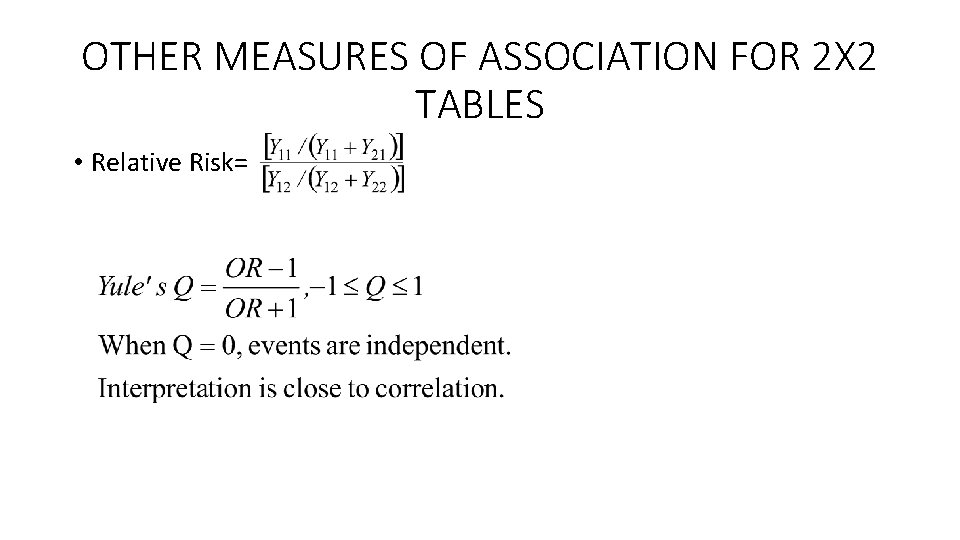
OTHER MEASURES OF ASSOCIATION FOR 2 X 2 TABLES • Relative Risk=
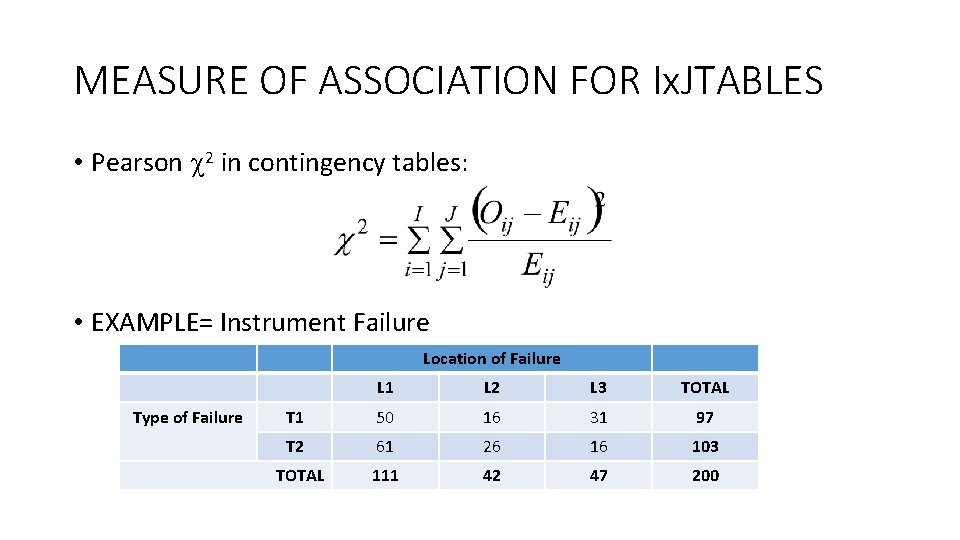
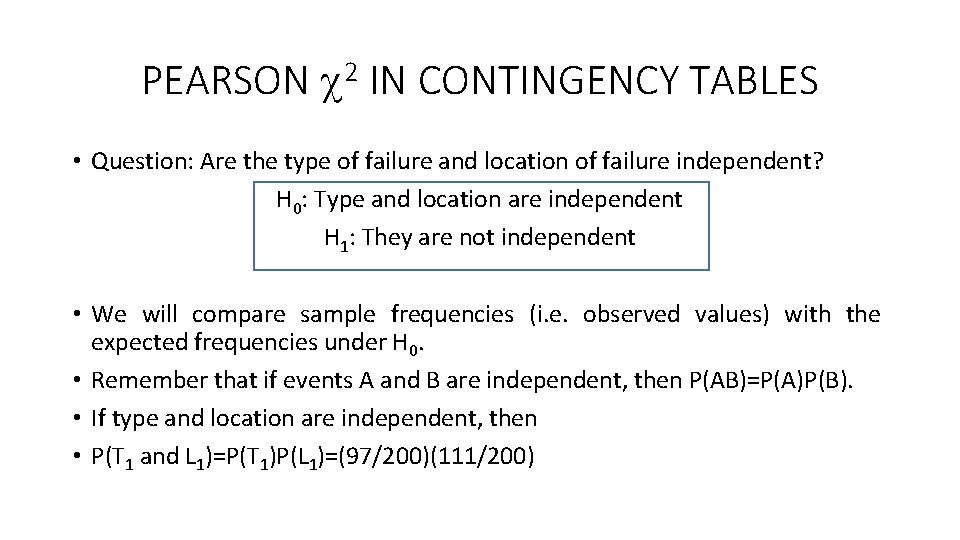
MEASURE OF ASSOCIATION FOR Ix. JTABLES • Pearson 2 in contingency tables: • EXAMPLE= Instrument Failure Location of Failure Type of Failure L 1 L 2 L 3 TOTAL T 1 50 16 31 97 T 2 61 26 16 103 111 42 47 200 TOTAL
PEARSON 2 IN CONTINGENCY TABLES • Question: Are the type of failure and location of failure independent? H 0: Type and location are independent H 1: They are not independent • We will compare sample frequencies (i. e. observed values) with the expected frequencies under H 0. • Remember that if events A and B are independent, then P(AB)=P(A)P(B). • If type and location are independent, then • P(T 1 and L 1)=P(T 1)P(L 1)=(97/200)(111/200)
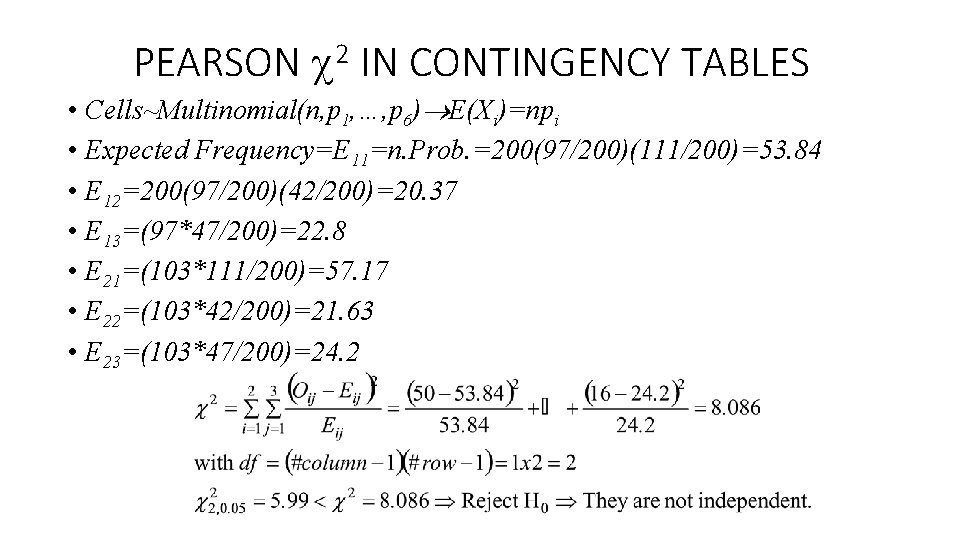
PEARSON 2 IN CONTINGENCY TABLES • Cells~Multinomial(n, p 1, …, p 6) E(Xi)=npi • Expected Frequency=E 11=n. Prob. =200(97/200)(111/200)=53. 84 • E 12=200(97/200)(42/200)=20. 37 • E 13=(97*47/200)=22. 8 • E 21=(103*111/200)=57. 17 • E 22=(103*42/200)=21. 63 • E 23=(103*47/200)=24. 2
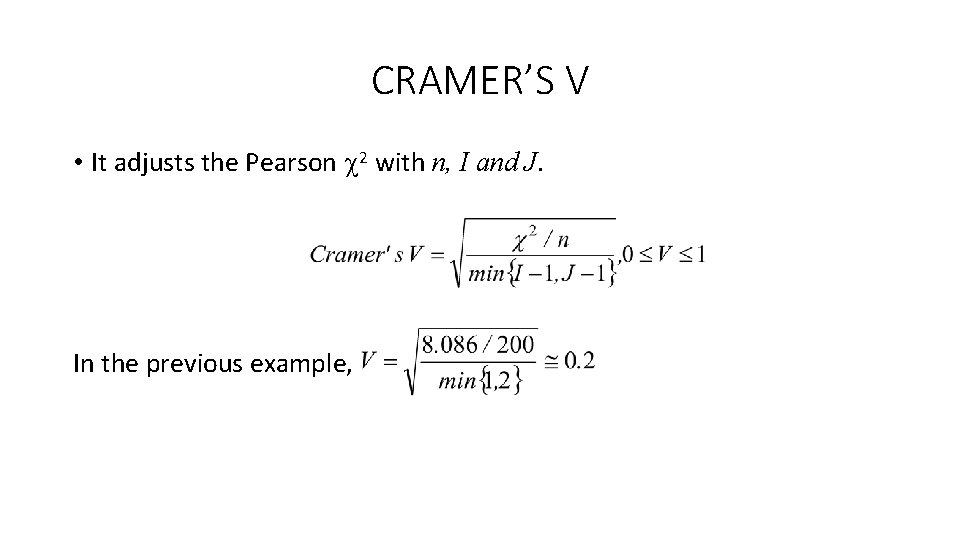
CRAMER’S V • It adjusts the Pearson 2 with n, I and J. In the previous example,
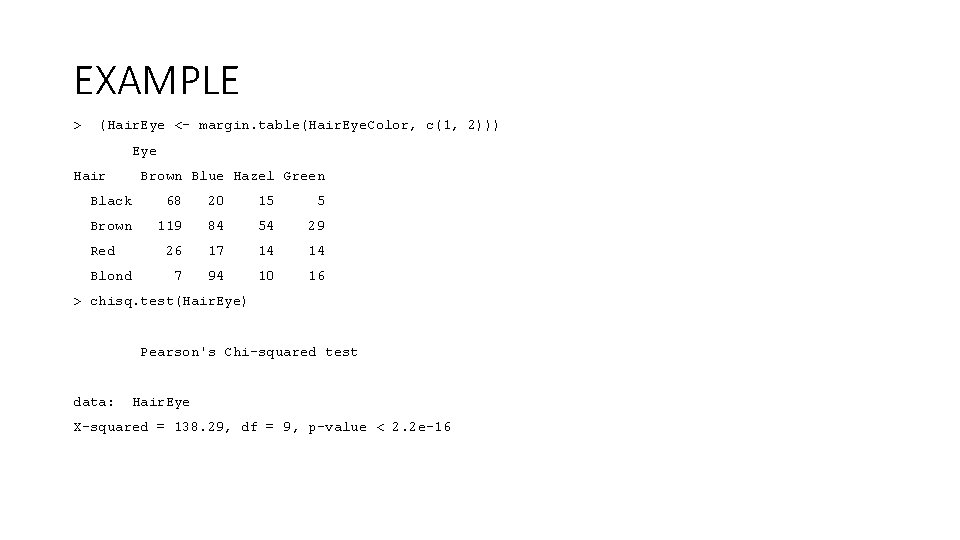
EXAMPLE > (Hair. Eye <- margin. table(Hair. Eye. Color, c(1, 2))) Eye Hair Brown Blue Hazel Green Black 68 20 15 5 Brown 119 84 54 29 26 17 14 14 7 94 10 16 Red Blond > chisq. test(Hair. Eye) Pearson's Chi-squared test data: Hair. Eye X-squared = 138. 29, df = 9, p-value < 2. 2 e-16
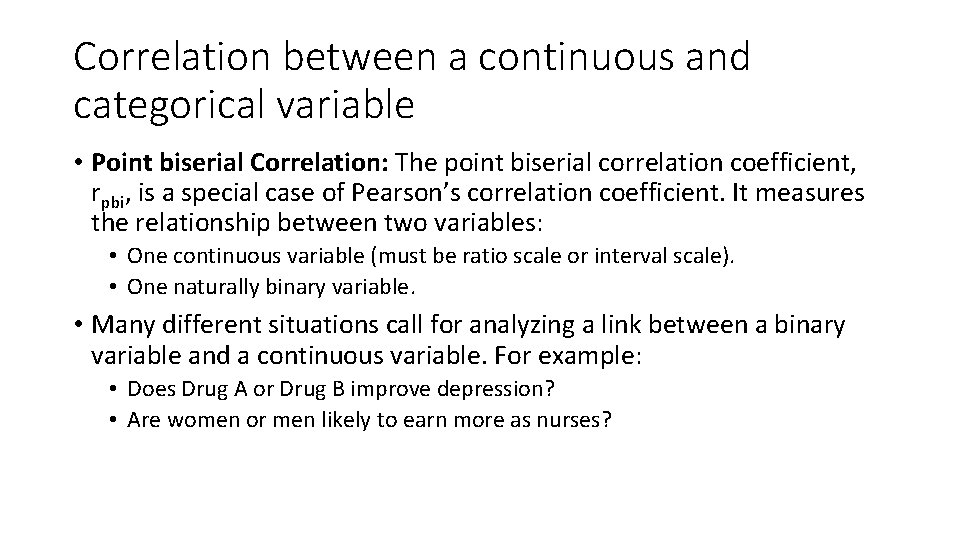
Correlation between a continuous and categorical variable • Point biserial Correlation: The point biserial correlation coefficient, rpbi, is a special case of Pearson’s correlation coefficient. It measures the relationship between two variables: • One continuous variable (must be ratio scale or interval scale). • One naturally binary variable. • Many different situations call for analyzing a link between a binary variable and a continuous variable. For example: • Does Drug A or Drug B improve depression? • Are women or men likely to earn more as nurses?
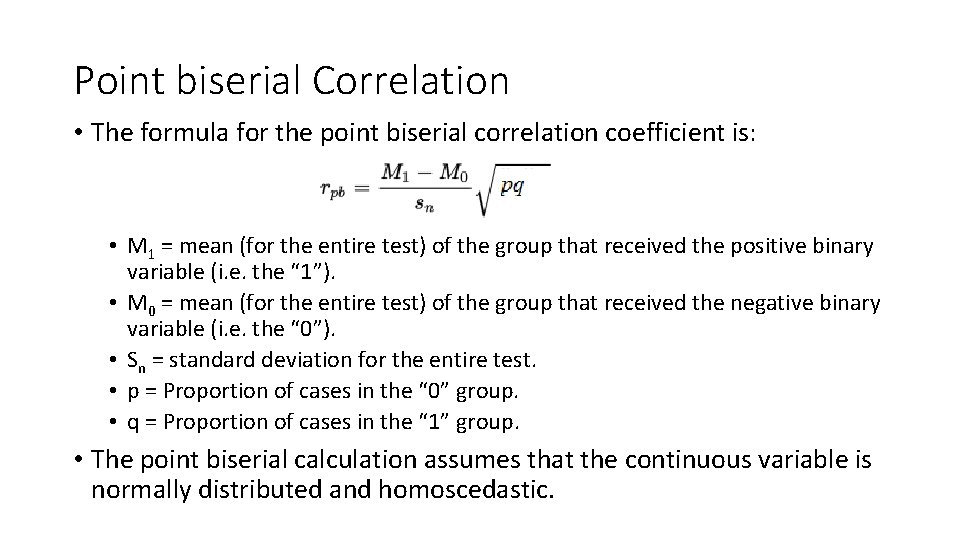
Point biserial Correlation • The formula for the point biserial correlation coefficient is: • M 1 = mean (for the entire test) of the group that received the positive binary variable (i. e. the “ 1”). • M 0 = mean (for the entire test) of the group that received the negative binary variable (i. e. the “ 0”). • Sn = standard deviation for the entire test. • p = Proportion of cases in the “ 0” group. • q = Proportion of cases in the “ 1” group. • The point biserial calculation assumes that the continuous variable is normally distributed and homoscedastic.
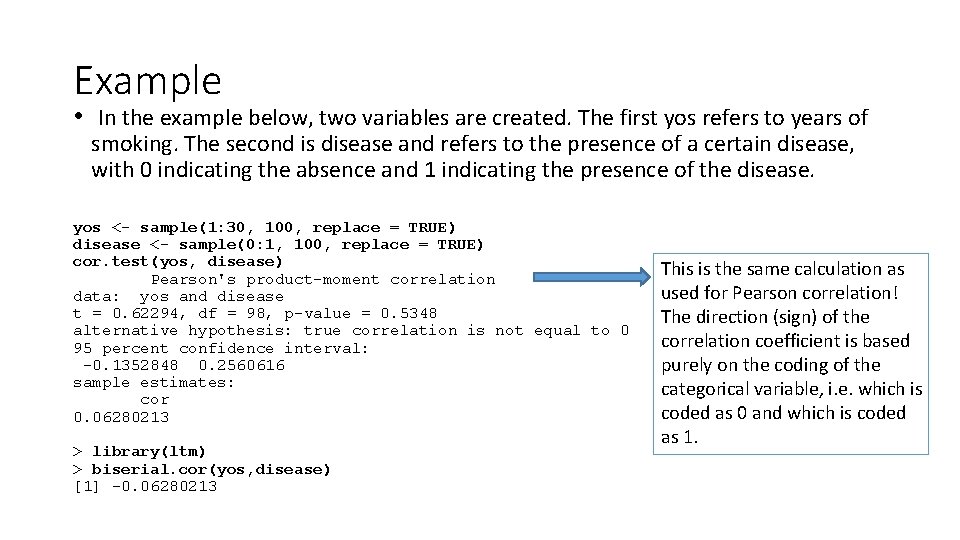
Example • In the example below, two variables are created. The first yos refers to years of smoking. The second is disease and refers to the presence of a certain disease, with 0 indicating the absence and 1 indicating the presence of the disease. yos <- sample(1: 30, 100, replace = TRUE) disease <- sample(0: 1, 100, replace = TRUE) cor. test(yos, disease) Pearson's product-moment correlation data: yos and disease t = 0. 62294, df = 98, p-value = 0. 5348 alternative hypothesis: true correlation is not equal to 0 95 percent confidence interval: -0. 1352848 0. 2560616 sample estimates: cor 0. 06280213 > library(ltm) > biserial. cor(yos, disease) [1] -0. 06280213 This is the same calculation as used for Pearson correlation! The direction (sign) of the correlation coefficient is based purely on the coding of the categorical variable, i. e. which is coded as 0 and which is coded as 1.
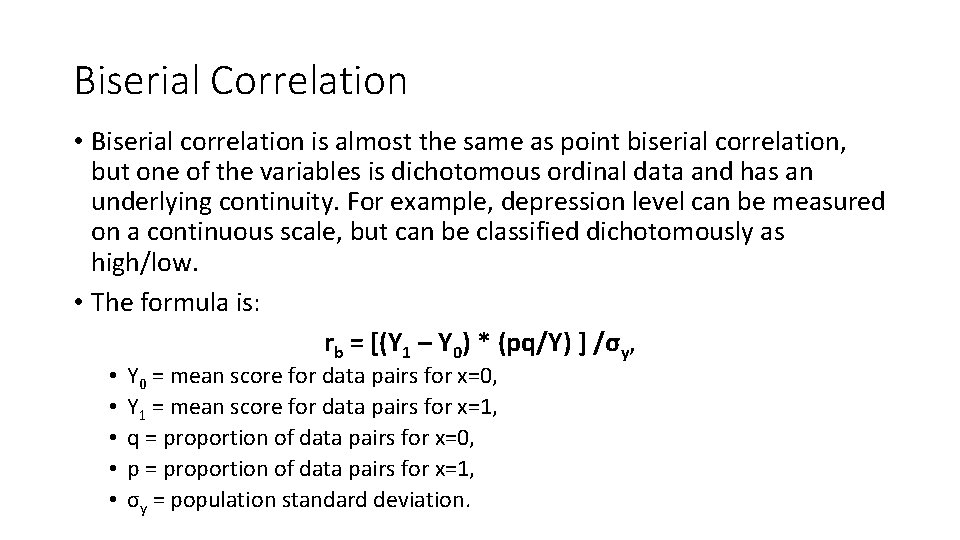
Biserial Correlation • Biserial correlation is almost the same as point biserial correlation, but one of the variables is dichotomous ordinal data and has an underlying continuity. For example, depression level can be measured on a continuous scale, but can be classified dichotomously as high/low. • The formula is: rb = [(Y 1 – Y 0) * (pq/Y) ] /σy, • • • Y 0 = mean score for data pairs for x=0, Y 1 = mean score for data pairs for x=1, q = proportion of data pairs for x=0, p = proportion of data pairs for x=1, σy = population standard deviation.
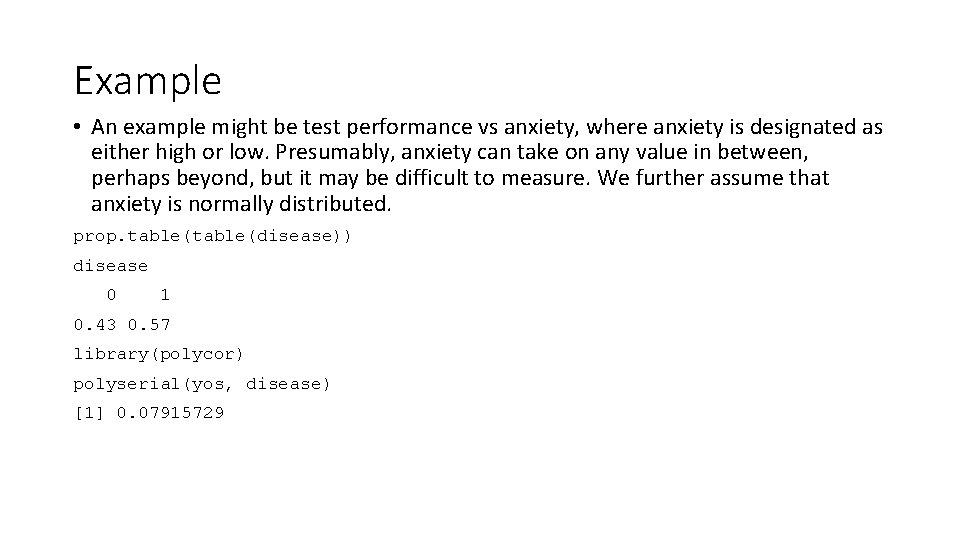
Example • An example might be test performance vs anxiety, where anxiety is designated as either high or low. Presumably, anxiety can take on any value in between, perhaps beyond, but it may be difficult to measure. We further assume that anxiety is normally distributed. prop. table(disease)) disease 0 1 0. 43 0. 57 library(polycor) polyserial(yos, disease) [1] 0. 07915729
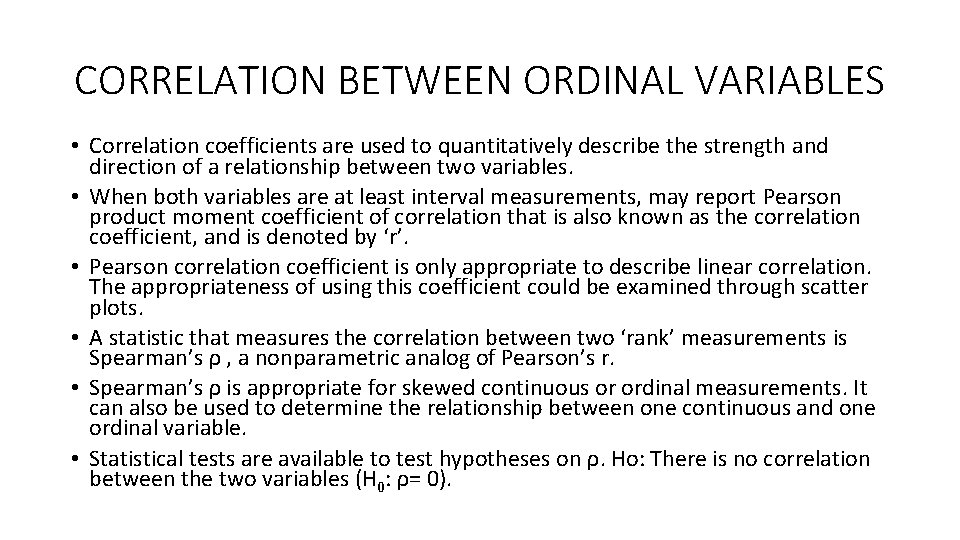
CORRELATION BETWEEN ORDINAL VARIABLES • Correlation coefficients are used to quantitatively describe the strength and direction of a relationship between two variables. • When both variables are at least interval measurements, may report Pearson product moment coefficient of correlation that is also known as the correlation coefficient, and is denoted by ‘r’. • Pearson correlation coefficient is only appropriate to describe linear correlation. The appropriateness of using this coefficient could be examined through scatter plots. • A statistic that measures the correlation between two ‘rank’ measurements is Spearman’s ρ , a nonparametric analog of Pearson’s r. • Spearman’s ρ is appropriate for skewed continuous or ordinal measurements. It can also be used to determine the relationship between one continuous and one ordinal variable. • Statistical tests are available to test hypotheses on ρ. Ho: There is no correlation between the two variables (H 0: ρ= 0).
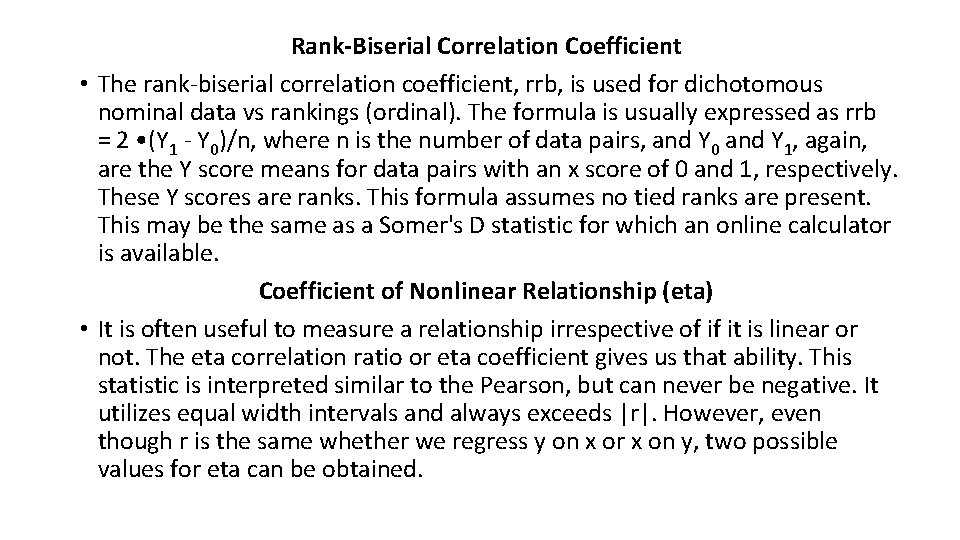
Rank-Biserial Correlation Coefficient • The rank-biserial correlation coefficient, rrb, is used for dichotomous nominal data vs rankings (ordinal). The formula is usually expressed as rrb = 2 • (Y 1 - Y 0)/n, where n is the number of data pairs, and Y 0 and Y 1, again, are the Y score means for data pairs with an x score of 0 and 1, respectively. These Y scores are ranks. This formula assumes no tied ranks are present. This may be the same as a Somer's D statistic for which an online calculator is available. Coefficient of Nonlinear Relationship (eta) • It is often useful to measure a relationship irrespective of if it is linear or not. The eta correlation ratio or eta coefficient gives us that ability. This statistic is interpreted similar to the Pearson, but can never be negative. It utilizes equal width intervals and always exceeds |r|. However, even though r is the same whether we regress y on x or x on y, two possible values for eta can be obtained.
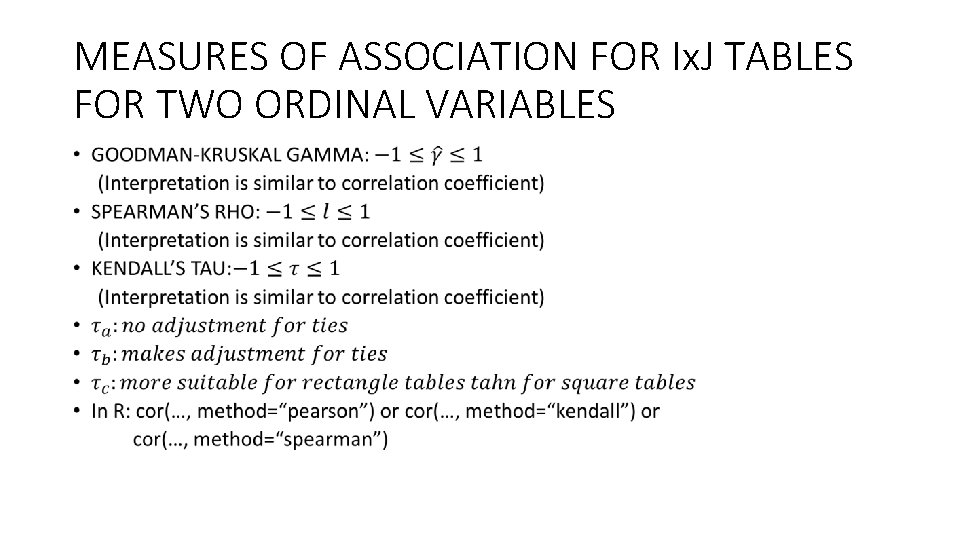
MEASURES OF ASSOCIATION FOR Ix. J TABLES FOR TWO ORDINAL VARIABLES •
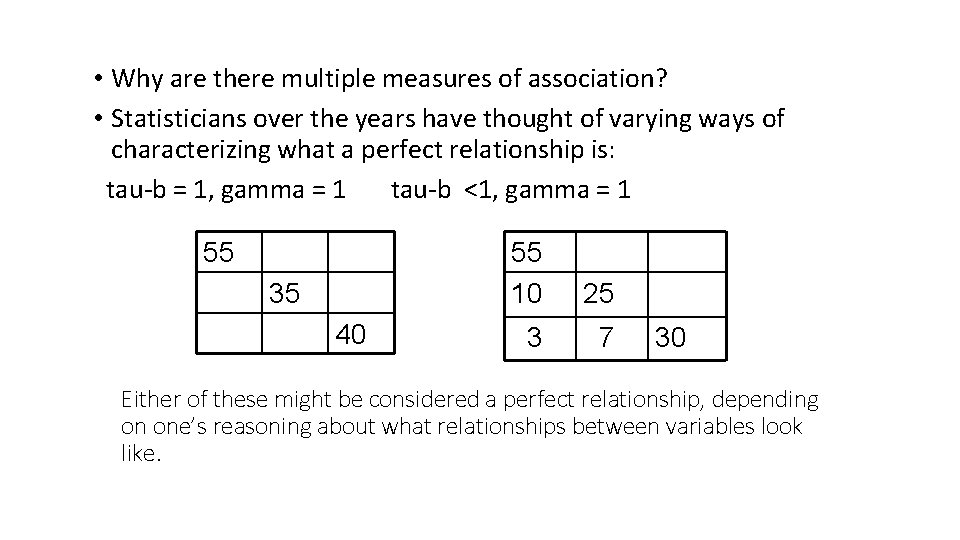
• Why are there multiple measures of association? • Statisticians over the years have thought of varying ways of characterizing what a perfect relationship is: tau-b = 1, gamma = 1 tau-b <1, gamma = 1 55 35 40 55 10 25 3 7 30 Either of these might be considered a perfect relationship, depending on one’s reasoning about what relationships between variables look like.
I’m so confused!!
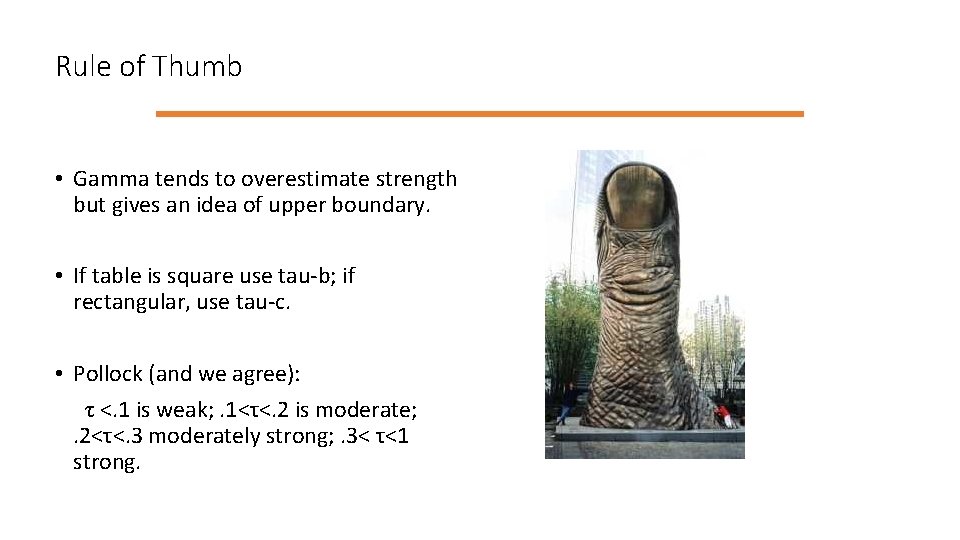
Rule of Thumb • Gamma tends to overestimate strength but gives an idea of upper boundary. • If table is square use tau-b; if rectangular, use tau-c. • Pollock (and we agree): τ <. 1 is weak; . 1<τ<. 2 is moderate; . 2<τ<. 3 moderately strong; . 3< τ<1 strong.
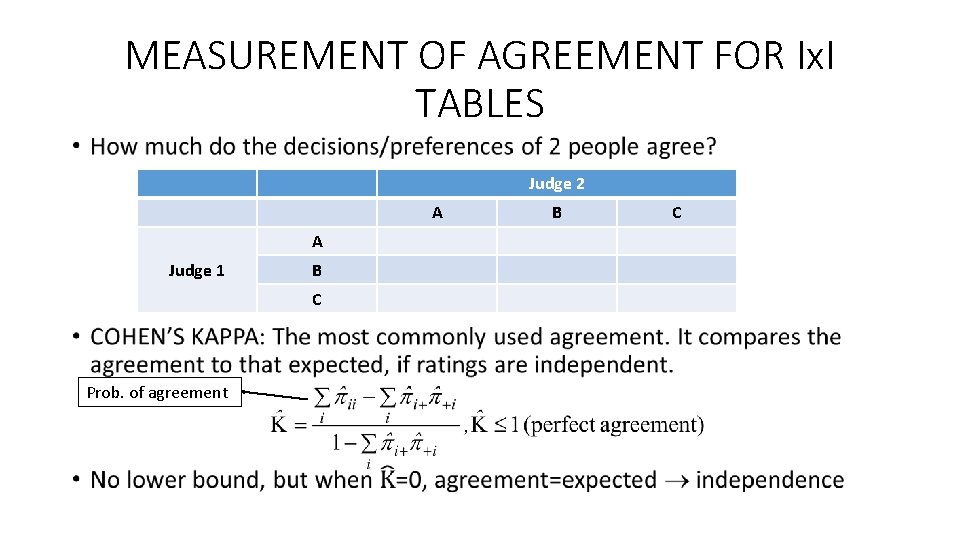
MEASUREMENT OF AGREEMENT FOR Ix. I TABLES • Judge 2 A A Judge 1 B C Prob. of agreement B C
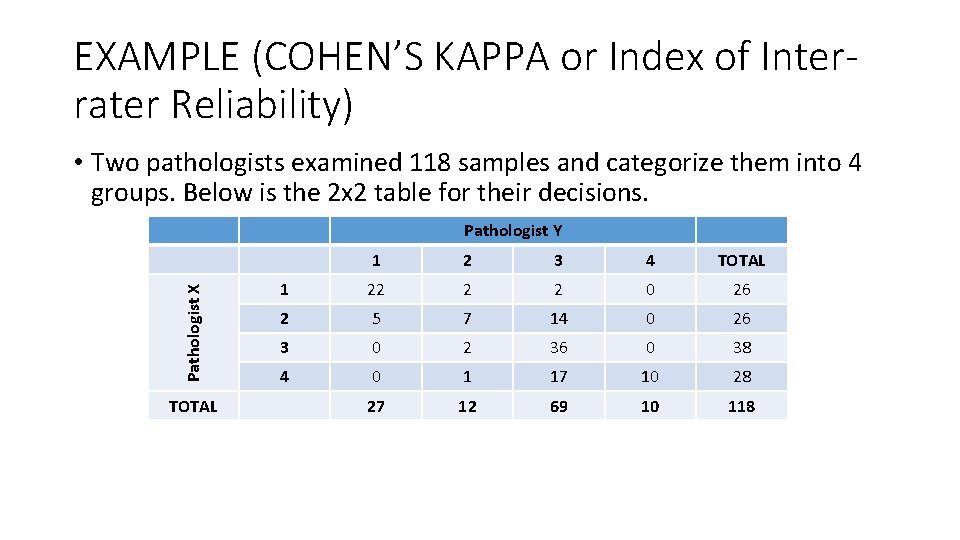
EXAMPLE (COHEN’S KAPPA or Index of Interrater Reliability) • Two pathologists examined 118 samples and categorize them into 4 groups. Below is the 2 x 2 table for their decisions. Pathologist X Pathologist Y TOTAL 1 2 3 4 TOTAL 1 22 2 2 0 26 2 5 7 14 0 26 3 0 2 36 0 38 4 0 1 17 10 28 27 12 69 10 118
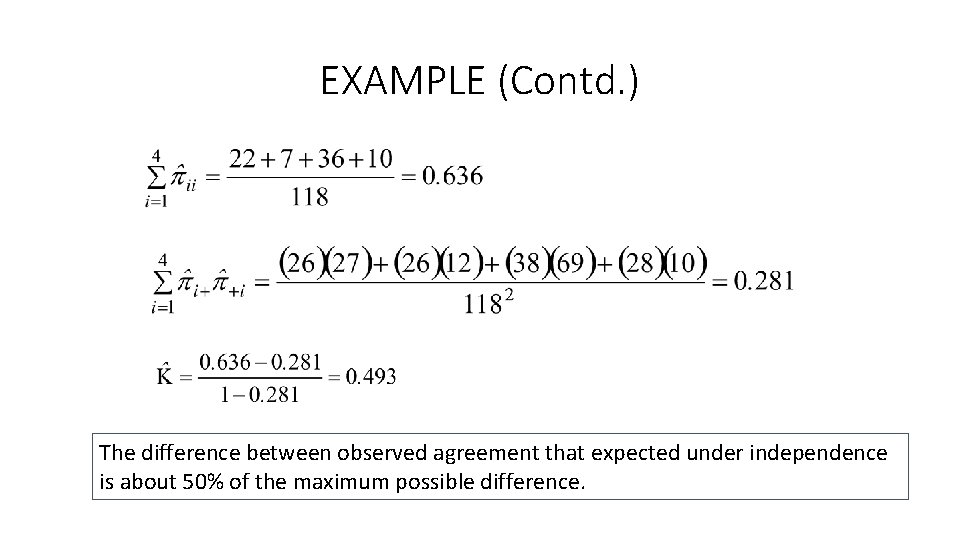
EXAMPLE (Contd. ) The difference between observed agreement that expected under independence is about 50% of the maximum possible difference.
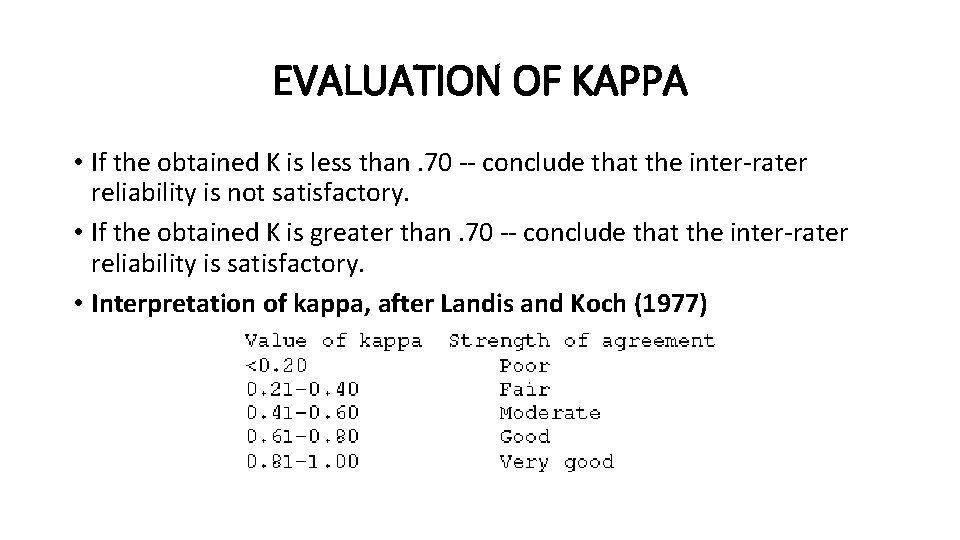
EVALUATION OF KAPPA • If the obtained K is less than. 70 -- conclude that the inter-rater reliability is not satisfactory. • If the obtained K is greater than. 70 -- conclude that the inter-rater reliability is satisfactory. • Interpretation of kappa, after Landis and Koch (1977)
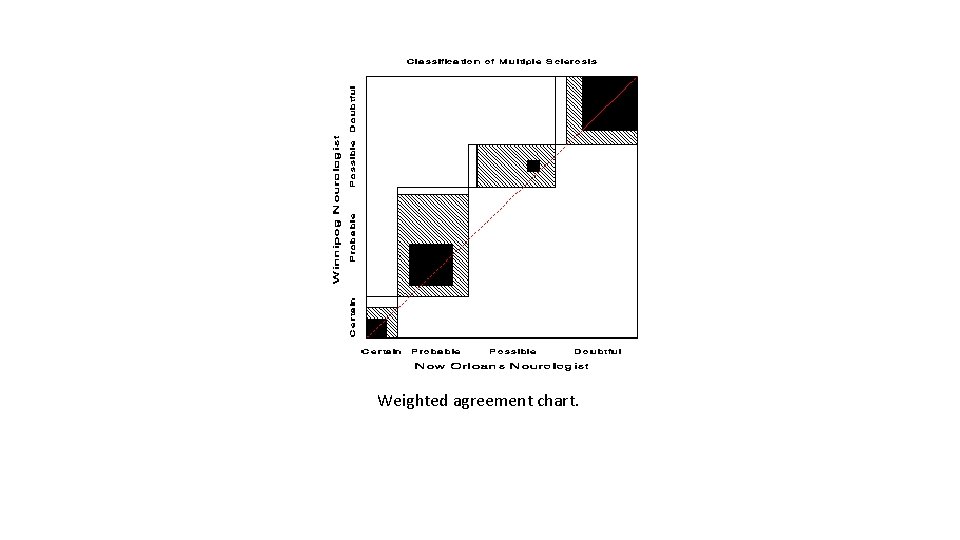
Weighted agreement chart.
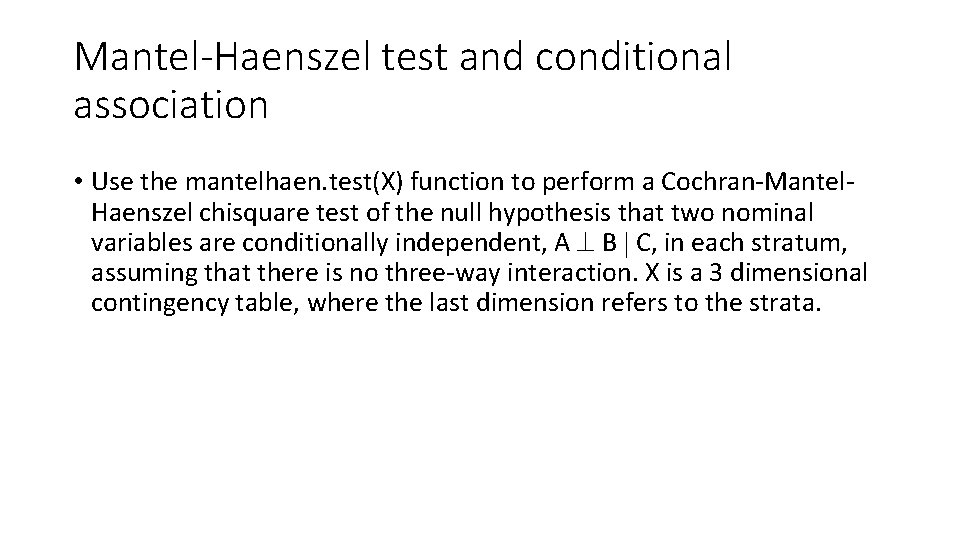
Mantel-Haenszel test and conditional association • Use the mantelhaen. test(X) function to perform a Cochran-Mantel. Haenszel chisquare test of the null hypothesis that two nominal variables are conditionally independent, A B C, in each stratum, assuming that there is no three-way interaction. X is a 3 dimensional contingency table, where the last dimension refers to the strata.
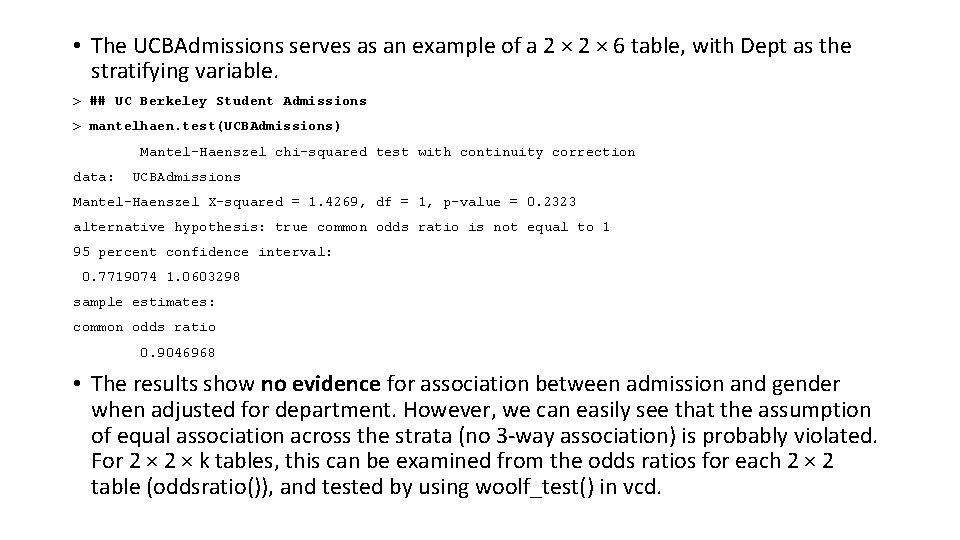
• The UCBAdmissions serves as an example of a 2 × 6 table, with Dept as the stratifying variable. > ## UC Berkeley Student Admissions > mantelhaen. test(UCBAdmissions) Mantel-Haenszel chi-squared test with continuity correction data: UCBAdmissions Mantel-Haenszel X-squared = 1. 4269, df = 1, p-value = 0. 2323 alternative hypothesis: true common odds ratio is not equal to 1 95 percent confidence interval: 0. 7719074 1. 0603298 sample estimates: common odds ratio 0. 9046968 • The results show no evidence for association between admission and gender when adjusted for department. However, we can easily see that the assumption of equal association across the strata (no 3 -way association) is probably violated. For 2 × k tables, this can be examined from the odds ratios for each 2 × 2 table (oddsratio()), and tested by using woolf_test() in vcd.
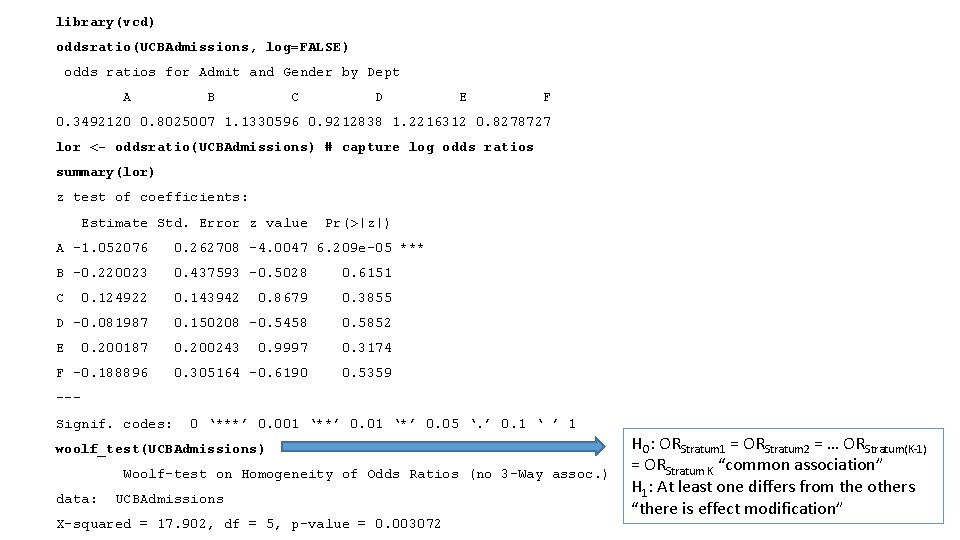
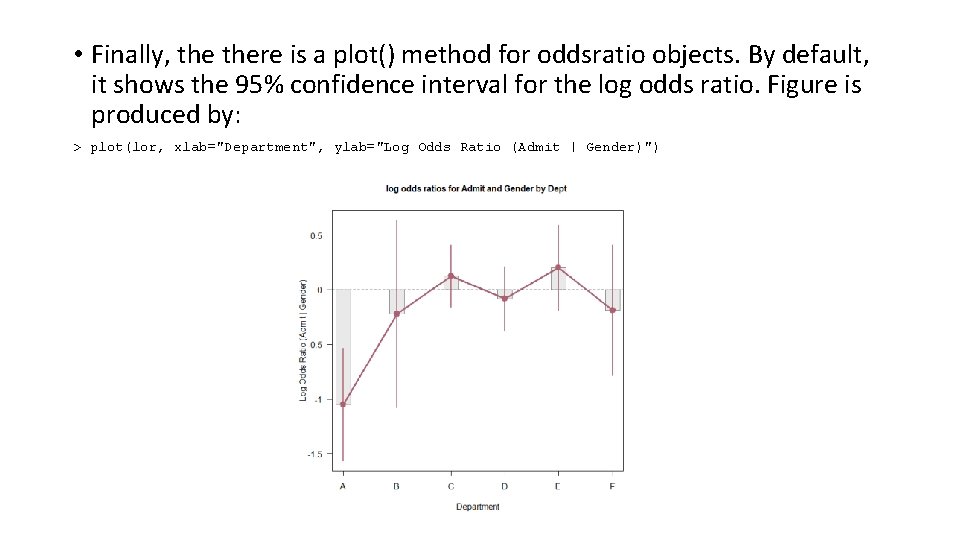
library(vcd) oddsratio(UCBAdmissions, log=FALSE) odds ratios for Admit and Gender by Dept A B C D E F 0. 3492120 0. 8025007 1. 1330596 0. 9212838 1. 2216312 0. 8278727 lor <- oddsratio(UCBAdmissions) # capture log odds ratios summary(lor) z test of coefficients: Estimate Std. Error z value Pr(>|z|) A -1. 052076 0. 262708 -4. 0047 6. 209 e-05 *** B -0. 220023 0. 437593 -0. 5028 0. 6151 C 0. 143942 0. 8679 0. 3855 D -0. 081987 0. 150208 -0. 5458 0. 5852 E 0. 200243 0. 9997 0. 3174 0. 305164 -0. 6190 0. 5359 0. 124922 0. 200187 F -0. 188896 --- Signif. codes: 0 ‘***’ 0. 001 ‘**’ 0. 01 ‘*’ 0. 05 ‘. ’ 0. 1 ‘ ’ 1 woolf_test(UCBAdmissions) Woolf-test on Homogeneity of Odds Ratios (no 3 -Way assoc. ) data: UCBAdmissions X-squared = 17. 902, df = 5, p-value = 0. 003072 HO: ORStratum 1 = ORStratum 2 = … ORStratum(K-1) = ORStratum K “common association” H 1: At least one differs from the others “there is effect modification”
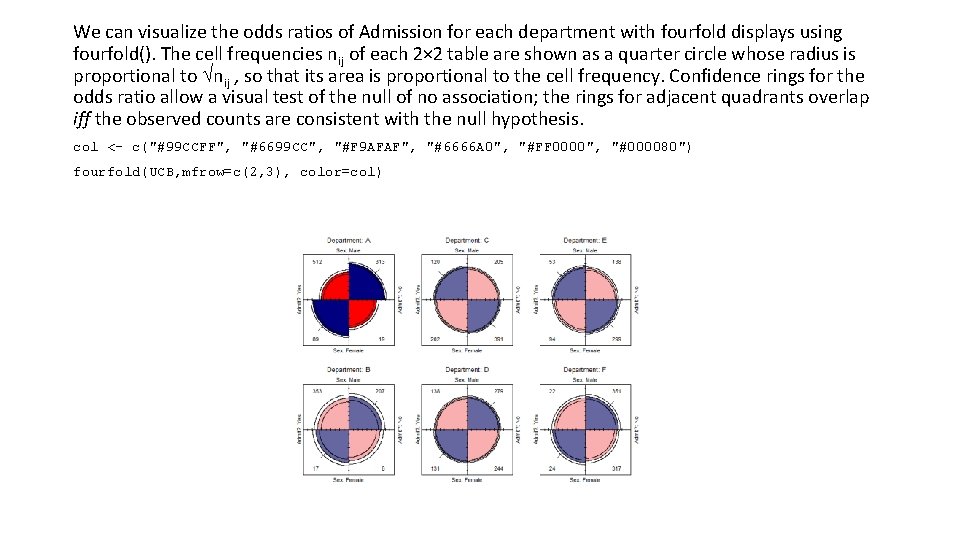
We can visualize the odds ratios of Admission for each department with fourfold displays using fourfold(). The cell frequencies nij of each 2× 2 table are shown as a quarter circle whose radius is proportional to nij , so that its area is proportional to the cell frequency. Confidence rings for the odds ratio allow a visual test of the null of no association; the rings for adjacent quadrants overlap iff the observed counts are consistent with the null hypothesis. col <- c("#99 CCFF", "#6699 CC", "#F 9 AFAF", "#6666 A 0", "#FF 0000", "#000080") fourfold(UCB, mfrow=c(2, 3), color=col)
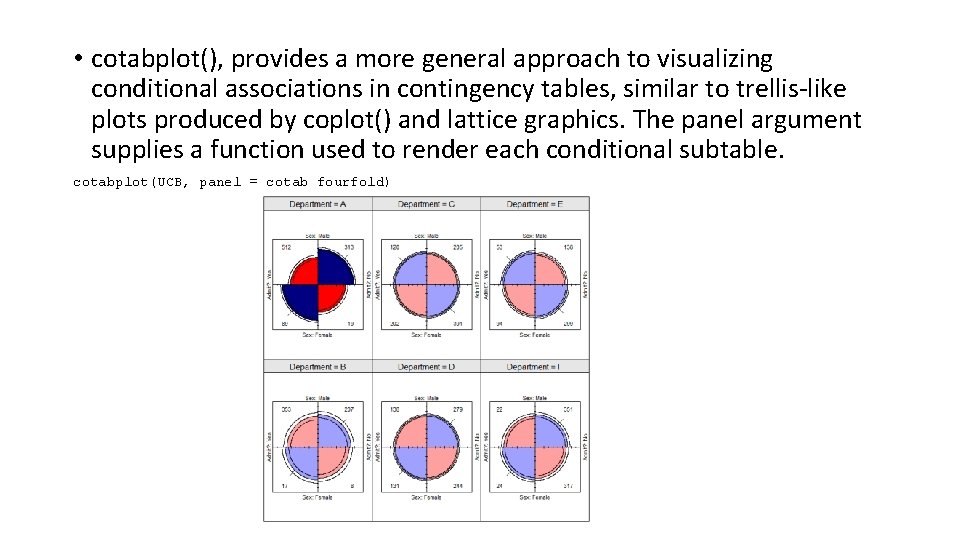
• cotabplot(), provides a more general approach to visualizing conditional associations in contingency tables, similar to trellis-like plots produced by coplot() and lattice graphics. The panel argument supplies a function used to render each conditional subtable. cotabplot(UCB, panel = cotab_fourfold)
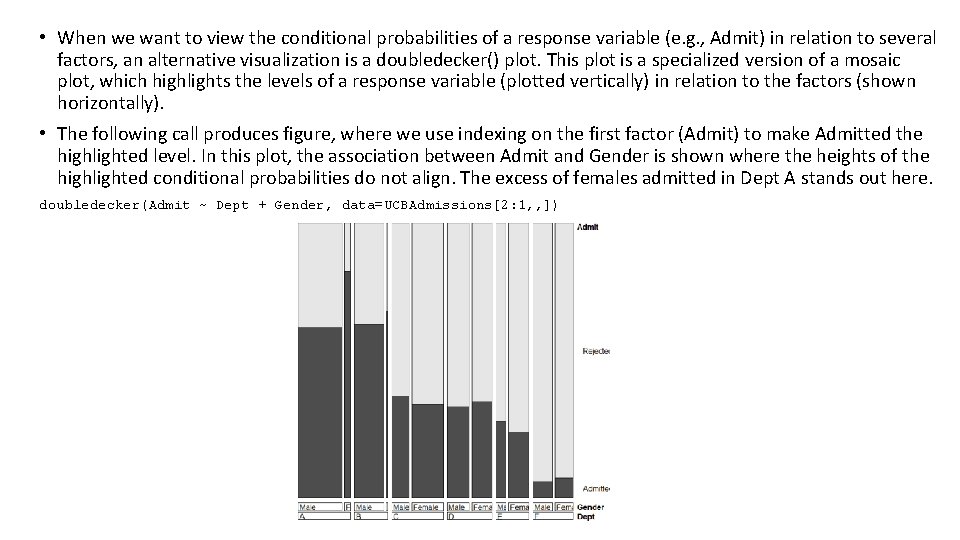
• When we want to view the conditional probabilities of a response variable (e. g. , Admit) in relation to several factors, an alternative visualization is a doubledecker() plot. This plot is a specialized version of a mosaic plot, which highlights the levels of a response variable (plotted vertically) in relation to the factors (shown horizontally). • The following call produces figure, where we use indexing on the first factor (Admit) to make Admitted the highlighted level. In this plot, the association between Admit and Gender is shown where the heights of the highlighted conditional probabilities do not align. The excess of females admitted in Dept A stands out here. doubledecker(Admit ~ Dept + Gender, data=UCBAdmissions[2: 1, , ])
• Finally, there is a plot() method for oddsratio objects. By default, it shows the 95% confidence interval for the log odds ratio. Figure is produced by: > plot(lor, xlab="Department", ylab="Log Odds Ratio (Admit | Gender)")
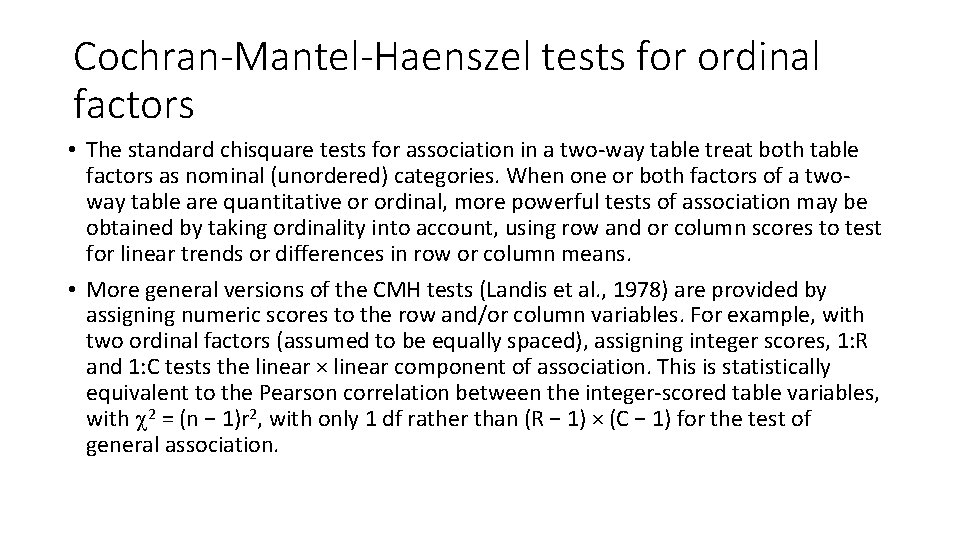
Cochran-Mantel-Haenszel tests for ordinal factors • The standard chisquare tests for association in a two-way table treat both table factors as nominal (unordered) categories. When one or both factors of a twoway table are quantitative or ordinal, more powerful tests of association may be obtained by taking ordinality into account, using row and or column scores to test for linear trends or differences in row or column means. • More general versions of the CMH tests (Landis et al. , 1978) are provided by assigning numeric scores to the row and/or column variables. For example, with two ordinal factors (assumed to be equally spaced), assigning integer scores, 1: R and 1: C tests the linear × linear component of association. This is statistically equivalent to the Pearson correlation between the integer-scored table variables, with 2 = (n − 1)r 2, with only 1 df rather than (R − 1) × (C − 1) for the test of general association.
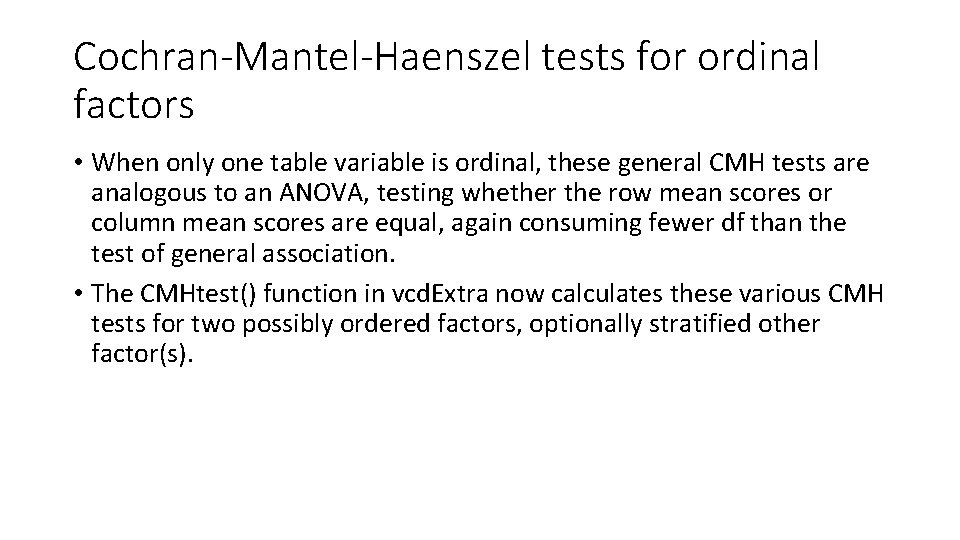
Cochran-Mantel-Haenszel tests for ordinal factors • When only one table variable is ordinal, these general CMH tests are analogous to an ANOVA, testing whether the row mean scores or column mean scores are equal, again consuming fewer df than the test of general association. • The CMHtest() function in vcd. Extra now calculates these various CMH tests for two possibly ordered factors, optionally stratified other factor(s).
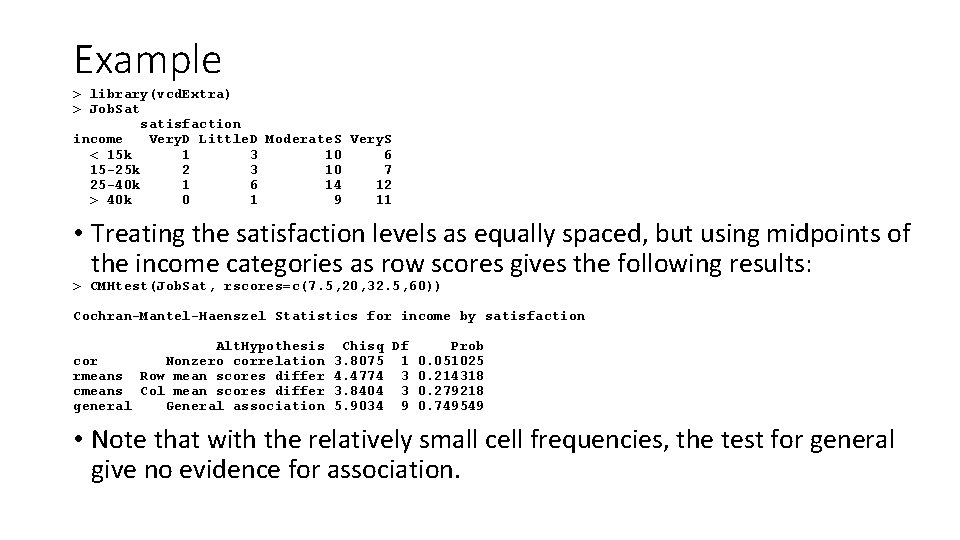
Example > library(vcd. Extra) > Job. Sat satisfaction income Very. D Little. D Moderate. S Very. S < 15 k 1 3 10 6 15 -25 k 2 3 10 7 25 -40 k 1 6 14 12 > 40 k 0 1 9 11 • Treating the satisfaction levels as equally spaced, but using midpoints of the income categories as row scores gives the following results: > CMHtest(Job. Sat, rscores=c(7. 5, 20, 32. 5, 60)) Cochran-Mantel-Haenszel Statistics for income by satisfaction Alt. Hypothesis cor Nonzero correlation rmeans Row mean scores differ cmeans Col mean scores differ general General association Chisq Df Prob 3. 8075 1 0. 051025 4. 4774 3 0. 214318 3. 8404 3 0. 279218 5. 9034 9 0. 749549 • Note that with the relatively small cell frequencies, the test for general give no evidence for association.
PROBABILITY MODELS FOR CATEGORICAL DATA • Bernoulli/Binomial • Multinomial • Poisson • …
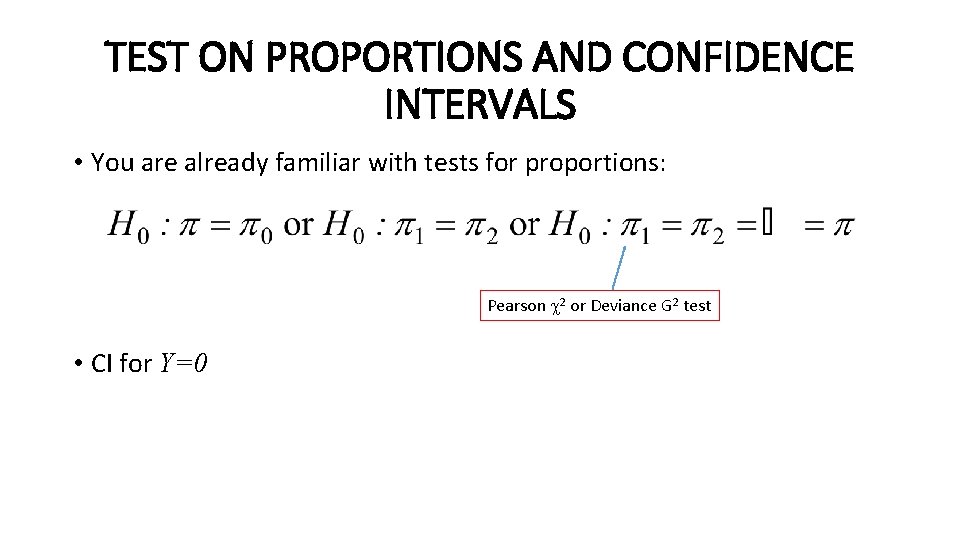
TEST ON PROPORTIONS AND CONFIDENCE INTERVALS • You are already familiar with tests for proportions: Pearson 2 or Deviance G 2 test • CI for Y=0
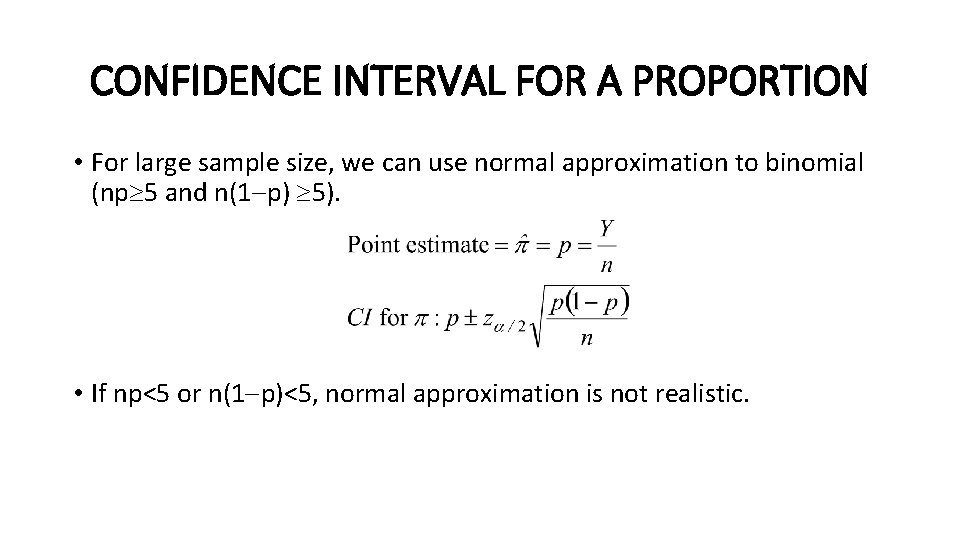
CONFIDENCE INTERVAL FOR A PROPORTION • For large sample size, we can use normal approximation to binomial (np 5 and n(1 p) 5). • If np<5 or n(1 p)<5, normal approximation is not realistic.
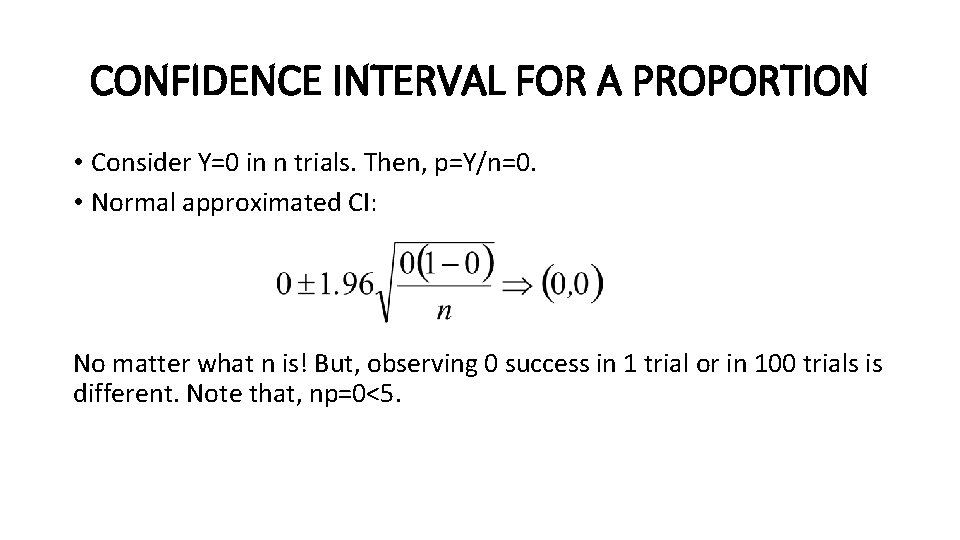
CONFIDENCE INTERVAL FOR A PROPORTION • Consider Y=0 in n trials. Then, p=Y/n=0. • Normal approximated CI: No matter what n is! But, observing 0 success in 1 trial or in 100 trials is different. Note that, np=0<5.
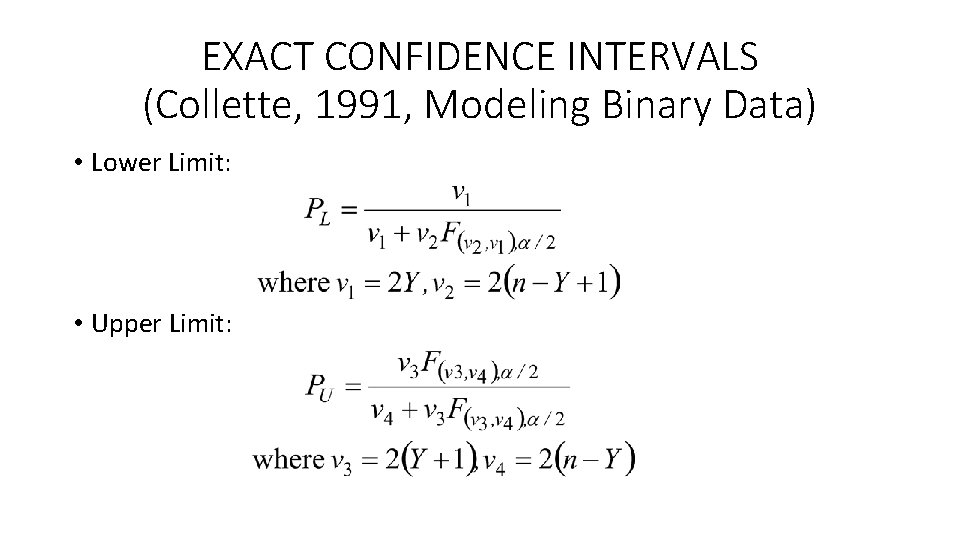
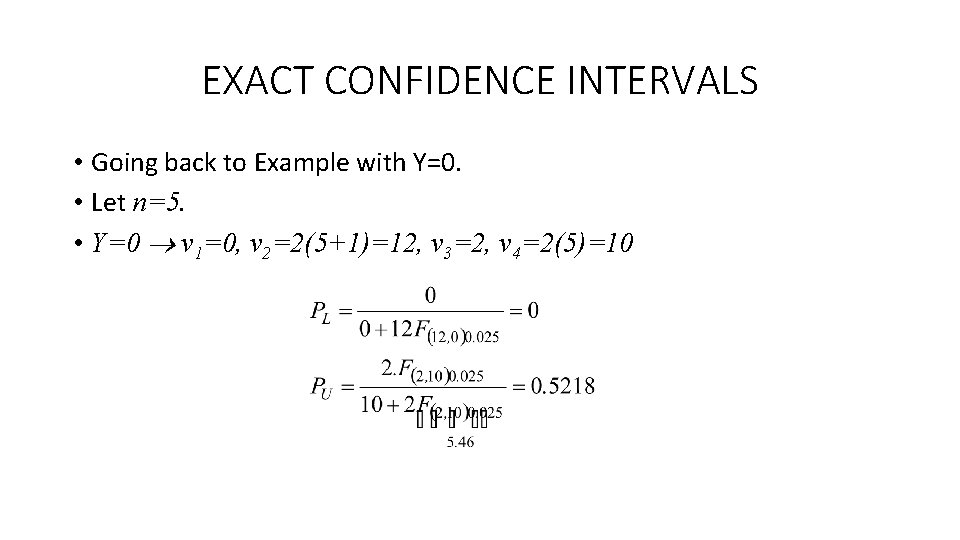
EXACT CONFIDENCE INTERVALS (Collette, 1991, Modeling Binary Data) • Lower Limit: • Upper Limit:
EXACT CONFIDENCE INTERVALS • Going back to Example with Y=0. • Let n=5. • Y=0 v 1=0, v 2=2(5+1)=12, v 3=2, v 4=2(5)=10
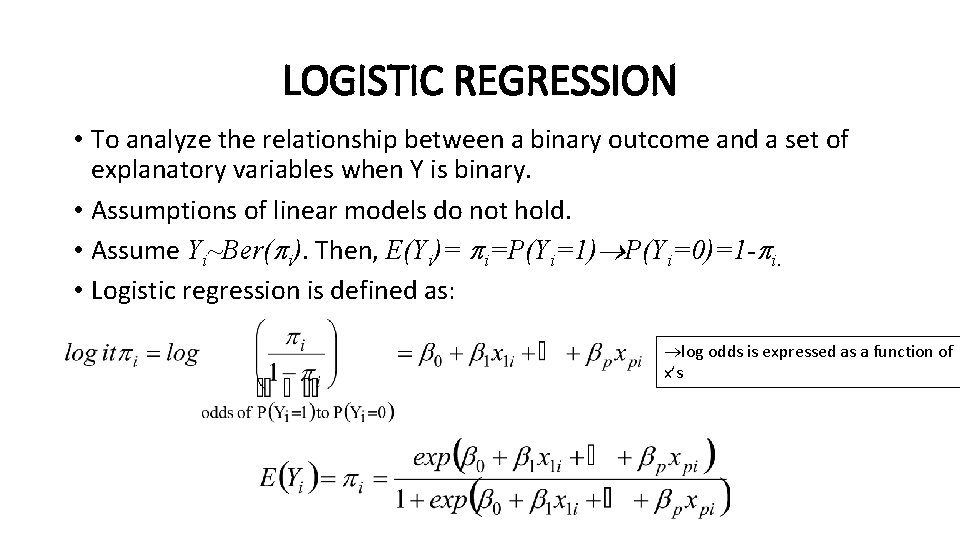
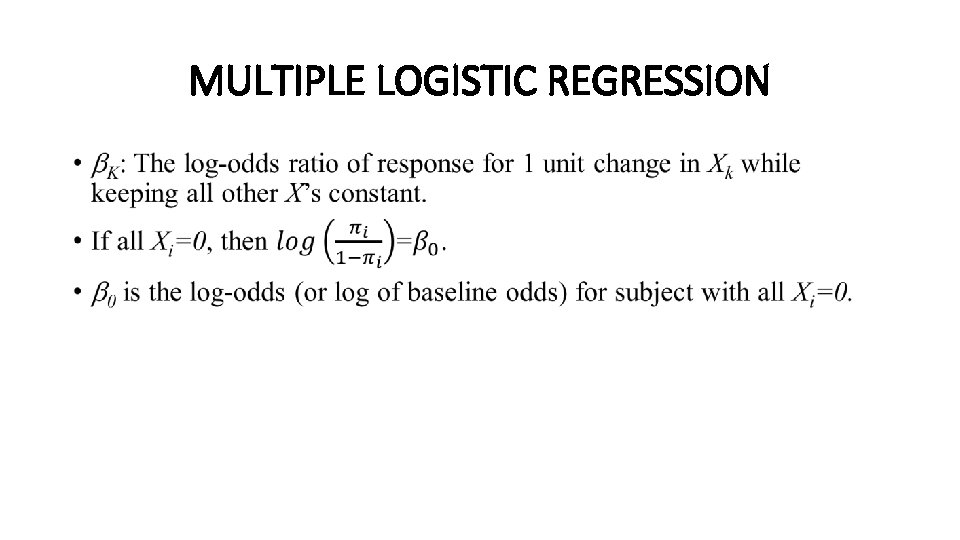
LOGISTIC REGRESSION • To analyze the relationship between a binary outcome and a set of explanatory variables when Y is binary. • Assumptions of linear models do not hold. • Assume Yi~Ber( i). Then, E(Yi)= i=P(Yi=1) P(Yi=0)=1 - i. • Logistic regression is defined as: log odds is expressed as a function of x’s
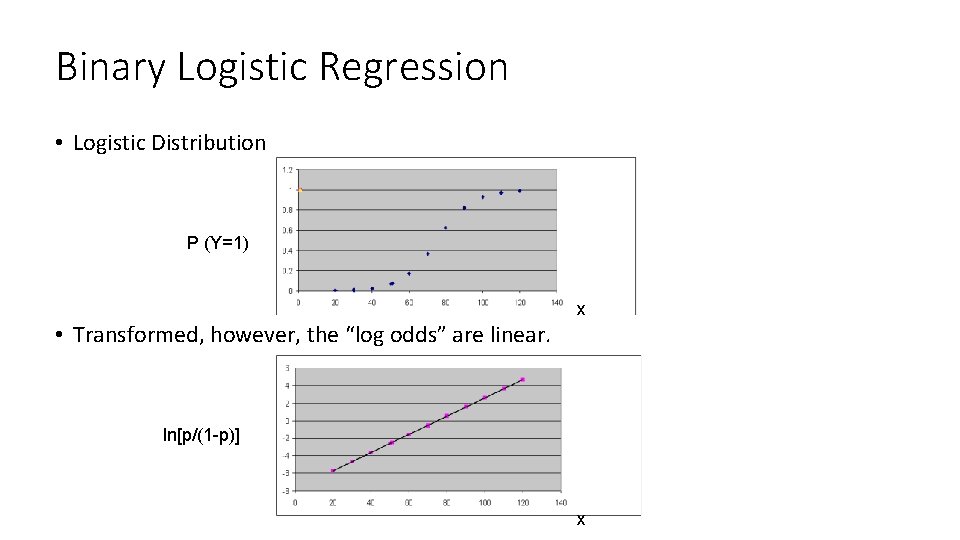
Binary Logistic Regression • Logistic Distribution P (Y=1) x • Transformed, however, the “log odds” are linear. ln[p/(1 -p)] x
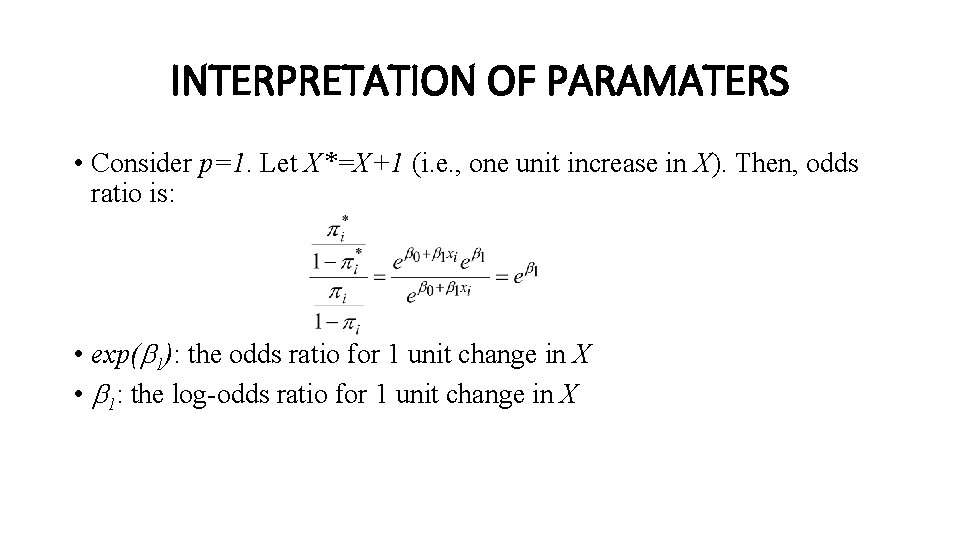
INTERPRETATION OF PARAMATERS • Consider p=1. Let X*=X+1 (i. e. , one unit increase in X). Then, odds ratio is: • exp( 1): the odds ratio for 1 unit change in X • 1: the log-odds ratio for 1 unit change in X
MULTIPLE LOGISTIC REGRESSION •
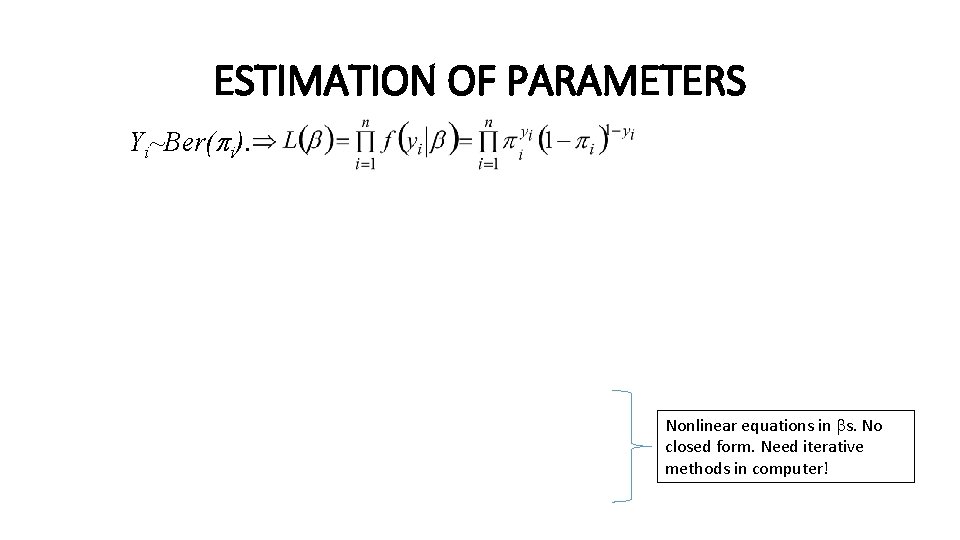
ESTIMATION OF PARAMETERS Yi~Ber( i). Nonlinear equations in s. No closed form. Need iterative methods in computer!
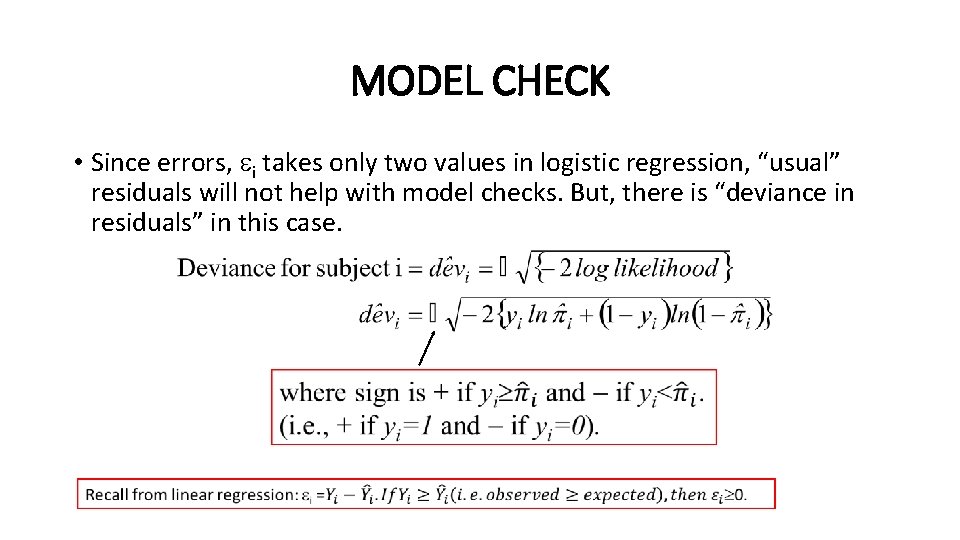
MODEL CHECK • Since errors, i takes only two values in logistic regression, “usual” residuals will not help with model checks. But, there is “deviance in residuals” in this case.
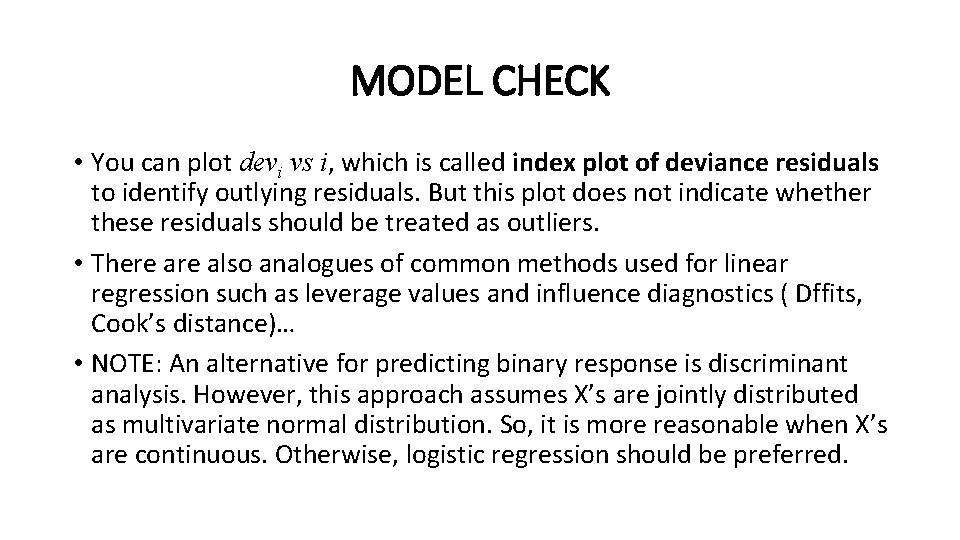
MODEL CHECK • You can plot devi vs i, which is called index plot of deviance residuals to identify outlying residuals. But this plot does not indicate whether these residuals should be treated as outliers. • There also analogues of common methods used for linear regression such as leverage values and influence diagnostics ( Dffits, Cook’s distance)… • NOTE: An alternative for predicting binary response is discriminant analysis. However, this approach assumes X’s are jointly distributed as multivariate normal distribution. So, it is more reasonable when X’s are continuous. Otherwise, logistic regression should be preferred.
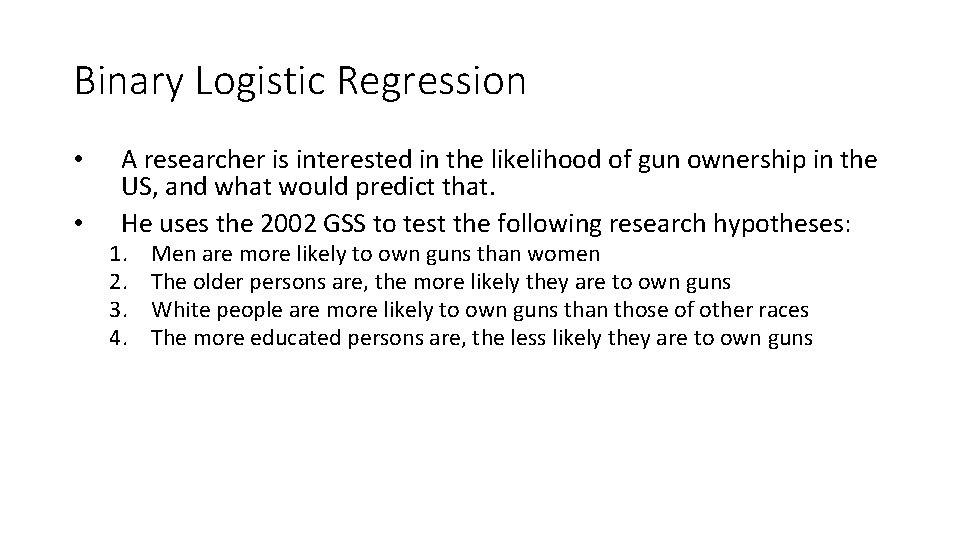
Binary Logistic Regression • • A researcher is interested in the likelihood of gun ownership in the US, and what would predict that. He uses the 2002 GSS to test the following research hypotheses: 1. 2. 3. 4. Men are more likely to own guns than women The older persons are, the more likely they are to own guns White people are more likely to own guns than those of other races The more educated persons are, the less likely they are to own guns
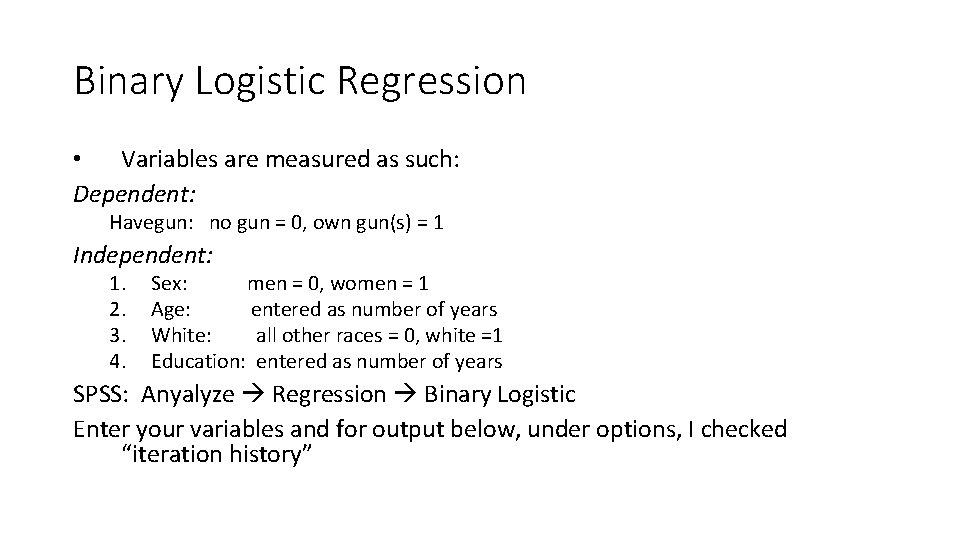
Binary Logistic Regression • Variables are measured as such: Dependent: Havegun: no gun = 0, own gun(s) = 1 Independent: 1. 2. 3. 4. Sex: men = 0, women = 1 Age: entered as number of years White: all other races = 0, white =1 Education: entered as number of years SPSS: Anyalyze Regression Binary Logistic Enter your variables and for output below, under options, I checked “iteration history”
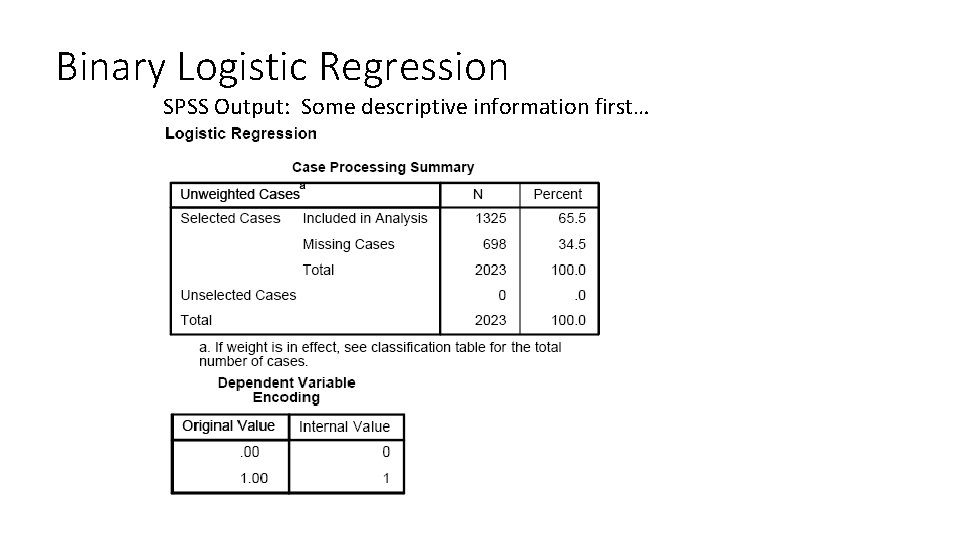
Binary Logistic Regression SPSS Output: Some descriptive information first…
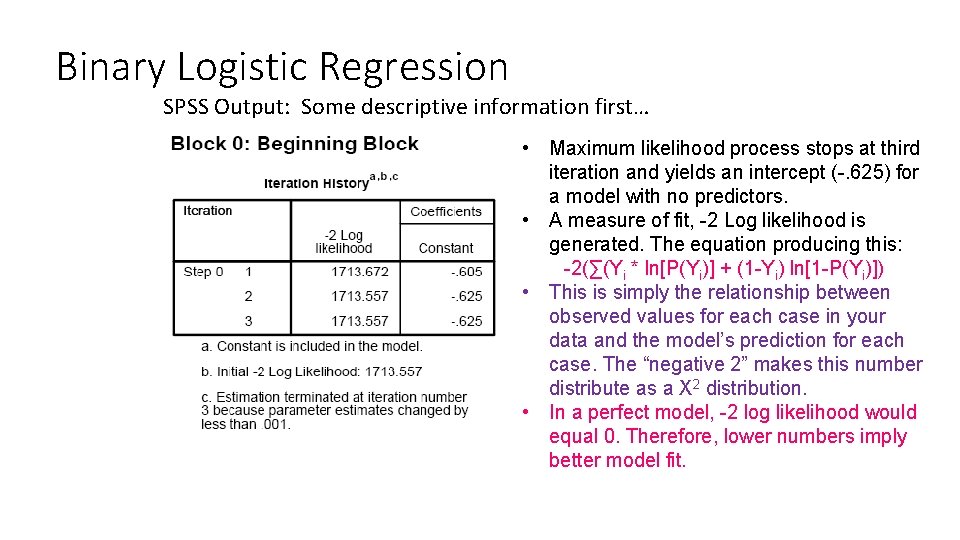
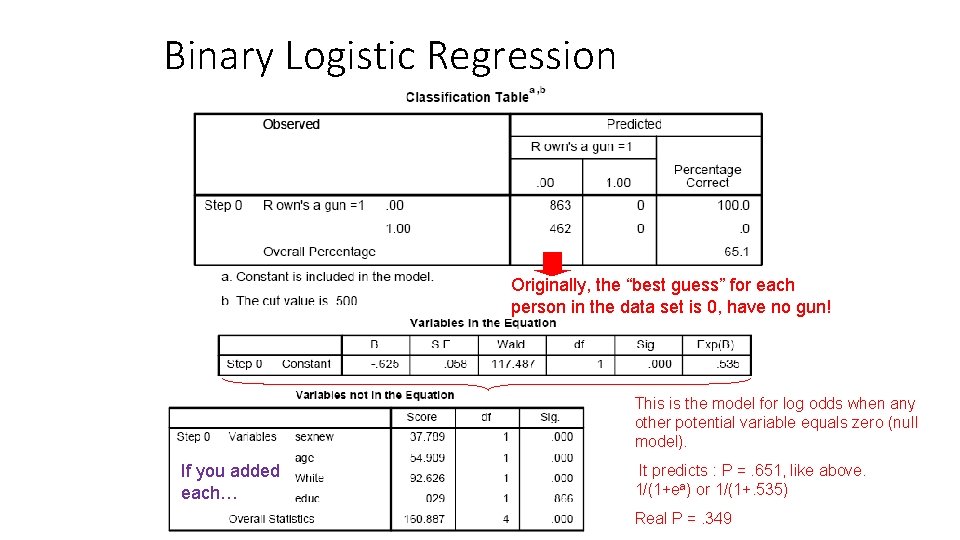
Binary Logistic Regression SPSS Output: Some descriptive information first… • Maximum likelihood process stops at third iteration and yields an intercept (-. 625) for a model with no predictors. • A measure of fit, -2 Log likelihood is generated. The equation producing this: -2(∑(Yi * ln[P(Yi)] + (1 -Yi) ln[1 -P(Yi)]) • This is simply the relationship between observed values for each case in your data and the model’s prediction for each case. The “negative 2” makes this number distribute as a X 2 distribution. • In a perfect model, -2 log likelihood would equal 0. Therefore, lower numbers imply better model fit.
Binary Logistic Regression Originally, the “best guess” for each person in the data set is 0, have no gun! This is the model for log odds when any other potential variable equals zero (null model). If you added each… It predicts : P =. 651, like above. 1/(1+ea) or 1/(1+. 535) Real P =. 349
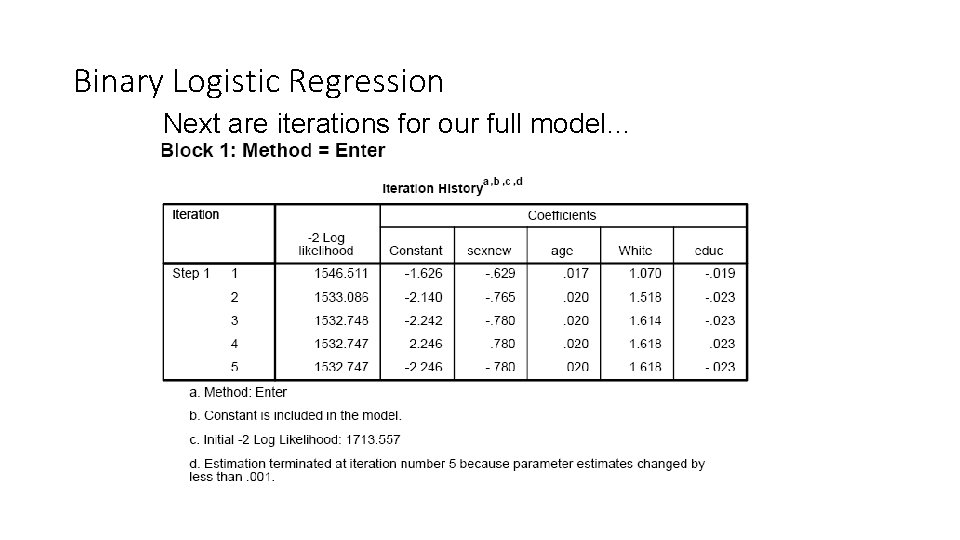
Binary Logistic Regression Next are iterations for our full model…
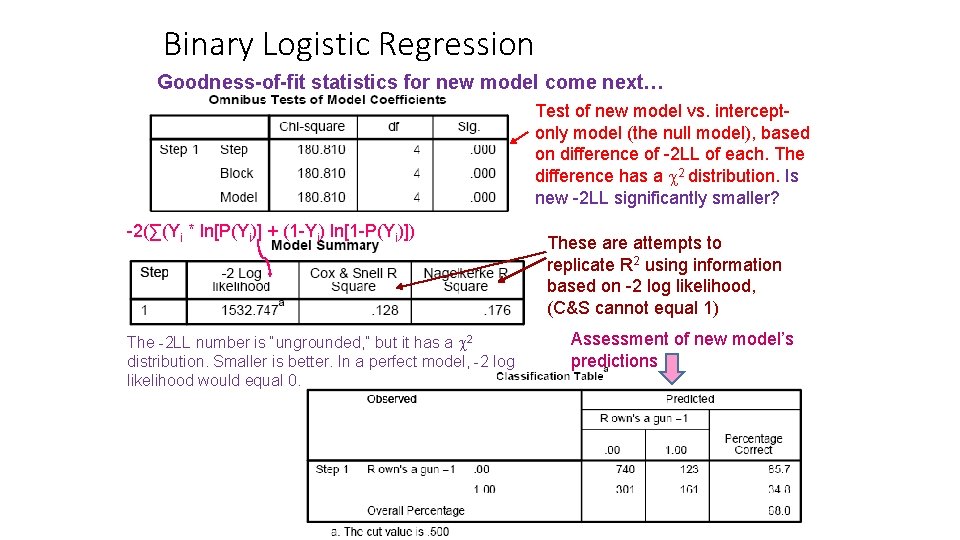
Binary Logistic Regression Goodness-of-fit statistics for new model come next… Test of new model vs. interceptonly model (the null model), based on difference of -2 LL of each. The difference has a 2 distribution. Is new -2 LL significantly smaller? -2(∑(Yi * ln[P(Yi)] + (1 -Yi) ln[1 -P(Yi)]) The -2 LL number is “ungrounded, ” but it has a 2 distribution. Smaller is better. In a perfect model, -2 log likelihood would equal 0. These are attempts to replicate R 2 using information based on -2 log likelihood, (C&S cannot equal 1) Assessment of new model’s predictions
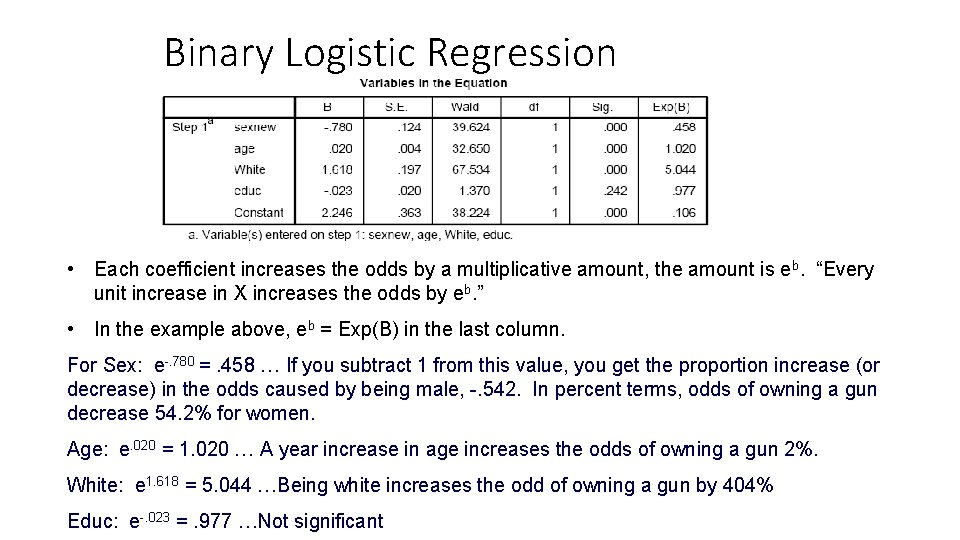
Binary Logistic Regression Interpreting Coefficients… ln[p/(1 -p)] = a + b 1 X 1 + b 2 X 2 + b 3 X 3 + b 4 X 4 eb X 1 b 1 X 2 b 2 X 3 b 3 X 4 b 4 1 a Which b’s are significant? • Being male, getting older, and being white have a positive effect on likelihood of owning a gun. On the other hand, education does not affect owning a gun.
Binary Logistic Regression • ln[p/(1 -p)] = a + b 1 X 1 + …+bk. Xk, the power to which you need to take e to get: P P 1 – P So… 1 – P = ea + b 1 X 1+…+bk. Xk • Plug in values of x to get the odds ( = p/1 -p). The coefficients can be manipulated as follows: Odds = p/(1 -p) = ea+b 1 X 1+b 2 X 2+b 3 X 3+b 4 X 4 = ea(eb 1)X 1(eb 2)X 2(eb 3)X 3(eb 4)X 4
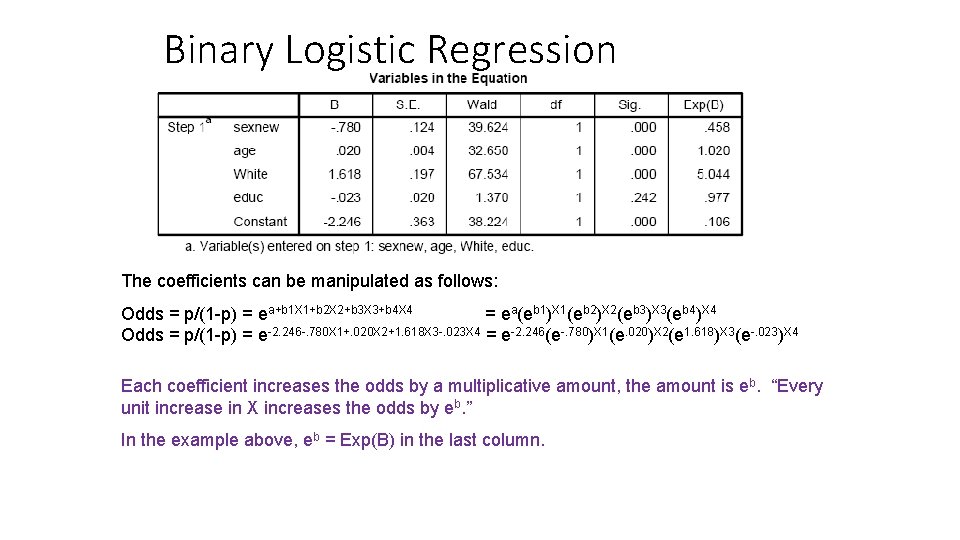
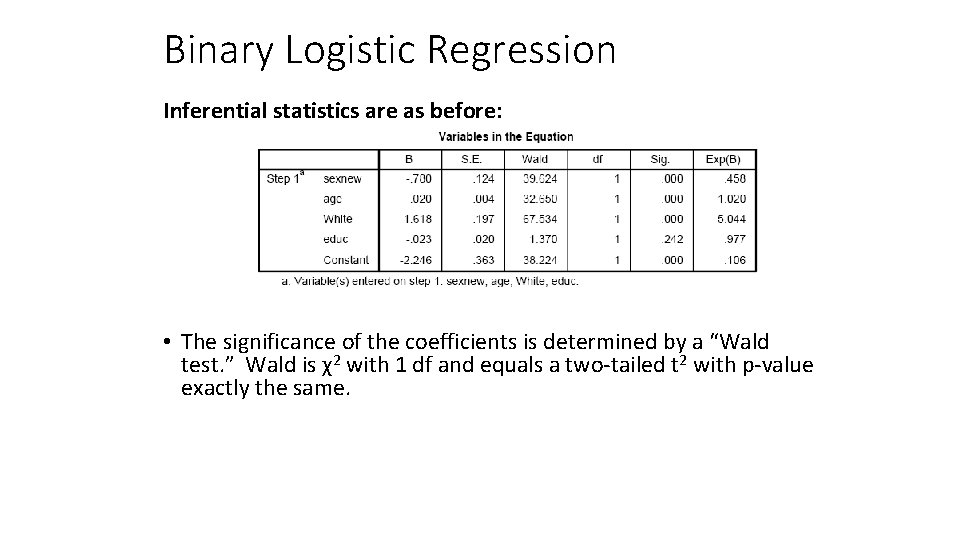
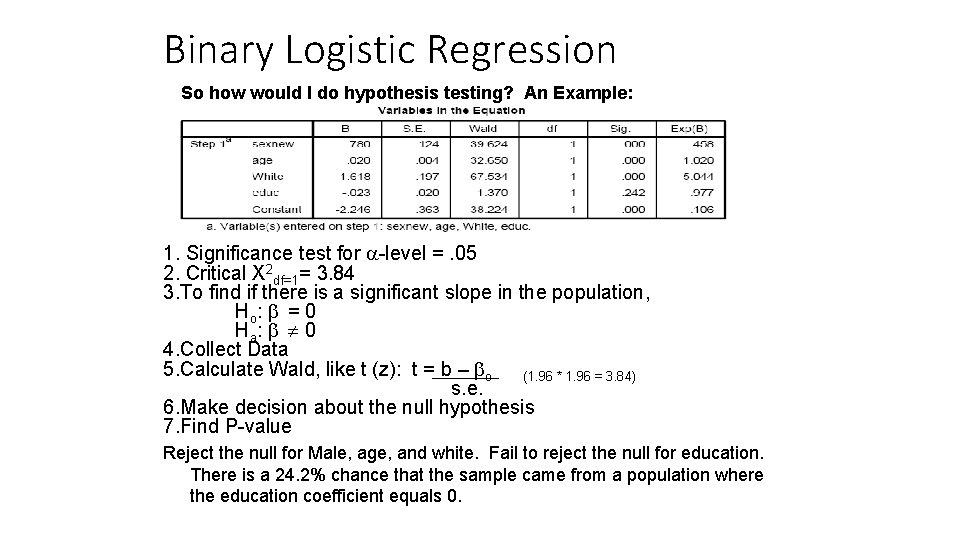
Binary Logistic Regression The coefficients can be manipulated as follows: Odds = p/(1 -p) = ea+b 1 X 1+b 2 X 2+b 3 X 3+b 4 X 4 = ea(eb 1)X 1(eb 2)X 2(eb 3)X 3(eb 4)X 4 Odds = p/(1 -p) = e-2. 246 -. 780 X 1+. 020 X 2+1. 618 X 3 -. 023 X 4 = e-2. 246(e-. 780)X 1(e. 020)X 2(e 1. 618)X 3(e-. 023)X 4 Each coefficient increases the odds by a multiplicative amount, the amount is eb. “Every unit increase in X increases the odds by eb. ” In the example above, eb = Exp(B) in the last column.
Binary Logistic Regression • Each coefficient increases the odds by a multiplicative amount, the amount is eb. “Every unit increase in X increases the odds by eb. ” • In the example above, eb = Exp(B) in the last column. For Sex: e-. 780 =. 458 … If you subtract 1 from this value, you get the proportion increase (or decrease) in the odds caused by being male, -. 542. In percent terms, odds of owning a gun decrease 54. 2% for women. Age: e. 020 = 1. 020 … A year increase in age increases the odds of owning a gun 2%. White: e 1. 618 = 5. 044 …Being white increases the odd of owning a gun by 404% Educ: e-. 023 =. 977 …Not significant
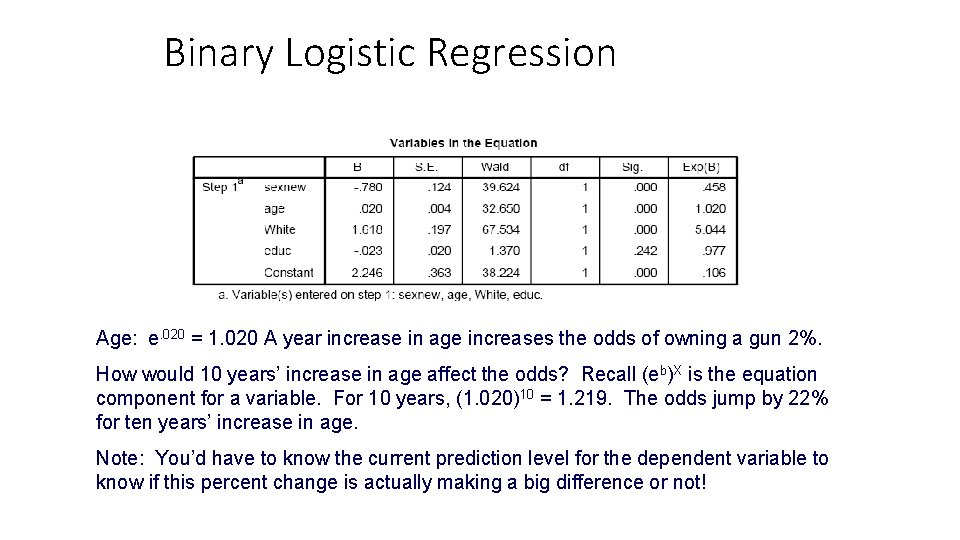
Binary Logistic Regression Age: e. 020 = 1. 020 A year increase in age increases the odds of owning a gun 2%. How would 10 years’ increase in age affect the odds? Recall (eb)X is the equation component for a variable. For 10 years, (1. 020)10 = 1. 219. The odds jump by 22% for ten years’ increase in age. Note: You’d have to know the current prediction level for the dependent variable to know if this percent change is actually making a big difference or not!
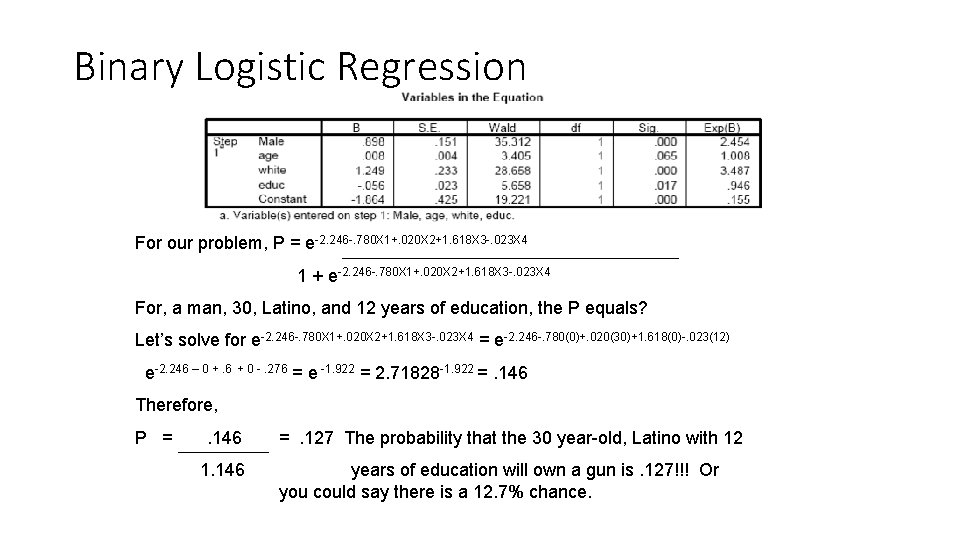
Binary Logistic Regression For our problem, P = e-2. 246 -. 780 X 1+. 020 X 2+1. 618 X 3 -. 023 X 4 1 + e-2. 246 -. 780 X 1+. 020 X 2+1. 618 X 3 -. 023 X 4 For, a man, 30, Latino, and 12 years of education, the P equals? Let’s solve for e-2. 246 -. 780 X 1+. 020 X 2+1. 618 X 3 -. 023 X 4 = e-2. 246 -. 780(0)+. 020(30)+1. 618(0)-. 023(12) e-2. 246 – 0 +. 6 + 0 -. 276 = e -1. 922 = 2. 71828 -1. 922 =. 146 Therefore, P = . 146 1. 146 =. 127 The probability that the 30 year-old, Latino with 12 years of education will own a gun is. 127!!! Or you could say there is a 12. 7% chance.
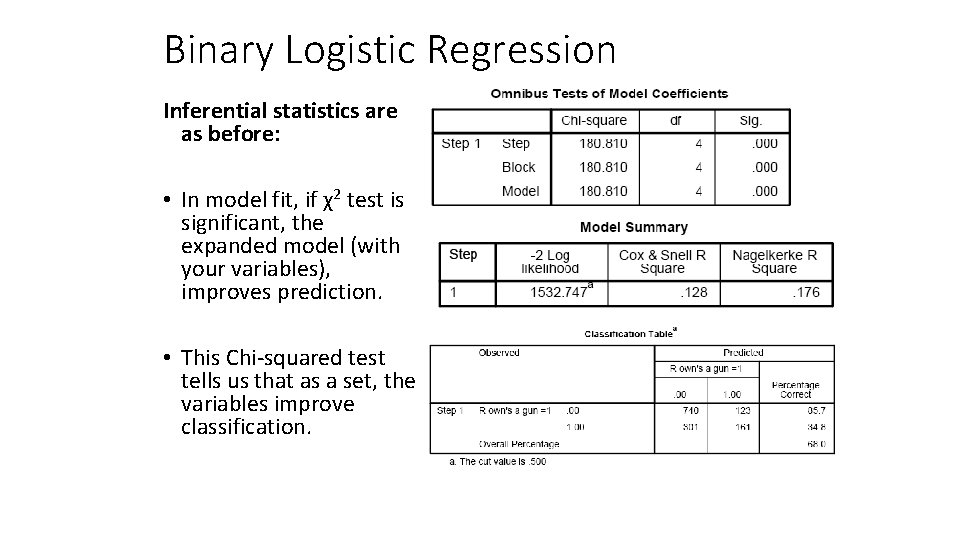
Binary Logistic Regression Inferential statistics are as before: • In model fit, if χ2 test is significant, the expanded model (with your variables), improves prediction. • This Chi-squared test tells us that as a set, the variables improve classification.
Binary Logistic Regression Inferential statistics are as before: • The significance of the coefficients is determined by a “Wald test. ” Wald is χ2 with 1 df and equals a two-tailed t 2 with p-value exactly the same.
Binary Logistic Regression So how would I do hypothesis testing? An Example: 1. Significance test for -level =. 05 2. Critical X 2 df=1= 3. 84 3. To find if there is a significant slope in the population, Ho : = 0 Ha : 0 4. Collect Data 5. Calculate Wald, like t (z): t = b – o (1. 96 * 1. 96 = 3. 84) s. e. 6. Make decision about the null hypothesis 7. Find P-value Reject the null for Male, age, and white. Fail to reject the null for education. There is a 24. 2% chance that the sample came from a population where the education coefficient equals 0.
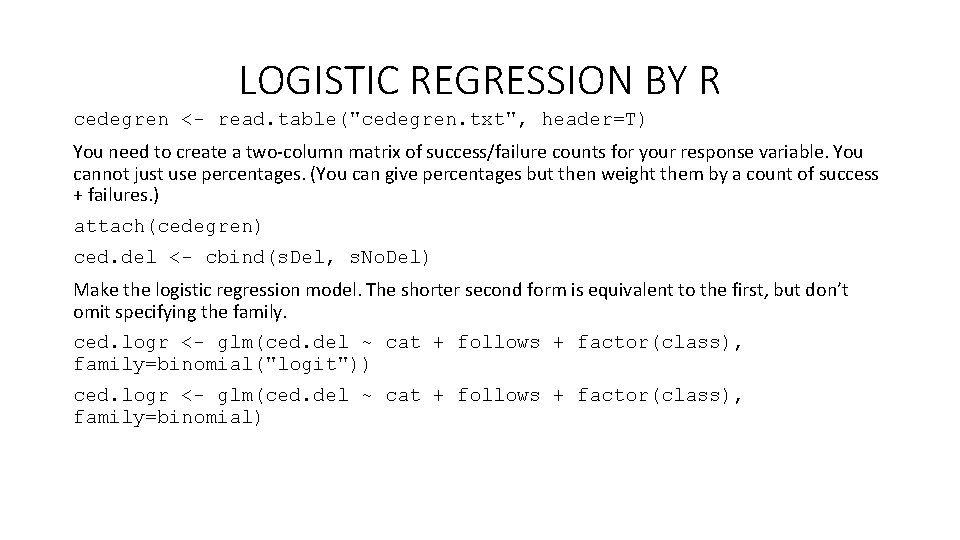
LOGISTIC REGRESSION BY R cedegren <- read. table("cedegren. txt", header=T) You need to create a two-column matrix of success/failure counts for your response variable. You cannot just use percentages. (You can give percentages but then weight them by a count of success + failures. ) attach(cedegren) ced. del <- cbind(s. Del, s. No. Del) Make the logistic regression model. The shorter second form is equivalent to the first, but don’t omit specifying the family. ced. logr <- glm(ced. del ~ cat + follows + factor(class), family=binomial("logit")) ced. logr <- glm(ced. del ~ cat + follows + factor(class), family=binomial)
LOGISTIC REGRESSION BY R
LOGISTIC REGRESSION BY R
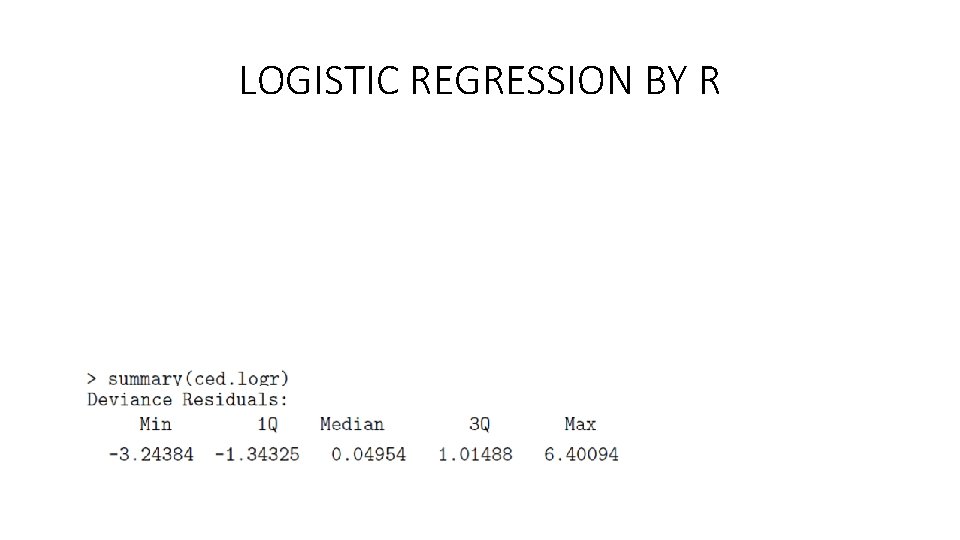
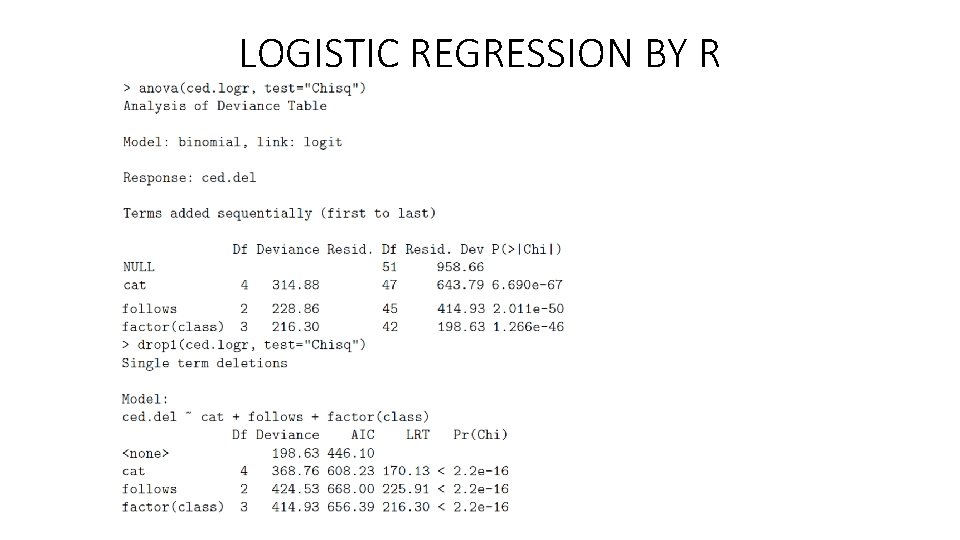
LOGISTIC REGRESSION BY R • We’re usually mainly interested in the relative goodness of models, but nevertheless, the high residual deviance shows that the model cannot be accepted to have been likely to generate the data (pchisq(198. 63, 42) 1). However, it certainly fits the data better than the null model (which means that a fixed mean probability of deletion is used for all cells): pchisq(958. 66 -198. 63, 9) 1. • What can we see from the parameters of this model? catd and catm have different effects, but both are not very clearly significantly different from the effect of cata (the default value). All following environments seem distinctive. For class, all of class 2– 4 seem to have somewhat similar effects, and we might model class as a two way distinction. It seems like we cannot profitably drop a whole factor, but we can test that with the anova function to give an analysis of deviance table, or the drop 1 function to try dropping each factor:
LOGISTIC REGRESSION BY R
LOGISTIC REGRESSION BY R • The ANOVA test tries adding the factors only in the order given in the model formula (left to right). If things are close, you should try rearranging the model formula ordering, or using drop 1, but given the huge drops in deviance, here, it seems clearly unnecessary. • Let’s now try a couple of models by collapsing particular levels, based on our observations above.
LOGISTIC REGRESSION BY R • This model isn’t good. We could just collapse class 2 and 4. Formally that model can’t be rejected as fitting the data as well as the higher parameter model at a 95% confidence threshold:
LOGISTIC REGRESSION BY R
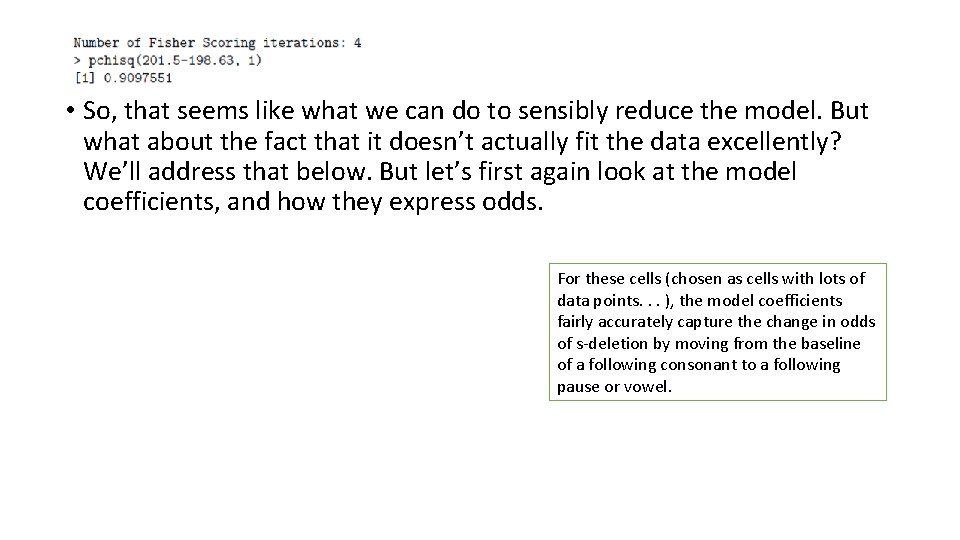
• So, that seems like what we can do to sensibly reduce the model. But what about the fact that it doesn’t actually fit the data excellently? We’ll address that below. But let’s first again look at the model coefficients, and how they express odds. For these cells (chosen as cells with lots of data points. . . ), the model coefficients fairly accurately capture the change in odds of s-deletion by moving from the baseline of a following consonant to a following pause or vowel.
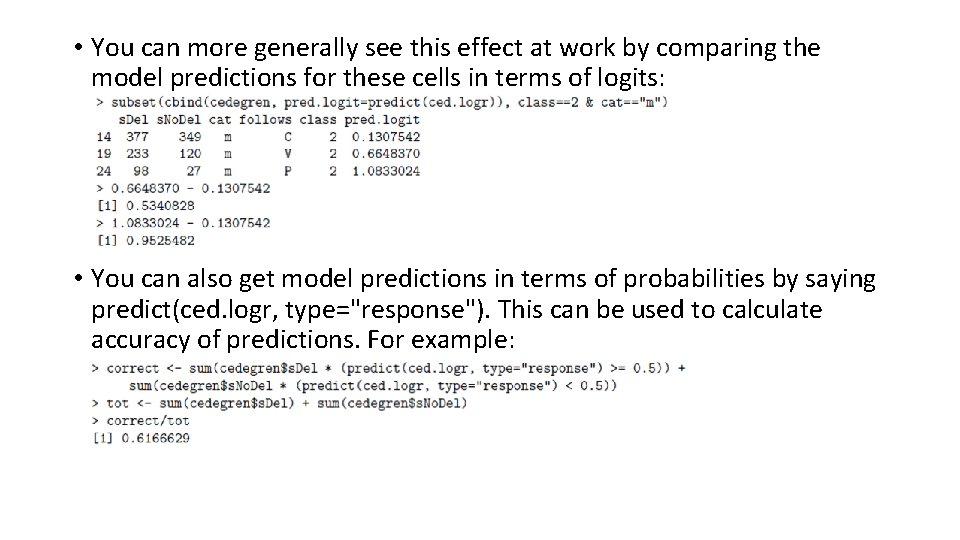
• You can more generally see this effect at work by comparing the model predictions for these cells in terms of logits: • You can also get model predictions in terms of probabilities by saying predict(ced. logr, type="response"). This can be used to calculate accuracy of predictions. For example:
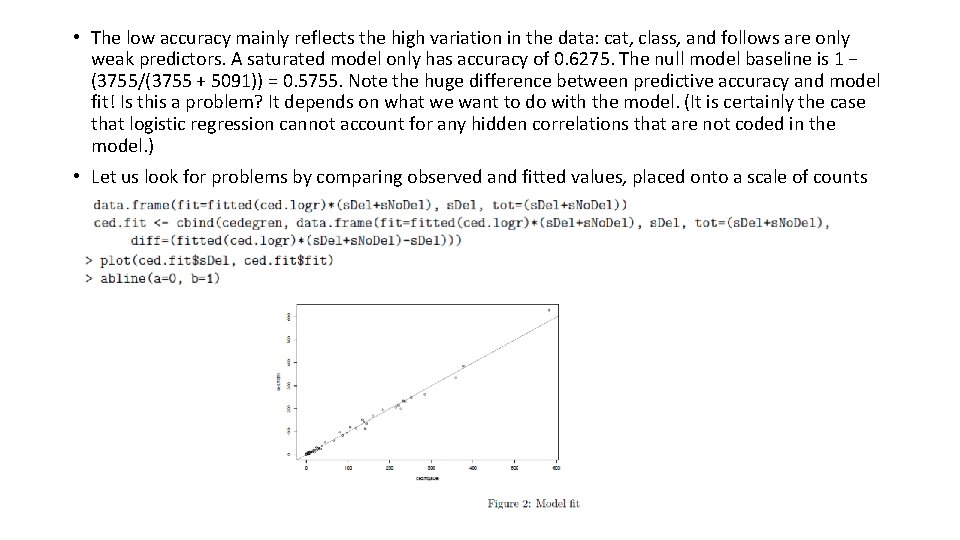
• The low accuracy mainly reflects the high variation in the data: cat, class, and follows are only weak predictors. A saturated model only has accuracy of 0. 6275. The null model baseline is 1 − (3755/(3755 + 5091)) = 0. 5755. Note the huge difference between predictive accuracy and model fit! Is this a problem? It depends on what we want to do with the model. (It is certainly the case that logistic regression cannot account for any hidden correlations that are not coded in the model. ) • Let us look for problems by comparing observed and fitted values, placed onto a scale of counts
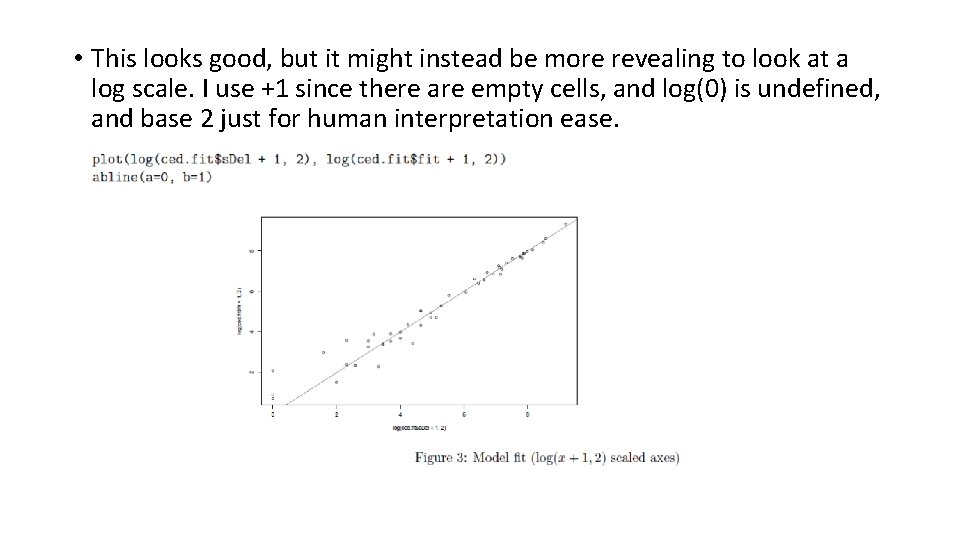
• This looks good, but it might instead be more revealing to look at a log scale. I use +1 since there are empty cells, and log(0) is undefined, and base 2 just for human interpretation ease.
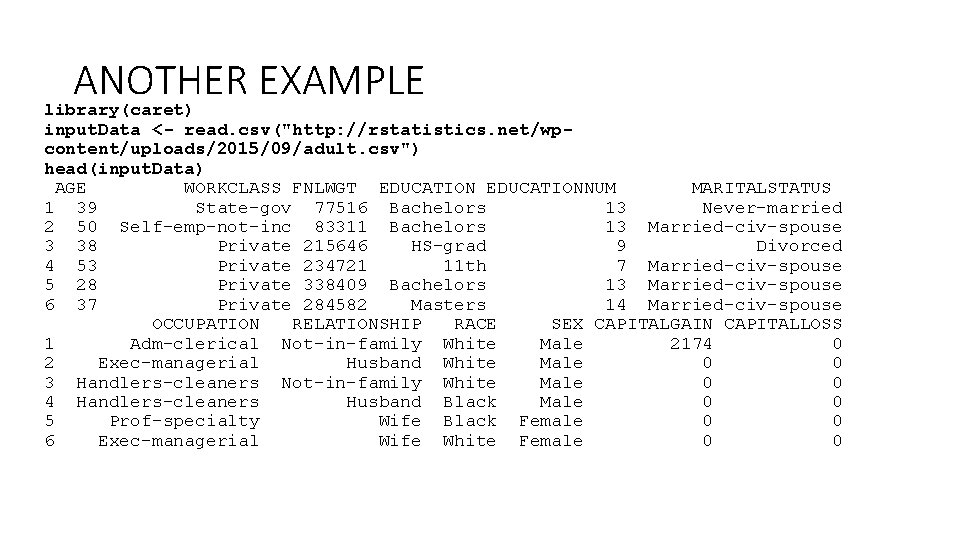
ANOTHER EXAMPLE library(caret) input. Data <- read. csv("http: //rstatistics. net/wpcontent/uploads/2015/09/adult. csv") head(input. Data) AGE WORKCLASS FNLWGT EDUCATIONNUM MARITALSTATUS 1 39 State-gov 77516 Bachelors 13 Never-married 2 50 Self-emp-not-inc 83311 Bachelors 13 Married-civ-spouse 3 38 Private 215646 HS-grad 9 Divorced 4 53 Private 234721 11 th 7 Married-civ-spouse 5 28 Private 338409 Bachelors 13 Married-civ-spouse 6 37 Private 284582 Masters 14 Married-civ-spouse OCCUPATION RELATIONSHIP RACE SEX CAPITALGAIN CAPITALLOSS 1 Adm-clerical Not-in-family White Male 2174 0 2 Exec-managerial Husband White Male 0 0 3 Handlers-cleaners Not-in-family White Male 0 0 4 Handlers-cleaners Husband Black Male 0 0 5 Prof-specialty Wife Black Female 0 0 6 Exec-managerial Wife White Female 0 0
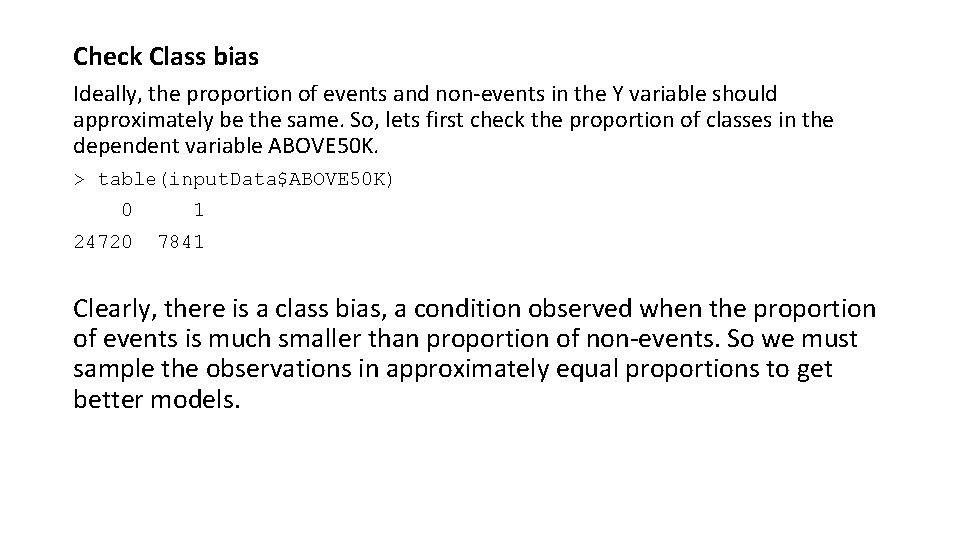
Check Class bias Ideally, the proportion of events and non-events in the Y variable should approximately be the same. So, lets first check the proportion of classes in the dependent variable ABOVE 50 K. > table(input. Data$ABOVE 50 K) 0 1 24720 7841 Clearly, there is a class bias, a condition observed when the proportion of events is much smaller than proportion of non-events. So we must sample the observations in approximately equal proportions to get better models.
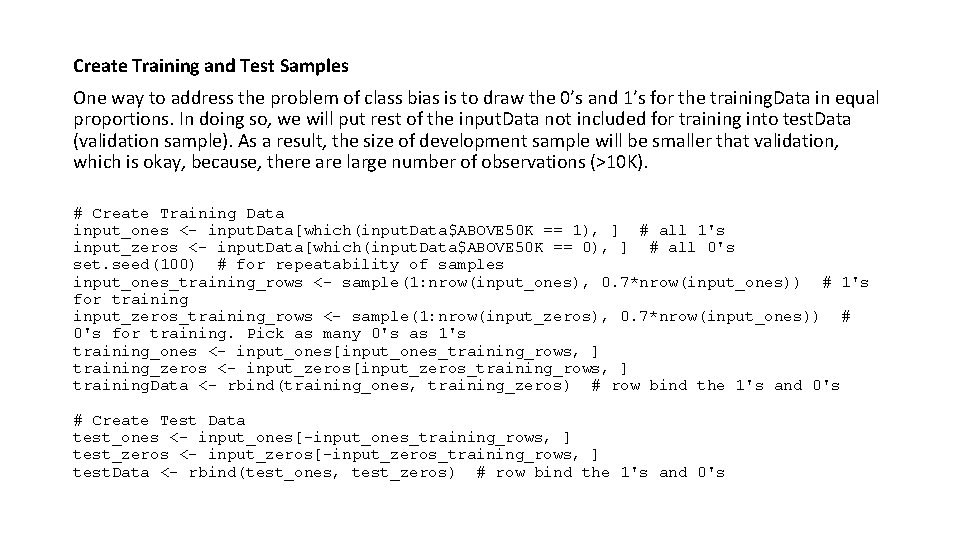
Create Training and Test Samples One way to address the problem of class bias is to draw the 0’s and 1’s for the training. Data in equal proportions. In doing so, we will put rest of the input. Data not included for training into test. Data (validation sample). As a result, the size of development sample will be smaller that validation, which is okay, because, there are large number of observations (>10 K). # Create Training Data input_ones <- input. Data[which(input. Data$ABOVE 50 K == 1), ] # all 1's input_zeros <- input. Data[which(input. Data$ABOVE 50 K == 0), ] # all 0's set. seed(100) # for repeatability of samples input_ones_training_rows <- sample(1: nrow(input_ones), 0. 7*nrow(input_ones)) # 1's for training input_zeros_training_rows <- sample(1: nrow(input_zeros), 0. 7*nrow(input_ones)) # 0's for training. Pick as many 0's as 1's training_ones <- input_ones[input_ones_training_rows, ] training_zeros <- input_zeros[input_zeros_training_rows, ] training. Data <- rbind(training_ones, training_zeros) # row bind the 1's and 0's # Create Test Data test_ones <- input_ones[-input_ones_training_rows, ] test_zeros <- input_zeros[-input_zeros_training_rows, ] test. Data <- rbind(test_ones, test_zeros) # row bind the 1's and 0's
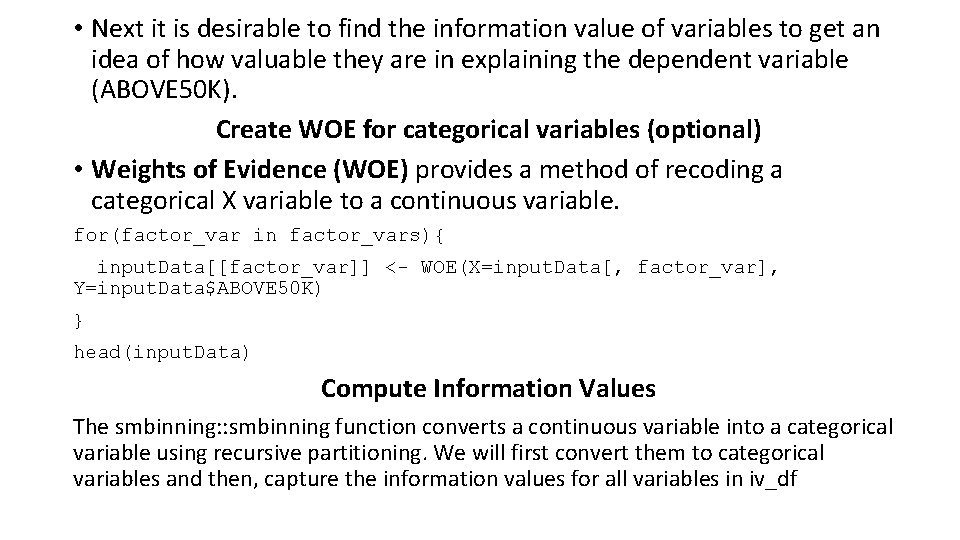
• Next it is desirable to find the information value of variables to get an idea of how valuable they are in explaining the dependent variable (ABOVE 50 K). Create WOE for categorical variables (optional) • Weights of Evidence (WOE) provides a method of recoding a categorical X variable to a continuous variable. for(factor_var in factor_vars){ input. Data[[factor_var]] <- WOE(X=input. Data[, factor_var], Y=input. Data$ABOVE 50 K) } head(input. Data) Compute Information Values The smbinning: : smbinning function converts a continuous variable into a categorical variable using recursive partitioning. We will first convert them to categorical variables and then, capture the information values for all variables in iv_df
library(smbinning) # segregate continuous and factor variables factor_vars <- c ("WORKCLASS", "EDUCATION", "MARITALSTATUS", "OCCUPATION", "RELATIONSHIP", "RACE", "SEX", "NATIVECOUNTRY") continuous_vars <- c("AGE", "FNLWGT", "EDUCATIONNUM", "HOURSPERWEEK", "CAPITALGAIN", "CAPITALLOSS") iv_df <- data. frame(VARS=c(factor_vars, continuous_vars), IV=numeric(14)) # init for IV results # compute IV for categoricals for(factor_var in factor_vars){ smb <- smbinning. factor(training. Data, y="ABOVE 50 K", x=factor_var) # WOE table if(class(smb) != "character"){ # heck if some error occured iv_df[iv_df$VARS == factor_var, "IV"] <- smb$iv } } # compute IV for continuous vars for(continuous_var in continuous_vars){ smb <- smbinning(training. Data, y="ABOVE 50 K", x=continuous_var) # WOE table if(class(smb) != "character"){ # any error while calculating scores. iv_df[iv_df$VARS == continuous_var, "IV"] <- smb$iv } }
iv_df <- iv_df[order(-iv_df$IV), ] iv_df #> VARS IV #> RELATIONSHIP 1. 5739 #> MARITALSTATUS 1. 3356 #> AGE 1. 1748 #> CAPITALGAIN 0. 8389 #> OCCUPATION 0. 8259 #> EDUCATIONNUM 0. 7776 #> EDUCATION 0. 7774 #> HOURSPERWEEK 0. 4682 #> SEX 0. 3087 #> WORKCLASS 0. 1633 #> CAPITALLOSS 0. 1507 #> NATIVECOUNTRY 0. 0815 #> RACE 0. 0607 #> FNLWGT 0. 0000 # sort
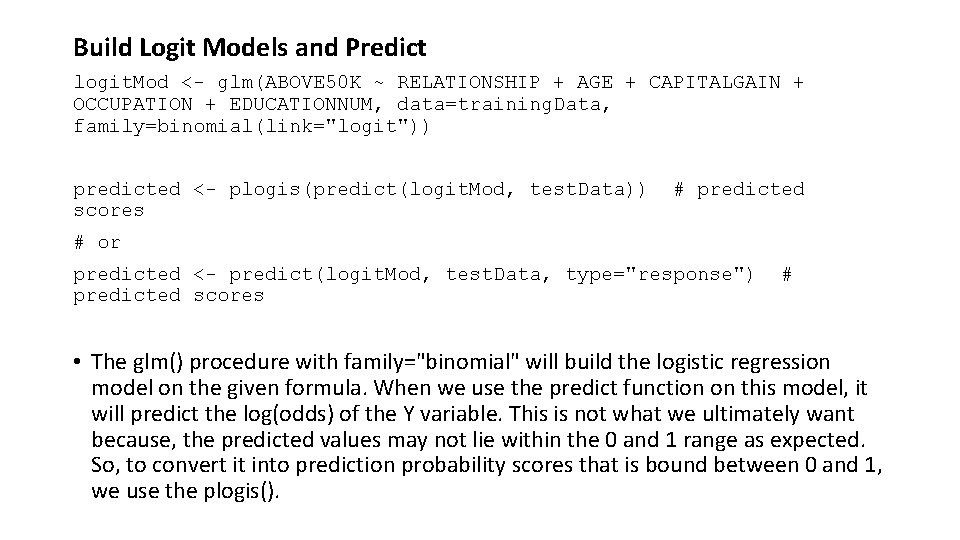
Build Logit Models and Predict logit. Mod <- glm(ABOVE 50 K ~ RELATIONSHIP + AGE + CAPITALGAIN + OCCUPATION + EDUCATIONNUM, data=training. Data, family=binomial(link="logit")) predicted <- plogis(predict(logit. Mod, test. Data)) scores # predicted # or predicted <- predict(logit. Mod, test. Data, type="response") predicted scores # • The glm() procedure with family="binomial" will build the logistic regression model on the given formula. When we use the predict function on this model, it will predict the log(odds) of the Y variable. This is not what we ultimately want because, the predicted values may not lie within the 0 and 1 range as expected. So, to convert it into prediction probability scores that is bound between 0 and 1, we use the plogis().
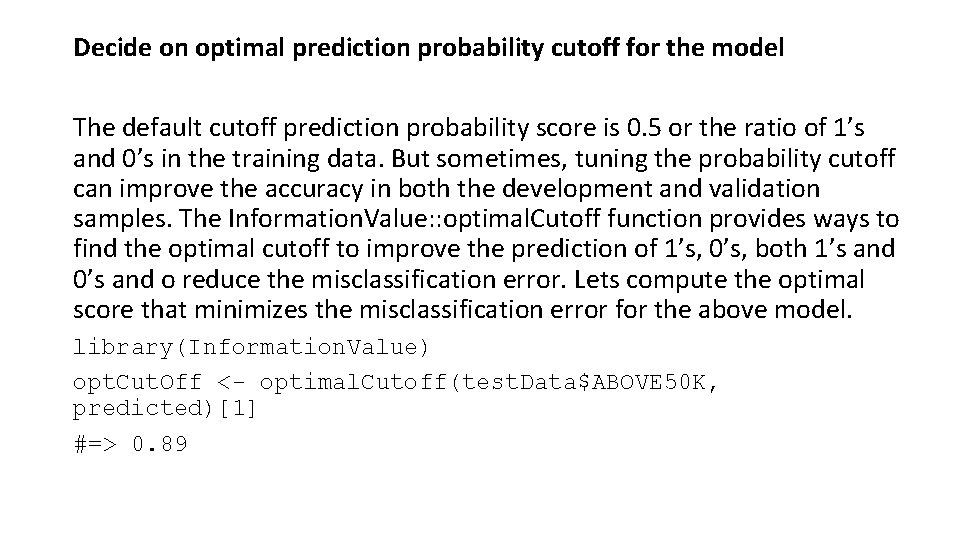
Decide on optimal prediction probability cutoff for the model The default cutoff prediction probability score is 0. 5 or the ratio of 1’s and 0’s in the training data. But sometimes, tuning the probability cutoff can improve the accuracy in both the development and validation samples. The Information. Value: : optimal. Cutoff function provides ways to find the optimal cutoff to improve the prediction of 1’s, 0’s, both 1’s and 0’s and o reduce the misclassification error. Lets compute the optimal score that minimizes the misclassification error for the above model. library(Information. Value) opt. Cut. Off <- optimal. Cutoff(test. Data$ABOVE 50 K, predicted)[1] #=> 0. 89
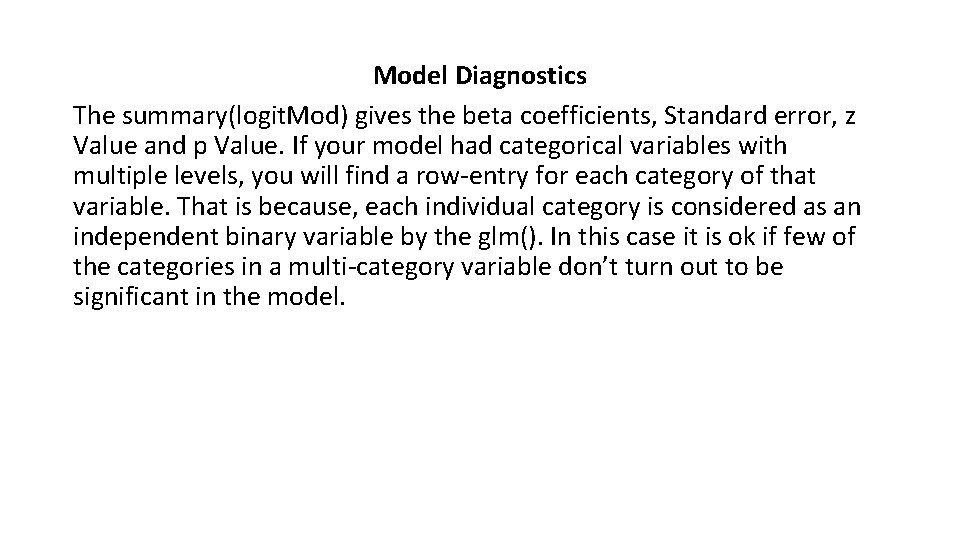
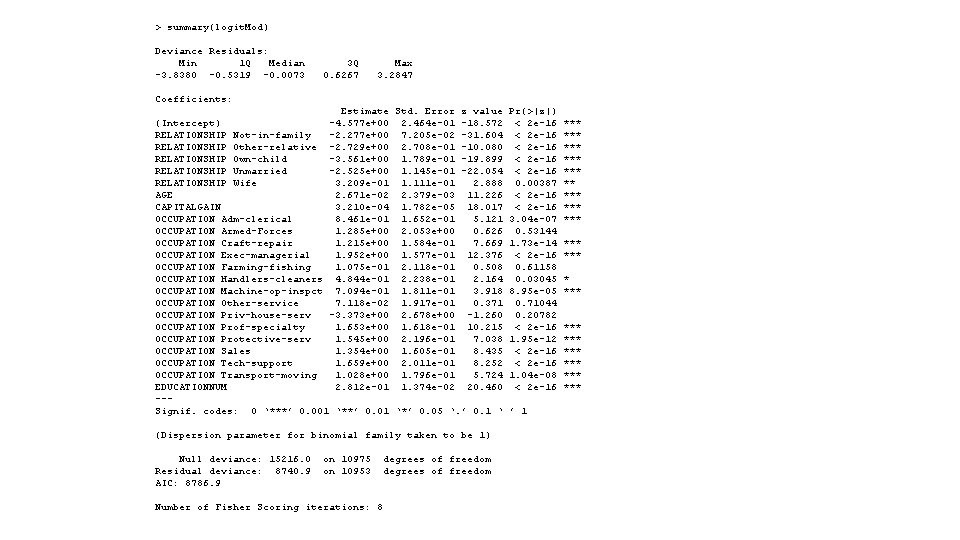
Model Diagnostics The summary(logit. Mod) gives the beta coefficients, Standard error, z Value and p Value. If your model had categorical variables with multiple levels, you will find a row-entry for each category of that variable. That is because, each individual category is considered as an independent binary variable by the glm(). In this case it is ok if few of the categories in a multi-category variable don’t turn out to be significant in the model.
> summary(logit. Mod) Deviance Residuals: Min 1 Q Median -3. 8380 -0. 5319 -0. 0073 3 Q 0. 6267 Max 3. 2847 Coefficients: Estimate Std. Error z value (Intercept) -4. 577 e+00 2. 464 e-01 -18. 572 RELATIONSHIP Not-in-family -2. 277 e+00 7. 205 e-02 -31. 604 RELATIONSHIP Other-relative -2. 729 e+00 2. 708 e-01 -10. 080 RELATIONSHIP Own-child -3. 561 e+00 1. 789 e-01 -19. 899 RELATIONSHIP Unmarried -2. 525 e+00 1. 145 e-01 -22. 054 RELATIONSHIP Wife 3. 209 e-01 1. 111 e-01 2. 888 AGE 2. 671 e-02 2. 379 e-03 11. 226 CAPITALGAIN 3. 210 e-04 1. 782 e-05 18. 017 OCCUPATION Adm-clerical 8. 461 e-01 1. 652 e-01 5. 121 OCCUPATION Armed-Forces 1. 285 e+00 2. 053 e+00 0. 626 OCCUPATION Craft-repair 1. 215 e+00 1. 584 e-01 7. 669 OCCUPATION Exec-managerial 1. 952 e+00 1. 577 e-01 12. 376 OCCUPATION Farming-fishing 1. 075 e-01 2. 118 e-01 0. 508 OCCUPATION Handlers-cleaners 4. 844 e-01 2. 238 e-01 2. 164 OCCUPATION Machine-op-inspct 7. 094 e-01 1. 811 e-01 3. 918 OCCUPATION Other-service 7. 118 e-02 1. 917 e-01 0. 371 OCCUPATION Priv-house-serv -3. 373 e+00 2. 678 e+00 -1. 260 OCCUPATION Prof-specialty 1. 653 e+00 1. 618 e-01 10. 215 OCCUPATION Protective-serv 1. 545 e+00 2. 196 e-01 7. 038 OCCUPATION Sales 1. 354 e+00 1. 605 e-01 8. 435 OCCUPATION Tech-support 1. 659 e+00 2. 011 e-01 8. 252 OCCUPATION Transport-moving 1. 028 e+00 1. 796 e-01 5. 724 EDUCATIONNUM 2. 812 e-01 1. 374 e-02 20. 460 --Signif. codes: 0 ‘***’ 0. 001 ‘**’ 0. 01 ‘*’ 0. 05 ‘. ’ 0. 1 ‘ (Dispersion parameter for binomial family taken to be 1) Null deviance: 15216. 0 Residual deviance: 8740. 9 AIC: 8786. 9 on 10975 on 10953 Number of Fisher Scoring iterations: 8 degrees of freedom Pr(>|z|) < 2 e-16 < 2 e-16 0. 00387 < 2 e-16 3. 04 e-07 0. 53144 1. 73 e-14 < 2 e-16 0. 61158 0. 03045 8. 95 e-05 0. 71044 0. 20782 < 2 e-16 1. 95 e-12 < 2 e-16 1. 04 e-08 < 2 e-16 ’ 1 *** *** *** *** ***
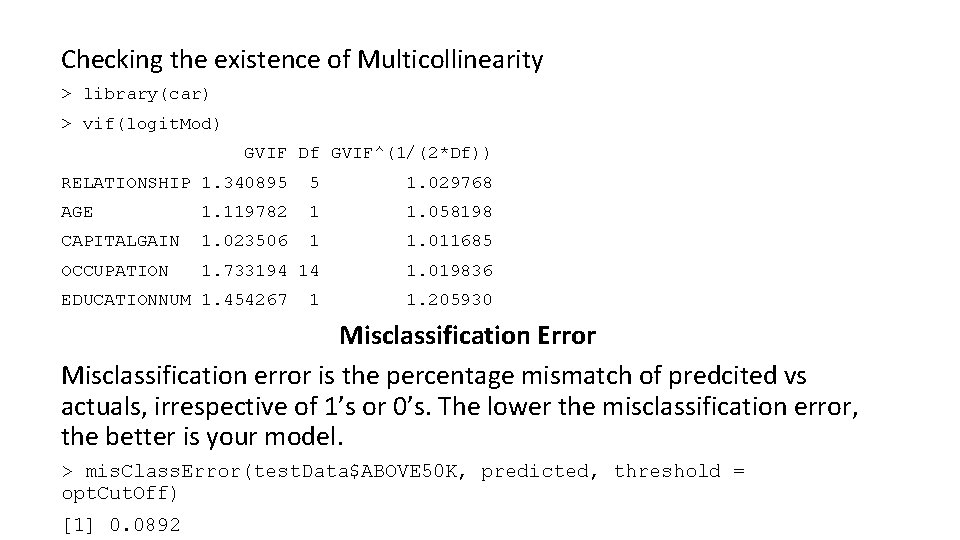
Checking the existence of Multicollinearity > library(car) > vif(logit. Mod) GVIF Df GVIF^(1/(2*Df)) RELATIONSHIP 1. 340895 5 1. 029768 AGE 1. 119782 1 1. 058198 CAPITALGAIN 1. 023506 1 1. 011685 OCCUPATION 1. 733194 14 1. 019836 EDUCATIONNUM 1. 454267 1 1. 205930 Misclassification Error Misclassification error is the percentage mismatch of predcited vs actuals, irrespective of 1’s or 0’s. The lower the misclassification error, the better is your model. > mis. Class. Error(test. Data$ABOVE 50 K, predicted, threshold = opt. Cut. Off) [1] 0. 0892
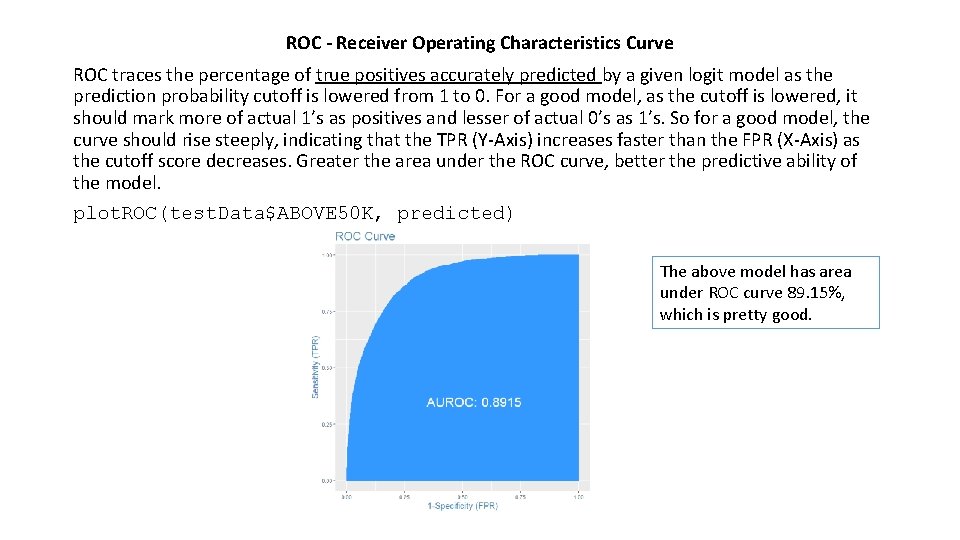
ROC - Receiver Operating Characteristics Curve ROC traces the percentage of true positives accurately predicted by a given logit model as the prediction probability cutoff is lowered from 1 to 0. For a good model, as the cutoff is lowered, it should mark more of actual 1’s as positives and lesser of actual 0’s as 1’s. So for a good model, the curve should rise steeply, indicating that the TPR (Y-Axis) increases faster than the FPR (X-Axis) as the cutoff score decreases. Greater the area under the ROC curve, better the predictive ability of the model. plot. ROC(test. Data$ABOVE 50 K, predicted) The above model has area under ROC curve 89. 15%, which is pretty good.
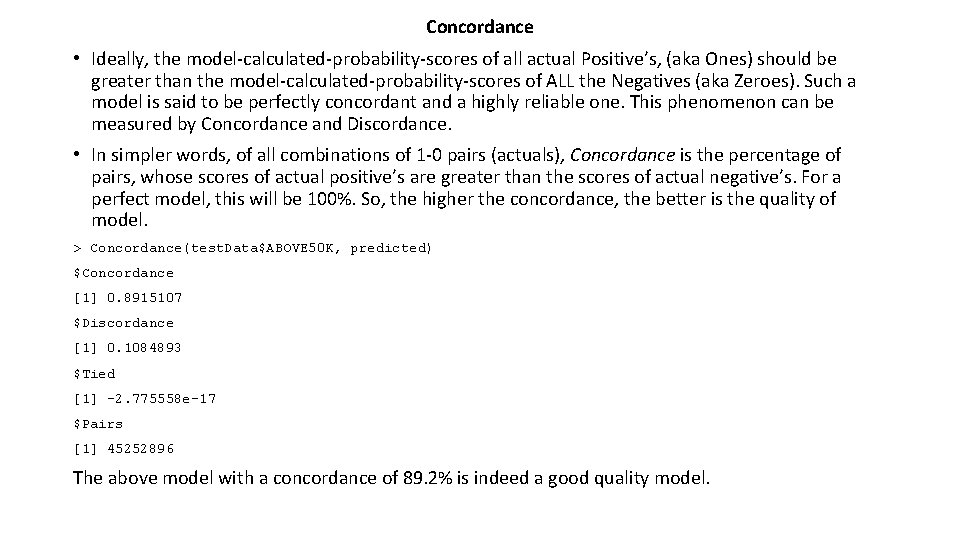
Concordance • Ideally, the model-calculated-probability-scores of all actual Positive’s, (aka Ones) should be greater than the model-calculated-probability-scores of ALL the Negatives (aka Zeroes). Such a model is said to be perfectly concordant and a highly reliable one. This phenomenon can be measured by Concordance and Discordance. • In simpler words, of all combinations of 1 -0 pairs (actuals), Concordance is the percentage of pairs, whose scores of actual positive’s are greater than the scores of actual negative’s. For a perfect model, this will be 100%. So, the higher the concordance, the better is the quality of model. > Concordance(test. Data$ABOVE 50 K, predicted) $Concordance [1] 0. 8915107 $Discordance [1] 0. 1084893 $Tied [1] -2. 775558 e-17 $Pairs [1] 45252896 The above model with a concordance of 89. 2% is indeed a good quality model.
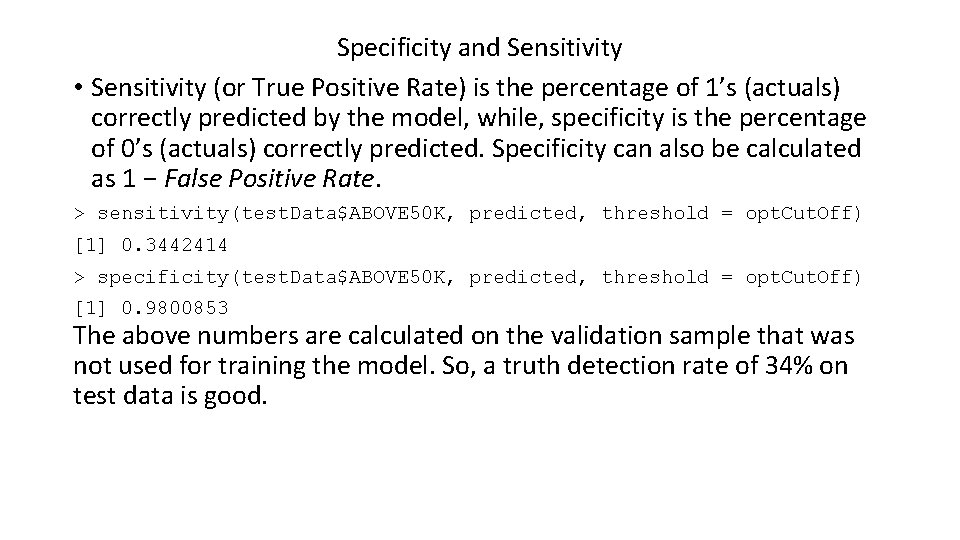
Specificity and Sensitivity • Sensitivity (or True Positive Rate) is the percentage of 1’s (actuals) correctly predicted by the model, while, specificity is the percentage of 0’s (actuals) correctly predicted. Specificity can also be calculated as 1 − False Positive Rate. > sensitivity(test. Data$ABOVE 50 K, predicted, threshold = opt. Cut. Off) [1] 0. 3442414 > specificity(test. Data$ABOVE 50 K, predicted, threshold = opt. Cut. Off) [1] 0. 9800853 The above numbers are calculated on the validation sample that was not used for training the model. So, a truth detection rate of 34% on test data is good.
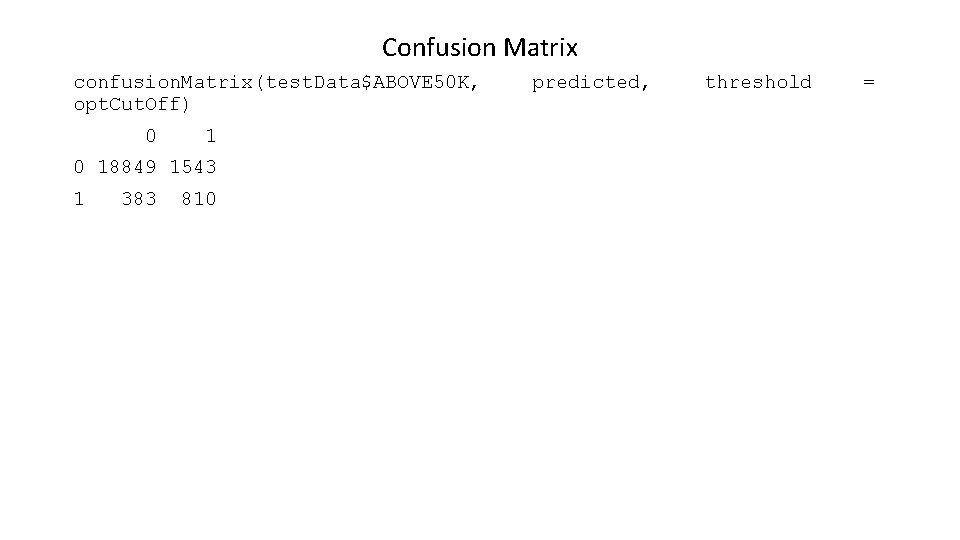
Confusion Matrix confusion. Matrix(test. Data$ABOVE 50 K, opt. Cut. Off) 0 18849 1543 1 383 810 predicted, threshold =
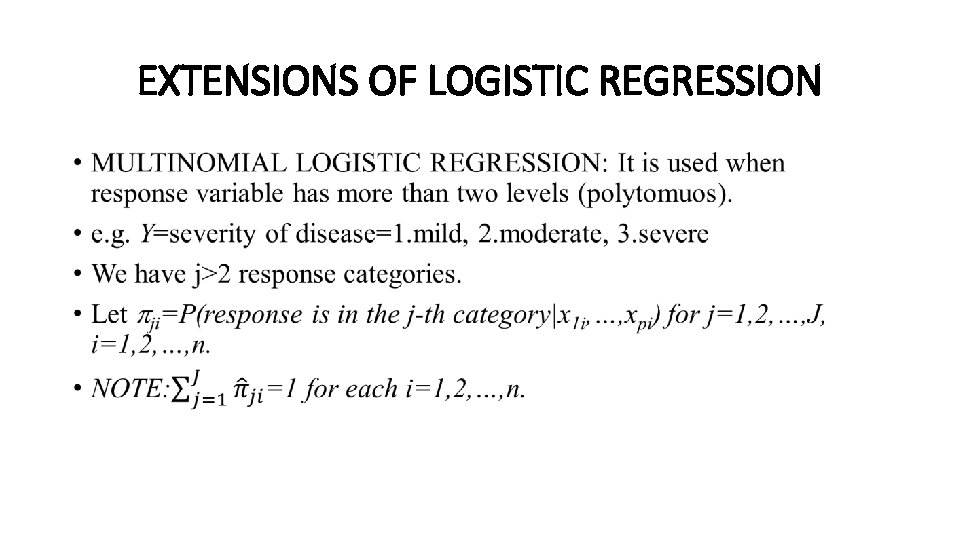
EXTENSIONS OF LOGISTIC REGRESSION •
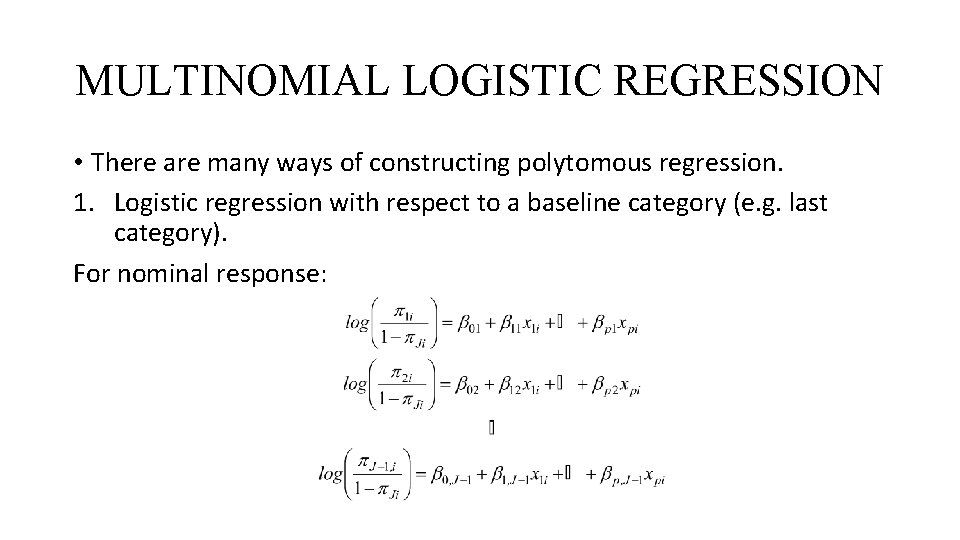
MULTINOMIAL LOGISTIC REGRESSION • There are many ways of constructing polytomous regression. 1. Logistic regression with respect to a baseline category (e. g. last category). For nominal response:
MULTINOMIAL LOGISTIC REGRESSION 2. Adjacent categories logits (for ordinal data):
MULTINOMIAL LOGISTIC REGRESSION 3. Cumulative logits for ordinal variables. 4. Continuation-ratio logits for ordinal variables. 5. Proportional odds model for ordinal variables. (See Agresti!)
Examples of ordered logistic regression (https: //stats. idre. ucla. edu/r/dae/ordinal-logistic-regression/ ) • Example 1: A marketing research firm wants to investigate what factors influence the size of soda (small, medium, large or extra large) that people order at a fast-food chain. These factors may include what type of sandwich is ordered (burger or chicken), whether or not fries are also ordered, and age of the consumer. While the outcome variable, size of soda, is obviously ordered, the difference between the various sizes is not consistent. The difference between small and medium is 10 ounces, between medium and large 8, and between large and extra large 12. • Example 2: A researcher is interested in what factors influence medaling in Olympic swimming. Relevant predictors include at training hours, diet, age, and popularity of swimming in the athlete’s home country. The researcher believes that the distance between gold and silver is larger than the distance between silver and bronze. • Example 3: A study looks at factors that influence the decision of whether to apply to graduate school. College juniors are asked if they are unlikely, somewhat likely, or very likely to apply to graduate school. Hence, our outcome variable has three categories. Data on parental educational status, whether the undergraduate institution is public or private, and current GPA is also collected. The researchers have reason to believe that the “distances” between these three points are not equal. For example, the “distance” between “unlikely” and “somewhat likely” may be shorter than the distance between “somewhat likely” and “very likely”.
ORDINAL LOGISTIC REGRESSION IN R • require(foreign) • require(ggplot 2) • require(MASS) • require(Hmisc) • require(reshape 2)
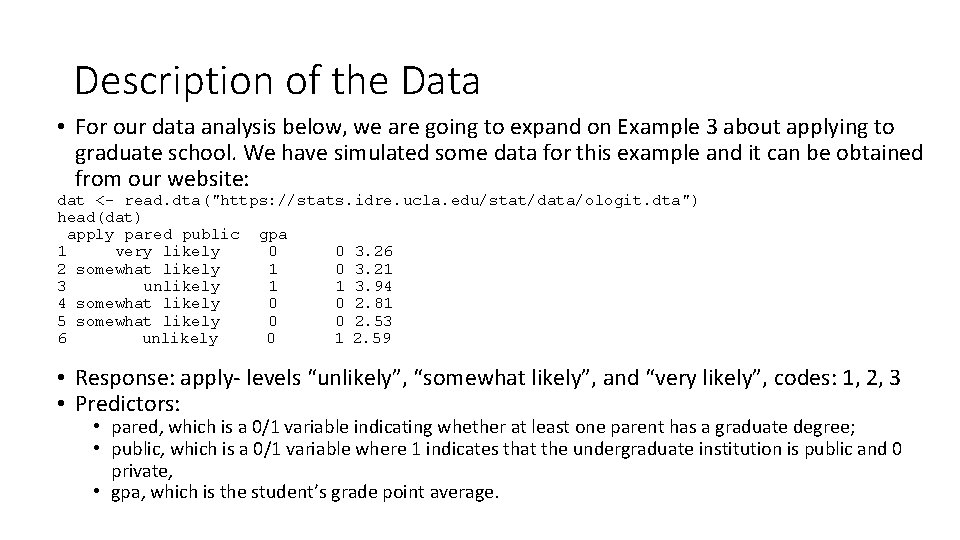
Description of the Data • For our data analysis below, we are going to expand on Example 3 about applying to graduate school. We have simulated some data for this example and it can be obtained from our website: dat <- read. dta("https: //stats. idre. ucla. edu/stat/data/ologit. dta") head(dat) apply pared public gpa 1 very likely 0 0 3. 26 2 somewhat likely 1 0 3. 21 3 unlikely 1 1 3. 94 4 somewhat likely 0 0 2. 81 5 somewhat likely 0 0 2. 53 6 unlikely 0 1 2. 59 • Response: apply- levels “unlikely”, “somewhat likely”, and “very likely”, codes: 1, 2, 3 • Predictors: • pared, which is a 0/1 variable indicating whether at least one parent has a graduate degree; • public, which is a 0/1 variable where 1 indicates that the undergraduate institution is public and 0 private, • gpa, which is the student’s grade point average.
## one at a time, table apply, pared, and public lapply(dat[, c("apply", "pared", "public")], table) $apply unlikely somewhat likely very likely 220 140 40 $pared 0 1 337 63 $public 0 1 343 57 ## three way cross tabs (xtabs) and flatten the table ftable(xtabs(~ public + apply + pared, data = dat)) pared 0 1 public apply 0 unlikely 175 14 somewhat likely 98 26 very likely 20 10 1 unlikely 25 6 somewhat likely 12 4 very likely 7 3
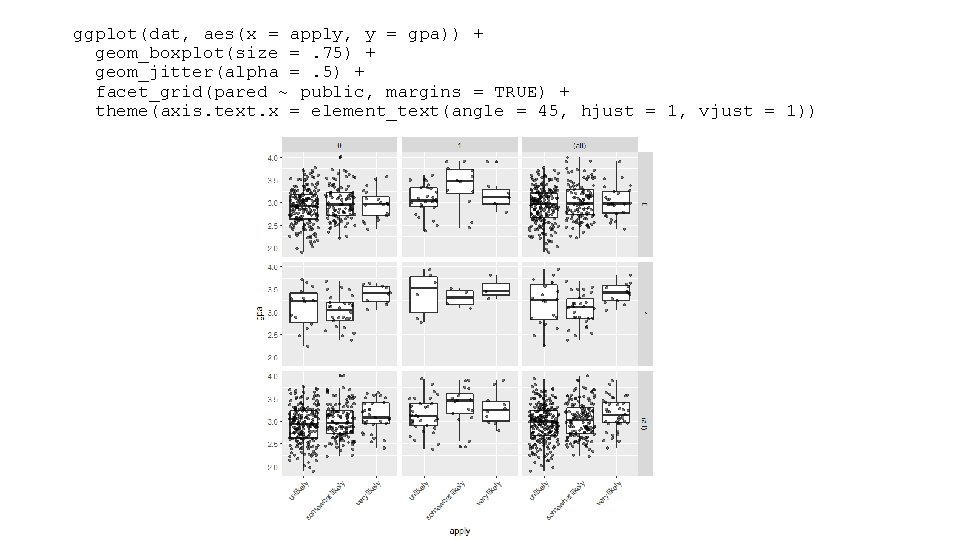
summary(dat$gpa) Min. 1 st Qu. Median 1. 900 2. 720 2. 990 sd(dat$gpa) [1] 0. 3979409 Mean 3 rd Qu. 2. 999 3. 270 Max. 4. 000 • Examine the distribution of gpa at every level of apply and broken down by public and pared. This creates a 2 x 2 grid with a boxplot of gpa for every level of apply, for particular values of pared and public. • To better see the data, we also add the raw data points on top of the box plots, with a small amount of noise (often called “jitter”) and 50% transparency so they do not overwhelm the boxplots. • Finally, in addition to the cells, we plot all of the marginal relationships. The margins make the final plot a 3 x 3 grid. In the lower right hand corner, is the overall relationship between apply and gpa which appears slightly positive. • To do this, we use the ggplot 2 package.
ggplot(dat, aes(x = apply, y = gpa)) + geom_boxplot(size =. 75) + geom_jitter(alpha =. 5) + facet_grid(pared ~ public, margins = TRUE) + theme(axis. text. x = element_text(angle = 45, hjust = 1, vjust = 1))
Ordered logistic regression • Below we use the polr command from the MASS package to estimate an ordered logistic regression model. The command name comes from proportional odds logistic regression, highlighting the proportional odds assumption in our model. • polr uses the standard formula interface in R for specifying a regression model with outcome followed by predictors. We also specify Hess=TRUE to have the model return the observed information matrix from optimization (called the Hessian) which is used to get standard errors.
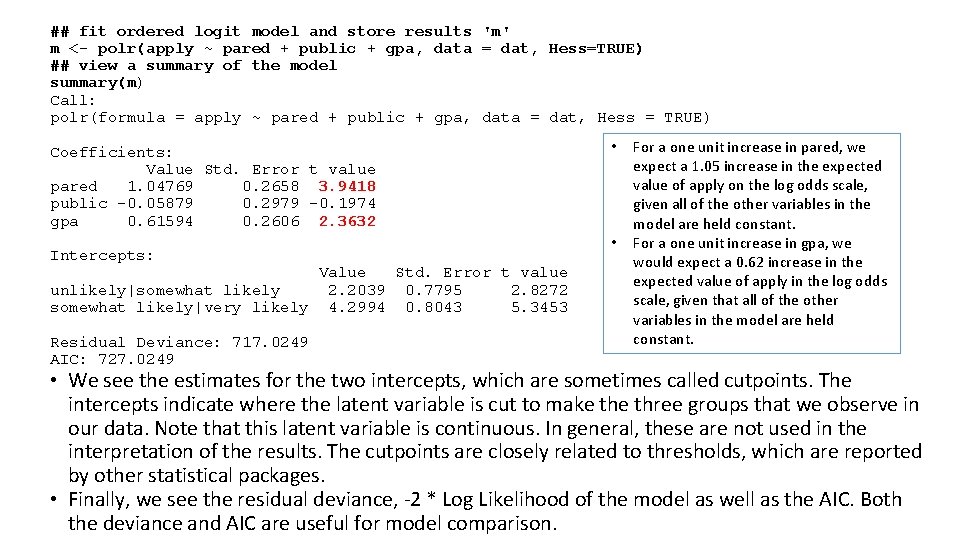
## fit ordered logit model and store results 'm' m <- polr(apply ~ pared + public + gpa, data = dat, Hess=TRUE) ## view a summary of the model summary(m) Call: polr(formula = apply ~ pared + public + gpa, data = dat, Hess = TRUE) Coefficients: Value Std. Error t value pared 1. 04769 0. 2658 3. 9418 public -0. 05879 0. 2979 -0. 1974 gpa 0. 61594 0. 2606 2. 3632 Intercepts: Value Std. Error t value unlikely|somewhat likely 2. 2039 0. 7795 2. 8272 somewhat likely|very likely 4. 2994 0. 8043 5. 3453 Residual Deviance: 717. 0249 AIC: 727. 0249 • • For a one unit increase in pared, we expect a 1. 05 increase in the expected value of apply on the log odds scale, given all of the other variables in the model are held constant. For a one unit increase in gpa, we would expect a 0. 62 increase in the expected value of apply in the log odds scale, given that all of the other variables in the model are held constant. • We see the estimates for the two intercepts, which are sometimes called cutpoints. The intercepts indicate where the latent variable is cut to make three groups that we observe in our data. Note that this latent variable is continuous. In general, these are not used in the interpretation of the results. The cutpoints are closely related to thresholds, which are reported by other statistical packages. • Finally, we see the residual deviance, -2 * Log Likelihood of the model as well as the AIC. Both the deviance and AIC are useful for model comparison.
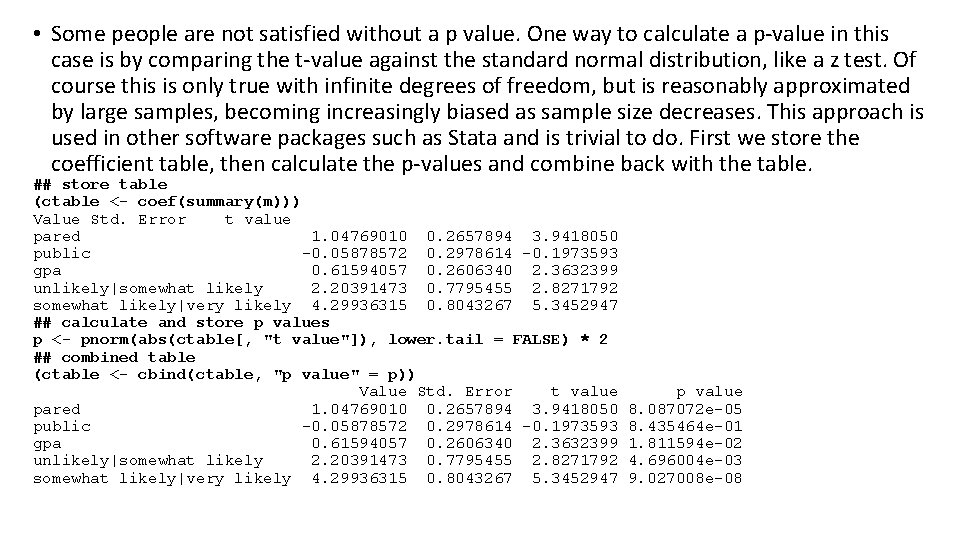
• Some people are not satisfied without a p value. One way to calculate a p-value in this case is by comparing the t-value against the standard normal distribution, like a z test. Of course this is only true with infinite degrees of freedom, but is reasonably approximated by large samples, becoming increasingly biased as sample size decreases. This approach is used in other software packages such as Stata and is trivial to do. First we store the coefficient table, then calculate the p-values and combine back with the table. ## store table (ctable <- coef(summary(m))) Value Std. Error t value pared 1. 04769010 0. 2657894 3. 9418050 public -0. 05878572 0. 2978614 -0. 1973593 gpa 0. 61594057 0. 2606340 2. 3632399 unlikely|somewhat likely 2. 20391473 0. 7795455 2. 8271792 somewhat likely|very likely 4. 29936315 0. 8043267 5. 3452947 ## calculate and store p values p <- pnorm(abs(ctable[, "t value"]), lower. tail = FALSE) * 2 ## combined table (ctable <- cbind(ctable, "p value" = p)) Value Std. Error t value pared 1. 04769010 0. 2657894 3. 9418050 public -0. 05878572 0. 2978614 -0. 1973593 gpa 0. 61594057 0. 2606340 2. 3632399 unlikely|somewhat likely 2. 20391473 0. 7795455 2. 8271792 somewhat likely|very likely 4. 29936315 0. 8043267 5. 3452947 p value 8. 087072 e-05 8. 435464 e-01 1. 811594 e-02 4. 696004 e-03 9. 027008 e-08
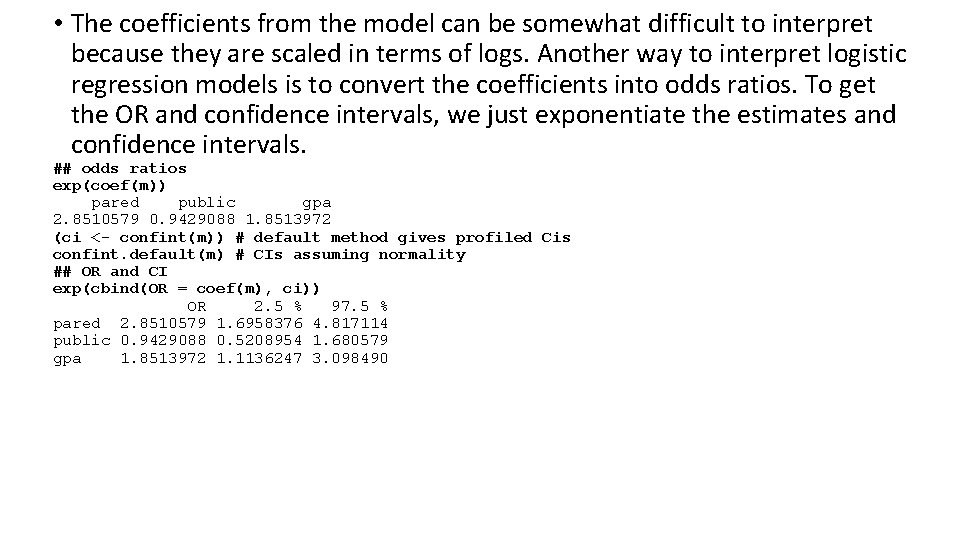
• The coefficients from the model can be somewhat difficult to interpret because they are scaled in terms of logs. Another way to interpret logistic regression models is to convert the coefficients into odds ratios. To get the OR and confidence intervals, we just exponentiate the estimates and confidence intervals. ## odds ratios exp(coef(m)) pared public gpa 2. 8510579 0. 9429088 1. 8513972 (ci <- confint(m)) # default method gives profiled Cis confint. default(m) # CIs assuming normality ## OR and CI exp(cbind(OR = coef(m), ci)) OR 2. 5 % 97. 5 % pared 2. 8510579 1. 6958376 4. 817114 public 0. 9429088 0. 5208954 1. 680579 gpa 1. 8513972 1. 1136247 3. 098490
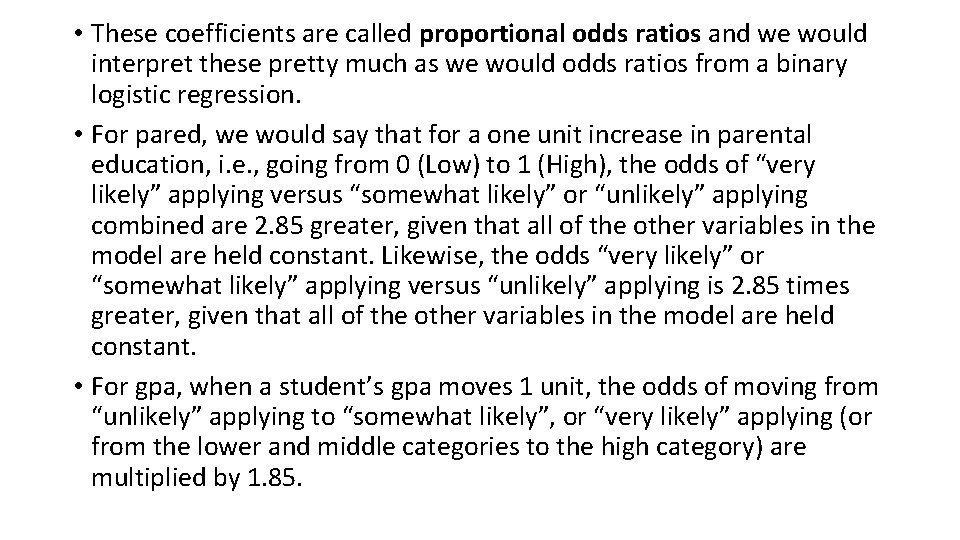
• These coefficients are called proportional odds ratios and we would interpret these pretty much as we would odds ratios from a binary logistic regression. • For pared, we would say that for a one unit increase in parental education, i. e. , going from 0 (Low) to 1 (High), the odds of “very likely” applying versus “somewhat likely” or “unlikely” applying combined are 2. 85 greater, given that all of the other variables in the model are held constant. Likewise, the odds “very likely” or “somewhat likely” applying versus “unlikely” applying is 2. 85 times greater, given that all of the other variables in the model are held constant. • For gpa, when a student’s gpa moves 1 unit, the odds of moving from “unlikely” applying to “somewhat likely”, or “very likely” applying (or from the lower and middle categories to the high category) are multiplied by 1. 85.
• One of the assumptions underlying ordinal logistic (and ordinal probit) regression is that the relationship between each pair of outcome groups is the same. In other words, ordinal logistic regression assumes that the coefficients that describe the relationship between, say, the lowest versus all higher categories of the response variable are the same as those that describe the relationship between the next lowest category and all higher categories, etc. This is called the proportional odds assumption or the parallel regression assumption.