
Introduction to C Programming Khalid Jamal Welcome How
- Slides: 70
Introduction to ‘C’ Programming Khalid Jamal
Welcome • How to solve problems using computer. • Every discipline uses computing: science, engineering, arts and commerce. • No prior experience to programming is needed.
Process of Programming Define and model the problem. In real life this is complex: Railway reservation system Here, we define all the problems i. e. simple and precise.
Process of Programming Obtain a logical solution to your problem A logical solution is a finite and clear step-by-step procedure to solve your problem. Also called an algorithm. We can visualise this with the help of flow chart Very important step in the programming process.
Algorithms in Ordinary Life Familiar Concept is almost like: cooking recipe (step by step guide to make dishes) – not quite precise for a computer algorithm Any step by step guide: like DIY kit
History of C Designed by Dennis Ritchie in 1972 at AT & T Bell’s Laboratories Structured and middle level Programming Language Evolved from B – BCPL (Basic Combined Programming Language)
Why Should We Learn C Easy to learn Better to go with structural rather than directly jumping on Object Oreinted Structure based Languages like C++, Java
More About C Focus on functions and operations performed on data Reliable and portable Need a compiler : gcc – gnu c compiler, turboc File ends with. c extension
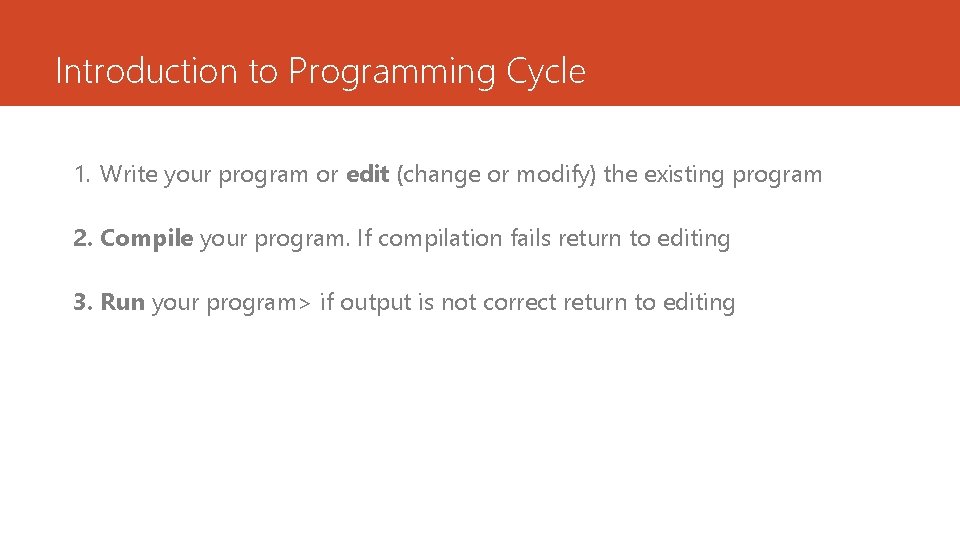
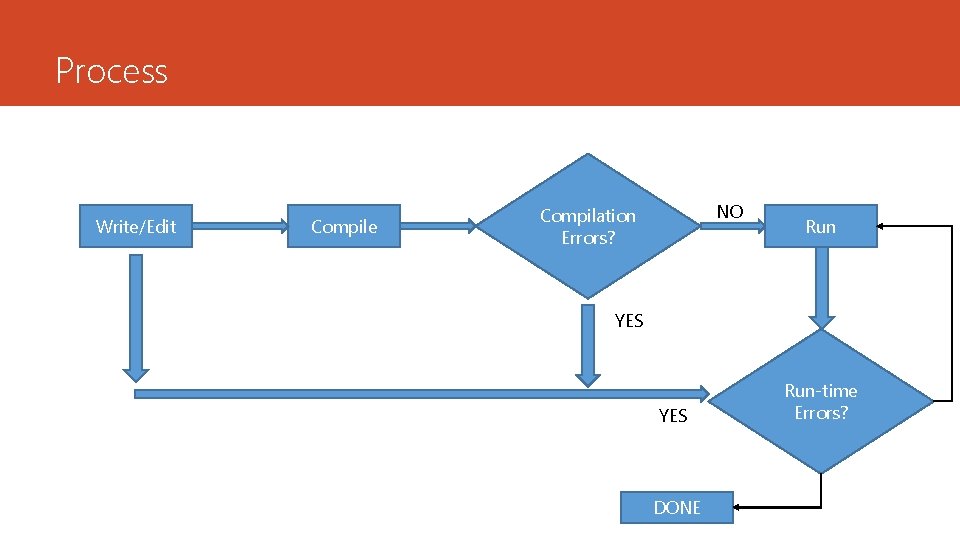
Introduction to Programming Cycle 1. Write your program or edit (change or modify) the existing program 2. Compile your program. If compilation fails return to editing 3. Run your program> if output is not correct return to editing
Process Write/Edit Compile NO Compilation Errors? Run YES DONE Run-time Errors?
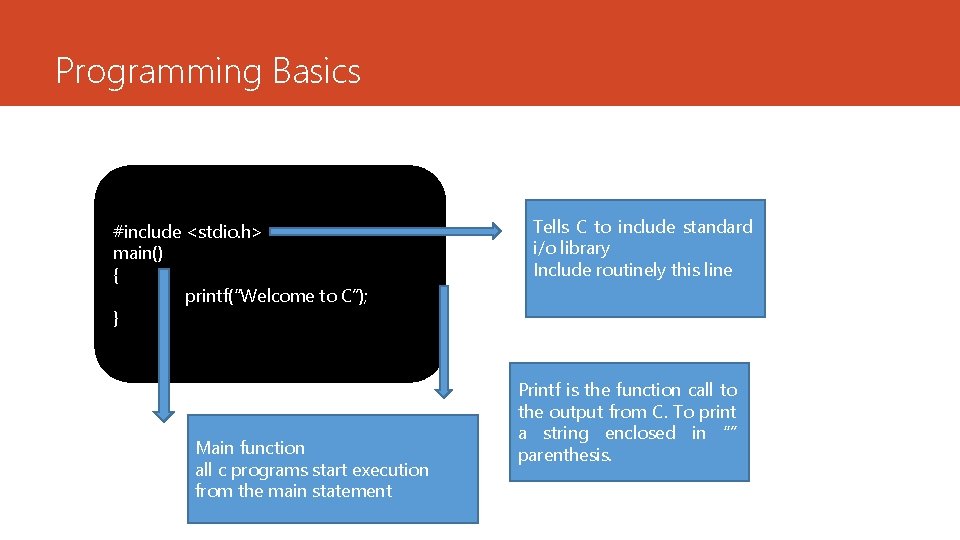
Programming Basics #include <stdio. h> main() { printf(“Welcome to C”); } Main function all c programs start execution from the main statement Tells C to include standard i/o library Include routinely this line Printf is the function call to the output from C. To print a string enclosed in “” parenthesis.
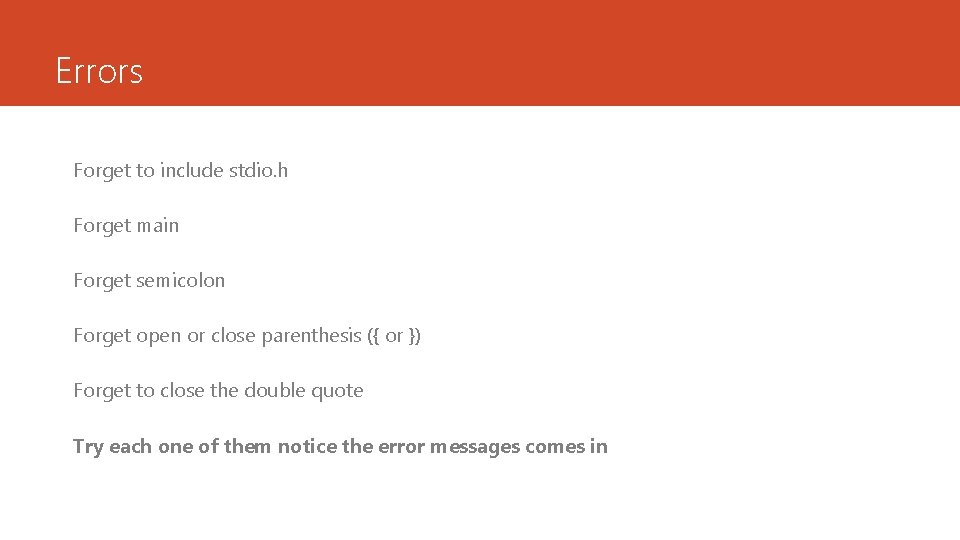
Errors Forget to include stdio. h Forget main Forget semicolon Forget open or close parenthesis ({ or }) Forget to close the double quote Try each one of them notice the error messages comes in
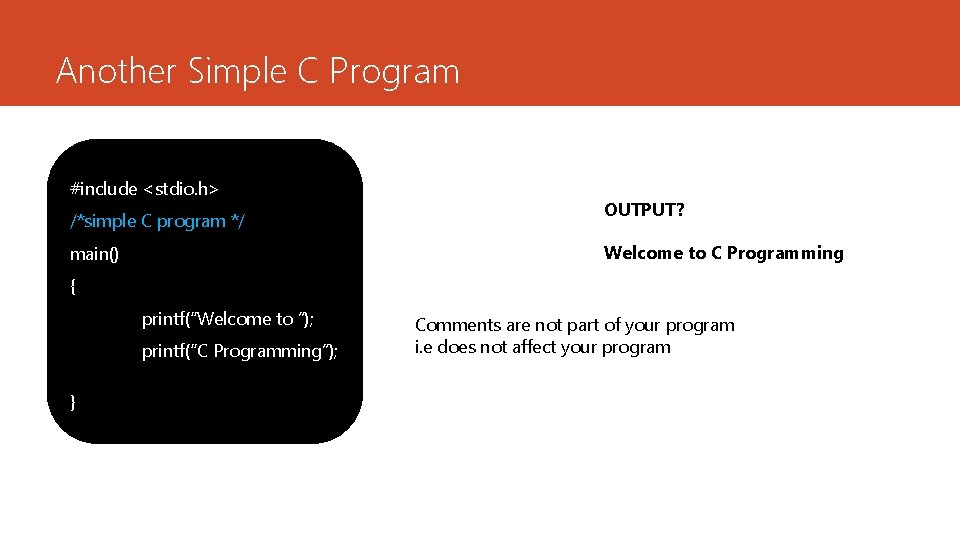
Another Simple C Program #include <stdio. h> /*simple C program */ OUTPUT? Welcome to C Programming main() { printf(“Welcome to ”); printf(“C Programming”); } Comments are not part of your program i. e does not affect your program
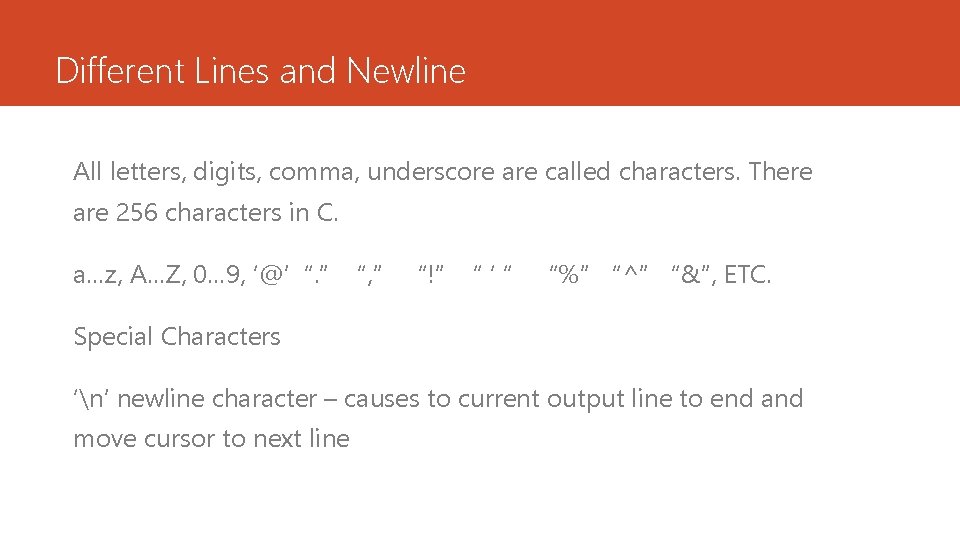
Different Lines and Newline All letters, digits, comma, underscore are called characters. There are 256 characters in C. a…z, A…Z, 0… 9, ‘@’ “. ” “, ” “!” “‘“ “%” “^” “&”, ETC. Special Characters ‘n’ newline character – causes to current output line to end and move cursor to next line
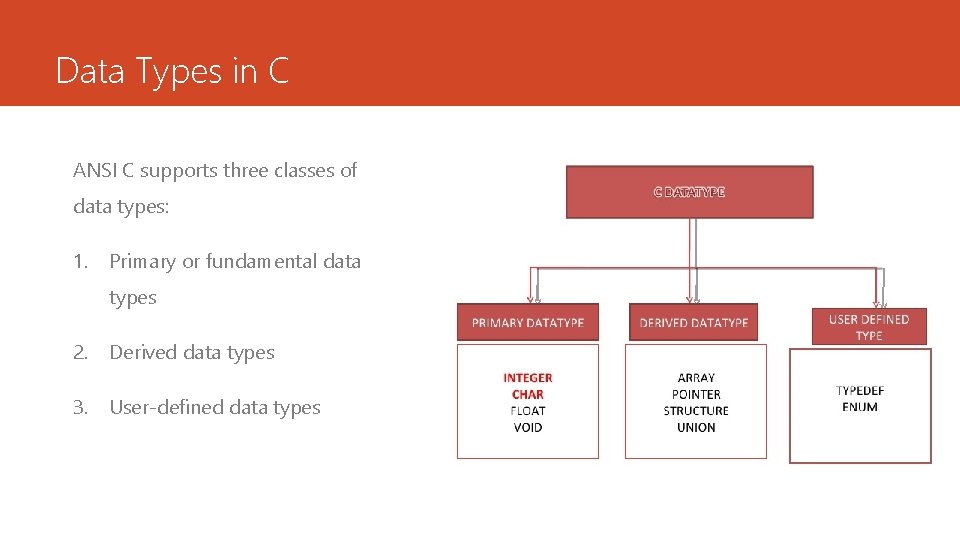
Data Types in C ANSI C supports three classes of data types: 1. Primary or fundamental data types 2. Derived data types 3. User-defined data types
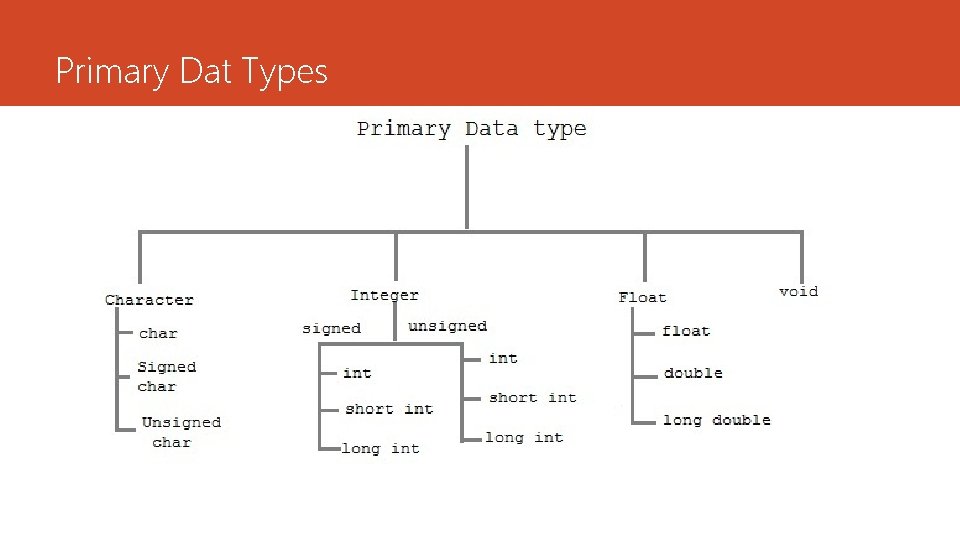
Primary Dat Types
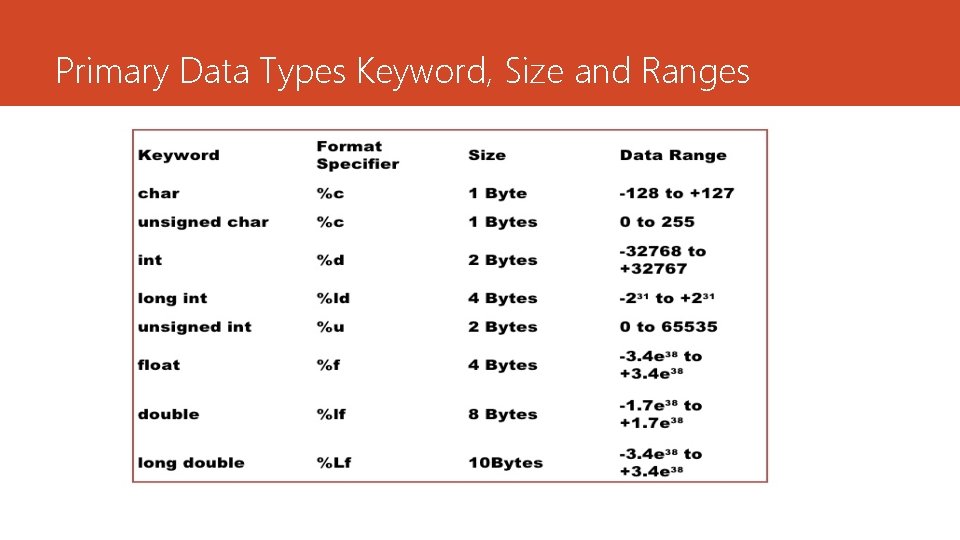
Primary Data Types Keyword, Size and Ranges
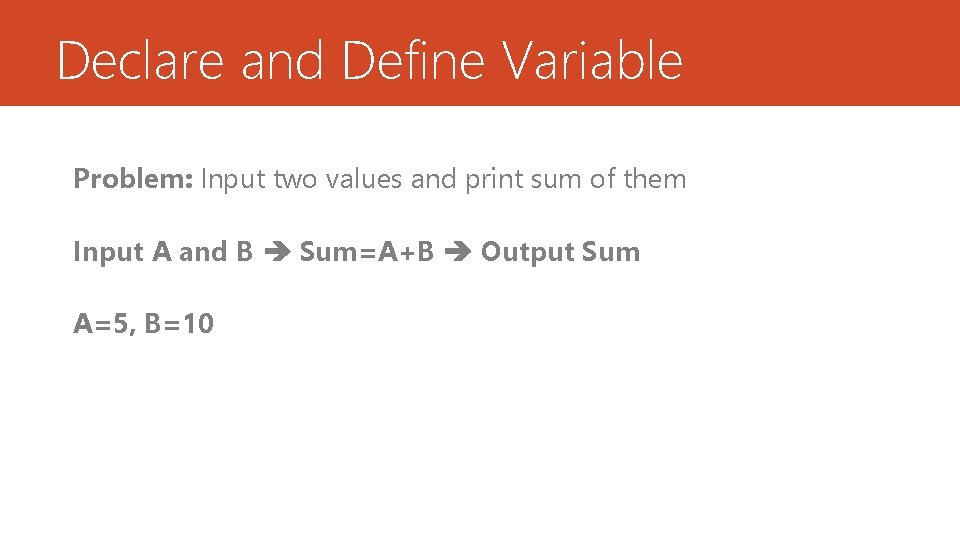
Declare and Define Variable Problem: Input two values and print sum of them Input A and B Sum=A+B Output Sum A=5, B=10
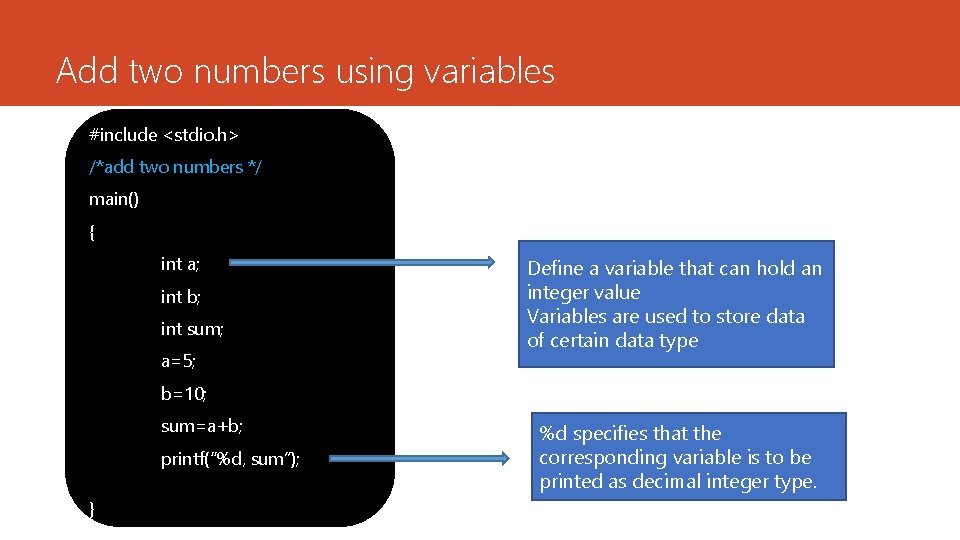
Add two numbers using variables #include <stdio. h> /*add two numbers */ main() { int a; int b; int sum; a=5; Define a variable that can hold an integer value Variables are used to store data of certain data type b=10; sum=a+b; printf(“%d, sum”); } %d specifies that the corresponding variable is to be printed as decimal integer type.
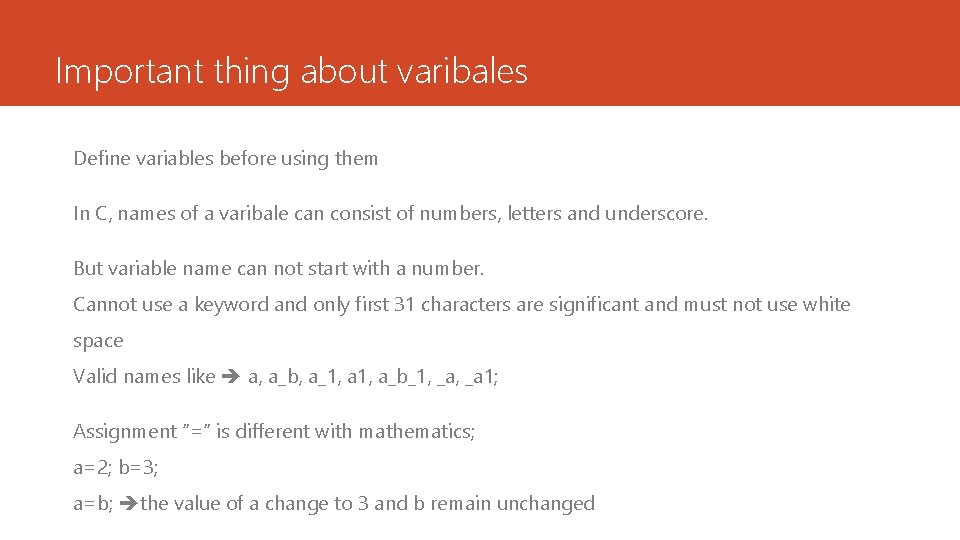
Important thing about varibales Define variables before using them In C, names of a varibale can consist of numbers, letters and underscore. But variable name can not start with a number. Cannot use a keyword and only first 31 characters are significant and must not use white space Valid names like a, a_b, a_1, a_b_1, _a 1; Assignment “=“ is different with mathematics; a=2; b=3; a=b; the value of a change to 3 and b remain unchanged
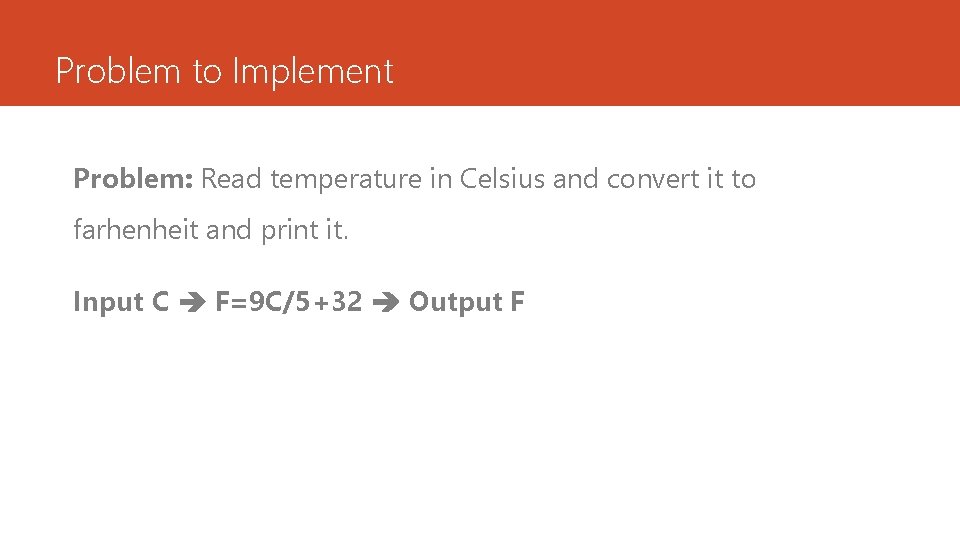
Problem to Implement Problem: Read temperature in Celsius and convert it to farhenheit and print it. Input C F=9 C/5+32 Output F
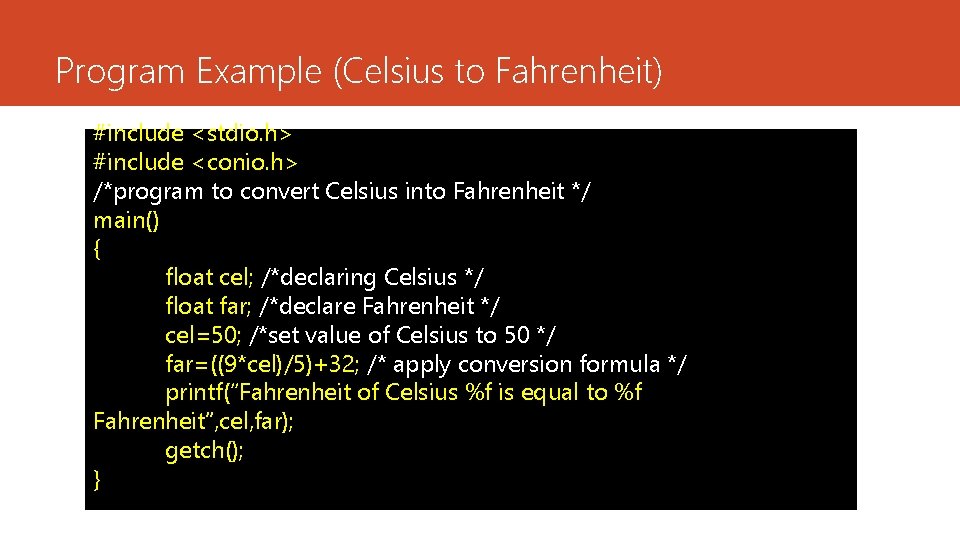
Program Example (Celsius to Fahrenheit) #include <stdio. h> #include <conio. h> /*program to convert Celsius into Fahrenheit */ main() { float cel; /*declaring Celsius */ float far; /*declare Fahrenheit */ cel=50; /*set value of Celsius to 50 */ far=((9*cel)/5)+32; /* apply conversion formula */ printf(“Fahrenheit of Celsius %f is equal to %f Fahrenheit”, cel, far); getch(); }
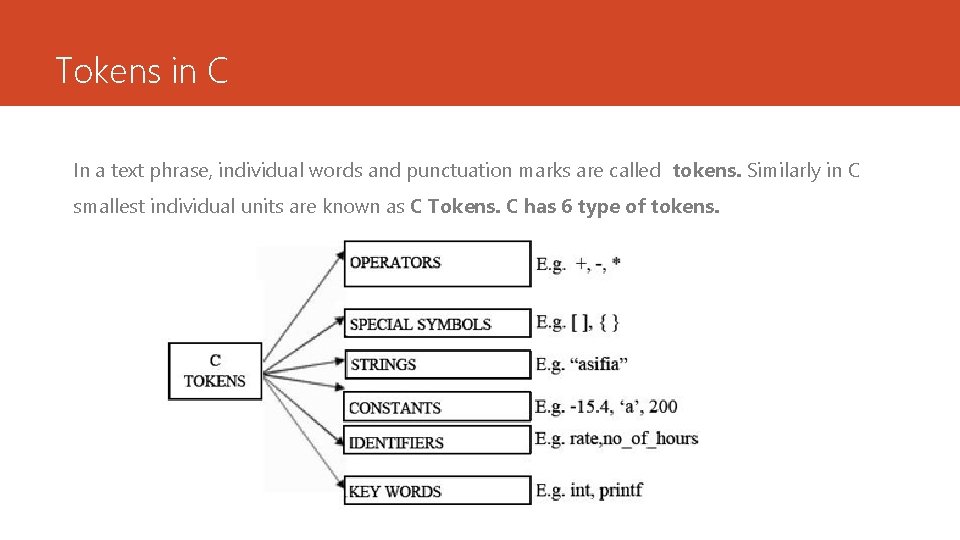
Tokens in C In a text phrase, individual words and punctuation marks are called tokens. Similarly in C smallest individual units are known as C Tokens. C has 6 type of tokens.
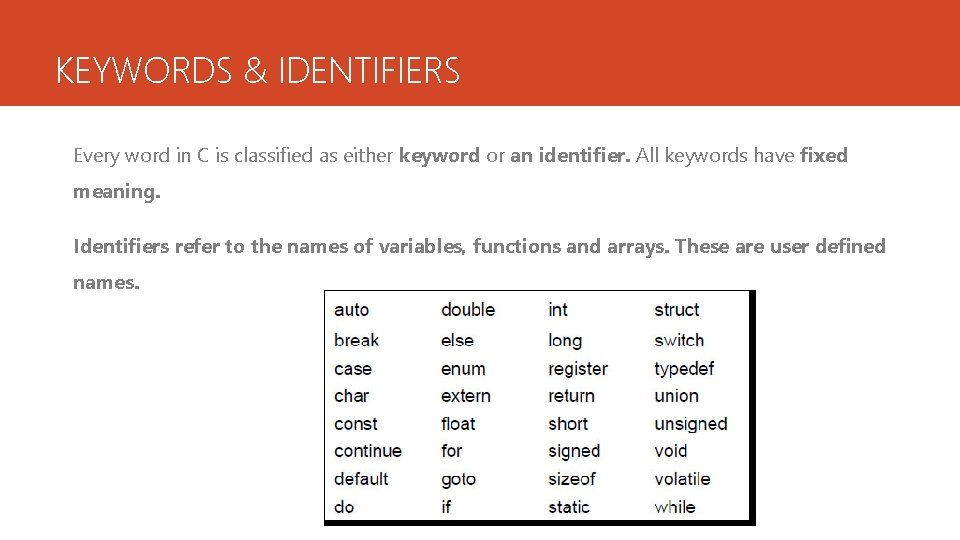
KEYWORDS & IDENTIFIERS Every word in C is classified as either keyword or an identifier. All keywords have fixed meaning. Identifiers refer to the names of variables, functions and arrays. These are user defined names.
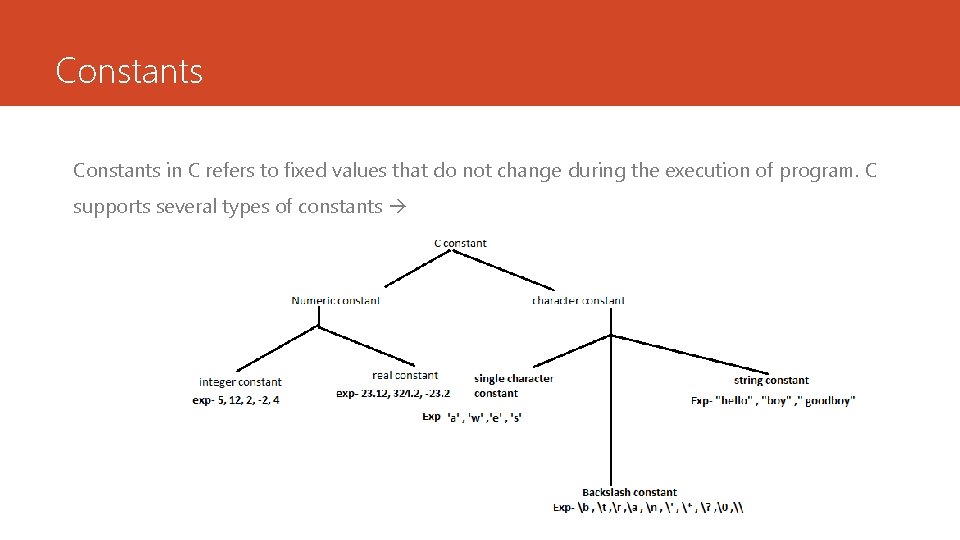
Constants in C refers to fixed values that do not change during the execution of program. C supports several types of constants
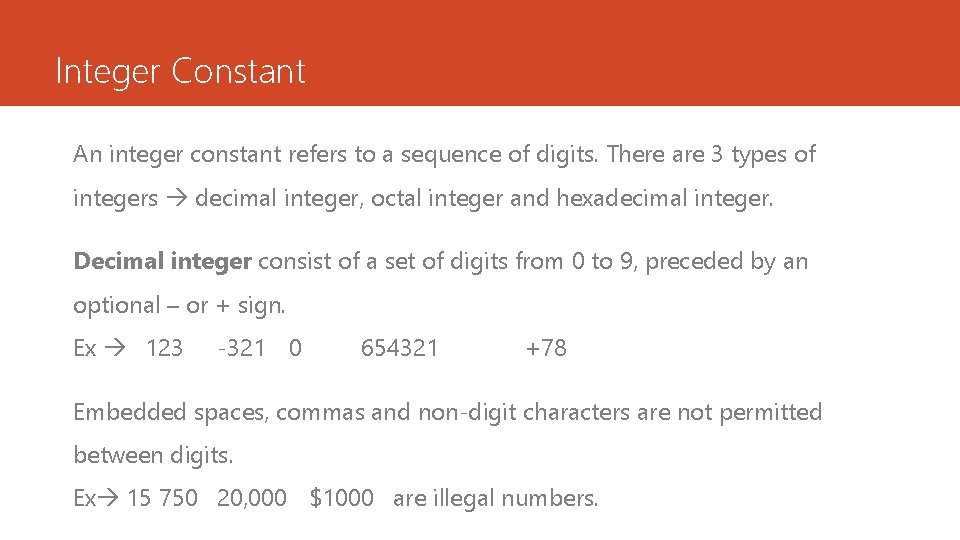
Integer Constant An integer constant refers to a sequence of digits. There are 3 types of integers decimal integer, octal integer and hexadecimal integer. Decimal integer consist of a set of digits from 0 to 9, preceded by an optional – or + sign. Ex 123 -321 0 654321 +78 Embedded spaces, commas and non-digit characters are not permitted between digits. Ex 15 750 20, 000 $1000 are illegal numbers.
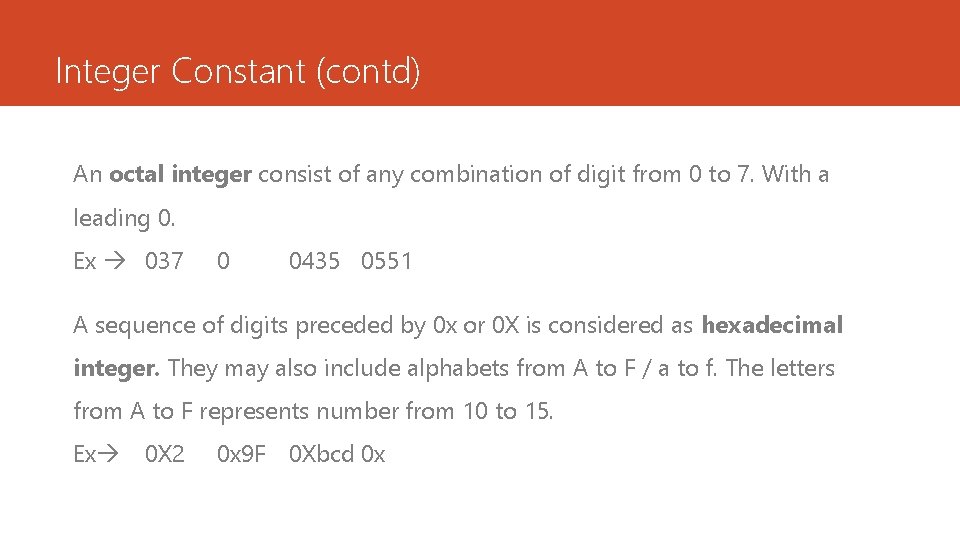
Integer Constant (contd) An octal integer consist of any combination of digit from 0 to 7. With a leading 0. Ex 037 0 0435 0551 A sequence of digits preceded by 0 x or 0 X is considered as hexadecimal integer. They may also include alphabets from A to F / a to f. The letters from A to F represents number from 10 to 15. Ex 0 X 2 0 x 9 F 0 Xbcd 0 x
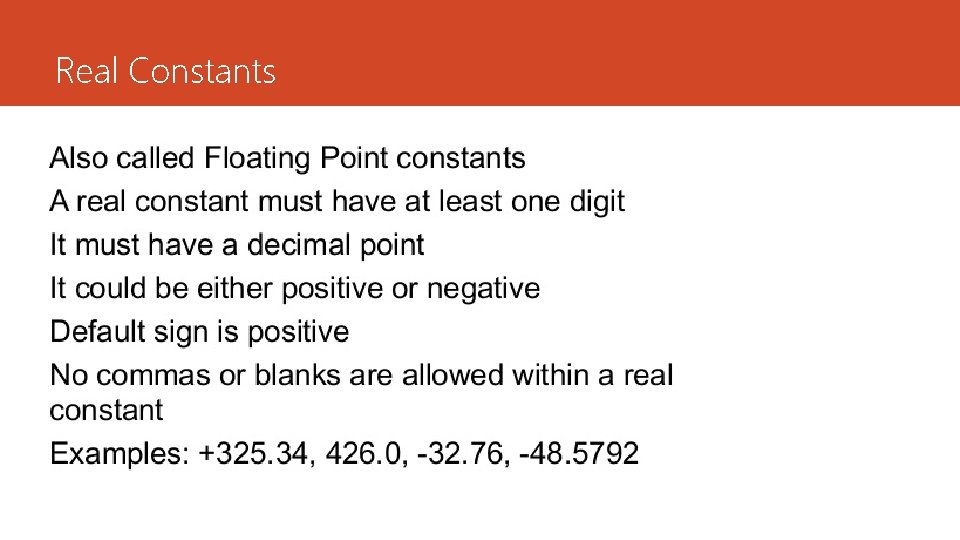
Real Constants
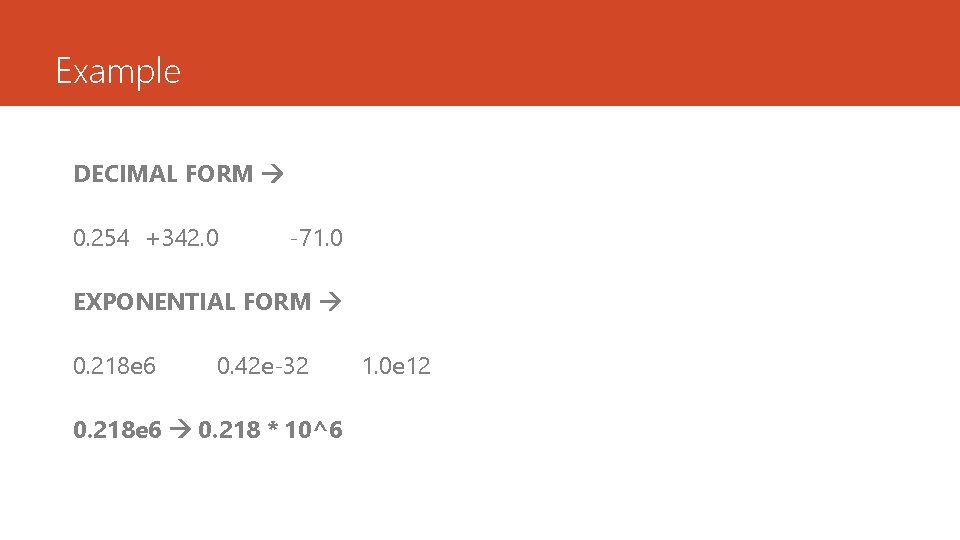
Example DECIMAL FORM 0. 254 +342. 0 -71. 0 EXPONENTIAL FORM 0. 218 e 6 0. 42 e-32 0. 218 e 6 0. 218 * 10^6 1. 0 e 12
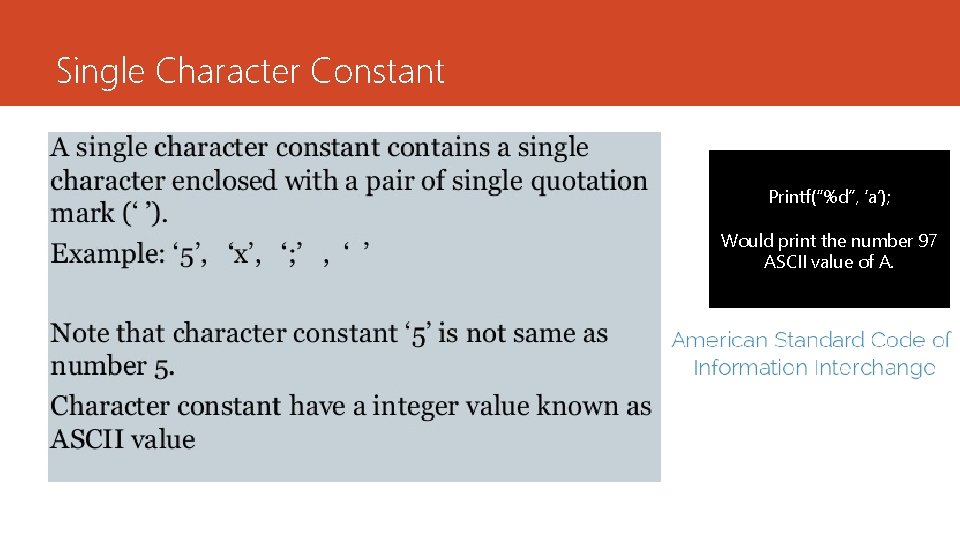
Single Character Constant Printf(“%d”, ‘a’); Would print the number 97 ASCII value of A.
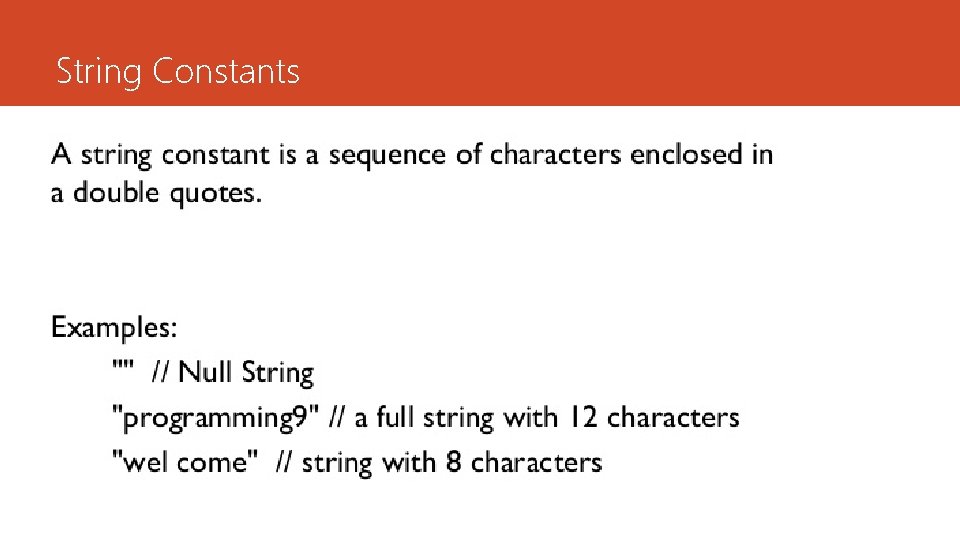
String Constants
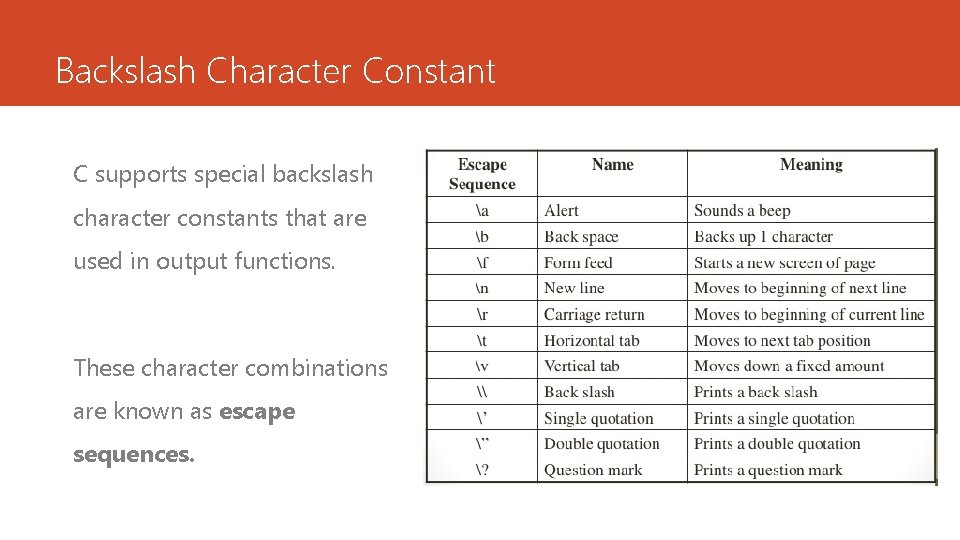
Backslash Character Constant C supports special backslash character constants that are used in output functions. These character combinations are known as escape sequences.
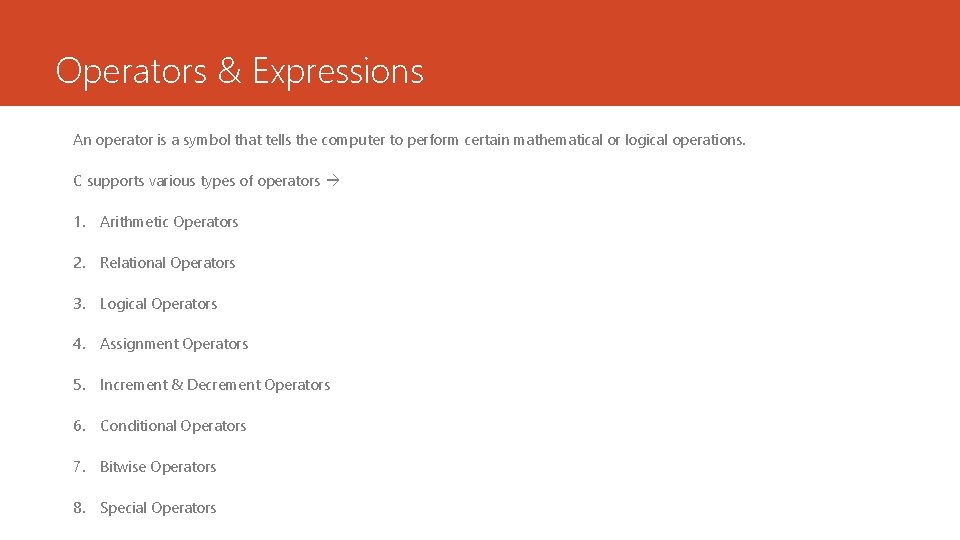
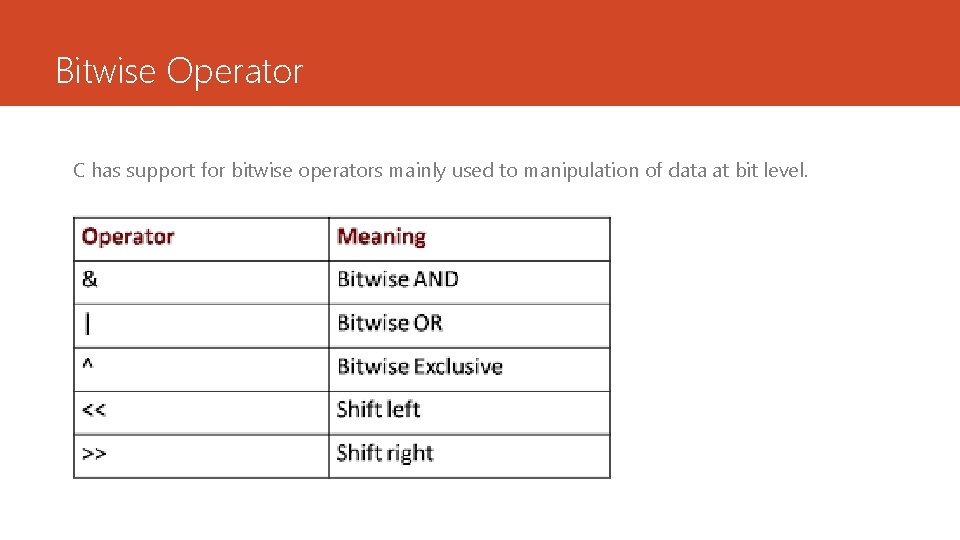
Operators & Expressions An operator is a symbol that tells the computer to perform certain mathematical or logical operations. C supports various types of operators 1. Arithmetic Operators 2. Relational Operators 3. Logical Operators 4. Assignment Operators 5. Increment & Decrement Operators 6. Conditional Operators 7. Bitwise Operators 8. Special Operators
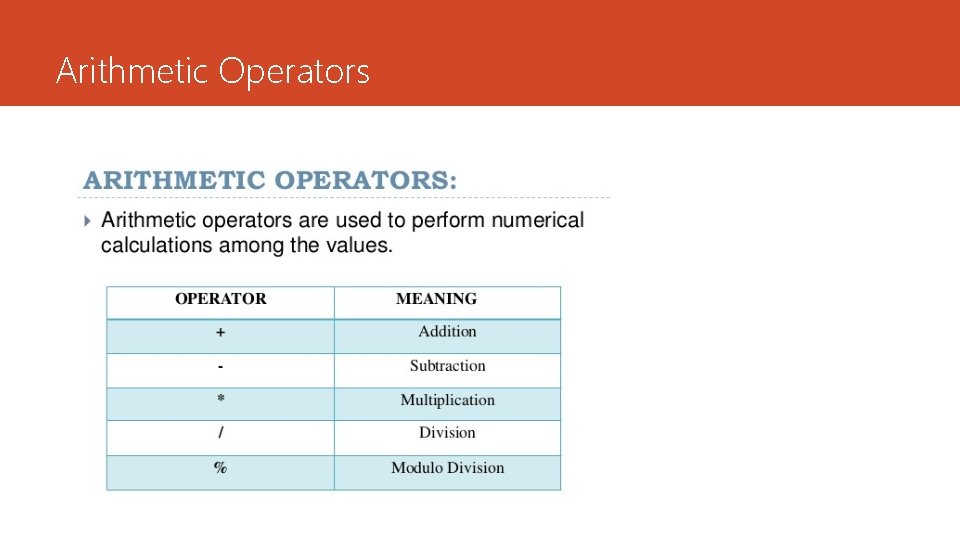
Arithmetic Operators
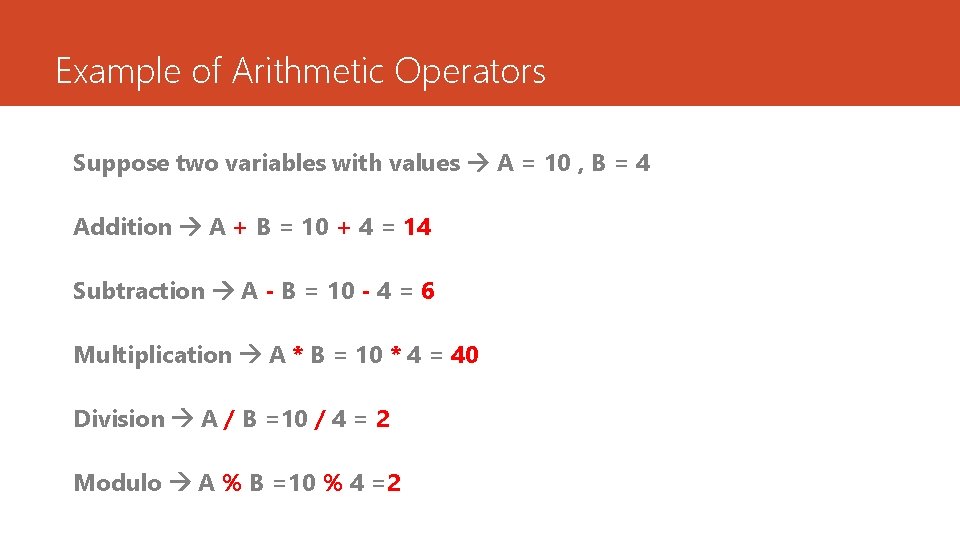
Example of Arithmetic Operators Suppose two variables with values A = 10 , B = 4 Addition A + B = 10 + 4 = 14 Subtraction A - B = 10 - 4 = 6 Multiplication A * B = 10 * 4 = 40 Division A / B =10 / 4 = 2 Modulo A % B =10 % 4 =2
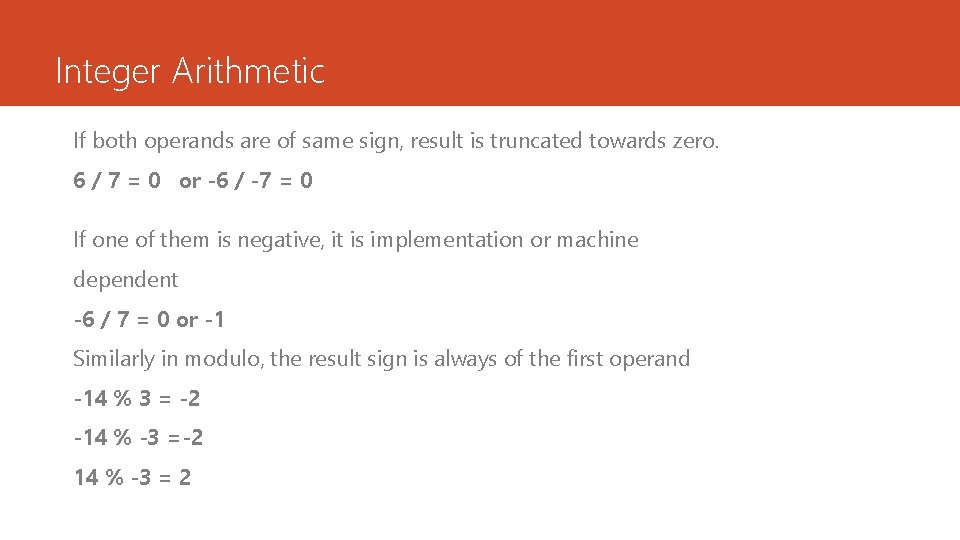
Integer Arithmetic If both operands are of same sign, result is truncated towards zero. 6 / 7 = 0 or -6 / -7 = 0 If one of them is negative, it is implementation or machine dependent -6 / 7 = 0 or -1 Similarly in modulo, the result sign is always of the first operand -14 % 3 = -2 -14 % -3 =-2 14 % -3 = 2
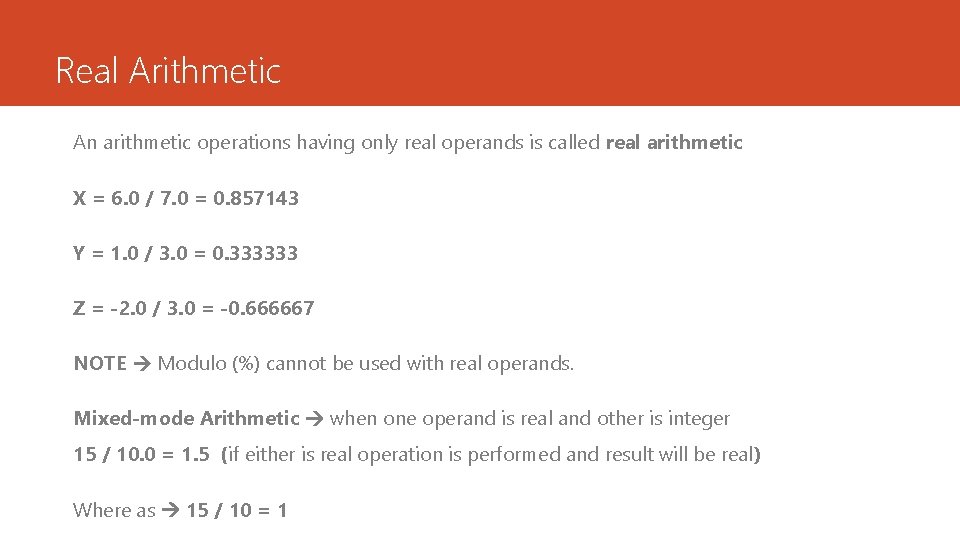
Real Arithmetic An arithmetic operations having only real operands is called real arithmetic X = 6. 0 / 7. 0 = 0. 857143 Y = 1. 0 / 3. 0 = 0. 333333 Z = -2. 0 / 3. 0 = -0. 666667 NOTE Modulo (%) cannot be used with real operands. Mixed-mode Arithmetic when one operand is real and other is integer 15 / 10. 0 = 1. 5 (if either is real operation is performed and result will be real) Where as 15 / 10 = 1
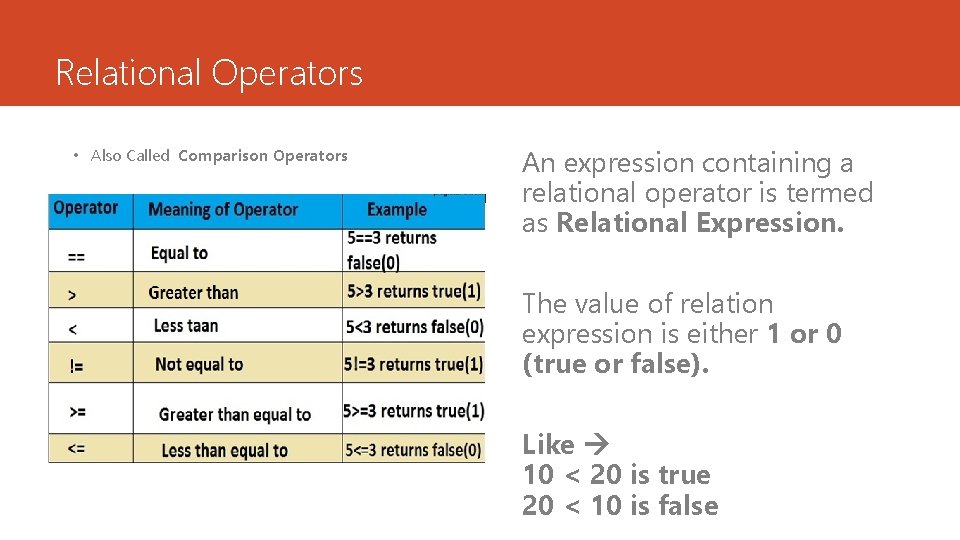
Relational Operators • Also Called Comparison Operators An expression containing a relational operator is termed as Relational Expression. The value of relation expression is either 1 or 0 (true or false). Like 10 < 20 is true 20 < 10 is false
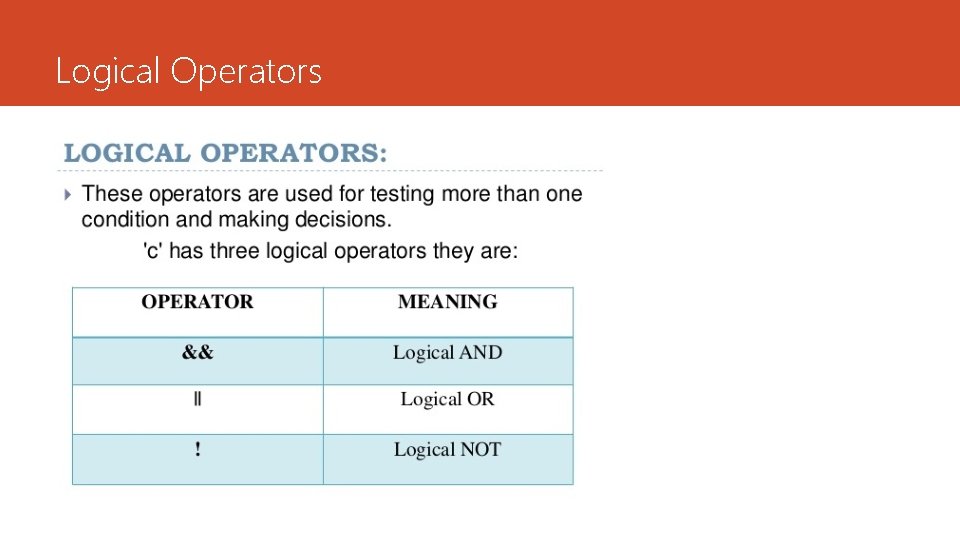
Logical Operators
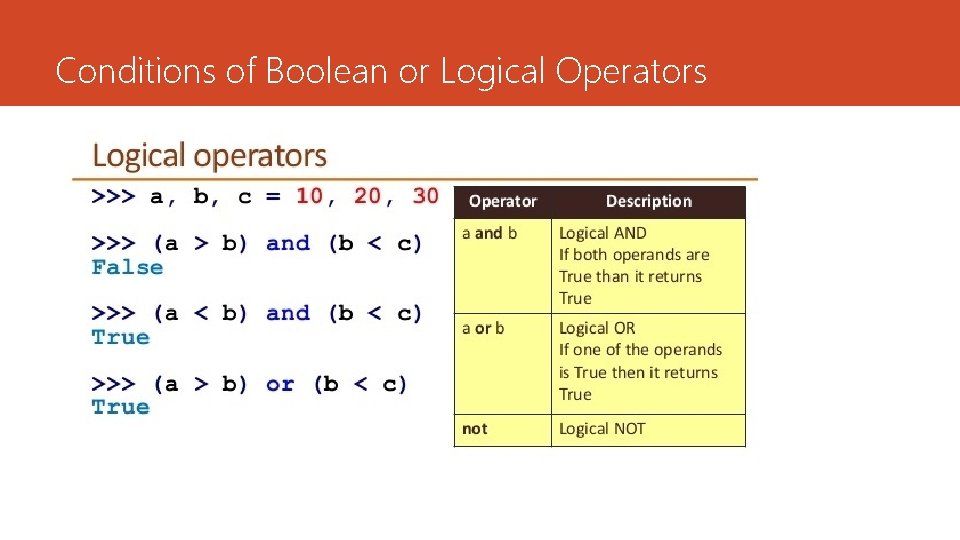
Conditions of Boolean or Logical Operators
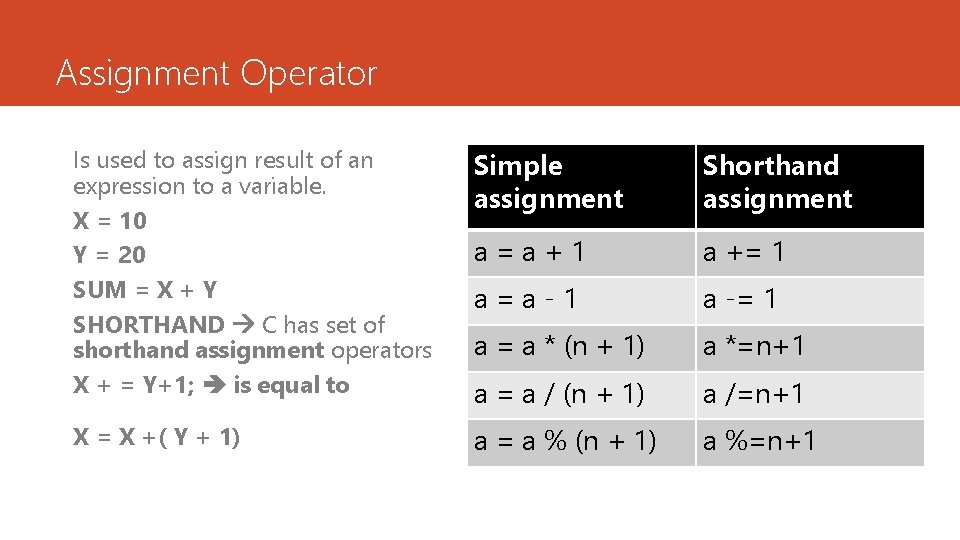
Assignment Operator Is used to assign result of an expression to a variable. X = 10 Y = 20 SUM = X + Y SHORTHAND C has set of shorthand assignment operators X + = Y+1; is equal to Simple assignment Shorthand assignment a=a+1 a += 1 a=a-1 a -= 1 a = a * (n + 1) a *=n+1 a = a / (n + 1) a /=n+1 X = X +( Y + 1) a = a % (n + 1) a %=n+1
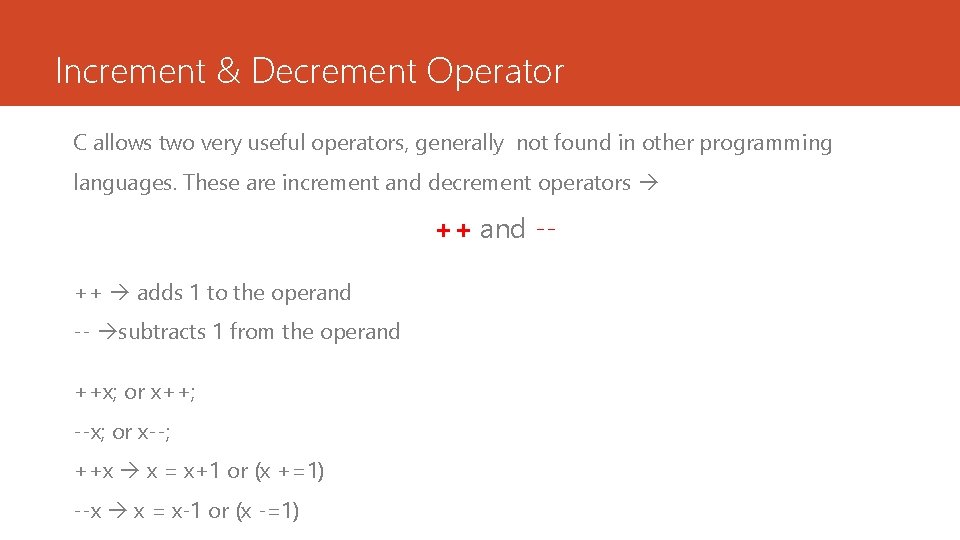
Increment & Decrement Operator C allows two very useful operators, generally not found in other programming languages. These are increment and decrement operators ++ and -++ adds 1 to the operand -- subtracts 1 from the operand ++x; or x++; --x; or x--; ++x x = x+1 or (x +=1) --x x = x-1 or (x -=1)
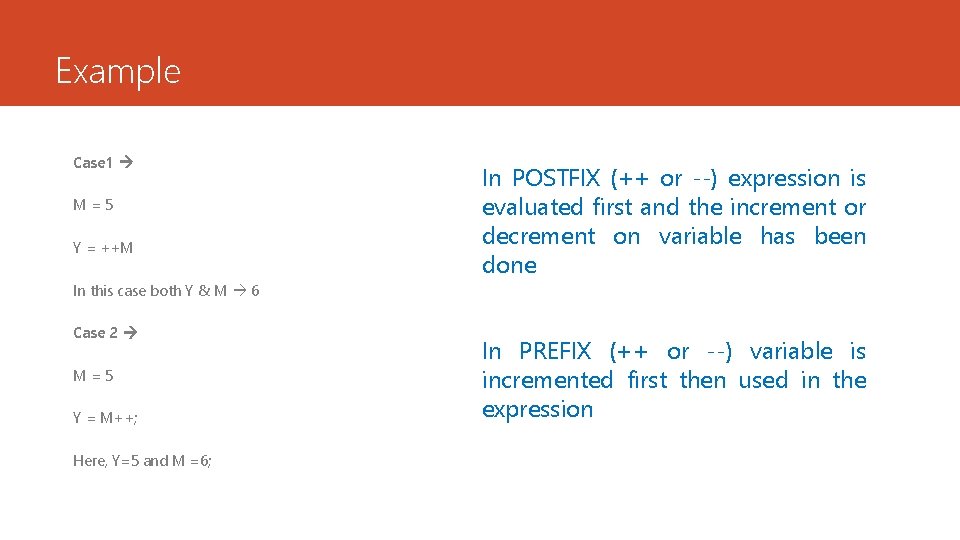
Example Case 1 M=5 Y = ++M In POSTFIX (++ or --) expression is evaluated first and the increment or decrement on variable has been done In this case both Y & M 6 Case 2 M=5 Y = M++; Here, Y=5 and M =6; In PREFIX (++ or --) variable is incremented first then used in the expression
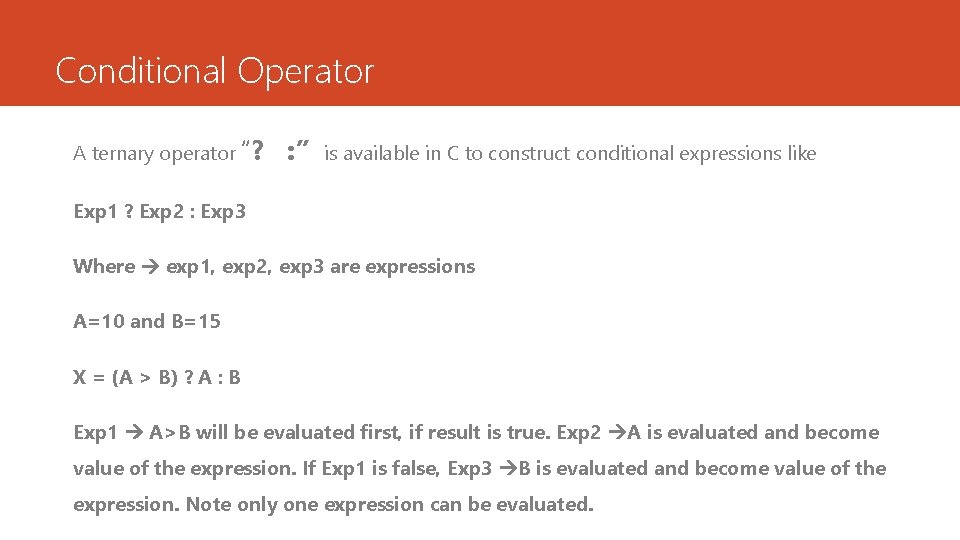
Conditional Operator A ternary operator “? : ” is available in C to construct conditional expressions like Exp 1 ? Exp 2 : Exp 3 Where exp 1, exp 2, exp 3 are expressions A=10 and B=15 X = (A > B) ? A : B Exp 1 A>B will be evaluated first, if result is true. Exp 2 A is evaluated and become value of the expression. If Exp 1 is false, Exp 3 B is evaluated and become value of the expression. Note only one expression can be evaluated.
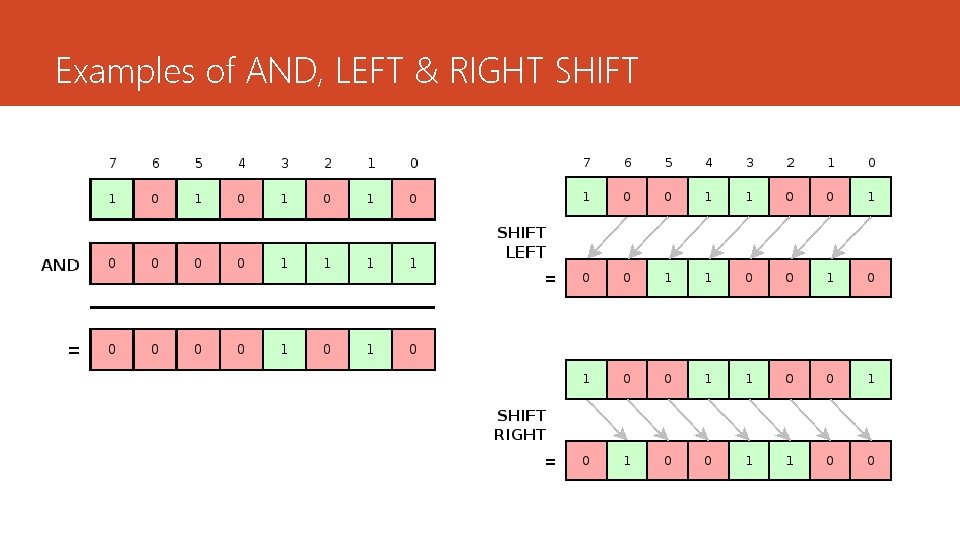
Bitwise Operator C has support for bitwise operators mainly used to manipulation of data at bit level.
Examples of AND, LEFT & RIGHT SHIFT
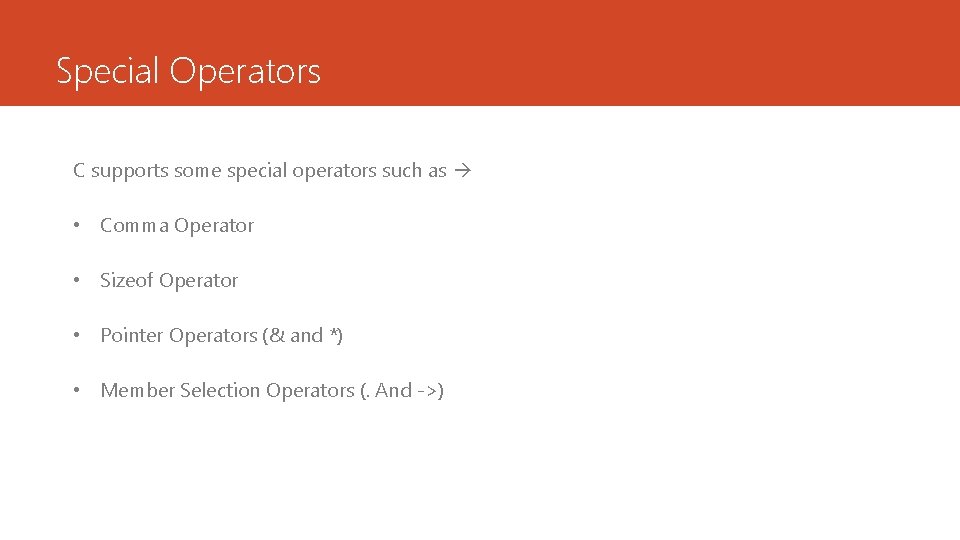
Special Operators C supports some special operators such as • Comma Operator • Sizeof Operator • Pointer Operators (& and *) • Member Selection Operators (. And ->)
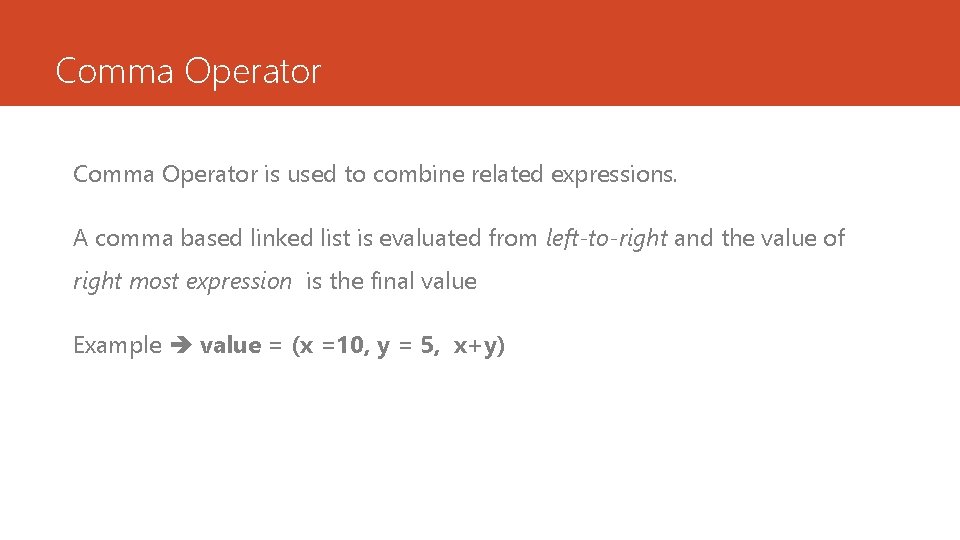
Comma Operator is used to combine related expressions. A comma based linked list is evaluated from left-to-right and the value of right most expression is the final value Example value = (x =10, y = 5, x+y)
Sizeof Operator The sizeof is a compile time operator and when used with an operand (variable, constant, data type) returns the number of bytes the operand occupies. Examples X = sizeof(int); Y = sizeof(float); Z = sizeof(sum);
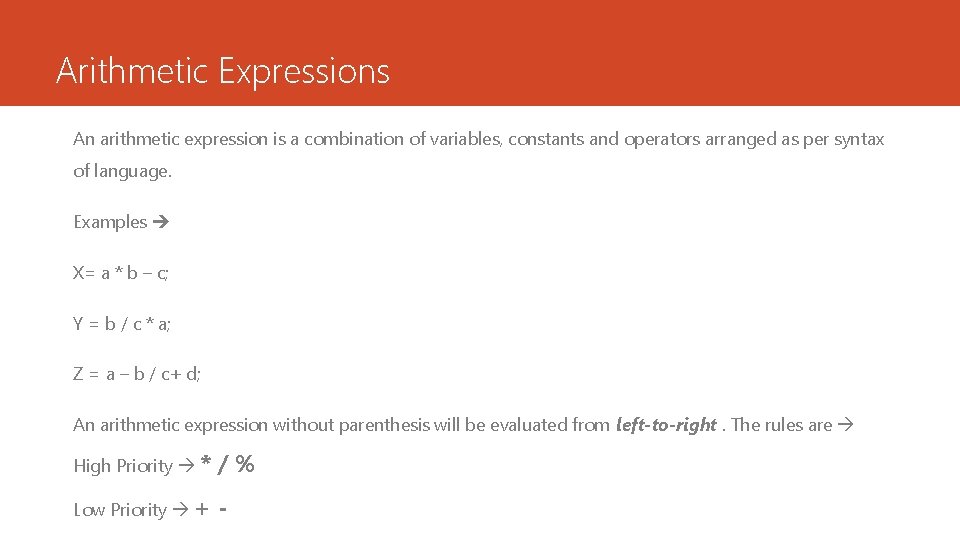
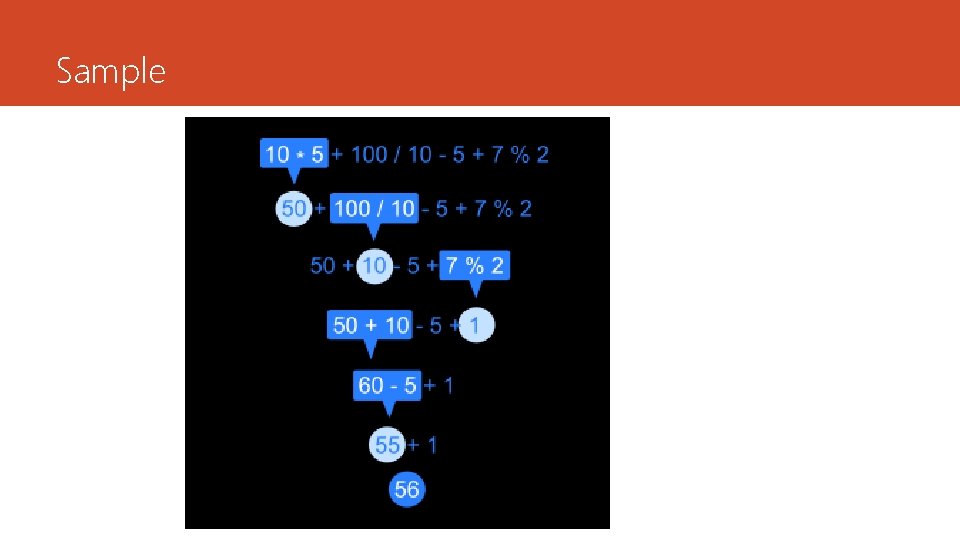
Arithmetic Expressions An arithmetic expression is a combination of variables, constants and operators arranged as per syntax of language. Examples X= a * b – c; Y = b / c * a; Z = a – b / c+ d; An arithmetic expression without parenthesis will be evaluated from left-to-right. The rules are High Priority * /% Low Priority + -
Sample
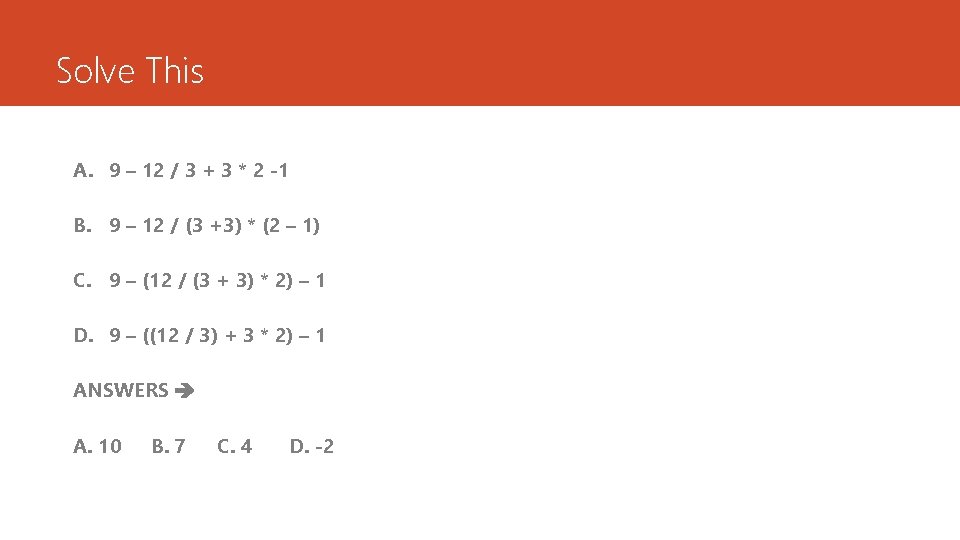
Solve This A. 9 – 12 / 3 + 3 * 2 -1 B. 9 – 12 / (3 +3) * (2 – 1) C. 9 – (12 / (3 + 3) * 2) – 1 D. 9 – ((12 / 3) + 3 * 2) – 1 ANSWERS A. 10 B. 7 C. 4 D. -2
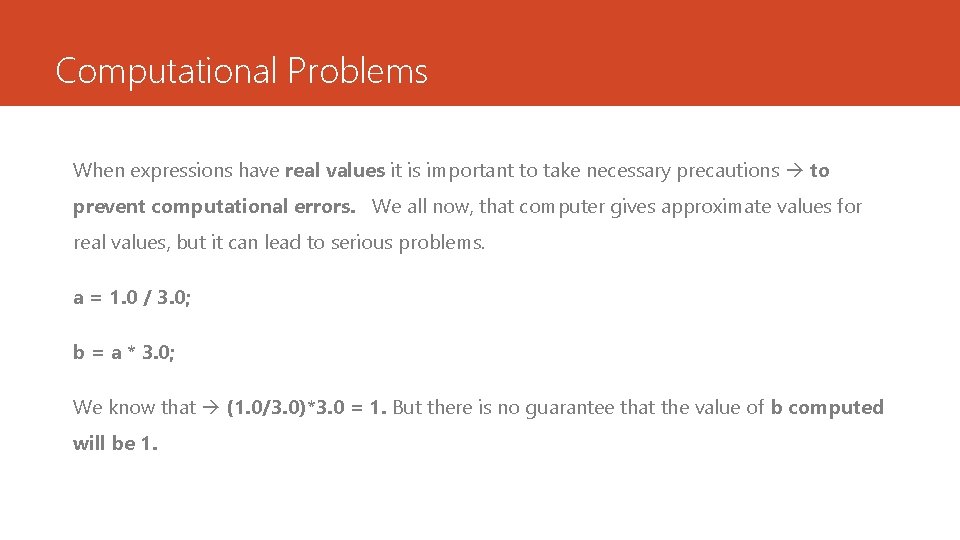
Computational Problems When expressions have real values it is important to take necessary precautions to prevent computational errors. We all now, that computer gives approximate values for real values, but it can lead to serious problems. a = 1. 0 / 3. 0; b = a * 3. 0; We know that (1. 0/3. 0)*3. 0 = 1. But there is no guarantee that the value of b computed will be 1.
Some other problems Another problem is division by ZERO. On most computers, any attempt to divide a number by zero will result in abnormal termination of the program. In some case it may produce meaningless result. Care should be taken to test the denominator and avoid any division by zero. The third problem is to avoid overflow or underflow errors. the results may not produce any overflow or underflow.
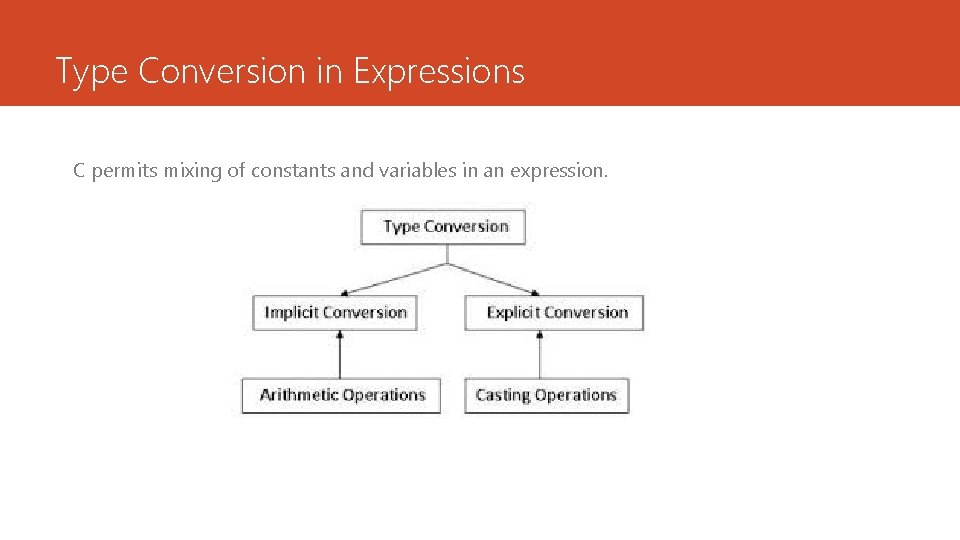
Type Conversion in Expressions C permits mixing of constants and variables in an expression.
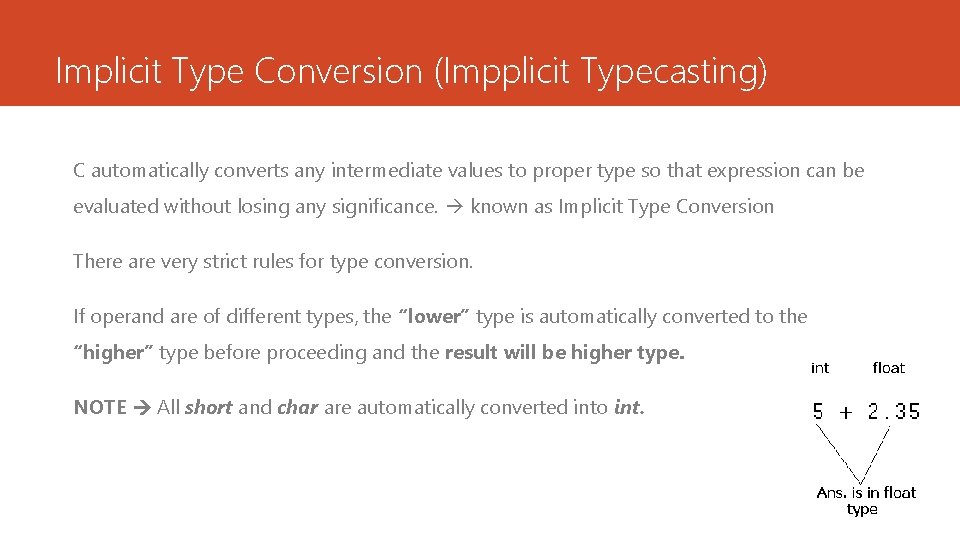
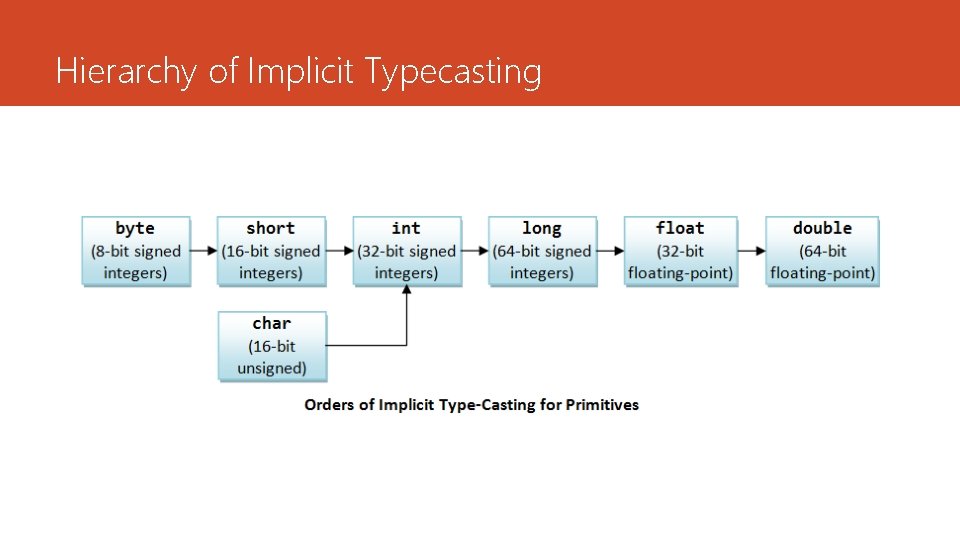
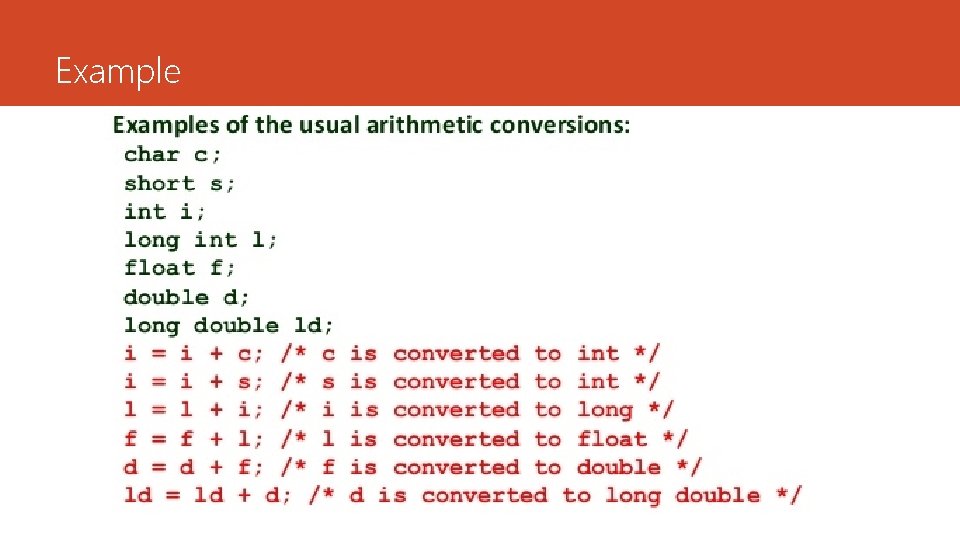
Implicit Type Conversion (Impplicit Typecasting) C automatically converts any intermediate values to proper type so that expression can be evaluated without losing any significance. known as Implicit Type Conversion There are very strict rules for type conversion. If operand are of different types, the “lower” type is automatically converted to the “higher” type before proceeding and the result will be higher type. NOTE All short and char are automatically converted into int.
Hierarchy of Implicit Typecasting
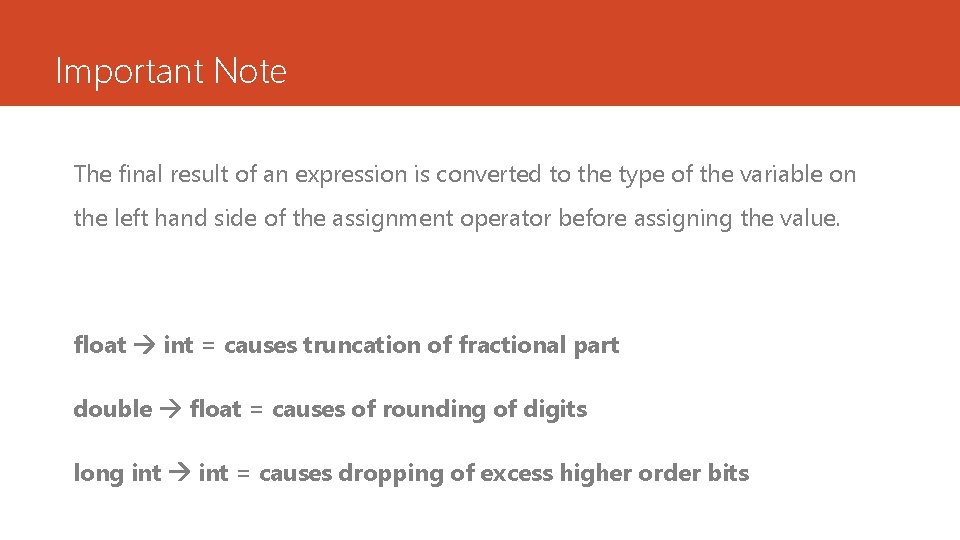
Important Note The final result of an expression is converted to the type of the variable on the left hand side of the assignment operator before assigning the value. float int = causes truncation of fractional part double float = causes of rounding of digits long int = causes dropping of excess higher order bits
Example
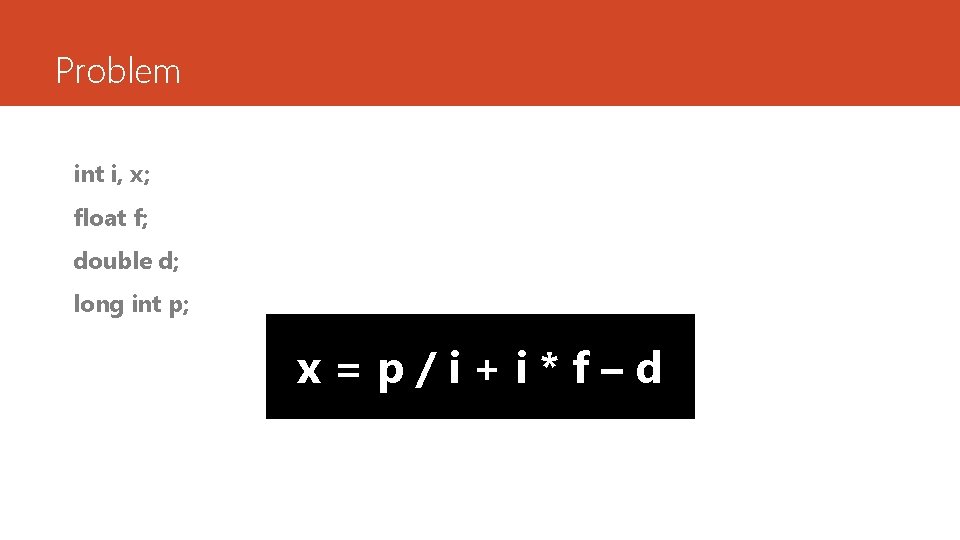
Problem int i, x; float f; double d; long int p; x=p/i+i*f–d
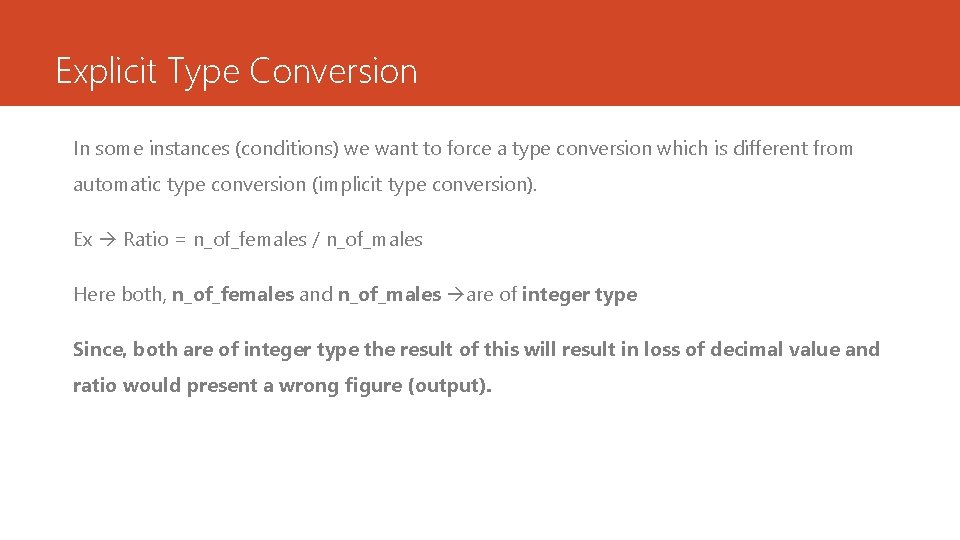
Explicit Type Conversion In some instances (conditions) we want to force a type conversion which is different from automatic type conversion (implicit type conversion). Ex Ratio = n_of_females / n_of_males Here both, n_of_females and n_of_males are of integer type Since, both are of integer type the result of this will result in loss of decimal value and ratio would present a wrong figure (output).
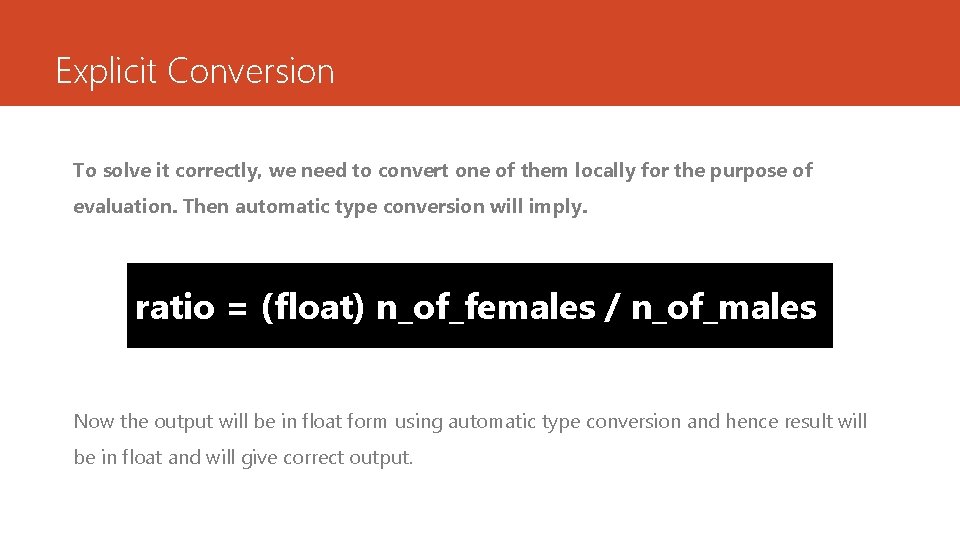
Explicit Conversion To solve it correctly, we need to convert one of them locally for the purpose of evaluation. Then automatic type conversion will imply. ratio = (float) n_of_females / n_of_males Now the output will be in float form using automatic type conversion and hence result will be in float and will give correct output.
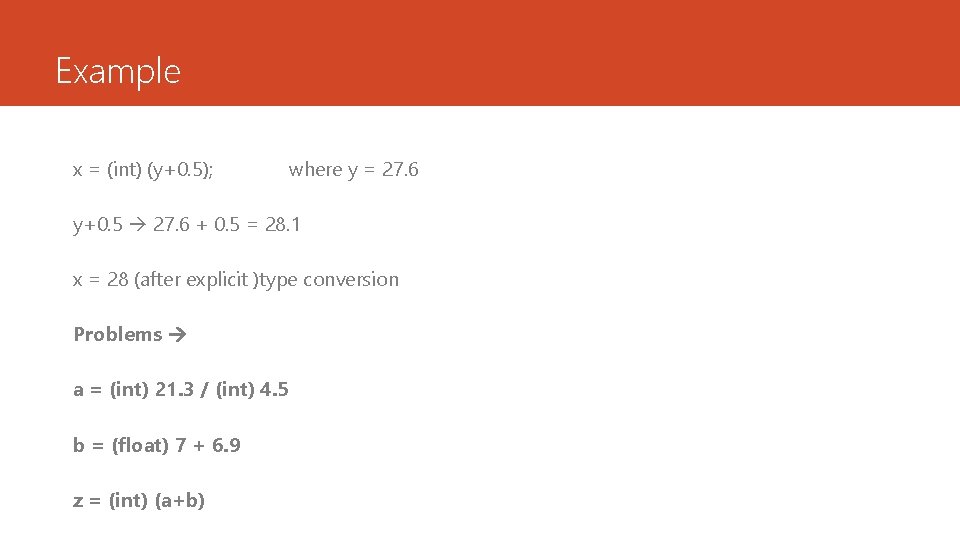
Example x = (int) (y+0. 5); where y = 27. 6 y+0. 5 27. 6 + 0. 5 = 28. 1 x = 28 (after explicit )type conversion Problems a = (int) 21. 3 / (int) 4. 5 b = (float) 7 + 6. 9 z = (int) (a+b)
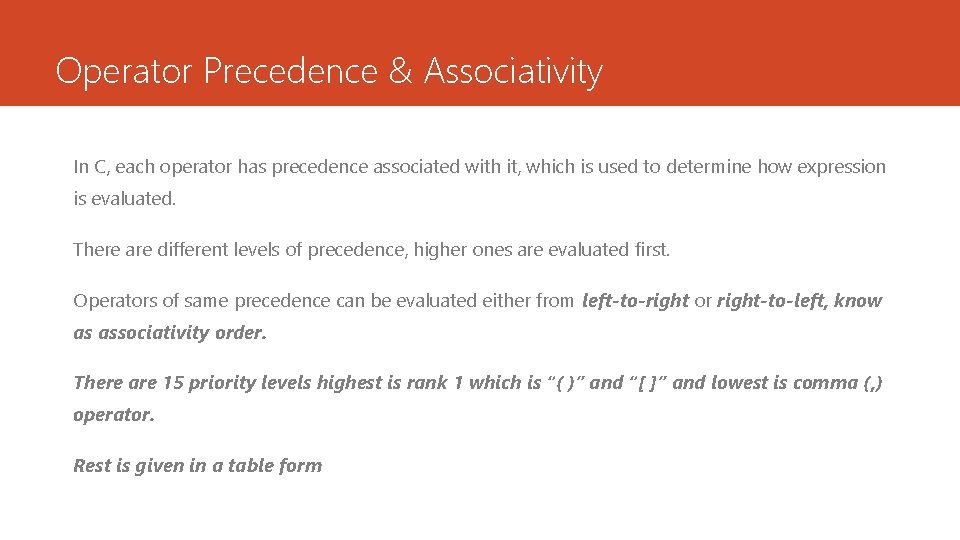
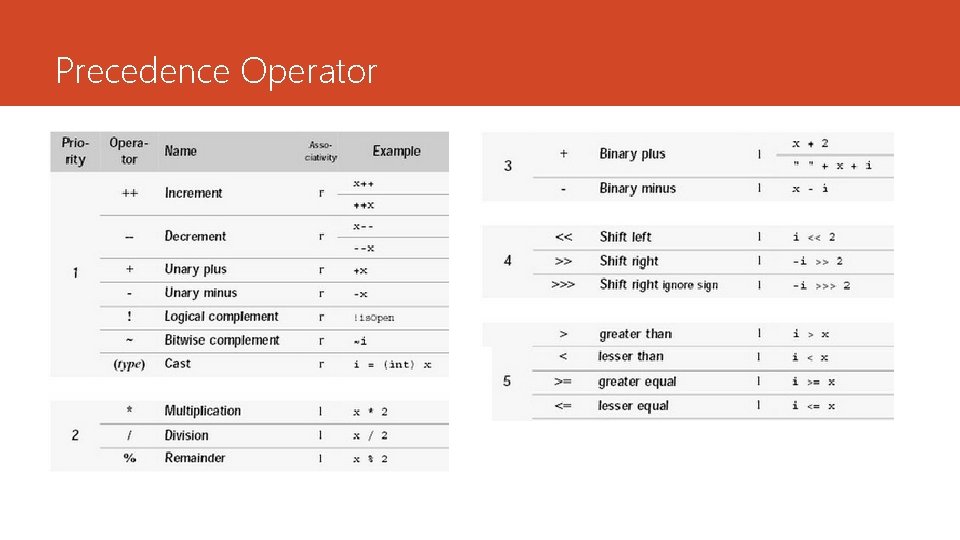
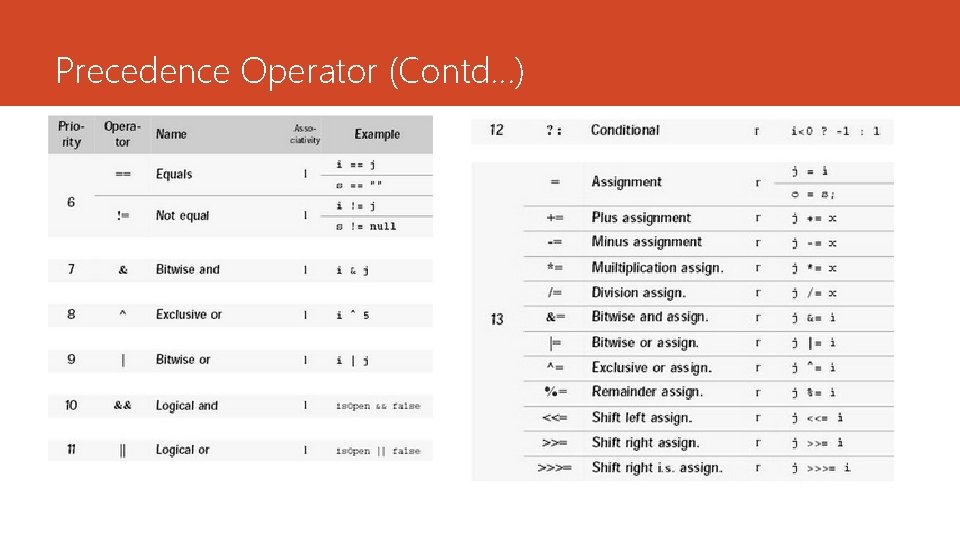
Operator Precedence & Associativity In C, each operator has precedence associated with it, which is used to determine how expression is evaluated. There are different levels of precedence, higher ones are evaluated first. Operators of same precedence can be evaluated either from left-to-right or right-to-left, know as associativity order. There are 15 priority levels highest is rank 1 which is “( )” and “[ ]” and lowest is comma (, ) operator. Rest is given in a table form
Precedence Operator
Precedence Operator (Contd…)
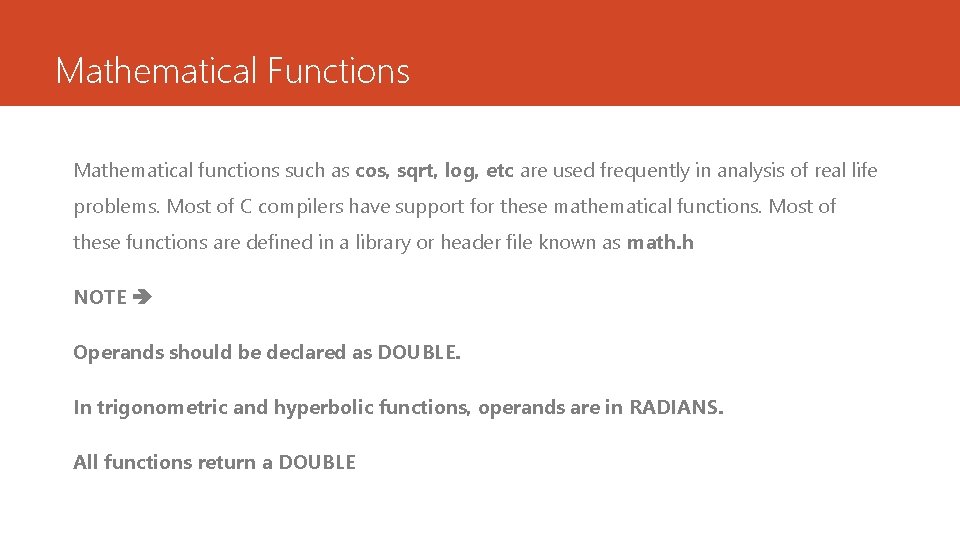
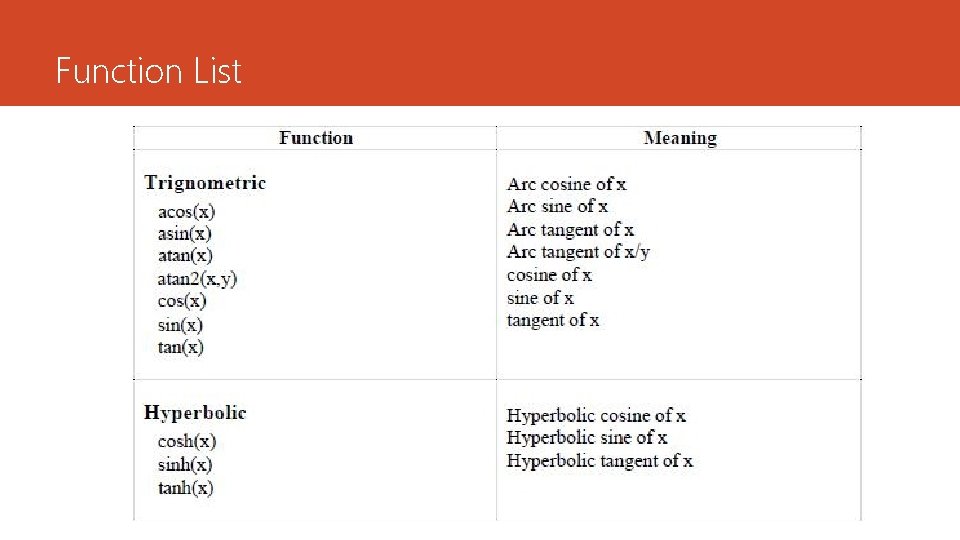
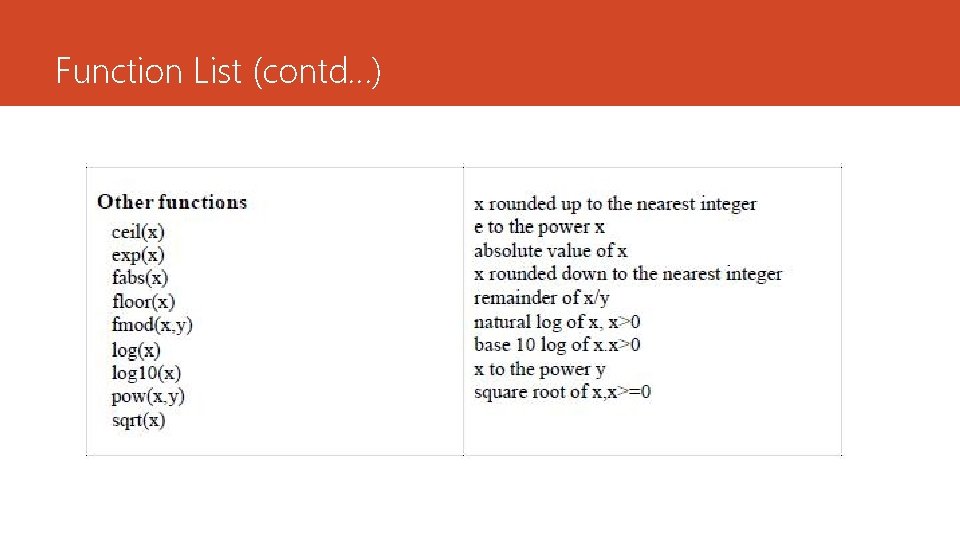
Mathematical Functions Mathematical functions such as cos, sqrt, log, etc are used frequently in analysis of real life problems. Most of C compilers have support for these mathematical functions. Most of these functions are defined in a library or header file known as math. h NOTE Operands should be declared as DOUBLE. In trigonometric and hyperbolic functions, operands are in RADIANS. All functions return a DOUBLE
Function List
Function List (contd…)
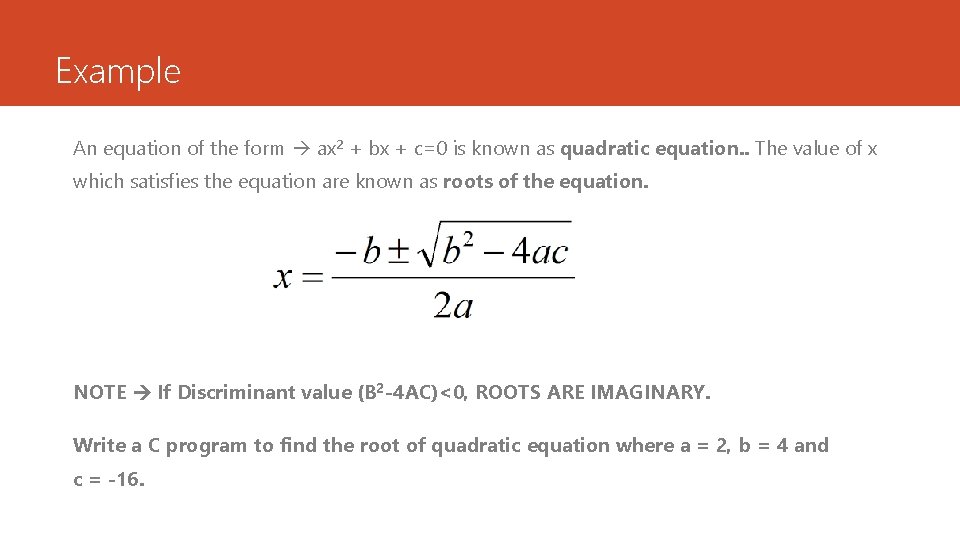
Example An equation of the form ax 2 + bx + c=0 is known as quadratic equation. . The value of x which satisfies the equation are known as roots of the equation. NOTE If Discriminant value (B 2 -4 AC)<0, ROOTS ARE IMAGINARY. Write a C program to find the root of quadratic equation where a = 2, b = 4 and c = -16.