
Introduction to C Programming 1204452 Application Program Development
![C# Beginning Inside method Main 24 • Variable declarations • Statements static void Main(string[]](https://slidetodoc.com/presentation_image_h2/1269d64ebd590c2ade6aa308ce64ea47/image-23.jpg "C# Beginning Inside method Main 24 • Variable declarations • Statements static void Main(string[]")
- Slides: 95
Introduction to C# Programming ณภทร สกทอง 1204452 Application Program Development
Outline 2 • Programming Languages • C# Language Overview 2
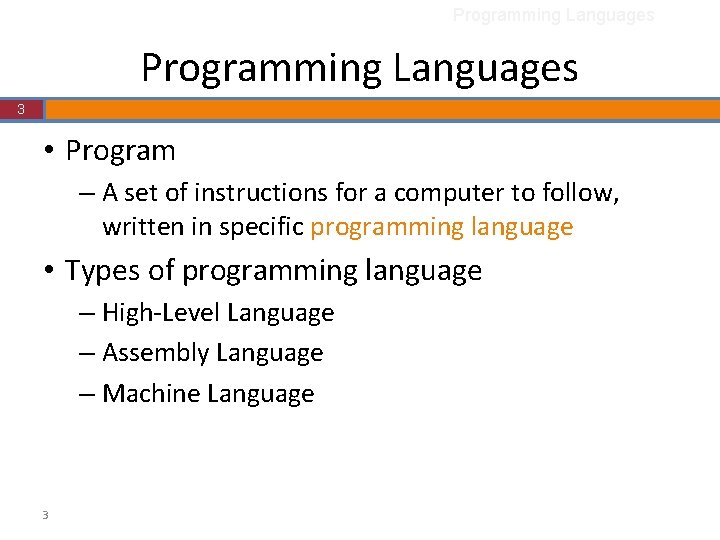
Programming Languages 3 • Program – A set of instructions for a computer to follow, written in specific programming language • Types of programming language – High-Level Language – Assembly Language – Machine Language 3
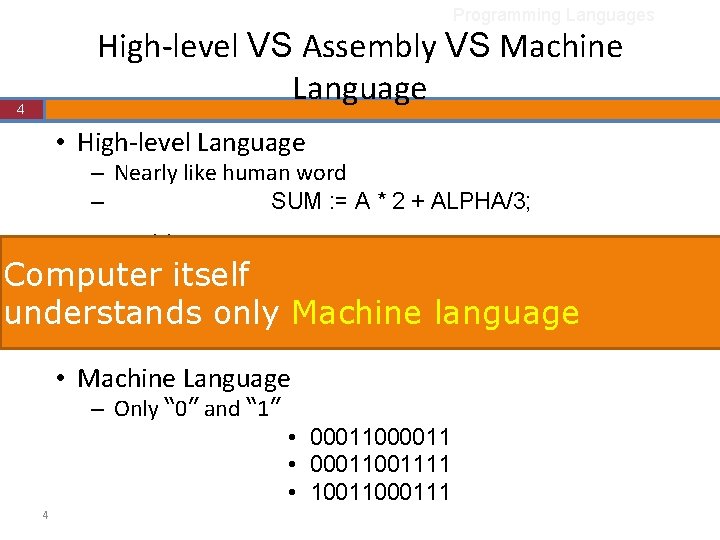
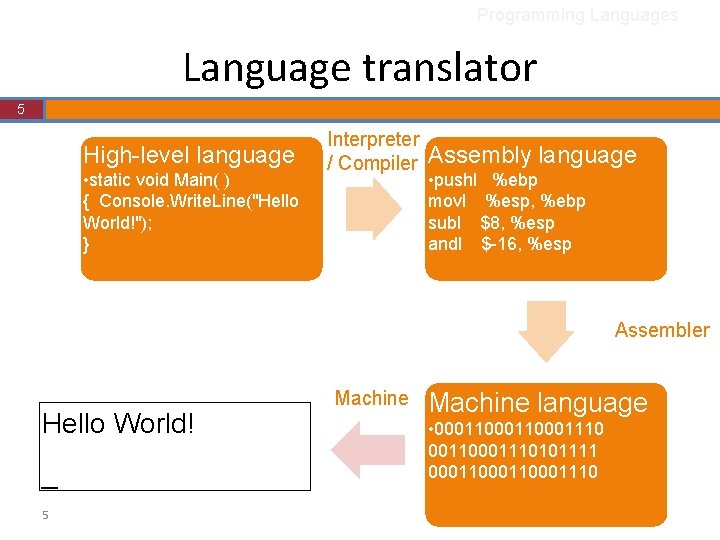
Programming Languages High-level VS Assembly VS Machine Language 4 • High-level Language – Nearly like human word – SUM : = A * 2 + ALPHA/3; • Assembly Language – Some itself key words are understandable Computer • MULL 3 A, #2, R understands only Machine language • ADDL 3 R 6, R 7, SUM • Machine Language – Only “ 0” and “ 1” • 00011000011 • 0001111 • 10011000111 4
Programming Languages Language translator 5 High-level language • static void Main( ) { Console. Write. Line("Hello World!"); } Interpreter / Compiler Assembly language • pushl %ebp movl %esp, %ebp subl $8, %esp andl $-16, %esp Assembler Hello World! _ 5 Machine language • 000110001110101111 000110001110
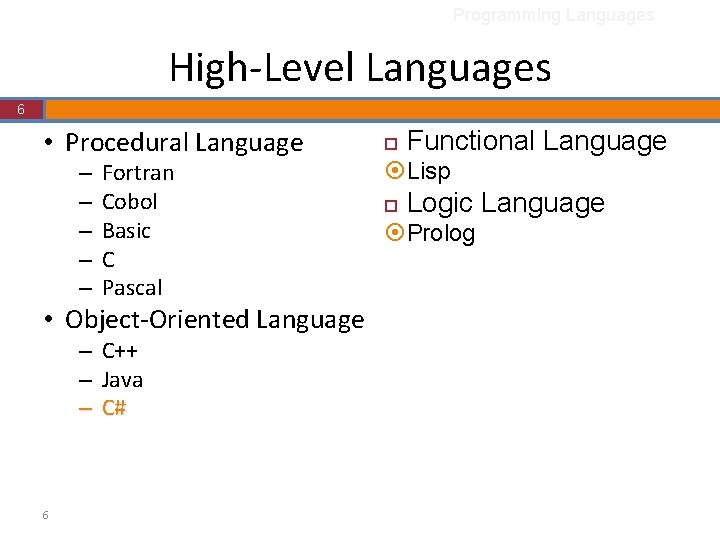
Programming Languages High-Level Languages 6 • Procedural Language – – – Fortran Cobol Basic C Pascal • Object-Oriented Language – – – 6 C++ Java C# ¨ Functional Language ¤Lisp ¨ Logic Language ¤Prolog
Outline 7 • Programming Languages • C# Language Overview 7
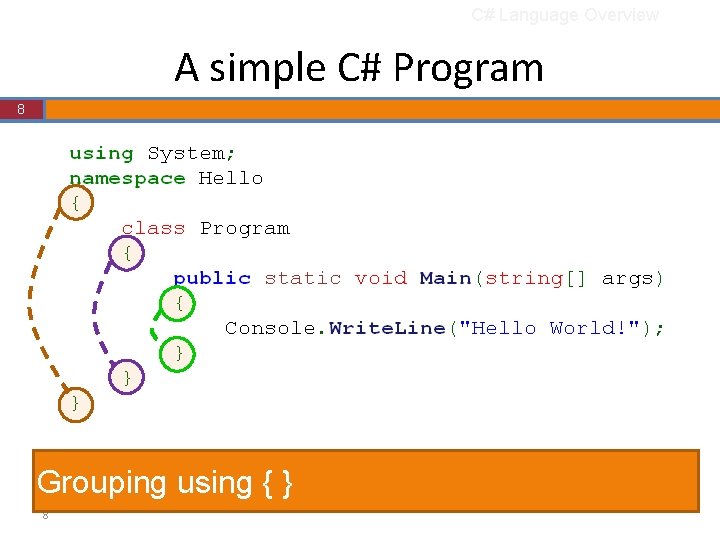
C# Language Overview A simple C# Program 8 Grouping using { } 8
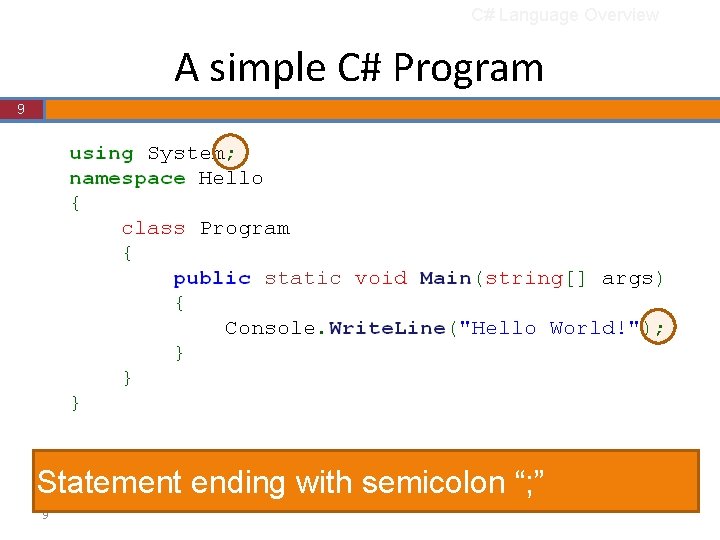
C# Language Overview A simple C# Program 9 Statement ending with semicolon “; ” 9
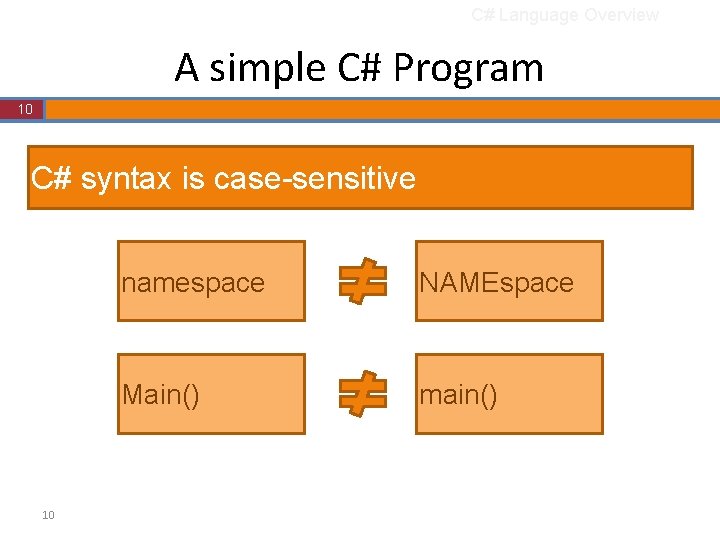
C# Language Overview A simple C# Program 10 C# syntax is case-sensitive 10 namespace NAMEspace Main() main()
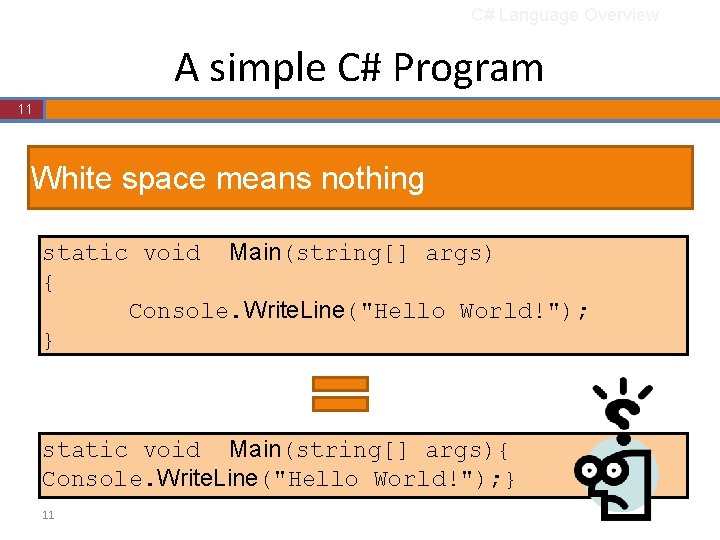
C# Language Overview A simple C# Program 11 White space means nothing static void Main(string[] args) { Console. Write. Line("Hello World!"); } static void Main(string[] args){ Console. Write. Line("Hello World!"); } 11
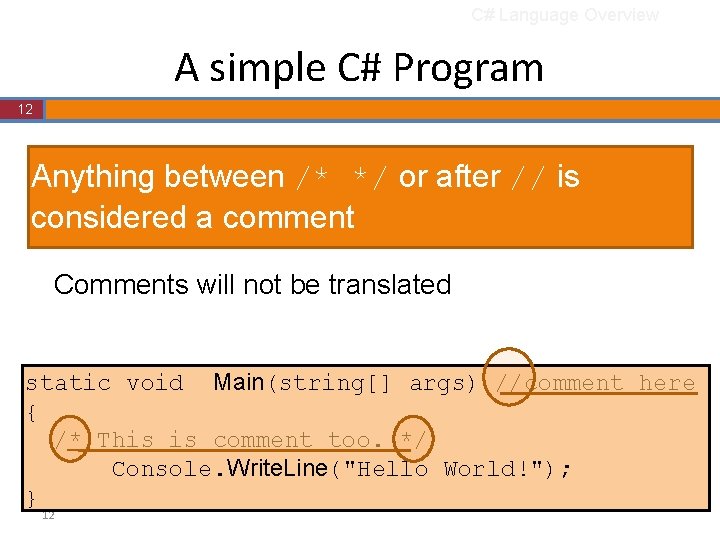
C# Language Overview A simple C# Program 12 Anything between /* */ or after // is considered a comment Comments will not be translated static void Main(string[] args) //comment here { /* This is comment too. */ Console. Write. Line("Hello World!"); } 12
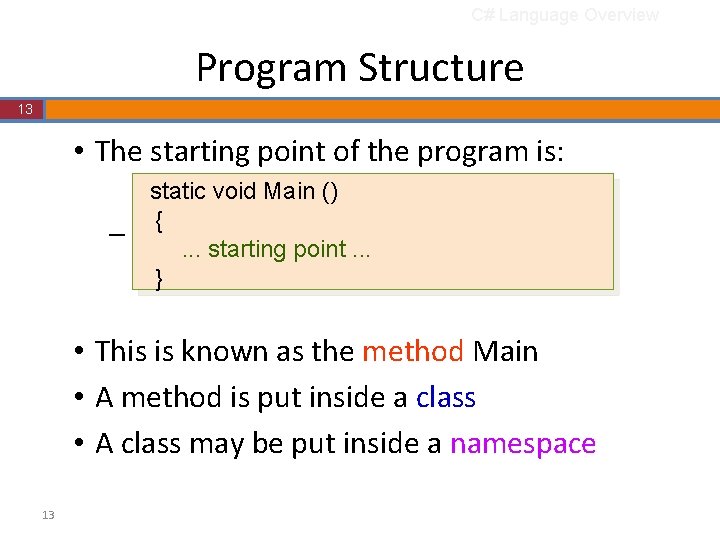
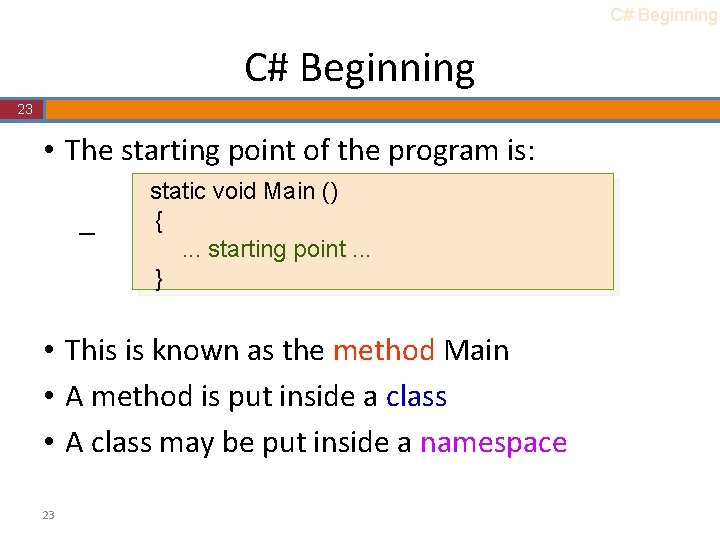
C# Language Overview Program Structure 13 • The starting point of the program is: – static void Main () {. . . starting point. . . } • This is known as the method Main • A method is put inside a class • A class may be put inside a namespace 13
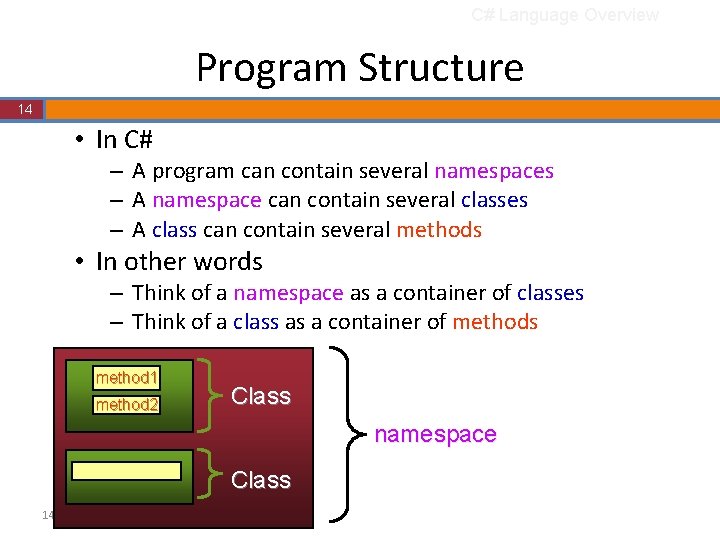
C# Language Overview Program Structure 14 • In C# – A program can contain several namespaces – A namespace can contain several classes – A class can contain several methods • In other words – Think of a namespace as a container of classes – Think of a class as a container of methods method 1 method 2 Class namespace Class 14
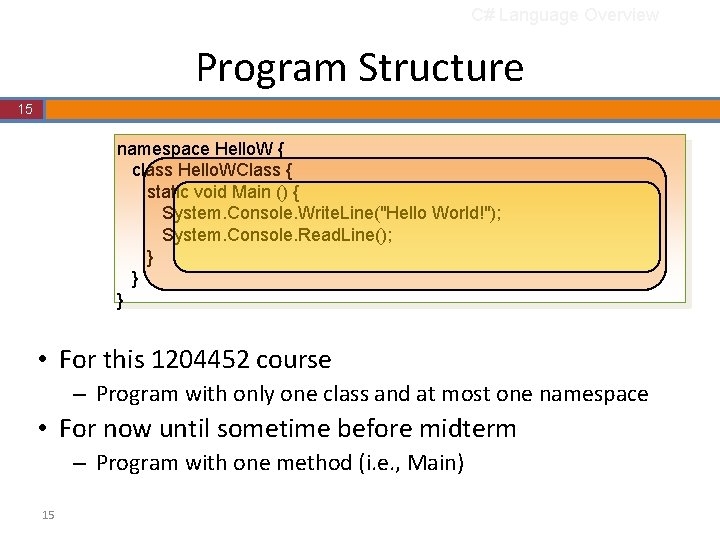
C# Language Overview Program Structure 15 namespace Hello. W { class Hello. WClass { static void Main () { System. Console. Write. Line("Hello World!"); System. Console. Read. Line(); } } } • For this 1204452 course – Program with only one class and at most one namespace • For now until sometime before midterm – Program with one method (i. e. , Main) 15
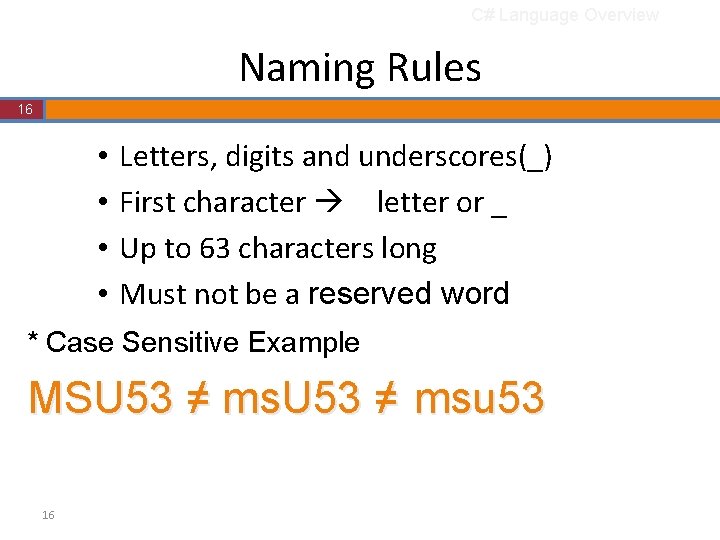
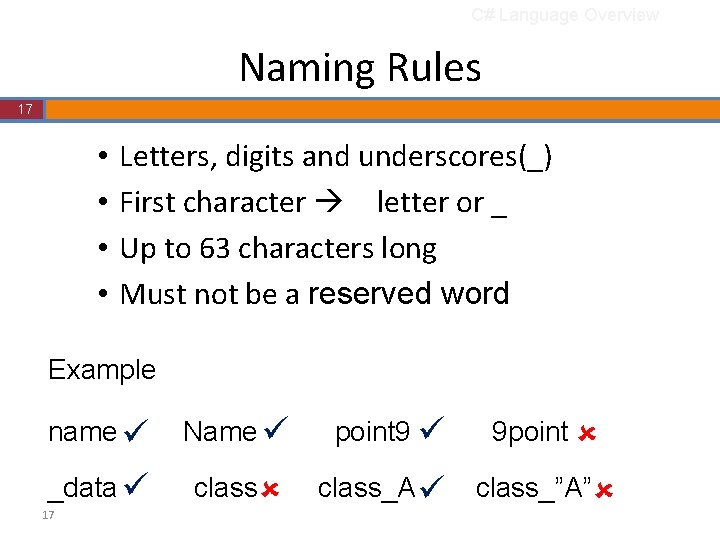
C# Language Overview Naming Rules 16 • • Letters, digits and underscores(_) First character letter or _ Up to 63 characters long Must not be a reserved word * Case Sensitive Example MSU 53 ≠ msu 53 16
C# Language Overview Naming Rules 17 • • Letters, digits and underscores(_) First character letter or _ Up to 63 characters long Must not be a reserved word Example name Name point 9 9 point _data class_A class_”A” 17
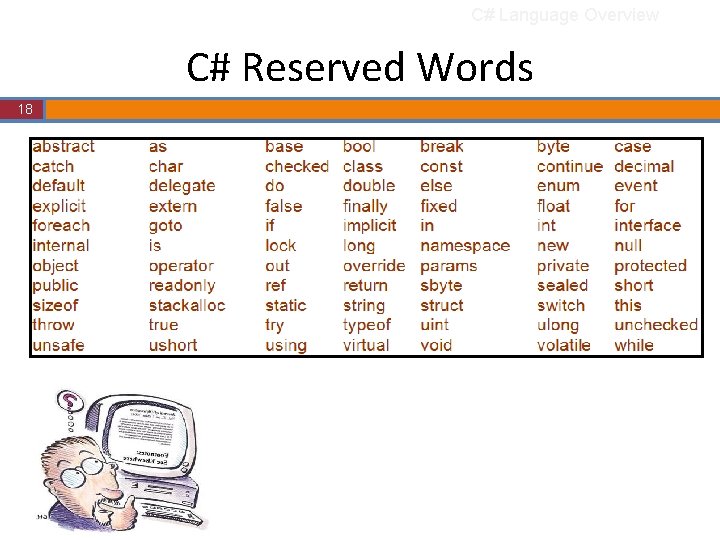
C# Language Overview C# Reserved Words 18 18
Any question?
C# Basic Concept
Outline 22 • • • 22 C# Beginning Variable and Constant Expression Statement Modify-And-Assign Math Class
C# Beginning 23 • The starting point of the program is: – static void Main () {. . . starting point. . . } • This is known as the method Main • A method is put inside a class • A class may be put inside a namespace 23
C# Beginning Inside method Main 24 • Variable declarations • Statements static void Main(string[] args) { const double pi = 3. 1416; int radius; double area; radius = int. Parse(Console. Read. Line()); area = pi*radius; Console. Write. Line(area); } 24
Outline 25 • • • 25 C# Beginning Variable and Constant Expression Statement Modify-And-Assign Math Class
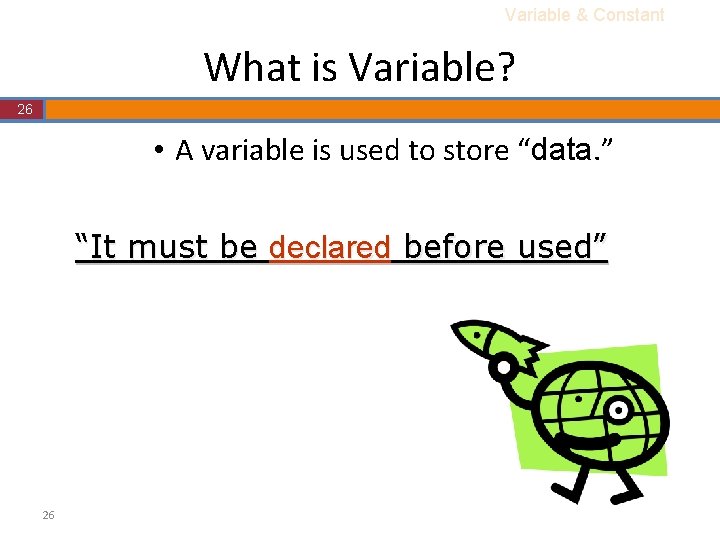
Variable & Constant What is Variable? 26 • A variable is used to store “data. ” “It must be declared before used” 26
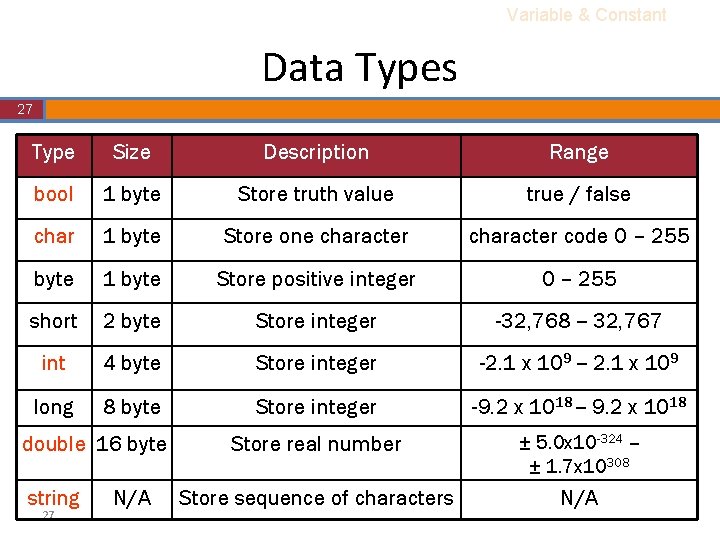
Variable & Constant Data Types 27 Type Size Description Range bool 1 byte Store truth value true / false char 1 byte Store one character code 0 – 255 byte 1 byte Store positive integer 0 – 255 short 2 byte Store integer -32, 768 -- 32, 767 int 4 byte Store integer -2. 1 x 10⁹ -- 2. 1 x 10⁹ long 8 byte Store integer -9. 2 x 10¹⁸ -- 9. 2 x 10¹⁸ Store real number ± 5. 0 x 10 -324 -± 1. 7 x 10308 Store sequence of characters N/A double 16 byte string 27 N/A
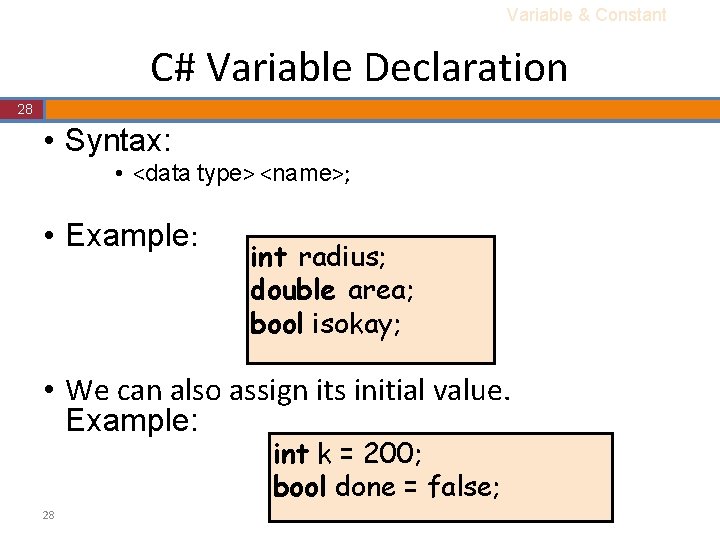
Variable & Constant C# Variable Declaration 28 • Syntax: • <data type> <name>; • Example: int radius; double area; bool isokay; • We can also assign its initial value. Example: int k = 200; bool done = false; 28
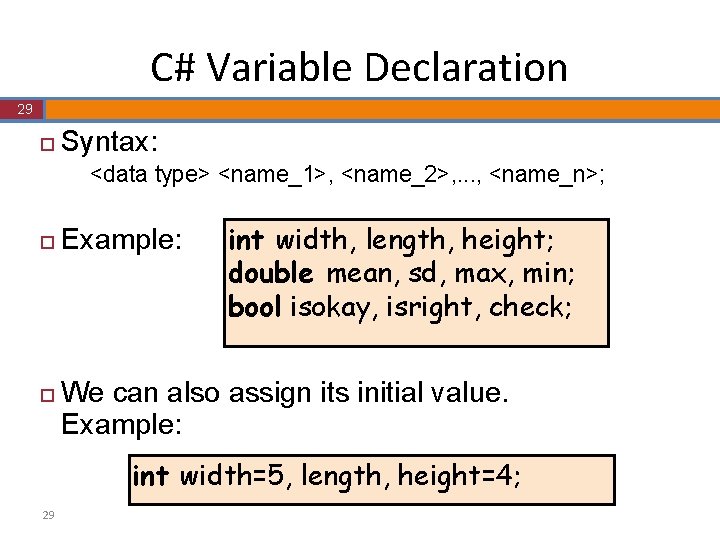
C# Variable Declaration 29 ¨ Syntax: <data type> <name_1>, <name_2>, . . . , <name_n>; ¨ ¨ Example: int width, length, height; double mean, sd, max, min; bool isokay, isright, check; We can also assign its initial value. Example: int width=5, length, height=4; 29
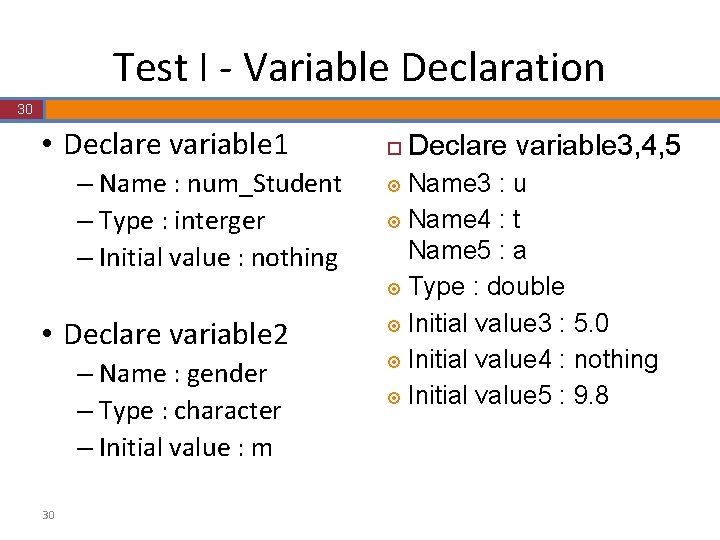
Test I - Variable Declaration 30 • Declare variable 1 – Name : num_Student – Type : interger – Initial value : nothing • Declare variable 2 – Name : gender – Type : character – Initial value : m 30 ¨ Declare variable 3, 4, 5 Name 3 : u ¤ Name 4 : t Name 5 : a ¤ Type : double ¤ Initial value 3 : 5. 0 ¤ Initial value 4 : nothing ¤ Initial value 5 : 9. 8 ¤
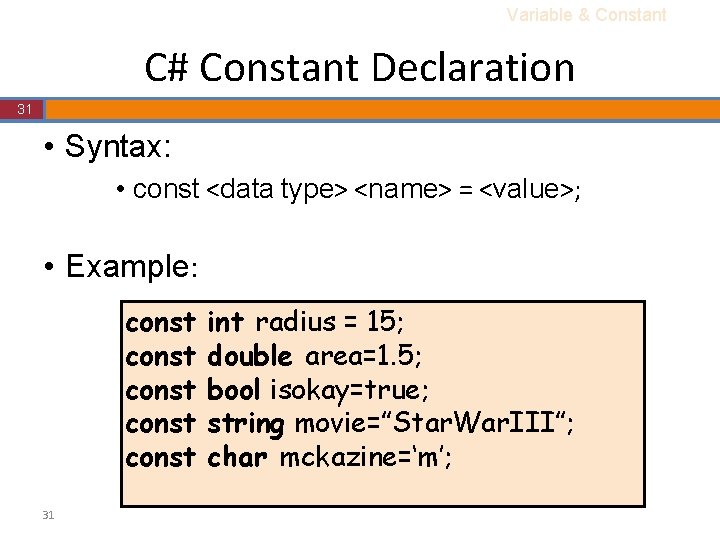
Variable & Constant C# Constant Declaration 31 • Syntax: • const <data type> <name> = <value>; • Example: const const 31 int radius = 15; double area=1. 5; bool isokay=true; string movie=”Star. War. III”; char mckazine=‘m’;
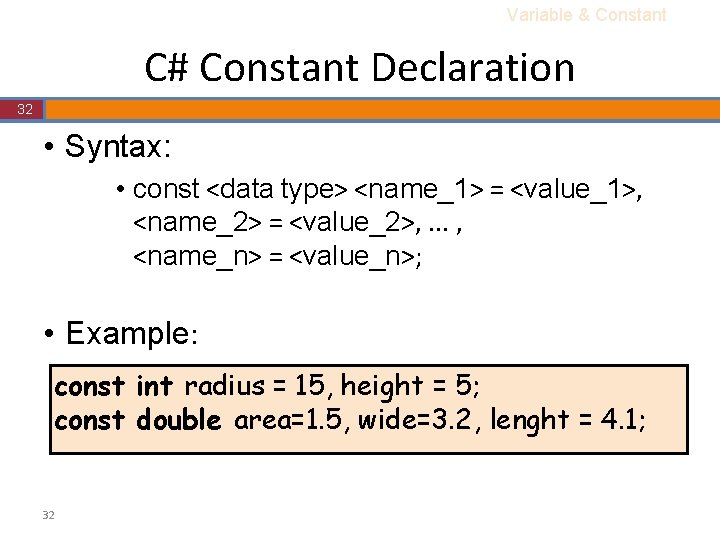
Variable & Constant C# Constant Declaration 32 • Syntax: • const <data type> <name_1> = <value_1>, <name_2> = <value_2>, . . . , <name_n> = <value_n>; • Example: const int radius = 15, height = 5; const double area=1. 5, wide=3. 2, lenght = 4. 1; 32
Test II - Constant Declaration 33 • Declare Constant – Name : e – Type : double – Initial value : 2. 71828 33
Outline 34 • • • 34 C# Beginning Variable and Constant Expression Statement Modify-And-Assign Math Class
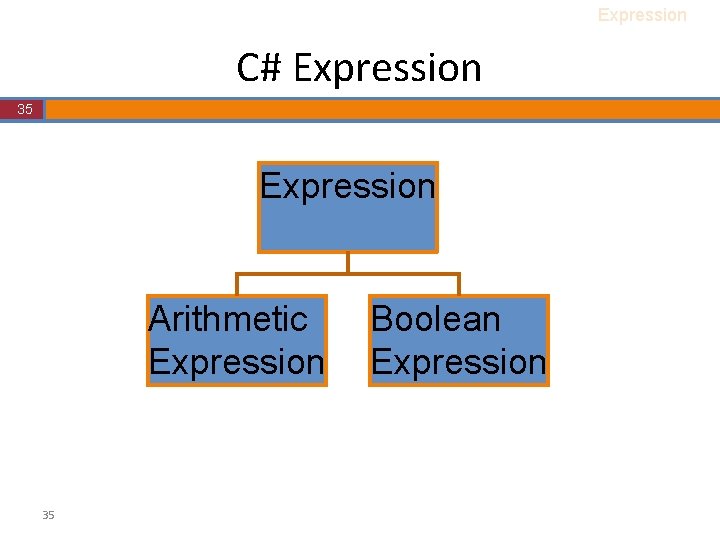
Expression C# Expression 35 Expression Arithmetic Expression 35 Boolean Expression
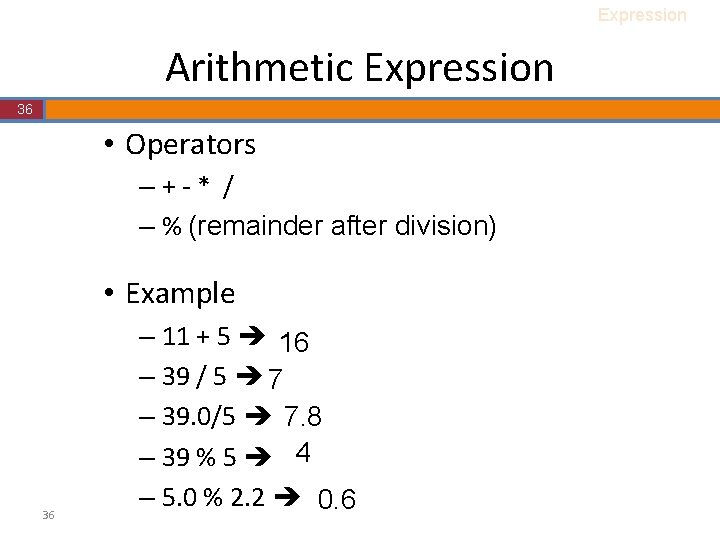
Expression Arithmetic Expression 36 • Operators –+-* / – % (remainder after division) • Example 36 – 11 + 5 16 – 39 / 5 7 – 39. 0/5 7. 8 – 39 % 5 4 – 5. 0 % 2. 2 0. 6
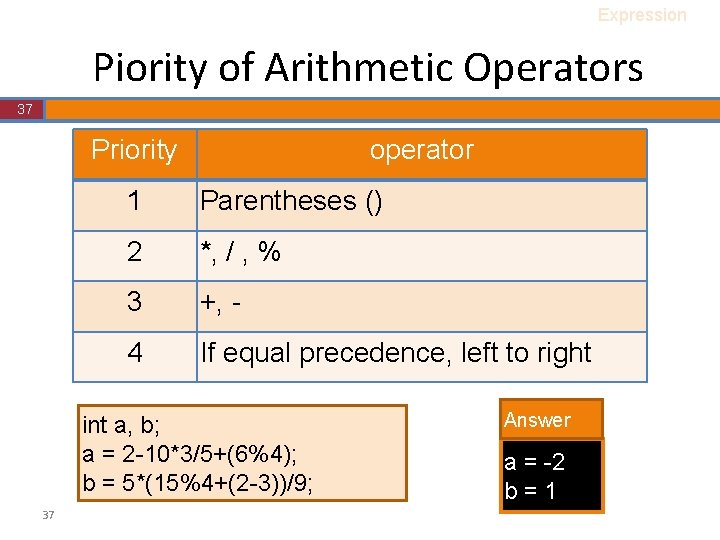
Expression Piority of Arithmetic Operators 37 Priority operator 1 Parentheses () 2 *, / , % 3 +, - 4 If equal precedence, left to right int a, b; a = 2 -10*3/5+(6%4); b = 5*(15%4+(2 -3))/9; 37 Answer a = -2 b=1
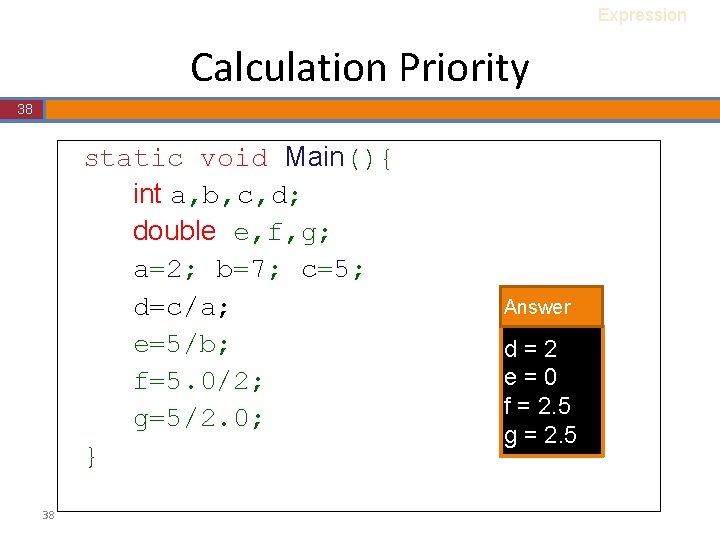
Expression Calculation Priority 38 static void Main(){ int a, b, c, d; double e, f, g; a=2; b=7; c=5; d=c/a; e=5/b; f=5. 0/2; g=5/2. 0; } 38 Answer d=2 e=0 f = 2. 5 g = 2. 5
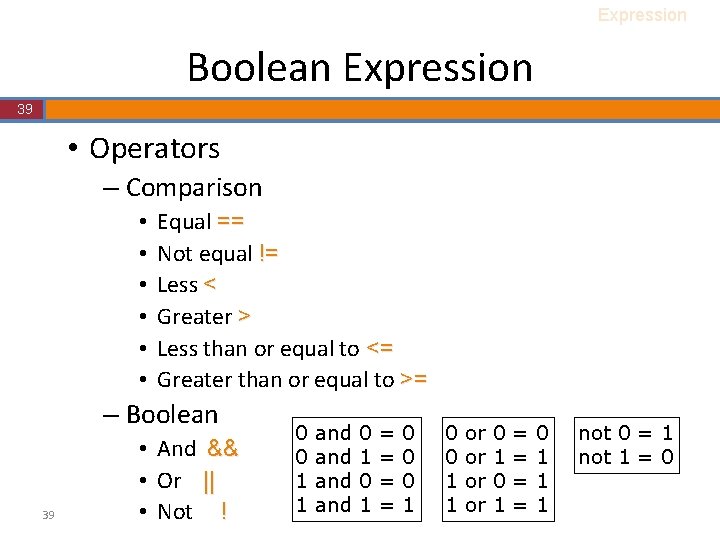
Expression Boolean Expression 39 • Operators – Comparison • • • Equal == Not equal != Less < Greater > Less than or equal to <= Greater than or equal to >= – Boolean 39 • And && • Or || • Not ! 0 0 1 1 and and 0 1 = = 0 0 0 1 1 or or 0 1 = = 0 1 1 1 not 0 = 1 not 1 = 0
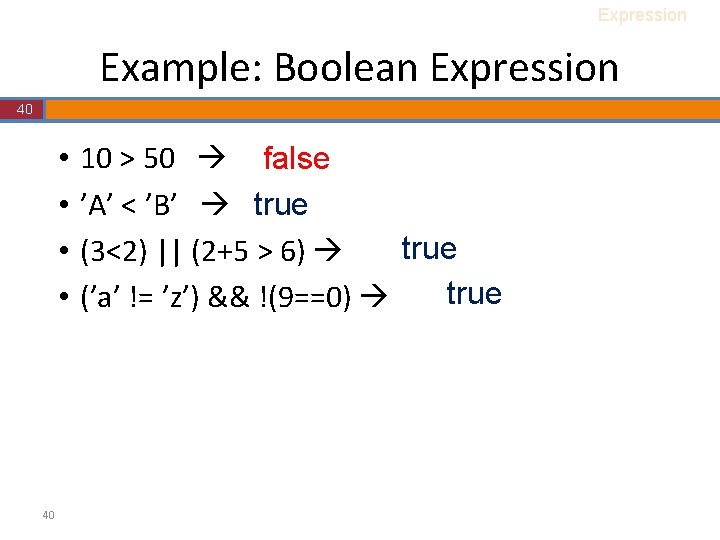
Expression Example: Boolean Expression 40 • • 40 10 > 50 false ’A’ < ’B’ true (3<2) || (2+5 > 6) true (’a’ != ’z’) && !(9==0)
Outline 41 • • • 41 C# Beginning Variable and Constant Expression Statement Modify-And-Assign Math Class
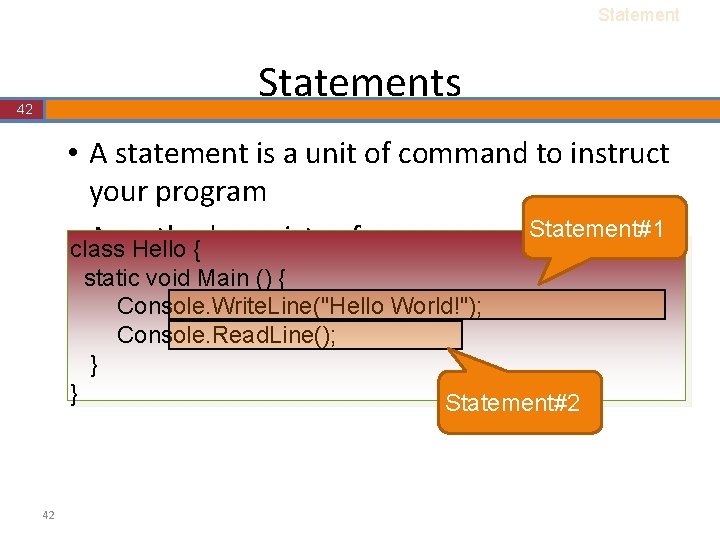
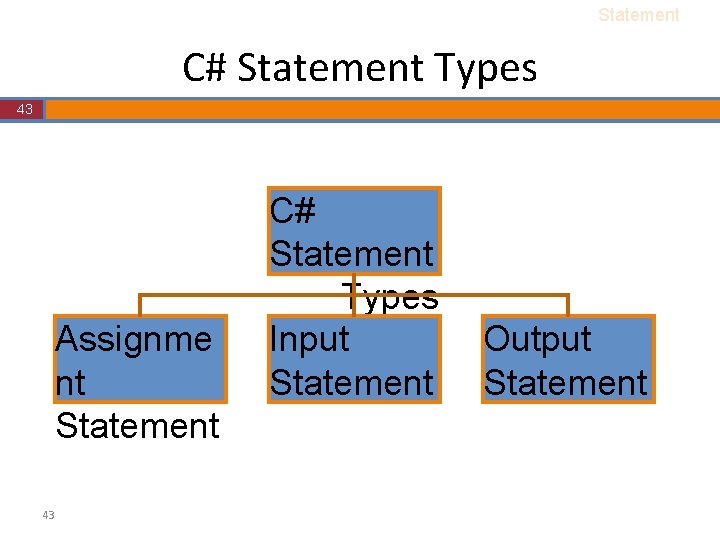
Statements 42 • A statement is a unit of command to instruct your program Statement#1 • class A method consists of one or more statements Hello { static void Main () { Console. Write. Line("Hello World!"); Console. Read. Line(); } } 42 Statement#2
Statement C# Statement Types 43 Assignme nt Statement 43 C# Statement Types Input Statement Output Statement
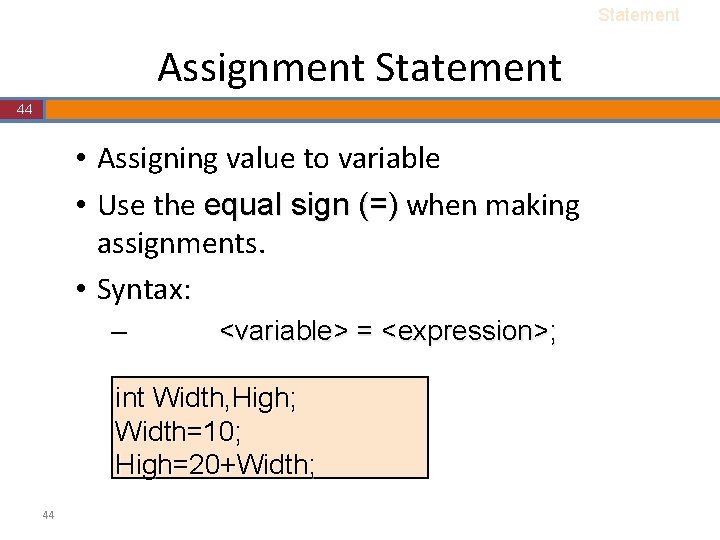
Statement Assignment Statement 44 • Assigning value to variable • Use the equal sign (=) when making assignments. • Syntax: – <variable> = <expression>; int Width, High; Width=10; High=20+Width; 44
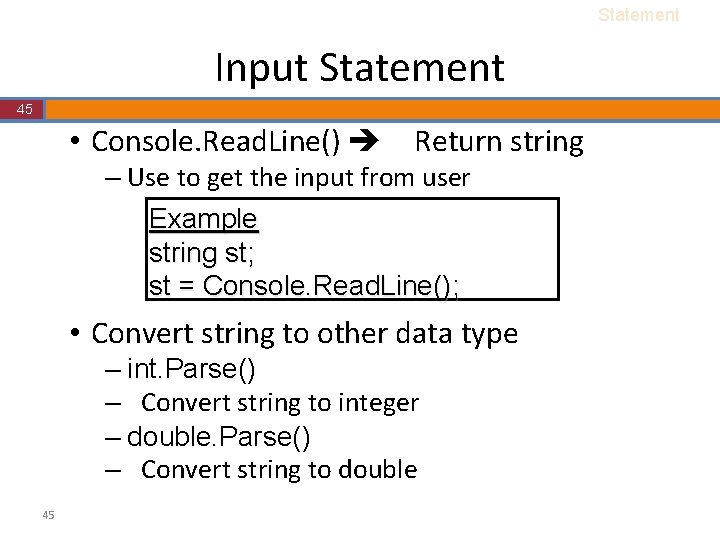
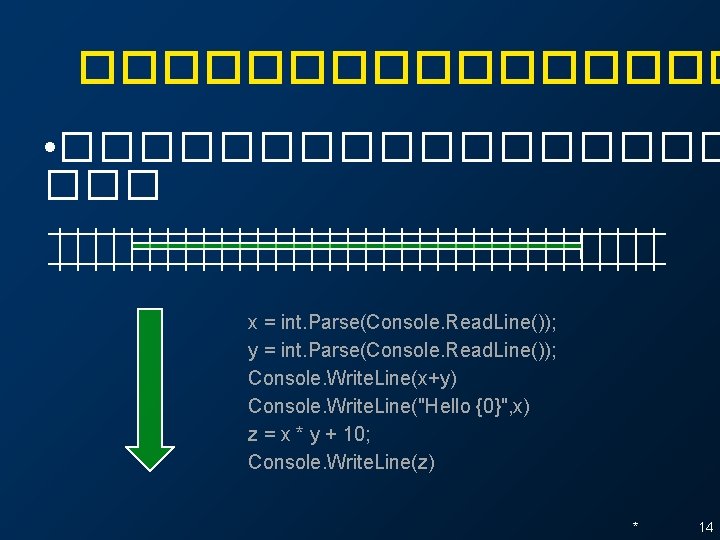
Statement Input Statement 45 • Console. Read. Line() Return string – Use to get the input from user Example string st; st = Console. Read. Line(); • Convert string to other data type – int. Parse() – Convert string to integer – double. Parse() – Convert string to double 45
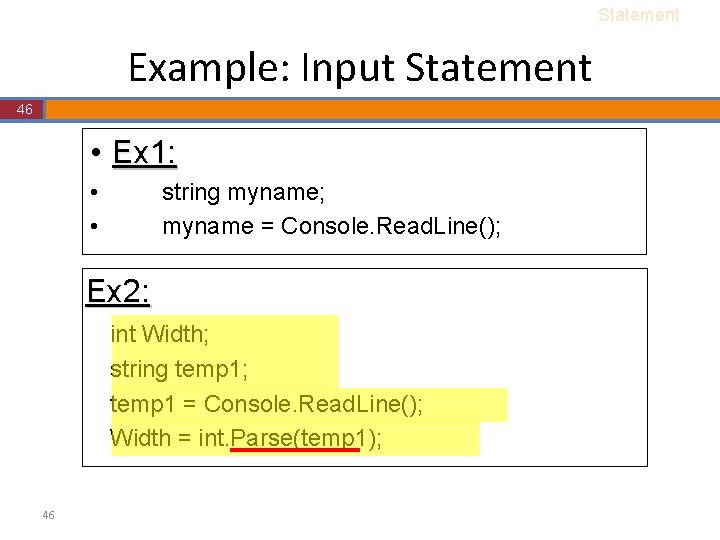
Statement Example: Input Statement 46 • Ex 1: • • string myname; myname = Console. Read. Line(); Ex 2: int Width; string temp 1; temp 1 = Console. Read. Line(); Width = int. Parse(temp 1); 46
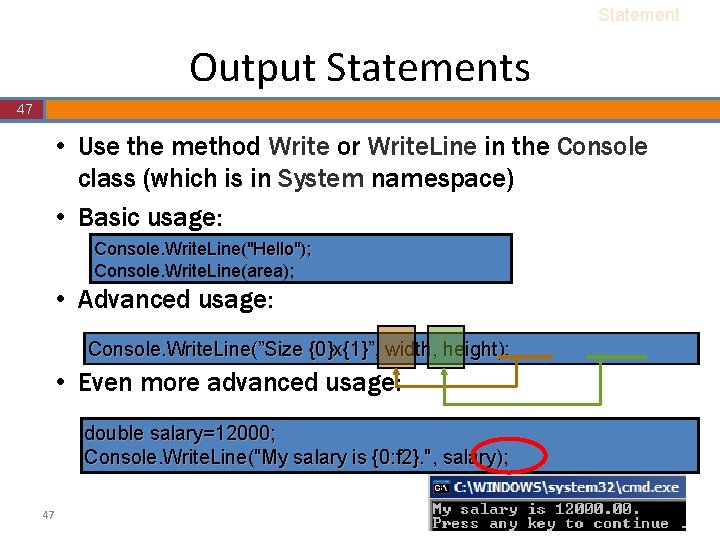
Statement Output Statements 47 • Use the method Write or Write. Line in the Console class (which is in System namespace) • Basic usage: Console. Write. Line("Hello"); Console. Write. Line(area); • Advanced usage: Console. Write. Line(”Size {0}x{1}”, width, height); • Even more advanced usage: double salary=12000; Console. Write. Line("My salary is {0: f 2}. ", salary); 47
Outline 48 • • • 48 C# Beginning Variable and Constant Expression Statement Math Class
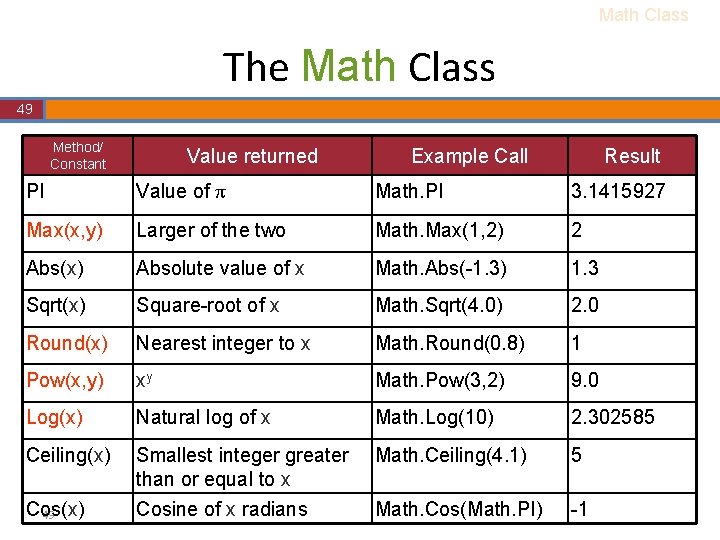
Math Class The Math Class 49 Method/ Constant Value returned Example Call Result PI Value of π Math. PI 3. 1415927 Max(x, y) Larger of the two Math. Max(1, 2) 2 Abs(x) Absolute value of x Math. Abs(-1. 3) 1. 3 Sqrt(x) Square-root of x Math. Sqrt(4. 0) 2. 0 Round(x) Nearest integer to x Math. Round(0. 8) 1 Pow(x, y) xy Math. Pow(3, 2) 9. 0 Log(x) Natural log of x Math. Log(10) 2. 302585 Ceiling(x) Smallest integer greater than or equal to x Cosine of x radians Math. Ceiling(4. 1) 5 Math. Cos(Math. PI) -1 Cos(x) 49
Test III 50 • Write the program which – Input : Your name – Output : Your name is <your name>. 50
Test IV 51 • Write the program which – Input : 3 number – Output : average of 3 input number 51
Test VI 52 • Write the program which – Input : lenght of radius of circle – Output : Area of circle 52
Any question?
* Selection Statement
Outline * * Boolean expression • if statement • nested if statement • Flowchart •
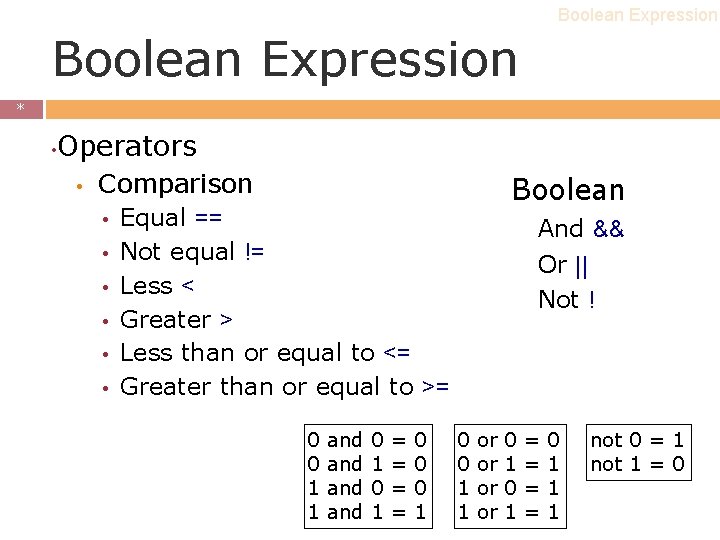
Boolean Expression * * • Operators • Comparison • • • Boolean Equal == Not equal != Less < Greater > Less than or equal to <= Greater than or equal to >= 0 0 1 1 and and 0 1 = = 0 0 0 1 And && Or || Not ! 0 0 1 1 or or 0 1 = = 0 1 1 1 not 0 = 1 not 1 = 0
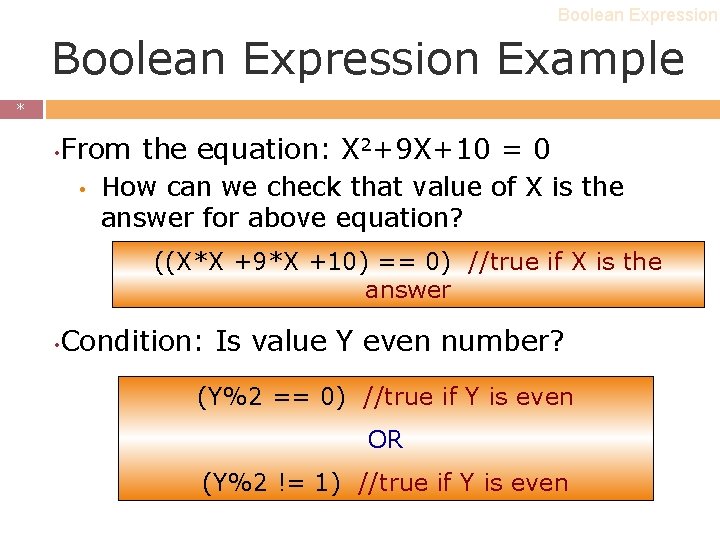
Boolean Expression Example * * • From the equation: X 2+9 X+10 = 0 • How can we check that value of X is the answer for above equation? ((X*X +9*X +10) == 0) //true if X is the answer • Condition: Is value Y even number? (Y%2 == 0) //true if Y is even OR (Y%2 != 1) //true if Y is even
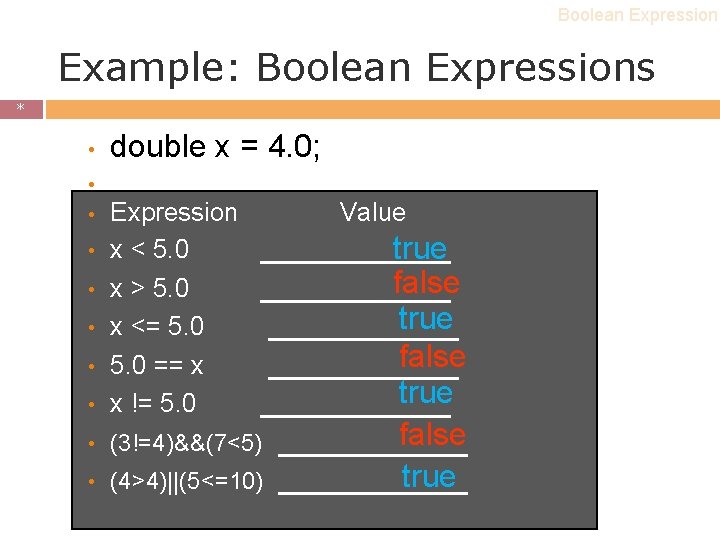
Boolean Expression Example: Boolean Expressions * * • double x = 4. 0; • • Expression Value x < 5. 0 ______ true false x > 5. 0 ______ true x <= 5. 0 ______ false 5. 0 == x ______ true x != 5. 0 ______ • (3!=4)&&(7<5) • (4>4)||(5<=10) false ______ true ______
Outline * * Boolean expression • if statement • nested if statement • switch case statement • Flowchart •
if statement * * ������ http: //www. ryt 9. com/s/prg/774090 10
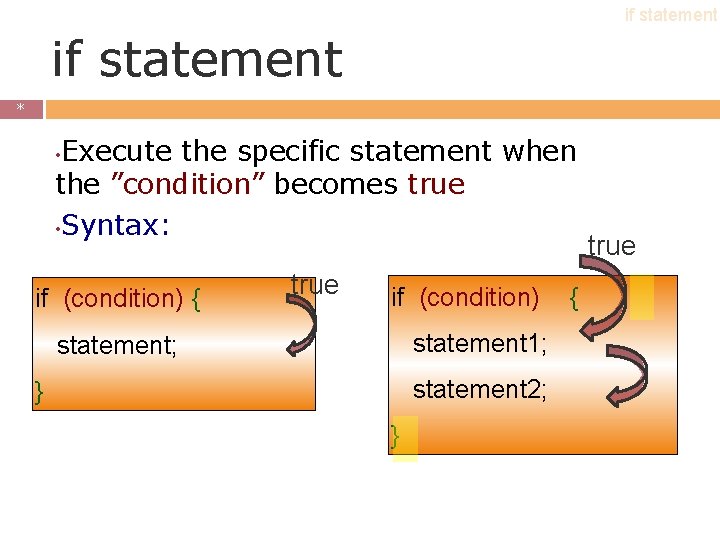
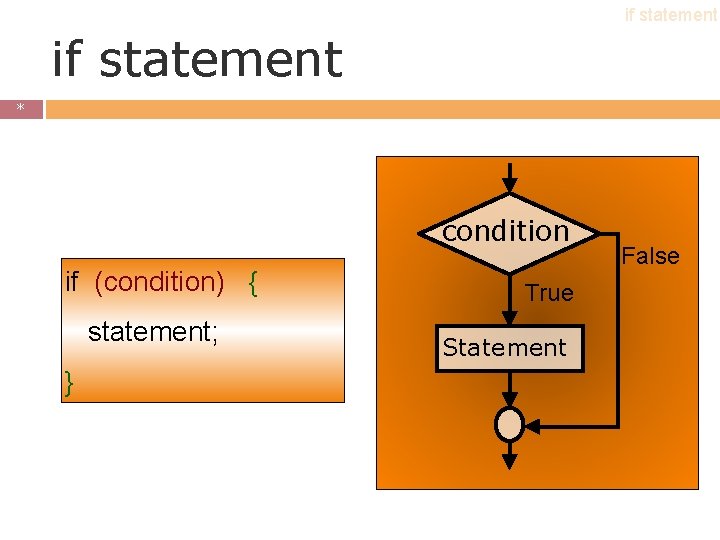
if statement * * Execute the specific statement when the ”condition” becomes true • Syntax: • if (condition) { true if (condition) statement 1; statement 2; } } { true
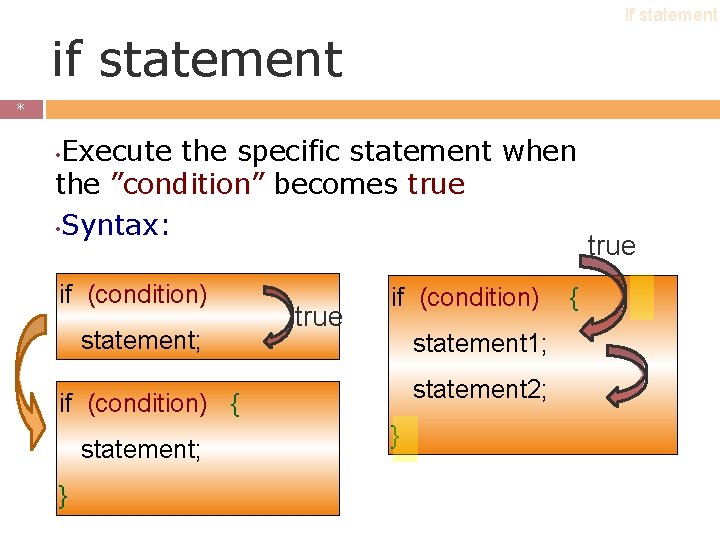
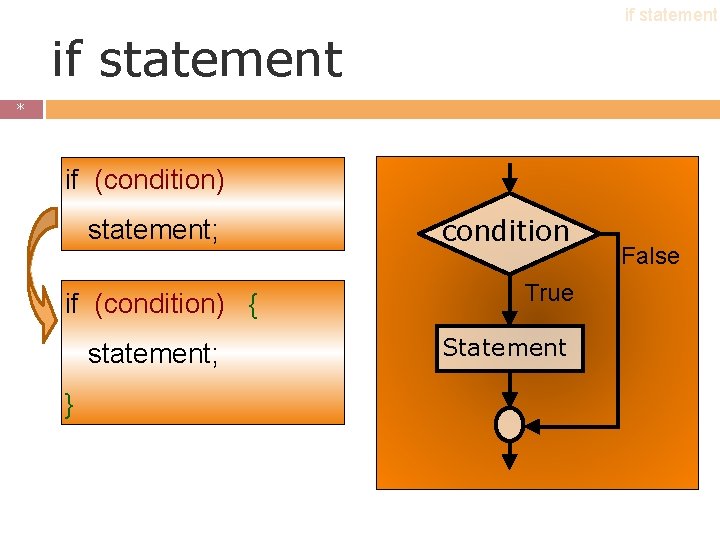
if statement * * Execute the specific statement when the ”condition” becomes true • Syntax: • if (condition) statement; true if (condition) statement 1; statement 2; if (condition) { statement; } } { true
if statement * * condition if (condition) { statement; } True Statement False
if statement * * if (condition) statement; if (condition) { statement; } condition True Statement False
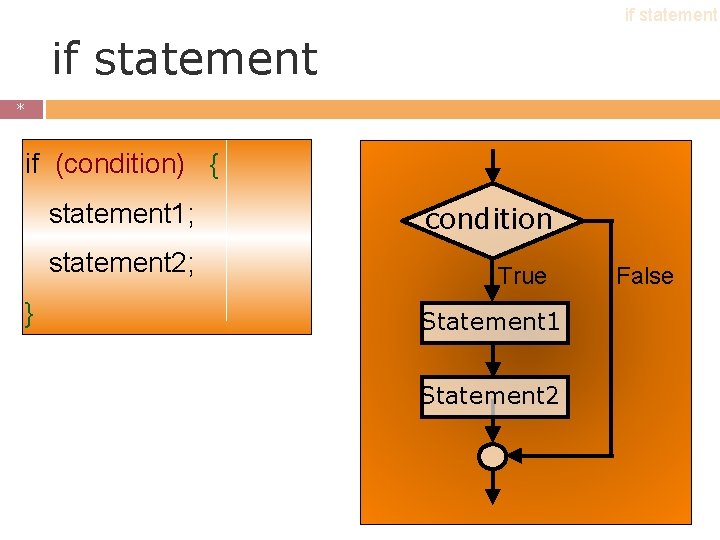
if statement * * if (condition) { } statement 1; condition statement 2; True Statement 1 Statement 2 False
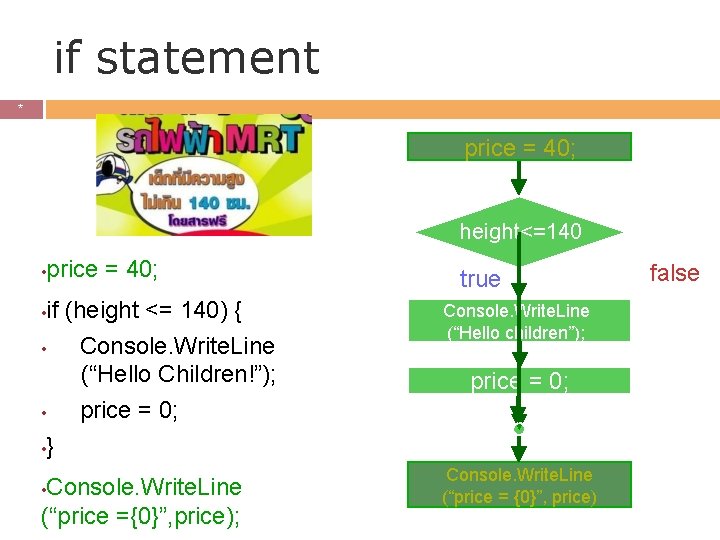
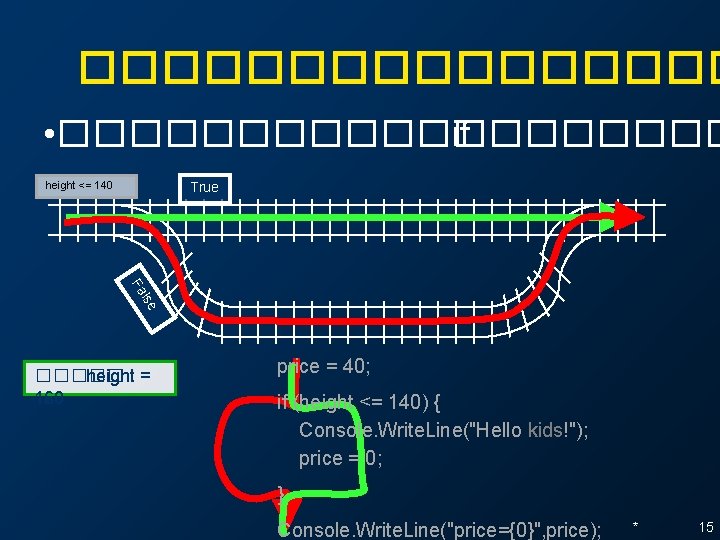
if statement * * price = 40; height<=140 • price = 40; true if (height <= 140) { • Console. Write. Line (“Hello Children!”); • price = 0; • } Console. Write. Line (“Hello children”); Console. Write. Line (“price ={0}”, price); Console. Write. Line (“price = {0}”, price) • • false price = 0; 12
�������� • ��������� ��� x = int. Parse(Console. Read. Line()); y = int. Parse(Console. Read. Line()); Console. Write. Line(x+y) Console. Write. Line("Hello {0}", x) z = x * y + 10; Console. Write. Line(z) * 14
�������� • ���������� if height <= 140 True lse Fa ����� height = 120 160 price = 40; if (height <= 140) { Console. Write. Line("Hello kids!"); price = 0; } Console. Write. Line("price={0}", price); * 15
if – else statements ������ http: //splinedoctors. com/2009/02/hurry-up-andchoose/ * 25
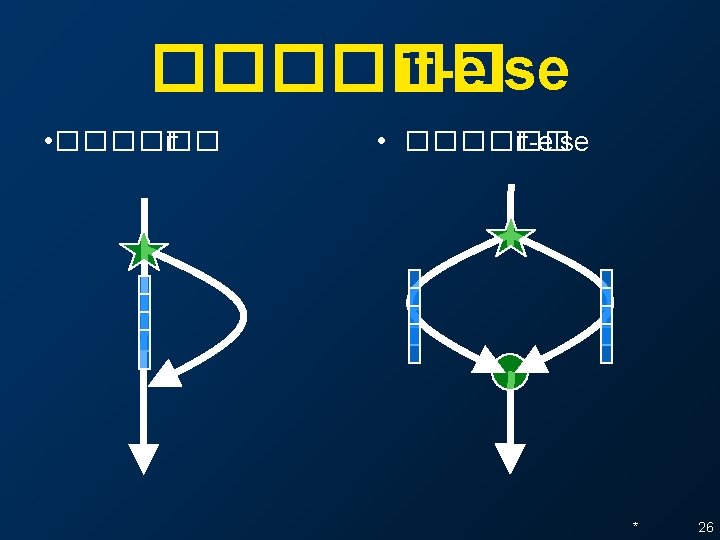
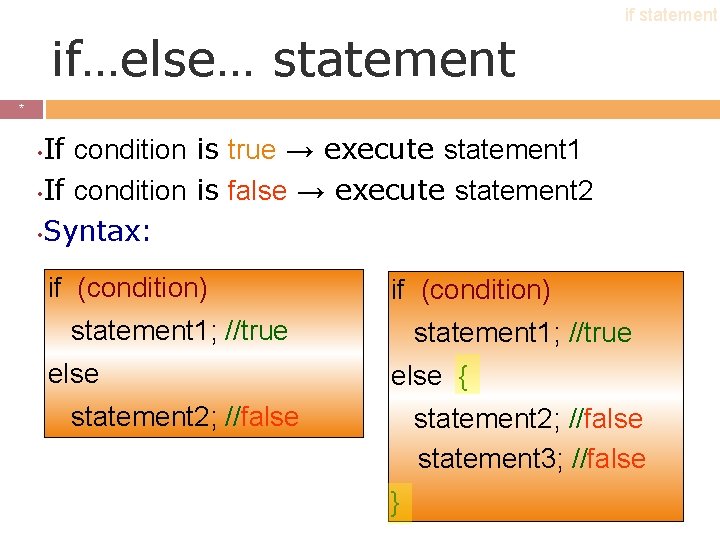
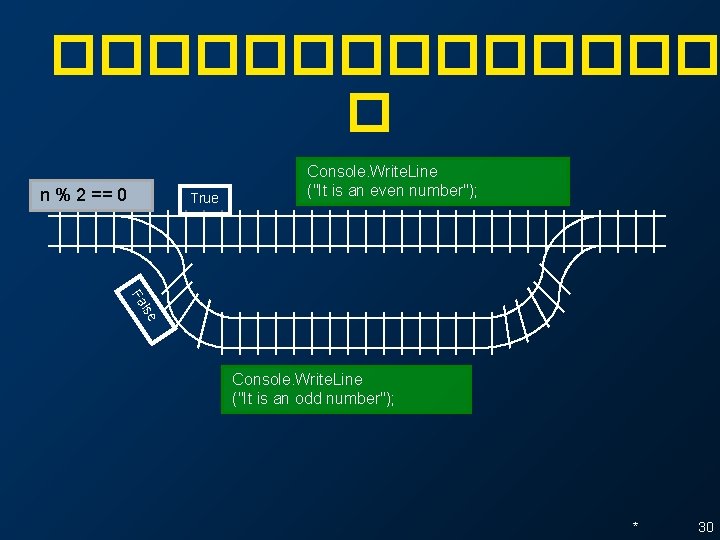
if statement if…else… statement * * If condition is true → execute statement 1 • If condition is false → execute statement 2 • Syntax: • if (condition) statement 1; //true else { statement 2; //false statement 3; //false }
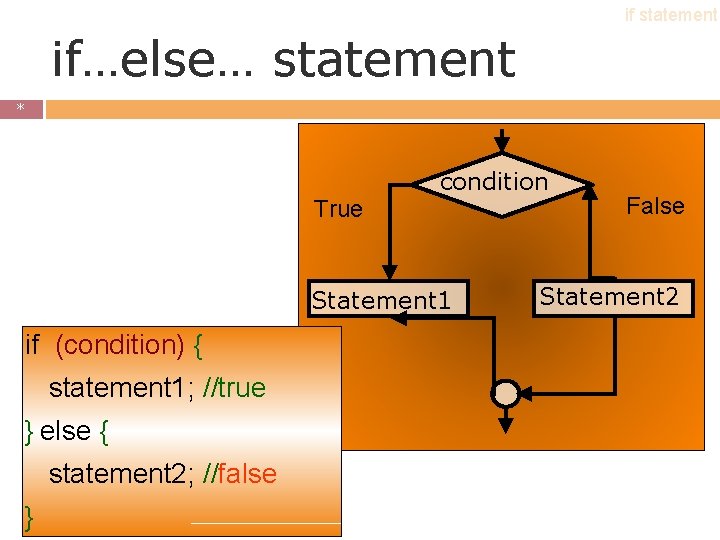
if statement if…else… statement * * condition True Statement 1 if (condition) { statement 1; //true } else { statement 2; //false } False Statement 2
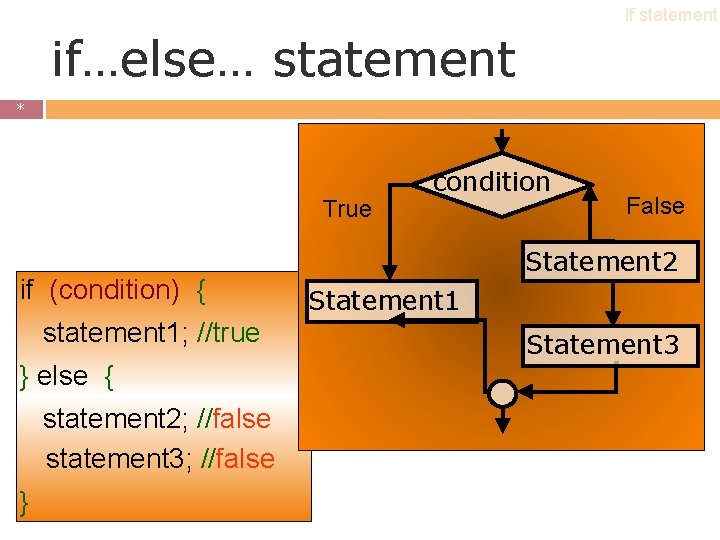
if statement if…else… statement * * True if (condition) { statement 1; //true } else { statement 2; //false statement 3; //false } condition False Statement 2 Statement 1 Statement 3
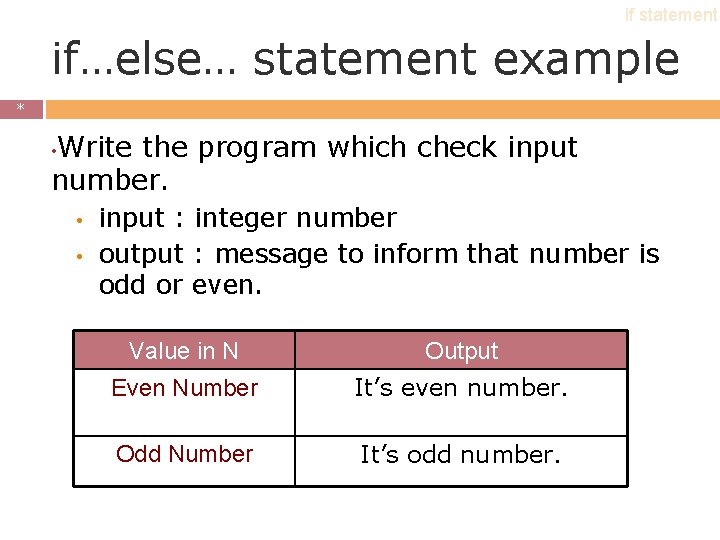
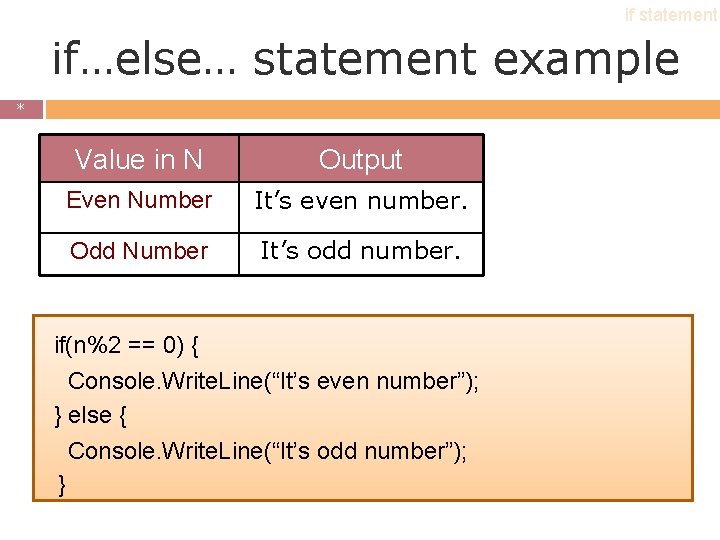
if statement if…else… statement example * * Write the program which check input number. • • • input : integer number output : message to inform that number is odd or even. Value in N Output Even Number It’s even number. Odd Number It’s odd number.
if statement if…else… statement example * * Value in N Output Even Number It’s even number. Odd Number It’s odd number. if(n%2 == 0) { Console. Write. Line(“It’s even number”); } else { Console. Write. Line(“It’s odd number”); }
������� � n % 2 == 0 True Console. Write. Line ("It is an even number"); lse Fa Console. Write. Line ("It is an odd number"); * 30
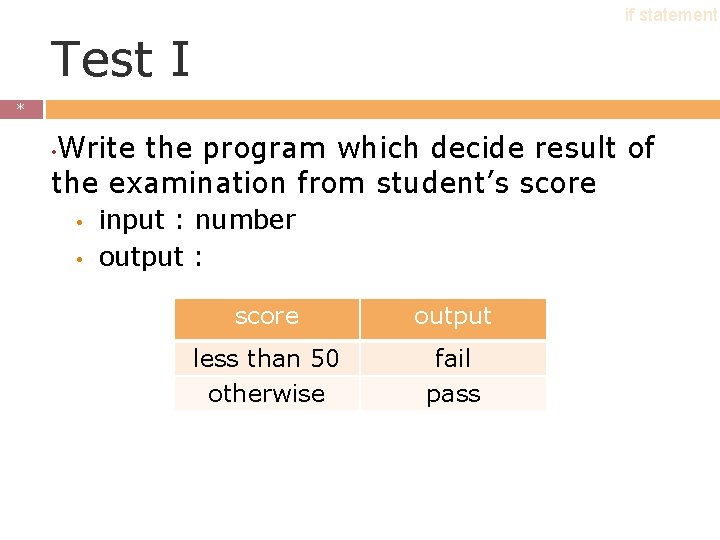
if statement Test I * * Write the program which decide result of the examination from student’s score • • • input : number output : score output less than 50 otherwise fail pass
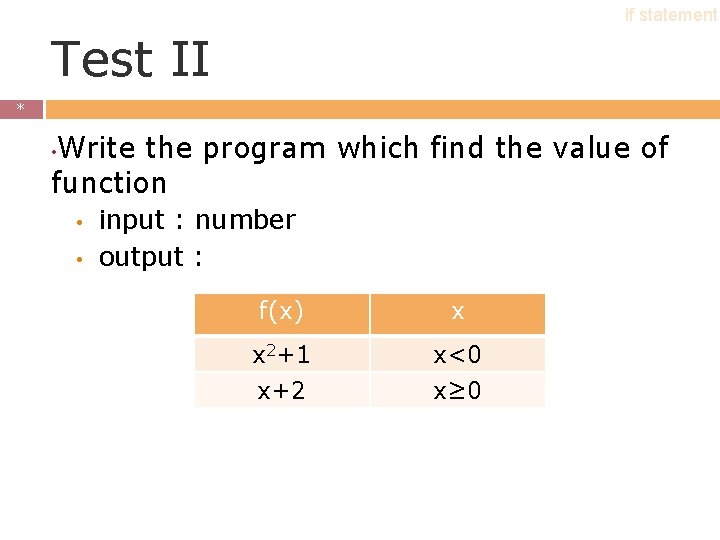
if statement Test II * * Write the program which find the value of function • • • input : number output : f(x) x x 2+1 x+2 x<0 x≥ 0
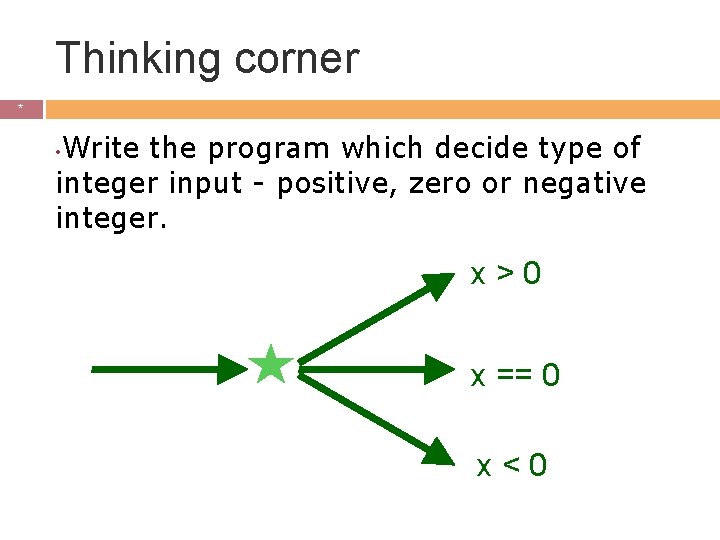
Thinking corner * * Write the program which decide type of integer input - positive, zero or negative integer. • x>0 x == 0 x<0
Outline * * Boolean expression • if statement • nested if statement • switch case statement • Flow. Chart •
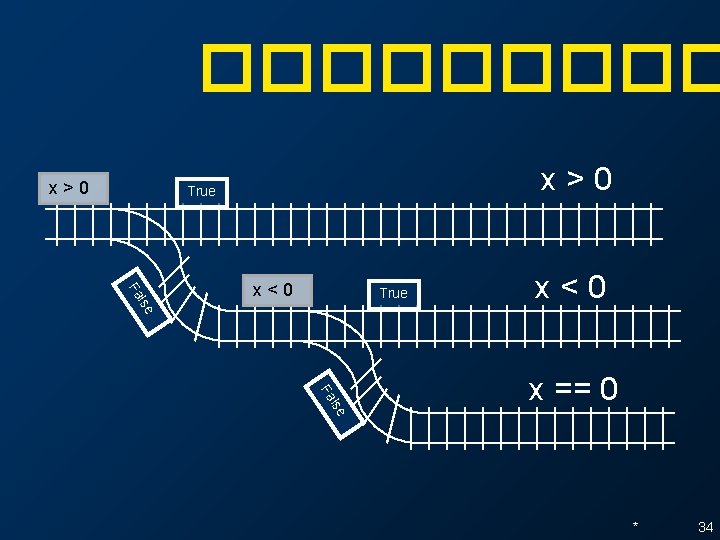
����� x>0 True lse Fa x<0 True x<0 lse Fa x == 0 * 34
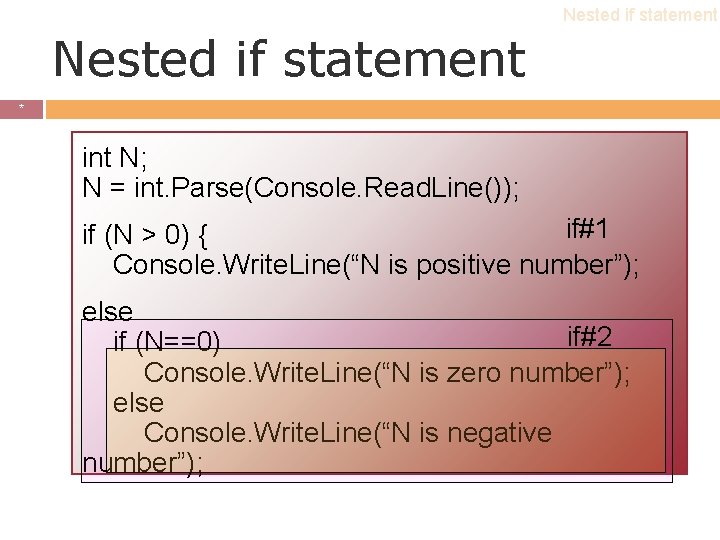
Nested if statement * * int N; N = int. Parse(Console. Read. Line()); if#1 if (N > 0) { Console. Write. Line(“N is positive number”); else if#2 if (N==0) Console. Write. Line(“N is zero number”); else Console. Write. Line(“N is negative number”);
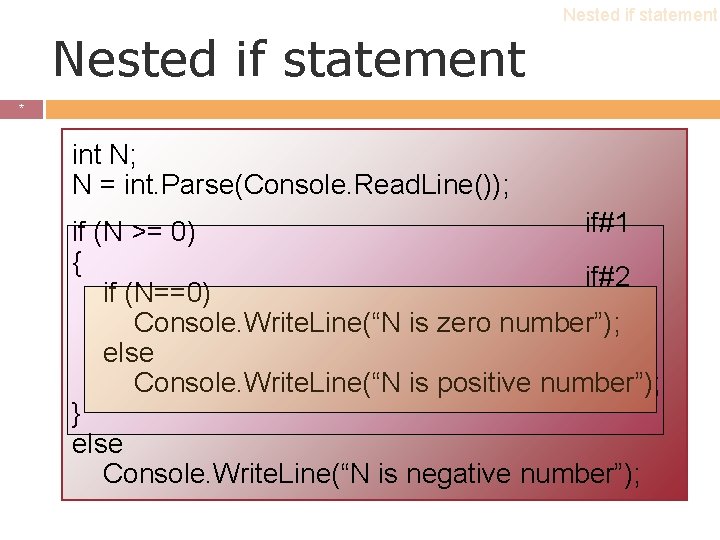
Nested if statement * * int N; N = int. Parse(Console. Read. Line()); if#1 if (N >= 0) { if#2 if (N==0) Console. Write. Line(“N is zero number”); else Console. Write. Line(“N is positive number”); } else Console. Write. Line(“N is negative number”);
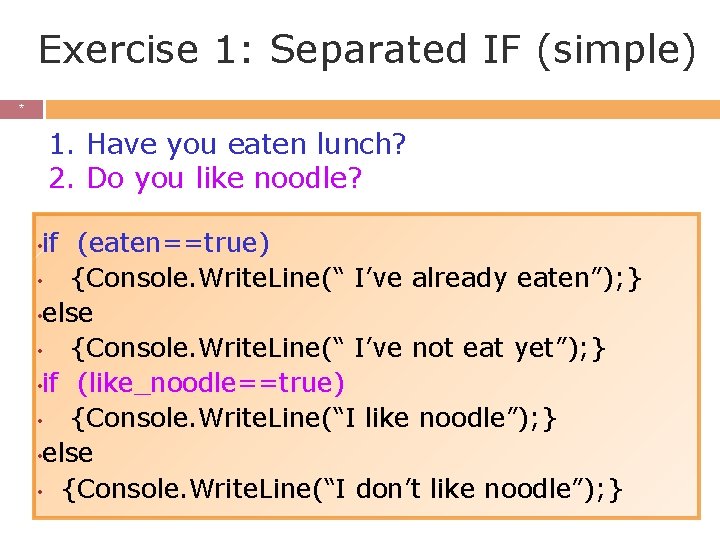
Exercise 1: Separated IF (simple) * * 1. Have you eaten lunch? 2. Do you like noodle? • if (eaten==true) • {Console. Write. Line(“ I’ve already eaten”); } • else • {Console. Write. Line(“ I’ve not eat yet”); } • if (like_noodle==true) • {Console. Write. Line(“I like noodle”); } • else • {Console. Write. Line(“I don’t like noodle”); }
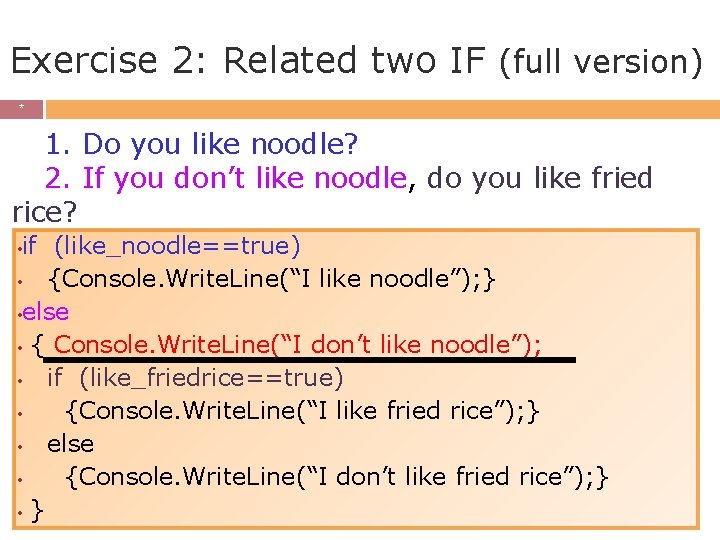
Exercise 2: Related two IF (full version) * * 1. Do you like noodle? 2. If you don’t like noodle, do you like fried rice? if (like_noodle==true) • {Console. Write. Line(“I like noodle”); } • else • { Console. Write. Line(“I don’t like noodle”); • if (like_friedrice==true) • {Console. Write. Line(“I like fried rice”); } • else • {Console. Write. Line(“I don’t like fried rice”); } •
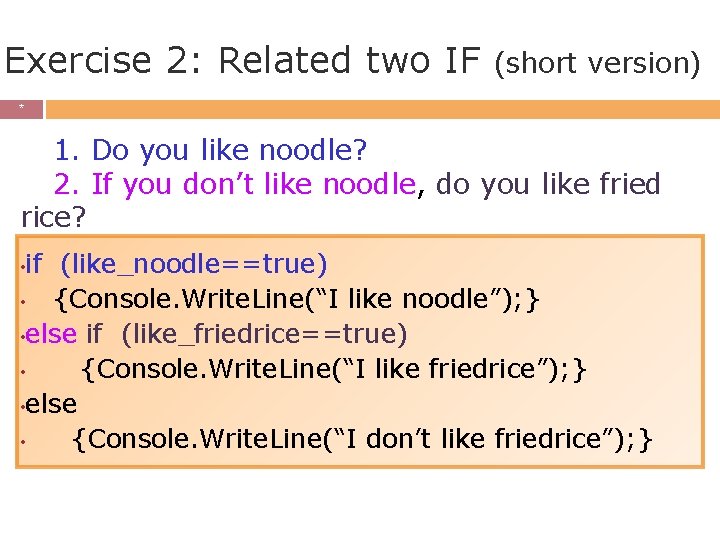
Exercise 2: Related two IF (short version) * * 1. Do you like noodle? 2. If you don’t like noodle, do you like fried rice? • if (like_noodle==true) • {Console. Write. Line(“I like noodle”); } • else if (like_friedrice==true) • {Console. Write. Line(“I like friedrice”); } • else • {Console. Write. Line(“I don’t like friedrice”); }
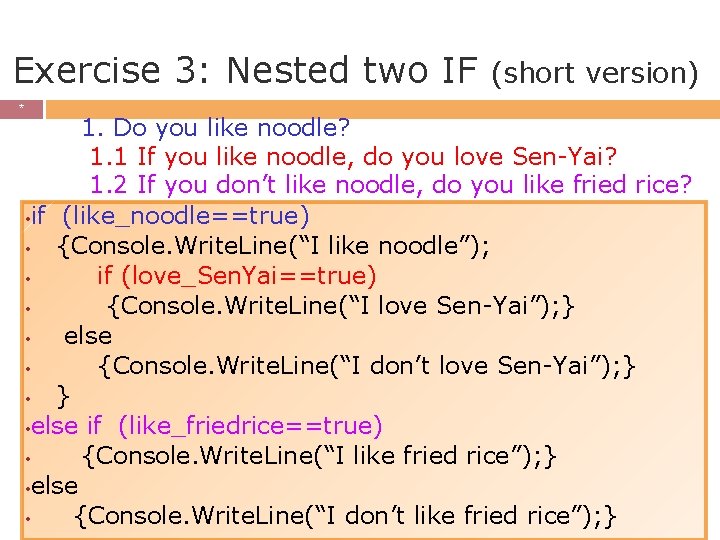
Exercise 3: Nested two IF * * (short version) 1. Do you like noodle? 1. 1 If you like noodle, do you love Sen-Yai? 1. 2 If you don’t like noodle, do you like fried rice? • if (like_noodle==true) • {Console. Write. Line(“I like noodle”); • if (love_Sen. Yai==true) • {Console. Write. Line(“I love Sen-Yai”); } • else • {Console. Write. Line(“I don’t love Sen-Yai”); } • else if (like_friedrice==true) • {Console. Write. Line(“I like fried rice”); } • else • {Console. Write. Line(“I don’t like fried rice”); }
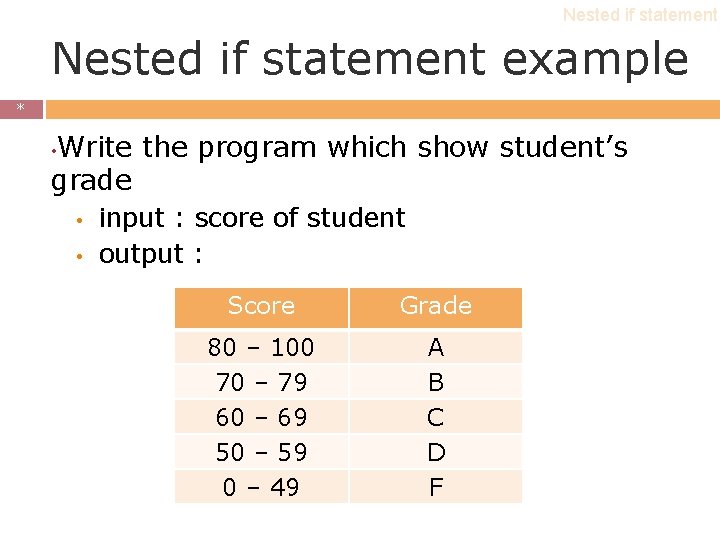
Nested if statement example * * Write the program which show student’s grade • • • input : score of student output : Score Grade 80 – 100 70 – 79 60 – 69 50 – 59 0 – 49 A B C D F
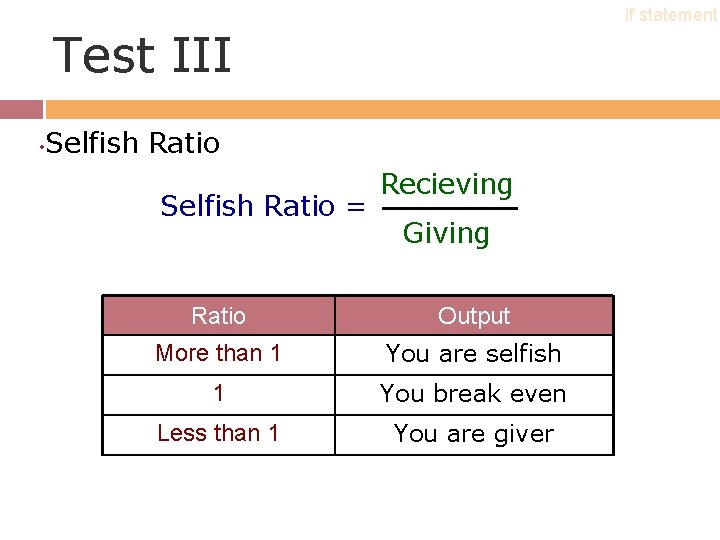
if statement Test III • Selfish Ratio = Recieving Giving Ratio Output More than 1 You are selfish 1 You break even Less than 1 You are giver *
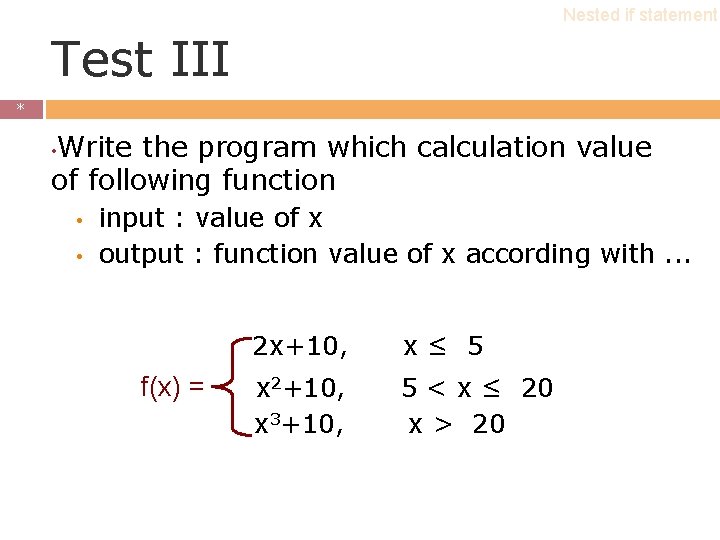
Nested if statement Test III * * Write the program which calculation value of following function • • • input : value of x output : function value of x according with. . . f(x) = 2 x+10, x≤ 5 x 2+10, x 3+10, 5 < x ≤ 20 x > 20
Outline * * Boolean expression • if statement • nested if statement • Flowchart •
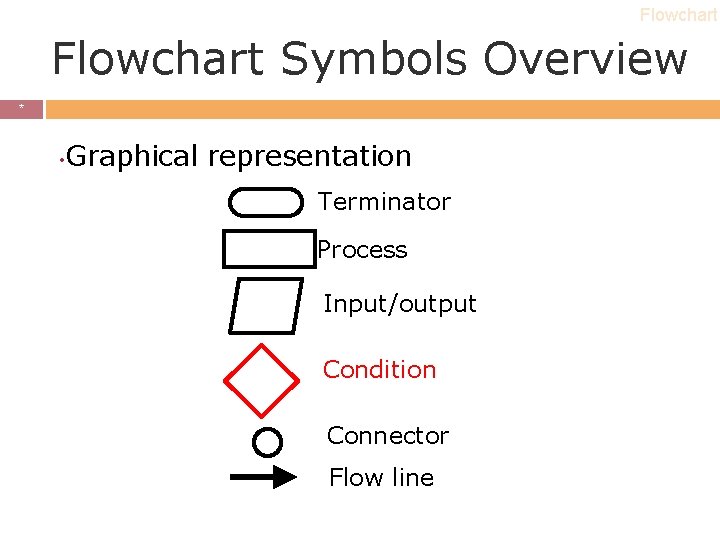
Flowchart Symbols Overview * * • Graphical representation Terminator Process Input/output Condition Connector Flow line
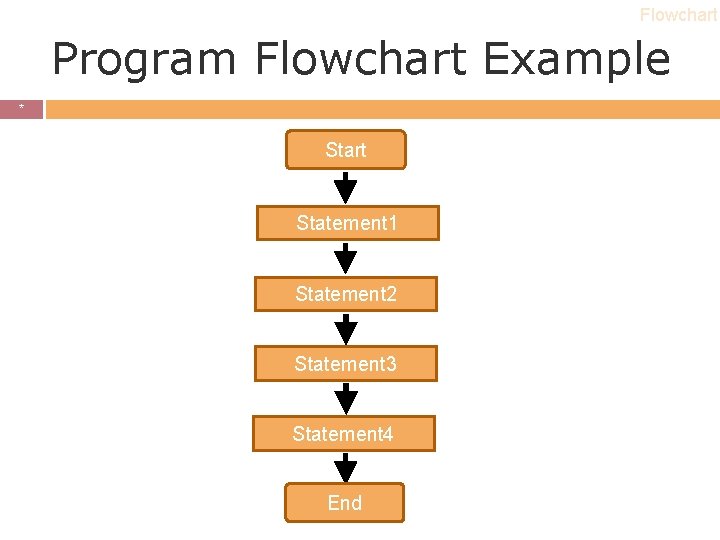
Flowchart Program Flowchart Example * * Start Statement 1 Statement 2 Statement 3 Statement 4 End
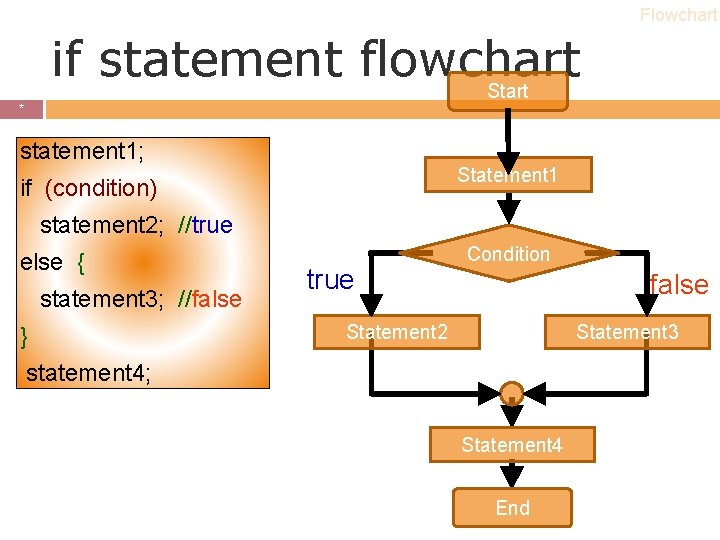
Flowchart if statement flowchart Start * * statement 1; Statement 1 if (condition) statement 2; //true else { statement 3; //false } true Condition false Statement 2 Statement 3 statement 4; Statement 4 End
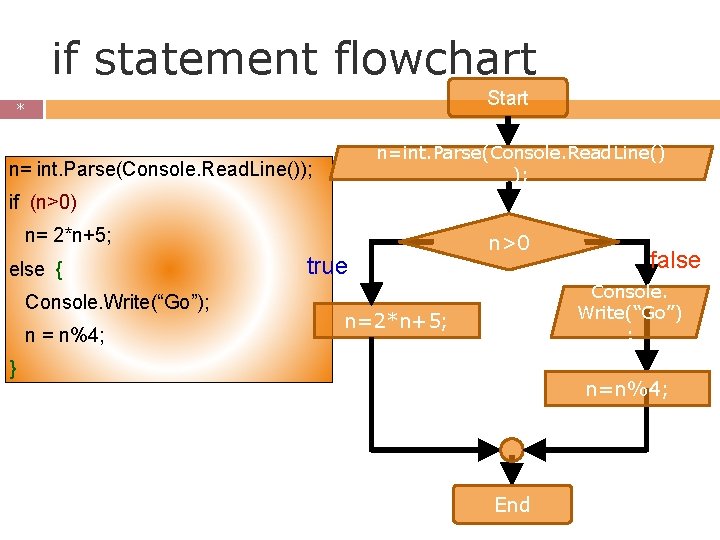
if statement flowchart Start * * n=int. Parse(Console. Read. Line() ); n= int. Parse(Console. Read. Line()); if (n>0) n= 2*n+5; else { Console. Write(“Go”); n = n%4; true n>0 false Console. Write(“Go”) ; n=2*n+5; } n=n%4; End
* Any question?