
Introduction to Advanced Process Simulation Souman Rudra 10

- Slides: 55
Introduction to Advanced Process Simulation Souman Rudra 10 -03 -2014
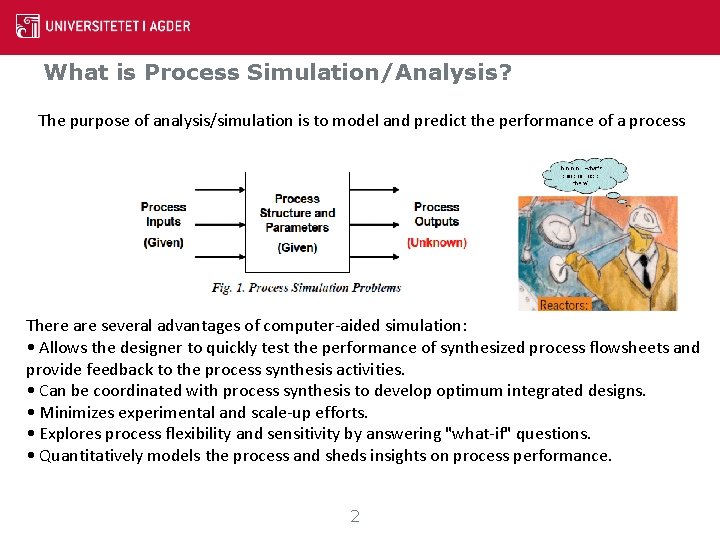
What is Process Simulation/Analysis? The purpose of analysis/simulation is to model and predict the performance of a process There are several advantages of computer-aided simulation: • Allows the designer to quickly test the performance of synthesized process flowsheets and provide feedback to the process synthesis activities. • Can be coordinated with process synthesis to develop optimum integrated designs. • Minimizes experimental and scale-up efforts. • Explores process flexibility and sensitivity by answering "what-if" questions. • Quantitatively models the process and sheds insights on process performance. 2
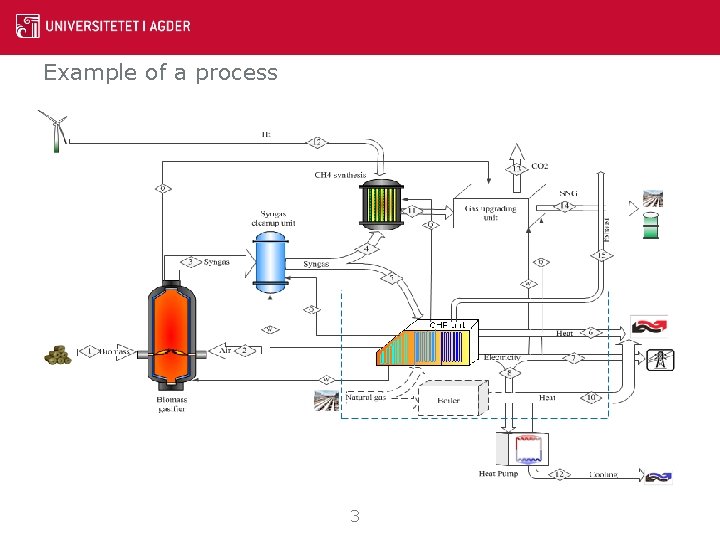
Example of a process 3
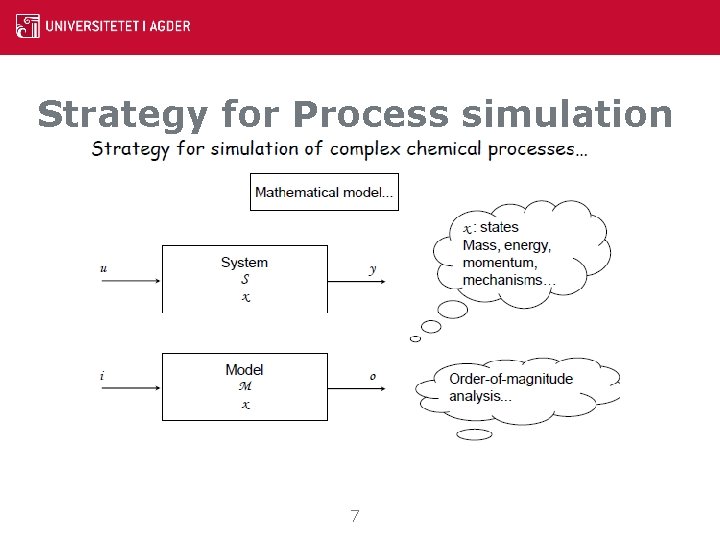
Strategy for Process simulation Strategy for simulation of complex chemical processes… 4
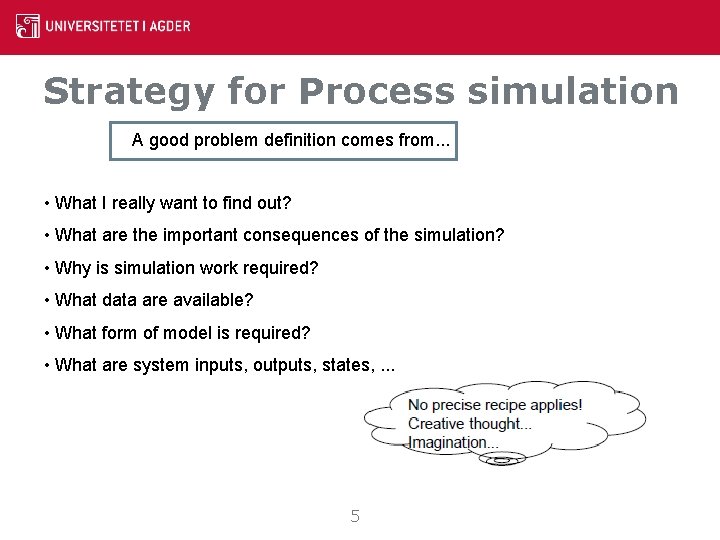
Strategy for Process simulation A good problem definition comes from. . . • What I really want to find out? • What are the important consequences of the simulation? • Why is simulation work required? • What data are available? • What form of model is required? • What are system inputs, outputs, states, . . . 5
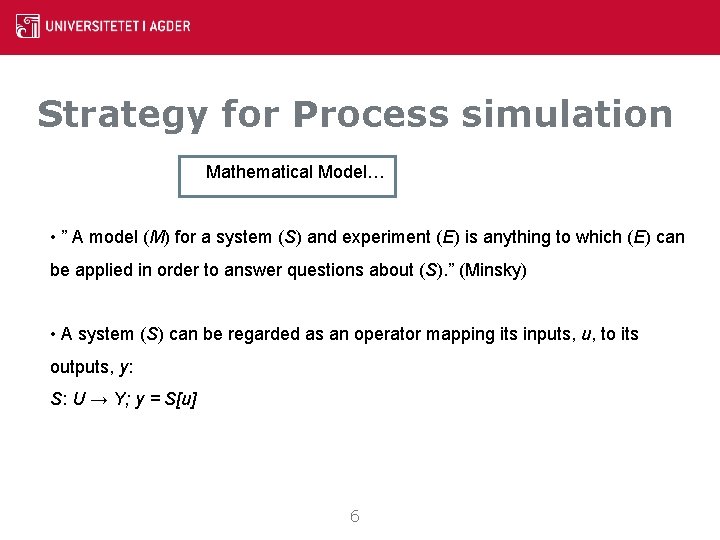
Strategy for Process simulation Mathematical Model… • ” A model (M) for a system (S) and experiment (E) is anything to which (E) can be applied in order to answer questions about (S). ” (Minsky) • A system (S) can be regarded as an operator mapping its inputs, u, to its outputs, y: S: U → Y; y = S[u] 6
Strategy for Process simulation 7
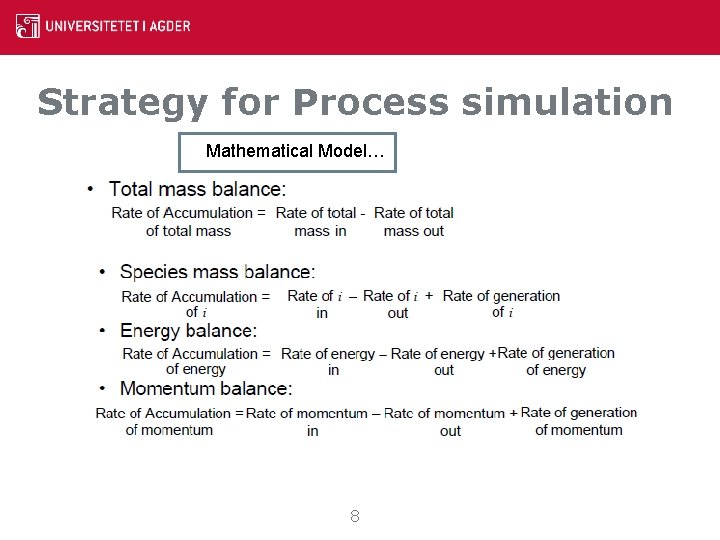
Strategy for Process simulation Mathematical Model… 8
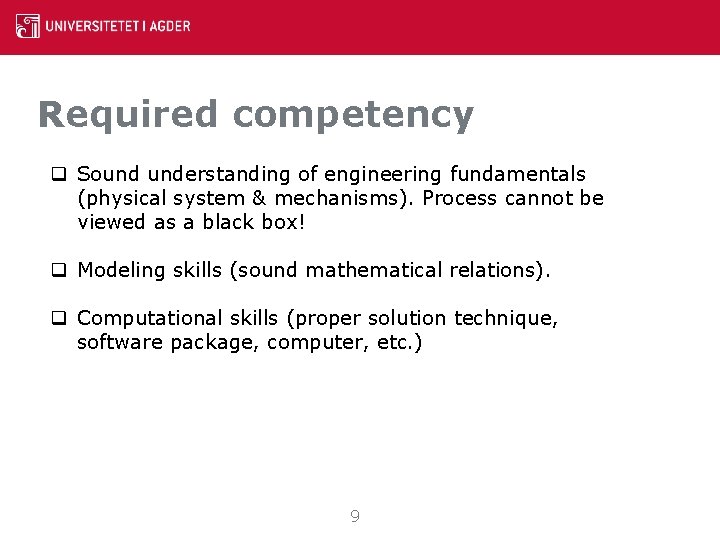
Required competency q Sound understanding of engineering fundamentals (physical system & mechanisms). Process cannot be viewed as a black box! q Modeling skills (sound mathematical relations). q Computational skills (proper solution technique, software package, computer, etc. ) 9
Impact of simulation Ø Economic: cheaper to use simulation than to build numerous different-size pilot-plants Ø Operation: Easier to develop alternative operating approaches via a mathematical model than by experimental methods Ø Scale up: First-principles simulations can predict system performance in new and different operating conditions 1
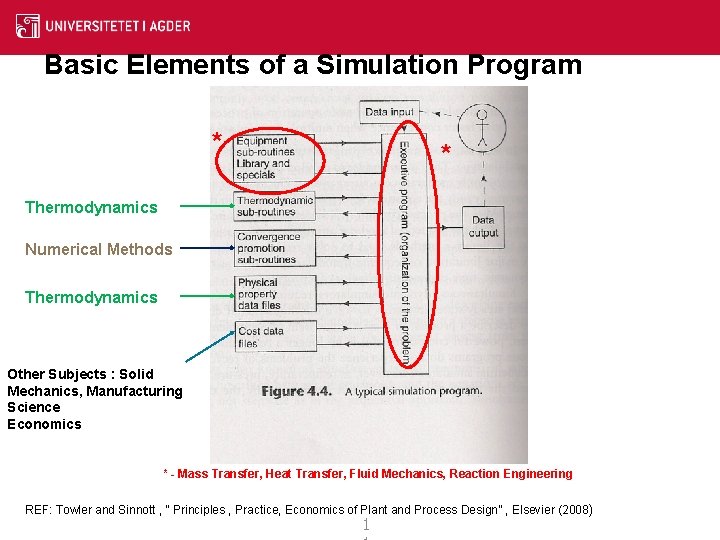
Basic Elements of a Simulation Program * * Thermodynamics Numerical Methods Thermodynamics Other Subjects : Solid Mechanics, Manufacturing Science Economics * - Mass Transfer, Heat Transfer, Fluid Mechanics, Reaction Engineering REF: Towler and Sinnott , “ Principles , Practice, Economics of Plant and Process Design” , Elsevier (2008) 1
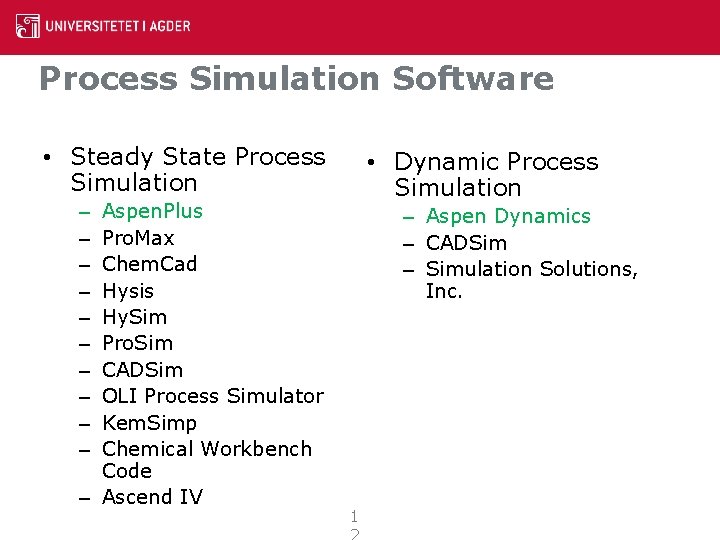
Process Simulation Software • Steady State Process Simulation Aspen. Plus Pro. Max Chem. Cad Hysis Hy. Sim Pro. Sim CADSim OLI Process Simulator Kem. Simp Chemical Workbench Code – Ascend IV • Dynamic Process Simulation – – – Aspen Dynamics – CADSim – Simulation Solutions, Inc. 1
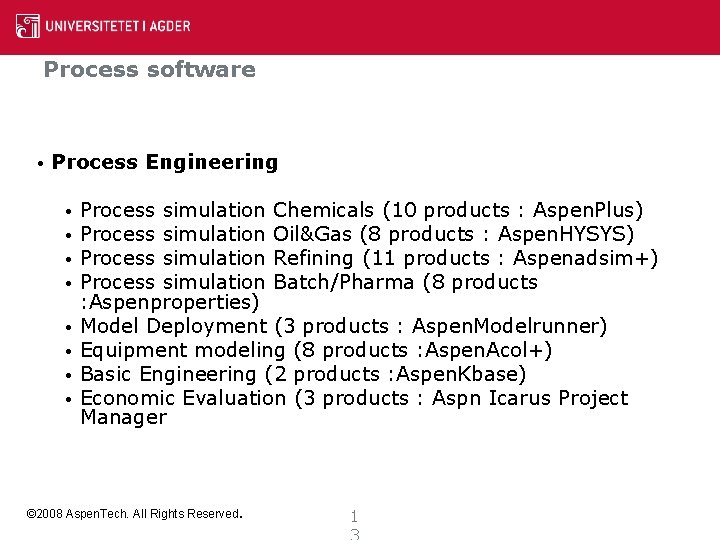
Process software • Process Engineering • • Process simulation Chemicals (10 products : Aspen. Plus) Process simulation Oil&Gas (8 products : Aspen. HYSYS) Process simulation Refining (11 products : Aspenadsim+) Process simulation Batch/Pharma (8 products : Aspenproperties) Model Deployment (3 products : Aspen. Modelrunner) Equipment modeling (8 products : Aspen. Acol+) Basic Engineering (2 products : Aspen. Kbase) Economic Evaluation (3 products : Aspn Icarus Project Manager © 2008 Aspen. Tech. All Rights Reserved. 1
1
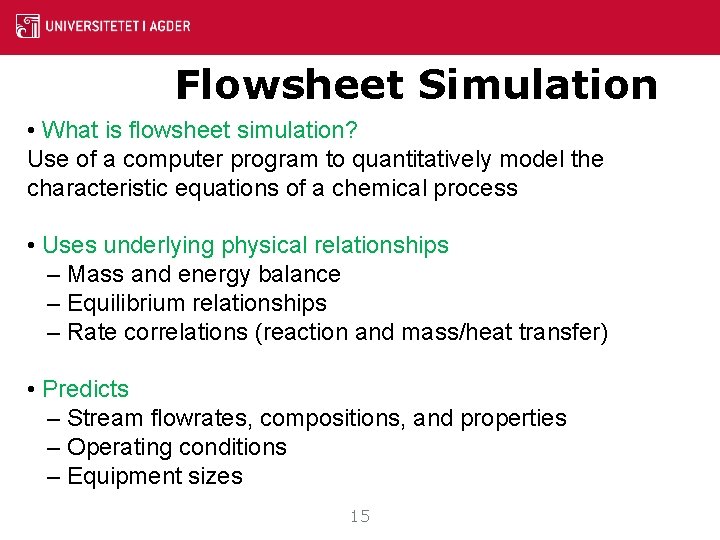
Flowsheet Simulation • What is flowsheet simulation? Use of a computer program to quantitatively model the characteristic equations of a chemical process • Uses underlying physical relationships – Mass and energy balance – Equilibrium relationships – Rate correlations (reaction and mass/heat transfer) • Predicts – Stream flowrates, compositions, and properties – Operating conditions – Equipment sizes 15
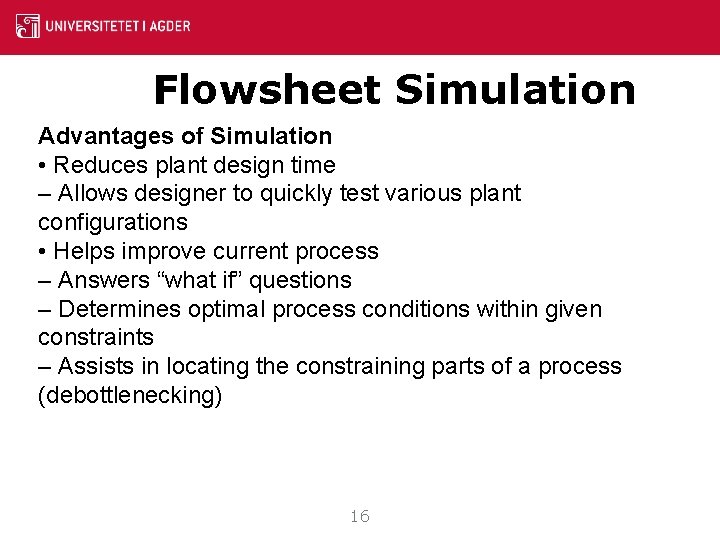
Flowsheet Simulation Advantages of Simulation • Reduces plant design time – Allows designer to quickly test various plant configurations • Helps improve current process – Answers “what if” questions – Determines optimal process conditions within given constraints – Assists in locating the constraining parts of a process (debottlenecking) 16
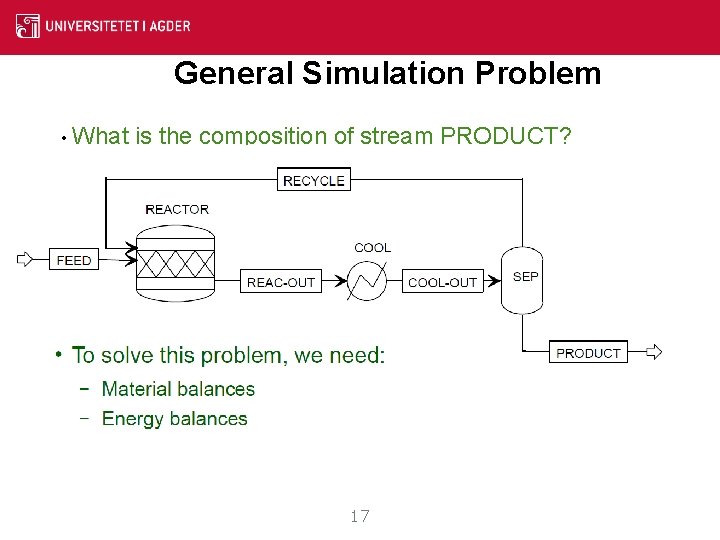
General Simulation Problem • What is the composition of stream PRODUCT? 17
Good Flowsheeting Practice • Build large flowsheets a few blocks at a time. – This facilitates troubleshooting if errors occur. • Ensure flowsheet inputs are reasonable. • Check that results are consistent and realistic. 18
Important Features of Aspen Plus • Rigorous Electrolyte Simulation • Solids Handling • Petroleum Handling • Data Regression • Data Fit • Optimization • User Routines 19
20
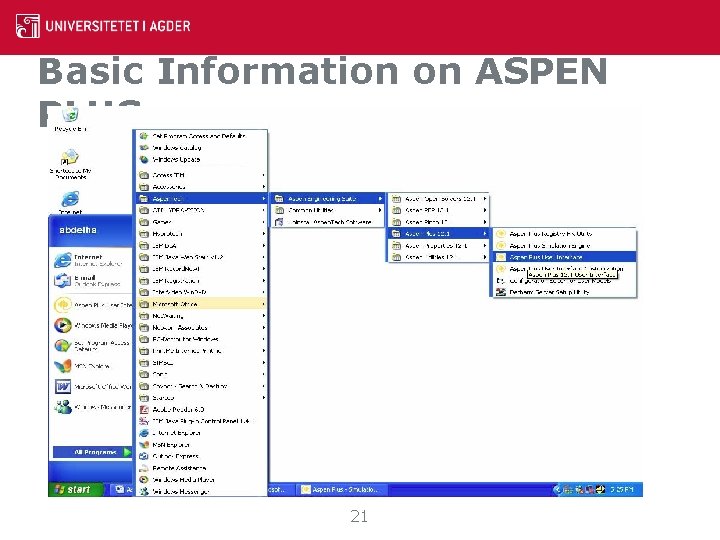
Basic Information on ASPEN PLUS 21
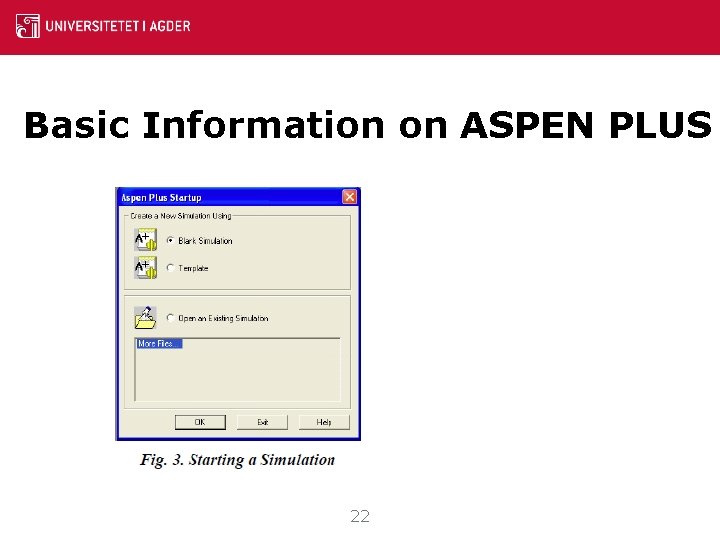
Basic Information on ASPEN PLUS 22
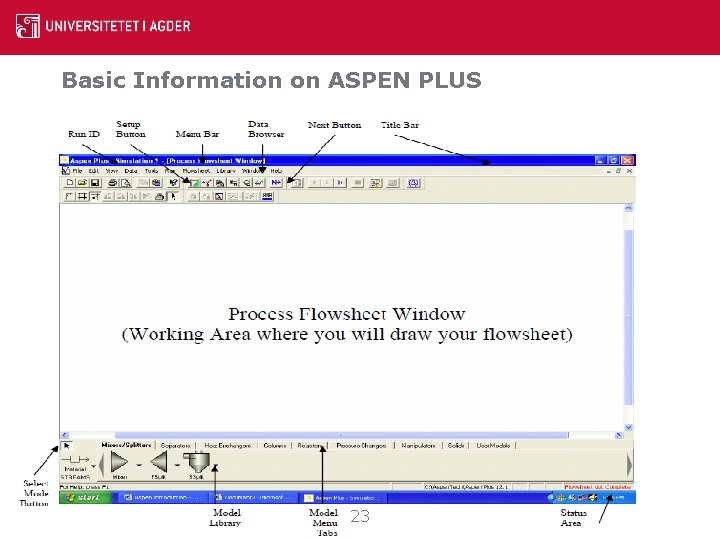
Basic Information on ASPEN PLUS 23
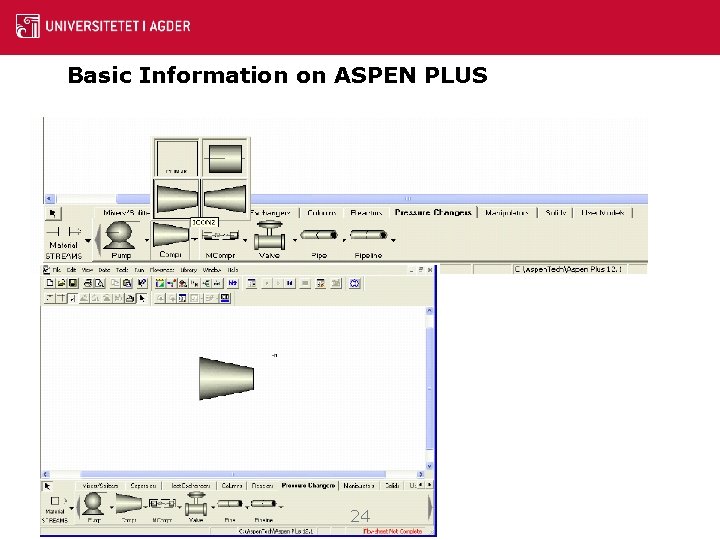
Basic Information on ASPEN PLUS 24
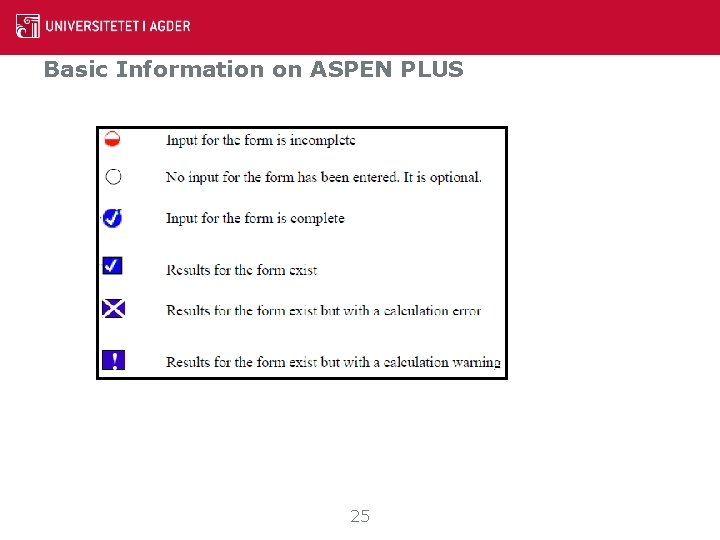
Basic Information on ASPEN PLUS 25
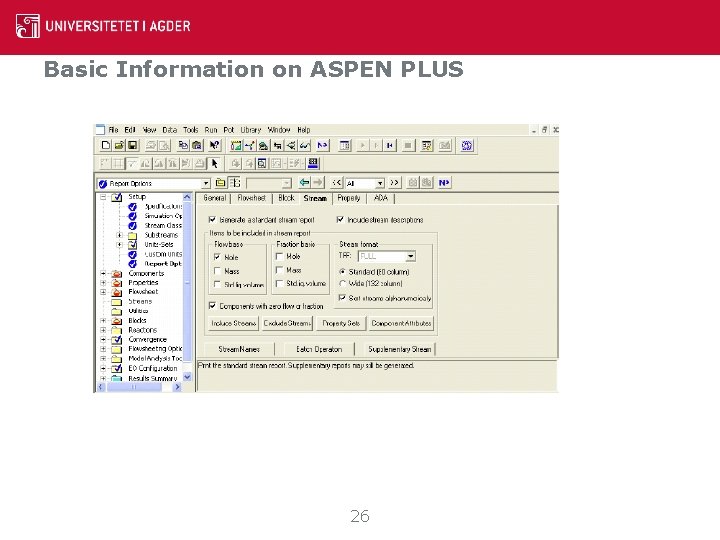
Basic Information on ASPEN PLUS 26
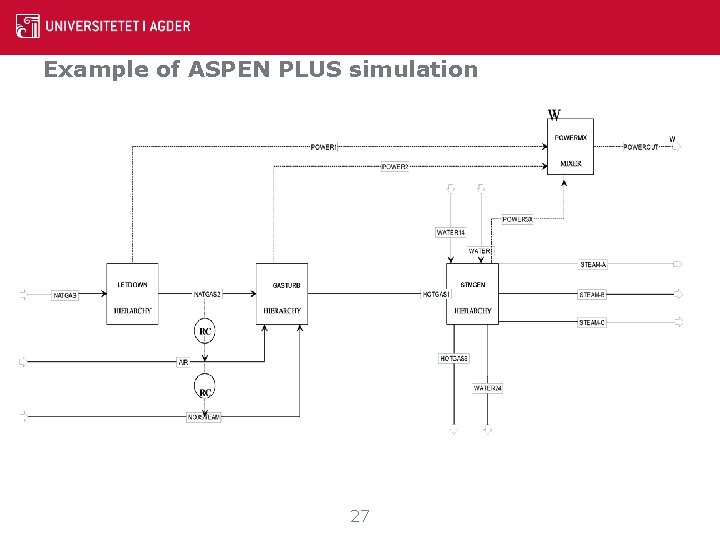
Example of ASPEN PLUS simulation 27
28
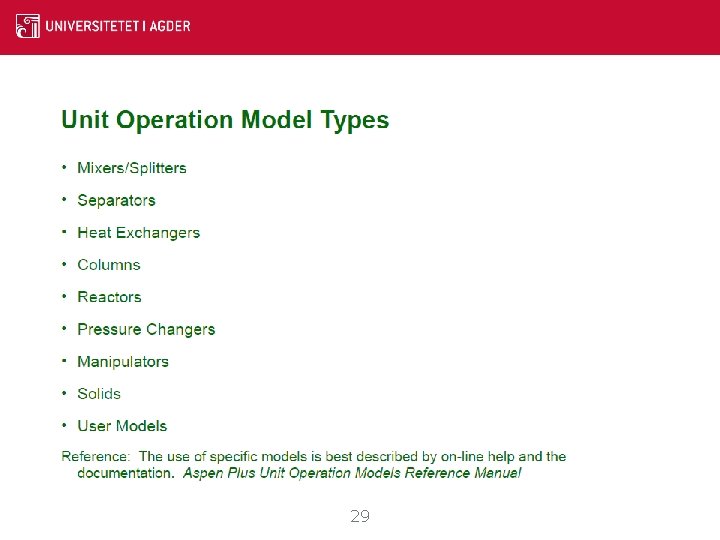
29
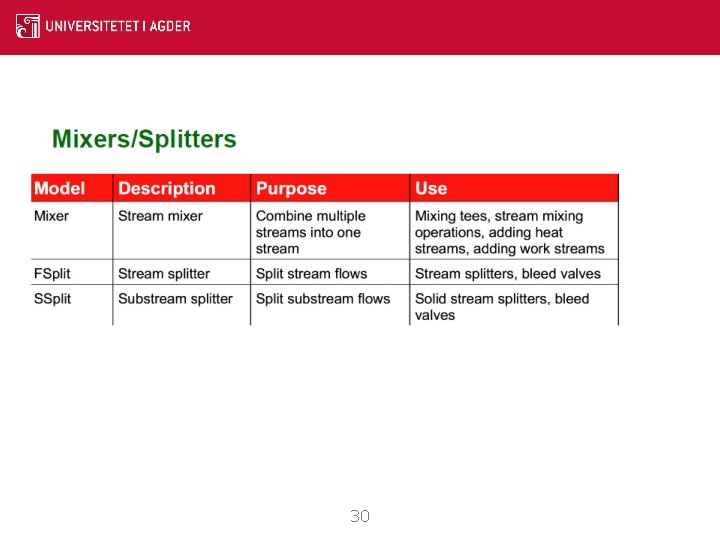
30
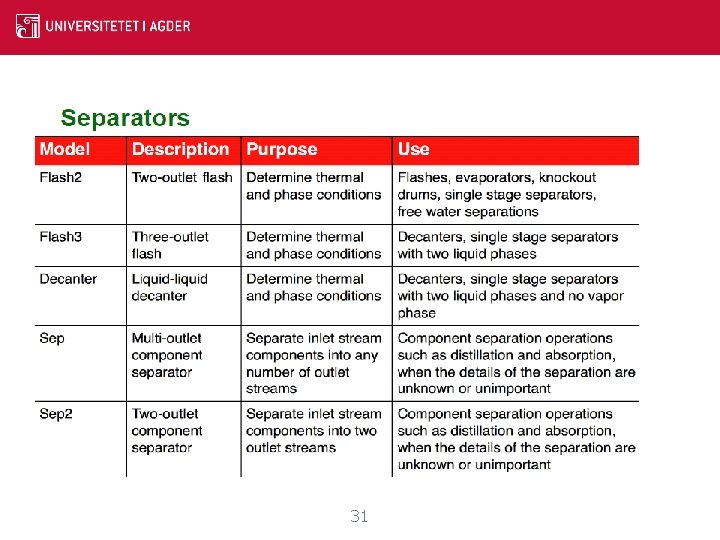
Separator 31
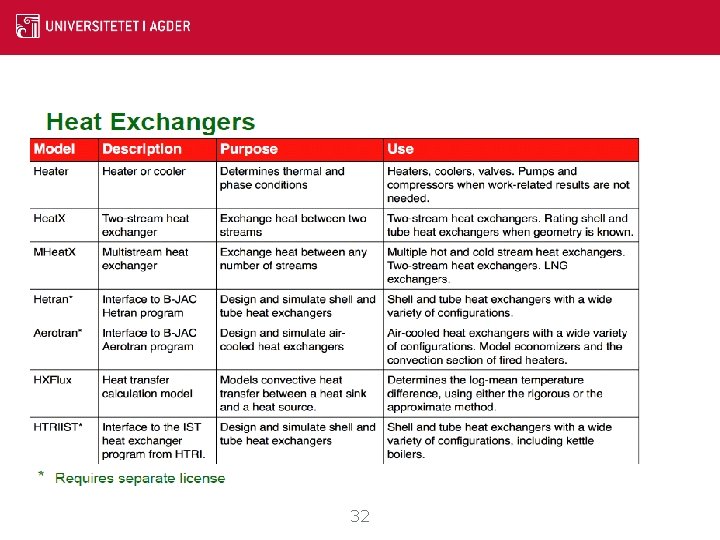
Heat Exchanger 32
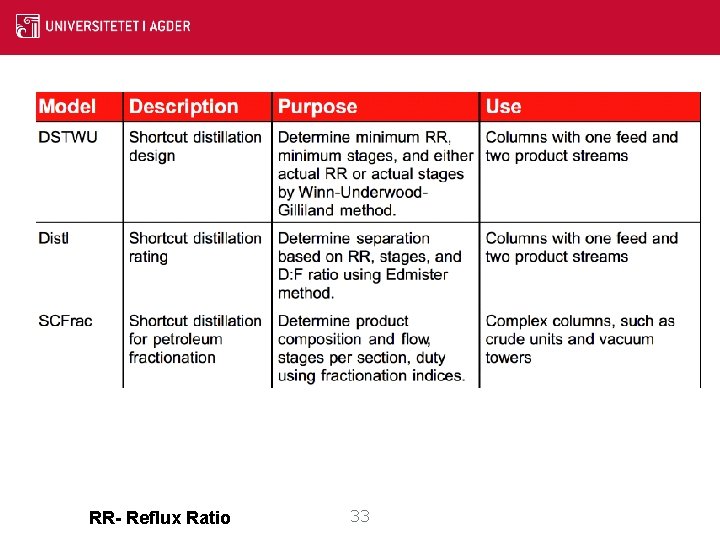
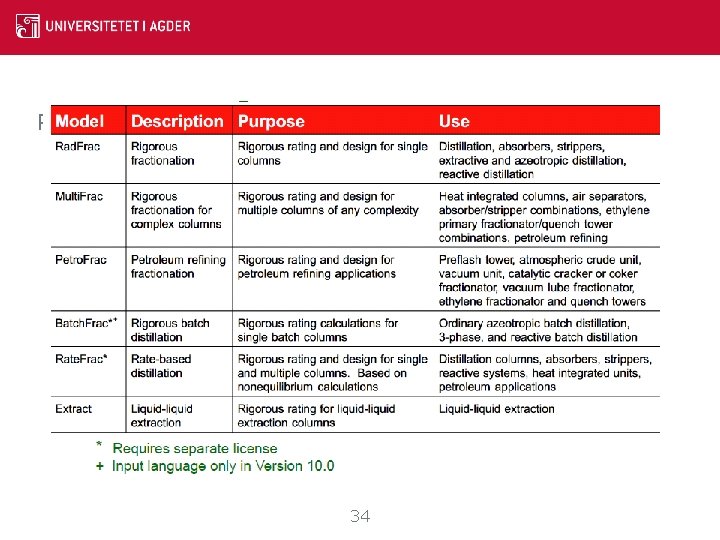
Columns - Shortcut RR- Reflux Ratio 33
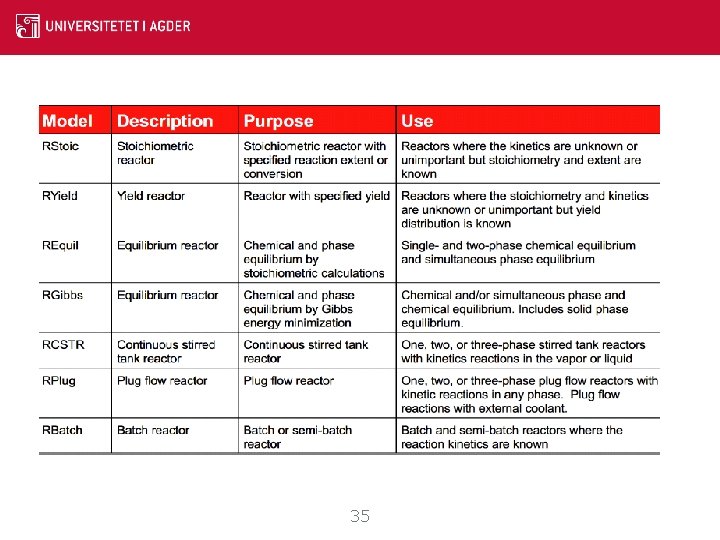
Reactors 34
Reactors 35
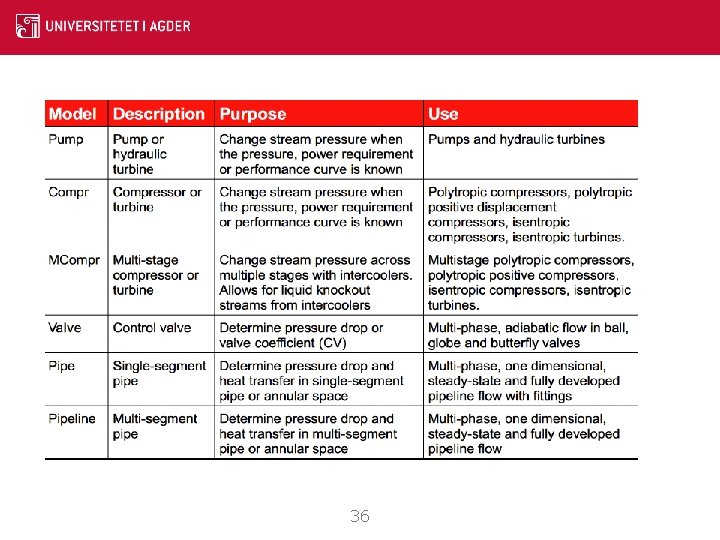
Pressure changers 36
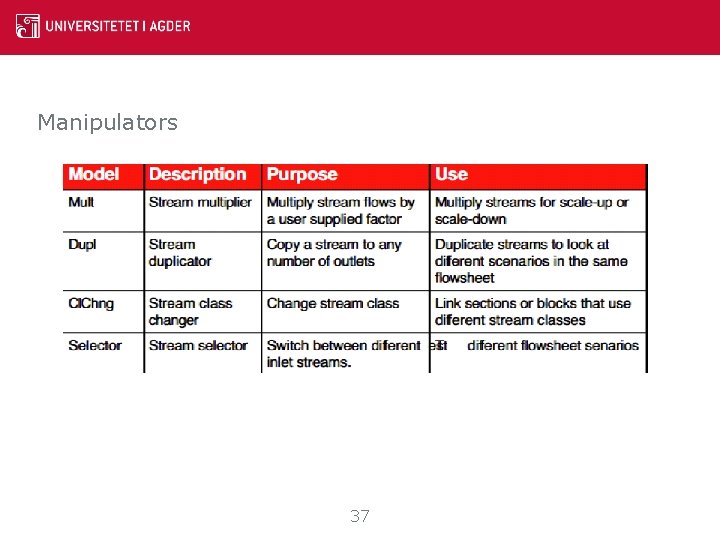
Manipulators 37
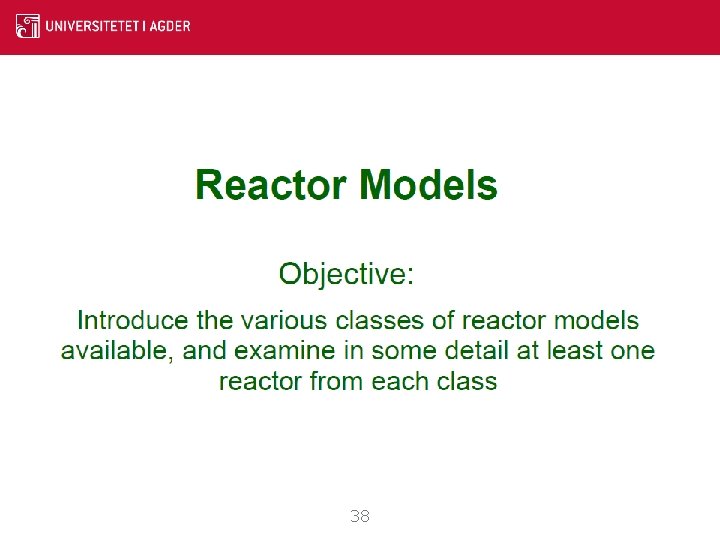
38
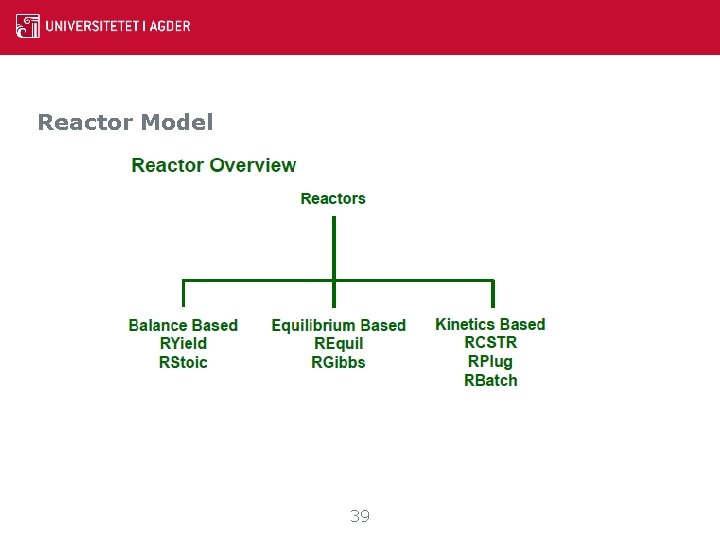
Reactor Model 39
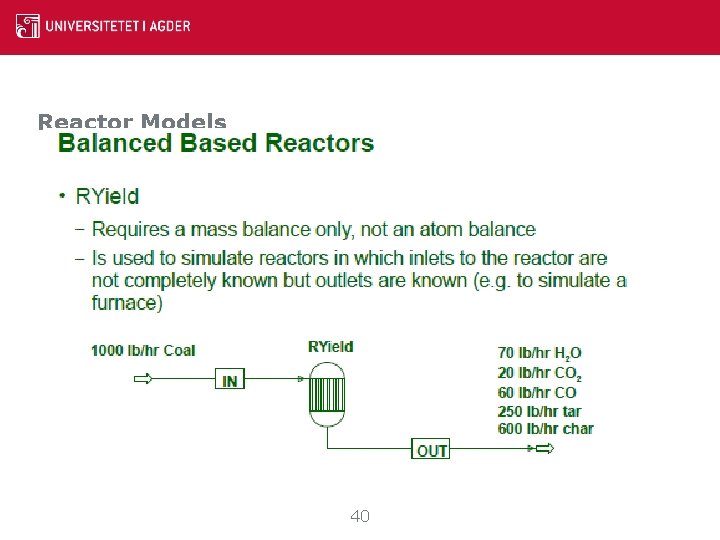
Reactor Models 40
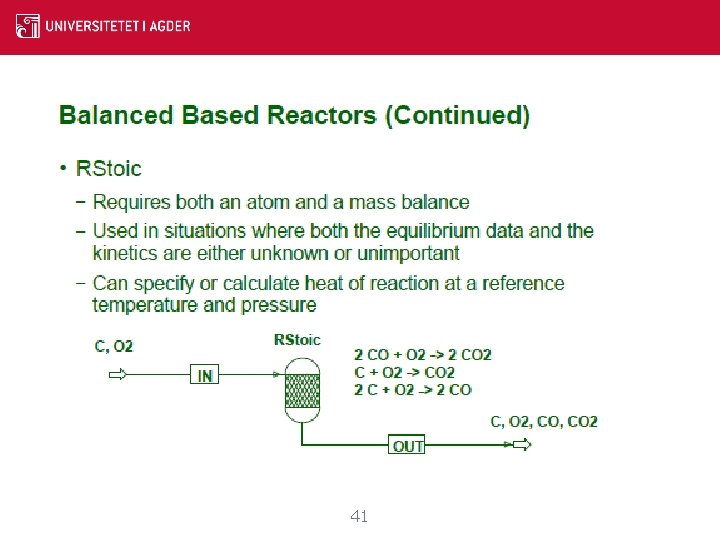
Reactor Models 41
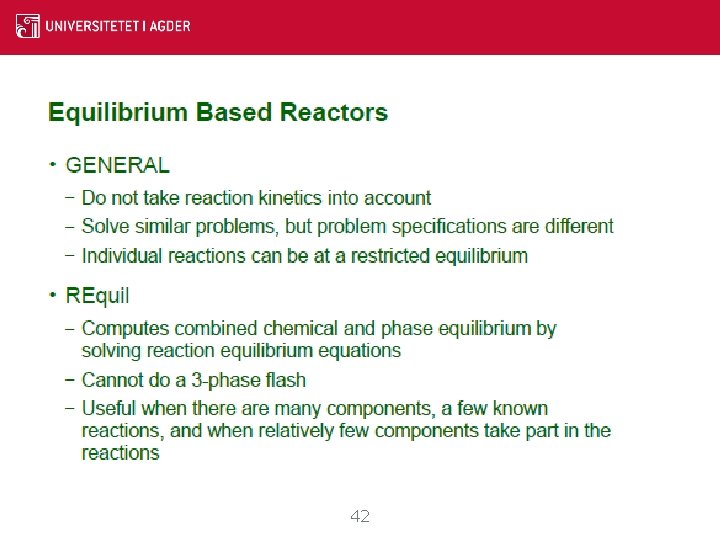
Reactor Models 42
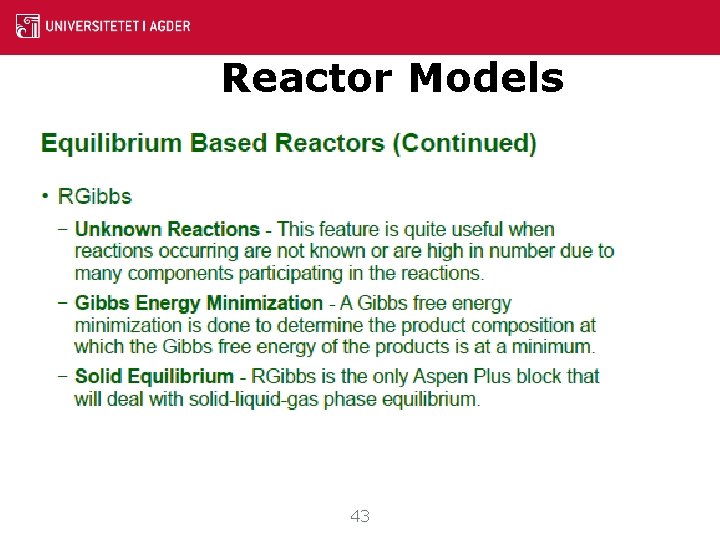
Reactor Models 43
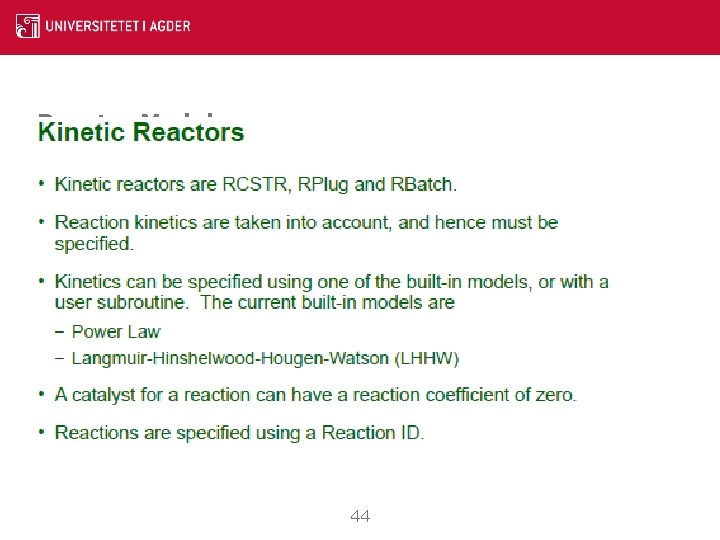
Reactor Models 44
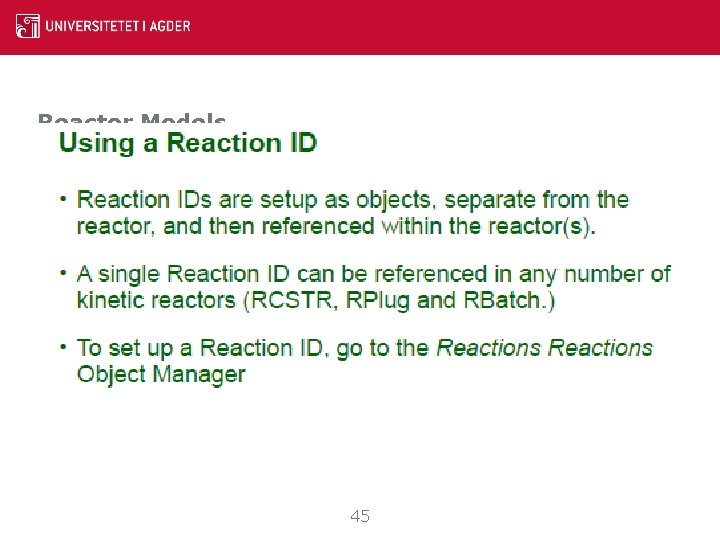
Reactor Models 45
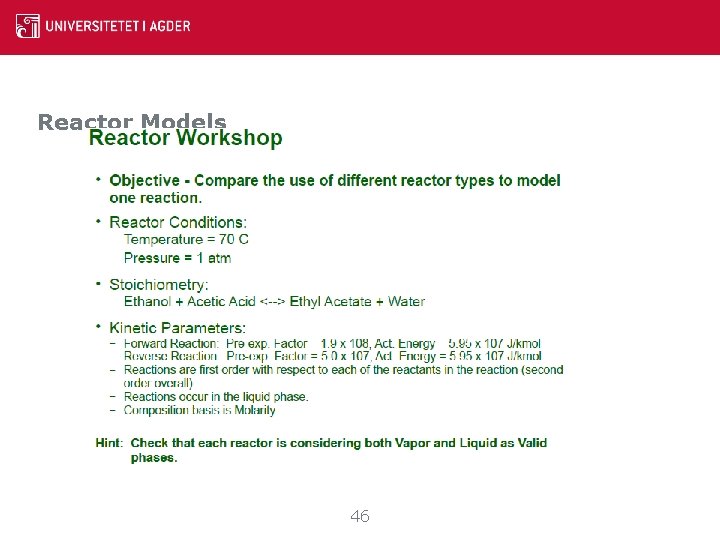
Reactor Models 46
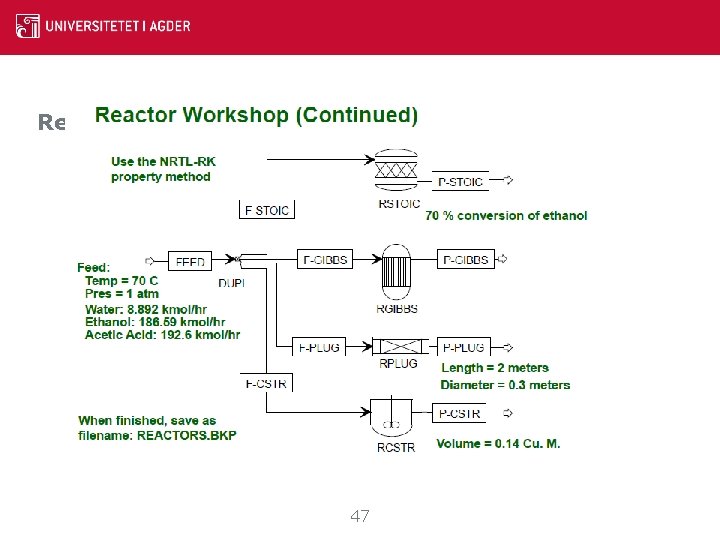
Reactor Models 47
Maintaining Aspen Plus Simulations 48
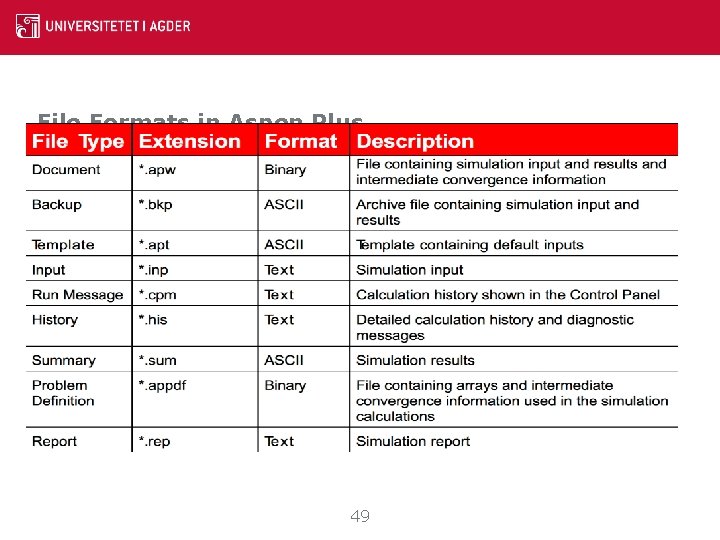
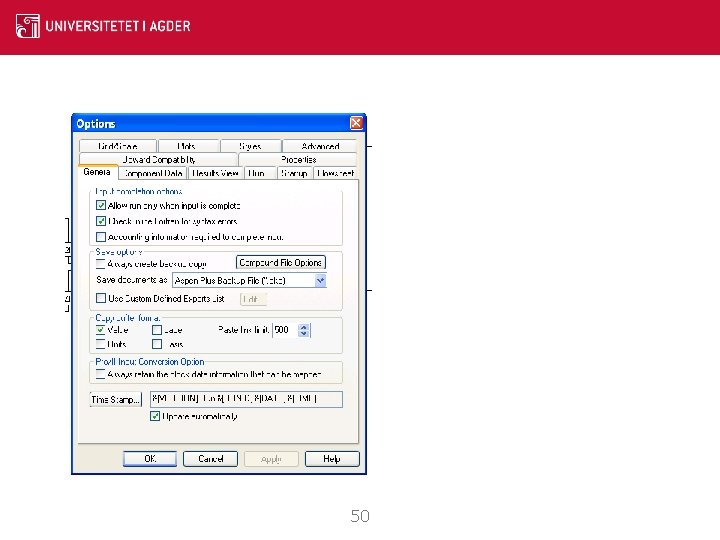
File Formats in Aspen Plus 49
50
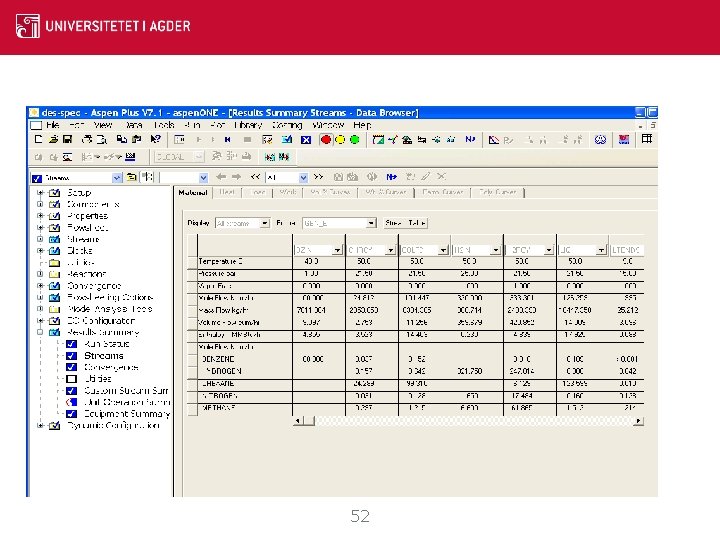
Adding Annotation • Use the Draw Toolbar to add text and graphics. (Select Toolbar… from the View menu to select the Draw Toolbar if it is not visible. ) • To create a stream table, click on the Stream Table button on the Results Summary Streams Material sheet. • Annotation objects can be attached to flo 51
Example of a Stream Table 52
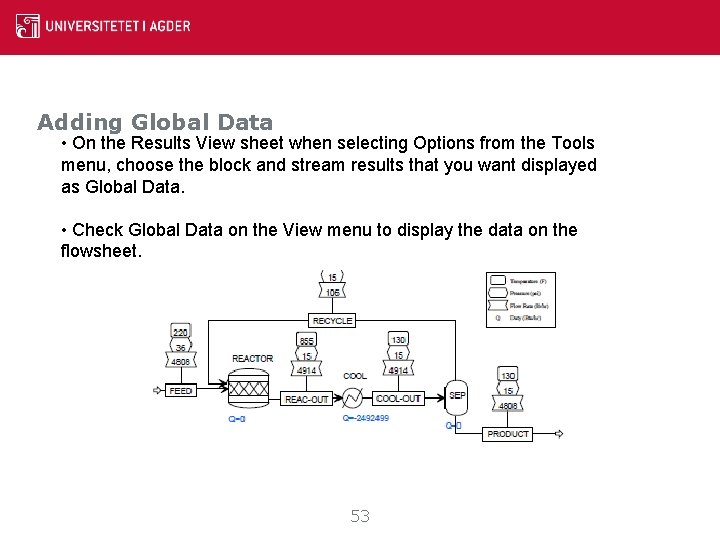
Adding Global Data • On the Results View sheet when selecting Options from the Tools menu, choose the block and stream results that you want displayed as Global Data. • Check Global Data on the View menu to display the data on the flowsheet. 53
Some more information http: //www. nrel. gov/extranet/biorefinery/aspen_models/ http: //people. clarkson. edu/~wwilcox/Design/Aspn. Phas. htm Three of the Aspen Plus tutorials online University of Texas Michigan State University of Washington 54
Thank you!! Q&A Contact : souman. rudra@uia. no 55